
Driving Innovation: How High-Quality 3D Models Power Custom Automotive 3D Printing and Design

Driving Innovation: How High-Quality 3D Models Power Custom Automotive 3D Printing and Design
The automotive industry has always been at the forefront of technological advancement, and today, the synergy between high-fidelity 3D models and advanced 3D printing techniques is revolutionizing how we design, prototype, and even manufacture custom car parts. From concept visualization to functional components, the precision and versatility offered by 3D modeling have become indispensable. This blog post delves into the intricate world of automotive 3D design, exploring the journey from a meticulously crafted digital model to a tangible, custom-fabricated car part. We’ll cover everything from ensuring robust topology for diverse applications to preparing models specifically for 3D printing, optimizing them for real-time engines, and the crucial steps of post-processing. Whether you’re a seasoned automotive designer, a game developer pushing for realism, or an enthusiast looking to create bespoke components, understanding these workflows is key to unlocking new levels of creativity and efficiency. Join us as we explore how platforms like 88cars3d.com provide the essential foundation for these groundbreaking applications.
The Foundation: High-Quality 3D Car Models and Automotive Design
At the heart of every successful automotive project, whether it’s a stunning render, an immersive game environment, or a functional 3D-printed part, lies a high-quality 3D model. For automotive applications, “high-quality” isn’t just about visual appeal; it encompasses precise geometry, clean topology, and meticulous attention to detail. These foundational attributes dictate how easily a model can be manipulated, textured, animated, or even translated into a physical object via 3D printing. Professional 3D car models, like those available on 88cars3d.com, are built with these diverse applications in mind, ensuring they can serve multiple purposes without extensive re-work. The initial design phase often involves sophisticated CAD software (e.g., SolidWorks, Catia) for engineering accuracy, but for visualization and additive manufacturing, these models are often converted and refined in polygon modeling software like 3ds Max, Blender, or Maya.
Precision Modeling for Digital and Physical Fidelity
Precision in 3D modeling for automotive design begins with topology – the arrangement of polygons and edges that define the surface of the model. For vehicles, maintaining a clean, quad-based topology with optimal edge flow is paramount. This ensures smooth, subdividable surfaces, crucial for capturing the subtle curves and reflections of a car’s body. Good edge flow prevents pinching and artifacting when the model is subdivided (e.g., using a TurboSmooth modifier in 3ds Max or Subdivision Surface in Blender), which is essential for both realistic rendering and for generating a smooth surface for 3D printing. Polygon counts vary drastically depending on the application; a hero asset for rendering might have millions of polygons (after subdivision), while a game-ready model could be optimized to 50,000-150,000 polygons, and a 3D print model might fall somewhere in between, prioritizing watertightness and mesh integrity over extreme polygon efficiency.
The Role of PBR Materials and Realistic Rendering in Automotive Visualization
While 3D printing primarily concerns geometry, the visualization of an automotive design often relies heavily on Physically Based Rendering (PBR) materials and sophisticated rendering workflows. PBR materials accurately simulate how light interacts with surfaces, providing unparalleled realism. This involves creating intricate shader networks for paint, glass, rubber, and chrome, defining properties like albedo (base color), metallic, roughness, normal maps, and displacement. Software like Corona Renderer, V-Ray (3ds Max), Cycles (Blender), or Arnold (Maya) excel at producing photorealistic results. Artists spend significant time perfecting lighting environments, using HDRI maps and artificial lights to highlight a car’s form and material properties. This rendering stage allows designers to evaluate aesthetics, material choices, and overall design impact long before any physical prototyping, offering a cost-effective and iterative design process.
Bridging the Gap: Preparing 3D Models for 3D Printing
The transition from a visually stunning 3D model to a physically printable object requires a specialized preparation workflow. Unlike rendering or game development, where minor mesh imperfections might go unnoticed, 3D printing demands absolute mesh integrity. Every edge and polygon must contribute to a cohesive, “watertight” volume. This transformation often involves a degree of mesh repair, optimization, and format conversion to ensure compatibility with 3D printers and their associated slicing software. Understanding these steps is crucial for anyone looking to produce custom 3D car parts, from scale models to functional components.
Essential Mesh Integrity: Watertight Models and Manifold Geometry
For a 3D model to be successfully printed, it must represent a solid, enclosed volume. This means the model must be “watertight,” with no holes, inverted normals, or non-manifold geometry. Non-manifold edges (edges shared by more than two faces) or intersecting faces can confuse a 3D printer’s slicer, leading to errors, missing layers, or failed prints. Tools like Blender’s 3D Print Toolbox, MeshMixer, or professional CAD software often include functionalities to detect and repair these issues. A typical workflow involves inspecting the model for open edges, filling holes, ensuring all normals consistently point outwards, and simplifying excessively complex areas without sacrificing critical detail. For custom car parts, this step is non-negotiable, as even small flaws can compromise the structural integrity or fit of the printed component.
Scaling, Orientation, and Print Tolerances for Automotive Parts
Beyond mesh integrity, proper scaling and orientation are vital. 3D models are often created in units like centimeters or meters, and it’s crucial to ensure these translate correctly to the printer’s units, typically millimeters. Incorrect scaling can result in parts that are either too small or too large to fit their intended application. Furthermore, the orientation of the model on the print bed significantly impacts print quality, support requirements, and print time. Complex automotive parts might require specific orientations to minimize overhangs or place aesthetically critical surfaces away from support structures. Finally, understanding print tolerances – the achievable accuracy of a 3D printer – is essential. For functional custom car parts that need to mate with existing components, accounting for a tolerance of 0.1mm to 0.5mm (depending on printer and material) might be necessary, often requiring slight design adjustments to ensure a perfect fit.
From Digital Design to Custom Physical Parts: The 3D Printing Workflow
Once a 3D model is meticulously prepared, the journey continues to the 3D printer itself. This stage involves selecting the appropriate printing technology, using slicing software to translate the 3D model into printer-specific instructions, and carefully managing print settings. The choices made here directly impact the quality, strength, and finish of the final custom 3D car part. For automotive applications, whether it’s prototyping a new headlight design or fabricating a custom interior trim piece, each step needs careful consideration.
Choosing the Right 3D Printing Technology for Automotive Applications
The landscape of 3D printing technologies offers diverse options, each suited for different automotive applications.
* **FDM (Fused Deposition Modeling):** Most common and affordable, FDM printers extrude thermoplastic filaments (e.g., ABS, PETG, Nylon) layer by layer. Ideal for functional prototypes, jigs, fixtures, and sturdy, low-cost custom car parts where surface finish isn’t the absolute priority. Nylon, for example, offers excellent strength and heat resistance.
* **SLA (Stereolithography) / DLP (Digital Light Processing):** These technologies use UV light to cure liquid resin, producing highly detailed parts with smooth surfaces. Excellent for high-resolution aesthetic prototypes, detailed scale models, and intricate custom trim pieces where visual fidelity is paramount. Resins can mimic various properties, from rigid plastics to flexible rubber.
* **SLS (Selective Laser Sintering):** Using a laser to fuse powdered material (commonly nylon or polyamides), SLS produces strong, durable, and highly complex parts without the need for support structures. This makes it ideal for functional end-use components, complex intake manifolds, or custom brackets that require high mechanical strength and precise geometry.
The choice hinges on factors like desired strength, surface finish, complexity, material properties, and budget.
Slicing Software, Support Structures, and Print Settings
After selecting the printer, the 3D model (typically in STL or 3MF format) is imported into “slicing software” (e.g., Cura, PrusaSlicer, Chitubox). This software analyzes the model and converts it into a series of thin layers, generating G-code – the specific instructions for the 3D printer. Key settings include:
* **Layer Height:** Thinner layers (e.g., 0.1mm) result in smoother surfaces but longer print times; thicker layers (e.g., 0.2-0.3mm) are faster but show more layer lines. For detailed automotive parts, thinner layers are often preferred.
* **Infill Density and Pattern:** Controls the internal structure of the part, influencing its strength and weight. For structural custom car parts, higher infill percentages (e.g., 50-100%) and strong patterns like gyroid or cubic are chosen.
* **Support Structures:** Necessary for printing overhangs and bridges. Slicing software can automatically generate these, but manual adjustment is often required to minimize scarring on critical surfaces. For complex car body elements, strategically placed supports are crucial.
* **Print Speed and Temperature:** Optimized for the chosen material to ensure proper adhesion and extrusion.
Careful configuration of these settings is paramount for a successful and high-quality print of any custom automotive component.
Beyond the Print Bed: Post-Processing and Finishing Custom Car Parts
The moment a 3D print emerges from the machine, it’s rarely a finished product. Especially for custom 3D car parts, post-processing is a critical stage that transforms a raw print into a polished, functional, or aesthetically pleasing component. This can range from simple cleaning to intricate sanding, painting, and assembly, all aimed at achieving the desired quality and integration within an automotive context. Neglecting this stage can undermine all the effort put into modeling and printing.
Cleaning, Curing, and Support Removal Techniques
The first step after printing is often support removal. For FDM prints, supports are typically snapped or cut away. For SLA/DLP prints, parts are usually washed in an IPA solution to remove uncured resin and then subjected to a UV light post-cure to achieve full material properties and hardness. This post-curing is vital for custom car parts, especially if they are exposed to stress or environmental factors. Careful handling is essential during support removal to avoid damaging the part’s surface. Tools like flush cutters, hobby knives, and even specialized support removal stations are commonly used. For complex internal geometries common in automotive parts, dissolving supports (e.g., using PVA filament for FDM with dual extruders) can be a clean and efficient solution.
Achieving Professional Finishes: Sanding, Painting, and Assembly
To achieve a professional-grade finish on 3D printed custom car parts, a multi-step process is often required.
* **Sanding:** Layer lines are inherent to most 3D printing processes. Gradually sanding with progressively finer grits (e.g., starting at 200, moving to 400, 800, 1500, and even 2000 grit) can smooth out these lines. For automotive body panels or interior trim, this step is crucial for a premium look.
* **Priming and Filling:** A high-build primer (automotive body filler primer is excellent) can further fill minor imperfections and provide a uniform surface for painting. Multiple coats with sanding in between may be necessary.
* **Painting:** Automotive-grade paints and clear coats can be applied to match existing vehicle finishes or to create custom aesthetics. Techniques like airbrushing or spray gun application yield the best results.
* **Assembly:** For multi-part custom components, precise assembly using adhesives, fasteners, or snap-fit mechanisms is the final step. Often, models from 88cars3d.com serve as a visual guide for how these custom printed parts should fit together within a larger assembly.
These finishing touches elevate a functional prototype to a show-quality custom component.
Expanding Horizons: Advanced Applications and Optimization
The integration of 3D modeling and 3D printing in the automotive sector extends far beyond simple custom parts. It encompasses rapid prototyping, enabling faster design iterations, and even hybrid manufacturing processes that combine the strengths of additive and subtractive techniques. For designers and engineers, these advanced applications represent a paradigm shift in how vehicles are conceived, developed, and personalized.
Rapid Prototyping and Iteration in Automotive Design
One of the most significant advantages of 3D printing for automotive design is its ability to facilitate rapid prototyping. Instead of costly and time-consuming traditional manufacturing methods, designers can print multiple iterations of a part (e.g., a custom aerodynamic spoiler, a new dashboard element, or an engine manifold component) within hours or days. This allows for quick physical evaluation of ergonomics, fit, form, and even preliminary functional testing. For instance, an automotive designer could print several variations of a rearview mirror housing, test each for aerodynamic efficiency in a wind tunnel simulation (or physical test), and refine the design based on tangible feedback, all before committing to expensive tooling. This iterative process drastically shortens development cycles and allows for greater innovation in automotive design.
Integrating 3D Printed Parts with Traditional Manufacturing
3D printing isn’t just replacing traditional manufacturing; it’s augmenting it. Hybrid approaches are becoming increasingly common. For example, a 3D printed mold or core could be used for injection molding of limited-run custom car parts, saving tooling costs for unique or niche vehicles. Jigs, fixtures, and custom tooling aids for assembly lines are frequently 3D printed, offering cost-effective and quickly replaceable solutions tailored to specific tasks. Furthermore, 3D printed parts can be integrated directly into traditionally manufactured assemblies. Imagine a custom interior console featuring a unique 3D printed panel alongside standard injection-molded components. This blend allows manufacturers to leverage the strengths of each process, producing highly customized, performance-optimized, or visually unique automotive solutions without a complete overhaul of their production lines.
Leveraging 3D Models for Diverse Automotive Needs
While 3D printing offers tangible output, the core 3D models available on platforms like 88cars3d.com are incredibly versatile, serving a broad spectrum of digital needs beyond physical fabrication. From real-time experiences in games and AR/VR to high-end marketing visualizations, these assets are optimized for diverse applications, each requiring specific technical considerations.
Game Engine Optimization and AR/VR Experiences
For game developers and AR/VR creators, 3D car models need a different kind of optimization. The focus shifts to real-time performance while maintaining visual fidelity. Key strategies include:
* **Level of Detail (LODs):** Creating multiple versions of a model at varying polygon counts. High-poly models are used when the car is close to the camera, and lower-poly versions are swapped in as it moves further away, significantly reducing GPU load. A high-quality model might have LOD0 (100k+ polys), LOD1 (50k), LOD2 (20k), LOD3 (5k).
* **Texture Atlasing:** Combining multiple smaller textures into one larger texture map to reduce draw calls, improving rendering performance in engines like Unity and Unreal Engine.
* **Efficient UV Mapping:** Clean, non-overlapping UVs are crucial for efficient texture application and consistent visual quality across different LODs.
* **Optimized Materials:** Using simplified shader networks and baking complex lighting information into textures (lightmaps) for static objects.
* **Collision Meshes:** Creating separate, simplified mesh versions for physics calculations, preventing the game engine from using the high-poly visual mesh, which is computationally expensive.
These techniques ensure smooth frame rates and immersive experiences in interactive environments.
File Formats, Interoperability, and Asset Management
The ability to move 3D car models seamlessly between different software and applications is fundamental. Various file formats cater to specific needs:
* **FBX (Filmbox):** A widely adopted proprietary format by Autodesk, supporting geometry, materials, animations, and skeletal data. Excellent for interoperability between 3ds Max, Maya, Blender, Unity, and Unreal Engine.
* **OBJ (Object):** A simpler, universal format primarily for geometry and basic material information. Highly compatible but lacks support for advanced features like animation or complex PBR materials.
* **GLB/GLTF (GL Transmission Format):** An open standard, increasingly popular for web-based 3D, AR/VR, and real-time applications due to its efficiency and ability to embed PBR materials and animations.
* **USDZ (Universal Scene Description Zip):** Developed by Apple, this format is optimized for AR experiences on iOS devices, supporting complex scenes and animations.
* **STL/3MF:** Essential for 3D printing, focusing solely on mesh geometry. STL is ubiquitous, while 3MF is a newer, more robust alternative supporting colors and materials.
Effective asset management involves organizing these diverse file formats, tracking versions, and ensuring consistent quality across all derivatives of a 3D car model. Platforms like 88cars3d.com offer models in multiple formats to simplify this process for users across various pipelines.
Conclusion: The Future is Printed, Visualized, and Customized
The journey from a digital concept to a tangible custom car part, or an immersive virtual experience, showcases the incredible power and versatility of high-quality 3D car models. We’ve explored the critical importance of clean topology and PBR materials for stunning visualizations, delved into the rigorous preparation required to make models 3D print-ready, and walked through the practical steps of additive manufacturing and post-processing. From rapid prototyping that slashes development times to creating unique custom components that personalize a vehicle, 3D printing is undeniably transforming the automotive landscape. Simultaneously, these same underlying 3D models are being optimized for next-generation game engines and AR/VR platforms, pushing the boundaries of interactive realism. Whether your goal is to design the next iconic vehicle, develop a groundbreaking automotive game, or fabricate a bespoke component for your own car, the foundational step remains sourcing or creating high-fidelity 3D assets. Platforms like 88cars3d.com are dedicated to providing these meticulously crafted 3D car models, empowering designers, artists, and enthusiasts to drive innovation in the automotive world. Embrace the future where every curve, every detail, and every custom part can be brought to life with precision and creativity.
Featured 3D Car Models
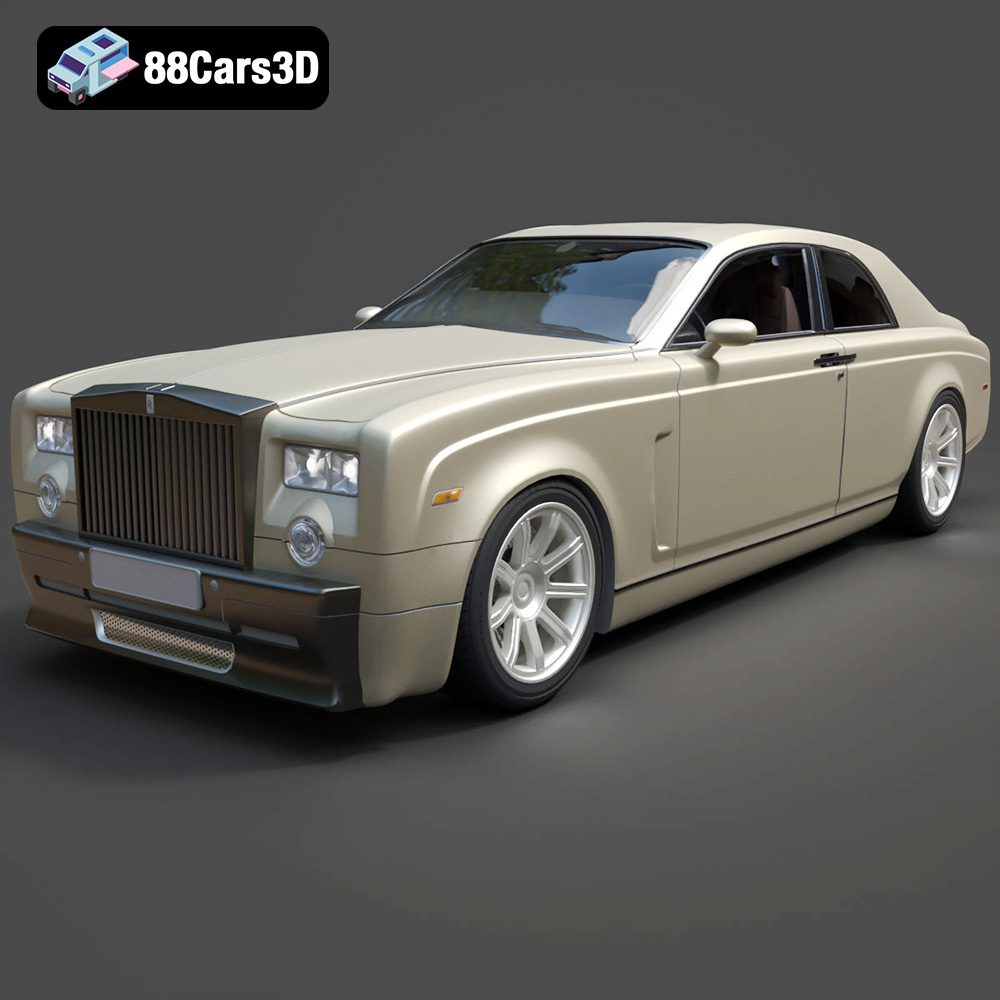
Rolls-Royce Phantom Coupe 3D Model
Texture: Yes
Material: Yes
Download the Rolls-Royce Phantom Coupe 3D Model featuring clean geometry, realistic detailing, and a fully modeled interior. Includes .blend, .fbx, .obj, .glb, .stl, .ply, .unreal, and .max formats for rendering, simulation, and game development.
Price: $10
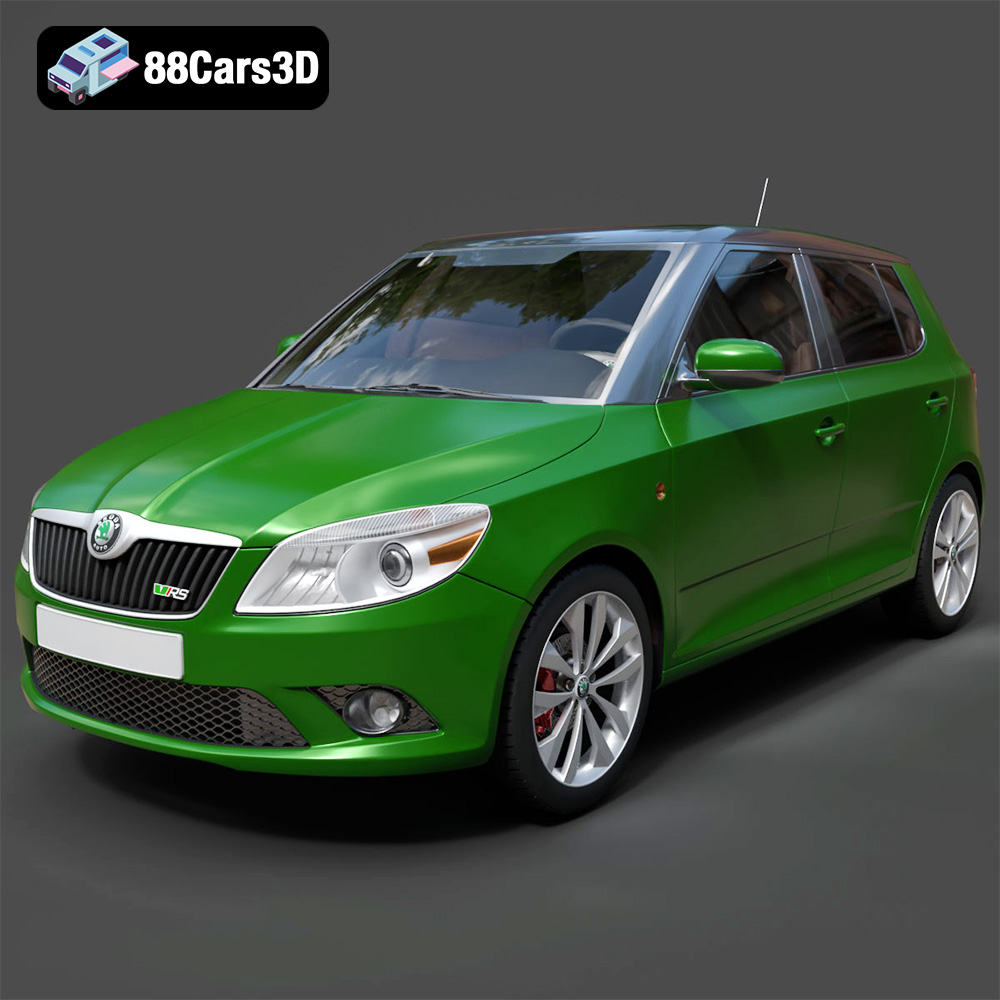
Skoda Fabia RS 2011 3D Model
Download the Skoda Fabia RS 2011 3D model, an accurately detailed vehicle asset perfect for game development, rendering, and AR/VR applications. Includes multiple formats for versatile use.
Price: $10
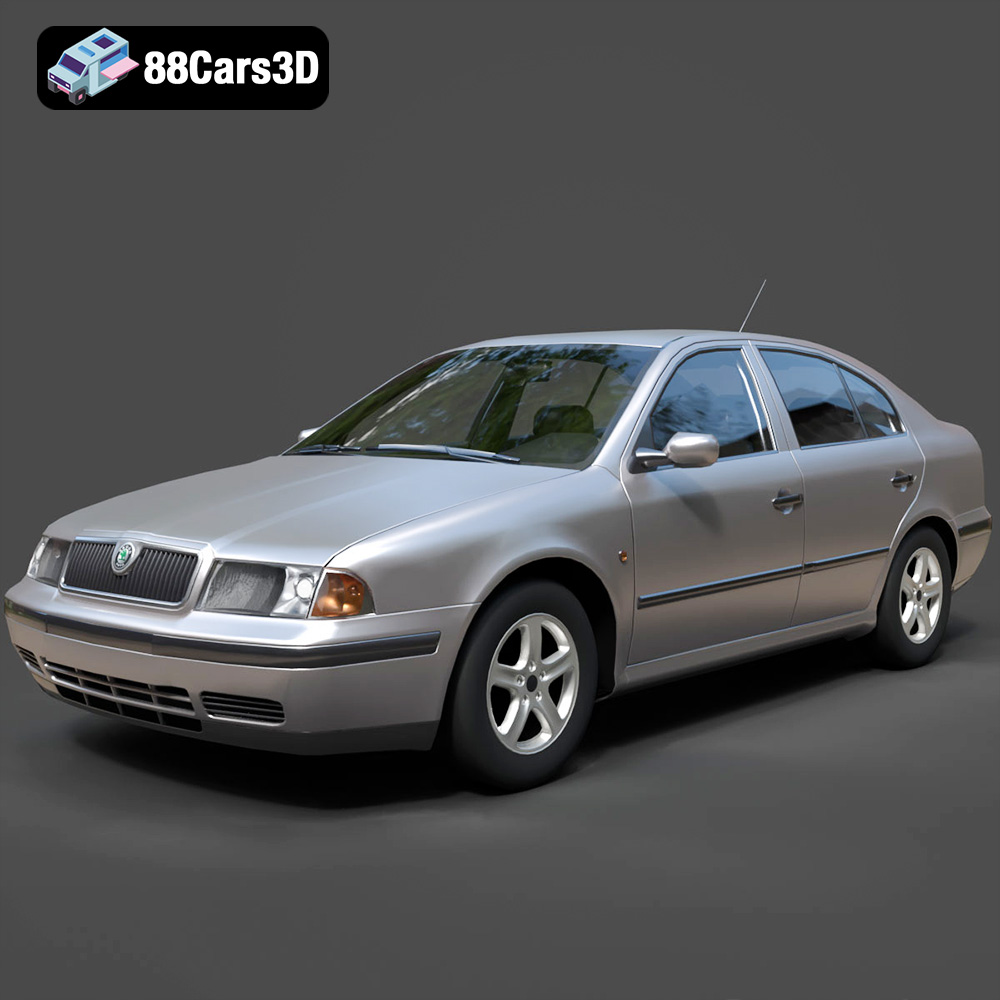
Skoda Octavia 1997 3D Model
A detailed 3D model of the Skoda Octavia 1997, suitable for various digital applications including game development, rendering, and AR/VR.
Price: $10
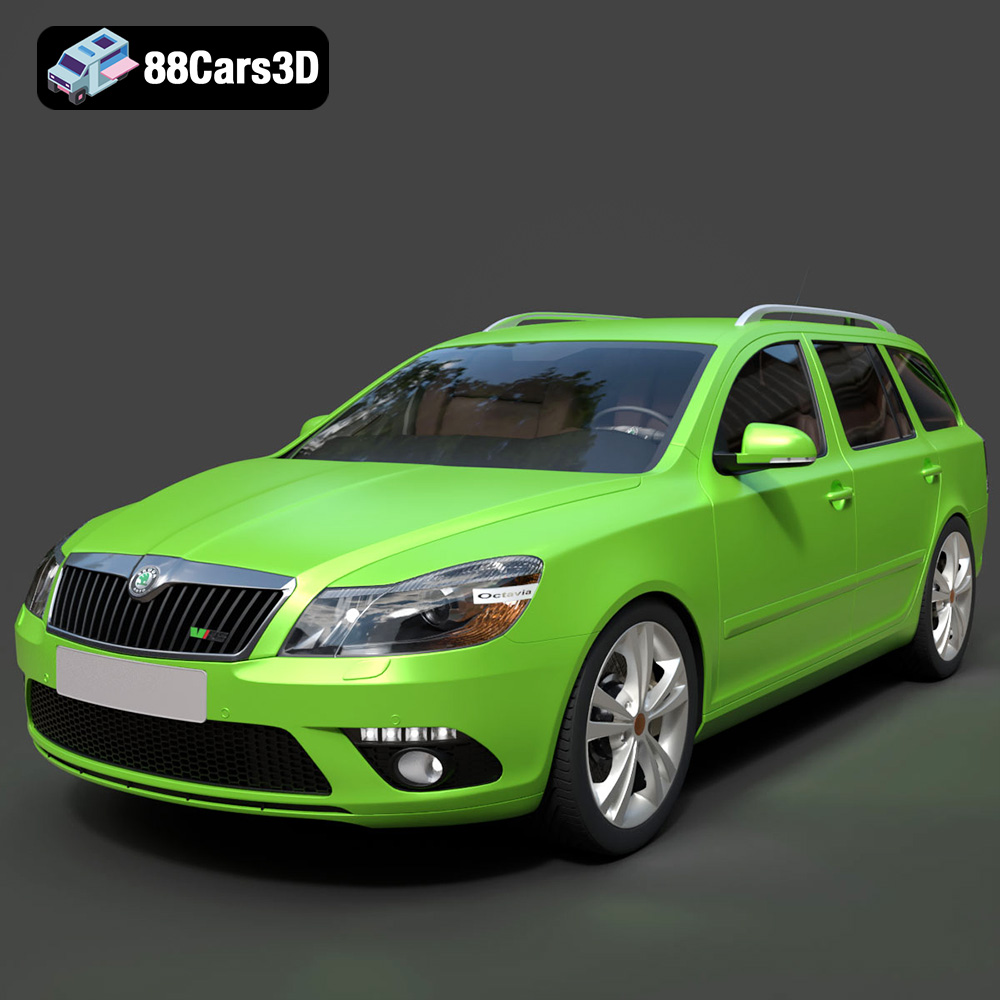
Skoda Octavia RS Combi 2010 3D Model
A highly detailed 3D model of the Skoda Octavia RS Combi 2010, designed for realism and versatility across various digital applications.
Price: $10
