⚡ FLASH SALE: Get 60% OFF All Premium 3D & STL Models! ⚡

The automotive world is undergoing a profound transformation, driven by advancements in 3D modeling, rendering, and additive manufacturing. What once required extensive physical prototyping and months of development can now be conceptualized, iterated, and even fabricated in a fraction of the time, all within the digital realm and beyond. From hyper-realistic visualizations for marketing to performance-enhancing custom parts for a classic car, the intersection of 3D technology and automotive design is redefining possibilities.
For enthusiasts, designers, game developers, and engineers alike, understanding the intricate workflows involved in creating and utilizing high-quality 3D car models is paramount. This goes beyond simply downloading a model; it encompasses the fundamental principles of topology, the artistry of material creation, the science of rendering, and the practical application of 3D printing. Whether you’re aiming for a photorealistic automotive render, optimizing a vehicle for a cutting-edge game, or fabricating a custom component, mastering these techniques will empower you to bring your automotive visions to life. In this comprehensive guide, we’ll delve into the technical depths of automotive 3D design, exploring everything from foundational modeling techniques to the exciting frontier of 3D printing custom car parts.
At the heart of any exceptional 3D car model lies impeccable topology – the structured arrangement of polygons that define its surface. For automotive designs, this is especially critical due to the complex curves, sharp edges, and highly reflective surfaces that demand precision. Clean, quad-based topology (where all faces are four-sided polygons) is the gold standard, ensuring smooth subdivision, predictable deformation, and efficient UV mapping. A poorly constructed mesh, riddled with Ngons (polygons with more than four sides) or triangles in flat areas, will inevitably lead to shading artifacts, pinching, and an overall amateurish appearance.
The workflow typically begins with accurate reference images and blueprints, used to block out the primary forms of the vehicle. Tools like 3ds Max, Blender, or Maya offer robust polygonal modeling toolsets, allowing artists to meticulously trace contours and build the mesh section by section. Techniques like box modeling, where a primitive shape is iteratively refined, or poly-by-poly modeling, where edges are extruded to build the surface, are commonly employed. Particular attention must be paid to edge flow – the directional movement of edges that follows the natural contours and creases of the car body. Good edge flow not only enhances the visual smoothness but also prepares the model for seamless animation or deformation, if required. For complex panels and body lines, supporting edge loops are crucial to maintain sharp details when subdivision surfaces are applied.
Automotive design is a prime example of hard surface modeling, focusing on precise geometric forms, crisp edges, and smooth transitions. Key techniques include using bevels (chamfers) to soften sharp edges, adding controlled edge loops to prevent pinching when subdividing, and employing creasing tools for specific hard lines. For instance, the intricate panel gaps, headlight housing, or wheel arches demand careful attention to maintaining curvature consistency and tight tolerances. Many professional workflows involve creating a low-polygon base mesh and then applying a subdivision surface modifier (like Turbosmooth in 3ds Max or Subdivision Surface in Blender/Maya) to achieve a high-resolution, smooth surface. This approach maintains flexibility, allowing for adjustments to the base mesh without committing to heavy geometry too early. A typical high-quality automotive render model might range from 200,000 to over 2 million polygons after subdivision, depending on the level of detail, while game-ready models often target 50,000 to 150,000 polygons for core vehicles, with additional LODs.
Once the topology is solid, UV mapping is the next critical step. This process involves unfolding the 3D surface of the model into a 2D space, allowing textures to be accurately applied without distortion. For cars, this means carefully segmenting panels, wheels, interior elements, and small details into manageable UV islands. The goal is to minimize seams and ensure consistent texel density across the entire model, preventing stretched or pixelated textures. Strategic placement of seams in less visible areas (e.g., along panel lines, under trim) is vital. Advanced UV unwrapping tools in software like RizomUV, Maya, or Blender can automate parts of this process, but manual refinement is always necessary for optimal results. For a realistic car model, multiple UV sets might be used: one for general body paint, another for intricate decals or carbon fiber, and separate sets for glass, tires, and interior components. Ensuring non-overlapping UVs is paramount, especially for baking ambient occlusion or normal maps, and for proper PBR material setup. When sourcing models from marketplaces such as 88cars3d.com, always check for clean, well-organized UV layouts as a hallmark of quality.
The visual fidelity of a 3D car model truly comes to life through its materials and the rendering process. Physically Based Rendering (PBR) has become the industry standard, accurately simulating how light interacts with surfaces based on real-world material properties. Understanding the core PBR maps – Albedo (or Base Color), Normal, Roughness, Metalness, and Ambient Occlusion – is fundamental to creating convincing car paint, rubber, glass, chrome, and leather.
Automotive rendering requires a deep dive into specific shader networks. Car paint, for instance, is often a complex layered material, incorporating a base metallic coat (influenced by the Metalness map), a clear coat layer for reflectivity and fresnel effects, and potentially flake layers for metallic or pearlescent finishes. Glass requires precise IOR (Index of Refraction) values, accurate transmission, and often tinting. Tires demand intricate Normal maps for tread detail, and Roughness maps to simulate the matte rubber texture. Chrome and other metallic elements rely heavily on accurate Metalness and very low Roughness values, showcasing sharp, clear reflections of the environment.
In rendering engines like V-Ray, Corona Renderer (for 3ds Max), Cycles (Blender), or Arnold (Maya), artists construct these materials using node-based shader editors. Each PBR map is connected to its corresponding input in the material node, allowing for intricate control over surface properties. Textures typically range from 2K (2048×2048) for smaller details to 4K or even 8K for large body panels, ensuring sufficient detail even in close-up renders. Substance Painter and Designer are industry-leading tools for creating these textures, offering procedural generation and intelligent material layering. These tools allow artists to paint directly onto the 3D model, generating all necessary PBR maps simultaneously while ensuring consistency and seamless transitions across the model’s UVs.
Achieving photorealistic automotive renders hinges on a well-executed lighting and environment setup. High Dynamic Range Images (HDRIs) are indispensable, providing realistic lighting and reflections that accurately mimic real-world environments, from studio setups to outdoor scenes. Complementary area lights or photometric lights are often used to enhance specific details, sculpt reflections, or add rim lighting. Physical cameras, simulating real-world camera properties like aperture, shutter speed, and ISO, are crucial for achieving depth of field, motion blur, and realistic exposure. Global Illumination (GI) algorithms, such as Brute Force or Irradiance Map, are used to simulate bounced light, adding to the realism of shadows and overall scene illumination. Render settings must be carefully balanced between quality and render time, especially for high-resolution output (e.g., 4K or 8K images for print or high-fidelity animation).
No render is truly complete without a professional post-processing workflow. Tools like Adobe Photoshop or Nuke are used to refine the raw render passes (e.g., beauty, reflections, refractions, Z-depth, ambient occlusion). This stage involves color grading, adjusting exposure and contrast, adding subtle bloom or lens flares, and correcting any minor imperfections. Compositing multiple render elements allows for greater control over the final image, enabling artists to separately adjust reflections, highlights, or shadows. Z-depth passes can be used to add realistic depth of field in post, saving render time. For animations, motion blur is often applied in post-production for more control and flexibility. A strong understanding of photography principles—composition, color theory, and lighting—is invaluable at this stage, transforming a technically proficient render into a visually stunning automotive masterpiece.
While high-fidelity renders aim for maximum visual realism without performance constraints, interactive applications like video games, AR/VR experiences, and real-time configurators demand significant optimization. The goal is to maintain visual quality while ensuring smooth frame rates across various hardware platforms. This involves careful polygon budgeting, intelligent texture management, and smart use of game engine features.
A typical game-ready car model might have a polygon count significantly lower than a render-ready model, often in the range of 50,000 to 150,000 triangles for the main vehicle body, with additional polygons for wheels, interior, and sub-components. Optimization strategies include creating multiple Levels of Detail (LODs), which are progressively lower-polygon versions of the same model. The game engine automatically swaps between these LODs based on the camera’s distance, rendering high-detail meshes up close and low-detail versions when further away. This dramatically reduces the poly count for objects not in immediate view.
Beyond polygon count, minimizing draw calls is crucial for game performance. Each time the CPU tells the GPU to render an object, it’s a draw call. Reducing the number of unique materials and meshes can significantly lower draw calls. Texture atlasing, where multiple smaller textures are combined into a single larger texture sheet, helps achieve this by allowing different parts of the model to share a single material. For example, all interior textures could be on one atlas, and all wheel textures on another. Tools within Unity and Unreal Engine (e.g., Static Batching, Occlusion Culling) further optimize performance by combining meshes or preventing rendering of objects that are out of view. Proper collision meshes, often simplified versions of the visual mesh, are also essential for realistic physics without bogging down the engine. Platforms like 88cars3d.com often provide game-ready models with pre-optimized LODs and materials, making them ideal for direct integration into game development workflows.
AR/VR applications impose even stricter performance requirements due to the need for high frame rates (e.g., 90 FPS or higher) to prevent motion sickness. This often means even lower polygon counts, simpler PBR materials (sometimes requiring specialized mobile shaders), and aggressive texture optimization (e.g., 1K or 2K textures with strong compression). Baking complex lighting information directly into textures (lightmapping) can reduce real-time lighting calculations. The USDZ format, specifically designed for AR on Apple devices, or GLB for broader AR/VR support, are optimized containers for 3D models and their associated data. For AR applications, the model needs to be carefully scaled and oriented for a real-world environment, often requiring a single, optimized mesh to ensure smooth tracking and interaction on mobile devices. Minimizing the total asset size is also paramount for quick loading times over networks.
While 3D modeling and rendering focus on digital representation, 3D printing bridges the gap to the physical world, enabling the creation of custom automotive parts, prototypes, and unique accessories. This technology, also known as additive manufacturing, builds objects layer by layer from a digital design, offering unparalleled design freedom and customization possibilities that traditional manufacturing methods cannot match.
From fabricating custom brackets, air ducts, and interior trim pieces to prototyping aerodynamic components or creating bespoke aesthetic enhancements, 3D printing is revolutionizing how car enthusiasts, restorers, and designers approach vehicle modification and repair. Imagine designing a perfectly fitted gauge pod for a classic car’s dashboard, or a lightweight intake manifold for a performance vehicle, and then bringing that design to life with a 3D printer. This capability empowers individuals and small businesses to innovate without the prohibitive costs and lead times associated with injection molding or CNC machining for one-off parts.
Successfully 3D printing a custom automotive part begins with a model specifically designed for additive manufacturing. Unlike rendering models which can have open edges or non-manifold geometry, 3D print models must be “watertight” or “manifold.” This means the mesh must be a completely closed volume, with no gaps, holes, or inverted normals that would confuse the slicer software. Software like Blender, Meshmixer, or Netfabb offer tools to check and repair mesh integrity. Critical considerations include wall thickness – ensuring that all parts of the model are thick enough to be structurally sound when printed (typically 1-3mm depending on material and printer type). Features that are too thin will simply not print or will break easily. Overhangs, which are parts of the model extending horizontally without support beneath, also need careful management; excessive overhangs will require support structures, which can affect surface quality and increase material usage.
The choice of 3D printing material is paramount and depends heavily on the part’s intended application. For functional automotive parts, common options include:
Post-processing is often required to achieve the desired finish and mechanical properties. This can include sanding, priming, painting, vapor smoothing (for ABS), or curing (for resins). For carbon fiber reinforced parts, annealing (heat treating) can further enhance their strength and heat resistance, making them suitable for more demanding automotive environments.
The journey from an idea for a custom car part to a tangible, functional component is a multi-stage workflow that blends traditional design principles with advanced digital tools. This process emphasizes precision, iteration, and a deep understanding of both vehicle mechanics and additive manufacturing capabilities. Whether you’re designing a new intake manifold, a unique interior trim, or a bespoke aerodynamic spoiler, a structured approach is key.
The initial phase involves research and ideation. This includes studying the vehicle’s existing components, taking precise measurements, and sketching potential designs. Many designers start with CAD (Computer-Aided Design) software, which is inherently suited for mechanical accuracy and precise dimensioning. Software like Fusion 360, SolidWorks, or FreeCAD allows for parametric modeling, meaning design changes can be easily propagated throughout the model without breaking previous steps. This is invaluable for iterating on complex designs and ensuring perfect fitment.
For custom parts designed to integrate with existing vehicle components, reverse engineering is often necessary. This involves scanning the existing part or surrounding area using a 3D scanner (e.g., structured light scanners, handheld laser scanners) to create a digital point cloud or mesh. This scan data is then imported into CAD software, where it serves as a reference to design the new part. Designers can trace over the scan, create new surfaces that perfectly match existing contours, and ensure precise mounting points. For instance, if you’re designing a new speaker grille, you’d scan the dashboard recess, then model the grille to fit snugly within that scanned geometry, ensuring all clips and mounting tabs align perfectly with the car’s interior. This precision is critical for functional parts where tolerances are tight.
Once the CAD design is complete and has been converted into a suitable mesh format (like STL or AMF for 3D printing), the prototyping phase begins. This involves printing the first version of the part, often in an inexpensive material like PLA, to test fitment and basic functionality. This initial prototype is invaluable for identifying design flaws, such as incorrect dimensions, interference with other components, or issues with mounting. For example, a custom air duct might look perfect digitally, but the physical print might reveal it clashes with a hose or has insufficient clearance. After testing, feedback is incorporated into the CAD model, and a revised version is printed. This iterative loop of “design > print > test > revise” continues until the part meets all functional and aesthetic requirements. For critical components, functional testing might include temperature resistance tests, stress tests, or even real-world road tests to validate performance and durability before committing to a final, high-performance material print.
In the expansive ecosystem of 3D design, understanding file formats and their specific applications is fundamental. The choice of format dictates compatibility across different software packages, influences optimization for various platforms (rendering, gaming, AR/VR, 3D printing), and impacts overall data management. A working knowledge of popular formats and their respective strengths and weaknesses ensures a smooth workflow and minimizes conversion headaches.
For general 3D models, especially those used for rendering and animation, FBX (Filmbox) and OBJ (Wavefront Object) are highly prevalent. FBX, developed by Autodesk, is a robust format that supports not only mesh data but also animations, materials, textures, bones, and camera information, making it ideal for transferring complex scenes between different 3D applications like 3ds Max, Maya, and Cinema 4D. OBJ, while older, is a simpler, widely supported format primarily for geometric data, UVs, and material references (often accompanied by an .MTL file). It’s a good choice for static models without animation. Many high-quality models, like those found on 88cars3d.com, are typically offered in both FBX and OBJ to maximize compatibility.
Converting between formats is a common necessity, but it can introduce challenges. Converting from a CAD format (like STEP) to a polygonal mesh format (like FBX or STL) requires tessellation, where smooth curves and surfaces are approximated with polygons. The quality of this tessellation (polygon count, distribution) is crucial for downstream applications. Conversely, converting from polygonal to NURBS can be extremely complex and often requires manual rebuilding. When converting for 3D printing, ensuring the output mesh is watertight and manifold is critical – a process often handled by dedicated slicer software. Tools like Blender, 3ds Max, Maya, or dedicated converters (e.g., online converters, libraries like Assimp) can facilitate these transitions, but always verify the integrity and data fidelity of the converted model. Maintaining consistent unit scales across different software and file formats is also a frequent challenge that can lead to scaling issues if not carefully managed.
The convergence of advanced 3D modeling, realistic rendering, powerful game engine optimization, and innovative 3D printing technologies has ushered in an exciting era for the automotive industry and enthusiasts alike. From crafting a hyper-realistic virtual car model for a marketing campaign to designing and fabricating a unique, performance-enhancing custom part for your personal vehicle, the digital tools at our disposal are more powerful and accessible than ever before.
Mastering the intricacies of clean topology, understanding the nuances of PBR materials, optimizing assets for diverse interactive experiences, and preparing designs for robust 3D printing are not just technical skills; they are gateways to unlocking unprecedented creative and practical possibilities. The ability to seamlessly transition a design from a conceptual sketch to a stunning render, and then to a tangible, functional component, represents a complete lifecycle of innovation.
As these technologies continue to evolve, the demand for high-quality, technically sound 3D car models will only grow. Platforms like 88cars3d.com provide a vital resource for artists and developers seeking professionally crafted models ready for any application, from cutting-edge game development to sophisticated architectural visualization. By embracing these workflows and continuously honing your skills, you are not just participating in the future of automotive design – you are actively shaping it.
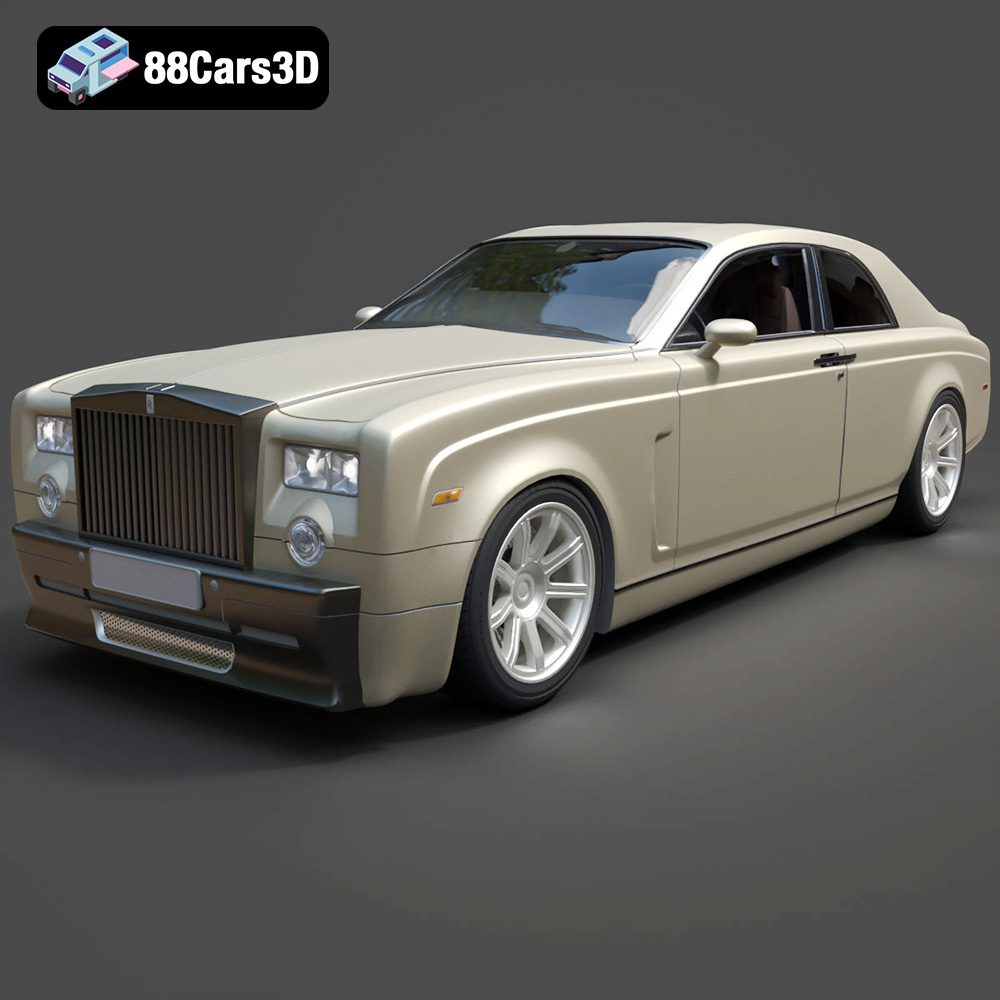
Texture: Yes
Material: Yes
Download the Rolls-Royce Phantom Coupe 3D Model featuring clean geometry, realistic detailing, and a fully modeled interior. Includes .blend, .fbx, .obj, .glb, .stl, .ply, .unreal, and .max formats for rendering, simulation, and game development.
Price: $10
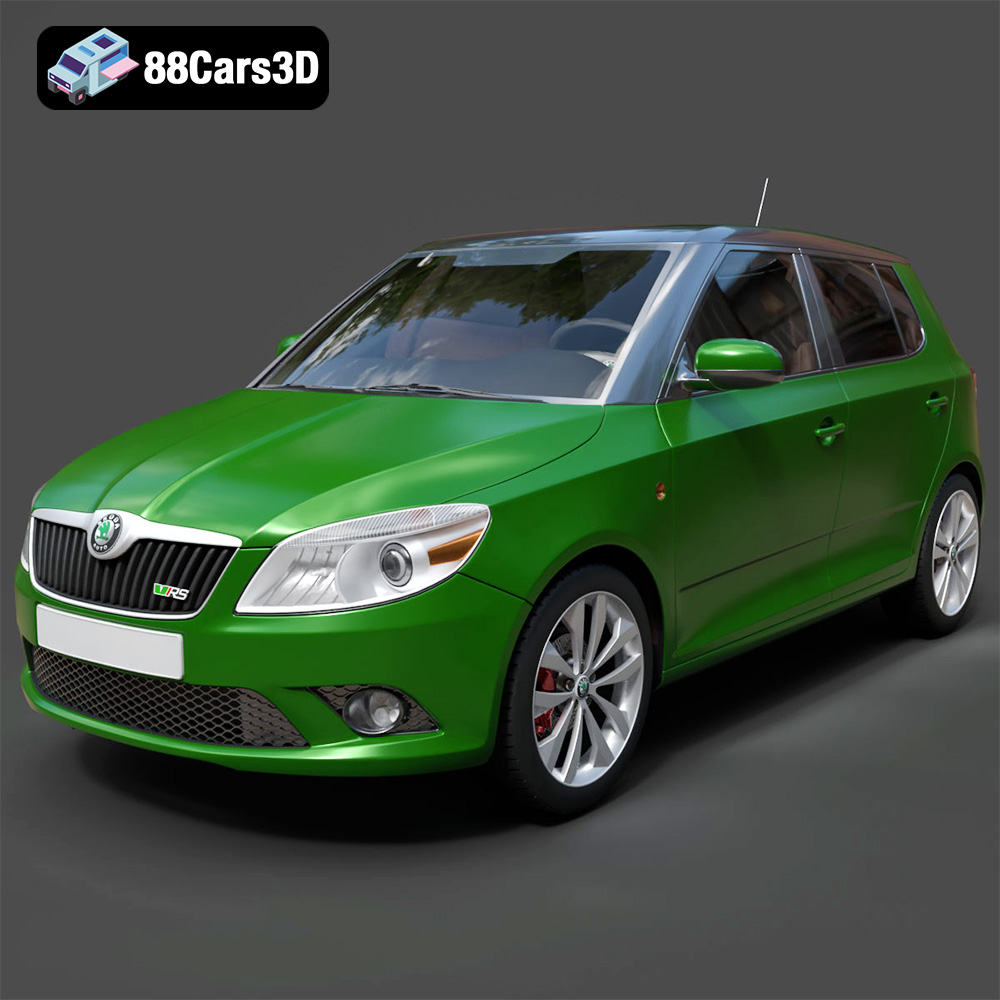
Download the Skoda Fabia RS 2011 3D model, an accurately detailed vehicle asset perfect for game development, rendering, and AR/VR applications. Includes multiple formats for versatile use.
Price: $10
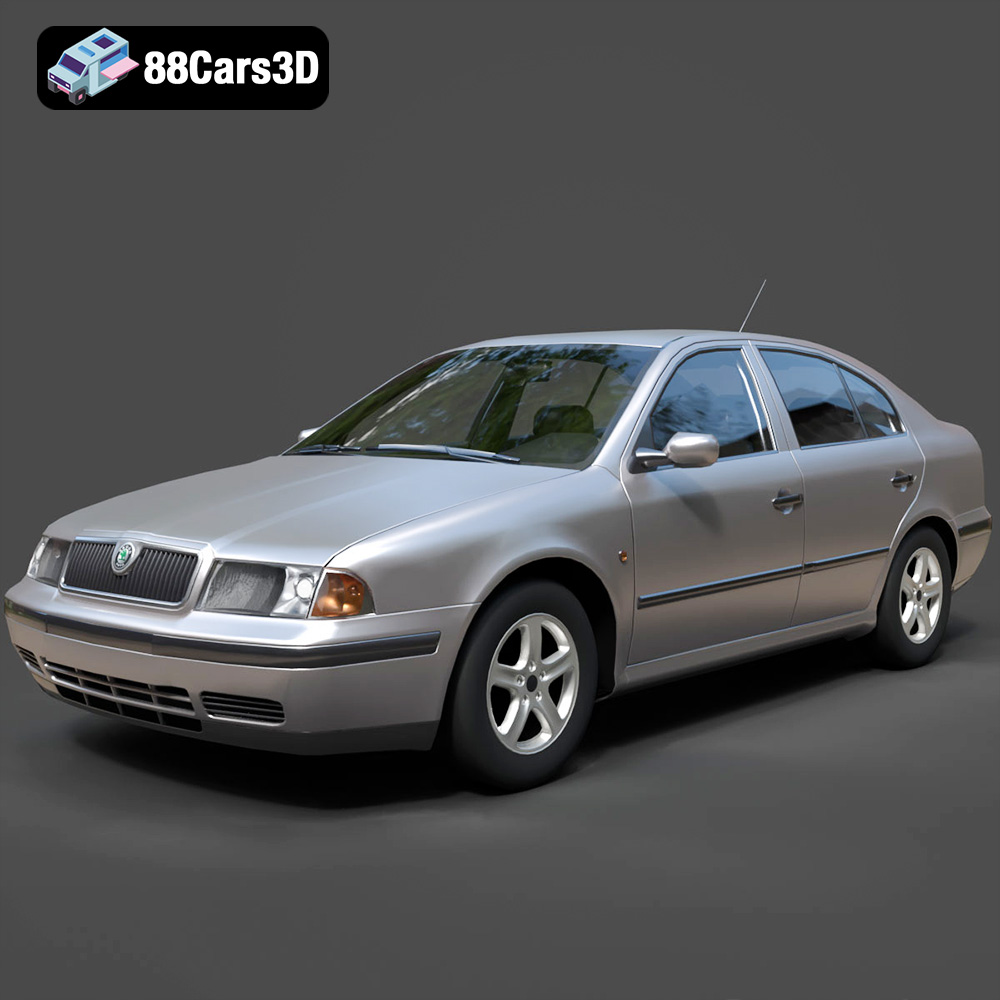
A detailed 3D model of the Skoda Octavia 1997, suitable for various digital applications including game development, rendering, and AR/VR.
Price: $10
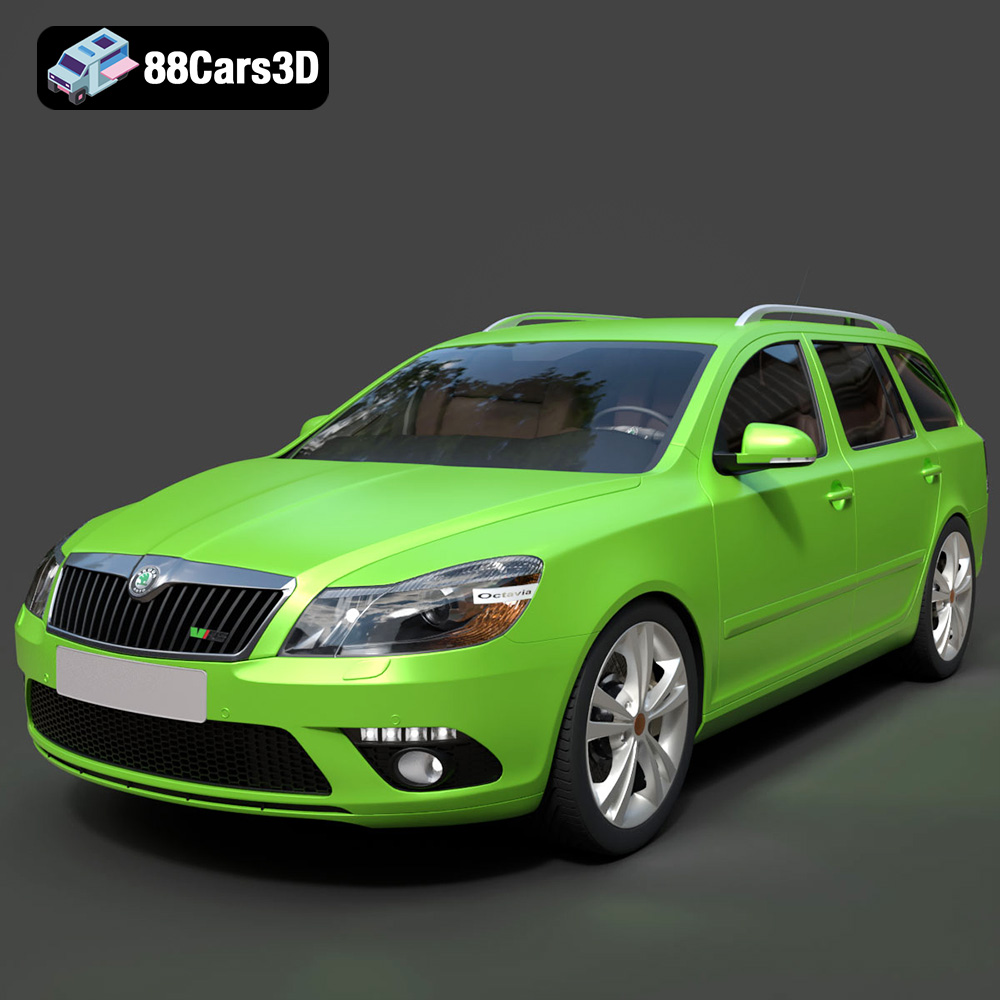
A highly detailed 3D model of the Skoda Octavia RS Combi 2010, designed for realism and versatility across various digital applications.
Price: $10

