⚡ FLASH SALE: Get 60% OFF All Premium 3D & STL Models! ⚡

The automotive industry has always been at the forefront of innovation, pushing boundaries in design, engineering, and manufacturing. Today, this relentless drive for progress has been supercharged by the convergence of advanced 3D modeling, photorealistic rendering, and transformative technologies like 3D printing. What was once confined to sketches and clay models now leaps from the digital canvas to the physical world with unprecedented speed and precision. For 3D artists, game developers, automotive designers, and visualization professionals, mastering these interconnected disciplines is not just an advantage—it’s a necessity.
This comprehensive guide delves deep into the intricate world of 3D car models, exploring how they are meticulously crafted, optimized for diverse applications from stunning visualizations to immersive game environments, and ultimately, prepared for the groundbreaking realm of 3D printing custom car parts. We’ll uncover the secrets behind clean topology, realistic PBR materials, efficient game engine integration, and the critical steps for transforming digital designs into tangible automotive components. Whether you’re aiming for a hyper-realistic render, a high-performance game asset, or a functional prototype, understanding these technical workflows will empower you to drive your projects forward. Let’s embark on this journey to unlock the full potential of automotive 3D design.
At the heart of any exceptional 3D car model lies its foundational structure: topology. Clean, efficient topology is paramount, especially for complex, curved surfaces characteristic of automotive design. It dictates how the model deforms, how smooth its reflections appear, and how easily it can be edited or optimized. Poor topology, characterized by triangles on flat surfaces, stretched polygons, or poles with too many edges converging, leads to artifacts, shading issues, and difficulties in animation or subdivision. For automotive 3D designs, edge flow is critical; it must follow the natural contours and design lines of the vehicle, ensuring smooth transitions and preventing pinching or distortion.
Equally vital is the art of UV mapping, which bridges the gap between the 3D model’s geometry and its 2D textures. Without proper UVs, even the most detailed textures will appear stretched, blurry, or misaligned. The culmination of these efforts is realized through Physically Based Rendering (PBR) materials, which simulate how light interacts with surfaces in the real world. PBR shaders rely on a set of texture maps—Albedo (color), Normal (surface detail), Roughness (micro-surface imperfections), Metallic (conductive vs. dielectric), and Ambient Occlusion (contact shadows)—to achieve unparalleled realism across various lighting conditions and render engines.
When modeling a car, the focus should be on creating quad-based geometry, as quads subdivide cleanly and are easier to manage. Start with a low-polygon base mesh that captures the primary forms and volumes of the vehicle. Then, gradually add detail using subdivision surface modifiers (e.g., Turbosmooth in 3ds Max, Subdivision Surface in Blender). Crucially, the edge loops should follow the curvature of the car, defining panels, body lines, and creases with precision. For instance, around wheel arches, headlights, or door seams, ensure multiple tight edge loops are present to hold the form when subdivided. This “control edge” technique prevents soft edges from rounding off too much. Avoid n-gons (polygons with more than four vertices) and triangles where possible, especially on visible, reflective surfaces, as they can lead to unpredictable shading. A high-quality model might feature hundreds of thousands to a few million polygons in its subdivided state, offering incredible detail suitable for hero renders and close-ups, while a game-ready version will have a significantly lower polygon count, typically ranging from 50,000 to 150,000 for a detailed vehicle, optimized with normal maps for surface fidelity.
Effective UV mapping involves unfolding the 3D mesh into a flat 2D layout in a way that minimizes distortion and maximizes texture space utilization. For cars, this often means breaking the model into logical UV islands—separate pieces for the body, wheels, interior, glass, and smaller details. Each island should be unwrapped with minimal stretching, typically indicated by a checkerboard pattern. Texel density, the ratio of texture pixels to 3D surface area, should be consistent across critical parts of the model to avoid varying levels of detail. Tools like 3ds Max’s Unwrap UVW modifier, Blender’s UV Editor, or dedicated software like RizomUV offer robust solutions for this. For high-fidelity models, multiple UV sets might be used: one for primary PBR textures, another for decals or ambient occlusion, and sometimes a third for lightmaps in game engines. Texture resolutions can range from 2K (2048×2048) for smaller elements to 4K or even 8K for large body panels, ensuring crisp details for close-up renders.
PBR materials are the backbone of modern realistic rendering. The workflow involves creating or acquiring specific texture maps for each material property. For example, a metallic car paint would have a high Metallic value (e.g., white in the Metallic map), a relatively low Roughness value for a glossy finish, and its color defined in the Albedo map. For a plastic bumper, the Metallic value would be low (black), and the Roughness might be higher for a matte appearance. Tools like Substance Painter, Mari, or even Photoshop with PBR plugins are essential for texture creation. Inside render engines like Corona, V-Ray, Cycles, or Arnold, these maps are plugged into a standardized PBR shader node. Understanding the nuances of each map—e.g., how a Normal map uses color information to simulate microscopic surface bumps without adding geometry—is key to achieving believable material responses under various lighting conditions. When sourcing models from marketplaces such as 88cars3d.com, artists can expect models to come with expertly crafted UVs and PBR textures, saving significant production time.
Beyond the meticulously crafted 3D model and its lifelike materials, the magic of photorealism in automotive rendering is conjured through sophisticated lighting, camera work, and the judicious use of render engines and post-processing. A perfectly modeled and textured car can still look flat and unconvincing without the right illumination and environmental context. Automotive visualizations often strive for a pristine, studio-like aesthetic or a dynamic, real-world scenario, each requiring specific lighting setups and rendering techniques to achieve maximum impact. This process involves a delicate balance of artistic vision and technical execution, transforming a digital asset into a captivating image or animation.
High-end renderers like Corona Renderer, V-Ray, Cycles (Blender), and Arnold (Maya/3ds Max) provide the tools necessary to simulate complex light interactions, global illumination, and physically accurate reflections. The choice of renderer often depends on specific project requirements, existing pipeline, and desired artistic style. Whether aiming for the soft, diffused look of an indoor studio shoot or the sharp, contrasting light of an outdoor scene, a deep understanding of light principles, material responses, and camera optics is indispensable. The final touch often comes in post-production, where subtle adjustments can elevate a good render to an extraordinary one.
Effective lighting is perhaps the most critical component of a realistic render. For studio setups, a classic three-point lighting system (key, fill, back light) is a good starting point. Large area lights or softboxes are commonly used to create soft, flattering reflections on the car’s reflective surfaces. HDR (High Dynamic Range) image-based lighting is invaluable for outdoor scenes or complex studio environments, providing realistic global illumination and reflections from real-world surroundings. Many artists combine HDRIs with targeted physical lights to accentuate specific features or add highlights. For instance, a long, narrow area light can create a dramatic strip reflection along a car’s body line, emphasizing its form. Understanding light temperature, intensity, and direction allows artists to evoke specific moods—from the warm glow of a sunset to the cool, crisp light of a winter morning. Experimenting with different light source shapes, sizes, and positions is key to making the automotive form truly shine.
Just like in real-world photography, camera settings play a crucial role. Adjusting focal length can dramatically change the perspective—a wider lens (e.g., 20-35mm) can create a dynamic, slightly distorted look often seen in car advertisements, while a telephoto lens (e.g., 85-135mm) flattens perspective, making the car appear more stately. Depth of field (bokeh) can draw the viewer’s eye to specific details, blurring out distracting backgrounds. Render engines offer various sampling and quality settings; optimizing these for speed and fidelity is an iterative process. For instance, in Corona Renderer, adjusting ‘Pass Limit’ or ‘Noise Limit’ controls render time. In V-Ray, understanding ‘Image Sampler’ settings is key. Balancing render time with visual quality is always a challenge, often involving test renders at lower resolutions and quality settings before committing to the final, high-resolution output. A typical hero render might be produced at 4K (3840×2160 pixels) or even 8K, especially for large prints or detailed marketing materials.
No render is truly finished until it has passed through post-production software like Adobe Photoshop, Affinity Photo, or GIMP. Here, artists can perform color grading to enhance mood, adjust contrast and exposure, and refine specific areas. Techniques like adding subtle chromatic aberration, bloom effects for bright lights, lens flares, or vignetting can significantly boost realism and artistic impact. Layering render passes (e.g., Z-depth for accurate depth of field, cryptomatte for easy selection of specific objects, reflect and refract passes) exported from the 3D software provides granular control. Compositing the car into a background plate image, ensuring consistent lighting and perspective, is another common post-production task. Attention to detail in post-processing, such as adding subtle dust, fingerprints, or environmental effects, can bridge the gap between a technically perfect render and a truly believable image. Many professional artists spend as much time in post-production as they do rendering, meticulously refining every pixel to achieve a masterpiece.
While high-fidelity renders aim for photorealism in static images or linear animations, game development and AR/VR experiences demand real-time performance. This shift introduces a new set of challenges and optimization strategies for 3D car models. A model designed for a hero render, with millions of polygons and 8K textures, would cripple a game engine, leading to low frame rates and a poor user experience. The goal here is to achieve the highest possible visual quality while adhering to strict performance budgets—polygon counts, draw calls, texture memory, and shader complexity. This balance is crucial for smooth gameplay and immersive AR/VR interactions on a wide range of hardware, from high-end PCs to mobile devices.
Optimizing assets for real-time environments involves a disciplined approach to geometry reduction, intelligent UV packing, PBR texture atlas creation, and implementing Level of Detail (LOD) systems. It also encompasses preparing assets for interactive elements, collision detection, and ensuring seamless integration within engines like Unity or Unreal Engine. For AR/VR, additional considerations like real-world scale, interaction design, and mobile-first optimization become paramount, ensuring that the digital car feels natural and responsive within its augmented or virtual environment. Platforms like 88cars3d.com specifically cater to these needs by offering optimized models ready for direct import into game engines.
Level of Detail (LOD) is a fundamental optimization technique. It involves creating multiple versions of a single asset, each with a progressively lower polygon count. For a car, you might have LOD0 (high poly, for close-ups), LOD1 (medium poly, for mid-range views), and LOD2 (low poly, for distant views). Game engines automatically switch between these LODs based on the camera’s distance, ensuring performance without sacrificing perceived detail up close. For example, LOD0 might be 100,000 polygons, LOD1 30,000, and LOD2 5,000. These lower LODs often rely heavily on normal maps baked from the high-poly model to retain surface detail. Reducing draw calls is another critical optimization. Each time the engine has to prepare and send geometry to the GPU, it’s a draw call. Merging meshes that share the same material, using texture atlases (packing multiple smaller textures into one large sheet), and instancing identical objects (like wheels) significantly reduce draw calls. Texture atlasing not only reduces draw calls but also optimizes texture memory usage by keeping related textures together, improving cache efficiency on the GPU.
Beyond visual representation, cars in games and simulations require functional components. Collision meshes are simplified versions of the visual mesh, often made of convex hulls or primitive shapes (boxes, spheres, capsules), specifically designed for physics calculations. These are invisible to the player but dictate how the car interacts with the environment and other objects. For example, a car might have a complex visual mesh but a much simpler collision mesh consisting of a few cubes for the body and cylinders for the wheels. This dramatically reduces the computational load for the physics engine. Furthermore, setting up vehicle physics involves defining parameters like mass, center of gravity, suspension stiffness, and wheel friction. Interactive elements, such as opening doors, working headlights, or adjustable seats, are implemented through scripting and animation controllers within the game engine, requiring careful rigging and pivot point placement on the 3D model. This blend of visual fidelity and functional interaction creates a truly immersive driving experience.
AR/VR applications introduce unique challenges, especially regarding scale and mobile performance. In AR, ensuring the 3D car model is accurately scaled to the real world is paramount for believability. A model might need to be exported in specific formats like USDZ (for Apple’s ARKit) or GLB (for Google’s ARCore) which are optimized for mobile AR platforms. Performance is even more constrained on mobile devices; polygon counts should be significantly lower (e.g., 20,000-50,000 polygons for a car on mobile AR) and texture resolutions limited (e.g., 1K or 2K maximum). Efficient shaders, often using mobile-optimized PBR workflows, are also essential. Interaction design in AR/VR often involves gaze, touch, or controller input, requiring well-defined interactive zones on the model. For VR, maintaining a consistent high frame rate (e.g., 90 FPS) is critical to prevent motion sickness, necessitating aggressive optimization across all assets and scenes. This often means sacrificing some visual fidelity for a smooth, comfortable experience.
The journey of a 3D car model doesn’t always end in a digital realm. With the advent of advanced additive manufacturing technologies, 3D designs can leap off the screen and become tangible objects. 3D printing has revolutionized the automotive industry, moving beyond simple prototyping to enable the production of functional, custom parts, complex tooling, and even end-use components. This technology empowers designers and engineers to iterate rapidly, test designs physically, and bring highly personalized solutions to market faster than ever before. From bespoke interior components to aerodynamic enhancements and custom exhaust tips, the possibilities for custom 3D car parts are vast and continually expanding.
For automotive designers, 3D printing accelerates the design cycle, allowing for quick creation of scale models or full-scale prototypes of new concepts. For car enthusiasts and modifiers, it opens up a world of personalization, enabling the fabrication of parts that are no longer available, too expensive to manufacture conventionally, or simply unique to their vision. Understanding the capabilities and limitations of different 3D printing processes and materials is crucial for successful implementation. This section explores the diverse applications of 3D printing in the automotive sector, focusing on material selection and the principles of design for additive manufacturing (DfAM) to ensure printability and optimal performance.
The applications of 3D printing in the automotive world are incredibly diverse. In the design phase, rapid prototyping of intricate components like dashboard layouts, grille designs, or even entire scaled vehicle models allows designers to evaluate ergonomics and aesthetics physically. Engineers utilize it for functional prototypes, testing fit, form, and basic function of new parts before committing to expensive tooling. Manufacturing benefits from 3D printed jigs, fixtures, and custom tools that streamline assembly lines. For customization, the aftermarket is thriving with 3D printed parts:
These parts can be designed from scratch or adapted from existing 3D car models, providing unprecedented levels of personalization and functionality.
The choice of 3D printing material is critical and depends heavily on the part’s intended application.
Understanding the specific properties of each material, including tensile strength, heat deflection temperature, and chemical resistance, is vital for selecting the right material for an automotive component.
Designing for additive manufacturing (DfAM) means optimizing a 3D model specifically for the 3D printing process and its material. Unlike traditional subtractive manufacturing, DfAM allows for complex geometries, internal lattices, and topology optimization, leading to lighter, stronger, and more efficient parts. Key considerations include:
By integrating DfAM principles early in the design process, automotive designers can create robust, functional, and aesthetically pleasing custom 3D car parts that leverage the full potential of 3D printing.
Converting a high-quality 3D car model, initially intended for rendering or game engines, into a printable file format is not a simple export. It requires a meticulous process of preparing the mesh, ensuring its integrity, and optimizing it for the specific requirements of 3D printing. Unlike rendering where visual errors might be overlooked, physical errors in a 3D print can lead to failed prints, wasted material, and frustrating delays. The goal is to create a “watertight” mesh, free from holes, non-manifold geometry, or intersecting faces, essentially defining a perfectly closed volume that the 3D printer can interpret and build layer by layer. This often involves specific tools and workflows within 3D modeling software or dedicated 3D print preparation software.
Understanding the common pitfalls and mastering techniques for mesh repair, scaling, and consideration of physical properties like wall thickness are paramount. The choice of file format for 3D printing is also critical, with STL (STereoLithography) being the most prevalent, though others like OBJ and 3MF are gaining traction. This section will guide you through the essential steps to transform your digital automotive masterpiece into a physically printable model, ensuring a successful transition from screen to solid object.
The single most important requirement for 3D printing is a “watertight” or “manifold” mesh. This means the 3D model must represent a solid, enclosed volume with no gaps, internal faces, or inverted normals. Imagine filling the model with water—if it leaks, it’s not watertight. Common issues include:
Tools like 3ds Max’s STL Check modifier, Blender’s 3D Print Toolbox add-on, or standalone software like Meshmixer, Netfabb, and Materialise Magics are invaluable for identifying and repairing these errors. The process typically involves automatic repair functions followed by manual cleanup for complex issues. For automotive models, carefully check areas like grilles, exhaust pipes, and wheel spokes where intricate geometry can easily introduce non-manifold issues.
Once the mesh is watertight, other considerations come into play.
These steps transform a visually stunning model into one that is structurally sound and ready for the physical manufacturing process.
The most common and widely supported file format for 3D printing is STL (STereoLithography). It represents 3D surfaces as a collection of unconnected triangles, making it a simple yet effective way to define geometry for additive manufacturing. However, STL lacks color and material information, which means PBR textures and colors are lost upon export. For models requiring color information, formats like OBJ (which can carry texture references) or 3MF (3D Manufacturing Format) are increasingly used. 3MF is an open-source, XML-based format that supports colors, materials, internal structures, and multiple objects, making it a powerful alternative to STL, especially for complex, multi-material prints. AMF (Additive Manufacturing File Format) is another, albeit less common, standard offering similar capabilities to 3MF. When preparing models from 88cars3d.com for printing, consider the final application: if color isn’t critical, STL is perfectly fine. If you need color or material data, check if OBJ or 3MF export is supported by your software and printer setup, and be aware that textures often need to be baked directly onto the mesh’s vertex colors or UVs for print processes that support it (e.g., full-color binder jetting).
In the expansive world of 3D, versatility is key. A 3D car model often begins its life in one software, moves to another for texturing, then to a third for rendering, and finally into a game engine, AR/VR experience, or even a 3D printer. This complex journey necessitates robust and compatible file formats that can seamlessly transfer data between different applications and platforms without loss of quality or integrity. The choice of file format can significantly impact workflow efficiency, model fidelity, and ultimately, the success of a project. Understanding the strengths and weaknesses of various formats—from industry staples like FBX and OBJ to emerging standards like GLB and USDZ—is crucial for any professional working with 3D assets.
Each format serves specific purposes, carrying different types of data such as geometry, UVs, materials, animations, and even scene information. Compatibility issues, data loss during conversion, and the need for specific optimizations for different target platforms are common challenges that artists and developers face. This section breaks down the most important file formats for 3D car models, highlights their primary uses, and offers best practices for conversion to ensure your assets maintain their quality and functionality across the entire digital pipeline.
These three formats are cornerstones in 3D asset pipelines:
When acquiring models from sources like 88cars3d.com, these formats are often provided, giving users flexibility for various project needs.
USDZ (Universal Scene Description Zip) is a proprietary file format developed by Apple in collaboration with Pixar, specifically designed for augmented reality (AR) experiences on iOS devices. It’s built upon Pixar’s USD (Universal Scene Description) framework, which is a powerful scene description format capable of describing complex 3D scenes with geometry, materials, animations, and variant sets. USDZ packages all necessary assets (geometry, textures, animations) into a single, compact, and optimized file, making it perfect for quick viewing and interaction in ARKit-enabled applications. Its efficiency and seamless integration with Apple’s ecosystem have made it a go-to format for bringing high-quality 3D car models into AR for product visualization, virtual try-ons, and interactive marketing. While primarily for Apple devices, the underlying USD framework is gaining traction as a universal scene description language across the industry, promising broader compatibility in the future.
Converting between 3D file formats is often not a lossless process and can introduce challenges:
Best practices include:
Mastering these conversions ensures that your valuable automotive 3D designs remain pristine and functional throughout their digital lifecycle.
The journey from a conceptual sketch to a photorealistic render, an immersive game asset, or a tangible 3D printed car part is a testament to the power and sophistication of modern 3D technology. We’ve traversed the intricate landscape of 3D car models, emphasizing the critical role of clean topology, precise UV mapping, and realistic PBR materials as the bedrock of any high-quality asset. We’ve explored advanced rendering workflows that transform digital designs into breathtaking visuals, and delved into the rigorous optimization required for seamless integration into game engines and cutting-edge AR/VR experiences.
Crucially, we’ve illuminated the transformative potential of 3D printing custom car parts, detailing how robust mesh integrity, careful material selection, and adherence to Design for Additive Manufacturing (DfAM) principles bridge the gap between the virtual and the physical. Understanding file formats and their compatibility across diverse platforms ensures that your valuable automotive 3D designs can travel unimpeded throughout your workflow, whether for visualization, interactive applications, or physical fabrication. By mastering these interconnected disciplines, you’re not just creating models; you’re engineering experiences and forging the future of automotive design and customization.
The technical demands of the automotive 3D space are high, but the rewards are immense. Continuous learning and a commitment to best practices will keep you at the cutting edge. For those seeking a head start with meticulously crafted, industry-ready 3D car models, platforms like 88cars3d.com provide an invaluable resource, offering assets optimized for a wide range of applications from stunning renders to efficient game development and accurate 3D printing. Explore, innovate, and bring your automotive visions to life.
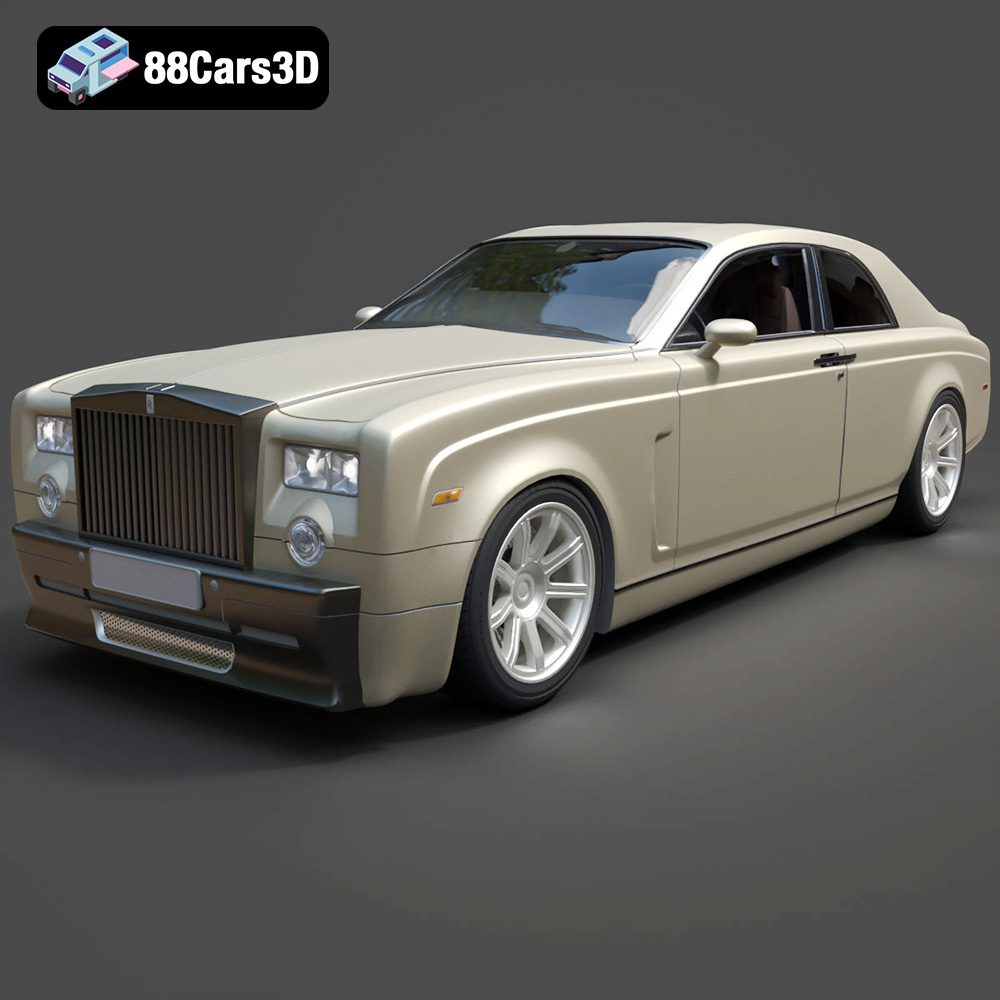
Texture: Yes
Material: Yes
Download the Rolls-Royce Phantom Coupe 3D Model featuring clean geometry, realistic detailing, and a fully modeled interior. Includes .blend, .fbx, .obj, .glb, .stl, .ply, .unreal, and .max formats for rendering, simulation, and game development.
Price: $6.99
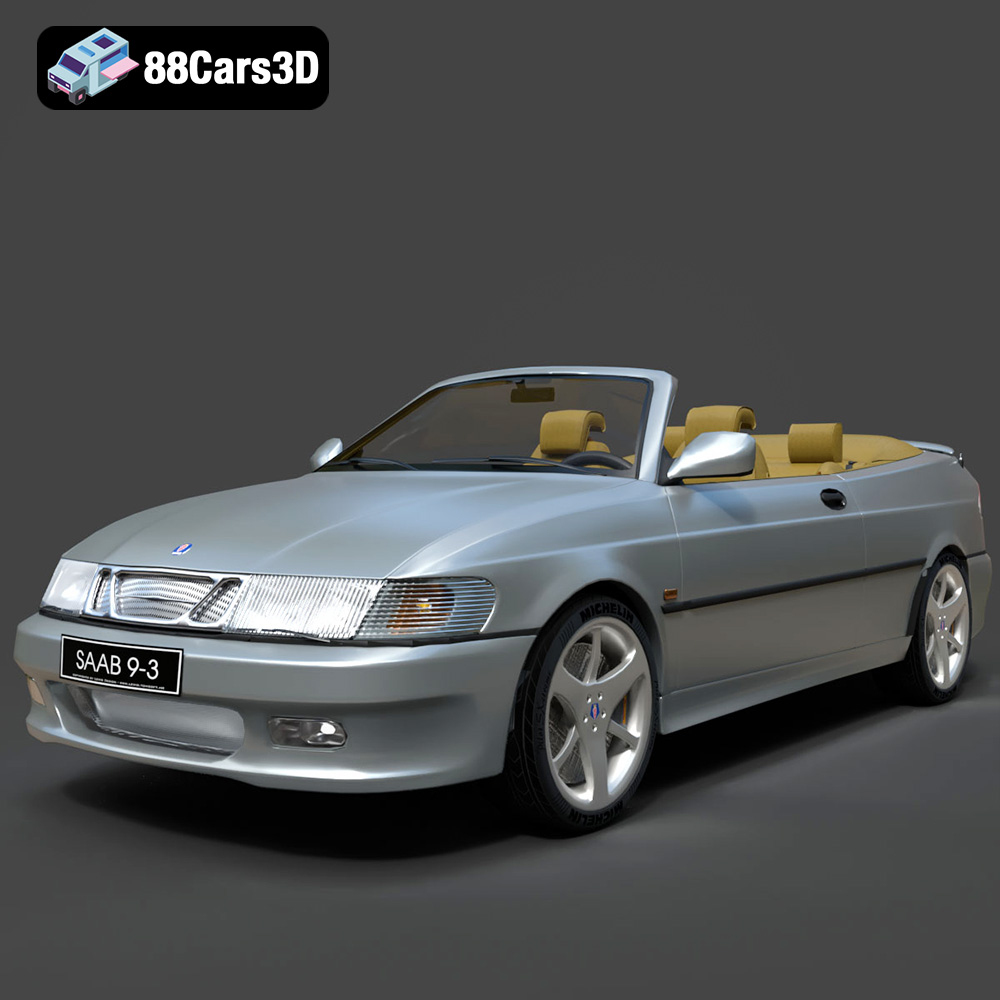
Texture: Yes
Material: Yes
Download the Saab 9-3 Convertible 2009 3D Model featuring clean geometry, realistic detailing, and a fully modeled interior. Includes .blend, .fbx, .obj, .glb, .stl, .ply, .unreal, and .max formats for rendering, simulation, and game development.
Price: $6.99

Texture: Yes
Material: Yes
Download the Saab 9-3 2009 3D Model featuring clean geometry, realistic detailing, and a fully modeled interior. Includes .blend, .fbx, .obj, .glb, .stl, .ply, .unreal, and .max formats for rendering, simulation, and game development.
Price: $6.99

Texture: Yes
Material: Yes
Download the Saab 9-5 2009 3D Model featuring clean geometry, realistic detailing, and a fully modeled interior. Includes .blend, .fbx, .obj, .glb, .stl, .ply, .unreal, and .max formats for rendering, simulation, and game development.
Price: $6.99
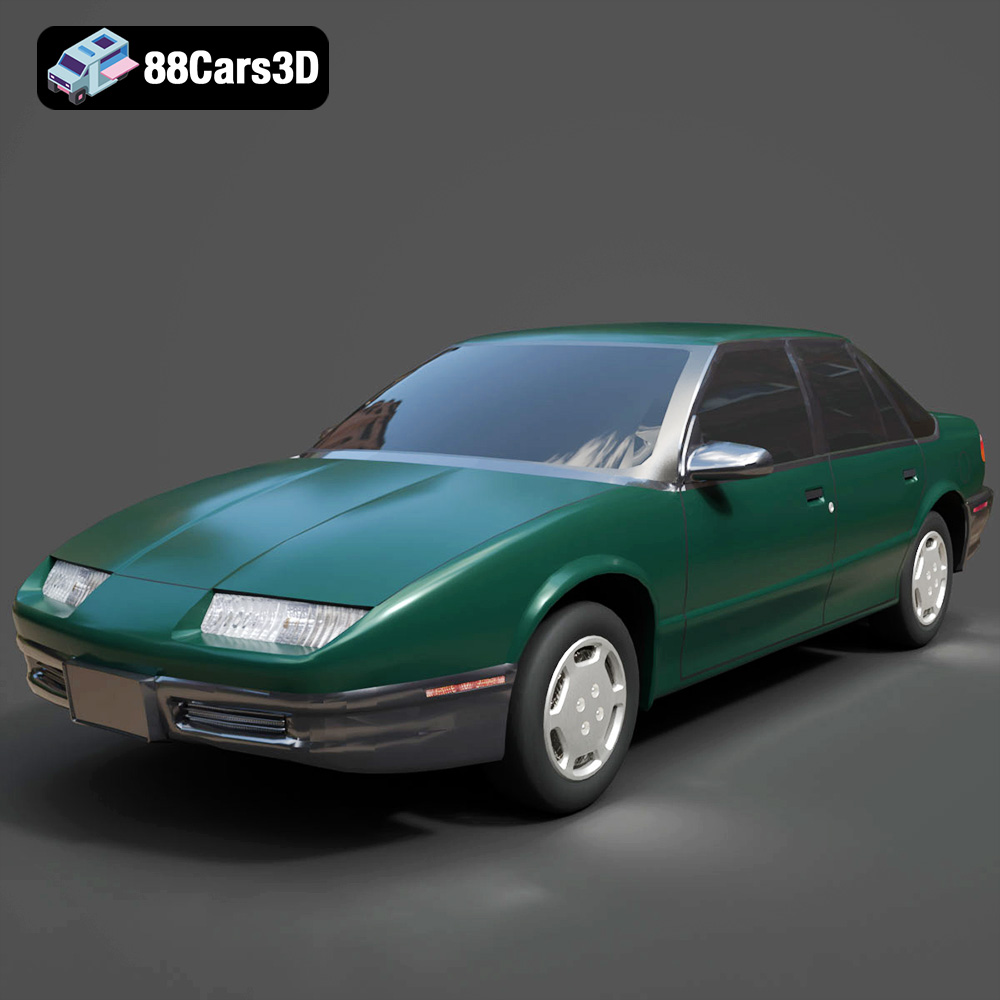
Texture: Yes
Material: Yes
Download the Saturn SL-009 3D Model featuring clean geometry, realistic detailing, and a fully modeled interior. Includes .blend, .fbx, .obj, .glb, .stl, .ply, .unreal, and .max formats for rendering, simulation, and game development.
Price: $6.99
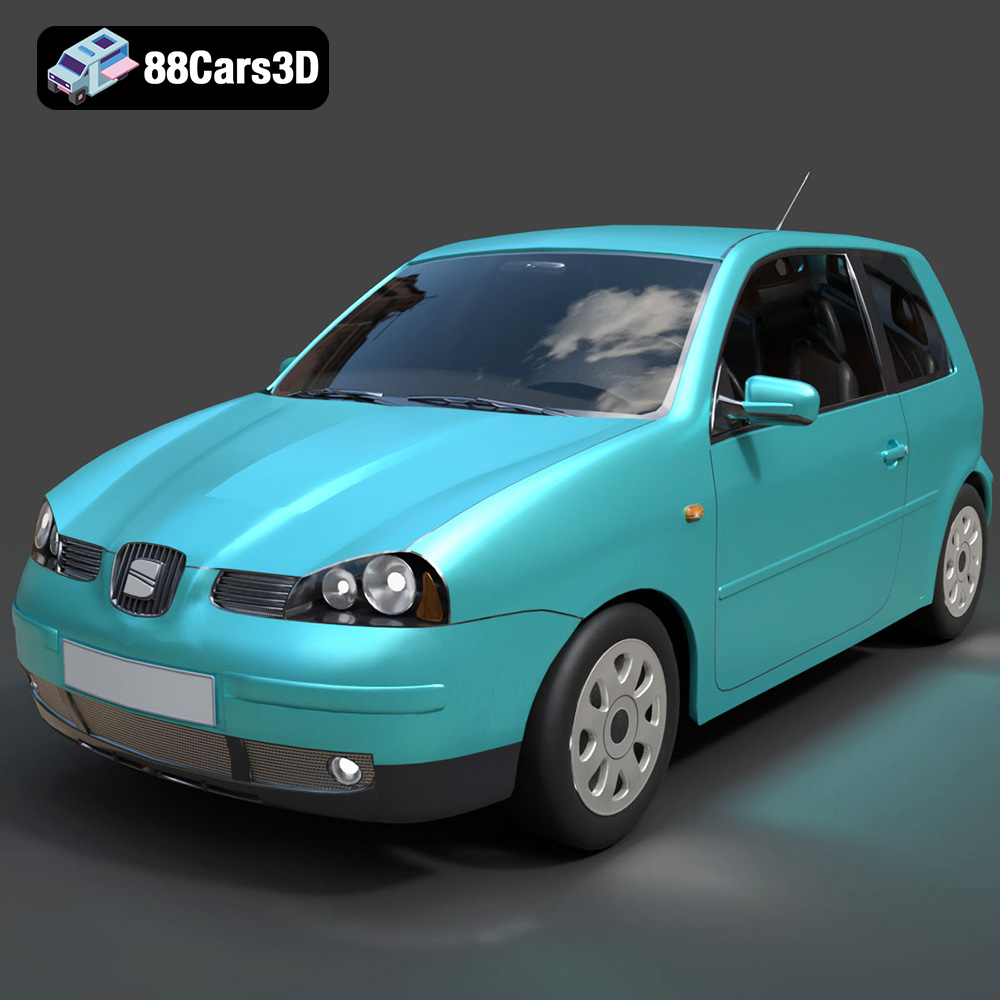
Texture: Yes
Material: Yes
Download the Seat Arosa 1997 3D Model featuring clean geometry, realistic detailing, and a fully modeled interior. Includes .blend, .fbx, .obj, .glb, .stl, .ply, .unreal, and .max formats for rendering, simulation, and game development.
Price: $6.99
Texture: Yes
Material: Yes
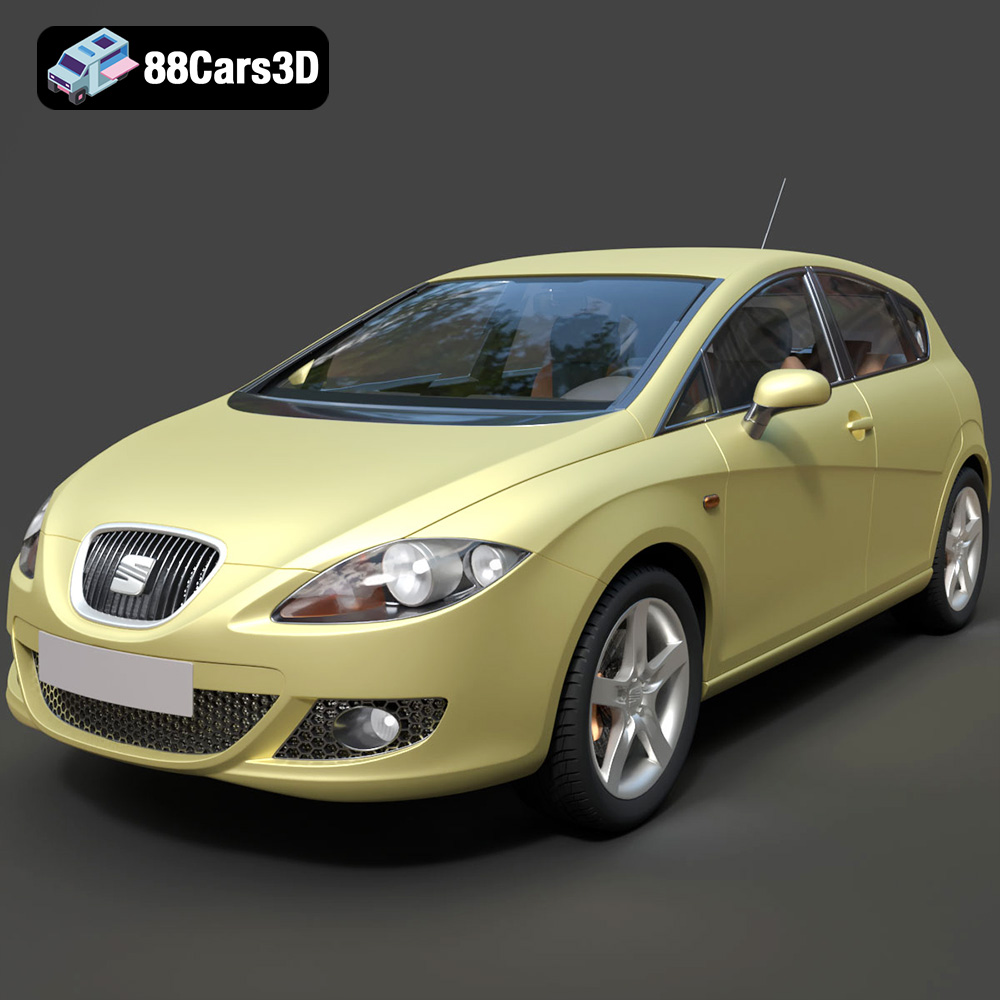
Download the Seat Leon 2009 3D Model featuring clean geometry, realistic detailing, and a fully modeled interior. Includes .blend, .fbx, .obj, .glb, .stl, .ply, .unreal, and .max formats for rendering, simulation, and game development.
Price: $6.99
Texture: Yes
Material: Yes
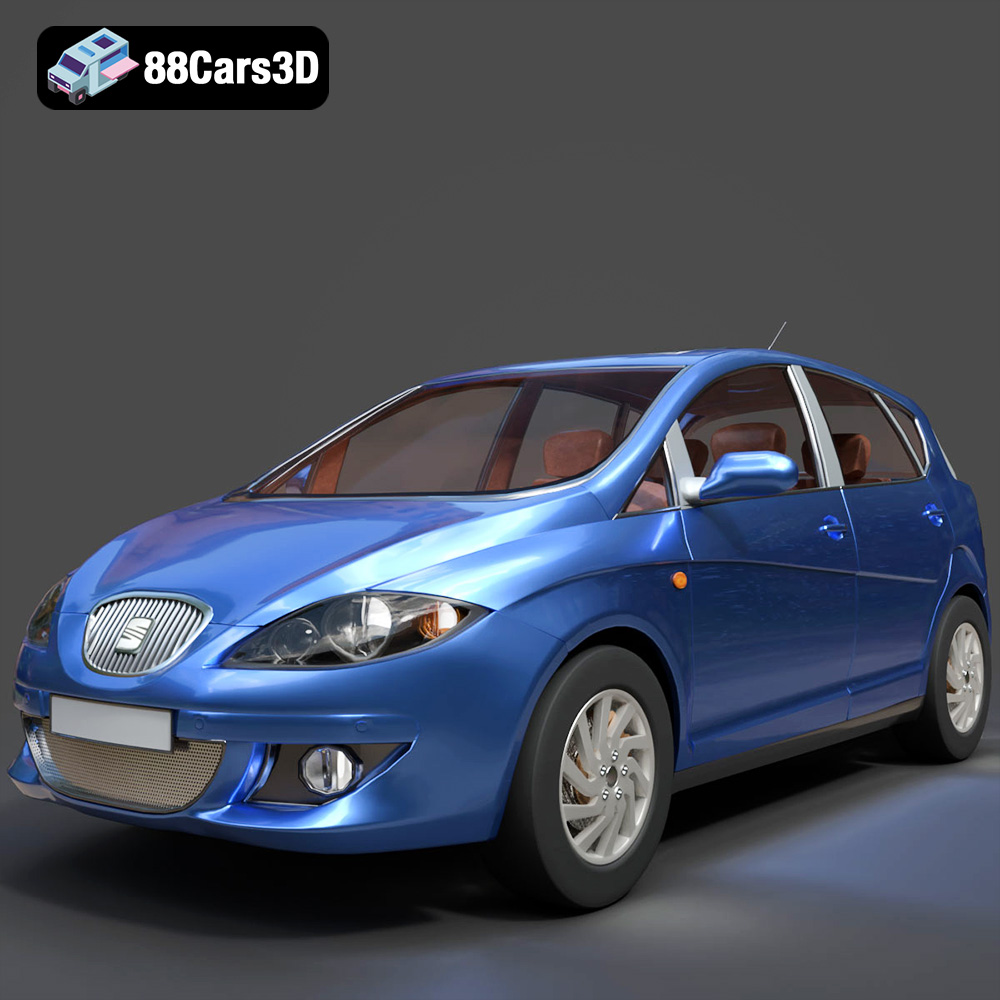
Download the Seat Toledo 2009 3D Model featuring clean geometry, realistic detailing, and a fully modeled interior. Includes .blend, .fbx, .obj, .glb, .stl, .ply, .unreal, and .max formats for rendering, simulation, and game development.
Price: $6.99
Texture: Yes
Material: Yes
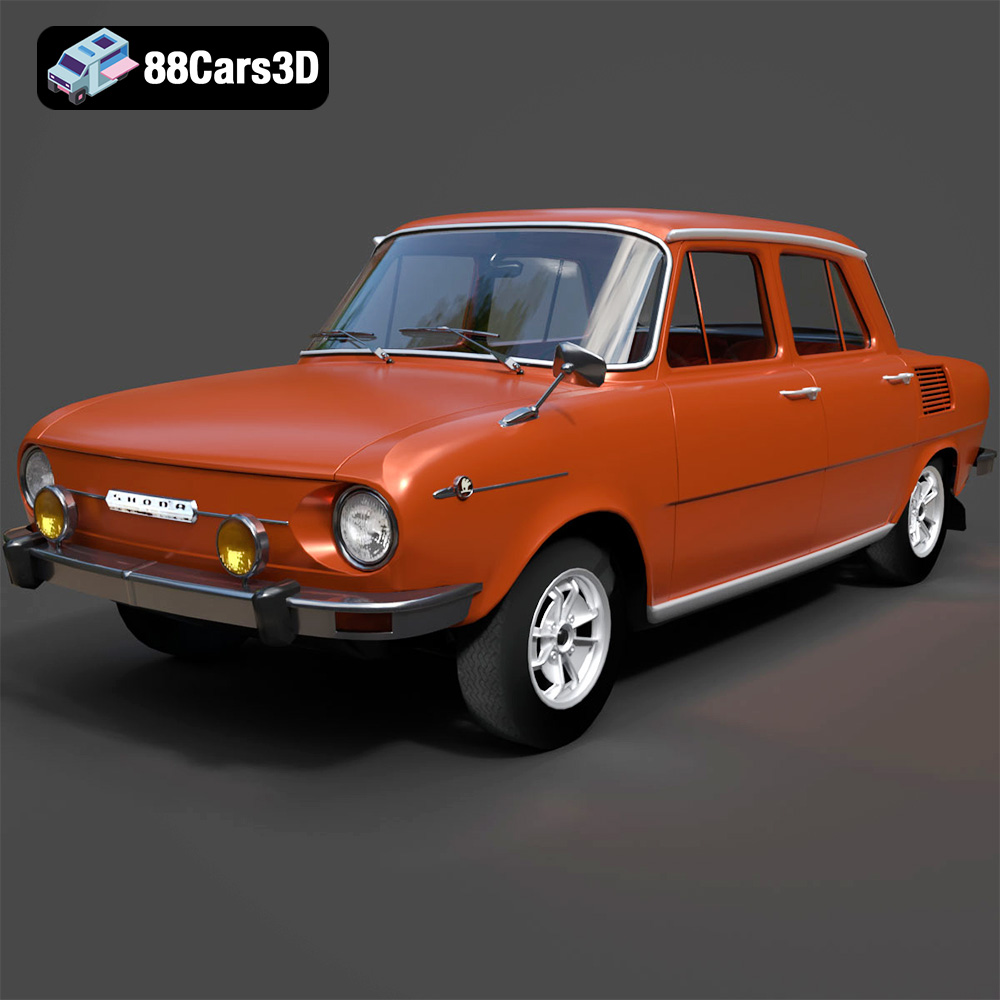
Download the Skoda 100 L 1970 3D Model featuring clean geometry, realistic detailing, and a fully modeled interior. Includes .blend, .fbx, .obj, .glb, .stl, .ply, .unreal, and .max formats for rendering, simulation, and game development.
Price: $6.99
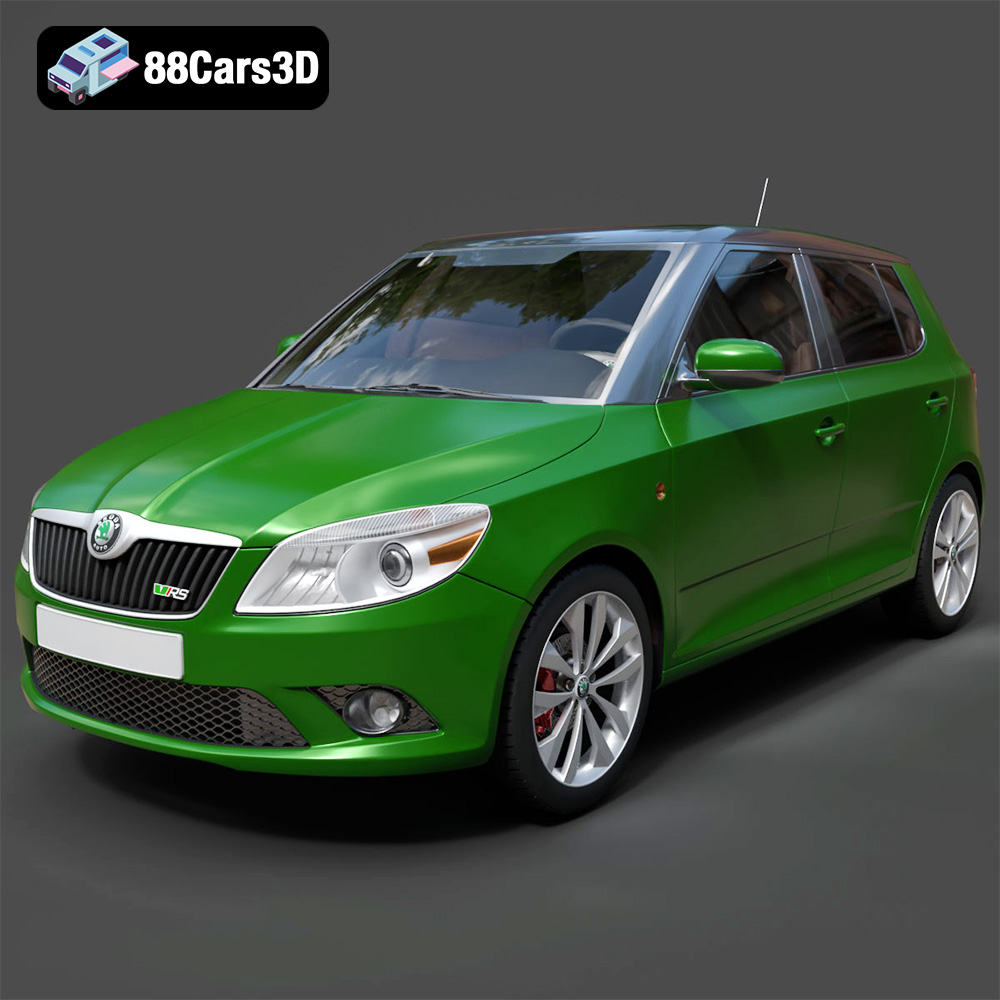
Download the Skoda Fabia RS 2011 3D model, an accurately detailed vehicle asset perfect for game development, rendering, and AR/VR applications. Includes multiple formats for versatile use.
Price: $6.99

