⚡ FLASH SALE: Get 60% OFF All Premium 3D & STL Models! ⚡

The world of automotive design and visualization has undergone a seismic shift, driven by the relentless advancement of 3D technology. What was once the exclusive domain of physical prototypes and hand-drawn blueprints is now a dynamic landscape where digital precision meets artistic expression. From the initial concept sketch to the final rendered masterpiece, and even the creation of tangible custom 3D car parts, 3D modeling stands at the core of innovation. This comprehensive guide delves into the intricate processes, technical considerations, and best practices involved in creating, optimizing, and deploying high-quality 3D car models across various applications, including automotive rendering, game development, AR/VR experiences, and practical 3D printing.
Whether you’re an aspiring 3D artist, a seasoned game developer, an automotive designer pushing the boundaries of aesthetics, or a professional seeking impeccable visualization, understanding the nuances of 3D asset creation is paramount. We’ll explore everything from the foundational principles of clean topology and efficient UV mapping to the complexities of PBR materials and advanced rendering techniques. Prepare to uncover strategies for optimizing assets for real-time engines, converting models for different platforms, and even preparing them for physical fabrication. By the end of this journey, you’ll possess a deeper appreciation for the craft and a clearer roadmap for elevating your automotive 3D designs to professional standards.
At the heart of any exceptional 3D car model lies impeccable topology. For automotive designs, this isn’t merely an aesthetic concern; it’s a fundamental requirement that dictates how the model deforms, how light interacts with its surfaces, and ultimately, how realistic it appears. Clean, efficient topology ensures smooth shading, prevents artifacts during rendering, and facilitates UV mapping and animation. Complex car surfaces, with their intricate curves, sharp creases, and subtle reflections, demand a meticulous approach to polygon distribution and edge flow. A common target for high-quality production models might range from 150,000 to 500,000 polygons for a detailed exterior and interior, though this can vary significantly based on the intended use case.
Achieving this level of precision involves a deep understanding of polygon modeling techniques in software like 3ds Max, Blender, or Maya. Artists often start with base meshes, building up detail iteratively while constantly monitoring the flow of edges to avoid pinching or uneven distribution. The goal is to create a mesh where quads (four-sided polygons) dominate, as they are inherently more predictable and easier to manipulate than triangles or N-gons. This careful construction prevents common issues such such as mesh pinching, rendering artifacts, and issues with displacement or normal mapping. When sourcing high-quality models, platforms like 88cars3d.com prioritize assets with clean, professional topology to ensure optimal performance and visual fidelity across all applications.
Edge flow is the directional path of edges along a model’s surface, crucial for defining its contours and facilitating smooth subdivision. For automotive bodies, proper edge flow ensures that highlight lines (specular reflections) travel smoothly across the curves, giving the car its characteristic sleekness. Artists meticulously plan edge loops to follow natural curvature changes, accentuating fender flares, door lines, and window frames. This often involves using techniques like edge extrusion, loop cuts, and bridging to guide the mesh structure. Avoid poles with more than five edges converging (star poles), as these can introduce unwanted pinching and shading anomalies. Similarly, maintain an even distribution of polygons, adding density only where necessary for intricate details or sharp creases, like around grilles, vents, or panel gaps. A key technique involves using supporting edge loops on either side of a sharp crease before subdivision, which helps maintain crispness without excessively increasing the overall polygon count for the entire surface. This balance is critical for both visual quality and performance.
In automotive design, two primary modeling paradigms exist: CAD (Computer-Aided Design) and polygonal modeling. CAD software, such as CATIA, SolidWorks, or Rhino, excels at producing mathematically precise, perfectly smooth NURBS (Non-Uniform Rational B-Splines) surfaces, which are essential for engineering and manufacturing. These models are incredibly accurate for real-world production and often form the starting point for design. However, NURBS models are not directly usable in many real-time rendering engines or game environments due to their complex mathematical representation. Polygonal modeling, on the other hand, creates meshes composed of vertices, edges, and faces, which are the standard for visualization, animation, and interactive media. Converting CAD data to a polygonal mesh requires careful retopology to create a clean, optimized mesh that retains the original design’s fidelity while being suitable for rendering and performance. This conversion process often involves significant manual cleanup and optimization to ensure proper edge flow and polygon density, transforming the highly accurate engineering data into an artist-friendly, render-ready asset.
Once a 3D car model boasts impeccable topology, the next critical step is preparing it for texturing and shading. This involves two closely related and equally important processes: UV mapping and the creation of physically based rendering (PBR) materials. UV mapping is the process of flattening the 3D surface of your model into a 2D space, much like unfolding a cardboard box. This 2D representation, called a UV map, provides the canvas onto which 2D textures (like color, roughness, and metallic maps) are painted or applied. A well-executed UV map ensures that textures appear clean, undistorted, and efficiently packed, maximizing texture resolution and minimizing visual artifacts. For complex automotive surfaces with their expansive, often curved panels, strategic UV layout is crucial to avoid stretching or seams that break the illusion of realism.
Complementing the UV map is the PBR material system, which revolutionized rendering by accurately simulating how light interacts with real-world surfaces. Instead of relying on artists to “fake” reflections and diffuse lighting, PBR materials use physically accurate properties to achieve incredibly lifelike results across different lighting conditions. This involves creating a sophisticated shader network that defines the color (Albedo/Base Color), reflectivity (Metallic), surface imperfections (Roughness), geometric detail (Normal), and ambient occlusion of every part of the car. Mastering both UV mapping and PBR material creation is essential for achieving the photorealism expected in high-end automotive rendering and visualization.
Creating effective UV maps for 3D car models requires careful planning. The goal is to minimize seams, prevent texture stretching, and efficiently utilize the UV space (typically a 0-1 square). For large, relatively flat panels like doors or hoods, planar or box mapping can be a good starting point, followed by careful cutting and unfolding. More complex curved surfaces, such as fenders or bumpers, often benefit from cylindrical or spherical projections, or manual unwrapping techniques that allow for greater control over seam placement. A common strategy is to place seams in less visible areas, such as along panel gaps, under trim pieces, or hidden corners. For game assets, it’s also crucial to pack UV islands tightly to maximize texture density and potentially create texture atlases, combining multiple smaller textures into one larger sheet to reduce draw calls and improve performance. Achieving a uniform texel density across the entire model is key, ensuring that all parts of the car have comparable texture detail, preventing some areas from appearing blurry while others are crisp. Software like RizomUV or the built-in UV tools in 3ds Max, Blender, and Maya offer advanced features for precise control.
PBR materials rely on a set of standardized texture maps to define surface properties. The primary maps include: Albedo/Base Color (the pure color without lighting information), Metallic (defines whether a surface is metallic or dielectric), Roughness (controls the micro-surface detail and how sharp or blurry reflections are), Normal Map (adds fine surface detail without increasing polygon count), and Ambient Occlusion (simulates soft shadows from indirect light). For automotive finishes, additional maps like Clear Coat (for paint reflectivity), Anisotropy (for brushed metals), and specific masks for decals or carbon fiber can be incorporated. Artists create these maps using a combination of procedural textures, hand-painting in software like Substance Painter or Mari, and photogrammetry. The shader network, constructed within your rendering engine (e.g., Corona Renderer, V-Ray, Cycles, Arnold), then combines these maps, interpreting them according to the PBR principles to simulate stunningly realistic paint, glass, chrome, and rubber. Understanding how each map contributes to the final look is crucial for fine-tuning the appearance of every component, from the gloss of the clear coat to the subtle texture of tire sidewalls.
With a meticulously modeled and textured 3D car model, the next phase is to transform it into a captivating visual. Automotive rendering is an art and a science, demanding a deep understanding of lighting, camera composition, and the capabilities of various rendering engines. The choice between real-time and offline rendering often depends on the project’s requirements: real-time for interactive experiences like games or AR/VR, and offline for cinematic quality stills and animations. Each approach comes with its own set of technical considerations and optimization strategies. Regardless of the chosen path, the goal remains consistent: to create an image or sequence that conveys emotion, highlights design intent, and showcases the vehicle in its best possible light. This goes beyond simply pressing the render button; it involves thoughtful scene setup, meticulous material adjustments, and strategic post-processing to elevate the final output to a professional standard.
Leading renderers like Corona Renderer, V-Ray (for 3ds Max), Cycles (for Blender), and Arnold (for Maya) offer a robust suite of tools for achieving photorealistic results. These engines leverage advanced algorithms to simulate global illumination, reflections, refractions, and physically accurate light scattering. Mastering these tools allows artists to craft compelling narratives around their automotive 3D designs, whether for marketing, design reviews, or pure artistic expression. The process isn’t complete until the rendered image undergoes a final polish in post-production, adding depth, atmosphere, and visual impact that truly makes the image pop.
Offline rendering, such as with Corona, V-Ray, Cycles, or Arnold, calculates light paths with extreme precision, often over several minutes or hours per frame. This yields unparalleled photorealism, ideal for high-resolution marketing imagery, animations, and product visualization. These renderers simulate complex phenomena like caustics, volumetric lighting, and intricate material scattering with accuracy, albeit at the cost of time. Workflow often involves setting up elaborate light rigs, adjusting environmental HDRIs, and fine-tuning camera settings to mimic real-world photography. In contrast, real-time rendering (e.g., Unity, Unreal Engine) prioritizes interactivity and speed, rendering frames in milliseconds. While historically less visually detailed, modern real-time engines leverage advanced techniques like screen-space reflections, global illumination baking, and optimized shaders to achieve impressive visual fidelity, making them perfect for games, interactive configurators, and AR/VR applications. The choice hinges on the project’s needs: absolute realism and controlled environments for offline, or interactivity and performance for real-time. Often, a hybrid approach is adopted, where real-time engines are used for initial concepts and interactive reviews, while offline rendering provides the final high-fidelity marketing assets.
Effective lighting is the soul of any compelling automotive render. It defines form, reveals texture, and sets the mood. Artists use a combination of realistic light sources (area lights, spot lights, IES profiles) and High Dynamic Range Images (HDRIs) to simulate real-world environments. HDRIs capture panoramic photographic data of real lighting conditions, providing both realistic illumination and reflections. For a studio shot, a carefully crafted three-point lighting setup (key, fill, and back lights) is a good starting point, complemented by additional lights to accentuate specific features or create dramatic highlights. Environmental context is equally important; a car rendered in a barren void lacks impact. Integrating the model into a believable backdrop, whether a rendered 3D environment or a photographic backplate, is crucial. Finally, post-processing and compositing in software like Adobe Photoshop or DaVinci Resolve elevate the raw render. This stage involves color correction, adding atmospheric effects (fog, haze), depth of field, motion blur, lens flares, and subtle grading to achieve a cinematic look. It’s where an image transcends from merely rendered to truly polished, adding the final artistic touches that make an image memorable.
The demand for high-quality, performant 3D car models in the interactive entertainment space is unprecedented. From AAA racing titles to mobile games and immersive AR/VR applications, automotive assets must strike a delicate balance between visual fidelity and real-time performance. Game engines like Unity and Unreal Engine require models that are meticulously optimized to run smoothly on diverse hardware while maintaining their aesthetic appeal. This means going beyond clean topology and PBR materials to implement specific strategies that minimize resource overheads, such as polygon counts, texture memory, and draw calls. The goal is to provide players with a seamless, visually rich experience without sacrificing frame rate or causing system strain. This specialized workflow focuses on efficiency and scalability, ensuring that a single car model can be deployed across multiple platforms and graphical settings without significant re-work. Understanding these optimization techniques is crucial for any developer aiming to create compelling interactive automotive experiences.
Optimizing game assets involves a holistic approach, touching every aspect of the 3D model, from its mesh geometry to its material setup. Techniques like Level of Detail (LODs) allow the engine to intelligently swap out different versions of a model based on its distance from the camera, ensuring that only the necessary detail is rendered. Efficient texture management, including the use of texture atlases and careful resolution choices, helps reduce memory footprint and improve rendering efficiency. For truly immersive experiences, especially in AR/VR, even more stringent optimization guidelines apply, prioritizing stable frame rates and minimizing latency to prevent motion sickness and ensure a comfortable user experience. Developers often leverage specialized tools and plugins within game engines to profile performance, identify bottlenecks, and fine-tune assets for optimal results.
Optimizing 3D car models for game engines revolves around reducing the computational load. Levels of Detail (LODs) are crucial: multiple versions of the same model are created with decreasing polygon counts. For example, a car might have a high-detail LOD0 (100,000+ polys) for close-ups, a medium-detail LOD1 (30,000-50,000 polys) for mid-range, and a low-detail LOD2 (5,000-10,000 polys) for distant views. The engine automatically switches between these as the camera distance changes, significantly reducing the polygons rendered per frame. Draw calls are another performance bottleneck; each time the engine needs to render a unique material or mesh, it incurs a draw call. Reducing draw calls often involves combining meshes and using texture atlasing, where multiple smaller textures (e.g., for different car parts like wheels, calipers, interior trim) are packed into a single larger texture sheet. This allows the engine to render more objects with fewer calls, boosting frame rates. Additionally, optimizing texture resolutions (e.g., using 2K maps where 4K isn’t strictly necessary), compressing textures, and implementing mipmaps (pre-generated smaller versions of textures) further enhance performance and reduce memory usage without compromising visual quality significantly. Clean, well-structured models from marketplaces like 88cars3d.com are often pre-optimized with these considerations in mind.
AR/VR optimization techniques are even more critical due to the demanding frame rate requirements (e.g., 90 FPS for VR to prevent motion sickness) and the stereoscopic rendering (rendering two slightly different views simultaneously). For automotive assets in AR/VR, reducing polygon count to the bare minimum while maintaining visual integrity is paramount. This might involve aggressive LOD generation, baking complex details into normal maps instead of modeling them, and simplifying physics proxies. Overdraw, where pixels are rendered multiple times due to overlapping transparent or complex geometry, is a significant performance killer in VR; thus, careful material setup and transparency handling are essential. Texture memory must also be managed tightly, utilizing efficient compression formats and texture atlases. Dynamic lighting and shadows, while visually impressive, are computationally expensive, so baking static lighting and ambient occlusion into lightmaps is often preferred. Furthermore, minimizing shader complexity, avoiding heavy post-processing effects, and ensuring a comfortable scale and orientation for the virtual car in the AR/VR environment are crucial for creating a truly immersive and comfortable user experience. Performance profiling tools within Unity and Unreal Engine are indispensable for identifying and rectifying performance bottlenecks specific to AR/VR platforms.
The fusion of 3D printing with automotive 3D designs has opened up exciting new avenues, extending beyond pure visualization into rapid prototyping, manufacturing custom components, and even creating functional custom 3D car parts. Whether it’s a scaled-down replica for a collector, a functional bracket for a race car, or a bespoke interior trim piece, 3D printing empowers designers and enthusiasts to bring their digital creations into the physical world. However, the transition from a render-ready 3D model to a print-ready file involves a unique set of technical considerations. A model optimized for rendering might not be suitable for 3D printing without significant preparation, primarily focusing on mesh integrity and physical properties. Understanding these differences and mastering the preparation workflow is key to successful fabrication.
The advantages of 3D printing in the automotive sector are manifold: rapid iteration of design concepts, cost-effective production of low-volume or personalized parts, and the ability to create complex geometries that are difficult or impossible with traditional manufacturing methods. This democratization of manufacturing allows small teams and individuals to innovate with a speed and flexibility previously reserved for large corporations. However, achieving successful prints requires attention to detail, from ensuring watertight meshes to selecting the appropriate printing technology and materials for the intended application. This section explores the technical steps involved in preparing a 3D car model for the printer, transforming a digital asset into a tangible reality.
Unlike rendering engines, which can often gracefully handle minor mesh errors, 3D printers demand a perfectly “watertight” mesh. A watertight model is a completely closed volume with no gaps, holes, inverted normals, or self-intersecting geometry. These issues, if left unaddressed, will lead to printing errors, failed prints, or even damage to the printer. The first step in preparing a 3D car model for printing is a thorough mesh inspection and repair. Software tools like Netfabb, Meshmixer, or the 3D Print Toolbox in Blender are invaluable for this process. They can identify and often automatically fix common problems: filling holes, uniting disconnected vertices, reorienting flipped normals, and removing internal geometry that would otherwise confuse the slicer software. It’s also crucial to ensure the model’s scale is correct for the desired print size and that all parts are manifold (meaning they have clear inside and outside surfaces). For functional parts, minimum wall thickness is a critical factor; thin areas might break during printing or post-processing. A general guideline is to maintain at least 1-2mm wall thickness, depending on the chosen material and printer technology. This meticulous preparation ensures the digital file translates accurately and reliably into a physical object.
The choice of 3D printing material is paramount, directly impacting the final part’s strength, flexibility, heat resistance, and surface finish. For automotive applications, a wide range of materials is available. PLA and ABS are common for prototyping due to their accessibility and ease of printing. For more functional custom 3D car parts, advanced materials like PETG offer better durability and chemical resistance, while Nylon (PA) provides high strength and flexibility, ideal for gears or brackets. For high-performance components or under-hood applications, carbon fiber reinforced plastics (e.g., carbon fiber nylon) offer exceptional strength-to-weight ratios. Industrial-grade printers can even work with metals like aluminum or titanium for truly robust parts. Beyond material selection, post-processing is often required to achieve the desired finish and functionality. This can include sanding, polishing, painting (e.g., using automotive-grade clear coats for aesthetic pieces), solvent smoothing (for ABS), heat treatment for increased strength, or bonding multiple printed parts together. Understanding the properties of different materials and the available post-processing techniques allows designers to tailor their 3D printed car parts precisely to the application’s demands, pushing the boundaries of what’s possible in automotive customization and rapid prototyping.
The diverse landscape of 3D applications, from modeling software to game engines, renderers, and 3D printers, necessitates a robust understanding of file formats and their interoperability. A 3D car model created in one program often needs to be transferred, opened, and modified in several others throughout its lifecycle. Navigating this ecosystem effectively is crucial for maintaining data integrity, ensuring compatibility, and streamlining professional workflows. Each file format comes with its own strengths and limitations, supporting different types of data (geometry, materials, animations, scene information) to varying degrees. Choosing the right format for a specific task can significantly impact efficiency and prevent countless hours of troubleshooting. For artists and developers working on complex automotive projects, understanding these technical nuances is not just a convenience, but a necessity for seamless collaboration and successful project delivery.
Beyond simple file conversion, establishing a professional workflow involves implementing strategies for efficient asset management and collaboration. This includes version control, standardized naming conventions, and creating modular assets that can be easily reused and updated. For businesses like 88cars3d.com, which provide high-quality 3D car models in multiple formats, ensuring broad compatibility is a core part of their service. Understanding the intricacies of these formats and how they behave across different software packages empowers users to leverage their purchased assets to their fullest potential, regardless of their specific end application, be it a stunning automotive rendering, a highly optimized game asset, or a precise model for 3D printing.
Several file formats dominate the 3D industry, each serving specific purposes. FBX (Filmbox) is a proprietary format developed by Autodesk, widely considered the industry standard for transferring 3D data between various applications, especially those within Autodesk’s ecosystem (3ds Max, Maya). It supports geometry, materials, textures, animations, and rigs, making it incredibly versatile. OBJ (Wavefront Object) is an older, simpler, open-standard format primarily focused on geometry and basic UV mapping. While it doesn’t support animations or advanced material properties, its simplicity makes it highly compatible across almost all 3D software. For web-based and AR applications, newer formats like GLB (Binary glTF) and USDZ (Universal Scene Description Zip) are gaining prominence. GLB is a binary version of glTF (Graphics Language Transmission Format), optimized for efficiency and real-time rendering, supporting PBR materials, animations, and scene graphs. USDZ, developed by Apple and Pixar, is a similar container format optimized for AR experiences on Apple devices, bundling geometry, textures, and animations into a single, compact file. Choosing the correct format for export is critical: FBX for animation pipelines, OBJ for universal geometry exchange, GLB for efficient web 3D, and USDZ for Apple AR experiences. Each format has specific export settings (e.g., embedding media, triangulating meshes) that must be correctly configured to ensure asset integrity upon import.
Professional 3D modeling workflows often involve teams of artists, designers, and developers. Effective collaboration and asset management are crucial to avoid conflicts and maintain a consistent quality standard. Implementing a version control system (e.g., Git LFS for large files, or dedicated solutions like Perforce) is essential for tracking changes, reverting to previous versions, and merging work without losing data. Standardized naming conventions for models, meshes, materials, and textures (e.g., “CarModel_Body_LOD0_Mat_Albedo.png”) are non-negotiable for clarity and organization, especially when working with hundreds or thousands of individual assets. Creating modular assets – breaking down a complex car model into logical components like chassis, body, wheels, interior, etc. – allows different team members to work on separate parts simultaneously and facilitates easier updates or variations. Libraries of commonly used materials, textures, and environmental assets also streamline the process. Furthermore, clear documentation regarding asset specifications (polygon budgets, texture resolutions, material setup guidelines) ensures that all team members adhere to project requirements. Platforms that provide high-quality, pre-optimized 3D car models, often with clean file structures and multiple formats, simplify this process significantly for individual artists and studios alike, reducing initial setup time and allowing teams to focus on creative tasks rather than asset preparation.
The journey through the intricate world of 3D car models reveals a sophisticated ecosystem where artistry, engineering, and technology converge. From the precise craft of modeling a vehicle with impeccable topology and optimal UV mapping, to the creation of stunningly realistic PBR materials that define its surface properties, every step is critical. We’ve explored the nuances of high-fidelity automotive rendering for static visualizations and the meticulous optimization required for seamless real-time experiences in games and immersive AR/VR environments. Furthermore, we’ve delved into the transformative power of 3D printing, allowing for the creation of tangible prototypes and functional custom 3D car parts, bridging the gap between the digital and physical realms.
Mastering these technical workflows, understanding the specific demands of different output formats, and continuously embracing industry best practices are what distinguish professional-grade 3D artists and designers. The quality of your 3D car models directly impacts the realism of your renders, the performance of your games, and the success of your physical prints. As technology continues to evolve, so too will the possibilities within automotive 3D designs. Equip yourself with the knowledge and high-quality assets needed to stay at the forefront of this exciting field. Whether you’re a seasoned professional or just beginning your journey, investing in well-crafted 3D assets from reputable sources is paramount. Discover a world of meticulously prepared, high-quality 3D car models designed to accelerate your projects and elevate your creations by exploring marketplaces like 88cars3d.com. Your next groundbreaking project starts with the right foundation.
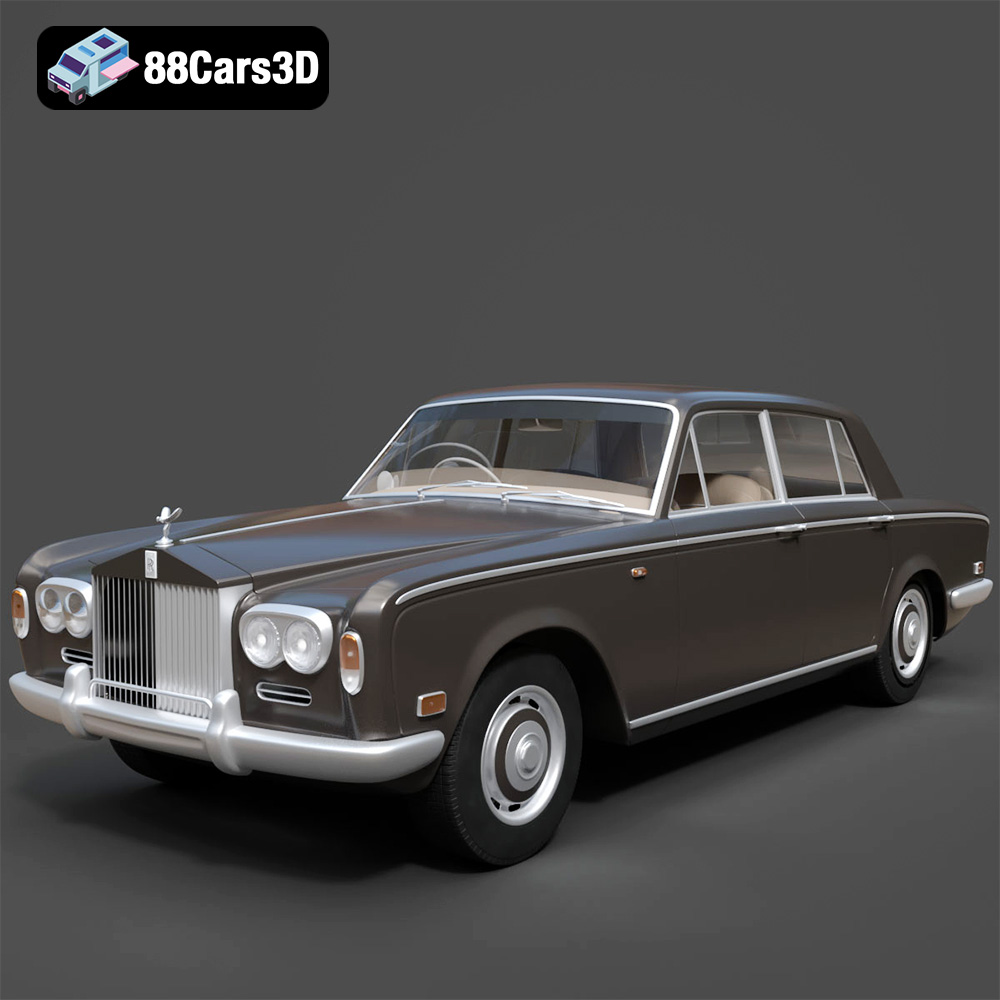
Texture: Yes
Material: Yes
Download the Rolls Royce Silver Shadow 1975 3D Model featuring clean geometry, realistic detailing, and a fully modeled interior. Includes .blend, .fbx, .obj, .glb, .stl, .ply, .unreal, and .max formats for rendering, simulation, and game development.
Price: $10
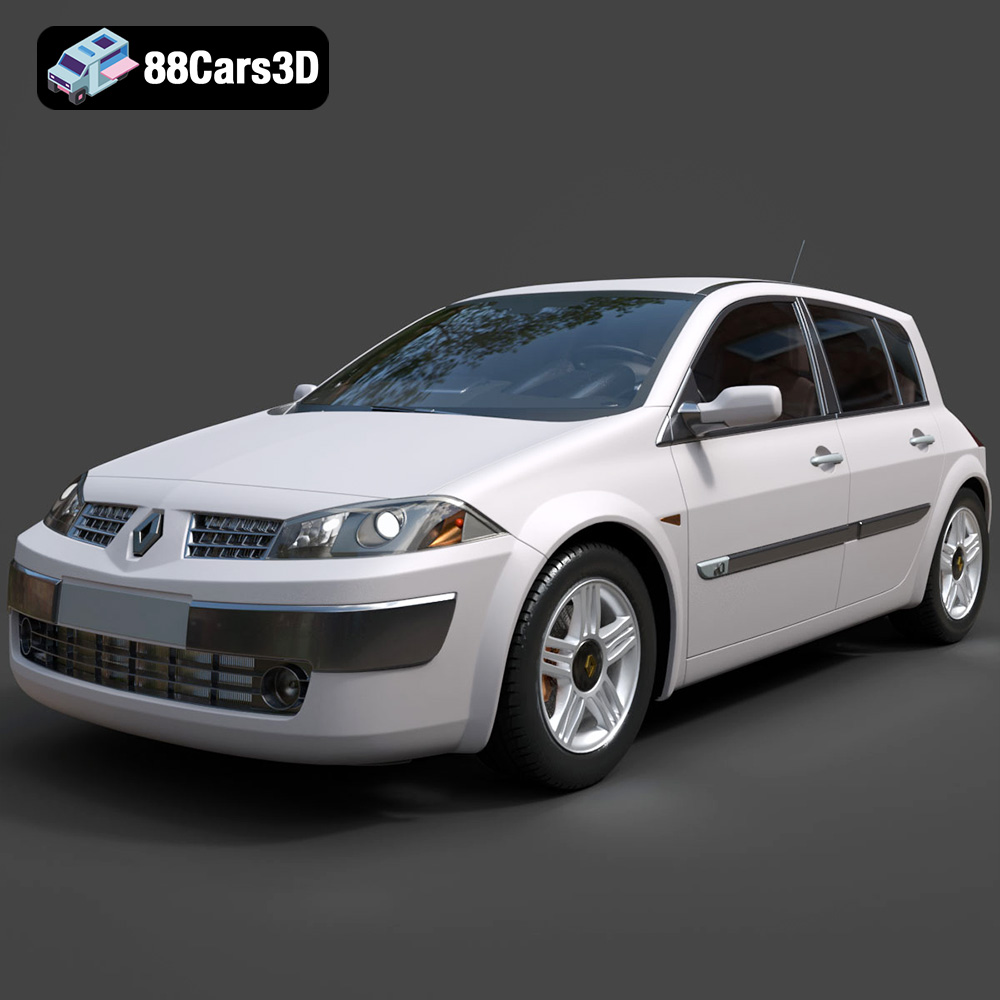
Texture: Yes
Material: Yes
Download the Renault Megane II 2009 3D Model featuring clean geometry, realistic detailing, and a fully modeled interior. Includes .blend, .fbx, .obj, .glb, .stl, .ply, .unreal, and .max formats for rendering, simulation, and game development.
Price: $10
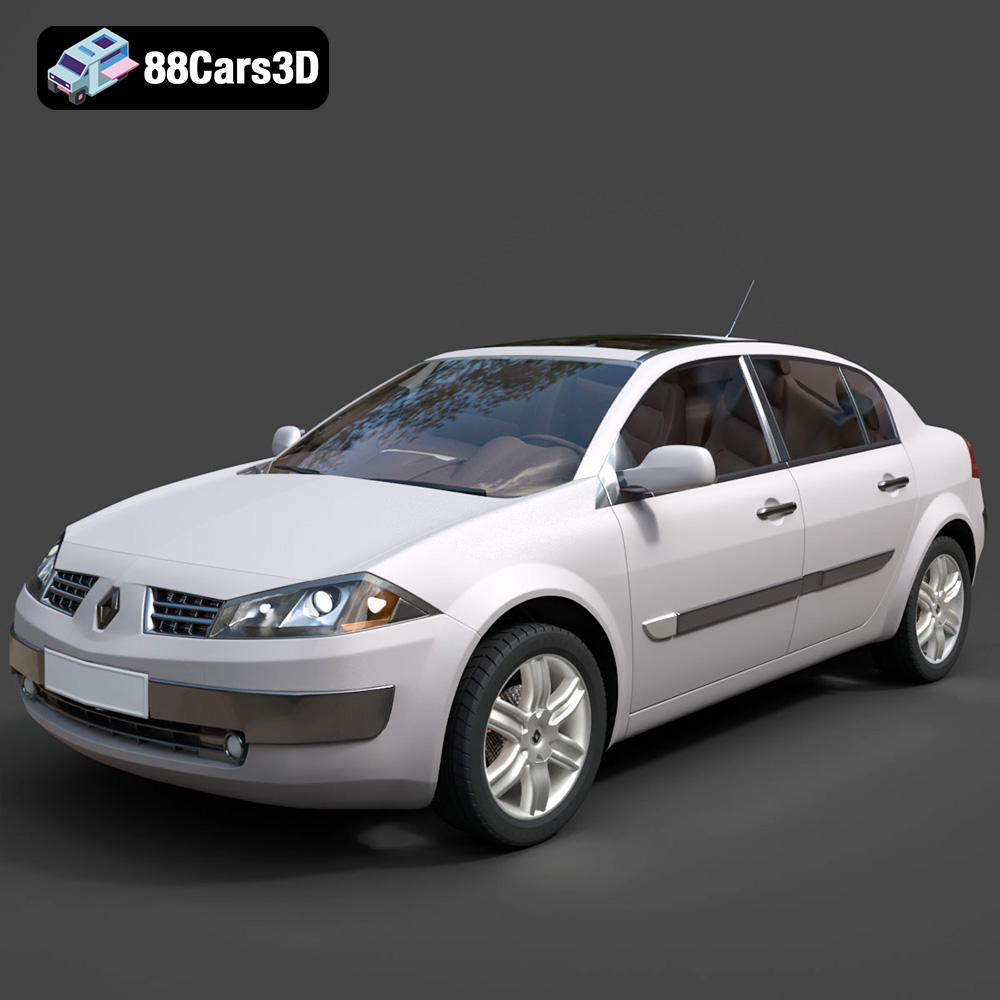
Texture: Yes
Material: Yes
Download the Renault Megane Sedan 3D Model featuring clean geometry, realistic detailing, and a fully modeled interior. Includes .blend, .fbx, .obj, .glb, .stl, .ply, .unreal, and .max formats for rendering, simulation, and game development.
Price: $10

Texture: Yes
Material: Yes
Download the Renault Twingo RS-009 3D Model featuring clean geometry, realistic detailing, and a fully modeled interior. Includes .blend, .fbx, .obj, .glb, .stl, .ply, .unreal, and .max formats for rendering, simulation, and game development.
Price: $10

Texture: Yes
Material: Yes
Download the Renault Scenic 2010 3D Model featuring clean geometry, realistic detailing, and a fully modeled interior. Includes .blend, .fbx, .obj, .glb, .stl, .ply, .unreal, and .max formats for rendering, simulation, and game development.
Price: $10

Texture: Yes
Material: Yes
Download the Roadster 3D Model featuring clean geometry, realistic detailing, and a fully modeled interior. Includes .blend, .fbx, .obj, .glb, .stl, .ply, .unreal, and .max formats for rendering, simulation, and game development.
Price: $10
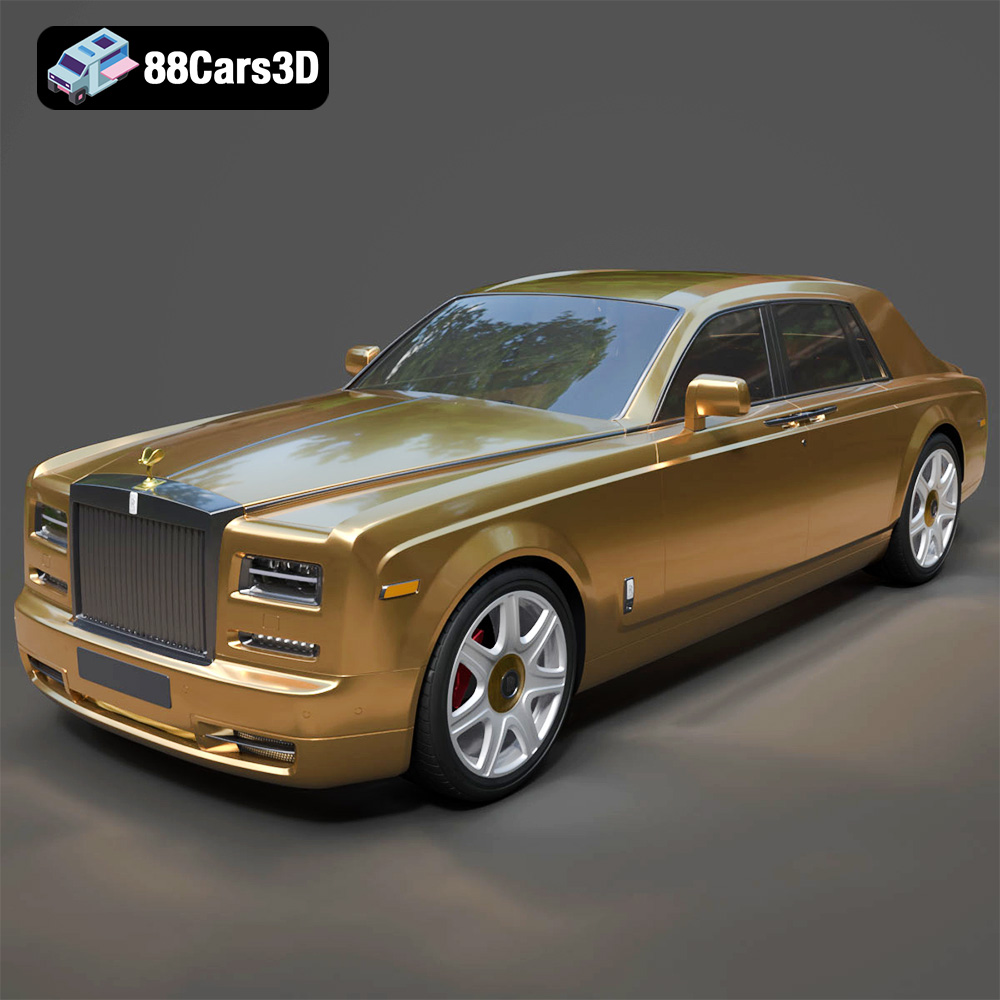
Texture: Yes
Material: Yes
Download the Rolls-Royce Phantom 2013 3D Model featuring clean geometry, realistic detailing, and a fully modeled interior. Includes .blend, .fbx, .obj, .glb, .stl, .ply, .unreal, and .max formats for rendering, simulation, and game development.
Price: $10
Texture: Yes
Material: Yes
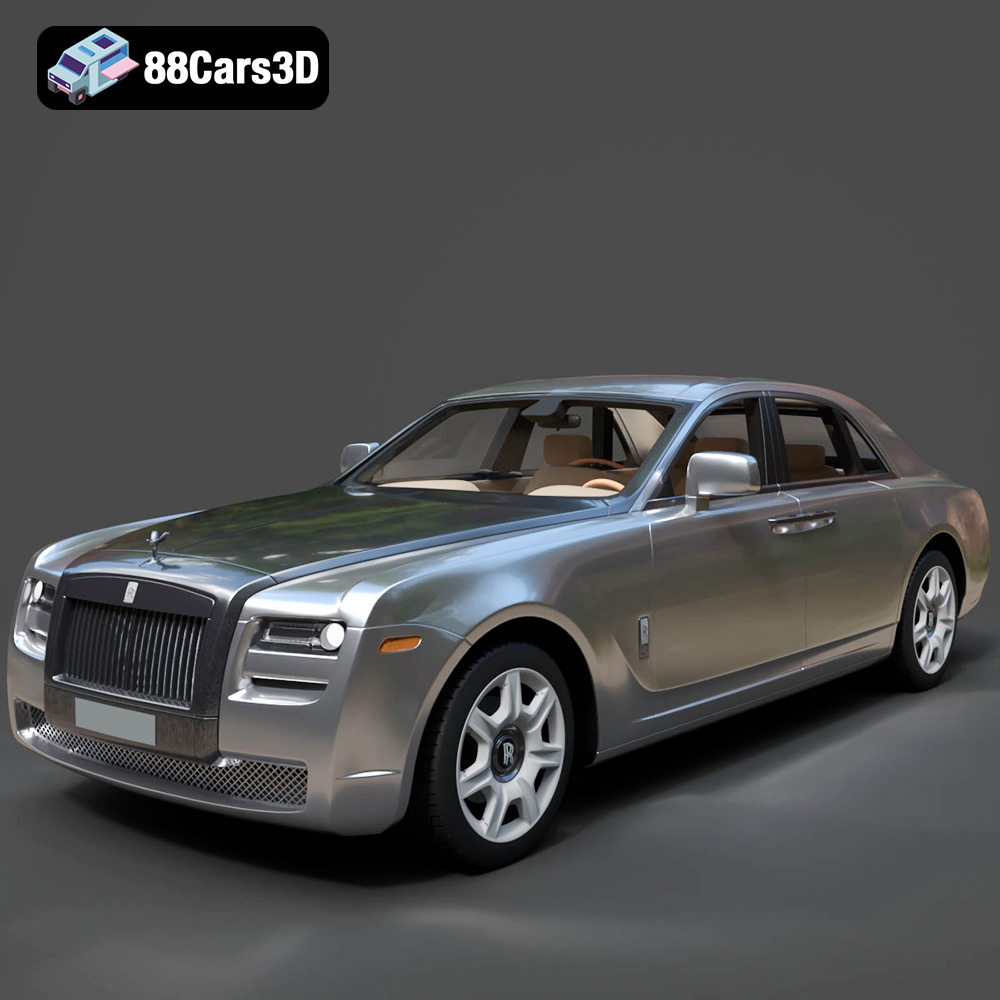
Download the Rolls-Royce Ghost 2009 3D Model featuring clean geometry, realistic detailing, and a fully modeled interior. Includes .blend, .fbx, .obj, .glb, .stl, .ply, .unreal, and .max formats for rendering, simulation, and game development.
Price: $10
Texture: Yes
Material: Yes
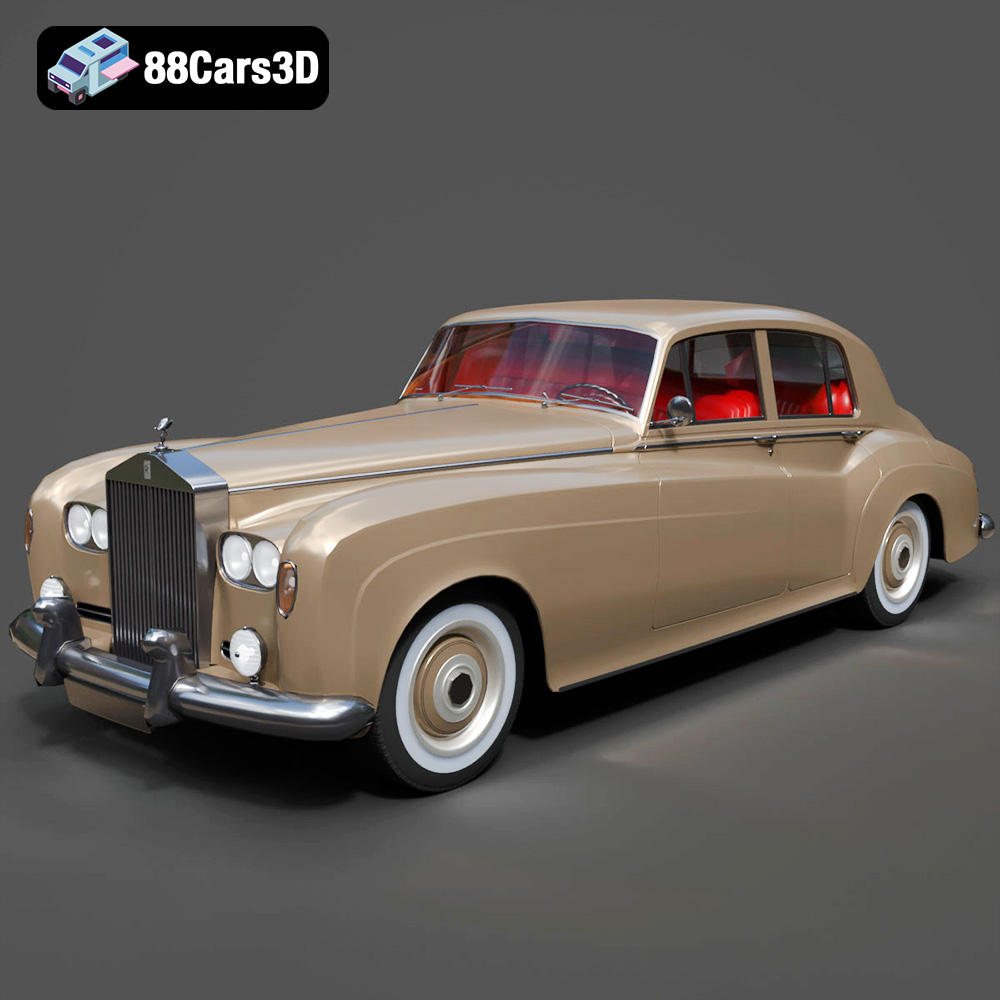
Download the Rolls Royce Silver Cloud III 3D Model featuring clean geometry, realistic detailing, and a fully modeled interior. Includes .blend, .fbx, .obj, .glb, .stl, .ply, .unreal, and .max formats for rendering, simulation, and game development.
Price: $10
Texture: Yes
Material: Yes
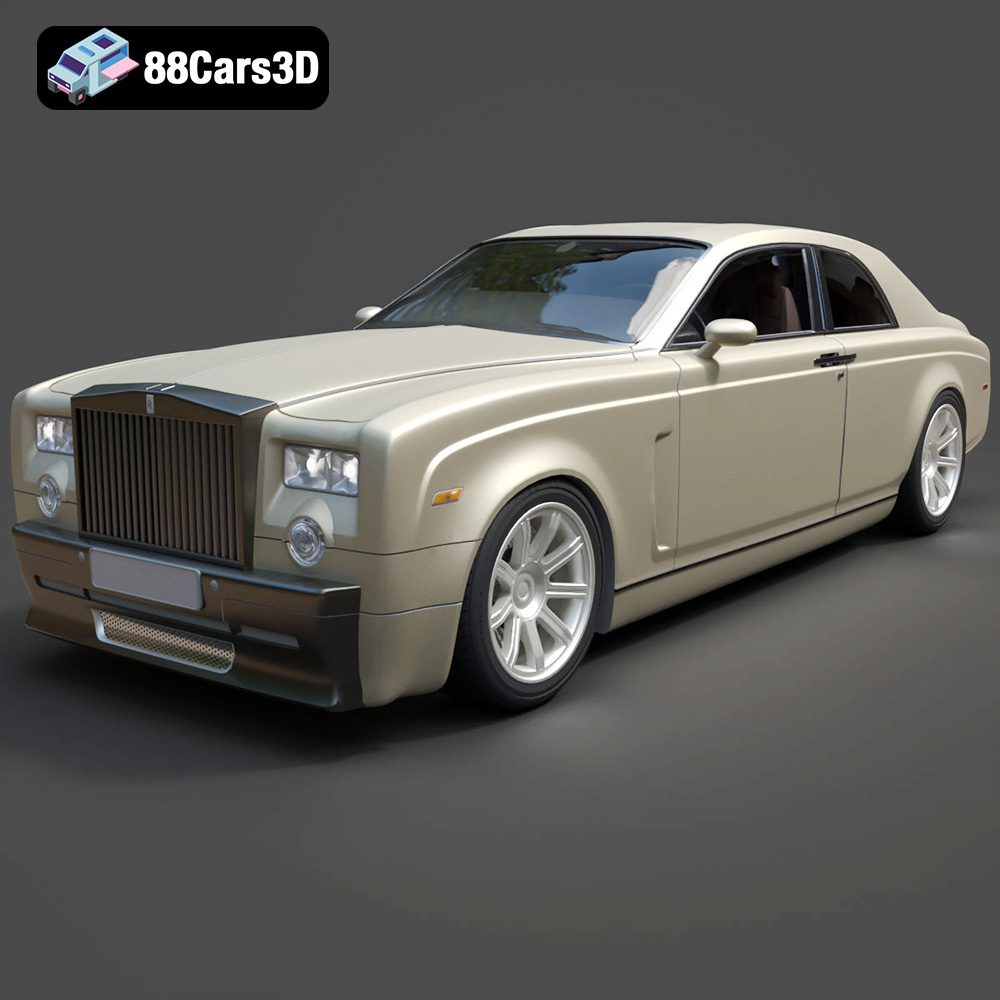
Download the Rolls-Royce Phantom Coupe 3D Model featuring clean geometry, realistic detailing, and a fully modeled interior. Includes .blend, .fbx, .obj, .glb, .stl, .ply, .unreal, and .max formats for rendering, simulation, and game development.
Price: $6.99

