⚡ FLASH SALE: Get 60% OFF All Premium 3D & STL Models! ⚡

The automotive world is a symphony of design, engineering, and passion. In this digital age, the creation and customization of vehicles have been profoundly transformed by the power of 3D modeling and additive manufacturing. From breathtaking concept visualizations to the production of bespoke custom 3D car parts, 3D technology is at the forefront of innovation. For professionals, enthusiasts, and students alike, understanding the intricate workflows involved in crafting high-quality 3D car models is paramount.
This comprehensive guide delves deep into the technical nuances of bringing automotive designs to life in the digital realm and beyond. We’ll explore everything from the foundational principles of clean 3D car model topology and meticulous UV mapping, to the art of creating lifelike PBR materials and stunning automotive rendering. We’ll also dissect strategies for optimizing assets for game engines, preparing models for immersive AR/VR experiences, and crucially, the specific considerations for transforming digital designs into physical objects through 3D printing. Whether you’re aiming for photorealistic renders, interactive game assets, or functional custom parts, mastering these techniques will elevate your projects and unlock new possibilities in automotive design and visualization.
At the heart of any high-quality 3D car model lies impeccable topology. For automotive designs, where smooth, reflective surfaces are critical, clean and efficient mesh geometry is non-negotiable. Topology refers to the arrangement of vertices, edges, and faces that define your 3D model’s surface. Poor topology can lead to artifacts like pinching, unwanted bumps, and issues with deformation, rendering, and particularly, 3D printing. A well-constructed mesh not only looks better but also performs more efficiently across various applications, from real-time game engines to high-fidelity ray-traced renders.
When modeling complex automotive surfaces, such as fenders, doors, and hoods, the goal is often to create continuous, flowing curves that react realistically to light. This requires a strong understanding of edge flow and how it dictates surface curvature and reflections. Many professional 3D artists adhere to a “quad-based” modeling approach, meaning the mesh is primarily composed of four-sided polygons. While triangles are suitable for certain applications (especially game engines after triangulation), and N-gons (polygons with more than four sides) can be problematic, quads offer the most flexibility for subdivision, deformation, and clean surface transitions.
Clean topology isn’t just about aesthetics; it’s a critical factor for performance and the successful realization of 3D prints. For performance, especially in real-time applications, a mesh with optimized polygon density ensures smoother processing. This means using enough polygons to define the shape accurately but avoiding excessive detail where it’s not needed, employing techniques like edge loops to control hard edges. For 3D printing, watertight and manifold geometry is paramount. A clean mesh, free from flipped normals, intersecting faces, or internal geometry, significantly reduces the likelihood of print failures and simplifies the pre-print preparation process. Platforms like 88cars3d.com prioritize models with clean, optimized topology, making them versatile for a multitude of uses straight out of the box.
Effective edge flow is the lifeblood of visually appealing automotive models. It dictates how light reflects off the car’s surfaces, how details like panel gaps are defined, and how the model deforms if animated. Good edge flow follows the natural contours and creases of the vehicle, ensuring smooth reflections and preventing undesirable visual artifacts. When creating sharp creases or panel lines, tight edge loops are used to pinch the surface, creating a crisp transition without adding unnecessary geometry to the rest of the model. Conversely, broad, even spacing of edges promotes smooth, continuous curves. Mastering edge flow often involves extensive practice with subdivision surfacing techniques (e.g., in Blender, 3ds Max, or Maya) where a low-poly base mesh is smoothed and refined. Paying attention to how your edges terminate and avoiding poles (vertices with more than 5 edges connected) in flat or curved areas helps maintain surface integrity, ensuring your automotive 3D designs are both visually stunning and technically sound.
Once your 3D car model’s geometry is perfect, the next step is to give it a realistic surface. This involves two crucial processes: UV mapping and the creation of Physically Based Rendering (PBR) materials. UV mapping is the art of flattening the 3D surface of your model onto a 2D plane, much like unfolding a cardboard box. This 2D map, called a UV layout, then serves as a canvas where 2D texture images can be painted or applied, effectively wrapping them around your 3D object. Without proper UVs, textures will appear stretched, distorted, or incorrectly mapped, breaking the illusion of realism.
PBR materials, on the other hand, represent a modern approach to shading that simulates how light interacts with real-world surfaces based on physical properties. Instead of simply painting colors, PBR workflows utilize a set of texture maps—such as Albedo (base color), Normal (surface detail), Roughness (specularity and reflection clarity), Metalness (how metallic a surface is), and Ambient Occlusion (soft self-shadowing)—to accurately describe a material’s appearance. This method ensures that your 3D car models look consistent and realistic under any lighting conditions, whether in a high-end renderer or a real-time game engine.
Creating effective UV layouts for complex automotive surfaces requires strategic planning. The primary goals are to minimize stretching, prevent seams from being visible in prominent areas, and maximize texel density (the number of pixels per unit of surface area) for optimal texture resolution. For a car body, this often means creating separate UV islands for distinct panels like the hood, doors, roof, and fenders. Components like wheels, tires, lights, and interior elements will each have their own dedicated UV space. Tools within 3ds Max, Blender, Maya, and dedicated software like RizomUV or Marmoset Toolbag offer advanced unwrapping algorithms to help flatten complex geometry while preserving relative scale.
A common technique is to use multiple UV sets. For instance, one UV set might be optimized for detailed paint textures and decals, while another might be used for lightmaps in game engines to capture static lighting information. Careful placement of UV seams in less visible areas, such as undercarriage or sharp creases, is key to maintaining a seamless visual experience. Ensuring consistent texel density across all UV islands prevents some parts of the model from looking blurry while others are crisp, contributing significantly to the overall realism of your automotive 3D designs.
The magic of PBR materials comes alive in the shader network, where various texture maps are combined to define the surface properties. In rendering software like Corona, V-Ray, Cycles, or Arnold, you’ll typically connect your Albedo map to the ‘base color’ input, your Normal map to the ‘normal’ input (often requiring a normal map node to interpret the data correctly), and your Roughness and Metalness maps to their respective slots. The precise setup can vary slightly between renderers, but the underlying principles remain constant.
For a car paint material, you might layer multiple PBR materials to achieve complex effects like clear coat, metallic flake, and even subtle dirt or dust. A typical car paint PBR shader might involve a base metallic layer (high metalness, low roughness for gloss) overlaid with a clear coat (a separate layer with its own roughness and IOR for reflections). Procedural textures can also be blended in for subtle imperfections, scratches, or wear and tear, enhancing realism without requiring extensive manual painting. Tools like Substance Painter are invaluable for creating these intricate PBR texture sets, allowing artists to paint directly onto their 3D car models with intelligent generators and smart materials, streamlining the texturing workflow for unparalleled fidelity.
Creating a static 3D model is one thing; making it come alive in a photorealistic image or animation is another. Advanced rendering workflows are where all your hard work on topology, UVs, and PBR materials culminates. The goal of automotive rendering is to simulate how light interacts with your vehicle in a given environment, producing images that are virtually indistinguishable from real-world photography. This involves meticulous attention to lighting, environment setup, camera angles, and the final polish through post-processing.
Different rendering engines offer distinct advantages. For instance, Corona Renderer and V-Ray (often used with 3ds Max) are renowned for their physically accurate ray-tracing capabilities and ease of use, making them favorites for architectural and automotive visualization. Blender’s Cycles and Eevee engines provide powerful integrated solutions, with Cycles offering high-fidelity ray tracing and Eevee providing real-time rendering for quick previews. Arnold, prevalent in Maya, is also a robust choice for production-quality renders. Regardless of the engine, understanding the core principles of light transport and how to manipulate virtual cameras is key to producing compelling automotive imagery.
Lighting is the single most critical element in any render. For automotive renders, High Dynamic Range Images (HDRIs) are often the go-to solution for realistic environment lighting. An HDRI provides both accurate light direction and color information from a real-world scene, creating natural reflections and ambient illumination. Supplementing HDRIs with targeted area lights, spot lights, or mesh lights can further emphasize design features, create dramatic shadows, or simulate studio lighting setups. Understanding light falloff, intensity, and color temperature allows artists to sculpt the vehicle’s form and evoke specific moods.
The camera setup is equally important. Just like a professional photographer, a 3D artist needs to consider focal length, depth of field, and composition. A wide focal length (e.g., 20-35mm) can create a dynamic, slightly distorted look, while a longer focal length (e.g., 85-135mm) flattens perspective, making the car appear more stately. Strategic use of depth of field (blurry foreground/background) draws attention to the subject. Compositional rules like the rule of thirds or leading lines help guide the viewer’s eye. Experimenting with camera angles and incorporating elements into the background environment, whether a studio backdrop or a street scene, dramatically enhances the narrative and realism of your automotive rendering.
No professional render is complete without a solid post-processing and compositing stage. This is where subtle adjustments can elevate a good render to an exceptional one. Most rendering software allows you to output various render passes (e.g., beauty, reflections, refractions, ambient occlusion, object IDs, depth). These passes can then be layered and manipulated in image editing software like Adobe Photoshop or compositing software like Adobe After Effects or DaVinci Resolve Fusion.
Common post-processing techniques include color grading to adjust the overall mood and tone, adding subtle lens flares or glare, incorporating bloom effects for highlights, and correcting minor imperfections. Chromatic aberration can add a touch of photographic realism, while sharpening or softening specific areas can guide the viewer’s focus. Compositing elements like exhaust smoke, motion blur (if not rendered directly), or even subtle environmental dust can add dynamic realism. The goal is to refine the image, enhance its visual impact, and achieve that polished, magazine-quality finish that makes your 3D car models truly shine.
While high-fidelity rendering aims for photographic realism with virtually no poly-count limits, preparing 3D car models for real-time game engines like Unity or Unreal Engine demands a different set of considerations. Here, performance is king. Every polygon, texture, and draw call contributes to the computational load, directly impacting frame rates and overall user experience. Game asset optimization is a highly specialized skill focused on achieving the best possible visual quality within strict performance budgets.
The challenge lies in striking a balance between visual fidelity and real-time performance. A car model that looks stunning in a static render might bring a game engine to its knees. This often involves reducing polygon counts while retaining essential details, efficient texture management, and strategically organizing assets to minimize rendering overhead. Understanding how game engines process and display 3D data is fundamental to creating truly game-ready automotive 3D designs.
One of the most crucial optimization techniques for game assets is the implementation of Level of Detail (LODs). LODs are multiple versions of the same 3D model, each with a progressively lower polygon count. The game engine automatically switches between these versions based on the camera’s distance from the object. A high-poly version is displayed when the car is close, while a much lower-poly version is used when it’s far away, significantly reducing the rendering load without a noticeable drop in visual quality. Typically, 3-5 LOD levels are created for detailed automotive models, with the lowest LOD often being a simple silhouette.
Minimizing draw calls is another critical performance strategy. A draw call occurs every time the CPU instructs the GPU to draw something. Each material, mesh, and light source can potentially generate a draw call. Reducing the number of unique materials on a car model through texture atlasing (combining multiple smaller textures into one larger texture) helps to batch draw calls, improving rendering efficiency. Similarly, combining multiple small mesh parts into a single mesh where appropriate (e.g., interior components) also reduces draw calls. Efficient UV layouts and PBR material usage become even more important here, as fewer materials mean fewer draw calls.
Choosing the correct file format is essential for seamless integration into game engines. The most common and versatile format for game assets is **FBX** (Filmbox). FBX supports mesh geometry, materials, textures, animations, and skeletal rigs, making it ideal for importing complex 3D car models into Unity and Unreal Engine. When exporting to FBX, it’s vital to ensure correct scale, orientation, and that all necessary data (like embedded media for textures) is included or properly linked.
**OBJ** files are also widely supported but are primarily for static meshes and do not carry animation or rigging data. For specific purposes like AR/VR, newer formats like **GLB** (binary version of glTF) and **USDZ** are gaining traction due to their efficiency and ability to package models, textures, and animations into a single file, making them perfect for web-based and mobile augmented reality experiences. When integrating assets into Unity or Unreal Engine, artists need to be proficient in setting up materials (converting PBR texture maps to engine-specific shader graphs), configuring colliders for physics, and often baking high-poly detail into normal maps for low-poly game models, a technique that allows highly detailed surfaces to be rendered efficiently.
The advent of 3D printing has revolutionized the automotive industry, moving beyond simple prototyping to enable rapid iteration of designs, creation of custom parts, and even the production of functional components. For automotive enthusiasts, designers, and manufacturers, 3D printing offers unparalleled freedom in creating bespoke solutions, from custom dashboards and aerodynamic elements to scale models and replacement parts. The transition from a digital 3D car model to a tangible object requires specific technical considerations that differ significantly from rendering or game development.
The appeal lies in its ability to produce complex geometries that would be impossible or prohibitively expensive with traditional manufacturing methods. Whether it’s a unique grille design, an ergonomic interior component, or a specialized tool for vehicle assembly, 3D printing makes customization accessible. However, not all 3D models are suitable for printing directly. Specific adjustments and checks are necessary to ensure a successful and durable physical output.
Preparing a 3D car model for physical production is a critical step that requires attention to geometry integrity. Unlike rendering, where open edges or non-manifold geometry might not be immediately visible, 3D printing requires a “watertight” mesh. This means the model must represent a completely solid, enclosed volume with no holes, internal geometry, or intersecting faces. Each surface must have a defined inside and outside. Software like Blender (with its 3D Print Toolbox), Meshmixer, Netfabb, or dedicated slicer software will analyze the mesh for these issues. Common problems include flipped normals (faces pointing inward instead of outward), non-manifold edges (edges connected to more than two faces), and open boundaries.
Beyond watertightness, considerations such as wall thickness are crucial. The minimum printable wall thickness varies significantly depending on the 3D printer technology (FDM, SLA, SLS) and the material used. For FDM plastics, a minimum of 1-2mm might be required, while some resin prints (SLA) can go down to 0.5mm for fine details. Overhangs and bridging capabilities also need to be considered, as parts of the model might require support structures during printing to prevent collapse. Understanding these limitations and designing with them in mind from the outset ensures a higher success rate for your custom 3D car parts.
Even with careful modeling, imperfections can creep into a mesh. Before sending a model to a 3D printer, thorough mesh repair and printability checks are essential. Software tools are designed specifically for this purpose. Programs like Autodesk Meshmixer are excellent for identifying and automatically repairing common mesh errors such as holes, inverted normals, and non-manifold geometry. Netfabb offers more advanced analysis and repair capabilities, often used in professional contexts for industrial-grade printing.
The workflow typically involves importing the model (often in **STL** or **OBJ** format, though 3MF is gaining traction), running an analysis to identify errors, and then using automated or manual tools to fix them. Common repairs include closing holes, making non-manifold edges manifold, removing duplicate vertices or faces, and separating shells if multiple objects are accidentally merged. After repair, it’s wise to perform a final check using the slicer software (e.g., Cura, PrusaSlicer, Simplify3D) that will prepare the model for your specific 3D printer. The slicer will often highlight any remaining issues or areas that might cause problems, allowing for last-minute adjustments before commitment to a print.
The choice of material for 3D printed car parts depends heavily on the intended application. For prototyping and aesthetic mock-ups, PLA (polylactic acid) or standard resins (SLA) are often sufficient due to their ease of printing and good detail. For functional parts, however, more robust materials are necessary. ABS (acrylonitrile butadiene styrene) offers good strength and heat resistance, while PETG (polyethylene terephthalate glycol) provides better layer adhesion and impact resistance. Nylon (PA) and carbon fiber reinforced composites offer superior strength, stiffness, and heat deflection, making them suitable for end-use functional components or structural parts in custom vehicles. SLS (Selective Laser Sintering) Nylon prints, for instance, are strong, flexible, and can create highly complex geometries without support structures, making them ideal for intricate custom dashboards or air intake components.
Post-processing is also a vital step. For FDM prints, this can involve removing support structures, sanding to smooth layer lines, priming, and painting to achieve a desired finish. ABS prints can even be chemically smoothed with acetone vapor for a glossy surface. SLA prints require washing to remove excess resin and then UV curing to fully harden the part, followed by support removal, sanding, and painting. SLS parts often undergo bead blasting to clean off excess powder and can be dyed for color. The combination of appropriate material selection and careful post-processing transforms a raw 3D print into a professional-grade custom 3D car part, perfectly matching the design vision.
Beyond traditional rendering and 3D printing, 3D car models are opening up new frontiers in interactive visualization through Augmented Reality (AR) and Virtual Reality (VR). These immersive technologies allow users to experience automotive designs in ways previously unimaginable, from walking around a virtual car in a showroom to overlaying a new custom rim design onto their real-world vehicle. The demand for AR/VR-ready assets is growing rapidly, driven by automotive configurators, marketing campaigns, and interactive training simulations. However, just like game development, AR/VR experiences demand highly optimized assets to ensure smooth performance on a wide range of devices, particularly mobile platforms.
The goal is to deliver compelling visual fidelity while maintaining a high frame rate and low latency, which are critical for preventing motion sickness and creating a truly immersive experience. This often means pushing optimization techniques further than even traditional game development, considering the unique constraints of mobile processors, battery life, and the specific rendering pipelines of AR/VR platforms.
For AR/VR, optimization takes center stage. While LODs are still crucial, further techniques are employed to keep performance butter-smooth. Aggressive polygon reduction is common, often aiming for very low poly counts (e.g., 50k-150k triangles for an entire car model on mobile AR, compared to millions for high-end rendering). This is achieved through careful manual optimization, automatic decimation tools, and baking high-detail normal maps onto low-poly meshes. Draw call reduction is paramount; ideally, an entire car body might use a single material where possible, leveraging texture atlases that combine all necessary PBR maps (Albedo, Normal, Roughness, Metalness, AO) into one large texture.
Culling techniques, such as frustum culling (rendering only objects within the camera’s view) and occlusion culling (not rendering objects hidden behind others), are heavily utilized. Static batching (combining static meshes into one larger mesh) and dynamic batching (combining small moving meshes) also help reduce draw calls. For environmental elements surrounding the car, techniques like instancing (reusing the same mesh geometry multiple times with different transforms) are employed for efficient rendering. The pursuit of highly optimized, yet visually compelling, automotive 3D designs for AR/VR is a continuous balance between art and technical wizardry.
The proliferation of web-based AR/VR experiences, particularly on mobile devices, has led to the emergence of specific file formats optimized for these platforms. **USDZ** (Universal Scene Description Zip) is a format developed by Apple, designed for sharing 3D content in AR applications on iOS devices. It’s a highly efficient, single-file format that can encapsulate geometry, materials, textures, and animations, making it incredibly convenient for deploying interactive 3D car models on websites or within apps. Many professional 3D tools now offer direct USDZ export, or dedicated converters are available.
**GLB** (GLTF Binary) is the binary version of glTF (GL Transmission Format), an open standard for 3D scenes and models. GLB is often referred to as the “JPEG of 3D” because it’s compact, efficient, and widely supported across various platforms, including Android ARCore, web browsers (via WebGL), and various game engines. Like USDZ, it combines all necessary assets into a single file, simplifying asset management and loading times. These formats are rapidly becoming the standard for delivering interactive 3D visualization content, allowing users to spin, inspect, and even place virtual cars into their real-world environment directly from a web browser or social media feed. Platforms like 88cars3d.com can leverage these formats to provide customers with interactive previews of their high-quality 3D car models.
The journey from concept to creation in the automotive world, powered by 3D technology, is one of continuous innovation and technical mastery. We’ve explored the intricate details that define professional-grade 3D car models, from the foundational importance of clean topology and precise UV mapping to the advanced techniques of PBR material creation and photorealistic automotive rendering. We’ve also delved into the specialized optimization strategies required for seamless integration into game engines and immersive AR/VR experiences, understanding how to balance visual fidelity with critical performance metrics.
Crucially, we’ve highlighted the transformative power of 3D printing in enabling the realization of digital designs into tangible, functional custom 3D car parts, outlining the specific considerations for preparing models for physical production. Mastering these diverse aspects of 3D modeling and visualization is not just about technical skill; it’s about the ability to translate vision into reality, whether it’s a breathtaking render for a marketing campaign, an interactive asset for the next big racing game, or a custom-fabricated component for a unique vehicle build.
As technology continues to evolve, the demand for high-quality 3D car models that are versatile across various applications will only grow. By applying the detailed workflows, best practices, and optimization techniques discussed, you can ensure your automotive 3D designs are not only visually stunning but also technically robust and ready for any challenge. Embrace these tools, refine your skills, and continue to push the boundaries of what’s possible in the exciting world of automotive design and digital fabrication.
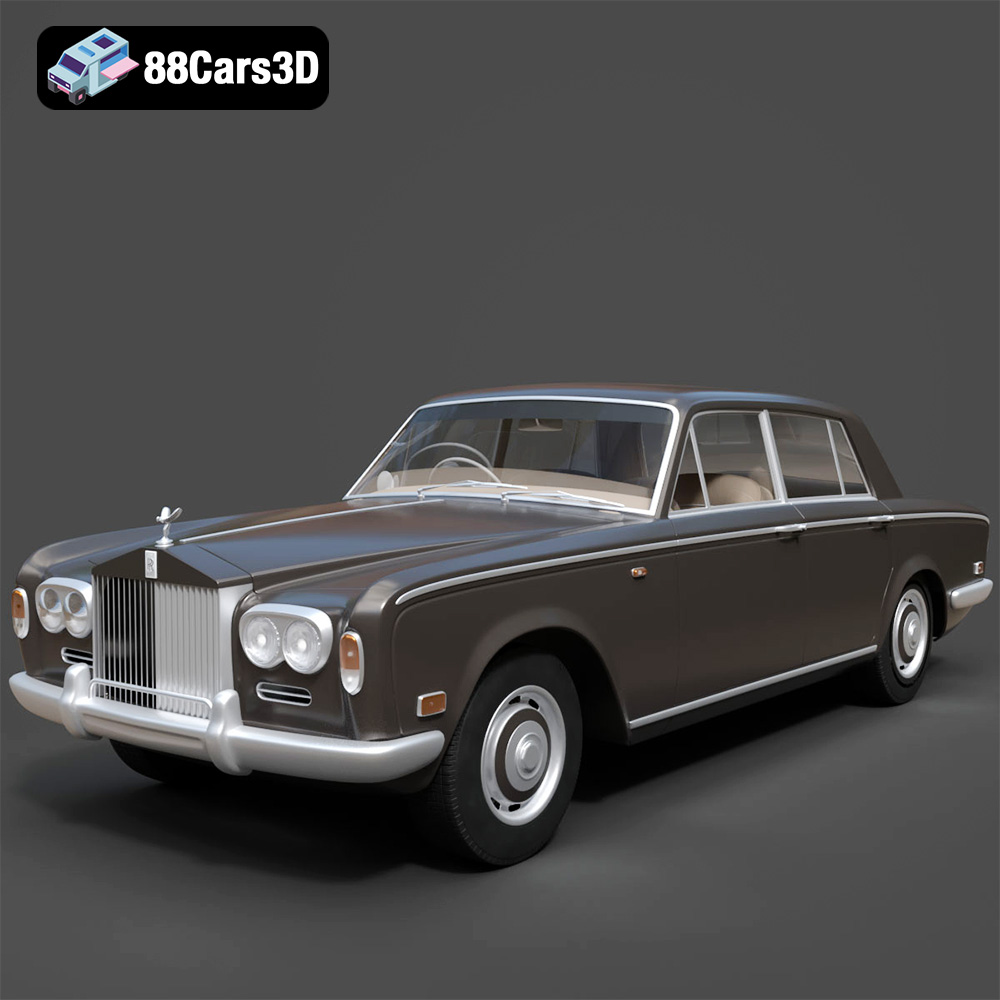
Texture: Yes
Material: Yes
Download the Rolls Royce Silver Shadow 1975 3D Model featuring clean geometry, realistic detailing, and a fully modeled interior. Includes .blend, .fbx, .obj, .glb, .stl, .ply, .unreal, and .max formats for rendering, simulation, and game development.
Price: $6.99
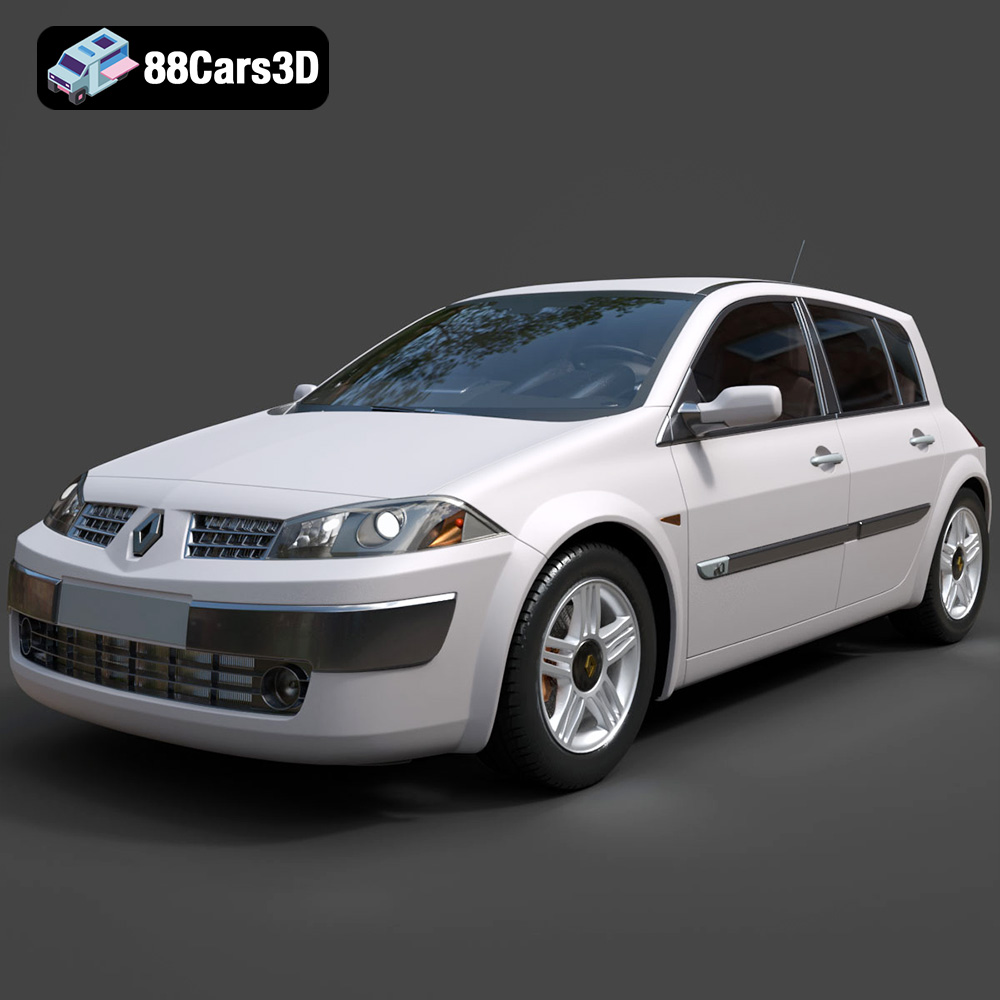
Texture: Yes
Material: Yes
Download the Renault Megane II 2009 3D Model featuring clean geometry, realistic detailing, and a fully modeled interior. Includes .blend, .fbx, .obj, .glb, .stl, .ply, .unreal, and .max formats for rendering, simulation, and game development.
Price: $6.99
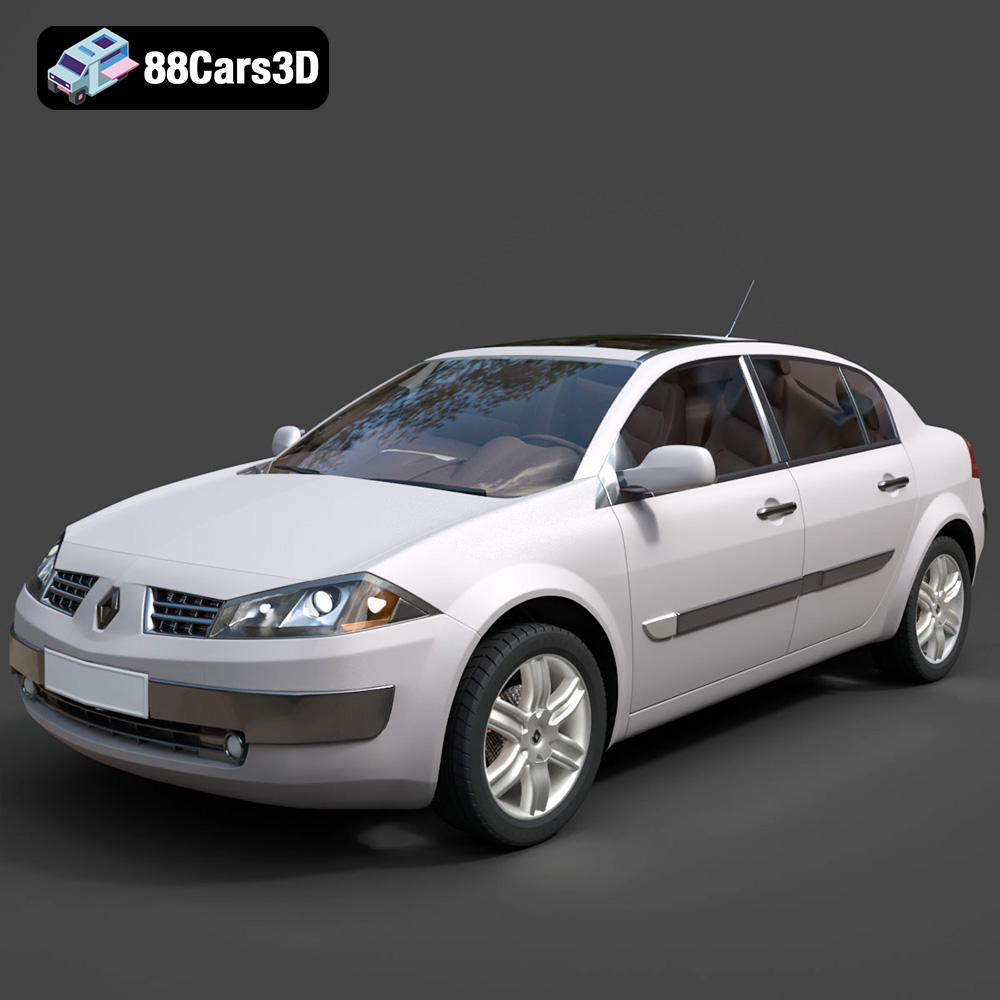
Texture: Yes
Material: Yes
Download the Renault Megane Sedan 3D Model featuring clean geometry, realistic detailing, and a fully modeled interior. Includes .blend, .fbx, .obj, .glb, .stl, .ply, .unreal, and .max formats for rendering, simulation, and game development.
Price: $6.99

Texture: Yes
Material: Yes
Download the Renault Twingo RS-009 3D Model featuring clean geometry, realistic detailing, and a fully modeled interior. Includes .blend, .fbx, .obj, .glb, .stl, .ply, .unreal, and .max formats for rendering, simulation, and game development.
Price: $6.99

Texture: Yes
Material: Yes
Download the Renault Scenic 2010 3D Model featuring clean geometry, realistic detailing, and a fully modeled interior. Includes .blend, .fbx, .obj, .glb, .stl, .ply, .unreal, and .max formats for rendering, simulation, and game development.
Price: $6.99

Texture: Yes
Material: Yes
Download the Roadster 3D Model featuring clean geometry, realistic detailing, and a fully modeled interior. Includes .blend, .fbx, .obj, .glb, .stl, .ply, .unreal, and .max formats for rendering, simulation, and game development.
Price: $6.99
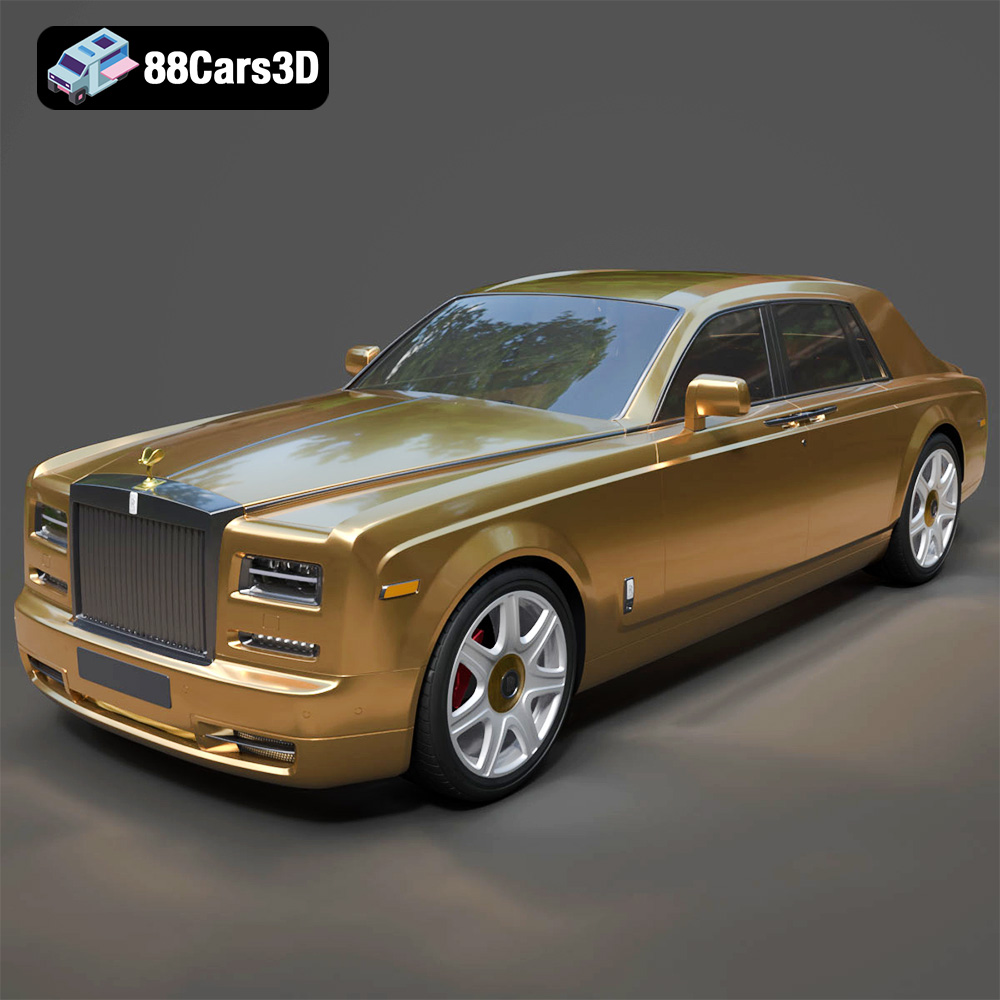
Texture: Yes
Material: Yes
Download the Rolls-Royce Phantom 2013 3D Model featuring clean geometry, realistic detailing, and a fully modeled interior. Includes .blend, .fbx, .obj, .glb, .stl, .ply, .unreal, and .max formats for rendering, simulation, and game development.
Price: $6.99
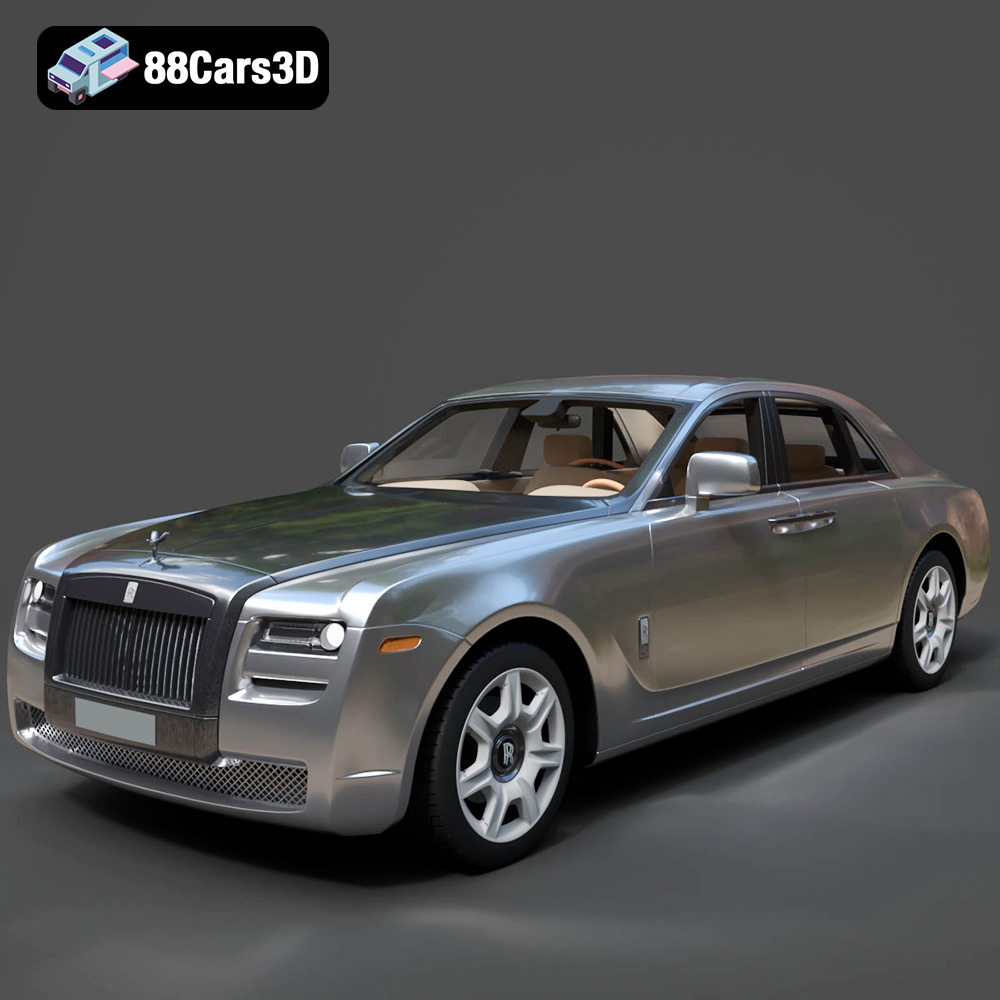
Texture: Yes
Material: Yes
Download the Rolls-Royce Ghost 2009 3D Model featuring clean geometry, realistic detailing, and a fully modeled interior. Includes .blend, .fbx, .obj, .glb, .stl, .ply, .unreal, and .max formats for rendering, simulation, and game development.
Price: $6.99
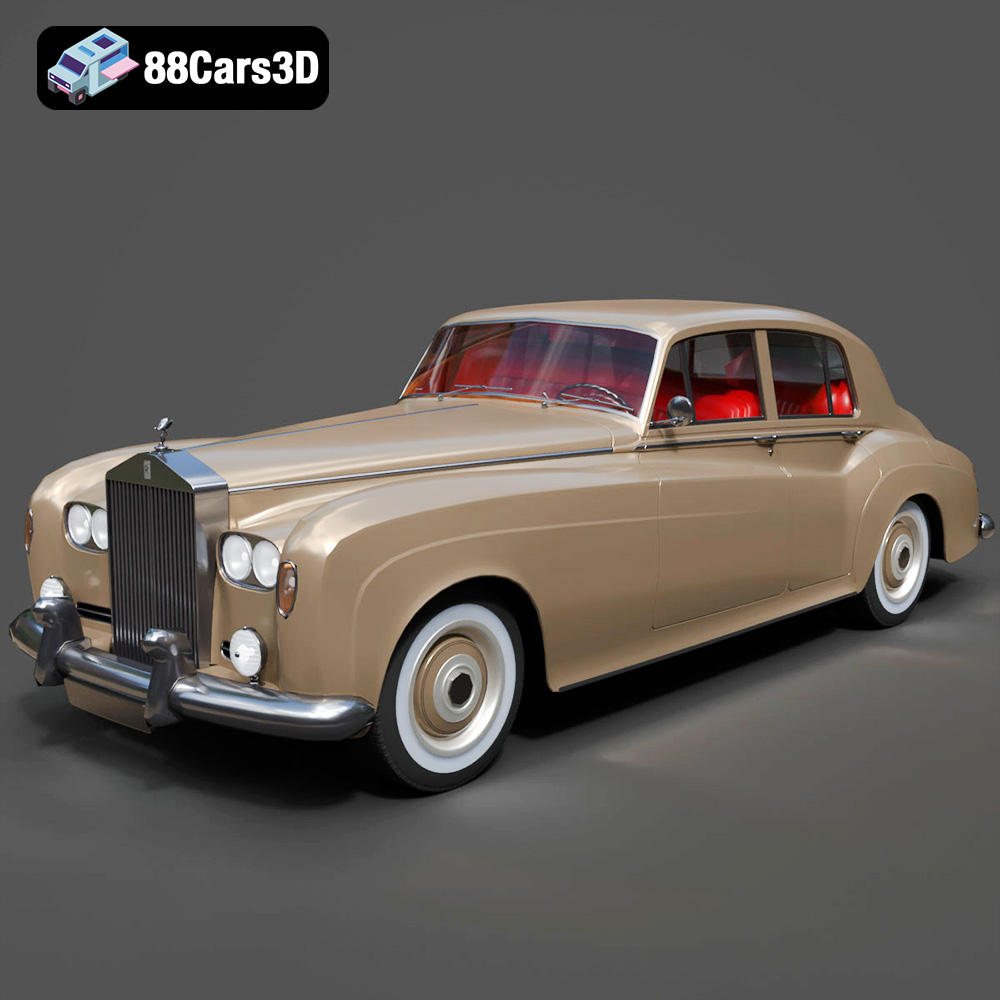
Texture: Yes
Material: Yes
Download the Rolls Royce Silver Cloud III 3D Model featuring clean geometry, realistic detailing, and a fully modeled interior. Includes .blend, .fbx, .obj, .glb, .stl, .ply, .unreal, and .max formats for rendering, simulation, and game development.
Price: $6.99
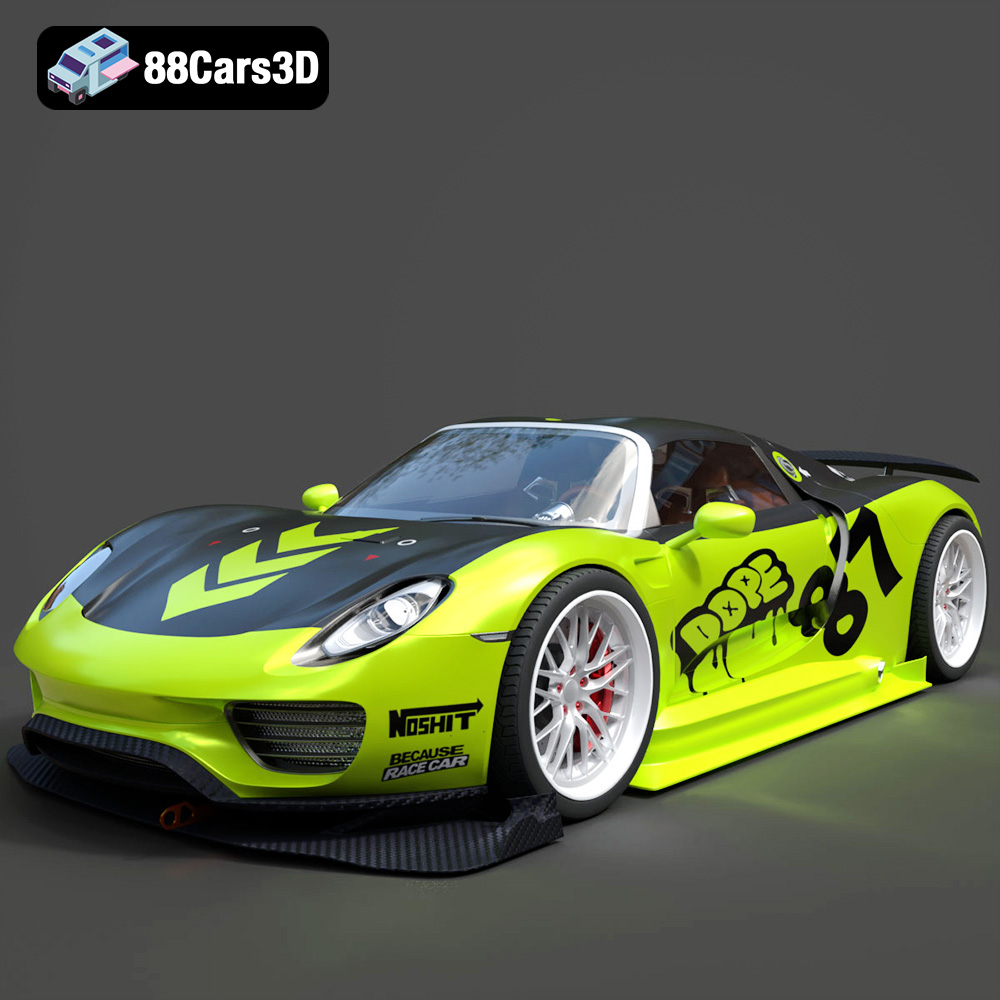
Texture: Yes
Material: Yes
Download the Porsche Chimera One Concept 3D Model featuring clean geometry, realistic detailing, and a fully modeled interior. Includes .blend, .fbx, .obj, .glb, .stl, .ply, .unreal, and .max formats for rendering, simulation, and game development.
Price: $6.99

