
The Ultimate Guide to 3D Automotive Design: From Virtual Reality to Real-World 3D Prints

The Ultimate Guide to 3D Automotive Design: From Virtual Reality to Real-World 3D Prints
The automotive industry has always been at the forefront of innovation, and today, the synergy between advanced 3D modeling and cutting-edge 3D printing is revolutionizing how we design, visualize, and even manufacture vehicle components. From creating stunning, photorealistic renders for marketing campaigns to developing immersive experiences in games and AR/VR, and now, bringing custom car parts to life through additive manufacturing, the demand for high-quality 3D car models has never been greater. This comprehensive guide delves deep into the technical intricacies of automotive 3D design, exploring everything from meticulous topology and UV mapping to advanced rendering techniques, game engine optimization, and the specialized requirements for 3D printing custom car parts. Whether you’re a seasoned 3D artist, an aspiring game developer, an automotive engineer, or a hobbyist looking to produce a unique component, understanding these workflows is crucial. We’ll equip you with the knowledge to navigate the complex world of automotive 3D designs, ensuring your models are not just visually impressive but also technically robust for any application, including sourcing exceptional models from platforms like 88cars3d.com.
The Foundation: Crafting Flawless 3D Automotive Models for Diverse Applications
At the heart of any successful 3D automotive project lies a meticulously crafted model. The quality of your base mesh dictates everything from rendering fidelity to animation potential and, crucially, its suitability for 3D printing. For automotive models, precision, clean topology, and accurate proportions are paramount. Unlike organic models, cars are a symphony of hard surfaces, precise curves, and sharp edges, demanding a different approach to modeling. The goal is to create a mesh that is both visually accurate and structurally sound, allowing for seamless deformation, efficient UV unwrapping, and error-free export to various platforms.
Precision Modeling Workflows: NURBS, Polygonal, and CAD Integration
There are primary approaches to modeling complex automotive surfaces. NURBS (Non-Uniform Rational B-Splines) modeling, often found in CAD software like SolidWorks, Catia, or Rhino, excels at creating mathematically precise, smooth, and editable curves and surfaces. These models are inherently resolution-independent, making them ideal for engineering and manufacturing. However, NURBS models often need to be converted to polygonal meshes for rendering in traditional 3D software or for use in game engines. This conversion requires careful triangulation to maintain surface integrity without creating overly dense or problematic geometry.
Polygonal modeling, using software such as 3ds Max, Blender, or Maya, is the standard for visual effects, rendering, and real-time applications. Here, the focus is on maintaining a clean quad-dominant topology with excellent edge flow. Good edge flow ensures that curves remain smooth, reflections are continuous, and details can be added or removed efficiently. For automotive bodies, techniques like subdivision surface modeling are often employed, starting with a low-poly base and refining it with subdivision modifiers to achieve smooth, high-fidelity surfaces. Hybrid workflows, where CAD data is imported and then retopologized or cleaned up in polygonal software, are also common, leveraging the precision of CAD with the flexibility of polygonal tools. When sourcing models from marketplaces such as 88cars3d.com, you often benefit from models already optimized through these professional workflows.
Optimizing for Rendering vs. Real-time: Poly Budget and Detail Levels
The “ideal” polygon count for a 3D car model varies drastically depending on its intended use. For high-fidelity offline rendering and cinematic visuals, poly counts can easily soar into the millions. These models feature intricate details like fully modeled interiors, engine bays, undercarriages, and individual bolts, allowing for extreme close-ups without loss of detail. Software like 3ds Max with renderers like Corona or V-Ray can handle these complex scenes with ease, provided sufficient system resources.
In contrast, game assets and models for AR/VR applications demand rigorous optimization. Here, every polygon counts towards maintaining a high frame rate. A typical car model for a modern AAA game might range from 50,000 to 300,000 polygons, depending on its importance and proximity to the camera. This is achieved through techniques like using normal maps to bake high-detail geometry onto a lower-poly mesh and implementing Level of Detail (LOD) systems. LODs are simplified versions of the model that automatically swap in at different distances from the camera, significantly reducing the poly count for distant objects. For instance, a vehicle might have five LODs, ranging from a full-detail mesh (LOD0) to a drastically simplified version (LOD4) for objects far in the background. Understanding these poly budgets is crucial when creating or selecting 3D car models for interactive experiences.
Mastering Materials and Textures for Hyper-Realism
Beyond the mesh, materials and textures are what breathe life into a 3D car model, defining its surface properties, color, reflectivity, and perceived wear. Achieving hyper-realism in automotive rendering relies heavily on a deep understanding of Physically Based Rendering (PBR) principles. PBR materials accurately simulate how light interacts with surfaces in the real world, producing predictable and consistent results across different lighting conditions and rendering engines. This involves creating a complex network of textures and shaders that mimic everything from metallic paint and glass to rubber tires and intricate interior fabrics.
UV Mapping Strategies for Complex Car Surfaces
UV mapping is the process of flattening a 3D model’s surface onto a 2D plane so that 2D textures can be applied without distortion. For automotive models, this is a particularly challenging task due to their complex curves, panel gaps, and intricate details. Effective UV mapping is crucial for seamless textures, optimal texture resolution usage, and efficient texture painting. Best practices include creating non-overlapping UV islands, minimizing seams, and ensuring a uniform texel density across the model. For car bodies, methods like “pelting” or “unfolding” UVs are common, treating large panels as single islands to avoid visible seams on critical reflective surfaces. Separate UV sets are often used for different material types—one for the car body, another for interior elements, and perhaps a third for decals or emblems. Tools in 3ds Max, Blender, and Maya offer robust UV editing capabilities, allowing artists to manually cut seams, relax UVs, and pack them efficiently onto a UV sheet. When preparing 3D car models for games, it’s also common to utilize texture atlases, combining multiple smaller textures into one larger sheet to reduce draw calls and improve performance.
PBR Material Creation and Shader Networks
PBR materials typically consist of several texture maps: Base Color (or Albedo), Metallic, Roughness, Normal, and optionally Ambient Occlusion, Height, and Emissive maps. The Base Color map defines the color of the surface. The Metallic map determines if a surface is metallic or dielectric. The Roughness map controls how diffuse or specular reflections are. The Normal map fakes high-detail geometry using surface normals, providing immense detail without increasing polygon count. For automotive finishes, the metallic and roughness maps are critical for capturing the subtle interplay of reflections and specularity that define different paint types, from high-gloss clear coats to matte finishes. Glass materials require specific settings for refraction, transparency, and often a subtle reflection. Rubber and plastic parts also demand unique PBR setups to convey their distinct surface qualities. Software like Substance Painter and Mari are industry standards for creating and painting these intricate PBR textures, allowing artists to layer materials, add wear and tear, and generate all necessary maps from high-poly sculpts or procedural generators. Understanding how these maps interact within a shader network is essential for achieving truly photorealistic automotive rendering.
Bringing Cars to Life: Advanced Rendering Techniques
Once a 3D car model is meticulously crafted and textured with realistic PBR materials, the next step is to bring it to life through high-quality rendering. This is where artists combine their technical skills with an artistic eye to create compelling visual narratives. Advanced rendering techniques involve not just the choice of renderer but also the precise setup of lighting, environments, camera angles, and post-processing, all working in harmony to produce stunning visuals for marketing, visualization, or even cinematic sequences.
Lighting and Environment Setup for Automotive Shots
Lighting is arguably the most critical element in automotive rendering. It defines the mood, highlights the car’s contours, and reveals the quality of its materials. For realistic renders, artists often use HDR (High Dynamic Range) image-based lighting (IBL), which captures real-world lighting information from various environments. An HDR image, when used as an environment map, can illuminate a scene with natural light, reflections, and shadows, simulating anything from an overcast studio day to a sunny desert landscape. This is often combined with targeted artificial lights (e.g., area lights, photometric lights in 3ds Max/Corona/V-Ray) to emphasize specific details, add rim lighting, or create dramatic shadows. A common setup involves a large softbox light for general illumination, a key light to define form, and several fill lights to control contrast. The placement and intensity of these lights are carefully adjusted to flatter the vehicle’s design and highlight its metallic paintwork and reflective surfaces. For interior shots, practical lights within the car (dashboard lights, dome lights) are integrated into the overall lighting scheme, creating a believable and inviting atmosphere.
Rendering Workflows: Corona, V-Ray, Cycles, Arnold
Modern renderers like Corona Renderer, V-Ray, Cycles (Blender), and Arnold (Maya, 3ds Max) are built on physically accurate principles, allowing artists to simulate light behavior realistically. Each renderer has its strengths and preferred workflow. Corona and V-Ray, popular with 3ds Max users, are renowned for their ease of use, speed (especially Corona for unbiased rendering), and production-ready features for architectural visualization and product rendering, which translates well to automotive. Cycles in Blender offers powerful GPU rendering capabilities and is deeply integrated into the open-source ecosystem. Arnold, developed by Autodesk, is a CPU-based renderer favored in film and VFX for its robust features and ability to handle extremely complex scenes with millions of polygons and intricate shader networks. Regardless of the chosen renderer, the core workflow involves setting up cameras with appropriate focal lengths and depth of field, adjusting render settings for quality vs. speed (e.g., samples, denoising), and utilizing render passes (e.g., reflection, diffuse, alpha, Z-depth) for greater control in post-production. Mastering these tools is key to producing compelling automotive rendering that showcases the car’s design in the best possible light.
The Game-Changer: Optimizing 3D Car Models for Real-time Engines
The rise of interactive media, from video games to advanced AR/VR experiences, has transformed the requirements for 3D car models. While offline rendering prioritizes ultimate fidelity, real-time engines demand a delicate balance between visual quality and performance. Optimizing game assets for platforms like Unity and Unreal Engine involves a series of strategic technical decisions to ensure smooth frame rates, efficient memory usage, and believable interactions. This means not just reducing polygon counts but rethinking how materials, textures, and even lighting are handled.
Preparing Assets for Unity and Unreal Engine
Both Unity and Unreal Engine are powerful real-time platforms, each with its own optimization philosophies. For 3D car models, the preparation often begins outside the engine. The base mesh needs to be as low-poly as possible while retaining its overall shape. High-detail information is then baked onto normal maps, which are applied to the low-poly mesh, creating the illusion of intricate geometry. This baking process, often done in Substance Painter or Marmoset Toolbag, transfers details from a high-poly sculpt onto the UVs of the game-ready low-poly mesh. Materials are then configured using PBR shaders compatible with the engine’s rendering pipeline (e.g., Standard in Unity, Master Material in Unreal). Texture resolutions are carefully considered; while 4K textures are common for hero vehicles, smaller details or less prominent parts might use 2K or even 1K to save memory. Collision meshes, often simplified versions of the visual mesh, are also crucial for accurate physics simulations. Finally, the model is exported, typically as an FBX file, which preserves mesh, UVs, and sometimes basic material assignments, ready for import into the engine where materials, LODs, and physics assets are fully configured. Platforms like 88cars3d.com often provide models specifically prepared for these engines.
LODs, Draw Calls, and Texture Atlasing for Performance
Level of Detail (LOD) systems are fundamental for optimizing car models in real-time environments. As mentioned earlier, multiple versions of the model are created, each with progressively fewer polygons. Unreal Engine and Unity have built-in LOD tools that automatically swap these meshes based on camera distance, saving immense processing power for objects further away. Reducing draw calls is another critical optimization. Each time the GPU has to switch materials or textures, it incurs a draw call, which can bottleneck performance. Texture atlasing addresses this by combining multiple smaller textures (e.g., for wheels, calipers, interior details) into one larger texture map. This allows the engine to render more of the model using a single material and texture set, significantly reducing draw calls. Similarly, combining multiple mesh elements into a single mesh (batching) can also reduce draw calls. For car models, optimizing the individual components like wheels, doors, and interior parts to share materials and textures where possible is vital. Shader optimization also plays a role; complex shader networks, while beautiful for renders, need to be simplified for real-time to ensure rapid computation. All these techniques combined ensure that even complex automotive 3D designs can run smoothly in interactive applications, delivering immersive experiences without performance hitches.
From Screen to Reality: The Art of 3D Printing Custom Car Parts and Models
The ability to transform a digital 3D car model into a tangible object through 3D printing has opened up a new realm of possibilities for automotive enthusiasts, designers, and engineers. From creating scale models and prototypes to manufacturing actual custom car parts, 3D printing offers unparalleled design freedom and rapid iteration. However, preparing a model for 3D printing is a specialized workflow that requires a different set of considerations compared to rendering or game optimization. The digital model must be “watertight,” structurally sound, and adhere to the geometric limitations of the chosen printing technology.
Mesh Repair and Watertight Models
The first and most critical step in preparing any 3D model for 3D printing is ensuring it is “watertight.” This means the mesh must be a completely enclosed volume without any holes, disconnected edges, flipped normals, or non-manifold geometry (e.g., edges shared by more than two faces). Unlike rendering, where minor mesh imperfections might be overlooked, a 3D printer needs a perfect solid volume to calculate layers. Common issues include gaps in the mesh, internal geometry that’s not visible but problematic, and faces that are too thin to print. Software like Meshmixer, Netfabb, Blender’s 3D Print Toolbox addon, and even dedicated CAD tools offer powerful mesh analysis and repair functionalities. These tools can automatically close holes, fix inverted normals, remove internal geometry, and check for minimum wall thickness. For complex automotive 3D designs, manually inspecting and repairing specific areas might still be necessary, ensuring every surface forms a continuous, solid shell. Ignoring this step will inevitably lead to print failures or errors in the slicing software.
Material Selection and Print Technologies for Automotive Applications
The choice of 3D printing technology and material largely depends on the intended application of the custom car part or model. For highly detailed scale models or small, intricate components, SLA (Stereolithography) or DLP (Digital Light Processing) printers using liquid resins are often preferred. These technologies offer exceptional surface finish and precision, capturing fine details like panel lines, emblems, and interior textures. Resins come in various formulations, including tough, flexible, and clear options. For functional prototypes or larger, more robust custom car parts, FDM (Fused Deposition Modeling) printers are a popular choice. FDM uses thermoplastic filaments (e.g., PLA, ABS, PETG, Nylon) which are heated and extruded layer by layer. While FDM prints might show layer lines, modern printers can achieve good surface quality, and materials like ABS or Nylon offer strength and temperature resistance suitable for certain automotive applications (e.g., interior trims, ducts, mounting brackets). For even stronger, lighter-weight parts with complex geometries, SLS (Selective Laser Sintering), using powdered polymers like Nylon PA12, offers excellent mechanical properties and doesn’t require support structures. Understanding the strengths and limitations of each technology and material is crucial for successful 3D printing custom car parts, ensuring the printed object meets the desired aesthetic, functional, and structural requirements.
File Formats and Interoperability: Navigating the 3D Ecosystem
The world of 3D modeling is rich with diverse software and platforms, each often favoring specific file formats. Navigating this ecosystem and ensuring seamless data exchange is crucial for any professional working with 3D car models. Whether you’re moving a model from a CAD package to a rendering engine, preparing it for game development, or exporting it for 3D printing, understanding the nuances of different file formats and their compatibility is a fundamental skill. Choosing the right format prevents data loss, preserves crucial model attributes, and streamlines collaborative workflows.
Seamless Workflow: Conversion and Compatibility
The landscape of 3D file formats can be complex, but several industry standards facilitate interoperability. FBX (Filmbox) is arguably the most versatile format, developed by Autodesk. It supports geometry, UVs, materials, textures, animations, and camera data, making it the go-to for exchanging models between 3ds Max, Maya, Blender, Unity, and Unreal Engine. OBJ (Wavefront Object) is another widely supported format, excellent for exchanging mesh data and UVs, though its material support (via accompanying .MTL files) is more basic compared to FBX. For 3D printing, STL (Stereolithography) is the undisputed king. It represents a model’s surface using a collection of untriangulated triangles, making it ideal for defining solid volumes for additive manufacturing. However, STL files don’t carry color or material information, so for full-color 3D prints, formats like VRML, AMF, or 3MF are used.
The rapidly evolving AR/VR space has also given rise to new formats like GLB (Binary glTF) and USDZ (Universal Scene Description Zip). GLB is optimized for web and real-time applications, encompassing PBR materials, animations, and lightweight delivery. USDZ, developed by Apple, is similar but tailored for AR experiences on iOS devices. When converting between formats, especially from high-fidelity CAD (e.g., STEP, IGES) to polygonal meshes, careful attention must be paid to tessellation settings to ensure a good balance between detail and polygon count. Regularly checking for mesh integrity and scale after conversion prevents many downstream issues. Providers of professional 3D car models, like 88cars3d.com, often offer models in multiple optimized formats to cater to these diverse needs.
Data Integrity and Version Control
Maintaining data integrity throughout the modeling and conversion process is paramount. Each conversion or export can introduce potential errors if not handled correctly. Always ensure that normals are consistent, UVs are preserved, and material assignments translate accurately. For complex projects, using a robust version control system (like Git LFS for large files) is highly recommended. This allows artists and designers to track changes, revert to previous iterations, and collaborate effectively without accidentally overwriting each other’s work. When working with large automotive 3D designs, especially those destined for multiple applications (e.g., a high-res render model, a game-ready model, and a print-ready model), establishing a clear naming convention and folder structure is also vital. This ensures that assets are easily identifiable, their purpose is clear, and the overall workflow remains organized and efficient. Diligence in managing these digital assets is just as important as the artistic and technical skills required to create them, guaranteeing that your 3D car models remain robust and versatile across all platforms and applications.
Conclusion: Driving Innovation with High-Quality 3D Automotive Assets
The journey through the creation and application of 3D car models reveals a fascinating landscape where artistic vision meets rigorous technical execution. From the initial meticulous crafting of a clean, optimized mesh with perfect topology, through the complex artistry of PBR material creation and sophisticated rendering, to the challenging but rewarding process of preparing assets for real-time game engines or the tangible reality of 3D printing custom car parts – each step demands specialized knowledge and attention to detail. We’ve explored how flawless UV mapping underpins realistic textures, how powerful renderers like Corona and V-Ray breathe life into static scenes, and how clever optimization strategies, including LODs and texture atlasing, make automotive 3D designs perform seamlessly in interactive environments like AR/VR. Furthermore, the transformative power of 3D printing hinges on watertight models and informed material choices.
The common thread woven through all these applications is the absolute necessity of high-quality, technically sound 3D car models. Investing in well-made assets or mastering the techniques to create them yourself is not merely a preference; it’s a fundamental requirement for achieving professional-grade results across any medium. Whether you’re a professional seeking to enhance your visualization projects, a game developer aiming for immersive experiences, or an enthusiast ready to prototype custom components, the insights shared here will guide your endeavors. For those looking to jumpstart their projects with exceptional ready-to-use assets, platforms like 88cars3d.com offer a curated selection of 3D car models meticulously prepared for diverse workflows. Embrace these techniques, leverage the right tools, and continue to push the boundaries of what’s possible in the exciting world of automotive 3D design.
Featured 3D Car Models
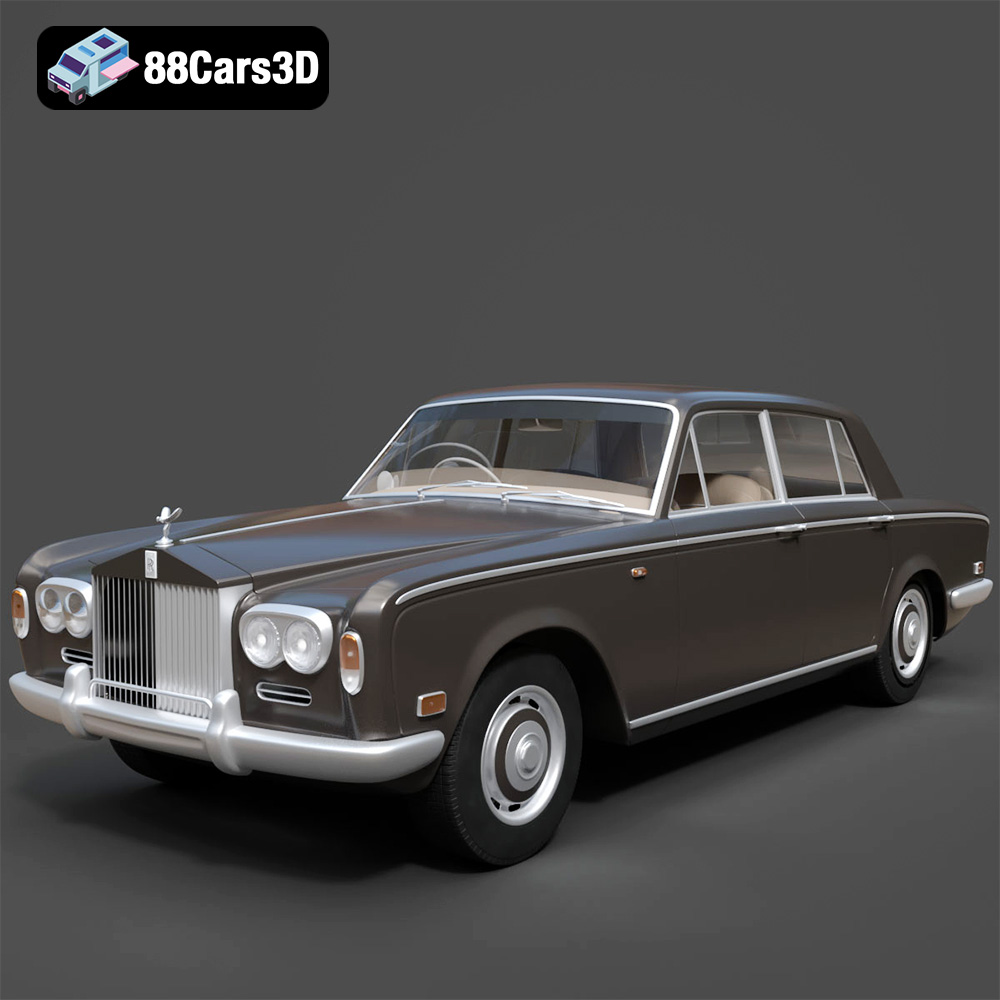
Rolls Royce Silver Shadow 1975 3D Model
Texture: Yes
Material: Yes
Download the Rolls Royce Silver Shadow 1975 3D Model featuring clean geometry, realistic detailing, and a fully modeled interior. Includes .blend, .fbx, .obj, .glb, .stl, .ply, .unreal, and .max formats for rendering, simulation, and game development.
Price: $6.99
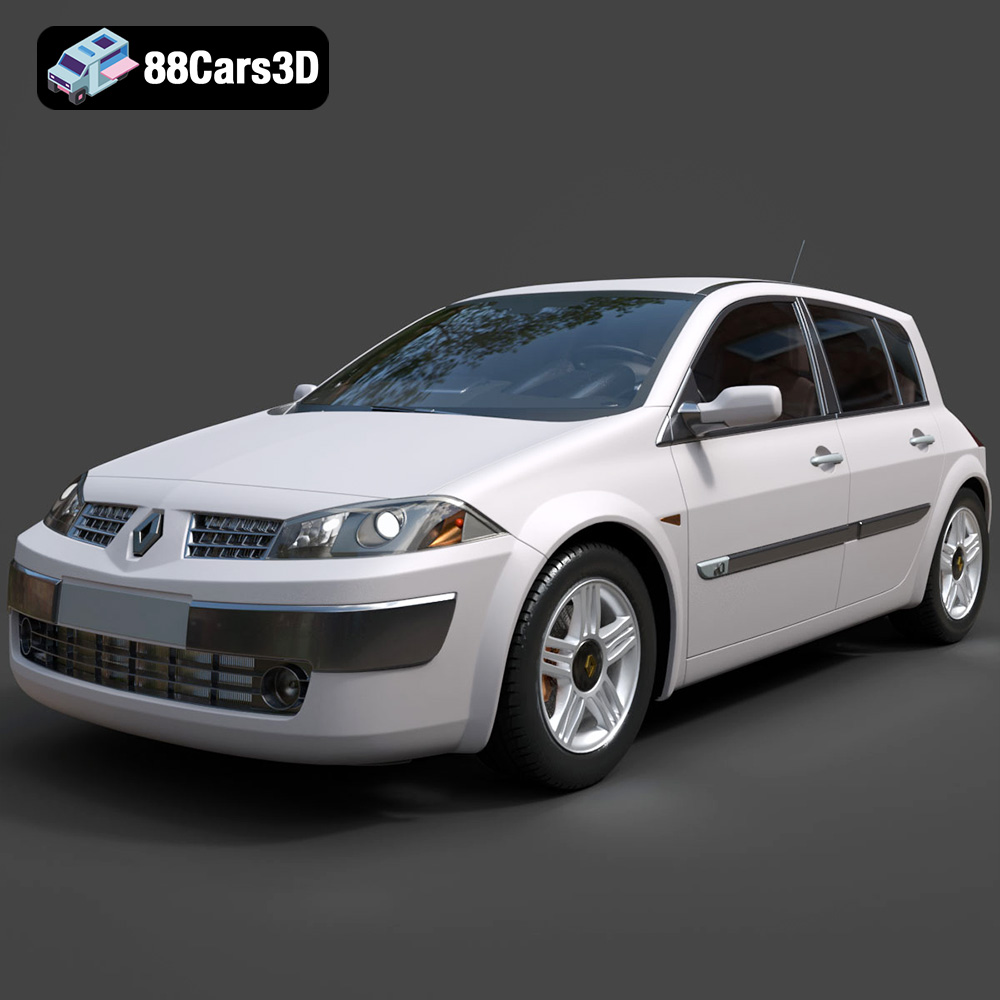
Renault Megane II 2009 3D Model
Texture: Yes
Material: Yes
Download the Renault Megane II 2009 3D Model featuring clean geometry, realistic detailing, and a fully modeled interior. Includes .blend, .fbx, .obj, .glb, .stl, .ply, .unreal, and .max formats for rendering, simulation, and game development.
Price: $6.99
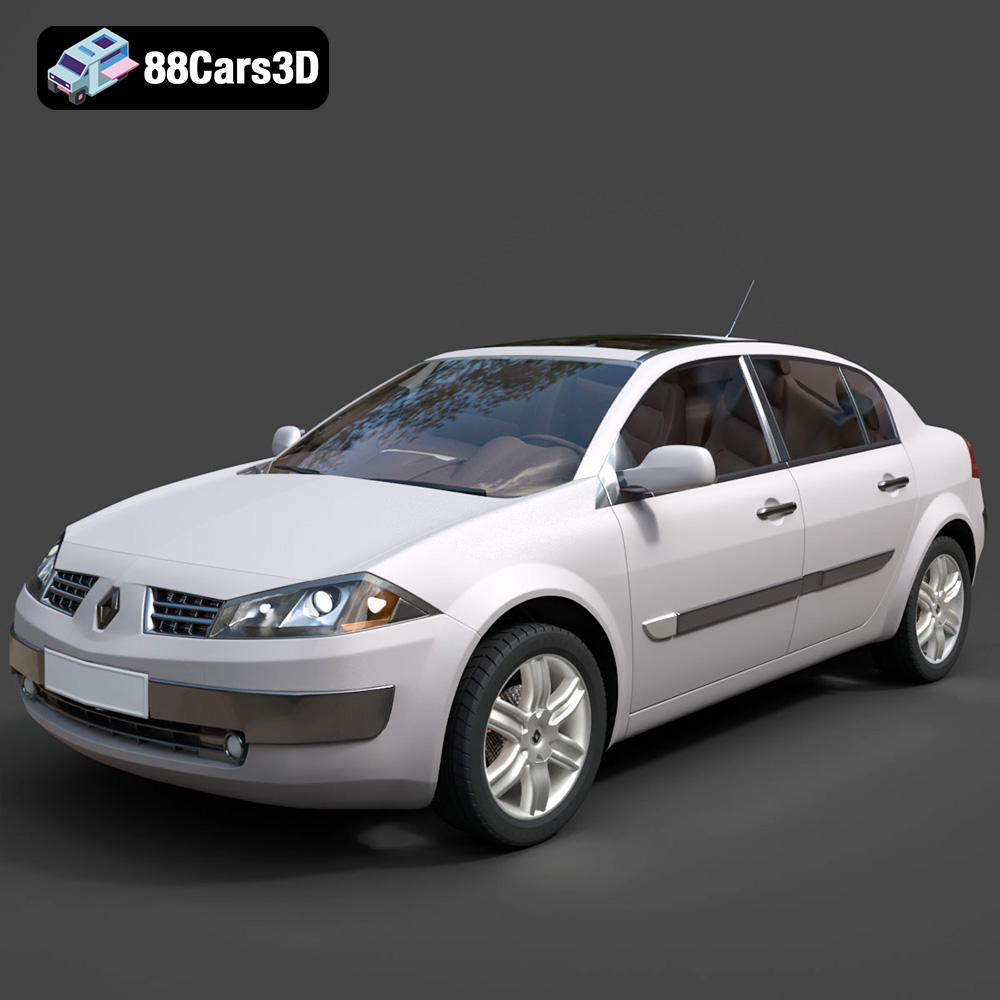
Renault Megane Sedan 3D Model
Texture: Yes
Material: Yes
Download the Renault Megane Sedan 3D Model featuring clean geometry, realistic detailing, and a fully modeled interior. Includes .blend, .fbx, .obj, .glb, .stl, .ply, .unreal, and .max formats for rendering, simulation, and game development.
Price: $6.99

Renault Twingo RS-009 3D Model
Texture: Yes
Material: Yes
Download the Renault Twingo RS-009 3D Model featuring clean geometry, realistic detailing, and a fully modeled interior. Includes .blend, .fbx, .obj, .glb, .stl, .ply, .unreal, and .max formats for rendering, simulation, and game development.
Price: $6.99

Renault Scenic 2010 3D Model
Texture: Yes
Material: Yes
Download the Renault Scenic 2010 3D Model featuring clean geometry, realistic detailing, and a fully modeled interior. Includes .blend, .fbx, .obj, .glb, .stl, .ply, .unreal, and .max formats for rendering, simulation, and game development.
Price: $6.99

Roadster 3D Model
Texture: Yes
Material: Yes
Download the Roadster 3D Model featuring clean geometry, realistic detailing, and a fully modeled interior. Includes .blend, .fbx, .obj, .glb, .stl, .ply, .unreal, and .max formats for rendering, simulation, and game development.
Price: $6.99
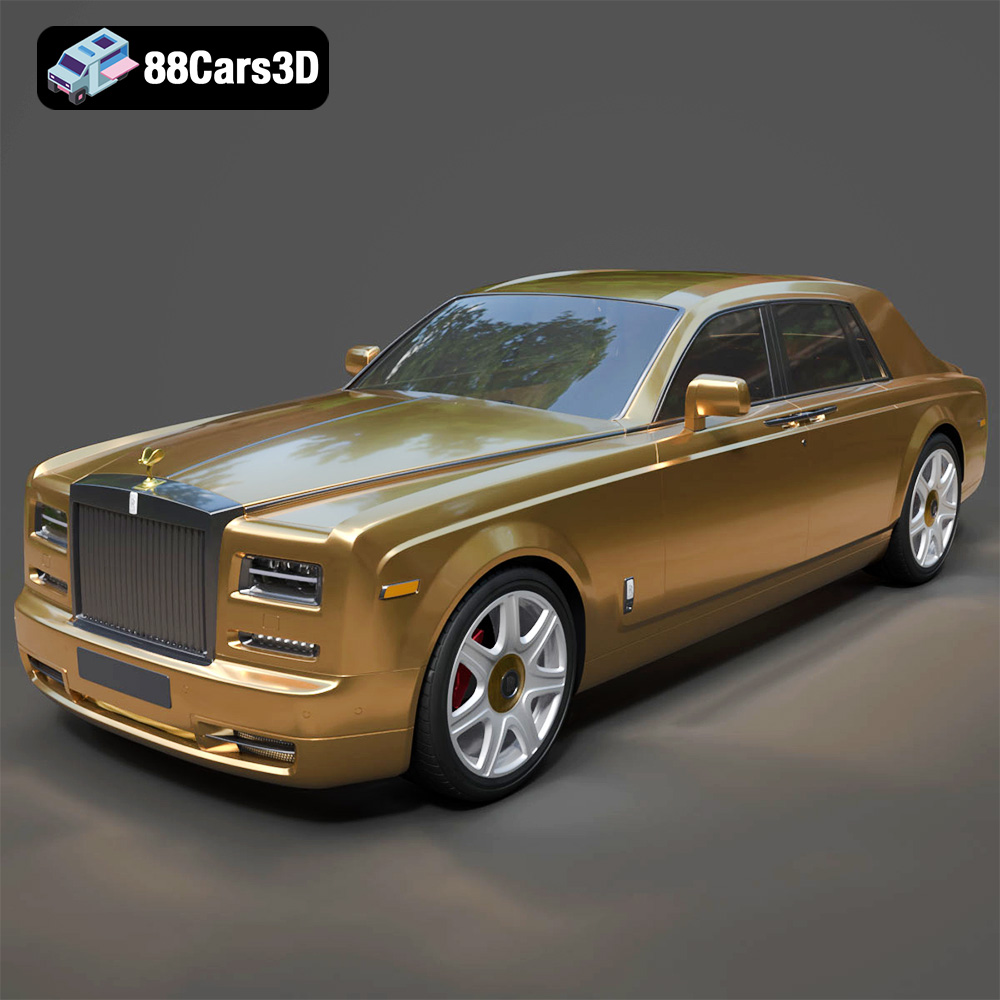
Rolls-Royce Phantom 2013 3D Model
Texture: Yes
Material: Yes
Download the Rolls-Royce Phantom 2013 3D Model featuring clean geometry, realistic detailing, and a fully modeled interior. Includes .blend, .fbx, .obj, .glb, .stl, .ply, .unreal, and .max formats for rendering, simulation, and game development.
Price: $6.99
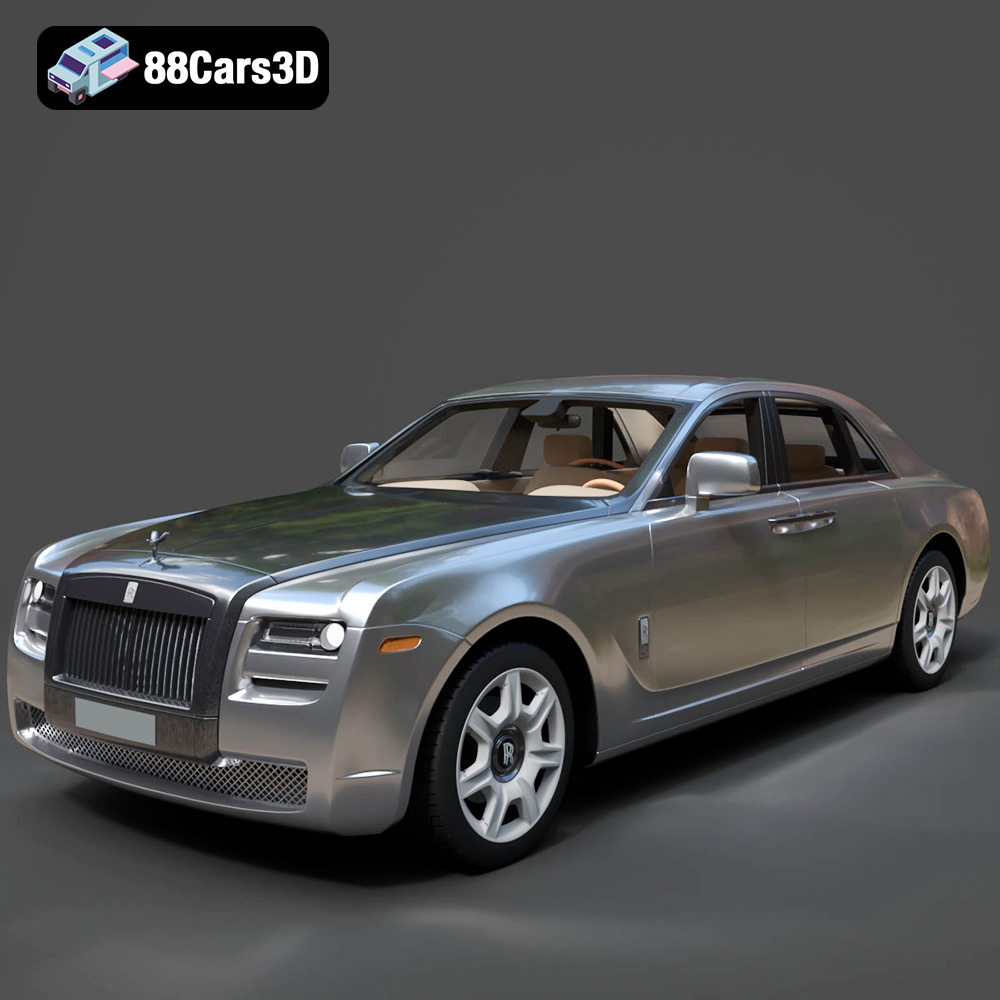
Rolls-Royce Ghost 2009 3D Model
Texture: Yes
Material: Yes
Download the Rolls-Royce Ghost 2009 3D Model featuring clean geometry, realistic detailing, and a fully modeled interior. Includes .blend, .fbx, .obj, .glb, .stl, .ply, .unreal, and .max formats for rendering, simulation, and game development.
Price: $6.99
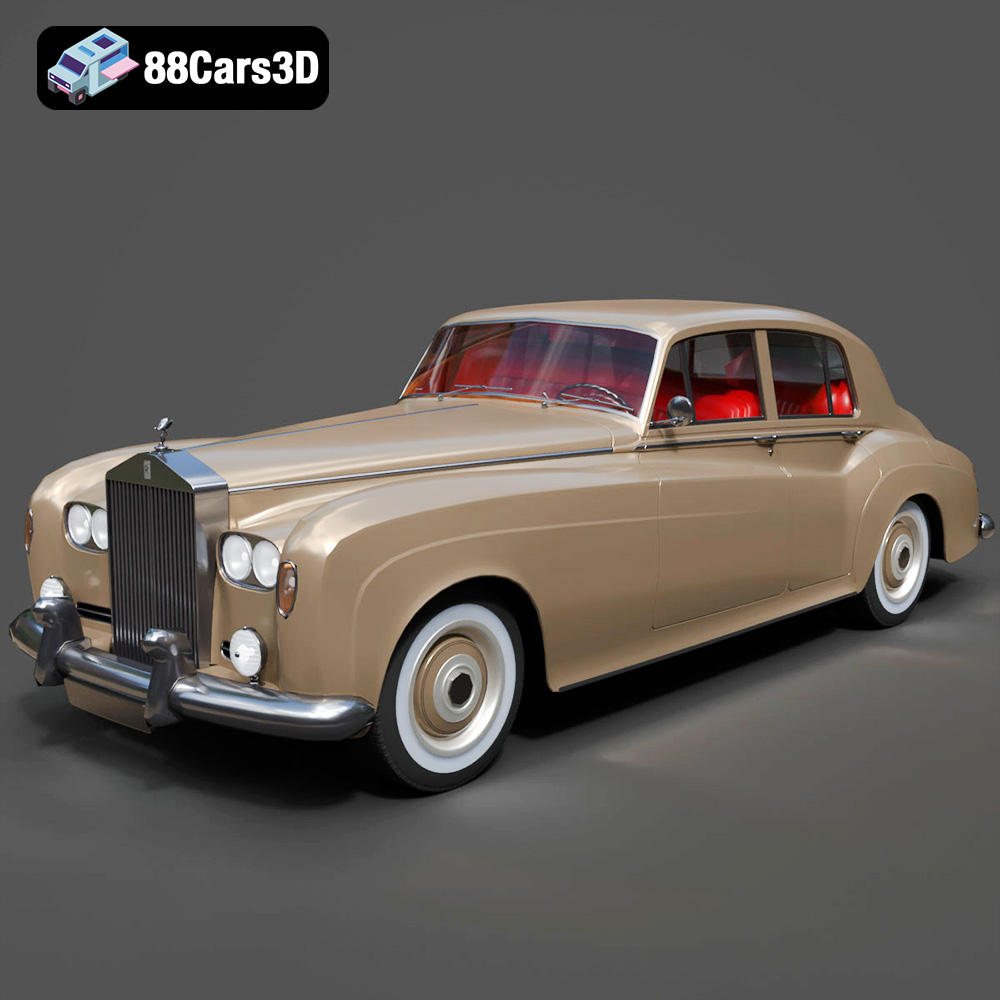
Rolls Royce Silver Cloud III 3D Model
Texture: Yes
Material: Yes
Download the Rolls Royce Silver Cloud III 3D Model featuring clean geometry, realistic detailing, and a fully modeled interior. Includes .blend, .fbx, .obj, .glb, .stl, .ply, .unreal, and .max formats for rendering, simulation, and game development.
Price: $6.99
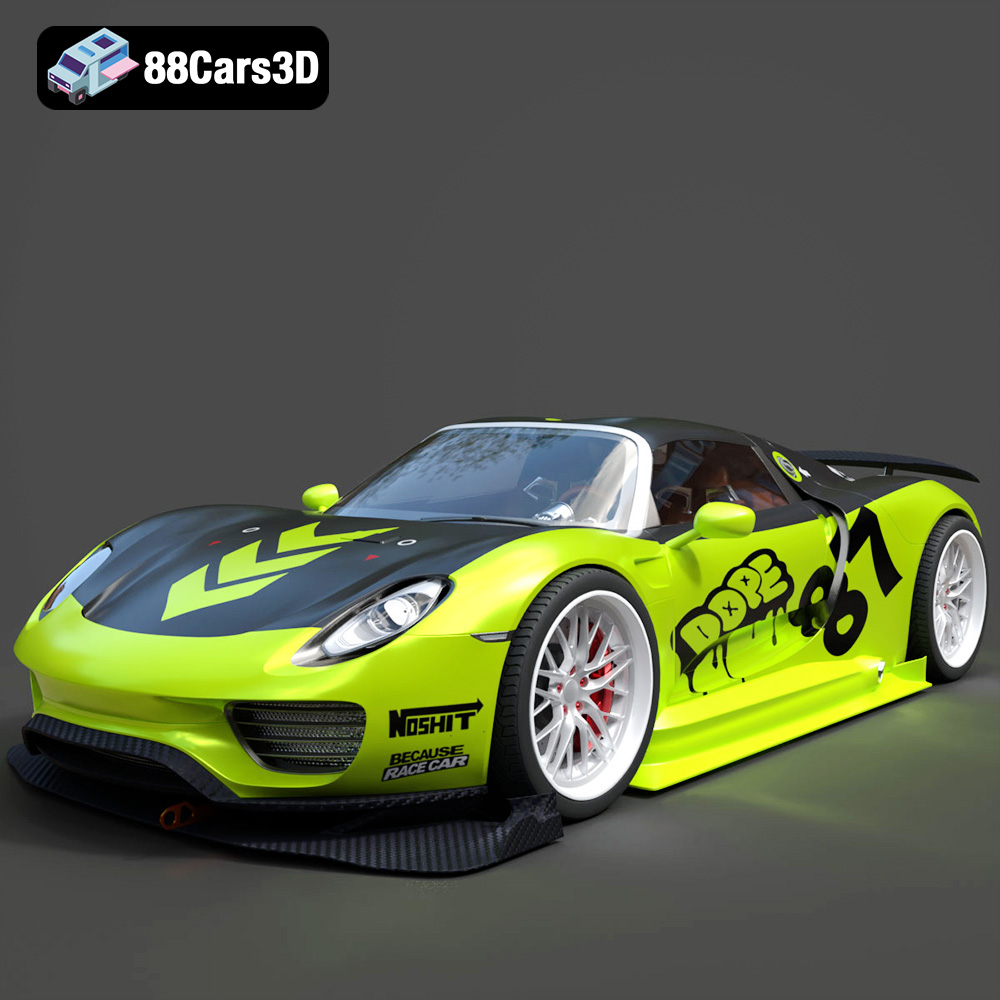
Porsche Chimera One Concept 3D Model
Texture: Yes
Material: Yes
Download the Porsche Chimera One Concept 3D Model featuring clean geometry, realistic detailing, and a fully modeled interior. Includes .blend, .fbx, .obj, .glb, .stl, .ply, .unreal, and .max formats for rendering, simulation, and game development.
Price: $6.99