⚡ FLASH SALE: Get 60% OFF All Premium 3D & STL Models! ⚡

In the rapidly evolving landscape of digital design and manufacturing, 3D car models have transcended their traditional role as mere visual assets. Today, they are foundational elements powering everything from cinematic automotive renders and immersive game experiences to cutting-edge AR/VR applications and the fabrication of custom 3D printed parts. The demand for high-quality, meticulously crafted 3D vehicle models is at an all-time high, driven by industries seeking unparalleled realism, performance, and versatility.
Whether you’re an automotive designer prototyping a new concept, a game developer building a sprawling open world, a visualization artist crafting breathtaking marketing imagery, or an enthusiast looking to 3D print a custom modification, the journey begins with a robust and technically sound 3D model. This comprehensive guide will delve deep into the intricate processes and advanced techniques required to master the art and science of 3D car modeling, covering everything from foundational topology and PBR materials to optimization for diverse platforms and the exciting frontier of 3D printing. We’ll explore best practices, software-specific insights, and critical considerations that elevate a good model to an exceptional one, offering actionable strategies for professionals and enthusiasts alike. Platforms like 88cars3d.com exemplify the kind of detailed, production-ready assets that underpin these diverse applications, providing a starting point for countless creative and technical ventures.
At the heart of any successful automotive visualization or interactive experience lies a meticulously crafted 3D car model. The quality of this foundational asset dictates everything from rendering fidelity and animation smoothness to real-time performance and suitability for advanced applications like 3D printing. Creating a truly professional 3D car model involves far more than just replicating its exterior form; it demands a deep understanding of topology, surface continuity, and material science.
High-quality 3D car models are characterized by their clean, quad-based topology, ensuring smooth deformations and easy manipulation. This is paramount for achieving the flawless, reflective surfaces characteristic of automotive design. A typical high-resolution car model intended for rendering might feature anywhere from 200,000 to over 2 million polygons, with intricate details like interior components, engine bays, and undercarriage elements contributing significantly to the count. These models are not just shells; they are digital blueprints incorporating precise measurements and accurate proportions, often derived from CAD data or extensive reference photography. The file size for such a model, including textures, can range from tens of megabytes to several gigabytes, depending on complexity and texture resolution. Ensuring such a robust foundation saves countless hours in later stages, whether for rendering, game development, or preparing for physical fabrication.
Automotive surfaces are defined by their pristine curvature and seamless reflections. Achieving this in 3D modeling relies heavily on exemplary topology and edge flow. Good topology means using predominantly quadrilateral polygons (quads) arranged in a way that naturally follows the contours and creases of the vehicle. Avoid triangles and N-gons (polygons with more than four sides) on primary surfaces, as they can lead to pinching, shading artifacts, and difficulties in UV mapping and subdivision surfacing.
Edge flow refers to the directionality of polygon edges. For cars, edges should flow along the natural lines of the body panels, around cut lines, and through areas of high curvature like wheel arches, door seams, and vents. This allows for smooth subdivision (e.g., using a TurboSmooth modifier in 3ds Max or a Subdivision Surface modifier in Blender), which increases polygon count without introducing ripples or bumps. Maintaining clean edge loops around panel gaps is crucial; these loops define sharp creases while allowing the surrounding surfaces to remain smooth. A common technique involves creating “support loops” or “holding edges” close to hard edges to ensure they remain crisp after subdivision. Furthermore, managing poles (vertices where more or less than four edges meet) is vital. While poles are sometimes unavoidable, they should be strategically placed in flatter, less visible areas to minimize their impact on surface continuity and reflections.
Beyond geometry, the visual realism of a 3D car model is overwhelmingly driven by its materials. Physically Based Rendering (PBR) has become the industry standard for creating materials that accurately interact with light, leading to incredibly convincing results. PBR materials rely on a suite of texture maps that describe the surface properties of an object, including:
Creating these maps involves a combination of procedural generation, texture painting (e.g., Substance Painter), and photographic projection. Automotive paint, for example, is a complex PBR material often requiring layered shaders to simulate clear coats, metallic flakes, and subtle orange peel effects. Glass requires specific transmission and refraction properties, while chrome and carbon fiber demand highly accurate metallic and roughness maps. Understanding how to build robust shader networks in software like 3ds Max (Corona, V-Ray), Blender (Cycles), or Maya (Arnold) is key to achieving a truly photorealistic finish.
Once a high-quality 3D car model is ready and its materials are meticulously defined, the next crucial step is rendering. This is where all the digital elements converge to produce stunning, photorealistic images or animations. Automotive rendering is an art form that blends technical proficiency with an acute eye for aesthetics, requiring a deep understanding of lighting, camera principles, and post-processing techniques. The goal is to create visuals that are indistinguishable from real-world photography, capturing the vehicle’s form, texture, and emotional appeal.
Modern rendering engines like Corona Renderer, V-Ray, Cycles (Blender), and Arnold (Maya) offer powerful tools for achieving this level of realism. They employ advanced algorithms such as path tracing and global illumination (GI) to simulate how light behaves in a physical environment, producing incredibly accurate reflections, refractions, and shadows. A typical render setup involves importing the 3D car model, setting up a sophisticated lighting environment, positioning virtual cameras, and configuring rendering parameters for optimal quality and speed. High-resolution output (e.g., 4K or 8K) is often required for marketing materials, demanding careful optimization of render settings to manage render times while maintaining image fidelity. Professional workflows often involve rendering multiple passes (e.g., diffuse, reflection, refractions, Z-depth) to allow for greater control during post-processing.
Lighting is arguably the most critical element in automotive rendering. It defines the mood, highlights the car’s design features, and reveals the nuances of its materials. Effective lighting setups typically fall into a few categories:
The choice of environment significantly impacts the visual narrative. For example, a sleek sports car might be best showcased in a modern architectural setting with crisp, directional light, while an off-road vehicle might shine under a dramatic, cloudy sky. Proper placement and intensity of lights, careful consideration of color temperature, and judicious use of reflection cards or planes are all crucial for achieving a compelling automotive render.
Rendering is rarely the final step in creating a professional automotive visual. Post-processing and compositing in software like Adobe Photoshop, After Effects, or Blackmagic Fusion are essential for refining the image, adding atmosphere, and achieving that polished, commercial look. This stage allows artists to make artistic adjustments that would be difficult or impossible to achieve solely within the 3D software.
Key post-processing techniques include:
The combination of a well-rendered image and skilled post-processing elevates a good render to an exceptional one, providing the “wow” factor often seen in high-end automotive advertisements and visualizations. When sourcing models from marketplaces such as 88cars3d.com, artists can focus more on these creative lighting and post-processing aspects, knowing the base model is already optimized for quality.
While high-polygon models are ideal for photorealistic renders, interactive applications like video games, AR/VR experiences, and real-time configurators demand a different approach: optimization. Performance is paramount in these environments, where smooth frame rates and responsive interactions are critical. A beautifully detailed model from a platform like 88cars3d.com often needs to undergo a rigorous optimization process to make it suitable for real-time engines without sacrificing too much visual fidelity.
Optimization involves striking a delicate balance between polygon count, texture resolution, and draw calls. An unoptimized high-poly model can cripple an interactive scene, leading to lag, stuttering, and an overall poor user experience. The goal is to reduce the computational load on the GPU while maintaining the visual integrity of the vehicle. This process is crucial for game developers and AR/VR content creators who need to deliver compelling visuals within strict performance budgets. Techniques include generating Level of Detail (LOD) models, baking high-resolution details into normal maps, and consolidating textures.
Optimizing 3D car models for game engines (e.g., Unity, Unreal Engine) involves several key strategies:
The engine automatically switches between these LODs based on the camera’s distance, ensuring efficient rendering.
Augmented Reality (AR) and Virtual Reality (VR) environments present even stricter performance requirements than traditional games due to the need for high frame rates (e.g., 90 FPS per eye for comfortable VR) and often limited processing power on mobile devices. Optimizing 3D car models for AR/VR builds upon game optimization principles with added considerations:
The goal is to provide an immersive experience without causing motion sickness due to low frame rates or visual glitches, making meticulous optimization an absolute necessity.
In the world of 3D, a model’s utility is often defined by its compatibility. Different software, rendering engines, and interactive platforms prefer or require specific file formats. Understanding these formats, their strengths, weaknesses, and how to convert between them efficiently is a critical skill for any 3D artist or developer working with automotive models. A model acquired from a marketplace like 88cars3d.com might come in a primary format (e.g., 3ds Max), but the end-use case could necessitate conversion to something entirely different, such as FBX for game engines or USDZ for AR.
The challenge lies in ensuring that during conversion, crucial data—such as geometry, UV maps, textures, material assignments, and sometimes even animation—is preserved accurately. Losing data or introducing errors during this process can lead to significant rework. Therefore, a systematic approach to file format management and conversion is essential for maintaining workflow efficiency and model integrity across diverse applications. This includes not just the model data itself, but also how textures are referenced and materials are interpreted.
Here’s a breakdown of commonly used 3D file formats for automotive models:
Effective file conversion requires a systematic approach:
Mastering these conversions ensures that a single high-quality 3D car model can serve a multitude of purposes, from architectural visualization to interactive simulations, maximizing its value.
The utility of 3D car models extends far beyond the digital realm, venturing into physical fabrication through 3D printing. This technology empowers automotive enthusiasts, customizers, and even manufacturers to create bespoke parts, prototypes, scale models, and unique accessories that would be difficult or impossible to produce using traditional manufacturing methods. Whether it’s a custom shift knob, a unique aerodynamic spoiler for a scale model, or a prototype dash component, 3D printing transforms digital designs into tangible objects.
However, preparing a 3D model for 3D printing is a distinct process from optimizing for rendering or game engines. The primary concern shifts from visual fidelity and real-time performance to physical integrity and manufacturability. A model perfectly suited for a glossy render might have issues that make it unprintable, such as non-manifold geometry, wall thickness problems, or open meshes. Understanding these challenges and the specific requirements for 3D printing ensures a successful transition from screen to physical object.
To successfully 3D print a car model or a specific part, several critical steps and considerations are necessary:
Even a well-modeled car can have subtle issues that prevent it from being 3D printable. Mesh repair tools are invaluable for identifying and fixing these problems:
By meticulously preparing and repairing 3D car models for printing, artists and designers can unlock a new dimension of creativity, transforming digital concepts into physical realities for customization, prototyping, and educational purposes.
The profound impact of 3D car models is evident across numerous industries, with the automotive sector being a prime example. From the initial conceptualization of a vehicle to its final marketing campaign and beyond, 3D models serve as indispensable tools. They streamline workflows, reduce costs, accelerate development cycles, and enable levels of customization and visualization previously unimaginable. The techniques and technologies discussed – from high-fidelity rendering to game-ready optimization and 3D printing – are not isolated disciplines but interconnected components of a comprehensive digital ecosystem that is continuously evolving.
The future of automotive 3D is poised for even greater integration and innovation. Advancements in real-time rendering, artificial intelligence-driven design tools, and increasingly accessible AR/VR platforms are set to redefine how cars are designed, experienced, and even manufactured. These trends underscore the increasing importance of high-quality, versatile 3D assets, making platforms like 88cars3d.com crucial resources for professionals and enthusiasts navigating this exciting landscape.
Let’s consider how 3D car models are utilized at various stages:
The future of automotive 3D is dynamic and promises even more sophisticated tools and applications:
These trends highlight a future where 3D car models are not just visual assets but integral components of a holistic digital manufacturing and experience pipeline, constantly pushing the boundaries of what’s possible in automotive design and interaction.
The journey through the world of 3D car models reveals a multifaceted and highly technical domain, essential for contemporary automotive design, visualization, and interactive experiences. We’ve explored the foundational importance of clean topology and realistic PBR materials, the artistic and technical demands of advanced rendering, and the critical optimization strategies required for seamless integration into game engines and AR/VR platforms. Furthermore, we delved into the transformative potential of 3D printing, enabling the creation of tangible, custom automotive parts from digital designs.
Ultimately, the versatility and impact of a 3D car model are directly correlated with its initial quality and the expertise applied throughout its lifecycle. From the subtle nuances of edge flow that define a vehicle’s curves to the intricate shader networks that simulate metallic paint, every detail contributes to the final perception. Whether you are aiming for a breathtaking marketing render, a high-performance game asset, or a precise model for 3D printing, starting with a robust and meticulously crafted base is paramount. For those seeking such exceptional starting points, platforms like 88cars3d.com offer a curated selection of high-quality 3D car models, ready to be integrated into your next project.
Embrace these advanced techniques, understand the specific requirements of each application, and continue to push the boundaries of what’s possible with 3D automotive design. The digital garage is vast and full of potential – now, it’s time to build your masterpiece, one precision polygon at a time.
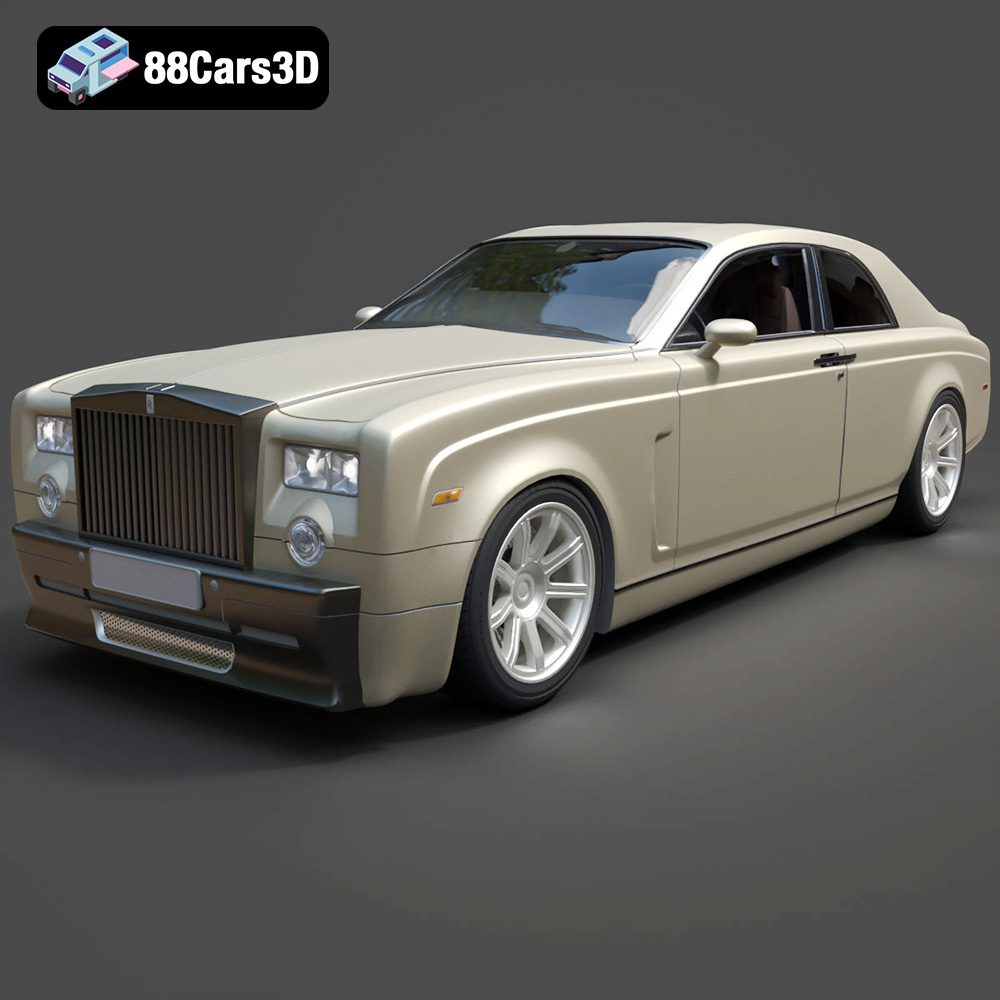
Texture: Yes
Material: Yes
Download the Rolls-Royce Phantom Coupe 3D Model featuring clean geometry, realistic detailing, and a fully modeled interior. Includes .blend, .fbx, .obj, .glb, .stl, .ply, .unreal, and .max formats for rendering, simulation, and game development.
Price: $10
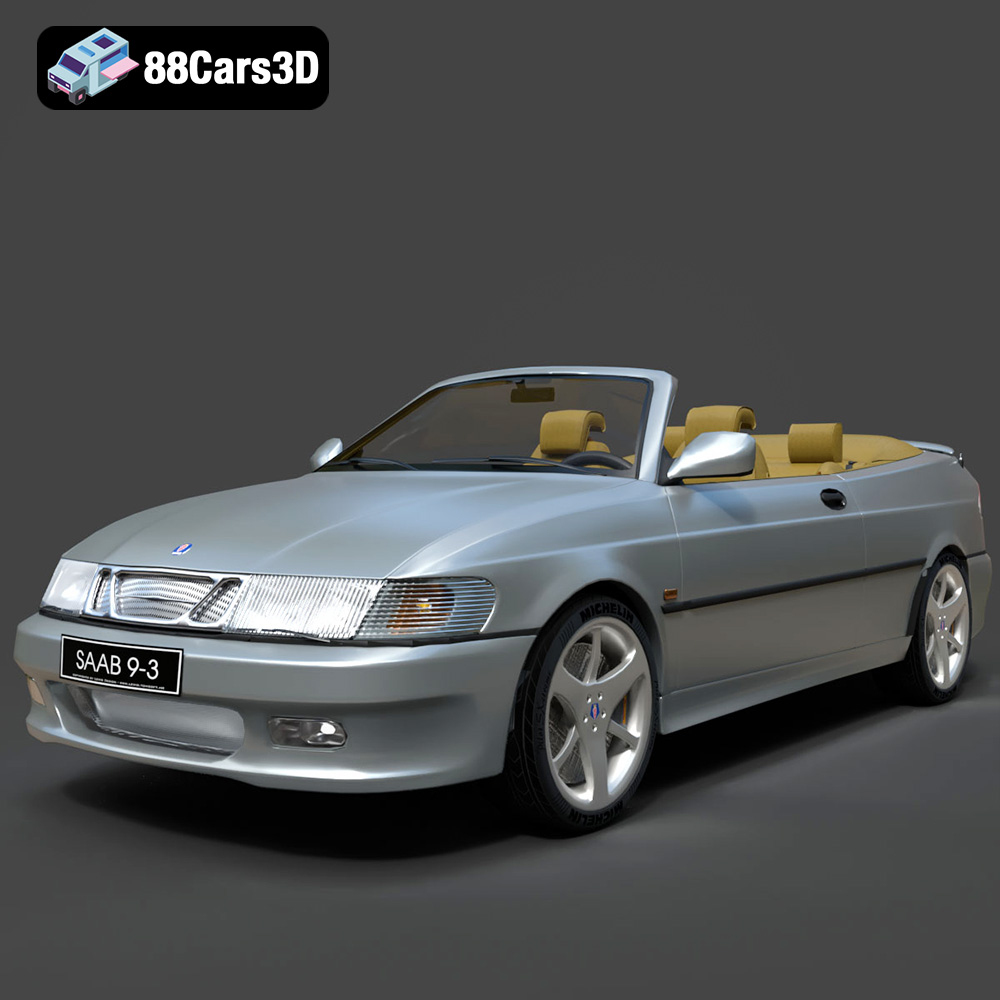
Texture: Yes
Material: Yes
Download the Saab 9-3 Convertible 2009 3D Model featuring clean geometry, realistic detailing, and a fully modeled interior. Includes .blend, .fbx, .obj, .glb, .stl, .ply, .unreal, and .max formats for rendering, simulation, and game development.
Price: $10

Texture: Yes
Material: Yes
Download the Saab 9-3 2009 3D Model featuring clean geometry, realistic detailing, and a fully modeled interior. Includes .blend, .fbx, .obj, .glb, .stl, .ply, .unreal, and .max formats for rendering, simulation, and game development.
Price: $10

Texture: Yes
Material: Yes
Download the Saab 9-5 2009 3D Model featuring clean geometry, realistic detailing, and a fully modeled interior. Includes .blend, .fbx, .obj, .glb, .stl, .ply, .unreal, and .max formats for rendering, simulation, and game development.
Price: $10
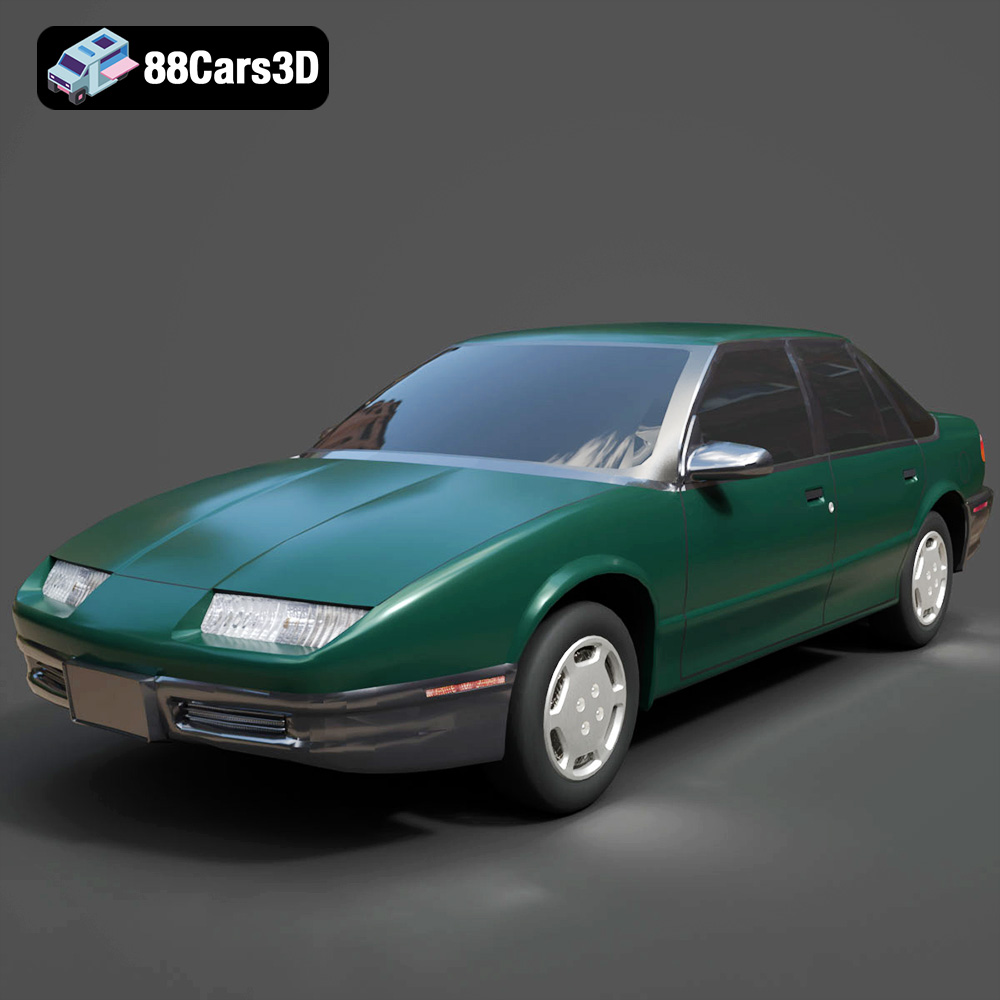
Texture: Yes
Material: Yes
Download the Saturn SL-009 3D Model featuring clean geometry, realistic detailing, and a fully modeled interior. Includes .blend, .fbx, .obj, .glb, .stl, .ply, .unreal, and .max formats for rendering, simulation, and game development.
Price: $10
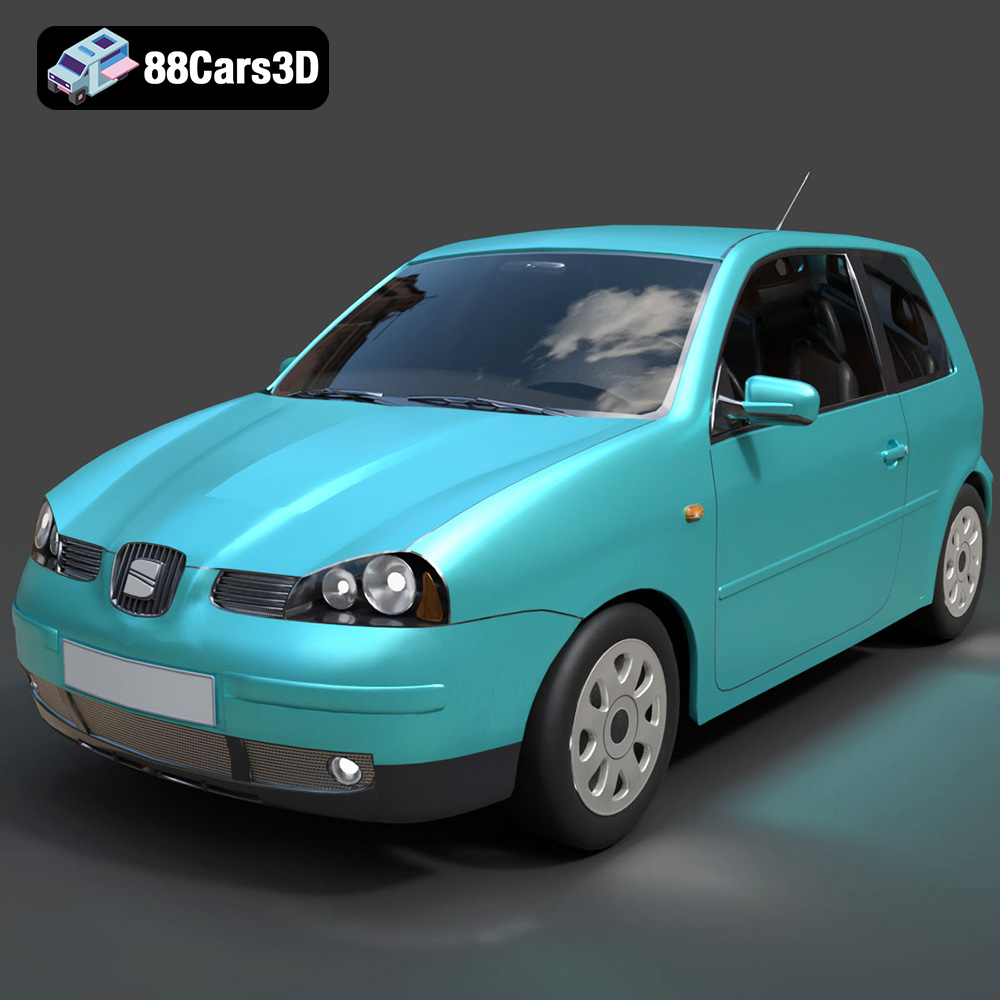
Texture: Yes
Material: Yes
Download the Seat Arosa 1997 3D Model featuring clean geometry, realistic detailing, and a fully modeled interior. Includes .blend, .fbx, .obj, .glb, .stl, .ply, .unreal, and .max formats for rendering, simulation, and game development.
Price: $10
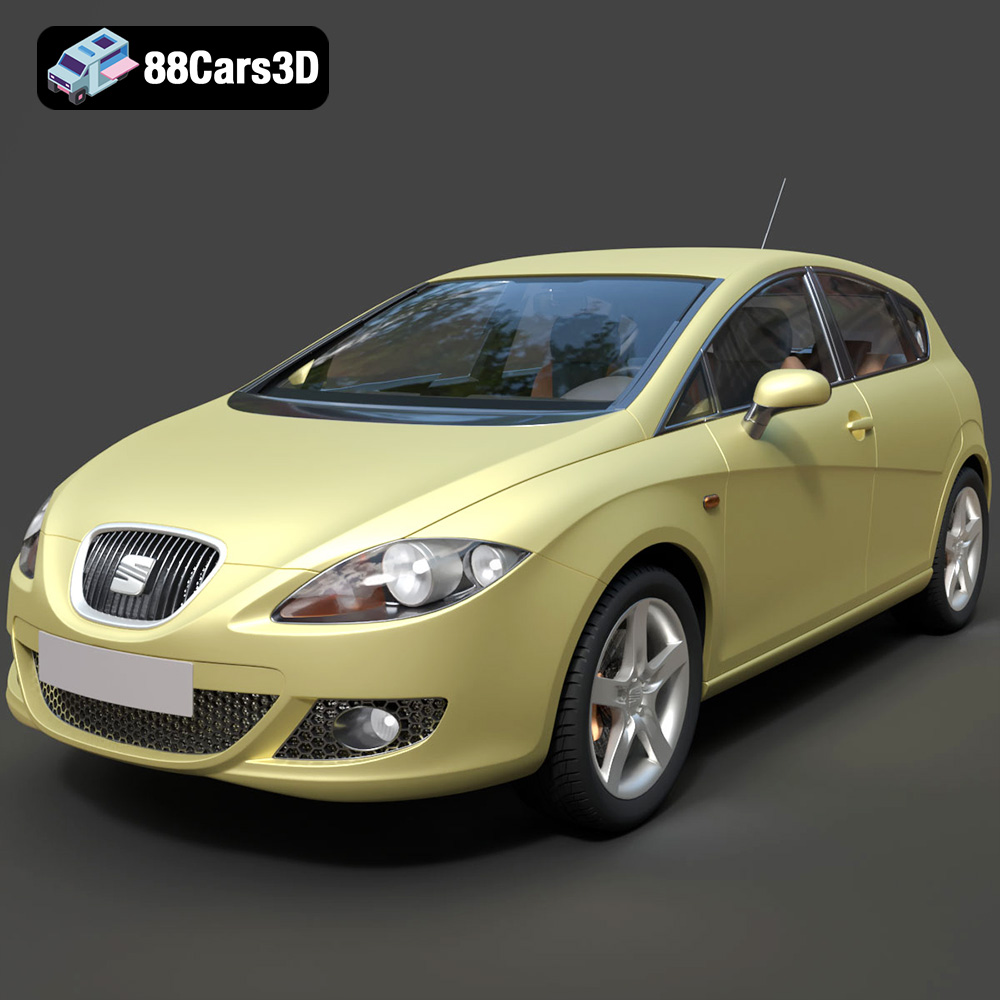
Texture: Yes
Material: Yes
Download the Seat Leon 2009 3D Model featuring clean geometry, realistic detailing, and a fully modeled interior. Includes .blend, .fbx, .obj, .glb, .stl, .ply, .unreal, and .max formats for rendering, simulation, and game development.
Price: $10
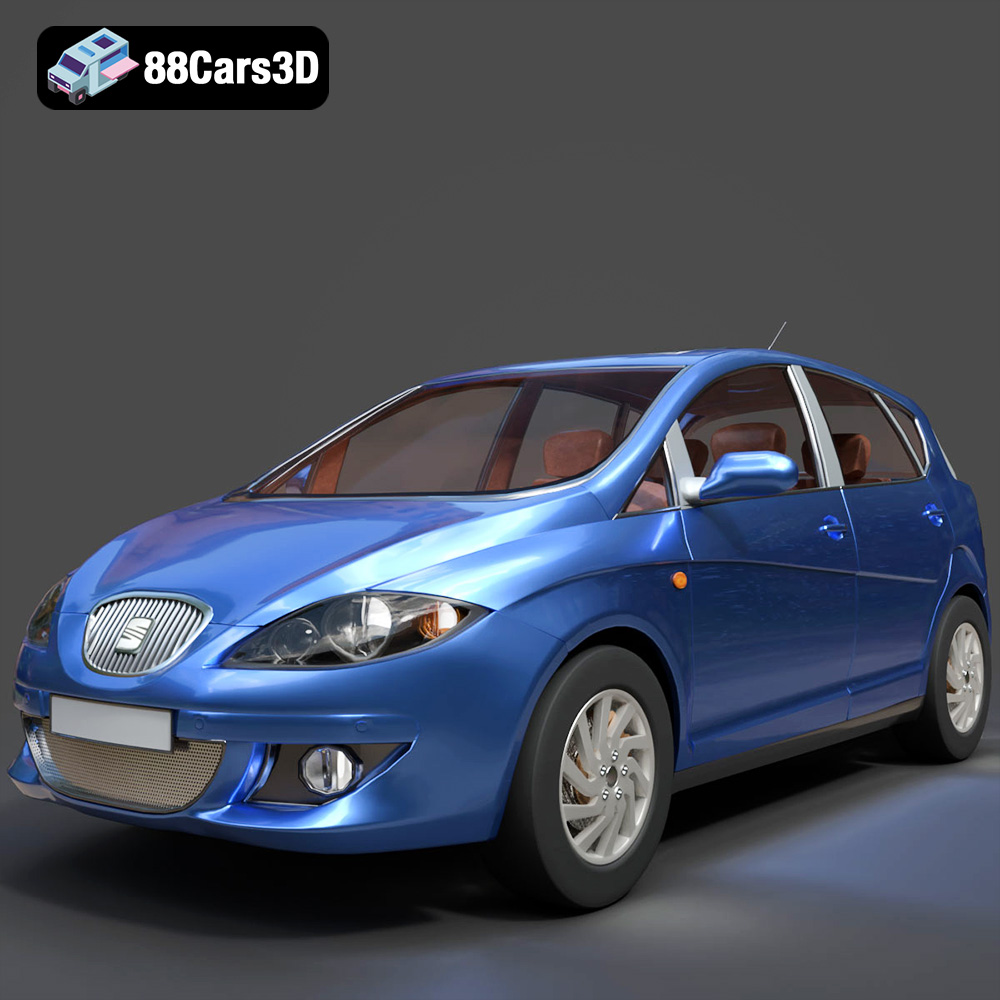
Texture: Yes
Material: Yes
Download the Seat Toledo 2009 3D Model featuring clean geometry, realistic detailing, and a fully modeled interior. Includes .blend, .fbx, .obj, .glb, .stl, .ply, .unreal, and .max formats for rendering, simulation, and game development.
Price: $10
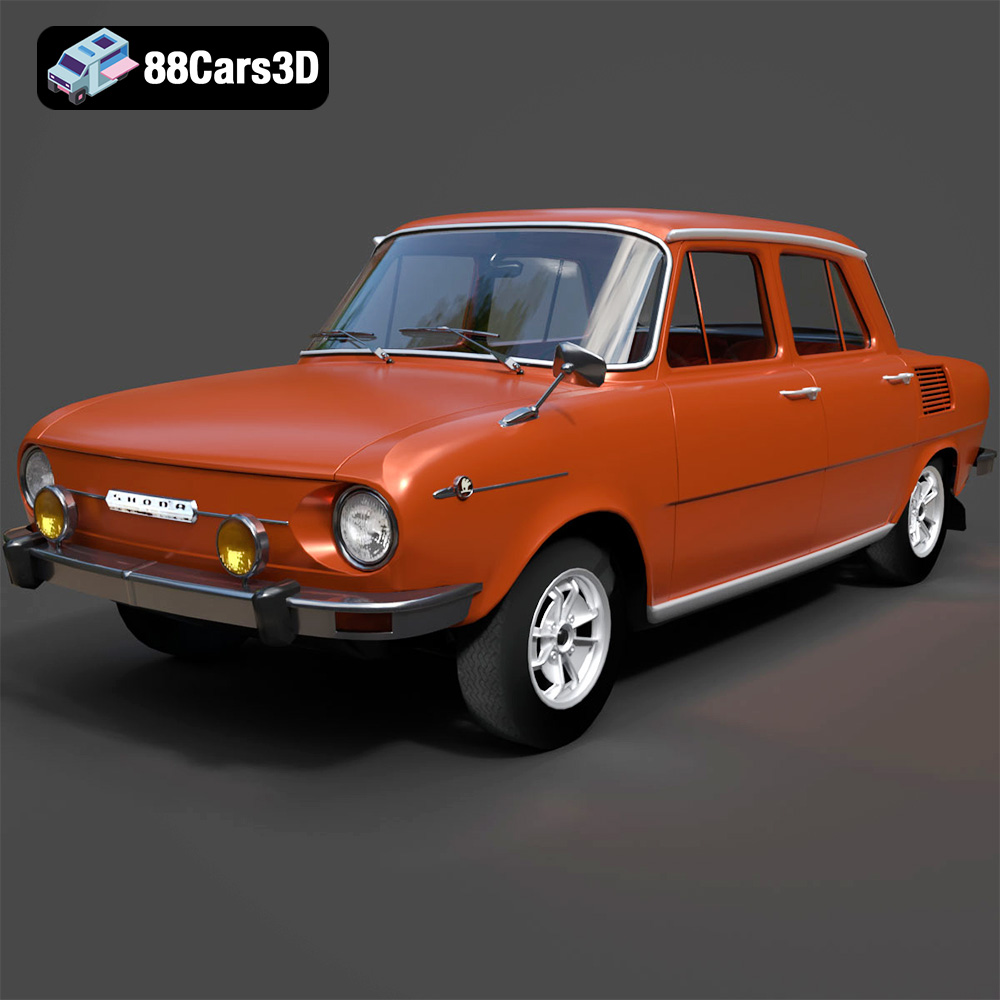
Texture: Yes
Material: Yes
Download the Skoda 100 L 1970 3D Model featuring clean geometry, realistic detailing, and a fully modeled interior. Includes .blend, .fbx, .obj, .glb, .stl, .ply, .unreal, and .max formats for rendering, simulation, and game development.
Price: $10
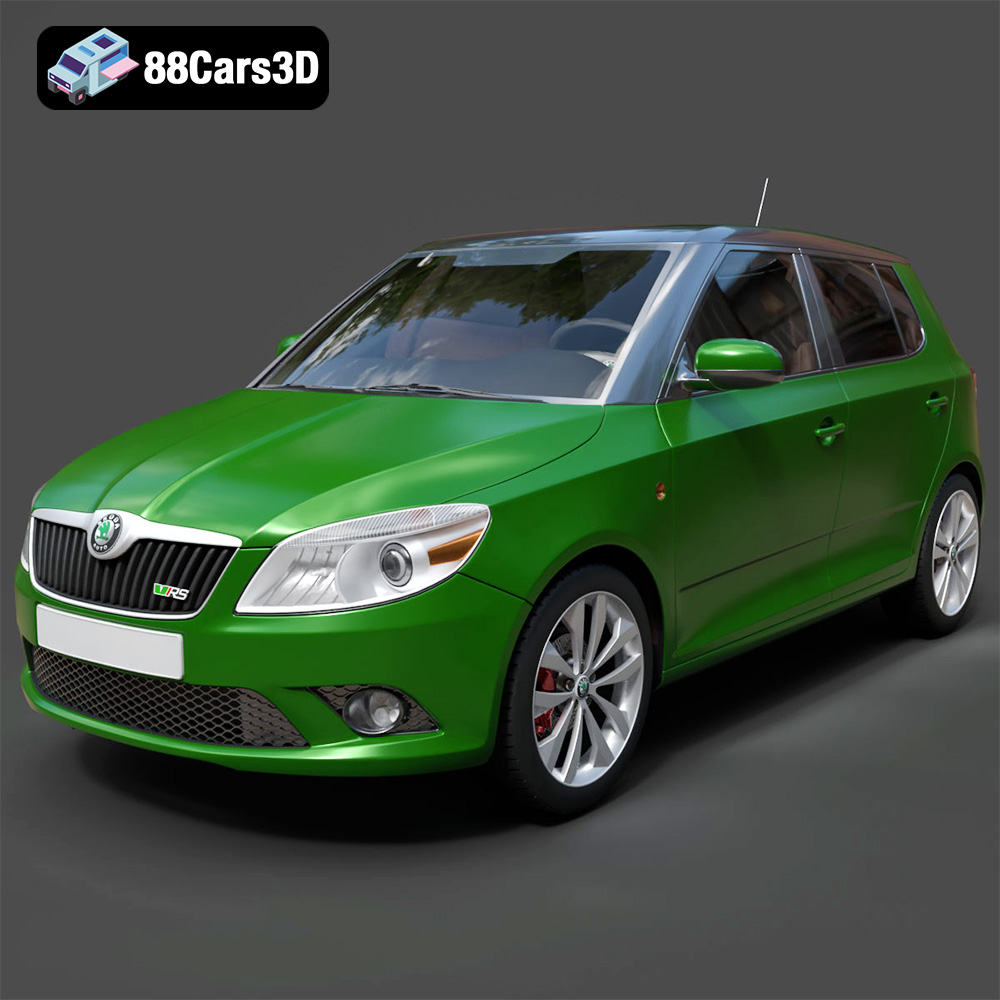
Download the Skoda Fabia RS 2011 3D model, an accurately detailed vehicle asset perfect for game development, rendering, and AR/VR applications. Includes multiple formats for versatile use.
Price: $10

