⚡ FLASH SALE: Get 60% OFF All Premium 3D & STL Models! ⚡

The world of automotive design and visualization has undergone a revolutionary transformation, driven by advancements in 3D modeling, rendering, and manufacturing technologies. What once required extensive physical prototyping and months of iterative development can now be conceptualized, refined, and even produced digitally with unprecedented speed and precision. From stunning photorealistic renders for marketing campaigns to meticulously optimized game assets for virtual racing, and even the creation of bespoke custom 3D car parts through additive manufacturing, the digital workflow is at the heart of modern automotive innovation.
This comprehensive guide will navigate the intricate landscape of 3D car model creation and utilization. We’ll delve into the foundational principles of clean topology and efficient UV mapping, explore the artistry of PBR material creation and advanced rendering techniques, and uncover the critical steps for optimizing models for real-time game engines and immersive AR/VR experiences. Furthermore, we’ll shine a spotlight on the exciting potential of 3D printing for automotive applications, from rapid prototyping to crafting unique, functional components. Whether you’re a seasoned 3D artist, a game developer, an automotive designer, or an enthusiast looking to push the boundaries of what’s possible, understanding these technical pillars is crucial. Platforms like 88cars3d.com serve as a vital resource, providing access to a vast library of high-quality 3D car models, ready to be integrated into your projects and customized to your specific needs. Let’s rev our engines and dive deep into the digital garage.
At the core of any successful 3D automotive project lies a meticulously crafted 3D car model. The quality of this foundational asset dictates everything from rendering fidelity to animation potential and even 3D printability. Achieving this quality starts with impeccable topology and efficient edge flow, which are non-negotiable for realistic deformation, smooth subdivision, and overall model integrity. Good topology means your mesh consists primarily of quadrilaterals (quads), arranged in a way that follows the natural curves and contours of the car’s body. This allows for clean subdivision when adding detail and prevents pinching or undesirable artifacts during rendering or animation.
For complex automotive surfaces, such as fenders, doors, and hoods, maintaining consistent edge loops around cutouts (like windows, headlights, and grilles) is paramount. These loops ensure that the geometry holds its shape when subdivided or when modifiers like “shell” or “solidify” are applied. Poor topology, characterized by triangles (tris) and N-gons (polygons with more than four sides) in critical areas, can lead to shading errors, difficulty in UV mapping, and major headaches during animation or export. Professional models, such as those found on 88cars3d.com, are built with these principles in mind, offering a solid starting point for any high-end project.
Edge flow specifically refers to the direction and continuity of edges on your mesh. In automotive modeling, this is critical for capturing the subtle nuances of a car’s design, from sharp creases to smooth, flowing lines. For instance, creating clean edge loops around wheel wells not only ensures smooth curvature but also facilitates the easy selection of those areas for material assignments or further modifications. When modeling panels, edges should ideally run parallel to the panel’s length and width, allowing for natural deformation and accurate reflections. Artists often employ reference images (blueprints, side views, front views) to meticulously trace and build their mesh, ensuring that every curve and proportion is accurately represented. This precision is especially important for maintaining the original design intent of a specific vehicle model.
The polygon count of a 3D car model is a critical technical specification that balances visual detail with performance. For high-fidelity renders, models can range from several hundred thousand to several million polygons, often utilizing subdivision surface techniques (like OpenSubdiv in 3ds Max or Blender’s Subdivision Surface modifier) to achieve buttery-smooth curves without excessive base mesh density. The base mesh might have a relatively low polygon count (e.g., 50,000-150,000 quads for a complete car body), with subdivision adding millions of virtual polygons at render time. For real-time applications like game engines, however, a more constrained polygon budget is necessary, often requiring multiple Levels of Detail (LODs) to optimize performance. Regardless of the target, starting with clean, subdivision-ready topology ensures flexibility and scalability.
Once the 3D car model’s geometry is perfected, the next crucial step is to infuse it with lifelike materials and bring it into a photorealistic rendering environment. This is where Physically Based Rendering (PBR) materials become indispensable. PBR workflows simulate how light interacts with surfaces in the real world, producing incredibly accurate and consistent results across various lighting conditions and rendering engines. A typical PBR material for a car involves several texture maps: Albedo (or Base Color), Metallic, Roughness, Normal (or Bump), and sometimes Ambient Occlusion. These maps, often generated at resolutions of 4K (4096×4096 pixels) or even 8K, define everything from the car paint’s glossiness and color to the subtle imperfections of its metallic trim or the intricate weave of its interior fabrics.
Creating realistic car paint, for example, is a multi-layered process. It often involves a base color, a metallic layer to simulate flake distribution, a clear coat layer for reflectivity and depth, and subtle procedural noise or texture maps to simulate dust and scratches. Software like Substance Painter excels at this, allowing artists to paint directly onto the 3D model, generating all necessary PBR maps dynamically. This level of detail ensures that reflections behave correctly, colors appear true to life, and the overall visual fidelity is on par with professional automotive marketing.
Effective UV mapping is the unsung hero of realistic texturing. It’s the process of unfolding the 3D model’s surface into a 2D space, allowing 2D textures to be accurately projected onto it. For a complex object like a car, careful UV unwrapping is essential to minimize distortion and maximize texture resolution. Strategies include breaking the car down into logical sections (hood, doors, fenders, roof, etc.), creating distinct UV islands for each, and then arranging these islands efficiently within the 0-1 UV space. Overlapping UVs can be used for mirrored parts to save texture space, while unique UVs are vital for areas that require specific branding or custom details.
Advanced UV techniques like UDIMs (Universal Dimension identification maps) are frequently employed for high-end automotive projects. UDIMs allow artists to use multiple UV tiles, each with its own set of textures, effectively bypassing the 0-1 texture space limitation and enabling extremely high-resolution detailing across large surfaces without loss of fidelity. This is particularly useful for large-scale vehicles where a single 4K texture might not be sufficient to capture intricate details like carbon fiber weaves or fine paint textures. Proper UV mapping is a prerequisite for seamless texture application and optimal rendering performance.
With PBR materials applied, the next step is to set up the rendering environment using industry-standard renderers like Corona Renderer, V-Ray, Cycles (Blender), or Arnold. These renderers employ sophisticated algorithms to simulate global illumination, reflections, refractions, and physically accurate light transport. A typical rendering workflow involves:
1. Environment Setup: Utilizing High Dynamic Range Images (HDRIs) to provide realistic ambient lighting and reflections. A good HDRI can instantly elevate a render by providing natural light and rich reflections on the car’s paintwork.
2. Physical Lights: Adding targeted physical lights (e.g., area lights, photometric lights) to highlight specific features, create dramatic shadows, or simulate studio lighting setups.
3. Camera Settings: Adjusting camera properties like focal length, depth of field, and motion blur to achieve a cinematic or photographic look.
4. Render Settings: Balancing render quality with render time by adjusting parameters like sample rates, ray depth, and noise thresholds. Modern renderers offer denoisers to significantly reduce render times while maintaining image quality.
5. Material Calibration: Fine-tuning PBR material parameters within the renderer to ensure they react correctly to the lighting, achieving the desired metallic sheen, plastic texture, or glass clarity. This iterative process often involves test renders and careful observation of how light plays across the surfaces.
While photorealistic renders offer stunning visual fidelity, real-time applications like video games, interactive configurators, and virtual showrooms demand a different approach: optimization. Game engines like Unity and Unreal Engine require highly efficient 3D car models to maintain smooth frame rates and deliver an immersive user experience. This involves a careful balance between visual quality and performance constraints, often requiring significant adjustments from a high-poly render model. The goal is to maximize visual impact while minimizing draw calls, polygon counts, and texture memory usage.
A primary strategy is the creation of Levels of Detail (LODs). LODs are multiple versions of the same 3D car model, each with a progressively lower polygon count. When the car is close to the camera, the highest detail LOD (LOD0) is displayed. As it moves further away, the engine automatically switches to lower detail LODs (LOD1, LOD2, etc.), reducing the computational load without a noticeable drop in visual quality to the player. This is a critical technique for managing complex scenes with multiple vehicles.
Texture atlasing is another crucial optimization technique. Instead of having dozens of individual textures for different parts of the car (e.g., one for the body, one for the wheels, one for the interior), an atlas combines multiple smaller textures into a single, larger texture map. This means the game engine only needs to make one draw call to render a textured object, rather than multiple calls, significantly improving performance. For example, all logos, decals, and small interior textures can be combined into a single atlas, saving memory and processing power.
Minimizing draw calls is paramount in real-time rendering. Each draw call represents an instruction to the GPU to render a set of objects. Too many draw calls can quickly bottleneck performance. Beyond texture atlasing, other methods to reduce draw calls include:
* **Batching:** Combining multiple meshes that share the same material into a single mesh before sending it to the GPU.
* **Instancing:** When rendering multiple identical objects (e.g., a fleet of cars of the same model), instancing allows the GPU to render them using a single draw call, only varying their position, rotation, and scale.
* **Occlusion Culling:** A technique where objects that are hidden from the camera by other objects are not rendered, further reducing the number of draw calls and polygons processed.
For game-ready 3D car models, a separate, simplified collision mesh is often required. This mesh is used by the game engine’s physics system to detect collisions with other objects or the environment. Unlike the visual mesh, the collision mesh does not need to be high-fidelity; it only needs to accurately represent the car’s physical boundaries. A low-polygon, convex mesh is ideal for this purpose, as complex concave meshes can be computationally expensive for physics calculations. Additionally, setting up appropriate physics materials (e.g., rubber for tires, metal for body) helps simulate realistic friction, bounce, and grip, enhancing the driving experience. Platforms like 88cars3d.com often provide game-ready models with pre-optimized LODs and collision meshes, saving developers valuable time.
Beyond virtual environments, 3D car models are increasingly finding tangible applications through additive manufacturing, commonly known as 3D printing. This technology allows automotive enthusiasts, designers, and engineers to transform digital designs into physical objects, ranging from scale models and prototypes to fully functional custom 3D car parts. The ability to produce complex geometries and bespoke components on-demand has revolutionized prototyping cycles and opened new avenues for vehicle customization and restoration.
For 3D printing, the requirements for a 3D model are distinct from those for rendering or game assets. The most critical factor is “watertightness” – the mesh must be a completely closed, manifold volume with no holes, inverted normals, or self-intersecting geometry. Any open edges or non-manifold geometry will cause errors during the slicing process, where the 3D model is converted into G-code instructions for the 3D printer. Software tools like Blender’s 3D Print Toolbox, Meshmixer, or Netfabb are invaluable for inspecting and repairing meshes to ensure printability.
The preparation process for 3D printing involves several key steps:
1. Mesh Integrity Check: Thoroughly inspect the model for any errors like non-manifold edges, inverted faces, or duplicate vertices. These can be automatically detected and often repaired using dedicated 3D printing tools.
2. Wall Thickness: Ensure that all parts of the model have sufficient wall thickness. If a feature is too thin (e.g., less than 0.8mm for FDM printers or 0.5mm for SLA/DLP), it may not print correctly or could break easily.
3. Scale and Orientation: Accurately scale the model to its desired physical dimensions. Proper orientation on the print bed can minimize the need for support structures, save material, and improve print quality.
4. Hollowing (Optional): For larger prints, hollowing out the interior of the model can save material and reduce print time, provided escape holes are added to allow uncured resin or powder to drain.
5. File Format: Export the model in a compatible 3D printing format, most commonly STL (Stereolithography) or OBJ. Newer formats like 3MF offer advantages such as color and material information, but STL remains the industry standard.
The applications of 3D printing for automotive designs are vast:
* Rapid Prototyping: Automotive manufacturers use 3D printing to quickly produce physical iterations of new designs, allowing engineers and designers to evaluate form, fit, and function before committing to expensive tooling. This dramatically reduces development cycles and costs.
* Custom Parts & Restoration: For classic car enthusiasts, 3D printing offers a lifeline for recreating unobtainable or long-discontinued parts, from dashboard buttons and interior trim to intricate engine components. Scanning existing parts and then reverse-engineering them in 3D modeling software allows for accurate reproductions.
* Personalization: Owners can design and 3D print unique aesthetic enhancements, such as custom gear shift knobs, vent covers, badges, or even specialized mounting brackets for aftermarket accessories. This empowers individuals to truly make their vehicle their own.
* Tooling and Jigs: Garages and workshops can 3D print custom jigs, fixtures, and specialized tools tailored for specific repair tasks, improving efficiency and precision.
The fidelity and availability of high-quality 3D car models, such as those offered by 88cars3d.com, are crucial for successful 3D printing. These models provide a robust and accurate digital foundation, ready for the necessary mesh integrity checks and optimizations needed for additive manufacturing.
The immersive potential of Augmented Reality (AR) and Virtual Reality (VR) is rapidly transforming how we interact with automotive designs. From virtual showrooms that allow customers to explore cars in lifelike environments to interactive training simulations for mechanics and designers, AR/VR platforms are creating unparalleled experiences. High-quality 3D car models are the bedrock of these applications, but they require specific optimizations to perform seamlessly within the demanding real-time constraints of AR/VR headsets and devices.
The core challenge in AR/VR is maintaining a high and stable frame rate (typically 72-90 frames per second per eye) to prevent motion sickness and ensure a comfortable experience. This means aggressive optimization of polygon counts, draw calls, and texture memory. Techniques like LODs, texture atlasing, and instancing, discussed earlier for game engines, are even more critical here. Additionally, models must be designed with an eye toward scale and spatial awareness, ensuring they look and feel correct when placed in a virtual or real-world environment.
Achieving the right balance between visual fidelity and performance in AR/VR involves several considerations:
1. Aggressive Polygon Reduction: While LODs are used, AR/VR models often require a lower baseline polygon count for LOD0 than traditional game assets, especially for mobile AR. It’s common to target under 100,000 triangles for a full car model to ensure smooth performance on typical AR/VR hardware.
2. Baked Lighting and Ambient Occlusion: Instead of relying entirely on real-time lighting calculations, baking static lighting information (like shadows and ambient occlusion) directly into texture maps can significantly reduce rendering overhead. This creates the illusion of complex lighting without the computational cost.
3. Shader Optimization: Custom shaders that are lightweight and efficient are often developed to render car materials without unnecessary complexity. Simplifying PBR workflows to just essential maps (Albedo, Metallic, Roughness, Normal) can make a big difference.
4. Texture Resolution and Compression: While high-resolution textures are desirable, they consume significant memory. Intelligent texture compression (e.g., ASTC for mobile, BC7 for desktop VR) and careful selection of texture resolutions (e.g., 2K for distant details, 4K for close-ups) are crucial.
5. Post-Processing Optimization: Limiting or simplifying post-processing effects like bloom, depth of field, and anti-aliasing to their most efficient forms helps maintain frame rate.
Beyond raw performance, AR/VR applications demand a focus on user experience. This includes:
* Accurate Scale: Ensuring the 3D car model is accurately scaled to real-world proportions is fundamental for AR applications, where the car is overlaid onto the physical environment. In VR, accurate scale enhances immersion.
* User Interface (UI) Integration: Developing intuitive UIs that allow users to change car colors, open doors, inspect the interior, or switch features seamlessly.
* Physics Interactions: Implementing basic physics for doors, hoods, or trunks can add a layer of realism and interactivity.
* Spatial Anchoring (AR): For AR, robust spatial anchoring is vital to ensure the car model remains stable and accurately placed in the real world, regardless of device movement.
* Teleportation/Locomotion (VR): For VR experiences, effective locomotion systems are needed to allow users to navigate around and inside the vehicle without discomfort.
The specialized, optimized 3D car models available on platforms like 88cars3d.com are perfectly suited for AR/VR development, offering the high visual quality needed for compelling experiences combined with the clean topology and optimized geometry essential for smooth real-time performance.
In the diverse landscape of 3D production, seamless workflow integration is critical for efficiency and collaboration. This hinges on understanding various 3D file formats, their specific strengths, and how to ensure compatibility across different software packages and platforms. A professional pipeline often involves multiple artists and tools, from initial modeling in Blender or 3ds Max to texturing in Substance Painter, rendering in Corona or V-Ray, and final integration into game engines like Unity or Unreal Engine. Each stage requires reliable data exchange.
The most common and versatile file formats for 3D car models are FBX and OBJ.
* FBX (Filmbox): Developed by Autodesk, FBX is widely adopted due to its ability to store not only geometry but also crucial data like materials, textures, animations, rigging, and even scene hierarchy. This makes it an excellent choice for transferring complete assets between 3D applications and game engines.
* OBJ (Wavefront Object): A simpler, open standard that primarily stores geometry (vertices, faces, UVs) and basic material references (via an accompanying .MTL file). While less comprehensive than FBX, its simplicity ensures broad compatibility and makes it a reliable choice for pure mesh transfers.
* GLB (Binary glTF): Gaining significant traction, GLB is the binary version of glTF (Graphics Language Transmission Format). It’s highly efficient for web-based 3D, AR/VR, and real-time applications as it packs all asset data (geometry, textures, materials, animations) into a single file, making it very quick to load and parse.
* USDZ (Universal Scene Description Zip): Developed by Apple and Pixar, USDZ is an augmented reality file format optimized for sharing and viewing 3D content on Apple devices. It’s also based on Pixar’s Universal Scene Description (USD) framework, a powerful and extensible format for collaborative 3D pipelines.
* STL (Stereolithography): As discussed, STL is the de facto standard for 3D printing, purely representing the surface geometry as a collection of triangles.
To maintain data integrity and compatibility across different software, several best practices are crucial:
1. Standardized Units: Always work in consistent real-world units (e.g., meters, centimeters) across all software to avoid scaling issues during import/export.
2. Clean Scene Hierarchy: Organize your 3D model with a clear, logical scene hierarchy (e.g., car body, doors, wheels, interior components as separate, parented objects) before exporting. This preserves relationships and makes it easier to work with the model in other programs.
3. Baked Transforms: Ensure all object transforms (position, rotation, scale) are “frozen” or “baked” to avoid unexpected scaling or orientation problems.
4. Material and Texture Embedding: When exporting FBX or GLB, use options to embed textures and materials directly into the file or ensure they are properly linked and packed for easy transfer.
5. Version Control: For large projects, utilize version control systems (like Git LFS) to manage different iterations of 3D assets, facilitating collaboration and preventing data loss.
Each software package has specific export settings that need careful attention. For example, when exporting an FBX from 3ds Max or Blender for Unity or Unreal Engine, you’ll typically need to:
* Choose the correct FBX version: Newer versions often have better compatibility.
* Select what to export: Only export selected objects, or the entire scene.
* Adjust scale factor: Match the target engine’s unit system.
* Embed media: Include textures and materials.
* Convert specific elements: Convert certain geometry types to polygons, or bake animations.
Common pitfalls include:
* Missing textures: Occurs when texture paths are broken or not embedded.
* Incorrect scaling: Objects appearing tiny or gigantic in the target software.
* Flipped normals: Surfaces appearing black or transparent due to incorrect face orientation.
* Unsupported features: Renderer-specific shaders or modifiers not transferring correctly.
Understanding these nuances and performing regular checks ensures a smooth, professional workflow. When sourcing models from marketplaces such as 88cars3d.com, ensure they provide models in multiple common formats like FBX, OBJ, GLB, and USDZ, alongside clean topology and UVs, to guarantee seamless integration into your preferred pipeline.
The journey of a 3D car model doesn’t end with a raw render; it truly shines through careful post-production. This final stage involves refining the rendered image or animation through lighting adjustments, environmental enhancements, and compositing, transforming a good render into a stunning, photorealistic masterpiece. Post-processing can dramatically elevate the mood, realism, and overall impact of your automotive visualization, bringing it in line with professional photography and cinematic production.
The first aspect of post-production often involves refining the lighting. While primary lighting is set up in the 3D scene, post-processing allows for subtle adjustments that would be difficult or time-consuming to achieve purely in 3D. This includes adjusting exposure, contrast, and color balance to ensure the car is perfectly illuminated and stands out against its background. Adding subtle light sources or reflections in post-production, often called “light painting,” can draw attention to key design features or enhance the metallic sheen of the car’s bodywork.
Beyond the basic HDRI and physical lights, creating a truly impactful lighting setup for automotive renders involves a blend of technical precision and artistic vision:
* Reflector Cards & Bounce Lights: In a virtual studio setup, large virtual reflector cards or bounce light planes can be strategically placed to softly illuminate specific areas of the car, mimicking professional photo studio techniques.
* Caustics & Refractions: For glass and transparent elements, ensuring physically accurate caustics (light patterns created by refraction) and realistic refractions adds immense realism.
* Interactive Environments: For product configurators or virtual showrooms, the ability to dynamically change the environment (e.g., from a studio to an urban street or a scenic overlook) while maintaining consistent lighting is crucial. This often involves pre-rendered lighting setups or real-time global illumination solutions within game engines.
* Atmospheric Effects: Adding volumetric fog, haze, or god rays can dramatically enhance the sense of depth and realism, making the car feel grounded within its environment. Software like Corona Volume Mtl or V-Ray Environment Fog allows for highly customizable atmospheric effects.
Compositing is where multiple rendered layers are combined and manipulated to create the final image. Modern renderers allow for rendering in “render passes” or “render elements,” such as diffuse, reflection, refraction, shadow, ambient occlusion, and Z-depth. These passes provide granular control in post-processing software like Adobe Photoshop or Foundry Nuke.
Key compositing and post-processing steps include:
1. Layering and Blending: Combining render passes using appropriate blending modes to build the final image. This offers much more flexibility than a single beauty pass, allowing for independent adjustments to reflections or shadows.
2. Color Grading: Adjusting the overall color palette, saturation, and vibrancy to achieve a specific mood or match a brand’s aesthetic. This is often the most impactful step in defining the visual tone.
3. Depth of Field (DoF): Adding or enhancing DoF to selectively blur parts of the image, drawing the viewer’s eye to the car and creating a sense of scale and realism, similar to professional camera lenses.
4. Motion Blur: For animated sequences, accurate motion blur is essential to convey speed and dynamism. This can be rendered in 3D or added in post-production using velocity passes.
5. Lens Effects: Simulating camera lens effects like chromatic aberration, lens flares, and vignetting adds to the photographic realism.
6. Refinement and Detail: Adding subtle details like dust, fingerprints, or subtle imperfections to the car’s surface can break the “perfect CGI” look and make it feel more authentic. Using texture overlays in blend modes can achieve this.
7. Noise and Grain: Adding a subtle amount of film grain or digital noise can help blend different elements and give the image a more organic, less synthetic feel.
By meticulously applying these post-production techniques, artists can transform a well-modeled and textured 3D car into a visually breathtaking piece of art, ready for high-impact marketing, advertising, or cinematic presentations.
The journey through high-quality 3D car models, realistic rendering, real-time optimization, and tangible 3D printing applications reveals a vibrant and constantly evolving landscape. From the foundational importance of clean topology and efficient UV mapping to the artistic nuance of PBR materials and advanced rendering, every technical detail contributes to creating compelling automotive visualizations and functional components. Whether you are aiming for a breathtaking marketing render, a high-performance game asset, an immersive AR/VR experience, or a custom 3D printed car part, the underlying principles of precise 3D modeling and smart optimization remain paramount.
The power of digital design empowers automotive professionals and enthusiasts alike to innovate faster, visualize more accurately, and even manufacture bespoke solutions with unprecedented flexibility. Platforms like 88cars3d.com play a crucial role in this ecosystem by providing access to a wide array of meticulously crafted 3D car models, built with clean topology, realistic materials, and various formats to cater to diverse project needs.
To truly excel in this field, remember these actionable steps:
* Prioritize Mesh Quality: Always start with clean, quad-based topology and good edge flow, which is the foundation for all subsequent steps.
* Master PBR Workflows: Understand and correctly implement Physically Based Rendering principles for universally realistic materials.
* Optimize Smartly: Apply LODs, texture atlasing, and draw call reduction techniques for real-time applications without sacrificing visual integrity.
* Prepare for Print: Ensure your models are watertight and have appropriate wall thickness for successful 3D printing.
* Embrace Post-Production: Leverage compositing and color grading to add the final polish that elevates your renders to professional standards.
The future of automotive design is undeniably digital. By mastering these technical workflows and embracing the vast possibilities of 3D technology, you can drive innovation, create stunning visual content, and bring your automotive visions to life in ways that were once unimaginable. The digital garage is open, and the tools are at your fingertips – it’s time to build, render, and create.
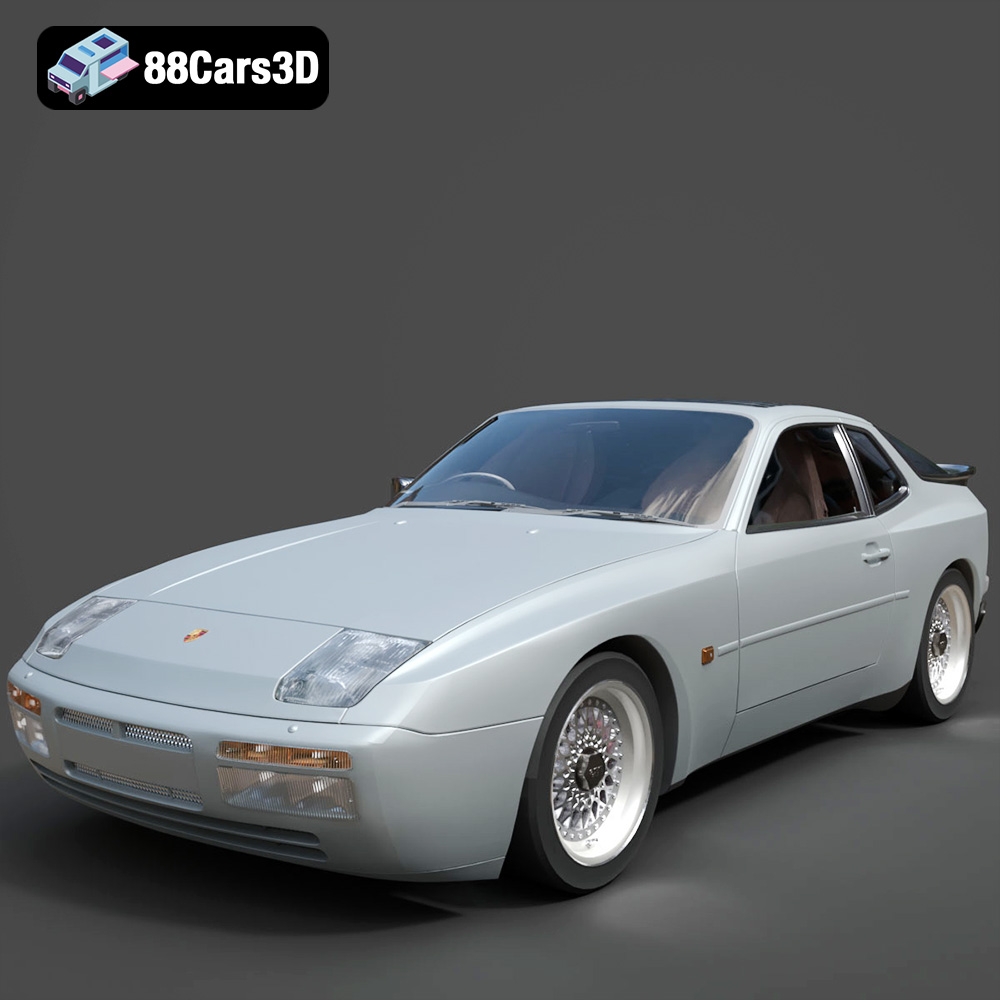
Texture: Yes
Material: Yes
Download the Porsche 944 3D Model featuring clean geometry, realistic detailing, and a fully modeled interior. Includes .blend, .fbx, .obj, .glb, .stl, .ply, .unreal, and .max formats for rendering, simulation, and game development.
Price: $10
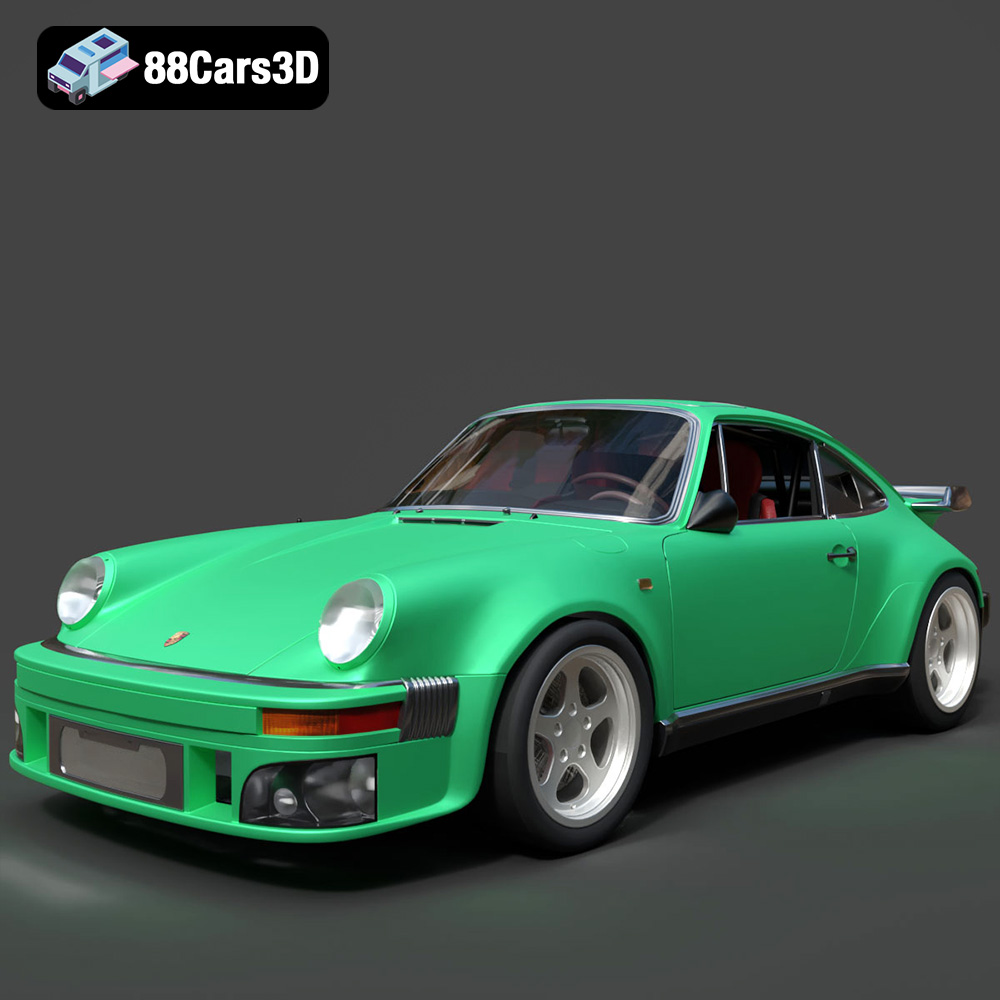
Texture: Yes
Material: Yes
Download the Porsche 964 3D Model featuring clean geometry, realistic detailing, and a fully modeled interior. Includes .blend, .fbx, .obj, .glb, .stl, .ply, .unreal, and .max formats for rendering, simulation, and game development.
Price: $10

Texture: Yes
Material: Yes
Download the Porsche 911 Carrera S 2012 3D Model featuring clean geometry, realistic detailing, and a fully modeled interior. Includes .blend, .fbx, .obj, .glb, .stl, .ply, .unreal, and .max formats for rendering, simulation, and game development.
Price: $10

Texture: Yes
Material: Yes
Download the Porsche 911 Carrera S Cabriolet (991) 3D Model featuring clean geometry, realistic detailing, and a fully modeled interior. Includes .blend, .fbx, .obj, .glb, .stl, .ply, .unreal, and .max formats for rendering, simulation, and game development.
Price: $10
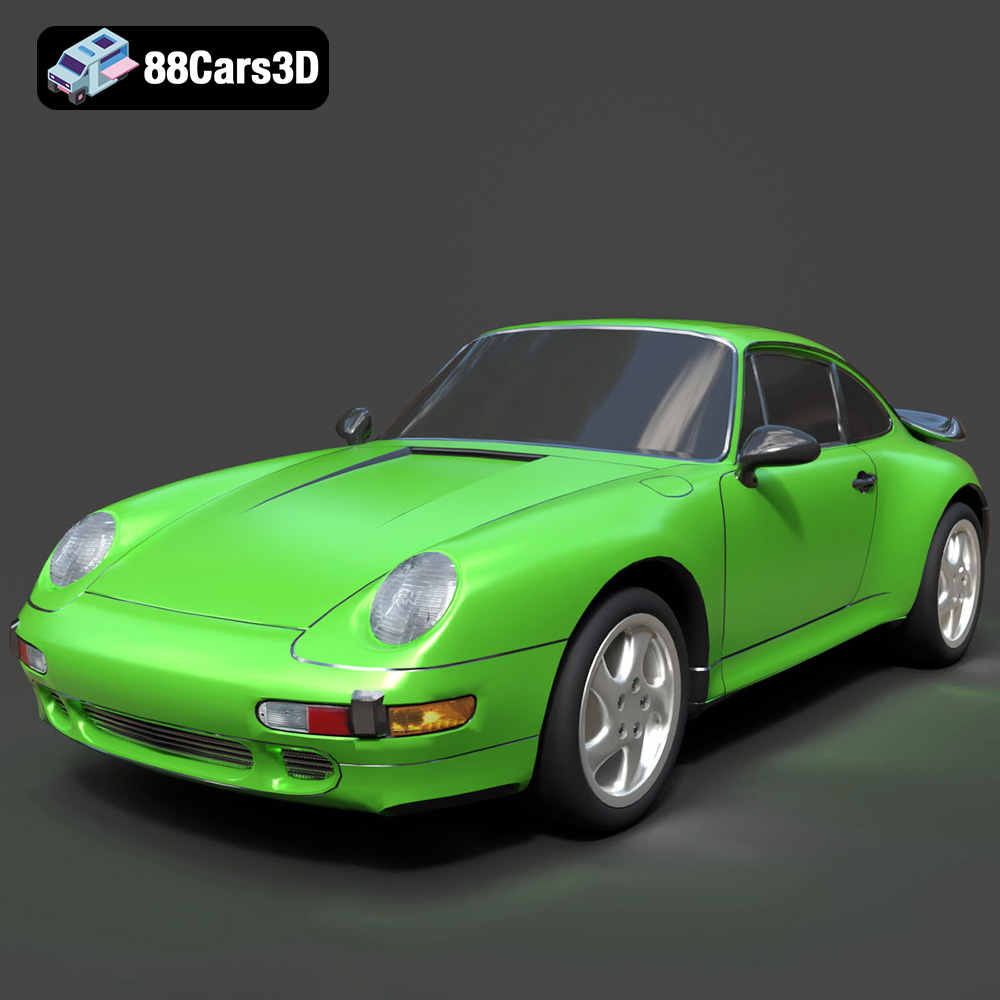
Texture: Yes
Material: Yes
Download the Porsche 911 Turbo (993) 3D Model featuring clean geometry, realistic detailing, and a fully modeled interior. Includes .blend, .fbx, .obj, .glb, .stl, .ply, .unreal, and .max formats for rendering, simulation, and game development.
Price: $10
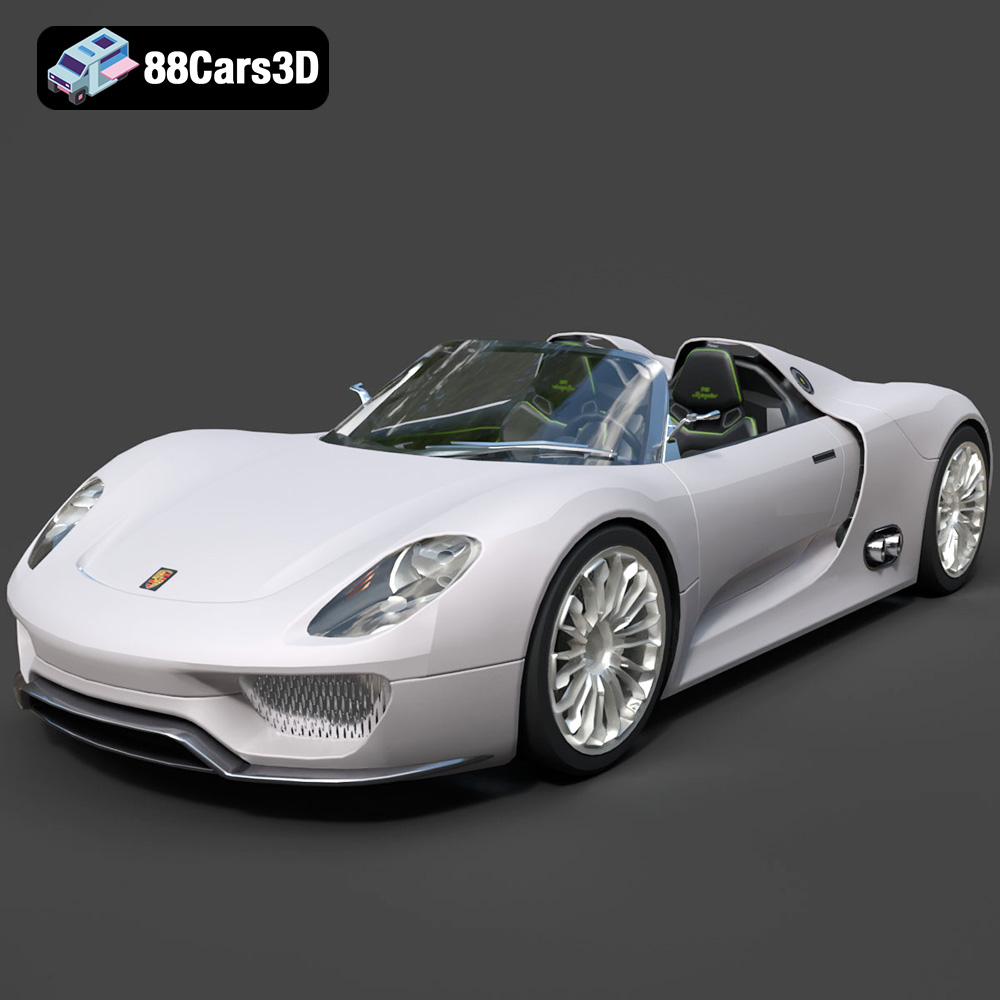
Texture: Yes
Material: Yes
Download the Porsche 918 Spyder 3D Model featuring clean geometry, realistic detailing, and a fully modeled interior. Includes .blend, .fbx, .obj, .glb, .stl, .ply, .unreal, and .max formats for rendering, simulation, and game development.
Price: $10
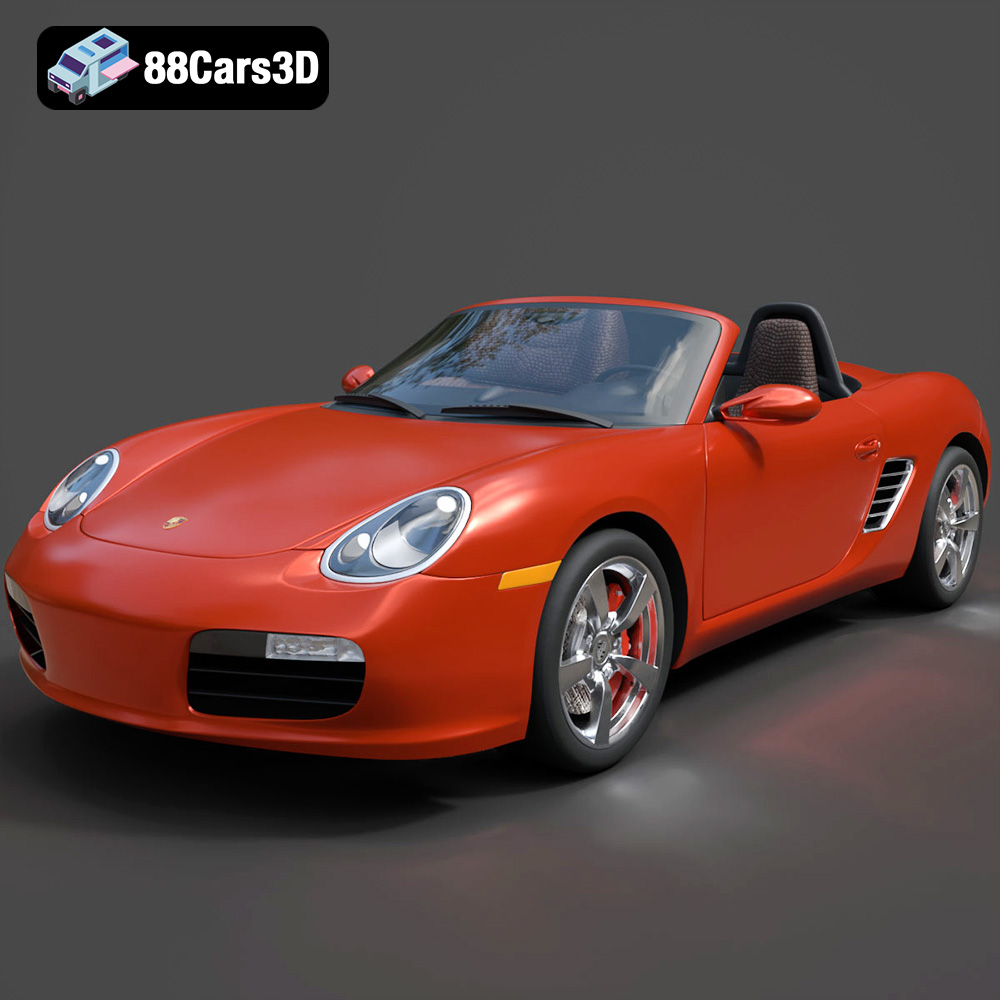
Texture: Yes
Material: Yes
Download the Porsche Boxster 2009 3D Model featuring clean geometry, realistic detailing, and a fully modeled interior. Includes .blend, .fbx, .obj, .glb, .stl, .ply, .unreal, and .max formats for rendering, simulation, and game development.
Price: $10

Texture: Yes
Material: Yes
Download the Porsche Carrera GT 2004 3D Model featuring clean geometry, realistic detailing, and a fully modeled interior. Includes .blend, .fbx, .obj, .glb, .stl, .ply, .unreal, and .max formats for rendering, simulation, and game development.
Price: $10

Texture: Yes
Material: Yes
Download the Porsche Cayman S-009 3D Model featuring clean geometry, realistic detailing, and a fully modeled interior. Includes .blend, .fbx, .obj, .glb, .stl, .ply, .unreal, and .max formats for rendering, simulation, and game development.
Price: $10

Texture: Yes
Material: Yes
Download the Porsche Panamera 2023 3D Model featuring clean geometry, realistic detailing, and a fully modeled interior. Includes .blend, .fbx, .obj, .glb, .stl, .ply, .unreal, and .max formats for rendering, simulation, and game development.
Price: $10

