⚡ FLASH SALE: Get 60% OFF All Premium 3D & STL Models! ⚡

The automotive world has always been at the forefront of innovation, and today, the convergence of digital 3D modeling and advanced manufacturing technologies like 3D printing is revolutionizing how we design, visualize, and even customize vehicles. Gone are the days when car design was confined to clay models and intricate blueprints; now, a high-quality 3D car model serves as the digital DNA for an astounding array of applications—from breathtaking photorealistic renders and immersive game experiences to functional prototypes and tangible custom 3D car parts.
This comprehensive guide will take you on a deep dive into the intricate world of 3D car models, exploring the foundational principles that make them robust, versatile, and ready for any challenge. We’ll unravel the secrets of impeccable topology and UV mapping, master the art of PBR material creation, and explore cutting-edge rendering workflows. Furthermore, we’ll delve into the crucial steps for optimizing these stunning digital assets for game engines, AR/VR experiences, and most excitingly, transforming them into physical objects through 3D printing. Whether you’re an automotive designer, a game developer, an architect, or a hobbyist looking to print custom components, understanding these techniques is paramount. Join us as we explore how a single, well-crafted 3D car model can unlock endless creative and practical possibilities.
At the heart of every great 3D car model lies impeccable topology—the structural arrangement of polygons that defines the mesh. For automotive designs, where smooth, reflective surfaces and precise panel gaps are paramount, superior topology isn’t just a nicety; it’s a necessity. Good topology ensures that your model behaves predictably under subdivision, deforms cleanly for animations, and accurately captures the subtle curvatures that give a vehicle its distinctive character. Without it, you risk pinching, artifacting, and a model that simply doesn’t hold up under scrutiny, whether in a render or as a physical 3D print.
The gold standard for automotive 3D modeling is **quad-based geometry**. Quads (four-sided polygons) are predictable, subdivide smoothly, and allow for efficient edge flow—the directional path of edges across the surface. When modeling a car, focus on creating **clean edge loops** that follow the natural contours and design lines of the vehicle, such as around wheel arches, door seams, grilles, and headlights. These loops are critical for maintaining sharp details while allowing large, smooth surfaces to remain clean. Minimize the use of triangles (three-sided polygons) and avoid N-gons (polygons with more than four sides) as much as possible, as they can cause rendering artifacts and problematic deformation, particularly when using subdivision surface modifiers like TurboSmooth in 3ds Max or Subdivision Surface in Blender. A well-constructed mesh will have evenly distributed quads that contribute to a uniform density, preventing stretched textures and unsightly distortions. This meticulous attention to detail at the modeling stage is what truly sets professional 3D car models apart.
When considering 3D car models for diverse applications, the initial design phase must account for multiple end-uses. For **3D printing**, the concept of a **watertight mesh** is paramount. This means the model must be a completely enclosed, solid volume with no holes, inverted normals, or internal self-intersecting geometry. Any breach in the mesh will confuse a 3D printer’s slicer software, leading to errors or failed prints. Designers must also consider **wall thickness**; delicate features or overly thin panels that look great on screen may be too fragile or simply impossible to print physically. For realistic rendering, capturing every minute detail is essential, but for printing, some micro-details might need to be exaggerated or simplified to be reproducible by the printer’s nozzle or laser. Scaling is another critical factor: ensure your digital model is built to **real-world scale** to facilitate accurate 3D printing dimensions. Platforms like 88cars3d.com often provide models with excellent topology and clean geometry, making them ideal starting points for both high-fidelity renders and robust 3D printing projects.
Once the structural integrity of your 3D car model is established through exemplary topology, the next step in bringing it to life is applying photorealistic materials and textures. This process relies heavily on effective UV mapping and the creation of Physically Based Rendering (PBR) materials, which accurately simulate how light interacts with surfaces in the real world. For automotive models, achieving that coveted high-gloss car paint, realistic tire tread, or intricate interior material requires precision in both these areas.
**UV mapping** is the process of flattening the 3D surface of your model into a 2D space, allowing you to apply 2D textures. For complex automotive surfaces, effective UV mapping is crucial for preventing texture stretching and seams, ensuring consistent texel density, and facilitating efficient texture baking. A common strategy involves **breaking the car into logical UV islands**—panels, doors, hood, roof, wheels, and interior components each get their own UV space. It’s essential to ensure **non-overlapping UVs** if you plan on baking textures like ambient occlusion or normal maps.
For large, smooth surfaces like body panels, projection mapping (planar, cylindrical, spherical) followed by relaxing the UVs can be effective. Tools like Blender’s “Smart UV Project” or 3ds Max’s “Unwrap UVW” modifier offer various tools to achieve clean unwraps. For intricate details like grilles, badges, or headlights, careful manual unwrapping and seam placement are often necessary to minimize distortion. Maintaining a **consistent texel density** across the entire model is vital for visual uniformity; this means ensuring that a texture applied to a small detail appears as sharp as a texture on a large panel. Good UVs are the silent heroes that make your textures shine.
**PBR materials** are the backbone of modern photorealistic rendering. They work by defining surface properties like color (Albedo/Base Color), how reflective it is (Metallic), how rough or smooth it is (Roughness/Glossiness), and how light interacts with microscopic details (Normal Map). For automotive models, a robust PBR workflow is essential.
* **Car Paint:** This is often the most complex shader. It typically involves multiple layers: a base metallic flake layer (controlled by an Albedo and Metallic map), topped with a clear coat that provides the high gloss and reflections (controlled by a low Roughness value). Many advanced car paint shaders also incorporate a “flip-flop” effect, where the color shifts slightly depending on the viewing angle.
* **Tire Rubber:** Requires a low Metallic value, a medium-to-high Roughness to simulate its matte, slightly bumpy surface, and a strong Normal map to define the tread patterns.
* **Glass:** Typically has very low Roughness, high Metallic (or specific transmission/refraction settings), and possibly a slight tint.
* **Interior Materials:** Leather, fabric, plastic, and metal each require specific PBR properties. Leather might have a slight normal map for grain and varying roughness, while plastics could range from matte to semi-gloss.
Software like **Corona Render** and **V-Ray** for 3ds Max, **Cycles** in Blender, or **Arnold** in Maya/3ds Max provide powerful PBR material systems. Understanding how to connect these maps in a **shader network** to define each material precisely is key to achieving truly photorealistic automotive finishes.
High-quality 3D car models are incredibly versatile assets, serving as the core for breathtaking visualizations, interactive game experiences, and cutting-edge augmented and virtual reality applications. Each application demands specific optimization and workflow considerations, leveraging the detailed groundwork laid in modeling and texturing to deliver optimal performance and visual fidelity.
For stunning automotive visuals, the rendering phase is where all the prior work culminates. Professional **automotive rendering** workflows typically begin with **lighting and environment setup**. High Dynamic Range Images (HDRIs) are indispensable for providing realistic, complex lighting and reflections, often combined with targeted area lights to emphasize design features or create specific moods. Cameras are positioned using principles of real-world photography, focusing on aspects like **depth of field (DOF)**, **focal length**, and **aperture** to achieve cinematic results.
Software like **3ds Max with Corona Renderer or V-Ray**, **Blender with Cycles**, or **Maya with Arnold** are industry standards. These renderers offer advanced features for caustics, volumetric lighting, and precise material control. Often, renders are exported as multiple **render passes** (e.g., beauty, reflection, refraction, ambient occlusion, object IDs, Z-depth) which are then composited and enhanced in **post-processing software** like Adobe Photoshop or Foundry Nuke. This allows for fine-tuning reflections, color grading, adding lens flares, motion blur, and other effects to achieve the final, polished image or animation. The goal is to create visuals so realistic they are indistinguishable from photographs.
While rendering prioritizes ultimate fidelity, **game engines** and **AR/VR applications** demand real-time performance. This necessitates significant optimization of 3D car models without compromising visual quality too much.
* **Level of Detail (LODs):** This is a critical technique where multiple versions of the same model exist, each with a different polygon count. As the car moves further from the camera, a lower-polygon LOD is swapped in, significantly reducing GPU load. A high-detail car might have a primary mesh of 100,000-150,000 triangles, with LOD1 at 50,000, LOD2 at 20,000, and LOD3 at 5,000, for example.
* **Polygon Budget:** Adhering to strict polygon counts is crucial. For mobile AR/VR, models need to be extremely lightweight, often just a few thousand triangles per vehicle.
* **Texture Atlasing:** Combining multiple smaller textures into one larger texture map reduces the number of draw calls, improving performance.
* **Collision Meshes:** Simplified, low-polygon meshes are used for physics calculations, rather than the detailed visual mesh.
* **Simplified Shaders:** For AR/VR, especially on mobile, complex shaders with many instructions can be too taxing. Basic PBR shaders or even unlit shaders for static elements are often preferred.
Choosing the correct **file formats** is also essential. **FBX** is widely used for game engines like Unity and Unreal Engine. For web-based AR/VR, formats like **GLB** (a binary version of glTF) and **USDZ** (Apple’s AR format) are becoming standard, offering efficient delivery of PBR materials and animations. Platforms like 88cars3d.com often provide models pre-optimized or with multiple LODs, streamlining integration into interactive projects.
The ability to translate a digital 3D car model into a physical object through 3D printing is a game-changer for designers, engineers, and enthusiasts alike. Whether you’re creating a detailed scale model, a custom accessory, or a functional prototype, the preparation phase for 3D printing is distinct and critical. A beautiful render-ready model isn’t necessarily print-ready, and overlooking key steps can lead to failed prints, wasted material, and frustration.
The most crucial requirement for successful 3D printing is a **manifold, watertight mesh**. This means the model must represent a solid, enclosed volume with no internal geometry, non-manifold edges, or inverted normals. Imagine trying to fill your car model with water – if there are any holes, the water would leak out. Similarly, a 3D printer needs to understand precisely where the “inside” and “outside” of your object are.
Common issues that prevent successful printing include:
* **Open Edges/Holes:** Any gaps in the mesh will prevent it from being a solid volume.
* **Non-Manifold Geometry:** Edges or vertices that are shared by more than two faces (or fewer than two faces if it’s not a border edge). This can confuse the printer’s slicer.
* **Intersecting or Self-Intersecting Geometry:** Faces or parts of the mesh that pass through each other without proper Boolean operations.
* **Inverted Normals:** Faces pointing inwards instead of outwards.
* **Internal Geometry:** Unseen faces or meshes hidden inside the main body.
Software tools like **Blender’s 3D Print Toolbox addon**, **Autodesk MeshMixer**, and **Netfabb** are invaluable for identifying and repairing these mesh errors. They can analyze your mesh, highlight problematic areas, and often automatically repair minor issues, closing holes, merging vertices, and ensuring manifold geometry. A thorough pre-print check is non-negotiable to avoid costly printing failures.
Beyond mesh integrity, several other factors influence a successful 3D print:
* **Scaling:** Always ensure your model is correctly scaled to your desired physical dimensions. If your digital model is built in meters, and you want to print a 1:24 scale car, you’ll need to scale it down accordingly (e.g., a 4.5-meter long car becomes 187.5 mm).
* **Print Orientation:** The orientation of your model on the build plate significantly impacts print quality, required support structures, and print time. For car bodies, orienting them to minimize overhangs (which require supports) and placing critical aesthetic surfaces where they won’t contact supports is vital. For example, printing a car horizontally might minimize supports but expose more aesthetic surfaces to potential blemishes during support removal. Printing vertically can reduce contact with supports on critical surfaces, but increase print time and potentially make the model more prone to wobbling.
* **Support Structures:** These are temporary structures printed to support overhangs and bridges that would otherwise collapse. Understanding different support types (tree, linear, custom) and their settings in your slicer software (e.g., Cura, PrusaSlicer) is key. For complex automotive shapes, strategic support placement and density are crucial for easy removal and minimal damage to the model’s surface.
* **Material Selection:** The choice of 3D printing material impacts the final product. **PLA** is affordable and easy to print for detailed scale models. **ABS** offers more durability and heat resistance but is harder to print. **Resin printers (SLA/DLP/LCD)** are excellent for incredibly fine details often required for small car parts or intricate miniatures, but come with a higher material cost and more involved post-processing. Consider the mechanical properties needed for your specific custom 3D car part.
The utility of 3D printing extends far beyond creating static scale models; it’s a powerful tool for functional prototyping, rapid iteration in design, and even the creation of bespoke custom 3D car parts. This capability is transforming the automotive industry and empowering enthusiasts to realize their unique visions.
In the professional automotive design world, 3D printing has become indispensable for **rapid prototyping**. Before committing to expensive tooling, designers and engineers can print full-scale or scaled-down prototypes of various components. This includes everything from:
* **Dashboard Components:** Testing ergonomics, fit, and finish of buttons, vents, and trim pieces.
* **Engine Bay Components:** Creating functional air intake ducts, fluid reservoirs, or bracket designs for fitment checks.
* **Exterior Styling Elements:** Printing grille designs, spoiler prototypes, or mirror housings to evaluate aesthetics and aerodynamics in a physical form.
* **Wind Tunnel Models:** Producing scaled models with varying aerodynamic features to test drag and lift in a wind tunnel environment, allowing for quick design iterations.
The speed and cost-effectiveness of 3D printing allow for multiple design iterations in a fraction of the time and cost compared to traditional manufacturing methods. This accelerates the design cycle, identifies potential issues early, and ultimately leads to better, more refined automotive products. The ability to quickly visualize and physically interact with a design is an invaluable asset in a competitive industry.
For car enthusiasts, restorers, and aftermarket specialists, 3D printing opens a new frontier for **custom 3D car parts** and modifications. This includes both aesthetic enhancements and functional components:
* **Unique Aesthetic Parts:** Imagine designing and printing custom grilles, fender vents, interior trim panels, or even entire body kit elements that are truly one-of-a-kind. These can be tailored precisely to a specific vehicle model or individual preference.
* **Functional Replacement Parts for Vintage Cars:** For classic car owners, sourcing obsolete or rare parts can be a nightmare. If a part can be 3D scanned or meticulously modeled from scratch (perhaps using a similar high-quality base model from a platform like 88cars3d.com), it can then be 3D printed. Materials like strong engineering resins or even carbon fiber-infused filaments can provide the necessary durability.
* **Personalized Interior Elements:** Custom phone holders, gauge pod surrounds, dashboard organizers, or shifter knobs can be designed and printed to perfectly fit a car’s interior and the owner’s needs.
The process typically involves:
1. **Modeling/Scanning:** Creating the 3D model of the custom part, often starting with a base model or by scanning existing components.
2. **Design Refinement:** Ensuring fitment, structural integrity (considering load-bearing requirements and material properties), and aesthetic appeal.
3. **Material Selection:** Choosing a filament or resin that meets the specific requirements for strength, heat resistance, UV stability, and surface finish.
4. **Printing & Post-Processing:** Printing the part, followed by necessary post-processing steps such as sanding, painting, priming, or applying protective coatings to achieve the desired finish and durability.
This democratization of manufacturing allows for unparalleled customization, transforming digital designs into tangible improvements for any vehicle.
The journey of a 3D car model, from its meticulous digital creation to its diverse real-world applications, is a testament to the power and versatility of modern 3D technology. We’ve explored how the foundational elements of clean topology and precise UV mapping are crucial for creating models that are not only visually stunning but also technically robust. We delved into the intricacies of PBR material creation for lifelike surfaces, and examined the distinct workflows for rendering breathtaking visuals, optimizing for interactive game environments, and preparing for immersive AR/VR experiences.
Crucially, we’ve seen how these digital assets can transcend the screen and become physical realities through 3D printing. Whether it’s for prototyping a new automotive design, bringing a custom concept car to life as a scale model, or fabricating a bespoke custom 3D car part for a cherished vehicle, the bridge between the digital and physical is now more accessible than ever. Understanding mesh integrity, optimal print orientation, and material selection are vital steps in this transformative process.
The future of automotive design and customization is undoubtedly rooted in high-quality 3D models. By mastering these techniques, you’re not just creating digital art; you’re building a foundation for innovation. Ready to accelerate your projects? Explore the extensive collection of meticulously crafted 3D car models available on 88cars3d.com. Whether your goal is a hyper-realistic render, a high-performance game asset, or a tangible 3D printed custom part, starting with a professional-grade model is your first step towards realizing your vision. Unlock your creativity and drive your ideas forward with the power of 3D.
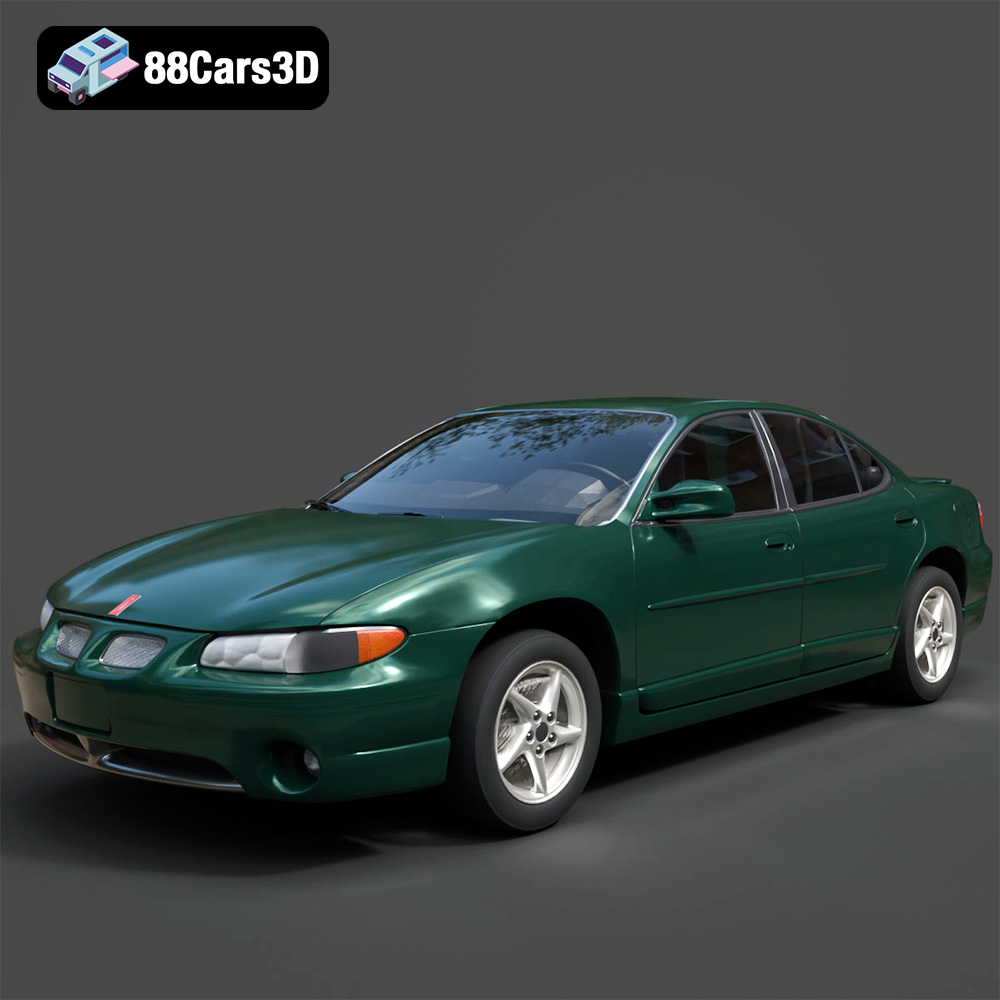
Texture: Yes
Material: Yes
Download the Pontiac Grand Prix GT-001 3D Model featuring clean geometry, realistic detailing, and a fully modeled interior. Includes .blend, .fbx, .obj, .glb, .stl, .ply, .unreal, and .max formats for rendering, simulation, and game development.
Price: $4.99
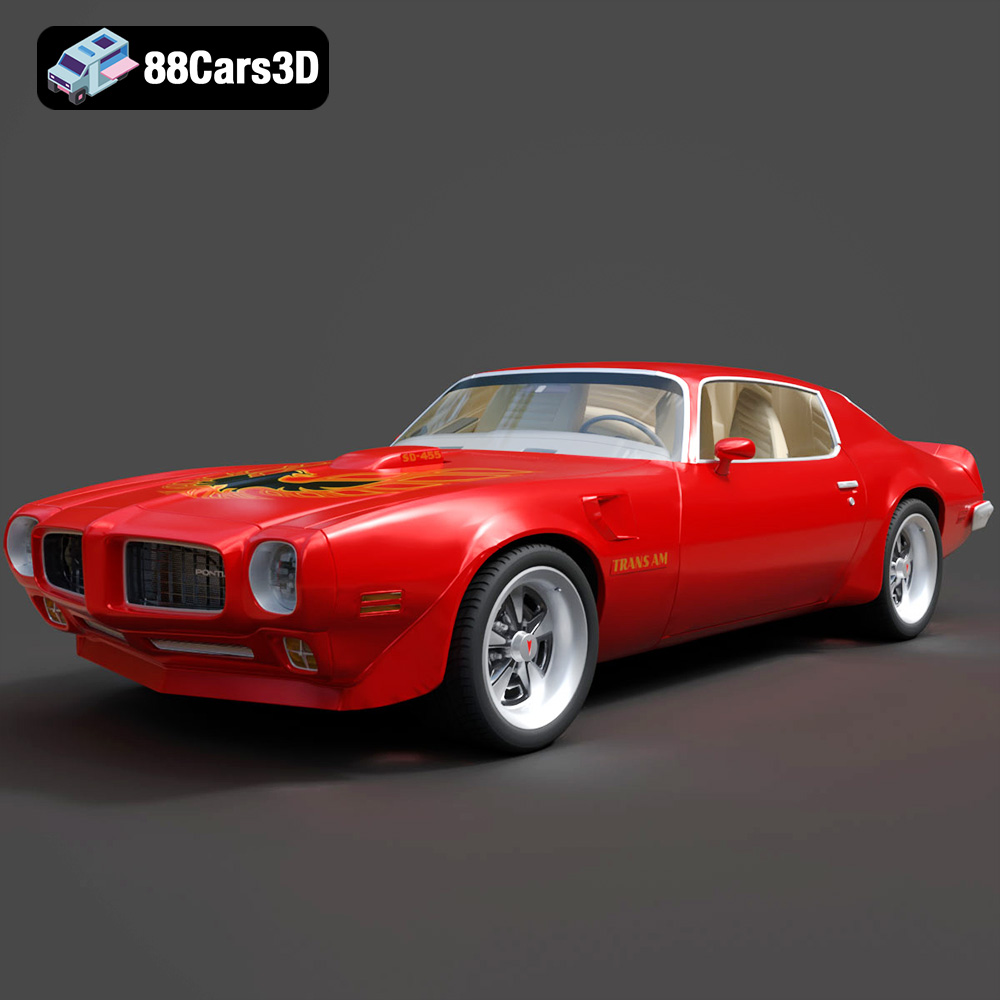
Texture: Yes
Material: Yes
Download the Pontiac Firebird Trans Am SD-455 3D Model featuring clean geometry, realistic detailing, and a fully modeled interior. Includes .blend, .fbx, .obj, .glb, .stl, .ply, .unreal, and .max formats for rendering, simulation, and game development.
Price: $1

Texture: Yes
Material: Yes
Download the Plymouth Volare 1976 3D Model featuring clean geometry, realistic detailing, and a fully modeled interior. Includes .blend, .fbx, .obj, .glb, .stl, .ply, .unreal, and .max formats for rendering, simulation, and game development.
Price: $4.99

Texture: Yes
Material: Yes
Download the Plymouth Roadrunner 1971 3D Model featuring clean geometry, realistic detailing, and a fully modeled interior. Includes .blend, .fbx, .obj, .glb, .stl, .ply, .unreal, and .max formats for rendering, simulation, and game development.
Price: $4.99
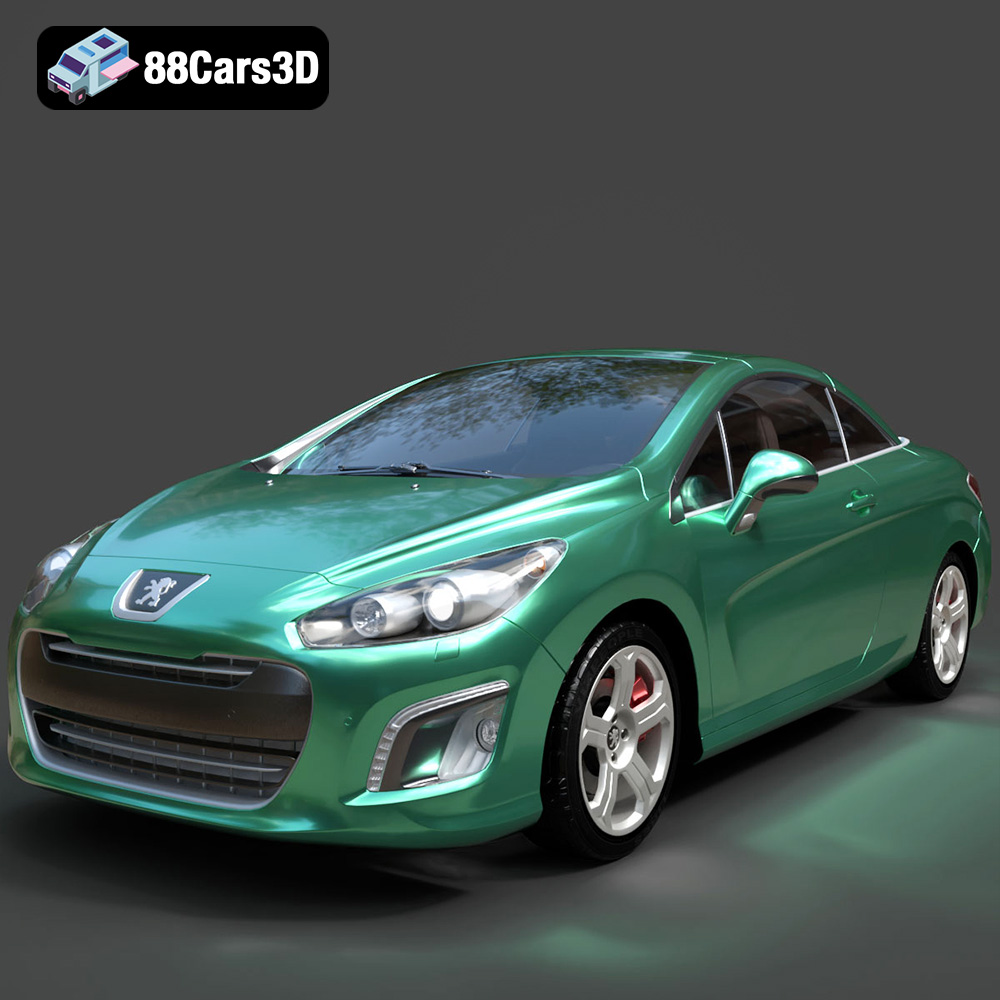
Texture: Yes
Material: Yes
Download the Peugeot 308 CC 2025 3D Model featuring clean geometry, realistic detailing, and a fully modeled interior. Includes .blend, .fbx, .obj, .glb, .stl, .ply, .unreal, and .max formats for rendering, simulation, and game development.
Price: $4.99
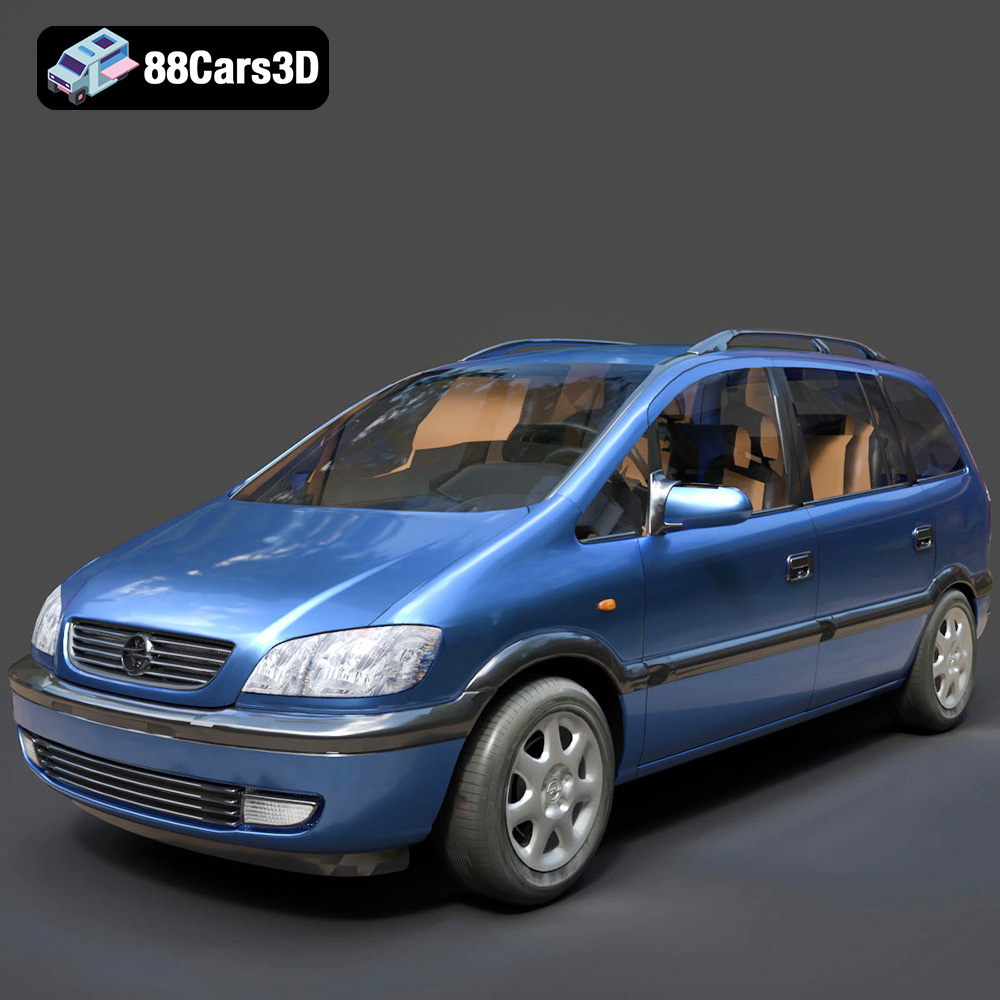
Texture: Yes
Material: Yes
Download the Opel Zafira 2000 3D Model featuring clean geometry, realistic detailing, and a fully modeled interior. Includes .blend, .fbx, .obj, .glb, .stl, .ply, .unreal, and .max formats for rendering, simulation, and game development.
Price: $4.99
Texture: Yes
Material: Yes
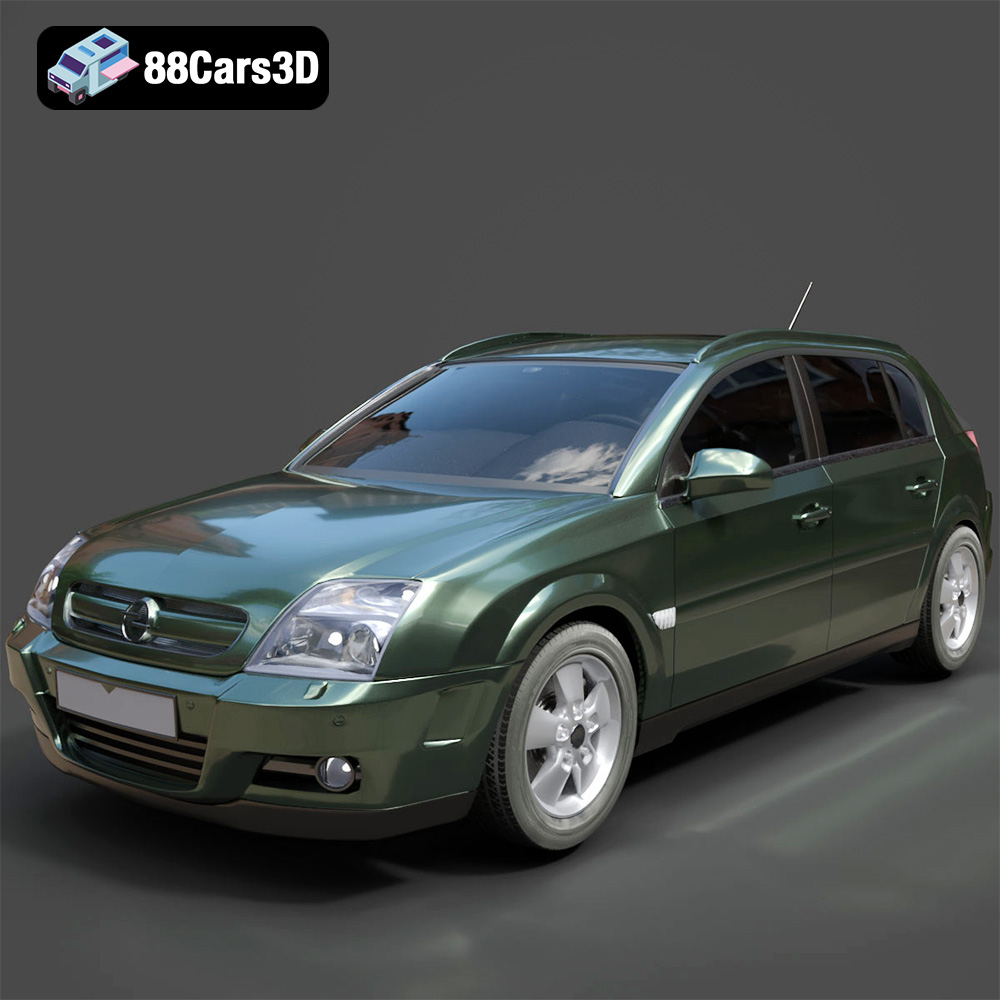
Download the Opel Signum 2003 3D Model featuring clean geometry, realistic detailing, and a fully modeled interior. Includes .blend, .fbx, .obj, .glb, .stl, .ply, .unreal, and .max formats for rendering, simulation, and game development.
Price: $4.99
Texture: Yes
Material: Yes
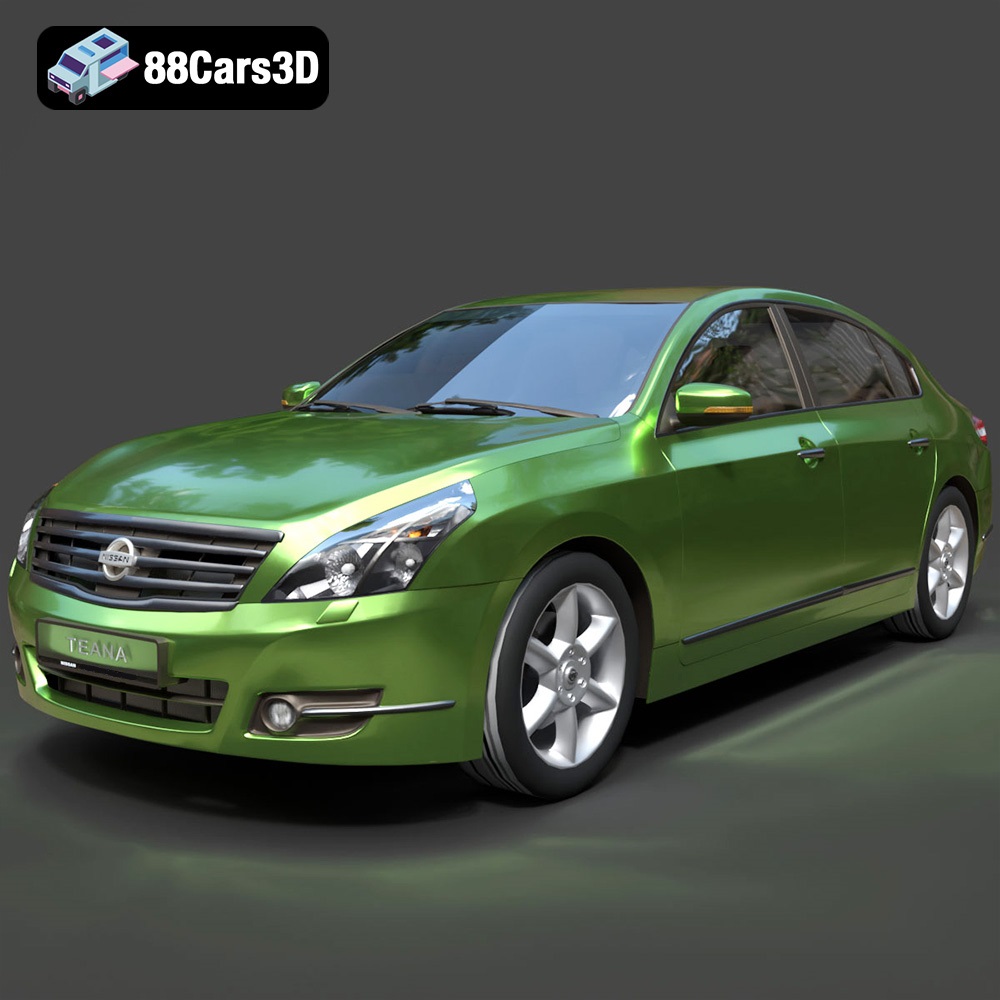
Download the Nissan Teana 2001 3D Model featuring clean geometry, realistic detailing, and a fully modeled interior. Includes .blend, .fbx, .obj, .glb, .stl, .ply, .unreal, and .max formats for rendering, simulation, and game development.
Price: $4.99
Texture: Yes
Material: Yes
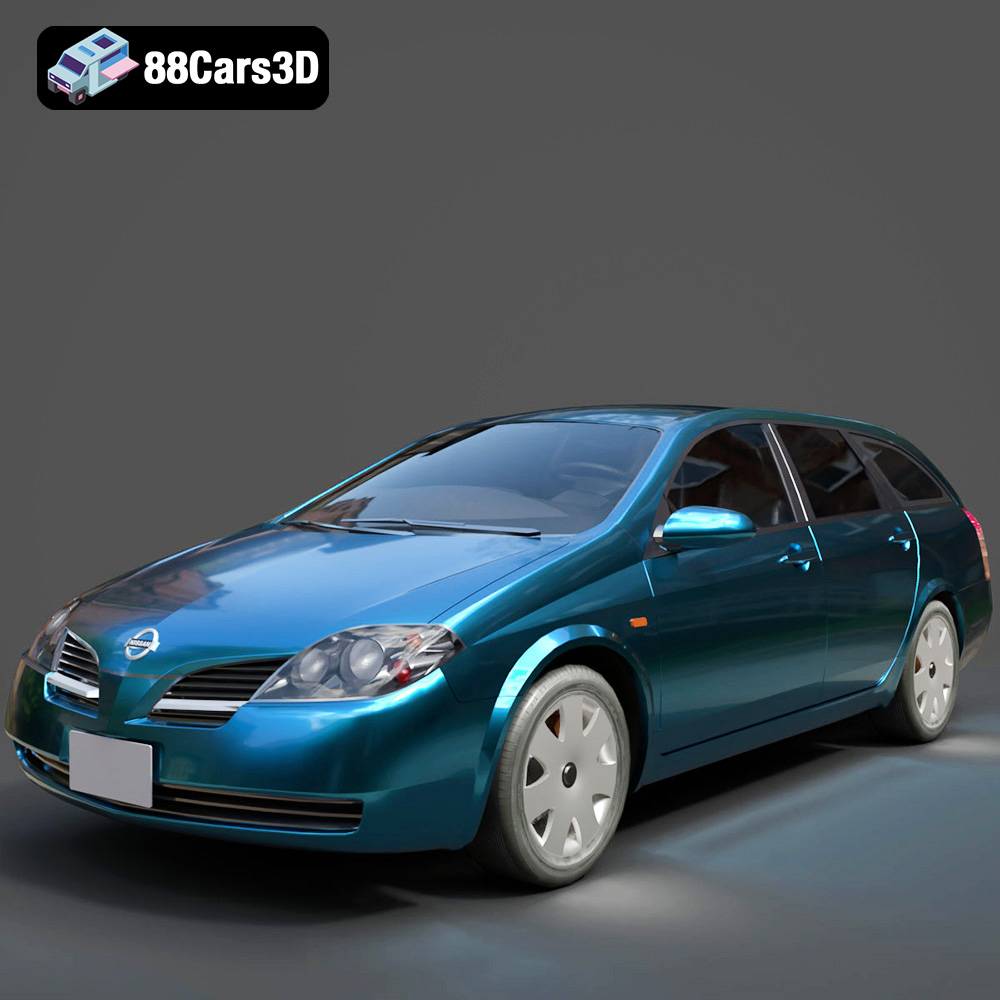
Download the Nissan Primera Wagon 2001 3D Model featuring clean geometry, realistic detailing, and a fully modeled interior. Includes .blend, .fbx, .obj, .glb, .stl, .ply, .unreal, and .max formats for rendering, simulation, and game development.
Price: $4.99
Texture: Yes
Material: Yes
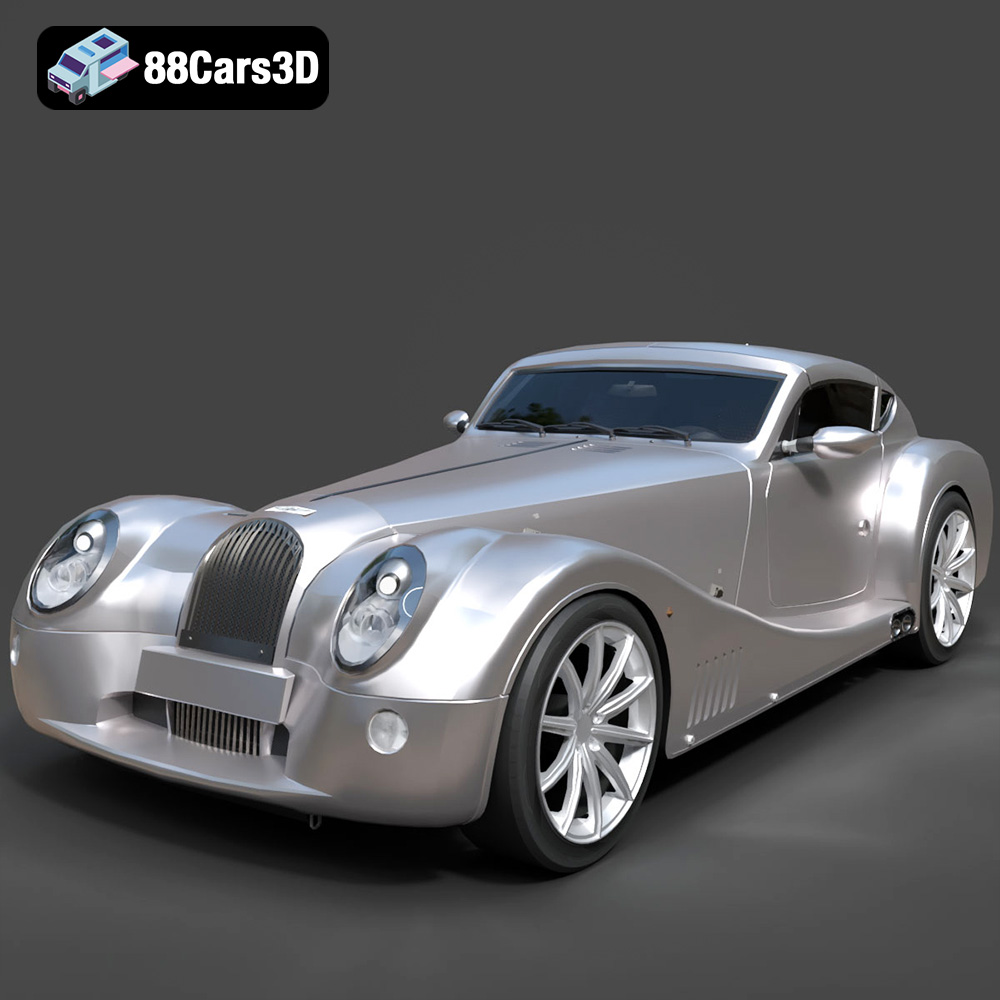
Download the Morgan Aero Super Sports 2025 3D Model featuring clean geometry, realistic detailing, and a fully modeled interior. Includes .blend, .fbx, .obj, .glb, .stl, .ply, .unreal, and .max formats for rendering, simulation, and game development.
Price: $4.99

