⚡ FLASH SALE: Get 60% OFF All Premium 3D & STL Models! ⚡

The automotive world is undergoing a profound transformation, driven by the relentless advancement of 3D technology. From the initial concept sketch to the final gleaming production model, 3D modeling, visualization, and now, 3D printing, are reshaping how vehicles are designed, engineered, and even customized. For 3D artists, game developers, automotive designers, and enthusiasts alike, the ability to create, manipulate, and realize realistic 3D car models is no longer just an advantage—it’s a necessity. This article delves deep into the intricate world of automotive 3D design, exploring the foundational principles of creating high-quality models, optimizing them for diverse applications, and ultimately, bridging the digital realm with the physical through advanced 3D printing techniques for custom parts.
Whether you’re aiming for breathtaking automotive rendering, immersive game assets, interactive AR/VR experiences, or precision-engineered physical components, understanding the underlying technicalities is paramount. We’ll navigate the complexities of clean topology, the artistry of UV mapping, the science of PBR materials, and the strategic optimizations required for various platforms. Prepare to uncover industry best practices, specific software workflows, and actionable tips that will elevate your 3D automotive projects, ensuring they are not only visually stunning but also technically robust and ready for any challenge, including the exciting frontier of creating custom 3D car parts.
At the heart of any successful 3D automotive project lies a meticulously crafted 3D car model. The quality of this foundational asset dictates everything from rendering fidelity to animation performance and, critically, printability. A truly high-quality model transcends mere aesthetics; it embodies clean topology, efficient UV mapping, and robust PBR material definitions. For designers and artists seeking reliability, platforms like 88cars3d.com provide a curated selection of models built to these exacting standards, ensuring a solid starting point for any endeavor.
Topology refers to the arrangement of polygons (usually quads) that make up a 3D model’s surface. For automotive models, clean topology is non-negotiable. It ensures smooth deformations, facilitates precise hard-surface modeling, and prevents rendering artifacts like pinching or unwanted shading. The goal is to maintain an even distribution of polygons, especially in areas of high curvature, and to avoid triangles and n-gons where possible. Edge flow, a crucial aspect of topology, dictates how polygons flow across the surface, following the natural contours and creases of a car body. Good edge flow is essential for defining panel gaps, character lines, and maintaining curvature continuity. For instance, creating smooth fillets and chamfers on a car’s body panels requires edges that accurately trace the desired shape without introducing unwanted bumps or dents. This attention to detail is critical not only for realistic renders but also for ensuring a solid mesh foundation for potential 3D printing, where surface accuracy directly translates to the integrity of the physical part.
UV mapping is the process of unwrapping the 3D surface of your model onto a 2D plane, allowing textures to be applied accurately. For complex automotive surfaces with multiple parts, such as body panels, interiors, and wheels, intelligent UV mapping is vital to avoid stretching, distortion, and noticeable seams. A common strategy for car models involves breaking down the UVs by material or panel, ensuring each component has sufficient texture space. For instance, the main body panel might receive a large UV island to accommodate high-resolution paint textures, while smaller components like emblems or grilles have their own dedicated UV space. Modern workflows heavily rely on Physically Based Rendering (PBR) materials. PBR shaders simulate how light interacts with surfaces in a physically accurate manner, leading to highly realistic results. This involves creating various texture maps—Albedo (color), Normal (surface detail), Roughness (micro-surface imperfections), Metallic (conductive vs. dielectric), and Ambient Occlusion (contact shadows). Software like Substance Painter excels at generating these maps, allowing artists to paint directly onto the 3D model and observe real-time PBR feedback, ensuring the final render looks as intended across different lighting conditions and render engines like V-Ray, Corona, Cycles, or Arnold.
Building an automotive 3D model that excels in various applications, from photorealistic visualizations to functional custom 3D car parts, demands a nuanced understanding of modeling techniques. The choice of modeling approach—whether starting from CAD data or employing polygonal modeling from scratch—significantly impacts the model’s precision, efficiency, and suitability for different downstream uses. Precision is paramount in automotive design, and maintaining accurate proportions and intricate details throughout the modeling process is key to achieving a professional-grade asset.
Automotive design often originates in CAD (Computer-Aided Design) software like SolidWorks, CATIA, or Rhino, which generate NURBS (Non-Uniform Rational B-Splines) surfaces. NURBS models offer mathematically precise, infinitely smooth surfaces ideal for engineering and manufacturing. When bringing these into a polygonal environment (e.g., 3ds Max, Maya, Blender), they must be tessellated, converting the smooth surfaces into meshes of polygons. While this provides unparalleled accuracy, the resulting mesh can sometimes be dense and triangulated, requiring extensive clean-up and retopology for animation, rendering, or game engine optimization. Conversely, polygonal modeling directly in software like Blender or Maya offers greater artistic freedom and control over topology, which is crucial for achieving specific edge flow for animation or detailed sculpting. Many artists adopt a hybrid approach: using CAD data for core vehicle dimensions and complex mechanical parts, then retopologizing or building polygonal surfaces on top for the visible exterior and interior, optimizing for visual fidelity and performance. For 3D printing, models derived from CAD are often ideal as they inherently possess the watertight integrity needed, but careful export settings are required.
Automotive models are rich in intricate details, from precise panel gaps and door seals to complex headlight assemblies and interior textures. Capturing these details effectively requires a combination of geometric modeling and texture work. Panel gaps, for instance, are often modeled as thin grooves with carefully placed edge loops to define their sharp edges, avoiding reliance on normal maps alone for crucial hard-surface details. For UV unwrapping, a strategic approach is essential. Instead of a single, sprawling UV map, it’s common practice to use multiple UV sets or channels, or even texture atlases, especially for game assets. This allows for higher texture density on critical areas (e.g., car paint, dashboard) and efficient packing of smaller elements. The unwrapping process needs to minimize seams and stretching, ensuring that PBR textures—such as Albedo, Normal, Roughness, Metallic, and Ambient Occlusion—can be applied without visible artifacts. For interior components, which often have many distinct materials (leather, plastic, metal), logical grouping of UVs by material type can streamline the texturing process in tools like Substance Painter. When sourcing models from marketplaces such as 88cars3d.com, pay close attention to the provided UV layouts and material setups, as this directly impacts your workflow.
Once a high-quality 3D car model is established, the next crucial step is to bring it to life through stunning visuals. Automotive rendering is an art form that blends technical mastery with aesthetic sensibility, transforming raw 3D data into photorealistic images or animations. Achieving this level of realism goes beyond simply applying textures; it involves a sophisticated understanding of lighting, camera principles, shader networks, and post-processing. The goal is to evoke emotion, highlight design features, and accurately represent the vehicle in its best possible light, whether for marketing, design review, or conceptual presentations.
The foundation of any great automotive render is realistic lighting. This typically begins with an HDRI (High Dynamic Range Image) environment, which provides both rich, accurate lighting information and reflections that convincingly ground the car in its surroundings. An outdoor HDRI, for example, can simulate complex sky lighting and environmental reflections, making the car’s paint and chrome surfaces interact realistically with the scene. Beyond the HDRI, strategic use of virtual studio lights (area lights, spot lights) in renderers like V-Ray, Corona, Cycles, or Arnold can highlight specific contours, create dramatic shadows, or add specular reflections that emphasize the car’s design lines. A common technique is the “three-point lighting” setup, modified for automotive: a key light for primary illumination, a fill light to soften shadows, and a back/rim light to separate the car from the background and accentuate its silhouette. Pay close attention to the light’s color temperature and intensity to match real-world conditions, preventing an artificial look.
Achieving truly photorealistic surfaces requires more than just standard PBR textures; it involves building sophisticated shader networks. For car paint, this means layering multiple materials: a base coat (Albedo, Roughness), a clear coat (specular reflections, slight metallic sheen), and often a flake layer for metallic paints. These layers interact to simulate the depth and complexity of real car finishes. Minor surface imperfections, like subtle dust, fingerprints, or micro-scratches, can be added using dedicated texture maps or procedural noise, contributing significantly to realism. Post-processing is the final polish that elevates a good render to an exceptional one. Using software like Photoshop or Affinity Photo, artists apply techniques such as color grading, chromatic aberration, depth of field adjustments, lens flares, and subtle vignetting. Compositing various render passes (e.g., beauty, reflections, refractions, shadows, alpha) provides granular control, allowing for non-destructive adjustments and refinements. For example, adjusting reflection intensity or shadow opacity in post-production offers flexibility that can be difficult to achieve solely within the 3D software, ultimately enhancing the mood and impact of the final image or animation.
The demands of real-time applications like video games, AR/VR experiences, and interactive configurators are vastly different from those of static rendering. Performance is king, and unoptimized 3D car models can quickly bog down frame rates, leading to a frustrating user experience. Effective optimization involves a strategic approach to polygon count, texture management, and scene setup to ensure smooth, responsive interaction without sacrificing visual quality. This balance is critical for immersive environments where every millisecond counts, and where users expect fluid navigation and detailed visuals.
Level of Detail (LODs) is a fundamental optimization technique for real-time applications. It involves creating multiple versions of a single asset, each with a progressively lower polygon count and simpler textures. The game engine then automatically switches between these LODs based on the camera’s distance from the object. A high-poly LOD0 is used when the car is close to the camera, while a much lower-poly LOD3 or LOD4 is used when it’s far away, dramatically reducing the computational load. Typically, 3-5 LOD levels are used for complex assets like cars, with polygon count reductions ranging from 25-50% for each successive LOD. For instance, a detailed car might have LOD0 at 200,000 polygons, LOD1 at 80,000, LOD2 at 30,000, and LOD3 at 10,000. Another critical optimization is draw call reduction. Each time the CPU tells the GPU to render a batch of triangles, it’s a draw call. Many small objects, or an object with many different materials, can generate excessive draw calls, impacting performance. Techniques like texture atlasing (combining multiple textures into one large map) and mesh combining (merging multiple static meshes into a single object) reduce the number of materials and meshes, respectively, thereby decreasing draw calls and improving frame rates in engines like Unity or Unreal Engine.
Efficient texture management is paramount for game and AR/VR optimization. Texture atlasing involves combining multiple smaller textures (e.g., textures for different interior components, engine parts, or badges) into a single, larger texture map. This reduces memory overhead and, more importantly, minimizes draw calls by allowing the engine to render multiple surfaces with a single material. For example, instead of having separate materials and textures for the dashboard, seats, and door panels, they could all share a single atlas and a single material, greatly improving rendering efficiency. When setting up materials for game engines, it’s crucial to use optimized PBR workflows. This means using only the necessary texture maps (Albedo, Normal, Metallic, Roughness, AO) and ensuring they are in appropriate resolutions (e.g., 2K or 4K for primary car body, 1K or 512 for smaller details). Vertex colors can also be leveraged for subtle variations or wear and tear without additional textures. Furthermore, consider shader complexity: simple, optimized shaders that minimize complex calculations (e.g., parallax occlusion mapping if not essential) will always perform better on mobile or lower-end hardware, which is often the target for AR/VR applications. When preparing 3D car models for Unity or Unreal, baking ambient occlusion and light maps into static textures can also save significant real-time computation.
The advent of 3D printing has fundamentally transformed prototyping and manufacturing in the automotive industry, extending its reach from concept validation to the creation of functional custom 3D car parts. This technology allows designers and engineers to rapidly iterate on designs, produce complex geometries that would be impossible with traditional manufacturing, and even personalize components directly. For enthusiasts and modders, 3D printing offers an unprecedented level of control, enabling them to design and produce bespoke elements for their vehicles, from intricate interior trims to aerodynamic enhancements or specialized engine bay accessories. However, successfully translating a digital 3D car model into a physical object requires a distinct set of considerations and technical expertise.
The most critical aspect of preparing a 3D model for printing is ensuring its mesh integrity. Unlike rendering, where minor mesh errors might go unnoticed, 3D printers require a “watertight” and “manifold” mesh. A watertight mesh is completely enclosed, with no open edges or holes, preventing the printer from misinterpreting the model’s volume. A manifold mesh ensures that every edge is shared by exactly two faces, avoiding self-intersections or inverted normals that can confuse the slicing software. Tools like Blender’s 3D Print Toolbox, Meshmixer, or Netfabb can be invaluable for identifying and repairing these issues. Another crucial factor is wall thickness. Too thin, and the part will be fragile or fail to print correctly; too thick, and it wastes material and increases print time. Optimal wall thickness depends on the printing technology (FDM, SLA, SLS) and the material used, but a general guideline is to maintain a minimum of 1-2mm for most FDM prints. Overhangs and bridging also need careful consideration, as unsupported geometry will require support structures during printing, which can impact surface finish and cleanup. Designing parts with self-supporting angles or splitting complex models into smaller, printable sections can mitigate these challenges.
The choice of 3D printing material is paramount, directly influencing the mechanical properties, durability, and aesthetics of the final custom car part. For functional components, common FDM materials include:
For high-detail aesthetic parts or smaller, intricate components, resin-based SLA (Stereolithography) printers offer superior surface finish and precision. Once printed, many parts require post-processing. This can include removing support structures, sanding to smooth surfaces, painting, priming, or applying protective coatings. For functional parts, processes like vapor smoothing for ABS, heat treatment for PLA to increase strength (annealing), or epoxy coatings can enhance durability and appearance. For custom interior trims, achieving an OEM-like finish often involves careful sanding, primer, and automotive-grade paint. The entire workflow, from precise 3D modeling on platforms like 88cars3d.com to judicious material selection and meticulous post-processing, contributes to creating truly professional and functional custom 3D car parts.
The world of 3D modeling and visualization relies heavily on a multitude of file formats, each designed with specific purposes and functionalities. Understanding these formats and their implications for compatibility, data integrity, and application-specific features is crucial for any 3D professional working with 3D car models. The ability to seamlessly convert and transfer assets between different software, game engines, or 3D printers is a cornerstone of an efficient workflow, especially when dealing with complex automotive assets that might span multiple stages of production from initial design to final physical product.
Each file format serves a distinct role in the 3D pipeline:
Choosing the right format depends on the end goal. For example, exporting an animated car rig to Unity would necessitate FBX, whereas a static model for a web configurator might be best as GLB. For 3D printing, the primary format is typically STL, as detailed below.
When it comes to 3D printing custom car parts, the STL (Standard Tessellation Language) format reigns supreme. STL represents a 3D model as a collection of unconnected triangles, defining only the surface geometry without color, texture, or other advanced properties. While basic, its simplicity makes it universally compatible with virtually all 3D printers and slicing software (e.g., Cura, PrusaSlicer, Simplify3D). When exporting to STL, it’s critical to ensure the mesh is watertight, manifold, and has no inverted normals, as the slicer relies on this precise geometric definition to generate toolpaths. Models sourced from platforms like 88cars3d.com often require conversion and cleanup before being ready for STL export, especially if they were originally designed for rendering rather than manufacturing.
Beyond STL, other formats like 3MF (3D Manufacturing Format) are emerging. 3MF is an XML-based format that aims to be an improved version of STL, supporting color, textures, material properties, and even printer settings within a single file. This richness of data can streamline the printing workflow, especially for multi-material or full-color prints. Some industrial 3D printers also work with CAD native formats or STEP files, but for the majority of consumer and prosumer 3D printing applications, STL remains the de facto standard. Regardless of the chosen format, a thorough check for mesh errors (non-manifold edges, holes, self-intersections) using dedicated mesh repair tools is an indispensable step before sending any 3D car model to a 3D printer.
The landscape of 3D technology is constantly evolving, with new tools, techniques, and applications emerging regularly. To ensure your investment in 3D car models remains valuable and adaptable, it’s essential to adopt practices that future-proof your assets. This involves not just creating high-quality, technically sound models, but also understanding how they integrate into broader ecosystems and anticipating future demands, such as increasing interactivity, real-time fidelity, and seamless integration across diverse platforms. For professionals and enthusiasts alike, staying ahead means building assets that are versatile, maintainable, and ready for whatever the next generation of 3D technology brings.
A truly future-proof 3D car model is inherently versatile and scalable. This means designing assets with a modular approach where possible, allowing components to be easily swapped out or updated. For instance, creating separate meshes for different wheel designs, spoilers, or interior configurations enables rapid iteration and customization. Maintaining a clean, organized scene hierarchy and naming conventions for all objects, materials, and textures is also critical for long-term usability, especially when collaborating or revisiting projects years later. Furthermore, creating assets that can scale in detail—from high-poly cinematic versions to low-poly game-ready LODs—ensures they can be deployed across a wide spectrum of applications, from cutting-edge virtual reality experiences to mobile AR apps. When acquiring assets, such as those from 88cars3d.com, prioritize models that offer clean, non-destructive workflows (e.g., subdivision-ready meshes) and well-documented asset structures, as these qualities significantly enhance their adaptability to future software and hardware advancements.
While human expertise remains irreplaceable in the creative core of automotive 3D design, procedural generation and artificial intelligence are poised to play increasingly significant roles in future workflows. Procedural techniques, already common in areas like texture generation (e.g., Substance Designer) and environment creation, could extend to automatically generating variations of car parts, interior layouts, or even entire vehicle concepts based on a set of parameters. This allows for rapid exploration of design possibilities and streamlines the iteration process. AI, on the other hand, could assist with tasks like automatic retopology, optimizing meshes for specific performance targets, or even intelligently suggesting design improvements based on functional requirements or aesthetic trends. Imagine an AI that could analyze a 3D car model and automatically generate optimal LODs, prepare it for 3D printing by ensuring mesh integrity, or even suggest physically accurate damage simulations. These technologies won’t replace the artist but will augment their capabilities, freeing up time for more creative problem-solving and allowing for an even faster transition from initial concept to highly polished, functional, or rendered custom 3D car parts.
The journey through the intricate world of 3D car models, from foundational topology to advanced 3D printing custom car parts, underscores a singular truth: quality and versatility are paramount. Whether you’re crafting photorealistic renders for marketing, optimizing game assets for real-time performance, or meticulously preparing models for physical fabrication, a deep understanding of the technical details is your most valuable asset. Clean topology, intelligent UV mapping, robust PBR materials, and strategic optimization are not just buzzwords; they are the pillars upon which successful 3D automotive projects are built.
We’ve explored how different applications demand specific approaches, from the high-fidelity demands of automotive rendering to the strict requirements for mesh integrity in 3D printing. The correct application of file formats like FBX for animation, GLB/USDZ for AR/VR, and STL for manufacturing ensures your digital creations can seamlessly transition across platforms and into the physical world. As technology continues its rapid evolution, embracing best practices and staying informed about emerging trends—like proceduralism and AI—will be key to future-proofing your skills and your asset library.
For those seeking a head start or reliable foundations for their projects, platforms like 88cars3d.com offer a gateway to high-quality 3D car models, meticulously crafted to meet professional standards across various applications. Invest in understanding these principles, meticulously apply the techniques, and continually refine your craft. By doing so, you’ll not only create stunning digital and physical automotive assets but also drive innovation in an industry that increasingly relies on the power of 3D technology.
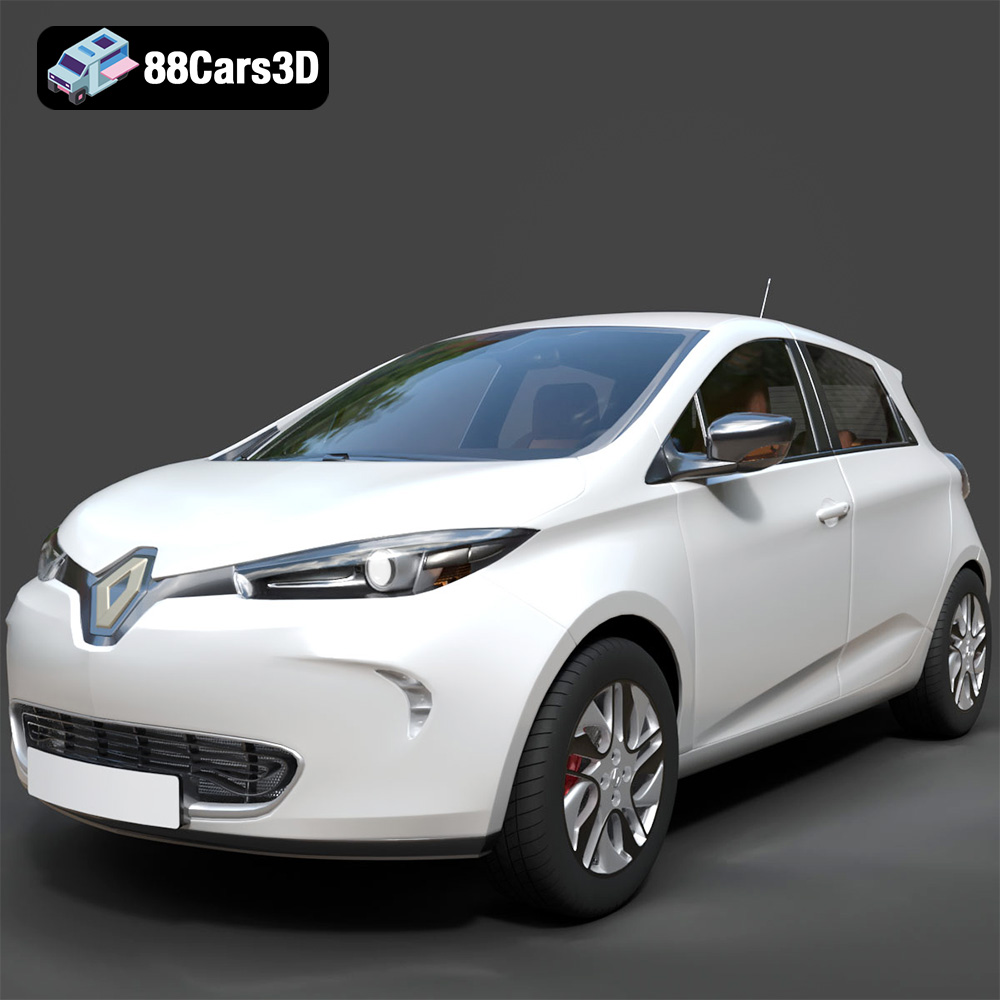
Texture: Yes
Material: Yes
Download the Renault Zoe 3D Model featuring clean geometry, realistic detailing, and a fully modeled interior. Includes .blend, .fbx, .obj, .glb, .stl, .ply, .unreal, and .max formats for rendering, simulation, and game development.
Price: $4.99
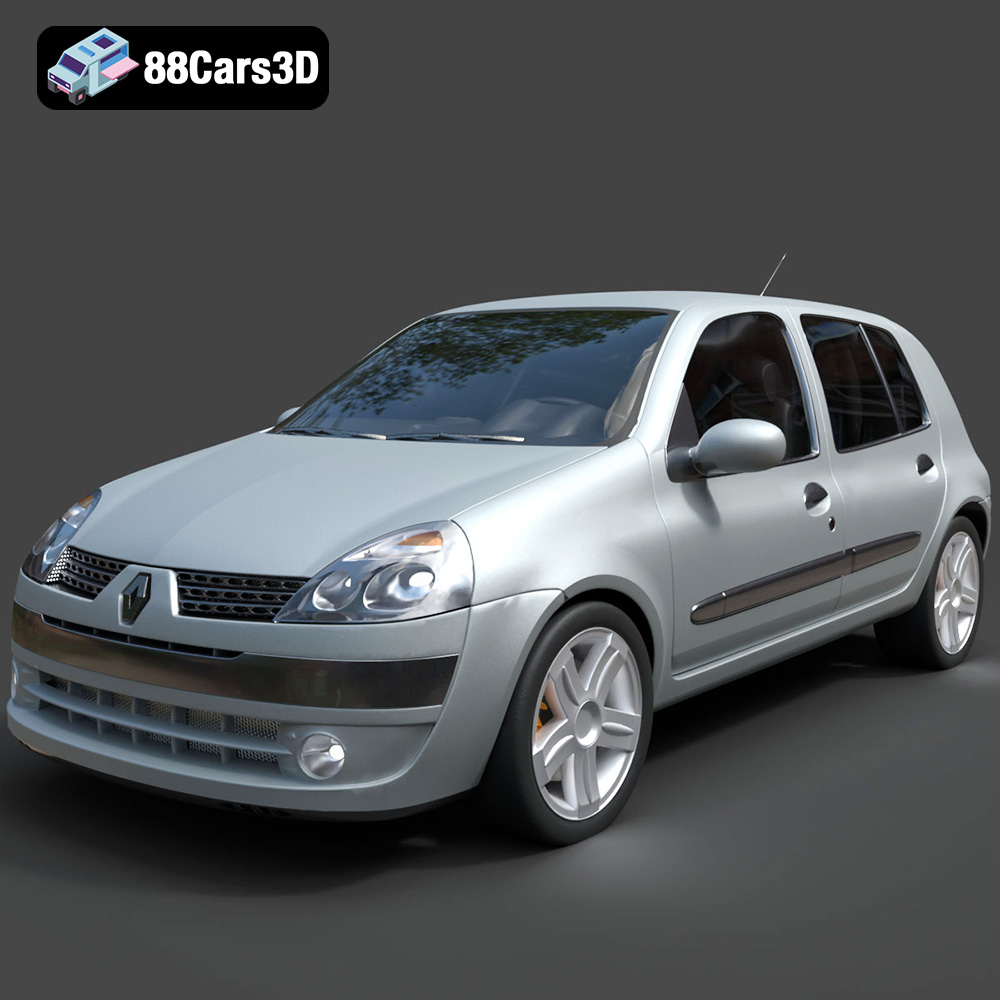
Texture: Yes
Material: Yes
Download the Renault Clio 2025 3D Model featuring clean geometry, realistic detailing, and a fully modeled interior. Includes .blend, .fbx, .obj, .glb, .stl, .ply, .unreal, and .max formats for rendering, simulation, and game development.
Price: $4.99
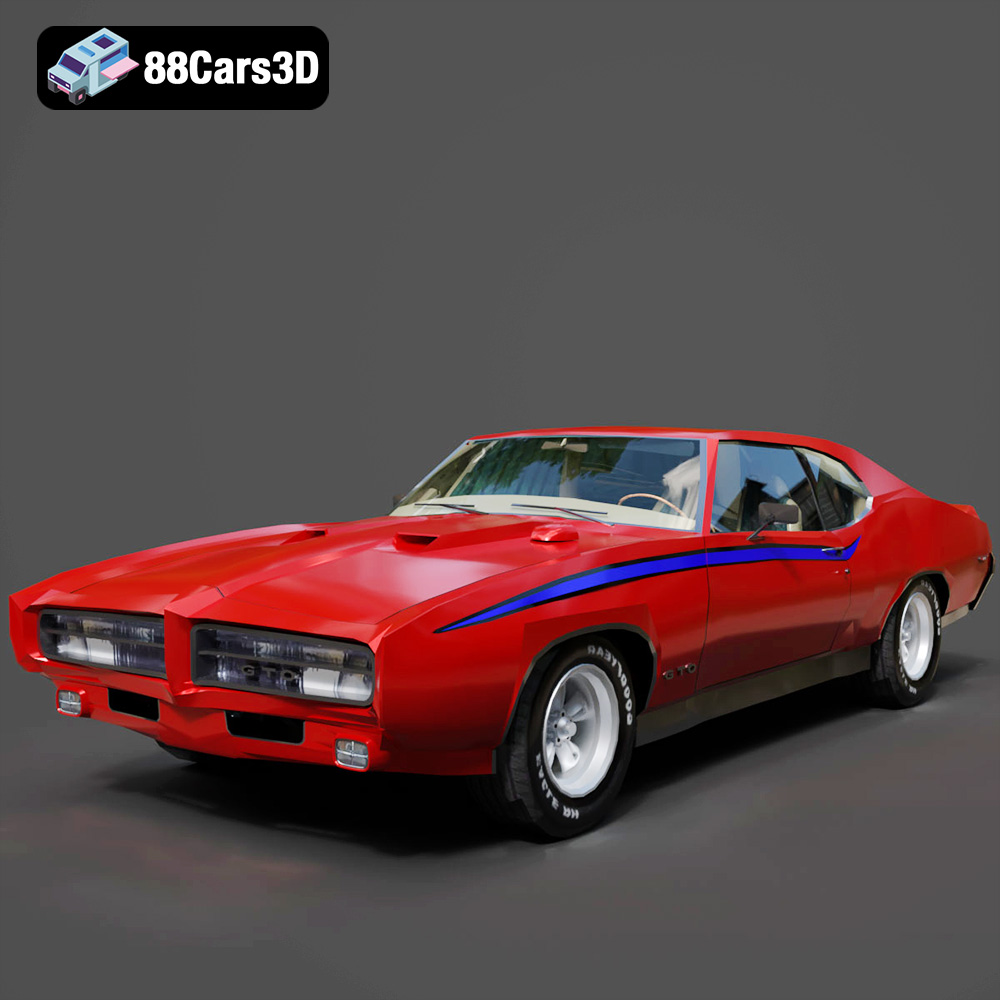
Texture: Yes
Material: Yes
Download the Pontiac GTO The Judge 1969 3D Model featuring clean geometry, realistic detailing, and a fully modeled interior. Includes .blend, .fbx, .obj, .glb, .stl, .ply, .unreal, and .max formats for rendering, simulation, and game development.
Price: $4.99
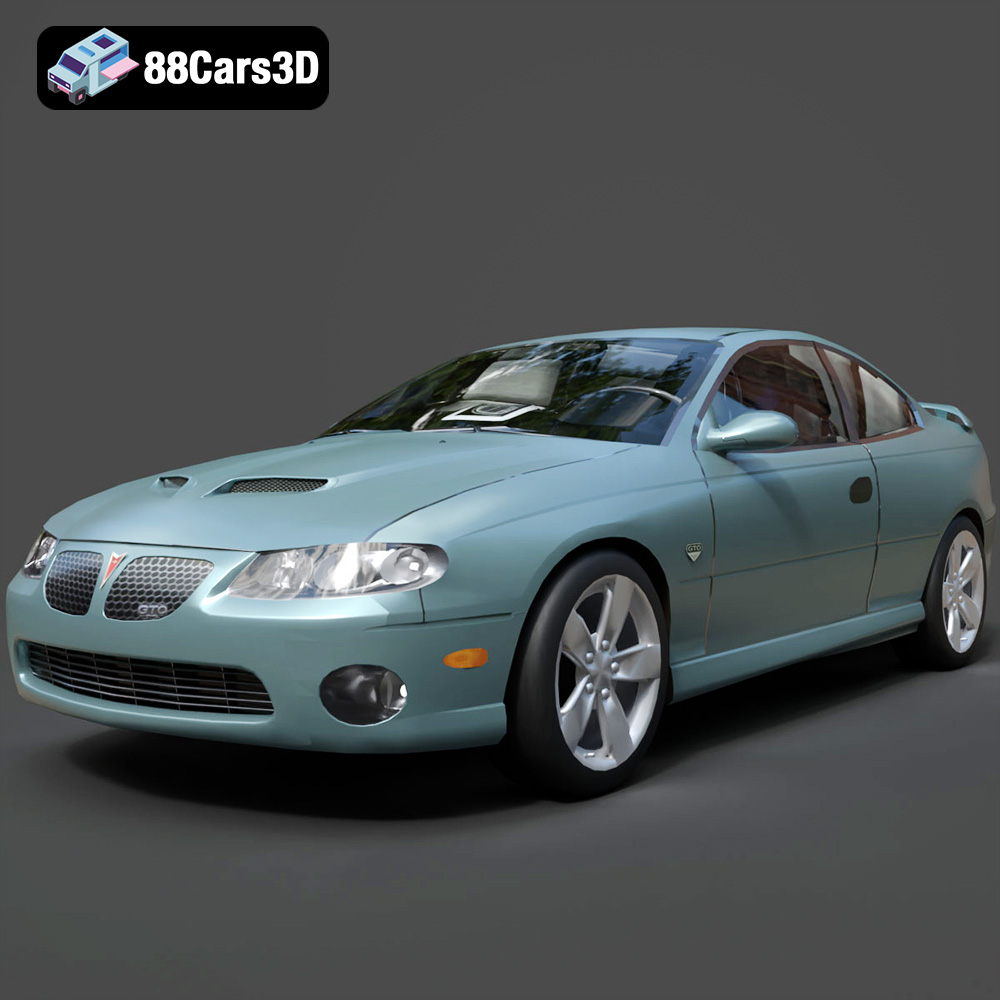
Texture: Yes
Material: Yes
Download the Pontiac GTO 2000 3D Model featuring clean geometry, realistic detailing, and a fully modeled interior. Includes .blend, .fbx, .obj, .glb, .stl, .ply, .unreal, and .max formats for rendering, simulation, and game development.
Price: $4.99
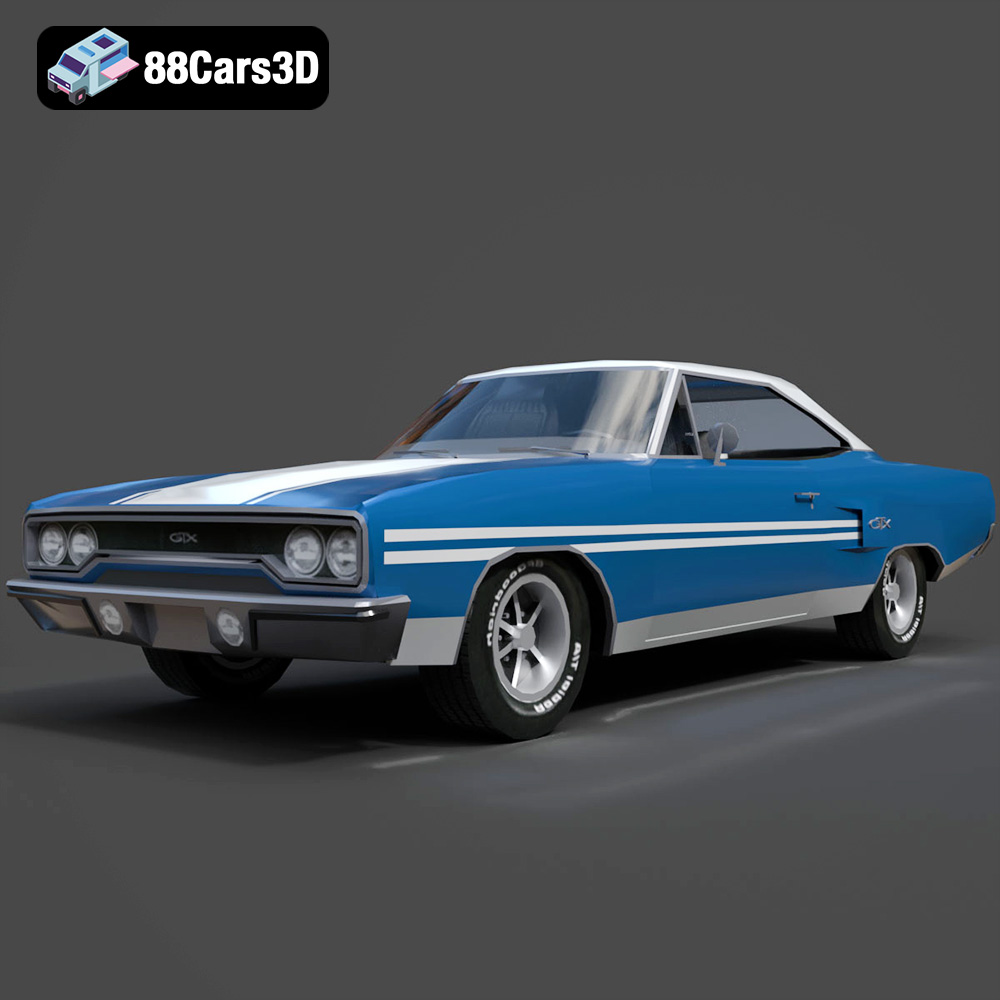
Texture: Yes
Material: Yes
Download the Plymouth GTX 1970 3D Model featuring clean geometry, realistic detailing, and a fully modeled interior. Includes .blend, .fbx, .obj, .glb, .stl, .ply, .unreal, and .max formats for rendering, simulation, and game development.
Price: $10
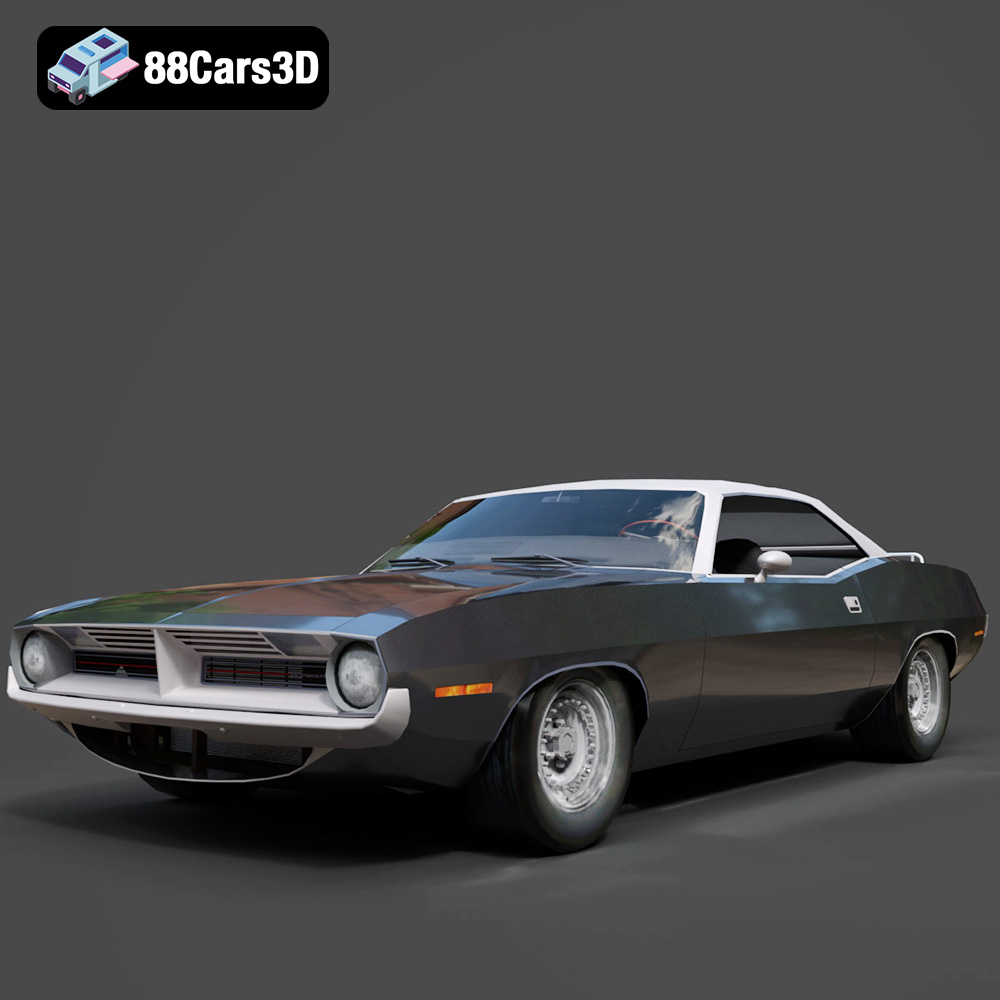
Texture: Yes
Material: Yes
Download the Plymouth Cuda Cabrio 1970 3D Model featuring clean geometry, realistic detailing, and a fully modeled interior. Includes .blend, .fbx, .obj, .glb, .stl, .ply, .unreal, and .max formats for rendering, simulation, and game development.
Price: $4.99
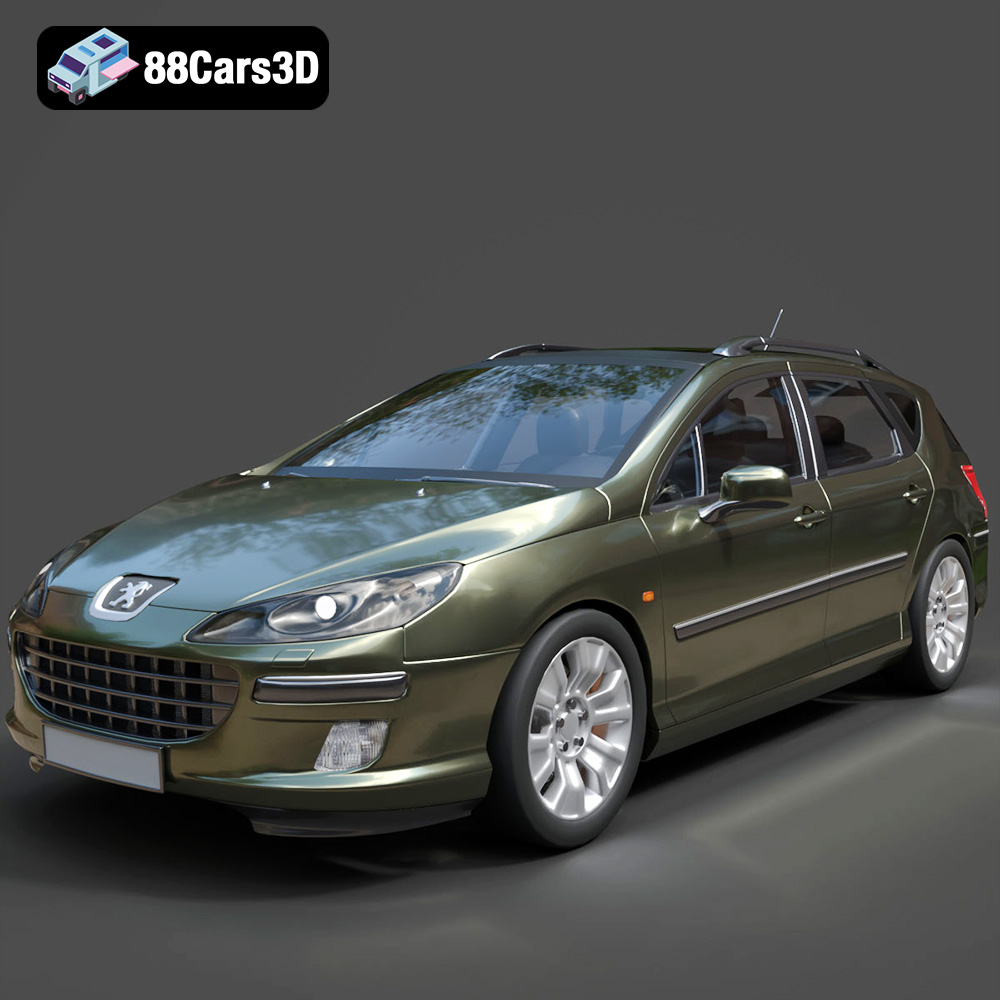
Texture: Yes
Material: Yes
Download the Peugeot 407 SW 3D Model featuring clean geometry, realistic detailing, and a fully modeled interior. Includes .blend, .fbx, .obj, .glb, .stl, .ply, .unreal, and .max formats for rendering, simulation, and game development.
Price: $4.99
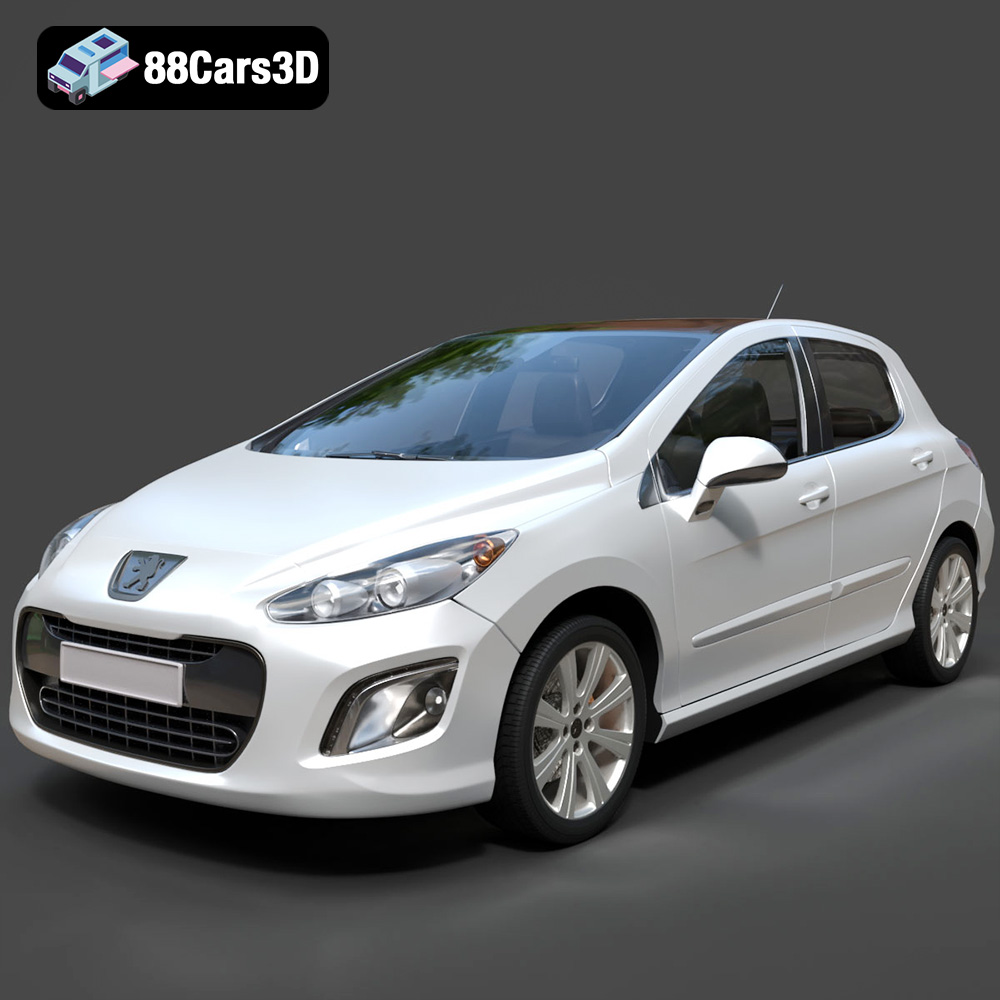
Texture: Yes
Material: Yes
Download the Peugeot 308 3D Model featuring clean geometry, realistic detailing, and a fully modeled interior. Includes .blend, .fbx, .obj, .glb, .stl, .ply, .unreal, and .max formats for rendering, simulation, and game development.
Price: $4.99
Texture: Yes
Material: Yes
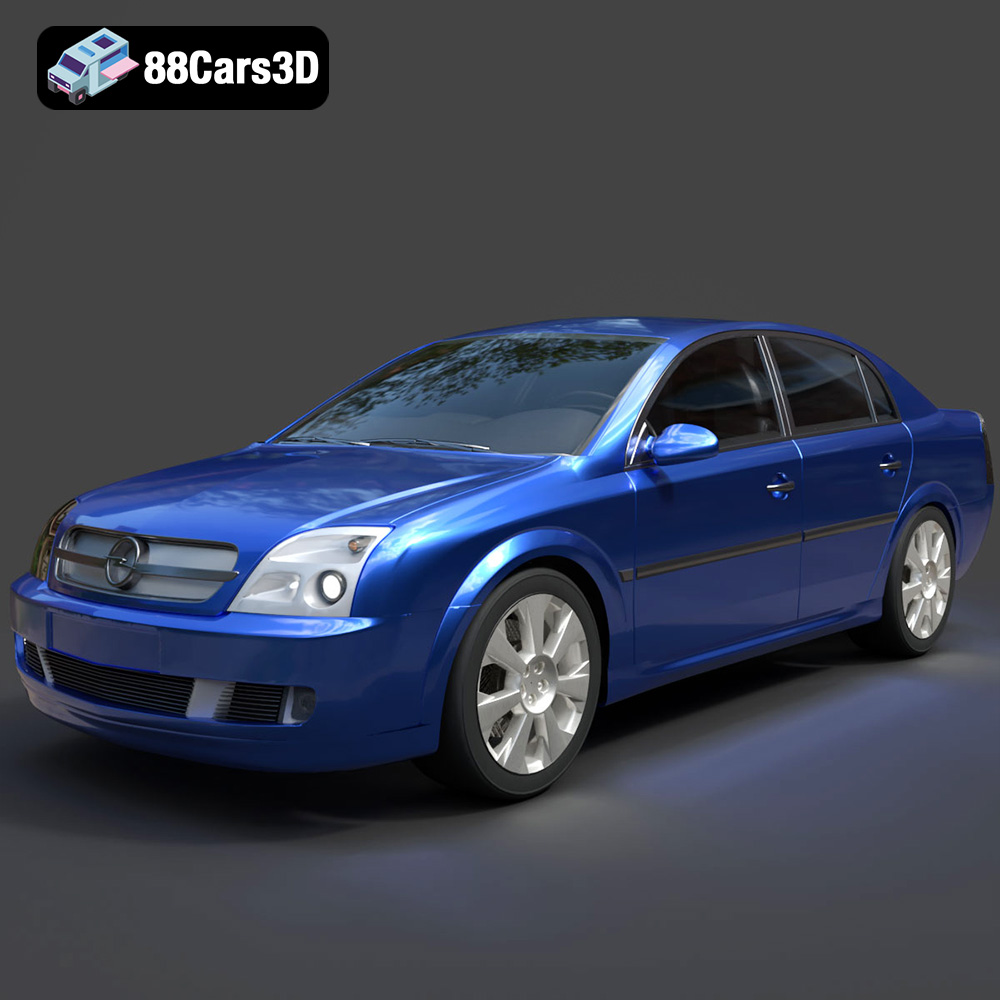
Download the Opel Vectra C 3D Model featuring clean geometry, realistic detailing, and a fully modeled interior. Includes .blend, .fbx, .obj, .glb, .stl, .ply, .unreal, and .max formats for rendering, simulation, and game development.
Price: $10
Texture: Yes
Material: Yes
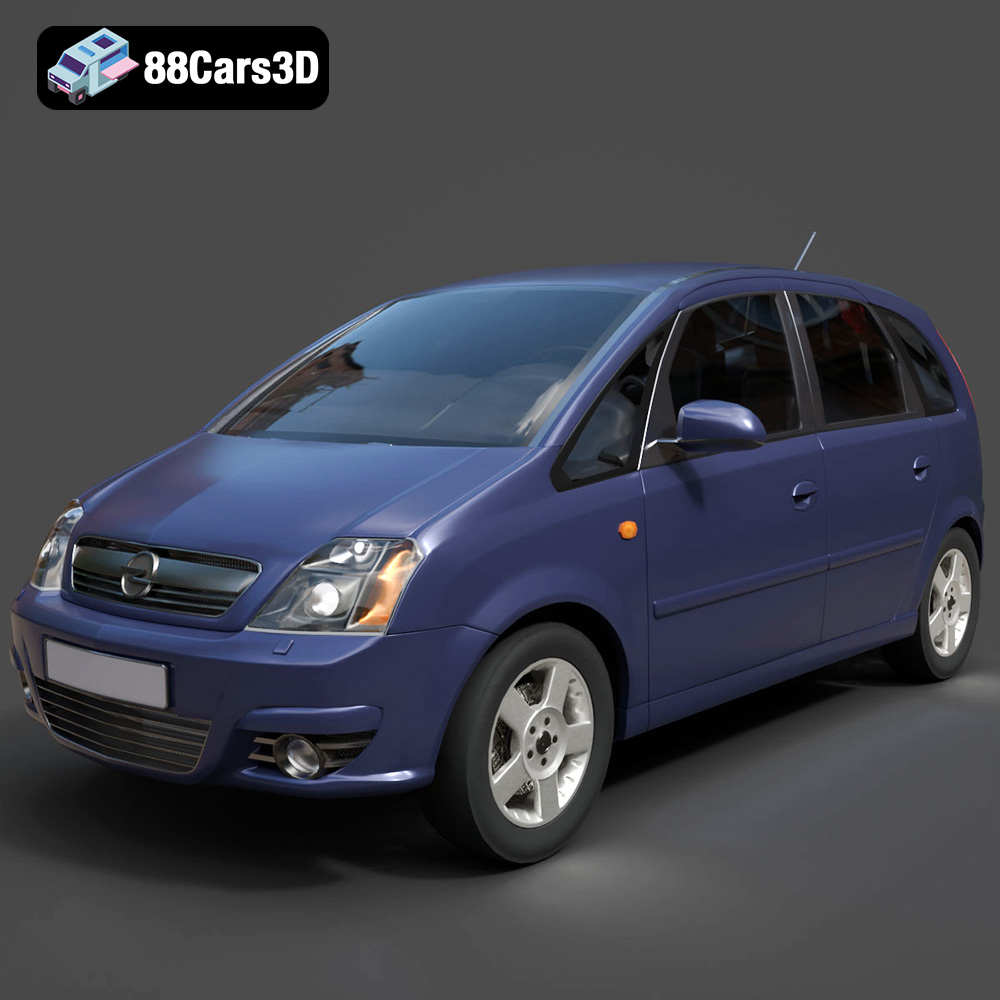
Download the Opel Meriva 3D Model featuring clean geometry, realistic detailing, and a fully modeled interior. Includes .blend, .fbx, .obj, .glb, .stl, .ply, .unreal, and .max formats for rendering, simulation, and game development.
Price: $4.99

