The automotive world has always been at the forefront of innovation, pushing boundaries in design, engineering, and manufacturing. Today, the digital realm converges with physical production in revolutionary ways, largely thanks to advancements in 3D car models and 3D printing technology. From conceptualizing breathtaking new vehicles to fabricating bespoke custom 3D car parts, the power of 3D digital assets is transforming every facet of the industry.
Whether you’re an aspiring 3D artist, a game developer crafting immersive experiences, an automotive engineer visualizing complex components, or a hobbyist seeking to bring unique designs to life, understanding the intricate details of 3D modeling and its applications is crucial. This comprehensive guide will delve deep into the technical workflows behind creating, optimizing, rendering, and ultimately printing high-quality automotive 3D designs. We’ll explore everything from the foundational principles of topology and UV mapping to the advanced techniques of PBR material creation, game engine optimization, and the specific considerations for 3D printing functional or aesthetic car parts. Prepare to unlock the full potential of your digital automotive creations.
The Foundation: Crafting High-Quality 3D Car Models
At the heart of any successful 3D project lies a meticulously crafted model. For automotive designs, precision and attention to detail are paramount. A high-quality 3D car model isn’t just about looking good; it’s about robust underlying data that supports a myriad of applications, from stunning automotive rendering to seamless integration into game engines or preparation for 3D printing. The journey begins with clean topology and efficient UV mapping, which are the backbone of any professional asset.
When sourcing models from marketplaces such as 88cars3d.com, artists and developers prioritize assets with clean geometry. This ensures flexibility for modifications, optimal performance, and predictable rendering results. A poorly constructed model, regardless of how good it looks initially, will inevitably lead to headaches down the line when attempting to animate, subdivide, texture, or export it to different platforms. Understanding these foundational principles is not just about making beautiful renders, but about building future-proof assets.
Topology and Edge Flow for Automotive Surfaces
Topology refers to the arrangement of polygons (usually quads) that make up your 3D model’s surface. For automotive designs, where smooth, reflective surfaces and crisp lines are crucial, impeccable topology is non-negotiable. The goal is to create an “all-quad” mesh with consistent polygon density, especially in areas of high curvature or detail. Good edge flow dictates how these polygons flow across the surface, following the natural contours and creases of the vehicle. This is critical for several reasons:
- Subdivision Surfaces: Clean topology allows for smooth subdivision (e.g., using TurboSmooth in 3ds Max or Subdivision Surface modifier in Blender) without pinching or unwanted artifacts. This is how high-fidelity surfaces are often achieved from a lower-poly base.
- Deformation and Animation: While cars aren’t typically organic, parts like doors, hoods, and suspension components need to move cleanly. Good edge flow ensures these movements are smooth and predictable.
- UV Mapping: Logical edge loops simplify the process of cutting UV seams, minimizing distortion and making texture application more straightforward.
- Mesh Editing: With clean topology, selecting edge loops, rings, and faces for modifications becomes intuitive and precise, saving significant time during detailing or revisions.
Aim for consistent quad distribution across major panels, using supporting edge loops to define sharp corners and intricate details without introducing unnecessary polygons in flat areas. Techniques like “pole management” (ensuring 3 or 5 edges meet at a vertex, avoiding 6+) and preventing “ngons” (polygons with more than 4 sides) are vital for maintaining mesh integrity.
Precision in UV Mapping and Texture Atlasing
UV mapping is the process of unwrapping your 3D model’s surface into a 2D space, allowing textures to be painted or applied without stretching or distortion. For the complex, often large surfaces of a car, meticulous UV unwrapping is essential for high-quality textures and realistic materials. A well-laid-out UV map maximizes texture resolution and minimizes seams.
- Seam Placement: Strategically place seams in less visible areas or along natural breaks in the geometry (e.g., panel gaps, edges of trim). The goal is to hide them as much as possible while creating easily unwrapped islands.
- Minimizing Distortion: Use tools in your 3D software (e.g., Peel & Relax in 3ds Max, UV Editor in Blender/Maya) to evenly distribute UVs and prevent texture stretching. Checkerboard patterns are excellent visual aids for checking distortion.
- Texel Density: Maintain a consistent texel density (pixels per unit of surface area) across all major parts of the car. This ensures that a 4K texture on a large panel doesn’t look blurry compared to a smaller, equally important detail.
- Texture Atlasing: For optimized game assets or real-time applications, consolidating multiple smaller textures into a single, larger texture map (an atlas) can significantly reduce draw calls and improve performance. This requires careful packing of multiple UV islands into one UV space, maximizing the use of the 0-1 UV square.
- UDIM Workflow: For extremely high-detail models or feature film assets, the UDIM workflow (e.g., in Substance Painter, Mari) allows you to use multiple UV tiles, each with its own texture set, maintaining high resolution across vast surfaces without resorting to massive single texture files.
Mastering UV mapping ensures that the hard work put into modeling is matched by equally stunning texture work, critical for realistic automotive rendering.
Bringing Cars to Life: PBR Materials and Advanced Shading
Once a 3D car model is meticulously crafted and UV mapped, the next crucial step is to define its surface properties. This is where Physically Based Rendering (PBR) materials come into play, offering a scientifically accurate way to represent how light interacts with surfaces. PBR has become the industry standard for achieving photorealistic results in rendering and consistent looks across different environments and lighting conditions, making it indispensable for high-quality automotive rendering.
The complexity of automotive finishes—from metallic paints with clear coats to intricate carbon fiber textures and realistic rubber—demands a sophisticated approach to shading. Understanding how to build robust PBR shader networks and leveraging advanced texturing techniques will elevate your automotive 3D designs from good to truly exceptional, whether for marketing visualizations or immersive game environments.
Crafting Realistic PBR Shader Networks
PBR materials rely on a set of standardized texture maps to describe a surface’s properties. The two primary workflows are Metallic/Roughness and Specular/Glossiness, with Metallic/Roughness being the more prevalent in modern pipelines. Key maps include:
- Albedo/Base Color: Defines the diffuse color of the surface, excluding any lighting information. For metals, this map might represent the color of the metal itself.
- Metallic: A grayscale map (0 to 1) indicating how metallic a surface is. 0 is dielectric (non-metal), 1 is pure metal.
- Roughness (or Glossiness): A grayscale map (0 to 1) defining how rough a surface is. 0 is perfectly smooth/shiny, 1 is completely rough/matte. (Glossiness is the inverse).
- Normal Map: Provides high-frequency surface detail (bumps, scratches, panel lines) without adding actual geometry. It fakes surface imperfections, making details appear much more intricate.
- Ambient Occlusion (AO): A grayscale map that simulates soft shadows in crevices and corners, enhancing depth and realism. Often baked from the high-poly model.
- Displacement Map: A grayscale map that physically displaces mesh vertices, adding real geometric detail. More computationally expensive but offers unparalleled realism for specific surfaces.
Building a shader network involves connecting these maps to the appropriate inputs of your PBR material node (e.g., Principled BSDF in Blender, CoronaPhysicalMtl in Corona Renderer, V-RayMtl in V-Ray). For car paint, you’ll often layer multiple materials, simulating a base coat, metallic flakes, and a clear coat, using blend nodes and masks. Transparent materials like glass require specific setups for reflection, refraction, and tint, often involving volumetric effects for realism in thick glass elements.
Texturing Techniques for Automotive Finishes
Creating believable automotive textures is an art form. It goes beyond simply applying a color; it involves simulating the subtle imperfections, wear, and unique properties of real-world materials.
- Procedural Texturing: Leveraging nodes within your shader editor (e.g., noise, gradients, curvature maps) can create highly customizable and resolution-independent textures for subtle variations, grime, or wear effects.
- Substance Painter/Designer: These industry-standard tools allow artists to paint directly onto 3D models, generate procedural textures, and export PBR map sets with incredible efficiency. Features like smart masks and generators make quick work of adding edge wear, dirt, or rust.
- High-Resolution Detail: For close-up shots or hero assets, texture resolutions of 4K or even 8K are common for major body panels. Smaller components like bolts or emblems might use 2K or 1K textures. This attention to detail ensures sharpness and realism even under scrutiny.
- Wear and Tear: Few cars are pristine. Incorporating subtle scratches, dust, water spots, or even light orange peel texture into your roughness and normal maps can significantly enhance realism. Using real-world reference is critical here.
- Decals and Branding: Logos, badges, racing stripes, and other decals are often applied as separate texture layers or masked materials, ensuring they retain their sharpness and distinct material properties over the base paint.
The synergy between well-structured PBR materials and high-quality textures is what truly brings the exquisite detail of 3D car models to life.
The Art of Automotive Visualization: Rendering Workflows
Once your 3D car model is expertly textured with PBR materials, the next step is to showcase it in the best possible light. Automotive rendering is a specialized field focused on creating photorealistic images or animations of vehicles, essential for marketing, design reviews, and compelling presentations. This process involves meticulous lighting, environment setup, and often, extensive post-processing to achieve that final, polished look.
Modern render engines, whether CPU-based or GPU-accelerated, offer incredible power and realism. Understanding how to leverage their features, combined with professional lighting techniques, is key to producing images that are indistinguishable from photographs. From studio shots to dynamic outdoor scenes, the rendering workflow is where your automotive 3D designs truly shine.
Lighting and Environment Setup for Photorealism
Lighting is arguably the most critical element in achieving photorealism. A car’s reflective surfaces brilliantly expose any flaws or strengths in your lighting setup. Here are key considerations:
- HDRIs (High Dynamic Range Images): These are indispensable for realistic automotive lighting. An HDRI captures real-world light information (color, intensity, direction) and projects it onto your scene, acting as both an environment map for reflections and a primary light source. Using HDRIs from car studios or outdoor locations provides instant realistic lighting and reflections.
- Physical Lights: Supplement HDRIs with targeted physical lights (e.g., Corona Lights, V-Ray Lights, Arnold lights) to emphasize specific details, create highlights, or simulate interior illumination. Rectangle lights are excellent for creating soft, elongated reflections on body panels. Spherical lights can mimic practical lights or subtle fill.
- Camera Settings: Mimic real-world camera settings. Use appropriate focal lengths (e.g., 85mm-135mm for flattering automotive shots), adjust depth of field for cinematic blur (bokeh), and set white balance correctly.
- Environment: Even if only visible through reflections, a realistic environment is crucial. This can be a simple backdrop with a floor, or a fully modeled scene. Ensure the ground material interacts realistically with the car’s shadows and reflections.
- Light Linking/Excluding: In advanced scenarios, you might link specific lights to only illuminate certain objects or exclude others to gain precise control over reflections and illumination, particularly useful for interior shots or intricate details.
Experimentation and studying real-world automotive photography are essential for mastering this aspect.
Render Engine Specifics (Corona, V-Ray, Cycles, Arnold)
Different render engines offer unique strengths and workflows. While principles remain similar, specific settings and features vary:
- Corona Renderer (3ds Max, Cinema 4D): Known for its ease of use, intuitive interface, and high-quality physically based results. Its interactive rendering is incredibly fast for tweaking scenes in real-time. Features like LightMix for adjusting lights after rendering and comprehensive denoising are powerful.
- V-Ray (3ds Max, Maya, SketchUp, etc.): A long-standing industry standard, V-Ray is incredibly versatile and powerful, offering a vast array of features for complex scenes, animation, and production pipelines. Its material system is robust, and it offers both CPU and GPU rendering options.
- Cycles (Blender): Blender’s integrated path tracer, Cycles, is powerful and flexible. It offers node-based materials, GPU acceleration (CUDA, OptiX, Metal), and excellent integration within Blender’s ecosystem. Constant improvements make it a strong contender for high-quality automotive rendering.
- Arnold (Maya, 3ds Max, Houdini): Primarily a CPU renderer (though GPU rendering is now available), Arnold is known for its uncompromising quality, especially for complex geometries and volumetric effects. It excels in film and TV production due to its robust architecture and realistic physically-based engine.
Each engine has its learning curve, but all are capable of producing stunning automotive 3D designs. Choose one that best fits your software ecosystem and project requirements.
Post-Processing and Compositing for Impact
A raw render straight from the engine rarely looks finished. Post-processing in software like Adobe Photoshop, Affinity Photo, or even directly within your 3D application’s frame buffer, is crucial for adding that final layer of polish. This stage often includes:
- Color Correction: Adjusting exposure, contrast, white balance, and saturation to enhance mood and realism.
- Levels and Curves: Fine-tuning the tonal range of the image for greater depth and visual pop.
- Vignetting: Subtly darkening the edges of the image to draw attention to the center, where the car usually resides.
- Chromatic Aberration & Lens Distortion: Mimicking real camera lens imperfections can add a touch of photographic realism.
- Bloom/Glow: Adding a soft glow to bright areas, like headlights or very reflective surfaces, can enhance visual appeal.
- Sharpening: Carefully applying sharpening to bring out fine details in the car’s body and textures.
- Render Passes/AOV’s: Utilizing render passes (e.g., Z-depth, diffuse, reflection, refractions, normals, object IDs) allows for incredible control during compositing, enabling selective adjustments to different elements of the scene without re-rendering.
This final step is where you can truly elevate your render into a compelling piece of visual communication, making your automotive rendering projects stand out.
Driving Digital Performance: Game Engine & AR/VR Optimization
While photorealistic renders aim for maximum detail, integrating 3D car models into real-time environments like game engines or AR/VR applications demands a different set of considerations. Here, performance is paramount, and every polygon, texture, and draw call needs to be carefully managed. The goal is to deliver visually rich experiences at smooth frame rates across a range of hardware, making optimization a critical skill for interactive automotive 3D designs.
Whether developing for a high-end PC game, a mobile AR app, or a VR training simulator, understanding how to prepare your assets for efficiency without sacrificing visual quality is key. This section delves into the technical strategies that ensure your game assets run smoothly and look fantastic in real-time.
LODs, Draw Calls, and Performance Budgets
Optimization for real-time applications revolves around managing complexity:
- Polygon Count: A critical factor. While a hero car for cinematic renders might have millions of polygons, a game-ready model needs to be significantly optimized. A general guideline for hero cars in AAA games might be 50,000-150,000 triangles, while background cars or mobile assets could be as low as 5,000-20,000. This requires careful retopology or polygon reduction techniques (decimation).
- Level of Detail (LODs): LODs are essential. This technique involves creating multiple versions of the same model, each with progressively fewer polygons and simpler materials. As the car moves further from the camera, the engine switches to a lower LOD, drastically reducing the computational load. Typically, 3-5 LODs are created, with the lowest LOD often being a simple proxy or billboard.
- Draw Calls: Every time the CPU tells the GPU to render something (a mesh, a material, a light), it’s a draw call. Minimizing draw calls is crucial for performance. Techniques include combining meshes (batching), using texture atlases (reducing material count), and instancing. For a car, parts like brake calipers, wheels, and interior elements can contribute significantly to draw calls if not managed.
- Performance Budgets: Game developers work within strict performance budgets for polygons, draw calls, texture memory, and shader complexity. Understanding these limits, often defined by the target platform (PC, console, mobile), guides every optimization decision for your 3D car models.
File Formats and Compatibility for Interactive Experiences
Choosing the right file format and understanding its implications for export and import is vital for real-time pipelines:
- FBX (Filmbox): The industry standard for game asset exchange. FBX supports meshes, materials, textures, animations, and skeletal data. It’s universally supported by major 3D software (3ds Max, Blender, Maya) and game engines (Unity, Unreal Engine). Ensure proper export settings (e.g., embed media, triangulate geometry, correct axis system).
- OBJ (Wavefront Object): A simpler format, primarily for geometry and basic material information. Less comprehensive than FBX, but widely compatible. Useful for quick mesh transfers.
- GLB/glTF (GL Transmission Format): An open standard gaining significant traction, especially for web-based 3D, AR, and VR. GLB is the binary version of glTF, bundling all assets (model, textures, animations) into a single file, making it incredibly efficient for delivery. It supports PBR materials natively. Platforms like 88cars3d.com often provide models in GLB for direct integration into web viewers or AR apps.
- USDZ (Universal Scene Description Zip): Apple’s proprietary format for AR experiences on iOS devices. Like GLB, it packages assets for efficient delivery and supports PBR. Converting FBX or GLB to USDZ is often a final step for iOS AR apps.
Always verify units (centimeters vs. meters) during export/import to prevent scaling issues in the engine.
AR/VR-Specific Optimization Techniques
AR/VR imposes even stricter performance requirements due to the need for high frame rates (90+ FPS for VR) and often limited mobile hardware for AR:
- Mobile-First Mindset: For AR on smartphones, treat your assets like mobile game assets. Aggressive LODs, texture atlasing, and very low draw call counts are critical.
- Baked Lighting: Pre-calculating lighting information (lightmaps) onto textures is a powerful optimization. Instead of real-time lighting calculations, the engine simply samples a texture, drastically reducing GPU load, especially for static elements.
- Occlusion Culling: Hides objects that are obscured by others, preventing the GPU from rendering unseen geometry. Very effective for interiors or multi-part car assemblies.
- Shader Optimization: Complex PBR shaders can be simplified for mobile AR/VR. Consider using simpler unlit or mobile-optimized shaders where possible, or baking complex shader effects into textures.
- Single Pass Stereo Rendering (VR): Renders both eyes in a single pass, improving performance over traditional multi-pass stereo rendering. Ensure your engine supports and utilizes this.
- Texture Compression: Use appropriate texture compression formats (e.g., ETC2 for Android, PVRTC for iOS, ASTC for wider support) to reduce memory footprint without significant visual degradation.
By implementing these strategies, your automotive 3D designs can deliver compelling and performant experiences across the rapidly expanding landscape of interactive digital media.
From Screen to Reality: Preparing 3D Car Models for 3D Printing
The ability to transform a digital 3D car model into a tangible object is one of the most exciting applications of modern 3D technology. 3D printing has revolutionized prototyping, custom part manufacturing, and even hobbyist projects, allowing for the creation of unique custom 3D car parts, scale models, and functional components. However, preparing a model for 3D printing requires a different set of technical considerations compared to rendering or game development.
The transition from a virtual model to a physical object involves ensuring mesh integrity, correct scaling, and understanding the nuances of various printing technologies and materials. A model that looks perfect on screen might have hidden issues that lead to print failures. This section will guide you through the essential steps to make your automotive 3D designs print-ready.
Mesh Integrity and Watertight Models
The most crucial requirement for a successful 3D print is a “watertight” or “manifold” mesh. This means the model must be a completely closed volume with no holes, inverted normals, or self-intersecting geometry. Imagine filling the model with water – if any water leaks out, it’s not watertight. Key aspects include:
- No Gaps or Holes: Ensure all surfaces are connected, and there are no open edges or missing faces, especially at seams between different parts. Tools like Blender’s “3D Print Toolbox” add-on or the “Print3D” tools in 3ds Max can help identify and repair these issues.
- Correct Normals: All face normals must consistently point outwards. Inverted normals can cause slicing software to interpret parts of the model as voids or generate incorrect infill.
- Avoid Non-Manifold Geometry: This includes edges shared by more than two faces, vertices not connected to any edge, or faces sharing only a single edge. These ambiguities confuse slicing software. Most 3D software has cleanup tools to detect and fix these.
- Wall Thickness: Ensure all parts of your model have a minimum wall thickness appropriate for your chosen printing material and process. Too thin, and they might break during printing or post-processing; too thick, and they might waste material or be prone to warping. Typical minimums range from 0.8mm to 2mm depending on the material and printer.
- Polygon Count: While real-time assets aim for lower poly counts, for 3D printing, higher resolution models can capture finer details. However, excessively high polygon counts (millions of triangles) can make slicing software slow or even crash. Optimize by decimating areas that don’t require extreme detail, but retain enough geometry to capture the smooth curves of your automotive 3D designs. The standard file format for 3D printing is STL (stereolithography), which describes surfaces using collections of triangles.
Scaling, Orientation, and Support Structures
Beyond mesh integrity, several practical considerations impact print success:
- Correct Scaling: Ensure your model is exported with the correct real-world scale. If you modeled a car at 1:1 scale in meters, make sure your slicing software interprets it correctly. Incorrect scaling is a common reason for prints that are too small or too large.
- Optimal Orientation: The way you orient your model on the print bed significantly affects print quality, required supports, and print time.
- Minimize overhangs to reduce the need for support structures.
- Orient flat surfaces parallel to the build plate for better adhesion.
- Consider splitting large models into smaller, easier-to-print parts that can be assembled afterward.
- Support Structures: For FDM (Fused Deposition Modeling) and SLA (Stereolithography) printers, support structures are necessary for any overhanging parts that cannot be printed in thin air. While modern slicers generate these automatically, understanding how they work and manually adjusting them can prevent print failures and reduce post-processing. Too many supports can damage the model upon removal; too few can lead to droopy or failed sections.
- Tolerances: If your model has interlocking or moving parts (like custom hinges for a car door), account for printing tolerances. Parts designed to fit perfectly in 3D software often won’t fit after printing due to slight material expansion/contraction or printer inaccuracies. Adding a small gap (e.g., 0.1mm – 0.3mm) between mating surfaces is often necessary.
Material Considerations for Automotive Parts
The choice of 3D printing material directly impacts the properties of your custom 3D car parts:
- PLA (Polylactic Acid): Easy to print, biodegradable, and comes in many colors. Great for aesthetic models, display pieces, or non-functional prototypes. Not ideal for high temperatures or structural parts.
- ABS (Acrylonitrile Butadiene Styrene): Stronger and more heat-resistant than PLA, making it suitable for functional prototypes and parts exposed to moderate stress. Requires a heated bed and can emit fumes.
- PETG (Polyethylene Terephthalate Glycol): Combines the ease of printing of PLA with the strength and durability of ABS, plus good chemical resistance. Excellent for functional car parts under the hood or exterior components.
- Nylon (Polyamide): Extremely strong, flexible, and abrasion-resistant. Ideal for gears, hinges, and other high-stress functional components. More challenging to print.
- Resins (SLA/DLP): Offer incredible detail and smooth surface finishes, perfect for highly detailed scale models, figurines, or intricate aesthetic parts. Not typically used for structural functional parts unless specialized engineering resins are chosen.
- Carbon Fiber/Glass Fiber Composites: Filaments infused with carbon or glass fibers offer significantly increased strength, stiffness, and heat resistance, making them suitable for high-performance custom 3D car parts where lightweight and strength are critical.
By carefully considering these technical aspects, you can confidently transition your exquisite automotive 3D designs from the digital realm to a tangible reality, creating functional prototypes, display models, or unique customizations.
Custom 3D Car Parts: Design, Prototyping, and Fabrication
The true power of 3D technology in the automotive world isn’t just in creating visualizations or scale models, but in its ability to enable rapid innovation and personalization. Designing and fabricating custom 3D car parts opens up unprecedented opportunities for enthusiasts, tuners, and even major manufacturers. From bespoke interior trim to aerodynamic body kits and functional engine components, 3D printing empowers us to move beyond mass-produced parts and into an era of tailor-made automotive solutions.
This section explores the workflow for creating functional and aesthetic custom 3D car parts, delving into the design considerations, prototyping methodologies, and post-processing techniques that bring these unique creations to life. Whether you’re enhancing performance, replacing an obsolete component, or simply adding a personal touch, understanding these processes is key.
Reverse Engineering and Design for Additive Manufacturing
Often, creating a custom 3D car part begins not from a blank canvas, but by adapting an existing component or integrating with an existing vehicle structure. This process is known as reverse engineering:
- 3D Scanning: For existing parts, 3D scanning (using structured light, laser, or photogrammetry) captures precise geometric data. The resulting mesh can then be imported into CAD software (like Fusion 360, SolidWorks, or Rhino) for cleanup, reconstruction, and parameterization.
- Measurement and CAD Modeling: For simpler parts, precise manual measurements (calipers, micrometers) followed by direct CAD modeling are effective. Focusing on critical dimensions, mounting points, and clearances is paramount.
- Design for Additive Manufacturing (DFAM): Unlike traditional subtractive manufacturing, 3D printing has unique design freedoms and constraints.
- Complexity for Free: Additive manufacturing thrives on complexity. Intricate internal geometries, lattice structures, and organic shapes that would be impossible or prohibitively expensive with traditional methods are achievable. This can lead to lighter, stronger parts.
- Material Properties: Design to leverage the chosen material’s characteristics (e.g., strength, flexibility, heat resistance).
- Minimize Overhangs and Supports: While supports can be generated, designing parts with minimal overhangs (or self-supporting angles, typically >45 degrees) improves surface finish and reduces post-processing.
- Assembly and Integration: Consider how the new custom part will integrate with the rest of the vehicle. Precise mounting points, bolt holes, and clearances are vital.
- Software Integration: Specialized software such as Grasshopper (for Rhino), nTopology, or even advanced generative design tools within Fusion 360 can be used to create optimized lattice structures or organic forms that enhance performance or aesthetics.
Functional Prototyping vs. Aesthetic Printing
The purpose of your custom 3D car part dictates the design and printing strategy:
- Functional Prototyping:
- Material Choice: Prioritize engineering-grade filaments (ABS, PETG, Nylon, composites) or resins with specific mechanical properties.
- Infill and Wall Thickness: Maximize strength by using higher infill percentages (e.g., 50-100%) and more perimeters/wall lines in your slicer settings.
- Dimensional Accuracy: Focus on tight tolerances. Print test pieces to verify fitment and adjust scaling or design iteratively.
- Stress Testing: Subject prototypes to real-world conditions (temperature, vibration, load) to identify failure points and refine the design.
- Post-Processing: May involve drilling, tapping, or sanding to achieve final fit.
- Aesthetic Printing (Display or Interior Trim):
- Material Choice: PLA, standard resins, or colored filaments are suitable. Focus on surface finish and visual appeal.
- Resolution: Print at finer layer heights for smoother surfaces (e.g., 0.1mm – 0.16mm for FDM, or high-resolution SLA prints).
- Surface Finish: Consider post-processing techniques like sanding, priming, painting, or vapor smoothing (for ABS) to achieve a professional, OEM-like finish.
- Color and Texture: Choose filaments or resins that match desired colors or mimic textures (e.g., carbon fiber infused filaments).
Post-Processing 3D Printed Car Parts
Raw 3D prints often require significant post-processing to achieve the desired look and feel for custom 3D car parts:
- Support Removal: Carefully remove support structures using pliers, cutters, or scalpels. For soluble supports, chemical baths are used.
- Sanding: Start with coarse grit sandpaper (e.g., 180-220) to remove layer lines and major imperfections, progressively moving to finer grits (e.g., 400, 800, 1200+) for a smooth finish. Wet sanding can prevent material clogging.
- Filling and Priming: For a perfectly smooth, paintable surface, apply automotive body filler (e.g., Bondo) or specialized 3D print filler to fill any remaining imperfections, then prime with a high-build primer.
- Painting: Apply automotive-grade paints (aerosol or spray gun) for durable and aesthetic finishes. Clear coats can add gloss and UV protection.
- Vapor Smoothing: For ABS parts, acetone vapor smoothing can dissolve and re-flow the surface, eliminating layer lines and creating a glossy finish. This requires proper safety precautions.
- Assembly: Join multiple printed parts using adhesives (superglue, epoxy), fasteners (screws, bolts), or solvent welding (for specific plastics).
Through meticulous design and careful post-processing, 3D printing allows for the creation of truly unique and high-quality custom 3D car parts, pushing the boundaries of vehicle personalization and innovation. Platforms like 88cars3d.com are at the forefront, providing the foundational 3D models that fuel this exciting creative process.
Conclusion: The Road Ahead for Automotive 3D Technologies
The journey through the world of 3D car models, from intricate topology to tangible custom 3D car parts, reveals a landscape rich with technical depth and creative potential. We’ve explored the fundamental principles of crafting clean geometry, the artistry of PBR materials and advanced automotive rendering, and the crucial optimization techniques required for real-time game assets and immersive AR/VR experiences. Furthermore, we delved into the specific requirements for preparing your automotive 3D designs for successful 3D printing, transforming digital dreams into physical realities.
The convergence of high-fidelity 3D car models and additive manufacturing is not just a trend; it’s a paradigm shift. It empowers designers to iterate faster, engineers to prototype more efficiently, artists to create more stunning visuals, and enthusiasts to personalize their vehicles like never before. The meticulous detail in UV mapping, the scientific accuracy of PBR materials, the performance-driven strategies for game engines, and the precise preparation for 3D printing all underscore the sophistication required in today’s 3D automotive pipeline. As technology continues to evolve, the possibilities for creating, visualizing, and fabricating custom automotive solutions will only expand.
Whether you’re looking to enhance your rendering skills, optimize assets for interactive experiences, or bring your unique custom 3D car parts to life, the foundational knowledge and advanced techniques discussed here will serve as your guide. Embrace these powerful tools, keep learning, and let your imagination drive the future of automotive design. For high-quality, production-ready 3D car models that form the perfect starting point for any of these ambitious projects, remember to explore resources like 88cars3d.com, where exceptional assets are just a click away.
Featured 3D Car Models

Texture: Yes
Material: Yes
Download the Renault Twizy ZE 3D Model featuring clean geometry, realistic detailing, and a fully modeled interior. Includes .blend, .fbx, .obj, .glb, .stl, .ply, .unreal, and .max formats for rendering, simulation, and game development.
Price: $4.99
View Product

Texture: Yes
Material: Yes
Download the Porsche 911 GT3 3D Model featuring clean geometry, realistic detailing, and a fully modeled interior. Includes .blend, .fbx, .obj, .glb, .stl, .ply, .unreal, and .max formats for rendering, simulation, and game development.
Price: $4.99
View Product

Texture: Yes
Material: Yes
Download the Porsche 911 997 GT3 RS 4.0 2011 3D Model featuring clean geometry, realistic detailing, and a fully modeled interior. Includes .blend, .fbx, .obj, .glb, .stl, .ply, .unreal, and .max formats for rendering, simulation, and game development.
Price: $4.99
View Product
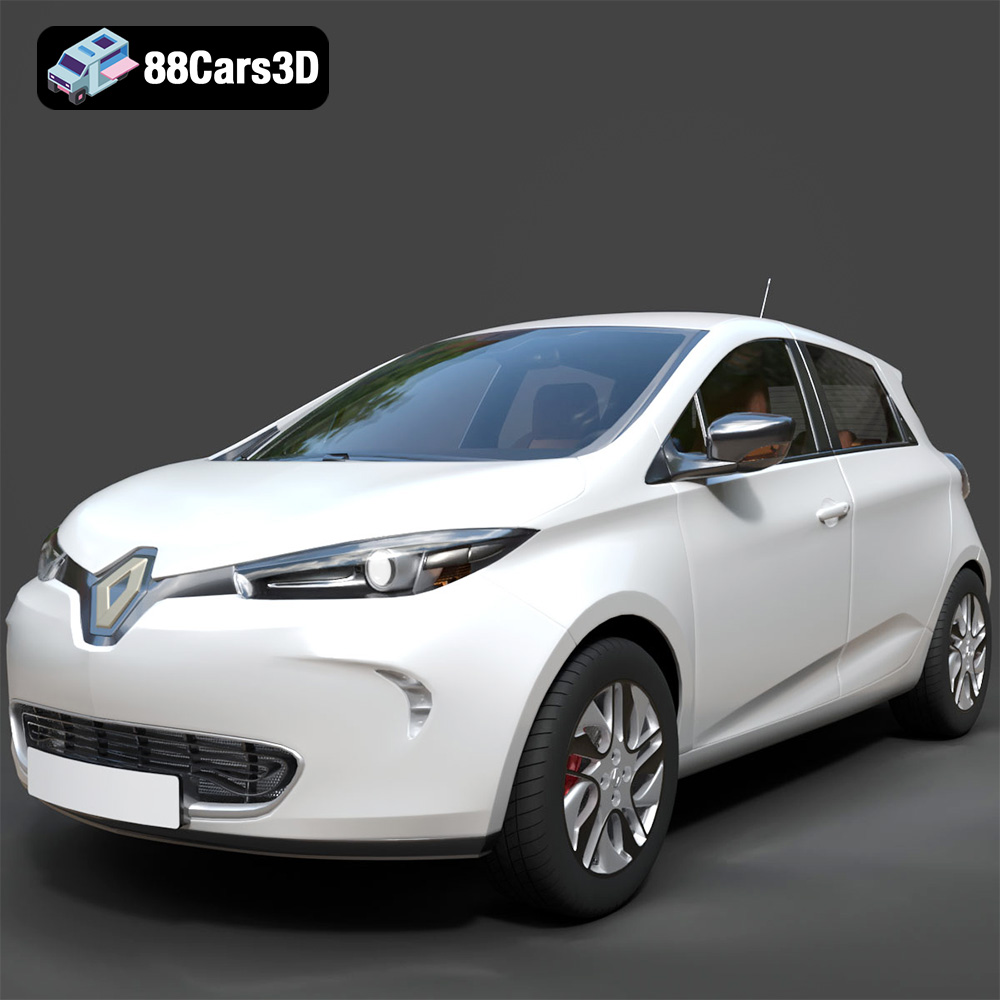
Texture: Yes
Material: Yes
Download the Renault Zoe 3D Model featuring clean geometry, realistic detailing, and a fully modeled interior. Includes .blend, .fbx, .obj, .glb, .stl, .ply, .unreal, and .max formats for rendering, simulation, and game development.
Price: $4.99
View Product
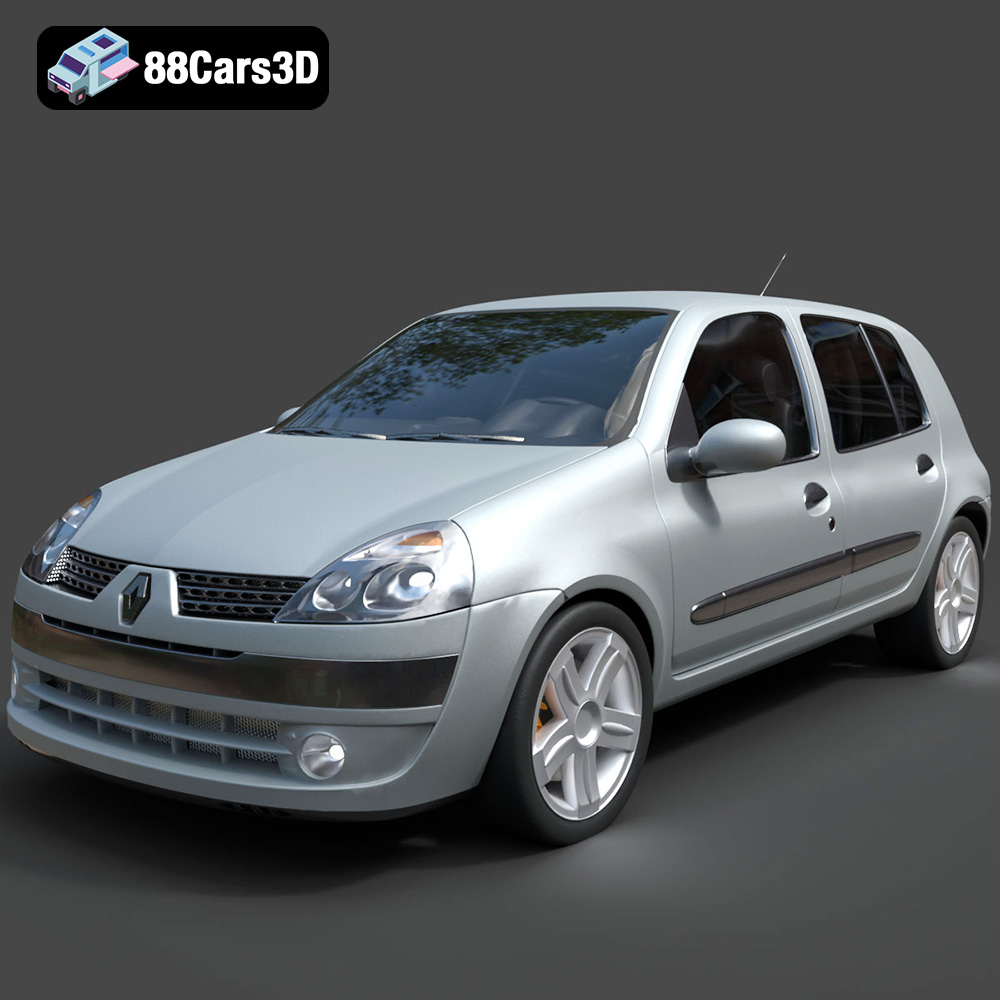
Texture: Yes
Material: Yes
Download the Renault Clio 2025 3D Model featuring clean geometry, realistic detailing, and a fully modeled interior. Includes .blend, .fbx, .obj, .glb, .stl, .ply, .unreal, and .max formats for rendering, simulation, and game development.
Price: $4.99
View Product
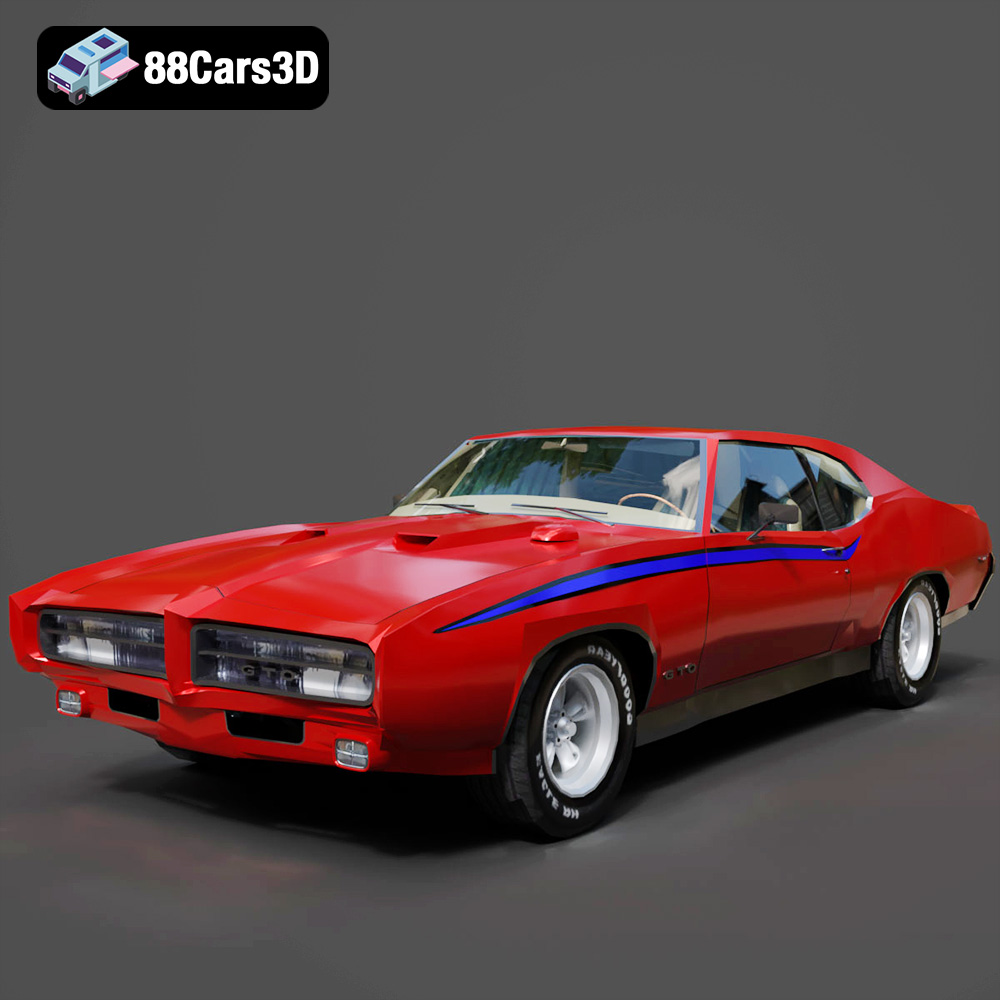
Texture: Yes
Material: Yes
Download the Pontiac GTO The Judge 1969 3D Model featuring clean geometry, realistic detailing, and a fully modeled interior. Includes .blend, .fbx, .obj, .glb, .stl, .ply, .unreal, and .max formats for rendering, simulation, and game development.
Price: $4.99
View Product
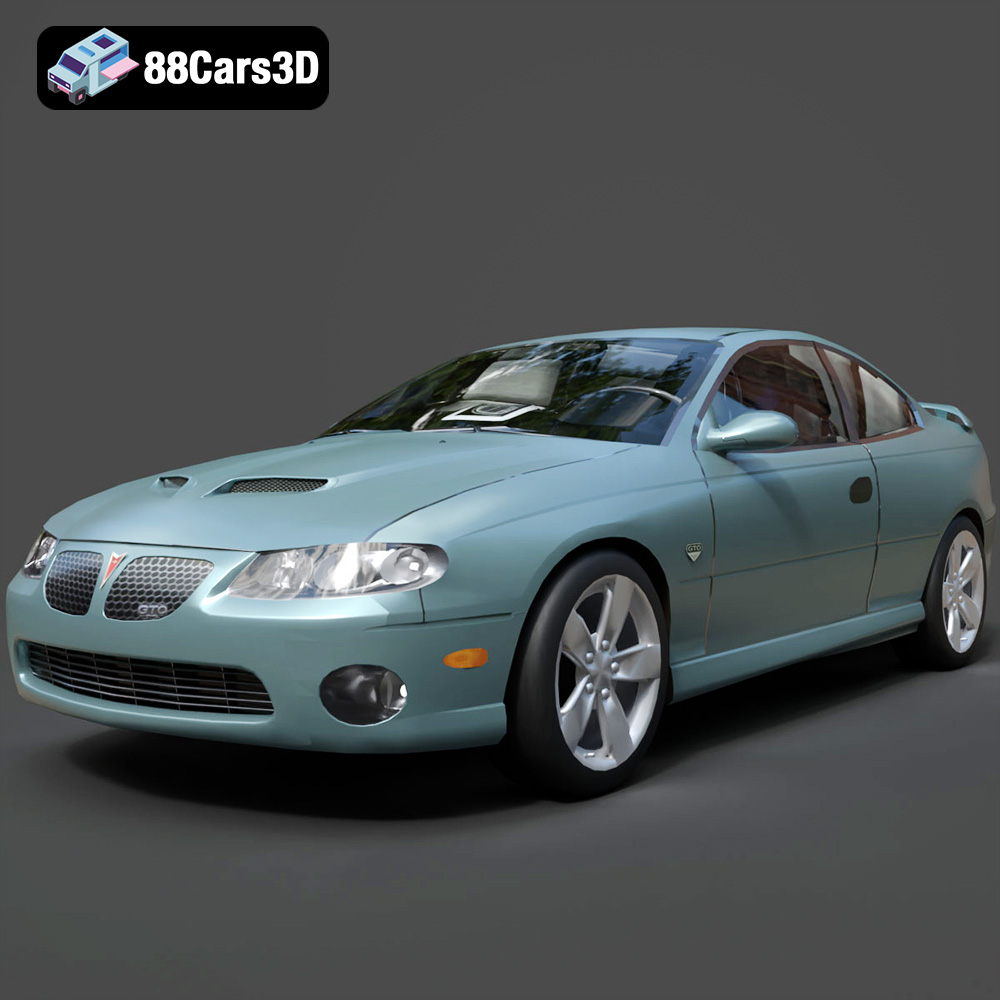
Texture: Yes
Material: Yes
Download the Pontiac GTO 2000 3D Model featuring clean geometry, realistic detailing, and a fully modeled interior. Includes .blend, .fbx, .obj, .glb, .stl, .ply, .unreal, and .max formats for rendering, simulation, and game development.
Price: $4.99
View Product
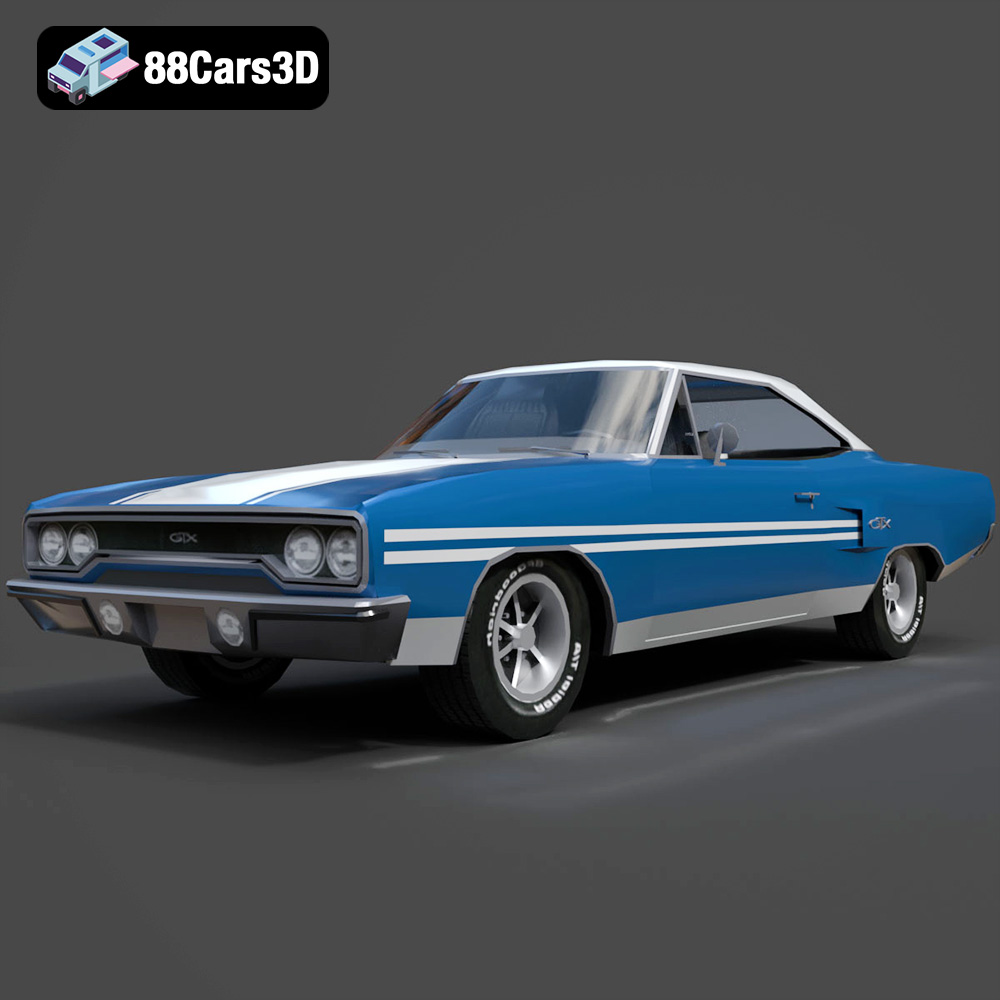
Texture: Yes
Material: Yes
Download the Plymouth GTX 1970 3D Model featuring clean geometry, realistic detailing, and a fully modeled interior. Includes .blend, .fbx, .obj, .glb, .stl, .ply, .unreal, and .max formats for rendering, simulation, and game development.
Price: $10
View Product
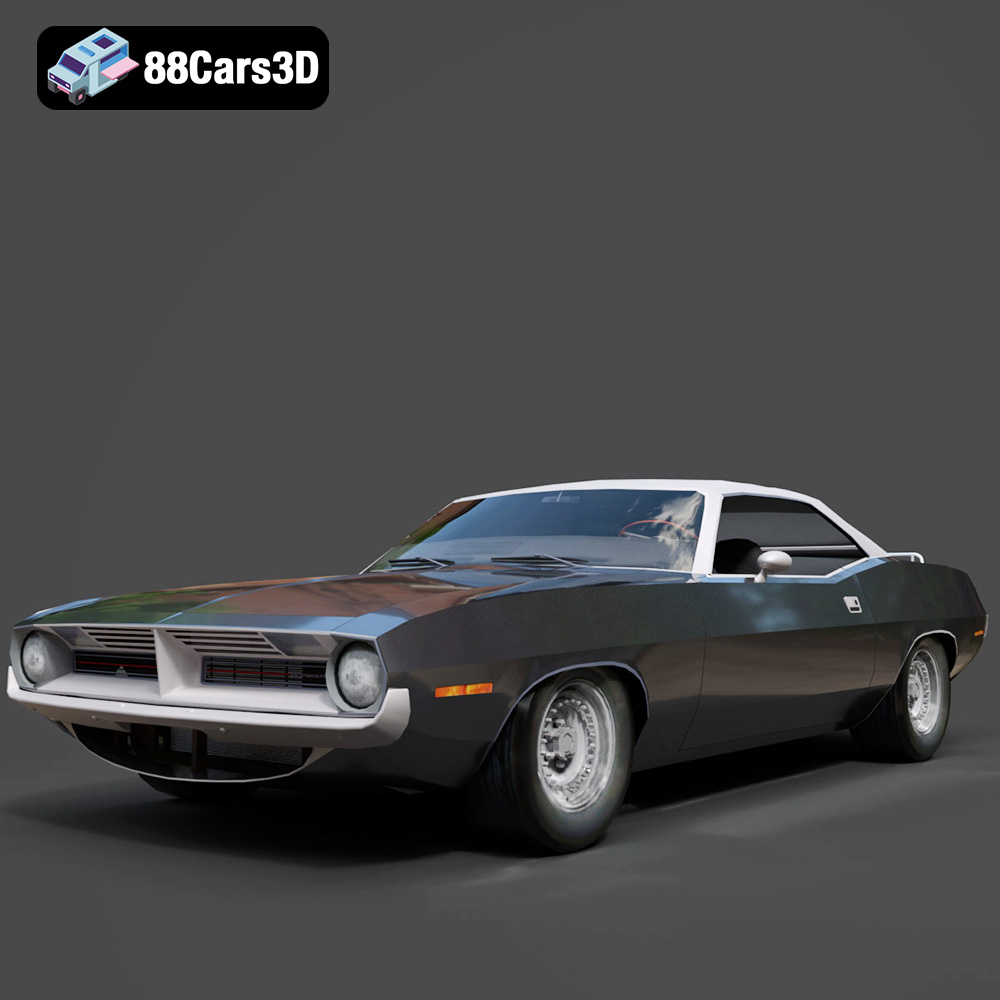
Texture: Yes
Material: Yes
Download the Plymouth Cuda Cabrio 1970 3D Model featuring clean geometry, realistic detailing, and a fully modeled interior. Includes .blend, .fbx, .obj, .glb, .stl, .ply, .unreal, and .max formats for rendering, simulation, and game development.
Price: $4.99
View Product
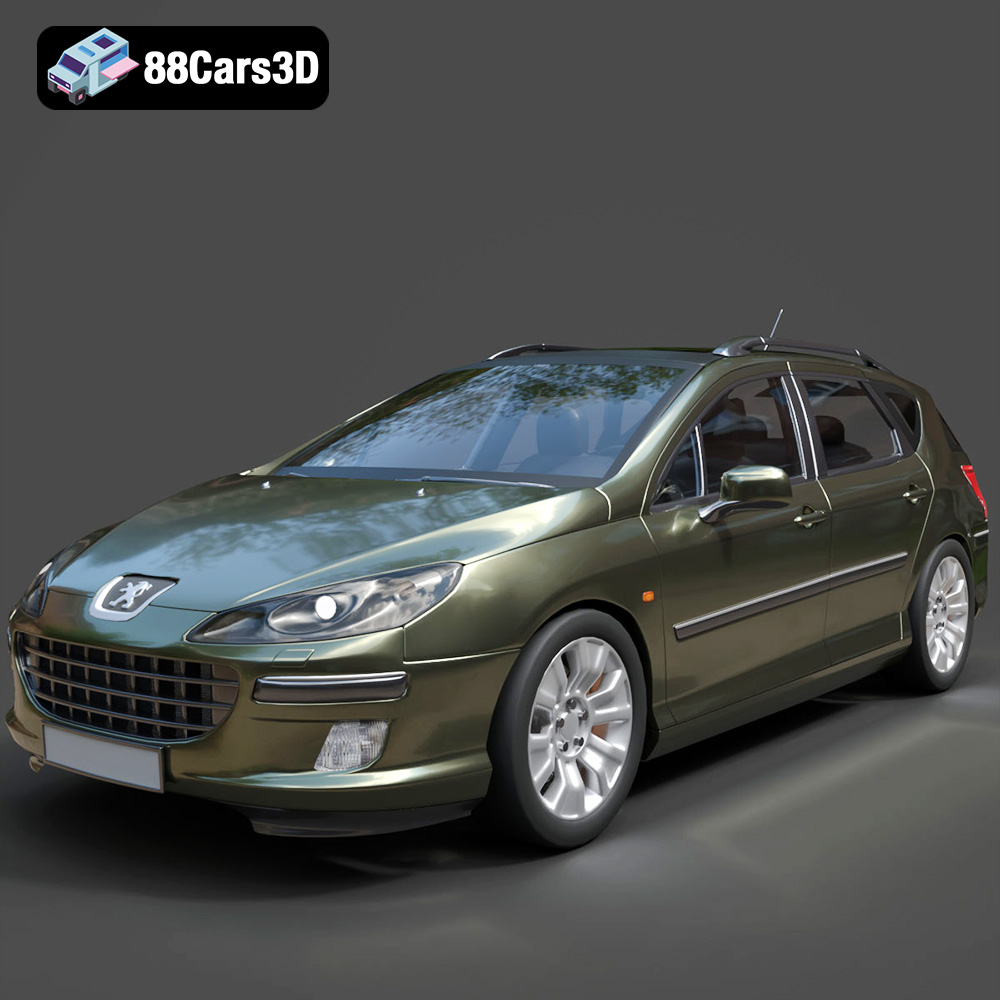
Texture: Yes
Material: Yes
Download the Peugeot 407 SW 3D Model featuring clean geometry, realistic detailing, and a fully modeled interior. Includes .blend, .fbx, .obj, .glb, .stl, .ply, .unreal, and .max formats for rendering, simulation, and game development.
Price: $4.99
View Product


