⚡ FLASH SALE: Get 60% OFF All Premium 3D & STL Models! ⚡

The automotive industry has always been at the forefront of innovation, constantly pushing boundaries in design, engineering, and manufacturing. Today, the world of 3D modeling has become an indispensable tool, revolutionizing everything from vehicle conceptualization and visualization to the creation of custom physical parts through 3D printing. For artists, designers, game developers, and engineers, understanding the intricate workflows of 3D car models is crucial.
From crafting pixel-perfect renders for marketing campaigns to optimizing assets for immersive virtual reality experiences, and even fabricating bespoke components, the journey of a 3D car model is complex and fascinating. This comprehensive guide will take you deep into the technical aspects of 3D automotive design, exploring everything from foundational modeling principles and advanced rendering techniques to critical optimization strategies for game engines, and the precise requirements for transforming digital designs into tangible, 3D-printed custom car parts. We’ll uncover industry best practices, common challenges, and the transformative potential of high-quality 3D assets, empowering you to navigate this dynamic field with expertise.
At the heart of any successful automotive project, be it a stunning render, an interactive game, or a 3D-printed prototype, lies a meticulously crafted 3D car model. The quality of this foundational asset dictates the potential for realism, performance, and versatility across all subsequent applications. Automotive models are inherently complex, characterized by smooth, continuous curves, sharp panel gaps, and intricate mechanical details. Achieving photorealism or functional accuracy demands a deep understanding of modeling principles.
High-quality 3D car models begin with precision. Designers often work from engineering blueprints, CAD data, or extensive reference photography to capture every nuance of the vehicle’s form. This initial phase requires meticulous attention to scale, proportions, and the subtle interplay of light and shadow on the car’s surfaces. The choice of modeling technique, whether it’s polygon modeling with subdivision surfaces or NURBS, significantly impacts the final output and its suitability for various uses. Platforms like 88cars3d.com specialize in providing these high-fidelity models, ensuring a robust starting point for diverse projects.
High-polygon models, often favored for cinematic renders, product visualization, and close-up shots, are characterized by their immense detail and smooth, flowing surfaces. These models typically utilize subdivision surface modeling techniques (e.g., Catmull-Clark in 3ds Max, Blender, Maya), where a relatively low-polygon base mesh is smoothed by an algorithm at render time or dynamically in the viewport. This approach allows for incredible surface fidelity and curvature continuity, essential for reflecting light realistically on automotive paint. A high-poly car model might easily exceed several million polygons, especially when accounting for detailed interiors, engine bays, and undercarriage components. Critical elements include precise panel gaps, accurate reflections, and intricate details on headlights, taillights, and badging, all built with an emphasis on preserving the original design intent.
While high-poly models are excellent for static renders, they are often too dense for real-time applications like video games, AR/VR experiences, or even some animation pipelines. This is where retopology becomes crucial. Retopology is the process of creating a new, optimized mesh on top of an existing high-polygon model, aiming for a significantly lower polygon count while retaining the visual fidelity and silhouette of the original. For a game-ready car asset, polygon counts might range from 50,000 to 300,000 triangles, depending on the level of detail required and the target platform. The goal is to achieve an efficient edge flow that allows for proper deformation (if animated), clean UV mapping, and minimal distortion, all while being performant enough for real-time rendering. This optimized mesh is then typically used to bake normal maps, ambient occlusion maps, and other texture details from the high-poly source, transferring its rich detail to the low-poly counterpart without the computational cost.
The structural integrity of a 3D car model is defined by its topology, while its visual surface appeal is unlocked through meticulous UV mapping. These two processes are intrinsically linked and dictate how well a model will deform, render, and accept textures. For automotive models, where smooth, reflective surfaces are paramount, good topology and efficient UV layouts are not just recommendations – they are absolute necessities for achieving professional results.
Poor topology can lead to rendering artifacts, pinching, or undesirable deformations, especially when subdivision surfaces are applied. Similarly, sloppy UV mapping results in stretched, distorted, or blurry textures, undermining the realism of even the most sophisticated PBR materials. Mastering these techniques is fundamental for any 3D artist working with vehicles, ensuring that the digital model is robust enough for every stage of the production pipeline, from initial visualization to the final rendered product or optimized game asset.
Automotive topology primarily relies on quad-based polygonal modeling, where every face is a four-sided polygon. This ensures predictable subdivision behavior and smooth surfaces. Key principles include:
Achieving clean topology involves careful planning and often iterative refinement, ensuring the mesh is both aesthetically pleasing and technically sound.
UV mapping is the process of unwrapping a 3D mesh into a 2D space, allowing textures to be applied without distortion. For complex automotive surfaces, strategic UV mapping is critical:
Effective UV mapping is a cornerstone for professional texturing, ensuring that your PBR materials look their best and your final renders are convincing.
Once a 3D car model boasts impeccable topology and UV mapping, the next crucial step is to imbue it with realistic surface properties through materials and shading. The industry standard for achieving photorealism is Physically Based Rendering (PBR). PBR workflows simulate how light interacts with surfaces in the real world, producing consistent and believable results across different lighting conditions and renderers. This approach allows artists to accurately represent the complex interplay of color, reflectivity, and roughness that defines automotive finishes, glass, chrome, and interior fabrics.
Crafting compelling PBR materials for vehicles goes beyond simply assigning colors; it involves understanding the physical properties of various substances and translating them into a shader network. This often requires balancing artistic intent with scientific accuracy to create materials that not only look stunning but also behave realistically under diverse lighting scenarios. Whether you’re aiming for a showroom-quality car paint or a worn, aged interior, PBR provides the framework for achieving unparalleled realism.
PBR is not just a trend; it’s a fundamental shift in how materials are defined, based on how light behaves in the physical world. Key PBR maps and their roles include:
These maps are interconnected within a shader network, with values influencing how light rays are absorbed, reflected, and scattered, resulting in a physically accurate representation.
Automotive materials, especially car paint, are among the most challenging to replicate due to their complex layered structure:
Advanced shader networks allow artists to blend these properties, adding details like dust, scratches, or moisture to achieve an even higher level of realism.
With a meticulously modeled and textured 3D car, the next step is to transform it into a captivating visual. Rendering is the process of generating a 2D image from a 3D scene, and for automotive projects, this demands both technical mastery and an artistic eye. Whether the goal is a static hero shot, a dynamic animation, or an interactive configurator, a professional rendering workflow ensures the final output meets the highest standards of realism and aesthetic appeal.
The choice of renderer, lighting strategy, camera angles, and post-processing techniques all play a critical role in shaping the mood and impact of the image. Achieving photorealism in automotive rendering often involves meticulous attention to detail in replicating how light behaves on highly reflective and contoured surfaces. It’s about more than just pressing the render button; it’s about crafting an entire visual narrative that highlights the vehicle’s design and features effectively.
Effective lighting is the single most important factor in achieving realistic renders. For automotive visualization, several techniques are commonly employed:
Experimentation with light positions, intensities, and colors is key to finding the perfect illumination for your automotive masterpiece.
The rendering engine and its settings are critical for optimizing quality and render times. Each renderer (e.g., Corona Renderer, V-Ray, Blender Cycles, Arnold) has its unique strengths and parameters.
A strong understanding of both the technical capabilities of your renderer and the artistic principles of post-production is essential for producing truly stunning automotive visuals.
The transition of 3D car models from static renders to interactive, real-time environments like video games, AR/VR experiences, and virtual configurators presents a unique set of challenges. Performance is paramount in these applications, demanding highly optimized assets that maintain visual fidelity without sacrificing frame rates. Game engines like Unity and Unreal Engine require a careful balance of geometric detail, texture resolution, and efficient material setups to run smoothly across diverse hardware.
Optimizing 3D car models for real-time use involves a deep understanding of rendering pipelines, culling techniques, and asset management. Neglecting these steps can lead to sluggish performance, visual glitches, and a frustrating user experience. The goal is to deliver a visually rich experience that is also responsive and stable, a crucial factor when sourcing models from marketplaces such as 88cars3d.com, which often provide optimized assets.
One of the primary strategies for managing detail in real-time environments is the implementation of Level of Detail (LODs) and various culling techniques:
The transition between LODs needs to be smooth and imperceptible to the user.
Efficient texture and material management is another cornerstone of real-time optimization:
By meticulously applying these optimization techniques, developers can ensure that high-quality 3D car models deliver smooth, immersive experiences even on resource-constrained platforms.
The utility of high-quality 3D car models extends far beyond digital rendering and game development. Two particularly transformative applications are 3D printing for custom car parts and integration into Augmented and Virtual Reality (AR/VR) experiences. Both fields leverage the digital fidelity of 3D assets to create tangible objects or immersive digital interactions, respectively, but each demands specific technical considerations and optimization strategies.
3D printing allows for unprecedented levels of customization and rapid prototyping of automotive components, from aesthetic trim pieces to functional brackets. Meanwhile, AR/VR offers novel ways to interact with vehicles, enabling virtual showrooms, training simulations, and immersive design reviews. Understanding the unique requirements for these applications ensures that your 3D models are not only visually stunning but also functionally viable and performant within these cutting-edge environments.
While a model optimized for rendering or gaming looks great on screen, it often requires significant preparation for 3D printing. The transition from digital mesh to physical object demands precise geometric integrity:
3D printing empowers designers and enthusiasts to create custom car parts that were once impossible or prohibitively expensive.
The ability to produce custom 3D car parts quickly and cost-effectively has democratized automotive design and modification, moving it from specialized workshops to individual garages.
For AR/VR, the demands are similar to game engines but often more stringent due to lower frame rate tolerances (to prevent motion sickness) and potentially mobile hardware constraints:
Leveraging marketplaces like 88cars3d.com for pre-optimized models can significantly accelerate AR/VR development, providing a solid foundation for immersive automotive experiences.
The journey of 3D car models from digital concept to diverse applications underscores a powerful paradigm shift in the automotive industry. The confluence of advanced 3D modeling, rendering, simulation, and manufacturing technologies is leading to an era of unprecedented efficiency, innovation, and personalization. Two particularly significant trends shaping this future are the rise of digital twins and the growing demand for hyper-customization, both profoundly enabled by high-fidelity 3D assets.
These developments not only streamline traditional automotive workflows but also open entirely new avenues for design, manufacturing, and consumer engagement. As technology continues to evolve, the ability to create, manipulate, and deploy sophisticated 3D models will be an increasingly vital skill, driving the industry towards more dynamic, responsive, and tailored solutions.
A digital twin is a virtual replica of a physical asset, continuously updated with real-time data from its physical counterpart. In the automotive industry, this concept is revolutionary:
These virtual representations, built upon incredibly detailed 3D models, are transforming how cars are designed, built, and maintained throughout their lifecycle.
The ability to easily modify and print custom 3D car parts is leading to an explosion in hyper-customization, moving beyond factory options to truly bespoke vehicles:
This trend empowers consumers with unprecedented control over their vehicles, transforming them from mass-produced items into truly personalized machines. Platforms like 88cars3d.com play a crucial role by providing the high-quality base models from which these customizations can originate, offering a starting point for endless automotive innovation.
From the initial polygon mesh to the final rendered image, an immersive game asset, or a tangible 3D-printed component, the journey of a 3D car model is a testament to the power of digital creativity and technical precision. We’ve explored the critical importance of clean topology and efficient UV mapping for flawless surfaces, delved into the science of PBR materials for lifelike textures, and navigated the complex workflows of professional rendering and real-time optimization for interactive experiences.
Crucially, we’ve also highlighted the transformative potential of 3D printing in automotive design, enabling the creation of custom car parts and rapid prototyping, alongside the exciting possibilities of AR/VR for immersive visualization. These technologies are not just tools; they are drivers of innovation, pushing the boundaries of what’s possible in automotive design, manufacturing, and personalized ownership. By mastering these intricate workflows and leveraging high-quality assets available from resources like 88cars3d.com, you are not just creating models – you are shaping the future of the automotive world. Embrace the technical challenges, hone your craft, and unlock the limitless potential that lies within every polygon and pixel.

Texture: Yes
Material: Yes
Download the Renault Twizy ZE 3D Model featuring clean geometry, realistic detailing, and a fully modeled interior. Includes .blend, .fbx, .obj, .glb, .stl, .ply, .unreal, and .max formats for rendering, simulation, and game development.
Price: $4.99

Texture: Yes
Material: Yes
Download the Porsche 911 GT3 3D Model featuring clean geometry, realistic detailing, and a fully modeled interior. Includes .blend, .fbx, .obj, .glb, .stl, .ply, .unreal, and .max formats for rendering, simulation, and game development.
Price: $4.99

Texture: Yes
Material: Yes
Download the Porsche 911 997 GT3 RS 4.0 2011 3D Model featuring clean geometry, realistic detailing, and a fully modeled interior. Includes .blend, .fbx, .obj, .glb, .stl, .ply, .unreal, and .max formats for rendering, simulation, and game development.
Price: $4.99

Texture: Yes
Material: Yes
Download the Pontiac GTO Cabrio 1967 3D Model featuring clean geometry, realistic detailing, and a fully modeled interior. Includes .blend, .fbx, .obj, .glb, .stl, .ply, .unreal, and .max formats for rendering, simulation, and game development.
Price: $4.99

Texture: Yes
Material: Yes
Download the Pontiac Firebird Convertible 1968 3D Model featuring clean geometry, realistic detailing, and a fully modeled interior. Includes .blend, .fbx, .obj, .glb, .stl, .ply, .unreal, and .max formats for rendering, simulation, and game development.
Price: $4.99

Texture: Yes
Material: Yes
Download the Peugeot 508 2011 3D Model featuring clean geometry, realistic detailing, and a fully modeled interior. Includes .blend, .fbx, .obj, .glb, .stl, .ply, .unreal, and .max formats for rendering, simulation, and game development.
Price: $4.99

Texture: Yes
Material: Yes
Download the Peugeot 406 1996 3D Model featuring clean geometry, realistic detailing, and a fully modeled interior. Includes .blend, .fbx, .obj, .glb, .stl, .ply, .unreal, and .max formats for rendering, simulation, and game development.
Price: $10
Texture: Yes
Material: Yes
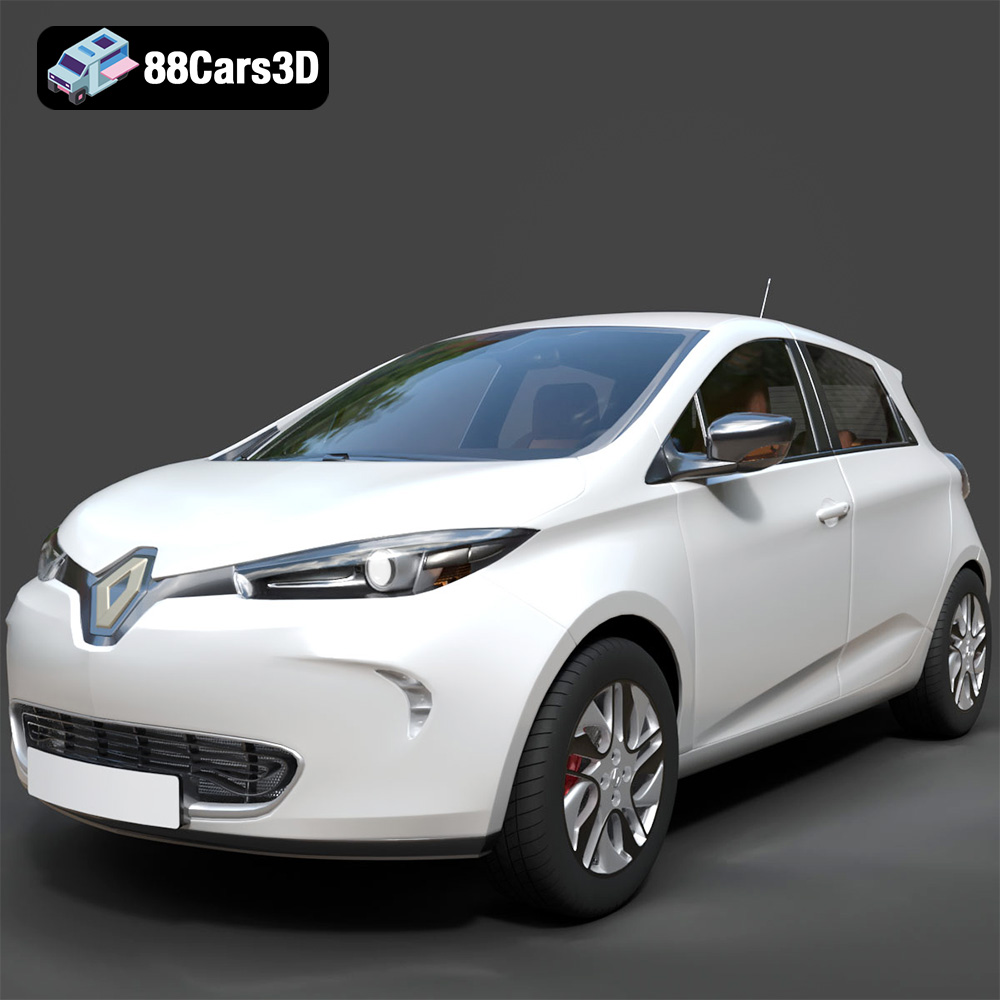
Download the Renault Zoe 3D Model featuring clean geometry, realistic detailing, and a fully modeled interior. Includes .blend, .fbx, .obj, .glb, .stl, .ply, .unreal, and .max formats for rendering, simulation, and game development.
Price: $4.99
Texture: Yes
Material: Yes
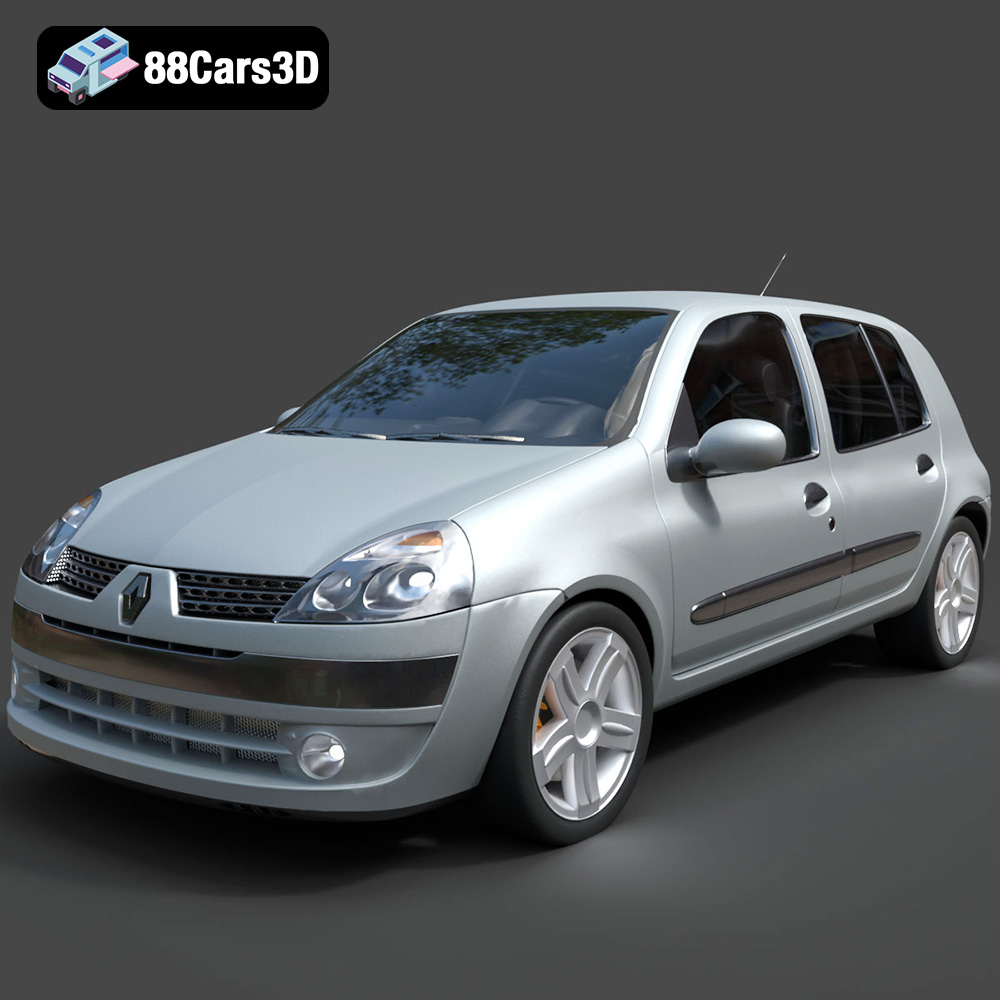
Download the Renault Clio 2025 3D Model featuring clean geometry, realistic detailing, and a fully modeled interior. Includes .blend, .fbx, .obj, .glb, .stl, .ply, .unreal, and .max formats for rendering, simulation, and game development.
Price: $4.99
Texture: Yes
Material: Yes
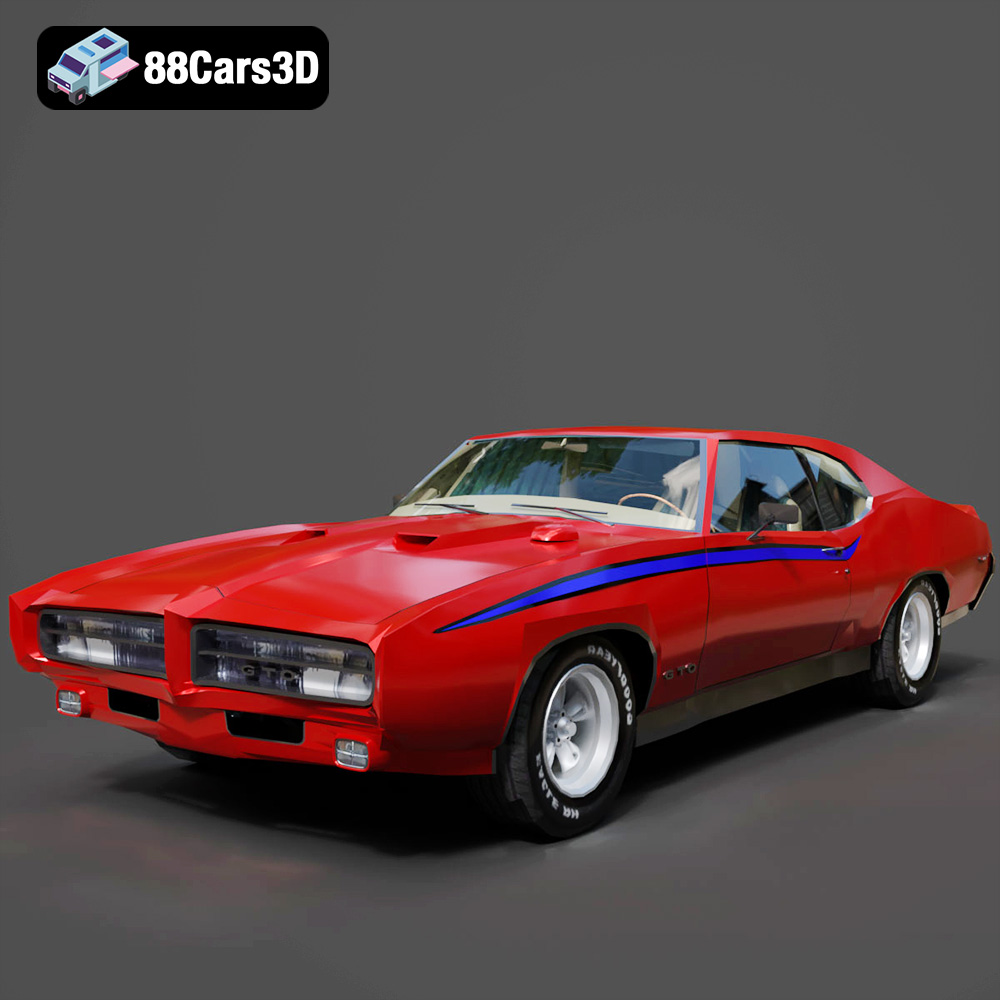
Download the Pontiac GTO The Judge 1969 3D Model featuring clean geometry, realistic detailing, and a fully modeled interior. Includes .blend, .fbx, .obj, .glb, .stl, .ply, .unreal, and .max formats for rendering, simulation, and game development.
Price: $4.99

