
Unlocking Automotive Innovation: The Synergy of 3D Models, Custom Parts, and 3D Printing

Unlocking Automotive Innovation: The Synergy of 3D Models, Custom Parts, and 3D Printing
The automotive world is undergoing a profound transformation, driven by advancements in digital design and manufacturing. At the heart of this revolution lies the power of high-quality 3D car models, which serve as the indispensable foundation for everything from breathtaking visualizations to the creation of custom, functional parts through 3D printing. Whether you’re an automotive designer prototyping a new concept, a modder crafting bespoke components, a game developer building immersive virtual worlds, or an architect integrating realistic vehicles into renders, the quality and versatility of your 3D assets are paramount. This comprehensive guide dives deep into the intricate workflows, technical considerations, and best practices involved in leveraging 3D car models for diverse applications, with a particular focus on 3D printing custom automotive components. We’ll explore everything from essential modeling topology and file formats to advanced rendering techniques and optimization strategies, empowering you to bridge the gap between digital design and tangible reality, and to bring your most ambitious automotive visions to life.
The Foundation: High-Quality 3D Car Models for Automotive Design & 3D Printing
Every groundbreaking automotive project, whether destined for a virtual showroom or a physical modification, begins with a meticulously crafted 3D model. The integrity of this digital asset directly impacts its utility across various pipelines, from realistic rendering to precise 3D printing. For automotive applications, precision, aesthetic accuracy, and structural integrity are non-negotiable. Platforms like 88cars3d.com provide a wide array of high-quality 3D car models, meticulously built to professional standards, offering a robust starting point for diverse projects. These models aren’t just pretty faces; they are engineering marvels in their own right, designed with workflows in mind that allow for seamless integration into complex rendering engines, game development platforms, and, crucially, additive manufacturing processes. Understanding the underlying principles of model creation is key to unleashing their full potential.
Clean Topology and Edge Flow for Manufacturing Readiness
For 3D car models, especially those intended for 3D printing or high-fidelity rendering, clean topology and excellent edge flow are paramount. Topology refers to the arrangement of polygons (usually quads for automotive models) that make up the surface of the object. Good topology ensures smooth deformation, accurate reflections, and, most importantly for 3D printing, a watertight and manifold mesh. Automotive surfaces are notoriously complex, characterized by sweeping curves, sharp creases, and subtle contours. Maintaining consistent quad-based topology (typically 4-sided polygons) prevents pinching, artifacts, and jagged edges that can arise from triangles or N-gons (polygons with more than four sides). Software like 3ds Max, Blender, and Maya offer powerful modeling tools for achieving this, emphasizing techniques like subdivision surface modeling for smooth results. For 3D printing, a manifold mesh means every edge is shared by exactly two polygons, ensuring there are no holes, internal faces, or non-contiguous surfaces that could cause errors in the slicing software. A typical high-quality automotive model might feature a polygon count ranging from 200,000 to 1,000,000 triangles, depending on the level of detail, with careful attention paid to where polygons are denser (e.g., around headlights, grilles, or complex body lines) to capture intricate shapes without unnecessarily bloating the mesh in flat areas.
Precision Modeling vs. Artistic Detail: Balancing Needs
When developing 3D car models, particularly for custom parts or automotive design, there’s a delicate balance between precision engineering and artistic freedom. For functional custom car parts, CAD software like SolidWorks, Fusion 360, or CATIA are often the starting point, as they excel at parametric modeling and maintaining precise dimensions, tolerances, and mechanical fits. These models are typically represented using NURBS (Non-uniform Rational B-splines) or solids, which are mathematically exact. However, for visualization, rendering, or even certain types of 3D printing where organic shapes are crucial (e.g., custom body kits, interior trims), polygonal modeling in tools like Blender or Maya offers more artistic flexibility and control over surface aesthetics. The challenge lies in translating between these paradigms. CAD models can be tessellated into polygonal meshes for rendering or 3D printing, but care must be taken to ensure sufficient polygon density to accurately represent the original curves. Conversely, high-poly polygonal models might need retopology or conversion to NURBS-like surfaces for engineering analysis or precise manufacturing. Understanding the end-use of the model – whether it’s a structural bracket requiring millimeter accuracy or a visually stunning concept car – dictates the initial modeling approach and the subsequent steps for optimization.
From Digital Design to Tangible Reality: The 3D Printing Workflow for Custom Car Parts
The ability to create custom car parts through 3D printing has revolutionized automotive prototyping, customization, and even repair. From bespoke interior trim pieces and aerodynamic components to functional engine bay accessories and replica parts for classic cars, 3D printing empowers designers and enthusiasts to bring unique visions to life. This workflow bridges the digital realm of 3D models with the physical world, turning lines of code into tangible objects. However, successfully navigating this process requires a clear understanding of file formats, printing technologies, and critical preparation steps to ensure the final printed part meets desired specifications for fit, function, and finish.
Essential File Formats for 3D Printing: STL, OBJ, STEP, IGES
The choice of file format is crucial when preparing 3D models for printing.
* STL (STereoLithography): This is the de facto standard for 3D printing. It represents a 3D model as a series of connected triangles, defining only the surface geometry of the object. Its simplicity makes it universally compatible with almost all 3D printers and slicing software. However, STL files do not carry color, texture, or material information, and their faceted nature means that curved surfaces are approximated by flat triangles, which can lead to visible facets if the tessellation isn’t fine enough.
* OBJ (Object): More robust than STL, OBJ files can store color, texture, and material data, and can represent geometry using polygons with more than three sides (quads). While less universally supported for direct 3D printing than STL, many slicers can import OBJ files, especially when more detailed visual information is needed for previewing or specific multi-material prints.
* STEP (Standard for the Exchange of Product data) and IGES (Initial Graphics Exchange Specification): These are CAD (Computer-Aided Design) neutral formats, widely used in professional engineering and manufacturing. Unlike STL and OBJ, which are mesh-based, STEP and IGES files store precise mathematical representations of curves and surfaces (NURBS or solid geometry). This makes them ideal for custom car parts requiring high dimensional accuracy and complex mechanical features. While most 3D printers don’t directly read STEP or IGES, CAD software can export these files as high-quality polygonal meshes (STL or OBJ) for printing, ensuring minimal loss of detail during conversion. For automotive designers working with precision parts, starting with a STEP file generated from a CAD package like SolidWorks or Fusion 360 is often the preferred route before converting to a mesh format for additive manufacturing.
Slicing Software and Print Parameter Optimization
Once you have a suitable 3D model in a compatible format, the next crucial step is “slicing.” Slicing software (e.g., Ultimaker Cura, PrusaSlicer, Simplify3D) converts the 3D model into a series of thin, horizontal layers and generates the G-code – the specific instructions that the 3D printer understands to build the part layer by layer. This software allows for extensive optimization of print parameters, which directly impact the quality, strength, and print time of custom car parts. Key parameters include:
* Layer Height: Thinner layers (e.g., 0.1mm) result in smoother surfaces and finer details, ideal for aesthetic parts or prototypes, but increase print time. Thicker layers (e.g., 0.2-0.3mm) are faster but show more layer lines, suitable for functional parts where strength is prioritized over surface finish.
* Infill Density and Pattern: This determines how much material is printed inside the part. A higher infill density (e.g., 80-100%) makes parts stronger and heavier, essential for structural components. Lower densities (e.g., 10-20%) are faster and use less material, suitable for non-load-bearing prototypes. Various infill patterns (e.g., rectilinear, honeycomb, gyroid) offer different strength-to-weight ratios.
* Print Speed: Faster speeds reduce print time but can compromise print quality, leading to issues like poor layer adhesion or stringing. Slower speeds generally yield higher quality.
* Supports: Overhangs (sections of the model that extend outward without material beneath them) require support structures to prevent collapsing during printing. Slicing software can automatically generate these, but manual adjustments may be needed to optimize for ease of removal and minimize surface blemishes.
* Rafts, Brims, and Skirts: These are adhesion aids printed on the build plate before the part itself, helping to prevent warping and ensuring the part sticks securely during printing.
Careful experimentation with these parameters is essential to achieve optimal results for specific custom car parts, especially considering the diverse range of materials like ABS, PETG, Nylon, or even carbon fiber reinforced filaments.
Optimizing 3D Models for Flawless 3D Printing
While having a great 3D model is the starting point, preparing it specifically for 3D printing requires a distinct set of considerations and optimization techniques. Unlike models destined solely for rendering, printable models demand structural integrity, geometric accuracy, and adherence to physical constraints. Ignoring these steps can lead to failed prints, wasted material, and frustrating iterations. For anyone aiming to create custom car parts, from prototyping brackets to custom interior elements, understanding these preparation steps is paramount.
Mesh Repair and Watertightness: The Pre-Print Checklist
Before a 3D model can be reliably 3D printed, it absolutely must be a “watertight” and “manifold” mesh. This means the model must represent a completely closed volume with no internal inconsistencies. Common issues that prevent a model from being watertight include:
* Open Edges/Holes: Gaps in the mesh surface, often occurring if faces are deleted or not properly connected during modeling.
* Non-Manifold Geometry: Edges shared by more than two faces, faces with zero thickness, or inverted normals (faces pointing inward). These create ambiguity for the slicing software, as it cannot determine the inside or outside of the model.
* Intersecting Faces/Self-Intersections: Polygons that pass through each other.
* Loose Vertices/Edges: Components that are not connected to the main mesh.
Specialized mesh repair tools found in software like Meshmixer, Netfabb, or even built into Blender (using the 3D Print Toolbox add-on) are essential for identifying and fixing these issues. These tools can automatically fill holes, orient normals, and simplify complex geometry to ensure a clean, printable mesh. For instance, in Blender, you can use the “Make Manifold” operation after checking for errors. A professional workflow often involves exporting the model (e.g., from 3ds Max or Maya) as an STL and then passing it through a dedicated mesh repair application to guarantee printability before sending it to the slicer.
Wall Thickness, Supports, and Material Considerations
The physical properties of the intended 3D printing material and the limitations of the printing process itself heavily influence model preparation.
* Wall Thickness: Every part of your 3D model needs to have a sufficient wall thickness to be printable and structurally sound. Minimum wall thickness varies significantly by printing technology and material (e.g., FDM might require 0.8mm-1.2mm, while SLA can go down to 0.4mm). Walls that are too thin will either not print, break during post-processing, or be excessively fragile. Custom car parts, especially those under stress, require careful consideration of load-bearing areas and appropriate wall thickening.
* Supports: Most 3D printing technologies build layers from the bottom up. Any part of your model that overhangs the layer below by a significant angle (typically >45-60 degrees) will require support structures. While slicing software generates these automatically, modelers can design the part to minimize overhangs (e.g., by adding chamfers or fillets) or orient the model on the print bed to reduce the need for supports. Strategic support placement minimizes material usage, print time, and importantly, the amount of post-processing needed to remove supports and sand away surface blemishes.
* Material Choice: The material dictates not only the mechanical properties (strength, flexibility, heat resistance) but also the design constraints. For instance, automotive parts exposed to high temperatures (under the hood) might require ABS, PETG, or Nylon, which are more heat-resistant than PLA. Flexible parts like grommets or seals could use TPU. Each material has specific shrinkage rates, optimal printing temperatures, and cooling requirements that need to be accounted for in the slicing phase and, in some cases, even during the initial modeling (e.g., designing with a slight tolerance for shrinkage).
Scaling and Tolerances for Automotive Fitment
When creating custom car parts, dimensional accuracy and proper fitment are paramount.
* Scaling: Ensure your 3D model is at a 1:1 scale (real-world units, typically millimeters) from the outset. While slicing software allows scaling, it’s best practice to model at the intended size to avoid precision errors. Verifying real-world measurements against your 3D model is critical.
* Tolerances: When designing parts that need to interface or snap together, account for printing tolerances. 3D printers, even high-precision ones, have inherent inaccuracies. For example, if you design a peg to fit into a hole of the exact same diameter, it likely won’t fit. You’ll need to design a slight clearance – often 0.1mm to 0.3mm – between mating surfaces. This “tolerance gap” ensures parts fit together without excessive force or post-processing. Experimentation with your specific printer and material is often required to determine optimal tolerances. Tools within CAD software allow for precise offsetting of surfaces to create these clearances systematically. This level of precision is what differentiates a functional custom car part from a decorative one.
Advanced Visualization: Rendering Custom Car Designs with PBR Materials and Lighting
Beyond the functionality of 3D printed parts, the ability to visualize custom car designs with photorealistic quality is essential for presentations, marketing, and design iteration. High-fidelity rendering transforms a digital model into a stunning image or animation, conveying its aesthetic appeal and design intent with incredible realism. This process relies heavily on Physically Based Rendering (PBR) materials, sophisticated lighting setups, and meticulous post-processing, turning raw 3D assets into compelling visual narratives. Whether showcasing a unique body kit or an innovative interior concept, mastering advanced rendering workflows is crucial for any automotive designer or visualization artist.
Crafting Realistic PBR Materials for Automotive Surfaces
PBR (Physically Based Rendering) materials are the cornerstone of photorealistic rendering. They accurately simulate how light interacts with surfaces in the real world, producing consistent and believable results across different lighting environments. For automotive models, creating convincing PBR materials is an art and a science. Key PBR texture maps include:
* Albedo/Base Color: Defines the fundamental color of the surface without any lighting information. For car paint, this would be the base pigment.
* Metallic: Specifies which parts of the surface are metallic (value of 1) and which are dielectric (value of 0). This is critical for distinguishing between chrome, painted metal, rubber, or glass.
* Roughness/Glossiness: Dictates the microscopic surface irregularities that scatter light. A low roughness (high glossiness) value produces sharp reflections, typical of polished metal or clear coat car paint. A high roughness value creates diffused reflections, like matte paint or textured plastic.
* Normal Map: Adds fine surface detail (like subtle dents, scratches, or textures) without increasing the actual polygon count, by faking surface orientation for lighting calculations. This is crucial for adding realism to tire treads, engine details, or textured plastic parts.
* Ambient Occlusion (AO): Simulates self-shadowing in crevices and corners, adding depth and realism to complex geometry.
For car paint, a layered shader approach is often used to replicate the base coat, metallic flake, and clear coat layers, sometimes incorporating a ‘flake’ texture for metallic paints. Software like Substance Painter is invaluable for texturing custom car parts, allowing artists to paint directly onto the 3D model and generate all necessary PBR maps simultaneously. Render engines like Corona Renderer, V-Ray (for 3ds Max/Maya), Cycles (Blender), and Arnold (Maya) excel at interpreting these PBR material networks to produce incredibly realistic results.
Mastering Studio Lighting and HDRIs for Showroom Renders
Effective lighting is perhaps the most critical element in bringing a 3D car model to life. For automotive renders, two primary lighting strategies are often employed:
* Studio Lighting: This involves carefully placing virtual light sources (area lights, plane lights, spotlights) to sculpt the car’s form, emphasize its lines, and create appealing reflections. A common setup includes large softboxes above and to the sides for broad illumination, combined with rim lights to highlight edges and definition. For custom parts, studio lighting can draw attention to intricate details and surface finishes. Controlling light intensity, color temperature, and falloff is crucial. Techniques like using black cards or reflectors (virtual planes with specific materials) can further refine reflections and control contrast.
* HDRI (High Dynamic Range Image) Lighting: HDRIs are 360-degree panoramic images that capture real-world lighting information, including illumination, reflections, and ambient color. Using an HDRI as a global light source is a powerful way to instantly ground a 3D car model in a realistic environment, whether it’s an urban street, a sprawling desert, or a professional photography studio. Render engines project the HDRI onto a virtual sky dome, providing accurate and complex lighting without manually setting up dozens of individual lights. Combining HDRIs with subtle studio lights offers the best of both worlds, providing natural environment lighting while allowing for artistic control over key highlights and shadows. This fusion delivers breathtaking automotive renders that truly showcase the design intent of custom car parts.
Post-Processing for Cinematic Automotive Visuals
Even the most perfect render can be elevated through professional post-processing. This final stage refines the raw image, adding cinematic polish and correcting minor imperfections. Software like Adobe Photoshop, Affinity Photo, or GIMP are commonly used for these tasks. Key post-processing techniques include:
* Color Correction and Grading: Adjusting hue, saturation, and luminance to achieve the desired mood and aesthetic. This might involve matching brand colors, enhancing vibrancy, or creating a specific stylistic look.
* Contrast and Levels Adjustment: Fine-tuning the dynamic range to ensure blacks are deep, whites are crisp, and mid-tones have sufficient detail.
* Adding Depth of Field (DOF): Simulating the blur of a camera lens to focus attention on specific areas of the car (e.g., a custom wheel or a badge), while blurring the foreground and background. While some DOF can be rendered directly, adding it in post-processing offers more flexibility and faster iterations.
* Vignetting: A subtle darkening of the image corners to draw the viewer’s eye towards the center.
* Lens Effects: Adding subtle lens flares, chromatic aberration, or grain to emulate real camera optics and enhance realism.
* Sharpening: Applying a slight sharpen filter to bring out fine details in textures and edges, but sparingly to avoid artifacts.
Careful post-processing can transform a great render into an outstanding one, ensuring that the custom car parts and overall automotive design are presented in the most impactful and professional manner possible.
Beyond Physical Parts: Leveraging 3D Car Models for Digital Experiences (AR/VR & Game Assets)
The utility of high-quality 3D car models extends far beyond physical prototyping and photorealistic renders. In today’s digital landscape, these assets are invaluable for creating immersive augmented reality (AR) and virtual reality (VR) experiences, as well as populating the vibrant worlds of video games. From visualizing a new vehicle in your driveway through AR to test-driving a concept car in VR, or racing highly detailed vehicles in a game, the demand for optimized 3D car models is immense. However, real-time environments impose unique technical constraints that require specialized optimization techniques to ensure smooth performance and visual fidelity.
Optimizing Models for Real-time Performance in AR/VR
AR/VR applications demand extreme efficiency from 3D assets to maintain high frame rates and prevent motion sickness. High-polygon models, while excellent for offline rendering or 3D printing, are often too heavy for real-time engines without significant optimization.
* Polygon Reduction (Retopology): This is the primary optimization for AR/VR. High-detail models (e.g., millions of polygons) must be simplified to much lower counts (e.g., 50,000-150,000 triangles for a full car in a mobile AR app, or 200,000-500,000 for a high-end VR experience). Retopology tools in Blender, 3ds Max, or Maya allow artists to manually or semi-automatically rebuild the mesh with fewer polygons while preserving key surface details. Platforms like 88cars3d.com often provide models with optimized topology, suitable for various applications.
* Level of Detail (LODs): Instead of a single model, LODs involve creating multiple versions of the same asset at different polygon counts. The engine switches between these versions based on the object’s distance from the camera. A car far away might use a 10,000-triangle LOD, while a close-up view uses a 150,000-triangle version. This significantly reduces the rendering load without a noticeable drop in visual quality.
* Texture Atlasing and PBR Workflow: Consolidating multiple smaller textures into a single, larger texture map (texture atlas) reduces draw calls (requests from the GPU to render an object), which is a major performance bottleneck in real-time. Using a streamlined PBR metallic/roughness workflow helps ensure consistent material appearance across different lighting conditions and engines, while keeping the number of texture maps manageable.
* Batching and Instancing: When multiple identical objects (like wheels or specific custom car parts) are present, real-time engines can use instancing to render them efficiently with a single draw call, rather than rendering each unique instance individually.
* Collision Meshes: For interaction, simplified collision meshes (often much lower poly than the visual mesh) are used to detect physical contact, further saving performance.
These techniques are critical for delivering smooth, visually rich AR/VR experiences, ensuring users can interact with custom car models seamlessly and without performance hitches.
Game Engine Integration: LODs and Asset Pipelines
Integrating 3D car models into game engines like Unity or Unreal Engine involves a robust asset pipeline focused on performance, modularity, and scalability.
* Asset Import and Configuration: Models are typically exported from DCC (Digital Content Creation) software as FBX (FilmBox) files, which can carry geometry, materials, animations, and skeletal data. Upon import into Unity or Unreal Engine, various settings are configured, including mesh import options, material assignments, and collision generation.
* Material Setup: PBR materials are recreated within the game engine using its native shader graph or material editor. This involves assigning the albedo, metallic, roughness, normal, and potentially ambient occlusion maps to the corresponding slots in the engine’s standard PBR shader. Optimized texture resolutions (e.g., 2K or 4K for hero assets like car bodies, 1K or 512 for smaller parts) are used to balance visual quality and memory usage.
* LOD Implementation: Game engines have built-in systems for managing LODs. Artists import their various LOD meshes (e.g., LOD0, LOD1, LOD2) and configure the distances at which each LOD switches. This ensures that the game only renders the necessary detail level, significantly boosting performance in expansive open-world racing games or realistic driving simulators.
* Physics and Collision: Game engines provide sophisticated physics systems. Cars often require complex collision setups, including convex hull approximations for body panels, and precise wheel colliders for realistic suspension and tire physics. Custom car parts might also need specific collision data for interactive elements.
* Modular Design: For highly customizable cars, models are often built modularly – separate meshes for body, wheels, interior, custom spoilers, etc. This allows players to swap out parts dynamically and helps in managing asset variations efficiently.
The process of getting a 3D car model from a DCC application to a fully functional, optimized asset within a game engine is a specialized workflow that combines artistic skill with technical understanding of real-time rendering constraints.
Real-World Applications and Case Studies: Custom Automotive Parts and Beyond
The advancements in 3D modeling and 3D printing have transformed various facets of the automotive industry, from the initial design phase to the customization and restoration of classic vehicles. These technologies empower rapid innovation, precise replication, and unparalleled personalization, breaking down traditional barriers to entry and accelerating development cycles. The impact is seen across major manufacturers, aftermarket specialists, and individual enthusiasts alike.
Prototyping and Rapid Iteration in Automotive R&D
One of the most significant applications of 3D car models and 3D printing in the automotive sector is in prototyping and rapid iteration. Major automotive manufacturers like Ford, BMW, and General Motors extensively use 3D printing to test designs and engineering concepts quickly and cost-effectively.
* Design Verification: Engineers can 3D print scaled or full-size models of new body panels, interior components, engine parts, or aerodynamic elements within hours or days. This allows them to physically assess aesthetics, ergonomics, and fitment long before committing to expensive tooling for traditional manufacturing methods. For instance, a designer might 3D print several iterations of a new dashboard layout to test button placement and driver visibility.
* Functional Prototyping: Beyond visual models, 3D printing with advanced materials (e.g., reinforced plastics, metals) enables the creation of functional prototypes. This means engineers can test custom car parts like intake manifolds, brackets, or ventilation ducts in real-world conditions, evaluating their performance, durability, and thermal properties without producing expensive molds. This iterative process allows for quick identification and correction of design flaws, dramatically reducing development time and costs.
* Tooling and Jigs: 3D printing is also used to create custom tooling, jigs, and fixtures for assembly lines. These custom aids ensure precision and consistency during the manufacturing process, particularly for complex or unusual components.
This capability for rapid prototyping, made possible by precise 3D car models and diverse 3D printing technologies, fundamentally accelerates the automotive development lifecycle, bringing new innovations to market faster.
Creating Bespoke Custom Car Parts for Restoration and Modification
The aftermarket and classic car restoration communities have embraced 3D printing with enthusiasm, using it to create bespoke and often otherwise unobtainable custom car parts.
* Restoration of Classic Cars: For vehicles where original parts are scarce or impossible to find, 3D scanning technology can capture the geometry of a broken or worn part. This 3D scan is then cleaned up and refined in modeling software (like Blender or ZBrush for organic shapes, or CAD software for mechanical parts), and a new, durable replacement is 3D printed. This has been instrumental in preserving automotive heritage, allowing enthusiasts to bring rare vehicles back to life with accurate, custom-made components, from dashboard knobs and trim pieces to intricate engine brackets.
* Personalization and Modification: Car enthusiasts and modders are using 3D printing to create highly personalized custom car parts. This ranges from custom-fit phone holders and unique interior accents to bespoke aerodynamic splitters, diffuser elements, or even custom headlight housings. The ability to design and print parts on demand means endless possibilities for individual expression and performance enhancement, tailored precisely to a specific vehicle and personal taste. For example, a custom air intake might be designed and printed to perfectly optimize airflow for a modified engine, or a unique body kit component can be sculpted to complement a vehicle’s existing lines. Sourcing high-quality base models from marketplaces such as 88cars3d.com can often provide a perfect starting point for such modifications, saving significant modeling time.
* Short-Run Production: For specialized or low-volume vehicles, 3D printing can be a cost-effective method for short-run production of specific parts, eliminating the need for expensive injection molding tooling when only a few hundred components are needed. This opens up opportunities for niche automotive businesses and specialized custom shops.
In these scenarios, the fusion of advanced 3D modeling skills with accessible 3D printing technology empowers a new era of automotive customization and preservation.
Conclusion: Driving Innovation with 3D Automotive Design and Manufacturing
The journey from a conceptual sketch to a tangible, custom car part or a stunning digital visualization is a testament to the power of modern 3D technology. We’ve explored the critical importance of high-quality 3D car models as the bedrock for all these applications, emphasizing the need for clean topology, meticulous detailing, and adherence to technical specifications. Understanding the nuances of file formats, mesh preparation, and parameter optimization is vital for successful 3D printing, enabling the creation of custom car parts that are not only aesthetically pleasing but also dimensionally accurate and functional. Furthermore, we delved into the art and science of photorealistic rendering with PBR materials and sophisticated lighting, transforming digital assets into captivating images. Finally, we examined the performance-driven world of AR/VR and game development, where optimized 3D models unlock immersive real-time experiences.
The automotive industry continues to embrace these technologies, leveraging them for rapid prototyping, bespoke customizations, and the creation of compelling digital twin experiences. Whether you are an aspiring 3D artist, an experienced automotive designer, a game developer, or a passionate car enthusiast, mastering these workflows will empower you to innovate, create, and push the boundaries of what’s possible. Platforms like 88cars3d.com offer an excellent starting point for acquiring professional-grade 3D car models, providing the high-quality assets needed to fuel your next project. Embrace the synergy of 3D modeling, rendering, and 3D printing, and drive your automotive visions into reality, one pixel and one layer at a time. The future of automotive design is here, and it’s built in three dimensions.
Featured 3D Car Models

Renault Twizy ZE 3D Model
Texture: Yes
Material: Yes
Download the Renault Twizy ZE 3D Model featuring clean geometry, realistic detailing, and a fully modeled interior. Includes .blend, .fbx, .obj, .glb, .stl, .ply, .unreal, and .max formats for rendering, simulation, and game development.
Price: $4.99

Porsche 911 GT3 3D Model
Texture: Yes
Material: Yes
Download the Porsche 911 GT3 3D Model featuring clean geometry, realistic detailing, and a fully modeled interior. Includes .blend, .fbx, .obj, .glb, .stl, .ply, .unreal, and .max formats for rendering, simulation, and game development.
Price: $4.99

Porsche 911 997 GT3 RS 4.0 2011 3D Model
Texture: Yes
Material: Yes
Download the Porsche 911 997 GT3 RS 4.0 2011 3D Model featuring clean geometry, realistic detailing, and a fully modeled interior. Includes .blend, .fbx, .obj, .glb, .stl, .ply, .unreal, and .max formats for rendering, simulation, and game development.
Price: $4.99

Pontiac GTO Cabrio 1967 3D Model
Texture: Yes
Material: Yes
Download the Pontiac GTO Cabrio 1967 3D Model featuring clean geometry, realistic detailing, and a fully modeled interior. Includes .blend, .fbx, .obj, .glb, .stl, .ply, .unreal, and .max formats for rendering, simulation, and game development.
Price: $4.99

Pontiac Firebird Convertible 1968 3D Model
Texture: Yes
Material: Yes
Download the Pontiac Firebird Convertible 1968 3D Model featuring clean geometry, realistic detailing, and a fully modeled interior. Includes .blend, .fbx, .obj, .glb, .stl, .ply, .unreal, and .max formats for rendering, simulation, and game development.
Price: $4.99

Peugeot 508 2011 3D Model
Texture: Yes
Material: Yes
Download the Peugeot 508 2011 3D Model featuring clean geometry, realistic detailing, and a fully modeled interior. Includes .blend, .fbx, .obj, .glb, .stl, .ply, .unreal, and .max formats for rendering, simulation, and game development.
Price: $4.99

Peugeot 406 1996 3D Model
Texture: Yes
Material: Yes
Download the Peugeot 406 1996 3D Model featuring clean geometry, realistic detailing, and a fully modeled interior. Includes .blend, .fbx, .obj, .glb, .stl, .ply, .unreal, and .max formats for rendering, simulation, and game development.
Price: $10
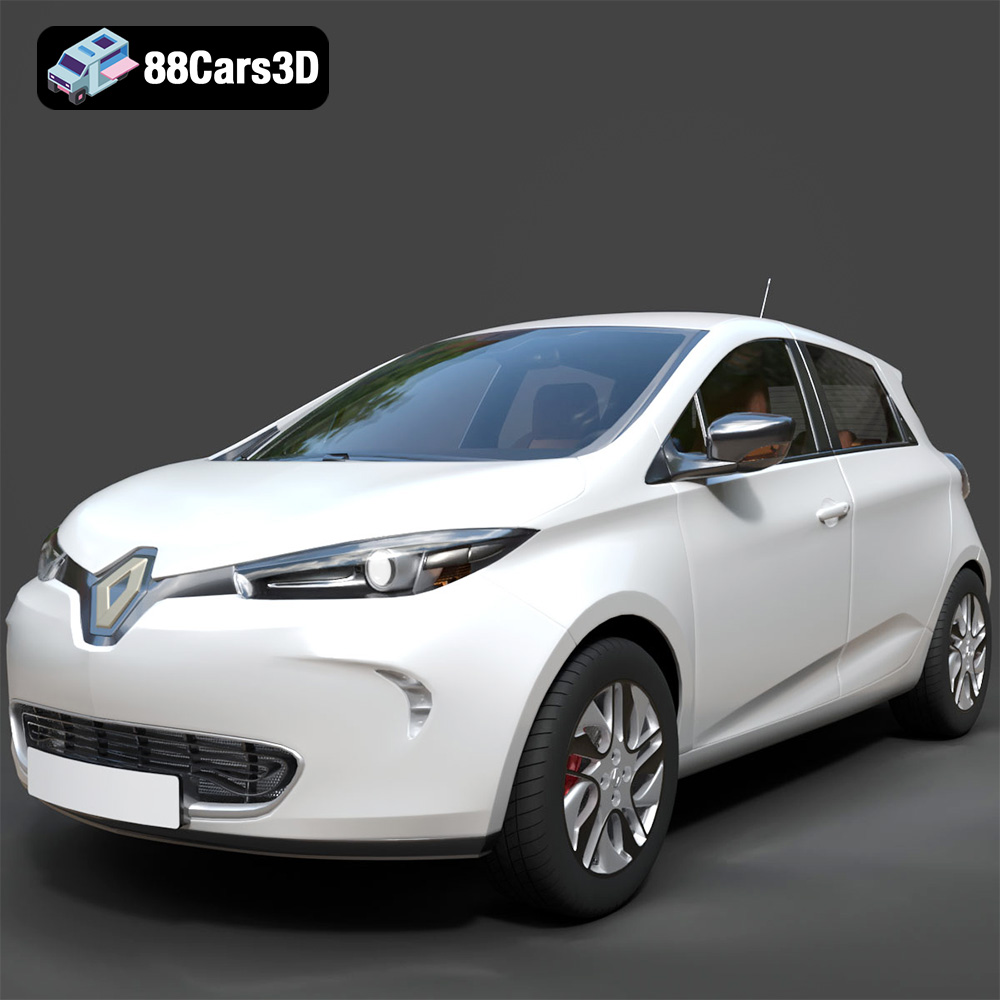
Renault Zoe 3D Model
Texture: Yes
Material: Yes
Download the Renault Zoe 3D Model featuring clean geometry, realistic detailing, and a fully modeled interior. Includes .blend, .fbx, .obj, .glb, .stl, .ply, .unreal, and .max formats for rendering, simulation, and game development.
Price: $4.99
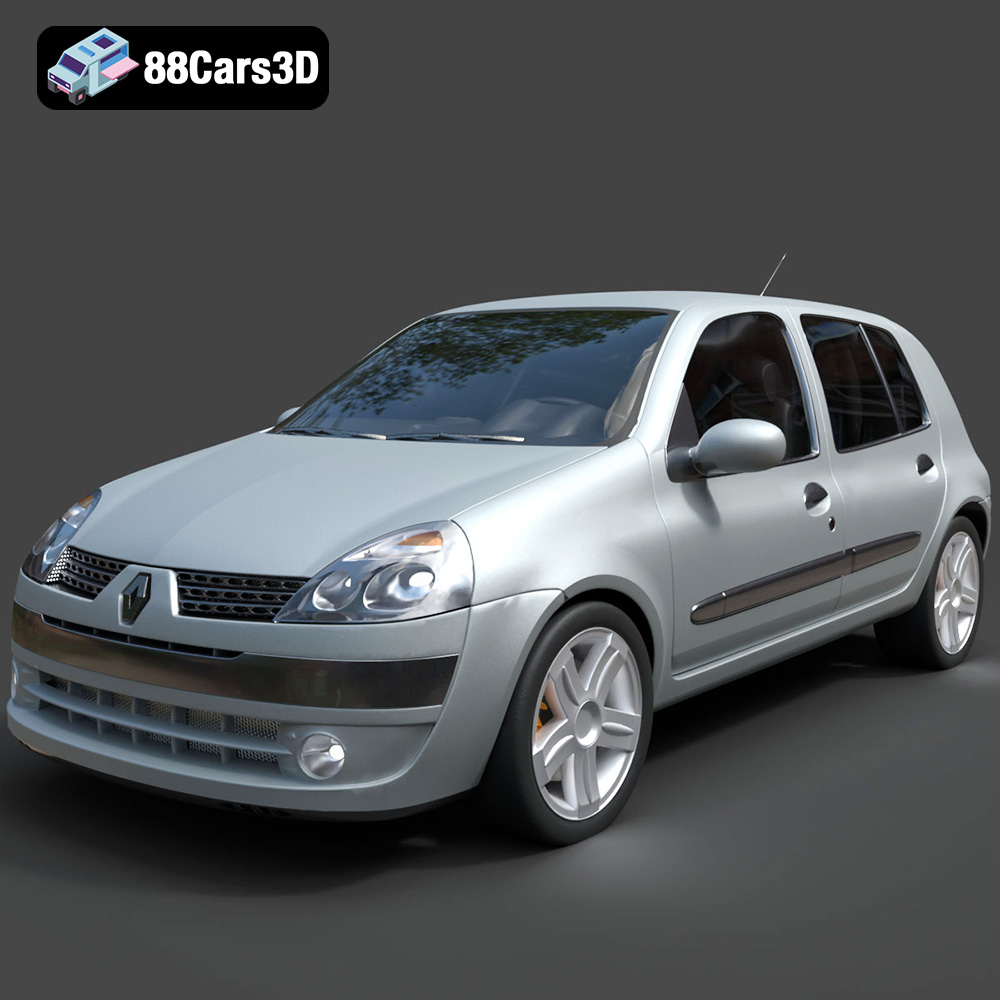
Renault Clio 2025 3D Model
Texture: Yes
Material: Yes
Download the Renault Clio 2025 3D Model featuring clean geometry, realistic detailing, and a fully modeled interior. Includes .blend, .fbx, .obj, .glb, .stl, .ply, .unreal, and .max formats for rendering, simulation, and game development.
Price: $4.99
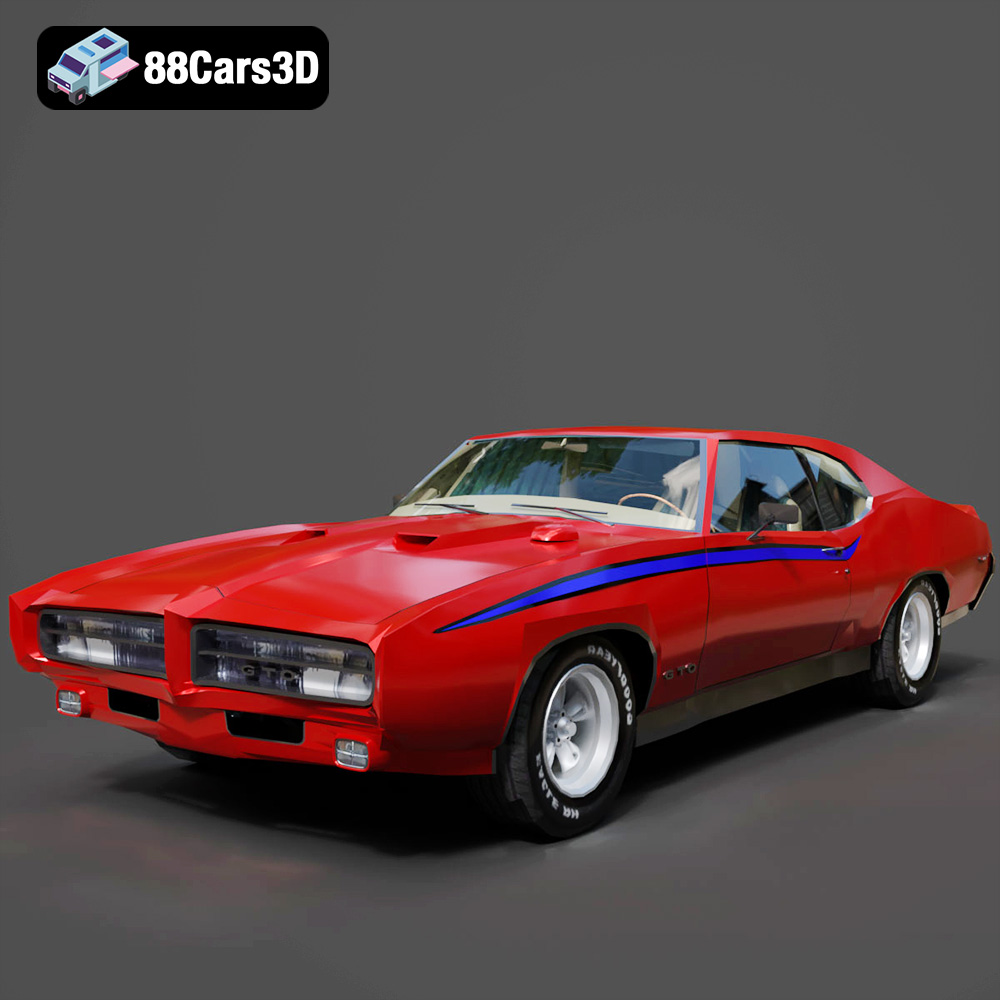
Pontiac GTO The Judge 1969 3D Model
Texture: Yes
Material: Yes
Download the Pontiac GTO The Judge 1969 3D Model featuring clean geometry, realistic detailing, and a fully modeled interior. Includes .blend, .fbx, .obj, .glb, .stl, .ply, .unreal, and .max formats for rendering, simulation, and game development.
Price: $4.99
