
The Foundation: Flawless Topology and Edge Flow for Automotive Models

The allure of a perfectly crafted automobile transcends mere transportation; it’s a symphony of design, engineering, and passion. In the digital realm, this passion translates into the demanding yet rewarding art of creating high-quality 3D car models. Whether you’re an automotive designer visualizing a new concept, a game developer crafting immersive open worlds, a filmmaker seeking photorealistic renders, or an AR/VR innovator building interactive experiences, the underlying principles of creating and utilizing these complex assets remain critical. The journey from a raw mesh to a polished, optimized, and ready-to-deploy 3D car model is a intricate dance between artistic vision and technical precision.
This comprehensive guide dives deep into the technical methodologies and best practices essential for mastering 3D car models. We’ll explore everything from the foundational elements of flawless topology and intelligent UV mapping to the advanced intricacies of PBR material creation, high-fidelity rendering, and rigorous optimization for game engines, AR/VR, and even 3D printing. Prepare to unlock the secrets behind professional-grade automotive 3D assets, understand the nuances of various file formats, and learn how to elevate your visualization projects to cinematic levels. By the end of this journey, you’ll possess a robust understanding of the workflows that define excellence in digital automotive design, equipping you with the knowledge to create, modify, and integrate stunning car models into any project.
The Foundation: Flawless Topology and Edge Flow for Automotive Models
The backbone of any exceptional 3D car model is its topology and edge flow. These seemingly abstract concepts dictate how smoothly a surface will render, how easily it can be deformed, and how cleanly it will subdivide. For automotive models, which are characterized by sleek curves, sharp creases, and complex panel gaps, precision in topology is paramount. Poor topology can lead to pinching, artifacting, and frustrating challenges down the line, whether during texturing, rigging, or rendering.
Understanding Quad-Based Topology
In the world of polygonal modeling, quads (four-sided polygons) are the undisputed champions for organic and hard-surface modeling alike. The vast majority of professional 3D car models are built using quad-dominant topology because quads subdivide predictably and evenly, ensuring smooth transitions and clean deformation. While triangles (tri-gons) are inevitable in certain complex areas or for game engine optimization, they should generally be avoided on flat, smooth, or deforming surfaces as they can cause visible pinching and render artifacts. N-gons (polygons with more than four sides) are an absolute no-go for production-ready models, leading to unpredictable subdivision and shading issues.
A good starting point for a high-quality automotive mesh is to ensure that wherever possible, edges form continuous loops, allowing for easy selection and manipulation. This is particularly important around features like wheel wells, door frames, and window openings. For clean topology, aim to keep edge loops flowing along the natural contours and design lines of the vehicle, defining its shape rather than fighting it.
Crafting Clean Edge Flow for Curvatures and Details
Maintaining impeccable edge flow is critical for capturing the subtle nuances and bold lines of an automotive design. Consider a fender: its gentle curve gradually transitions into a sharper flare. Your edge loops should mirror this transition, becoming denser where curvature is tighter and sparser where surfaces are flatter. Support loops, also known as holding edges or control loops, are essential for defining sharp creases, such as those found around panel gaps, headlights, or the intersection of body panels. These loops, placed close to a hard edge, prevent it from softening excessively when subdivision surface modifiers (like TurboSmooth in 3ds Max or Subdivision Surface in Blender) are applied.
When modeling panel gaps, it’s not enough to simply create an indentation. Professional models feature a slight bevel or rounded edge within the gap itself, accurately mimicking real-world manufacturing tolerances and ensuring light interacts realistically. This attention to detail, while adding to the polygon count, significantly enhances the realism of the final render. A typical high-poly studio render model for an exterior car might range from 250,000 to 1,000,000 polygons, with optimized game-ready versions often coming in at 50,000 to 150,000 polygons, relying heavily on normal maps for detail. The initial high-poly model, however, sets the standard for detail, regardless of the final polygon budget, and clean topology ensures efficient retopology and baking processes.
Mastering UV Mapping for Realistic Car Surfaces
Once a 3D car model boasts impeccable topology, the next critical step for adding realistic detail is UV mapping. UV mapping is the process of flattening the 3D surface of a model into a 2D plane, allowing textures to be painted or applied without distortion. For the complex, often metallic and reflective surfaces of a car, meticulous UV unwrapping is non-negotiable. Poor UVs lead to stretched textures, visible seams, and an overall unprofessional appearance, directly impacting the quality of your PBR materials.
Strategic UV Unwrapping Techniques
Unwrapping a car effectively requires a strategic approach. Instead of attempting to unwrap the entire vehicle as a single piece, it’s best practice to break it down into logical components. Body panels (hood, doors, fenders), bumpers, windows, wheels, tires, interior elements, and small details should all be unwrapped independently. Common unwrapping techniques include planar mapping for flat surfaces, cylindrical mapping for round elements like tires or steering wheels, and spherical mapping for domed components like hubcaps. For complex, organic shapes that comprise most of a car’s body, sophisticated tools like Pelt Mapping (3ds Max), Follow Active Quads (Blender), or the Automatic Map function (Maya) can help generate efficient, low-distortion layouts.
The placement of UV seams is paramount. Seams should be hidden wherever possible – along edges that are naturally sharp, in crevices, or where different materials meet. For example, a seam running along the bottom edge of a door panel is far less noticeable than one bisecting the middle of a smooth fender. Minimizing the number of seams while avoiding texture stretching is the ultimate goal, balancing readability for the artist with visual integrity in the render.
Optimizing UV Space and Texture Density
Efficient utilization of UV space and consistent texel density across all parts of the model are crucial for realistic results and performance. Texel density refers to the number of texture pixels per unit of 3D space. Large, prominent surfaces like the main body panels should have a higher texel density (e.g., 10.24 px/cm) than smaller, less visible details (e.g., 5.12 px/cm). Inconsistent texel density will result in some parts of your car looking blurry while others are crisp, breaking immersion.
To achieve this, often multiple UV sets or UV tiles (UDIMs) are used. For extremely high-resolution assets destined for cinematic renders, UDIM workflows allow artists to spread different parts of the model across multiple 2D texture maps while maintaining a single material, ensuring every detail can receive an 8K or even 16K texture. For game engines or real-time applications, consolidating textures onto fewer UV maps (texture atlasing) is common, but still maintaining relative texel density. Avoiding UV overlaps (unless for mirrored symmetrical parts where identical textures are desired) is essential for baking accurate ambient occlusion, normal, and other utility maps. When sourcing pre-made models, platforms like 88cars3d.com provide models with clean, optimized UVs, ensuring that your texturing process begins on a solid foundation.
PBR Material Creation and Advanced Shader Networks
The visual fidelity of a 3D car model hinges critically on its materials and shaders. Physically Based Rendering (PBR) has revolutionized this aspect, ensuring that digital materials react to light in a way that closely mimics real-world physics, regardless of the lighting environment or renderer. Crafting realistic car paint, glass, chrome, and rubber requires a deep understanding of PBR principles and the intricate art of building advanced shader networks.
The Core Principles of Physically Based Rendering (PBR)
PBR workflows rely on a set of standardized texture maps that define how light interacts with a surface. The two primary workflows are Metallic/Roughness and Specular/Glossiness. The Metallic/Roughness workflow, prevalent in most modern game engines and renderers (Unity, Unreal Engine, Blender Cycles/Eevee, Substance Painter), uses the following key maps:
- Base Color (Albedo): Defines the diffuse color of the surface without any baked lighting information.
- Metallic: A grayscale map where white (1.0) indicates a purely metallic surface and black (0.0) indicates a dielectric (non-metallic) surface.
- Roughness: A grayscale map controlling the micro-surface detail, influencing how light scatters. Lower values (black) mean smoother, more reflective surfaces; higher values (white) mean rougher, more diffuse surfaces.
- Normal Map: Provides high-frequency surface detail (bumps, dents, scratches) by faking geometric changes through surface normal manipulation, crucial for efficient detail without high polygon counts.
- Ambient Occlusion (AO): A map that simulates soft shadows where light is occluded, adding depth and realism to crevices and contact points.
Understanding how these maps interact is fundamental to creating believable materials. The integrity of the albedo map, for instance, is critical; it should not contain any baked lighting or shadow information, only the inherent color of the material.
Crafting Realistic Automotive Shaders
Automotive surfaces are notoriously challenging due to their highly reflective nature and complex material properties. Car paint, for example, is not a simple metallic surface. It typically involves multiple layers: a base color, metallic flakes, and a clear coat. A realistic car paint shader often simulates this by blending a metallic layer (for the flakes) with a dielectric clear coat, often using Fresnel reflections to control reflectivity at grazing angles. The clear coat might also have a subtle amount of roughness and even a tint. Software like 3ds Max with Corona or V-Ray, or Blender with Cycles, offers advanced node-based material editors that allow artists to construct these multi-layered shaders, incorporating specific maps for flake size, density, and color shift.
Glass shaders for windscreens and windows require accurate transmission and refraction values, often with a slight tint or dirt overlay. Chrome and other polished metals demand precise metallic and roughness values, ensuring sharp, mirror-like reflections. Rubber for tires needs a subtle roughness, perhaps some displacement or normal mapping for tread patterns, and a slightly darker albedo. Interiors present a different set of challenges, often requiring materials like leather, fabric, plastic, and even subsurface scattering for certain illuminated elements like dashboards. When buying 3D car models from marketplaces such as 88cars3d.com, look for descriptions that highlight PBR-ready materials and comprehensive texture sets, saving significant production time.
High-Fidelity Automotive Rendering Workflows
Rendering is where your meticulous modeling, UV mapping, and material work culminate into a stunning visual. Achieving photorealistic automotive renders requires a mastery of lighting, environment setup, and renderer-specific settings. This stage transforms your 3D car model from a digital asset into a captivating image or animation.
Lighting the Scene: HDRI and Area Lights
Effective lighting is the single most critical factor for a photorealistic render. For automotive visualization, High Dynamic Range Images (HDRIs) are indispensable. An HDRI captures real-world lighting information (color, intensity, direction) from a specific location, allowing you to light your scene with highly accurate global illumination, reflections, and refractions. Whether you’re aiming for a dramatic studio look or a vibrant outdoor scene, selecting the right HDRI drastically impacts the mood and realism. Studio HDRIs, for instance, often feature large, soft light sources, perfect for showcasing the car’s contours and reflections.
Beyond HDRIs, supplementing with discrete area lights, often referred to as “light planes” or “softboxes,” provides precise control over highlights and reflections. These lights can be strategically placed to emphasize body lines, illuminate the interior, or create striking rim lighting. For outdoor scenes, a dedicated sun and sky system (like Corona Sun/Sky or V-Ray Sun/Sky) combined with an HDRI for environmental reflections provides a robust solution. Always consider the color temperature of your lights; warm tones (lower Kelvin) evoke comfort, while cool tones (higher Kelvin) suggest professionalism or a more sterile environment. The interplay of direct light, bounce light, and accurate reflections is what truly makes a car model pop.
Renderer-Specific Settings and Optimizations
Different render engines offer unique strengths and settings to optimize for automotive rendering. While the core principles of lighting and materials remain consistent, specific adjustments can dramatically improve render quality and efficiency:
- Corona Renderer (3ds Max/Cinema 4D): Known for its ease of use and realistic results, Corona boasts powerful features like LightMix, allowing you to adjust light intensities and colors during or after rendering without re-rendering. Its adaptive sampling focuses render power on noisy areas, and denoisers (like NVIDIA OptiX or Intel Open Image Denoise) significantly reduce render times while maintaining quality. Caustics for glass and reflective surfaces can be enabled for added realism, though they often increase render times.
- V-Ray (3ds Max/Maya/Rhino): A long-standing industry standard, V-Ray offers extensive control over global illumination (Brute Force, Irradiance Map, Light Cache), progressive rendering, and powerful denoisers. Its comprehensive material system allows for highly customized shaders. Optimizing V-Ray often involves balancing render quality settings (e.g., subdivision levels for materials, GI samples) with render time, typically by starting with lower settings and incrementally increasing them.
- Blender Cycles/Eevee: Cycles is Blender’s physically based path tracer, capable of stunning photorealism. Key optimizations include using the GPU for rendering (if available and powerful enough), adjusting sampling settings, utilizing render passes for compositing, and enabling denoisers (OptiX, OIDN). Eevee, Blender’s real-time renderer, is excellent for quick previews and even final renders when a stylized or faster output is desired, though it requires different lighting and material setups than Cycles.
- Arnold (Maya/3ds Max/Cinema 4D): Known for its cinematic quality, Arnold is a CPU-based renderer that excels in complex scenes with intricate lighting and volumetric effects. Optimizations include careful management of sample counts for lights and materials, using Arnold’s built-in denoiser, and leveraging its powerful shader network editor for advanced material creation.
Regardless of the renderer, using render passes (e.g., diffuse, reflection, specular, ambient occlusion, depth) for post-processing and compositing in software like Photoshop or Affinity Photo is crucial. This allows for fine-tuning contrast, color correction, adding lens flares, and other effects without re-rendering the entire image, saving immense time and allowing for greater artistic control.
Game Engine Optimization & Real-Time Visualization
While cinematic renders aim for absolute fidelity regardless of processing time, game assets and real-time visualization demand efficiency. Getting a high-quality 3D car model to run smoothly in engines like Unity or Unreal Engine requires a strategic approach to polygon count, texture management, and shader complexity. The goal is to maximize visual quality within strict performance budgets.
LODs (Levels of Detail) for Performance
One of the most fundamental optimization techniques for complex models like cars in real-time environments is the implementation of Levels of Detail (LODs). LODs are multiple versions of the same mesh, each with a progressively lower polygon count. When the car is close to the camera, the highest detail LOD0 (e.g., 80,000-150,000 polys) is rendered. As the camera moves further away, the engine automatically switches to a simpler LOD1 (e.g., 30,000-50,000 polys), then LOD2 (e.g., 10,000-20,000 polys), and so on, down to a very low-poly representation (e.g., 2,000-5,000 polys) for distant objects. This significantly reduces the computational load on the GPU by drawing fewer polygons for objects that contribute less to the visual fidelity from a distance.
Creating effective LODs involves careful decimation or manual retopology to ensure that the silhouette and major features remain recognizable at each level. LOD groups are set up within the game engine, specifying the distances at which each LOD should swap. A common practice is to bake the normal maps from the high-poly LOD0 onto the lower-poly LODs to retain surface detail without increasing geometric complexity. This process is essential for creating performant game assets that don’t sacrifice visual quality up close. When you’re searching for game-ready assets, platforms like 88cars3d.com often specify if their models come with pre-configured LODs, which is a massive time-saver for game developers.
Texture Atlasing and Shader Optimization
Beyond polygon counts, texture management and shader complexity are major performance bottlenecks in real-time rendering. Draw calls – the number of times the CPU tells the GPU to render something – are directly impacted by the number of unique materials and textures. To reduce draw calls, texture atlasing is a common technique where multiple smaller textures (e.g., for different car parts like headlights, badges, and interior elements) are packed into a single, larger texture atlas. All parts that share this atlas can then use a single material, significantly reducing draw calls and improving performance.
Shader optimization involves simplifying material networks. While PBR materials require several maps (Base Color, Metallic, Roughness, Normal, AO), avoiding overly complex or numerous shader nodes and using instanced materials where possible can improve performance. For instance, creating a master car paint material and then creating instances for different colors or finishes allows the engine to reuse the shader code, reducing compilation overhead. Baking static lighting information into lightmaps (a dedicated UV channel on the mesh) can also reduce the need for expensive real-time global illumination, especially for static scene elements or less interactive models. Furthermore, careful use of transparent materials, which cause overdraw (rendering pixels multiple times), is important. Optimizing car glass, for example, might involve simplifying its shader or using opaque materials for distant LODs.
Expanding Horizons: AR/VR, 3D Printing, and File Formats
The versatility of high-quality 3D car models extends far beyond traditional rendering and game development. They are increasingly vital in emerging fields like Augmented Reality (AR) and Virtual Reality (VR), as well as physical production through 3D printing. Understanding the specific requirements for these applications, along with mastering various file formats, ensures your models are truly future-proof.
AR/VR Optimization and Interactivity
AR and VR experiences demand even stricter optimization than traditional games due to the need for very high frame rates (typically 90 FPS or more) to prevent motion sickness and provide a smooth, immersive experience. For 3D car models in AR/VR, ultra-low polygon counts are often preferred (e.g., 10,000-30,000 polygons for a hero car, and even lower for background vehicles), combined with baked normal maps from high-poly versions to retain detail. Texture resolution should be optimized, often using 2K textures with judicious use of texture atlases to minimize memory footprint and draw calls.
Key considerations for AR/VR include:
- Real-time Shadows: Efficient, optimized shadows are crucial for grounding AR objects in the real world and enhancing VR realism.
- Collision Meshes: Simplified collision meshes allow for realistic interaction without taxing performance.
- Lighting: Often relies on real-time PBR lighting, but baked lighting can be used for static elements to further optimize.
- File Formats: GLB (Binary glTF) and USDZ (Universal Scene Description Zip) are the preferred formats for AR/VR. GLB is widely supported for web AR and Android, while USDZ is Apple’s proprietary format for iOS AR experiences. These formats efficiently package geometry, materials (PBR), animations, and scene data into a single, optimized file.
Interactive elements, such as opening doors, changing paint colors, or viewing the engine, need to be carefully set up with animation rigging and material toggles, ensuring smooth transitions and responsiveness without compromising performance. For platforms that require a quick, interactive configurator, highly optimized models are paramount.
Preparing Models for 3D Printing
Transforming a digital 3D car model into a physical object via 3D printing introduces a unique set of challenges. Unlike rendering, which fakes depth and volume, 3D printing requires a physically accurate, “watertight” mesh.
Essential steps for 3D printing preparation:
- Watertight Mesh: The model must be a single, closed volume with no gaps, internal faces, or non-manifold geometry. Any holes will prevent the slicer software from correctly generating print paths. Tools in Blender (3D Print Toolbox addon), Meshmixer, or Netfabb can help identify and repair these issues.
- Wall Thickness: Ensure all parts of the model have sufficient wall thickness (e.g., at least 1-2mm depending on the print material and scale). Thin walls can be fragile or fail to print.
- Scale and Units: Set the model to the correct real-world scale (e.g., millimeters or inches) before exporting.
- Detail Level: Consider the resolution of your 3D printer. Excessive polygon count won’t translate into more detail on a low-resolution printer, and might unnecessarily increase file size.
- Export Format: STL (Stereolithography) and OBJ are the most common file formats for 3D printing. STL is a basic mesh format, while OBJ can include color and texture information, though most consumer 3D printers only print in a single material color.
For complex car models, it’s often beneficial to separate parts (body, wheels, interior) for easier printing and assembly, especially for high-detail models or those with moving components. When purchasing models for 3D printing, always check if they are described as “print-ready” or “watertight,” which can save significant post-processing time.
Navigating File Formats and Compatibility
The world of 3D modeling is rich with various file formats, each with its strengths and specific applications. Understanding their nuances is crucial for seamless workflows:
- FBX (Filmbox): A proprietary format by Autodesk, FBX is an industry standard for interoperability between 3D applications (Maya, 3ds Max, Blender) and game engines (Unity, Unreal Engine). It supports geometry, materials (PBR), textures, cameras, lights, and animation, making it highly versatile for complex scenes and animated models.
- OBJ (Wavefront OBJ): A universal, open-source format, OBJ is excellent for exchanging raw mesh data and UV information. It’s widely supported across almost all 3D software. However, it doesn’t store material definitions or animations directly (materials are typically referenced via an accompanying .MTL file, and animations are not supported).
- GLB/glTF (Graphics Language Transmission Format): An open standard from the Khronos Group, glTF is designed for efficient transmission and loading of 3D scenes and models by applications. GLB is the binary version, packing all assets into a single file, making it ideal for web-based 3D, AR/VR, and quick asset sharing. It natively supports PBR materials and animations.
- USDZ (Universal Scene Description Zip): Developed by Pixar and adopted by Apple, USDZ is a proprietary format optimized for AR experiences on iOS devices. It functions similarly to GLB but is tailored for Apple’s ecosystem.
- Native Formats (.blend, .max, .c4d, .mb/.ma): These are the native project files for Blender, 3ds Max, Cinema 4D, and Maya, respectively. They offer the most comprehensive data storage, including scene setup, modifiers, rigging, and specific renderer settings. Using native formats ensures maximum fidelity when working within a single software environment.
When sourcing high-quality 3D car models, such as those found on 88cars3d.com, it’s beneficial to look for assets provided in multiple formats. This flexibility ensures compatibility with your specific software and project requirements, whether you’re working in a rendering pipeline, game development, or AR/VR experience.
Conclusion
The journey through the creation and application of high-quality 3D car models is a testament to the blend of artistic vision and rigorous technical execution required in modern digital content creation. We’ve explored the foundational importance of clean topology and efficient UV mapping, delved into the intricacies of PBR material construction, navigated the demanding world of high-fidelity automotive rendering, and optimized models for the performance-critical environments of game engines and AR/VR. We also touched upon preparing models for physical fabrication through 3D printing and the crucial role of selecting appropriate file formats for diverse applications.
Every decision, from the placement of a single edge loop to the careful balance of texel density, contributes to the overall realism and usability of a 3D car model. Mastering these techniques not only elevates your personal projects but also positions you as a highly capable professional in fields ranging from automotive design and engineering to immersive entertainment and interactive visualization. The digital automotive landscape is continually evolving, demanding ever higher standards of quality and efficiency.
To embark on your next project with confidence, equipped with assets that meet these exacting standards, consider exploring the curated collection of high-quality 3D car models available on 88cars3d.com. Each model is crafted with the detailed topology, clean UVs, and PBR-ready materials discussed in this guide, providing a solid foundation for your rendering, game development, AR/VR, or 3D printing endeavors. Invest in quality, and let your digital automotive creations truly shine.
Featured 3D Car Models

Mitsubishi Outlander 2022 3D Model
Texture: Yes
Material: Yes
Download the Mitsubishi Outlander 2022 3D Model featuring clean geometry, realistic detailing, and a fully modeled interior. Includes .blend, .fbx, .obj, .glb, .stl, .ply, .unreal, and .max formats for rendering, simulation, and game development.
Price: $4.99
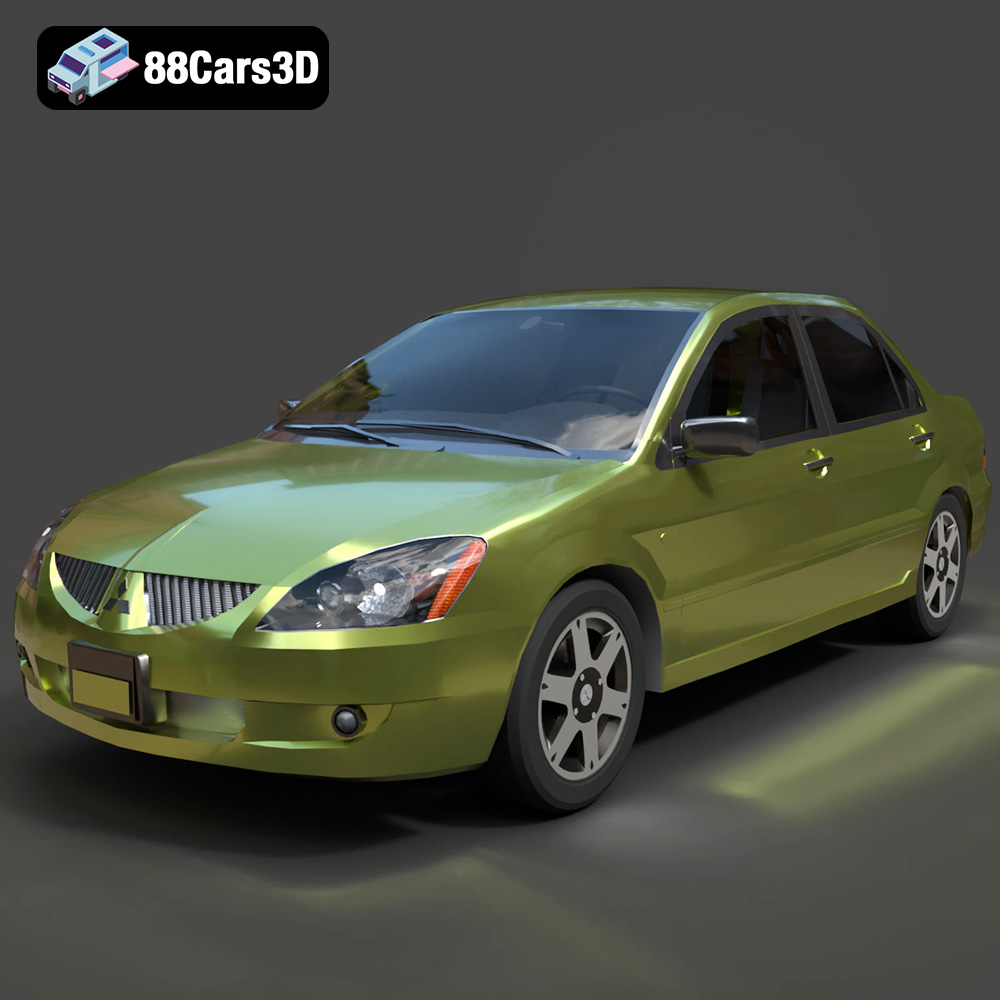
Mitsubishi Lancer IX-001 3D Model
Texture: Yes
Material: Yes
Download the Mitsubishi Lancer IX-001 3D Model featuring clean geometry, realistic detailing, and a fully modeled interior. Includes .blend, .fbx, .obj, .glb, .stl, .ply, .unreal, and .max formats for rendering, simulation, and game development.
Price: $4.99

MINI Cooper S-007 3D Model
Texture: Yes
Material: Yes
Download the MINI Cooper S-007 3D Model featuring clean geometry, realistic detailing, and a fully modeled interior. Includes .blend, .fbx, .obj, .glb, .stl, .ply, .unreal, and .max formats for rendering, simulation, and game development.
Price: $4.99

Mercury Grand Marquis LS 1986 3D Model
Texture: Yes
Material: Yes
Download the Mercury Grand Marquis LS 1986 3D Model featuring clean geometry, realistic detailing, and a fully modeled interior. Includes .blend, .fbx, .obj, .glb, .stl, .ply, .unreal, and .max formats for rendering, simulation, and game development.
Price: $4.99

Mercedes-Benz SLS AMG 2010 3D Model
Texture: Yes
Material: Yes
Download the Mercedes-Benz SLS AMG 2010 3D Model featuring clean geometry, realistic detailing, and a fully modeled interior. Includes .blend, .fbx, .obj, .glb, .stl, .ply, .unreal, and .max formats for rendering, simulation, and game development.
Price: $4.99

Renault Twizy ZE 3D Model
Texture: Yes
Material: Yes
Download the Renault Twizy ZE 3D Model featuring clean geometry, realistic detailing, and a fully modeled interior. Includes .blend, .fbx, .obj, .glb, .stl, .ply, .unreal, and .max formats for rendering, simulation, and game development.
Price: $4.99

Porsche 911 GT3 3D Model
Texture: Yes
Material: Yes
Download the Porsche 911 GT3 3D Model featuring clean geometry, realistic detailing, and a fully modeled interior. Includes .blend, .fbx, .obj, .glb, .stl, .ply, .unreal, and .max formats for rendering, simulation, and game development.
Price: $4.99

Porsche 911 997 GT3 RS 4.0 2011 3D Model
Texture: Yes
Material: Yes
Download the Porsche 911 997 GT3 RS 4.0 2011 3D Model featuring clean geometry, realistic detailing, and a fully modeled interior. Includes .blend, .fbx, .obj, .glb, .stl, .ply, .unreal, and .max formats for rendering, simulation, and game development.
Price: $4.99

Pontiac GTO Cabrio 1967 3D Model
Texture: Yes
Material: Yes
Download the Pontiac GTO Cabrio 1967 3D Model featuring clean geometry, realistic detailing, and a fully modeled interior. Includes .blend, .fbx, .obj, .glb, .stl, .ply, .unreal, and .max formats for rendering, simulation, and game development.
Price: $4.99

Pontiac Firebird Convertible 1968 3D Model
Texture: Yes
Material: Yes
Download the Pontiac Firebird Convertible 1968 3D Model featuring clean geometry, realistic detailing, and a fully modeled interior. Includes .blend, .fbx, .obj, .glb, .stl, .ply, .unreal, and .max formats for rendering, simulation, and game development.
Price: $4.99
