⚡ FLASH SALE: Get 60% OFF All Premium 3D & STL Models! ⚡

In the dynamic world of 3D visualization, automotive design, and interactive media, the quality of your 3D car models can make or break a project. Whether you’re crafting a stunning marketing visualization, developing an immersive racing game, or preparing a concept for 3D printing, the underlying craftsmanship of the 3D model is paramount. A truly professional 3D car model is more than just a digital sculpture; it’s a meticulously engineered asset, boasting clean topology, expertly unwrapped UVs, realistic PBR materials, and optimized performance across diverse platforms.
This comprehensive guide delves deep into the technical intricacies of creating and utilizing high-quality 3D car models. We’ll explore the essential workflows, industry best practices, and advanced techniques employed by leading professionals. From understanding the nuances of edge flow and polygon distribution to mastering complex shader networks and preparing models for real-time engines or AR/VR experiences, you’ll gain actionable insights. Our journey will cover everything from foundational modeling principles to advanced rendering and optimization strategies, empowering you to elevate your automotive 3D projects to unprecedented levels of realism and efficiency. When sourcing premium assets, platforms like 88cars3d.com provide a wide array of professionally crafted 3D car models, serving as an excellent starting point for any high-fidelity project.
The backbone of any high-quality 3D car model is its topology – the arrangement of polygons (faces, edges, and vertices) that define its surface. For automotive models, which are characterized by sleek curves, sharp creases, and complex panel intersections, impeccable topology is not just about aesthetics; it’s crucial for smooth subdivisions, distortion-free deformations, and efficient UV mapping. Bad topology can lead to pinching, artifacting, and frustrating texturing issues down the line.
Industry standard dictates a workflow predominantly based on quadrilaterals (quads). Quads subdivide cleanly, maintaining smooth curves and predictable surface behavior, unlike triangles or N-gons which can introduce unwanted pinching or faceting when subdivided. Automotive models typically begin with a low-polygon base mesh, carefully built with quads to define the primary forms and silhouette of the vehicle. This base mesh is then refined using subdivision surface modifiers (e.g., OpenSubdiv in 3ds Max/Maya, Subdivision Surface in Blender), which smooth out the mesh and add detail without manually increasing polygon count to an unmanageable degree. This non-destructive approach allows artists to adjust the base mesh for form and then control the final smoothness via subdivision levels.
For example, a typical high-quality car model intended for cinematic rendering might have a base mesh of 100,000-200,000 polygons, which, when subdivided 2-3 times, can result in a final render mesh of 2-5 million polygons, providing ultra-smooth surfaces. For game engines, the base mesh itself often serves as a higher LOD, with even lower poly versions created for distant views.
Achieving realistic automotive surfaces involves meticulous control over edge flow, especially around character lines, panel gaps, and subtle curvature transitions. Clean edge loops must flow along these features, defining their sharpness and depth. To create sharp creases that hold their form after subdivision, artists employ “support loops” or “holding edges.” These are additional edge loops placed very close to the feature edge, effectively creating a tighter corner when the mesh is subdivided. The distance between the main feature edge and its support loops dictates the sharpness of the crease.
Once the topology is solid, the next critical step is UV mapping – the process of flattening the 3D surface into 2D space so that 2D textures can be applied without distortion. For complex organic shapes like cars, UV mapping requires strategic planning to maximize texture resolution and minimize seams.
Effective UV mapping for a car model involves breaking down the vehicle into logical components (hood, doors, fenders, roof, interior, wheels, glass, lights). Each component, or even sub-component, can have its own UV layout. The goal is to create UV “islands” that are as large and contiguous as possible, with minimal stretching and seams placed in less visible areas. Tools like Blender’s Smart UV Project, 3ds Max’s Unwrap UVW, or Maya’s UV Editor are indispensable here.
For high-fidelity models, texture resolutions typically range from 2K to 8K, depending on the detail required and the platform. For game engines, 2K or 4K textures are common for primary components, with smaller resolutions for less critical elements. For cinematic renders, 8K or even 16K can be used for close-ups.
Modern car models often feature a multitude of different materials – shiny paint, matte plastics, brushed metals, clear glass, rubber, fabrics, and more. A multi-material workflow assigns different material IDs or separate shaders to different parts of the mesh, allowing for precise control over each surface type. This is crucial for realism.
For extremely high-resolution texturing, especially common in VFX and cinematic automotive rendering, UDIMs (U-Dimension) are indispensable. UDIMs allow you to use multiple texture files across a single mesh, effectively breaking down a single object’s UV space into an array of smaller, individual UV tiles (e.g., 0-1, 1-1, 2-1). This overcomes the limitation of a single 0-1 UV space and prevents having to cram all UV islands into one square, which often results in wasted space or insufficient resolution for certain parts. With UDIMs, you can assign an entire 4K or 8K texture to just a single car door, another to the hood, and so on, achieving incredible detail without resolution compromise.
This process typically involves tools like Substance Painter, Mari, or even Blender’s texture painting features, which natively support UDIM workflows. Using a UDIM setup makes managing complex texture sets much more organized and scalable, especially when working on detailed interior elements or high-polygon body kits.
Photorealistic rendering hinges on accurate material representation. Physically Based Rendering (PBR) has become the industry standard, allowing artists to create materials that react to light in a predictable and physically accurate way, regardless of the lighting environment. Understanding PBR principles is crucial for making your 3D car models indistinguishable from real-world vehicles.
PBR workflows primarily utilize two main models: Metallic-Roughness and Specular-Glossiness. While both aim for physical accuracy, they define material properties differently:
Both workflows depend on carefully calibrated texture maps, often generated in software like Substance Painter or Quixel Mixer, or hand-painted. When acquiring 3D car models from marketplaces like 88cars3d.com, check the material specifications – they will usually indicate which PBR workflow is used and provide the necessary texture maps (albedo/base color, metallic, roughness, normal, ambient occlusion).
Car paint is one of the most challenging materials to replicate due to its complex layered structure: a base coat (color), metallic flakes, and a clear coat. A typical PBR car paint shader will involve:
Interior materials – leathers, plastics, fabrics, carbon fiber, brushed aluminum – each require distinct PBR setups. Leather needs a subtle normal map for grain and varying roughness for wear. Plastics can range from highly reflective gloss to dull matte, often with a slight texture. Fabrics require intricate normal maps and often a dedicated “fuzz” or “sheen” component to simulate microscopic fibers reacting to light. Getting these details right is what separates a good render from a truly photorealistic one.
Even the most perfectly modeled and textured car will look flat without proper lighting and a professional rendering setup. Lighting is what gives shape, depth, and mood to your scene, making the materials truly come alive.
For product visualization and marketing renders, studio lighting is paramount. This typically involves a controlled environment designed to highlight the vehicle’s form and reflections. Common setups include:
High Dynamic Range Image (HDRI) environments are indispensable for realistic lighting. An HDRI contains a full 360-degree panoramic image with high-range light information, which can be used to light a 3D scene. This provides accurate reflections and ambient illumination, mimicking real-world environments with remarkable fidelity. You can combine an HDRI for overall ambient and reflection information with targeted area lights for specific highlights and shadow control. For example, a crisp outdoor HDRI can be used to provide realistic reflections on the car’s body, while an invisible plane light behind the camera adds a subtle highlight to the windshield.
Different render engines offer unique strengths and workflows, though their PBR material compatibility ensures consistency. Each engine has specific settings for optimal quality and performance:
Regardless of the engine, key settings to optimize include sampling rates (for noise reduction), global illumination bounces, depth of field, motion blur, and anti-aliasing. Experimentation and understanding the specific parameters of your chosen engine are vital for achieving the desired look and render times.
While cinematic renders prioritize raw polygon count and texture resolution, real-time applications like game engines (Unity, Unreal Engine) and AR/VR experiences demand extreme optimization. Performance is king, and every polygon, draw call, and texture contributes to frame rate and user experience.
A primary optimization technique is the creation of Level of Detail (LODs). Instead of using a single high-polygon model, multiple versions of the car are created, each with progressively fewer polygons. The game engine automatically swaps between these LODs based on the camera’s distance from the object:
Generating LODs often involves decimation tools (e.g., ProOptimizer in 3ds Max, Decimate modifier in Blender, ZBrush ZRemesher/Decimation Master), ensuring that critical silhouettes are maintained even at lower poly counts. Normal maps baked from the high-poly model onto the low-poly models help retain surface detail.
Draw Call Reduction: A “draw call” is a command from the CPU to the GPU to draw something. Each distinct material, mesh, or shadow caster typically generates its own draw call. Minimizing draw calls is crucial for performance. This involves:
Texture atlasing is a powerful optimization technique where multiple smaller texture maps (e.g., for different car parts like the grill, lights, badges) are combined into a single, larger texture atlas. This means the GPU only needs to load one texture, reducing memory usage and draw calls. The UVs for each component are then re-mapped to point to their corresponding area on the atlas.
For AR/VR, specific considerations apply due to the demanding frame rate requirements (often 90 FPS per eye for comfortable VR) and limited mobile hardware capabilities:
File formats optimized for real-time and AR/VR include GLB (a binary version of glTF, perfect for web and mobile AR) and USDZ (Apple’s proprietary format for ARKit). High-quality game assets available on platforms like 88cars3d.com often come with pre-optimized LODs and textures ready for direct import into Unity or Unreal Engine.
The utility of 3D car models extends far beyond screen-based visualization. They are increasingly used for physical prototyping, custom parts manufacturing, and collectible creation via 3D printing. Furthermore, seamless interoperability across various software platforms is crucial in collaborative pipelines.
For 3D printing, a model must be “watertight” or “manifold.” This means every edge must be shared by exactly two faces, ensuring there are no holes, inverted normals, or self-intersecting geometry. A non-watertight model cannot be accurately sliced by 3D printer software, leading to printing errors or failed prints.
Key preparation steps for 3D printing include:
Some advanced models for 3D printing may even require hollowing out sections to save on material or adding support structures directly in the 3D software for complex overhangs.
The choice of file format dictates how a 3D model can be exchanged and used across different software packages and platforms. Each format has its strengths:
When working in a professional pipeline, understanding these formats and their limitations is key to smooth asset transfer. Always check the target platform’s requirements and choose the most appropriate format. For maximum compatibility and ease of use, platforms like 88cars3d.com often provide their models in multiple popular formats, ensuring artists can seamlessly integrate them into their workflow.
Creating a raw render is often just the penultimate step. The final, captivating image or animation usually undergoes significant post-processing and compositing to achieve a truly polished, professional look. This stage adds atmosphere, refines colors, and corrects imperfections, bringing the automotive visualization to life.
Post-processing is typically performed in image editing software like Adobe Photoshop, Affinity Photo, or GIMP, or video editing/compositing software like Adobe After Effects, Blackmagic Fusion, or Nuke. Key techniques include:
By judiciously applying these techniques, a raw render can be transformed into a breathtaking marketing image or a compelling cinematic shot.
3D car models are central to various professional applications:
Each application demands a specific approach to model creation, texturing, and optimization, highlighting the versatility and technical depth required when working with 3D automotive assets.
The journey from a blank canvas to a photorealistic 3D car model is a testament to technical skill, artistic vision, and meticulous attention to detail. We’ve explored the critical role of clean topology and precise edge flow in defining the vehicle’s form, the art of UV mapping and PBR texturing in bringing surfaces to life, and the power of advanced rendering techniques in achieving stunning realism. We also delved into the crucial optimization strategies for real-time applications like game engines and AR/VR, and the specific requirements for preparing models for 3D printing and seamless cross-platform interoperability.
Mastering these disciplines not only elevates the visual quality of your projects but also streamlines your workflow and expands the applicability of your 3D assets across various industries. Whether you’re an aspiring artist, a seasoned game developer, or an automotive visualization professional, understanding these advanced concepts is key to creating compelling and high-performing 3D car models. Remember, quality assets are the foundation of any successful project. For those seeking ready-to-use, professionally crafted 3D car models, exploring reputable marketplaces will provide a strong starting point for your next masterpiece.

Texture: Yes
Material: Yes
Download the Mitsubishi Outlander 2022 3D Model featuring clean geometry, realistic detailing, and a fully modeled interior. Includes .blend, .fbx, .obj, .glb, .stl, .ply, .unreal, and .max formats for rendering, simulation, and game development.
Price: $4.99
Texture: Yes
Material: Yes
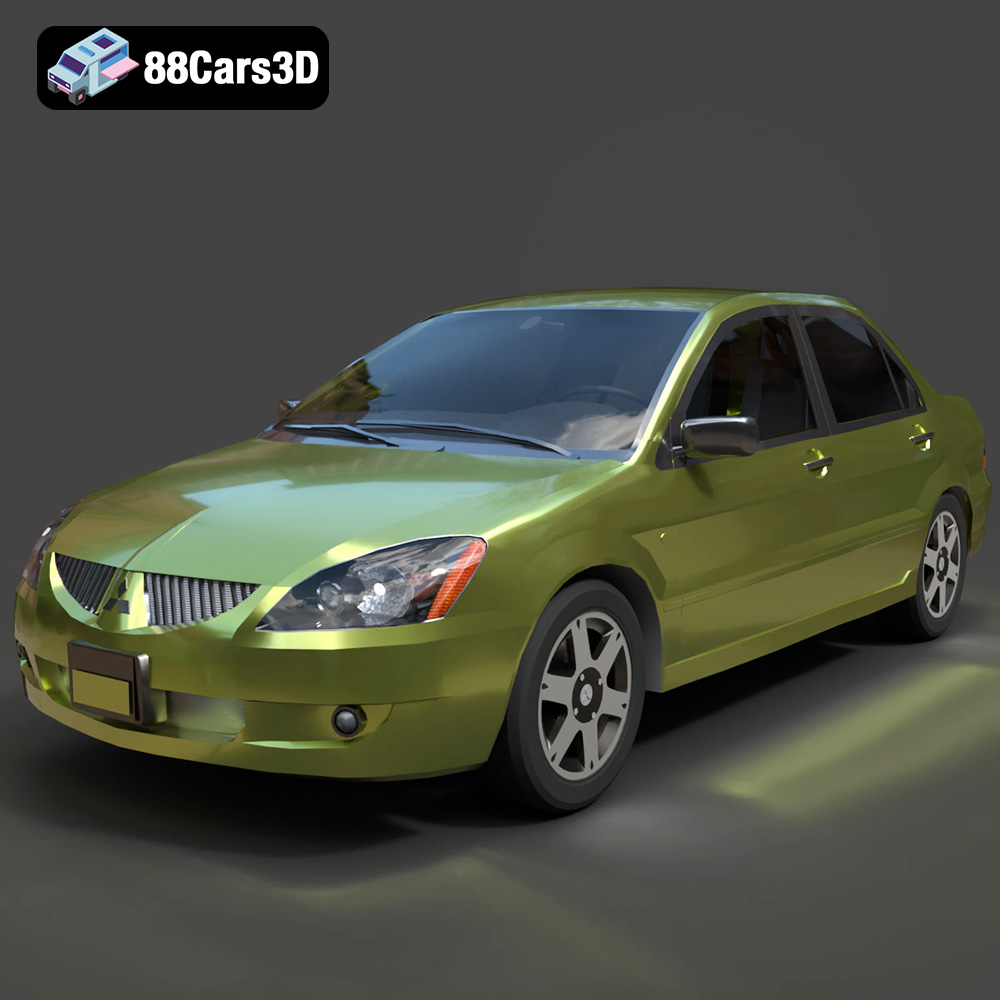
Download the Mitsubishi Lancer IX-001 3D Model featuring clean geometry, realistic detailing, and a fully modeled interior. Includes .blend, .fbx, .obj, .glb, .stl, .ply, .unreal, and .max formats for rendering, simulation, and game development.
Price: $4.99

Texture: Yes
Material: Yes
Download the MINI Cooper S-007 3D Model featuring clean geometry, realistic detailing, and a fully modeled interior. Includes .blend, .fbx, .obj, .glb, .stl, .ply, .unreal, and .max formats for rendering, simulation, and game development.
Price: $4.99

Texture: Yes
Material: Yes
Download the Mercury Grand Marquis LS 1986 3D Model featuring clean geometry, realistic detailing, and a fully modeled interior. Includes .blend, .fbx, .obj, .glb, .stl, .ply, .unreal, and .max formats for rendering, simulation, and game development.
Price: $4.99

Texture: Yes
Material: Yes
Download the Mercedes-Benz SLS AMG 2010 3D Model featuring clean geometry, realistic detailing, and a fully modeled interior. Includes .blend, .fbx, .obj, .glb, .stl, .ply, .unreal, and .max formats for rendering, simulation, and game development.
Price: $4.99

Texture: Yes
Material: Yes
Download the Renault Twizy ZE 3D Model featuring clean geometry, realistic detailing, and a fully modeled interior. Includes .blend, .fbx, .obj, .glb, .stl, .ply, .unreal, and .max formats for rendering, simulation, and game development.
Price: $4.99

Texture: Yes
Material: Yes
Download the Porsche 911 GT3 3D Model featuring clean geometry, realistic detailing, and a fully modeled interior. Includes .blend, .fbx, .obj, .glb, .stl, .ply, .unreal, and .max formats for rendering, simulation, and game development.
Price: $4.99

Texture: Yes
Material: Yes
Download the Porsche 911 997 GT3 RS 4.0 2011 3D Model featuring clean geometry, realistic detailing, and a fully modeled interior. Includes .blend, .fbx, .obj, .glb, .stl, .ply, .unreal, and .max formats for rendering, simulation, and game development.
Price: $4.99

Texture: Yes
Material: Yes
Download the Pontiac GTO Cabrio 1967 3D Model featuring clean geometry, realistic detailing, and a fully modeled interior. Includes .blend, .fbx, .obj, .glb, .stl, .ply, .unreal, and .max formats for rendering, simulation, and game development.
Price: $4.99

Texture: Yes
Material: Yes
Download the Pontiac Firebird Convertible 1968 3D Model featuring clean geometry, realistic detailing, and a fully modeled interior. Includes .blend, .fbx, .obj, .glb, .stl, .ply, .unreal, and .max formats for rendering, simulation, and game development.
Price: $4.99

