⚡ FLASH SALE: Get 60% OFF All Premium 3D & STL Models! ⚡

The world of 3D automotive design is a fascinating convergence of art and engineering, where meticulously crafted digital vehicles transcend mere visual appeal to become powerful tools for design, visualization, and interactive experiences. Whether you’re a seasoned 3D artist, an aspiring game developer, an automotive designer, or a student embarking on your digital journey, understanding the intricate processes behind creating high-quality 3D car models is paramount. From the foundational principles of topology to the nuances of physically based rendering and the demands of real-time optimization, every stage requires precision and technical acumen.
This comprehensive guide delves deep into the workflows and best practices essential for achieving stunning results with automotive 3D assets. We’ll explore the critical aspects of building clean models, crafting realistic materials, setting up breathtaking renders, and optimizing assets for diverse applications like game engines, AR/VR, and even 3D printing. By the end of this journey, you’ll have a robust understanding of the technical details that elevate a good 3D car model to an exceptional one, ready for any professional project.
The quality of a 3D car model begins not with its textures or reflections, but with its underlying geometry – its topology. For automotive models, which are characterized by smooth, reflective surfaces and precise panel gaps, clean and efficient topology is non-negotiable. It dictates how light interacts with the surface, how the model deforms (even subtly, like when viewed under different perspectives), and how easily it can be modified or optimized later in the pipeline. A well-constructed base mesh ensures that subdivision surfaces generate perfectly smooth, artifact-free curves, which is critical for the visually demanding surfaces of a car.
In the realm of high-fidelity automotive 3D modeling, the golden rule is “all quads.” Quadrilateral polygons (faces with four edges) are the backbone of clean topology because they allow for predictable and smooth deformation when a subdivision surface modifier (like Turbosmooth in 3ds Max, Subdivision Surface in Blender/Maya, or Catmull-Clark subdivision) is applied. These modifiers iteratively smooth the mesh, increasing its polygon count while maintaining the original shape’s essence. If your base mesh contains triangles (faces with three edges) or N-gons (faces with more than four edges) on curved surfaces, the subdivision process will often lead to unsightly pinching, creasing, or irregular shading, ruining the smooth appearance that automotive surfaces demand.
While quads are ideal for organic and curved surfaces, triangles can be acceptable in specific, non-critical areas, such as perfectly flat surfaces that won’t deform or be subdivided, or heavily occluded areas like the underside of the chassis that are rarely seen. However, even in these cases, maintaining a quad-dominant workflow simplifies future edits and ensures consistency. For high-resolution renders, a typical car body might range from 200,000 to 500,000 polygons with subdivision, while optimized game assets might target 50,000 to 150,000 for mid-range LODs, and even as low as 10,000-50,000 for mobile AR/VR applications, showcasing the vast difference in polygon count requirements.
Beyond merely using quads, the arrangement of those quads – the “edge flow” – is paramount. Edge loops should naturally follow the contours and design lines of the car, defining its shape, curves, and sharp creases. For instance, edge loops must consistently wrap around elements like headlights, grilles, wheel arches, and window frames. This meticulous placement ensures that when the model is subdivided, these features retain their intended sharpness or curvature without becoming overly soft or distorted.
Crucially, maintaining sharp edges on a subdivision surface model requires “supporting edge loops” or “crease edges.” These are extra edge loops run parallel and very close to the hard edges you want to preserve. When the subdivision modifier smooths the mesh, these supporting loops act as a constraint, preventing the primary edge from becoming too rounded. Techniques like bevelling edges (applying a small chamfer) can also create a precise supporting loop structure, resulting in a cleaner, more controlled crease. Careful attention to edge flow around panel gaps, which are often modeled as separate pieces of geometry or subtle, beveled intersections, prevents visual artifacts and ensures photorealistic reflections. Platforms like 88cars3d.com prioritize models with this level of topological cleanliness, ensuring they look stunning from any angle.
Once your 3D car model boasts impeccable topology, the next critical step is preparing it for texturing and defining its surface properties through physically based rendering (PBR) materials. This stage is where the digital sculpture truly gains its visual realism, transforming a gray mesh into a vibrant, reflective, and detailed automotive masterpiece.
UV mapping is the process of unfolding the 3D surface of your model into a 2D space, much like flattening a cardboard box. This 2D representation, called a UV map, dictates how 2D textures (like color, roughness, or normal maps) are projected onto the 3D geometry. For a complex object like a car, strategic UV unwrapping is crucial to minimize distortion, maximize texture resolution, and ensure seamless texturing. Key considerations include:
* **Minimizing Distortion:** A good UV map aims to keep the 2D “stretch” of the texture as close as possible to the 3D surface, preventing textures from looking warped or blurry.
* **Maximizing UV Space Utilization:** Arranging UV islands (individual unwrapped pieces) efficiently within the 0-1 UV coordinate space helps ensure that texture resolution is high and evenly distributed across the model.
* **Breaking Down Complex Objects:** A car is typically unwrapped in sections: the main body panel, hood, doors, roof, interior, wheels, and intricate components are separated into distinct UV islands. This allows for individual attention to each part’s texture requirements.
* **Avoiding Overlapping UVs:** Generally, each UV island should occupy unique space in the UV map, especially if you plan to bake ambient occlusion, normal maps, or unique paint damage. Overlapping UVs are sometimes used for mirrored parts or tiling textures, but sparingly.
* **Texture Density Consistency:** Maintaining similar texture pixel density across all visible parts of the car ensures that no single area appears significantly blurrier or sharper than another. Tools like checkerboard patterns can help visualize and correct density issues.
* **Multi-tile UVs (UDIMs):** For ultra-high-resolution models or cinematic quality assets, UDIMs (e.g., in Mari or Substance Painter) allow artists to use multiple UV tiles (each 0-1 space) across a single mesh, dramatically increasing texture resolution without hitting single-map size limits. This is particularly useful for large car bodies that require intricate paint details, decals, or subtle surface imperfections.
Physically Based Rendering (PBR) has revolutionized how materials are created, ensuring that assets look consistent and realistic under various lighting conditions, whether in 3ds Max, Blender, Maya, Unity, or Unreal Engine. PBR relies on physically accurate light interaction, with two main workflows: Metallic-Roughness (common in game engines and Substance Painter) and Specular-Glossiness (often found in renderers like V-Ray and older workflows).
Essential PBR maps typically include:
* **Albedo/Base Color:** The diffuse color of the surface, stripped of any lighting information.
* **Metallic:** A grayscale map indicating how metallic a surface is (0 for dielectric, 1 for metallic).
* **Roughness/Glossiness:** Determines how smooth or rough the surface is, affecting reflection sharpness.
* **Normal Map:** Adds fine surface detail without increasing polygon count, simulating bumps and grooves.
* **Ambient Occlusion (AO):** Simulates self-shadowing in crevices and corners, adding depth.
* **Displacement/Bump Map:** For more dramatic surface deformation (displacement) or subtle surface texture (bump).
Automotive paint shaders are notoriously complex, often involving layered effects. A typical setup might include a base coat (albedo, metallic, roughness), followed by a metallic flake layer (achieved through a separate normal map or procedural texture), and finally, a clear coat (simulated with a layered shader that has its own reflectivity and roughness properties, sometimes with a subtle “orange peel” normal map). Materials like glass, rubber, chrome, and various plastics each require specific PBR values and texture maps to accurately represent their unique properties – for instance, glass needs very low roughness and high transmission, while rubber benefits from a subtle normal map and higher roughness. Building these intricate shader networks in renderers like Corona, V-Ray, Cycles, or Arnold requires a deep understanding of PBR principles and the specific nodes available within each software.
Once your 3D car model is meticulously crafted and textured, the next stage is to bring it to life through high-quality rendering. This is where all the hard work in modeling and texturing culminates, producing stunning static images or animations suitable for marketing, portfolio, or design validation. An effective rendering workflow involves careful scene setup, sophisticated lighting, and strategic camera composition.
A compelling automotive render starts with a well-composed scene and camera. The first step is to ensure your model is at the correct scale and units within your chosen 3D software (e.g., meters in 3ds Max, Blender, or Maya). This impacts physical light calculations and how depth of field behaves.
Camera composition is an art in itself. For cars, low-angle dynamic shots often emphasize power and aggression, while studio turntable shots offer a comprehensive view of the design. Detail shots focus on specific elements like headlights, wheels, or interior components.
* **Lens Choice:** The focal length of your camera lens significantly impacts the perception of the car. Telephoto lenses (e.g., 85mm to 135mm or even higher for very distant shots) are generally preferred for automotive photography and rendering. They compress perspective, minimize distortion (especially at the edges of the car), and flatter the vehicle’s form, making it look more elegant and imposing. Wide-angle lenses, while useful for environmental context, can distort the car’s proportions.
* **Depth of Field (DoF):** Judicious use of DoF can dramatically enhance realism, drawing the viewer’s eye to specific areas and creating a cinematic feel. A shallow DoF can isolate the car from a busy background, while a subtle DoF can add to the photo-realism without being distracting.
* **Motion Blur:** For animated sequences or renders simulating speed, realistic motion blur is essential. It helps convey movement and integrates the car more naturally into its environment.
* **Render Settings:** Pay attention to resolution (often 4K or higher for hero shots), anti-aliasing (to smooth jagged edges), and sampling (to reduce noise). Balancing render quality with acceptable render times is key. Modern renderers like Corona, V-Ray, and Arnold offer adaptive sampling techniques that intelligently focus computation where it’s most needed.
Lighting is arguably the most critical element in rendering, capable of making or breaking realism. For cars, which are highly reflective, lighting setup directly influences how the surfaces and reflections are perceived.
* **HDRIs (High Dynamic Range Images):** HDRIs are indispensable for realistic automotive rendering. They provide a high-dynamic-range image of real-world environments, serving as both a light source (providing accurate global illumination, colors, and shadows) and a reflection source for the car’s glossy surfaces. Using a high-quality HDRI of a studio, a cityscape, or a natural environment can instantly ground your car model in a believable scene.
* **Combining HDRIs with Targeted Lights:** While HDRIs provide excellent overall illumination, they are often complemented by targeted area lights, spot lights, or mesh lights. These supplementary lights can be used to:
* Add specific highlights to emphasize body lines or chrome details.
* Illuminate dark areas like wheel wells or interiors.
* Create dramatic rim lighting for separation from the background.
* Simulate studio softboxes or strip lights to achieve a professional automotive photography aesthetic.
* **Physical Sky Models:** For outdoor scenes without a specific HDRI, physical sky models in renderers like V-Ray or Corona can simulate realistic sunlight, atmospheric scattering, and cloud formations, offering dynamic control over time of day and weather.
* **Global Illumination (GI) and Caustics:** Understanding how GI works (light bouncing around the scene) is vital for realistic indirect lighting. Caustics, the focusing of light rays through refractive or reflective surfaces (like glass or chrome), add another layer of realism, though they can be computationally expensive and often faked or simplified for faster renders.
* **Volumetric Lighting:** Adding atmospheric effects like fog or haze can enhance depth and mood, especially for cinematic renders. This is achieved through volumetric primitives or environment fog settings.
While cinematic renders strive for absolute visual fidelity regardless of render time, interactive applications like video games, AR/VR experiences, and real-time configurators demand instantaneous performance. This shift requires a rigorous approach to asset optimization, transforming high-poly, high-texture models into efficient game assets that run smoothly on target hardware.
Optimizing a 3D car model for real-time environments involves several key strategies:
* **Levels of Detail (LODs):** This is a cornerstone of real-time optimization. Instead of using a single high-polygon model, artists create multiple versions of the same asset, each with a progressively lower polygon count. The game engine then dynamically swaps these LODs based on the camera’s distance to the object. For a typical car, you might have:
* **LOD0 (Hero Mesh):** Full detail, visible up close (e.g., 50,000-150,000 polygons).
* **LOD1:** Medium detail, visible at mid-range distances (e.g., 20,000-50,000 polygons).
* **LOD2:** Low detail, visible at longer distances (e.g., 5,000-20,000 polygons).
* **LOD3 (Billboard/Imposter):** Very low detail or a 2D sprite for extremely distant views.
Properly generated LODs maintain visual fidelity while significantly reducing the processing load.
* **Draw Calls:** Every time the CPU tells the GPU to render a batch of triangles, it’s a draw call. Each material, mesh, and light source can generate draw calls. Minimizing draw calls is crucial for performance. This can be achieved by:
* **Texture Atlasing:** Combining multiple smaller textures into one larger texture map, allowing different parts of the car to share a single material and thus reduce draw calls.
* **Batching Meshes:** Combining separate meshes that share the same material into a single mesh. Game engines like Unity and Unreal Engine offer automatic static and dynamic batching to manage this.
* **Asset Instancing:** When you have multiple identical objects in a scene (e.g., four wheels on a car, or multiple cars of the same model in a racing game), using instancing is highly efficient. Instead of storing separate data for each instance, the engine references the same mesh and material data, saving memory and processing power.
Continuing on optimization, more specific techniques ensure smooth gameplay:
* **Texture Atlasing and Batching:** As mentioned, texture atlasing is paramount. By combining textures for various car parts (body, interior, windows, tires) into one or a few large atlas textures, you drastically reduce the number of materials the engine needs to process, which in turn reduces draw calls. This requires careful UV unwrapping to fit all parts into the atlas efficiently.
* **Optimized Collision Meshes:** For physics interactions, using the high-detail visual mesh for collision detection is overkill and performance-intensive. Instead, a simplified “collision mesh” (often a convex hull or a combination of basic primitives like boxes and spheres) is used. This mesh has significantly fewer polygons and is invisible to the player, but accurately represents the car’s physical boundaries for impacts and environmental interactions.
* **Shader Optimization:** Complex shader graphs, while powerful for high-end rendering, can be performance bottlenecks in real-time engines. Artists should strive for efficient PBR shaders, avoiding unnecessary calculations, multiple passes, or overly elaborate effects unless absolutely critical. Using optimized shader libraries provided by game engines is a good practice.
* **Memory Management:** Large textures and complex geometries consume significant memory. Techniques like texture streaming (loading textures based on proximity or importance) and efficient asset loading strategies help manage memory footprint, especially important for open-world games or mobile platforms. When sourcing 3D car models from marketplaces such as 88cars3d.com, it’s beneficial to check if optimized versions or different LODs are provided to streamline this process.
The versatility of a well-crafted 3D car model extends far beyond static renders or traditional game development. Modern applications like augmented reality (AR), virtual reality (VR), and 3D printing open up exciting new avenues, each demanding specific preparation and understanding of specialized file formats.
Augmented and Virtual Reality experiences place unique and often more stringent demands on 3D car models compared to traditional games or renders. Performance is paramount, especially for mobile AR/VR devices with limited processing power.
* **Extreme Optimization:** For mobile AR/VR, polygon counts must be significantly lower, often targeting <50,000 triangles for an entire vehicle, or even less for highly interactive components. Texture memory is also a major concern, necessitating smaller texture resolutions and efficient atlasing. * **Single Draw Call Per Material:** To achieve high frame rates, minimizing draw calls is even more critical. Ideally, a car body should use a single material (and thus a single draw call) for its main components, achieved through meticulous texture atlasing. * **Baked Lighting vs. Real-time:** While real-time lighting is dynamic, baking static lighting into texture maps (lightmaps) can drastically improve performance by offloading lighting calculations from the GPU. For AR/VR, a hybrid approach or entirely baked lighting is common, especially for stationary objects. * **Specific File Formats:** AR/VR ecosystems often prefer specific, optimized file formats. * **USDZ (Universal Scene Description Zip):** Apple’s format for ARKit, optimized for mobile AR and iOS devices. It’s highly efficient and supports PBR materials. * **GLB (Binary glTF):** A versatile, compact format for Android ARCore, WebGL, and many other real-time viewers. It’s widely supported, robust, and designed for efficient transmission and loading of 3D scenes and models, including PBR materials and animations. * **Scale and Pivot Point Accuracy:** For AR experiences, the model's scale and its pivot point (the point around which it rotates or is placed) must be precise for accurate placement and interaction in the real world. * **Interaction Considerations:** If the car needs interactive elements (e.g., opening doors, changing paint color), these need to be carefully set up with optimized animations and material swaps.
Converting a digital 3D car model into a tangible object through 3D printing requires a different set of considerations, focusing on structural integrity and printability.
* **Manifold Meshes:** For 3D printing, a model must be “manifold” or “watertight.” This means every edge must be connected to exactly two faces, ensuring there are no holes, open edges, or inverted normals (faces pointing inwards). Non-manifold geometry will confuse the slicer software and result in print failures.
* **Wall Thickness:** Digital models often have infinitesimally thin surfaces. For 3D printing, every part needs a minimum wall thickness (e.g., 0.8mm to 2mm, depending on the material and printing technology) to prevent breakage during printing or post-processing.
* **Boolean Operations:** While convenient for cutting or combining parts, Boolean operations in 3D software can often create messy, non-manifold geometry, triangles, and N-gons. Careful mesh cleanup after Boolean operations is crucial.
* **Software for Mesh Repair:** Dedicated software and tools are often used to repair meshes for printing:
* **Netfabb (Autodesk):** Industry standard for preparing models for manufacturing.
* **Meshmixer (Autodesk):** Excellent for repair, hollowing, and support generation.
* **Blender’s 3D Print Toolbox:** A built-in add-on with useful tools for checking and fixing common print issues.
* **Export Formats:** Common file formats for 3D printing include STL (stereolithography, the oldest and most widely supported), OBJ (supports color, but can be less reliable than STL for geometry only), and 3MF (a newer format that supports color, materials, and more complex data).
* **Scaling for Physical Output:** Ensure your model is scaled correctly in your 3D software and during the export process to achieve the desired physical size when printed.
The choice of file format is critical for interoperability between different 3D software packages and applications. Each format has its strengths and limitations regarding what data it preserves.
* **FBX (Filmbox):** Autodesk’s proprietary format is arguably the industry standard for interchange. It’s robust and can store not only geometry and UVs but also animations, cameras, lights, skeletal data, and even basic material properties. It’s widely used between 3ds Max, Maya, Blender, Unity, Unreal Engine, and many other DCCs (Digital Content Creation tools).
* **OBJ (Wavefront Object):** A universal, human-readable format that primarily stores geometry, UVs, and sometimes vertex colors. It’s highly compatible but does not support animations, cameras, or complex material networks. It often requires a separate MTL (material) file for basic material properties.
* **GLB/glTF (Graphics Library Transmission Format):** Modern, open-standard formats designed for efficient transmission and loading of 3D scenes and models on the web and in real-time applications (AR/VR). They natively support PBR materials, animations, and scene hierarchy, making them ideal for lightweight, interactive experiences.
* **USD/USDZ (Universal Scene Description):** Developed by Pixar, USD is emerging as a powerful, future-proof framework for scene description and interchange. It allows for non-destructive layering of assets and data, making it invaluable for large-scale collaborative pipelines. USDZ is its zipped, optimized variant for AR.
* **Alembic (ABC):** Primarily used for caching animated geometry sequences, especially for complex simulations or deformations where traditional skeletal animation is insufficient.
Understanding the strengths of each format is crucial. While FBX is excellent for general interchange, translating complex PBR material networks perfectly between different renderers (e.g., Corona to V-Ray, or Cycles to Arnold) is often challenging and may require manual re-creation. This is why platforms like 88cars3d.com often provide models in multiple formats and specify which render engines they are optimized for, simplifying the integration into your specific workflow.
The journey of creating and utilizing high-quality 3D car models is a testament to the blend of artistic vision and technical mastery. From the foundational principles of clean topology and precise UV mapping to the intricacies of PBR material creation, advanced rendering workflows, and the rigorous demands of real-time optimization for games and AR/VR, every step is crucial. We’ve explored how a meticulous approach to edge flow ensures smooth surfaces, how strategic UVs enable detailed texturing, and how physically based materials bring lifelike reflections and realism. We’ve also delved into the specific requirements for different applications, from the performance-driven optimizations for game engines (LODs, draw calls) to the watertight meshes needed for 3D printing and the specialized file formats for immersive AR/VR experiences.
Mastering these techniques not only elevates the visual quality of your projects but also expands the possibilities of what you can achieve with 3D automotive assets. The ability to produce technically sound, visually stunning, and versatile models is what separates professional work from the amateur. As technology continues to evolve, staying abreast of these workflows and best practices will ensure your 3D car models remain at the forefront of digital design and visualization.
Ready to accelerate your projects with premium assets? Explore the vast collection of high-quality, meticulously crafted 3D car models available on 88cars3d.com, designed with clean topology, realistic materials, and multiple file formats to seamlessly integrate into your next rendering, game development, or visualization masterpiece. Start creating hyper-realistic experiences today!

Texture: Yes
Material: Yes
Download the Mitsubishi Outlander 2022 3D Model featuring clean geometry, realistic detailing, and a fully modeled interior. Includes .blend, .fbx, .obj, .glb, .stl, .ply, .unreal, and .max formats for rendering, simulation, and game development.
Price: $4.99
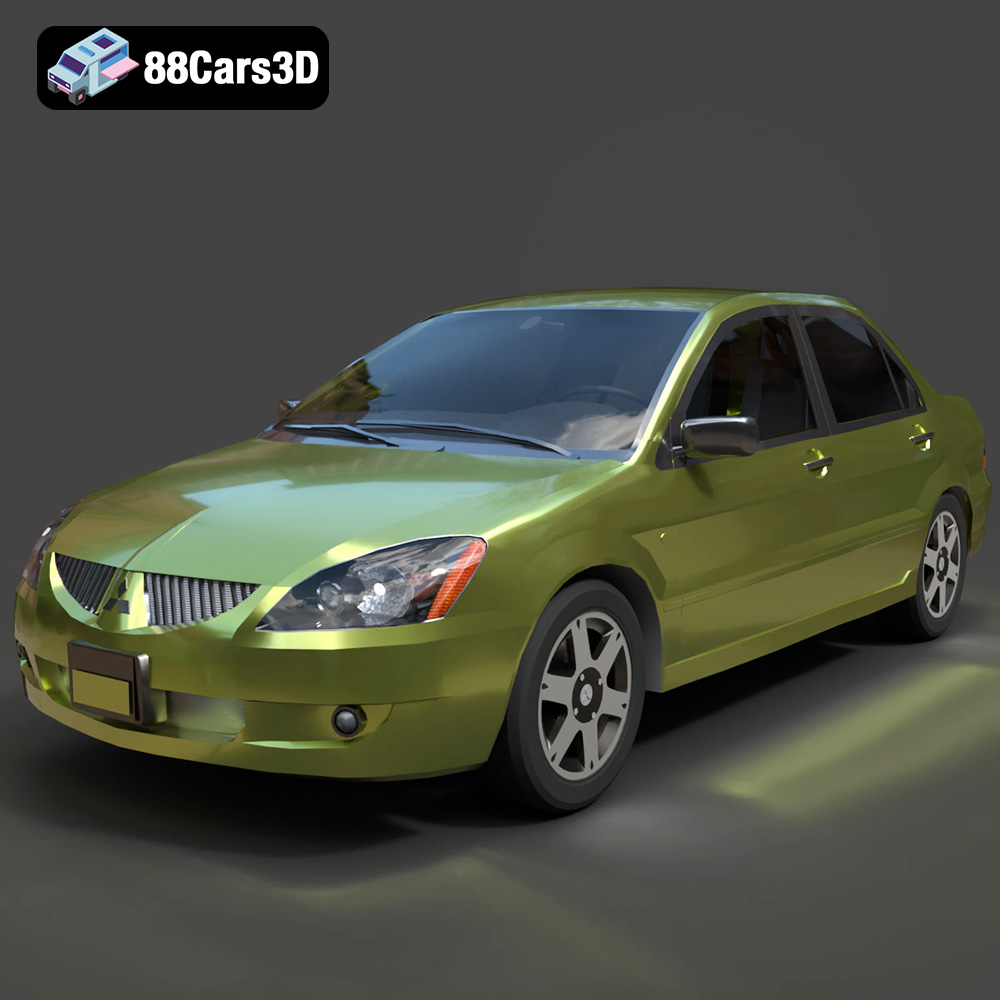
Texture: Yes
Material: Yes
Download the Mitsubishi Lancer IX-001 3D Model featuring clean geometry, realistic detailing, and a fully modeled interior. Includes .blend, .fbx, .obj, .glb, .stl, .ply, .unreal, and .max formats for rendering, simulation, and game development.
Price: $4.99

Texture: Yes
Material: Yes
Download the MINI Cooper S-007 3D Model featuring clean geometry, realistic detailing, and a fully modeled interior. Includes .blend, .fbx, .obj, .glb, .stl, .ply, .unreal, and .max formats for rendering, simulation, and game development.
Price: $4.99

Texture: Yes
Material: Yes
Download the Mercury Grand Marquis LS 1986 3D Model featuring clean geometry, realistic detailing, and a fully modeled interior. Includes .blend, .fbx, .obj, .glb, .stl, .ply, .unreal, and .max formats for rendering, simulation, and game development.
Price: $4.99

Texture: Yes
Material: Yes
Download the Mercedes-Benz SLS AMG 2010 3D Model featuring clean geometry, realistic detailing, and a fully modeled interior. Includes .blend, .fbx, .obj, .glb, .stl, .ply, .unreal, and .max formats for rendering, simulation, and game development.
Price: $4.99

Texture: Yes
Material: Yes
Download the Renault Twizy ZE 3D Model featuring clean geometry, realistic detailing, and a fully modeled interior. Includes .blend, .fbx, .obj, .glb, .stl, .ply, .unreal, and .max formats for rendering, simulation, and game development.
Price: $4.99

Texture: Yes
Material: Yes
Download the Porsche 911 GT3 3D Model featuring clean geometry, realistic detailing, and a fully modeled interior. Includes .blend, .fbx, .obj, .glb, .stl, .ply, .unreal, and .max formats for rendering, simulation, and game development.
Price: $4.99

Texture: Yes
Material: Yes
Download the Porsche 911 997 GT3 RS 4.0 2011 3D Model featuring clean geometry, realistic detailing, and a fully modeled interior. Includes .blend, .fbx, .obj, .glb, .stl, .ply, .unreal, and .max formats for rendering, simulation, and game development.
Price: $4.99

Texture: Yes
Material: Yes
Download the Pontiac GTO Cabrio 1967 3D Model featuring clean geometry, realistic detailing, and a fully modeled interior. Includes .blend, .fbx, .obj, .glb, .stl, .ply, .unreal, and .max formats for rendering, simulation, and game development.
Price: $4.99

Texture: Yes
Material: Yes
Download the Pontiac Firebird Convertible 1968 3D Model featuring clean geometry, realistic detailing, and a fully modeled interior. Includes .blend, .fbx, .obj, .glb, .stl, .ply, .unreal, and .max formats for rendering, simulation, and game development.
Price: $4.99

