⚡ FLASH SALE: Get 60% OFF All Premium 3D & STL Models! ⚡

The world of automotive design and visualization thrives on precision, realism, and innovation. At its core lies the intricate craft of creating compelling 3D car models – assets that drive everything from blockbuster game titles and cinematic advertisements to cutting-edge AR/VR experiences and detailed engineering simulations. Crafting a truly outstanding 3D car model is far more than just sculpting a shape; it’s a multidisciplinary journey encompassing meticulous topology, realistic materials, optimized game asset creation, and stunning photorealistic rendering.
This comprehensive guide delves deep into the technical intricacies involved in bringing automotive concepts to life in the digital realm. We’ll explore the foundational principles of clean modeling, the science behind physically based rendering (PBR) materials, and advanced techniques for optimizing models for diverse applications like game development, augmented reality, and even 3D printing. Whether you’re a seasoned 3D artist aiming to refine your workflow, a game developer seeking performance gains, or an automotive designer looking to enhance your visualization capabilities, you’ll gain invaluable insights and actionable strategies to elevate your 3D automotive projects. Prepare to unlock the full potential of your 3D car models and transform your digital visions into breathtaking realities.
Creating a realistic 3D car model begins with a solid foundation: meticulously crafted topology. Automotive surfaces are a symphony of complex curves, sharp creases, and subtle reflections, all of which must be perfectly captured by the underlying mesh. Clean, quad-based topology isn’t just about aesthetics; it’s fundamental for smooth subdivision, distortion-free UV mapping, and believable deformation, especially critical for animations or real-time applications. Achieving this level of precision requires a deep understanding of edge flow and surface continuity, ensuring that every polygon contributes meaningfully to the model’s integrity.
The workflow typically starts with comprehensive reference material, including blueprints (orthographic views), high-resolution photographs, and ideally, physical measurements. Artists often utilize image planes in software like 3ds Max, Blender, or Maya to accurately trace the vehicle’s profile. From here, a variety of modeling techniques can be employed, such as box modeling for initial blocking, polygon modeling for detailed refinement, or NURBS/spline modeling for generating incredibly smooth, mathematically precise curves that are then converted to a poly mesh. The goal is always to define the primary volumes and major panel lines before diving into minute details, progressively building up complexity while maintaining a clean, manageable mesh. This iterative process of refinement ensures that the final model is not only visually accurate but also technically sound for subsequent stages of the pipeline.
In automotive 3D modeling, topology dictates how light interacts with the surface and how smoothly the mesh deforms. The golden rule is to prioritize quads (four-sided polygons) over triangles and N-gons (polygons with more than four sides) wherever possible. Triangles can introduce pinching and artifacts, especially when subdivided, while N-gons are problematic for most rendering engines and deformation. However, strategic use of triangles in flat, non-deforming areas can sometimes be acceptable for optimization, particularly in game assets.
Maintaining proper edge flow is paramount for automotive surfaces. Edges should follow the natural contours and panel lines of the car, guiding the eye and allowing for crisp detail definition. For instance, around a fender flare or a door seam, edge loops should encircle the feature to provide necessary support for curvature and to define the panel gap accurately. This allows for smooth subdivision surfacing, where the base mesh can be low-poly, but subdivision modifiers (like Turbosmooth in 3ds Max or Subdivision Surface in Blender) can generate a high-resolution, perfectly smooth surface suitable for rendering. A typical high-poly rendered car model might range from 500,000 to several million polygons after subdivision, while an optimized game asset might target 50,000-150,000 polygons for its highest LOD.
The pursuit of perfect edge flow extends to how details are integrated into the mesh. Sharp creases, such as those defining the edges of a car door or hood, require “support loops” or “holding edges” – additional edge loops placed very close to the primary edge. These loops prevent the subdivision surface from excessively smoothing out the sharp detail, allowing the crease to remain defined while the surrounding surfaces stay smooth. Without them, a sharp edge would become rounded and soft, losing its intended character.
Panel gaps are another critical detail that demands precise edge flow. These are typically created by duplicating and slightly offsetting edge loops along panel lines, then extruding them inwards to simulate the recessed area. This technique ensures that the panel gaps are perfectly uniform and flow naturally with the car’s body. Furthermore, features like headlights, grilles, and air vents should be modeled either as separate components or integrated seamlessly with the main body using clean Boolean operations or precise cut-ins, always ensuring that the resulting topology remains quad-dominant and free of artifacts. This meticulous approach to modeling forms the backbone of any high-quality 3D car model, providing a robust foundation for all subsequent stages of the visualization pipeline.
Once a 3D car model possesses impeccable topology, the next crucial step is to adorn it with realistic textures and materials. This is where Physically Based Rendering (PBR) comes into play, a methodology that revolutionizes how digital materials interact with light, leading to significantly more believable and consistent results across various lighting conditions. PBR shaders use a set of textures that describe the physical properties of a surface, such as its base color (albedo), how rough or smooth it is (roughness/glossiness), and whether it’s metallic or dielectric. This approach allows artists to create materials that accurately mimic real-world surfaces, from the glossy sheen of automotive paint to the intricate reflections of chrome and the subtle texture of rubber.
The process often involves unwrapping the 3D model’s UVs (short for U and V coordinates), which is akin to flattening the 3D surface onto a 2D plane so that 2D textures can be painted onto it without distortion. For complex objects like cars, careful UV mapping is essential to maximize texture resolution and minimize seams. Following UV unwrapping, artists typically move to dedicated texturing software like Substance Painter or Mari, where they can paint directly onto the 3D model, generating the required PBR texture maps. These maps are then plugged into a PBR shader network in the chosen 3D software (e.g., 3ds Max, Blender, Maya) or game engine (Unity, Unreal Engine) to define the final appearance of the car’s various components. The synergy between precise UVs and well-crafted PBR textures is what truly makes a 3D car model feel tangible and alive.
Automotive paint is arguably one of the most challenging materials to reproduce accurately in 3D due to its layered nature – a base color, metallic flakes (if applicable), and a clear coat. A typical automotive paint PBR setup will involve an Albedo map for the base color, a Metallic map (often black for non-metallic paint, white for metallic parts like chrome, or grayscale for mixed materials), a Roughness map to control surface smoothness, and a Normal map for fine surface details or imperfections. For metallic flake paint, additional shaders might simulate the subtle sparkle, or a specialized clear coat shader layer is used to achieve the distinct reflections and fresnel effect of the protective lacquer. Glass, another critical component, relies heavily on accurate refraction and reflection properties, typically defined by a low roughness, high metallic (or specific refractive index for glass), and an appropriate transparency map.
Tools like Substance Painter excel at generating these complex material layers. Artists can define multiple material layers, add procedural effects for wear and tear, and bake high-resolution details from a sculpt into normal maps. Texture resolutions often range from 2K (2048×2048) to 8K (8192×8192) for high-quality renders, depending on the model’s complexity and viewing distance. For game engines, 2K or 4K textures are common, sometimes combined with texture atlases to reduce draw calls. The use of high-dynamic-range image (HDRI) environments during texturing is also crucial as they provide realistic lighting and reflections, allowing artists to preview how their materials will behave in a real-world context.
Beyond standard PBR maps, advanced shader networks provide the flexibility to create custom materials that go beyond typical presets. For instance, a clear coat on automotive paint often requires a layered shader, where a base PBR material for the car body paint is topped by a separate, highly reflective and refractive clear coat material. This setup allows for independent control over the metallic flakes, diffuse color, and the distinct reflections and glossiness of the protective layer. Many rendering engines offer “car paint” shaders that encapsulate this complexity, providing intuitive controls for metallic flake size, density, and color shift.
Procedural textures can also enhance realism, generating intricate patterns or variations without needing large image files. For example, a subtle grunge or dust layer on the lower parts of a car could be procedurally generated based on ambient occlusion or world-space position. When sourcing high-quality 3D car models from platforms like 88cars3d.com, you can expect well-structured PBR materials and optimized UV layouts that simplify this texturing process. Understanding these advanced techniques ensures that every surface on your 3D car model, from the polished chrome to the textured tire rubber, contributes to an immersive and photorealistic final product.
With a meticulously modeled and textured 3D car model, the next challenge is to present it in the most captivating way possible through high-fidelity rendering. This stage is where all the prior hard work culminates, transforming raw digital data into stunning, photorealistic images or animations. Achieving this level of visual excellence requires a deep understanding of lighting principles, camera mechanics, and the capabilities of modern rendering engines. The goal is not just to illuminate the model, but to sculpt its form, highlight its design language, and evoke the desired mood and atmosphere, whether it’s a dramatic studio shot or an expansive outdoor scene.
Leading rendering engines such as Corona Render, V-Ray (for 3ds Max/Maya), Cycles (Blender), and Arnold (Maya/3ds Max) employ advanced global illumination algorithms, physically accurate camera models, and sophisticated material interpretation to simulate how light behaves in the real world. This means that reflections, refractions, shadows, and color bleed are calculated with high precision, contributing significantly to the realism. The artist’s role during rendering is to orchestrate these elements, carefully positioning lights, adjusting camera settings, and selecting the perfect environment to tell a visual story. This attention to detail ensures that the final rendered image or animation showcases the automotive design in its best possible light, conveying its power, elegance, or innovation.
Lighting is arguably the single most critical element in automotive rendering. A well-lit scene can make even a simple model look extraordinary, while poor lighting can undermine the most detailed asset. For studio setups, artists often employ a “three-point lighting” system (key, fill, and back lights) as a foundation, augmented by large softboxes or area lights to create smooth, gradient reflections along the car’s body panels – crucial for emphasizing its form. High-dynamic-range image (HDRI) maps are indispensable here, providing both realistic environmental lighting and complex reflections that capture the nuances of a real-world location or studio. An HDRI often serves as the primary light source, with additional discrete lights used for accentuation.
Physical cameras in renderers emulate their real-world counterparts, allowing control over aperture (depth of field), shutter speed (motion blur), and ISO (image noise). Strategic use of depth of field can isolate the car from its background, drawing the viewer’s eye to specific details. Environment setup also includes creating realistic ground planes, backdrops, or even integrating the car into a complex 3D environment. For instance, placing a sports car on a wet road surface with subtle reflections and ambient fog can dramatically enhance the sense of speed and atmosphere. Experimentation with light temperatures, colors, and intensities is key to achieving the desired mood, from the cool, clinical look of a design studio to the warm, golden hour glow of a sunset scene.
Rendering is rarely the absolute final step. Post-processing and compositing in software like Adobe Photoshop or Affinity Photo are essential for adding the “production polish” that elevates a good render to an exceptional one. Render engines can output various “render elements” or “passes” – separate layers for diffuse color, reflections, refractions, shadows, ambient occlusion, and even Z-depth (depth information). These passes provide incredible flexibility during compositing, allowing artists to adjust specific aspects of the image non-destructively.
Common post-processing techniques include color grading to fine-tune the mood, adding lens effects like glare or bloom to lights, sharpening details, and introducing subtle film grain for a more cinematic feel. Compositing also allows for seamless integration of the 3D car into a photographic backplate, matching lighting, perspective, and color to achieve a believable blend. For animations, tools like Adobe After Effects or Nuke are used for similar compositing tasks, adding motion blur, camera shake, and final color correction. Mastering these post-production workflows ensures that every rendered image or animation of a 3D car model achieves maximum visual impact, capturing the essence of automotive design with unparalleled fidelity.
Integrating 3D car models into game engines like Unity or Unreal Engine presents a unique set of challenges and requirements, primarily centered around performance optimization. Unlike high-fidelity offline rendering, real-time rendering demands incredibly efficient assets to maintain smooth frame rates and responsive gameplay. This involves a strategic approach to polycount, texture management, and shader complexity, ensuring that the beautiful 3D car models don’t bog down the game engine. Game developers must strike a delicate balance between visual fidelity and real-time performance, a task that often involves simplifying complex meshes and intelligently managing resources without sacrificing too much visual quality.
The core philosophy of game asset optimization is to only render what is absolutely necessary and visible, and to reduce the computational cost of each rendered element. This manifests in techniques such as creating multiple Levels of Detail (LODs), consolidating textures into atlases, and carefully crafting collision meshes. When sourcing 3D car models for game development, particularly from marketplaces such as 88cars3d.com, it’s beneficial to look for models that are already optimized or designed with game engine compatibility in mind, featuring clean topology and efficient UV layouts. Understanding these optimization strategies is key to creating immersive automotive experiences in real-time environments.
One of the most critical optimization techniques for complex game assets like cars is the implementation of Levels of Detail (LODs). An LOD system replaces a high-polygon model with progressively lower-polygon versions as the player camera moves further away. For example, a car might have LOD0 (highest detail, e.g., 50,000-100,000 polygons) for close-up views, LOD1 (medium detail, e.g., 20,000-40,000 polygons) for mid-range views, and LOD2 (low detail, e.g., 5,000-15,000 polygons) for distant views. Modern game engines automatically switch between these LODs, ensuring that performance is maintained without a noticeable drop in visual quality to the player. Tools like Maya’s Reduce, Blender’s Decimate modifier, or dedicated LOD generation tools can help create these simplified meshes efficiently.
Another major performance bottleneck in game engines is “draw calls.” Each time the CPU tells the GPU to render an object with a different material, it’s a draw call. Reducing draw calls is crucial, especially for mobile or VR games. Texture atlasing is a powerful solution: instead of having separate textures for each part of the car (body, wheels, interior), all textures are combined into a single, larger texture atlas. This allows multiple parts to share the same material and consequently, a single draw call. Combining meshes where possible (e.g., merging small interior details) further reduces draw calls. For example, a car with separate materials for paint, glass, chrome, and rubber would have at least four draw calls; with texture atlasing, it might be reduced to one or two, significantly improving frame rates.
Efficient UV mapping for game assets differs slightly from rendering-focused UVs. While both require clean unwraps, game-ready UVs prioritize non-overlapping islands. This is essential for lightmap baking (where static lighting information is stored in a texture) and for texture atlasing. Overlapping UVs would cause lighting or textures to be applied incorrectly. Many game pipelines also use “channel packing” for PBR textures, where the metallic, roughness, and ambient occlusion maps are packed into the RGB channels of a single texture file. This saves memory and texture bandwidth, improving performance. For example, the Red channel might store Ambient Occlusion, Green for Roughness, and Blue for Metallic, resulting in a single “ORM” texture.
Finally, collision meshes are essential for physics interactions in games. It’s inefficient to use the high-resolution visual mesh for collision detection, as it’s computationally expensive. Instead, simpler, low-polygon collision meshes are created. These can be basic primitive shapes (box colliders for the main body, capsule colliders for wheels) or slightly more complex convex hulls that tightly wrap the car’s general shape. For more precise collisions, such as specific hit zones, multiple simpler collision meshes can be parented to the main vehicle. This separation of visual and collision geometry ensures accurate physics while maintaining optimal game performance.
The utility of high-quality 3D car models extends far beyond traditional rendering and game development. They serve as foundational assets for a multitude of innovative applications, including immersive Augmented Reality (AR) and Virtual Reality (VR) experiences, rapid prototyping through 3D printing, and sophisticated visualization tools for engineering and marketing. Each of these applications imposes its own unique technical requirements and optimization strategies, demanding adaptability from the 3D artist and the underlying model. The versatility of a well-crafted 3D car model is a testament to its value in today’s multi-platform digital landscape.
For AR/VR, the emphasis shifts heavily towards real-time performance and efficient resource management, often even more stringent than traditional game development due to mobile hardware constraints. 3D printing, on the other hand, demands absolute mesh integrity and adherence to physical manufacturing principles. And for professional visualization, the goal is often ultimate accuracy and interactive exploration. Understanding these diverse needs allows artists to prepare their 3D car models for the widest possible range of deployments, unlocking new possibilities for interaction, creation, and presentation. Platforms like 88cars3d.com often provide models specifically prepared for these varied uses, saving artists considerable time and effort in optimization.
AR/VR applications, especially on mobile devices (e.g., Apple ARKit, Google ARCore), have incredibly tight performance budgets. This means 3D car models must be heavily optimized, often with polycounts significantly lower than for PC games – sometimes as low as 10,000-30,000 polygons for an entire vehicle, including wheels and interior. Texture resolutions also need to be managed carefully, typically 1K (1024×1024) or 2K for the entire model via texture atlasing, to conserve memory and draw calls. Materials should be simplified PBR shaders, avoiding complex custom nodes that might not translate efficiently to mobile or web-based AR platforms.
Key considerations for AR/VR include efficient use of lighting (often baking static lighting into lightmaps for stationary objects), realistic real-time shadows (using simplified shadow maps), and responsive interactivity. For web-based AR, file formats like GLB (GLTF Binary) and USDZ (Universal Scene Description Zip) are crucial. GLB is widely supported on Android and web browsers, while USDZ is Apple’s proprietary format for iOS AR experiences. These formats are optimized for efficient streaming and contain all necessary geometry, materials, and animations in a single package. When designing for VR, artists must also consider scale, ensuring the car feels appropriately sized within the virtual environment, and minimizing any visual artifacts that could cause motion sickness, such as flickering polygons or juddering animations.
Transitioning a 3D car model from the digital realm to a physical object via 3D printing introduces a completely different set of technical requirements. The primary concern is ensuring the mesh is “watertight” and “manifold.” A watertight mesh means it forms a completely enclosed volume without any holes or gaps, while manifold geometry implies that every edge is shared by exactly two faces (no dangling edges or inverted normals). Non-manifold geometry can cause errors during slicing and printing, leading to incomplete or flawed physical models.
Beyond mesh integrity, wall thickness is a crucial factor. Thin features in a digital model might be too fragile or simply impossible to print in certain materials. Artists must ensure that all parts of the car, from wing mirrors to delicate grilles, have a minimum wall thickness (e.g., 0.8mm-2mm, depending on the printer and material). Mesh repair tools like Netfabb, Blender’s 3D Print Toolbox add-on, or Meshmixer are invaluable for checking and repairing common 3D printing issues such as inverted normals, intersecting geometry, or small holes. The model also needs to be scaled correctly to the desired physical dimensions and exported in a compatible file format, with STL (Stereolithography) being the most common, followed by OBJ. For multi-part prints, models need to be carefully split and keyed for easy assembly after printing. This meticulous preparation ensures that a beautiful digital car model can become an equally impressive physical replica.
The journey from a conceptual idea to a fully realized, versatile 3D car model is a testament to the blend of artistic vision and rigorous technical execution. We’ve explored the foundational importance of clean topology and precise edge flow, the transformative power of PBR materials in achieving photorealism, and the critical considerations for showcasing automotive brilliance through high-fidelity rendering. Furthermore, we’ve delved into the strategic optimizations required for seamless game engine integration, and the unique preparations necessary for deploying models in cutting-edge AR/VR experiences and physical 3D prints.
Mastering these varied aspects requires continuous learning, meticulous attention to detail, and a willingness to adapt workflows for different applications. The demand for high-quality 3D car models continues to grow across industries, from automotive design and entertainment to engineering and marketing. By understanding the principles and techniques outlined in this guide, you are well-equipped to create assets that not only look stunning but also perform flawlessly across any platform. Whether you’re building a hyper-realistic render for a client portfolio or optimizing a vehicle for a mobile game, the commitment to quality and technical excellence remains paramount.
We encourage you to experiment with these techniques, explore the capabilities of your chosen software, and continue pushing the boundaries of what’s possible in 3D automotive design. For those seeking a head start or looking to expand their asset library, high-quality 3D car models like those found on 88cars3d.com provide a solid foundation, offering clean topology, realistic PBR materials, and multiple file formats tailored for diverse professional applications. Embrace the challenge, refine your craft, and drive your 3D automotive projects to new heights of realism and innovation.

Texture: Yes
Material: Yes
Download the Plymouth Volare Wagon 3D Model featuring clean geometry, realistic detailing, and a fully modeled interior. Includes .blend, .fbx, .obj, .glb, .stl, .ply, .unreal, and .max formats for rendering, simulation, and game development.
Price: $4.99
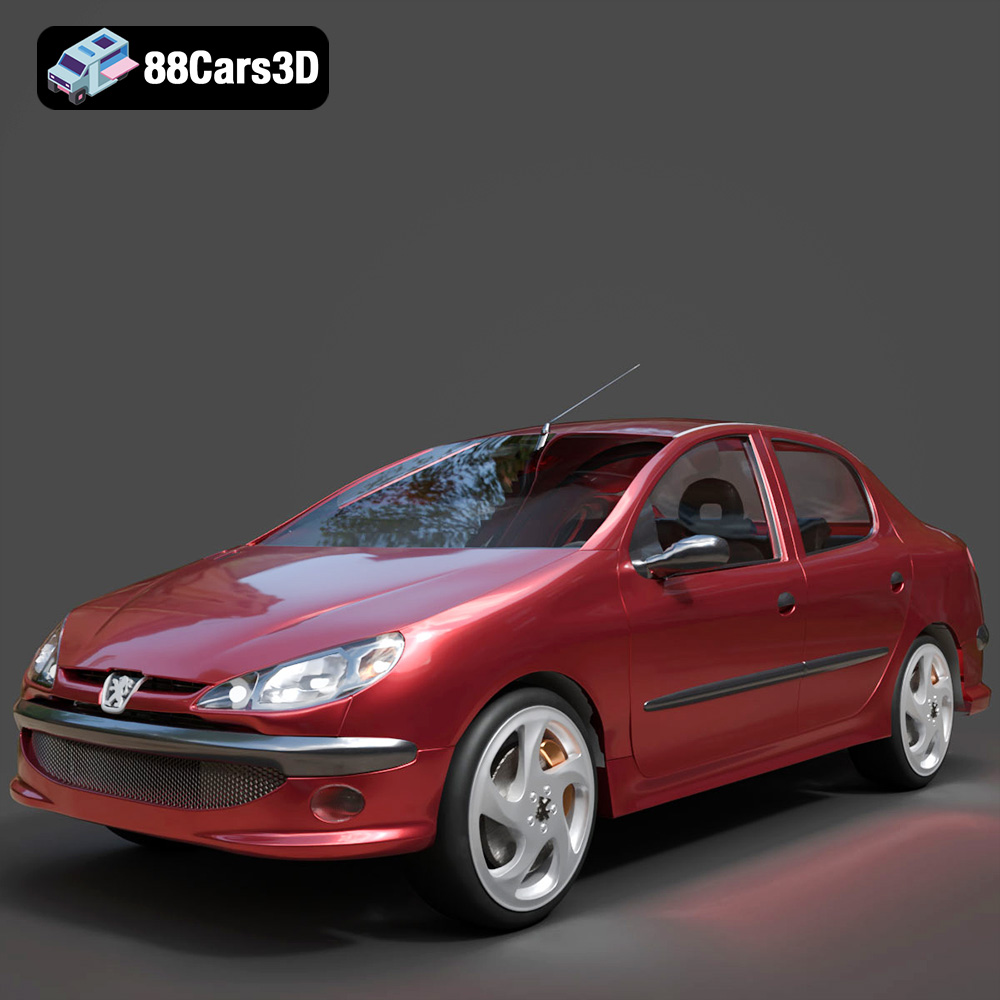
Texture: Yes
Material: Yes
Download the Peugeot 206 Sedan 2002 3D Model featuring clean geometry, realistic detailing, and a fully modeled interior. Includes .blend, .fbx, .obj, .glb, .stl, .ply, .unreal, and .max formats for rendering, simulation, and game development.
Price: $4.99
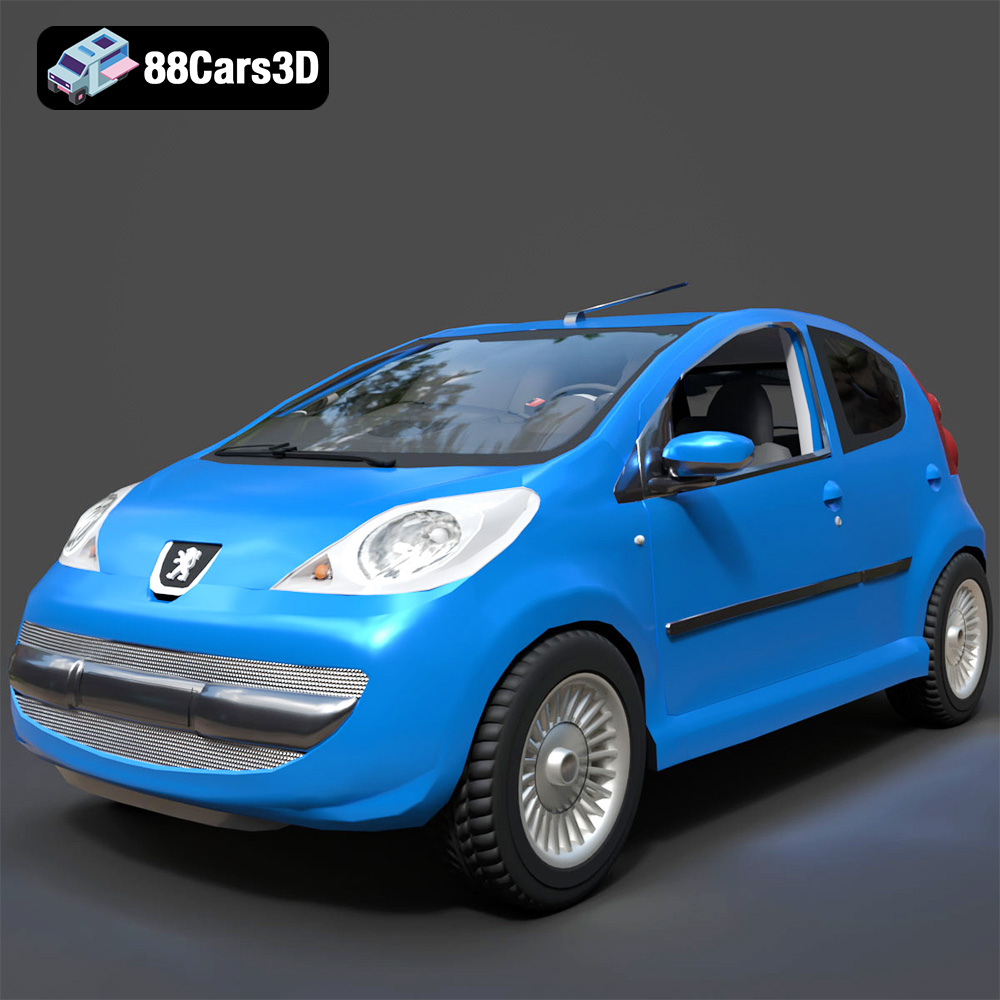
Texture: Yes
Material: Yes
Download the Peugeot 107 2005 3D Model featuring clean geometry, realistic detailing, and a fully modeled interior. Includes .blend, .fbx, .obj, .glb, .stl, .ply, .unreal, and .max formats for rendering, simulation, and game development.
Price: $4.99
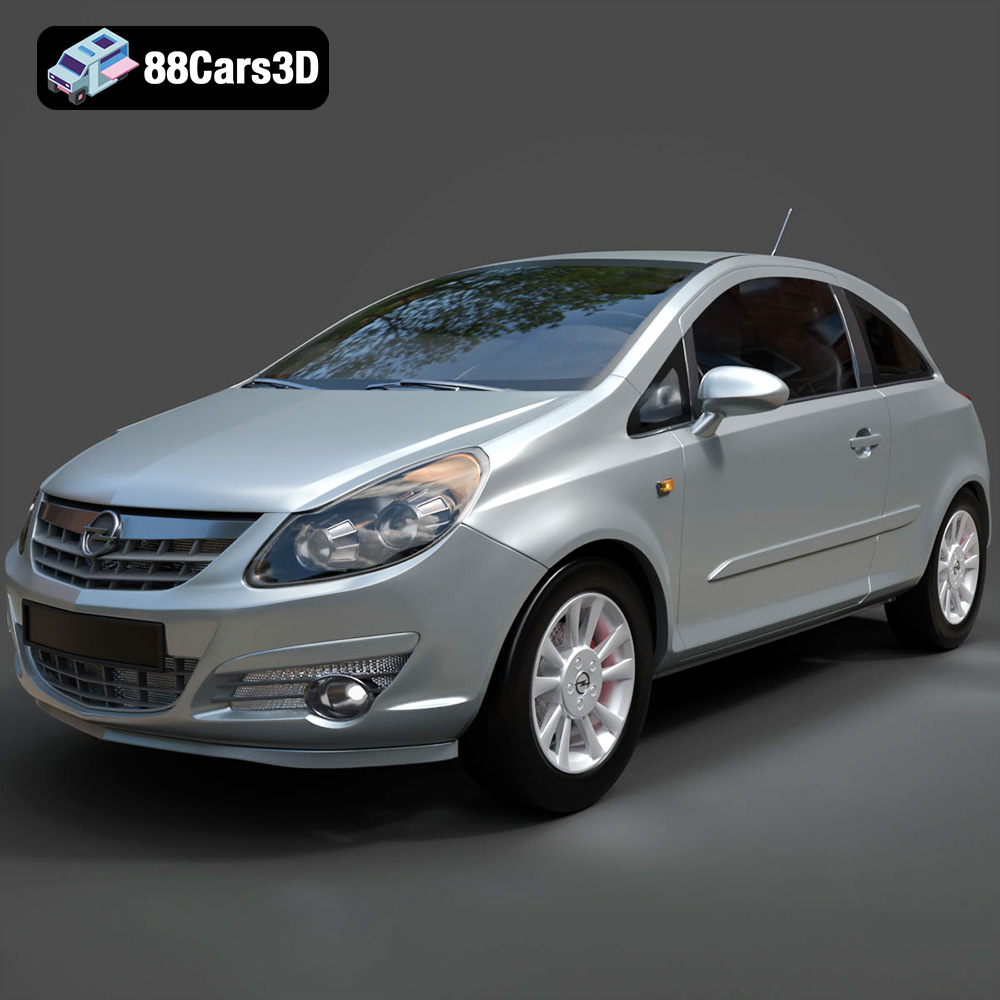
Texture: Yes
Material: Yes
Download the Opel Corsa 2007 3D Model featuring clean geometry, realistic detailing, and a fully modeled interior. Includes .blend, .fbx, .obj, .glb, .stl, .ply, .unreal, and .max formats for rendering, simulation, and game development.
Price: $4.99
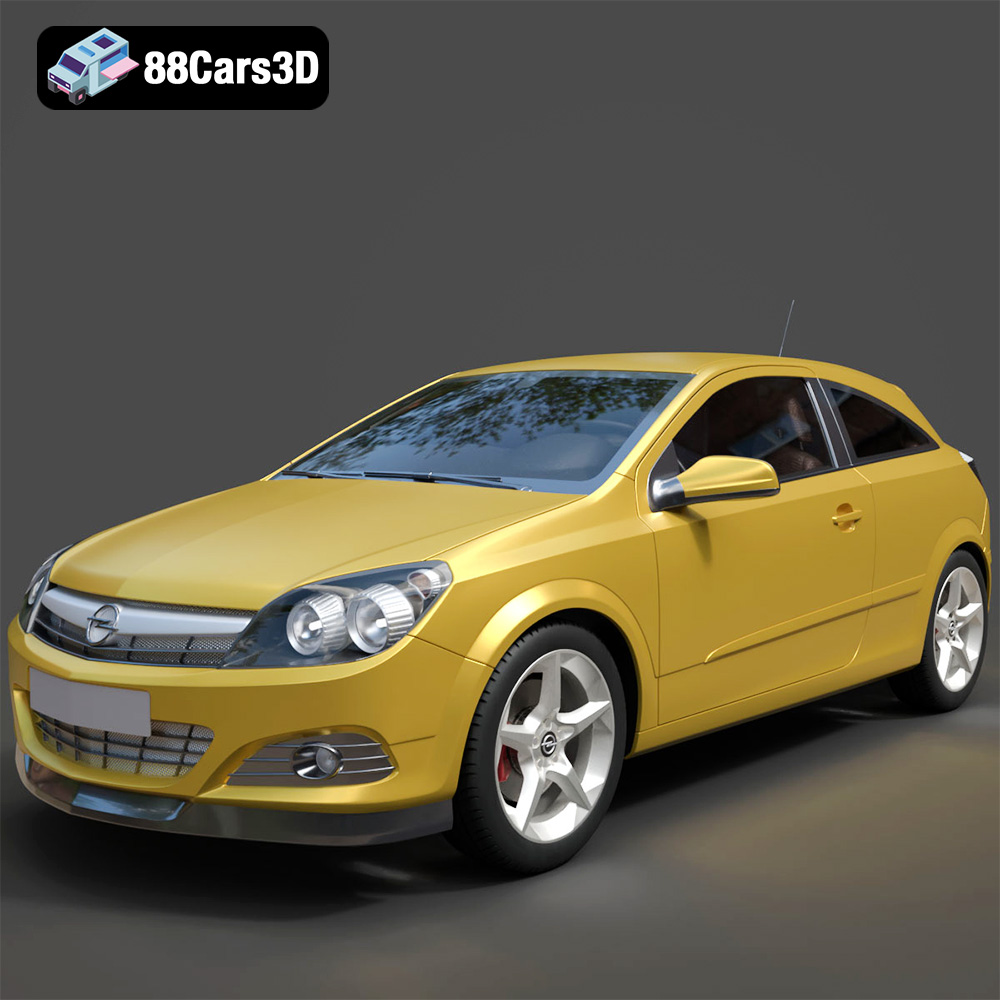
Texture: Yes
Material: Yes
Download the Opel Astra H GTC 3D Model featuring clean geometry, realistic detailing, and a fully modeled interior. Includes .blend, .fbx, .obj, .glb, .stl, .ply, .unreal, and .max formats for rendering, simulation, and game development.
Price: $4.99
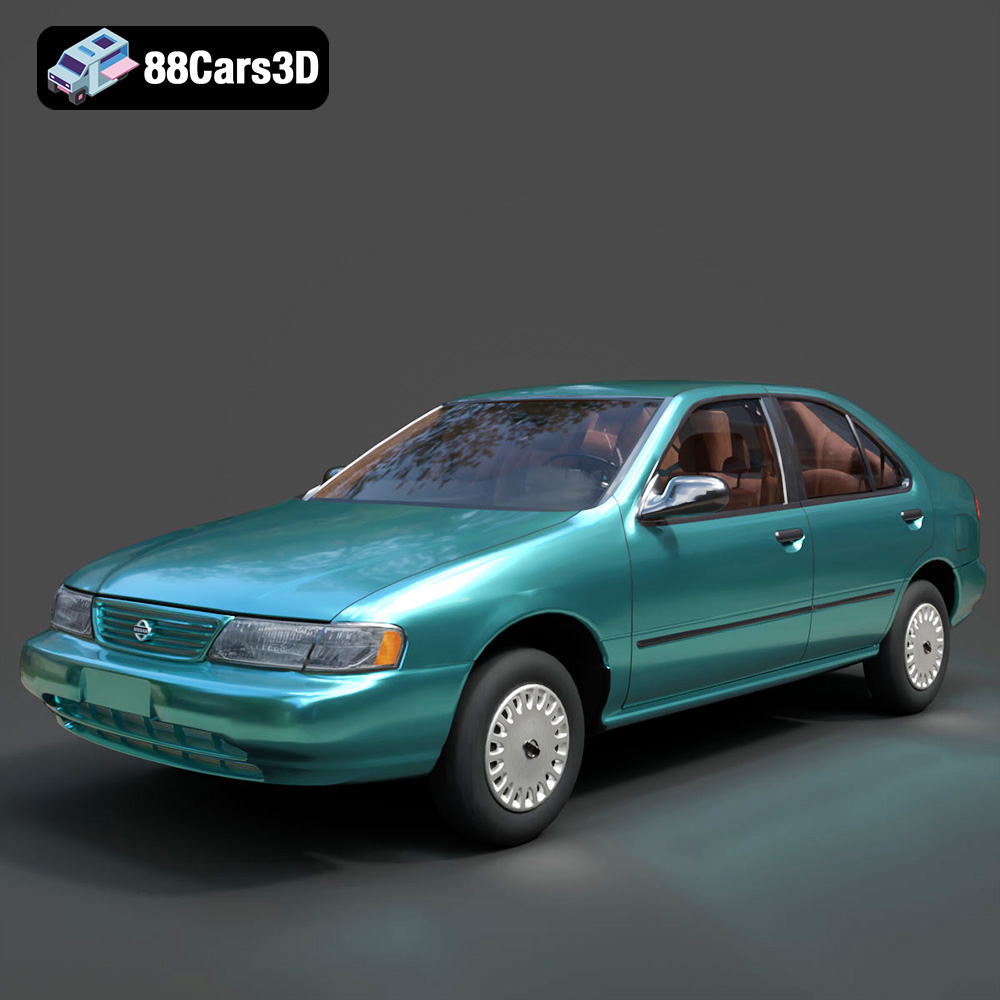
Texture: Yes
Material: Yes
Download the Nissan Sentra GXE 1996 3D Model featuring clean geometry, realistic detailing, and a fully modeled interior. Includes .blend, .fbx, .obj, .glb, .stl, .ply, .unreal, and .max formats for rendering, simulation, and game development.
Price: $4.99
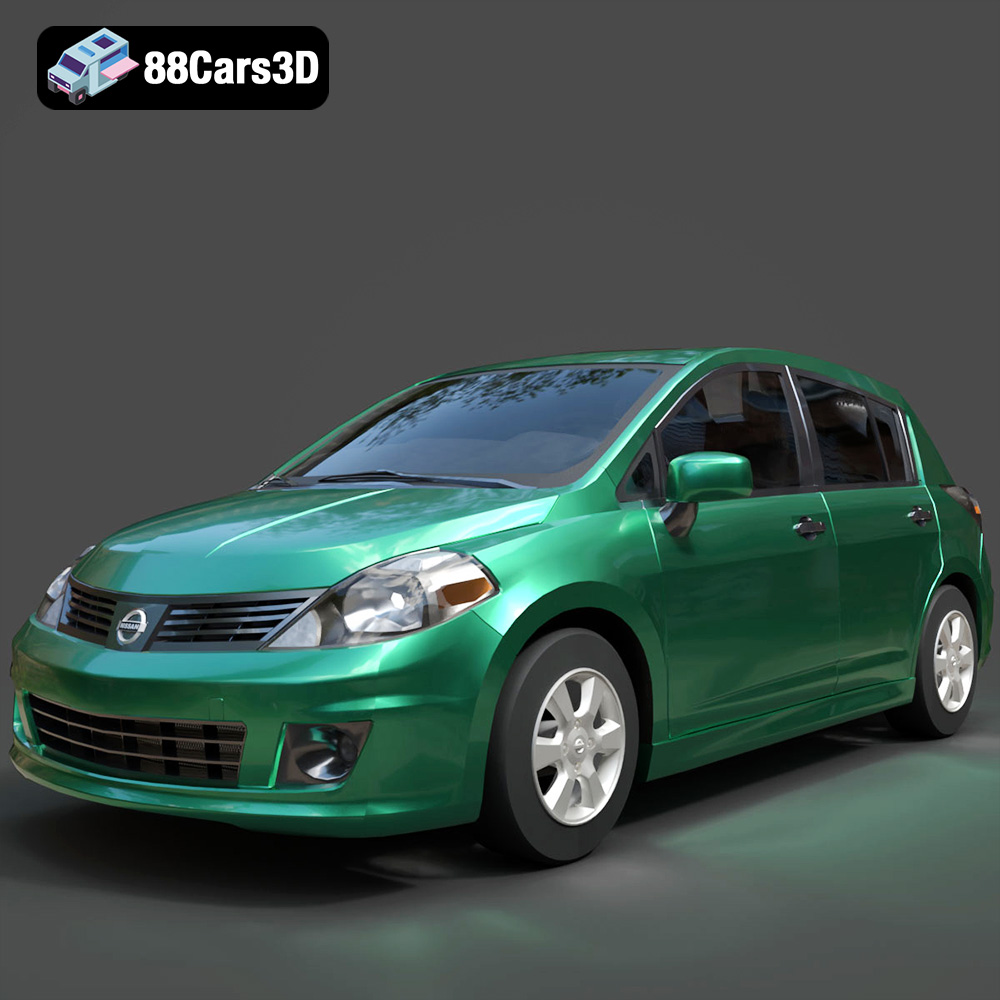
Texture: Yes
Material: Yes
Download the Nissan Tiida 3D Model featuring clean geometry, realistic detailing, and a fully modeled interior. Includes .blend, .fbx, .obj, .glb, .stl, .ply, .unreal, and .max formats for rendering, simulation, and game development.
Price: $4.99

Texture: Yes
Material: Yes
Download the Mitsubishi Outlander 2022 3D Model featuring clean geometry, realistic detailing, and a fully modeled interior. Includes .blend, .fbx, .obj, .glb, .stl, .ply, .unreal, and .max formats for rendering, simulation, and game development.
Price: $4.99
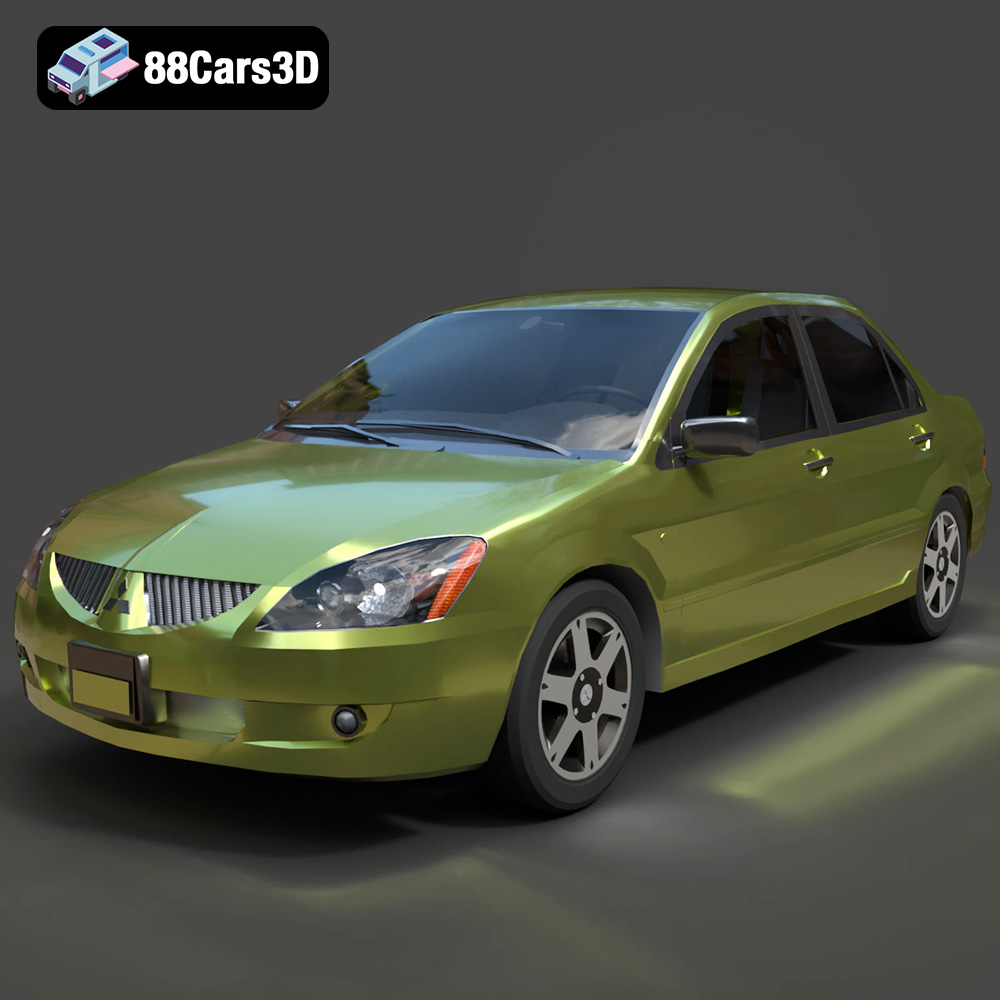
Texture: Yes
Material: Yes
Download the Mitsubishi Lancer IX-001 3D Model featuring clean geometry, realistic detailing, and a fully modeled interior. Includes .blend, .fbx, .obj, .glb, .stl, .ply, .unreal, and .max formats for rendering, simulation, and game development.
Price: $4.99

Texture: Yes
Material: Yes
Download the MINI Cooper S-007 3D Model featuring clean geometry, realistic detailing, and a fully modeled interior. Includes .blend, .fbx, .obj, .glb, .stl, .ply, .unreal, and .max formats for rendering, simulation, and game development.
Price: $4.99

