⚡ FLASH SALE: Get 60% OFF All Premium 3D & STL Models! ⚡

The allure of a perfectly rendered automobile is undeniable. From the gleaming curves of a sports car to the rugged utility of an off-road vehicle, 3D car models are pivotal assets in industries ranging from automotive design and advertising to cutting-edge game development and immersive AR/VR experiences. Crafting these digital masterpieces, however, is far more than just artistic flair; it demands a deep understanding of intricate technical workflows, precise optimization strategies, and an eye for photorealistic detail.
At 88cars3d.com, we understand the demanding standards of professionals who seek nothing less than excellence. This comprehensive guide dives deep into the technical intricacies of creating, optimizing, and deploying high-quality 3D car models. We’ll journey through the foundational principles of topology, master the art of PBR materials and UV mapping, unravel advanced rendering techniques, conquer game engine optimization challenges, and explore the diverse applications across various industries. Whether you’re a seasoned 3D artist, an aspiring game developer, or a visualization specialist, prepare to unlock the secrets to truly professional 3D automotive asset creation and implementation.
Topology, the arrangement of polygons and edges on a 3D model, is the bedrock of any high-quality automotive asset. For car models, clean and efficient topology is paramount, impacting everything from smooth deformations during animation to realistic reflections and efficient subdivision. A poorly constructed mesh can lead to artifacts, pinching, and an overall unrealistic appearance, no matter how good the textures or lighting are. We strive for an all-quad workflow, meaning our meshes consist primarily of four-sided polygons, as these behave predictably during subdivision and deformation. Strategic edge loops are crucial for defining sharp creases, panel gaps, and complex curvature transitions, ensuring that the model retains its intended shape when smoothed or viewed from various angles.
Consider the subtle curves of a car fender or the crisp lines around a headlight assembly. These areas demand precise edge placement to capture their essence. Maintaining even polygon distribution across the surface helps prevent stretching or compression of UVs and textures. While an all-quad mesh is the ideal, judicious use of triangles may be necessary in specific, non-deforming areas, particularly for game-ready assets where extreme optimization is required. The goal is always to achieve the desired visual fidelity with the most efficient polygon count, ensuring a balance between detail and performance.
For automotive models, excellent edge flow is critical, not just for static renders but especially for animated components like opening doors, rotating wheels, or deformable body parts in crash simulations. Good edge flow means that the edges follow the natural contours and deformations of the object. This ensures that when a subdivision surface modifier (like Turbosmooth in 3ds Max or Subdivision Surface in Blender) is applied, the model smooths out predictably without unwanted pinches or bumps. Key areas for meticulous edge flow management include panel lines, sharp creases, wheel wells, and any region that articulates or flexes.
A common practice is to utilize supporting edge loops around hard edges to control the sharpness of the crease. For instance, a single edge might define a panel gap, but two additional, very close-together edge loops on either side will hold that sharp line when subdivided. Avoiding 5-pole (vertex with five edges radiating from it) or 3-pole (vertex with three edges) singularities on flat or highly curved surfaces is generally recommended, as these can cause shading issues. If poles are necessary, strategically place them in flatter, less visible areas. Furthermore, ensure that edge loops flow naturally around cutouts, like windows or vents, preventing distortion of the surrounding geometry. This meticulous approach ensures that your 3D car models maintain their structural integrity and visual appeal across all applications.
The “right” polygon count for a 3D car model is entirely dependent on its intended application. A high-fidelity model destined for a cinematic render or automotive design visualization will have a significantly higher polygon count than a model optimized for a mobile game or AR experience. For high-end rendering, models can range from 150,000 to 500,000 polygons (or even millions with heavy subdivision) to capture every minute detail, like intricate interior components, engine bays, and complex exterior paneling. Software like 3ds Max, Blender, or Maya allows for non-destructive subdivision surface modeling, where a lower base mesh can be subdivided at render time, offering flexibility.
Conversely, game assets demand stringent polygon budgets. A hero vehicle in a modern AAA console game might have 50,000-100,000 polygons for its highest Level of Detail (LOD0), while background vehicles or those for mobile games could be as low as 5,000-20,000 polygons. This optimization involves manual retopology, decimation tools, and careful removal of unseen interior geometry. The goal is to maximize visual quality within performance constraints, ensuring smooth frame rates without compromising too much on aesthetic detail. Platforms like 88cars3d.com often provide models with various polygon counts or LODs to cater to these diverse needs.
Once your automotive model’s topology is pristine, the next critical step is preparing it for texturing and shading. This involves two closely related and equally important processes: UV mapping and Physically Based Rendering (PBR) material creation. UV mapping is the process of unfolding the 3D surface of your model into a 2D space, allowing you to paint or apply 2D textures onto its intricate surfaces. Without proper UVs, textures will appear stretched, distorted, or misaligned, ruining the realism of your car. PBR materials, on the other hand, define how light interacts with the surface, mimicking real-world material properties to achieve unparalleled visual fidelity. Combining expertly crafted UVs with well-defined PBR textures is what brings a 3D car model to life, making it visually indistinguishable from its real-world counterpart.
Automotive surfaces are notoriously challenging for UV mapping due to their complex curvature, intricate details like grilles and vents, and the need for seamless, high-resolution textures for paint, chrome, glass, and rubber. A meticulous approach to unwrapping, paying close attention to seam placement and texel density, is essential. For PBR, understanding the interplay between maps like Base Color (Albedo), Metallic, Roughness, Normal, and Ambient Occlusion is fundamental. Each map contributes to how light reflects, absorbs, and scatters across the surface, giving the car its characteristic sheen, reflections, and subtle imperfections. Mastery of these techniques is non-negotiable for achieving professional-grade 3D car models.
Effective UV unwrapping for a car model requires careful planning. The primary goal is to minimize visible seams and ensure a uniform texel density across all surfaces. Texel density refers to the number of texture pixels per unit of 3D space; consistent density prevents textures from appearing pixelated on large surfaces or overly compressed on small ones. For large, continuous surfaces like the car body, projection methods like “flatten mapping” or “angle-based unwrapping” are often used, followed by meticulous seam cutting. Strategic seam placement is key: hide them along natural creases, panel gaps, or edges where they will be less noticeable.
Complex components such as grilles, wheel rims, and interior dashboards often require a combination of planar, cylindrical, or spherical projections. Overlapping UVs can be used for identical, non-unique parts (e.g., repeating bolt heads) to save texture space, but typically, car bodies require unique UVs to prevent tiling artifacts on reflections. Utilizing multiple UV channels can also be beneficial: one for primary textures, another for lightmaps in game engines, or even a third for unique decals. Tools like Blender’s UV Editor, 3ds Max’s Unwrap UVW, or Maya’s UV Editor provide powerful features for manual and automated unwrapping, stitching, and packing UV islands efficiently within the 0-1 UV space, maximizing texture resolution and minimizing distortion.
Physically Based Rendering (PBR) has revolutionized material creation, enabling artists to create assets that react to light in a physically accurate way, regardless of the rendering environment. For automotive models, this means recreating the nuanced interaction of light with automotive paint, polished chrome, reflective glass, and textured rubber with precision. A typical PBR workflow involves creating a set of texture maps:
For car paint, a complex shader network might involve multiple layers: a base metallic color, a clear coat layer with its own roughness and normal map (simulating orange peel effect), and perhaps a flake layer for pearlescent or metallic paints. Software like Substance Painter is invaluable for texturing, allowing artists to layer materials, add procedural wear and tear, and export a full set of PBR maps tailored for various renderers and game engines. Understanding how each map contributes to the final look and calibrating them accurately is crucial for achieving truly photorealistic automotive finishes.
Once a 3D car model is meticulously crafted with pristine topology, UVs, and PBR materials, the final step in bringing it to life for visualization or promotional purposes is rendering. High-fidelity automotive rendering is an art form that combines technical expertise with an aesthetic eye, transforming a static 3D model into a captivating image or animation. This process involves sophisticated lighting setups, carefully chosen environments, advanced render engine settings, and meticulous post-processing to achieve a level of realism that can often be mistaken for real-world photography. Whether it’s showcasing a new vehicle design, creating stunning marketing visuals, or producing breathtaking cinematic sequences, the rendering workflow is where all the prior hard work culminates into a professional-grade output.
Modern render engines like Corona Renderer, V-Ray, Cycles, and Arnold offer powerful tools to simulate real-world light physics, allowing artists to replicate everything from the subtle gleam of polished chrome under studio lights to the dramatic reflections of a sunset on a car’s bodywork. However, simply hitting the render button isn’t enough. A deep understanding of global illumination, reflections, refractions, and how different light sources interact with PBR materials is essential. Furthermore, the final image often benefits immensely from a post-production phase, where compositing and color grading elevate the raw render to a truly professional standard, adding depth, mood, and polish.
For pristine automotive renders, a controlled studio lighting environment is often preferred. The goal is to highlight the car’s design, form, and material quality without distractions. High Dynamic Range Images (HDRIs) are commonly used to provide realistic global illumination and reflections. A high-quality studio HDRI, often featuring softboxes and large light panels, can instantly give your car realistic reflections and ambient light. However, HDRIs alone may not be sufficient.
Physical light sources are often strategically placed to augment the HDRI. A typical setup might include:
Each light’s intensity, color temperature, and size are meticulously adjusted to sculpt the form and bring out the car’s distinctive lines. Furthermore, a virtual ground plane (a simple infinite plane with a shadow catcher material) and a carefully designed camera angle with appropriate focal length are crucial for establishing a believable sense of scale and perspective, making the car appear grounded and substantial.
Each major render engine boasts unique strengths and workflows, but they all share the goal of producing photorealistic results.
Regardless of the engine, understanding concepts like ray depth for reflections/refractions, secondary bounces for global illumination, and effectively using render elements (e.g., Z-Depth, Normals, Reflection, Specular passes) is paramount for professional results and maximum flexibility in post-production.
Raw renders, no matter how good, are rarely the final product. Post-processing and compositing are essential steps to elevate a render to a professional level, adding that cinematic polish and correcting any subtle imperfections. Software like Adobe Photoshop, Affinity Photo, or Nuke are commonly used for this stage.
Key post-processing techniques include:
Compositing also involves integrating render passes (e.g., reflections, ambient occlusion, object IDs) rendered separately to gain maximum control over each element. This layered approach offers unparalleled flexibility for tweaks and artistic direction without re-rendering the entire scene. Mastering these post-production techniques is what truly separates a good render from an outstanding one.
Deploying high-quality 3D car models into real-time environments like game engines (Unity, Unreal Engine) presents a unique set of challenges and requirements. While cinematic renders prioritize visual fidelity above all else, game engines demand a delicate balance between visual quality and performance. Every polygon, every texture, and every instruction within a shader contributes to the overall computational load, directly impacting frame rate and player experience. Therefore, efficient optimization is not merely a suggestion; it’s a fundamental necessity for creating playable and immersive automotive experiences. This section delves into the crucial strategies and techniques required to transform detailed 3D car models into high-performance game assets, ready for interactive environments.
Integrating car models effectively into Unity or Unreal Engine involves more than just importing an FBX file. It requires an understanding of how these engines process and render geometry, materials, and physics. From managing polygon counts through Level of Detail (LOD) systems to optimizing draw calls with texture atlases and ensuring accurate physics simulation, every step is geared towards maintaining smooth frame rates and a responsive player experience. The goal is to maximize visual appeal within strict performance budgets, allowing players to enjoy stunning vehicles without sacrificing gameplay fluidity. Sourcing pre-optimized 3D car models from marketplaces like 88cars3d.com can significantly streamline this process, as many come with multiple LODs and clean, game-ready topology and materials.
Level of Detail (LOD) systems are indispensable for optimizing game performance, especially for complex assets like 3D car models. LODs allow game engines to swap between different versions of a mesh based on its distance from the camera. When the car is close, the high-detail (LOD0) mesh is displayed; as it moves further away, progressively lower-polygon versions (LOD1, LOD2, etc.) are used. This significantly reduces the polygon count rendered per frame without a noticeable drop in visual quality to the player.
A typical car model might have 3-5 LODs:
Creating these LODs often involves manual reduction, retopology, or using decimation tools in 3D software. Careful testing of transition distances in Unity’s LOD Group component or Unreal Engine’s Static Mesh Editor is crucial to ensure seamless blending and prevent noticeable popping as LODs swap. Proper LOD setup is one of the most impactful optimizations for vehicles in large open-world games.
Optimizing textures and materials is just as important as polygon reduction. A “draw call” is an instruction from the CPU to the GPU to render a set of objects. Each time a material changes, a new draw call is typically issued. For a car model, if every component (body, wheels, windows, headlights) uses a separate material with its own textures, this can lead to dozens of draw calls, significantly impacting performance. The goal is to reduce draw calls wherever possible.
Texture Atlasing: Consolidating multiple smaller textures into one larger texture atlas is a key strategy. For example, all the textures for the car’s interior, engine bay, and undercarriage could be packed into a single atlas. This allows many different parts of the car to share the same material, even if they use different regions of the atlas for their UVs.
Material Instancing: In both Unity and Unreal Engine, material instances allow you to create variations of a base material (e.g., different car paint colors) without creating entirely new materials. This means the engine can batch render objects sharing the same base material, further reducing draw calls.
Batching: Unity and Unreal Engine also employ various forms of batching (e.g., static batching, dynamic batching) to group together geometry that can be rendered with a single draw call. Optimizing your car model to use as few materials as possible and sharing textures via atlases significantly aids these engine-level batching optimizations, leading to much smoother performance.
For a car to interact realistically within a game environment, it needs accurate collision and physics assets. Using the high-detail visual mesh for collision detection is highly inefficient and can cause performance bottlenecks. Instead, simplified collision meshes are created.
The utility of a high-quality 3D car model extends far beyond traditional rendering and game development. The versatility of these digital assets allows them to be deployed across a multitude of emerging and established industries, each with its unique technical requirements and optimization considerations. From bringing virtual vehicles to life in augmented and virtual reality experiences to creating physical prototypes through 3D printing, and even enhancing architectural visualizations, the applications are continuously expanding. Understanding the specific needs of each application and the appropriate file formats for seamless interoperability is crucial for maximizing the value and reach of your 3D automotive assets.
Navigating the landscape of file formats can be complex, with each format offering different advantages in terms of data preservation, software compatibility, and optimization for specific platforms. Whether you’re exchanging models between different 3D software packages, deploying them to a mobile AR application, or preparing them for manufacturing, selecting the correct format and ensuring its integrity is paramount. This section will explore these diverse applications, delve into their optimization techniques, and demystify the most common 3D file formats, providing you with the knowledge to deploy your car models effectively across any platform.
Augmented Reality (AR) and Virtual Reality (VR) environments demand extreme optimization due to their real-time, immersive nature and often limited computational resources (especially for mobile AR). For 3D car models in AR/VR:
Preparing 3D car models for AR/VR means making sacrifices in visual fidelity in favor of performance and interactivity, ensuring a smooth and comfortable user experience.
Converting a high-detail 3D car model into a physical object via 3D printing requires specific preparation steps to ensure printability. Unlike digital models that can have open edges or non-manifold geometry, 3D printing requires a “watertight” mesh.
3D printing car models, whether for prototyping, miniature collectibles, or educational purposes, bridges the gap between digital design and physical reality, but it demands a different kind of technical rigor.
The choice of file format dictates how your 3D car model can be shared, edited, and deployed across different software and platforms. Understanding their strengths and weaknesses is crucial:
When sourcing models from marketplaces such as 88cars3d.com, you’ll often find models provided in multiple formats, ensuring maximum compatibility for your specific workflow and application.
The journey from a blank canvas to a high-fidelity, optimized 3D car model is a testament to both artistic vision and technical mastery. We’ve traversed the intricate landscape of automotive 3D modeling, from the foundational importance of clean topology and precise UV mapping to the advanced techniques of PBR material creation and photorealistic rendering. We’ve also delved into the critical world of game engine optimization, understanding how to transform cinematic assets into high-performance interactive elements, and explored the diverse applications spanning AR/VR, 3D printing, and sophisticated visualization.
The common thread weaving through all these stages is the unwavering commitment to quality and technical excellence. Whether you’re aiming for a stunning marketing render, a smooth in-game experience, or a tangible 3D printed prototype, a deep understanding of these workflows is indispensable. The tools and techniques are constantly evolving, but the core principles of efficient modeling, accurate material representation, and smart optimization remain evergreen. By mastering these concepts, you not only enhance your skill set but also significantly increase the value and versatility of your 3D assets.
For those seeking a head start or the highest standards of digital automotive excellence, platforms like 88cars3d.com offer a curated selection of meticulously crafted 3D car models, ready for your next project. Embrace the challenge, continue to learn, and leverage these insights to drive your 3D automotive creations to new horizons of realism and performance. Your next masterpiece awaits.

Texture: Yes
Material: Yes
Download the Mitsubishi Outlander 2022 3D Model featuring clean geometry, realistic detailing, and a fully modeled interior. Includes .blend, .fbx, .obj, .glb, .stl, .ply, .unreal, and .max formats for rendering, simulation, and game development.
Price: $4.99
Texture: Yes
Material: Yes
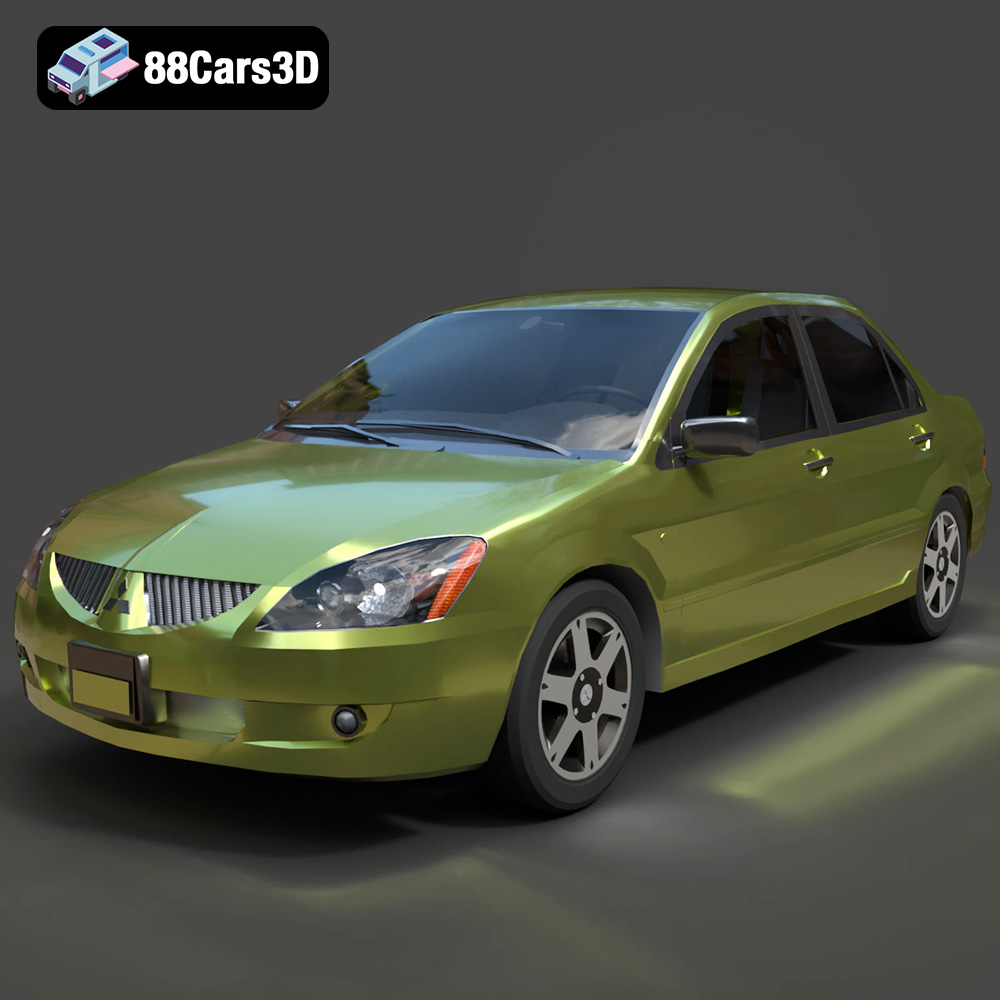
Download the Mitsubishi Lancer IX-001 3D Model featuring clean geometry, realistic detailing, and a fully modeled interior. Includes .blend, .fbx, .obj, .glb, .stl, .ply, .unreal, and .max formats for rendering, simulation, and game development.
Price: $4.99

Texture: Yes
Material: Yes
Download the MINI Cooper S-007 3D Model featuring clean geometry, realistic detailing, and a fully modeled interior. Includes .blend, .fbx, .obj, .glb, .stl, .ply, .unreal, and .max formats for rendering, simulation, and game development.
Price: $4.99

Texture: Yes
Material: Yes
Download the Mercury Grand Marquis LS 1986 3D Model featuring clean geometry, realistic detailing, and a fully modeled interior. Includes .blend, .fbx, .obj, .glb, .stl, .ply, .unreal, and .max formats for rendering, simulation, and game development.
Price: $4.99

Texture: Yes
Material: Yes
Download the Mercedes-Benz SLS AMG 2010 3D Model featuring clean geometry, realistic detailing, and a fully modeled interior. Includes .blend, .fbx, .obj, .glb, .stl, .ply, .unreal, and .max formats for rendering, simulation, and game development.
Price: $4.99

Texture: Yes
Material: Yes
Download the Renault Twizy ZE 3D Model featuring clean geometry, realistic detailing, and a fully modeled interior. Includes .blend, .fbx, .obj, .glb, .stl, .ply, .unreal, and .max formats for rendering, simulation, and game development.
Price: $4.99

Texture: Yes
Material: Yes
Download the Porsche 911 GT3 3D Model featuring clean geometry, realistic detailing, and a fully modeled interior. Includes .blend, .fbx, .obj, .glb, .stl, .ply, .unreal, and .max formats for rendering, simulation, and game development.
Price: $4.99

Texture: Yes
Material: Yes
Download the Porsche 911 997 GT3 RS 4.0 2011 3D Model featuring clean geometry, realistic detailing, and a fully modeled interior. Includes .blend, .fbx, .obj, .glb, .stl, .ply, .unreal, and .max formats for rendering, simulation, and game development.
Price: $4.99

Texture: Yes
Material: Yes
Download the Pontiac GTO Cabrio 1967 3D Model featuring clean geometry, realistic detailing, and a fully modeled interior. Includes .blend, .fbx, .obj, .glb, .stl, .ply, .unreal, and .max formats for rendering, simulation, and game development.
Price: $4.99

Texture: Yes
Material: Yes
Download the Pontiac Firebird Convertible 1968 3D Model featuring clean geometry, realistic detailing, and a fully modeled interior. Includes .blend, .fbx, .obj, .glb, .stl, .ply, .unreal, and .max formats for rendering, simulation, and game development.
Price: $4.99

