⚡ FLASH SALE: Get 60% OFF All Premium 3D & STL Models! ⚡

In the vibrant realm where cutting-edge technology converges with artistic vision, 3D car models stand as pillars of innovation. From blockbuster films and immersive video games to groundbreaking automotive design and interactive architectural visualizations, these digital assets are indispensable. They represent not just vehicles, but intricate canvases for designers, engineers, and artists to explore possibilities, simulate realities, and push the boundaries of visual storytelling.
Yet, creating, optimizing, and deploying high-quality 3D car models is far from a trivial task. It demands a sophisticated understanding of various disciplines: precision modeling, intricate UV mapping, physically accurate material creation, advanced rendering techniques, and rigorous optimization for diverse platforms like game engines, AR/VR, and even 3D printing. Each application presents its unique set of challenges and demands a tailored approach to ensure stunning visual fidelity and optimal performance.
This comprehensive guide delves deep into the technical intricacies of mastering 3D car models. Whether you’re an aspiring 3D artist, a seasoned game developer, an automotive designer, or a visualization professional, you’ll uncover workflows, best practices, and advanced techniques to elevate your projects. We’ll explore everything from the foundational principles of topology and PBR materials to the nuances of rendering with industry-standard engines and optimizing for real-time interactive experiences. Prepare to unlock the full potential of your automotive rendering and visualization projects.
The foundation of any exceptional 3D car model lies in its topology. For automotive surfaces, which are defined by their elegant curves, sharp creases, and highly reflective properties, clean and efficient topology is paramount. Poor topology leads to shading artifacts, pinching, and difficulties in animation or deformation. The goal is to achieve a mesh that accurately represents the vehicle’s form while being as efficient as possible, facilitating smooth subdivision and seamless UV mapping.
The journey begins with meticulous reference gathering. High-resolution blueprints, technical drawings, and detailed photographic references are crucial. These references should include orthogonal views (front, back, top, side) and perspective shots to understand the car’s nuanced forms. In software like 3ds Max, Blender, or Maya, these images are set up as image planes in orthogonal views. The initial base mesh is typically created using polygon modeling techniques, often starting with simple primitives and extruding, cutting, and shaping them to match the major body panels. This initial block-out focuses on capturing the overall silhouette and volume of the vehicle, defining the main lines and proportions before delving into intricate details. It’s crucial to establish the correct scale from the outset, typically using real-world units, to ensure accuracy for rendering, physics simulations, and future applications like 3D printing.
Most high-quality 3D car models are built using subdivision surface modeling (e.g., Turbosmooth in 3ds Max, Subdivision Surface modifier in Blender). This technique allows for low-polygon base meshes to be smoothed into high-resolution, organic surfaces. The key to successful subdivision modeling is impeccable topology and edge flow. Edge loops must follow the natural contours and creases of the car’s design. For instance, an edge loop should run along the edge of a door panel, around a wheel arch, or define the sharp crease of a body line. This ensures that when the mesh is subdivided, these details are preserved and enhanced, rather than softened or distorted. Avoid ngons (polygons with more than four sides) and T-junctions wherever possible, as they can cause shading issues and unpredictable subdivision behavior. Strive for an all-quad mesh for maximum control and clean deformation. Specific edge loops are often added near sharp edges, known as “support loops” or “holding edges,” to control the sharpness of the subdivision surface, preventing unwanted softness.
While subdivision surfaces handle the broad, flowing panels, intricate details like grilles, badges, vents, and interior components often require dedicated hard-surface modeling techniques. These elements might be modeled as separate objects, sometimes Booleaned into the main body (though care must be taken to clean up the resulting topology), or intricately built into the mesh with precise cuts and extrusions. For extremely complex details or those that would significantly increase polygon count, techniques like floating geometry or normal map baking can be employed. For example, a car badge can be modeled as a separate, detailed object and placed on the body, or its intricate details can be baked into a normal map that affects the car paint shader, giving the illusion of depth without adding actual geometry. Maintaining consistent real-world scale and accurate proportions across all these details is crucial for overall realism.
Once the geometric form of the 3D car model is perfected, the next critical step is to apply surface detail and color. This process involves meticulous UV mapping and the creation of physically based rendering (PBR) materials, which are essential for achieving photorealistic results across various rendering engines and interactive platforms.
UV mapping is the process of flattening the 3D surface of an object into a 2D plane, allowing textures to be painted or applied. For complex objects like cars, efficient and clean UV unwrapping is crucial. Panels should be separated into logical islands (e.g., hood, door, roof, fender) to minimize distortion and facilitate texture painting. Overlapping UVs should generally be avoided unless specifically intended for mirroring textures to save space. Utilize software tools like Blender’s Smart UV Project, 3ds Max’s Unwrap UVW modifier, or Maya’s UV Editor to project and arrange UV islands. It’s important to give more texture space (larger UV islands) to prominent parts of the car that will be viewed closely, like the hood or side panels, and less to less visible areas, ensuring optimal texture resolution distribution. Pack UV islands tightly within the 0-1 UV space to maximize texture efficiency, but leave enough padding between islands to prevent bleeding. For parts with repeating patterns, such as tire treads, tiling textures with dedicated UV sets can be highly effective.
PBR materials are the industry standard for achieving photorealistic rendering because they simulate how light interacts with surfaces based on real-world physical properties. There are two primary PBR workflows: Metallic-Roughness and Specular-Glossiness. The Metallic-Roughness workflow is generally favored for its intuitive nature and fewer texture maps. It uses a base color map (albedo), a metallic map (0 for dielectric, 1 for metallic), and a roughness map (0 for smooth, 1 for rough). The Specular-Glossiness workflow, while still valid, uses a diffuse map, a specular map (which defines color and intensity of reflections), and a glossiness map (inverse of roughness). Understanding which workflow your target renderer or game engine supports is critical. Most modern engines (e.g., Unreal Engine, Unity, Corona, V-Ray, Cycles, Arnold) support both, but Metallic-Roughness is often the default. For car paint, which is a complex multi-layered material, you might use a blend of PBR principles combined with custom shaders that simulate clear coat layers, flake effects, and subtle imperfections. High-quality PBR materials from marketplaces like 88cars3d.com often come pre-configured for these workflows, saving significant setup time.
Texture maps bring a 3D model to life. For cars, this includes a wide array of textures beyond just base color: normal maps for fine surface details (e.g., subtle panel lines, carbon fiber weave), displacement maps for true geometric relief (e.g., tire treads, grille patterns), ambient occlusion maps for subtle contact shadows, and various masks for material blending. Texture resolutions typically range from 2K (2048×2048 pixels) to 8K (8192×8192 pixels) depending on the model’s importance and viewing distance. For hero assets like a car, 4K or 8K textures are common for critical body panels. Decals, such as logos, license plates, and racing stripes, are often applied as separate textures using alpha masks or projected directly onto the UVs. Weathering effects like dust, grime, scratches, and paint chips are crucial for realism, typically achieved through procedural textures, masked grunge maps, or hand-painted details. It’s important to use non-destructive workflows where possible, allowing for easy iteration and adjustment of texture layers and blending modes. Realistic tire textures, including sidewall details and tread patterns, significantly enhance the overall visual fidelity of the vehicle.
The culmination of meticulous modeling and texturing is the rendering phase, where all elements converge to produce a photorealistic image or animation. This requires a deep understanding of lighting, material shading, and environment setup, leveraging powerful render engines like Corona, V-Ray, Cycles, or Arnold.
Lighting is arguably the most critical component of a realistic render. High Dynamic Range Images (HDRIs) are the backbone of modern automotive rendering. An HDRI captures real-world lighting and reflections, providing a comprehensive, physically accurate environment that dramatically enhances realism. A good HDRI provides both ambient illumination and distinct specular highlights, crucial for showcasing reflective car paint. However, HDRIs alone may not be enough. Supplementing them with targeted area lights, spot lights, or mesh lights (simulating studio softboxes) allows for artistic control, emphasizing specific contours, adding rim lighting, or creating dramatic shadows. For studio renders, a classic three-point lighting setup (key, fill, back light) is often a starting point, adapted to highlight the car’s form. Pay close attention to light placement to avoid flat lighting and accentuate the car’s design lines. Global Illumination (GI) settings in renderers must be optimized to accurately simulate light bounces, contributing to softer shadows and more natural light distribution.
While PBR texture maps provide the foundation, a sophisticated shader network is what truly defines the visual properties of complex materials like car paint, glass, and chrome. Modern renderers offer advanced shader nodes that allow for intricate material layering. Car paint, for example, is not a simple PBR material; it’s a multi-layered system involving a base color (often metallic flakes), a clear coat (glossy, reflective, and often slightly absorptive), and perhaps subtle orange peel imperfections. A shader network can simulate these layers by blending multiple PBR shaders, using masks to define where effects like dirt, scratches, or wear appear. Glass materials require accurate refraction and reflection properties, often with subtle tinting and surface imperfections. Chrome and other metallic surfaces demand high reflectivity and accurate fresnel effects. Understanding how to construct these complex shaders using node-based editors in renderers like Blender’s Cycles, 3ds Max with Corona or V-Ray, or Maya with Arnold is vital for pushing the boundaries of realism. Utilize features like subsurface scattering for translucent materials (e.g., tail lights) and anisotropy for brushed metals.
Rendering an image is often only 80% of the battle; the remaining 20% is achieved through post-processing and compositing. Tools like Adobe Photoshop, Affinity Photo, or Nuke are used to refine the raw render. This includes color grading to set the mood, adjusting exposure and contrast, adding subtle chromatic aberration, lens flares, and depth of field (if not rendered directly). Often, a render is broken into multiple passes (e.g., beauty, reflections, refractions, ambient occlusion, z-depth, object IDs) during rendering. These render passes can then be composited together in a non-destructive manner, offering immense control over the final image. For instance, reflections can be boosted, shadows can be softened, or a specific part of the car can be subtly recolored without re-rendering the entire scene. Compositing also allows for seamless integration of the car model into photographic backplates or digitally created environments, making the vehicle appear naturally grounded in its surroundings. Techniques like sharpening, denoising (if not handled by the renderer), and adding subtle vignettes can further enhance the final visual impact, elevating a good render to an exceptional one.
While high-fidelity renders are crucial for visualization, deploying 3D car models into real-time environments like game engines (Unity, Unreal Engine) or AR/VR applications demands a different set of considerations. Here, performance is paramount, requiring rigorous optimization without sacrificing visual quality. The balance between polygon count, texture resolution, and draw calls is key to a smooth, interactive experience.
Level of Detail (LODs) are essential for optimizing game assets. Instead of rendering a single, high-polygon model at all distances, LODs involve creating multiple versions of the same model, each with progressively fewer polygons. A high-poly version (LOD0, e.g., 50,000-150,000 triangles) is displayed when the car is close to the camera, while a medium-poly (LOD1, e.g., 20,000-50,000 triangles) and low-poly (LOD2, e.g., 5,000-20,000 triangles) versions are swapped in as the car moves further away. This dramatically reduces the number of polygons the GPU needs to process. Most game engines have built-in LOD systems that automate the switching based on screen space. Furthermore, minimizing draw calls is critical. Each material and mesh in a scene represents a draw call. Reducing the number of distinct materials on a car by combining textures (texture atlasing) and consolidating meshes can significantly boost performance, especially when multiple cars are present in a scene.
Texture atlasing is a powerful optimization technique where multiple smaller textures (e.g., for different car parts like wheels, interior, undercarriage) are combined into a single, larger texture map, known as a texture atlas. This means a single material can reference one large atlas instead of multiple individual textures. When UV mapping, care must be taken to ensure that the UV islands for these various parts are packed into their respective areas on the atlas. This consolidation reduces the number of materials used on the car, which directly translates to fewer draw calls in the game engine. For instance, a car that might initially have 15-20 materials (one for each unique part/texture set) can be optimized down to 3-5 materials (e.g., body, interior, wheels, glass) through clever atlasing. This is particularly crucial for mobile AR/VR experiences where GPU resources are highly constrained. Baking complex PBR material details (like metallic flakes or clear coat effects) into fewer, consolidated texture maps can further streamline the process while maintaining visual fidelity.
For interactive environments, especially racing games, cars need accurate collision detection and physics simulation. It’s inefficient and unnecessary to use the high-polygon visual mesh for collision. Instead, a simplified collision mesh is created. This mesh is typically a much lower-polygon approximation of the car’s exterior, often built using convex hull decomposition or simple primitive shapes (boxes, spheres, capsules) combined to approximate the form. In game engines, these are known as physics assets. Unreal Engine and Unity provide tools to automatically generate collision meshes or allow manual creation. Furthermore, articulated parts like doors, wheels, and suspension components often require separate physics bodies and constraints to enable realistic movement and interaction. Proper setup of pivot points and hierarchical rigging for these components is crucial for responsive and believable physics. The quality of physics assets directly impacts the realism of driving mechanics and crash simulations in games.
The utility of 3D car models extends far beyond traditional rendering and gaming. Augmented Reality (AR), Virtual Reality (VR), and 3D printing are rapidly expanding frontiers that leverage these digital assets, each with its own set of technical demands and optimization strategies. Furthermore, seamless file format conversion ensures broad compatibility across these diverse applications.
AR/VR applications demand extreme performance optimization. Frame rates must be consistently high (e.g., 60-90 FPS per eye) to prevent motion sickness and ensure a comfortable, immersive experience. This often means significantly lower polygon counts (e.g., 10,000-50,000 triangles for a full car model) than for high-end games or renders. Textures need to be highly optimized, often using smaller resolutions (1K-2K) and aggressive atlasing to reduce draw calls. Shaders should be lightweight, avoiding complex calculations or excessive material layers. Techniques like culling (frustum culling, occlusion culling) are crucial to only render what’s visible to the user. Baking complex lighting information into lightmaps instead of relying on real-time global illumination can save significant processing power. For AR, particular attention is paid to scale and tracking accuracy, ensuring the 3D car model appears correctly proportioned and stably anchored in the real world. Platforms like 88cars3d.com often provide models specifically prepared for AR/VR, with optimized meshes and PBR materials compatible with formats like GLB and USDZ.
3D printing requires a fundamentally different approach to mesh preparation. Unlike rendering, which deals with visible surfaces, 3D printing requires a solid, watertight mesh with no holes, inverted normals, or self-intersecting geometry. Key steps include:
The output is typically an STL or OBJ file, ready for slicing software.
The versatility of a 3D car model is often determined by its compatibility with various software and engines. Understanding common file formats and their specific advantages is crucial:
When sourcing models from marketplaces such as 88cars3d.com, verify the available file formats to ensure they align with your project’s specific needs and workflows. Converting between formats often requires attention to material assignments and texture paths, as these can sometimes be lost or misinterpreted during the conversion process.
The journey through the world of 3D car models is a testament to the blend of artistic skill, technical precision, and meticulous optimization required to produce truly compelling digital automotive assets. From the initial precise sculpting of automotive topology and the intricate art of UV mapping, to the sophisticated layering of PBR materials and the nuanced lighting setups for photorealistic renders, every stage demands careful attention to detail. We’ve explored how these assets are tailored for high-performance interactive experiences in game engines, meticulously prepared for the physical realm of 3D printing, and finely tuned for the cutting-edge applications of AR/VR visualization.
Mastering these techniques not only elevates the visual fidelity of your projects but also streamlines your workflow, allowing you to create stunning visuals and immersive experiences with greater efficiency. The continuous evolution of software, rendering technologies, and hardware means that staying informed and adaptable is key to success in this dynamic field.
Whether you’re crafting a hyper-realistic scene for an automotive advertisement, developing the next big racing game, or conceptualizing a groundbreaking vehicle design, the quality of your 3D car models directly impacts the final output. Remember, platforms like 88cars3d.com provide a powerful starting point by offering high-quality, pre-optimized game assets and visualization models, allowing artists and developers to focus on creativity rather than foundational asset creation. Embrace these tools, refine your skills, and drive your 3D automotive projects to new horizons of realism and interactivity.

Texture: Yes
Material: Yes
Download the Mitsubishi Outlander 2022 3D Model featuring clean geometry, realistic detailing, and a fully modeled interior. Includes .blend, .fbx, .obj, .glb, .stl, .ply, .unreal, and .max formats for rendering, simulation, and game development.
Price: $4.99
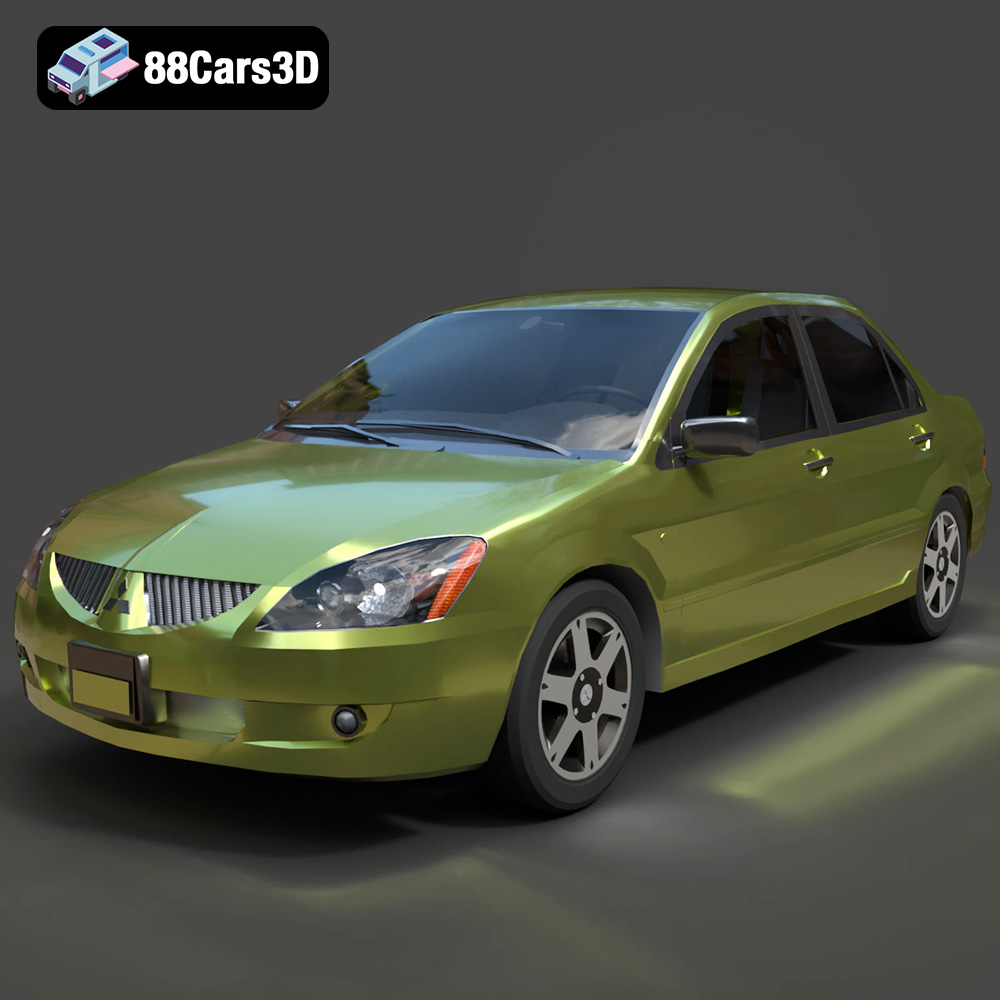
Texture: Yes
Material: Yes
Download the Mitsubishi Lancer IX-001 3D Model featuring clean geometry, realistic detailing, and a fully modeled interior. Includes .blend, .fbx, .obj, .glb, .stl, .ply, .unreal, and .max formats for rendering, simulation, and game development.
Price: $4.99

Texture: Yes
Material: Yes
Download the MINI Cooper S-007 3D Model featuring clean geometry, realistic detailing, and a fully modeled interior. Includes .blend, .fbx, .obj, .glb, .stl, .ply, .unreal, and .max formats for rendering, simulation, and game development.
Price: $4.99

Texture: Yes
Material: Yes
Download the Mercury Grand Marquis LS 1986 3D Model featuring clean geometry, realistic detailing, and a fully modeled interior. Includes .blend, .fbx, .obj, .glb, .stl, .ply, .unreal, and .max formats for rendering, simulation, and game development.
Price: $4.99

Texture: Yes
Material: Yes
Download the Mercedes-Benz SLS AMG 2010 3D Model featuring clean geometry, realistic detailing, and a fully modeled interior. Includes .blend, .fbx, .obj, .glb, .stl, .ply, .unreal, and .max formats for rendering, simulation, and game development.
Price: $4.99

Texture: Yes
Material: Yes
Download the Renault Twizy ZE 3D Model featuring clean geometry, realistic detailing, and a fully modeled interior. Includes .blend, .fbx, .obj, .glb, .stl, .ply, .unreal, and .max formats for rendering, simulation, and game development.
Price: $4.99

Texture: Yes
Material: Yes
Download the Porsche 911 GT3 3D Model featuring clean geometry, realistic detailing, and a fully modeled interior. Includes .blend, .fbx, .obj, .glb, .stl, .ply, .unreal, and .max formats for rendering, simulation, and game development.
Price: $4.99

Texture: Yes
Material: Yes
Download the Porsche 911 997 GT3 RS 4.0 2011 3D Model featuring clean geometry, realistic detailing, and a fully modeled interior. Includes .blend, .fbx, .obj, .glb, .stl, .ply, .unreal, and .max formats for rendering, simulation, and game development.
Price: $4.99

Texture: Yes
Material: Yes
Download the Pontiac GTO Cabrio 1967 3D Model featuring clean geometry, realistic detailing, and a fully modeled interior. Includes .blend, .fbx, .obj, .glb, .stl, .ply, .unreal, and .max formats for rendering, simulation, and game development.
Price: $4.99

Texture: Yes
Material: Yes
Download the Pontiac Firebird Convertible 1968 3D Model featuring clean geometry, realistic detailing, and a fully modeled interior. Includes .blend, .fbx, .obj, .glb, .stl, .ply, .unreal, and .max formats for rendering, simulation, and game development.
Price: $4.99

