⚡ FLASH SALE: Get 60% OFF All Premium 3D & STL Models! ⚡

The sleek lines, the dynamic reflections, the intricate details – a perfectly rendered 3D car model is more than just an image; it’s a testament to technical mastery and artistic vision. In the demanding worlds of automotive design, game development, cinematic visualization, and emerging AR/VR experiences, the quality of a 3D car asset can make or break a project. But what truly defines a high-quality 3D car model, and what complex workflows and technical considerations go into creating and utilizing them effectively?
This comprehensive guide dives deep into the intricate ecosystem of 3D car models. We’ll peel back the layers, from the foundational principles of clean topology and efficient UV mapping to the advanced techniques of PBR material creation, real-time game engine optimization, and preparing models for diverse applications like AR/VR and 3D printing. Whether you’re a seasoned 3D artist, an aspiring game developer, an automotive designer, or a student eager to master the craft, understanding these technical nuances is crucial. By the end of this journey, you’ll not only grasp the ‘how-to’ but also the ‘why’ behind professional-grade 3D car assets, empowering you to create, choose, and deploy models that stand out in any digital landscape.
At the heart of every exceptional 3D car model lies impeccable topology and meticulously planned edge flow. Topology refers to the arrangement of polygons (usually quads) that form the mesh, while edge flow dictates how these edges follow the contours and curvature of the object. For automotive models, which are characterized by complex, smooth, and highly reflective surfaces, these principles are paramount. Poor topology can lead to artifacts, pinching, and an inability to deform smoothly, ruining the realism of reflections or animations.
The goal is to create an all-quad mesh that supports subdivision surfaces (like OpenSubdiv or TurboSmooth) without introducing unsightly creases or distortions. Edges should follow the natural lines of the vehicle, emphasizing creases, panel gaps, and stylistic elements. This allows the model to retain its smoothness even at very high polygon counts, while also offering a low-poly base for game engines. Professionals often begin with a low-poly block-out, focusing on silhouette and proportions, then progressively refine the mesh, ensuring uniform polygon density across curved surfaces to avoid faceting.
The golden rule for high-quality automotive modeling is to maintain an all-quad mesh. Triangles (tris) can cause unpredictable deformation during animation and can lead to pinching artifacts when subdivided. While tris are acceptable in specific, flat, non-deforming areas or for final game engine export where they are automatically triangulated, for primary modeling, they should be avoided. Ngons (polygons with more than four sides) are an absolute no-go as they are highly unstable and will invariably cause rendering and deformation issues.
To ensure clean geometry, artists often employ retopology techniques. This involves tracing new, optimized geometry over a high-resolution scan or sculpt. Tools like Blender’s Retopoflow, Maya’s Quad Draw, or 3ds Max’s Graphite Modeling Tools streamline this process, allowing for precise control over edge placement. Supporting edge loops are also critical; these are extra loops of edges placed close to sharp corners or creases to “hold” the subdivision surface, preventing it from overly smoothing out critical details like door seams or window frames.
Edge flow in automotive models is not just about cleanliness; it’s about predicting how light will interact with the surface and how the model will move. For car bodies, reflections are key. Edges must flow smoothly along the curvature of the body panels to ensure that reflections, especially those from studio HDRIs, appear continuous and undistorted. Jagged or inconsistent edge flow will manifest as visual noise in the reflections, breaking the illusion of a perfectly manufactured surface.
Furthermore, if the car is destined for animation (e.g., opening doors, suspension movement), the topology around these articulation points must be optimized for deformation. Concentric edge loops around hinges or wheel wells provide the necessary tessellation for smooth bending without collapsing the geometry. The target polygon count for a high-quality, render-ready 3D car model can vary significantly, often ranging from 200,000 to over 2 million triangles depending on the level of detail and whether interior components are included. For game-ready assets, this count will be drastically lower, typically ranging from 50,000 to 150,000 triangles for a main vehicle, managed through Level of Detail (LOD) systems.
Once the underlying geometry is pristine, the next crucial step is to define the surface aesthetics through UV mapping and Physically Based Rendering (PBR) materials. These processes are what breathe life into the model, allowing it to display realistic textures, colors, and material properties that react accurately to light.
UV mapping is the process of flattening the 3D surface of a model into a 2D space, creating a set of coordinates (UVs) that tell your software how to project 2D textures onto the 3D mesh. For complex objects like cars, meticulous UV unwrapping is essential to avoid texture stretching, distortion, or seams that break the visual continuity. PBR materials, on the other hand, are a modern approach to shading that simulates the physics of light interaction with surfaces more accurately than older rendering techniques, leading to far more realistic results.
Unwrapping a car model effectively requires careful planning. Due to the vehicle’s complex curves and distinct panels, a single “automatic” unwrap will almost certainly fail. Instead, artists typically separate the model into logical UV islands (e.g., hood, doors, roof, wheels, interior elements). Seams should be placed in inconspicuous areas, such as along natural panel gaps or edges that will be hidden from the primary camera angles. Tools like Blender’s Smart UV Project, 3ds Max’s Flatten Mapping, or Maya’s automatic mapping with subsequent manual refinement are often employed.
Efficiency in UV space is also vital. UV islands should be packed tightly within the 0-1 UV coordinate space to maximize texture resolution, minimizing wasted space. Overlapping UVs can be used for symmetrical parts (like tires or headlights) to save texture memory, but this must be done judiciously to avoid baking artifacts, especially with normal maps. A professional car model might have multiple UV sets: one for the main body, another for interior details, and perhaps a third for specific decals or emblems, each optimized for its texture resolution and purpose. Texture resolutions typically range from 2K (2048×2048) for smaller details to 4K or even 8K for primary body panels, depending on the desired visual fidelity and target platform.
PBR materials rely on a set of texture maps that define how light interacts with the surface. The core maps include:
These maps are then fed into a shader network within your chosen rendering engine (e.g., V-Ray Material in 3ds Max, Principled BSDF in Blender, aiStandardSurface in Maya/Arnold). Car paints are particularly complex, often requiring multi-layered shaders that simulate clear coat, metallic flakes, and subsurface scattering for depth. Creating convincing glass for windows, reflective chrome, and textured interiors demands a deep understanding of each PBR channel’s effect and how to create or source high-quality textures. Platforms like 88cars3d.com provide models with meticulously crafted PBR materials, saving artists countless hours of setup and ensuring professional results right out of the box.
With a perfectly modeled and textured car, the next step is to make it shine through advanced rendering. Rendering is the process of generating a photorealistic image from a 3D model, involving complex calculations of light, materials, and camera optics. Achieving breathtaking automotive renders requires more than just hitting the render button; it involves strategic lighting, camera setup, and thoughtful post-processing.
Modern renderers leverage physically based algorithms to simulate light behavior, producing incredibly realistic results. The choice of renderer (Corona Renderer, V-Ray, Cycles, Arnold) often depends on the specific project, desired quality, and existing software ecosystem, but the underlying principles for automotive visualization remain consistent: accurate light simulation and meticulous control over environmental elements.
Lighting is arguably the most critical element in automotive rendering. A well-lit car emphasizes its form, highlights its reflective surfaces, and conveys emotion. High Dynamic Range Images (HDRIs) are indispensable for this, providing realistic global illumination and reflections from real-world environments. An interior HDRI often mimics a studio setup, offering soft, even lighting, while an exterior HDRI can place the car convincingly in a street scene or natural landscape.
Beyond HDRIs, supplementary lights are often used. Area lights can simulate softboxes to create beautiful highlights along body panels, while spot lights can emphasize specific details like brake calipers or headlights. The placement of these lights is crucial to sculpt the car’s form with light and shadow. Key principles include:
Environmental elements like ground planes (with appropriate PBR materials), backdrops, and even subtle dust or grunge layers can significantly enhance realism, grounding the car within its scene. Understanding how different light sources affect metallic, glossy, and matte surfaces is key to dialing in the perfect render.
No raw render is truly finished until it undergoes professional post-processing and compositing. This stage, typically performed in software like Adobe Photoshop, Affinity Photo, or Blackmagic Fusion, allows artists to refine the image, correct imperfections, and add artistic flair without re-rendering. Common post-processing steps include:
Compositing involves combining multiple render passes (e.g., beauty, alpha, diffuse, reflection, shadow, Z-depth) generated by the renderer. This non-destructive workflow provides immense control, allowing artists to adjust individual elements like reflections or shadows separately, paint in subtle effects, or even swap backgrounds without re-rendering the entire scene. For high-end automotive visualizations, understanding render passes and efficient compositing techniques is as vital as the rendering itself, transforming a good render into a truly cinematic image.
Integrating high-quality 3D car models into real-time game engines like Unity or Unreal Engine presents a unique set of challenges, primarily centered around performance optimization. Unlike static renders, game engines require assets that can be rendered tens, hundreds, or even thousands of times per second across various hardware specifications, necessitating extreme efficiency in polygon count, texture usage, and material complexity. The goal is to achieve visual fidelity without compromising frame rates.
This often means creating a separate, optimized version of the high-poly render model, or working from the ground up with optimization in mind. Game asset development is a specialized skill that balances visual quality with strict performance budgets, making a clear understanding of optimization techniques crucial for any game developer or asset creator.
One of the most effective optimization techniques is Level of Detail (LOD). LODs are simplified versions of a model that are swapped in dynamically based on the camera’s distance from the object. For a car, you might have:
Each LOD reduces the polygon count, removes intricate internal components, and simplifies materials, thus reducing the GPU load. Game engines like Unity and Unreal Engine provide built-in LOD systems that automate this swapping. When sourcing models from marketplaces such as 88cars3d.com, check if they provide multiple LODs, as this significantly streamlines game development workflows.
Another critical aspect is draw call reduction. A draw call occurs every time the CPU tells the GPU to render something. Each unique material, mesh, or texture often results in a separate draw call, which can quickly overwhelm the CPU. To mitigate this:
These techniques help reduce the communication overhead between CPU and GPU, leading to smoother frame rates.
Beyond geometry, textures are a major performance factor. Using appropriate texture resolutions (e.g., 2K for primary body, 512×512 for small details) and efficient compression formats (e.g., DXT for diffuse/normal, BC4 for roughness) is crucial. Game engines often require textures to be powers of two (e.g., 1024, 2048, 4096) for optimal VRAM usage. Packing multiple greyscale maps (like roughness, metallic, ambient occlusion) into the RGB channels of a single texture can also save memory and draw calls.
For interactive vehicles, collision detection is essential. Instead of using the high-detail visual mesh for collisions (which is inefficient), artists create simplified collision meshes (often convex hulls or simplified box colliders) that accurately represent the car’s physical boundaries. These “proxy” meshes are invisible but are used by the physics engine for accurate interaction with the environment.
Finally, for dynamic gameplay elements like opening doors, spinning wheels, or customizable parts, the car model needs a proper rig. A basic car rig typically includes a root bone, bones for each wheel, and bones for any interactive elements. This allows animators to control movement and integrate physics-based suspension systems, bringing the vehicle to life in a believable way within the game engine.
The versatility of 3D car models extends far beyond traditional rendering and gaming. With the rise of Augmented Reality (AR) and Virtual Reality (VR), as well as the increasing accessibility of 3D printing, high-quality automotive assets are finding innovative new applications. Each of these fields, however, demands specific technical considerations and optimization strategies to ensure optimal performance and fidelity.
Whether it’s creating an interactive car configurator in AR, a fully immersive driving experience in VR, or a physical prototype through 3D printing, adapting the core 3D model to meet these diverse technical requirements is key to success.
AR and VR environments are even more demanding than traditional game engines because they often require rendering two separate viewpoints (one for each eye) at very high frame rates (typically 72-90 FPS) to prevent motion sickness and maintain immersion. This means extreme optimization is necessary for 3D car models.
Key AR/VR optimization techniques include:
For AR, particularly on mobile devices, file size is also a major concern. Models need to be lightweight and delivered in mobile-friendly formats like GLB or USDZ, ensuring quick downloads and smooth performance on consumer-grade hardware. Interactive elements should be simple and highly responsive, prioritizing a fluid user experience.
Preparing a 3D car model for 3D printing is a completely different challenge. While rendering allows for open meshes or non-manifold geometry (e.g., infinitely thin planes), 3D printing requires a physically accurate, “watertight” mesh. This means every surface must enclose a solid volume, with no gaps, holes, or intersecting faces that confuse the printer about what’s inside and what’s outside.
Key considerations for 3D printing:
After repair and optimization, models are typically exported in STL or OBJ format, which are widely supported by 3D printing software (slicers). The process of converting a render-ready model into a print-ready model often involves significant mesh cleanup and optimization. This is where models found on platforms like 88cars3d.com, known for their clean topology, offer a significant advantage, providing a solid foundation for both digital and physical applications.
The 3D industry is a vast ecosystem of diverse software applications, each with its strengths and preferred workflows. Consequently, 3D car models often need to traverse between these environments – from modeling software to rendering engines, game engines, or even directly to AR/VR viewers. Understanding the nuances of various 3D file formats, their capabilities, and the best practices for conversion is crucial for maintaining data integrity and maximizing interoperability.
The wrong file format or an improperly executed conversion can lead to lost data, broken UVs, incorrect materials, or mesh corruption, costing valuable time and effort. Mastering these aspects ensures your 3D car assets remain robust and versatile across different pipelines.
Several file formats dominate the 3D space, each with specific advantages:
Converting between formats requires careful attention to detail to avoid data loss. Here are some best practices and common issues:
Utilizing dedicated importers/exporters, understanding each format’s limitations, and systematically checking the imported model for issues are crucial steps. High-quality 3D car models from trusted sources, like those found on 88cars3d.com, are typically provided in multiple common formats (FBX, OBJ, GLB, etc.), often with pre-configured materials, significantly simplifying the conversion process and reducing potential headaches for artists and developers.
The journey from a conceptual idea to a fully realized, versatile 3D car model is a complex and rewarding one, demanding a blend of artistic skill and rigorous technical understanding. We’ve traversed the intricate landscape of 3D automotive design, from the foundational importance of clean topology and precise edge flow to the nuanced art of UV mapping and PBR material creation that brings surfaces to life. We explored advanced rendering workflows that craft cinematic visuals and delved into the critical optimization strategies essential for seamless integration into real-time game engines.
Furthermore, we examined how these robust models adapt to emerging frontiers like AR/VR and the tangible world of 3D printing, each requiring its unique set of technical considerations. Finally, we demystified the array of 3D file formats, highlighting their individual strengths and guiding you through the critical process of conversions and interoperability.
Mastering these technical aspects not only elevates the visual fidelity of your projects but also streamlines your workflow and expands the applicability of your 3D assets across various industries. Whether you’re crafting a stunning render, developing an immersive game, or pushing the boundaries of interactive visualization, the quality and technical integrity of your 3D car models are paramount. By applying the insights and best practices discussed, you are now better equipped to tackle the challenges and unlock the full potential of automotive 3D modeling. Continue to explore, experiment, and refine your craft, and remember that quality assets form the bedrock of any successful digital endeavor.

Texture: Yes
Material: Yes
Download the Mitsubishi Outlander 2022 3D Model featuring clean geometry, realistic detailing, and a fully modeled interior. Includes .blend, .fbx, .obj, .glb, .stl, .ply, .unreal, and .max formats for rendering, simulation, and game development.
Price: $4.99
Texture: Yes
Material: Yes
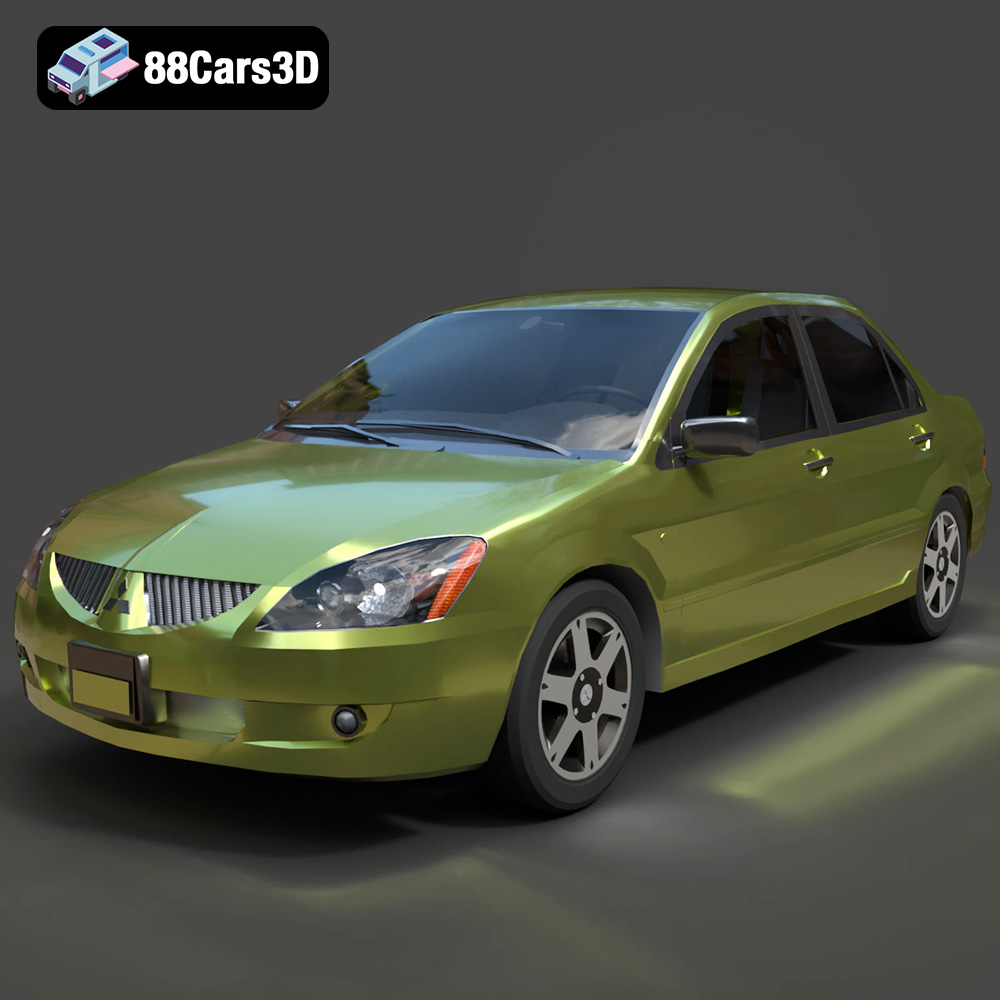
Download the Mitsubishi Lancer IX-001 3D Model featuring clean geometry, realistic detailing, and a fully modeled interior. Includes .blend, .fbx, .obj, .glb, .stl, .ply, .unreal, and .max formats for rendering, simulation, and game development.
Price: $4.99

Texture: Yes
Material: Yes
Download the MINI Cooper S-007 3D Model featuring clean geometry, realistic detailing, and a fully modeled interior. Includes .blend, .fbx, .obj, .glb, .stl, .ply, .unreal, and .max formats for rendering, simulation, and game development.
Price: $4.99

Texture: Yes
Material: Yes
Download the Mercury Grand Marquis LS 1986 3D Model featuring clean geometry, realistic detailing, and a fully modeled interior. Includes .blend, .fbx, .obj, .glb, .stl, .ply, .unreal, and .max formats for rendering, simulation, and game development.
Price: $4.99

Texture: Yes
Material: Yes
Download the Mercedes-Benz SLS AMG 2010 3D Model featuring clean geometry, realistic detailing, and a fully modeled interior. Includes .blend, .fbx, .obj, .glb, .stl, .ply, .unreal, and .max formats for rendering, simulation, and game development.
Price: $4.99

Texture: Yes
Material: Yes
Download the Renault Twizy ZE 3D Model featuring clean geometry, realistic detailing, and a fully modeled interior. Includes .blend, .fbx, .obj, .glb, .stl, .ply, .unreal, and .max formats for rendering, simulation, and game development.
Price: $4.99

Texture: Yes
Material: Yes
Download the Porsche 911 GT3 3D Model featuring clean geometry, realistic detailing, and a fully modeled interior. Includes .blend, .fbx, .obj, .glb, .stl, .ply, .unreal, and .max formats for rendering, simulation, and game development.
Price: $4.99

Texture: Yes
Material: Yes
Download the Porsche 911 997 GT3 RS 4.0 2011 3D Model featuring clean geometry, realistic detailing, and a fully modeled interior. Includes .blend, .fbx, .obj, .glb, .stl, .ply, .unreal, and .max formats for rendering, simulation, and game development.
Price: $4.99

Texture: Yes
Material: Yes
Download the Pontiac GTO Cabrio 1967 3D Model featuring clean geometry, realistic detailing, and a fully modeled interior. Includes .blend, .fbx, .obj, .glb, .stl, .ply, .unreal, and .max formats for rendering, simulation, and game development.
Price: $4.99

Texture: Yes
Material: Yes
Download the Pontiac Firebird Convertible 1968 3D Model featuring clean geometry, realistic detailing, and a fully modeled interior. Includes .blend, .fbx, .obj, .glb, .stl, .ply, .unreal, and .max formats for rendering, simulation, and game development.
Price: $4.99

