⚡ FLASH SALE: Get 60% OFF All Premium 3D & STL Models! ⚡

The allure of a perfectly crafted automobile extends far beyond the showroom floor, deep into the digital realm where virtual vehicles ignite imaginations, power game worlds, and drive innovative design. For 3D artists, game developers, automotive designers, and visualization professionals, creating or sourcing high-quality 3D car models is a cornerstone of success. However, achieving photorealism and optimal performance with these complex assets requires a deep understanding of intricate technical workflows, from meticulous topology and UV mapping to advanced rendering and game engine optimization. It’s a journey that demands precision, technical acumen, and an artistic eye.
This comprehensive guide delves into the essential techniques and best practices for mastering 3D car models, covering every stage from conceptualization to final output. Whether you’re building a hyper-realistic scene for an advertising campaign, optimizing a vehicle for an immersive AR/VR experience, or preparing models for 3D printing, we’ll equip you with the knowledge to tackle the unique challenges presented by automotive assets. We’ll explore industry-standard software, crucial technical specifications, and strategies to ensure your 3D car models not only look stunning but also perform flawlessly across various applications. Get ready to accelerate your skills and transform your digital automotive projects.
At the heart of every high-quality 3D car model lies impeccable topology and intelligent edge flow. These are not merely aesthetic considerations but fundamental technical requirements that dictate how a model deforms, how light interacts with its surfaces, and ultimately, how realistic it appears. Automotive surfaces are notoriously complex, characterized by sweeping curves, sharp creases, and subtle reflections that demand precise control over mesh structure. A clean, quad-based topology is paramount, ensuring smooth subdivision and predictable deformation. Vertices, edges, and faces must be strategically placed to define the car’s silhouette, panel gaps, and intricate details without introducing artifacts or pinching.
Professional modelers meticulously plan their topology, often starting with reference blueprints and carefully laying down edge loops that follow the natural contours and design lines of the vehicle. This foundational work prevents shading issues, allows for easy modifications, and is crucial for creating realistic reflections that glide smoothly across the car’s body. When sourcing 3D car models from platforms like 88cars3d.com, examining the wireframe and topology is a critical step to ensure the asset meets professional standards and will perform well in your intended application. A well-constructed mesh minimizes headaches down the line, from UV mapping to animation.
The industry standard for organic and hard-surface modeling, including automotive assets, is quad-based topology. Quads (four-sided polygons) are ideal because they subdivide predictably, creating smooth surfaces without the undesirable pinching or artifacting often associated with triangles (tris) or N-gons (polygons with more than four sides) on curved surfaces. For car bodies, every major panel, curve, and seam should ideally be defined by continuous edge loops made of quads. This approach not only ensures visual fidelity but also facilitates advanced techniques like non-destructive modeling with subdivision surfaces (e.g., OpenSubdiv in 3ds Max or Blender’s Subdivision Surface modifier). While the final exported mesh for game engines might contain triangles for optimization, the underlying modeling practice emphasizes quads for the primary sculpt.
Edge flow refers to the direction and continuity of edge loops across the model’s surface. For automotive designs, strategic edge flow is critical for capturing the subtle nuances of a car’s design. Edge loops should follow the natural lines of the bodywork, panel gaps, and contours around elements like headlights, grilles, and wheel arches. This ensures that when the model is subdivided, these features retain their crispness while the main body panels remain smooth and flowing. For sharp creases, like those found on door edges or bumper lines, closely spaced “support loops” or “holding edges” are used to tighten the subdivision effect, preventing the edge from becoming overly rounded. Conversely, for expansive, smooth surfaces, edge loops should be spaced more evenly to avoid unnecessary density and maintain a clean reflection.
Polygon count is a constant balancing act between visual detail and performance. A hyper-realistic render might use millions of polygons, while a real-time game asset requires stringent optimization. For high-end cinematic renders, a car model might have 500,000 to 2 million polygons (after subdivision), allowing for incredible detail. For game engines, however, a typical hero vehicle might range from 50,000 to 150,000 triangles for the highest LOD, with much lower counts for distant LODs. The goal is to use polygons efficiently, placing density where detail is critical (e.g., around badges, grilles, and complex mechanical parts) and keeping it sparse on large, flat surfaces. Techniques like baking normal maps from high-poly models onto low-poly meshes are essential for retaining visual detail while drastically reducing polygon count, a common practice for game assets and AR/VR applications.
Once a 3D car model’s geometry is perfected, the next crucial step is UV mapping – the process of unwrapping the 3D surface onto a 2D plane so that 2D textures can be applied accurately. For complex automotive surfaces with their intricate curves, varied materials, and numerous components, effective UV mapping is a highly technical skill that directly impacts the quality of textures, materials, and ultimately, the final render or real-time appearance. Poor UVs lead to distorted textures, visible seams, and wasted texture space, undermining all previous modeling efforts.
The goal is to create UV islands (individual unwrapped sections) that are proportionate to their real-world surface area, minimize distortion, and strategically place seams where they are least visible. Car models often involve dozens of distinct material zones – paint, glass, chrome, rubber, plastic, fabric – each requiring careful consideration during the UV unwrapping process. Using multiple UV maps for different purposes (e.g., one for diffuse/specular, another for lightmaps or ambient occlusion) is also a common professional practice, especially in game development. Understanding the nuances of UV mapping is essential for leveraging the full potential of PBR materials and high-resolution textures.
Unwrapping a car body requires a methodical approach. Tools like 3ds Max’s Unwrap UVW modifier, Blender’s UV Editor, or Maya’s UV Toolkit provide powerful features for this task. Key strategies include segmenting the car into logical components (hood, doors, fenders, roof, etc.) and unwrapping each separately. For large, continuous surfaces like the main body panels, projection methods (planar, cylindrical, spherical) followed by relaxing the UVs help minimize distortion. The goal is to make the UV islands as straight and organized as possible to maximize texture resolution and simplify texturing in applications like Substance Painter. Seams should be placed along natural breaks or hard edges, such as panel gaps, where they are less noticeable. For smaller, repetitive parts like tire treads or interior buttons, tiling textures can be used, requiring precise UV alignment to ensure seamless repetition.
UV atlasing involves consolidating multiple UV islands from different parts of the model onto a single UV map to create a texture atlas. This technique is crucial for optimization, particularly in game engines, as it reduces draw calls by allowing many parts to share a single material and texture. For a car model, separate components like wheels, interior elements, and specific exterior details might all be packed into one or more atlases. Maintaining consistent texel density across all UV islands within an atlas is vital. Texel density refers to the number of texture pixels per unit of 3D space. Inconsistent texel density leads to some areas appearing blurry (low texel density) and others overly pixelated (high texel density). Tools often include features to automatically calculate and normalize texel density across selected UVs, ensuring a uniform resolution for textures across the entire model.
While strategic seam placement is necessary, visible seams on rendered textures are a common issue. To mitigate this, texture artists often “paint over” seams in their 2D texture editor, using clone brushes or content-aware fill. Another technique involves using Substance Painter’s 3D painting capabilities, which allow direct painting on the 3D model, automatically blending across UV seams. Overlapping UV islands, where two or more parts of the model occupy the same UV space, are generally undesirable for unique textures as they will display the same texture information. However, overlapping UVs are acceptable, and often necessary, for mirrored parts (e.g., left and right doors sharing the same UV space for efficiency) or when using tiling textures. The decision to overlap or create unique UVs depends on the desired level of detail, performance requirements, and the specific texturing workflow being employed. For high-quality 3D car models purchased from marketplaces like 88cars3d.com, you can expect well-optimized UVs designed to minimize these issues.
The visual fidelity of a 3D car model largely hinges on its materials and shaders. Physically Based Rendering (PBR) has revolutionized this aspect, providing a standardized approach to material creation that aims to accurately simulate how light interacts with surfaces in the real world. PBR materials ensure consistency across different lighting conditions and render engines, making your 3D car models look believable whether they’re in a cinematic render or a real-time game engine. Crafting realistic automotive shaders involves understanding key PBR principles and utilizing complex shader networks to mimic the intricate properties of car paint, glass, chrome, rubber, and interior fabrics.
A typical automotive PBR shader for car paint, for instance, isn’t just a single color; it’s a meticulously crafted network involving layers of base color, metallic flakes (clearcoat), roughness, normal maps, and often, an iridescent or anisotropic effect to simulate the complex reflections seen on modern car finishes. Mastery of these techniques transforms a basic 3D model into a captivating digital asset, delivering the visual punch needed for high-end visualizations, advertising, and immersive experiences.
PBR relies on a set of standardized material parameters that mimic real-world physics. The two primary workflows are Metallic/Roughness and Specular/Glossiness. For automotive rendering, Metallic/Roughness is often favored due to its intuitive nature. Key PBR maps include:
These maps work together to accurately simulate how light bounces off or is absorbed by the material, creating consistent and realistic results across various lighting scenarios. For car paint, often an additional clearcoat layer is simulated to achieve that deep, reflective finish.
Each component of a car requires a unique shader setup:
These shaders are built using node-based material editors in software like Blender (Cycles/Eevee), 3ds Max (Corona/V-Ray), or Maya (Arnold), allowing artists to connect textures, mathematical operations, and physical properties to create intricate and convincing materials.
Node-based shader networks offer unparalleled flexibility and control over material properties. Instead of simply plugging textures into predefined slots, artists connect various nodes—texture inputs, mathematical operations, utility nodes, and shader components—to build complex materials from the ground up. In V-Ray or Corona for 3ds Max, for example, a car paint shader might involve blending a base metallic layer with a clearcoat material, adding a falloff map for Fresnel reflections, and connecting separate texture maps for metallic flakes and dirt. In Blender’s Cycles or Eevee, similar setups using Principled BSDF nodes combined with mix shaders, noise textures, and color ramps allow for fine-tuned control over every aspect of the material. This modular approach not only facilitates creation but also makes materials highly customizable and reusable across different models, enhancing efficiency and consistency in projects.
Even the most meticulously modeled and textured 3D car model will fall flat without expert lighting and a compelling camera setup. Automotive rendering is an art form focused on highlighting the car’s design, materials, and overall aesthetic through strategic illumination and composition. It involves a detailed workflow from setting up a realistic lighting environment to fine-tuning camera angles, selecting the right render engine, and performing essential post-processing. The goal is to create images that are indistinguishable from real-world photography, showcasing the vehicle in its best light for marketing, design reviews, or promotional content.
Professional rendering goes beyond simply placing a few lights; it involves understanding how light interacts with the car’s reflective surfaces, how to define form through shadow, and how to create a sense of mood and environment. Whether you’re aiming for a clean studio look, a dynamic outdoor scene, or an atmospheric night shot, mastering these techniques is crucial for producing high-impact automotive visualizations. When acquiring 3D car models, especially those from a professional source like 88cars3d.com, they are often designed with rendering in mind, featuring clean meshes and PBR-ready materials that respond beautifully to realistic lighting setups.
For a clean, professional look, studio lighting is often preferred. This typically involves a combination of High Dynamic Range Images (HDRIs) and custom area lights.
Experimenting with light temperature, intensity, and size is vital for achieving the desired mood and impact.
Just like in photography, camera settings and composition are paramount for captivating automotive renders.
Using camera targets and precise physical camera settings (ISO, Shutter Speed, F-stop) ensures realism and creative control.
The choice of render engine significantly impacts the workflow, quality, and speed of your renders.
Each engine offers specific advantages, but all are capable of producing breathtaking photorealistic automotive renders when combined with well-prepared 3D car models, intelligent lighting, and thoughtful composition. Post-processing in tools like Adobe Photoshop or Affinity Photo is the final step, adding subtle color grading, contrast adjustments, lens flares, and other effects to elevate the image to a professional standard.
While photorealistic renders are crucial for marketing and visualization, the demands of real-time applications like game engines, AR/VR experiences, and interactive configurators introduce a whole new set of optimization challenges. A 3D car model designed for a cinematic still image will almost certainly be too heavy and unoptimized for a game engine without significant modifications. Game engine optimization focuses on minimizing draw calls, reducing polygon counts, managing texture memory, and ensuring the model performs smoothly at high frame rates. This involves technical expertise in creating Level of Detail (LOD) models, consolidating materials, and implementing efficient collision meshes.
The goal is to deliver an immersive experience where the car looks great and responds instantly without bogging down the system. Developers using engines like Unity and Unreal Engine must meticulously prepare their assets, often starting with high-quality base models (which can be sourced from marketplaces like 88cars3d.com) and then systematically optimizing them for various platforms and performance targets. This process requires a deep understanding of engine-specific workflows and best practices to strike the perfect balance between visual fidelity and real-time performance.
Level of Detail (LOD) is a crucial optimization technique for real-time applications. Instead of rendering a high-polygon model at all distances, LODs involve creating multiple versions of the same asset with progressively lower polygon counts and simpler materials.
Game engines automatically switch between these LODs based on the camera’s distance to the object, drastically reducing the number of polygons the GPU needs to process at any given time. Tools within Unity, Unreal Engine, and even modeling software like Maya (using its LOD tools) facilitate the creation and management of these different LOD levels. It’s essential to ensure smooth transitions between LODs to prevent popping artifacts.
Draw calls are instructions from the CPU to the GPU to render a set of polygons using a specific material. High draw calls can quickly become a performance bottleneck. Texture atlasing, as discussed in UV mapping, helps immensely by combining multiple small textures into one large texture atlas, allowing many parts of the car to share a single material. This reduces the number of draw calls. For example, instead of having separate materials for each bolt, trim piece, and interior button, all these elements can share one atlas and one PBR material, significantly optimizing rendering. Material consolidation also involves combining meshes that share the same material, further reducing draw calls. In Unity and Unreal, material instances can be created from a master material, allowing for variations (e.g., different paint colors) without creating entirely new materials, which also helps performance.
For game physics and character interaction, a separate collision mesh is often required. This is a simplified, low-polygon mesh that roughly approximates the shape of the car and is used by the physics engine for collision detection. It’s crucial that this mesh is efficient, typically consisting of simple convex hulls or box shapes, to avoid complex calculations that could impact performance. For more advanced interactions, like opening doors or bonnets, the car model might need to be rigged with an armature (skeleton) and skinned, allowing individual components to be animated. In racing games, a complex suspension rig and wheel rotation setup are essential. While rigging is outside the scope of basic asset creation, sourcing models with clean, separated geometry (e.g., individual doors, wheels, steering wheel) makes them easier to rig for interactivity in engines like Unity or Unreal.
The versatility of 3D car models extends far beyond traditional rendering and game development. They are increasingly vital assets in augmented reality (AR) and virtual reality (VR) experiences, enabling interactive product showcases and immersive simulations. Furthermore, the advancements in 3D printing technology have opened up new avenues for physical prototypes and collectibles. Each of these applications, however, brings its own set of unique technical requirements and optimization strategies. Understanding these diverse demands, along with the nuances of various 3D file formats, is essential for maximizing the utility and reach of your 3D car models.
Navigating the landscape of file formats like FBX, OBJ, GLB, and USDZ becomes critical for ensuring compatibility and optimal performance across different platforms and workflows. Whether you’re aiming to showcase a car model in an interactive AR app on a mobile device or meticulously prepare it for a high-resolution resin print, precise technical adjustments are non-negotiable. This section will guide you through the specific considerations for each of these cutting-edge applications, ensuring your 3D car models are ready for any digital or physical frontier.
AR/VR applications demand extremely tight performance budgets due to the need for high frame rates (e.g., 90 FPS per eye for VR) and rendering two views simultaneously. Optimizing 3D car models for AR/VR means taking game engine optimization to the extreme:
The focus is on delivering smooth performance and minimal latency to prevent motion sickness and ensure a truly immersive experience. Assets from 88cars3d.com often come with clean, modular geometry, making them excellent candidates for AR/VR optimization.
3D printing introduces a completely different set of technical requirements. Unlike rendering, which deals with surfaces, 3D printing requires a watertight, manifold mesh with no holes, inverted normals, or self-intersecting geometry.
Complex car models, especially those with intricate grilles or interior details, often require careful preparation and potentially separating parts for optimal print results.
The world of 3D file formats can be daunting, but understanding the strengths and weaknesses of each is crucial for seamless workflows:
Choosing the correct file format ensures compatibility, preserves data integrity, and optimizes performance for your specific application, whether you’re rendering a stunning image, building an interactive game, or preparing a model for 3D printing. Platforms like 88cars3d.com typically offer models in multiple formats to cater to diverse professional needs.
Mastering 3D car models is a multifaceted journey that demands technical precision, artistic vision, and a deep understanding of diverse workflows. From the foundational principles of clean topology and efficient UV mapping to the intricacies of PBR material creation, advanced rendering, and stringent real-time optimization, every stage plays a critical role in achieving a high-quality final product. We’ve explored how meticulous modeling ensures predictable deformations and realistic reflections, how intelligent UVs enable flawless texturing, and how PBR materials bring surfaces to life with physical accuracy. Furthermore, we’ve delved into the specialized requirements for game engines, AR/VR experiences, and even 3D printing, highlighting the critical role of optimization and appropriate file formats.
The digital automotive landscape is continually evolving, pushing the boundaries of realism and interactivity. By understanding and applying the advanced techniques discussed in this guide, you equip yourself to tackle complex projects, elevate your visualizations, and create truly immersive experiences. Whether you’re a seasoned professional or an aspiring artist, investing in high-quality 3D car models and honing these essential skills will set your work apart. Remember, the journey to a perfect virtual vehicle is paved with attention to detail and a commitment to technical excellence. Explore premium assets and further enhance your projects by visiting dedicated marketplaces for professional-grade 3D car models, and continue to refine your craft in this dynamic field.

Texture: Yes
Material: Yes
Download the Porsche 911 Carrera S 2005 3D Model featuring clean geometry, realistic detailing, and a fully modeled interior. Includes .blend, .fbx, .obj, .glb, .stl, .ply, .unreal, and .max formats for rendering, simulation, and game development.
Price: $4.99

Texture: Yes
Material: Yes
Download the Pontiac GTO 1967 3D Model featuring clean geometry, realistic detailing, and a fully modeled interior. Includes .blend, .fbx, .obj, .glb, .stl, .ply, .unreal, and .max formats for rendering, simulation, and game development.
Price: $4.99

Texture: Yes
Material: Yes
Download the Pontiac Fiero GT 1987 3D Model featuring clean geometry, realistic detailing, and a fully modeled interior. Includes .blend, .fbx, .obj, .glb, .stl, .ply, .unreal, and .max formats for rendering, simulation, and game development.
Price: $4.99

Texture: Yes
Material: Yes
Download the Plymouth Volare Wagon 3D Model featuring clean geometry, realistic detailing, and a fully modeled interior. Includes .blend, .fbx, .obj, .glb, .stl, .ply, .unreal, and .max formats for rendering, simulation, and game development.
Price: $4.99
Texture: Yes
Material: Yes
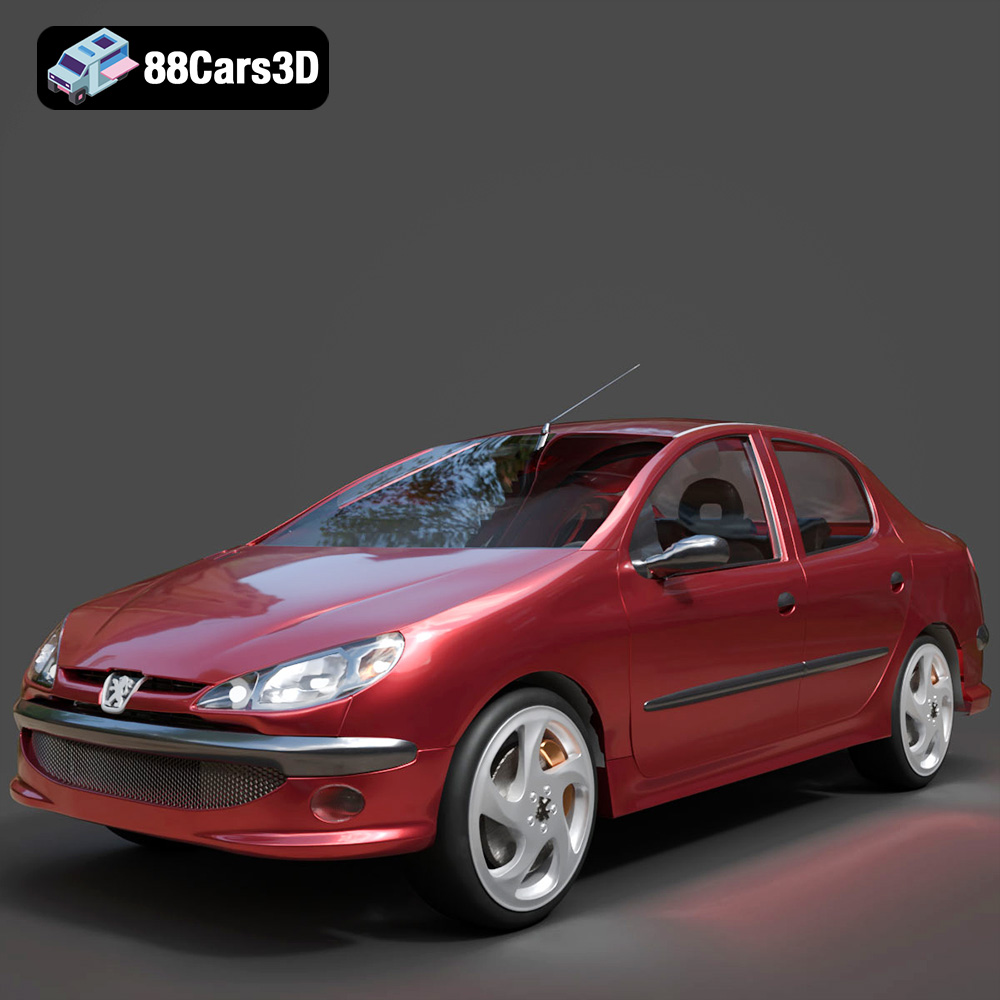
Download the Peugeot 206 Sedan 2002 3D Model featuring clean geometry, realistic detailing, and a fully modeled interior. Includes .blend, .fbx, .obj, .glb, .stl, .ply, .unreal, and .max formats for rendering, simulation, and game development.
Price: $4.99
Texture: Yes
Material: Yes
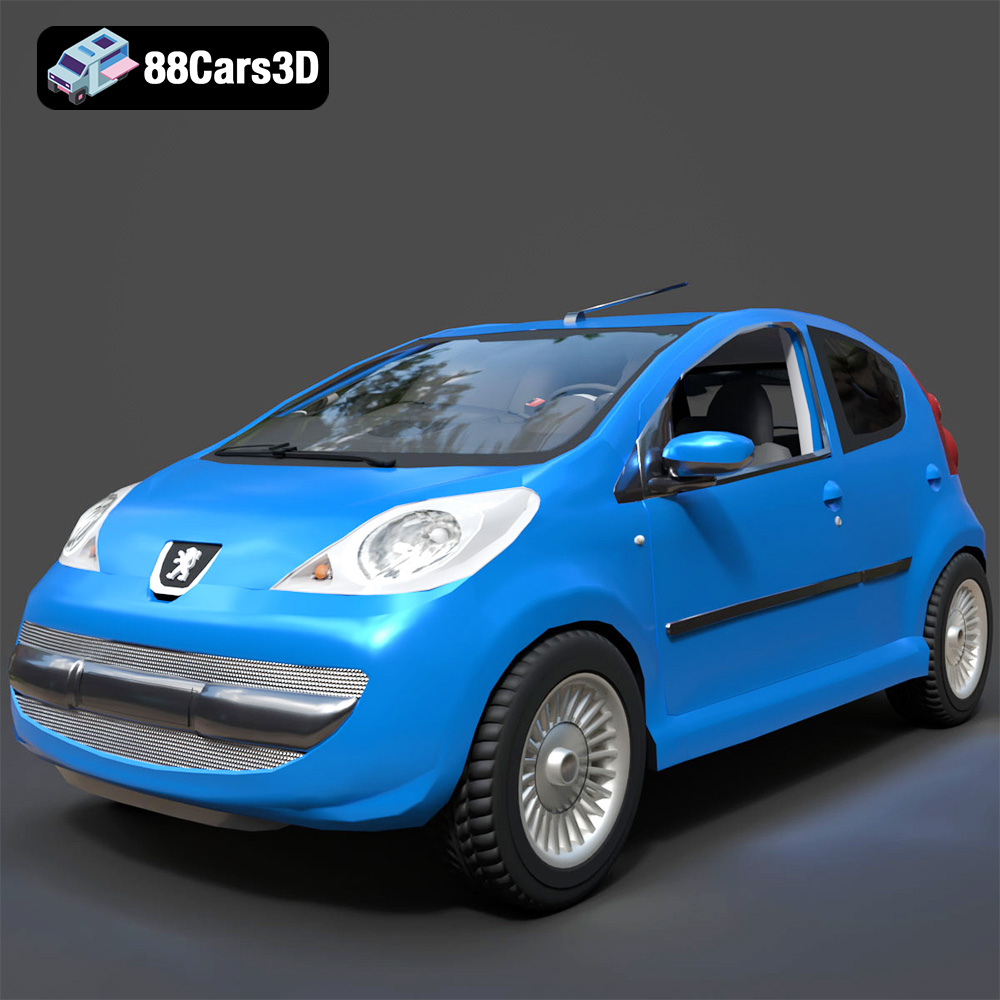
Download the Peugeot 107 2005 3D Model featuring clean geometry, realistic detailing, and a fully modeled interior. Includes .blend, .fbx, .obj, .glb, .stl, .ply, .unreal, and .max formats for rendering, simulation, and game development.
Price: $4.99
Texture: Yes
Material: Yes
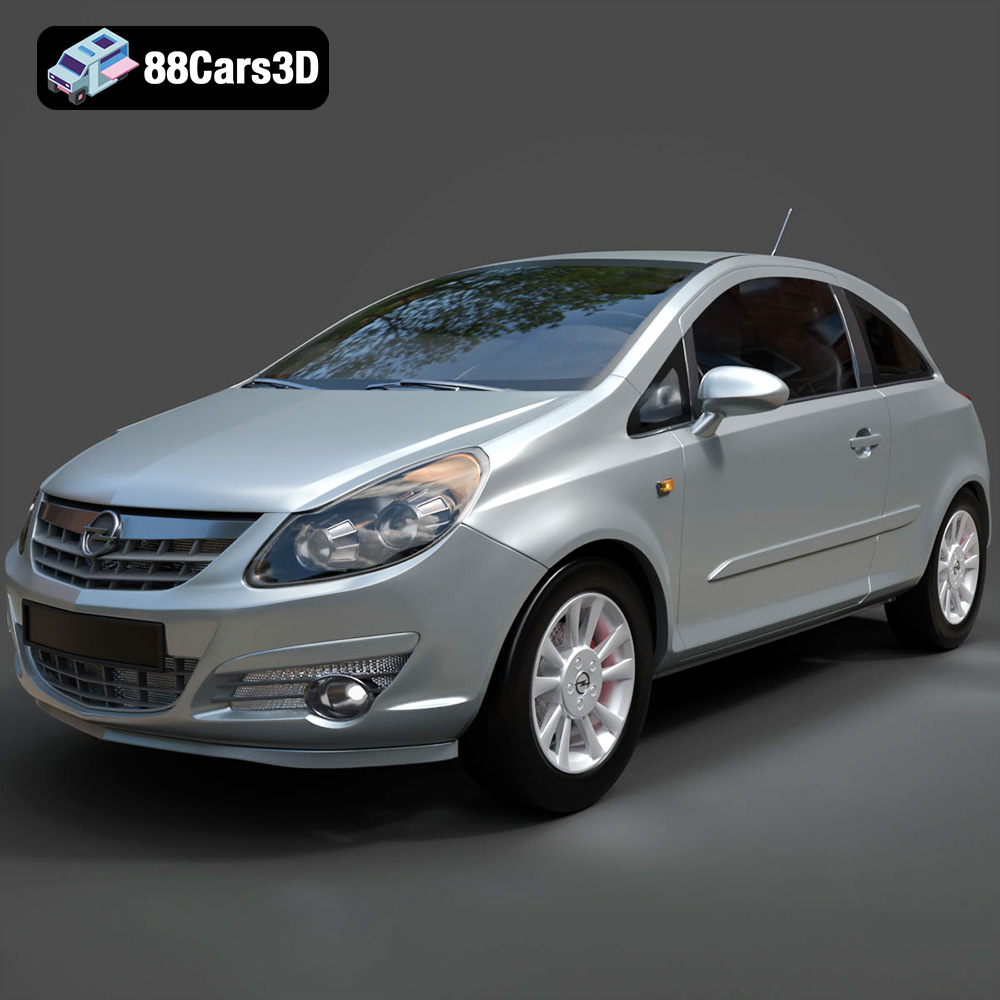
Download the Opel Corsa 2007 3D Model featuring clean geometry, realistic detailing, and a fully modeled interior. Includes .blend, .fbx, .obj, .glb, .stl, .ply, .unreal, and .max formats for rendering, simulation, and game development.
Price: $4.99
Texture: Yes
Material: Yes
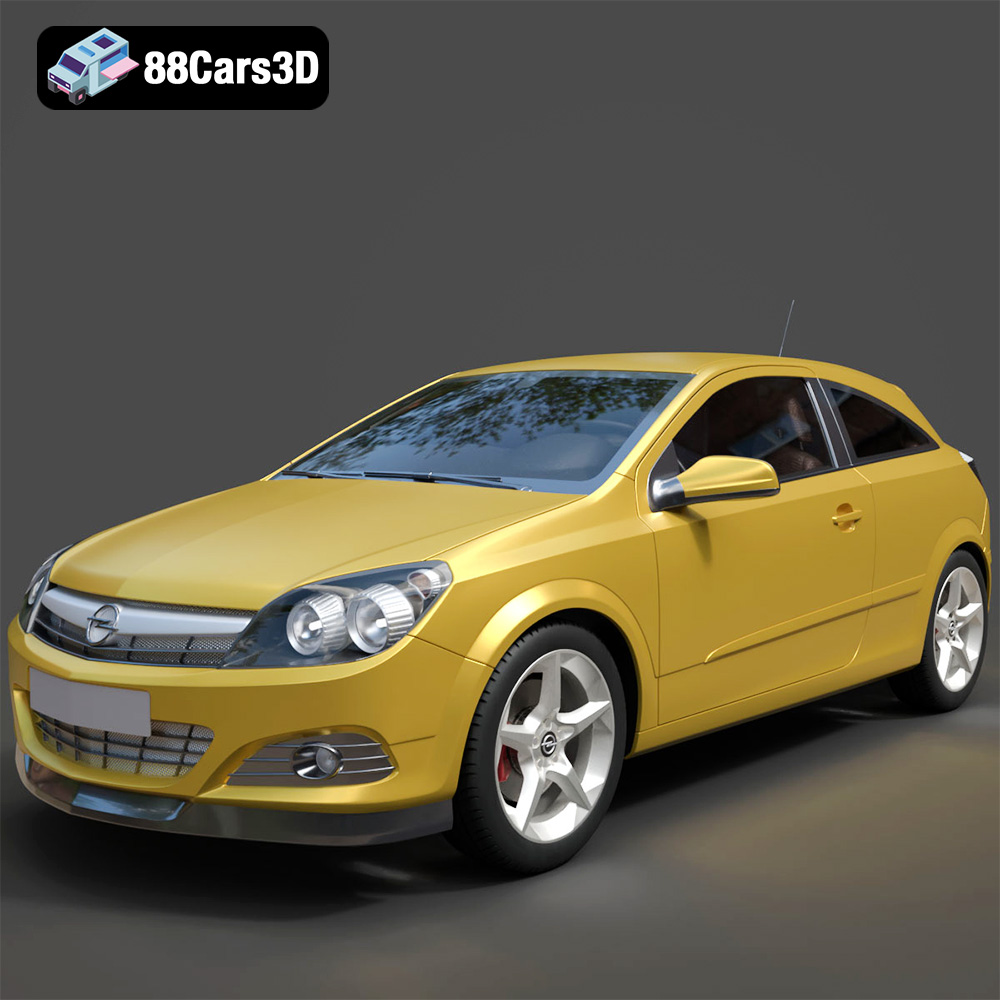
Download the Opel Astra H GTC 3D Model featuring clean geometry, realistic detailing, and a fully modeled interior. Includes .blend, .fbx, .obj, .glb, .stl, .ply, .unreal, and .max formats for rendering, simulation, and game development.
Price: $4.99
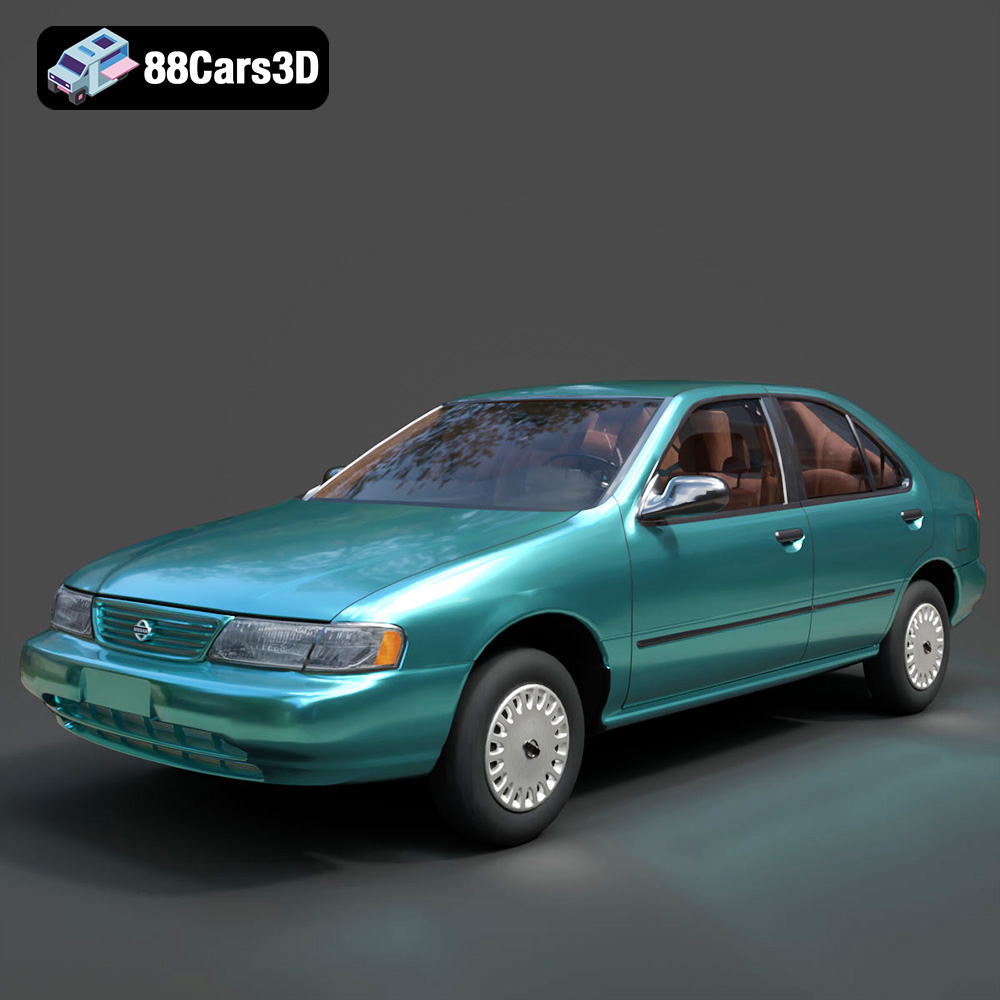
Texture: Yes
Material: Yes
Download the Nissan Sentra GXE 1996 3D Model featuring clean geometry, realistic detailing, and a fully modeled interior. Includes .blend, .fbx, .obj, .glb, .stl, .ply, .unreal, and .max formats for rendering, simulation, and game development.
Price: $4.99
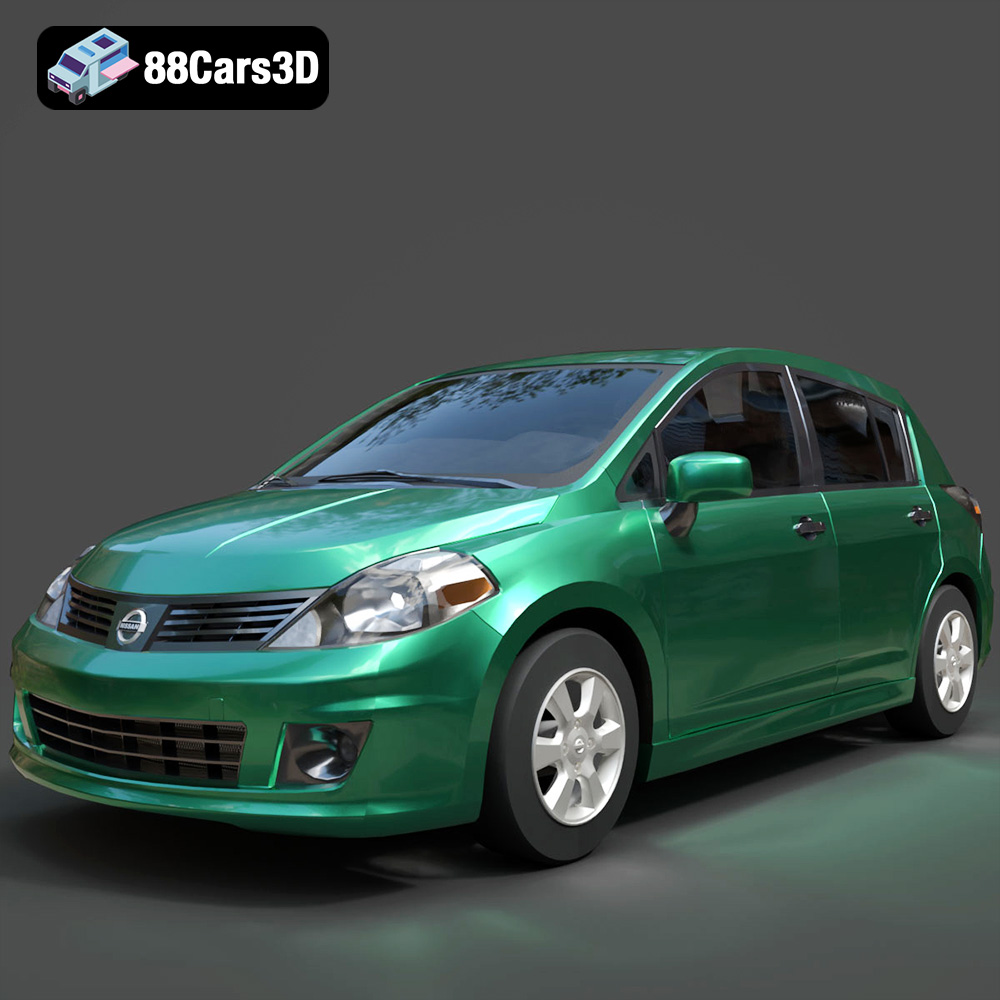
Texture: Yes
Material: Yes
Download the Nissan Tiida 3D Model featuring clean geometry, realistic detailing, and a fully modeled interior. Includes .blend, .fbx, .obj, .glb, .stl, .ply, .unreal, and .max formats for rendering, simulation, and game development.
Price: $4.99

