⚡ FLASH SALE: Get 60% OFF All Premium 3D & STL Models! ⚡

In the expansive and continually evolving landscape of 3D visualization, automotive models stand as a pinnacle of complexity, precision, and artistic skill. From the sleek curves of a supercar destined for a high-fidelity rendering to the rugged utility vehicle optimized for a cutting-edge game engine, the demand for high-quality 3D car models is constant across various industries. Whether you’re an aspiring 3D artist, a seasoned game developer, an automotive design professional, or a visualization expert, understanding the intricate technical nuances behind creating, optimizing, and deploying these assets is paramount.
This comprehensive guide delves deep into the technical workflows, best practices, and innovative strategies required to master automotive rendering, game asset development, and various other applications for 3D car models. We’ll journey through the fundamental principles of topology, demystify the art of UV mapping and PBR material creation, explore advanced rendering techniques, and unlock the secrets of game engine optimization. Furthermore, we’ll examine specialized applications like AR/VR and 3D printing, ensuring you’re equipped with the knowledge to tackle any project. Prepare to elevate your understanding and harness the full potential of 3D vehicle assets, transforming raw models into breathtaking realities across diverse digital realms. Platforms like 88cars3d.com exemplify the high standard of models available, showcasing the level of detail and optimization we’ll discuss.
The success of any 3D car model, whether for static rendering or real-time interaction, begins with impeccable topology and logical edge flow. Topology refers to the arrangement of polygons (faces, edges, vertices) that constitute your 3D mesh. For automotive subjects, which are characterized by smooth, reflective surfaces, sharp creases, and precise panel gaps, clean topology is not merely a recommendation – it’s a critical requirement. Poor topology leads to pinching, undesirable shading artifacts, and difficulties in UV mapping, texturing, and animation. Professionals consistently adhere to an all-quad workflow (using only four-sided polygons) as the golden standard for modeling, especially when subdivision surface modifiers are involved, ensuring smooth deformation and predictable results.
Edge flow, on the other hand, describes how these polygons and edges flow across the surface of your model. For automotive designs, effective edge flow meticulously traces the natural contours of the vehicle, emphasizing design lines, following creases, and articulating panel separations. This meticulous arrangement ensures that when a subdivision surface modifier (like Turbosmooth in 3ds Max or Subdivision Surface in Blender) is applied, the model maintains its sharp details while smoothing out broad surfaces without introducing unwanted bumps or distortions. Achieving this often involves careful manual polygon placement, extensive use of reference images (blueprints, photographs), and iterative adjustments. A high-poly model for a hero shot might boast millions of polygons after subdivision, while a game-ready asset might be meticulously optimized to 50,000-150,000 triangles, depending on its importance and target platform, yet both require clean underlying topology.
Subdivision surface modeling is the cornerstone of high-fidelity automotive modeling. It allows artists to create a relatively low-polygon base mesh and then smoothly subdivide it to generate a high-resolution, detailed surface. Key to this technique is controlling the sharpness of edges using “support loops” or “holding edges.” These are additional edge loops placed near the intended sharp edge, which prevent excessive smoothing. For example, around a car’s wheel arch or a distinct body line, several tightly packed edge loops will preserve the crispness of the edge even after multiple subdivision iterations. Mastering this balance is crucial; too many support loops can make the mesh overly dense and difficult to edit, while too few can result in a soft, undefined form. Software like 3ds Max, Blender, and Maya all offer robust subdivision surface tools that are integral to this process, allowing for non-destructive workflows where the base mesh can be easily modified even after subdivision is applied.
Even experienced artists encounter topology challenges. Common issues include N-gons (polygons with more than four sides), triangles in areas meant for smooth deformation, poles (vertices with more than five or less than three connected edges), and stretched polygons. N-gons and triangles can cause unpredictable shading, especially on curved surfaces or when subdividing. Poles, particularly 6-edge poles, can create undesirable pinching or creasing effects. Identifying these issues requires regular inspection of the wireframe and often involves rendering tests to catch shading anomalies. Solutions typically involve re-routing edge loops, using tools like “connect,” “knife,” or “slide edge” to refine the mesh, and strategically converting N-gons or triangles into quads. Manual retopology can also be necessary for models with highly problematic initial meshes, effectively rebuilding the surface with a clean, quad-based flow over the original. This ensures the asset is robust enough for any downstream process, from rigging to rendering.
Once your 3D car model’s topology is solid, the next crucial step is bringing its surfaces to life through texture application. This process relies heavily on accurate UV mapping and the creation of physically based rendering (PBR) materials. UV mapping is the process of flattening the 3D surface of your model into a 2D space, much like unfolding a cardboard box. This 2D representation, called a UV layout, dictates how textures will wrap around your model. For complex automotive surfaces, effective UV mapping requires careful consideration to minimize seams, prevent stretching, and optimize texture resolution across different parts of the vehicle.
PBR materials, on the other hand, represent a modern standard for achieving realistic shading in 3D. Unlike older, more artistic approaches, PBR materials are designed to simulate how light interacts with real-world surfaces based on physical properties. They typically involve a set of texture maps – Albedo (or Base Color), Metallic, Roughness, Normal, and Ambient Occlusion – each contributing to a distinct aspect of the surface’s appearance. The combination of these maps, interpreted by a PBR shader network in your rendering engine, allows for incredibly convincing representations of everything from shiny clear coat paint to matte plastic, chrome, and rubber.
Creating efficient UV layouts for a car model involves several key strategies. Firstly, minimizing seams is crucial; seams can become visible lines on the textured model. Smart projection methods like cylindrical, planar, or box mapping combined with precise cutting tools are essential. Secondly, avoiding texture stretching is paramount. Checkerboard patterns are often used as a visual guide to ensure even texture distribution across the UVs. Thirdly, maximizing UV space utilization is vital for optimizing texture resolution. Packing UV islands tightly without overlapping them conserves texture memory and improves overall quality. For game assets, texture atlasing is a common technique where multiple smaller textures are combined into a single, larger texture map. This reduces draw calls in game engines, significantly improving performance. For example, all the interior components – dashboard, seats, steering wheel – might share a single 4K texture atlas, while exterior body panels and wheels might each have their own dedicated 4K or 8K textures, depending on the desired detail level. Software like RizomUV, UVLayout, or the built-in UV editors in 3ds Max, Blender, and Maya are indispensable for this intricate process.
The creation of compelling automotive PBR shaders is an art form. Car paint, in particular, is one of the most challenging materials to replicate due to its complex layered structure (base coat, metallic flakes, clear coat, scratch resistance). A typical car paint shader network might involve multiple layers: a base layer for the primary color and metallic flakes (controlled by metallic and roughness maps), a clear coat layer for reflectivity and gloss (using a dedicated normal map for subtle imperfections), and potentially a dirt/grime layer. In tools like Substance Painter, artists paint directly onto the 3D model, generating all the necessary PBR maps simultaneously. For advanced rendering engines like Corona, V-Ray, Cycles, or Arnold, node-based material editors allow for intricate shader graphs to simulate iridescent effects, subtle orange peel textures, and realistic reflections. The Metallic map dictates which parts are metal (white) and which are dielectric (black), while the Roughness map controls the micro-surface detail, influencing how light scatters and reflects. Achieving photorealism often means meticulously balancing these parameters and incorporating realistic imperfections like subtle scratches, dust, or water spots using dedicated texture masks and blend layers.
With a meticulously modeled and textured 3D car model, the next step is to bring it to life through stunning visualizations. Automotive rendering is a specialized field that combines technical expertise with an artistic eye to produce photorealistic images and animations. The choice of rendering engine plays a significant role in the workflow and final output quality. Popular choices include V-Ray and Corona Renderer (for 3ds Max and Cinema 4D), Cycles (Blender), and Arnold (Maya, 3ds Max). Each engine offers a distinct approach to light transport simulation, material handling, and rendering performance, but all share the common goal of accurately simulating light physics.
A successful rendering workflow transcends simply pressing the render button. It involves careful scene setup, sophisticated lighting design, strategic camera placement, and meticulous render settings optimization. For a hero shot of a vehicle, artists often aim for maximum realism, incorporating subtle environmental details, accurate reflections, and appropriate depth of field. This process is iterative, involving test renders, adjustments to lighting and materials, and continuous refinement until the desired aesthetic is achieved. High-quality 3D car models demand an equally high-quality rendering pipeline to truly shine, making them ideal for advertising, product configurators, and immersive visualization experiences.
Lighting is arguably the most critical element in automotive rendering. It defines the mood, highlights the car’s design features, and brings out the nuances of its materials. High Dynamic Range Images (HDRIs) are a staple, providing realistic global illumination and reflections from real-world environments. For a studio look, a combination of HDRIs and physical light sources (area lights, spot lights) is often employed. Softbox-style area lights are used to create elegant reflections along the car’s body panels, emphasizing its curves and surfaces. Rim lights highlight edges and separate the car from the background. Crucially, attention must be paid to how light interacts with the car paint – the metallic flakes, clear coat reflectivity, and subtle color shifts all need to be flattered by the lighting setup. Many artists also utilize a “light dome” or “light tent” setup, digitally recreating real-world photography conditions to achieve controlled, high-contrast reflections and soft ambient light, resulting in those iconic, showroom-quality images. The placement and intensity of each light are fine-tuned to sculpt the vehicle’s form and reveal its character.
Rarely does a raw render emerge perfectly from the rendering engine. Post-processing and compositing in software like Adobe Photoshop or DaVinci Resolve are essential steps to enhance the final image or animation. This stage involves adjustments to color balance, contrast, exposure, and saturation to achieve a polished look. Adding effects like subtle depth of field (if not rendered directly), chromatic aberration, lens flares, and vignetting can dramatically increase realism and visual appeal. Crucially, compositing allows for layering different render passes (e.g., beauty pass, reflection pass, shadow pass, alpha pass, Z-depth pass). This non-destructive workflow provides immense control, allowing artists to adjust specific elements of the image without re-rendering the entire scene. For instance, reflections can be intensified, shadows softened, or the background replaced entirely. Professional tips include rendering with a linear workflow, using LUTs (Look Up Tables) for consistent color grading, and adding subtle atmospheric effects like haze or dust to integrate the vehicle more convincingly into its environment. The goal is to elevate the rendered image from merely accurate to truly compelling and emotionally resonant.
While high-fidelity rendering aims for absolute realism, real-time applications like video games, interactive experiences, and virtual showrooms demand a different kind of mastery: optimization. Game assets, especially complex ones like 3D car models, must strike a delicate balance between visual quality and performance efficiency. Game engines such as Unity and Unreal Engine process vast amounts of data in real-time, and every polygon, texture, and material adds to the computational load. Therefore, optimizing your 3D car model is paramount to ensure smooth frame rates and a responsive user experience. This involves a suite of techniques designed to reduce draw calls, polygon counts, and texture memory usage without significantly compromising visual integrity.
The optimization pipeline for a game-ready car model is extensive. It begins with creating multiple versions of the model at varying levels of detail, known as LODs (Levels of Detail). Textures need to be efficiently packed and resized, and materials simplified. Collision meshes, specifically designed for physics interactions, must be created separately from the visual mesh. The ultimate goal is to deliver a visually rich experience that runs flawlessly on the target hardware, be it a high-end PC, a console, or a mobile device. Developers sourcing models from marketplaces like 88cars3d.com often look for assets that are already optimized or designed with optimization in mind.
Levels of Detail (LODs) are crucial for game engine optimization. They involve creating several versions of a 3D model, each with a progressively lower polygon count. The highest LOD (LOD0) is used when the car is close to the camera, showcasing maximum detail (e.g., 80,000-150,000 triangles). As the car moves further away, the game engine automatically switches to a lower LOD (LOD1, LOD2, etc.), which has fewer polygons (e.g., 30,000, then 10,000 triangles). The lowest LOD might be a simple proxy mesh with only a few hundred triangles or even a billboard for extreme distances. This significantly reduces the GPU’s workload, as it only renders the necessary detail for the current viewing distance. Managing LOD transitions smoothly is key to avoid noticeable pop-in.
Reducing draw calls is another critical optimization. A draw call is an instruction from the CPU to the GPU to draw a batch of geometry. Each material, mesh, and light can generate a draw call. To minimize these, techniques like texture atlasing (combining multiple textures into one) and material instancing (using the same base material with different parameters) are employed. Merging meshes (combining multiple small mesh parts into a single larger one) can also reduce draw calls, though careful consideration is needed regarding culling and LODs. For example, instead of separate meshes for each car decal, they might be baked into the main body texture or grouped into a single mesh part. Furthermore, ensuring that all parts of a complex car model share as few materials as possible can dramatically cut down on draw calls, leading to substantial performance gains in dense scenes.
With the advent of real-time ray tracing in modern game engines and hardware, the demands on 3D car models have evolved. While traditional rasterization relies heavily on baked lighting and simplified reflections, ray tracing simulates light bounces more accurately, offering hyper-realistic reflections, global illumination, and shadows. For ray tracing, mesh geometry needs to be even cleaner, as any topological imperfections can become highly visible in ray-traced reflections. UVs must be precise, and PBR materials need to be set up rigorously to accurately represent metallic and rough surfaces, as ray tracing will faithfully reproduce these properties. Optimizing the scene for ray tracing involves using fewer lights where possible, simplifying complex material networks, and ensuring that all assets are “watertight” with proper normals. Performance considerations still apply, so LODs remain relevant, but the fidelity requirements for the highest LODs become more stringent to fully leverage the visual benefits of ray tracing. Artists need to anticipate how light will bounce and reflect across every surface, ensuring that the model’s physical properties are correctly represented in its PBR maps.
The utility of high-quality 3D car models extends far beyond traditional rendering and game development. These versatile assets are increasingly integral to fields like Augmented Reality (AR), Virtual Reality (VR), and 3D printing, each demanding specific technical considerations and preparation workflows. The ability to adapt a single 3D car model for these diverse applications, often involving conversions between various file formats, speaks to the flexibility and foundational quality of the original asset. Understanding these specialized requirements ensures that your investment in a premium 3D model can yield returns across multiple platforms and use cases.
From experiencing a new car in an immersive VR showroom to prototyping components through 3D printing, the technical pipeline must be robust. This involves careful polycount management, appropriate texture resolutions, and sometimes even mesh repair or reconstruction. Standard file formats like FBX and OBJ serve as excellent intermediaries, but specialized formats like GLB (for web-based AR/VR) and USDZ (Apple’s AR platform) or STL (for 3D printing) require specific conversion and optimization steps. The goal is to preserve visual fidelity and functionality while adhering to the unique constraints of each target medium.
AR/VR optimization for 3D car models focuses intensely on performance and immersion. Mobile AR/VR experiences, in particular, demand extremely low polygon counts (often below 50,000 triangles for an entire car) and optimized draw calls to maintain high frame rates on less powerful hardware. Techniques like aggressive LODs, texture atlasing, and instancing are amplified. Additionally, AR/VR environments often benefit from simplified lighting setups, relying more on baked lighting or simple real-time lighting to reduce computational cost. The emphasis is on highly efficient asset streaming and minimizing render latency. Interactive experiences in AR/VR also necessitate careful setup of collision meshes, interactive hotspots (e.g., to open doors or change paint color), and potentially physics simulations for car configurators or virtual test drives. Formats like GLB and USDZ are gaining traction for AR/VR due to their lightweight, self-contained nature, which bundles geometry, materials, and animations into a single file, making them ideal for web-based or mobile deployments. When preparing models for AR/VR, it’s crucial to consider the user’s perspective and potential motion sickness, ensuring that interactions are smooth and visually consistent.
Transforming a digital 3D car model into a physical object via 3D printing introduces a unique set of technical challenges. Unlike rendering, which forgives minor mesh imperfections, 3D printing requires a mathematically perfect, “watertight” mesh. This means the model must be a single, manifold surface with no holes, inverted normals, or self-intersecting geometry. Any gaps or non-manifold edges will lead to printing errors. The process typically involves several key steps:
Considering the material properties (e.g., FDM plastic, SLA resin, metal) is vital, as this influences design choices like minimum feature size and structural integrity. A model that looks great on screen might be unprintable without significant modifications, emphasizing the importance of dedicated preparation for this specialized application.
The journey through the intricate world of 3D car models reveals a multifaceted discipline, demanding a blend of artistic vision and rigorous technical execution. From the foundational importance of clean topology and precise edge flow that defines the very shape of the vehicle, to the meticulous craft of UV mapping and the development of physically accurate PBR materials that bring surfaces to life, every stage plays a critical role in achieving digital perfection. We’ve explored the demanding workflows of high-end automotive rendering, where advanced lighting and post-processing transform renders into captivating visual narratives. Furthermore, we delved into the essential strategies for game engine optimization, ensuring that these complex assets perform flawlessly in real-time interactive environments, and examined the unique preparations required for cutting-edge AR/VR experiences and tangible 3D prints.
Mastering these technical aspects is not just about creating visually appealing assets; it’s about building robust, versatile 3D car models that can adapt to an ever-expanding array of applications. Whether you are aiming for breathtaking cinematic sequences, immersive gaming experiences, interactive product showcases, or physical prototypes, the quality of your underlying asset determines its ultimate success. By embracing industry best practices in modeling, texturing, rendering, and optimization, you empower yourself to produce professional-grade work that stands out. Remember, the journey to becoming proficient is iterative, requiring continuous learning and practice. For those seeking a head start with meticulously crafted assets, platforms like 88cars3d.com provide access to a wealth of high-quality, pre-optimized 3D car models, ready to be integrated into your next groundbreaking project. Invest in quality, understand the pipeline, and drive your creative endeavors forward with confidence and precision.

Texture: Yes
Material: Yes
Download the Mitsubishi Outlander 2022 3D Model featuring clean geometry, realistic detailing, and a fully modeled interior. Includes .blend, .fbx, .obj, .glb, .stl, .ply, .unreal, and .max formats for rendering, simulation, and game development.
Price: $4.99
Texture: Yes
Material: Yes
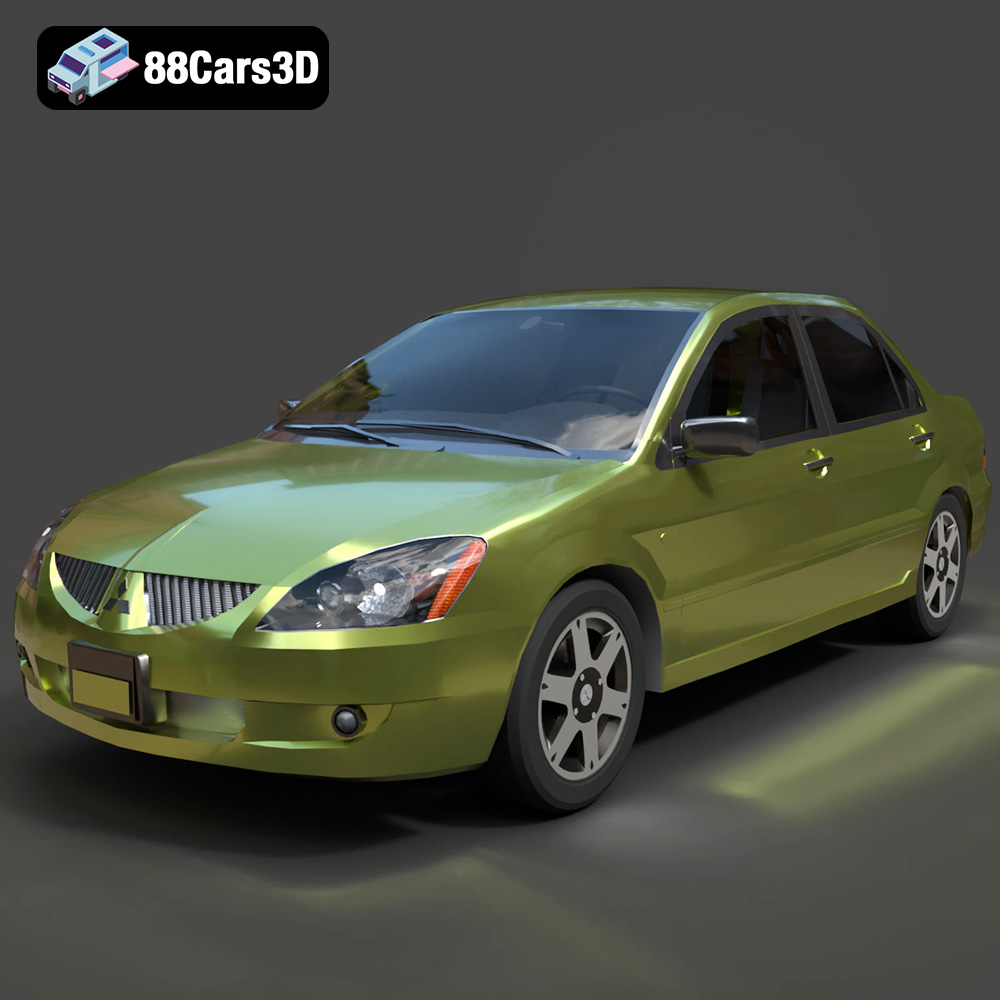
Download the Mitsubishi Lancer IX-001 3D Model featuring clean geometry, realistic detailing, and a fully modeled interior. Includes .blend, .fbx, .obj, .glb, .stl, .ply, .unreal, and .max formats for rendering, simulation, and game development.
Price: $4.99

Texture: Yes
Material: Yes
Download the MINI Cooper S-007 3D Model featuring clean geometry, realistic detailing, and a fully modeled interior. Includes .blend, .fbx, .obj, .glb, .stl, .ply, .unreal, and .max formats for rendering, simulation, and game development.
Price: $4.99

Texture: Yes
Material: Yes
Download the Mercury Grand Marquis LS 1986 3D Model featuring clean geometry, realistic detailing, and a fully modeled interior. Includes .blend, .fbx, .obj, .glb, .stl, .ply, .unreal, and .max formats for rendering, simulation, and game development.
Price: $4.99

Texture: Yes
Material: Yes
Download the Mercedes-Benz SLS AMG 2010 3D Model featuring clean geometry, realistic detailing, and a fully modeled interior. Includes .blend, .fbx, .obj, .glb, .stl, .ply, .unreal, and .max formats for rendering, simulation, and game development.
Price: $4.99

Texture: Yes
Material: Yes
Download the Renault Twizy ZE 3D Model featuring clean geometry, realistic detailing, and a fully modeled interior. Includes .blend, .fbx, .obj, .glb, .stl, .ply, .unreal, and .max formats for rendering, simulation, and game development.
Price: $4.99

Texture: Yes
Material: Yes
Download the Porsche 911 GT3 3D Model featuring clean geometry, realistic detailing, and a fully modeled interior. Includes .blend, .fbx, .obj, .glb, .stl, .ply, .unreal, and .max formats for rendering, simulation, and game development.
Price: $4.99

Texture: Yes
Material: Yes
Download the Porsche 911 997 GT3 RS 4.0 2011 3D Model featuring clean geometry, realistic detailing, and a fully modeled interior. Includes .blend, .fbx, .obj, .glb, .stl, .ply, .unreal, and .max formats for rendering, simulation, and game development.
Price: $4.99

Texture: Yes
Material: Yes
Download the Pontiac GTO Cabrio 1967 3D Model featuring clean geometry, realistic detailing, and a fully modeled interior. Includes .blend, .fbx, .obj, .glb, .stl, .ply, .unreal, and .max formats for rendering, simulation, and game development.
Price: $4.99

Texture: Yes
Material: Yes
Download the Pontiac Firebird Convertible 1968 3D Model featuring clean geometry, realistic detailing, and a fully modeled interior. Includes .blend, .fbx, .obj, .glb, .stl, .ply, .unreal, and .max formats for rendering, simulation, and game development.
Price: $4.99

