
The Foundation of Realism – Mastering Automotive 3D Topology and Edge Flow

The sleek lines, intricate details, and powerful presence of a car have captivated artists and engineers for generations. In the digital realm, transforming these magnificent machines into high-fidelity 3D car models is an art form and a highly technical discipline. Whether for cutting-edge automotive rendering, immersive game assets, interactive AR/VR experiences, or precise 3D printing, the demand for exceptionally crafted digital vehicles is ever-growing.
Creating a truly convincing 3D car model goes far beyond simply mimicking its shape. It requires a deep understanding of topology, material science, lighting, and performance optimization. Every curve, reflection, and shadow must be meticulously planned and executed to achieve photorealism and functional versatility across diverse platforms. This comprehensive guide will take you on a deep dive into the technical intricacies of building, optimizing, and presenting professional-grade 3D car models. We’ll explore the essential workflows, software-specific techniques, and industry best practices that empower artists and developers to push the boundaries of digital automotive visualization, ensuring your creations are ready for any challenge, from cinematic stills to real-time interactive worlds.
The Foundation of Realism – Mastering Automotive 3D Topology and Edge Flow
At the heart of any exceptional 3D car model lies its topology. Clean, efficient, and intelligently structured mesh geometry is not merely an aesthetic preference; it’s a fundamental requirement for flawless shading, smooth deformations, and efficient performance. Automotive surfaces are characterized by sweeping curves, crisp edges, and highly reflective materials, making topological precision paramount. Poor topology can lead to artifacts like pinching, uneven reflections, and difficulties in texturing or animation, undermining the realism of your entire project.
Understanding Quad-Based Modeling and Subdivision Surfaces
For automotive models, quad-based modeling is the undisputed industry standard. Quads (four-sided polygons) deform predictably, making them ideal for organic and hard-surface shapes alike, especially when combined with subdivision surface modifiers. Tools like 3ds Max’s Turbosmooth, Blender’s Subdivision Surface, or Maya’s Smooth Mesh Preview allow you to work with a low-polygon “control cage” and non-destructively generate a high-resolution, smooth mesh for rendering. This workflow ensures efficiency during modeling and flexibility for varying levels of detail. A typical high-detail body panel might start with a few hundred quads in the control cage, subdividing to hundreds of thousands or even millions of triangles for the final render. For comparison, a hero car model in a cinematic rendering could easily exceed 1-2 million polygons, while a detailed game asset might aim for 80,000-150,000 polygons for the main body, before LODs.
Achieving Perfect Edge Flow and Surface Continuity
Edge flow dictates how edges are distributed across the mesh, directly impacting how light reflects off the surface and how the model deforms. For automotive models, perfect edge flow is crucial for maintaining crisp body lines, seamless panel gaps, and continuous reflections. The goal is to create edge loops that follow the natural contours and design lines of the car. This involves techniques like adding “support loops” or “crease edges” close to sharp transitions (e.g., around wheel arches, door cutouts, or character lines) to prevent them from becoming overly soft when subdivided. Avoid n-gons (polygons with more than four sides) and triangular faces where possible on large, curved surfaces, as they can cause pinching and unpredictable shading. Tools like Blender’s LoopTools, 3ds Max’s Graphite Modeling Tools, and Maya’s Quad Draw facilitate precise edge manipulation. Mastery of these techniques ensures that your 3D car models not only look accurate but also react to light in a physically plausible manner, a critical aspect for believable automotive rendering.
Bringing Surfaces to Life – Advanced UV Mapping and PBR Materials
Once your 3D car model’s topology is meticulously crafted, the next crucial step is to apply realistic surface details through texturing. This process hinges on effective UV mapping and the intelligent application of PBR materials (Physically Based Rendering). Without these, even the most perfectly modeled car will look flat and artificial. UV mapping unwraps your 3D mesh into a 2D space, allowing you to paint or project textures accurately, while PBR materials define how light interacts with every surface based on real-world physics.
UV Mapping Strategies for Automotive Assets
UV mapping a complex car model demands a strategic approach to minimize stretch and distortion, maximize texture resolution, and facilitate efficient texturing. For large, curved body panels, techniques like planar mapping with careful seam placement (often hidden along panel gaps or under trim) are common, followed by unwrapping and relaxing the UV shells. Advanced workflows often utilize UDIMs (U-Dimension) – a system that allows multiple UV tiles within a single object, enabling incredibly high texture resolutions for different parts of the car (e.g., one UDIM for the main body, another for wheels, another for interior details). This is particularly beneficial for high-fidelity automotive rendering where microscopic details are visible. For identical elements like tire treads, bolts, or interior buttons, overlapping UVs can save texture space, ensuring optimal packing without wasted pixels. Dedicated UV software like RizomUV or UVLayout, alongside robust built-in tools in Blender, Maya, and 3ds Max, offer powerful features for achieving professional-grade UV layouts.
Crafting Realistic PBR Materials and Shaders
PBR materials are the cornerstone of photorealistic rendering. They rely on physically accurate properties like albedo (base color), metallicness, roughness, normal maps, and ambient occlusion to simulate how light reflects and absorbs on different surfaces. For automotive materials, this means meticulously defining the properties of car paint (often a complex multi-layered shader with clear coat, metallic flakes, and subsurface scattering), glass (transparency, refraction, reflections), chrome (high metallic, low roughness), rubber, plastic, and leather. Software like Substance Painter, Mari, or Quixel Mixer are indispensable for generating these texture maps. Within render engines like Corona, V-Ray, Cycles, or Arnold, these maps are then connected within sophisticated shader networks to create materials that respond realistically to light. For example, a car paint shader might combine a base color, a clear coat layer with specific IOR and roughness, and a subtle normal map for orange peel effect. High-quality 3D car models sourced from platforms like 88cars3d.com typically come with pre-built PBR material setups, significantly accelerating the texturing and rendering process.
Illuminating the Scene – Rendering Workflows and Photorealistic Output
Even with a perfectly modeled and textured 3D car, its ultimate impact depends on how it’s lit and rendered. Automotive rendering is an art that blends technical precision with a keen eye for photography, aiming to create images that are indistinguishable from real-life photographs. This involves thoughtful lighting setups, meticulous render settings, and an understanding of how render engines interpret physical properties.
Lighting Setups for Automotive Visualization
Effective lighting is the single most critical factor in achieving photorealism for 3D car models. Most professional automotive renders begin with HDRI (High Dynamic Range Imaging) environment maps. These 360-degree panoramic images capture real-world lighting conditions, providing accurate ambient light, reflections, and subtle color shifts. Supplementing HDRIs with targeted area lights, softboxes, and rim lights allows for greater control over highlights, shadows, and the perception of form. Studio lighting setups often employ large, soft light sources to emphasize the car’s contours and reflective surfaces, while outdoor scenes leverage physical sun-sky systems for realistic daylight. Pay close attention to reflections on car paint and chrome – they reveal the environment and define the vehicle’s shape. Mastering concepts like exposure, white balance, and depth of field, just as a photographer would, transforms a raw render into a compelling visual narrative.
Leveraging Modern Render Engines for Speed and Quality
Modern render engines are incredibly powerful tools for achieving stunning results. CPU-based renderers like Corona and V-Ray are renowned for their physically accurate global illumination and ease of use, while GPU-based renderers like Redshift, Cycles (Blender), and Arnold (which also has a GPU option) offer blistering speeds for complex scenes. Each engine has its strengths, but common features include interactive rendering (real-time feedback as you adjust lights and materials), adaptive sampling (focusing computational power where it’s needed most), and robust denoising solutions that significantly reduce render times without sacrificing quality. For optimal render settings, balancing sampling rates, ray depth (how many times light bounces), and global illumination bounces is key. High-quality 3D car models, often prepared with clean geometry and PBR materials, greatly benefit from these advanced render features, allowing artists to focus on artistic direction rather than struggling with scene stability. Furthermore, rendering out separate passes (beauty, alpha, diffuse, specular, normal, Z-depth) allows for tremendous flexibility in post-processing and compositing, enabling fine-tuned adjustments without re-rendering the entire scene.
Performance and Immersion – Optimizing 3D Car Models for Interactive Experiences
While cinematic renders can demand millions of polygons and gigabytes of textures, real-time applications like games, AR/VR, and interactive configurators operate under strict performance budgets. The challenge lies in translating a high-fidelity 3D car model into an optimized asset that maintains visual quality while running smoothly on target hardware. This involves a suite of optimization techniques aimed at reducing polygon count, draw calls, and texture memory footprint without compromising visual integrity.
Game Engine Integration and Asset Optimization
For game assets, balancing visual fidelity with performance is critical. A typical “hero car” in a modern racing game might have a polygon count ranging from 80,000 to 150,000 triangles for the main body, with additional polygons for wheels, interior, and engine details. To manage this efficiently, Level of Detail (LOD) systems are indispensable. LODs involve creating multiple versions of the mesh, each with a progressively lower polygon count. As the car moves further from the camera, the engine automatically switches to a lower LOD, reducing the computational load. Another vital technique is texture atlasing, where multiple smaller textures (e.g., for different interior parts, dashboard details, or exterior emblems) are combined into a single, larger texture map. This significantly reduces draw calls, improving rendering performance. Furthermore, baking normal maps and ambient occlusion maps from a high-polygon model onto a low-polygon version allows for the illusion of high detail without the geometry cost. Additional game-specific elements include creating simple collision meshes, optimized shadow casters, and setting up occlusion culling to prevent rendering objects that are hidden from view. Engines like Unity and Unreal Engine provide powerful tools for implementing these optimizations.
Preparing Models for AR/VR and Real-time Visualization
AR/VR optimization techniques take game asset principles to an even stricter level due to the demanding frame rates (typically 90fps or higher) and often limited processing power of mobile devices or standalone headsets. Polygon counts must be significantly lower, sometimes as low as 20,000-50,000 triangles for an entire car, and texture resolutions need to be carefully managed. Merging meshes and reducing the number of unique materials are crucial for minimizing draw calls, which are often the biggest performance bottleneck in AR/VR. Simple, efficient shaders that rely heavily on PBR texture maps rather than complex procedural effects are preferred. The emergence of formats like GLTF/GLB (Graphics Language Transmission Format) and USDZ (Universal Scene Description Zip) has revolutionized AR/VR and web-based 3D. These formats are highly optimized, support PBR materials, and can embed all necessary textures and animations, making them perfect for sharing interactive 3D car models on websites or directly into AR experiences on mobile devices. For cutting-edge applications, Unreal Engine 5’s Lumen and Nanite technologies are pushing the boundaries, allowing for near-cinematic detail in real-time by intelligently streaming and rendering only the visible geometry and lighting.
Beyond the Screen – 3D Printing and Interoperability
The utility of high-quality 3D car models extends beyond digital screens. They can be transformed into physical objects through 3D printing or seamlessly transferred between different software ecosystems, making versatility a key characteristic. Understanding how to prepare models for these diverse applications ensures maximum value and flexibility for your assets.
Preparing Automotive Models for 3D Printing
Translating a digital 3D car model into a physical print requires a different set of considerations focused on manufacturing feasibility. The mesh must be “watertight,” meaning it’s a completely enclosed volume without any holes, gaps, or internal geometry that could confuse the printer. Non-manifold edges (edges connected to more than two faces), inverted normals, and self-intersections are common issues that need to be resolved, as they can lead to printing errors. Software tools like Meshmixer, Netfabb, or Blender’s 3D Print Toolbox offer functionalities for mesh inspection, repair, and analysis. Critical considerations include wall thickness (ensuring parts are robust enough not to break), hollowing out models to save material, and boolean operations for assembly. While an animation-ready model might have separate panels, a 3D-printable model often needs to be merged into a single, solid mesh. The most common file formats for 3D printing are STL (stereolithography) and OBJ, chosen for their simplicity and widespread compatibility with slicing software. Precision and attention to detail during this preparation phase ensure a successful physical output.
Navigating File Formats and Cross-Software Compatibility
In the vast landscape of 3D software and applications, interoperability is paramount. Understanding various file formats and their strengths is crucial for efficient workflows. FBX is an industry-standard format, widely supported across 3ds Max, Maya, Blender, Unity, and Unreal Engine, capable of carrying mesh data, animations, materials, and sometimes even lights and cameras. OBJ is a simpler, universal format primarily used for mesh data and basic material references. Alembic (ABC) is excellent for complex animation caches and simulations. For modern web, AR/VR, and real-time visualization, GLTF/GLB (Graphics Language Transmission Format) has gained immense popularity due to its efficiency, PBR material support, and ability to embed all textures into a single file. USD (Universal Scene Description) and its AR-optimized variant USDZ, developed by Pixar, are emerging as powerful formats for complex scene assembly, collaborative workflows, and AR/VR applications. When exporting or importing, always pay attention to unit scales, coordinate systems (Y-up vs. Z-up), and whether textures are embedded or externally referenced. Platforms like 88cars3d.com often provide 3D car models in multiple optimized formats (e.g., FBX, OBJ, GLB, USDZ) to ensure maximum compatibility and ease of integration into your preferred pipeline, minimizing troubleshooting and allowing you to focus on creative tasks.
The Art of Presentation – Lighting, Environments, and Post-Production
The journey of a 3D car model isn’t complete until it’s presented in its best light. Professional automotive rendering and visualization demand not just a high-quality asset, but also an expertly crafted environment, compelling lighting, and meticulous post-processing to achieve a truly polished, magazine-ready aesthetic. This final stage transforms a technical render into a captivating image or immersive experience.
Crafting Immersive Environments and Context
A car rarely exists in a vacuum. Placing your 3D car model within a thoughtfully designed environment elevates its impact significantly. This could range from a pristine studio backdrop that emphasizes its design purity, to a bustling city street scene that grounds it in reality, or even a futuristic landscape for concept vehicles. Using realistic props and scene elements helps to tell a story, establish scale, and add visual interest. When integrating a car into a photographic backplate (a static background image), careful attention must be paid to matching perspective, focal length, and most importantly, the lighting. The environment’s reflections on the car’s surface are crucial for realism. Creating realistic ground planes, adding subtle imperfections like puddles or road markings, and incorporating atmospheric effects like fog or dust can further enhance the immersion, making the car feel truly present in its surroundings.
Post-Processing and Compositing for Professional Results
The raw output from a render engine is merely the starting point for a professional visualization. Post-processing and compositing in software like Adobe Photoshop, Nuke, or After Effects are essential for refining the image and achieving a cinematic quality. Key steps include color grading and tone mapping to set the mood and enhance visual appeal, adjusting exposure and contrast, and fine-tuning white balance. Artistic effects such as bloom and glare can add a sense of brilliance to bright reflections, while subtle chromatic aberration or depth of field can simulate realistic camera optics. Lens effects, like subtle flares or vignettes, can further enhance the photographic quality. By rendering out multiple passes (such as reflection, refraction, diffuse, specular, and ambient occlusion), artists gain immense control during compositing, allowing them to selectively adjust specific elements without affecting others. This layer-based workflow enables detailed adjustments like bringing out specific highlights, darkening shadows, adding atmospheric haze, or sharpening details, ultimately transforming a good render into an exceptional, publication-ready image that truly showcases the beauty and power of the 3D car model.
Conclusion
The creation and utilization of high-quality 3D car models represent a fascinating convergence of technical precision and artistic vision. From meticulously sculpting topology and crafting intricate PBR materials to orchestrating stunning automotive rendering and optimizing for demanding real-time applications, every step demands expertise and dedication. We’ve journeyed through the foundational principles of clean mesh topology, the critical role of UV mapping and advanced material creation, explored diverse rendering workflows, delved into performance optimization for game assets and AR/VR, and even considered the practicalities of 3D printing and file format compatibility.
Mastering these techniques not only elevates the visual fidelity of your projects but also streamlines your workflow and expands the possibilities for your digital creations. Whether you’re a seasoned professional or an aspiring artist, a deep understanding of these concepts is indispensable for success in automotive design, game development, and visualization. Remember, the quality of your base assets significantly impacts your final output. To jumpstart your next project with exceptional resources, explore the extensive collection of meticulously crafted 3D car models available on 88cars3d.com, designed with clean topology, realistic materials, and multiple optimized file formats to meet the highest industry standards. Embrace these insights, experiment with the tools, and continue pushing the boundaries of what’s possible in the world of 3D automotive visualization.
Featured 3D Car Models

Mitsubishi Outlander 2022 3D Model
Texture: Yes
Material: Yes
Download the Mitsubishi Outlander 2022 3D Model featuring clean geometry, realistic detailing, and a fully modeled interior. Includes .blend, .fbx, .obj, .glb, .stl, .ply, .unreal, and .max formats for rendering, simulation, and game development.
Price: $4.99
Mitsubishi Lancer IX-001 3D Model
Texture: Yes
Material: Yes
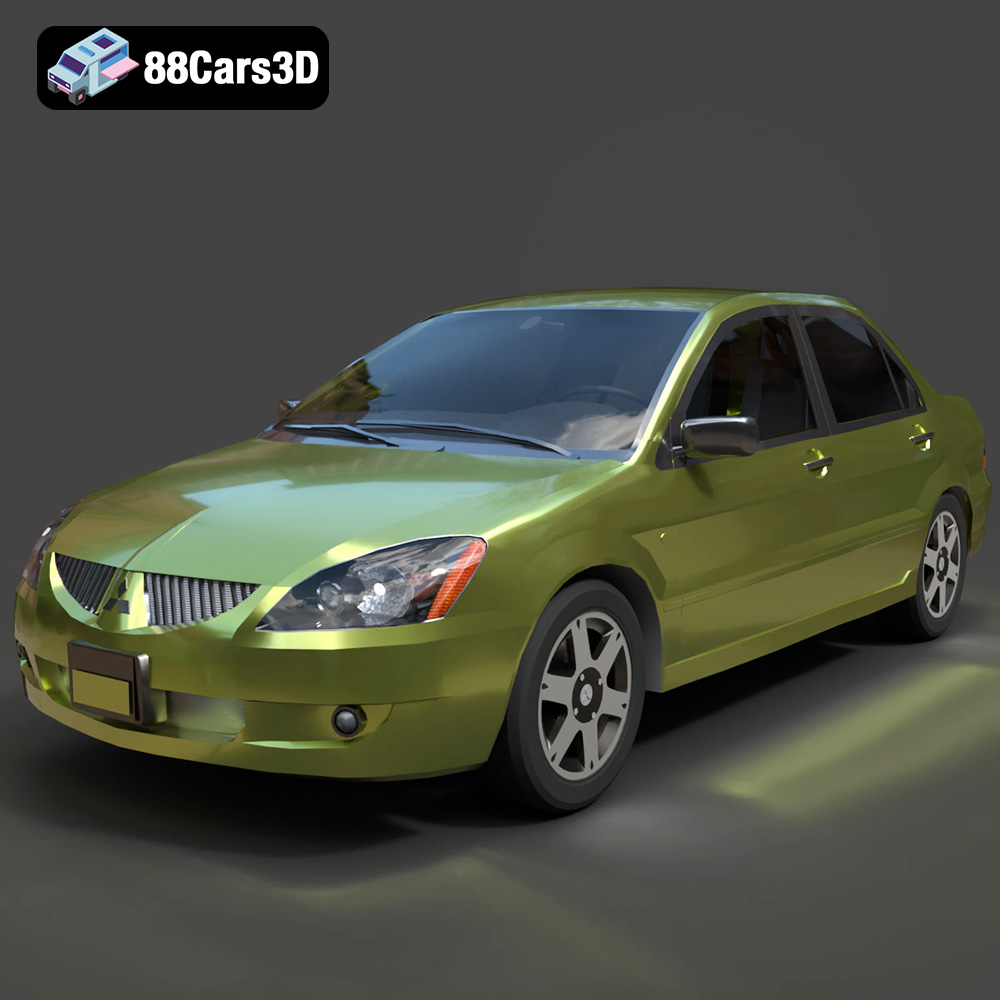
Download the Mitsubishi Lancer IX-001 3D Model featuring clean geometry, realistic detailing, and a fully modeled interior. Includes .blend, .fbx, .obj, .glb, .stl, .ply, .unreal, and .max formats for rendering, simulation, and game development.
Price: $4.99

MINI Cooper S-007 3D Model
Texture: Yes
Material: Yes
Download the MINI Cooper S-007 3D Model featuring clean geometry, realistic detailing, and a fully modeled interior. Includes .blend, .fbx, .obj, .glb, .stl, .ply, .unreal, and .max formats for rendering, simulation, and game development.
Price: $4.99

Mercury Grand Marquis LS 1986 3D Model
Texture: Yes
Material: Yes
Download the Mercury Grand Marquis LS 1986 3D Model featuring clean geometry, realistic detailing, and a fully modeled interior. Includes .blend, .fbx, .obj, .glb, .stl, .ply, .unreal, and .max formats for rendering, simulation, and game development.
Price: $4.99

Mercedes-Benz SLS AMG 2010 3D Model
Texture: Yes
Material: Yes
Download the Mercedes-Benz SLS AMG 2010 3D Model featuring clean geometry, realistic detailing, and a fully modeled interior. Includes .blend, .fbx, .obj, .glb, .stl, .ply, .unreal, and .max formats for rendering, simulation, and game development.
Price: $4.99

Renault Twizy ZE 3D Model
Texture: Yes
Material: Yes
Download the Renault Twizy ZE 3D Model featuring clean geometry, realistic detailing, and a fully modeled interior. Includes .blend, .fbx, .obj, .glb, .stl, .ply, .unreal, and .max formats for rendering, simulation, and game development.
Price: $4.99

Porsche 911 GT3 3D Model
Texture: Yes
Material: Yes
Download the Porsche 911 GT3 3D Model featuring clean geometry, realistic detailing, and a fully modeled interior. Includes .blend, .fbx, .obj, .glb, .stl, .ply, .unreal, and .max formats for rendering, simulation, and game development.
Price: $4.99

Porsche 911 997 GT3 RS 4.0 2011 3D Model
Texture: Yes
Material: Yes
Download the Porsche 911 997 GT3 RS 4.0 2011 3D Model featuring clean geometry, realistic detailing, and a fully modeled interior. Includes .blend, .fbx, .obj, .glb, .stl, .ply, .unreal, and .max formats for rendering, simulation, and game development.
Price: $4.99

Pontiac GTO Cabrio 1967 3D Model
Texture: Yes
Material: Yes
Download the Pontiac GTO Cabrio 1967 3D Model featuring clean geometry, realistic detailing, and a fully modeled interior. Includes .blend, .fbx, .obj, .glb, .stl, .ply, .unreal, and .max formats for rendering, simulation, and game development.
Price: $4.99

Pontiac Firebird Convertible 1968 3D Model
Texture: Yes
Material: Yes
Download the Pontiac Firebird Convertible 1968 3D Model featuring clean geometry, realistic detailing, and a fully modeled interior. Includes .blend, .fbx, .obj, .glb, .stl, .ply, .unreal, and .max formats for rendering, simulation, and game development.
Price: $4.99
