⚡ FLASH SALE: Get 60% OFF All Premium 3D & STL Models! ⚡

In the dynamic world of 3D artistry, the demand for exceptionally crafted 3D car models is unwavering. From high-octane game development and groundbreaking AR/VR experiences to photorealistic automotive advertising and precise engineering visualizations, the quality of a vehicle model can make or break a project. Creating these intricate digital automobiles requires a mastery of specialized techniques, merging artistic vision with rigorous technical execution. It’s not just about aesthetics; it’s about clean topology, optimized performance, and versatile functionality across diverse platforms.
This comprehensive guide delves deep into the essential workflows and advanced techniques behind crafting, optimizing, and deploying top-tier 3D car models. Whether you’re a seasoned 3D artist aiming to refine your automotive craft, a game developer seeking to enhance in-game fidelity, or an architect exploring interactive visualization, understanding these principles is paramount. We’ll explore everything from the foundational principles of mesh topology and UV mapping to the complexities of physically based rendering (PBR) materials, game engine optimization, and preparing models for specialized applications like 3D printing and immersive AR/VR experiences. By the end, you’ll have a robust understanding of what it takes to produce professional-grade automotive assets that truly stand out in any medium.
The bedrock of any high-quality 3D car model lies in its topology and edge flow. Good topology is not merely about having enough polygons; it’s about strategically placing vertices and edges to define surfaces cleanly, facilitate smooth deformation, and ensure optimal performance. For automotive models, which are characterized by sleek curves, sharp creases, and complex panel gaps, precise control over edge flow is critical for capturing realism and allowing for subsequent stages like subdivision surfacing or baking normal maps without artifacts.
A poorly constructed mesh, regardless of how many polygons it has, will lead to issues such as pinching, undesired reflections, difficult UV unwrapping, and poor deformation if the model is ever animated. Adhering to best practices in topology ensures your model is robust, scalable, and adaptable for various applications, from extreme close-up renders requiring millions of polygons to real-time game assets with strict polygon budgets. This careful planning at the modeling stage saves countless hours down the line in texturing, rigging, and rendering.
The industry standard for organic and hard-surface modeling, especially for subdivision surfaces, dictates the use of primarily quadrilateral polygons (quads). Quads allow for predictable subdivision and smooth interpolation of surfaces, which is crucial for the compound curves found on car bodies. Triangles (tris) should be minimized and used strategically in flat, non-deforming areas, or converted to quads where possible. N-gons (polygons with more than four sides) should be avoided entirely in production meshes as they cause unpredictable shading and subdivision artifacts.
Edge loops are central to defining the contours and details of a car. These continuous rings of edges flow around the model, outlining major features like wheel wells, door seams, hood lines, and window frames. Properly managed edge loops ensure that when subdivision modifiers (like Turbosmooth in 3ds Max or Subdivision Surface in Blender) are applied, these features remain sharp and defined while the surrounding surfaces smooth out gracefully. For instance, creating two or three tight edge loops along a panel gap will maintain its crispness even after multiple levels of subdivision, preventing it from becoming a soft, rounded indentation.
Achieving realistic automotive surfaces requires meticulous attention to how light interacts with the geometry. Smooth, flowing surfaces free of bumps or ripples are paramount. This involves ensuring even distribution of edge loops and avoiding sudden changes in polygon density. For areas requiring sharp creases, such as the edge of a spoiler or the junction of a fender and a bumper, strategically placed supporting edge loops (often called “control loops”) run parallel and very close to the primary edge. These loops prevent the subdivision surface from overly smoothing the desired sharp edge, giving the model a defined, manufactured look.
When modeling, constantly check your mesh in shaded mode and with a reflection material (like a chrome shader) to spot any imperfections or wobbles in the surface. Tools like “Mesh Analysis” or “Zebra Stripes” in various 3D software can highlight surface continuity issues. For high-fidelity models, polygon counts can range from 150,000 to several million for a single car, depending on the level of detail (LOD) and intended application. For real-time applications, these counts are significantly lower, often requiring optimized meshes between 50,000 and 150,000 polygons for hero assets, with much lower counts for distant LODs.
Once the geometric foundation of your 3D car model is solid, the next critical step is to prepare it for textures. UV mapping is the process of unwrapping the 3D surface of your model into a 2D plane, essentially creating a blueprint for where textures will be applied. For complex automotive surfaces with their intricate curves, varied materials, and numerous separate parts, effective UV mapping is an art form that directly impacts the realism and efficiency of your asset. Poor UVs lead to stretched textures, visible seams, and wasted texture space, detracting significantly from the final render or real-time performance.
The goal is to create clean, distortion-free UV layouts that maximize texture resolution while minimizing the number of UV islands and seams. This is particularly challenging for a car, which comprises many distinct panels, interior components, and small details. A well-executed UV map ensures that your painted details, decals, and physically based rendering (PBR) texture maps like normal, roughness, and metallic maps apply accurately and without visual artifacts. This stage is where your raw geometry truly starts to take on its detailed visual identity.
Automotive UV mapping often involves a combination of unwrapping techniques. For large, relatively flat panels like the hood, roof, or doors, planar mapping or slight projection unwrapping can be effective. For cylindrical parts like exhaust pipes or steering columns, cylindrical mapping is ideal. Spherical mapping might be used for domed surfaces, though less common for primary car body parts. However, for most complex, curved body panels, dedicated UV unwrapping tools within software like 3ds Max (e.g., Unwrap UVW modifier), Blender (UV Editor), or Maya (UV Toolkit) are essential.
The key is to strategically place UV seams in areas that are less visible or along natural breaks in the geometry, such as panel gaps, undersides, or along hard edges where a texture transition is expected. For example, the body of a car might be split into several UV islands: one for the hood, one for the roof, one for each door, and so on. Tires, wheels, headlights, and other distinct components should each have their own UV layout. Aim for minimal stretching, which can be visualized using a checkerboard texture overlay during the unwrapping process. Software features like “Relax UVs” or “Unfold” can help distribute UVs evenly, reducing distortion and improving texel density.
Texel density refers to the number of texture pixels per unit of 3D space. Maintaining a consistent texel density across your entire model is crucial for visual consistency. If different parts of the car have vastly different texel densities, some areas will appear blurry while others are sharp, even with the same texture resolution. Tools are available in most 3D packages to calculate and unify texel density across multiple UV islands.
UV space optimization involves efficiently packing all your UV islands into the 0-1 UV coordinate space, maximizing the use of your texture resolution. This means arranging islands tightly but without overlapping (unless intentional for specific effects like mirroring or atlasing). For game engines, packing multiple smaller components (e.g., bolts, emblems, small interior buttons) into a single texture atlas can significantly reduce draw calls and improve performance by reducing the number of materials used. For high-quality offline renders, individual 4K or even 8K texture sets for major car body components are common to capture every subtle detail.
With precise geometry and optimized UVs, the next step is to imbue your 3D car models with lifelike surface properties. This is where Physically Based Rendering (PBR) materials come into play. PBR is a modern shading paradigm that aims to simulate the way light behaves in the real world, producing much more consistent and realistic results across various lighting conditions compared to older, more artist-driven methods. Understanding PBR is fundamental for any artist striving for photorealism, especially for the nuanced surfaces of an automobile.
PBR relies on a set of texture maps that define how light interacts with a surface, rather than simply defining its color. The two main workflows are Metallic-Roughness and Specular-Glossiness, with Metallic-Roughness being the more prevalent in modern pipelines. These maps work in conjunction with sophisticated shader networks within your chosen rendering engine to accurately represent everything from the deep clear coat of car paint to the gritty texture of tire rubber and the reflective sheen of chrome. Mastery of PBR material creation is what truly transforms a well-modeled car into a visually stunning digital asset.
In the Metallic-Roughness workflow, the primary texture maps are:
These maps are generated using tools like Substance Painter, Substance Designer, Mari, or Photoshop, often by baking details from a high-poly sculpt onto a low-poly mesh.
Automotive shaders are particularly complex due to the multi-layered nature of car paint and the distinct properties of other materials. A realistic car paint shader, for instance, typically involves a base metallic or non-metallic layer, followed by a clear coat layer. The clear coat has its own roughness, reflectivity (Fresnel effect), and even subtle color tint or flake properties. Modern renderers like Corona Renderer, V-Ray, Cycles, and Arnold offer sophisticated material systems (e.g., Corona Physical Material, V-Ray Material, Principled BSDF in Cycles, Ai Standard Surface in Arnold) that can be configured to mimic these complex interactions.
For tire rubber, a low roughness value with a subtle normal map for tread patterns, perhaps with a slight subsurface scattering component for added realism, works well. Glass requires transparent materials with accurate refraction and reflection properties. Headlights often combine clear glass with reflective chrome reflectors and emissive elements for bulbs. Chrome and other polished metals require low roughness values and high metallic values, with subtle normal map details to break up perfect reflections. Building these complex shader networks involves careful layering, blending modes, and precise parameter adjustments, often requiring iterative testing under various lighting conditions.
Bringing a 3D car model to life in a static image or animation is the culmination of meticulous modeling, UV mapping, and material creation. Photorealistic automotive rendering is an art form that blends technical proficiency with an understanding of photography and lighting principles. It’s about more than just hitting the render button; it involves thoughtful scene composition, precise lighting setups, and careful post-processing to achieve images that are indistinguishable from real-world photographs. This is where your investment in clean topology and accurate PBR materials truly pays off.
Various rendering engines offer different strengths and workflows, but the underlying principles of good lighting and composition remain universal. Whether you’re using CPU-based renderers for ultimate quality or GPU-accelerated solutions for speed, the goal is to tell a visual story, highlighting the design and craftsmanship of the automotive model. From studio setups for clean product shots to dynamic exterior environments, each scenario demands a tailored approach to achieve stunning results.
A convincing render begins with a well-conceived lighting setup. For high-end product shots, a classic studio lighting environment is often employed. This typically involves:
Camera settings are equally important. Using physically accurate camera parameters like f-stop, shutter speed, ISO, and especially focal length (e.g., 50mm to 100mm for automotive photography) is crucial. Depth of field, motion blur, and lens distortion can add significant realism. Platforms like 88cars3d.com often provide models with optimized geometry suitable for these demanding rendering scenarios.
Each major rendering engine brings its own nuances and powerful features:
Regardless of the renderer, iterative testing, adjusting materials and lighting, and refining camera angles are fundamental to achieving the desired photographic quality.
While offline rendering prioritizes absolute visual fidelity, real-time applications like video games, interactive configurators, and AR/VR experiences demand a delicate balance between visual quality and performance. Optimizing 3D car models for game engines like Unity and Unreal Engine is a specialized skill focused on reducing computational load while maintaining aesthetic appeal. The goal is to achieve high frame rates and smooth interactions, even on less powerful hardware, without sacrificing the immersive quality that users expect. This involves a suite of techniques aimed at minimizing polygon counts, draw calls, and texture memory usage.
An unoptimized high-poly model, while perfect for offline renders, will cripple a real-time application. It’s crucial to understand the limitations and opportunities presented by game engines to prepare assets that perform flawlessly. This often means creating multiple versions of a single model and carefully managing resources, a stark contrast to the “more polygons is better” approach sometimes taken in offline rendering pipelines.
Level of Detail (LOD) is a fundamental optimization technique for real-time assets. Instead of rendering a single, high-polygon model at all distances, LODs involve creating multiple versions of the same asset, each with a progressively lower polygon count and simplified materials. The game engine dynamically switches between these versions based on the camera’s distance from the object. For a hero car asset, a typical LOD setup might look like this:
Creating LODs requires careful retopology and baking of normal maps from higher-res versions to retain visual fidelity. Unreal Engine and Unity both have robust LOD systems that allow artists to define distance thresholds for each LOD transition.
Draw calls are instructions from the CPU to the GPU to draw objects on the screen. Each time a new material or texture is applied to an object, it typically results in a new draw call. Too many draw calls can quickly bottleneck performance. For a complex car model with dozens of separate parts and materials, draw calls can become a major issue. Texture atlasing is a technique where multiple smaller textures are combined into a single, larger texture map (an “atlas”). This allows many parts of the car to share a single material, significantly reducing draw calls.
For example, all the small interior components (buttons, vents, dashboard details) could have their UVs packed into one atlas, allowing them to share a single PBR material, dramatically improving efficiency. Other techniques include:
AR/VR experiences have even stricter performance requirements, typically demanding a sustained 90+ frames per second (FPS) to prevent motion sickness. In addition to LODs and draw call reduction, specific optimizations for AR/VR include:
When sourcing high-quality assets for real-time projects, marketplaces like 88cars3d.com often provide models specifically labeled as “game-ready” or “optimized for real-time,” which can significantly expedite development.
The utility of high-quality 3D car models extends far beyond traditional rendering and game development. They serve as foundational assets for a multitude of emerging technologies and industry applications, each with its own specific technical demands. From tangible prototypes produced via 3D printing to interactive immersive experiences in AR/VR, and seamless integration across diverse software environments, the versatility of your 3D assets is increasingly important. Understanding how to prepare and adapt your models for these varied uses ensures maximum value and broader application potential.
This adaptability hinges on a deep understanding of file formats, mesh integrity, and platform-specific requirements. The ability to cleanly convert, repair, and optimize models for different pipelines is a crucial skill for modern 3D artists. Whether you’re supplying models for a virtual car configurator or a physical scale model, the initial effort invested in clean geometry and well-structured assets pays dividends in their downstream usability.
Interoperability is key in today’s diverse software ecosystem. Different applications and workflows rely on specific file formats, each with its own strengths and limitations. Understanding these is vital for seamless asset exchange:
Artists often need to convert between these formats using their primary 3D software (e.g., 3ds Max, Blender, Maya) or dedicated converters, always checking for data integrity after conversion.
Transforming a digital 3D car model into a physical object via 3D printing introduces a new set of constraints. The model must be “watertight” (manifold), meaning it has no holes, internal geometry, or disconnected edges. Every edge must connect exactly two faces. Common issues like non-manifold geometry, inverted normals, and overlapping faces must be resolved. Software tools like Blender’s 3D Print Toolbox, MeshMixer, or professional CAD/CAM software can help identify and repair these issues.
Key considerations for 3D printing include:
Many professional 3D printing services require STL (.stl) or OBJ (.obj) files, and some can also handle STEP. It’s essential to consult the service’s specific requirements.
The applications for high-quality 3D car models are constantly expanding:
These diverse applications underscore the importance of versatile, technically sound 3D car models. Whether you are building from scratch or sourcing assets, platforms that provide professional-grade, multi-purpose models, such as 88cars3d.com, are invaluable resources for artists and developers across industries.
The journey of creating, optimizing, and deploying a truly exceptional 3D car model is a complex yet deeply rewarding endeavor. It demands a holistic skill set, encompassing meticulous mesh construction, strategic UV mapping, mastery of physically based materials, and astute optimization for diverse platforms. We’ve traversed the landscape from foundational topology principles that ensure geometric integrity, through the nuanced artistry of PBR texturing and photorealistic rendering workflows, all the way to the critical performance considerations for real-time applications and the unique requirements of 3D printing and immersive AR/VR experiences.
The digital automotive world is constantly evolving, with new technologies and demands pushing the boundaries of what’s possible. By internalizing these detailed technical insights and best practices, 3D artists and developers can produce assets that not only meet but exceed industry standards. Whether your passion lies in crafting visually stunning renders for advertisements, developing engaging game assets, or building cutting-edge AR/VR visualizations, the quality of your 3D car models will be a defining factor in your success. Continue to refine your skills, embrace new tools, and leverage high-quality resources — such as the meticulously crafted models available on 88cars3d.com — to bring your automotive visions to life with unparalleled realism and performance.

Texture: Yes
Material: Yes
Download the Porsche 911 Carrera S 2005 3D Model featuring clean geometry, realistic detailing, and a fully modeled interior. Includes .blend, .fbx, .obj, .glb, .stl, .ply, .unreal, and .max formats for rendering, simulation, and game development.
Price: $4.99

Texture: Yes
Material: Yes
Download the Pontiac Fiero GT 1987 3D Model featuring clean geometry, realistic detailing, and a fully modeled interior. Includes .blend, .fbx, .obj, .glb, .stl, .ply, .unreal, and .max formats for rendering, simulation, and game development.
Price: $4.99

Texture: Yes
Material: Yes
Download the Plymouth Volare Wagon 3D Model featuring clean geometry, realistic detailing, and a fully modeled interior. Includes .blend, .fbx, .obj, .glb, .stl, .ply, .unreal, and .max formats for rendering, simulation, and game development.
Price: $4.99
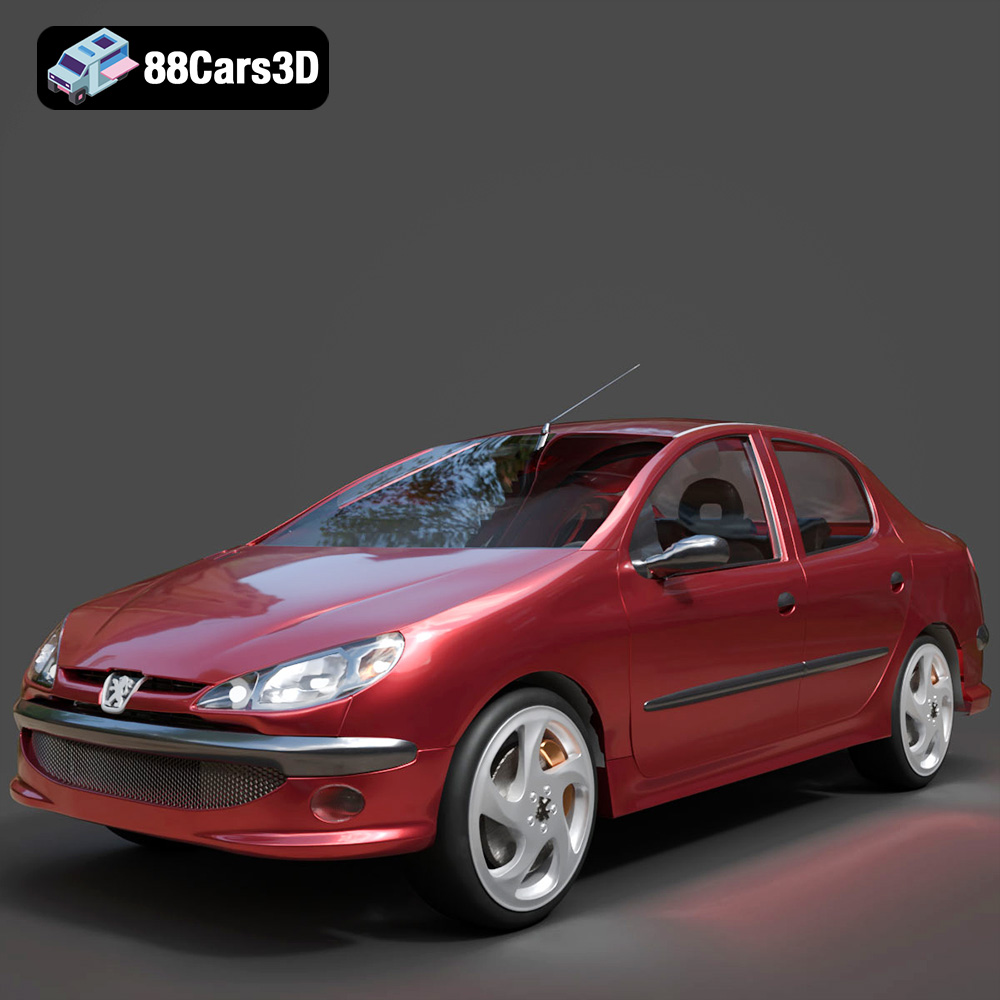
Texture: Yes
Material: Yes
Download the Peugeot 206 Sedan 2002 3D Model featuring clean geometry, realistic detailing, and a fully modeled interior. Includes .blend, .fbx, .obj, .glb, .stl, .ply, .unreal, and .max formats for rendering, simulation, and game development.
Price: $4.99
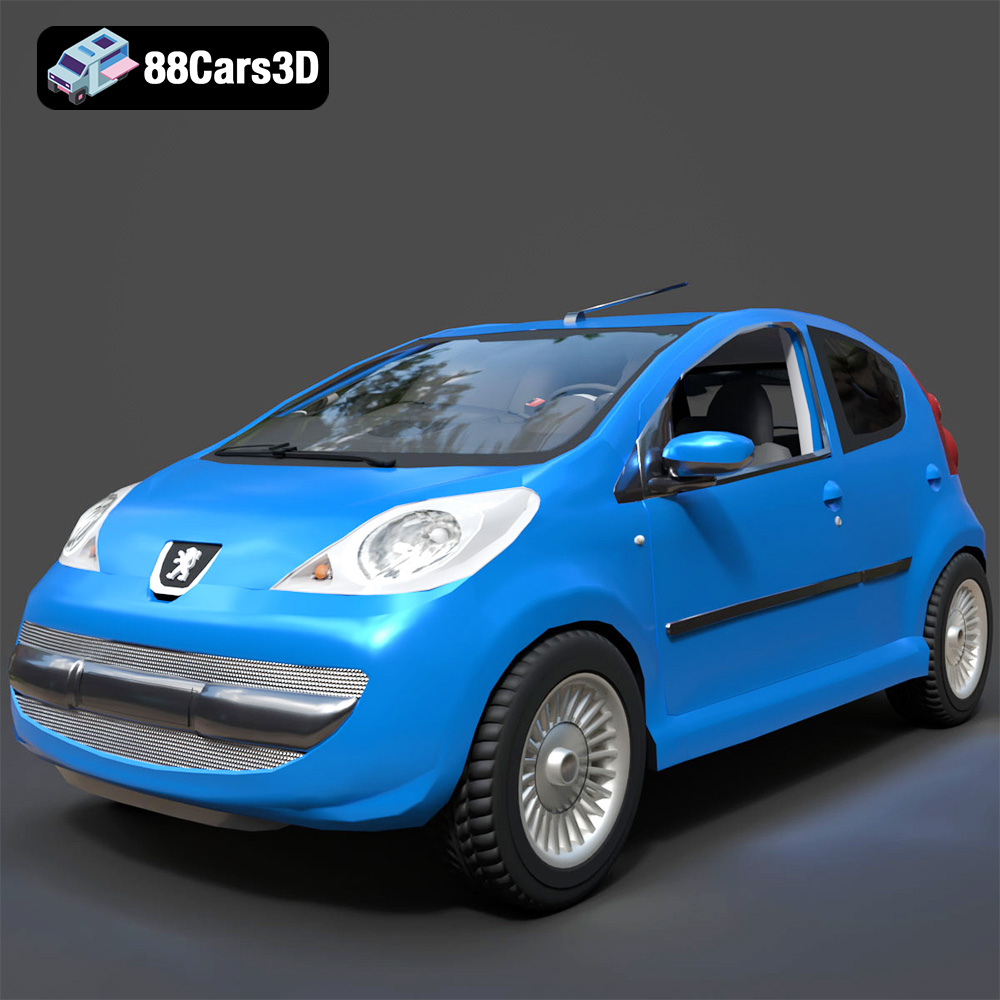
Texture: Yes
Material: Yes
Download the Peugeot 107 2005 3D Model featuring clean geometry, realistic detailing, and a fully modeled interior. Includes .blend, .fbx, .obj, .glb, .stl, .ply, .unreal, and .max formats for rendering, simulation, and game development.
Price: $4.99
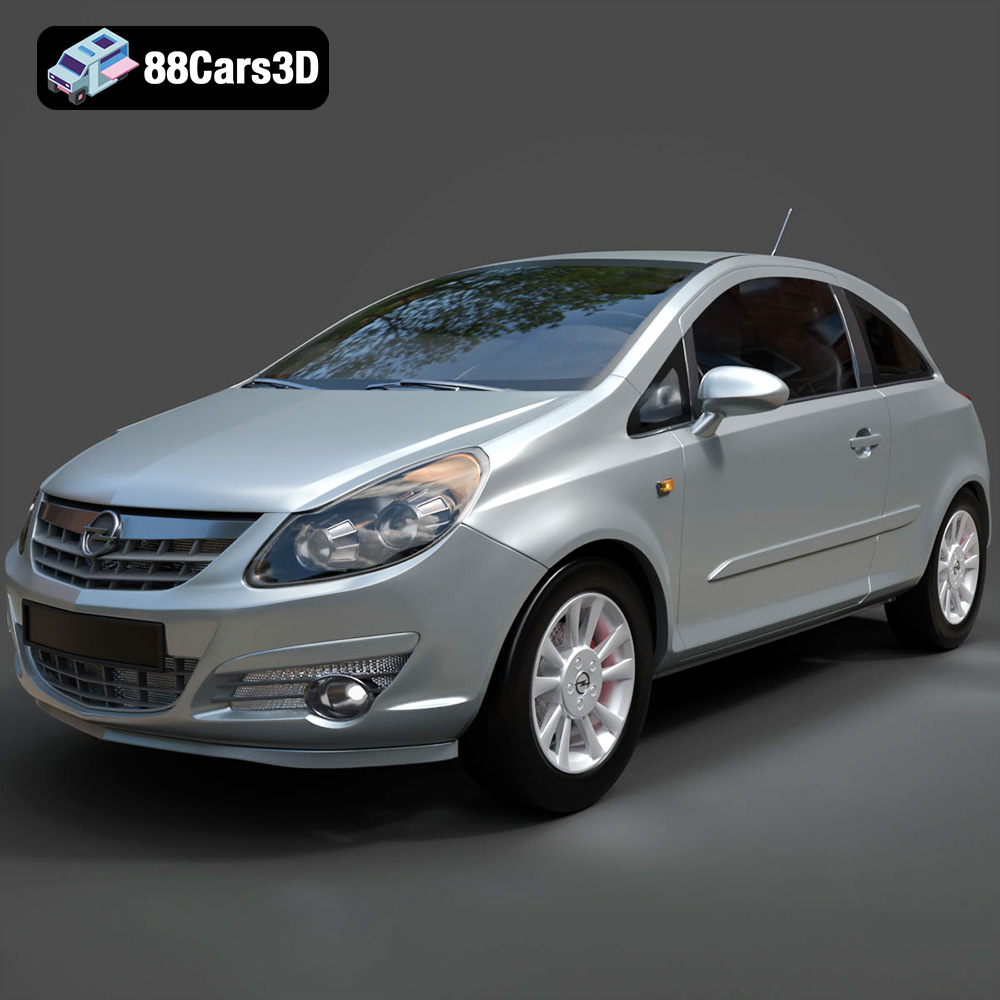
Texture: Yes
Material: Yes
Download the Opel Corsa 2007 3D Model featuring clean geometry, realistic detailing, and a fully modeled interior. Includes .blend, .fbx, .obj, .glb, .stl, .ply, .unreal, and .max formats for rendering, simulation, and game development.
Price: $4.99
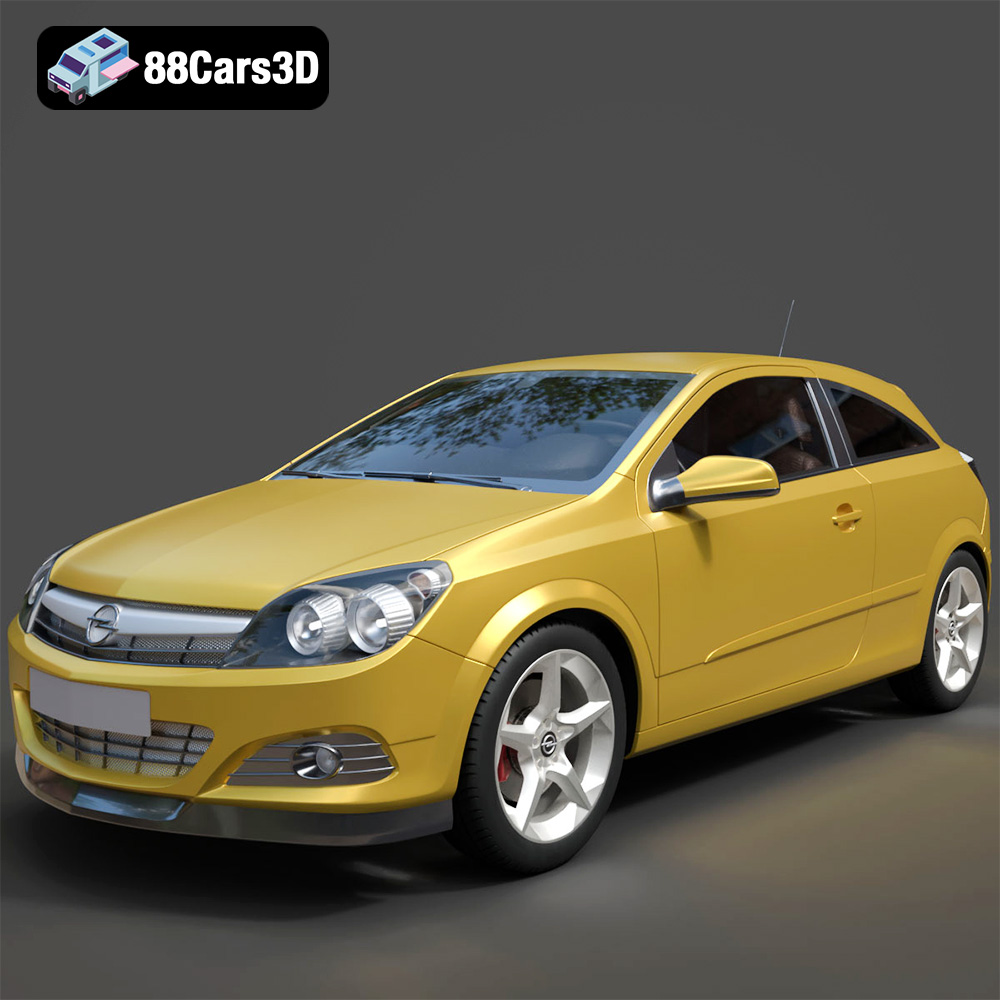
Texture: Yes
Material: Yes
Download the Opel Astra H GTC 3D Model featuring clean geometry, realistic detailing, and a fully modeled interior. Includes .blend, .fbx, .obj, .glb, .stl, .ply, .unreal, and .max formats for rendering, simulation, and game development.
Price: $4.99
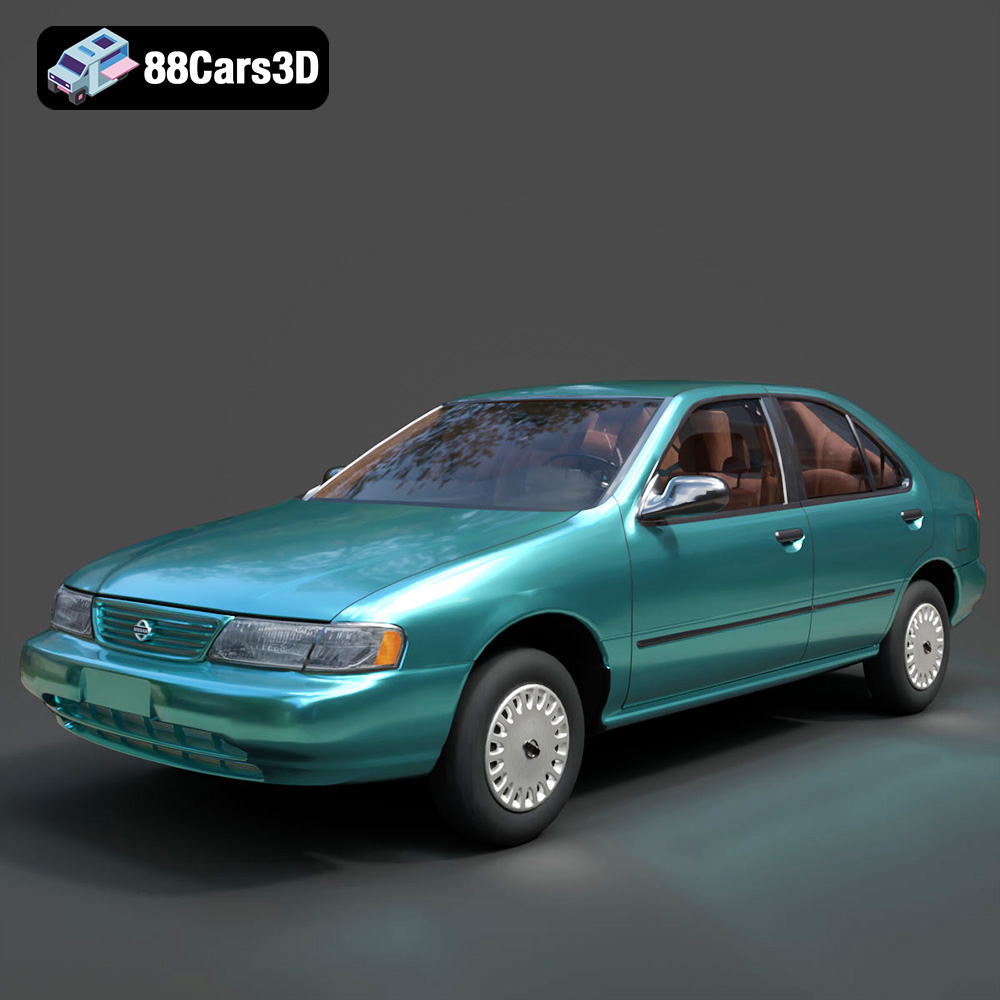
Texture: Yes
Material: Yes
Download the Nissan Sentra GXE 1996 3D Model featuring clean geometry, realistic detailing, and a fully modeled interior. Includes .blend, .fbx, .obj, .glb, .stl, .ply, .unreal, and .max formats for rendering, simulation, and game development.
Price: $4.99
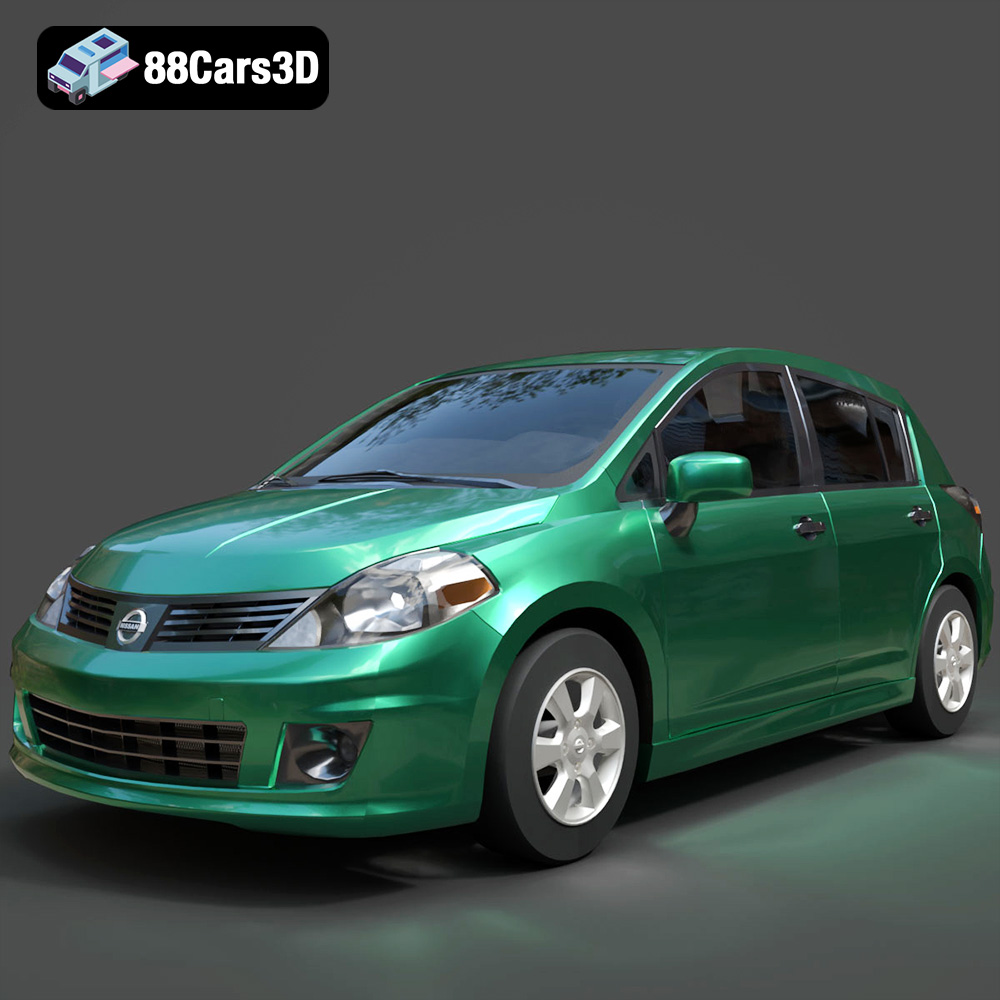
Texture: Yes
Material: Yes
Download the Nissan Tiida 3D Model featuring clean geometry, realistic detailing, and a fully modeled interior. Includes .blend, .fbx, .obj, .glb, .stl, .ply, .unreal, and .max formats for rendering, simulation, and game development.
Price: $4.99

Texture: Yes
Material: Yes
Download the Mitsubishi Outlander 2022 3D Model featuring clean geometry, realistic detailing, and a fully modeled interior. Includes .blend, .fbx, .obj, .glb, .stl, .ply, .unreal, and .max formats for rendering, simulation, and game development.
Price: $4.99

