
Driving Perfection: The Definitive Guide to Crafting, Rendering, and Optimizing 3D Car Models

Driving Perfection: The Definitive Guide to Crafting, Rendering, and Optimizing 3D Car Models
In the exhilarating world of 3D design, few subjects captivate the imagination quite like the automobile. From sleek sports cars to rugged off-roaders, 3D car models are pivotal assets across industries, powering everything from photorealistic visualizations and cutting-edge video games to immersive AR/VR experiences and detailed automotive design simulations. Crafting these digital masterpieces, however, is an intricate art form, demanding a deep understanding of technical precision, artistic flair, and optimization strategies.
This comprehensive guide delves into the multifaceted journey of bringing automotive visions to life in three dimensions. We’ll navigate the critical stages of 3D car model development, exploring the foundational principles of clean topology, the nuances of realistic UV mapping and PBR material creation, and the advanced techniques for stunning automotive rendering. Furthermore, we’ll uncover the secrets to optimizing these complex assets for diverse applications, from high-performance game engines to the specific demands of AR/VR and 3D printing. Whether you’re a seasoned 3D artist, a game developer, an automotive designer, or a student eager to master the craft, prepare to accelerate your skills and achieve unparalleled fidelity in your digital automotive projects.
The Foundation: Mastering 3D Car Model Topology and Edge Flow
The skeleton of any exceptional 3D car model is its topology – the arrangement of vertices, edges, and faces that define its shape. For automotive subjects, known for their precise curves, sharp creases, and reflective surfaces, superior topology is non-negotiable. It dictates how smoothly the model will subdivide, how light will reflect off its surfaces, and how easily it can be textured, rigged, or animated. A clean, efficient mesh is the bedrock upon which all subsequent stages of the 3D pipeline are built, directly impacting visual quality and performance.
Clean Topology for Automotive Surfaces
When modeling cars, the golden rule is to prioritize quads (four-sided polygons). While triangles (tris) and N-gons (polygons with more than four sides) have their places in certain contexts, a mesh composed primarily of quads ensures predictable subdivision behavior and prevents unsightly pinching or artifacts when smoothing. Complex curved surfaces, such as fenders, hoods, and doors, demand a density of quads that allows for smooth transitions without excessive polygon count. For a high-fidelity rendering model, a typical car body might range from 150,000 to 300,000 polygons, ensuring enough detail for close-up shots while remaining manageable. The topology should always follow the natural contours and design lines of the vehicle, defining features like panel gaps, body lines, and vents with deliberate edge loops. Using reference images, blueprints, and even CAD data is crucial to achieving accurate proportions and surface continuity.
Strategic Edge Flow for Deformation and Animation
Edge flow refers to the direction and distribution of edges across the mesh. For automotive models, good edge flow is paramount, especially around areas that might deform or interact with other parts, such as doors, trunks, and suspension components. Critical areas like wheel wells, door jambs, and headlight recesses require carefully placed supporting loops – additional edge loops that run parallel to a hard edge or crease. These loops “hold” the sharpness of the edge when the mesh is subdivided (e.g., using a TurboSmooth modifier in 3ds Max or a Subdivision Surface modifier in Blender), preventing it from becoming overly rounded. Furthermore, edge loops should flow naturally around cutouts and openings, such as window frames or exhaust pipes, providing a clean base for eventual UV mapping and texture application. Incorrect edge flow can lead to rendering artifacts, difficulties in UV unwrapping, and poor deformation during animation, making it a crucial aspect of initial model construction.
Bringing Surfaces to Life: UV Mapping and PBR Material Creation
Once the geometric structure of a 3D car model is solidified, the next critical step is to apply surface detail and visual realism. This involves two closely related processes: UV mapping, which prepares the model for texture application, and PBR material creation, which defines how light interacts with the model’s surfaces, mimicking real-world physics. Mastering these techniques is essential for achieving the photorealistic quality expected in high-end automotive visualization and realistic game assets.
Advanced UV Mapping for Complex Car Geometry
UV mapping is the process of unfolding the 3D mesh onto a 2D plane, creating a set of coordinates (UVs) that tell the renderer where to place texture pixels. For intricate objects like cars, traditional planar, cylindrical, or spherical mapping often isn’t sufficient. Advanced techniques involve segmenting the model into logical parts (e.g., hood, doors, roof, fenders, wheels, interior elements) and using methods like “pelt mapping” or “unwrap” tools in software like 3ds Max, Blender, or Maya. The goal is to minimize stretching, prevent overlapping UVs, and reduce visible seams. Texel density, the ratio of texture pixels to 3D surface area, should be consistent across critical parts of the car to ensure uniform detail. For ultra-high-resolution models, especially those used in film or advertising, UDIM workflows (multiple UV tiles per object) are often employed to overcome the resolution limits of a single 0-1 UV space, allowing for incredibly detailed textures across the entire vehicle body. Organizing UV islands efficiently within the UV space is also vital, grouping similar material zones and maximizing pixel usage.
Crafting Realistic PBR Materials and Shader Networks
Physically Based Rendering (PBR) materials are the industry standard for achieving realistic surface representations. PBR workflows ensure that materials react to light in a physically plausible way, regardless of the lighting environment. The two primary PBR metallic workflows are Metallic/Roughness and Specular/Glossiness. For car materials, particularly paint, a Metallic/Roughness approach is often favored. Key PBR maps include:
- Albedo (Base Color): The inherent color of the surface.
- Normal Map: Adds fine surface detail without increasing polygon count.
- Roughness Map: Controls the microscopic surface irregularities, influencing reflectivity (e.g., a low roughness value for glossy car paint, high for matte plastic).
- Metallic Map: Differentiates between dielectric (non-metal) and metallic surfaces.
- Ambient Occlusion Map: Simulates soft self-shadowing in crevices.
Car paint, in particular, is a complex material, often requiring a layered shader network to simulate its multi-faceted appearance: a base coat (color, metallic flakes), a clear coat (gloss, reflectivity), and subtle imperfections. Software like Substance Painter is invaluable for generating these maps, while node-based material editors in Blender (Cycles), 3ds Max (Corona, V-Ray), or Maya (Arnold) allow for intricate shader construction, incorporating parameters for Fresnel reflections, anisotropic effects, and subsurface scattering for interior materials. High-quality 3D car models from platforms like 88cars3d.com typically come with meticulously crafted PBR materials, ready for immediate use in various renderers and game engines.
The Art of Illumination: Automotive Rendering Workflows
A perfectly modeled and textured 3D car model truly comes to life when bathed in the right light. Automotive rendering is an art form that combines technical mastery with an acute understanding of photography and visual composition. It’s about creating an illusion of reality, making the digital car indistinguishable from its physical counterpart through careful light placement, environmental setup, and advanced rendering techniques.
Studio Lighting and Environment Setup
The choice of lighting significantly impacts the mood, realism, and perceived quality of a car render. For studio-style shots, artists often rely on a combination of High Dynamic Range Image (HDRI) maps and direct lights. An HDRI provides realistic global illumination and reflections, mimicking a real-world environment (e.g., an overcast sky, a clean studio). Complementing the HDRI, artists often introduce three-point lighting (key, fill, and back lights) or use large softbox-style mesh lights to highlight specific contours, create dramatic shadows, and emphasize the car’s design. In 3ds Max with Corona or V-Ray, creating large light planes around the vehicle helps to generate appealing reflections and even illumination. Backgrounds are often minimalist – a seamless cyclorama or a simple gradient – to keep the focus squarely on the vehicle. For exterior renders, matching the lighting of a backplate photograph to the 3D scene is crucial for seamless integration, ensuring accurate light direction, intensity, and color temperature.
Advanced Rendering Techniques and Software Integration
Modern render engines are incredibly powerful, each with its strengths. Corona Renderer and V-Ray are industry favorites for architectural and automotive visualization in 3ds Max, known for their ease of use, speed, and photorealistic output. Blender’s Cycles and Arnold (often used with Maya) also offer excellent physically-based rendering capabilities. Regardless of the engine, optimizing render settings is key: adjusting sampling rates to balance quality and speed, enabling denoisers to clean up noise, and fine-tuning global illumination bounces for accurate light distribution. For complex car paints, settings like glossy reflections, anisotropic reflections, and clear coat properties need careful adjustment. Many professional workflows involve multi-pass rendering, where separate image channels (e.g., beauty, reflections, refractions, shadows, ambient occlusion, object IDs) are rendered out. These passes are then composited in software like Adobe Photoshop or Foundry Nuke, allowing for precise control over post-processing effects, color grading, depth of field, and lens flares, ultimately elevating the final image to a production-ready standard.
Performance and Playability: Game Engine Optimization for 3D Car Assets
While photorealistic renders prioritize visual fidelity above all else, integrating 3D car models into real-time environments like video games, interactive configurators, or simulations demands a rigorous approach to optimization. The challenge lies in maintaining visual quality while adhering to strict performance budgets, ensuring smooth frame rates and responsive gameplay. This involves strategic asset preparation and smart integration techniques tailored for game engines.
LODs and Draw Call Reduction
One of the most critical optimization techniques for complex assets like cars is implementing Levels of Detail (LODs). Instead of rendering a single high-polygon model at all distances, LODs provide progressively simpler versions of the asset as it moves further from the camera. A high-detail car model might have 200,000+ polygons (LOD0) for close-up shots, but seamlessly transition to a 10,000-polygon (LOD1) version at medium distances, and finally to a few thousand polygons (LOD2) or even a billboard (LOD3) in the far distance. This dramatically reduces the GPU load without a noticeable drop in quality. Furthermore, minimizing draw calls – the number of times the CPU tells the GPU to render something – is vital. This can be achieved by combining multiple meshes into a single object (mesh merging) and consolidating materials (texture atlasing), where multiple smaller textures are packed into one larger texture map, reducing material swaps and improving batching efficiency within the engine. For optimal performance, a single car model might be broken down into specific groups for LODs (e.g., body, wheels, interior) allowing for finer control over individual components.
Physics Assets, Colliders, and Engine Integration
Beyond visual optimization, game engines require specific assets for physics simulations and interactivity. Every 3D car model needs accurate collision meshes (colliders) that define its physical boundaries. These are typically simplified, low-polygon versions of the visual mesh (often convex hulls or simplified box/sphere colliders) to minimize physics calculation overhead. In Unity and Unreal Engine, artists configure vehicle physics components, defining wheel colliders, suspension parameters, engine power, and transmission settings to ensure a realistic driving experience. When importing assets into game engines, formats like FBX are widely used, preserving geometry, UVs, materials (though PBR materials often need re-setting up in the engine’s native material editor), and animations. For advanced workflows, tools like Simplygon or InstaLOD can automate much of the LOD generation, mesh merging, and remeshing process, saving significant development time. Baking ambient occlusion and lightmaps directly onto the car model for static elements can also enhance visual quality while reducing real-time lighting calculations.
Beyond Traditional Rendering: Diverse Applications of 3D Car Models
The versatility of high-quality 3D car models extends far beyond conventional static renders and interactive games. With evolving technologies, these digital assets are finding innovative applications across various industries, from immersive experiences to manufacturing. Understanding the specific requirements for these diverse uses is key to maximizing a model’s utility and impact.
AR/VR Optimization and Real-Time Performance
Augmented Reality (AR) and Virtual Reality (VR) environments present unique challenges due to their real-time nature and the need for extremely high frame rates to prevent motion sickness. For AR/VR optimization, poly budgets are significantly tighter than for traditional game development, often requiring cars to be in the range of 30,000 to 80,000 polygons for VR, and potentially even lower for mobile AR experiences. This necessitates aggressive LOD strategies and meticulous mesh reduction. Materials must also be highly optimized; typically, a single draw-call material per car component is preferred, with baked lighting and simplified shaders to minimize rendering overhead. File formats like GLB (a binary version of glTF) and USDZ (Apple’s AR file format) are becoming standard for seamless integration into AR platforms, as they encapsulate geometry, textures, and animation into a single, compact file. Ensuring smooth frame rates (e.g., 90 FPS for VR) and minimal latency is paramount for a comfortable and believable immersive experience.
3D Printing Preparation and Mesh Repair
Converting a high-detail rendering or game asset into a 3D printable model requires a different set of considerations. The primary goal for 3D printing is a “watertight” mesh – one that has no holes, gaps, or non-manifold geometry (edges or vertices shared by more than two faces). Tools like Meshmixer, Netfabb, or the 3D Print Toolbox in Blender are invaluable for identifying and repairing these issues, ensuring a solid, printable object. Wall thickness is another critical factor; thin areas of the model that appear fine on screen may be too delicate to print successfully. Scaling and unit consistency are also important, as the digital model’s dimensions must accurately translate to the physical print. Often, details like panel gaps or intricate grilles may need to be slightly exaggerated or simplified to ensure they are accurately reproduced by the 3D printer. These models are ideal for creating physical prototypes, scaled models for design reviews, or custom collectibles.
Visualization, Animation, and Film Production
In high-end visualization, advertising, and film, 3D car models are pushed to their absolute limits. Here, the emphasis is purely on visual fidelity and detail, with optimization being less of a constraint than for real-time applications. These models are used for photorealistic product configurators, cinematic animations highlighting design features, and integrated into live-action footage for commercials or movies. Advanced rigging setups allow animators to achieve realistic vehicle dynamics, suspension compression, and wheel rotation. For these demanding applications, platforms like 88cars3d.com are a valuable resource, providing production-ready, high-polygon 3D car models with meticulously crafted PBR materials and clean topology, enabling artists to jump directly into rendering and animation without starting from scratch. The focus here shifts to advanced lighting, complex shader networks, realistic environmental effects, and sophisticated post-processing to achieve breathtaking results.
Conclusion
The journey from a conceptual sketch to a fully realized, optimized 3D car model is a testament to the blend of artistic vision and technical prowess. We’ve explored the foundational importance of clean topology and strategic edge flow, the transformative power of accurate UV mapping and physically based materials, and the critical workflows for stunning automotive rendering. Furthermore, we’ve delved into the specialized demands of game engine optimization, the unique challenges of AR/VR, and the practicalities of 3D printing, demonstrating the incredible versatility of these digital assets.
Mastering these techniques not only elevates the visual quality of your projects but also future-proofs your work across an ever-evolving digital landscape. The automotive industry, game development, and visualization sectors continually push the boundaries of realism and interactivity, making a solid understanding of these principles indispensable. Whether your goal is to create a breathtaking cinematic, an immersive game experience, or a precise physical prototype, the pursuit of perfection in 3D car models is a rewarding endeavor.
To accelerate your projects with professional-grade assets, consider exploring the extensive collection of high-quality 3D car models available on 88cars3d.com. These models are designed with clean topology, realistic PBR materials, and multiple file formats, providing an excellent starting point for any application. Equip yourself with the right knowledge and the best assets, and drive your 3D automotive visions to reality.
Featured 3D Car Models

Porsche 911 Carrera S 2005 3D Model
Texture: Yes
Material: Yes
Download the Porsche 911 Carrera S 2005 3D Model featuring clean geometry, realistic detailing, and a fully modeled interior. Includes .blend, .fbx, .obj, .glb, .stl, .ply, .unreal, and .max formats for rendering, simulation, and game development.
Price: $4.99

Pontiac GTO 1967 3D Model
Texture: Yes
Material: Yes
Download the Pontiac GTO 1967 3D Model featuring clean geometry, realistic detailing, and a fully modeled interior. Includes .blend, .fbx, .obj, .glb, .stl, .ply, .unreal, and .max formats for rendering, simulation, and game development.
Price: $4.99

Pontiac Fiero GT 1987 3D Model
Texture: Yes
Material: Yes
Download the Pontiac Fiero GT 1987 3D Model featuring clean geometry, realistic detailing, and a fully modeled interior. Includes .blend, .fbx, .obj, .glb, .stl, .ply, .unreal, and .max formats for rendering, simulation, and game development.
Price: $4.99

Plymouth Volare Wagon 1976 3D Model
Texture: Yes
Material: Yes
Download the Plymouth Volare Wagon 3D Model featuring clean geometry, realistic detailing, and a fully modeled interior. Includes .blend, .fbx, .obj, .glb, .stl, .ply, .unreal, and .max formats for rendering, simulation, and game development.
Price: $4.99
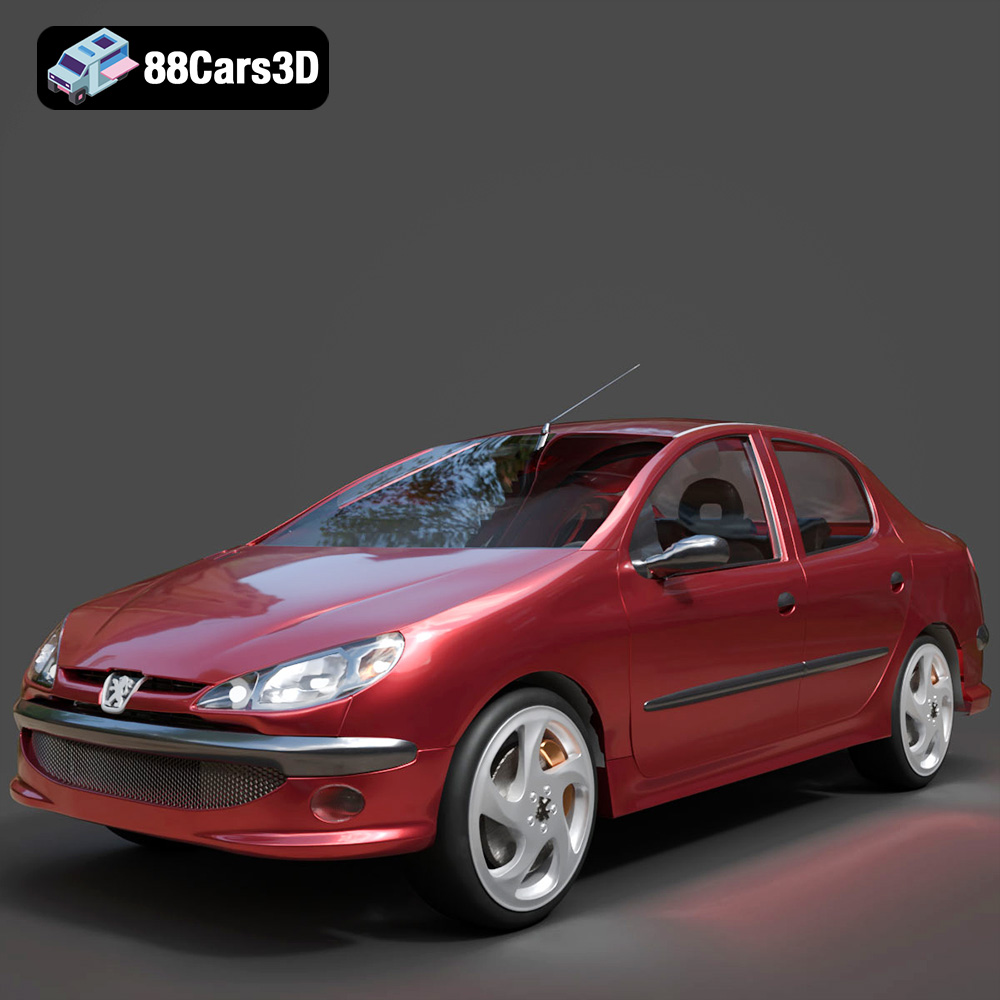
Peugeot 206 Sedan 2002 3D Model
Texture: Yes
Material: Yes
Download the Peugeot 206 Sedan 2002 3D Model featuring clean geometry, realistic detailing, and a fully modeled interior. Includes .blend, .fbx, .obj, .glb, .stl, .ply, .unreal, and .max formats for rendering, simulation, and game development.
Price: $4.99
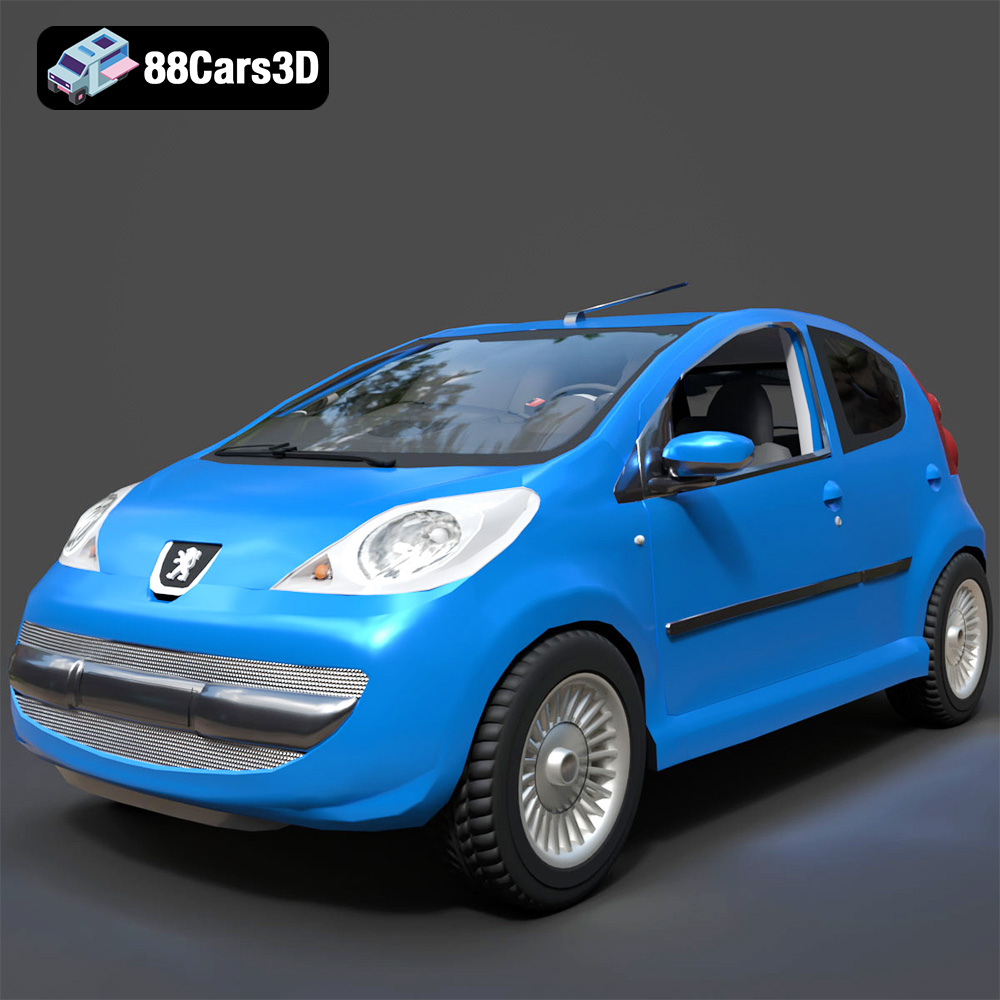
Peugeot 107 2005 3D Model
Texture: Yes
Material: Yes
Download the Peugeot 107 2005 3D Model featuring clean geometry, realistic detailing, and a fully modeled interior. Includes .blend, .fbx, .obj, .glb, .stl, .ply, .unreal, and .max formats for rendering, simulation, and game development.
Price: $4.99
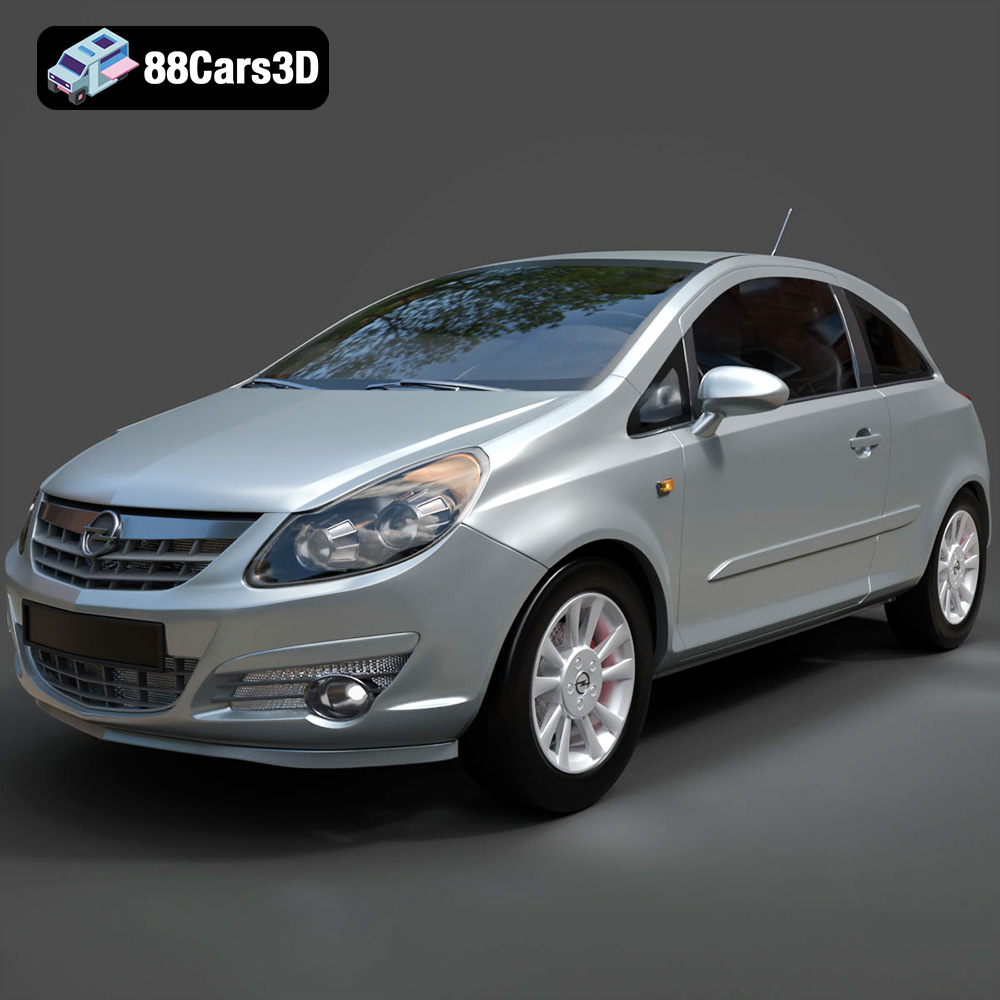
Opel Corsa 2007 3D Model
Texture: Yes
Material: Yes
Download the Opel Corsa 2007 3D Model featuring clean geometry, realistic detailing, and a fully modeled interior. Includes .blend, .fbx, .obj, .glb, .stl, .ply, .unreal, and .max formats for rendering, simulation, and game development.
Price: $4.99
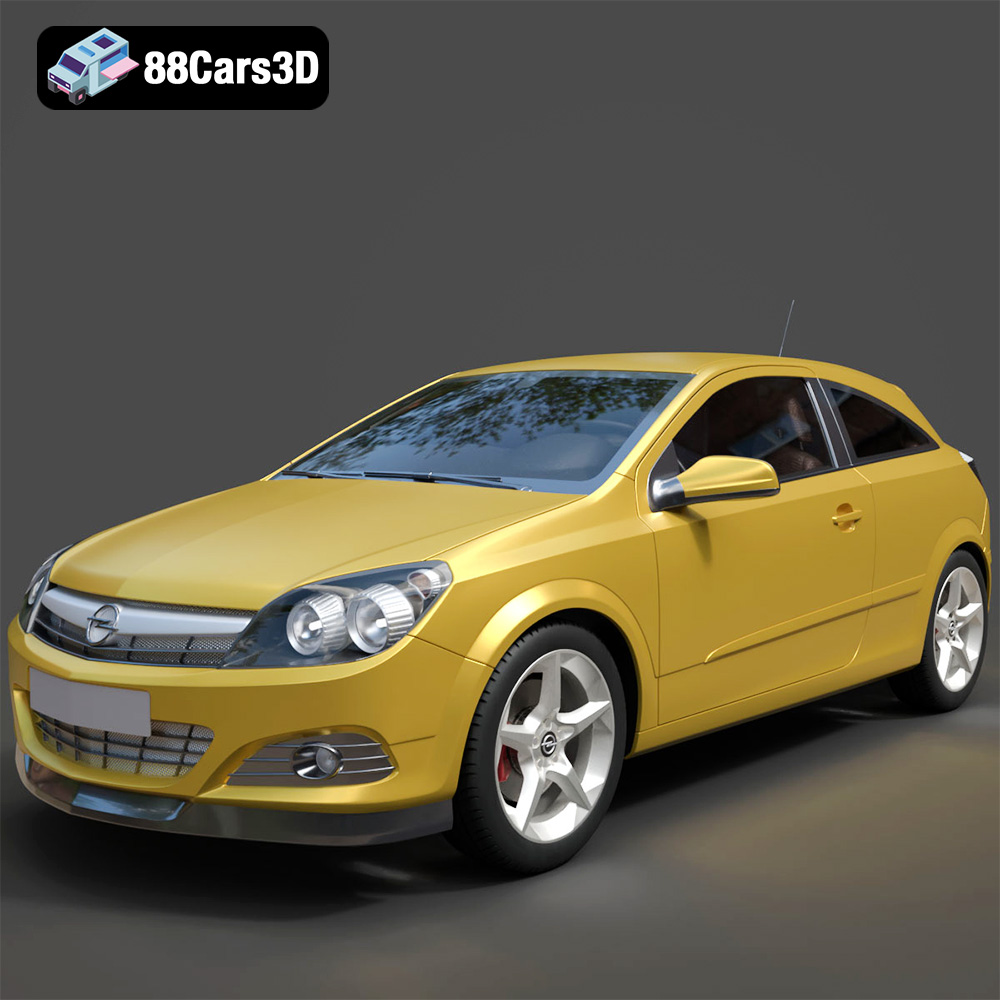
Opel Astra H GTC 3D Model
Texture: Yes
Material: Yes
Download the Opel Astra H GTC 3D Model featuring clean geometry, realistic detailing, and a fully modeled interior. Includes .blend, .fbx, .obj, .glb, .stl, .ply, .unreal, and .max formats for rendering, simulation, and game development.
Price: $4.99
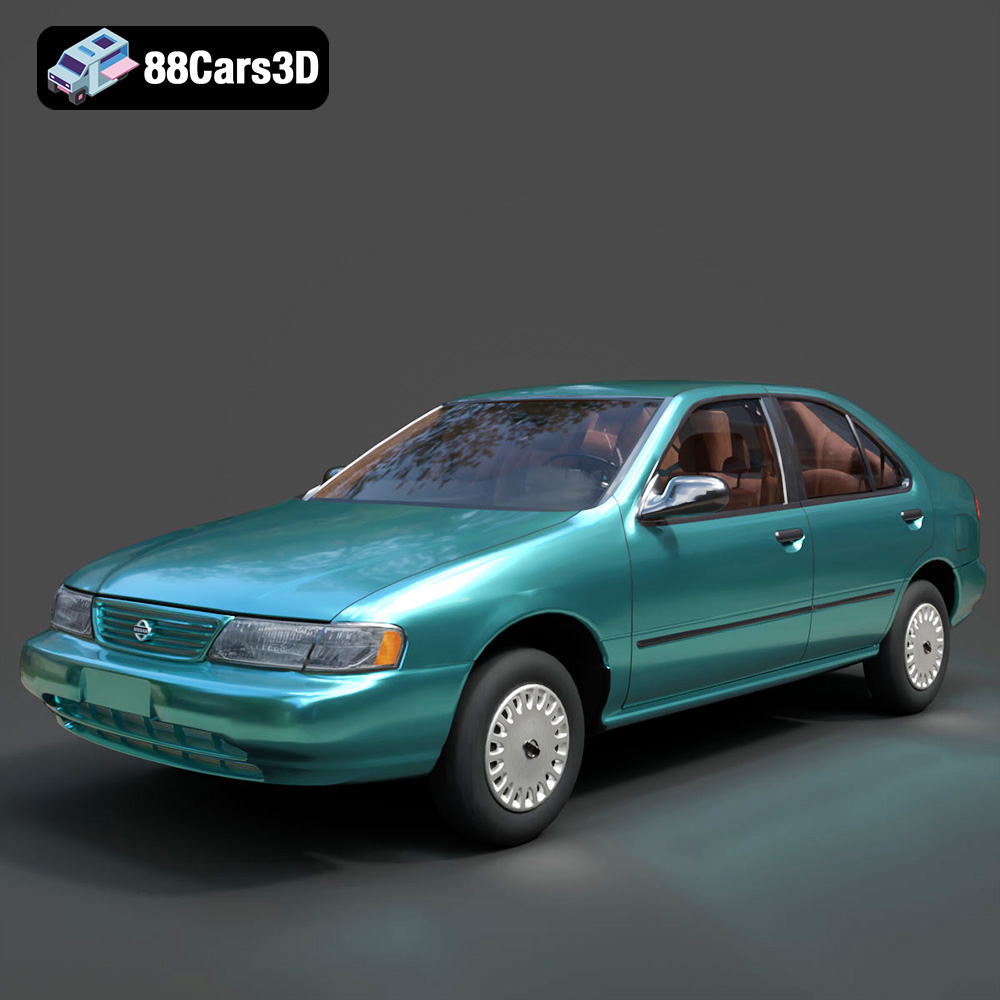
Nissan Sentra GXE 1996 3D Model
Texture: Yes
Material: Yes
Download the Nissan Sentra GXE 1996 3D Model featuring clean geometry, realistic detailing, and a fully modeled interior. Includes .blend, .fbx, .obj, .glb, .stl, .ply, .unreal, and .max formats for rendering, simulation, and game development.
Price: $4.99
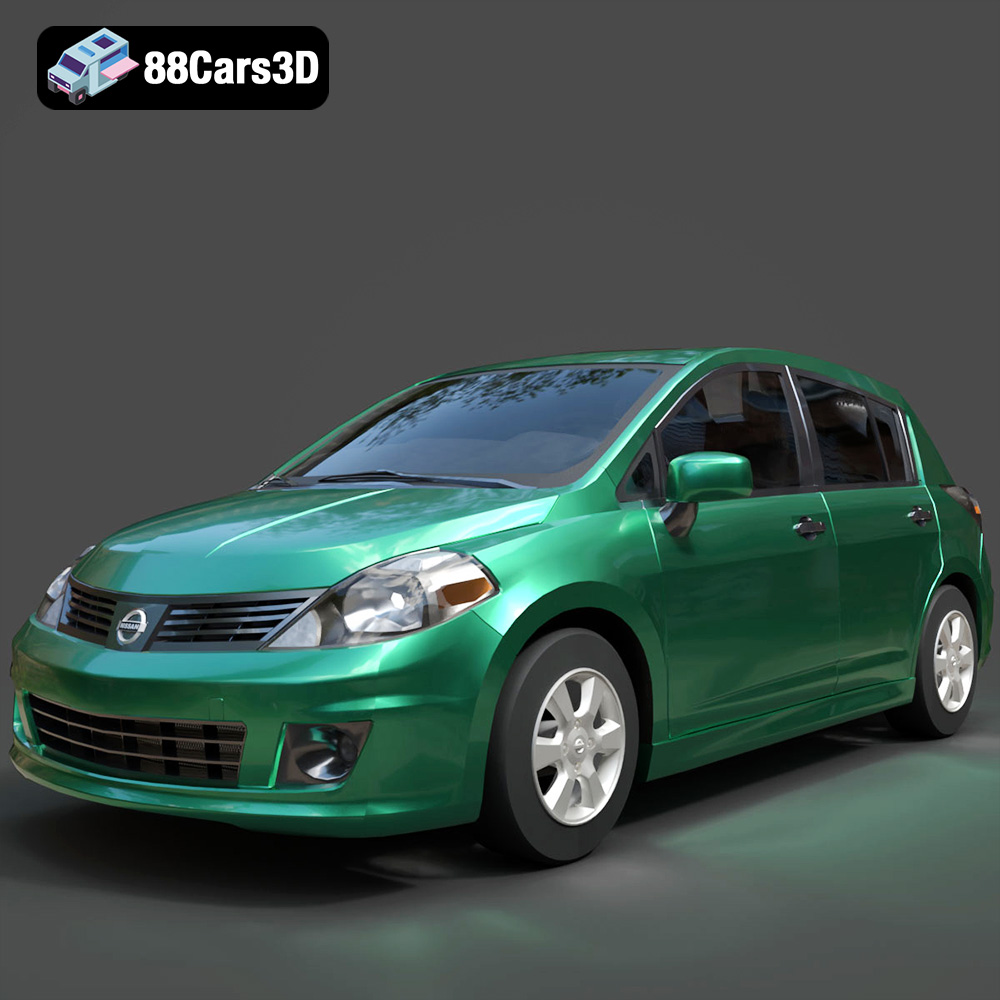
Nissan Tiida 3D Model
Texture: Yes
Material: Yes
Download the Nissan Tiida 3D Model featuring clean geometry, realistic detailing, and a fully modeled interior. Includes .blend, .fbx, .obj, .glb, .stl, .ply, .unreal, and .max formats for rendering, simulation, and game development.
Price: $4.99
