
Mastering Automotive 3D: From Pristine Models to Photorealistic Renders and Game-Ready Assets

Mastering Automotive 3D: From Pristine Models to Photorealistic Renders and Game-Ready Assets
The sleek lines, powerful silhouettes, and intricate details of an automobile have always captivated the human imagination. In the realm of 3D, translating this allure into a digital format requires a blend of artistry and technical mastery. Whether you’re an automotive designer visualizing a future concept, a game developer crafting an immersive virtual world, or an architect integrating vehicles into a scene, the demand for high-quality 3D car models is universal. But what truly defines a “high-quality” model, and how do you navigate the complex journey from raw mesh to a polished, application-ready asset?
This comprehensive guide delves deep into the technical intricacies of creating, optimizing, and deploying 3D car models across various industries. We’ll explore the foundational principles of clean topology and efficient UV mapping, dissect the science behind physically based rendering (PBR) materials, and reveal professional workflows for achieving stunning photorealistic renders. Furthermore, we’ll equip you with the knowledge to optimize your assets for real-time game engines, prepare them for exciting AR/VR experiences, and even ready them for physical 3D printing. By the end of this journey, you’ll possess a holistic understanding of what it takes to produce and leverage world-class automotive 3D assets, empowering you to elevate your projects to unprecedented levels of realism and performance. For those seeking a head start, platforms like 88cars3d.com offer a vast library of pre-modeled, high-quality 3D car models, meticulously crafted to meet these exacting standards.
The Foundation of Excellence: Automotive 3D Model Topology and Edge Flow
At the heart of any truly professional 3D car model lies impeccable topology. This isn’t merely an aesthetic choice; it’s a fundamental engineering principle that dictates how well your model deforms, subdivides, and ultimately renders. Poor topology can lead to artifacts, pinching, and an overall unrealistic appearance, particularly on the smooth, reflective surfaces common in automotive design. For a 3D artist, understanding and implementing clean edge flow is paramount to creating assets that are both visually appealing and technically robust across all applications.
Automotive surfaces are characterized by sweeping curves, subtle creases, and sharp, defined edges. Achieving these details convincingly in 3D requires a strategic approach to polygon distribution. The goal is to create a mesh that can accurately represent these forms at varying levels of detail without introducing unnecessary complexity. This often involves a delicate balance between maintaining geometric fidelity and optimizing performance. When sourcing models from marketplaces such as 88cars3d.com, artists can often skip this intensive initial phase, confident that the underlying topology has been professionally handled.
Quad-Centric Modeling and Strategic Edge Loops
The golden rule of 3D modeling, especially for subdivision surfaces and animation, is to maintain an all-quad mesh. Quads (four-sided polygons) deform predictably and smoothly under subdivision algorithms (like OpenSubdiv in 3ds Max or Blender’s Subdivision Surface modifier), allowing for a clean, high-resolution mesh from a relatively low-poly base. N-gons (polygons with more than four sides) and triangles (three-sided polygons) should be avoided on primary surfaces where deformation or subdivision is expected, as they can cause pinching, unpredictable smoothing, and rendering artifacts.
For automotive models, strategic edge loops are crucial. These loops should follow the natural contours and design lines of the car, defining panel gaps, character lines, and hard edges. For instance, around a wheel arch or a door seam, a series of tight edge loops will help hold the shape and prevent excessive rounding when subdivided. Conversely, in broad, flat areas like the roof or hood, polygons can be spaced more evenly to reduce density. When modeling complex intersections, such as where a fender meets a headlight, focus on creating clean pole structures that distribute incoming edge loops efficiently without creating dense, messy areas. This attention to detail ensures that reflections flow smoothly across the car’s body, a critical factor in achieving automotive photorealism.
Optimizing Polygon Count for Diverse Applications
The “ideal” polygon count for a 3D car model is highly dependent on its intended application. A model destined for high-resolution cinematic rendering can afford to be significantly more detailed than one designed for a mobile game. For high-end visualization and cinematic renders, polygon counts often range from 500,000 to several million triangles, allowing for exquisite detail without relying heavily on normal maps for surface fidelity. These models are typically built with robust subdivision-ready topology.
Conversely, game development demands a much more economical approach. A modern next-gen console game might target 50,000 to 150,000 triangles for a hero vehicle, while a mobile game could require as low as 10,000-30,000 triangles. To bridge this gap, artists employ Level of Detail (LOD) models. An LOD 0 (highest detail) might be visible up close, while LOD 1, 2, and 3 progressively reduce the polygon count, simplifying geometry further away from the camera. Effective LOD generation involves careful poly-reduction techniques that preserve the silhouette and major forms while aggressively culling polygons from less critical areas. This balance ensures optimal performance in real-time environments without sacrificing visual quality where it matters most.
Mastering Surfaces: UV Mapping Strategies for Automotive Assets
Once your 3D car model boasts impeccable topology, the next critical step is to prepare its surfaces for texturing. This is where UV mapping comes into play – the process of flattening out the 3D surface of your model into a 2D space, allowing you to apply 2D textures (like paint, rust, or decals) accurately. Poor UV mapping can lead to stretched textures, visible seams, and inefficient texture memory usage, significantly detracting from the realism of your automotive asset.
Automotive surfaces, with their smooth, often reflective body panels and intricate details like grilles, headlights, and interiors, present unique challenges for UV mapping. The goal is to create UV layouts that minimize distortion, utilize texture space efficiently, and are easy to paint or apply procedural materials to. A well-executed UV map is the unsung hero behind every beautifully textured 3D car, enabling the creation of intricate PBR materials that truly bring the model to life.
Unwrapping Complex Car Body Panels
Unwrapping a car model requires a systematic approach. For large, relatively flat panels like the hood, roof, and doors, a simple planar or box projection can often serve as a starting point. However, complex curved surfaces, such as fenders, bumpers, and side panels, demand more careful unwrapping techniques to avoid stretching. Tools in software like 3ds Max, Blender, or Maya offer various unwrapping methods, including pelt mapping and unfold. The key is to strategically place seams along natural breaks or hidden areas of the model (e.g., along panel lines, under trim, or within obscured creases) to make them less noticeable in the final render.
For extremely high-resolution texturing, especially for assets intended for close-up renders or cinematic production, artists often utilize UDIMs (U-Dimension). UDIMs allow you to spread the UVs for different parts of your model across multiple UV tiles (separate 0-1 UV spaces), each capable of holding its own high-resolution texture. This means the car body could have several 4K or 8K textures applied, one for each major panel, without running into resolution limitations of a single UV space. This approach provides immense flexibility and detail but requires careful management in your texturing software (e.g., Substance Painter) and renderer.
Optimizing UV Layout for Efficiency and PBR Workflows
Beyond minimizing stretch, an optimized UV layout aims for efficiency. This means maximizing the use of the 0-1 UV space, ensuring that UV islands are packed tightly without overlapping (unless explicitly desired for specific effects, which is rare for PBR), and maintaining consistent texel density across the entire model. Texel density refers to the number of texture pixels per unit of 3D space. Maintaining a consistent texel density ensures that all parts of your car model appear equally detailed, preventing some areas from looking blurry while others are crisp. Tools exist within 3D packages to visualize and standardize texel density.
For PBR (Physically Based Rendering) workflows, non-overlapping UVs are crucial. PBR textures, such as normal maps, ambient occlusion maps, and metallic/roughness maps, rely on unique UV coordinates to accurately represent surface properties. Overlapping UVs would cause these maps to display incorrectly, leading to artifacts. Furthermore, arranging UV islands logically (e.g., grouping all interior elements together, or all glass elements) can streamline the texturing process, making it easier to select and paint specific areas. For game assets, consolidating UVs for multiple small elements onto a single texture atlas can significantly reduce draw calls, improving real-time performance by allowing the GPU to process fewer materials.
Bringing Life to the Machine: PBR Material Creation and Shader Networks
The visual fidelity of a 3D car model largely hinges on its materials. Gone are the days of simple diffuse and specular maps; modern rendering demands Physically Based Rendering (PBR). PBR represents a paradigm shift, focusing on accurately simulating how light interacts with surfaces in the real world, rather than attempting to “fake” it. This leads to significantly more realistic and consistent results across different lighting environments, making your 3D car models truly shine.
PBR materials are defined by a set of maps that describe various surface properties, allowing the renderer to calculate light interaction based on real-world physics. Understanding these maps and how to author them is fundamental to creating convincing automotive finishes, from the glossy sheen of car paint to the subtle texture of tire rubber and the transparency of glass. The complexity often lies in crafting sophisticated shader networks that blend these properties seamlessly.
Core PBR Workflows: Metallic/Roughness vs. Specular/Glossiness
There are two primary PBR workflows: Metallic/Roughness and Specular/Glossiness. While both aim for physical accuracy, they achieve it through slightly different sets of maps:
- Metallic/Roughness: This is the more common and often preferred workflow.
- Albedo (Base Color): Defines the color of the surface (but not its brightness for metals, which get their color from reflections).
- Metallic: A grayscale map indicating whether a material is metallic (white) or dielectric/non-metallic (black).
- Roughness: A grayscale map controlling the microsurface detail, influencing how sharp or blurry reflections are. Rougher surfaces scatter light more, appearing duller; smoother surfaces reflect light sharply.
- Normal Map: Provides fine surface detail without adding actual geometry.
- Ambient Occlusion (AO): Simulates soft shadowing where surfaces are close together.
- Specular/Glossiness: This workflow separates the diffuse and specular colors.
- Diffuse: Defines the non-reflective color.
- Specular: Defines the color and intensity of reflections.
- Glossiness: The inverse of roughness; higher values mean sharper reflections.
- Other maps like Normal and AO are also used.
For automotive materials, understanding these maps is key. Car paint is a complex dielectric material with multiple layers, while chrome is a metallic surface, and glass is a transparent dielectric. Authoring these maps in software like Substance Painter or directly within your chosen renderer’s material editor is a crucial skill.
Crafting Realistic Automotive Shaders in Popular Renderers
Achieving truly photorealistic automotive shaders requires leveraging the advanced capabilities of modern renderers like Corona Renderer, V-Ray, Cycles (Blender), and Arnold. Each offers robust material systems that allow for intricate shader networks:
- Car Paint: This is arguably the most complex automotive material. A realistic car paint shader often involves a base diffuse color, a metallic flake layer (simulated with noise or procedural textures driving normal or anisotropic reflections), and a clear coat layer on top. The clear coat provides the deep, glossy reflections and slight fresnel effect (where reflections are stronger at glancing angles) that defines modern car finishes. Many renderers offer dedicated “car paint” shaders that simplify this process by providing parameters for flake density, size, and clear coat thickness/roughness.
- Chrome and Polished Metals: These are relatively straightforward PBR metallic materials with low roughness values. The key is to ensure accurate metallic and roughness maps. Anisotropy can be added for brushed metal effects.
- Realistic Glass: Car glass needs to accurately transmit and reflect light. Proper IOR (Index of Refraction) values (around 1.5-1.6 for typical glass) are essential. Tinting should be applied to the transmission color, and a subtle roughness value can simulate dirt or imperfections. Modern renderers also support thin-walled glass for faster rendering of windshields and windows.
- Tire Rubber and Plastics: These are dielectric materials with varying roughness levels. Tire rubber will have a relatively high roughness value and a dark albedo. Plastics will have different albedo colors and roughness values depending on their finish (e.g., glossy interior plastic vs. matte exterior trim). Normal maps are crucial for adding tread patterns to tires and fine surface texture to plastics.
Working with shader networks involves connecting various texture maps, procedural nodes (like noise or fresnel), and utility nodes (like color correction or blend nodes) to create complex material behaviors. Understanding how these nodes interact and contribute to the final look is a hallmark of an expert 3D artist. When purchasing models from 88cars3d.com, you often receive models with expertly crafted PBR materials, ready to render.
The Art of Illumination: Rendering Workflows for Photorealistic Automotive Visuals
A perfectly modeled and textured 3D car can still look flat and unconvincing without proper lighting. Lighting is the art of sculpting your scene with light and shadow, revealing the car’s form, emphasizing its design, and evoking a specific mood. For automotive visualization, achieving photorealistic results often involves a blend of studio lighting techniques and realistic environmental setups, carefully orchestrated to make the vehicle pop.
The choice of renderer (Corona, V-Ray, Cycles, Arnold) and the lighting setup are critical components of the rendering workflow. Each renderer has its strengths and nuances, but the underlying principles of good lighting remain universal. Beyond just illumination, camera settings, render passes, and post-processing all contribute to the final impactful image, transforming a raw render into a magazine-quality visual.
Setting Up Studio and Environment Lighting
There are two primary approaches to lighting 3D car models:
- Studio Lighting: This method, commonly used for product shots and clean presentations, involves carefully placing a few key lights (area lights, dome lights, or even emissive planes) around the car in a controlled environment.
- Key Light: The primary light source, typically illuminating the most important side of the car.
- Fill Light: Softer light to reduce harsh shadows created by the key light.
- Rim Light: Placed behind the car, highlighting its silhouette and separating it from the background.
- Softboxes/Area Lights: Large, rectangular lights are excellent for creating soft, even reflections on car surfaces, mimicking real-world studio setups.
- HDRIs for Reflections: Even in a studio setup, an HDRI (High Dynamic Range Image) can be used as a primary light source (e.g., a “studio HDRI”) or purely for realistic reflections, providing complex environmental detail without significantly affecting the direct lighting.
Software like 3ds Max with Corona Renderer or V-Ray excels in these precise, controllable studio environments. Blender’s Cycles and Eevee also provide powerful tools for this.
- Environment Lighting (Image-Based Lighting – IBL): This involves using high-dynamic-range panoramic images (HDRIs) to light the entire scene.
- Realistic Illumination: HDRIs capture real-world light information (intensity, color, direction) from a specific location, providing highly accurate and natural lighting and reflections.
- Seamless Integration: When paired with a backplate image (a photo taken from the same HDRI location), IBL can seamlessly integrate your 3D car into a real-world photograph, often used for automotive configurators or marketing materials.
- Variety: A vast library of HDRIs (e.g., urban streets, open fields, sunny skies) allows for rapid experimentation with different moods and settings.
A common professional technique is to use an HDRI for overall ambient light and reflections, augmented by targeted area lights or spotlights to emphasize specific design elements or add extra “pop” to reflections.
Camera, Post-Processing, and Compositing for Impact
The camera is your eye to the 3D world. Proper camera settings are vital for achieving a photographic look. Matching real-world focal lengths (e.g., 50mm-100mm for cars to avoid distortion), aperture settings for depth of field (DoF), and motion blur for dynamic shots all contribute to realism. Composition rules like the rule of thirds can elevate your shots from mere renders to artistic visuals.
Post-processing and compositing are where the final polish is applied. Most professional renders involve rendering out multiple “passes” (also known as render elements or AOVs) from the 3D software:
- Beauty Pass: The main rendered image.
- Alpha Pass: For isolating the car from its background.
- Reflection Pass: Captures only the reflections, allowing for independent adjustment.
- Refraction Pass: For transparent objects like glass.
- Ambient Occlusion Pass: Adds subtle contact shadows.
- Material ID Pass: For easy selection of different materials in post.
These passes are then brought into compositing software like Adobe Photoshop, After Effects, or Blackmagic Fusion/Nuke. Here, you can:
- Color Grading: Adjust colors, contrast, and saturation to enhance the mood.
- Add Effects: Bloom, lens flares, vignetting, chromatic aberration for a cinematic feel.
- Sharpening/Noise Reduction: Refine image clarity.
- Background Integration: Seamlessly composite the car onto a photographic background.
- Correction: Fix minor rendering imperfections or adjust specific material properties without re-rendering the entire scene.
This multi-stage workflow allows for immense control and creative freedom, transforming a good render into an exceptional one, a skill often found in the creators of models available on 88cars3d.com.
Performance and Playability: Game Engine Optimization for 3D Car Models
While photorealistic renders prioritize visual fidelity above all else, game engine integration introduces a critical new constraint: real-time performance. A beautifully detailed 3D car model that causes frame rate drops is unusable in a game environment. Game developers must meticulously optimize their assets to run smoothly on a wide range of hardware while still maintaining visual quality. This involves a different mindset, focusing on efficient resource utilization and smart compromises.
Optimizing 3D car models for game engines like Unity and Unreal Engine requires a deep understanding of how these engines process geometry, textures, and materials. The goal is to minimize draw calls, reduce polygon counts where possible, and ensure efficient memory usage, all without sacrificing the immersive experience players expect from modern titles.
Level of Detail (LODs) and Draw Call Reduction
One of the most fundamental optimization techniques for game assets is the implementation of Level of Detail (LOD) models. Instead of rendering a single high-resolution model regardless of distance, LODs allow the game engine to swap between multiple versions of an asset based on its proximity to the camera:
- LOD 0 (High Poly): The most detailed version, used when the car is very close to the player. May have 50,000-150,000 triangles for a hero vehicle.
- LOD 1 (Medium Poly): A reduced polygon version, used at medium distances. Perhaps 20,000-50,000 triangles.
- LOD 2 (Low Poly): Further reduced, for cars at a distance. Could be 5,000-20,000 triangles.
- LOD 3 (Very Low Poly/Imposter): For distant objects, sometimes just a few hundred triangles or even a 2D impostor (a textured plane).
These LODs are typically created by manually simplifying the mesh or using automated decimation tools within 3D software, carefully preserving the silhouette and major forms. Game engines automatically manage the swapping between these LODs based on customizable screen-space percentages.
Draw Call Reduction: Every time the GPU needs to draw something (a batch of triangles with a specific material), it issues a “draw call.” Too many draw calls can quickly bottleneck performance. For a car model, each material (car paint, glass, rubber, interior fabric, chrome) typically incurs a separate draw call. Strategies to reduce draw calls include:
- Material Instancing: Using a base material and creating instances with parameter variations instead of entirely new materials.
- Texture Atlasing: Combining multiple small textures (e.g., for badges, small decals) into one larger texture map, allowing a single material to cover multiple elements.
- Static Batching/Instancing: For multiple identical cars in a scene, engines can batch them to render them with fewer draw calls.
Texture Atlasing, Material Baking, and Collision Meshes
Texture Atlasing: As mentioned, this involves combining the UVs and textures of multiple smaller objects onto a single, larger UV map and texture file. For example, all interior elements like the dashboard, steering wheel, and seats might share one large texture atlas. This means the engine only needs to make one draw call for all these elements, significantly improving performance compared to having a separate material and texture for each one.
Material Baking: This technique involves pre-calculating complex lighting, shadowing, or surface detail and “baking” it into textures. For game assets, baking high-polygon details (like intricate panel gaps, bolts, or subtle curvature) into normal maps for a lower-polygon mesh is standard practice. This allows a low-poly model to appear highly detailed without the performance cost of actual geometry. Other maps like Ambient Occlusion and even lighting can be baked into textures, reducing real-time calculations.
Collision Meshes: Game physics engines require simplified “collision meshes” to accurately detect interactions between objects without the overhead of processing the visually complex render mesh. A collision mesh should be a very low-polygon, watertight representation of the car’s general shape. It doesn’t need to match the visual detail but must accurately define the car’s physical boundaries. Some games use multiple collision meshes (e.g., a simple box for rough collisions and more detailed shapes for wheel interactions). Efficient collision meshes are crucial for realistic driving physics and seamless player interaction.
Expanding Horizons: File Formats, AR/VR, and 3D Printing
The versatility of high-quality 3D car models extends far beyond traditional rendering and game development. With the rise of immersive technologies and rapid prototyping, these assets are now pivotal in fields like Augmented Reality (AR), Virtual Reality (VR), and 3D printing. Each application, however, comes with its own set of technical requirements and optimization strategies, demanding an adaptable approach to asset creation and preparation.
Understanding the nuances of various file formats and tailoring your models for specific platforms are essential skills for any professional 3D artist. Whether you’re preparing a sleek concept car for an interactive AR presentation or a detailed miniature for 3D printing, the technical considerations can be as crucial as the artistic execution itself. This section explores these diverse applications, providing insights into preparing your 3D car models for the next generation of digital and physical experiences.
Navigating File Formats and Conversions
The 3D world is rich with various file formats, each serving different purposes and offering unique advantages. Knowing which format to use for specific workflows is key to maintaining data integrity and ensuring compatibility:
- FBX (Filmbox): Developed by Autodesk, FBX is perhaps the most ubiquitous interchange format, especially in game development and animation. It supports geometry, materials, textures, animations, rigging, and even scene hierarchy. It’s excellent for transferring models between 3ds Max, Maya, Unity, and Unreal Engine.
- OBJ (Wavefront Object): A simpler, widely supported format, often used for static meshes. It stores geometry (vertices, normals, UVs) and references material files (.MTL). While robust for geometry, it lacks support for advanced features like animation or scene hierarchy.
- GLB/GLTF (GL Transmission Format): An open standard designed for efficient transmission of 3D scenes and models. GLB is a binary version of GLTF, containing all data (geometry, materials, textures) in a single file. It’s highly optimized for web-based 3D, AR/VR, and real-time applications due to its compact size and efficiency.
- USDZ (Universal Scene Description Zip): Developed by Apple and Pixar, USDZ is a proprietary format optimized for AR applications on iOS devices. It’s a container format that bundles USD assets, textures, and other data into a single, compact file, making it ideal for viewing 3D models in ARKit-powered apps.
- STEP (Standard for the Exchange of Product model data): A CAD-centric format primarily used for exchanging 3D mechanical designs. It represents geometry mathematically (NURBS) rather than with polygons, ensuring precision and scalability. Essential for direct integration with engineering and manufacturing workflows.
- STL (STereoLithography): The industry standard for 3D printing. It represents a 3D model as a collection of unconnected triangles, forming the surface geometry. Simple but robust, it lacks color or material information.
When converting between formats, especially from CAD (e.g., STEP) to polygonal (e.g., FBX, OBJ), careful attention must be paid to tessellation settings to control polygon count and surface smoothness. Similarly, converting to real-time formats like GLB/USDZ often requires baking textures and optimizing mesh density. Platforms like 88cars3d.com often provide models in multiple popular formats, simplifying this crucial step for artists.
Optimizing for AR/VR and 3D Printing
AR/VR Optimization: Developing for Augmented and Virtual Reality demands extreme optimization due to the real-time, often mobile, nature of these experiences. Key considerations include:
- Poly Count: Even lower than typical game assets. Mobile AR/VR applications might target 20,000-50,000 triangles per complex object, requiring aggressive LOD strategies.
- Texture Resolution: Use the lowest possible resolution without visible degradation. Atlasing is critical.
- Draw Calls: Minimize material count and batch objects where possible.
- Shader Complexity: Avoid overly complex PBR shaders. Use simpler versions or bake effects into textures.
- Scale and Anchoring: Ensure the model is scaled correctly to real-world units and has proper anchoring points for AR placement.
- Real-time Lighting: Consider baking static lighting for environments to save performance, and rely on simplified real-time lights for dynamic elements.
3D Printing Preparation: Preparing a 3D car model for physical fabrication introduces an entirely different set of rules:
- Watertight Mesh: The model must be a “manifold” or “watertight” mesh, meaning it has no holes, gaps, or overlapping/intersecting geometry. Every edge must be shared by exactly two faces. This ensures the 3D printer understands what’s “inside” and “outside” the model.
- Wall Thickness: Ensure all parts of the model have sufficient wall thickness (typically 1-2mm minimum, depending on the printer and material) to prevent breakage. Thin elements like antennae or mirrors might need to be reinforced or removed.
- Scale: The model must be scaled to the desired physical dimensions for printing.
- Mesh Repair: Tools like Blender’s 3D Print Toolbox, Meshmixer, or Netfabb are invaluable for identifying and automatically repairing mesh errors, ensuring printability.
- Detail Level: While 3D printers can achieve impressive detail, excessively fine surface geometry that won’t be resolved by the printer simply adds unnecessary file size. Decimate the mesh to a reasonable density appropriate for the print resolution.
- Export to STL: Convert the final, repaired model to STL format for direct use with most slicer software.
Successfully navigating these diverse requirements ensures that your expertly crafted 3D car models can transition seamlessly across the entire spectrum of digital and physical applications, maximizing their utility and impact.
Conclusion
The journey through the world of 3D car models reveals a multifaceted discipline, demanding precision, technical acumen, and artistic vision at every turn. From the foundational principles of clean topology and efficient UV mapping that underpin every quality asset, to the intricate science of PBR material creation that brings surfaces to life, we’ve explored the critical elements that define professional-grade automotive 3D. We delved into the art of illumination, mastering rendering workflows that transform models into photorealistic masterpieces, and uncovered the essential optimizations required to make these complex assets perform flawlessly in real-time game engines and immersive AR/VR experiences. Finally, we navigated the diverse landscape of file formats and the unique considerations for physical 3D printing, highlighting the incredible versatility of these digital creations.
Whether your goal is to push the boundaries of cinematic realism, build the next generation of virtual automotive experiences, or prototype physical designs, the principles outlined here serve as your technical compass. The commitment to clean practices, smart optimization, and a deep understanding of each application’s demands will empower you to create compelling and robust 3D car models. Remember, the digital automotive realm is constantly evolving, so continuous learning and experimentation are key. For those looking to accelerate their projects with professionally crafted, ready-to-use assets, exploring platforms like 88cars3d.com can provide a significant advantage, offering high-quality models that adhere to these very standards, allowing you to focus on the next exciting phase of your creative journey.
Featured 3D Car Models
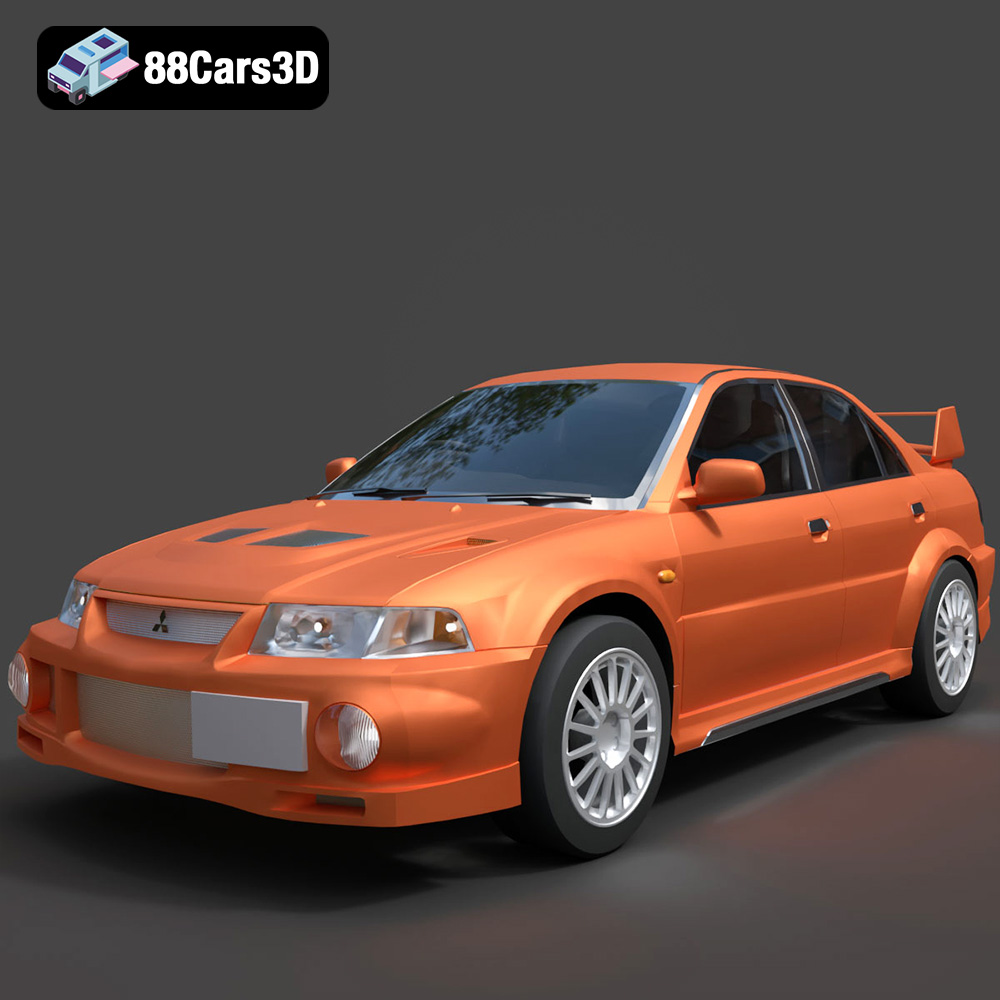
Mitsubishi Lancer Evolution VI 3D Model
Texture: Yes
Material: Yes
Download the Mitsubishi Lancer Evolution VI 3D Model featuring clean geometry, realistic detailing, and a fully modeled interior. Includes .blend, .fbx, .obj, .glb, .stl, .ply, .unreal, and .max formats for rendering, simulation, and game development.
Price: $4.99
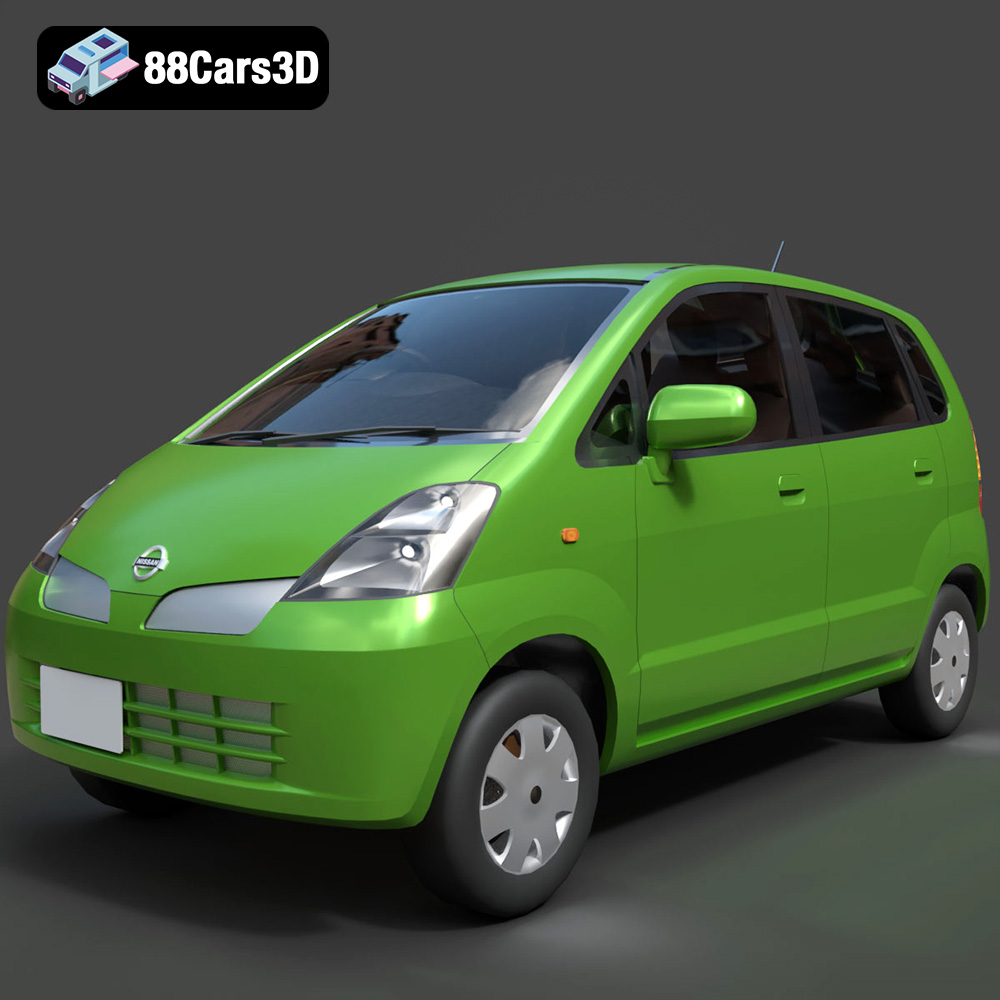
Nissan Moco 007 3D Model
Texture: Yes
Material: Yes
Download the Nissan Moco 007 3D Model featuring clean geometry, realistic detailing, and a fully modeled interior. Includes .blend, .fbx, .obj, .glb, .stl, .ply, .unreal, and .max formats for rendering, simulation, and game development.
Price: $4.99
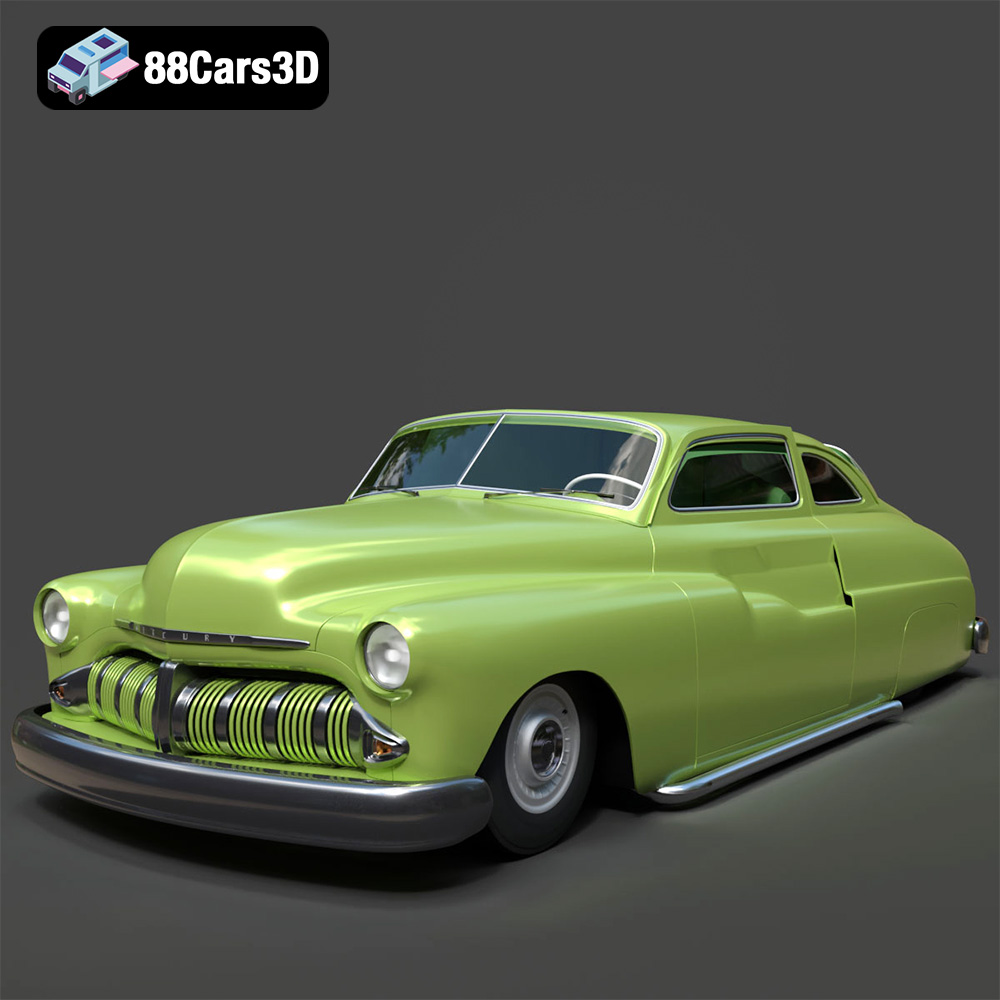
Mercury Coupe 1950 3D Model
Texture: Yes
Material: Yes
Download the Mercury Coupe 1950 3D Model featuring clean geometry, realistic detailing, and a fully modeled interior. Includes .blend, .fbx, .obj, .glb, .stl, .ply, .unreal, and .max formats for rendering, simulation, and game development.
Price: $4.99
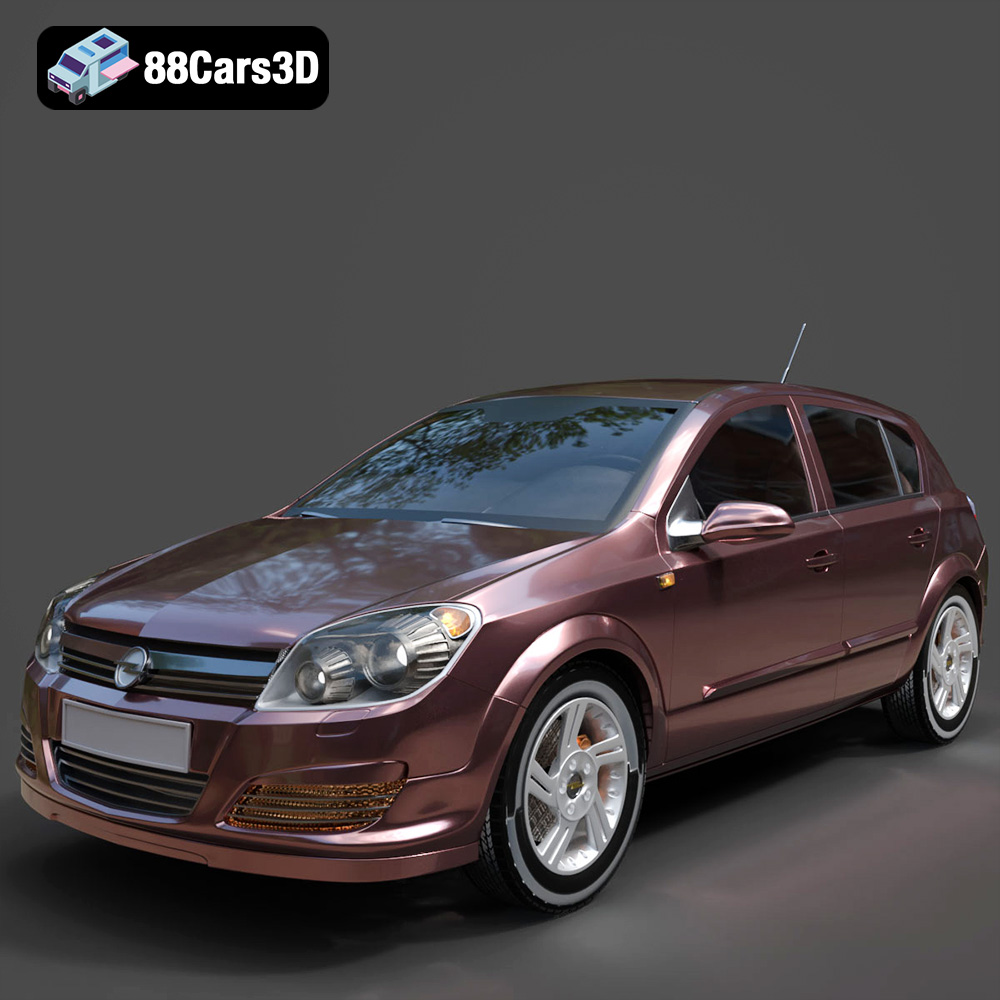
Opel Astra H 2006 3D Model
Texture: Yes
Material: Yes
Download the Opel Astra H 2006 3D Model featuring clean geometry, realistic detailing, and a fully modeled interior. Includes .blend, .fbx, .obj, .glb, .stl, .ply, .unreal, and .max formats for rendering, simulation, and game development.
Price: $4.99
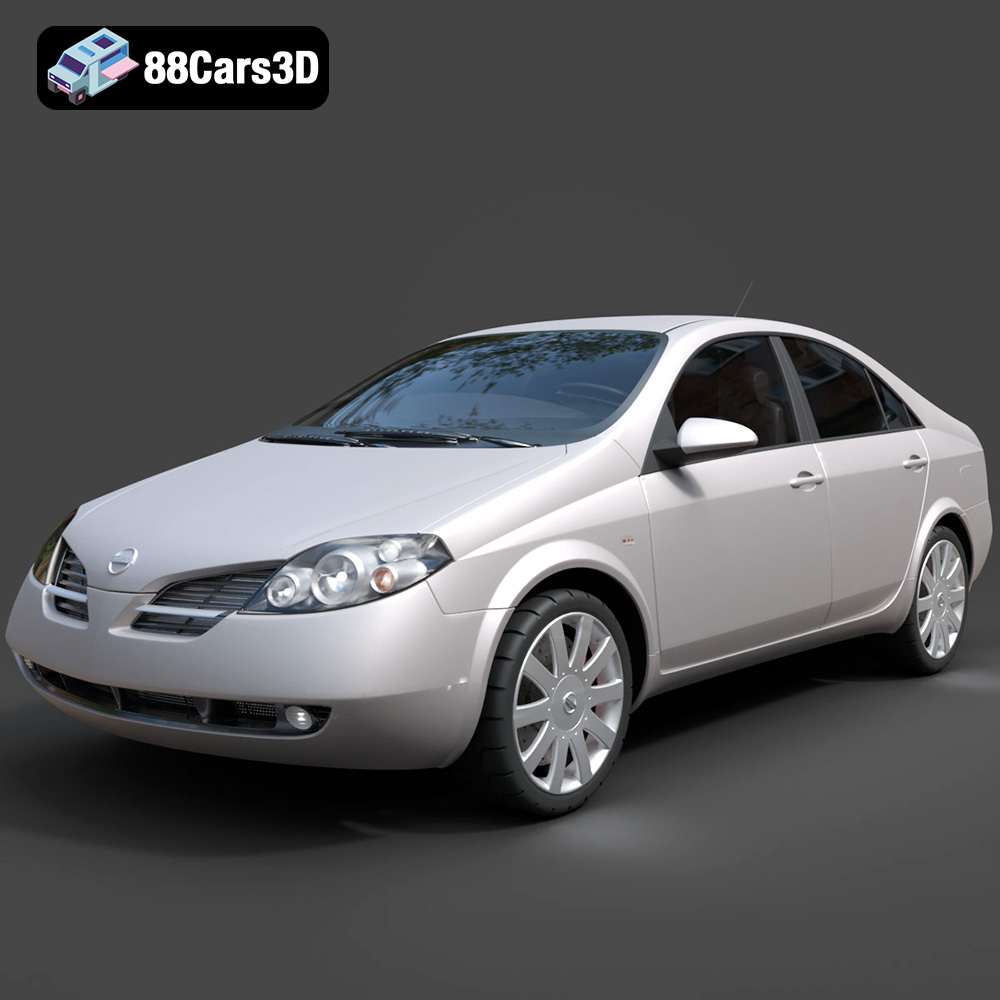
Nissan Primera 2005 3D Model
Texture: Yes
Material: Yes
Download the Nissan Primera 2005 3D Model featuring clean geometry, realistic detailing, and a fully modeled interior. Includes .blend, .fbx, .obj, .glb, .stl, .ply, .unreal, and .max formats for rendering, simulation, and game development.
Price: $4.99

Porsche 911 Carrera S 2005 3D Model
Texture: Yes
Material: Yes
Download the Porsche 911 Carrera S 2005 3D Model featuring clean geometry, realistic detailing, and a fully modeled interior. Includes .blend, .fbx, .obj, .glb, .stl, .ply, .unreal, and .max formats for rendering, simulation, and game development.
Price: $4.99

Pontiac GTO 1967 3D Model
Texture: Yes
Material: Yes
Download the Pontiac GTO 1967 3D Model featuring clean geometry, realistic detailing, and a fully modeled interior. Includes .blend, .fbx, .obj, .glb, .stl, .ply, .unreal, and .max formats for rendering, simulation, and game development.
Price: $4.99

Pontiac Fiero GT 1987 3D Model
Texture: Yes
Material: Yes
Download the Pontiac Fiero GT 1987 3D Model featuring clean geometry, realistic detailing, and a fully modeled interior. Includes .blend, .fbx, .obj, .glb, .stl, .ply, .unreal, and .max formats for rendering, simulation, and game development.
Price: $4.99

Plymouth Volare Wagon 1976 3D Model
Texture: Yes
Material: Yes
Download the Plymouth Volare Wagon 3D Model featuring clean geometry, realistic detailing, and a fully modeled interior. Includes .blend, .fbx, .obj, .glb, .stl, .ply, .unreal, and .max formats for rendering, simulation, and game development.
Price: $4.99
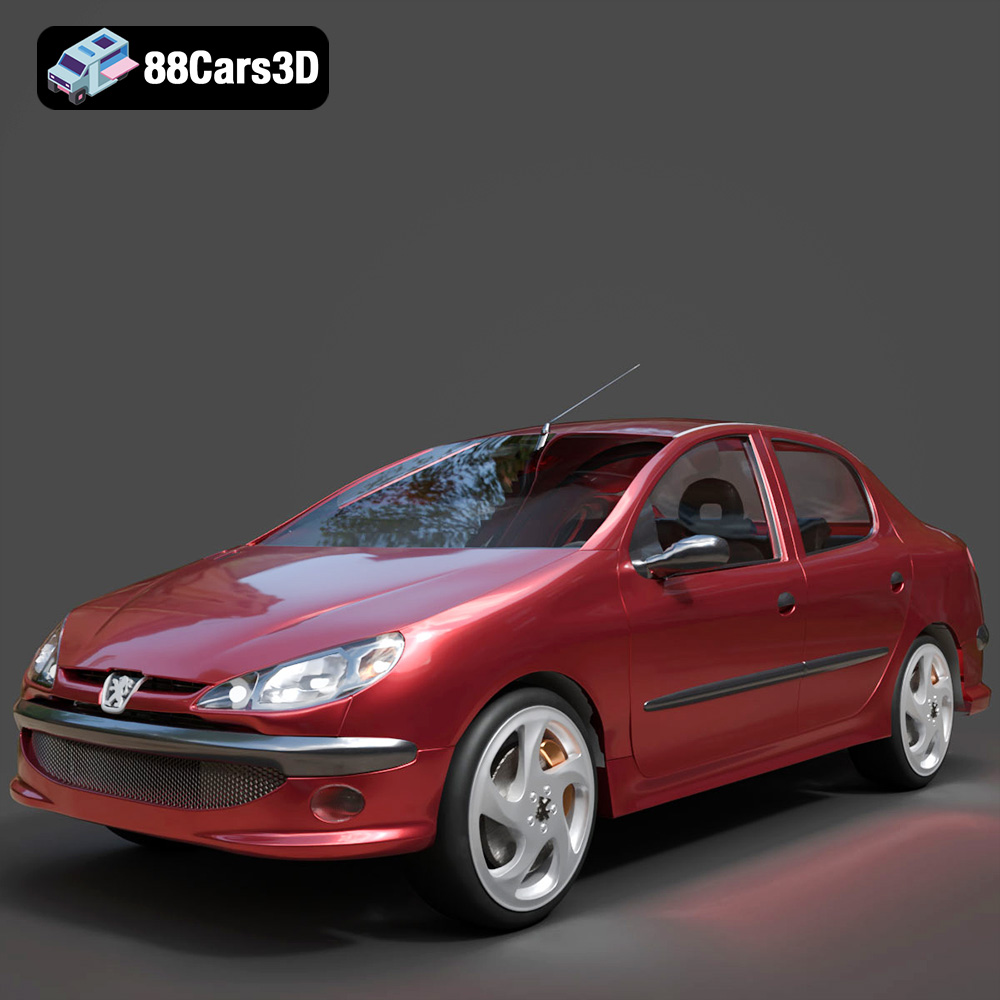
Peugeot 206 Sedan 2002 3D Model
Texture: Yes
Material: Yes
Download the Peugeot 206 Sedan 2002 3D Model featuring clean geometry, realistic detailing, and a fully modeled interior. Includes .blend, .fbx, .obj, .glb, .stl, .ply, .unreal, and .max formats for rendering, simulation, and game development.
Price: $4.99