
The Foundation: Flawless Topology and Edge Flow for Automotive Models

The allure of a beautifully rendered automobile is undeniable. From the gleaming curves of its bodywork to the intricate details of its interior, a perfectly executed 3D car model can elevate anything from an architectural visualization to a high-octane game. However, achieving this level of photorealism and interactive performance is no small feat. It demands a deep understanding of 3D modeling principles, advanced texturing techniques, sophisticated rendering workflows, and meticulous optimization strategies.
This comprehensive guide dives into the technical intricacies of crafting stunning 3D car models, exploring the entire pipeline from initial topology design to final rendering and integration into game engines or AR/VR experiences. Whether you’re an aspiring 3D artist, a game developer, an automotive designer, or a visualization professional, mastering these techniques will empower you to create breathtaking digital vehicles. We’ll cover everything from the foundational importance of clean topology and efficient UV mapping to the nuances of Physically Based Rendering (PBR) materials, advanced lighting setups, and crucial optimization for real-time applications. Prepare to unlock the secrets behind bringing high-quality 3D car models to life, ensuring they not only look incredible but also perform flawlessly across diverse platforms.
The Foundation: Flawless Topology and Edge Flow for Automotive Models
The underlying structure of your 3D car model – its topology – is arguably the most critical factor determining its visual quality, animatability, and ease of modification. For complex, smooth surfaces like those found on automobiles, clean, quad-based topology with intelligent edge flow is paramount. Poor topology can lead to artifacts, pinching, and undesirable reflections, especially when models are subdivided or deformed.
Understanding Quad-Based Geometry
In 3D modeling, geometry is typically composed of polygons. While triangles (tris) and N-gons (polygons with more than four sides) can exist, a professional workflow for organic or deformable surfaces like car bodies almost exclusively relies on quads (four-sided polygons). Quads offer superior control during subdivision (e.g., using TurboSmooth in 3ds Max or Subdivision Surface in Blender), leading to smoother, more predictable results. They also allow for better deformation if the car ever needs to be rigged for animation (e.g., opening doors, suspension movement), and they are easier to manipulate during the modeling process. When sourcing high-quality 3D car models from platforms like 88cars3d.com, you’ll consistently find models built with this quad-centric approach.
Strategic Edge Flow for Smooth Surfaces
Edge flow refers to the direction and continuity of edge loops across your model. For automotive models, strategic edge flow is essential for capturing the subtle curves and sharp creases that define a car’s aesthetic. Edge loops should follow the natural contours of the vehicle – around wheel arches, along panel lines, defining body kits, and outlining vents. This ensures that when the model is subdivided, these details are preserved and enhanced, resulting in crisp edges and perfectly smooth reflective surfaces. Good edge flow also prevents “pinching” artifacts, where reflections appear distorted or unnatural due to uneven polygon distribution. Aim to keep your polygons as evenly sized and distributed as possible, particularly on large, reflective panels.
Avoiding Common Topology Pitfalls
Several common mistakes can derail an otherwise promising automotive model. The most significant is the overuse of triangles or N-gons on curved or reflective surfaces. While triangles are acceptable in extremely flat, non-deforming areas, or when optimizing for game engines, they should be converted to quads on critical surfaces. N-gons are almost always problematic, causing unpredictable subdivision and shading errors. Another pitfall is non-manifold geometry – edges or vertices shared by more than two faces – which can cause issues with rendering, 3D printing, and game engine compatibility. Always check your mesh for cleanliness using mesh inspection tools available in most 3D software. For instance, in 3ds Max, you can use the “xView” tool to find common mesh errors, and Blender offers similar functionality through its “3D Print Toolbox” or “Mesh Lint” add-ons. A typical high-detail, render-ready 3D car model might range from 250,000 to 1,000,000 polygons, while an optimized game asset could be between 50,000 and 150,000 polygons, depending on the LOD level.
Mastering UV Mapping: Unwrapping Complex Car Surfaces with Precision
Once your 3D car model’s topology is solid, the next crucial step is UV mapping. UV mapping is the process of flattening the 3D surface of your model into a 2D space, allowing you to apply 2D textures correctly. For the intricate and often large surfaces of an automobile, precise UV mapping is vital for achieving realistic materials without distortion or visible seams. It’s the canvas upon which your textures will paint the final details of your model.
Strategic UV Layout for Automotive Detail
Effective UV mapping for car models involves breaking down the complex surface into manageable, logical UV islands. Think about how a car would be deconstructed: the main body panels, doors, hood, trunk, roof, wheels, tires, interior elements, and small details like emblems or lights. Each of these components should have its own UV layout. For large, curved surfaces like the car body, cylindrical or planar projection can be a good starting point, followed by extensive unwrapping and relaxation to minimize distortion. Ensure that the scale of the UV islands is consistent across the model, or strategically larger for areas that require higher texture detail. Good UVs maximize the use of the 0-1 UV space, preventing wasted texture resolution. For instance, the main body panel might occupy a large portion of the UV space, while smaller, less visible components are packed into the remaining areas.
Avoiding Seams and Distortion
One of the biggest challenges in UV mapping is managing seams. Seams are the edges where UV islands are cut apart, and if not handled carefully, they can become visible lines or breaks in your textures. For automotive models, strategically placing seams in less noticeable areas – along panel gaps, under trim, or where different materials meet – is key. Utilize software tools like 3ds Max’s UVW Unwrap modifier, Blender’s UV Editor, or Maya’s UV Toolkit to carefully cut and unfold your geometry. Once unwrapped, use ‘Relax’ or ‘Unfold’ functions to evenly distribute the UVs, minimizing stretching and compression. Visualize this with a checkerboard pattern applied as a temporary texture; perfect squares indicate distortion-free UVs, while stretched rectangles mean problems. A well-packed UV layout will also ensure that texture filtering works optimally, preventing blurry textures at different viewing angles.
UDIM Workflows for High-Resolution Textures
For ultra-high-resolution textures, especially for hero assets or cinematic renderings, a single 0-1 UV space might not provide enough detail. This is where UDIMs come into play. UDIM (U-Dimension) is a UV tiling system that allows you to use multiple UV tiles (each representing a 0-1 UV space) to spread your textures across. Instead of a single 4K texture for an entire car body, you might use four 4K textures, each on its own UDIM tile, dedicated to different sections like the hood, roof, and sides. This is particularly useful for vehicles with very large surface areas or those requiring extreme close-ups, allowing for staggering texture resolutions (e.g., 8K or even 16K per component). Software like Substance Painter, Mari, and even Blender (with recent updates) fully support UDIM workflows, enabling artists to paint seamlessly across these multiple UV tiles. This approach ensures that even the most minute details of the car’s paint, decals, or carbon fiber patterns can be represented with photographic accuracy.
Crafting Realism: PBR Materials and Advanced Shader Networks
Beyond impeccable modeling and UVs, the materials applied to your 3D car model are what truly sell its realism. Physically Based Rendering (PBR) has become the industry standard for creating photorealistic materials, accurately simulating how light interacts with surfaces in the real world. Mastering PBR for automotive models means understanding not just texture maps, but also how light and reflections behave on various surfaces, from glossy paint to matte rubber.
Core Principles of Physically Based Rendering (PBR)
PBR is based on scientific principles that accurately describe light interaction, focusing on energy conservation and Fresnel reflection. In essence, light either reflects off a surface (specular/metallic) or is absorbed and scattered beneath it (diffuse/albedo). It cannot do both simultaneously with 100% intensity, ensuring energy conservation. The Fresnel effect dictates that surfaces reflect more light at grazing angles (when viewed nearly edge-on) than when viewed head-on. There are two primary PBR workflows: Metallic-Roughness (commonly used in game engines like Unity/Unreal and renderers like Cycles, Arnold) and Specular-Glossiness (often seen in V-Ray, Corona). Both aim for the same result, but use different input maps. Understanding these principles allows you to create materials that react correctly to any lighting condition, making your 3D car models appear truly integrated into their environment.
Automotive Paint Shaders and Layered Materials
Automotive paint is notoriously complex, often involving multiple layers: a base coat (color), metallic flakes, and a clear coat (glossy protective layer). A realistic car paint shader needs to simulate these distinct properties.
- Base Coat: Defined by an Albedo/Base Color map.
- Metallic Flakes: These can be simulated using a noise texture or a procedural shader that generates tiny, reflective particles beneath a clear coat layer. The size, density, and color of these flakes significantly impact the final look.
- Clear Coat: This is a highly reflective, often very smooth layer that sits on top. It requires a high Glossiness/Low Roughness value and a strong Fresnel effect. Many renderers offer dedicated “Car Paint” or “Layered Material” shaders to simplify this, allowing artists to stack different material properties and blend them seamlessly.
Beyond paint, consider the shaders for tires (matte rubber with subtle micro-detail), glass (refractive and reflective with tint), chrome (highly metallic and reflective), and various plastics (which might exhibit subtle subsurface scattering). Each material requires careful tuning of its PBR properties.
Leveraging Texture Maps (Albedo, Normal, Roughness, Metallic, AO)
PBR materials rely heavily on a suite of texture maps to define their surface properties:
- Albedo/Base Color Map: The fundamental color of the surface, stripped of any lighting information. For metals, this map might represent the color of the metal itself.
- Normal Map: Adds fine surface detail like scratches, subtle dents, or fabric weaves without increasing polygon count. It fakes surface bumps by manipulating how light reflects.
- Roughness/Glossiness Map: Controls the micro-surface detail, determining how blurry or sharp reflections are. A high roughness value indicates a matte surface, while low roughness indicates a polished, glossy one.
- Metallic Map: A grayscale map (0 to 1) that dictates whether a surface is metallic (1 – white) or dielectric/non-metallic (0 – black).
- Ambient Occlusion (AO) Map: A grayscale map that simulates subtle contact shadows in crevices and corners, enhancing depth and realism.
- Height/Displacement Map: Used for real geometric displacement, pushing vertices in/out, suitable for extreme detail like tire treads or heavy panel deformations (though performance-intensive).
These maps are often generated in dedicated texturing software like Substance Painter or Quixel Mixer, which streamline the PBR workflow and allow for complex layering and procedural generation of dirt, wear, and grime. For highly detailed models on 88cars3d.com, you can expect these PBR texture sets to be included, typically at resolutions of 4K or 8K for optimal quality.
Bringing Cars to Life: High-Fidelity Rendering Workflows
With a perfectly modeled and textured 3D car model, the next step is to illuminate it and capture its essence through rendering. High-fidelity rendering transforms your digital asset into a photorealistic image or animation, complete with intricate lighting, realistic reflections, and depth. This process involves careful consideration of lighting, choice of rendering engine, and post-processing techniques.
Setting Up Realistic Lighting and Environments (HDRI)
Lighting is the single most important factor in making your 3D car model look realistic. For automotive rendering, High Dynamic Range Images (HDRIs) are indispensable. An HDRI is a 360-degree panoramic image that contains a vast range of light information, allowing it to accurately illuminate your scene and provide realistic reflections on the car’s body. Place your car model within a suitable HDRI environment – a studio, an outdoor scene, or a cityscape – to instantly establish atmospheric lighting and reflections that match the chosen backdrop. Beyond HDRIs, supplementary lights (spotlights, area lights) can be used to emphasize specific features, create dramatic highlights, or mimic artificial light sources. For studio shots, three-point lighting (key, fill, rim light) is a classic setup to define contours and volume. Pay close attention to light color, intensity, and falloff to achieve the desired mood and realism. Consider the position of light sources to accentuate the car’s design lines and paint finish.
Rendering Engines: Corona, V-Ray, Cycles, Arnold
The choice of rendering engine significantly impacts workflow and final output quality. Each engine has its strengths:
- Corona Renderer: Known for its ease of use, physically accurate light simulation, and intuitive material system. It’s often favored for architectural and automotive visualization due to its speed and beautiful caustics.
- V-Ray: A long-standing industry standard, V-Ray offers immense power and flexibility. It’s capable of handling highly complex scenes and offers extensive controls, making it a favorite for high-end production studios.
- Cycles (Blender): Blender’s built-in physically based path tracer, Cycles, has evolved significantly. It delivers impressive results, integrates seamlessly within Blender’s ecosystem, and supports GPU rendering for faster iterations.
- Arnold: Autodesk’s flagship renderer, bundled with Maya and 3ds Max, is a CPU-based Monte Carlo path tracer renowned for its robust production capabilities and high-quality, unbiased results, especially for film and animation.
Regardless of the engine, understanding concepts like global illumination, reflections, refractions (for glass and headlights), depth of field, and motion blur (for animation) is crucial. Experiment with render settings like sampling rates, denoisers, and render passes (e.g., reflections, refractions, Z-depth, alpha) to optimize for both quality and render time, and for greater control in post-production.
Post-Processing and Compositing for Cinematic Results
The raw render from your 3D software is rarely the final image. Post-processing and compositing in software like Adobe Photoshop, After Effects, or Blackmagic Fusion are essential steps to elevate your render to a cinematic level.
- Color Grading: Adjusting hue, saturation, and luminance to establish the overall mood and aesthetic.
- Contrast & Brightness: Enhancing the visual impact and making details pop.
- Lens Effects: Adding subtle lens flares, glare (bloom), chromatic aberration, or a vignette to mimic real-world camera optics.
- Sharpening & Grain: A touch of sharpening can bring out fine details, and subtle photographic grain can add realism.
- Compositing Elements: Combining your rendered car with a photographic backplate, adding atmospheric effects like fog or dust, or integrating 2D elements like driver figures.
By separating your render into various passes (beauty, reflections, shadows, alpha, depth), you gain granular control over each element during compositing, allowing for precise adjustments without re-rendering the entire scene. This iterative refinement is how professional artists achieve truly stunning automotive renders.
Performance for Interactive Experiences: Game Engine & AR/VR Optimization
While render-ready 3D car models are designed for visual fidelity, game assets and models destined for AR/VR experiences demand an entirely different set of considerations: performance optimization. Real-time rendering environments have strict polygon budgets, draw call limitations, and memory constraints. Converting a high-fidelity rendering model into an optimized interactive asset requires specific techniques to ensure smooth frame rates and responsive experiences across various devices.
Level of Detail (LOD) Implementation and Draw Calls
One of the most crucial optimization techniques for 3D car models in real-time applications is implementing Levels of Detail (LODs). An LOD system consists of multiple versions of the same model, each with progressively lower polygon counts.
- LOD0: The highest detail model, visible when the car is close to the camera (e.g., 50,000 – 150,000 triangles).
- LOD1: A medium detail model, used when the car is moderately far away (e.g., 10,000 – 30,000 triangles).
- LOD2, LOD3, etc.: Progressively lower detail versions for distant views, potentially simplified to a few thousand or even hundreds of triangles.
Game engines like Unity and Unreal Engine automatically swap between these LOD levels based on camera distance, significantly reducing the number of polygons the GPU needs to render at any given time. This intelligent culling drastically improves performance. Minimizing “draw calls” is also paramount. A draw call is a command sent from the CPU to the GPU to render an object. Each unique material, mesh, or texture often generates a new draw call. Reducing draw calls improves CPU performance, especially critical for mobile AR/VR applications where CPU resources are limited.
Texture Atlasing and Material Optimization
To further reduce draw calls and optimize memory usage, texture atlasing is a powerful technique. Instead of having multiple small textures for different parts of the car (e.g., separate textures for the body, wheels, interior details), a texture atlas combines several of these textures into one larger texture sheet. This allows the game engine to render multiple parts of the car with a single material and texture, thereby reducing draw calls. For example, all the interior textures could be atlased into one 4K or 2K texture.
Material optimization involves simplifying shader networks and reducing the number of unique materials. While PBR materials are essential, ensure they are as streamlined as possible. Use shared materials where appropriate (e.g., all windows use the same glass material instance). Combine textures into channels where possible (e.g., packing roughness, metallic, and ambient occlusion into different channels of a single RGB texture) to reduce texture sampling and memory bandwidth.
Real-Time Engine Integration (Unity, Unreal Engine)
Integrating 3D car models into game engines like Unity or Unreal Engine requires specific steps.
- Importing: Models are typically imported as FBX files, ensuring proper scale, orientation, and hierarchical structure.
- Materials Setup: PBR textures (Albedo, Normal, Roughness, Metallic, AO) are assigned to the respective material slots within the engine’s shader system. Ensure consistency with the Metallic-Roughness workflow.
- Colliders: Add collision meshes to the car so it can interact physically with the game world. These are usually simplified versions of the model to save performance.
- Physics: Implement vehicle physics systems (e.g., wheel colliders, suspension parameters, engine torque) to give the car realistic driving behavior.
- AR/VR Specifics: For AR/VR, further optimization is needed. Target polygon counts might be even lower (e.g., 5,000 – 20,000 triangles for mobile AR/VR applications). Ensure materials are optimized for mobile shaders, and batching is correctly set up. Consider dynamic batching for smaller, moving objects and static batching for non-moving elements to further reduce draw calls.
Platforms like 88cars3d.com often provide optimized versions of their 3D car models, sometimes specifically tailored for game engines, making integration much smoother for developers and artists focused on interactive experiences.
Beyond Visualization: 3D Printing & File Format Versatility
The utility of high-quality 3D car models extends far beyond traditional rendering and game development. They are increasingly used for physical prototyping through 3D printing and require seamless transfer between various software and platforms via specific file formats. Understanding these applications and their technical requirements is crucial for maximizing the value of your digital assets.
Preparing Automotive Models for 3D Printing
Transforming a digital 3D car model into a physical object via 3D printing introduces a unique set of technical considerations. Unlike rendering, which tolerates non-manifold geometry or open meshes, 3D printing requires a “watertight” or “manifold” mesh – meaning every edge must be shared by exactly two faces, ensuring the model represents a solid, enclosed volume.
- Watertight Mesh: All holes must be filled, and there should be no internal geometry that is not connected to the exterior.
- Wall Thickness: Ensure all parts of the model have sufficient wall thickness (typically 0.8mm to 2mm depending on the print material and scale) to prevent breakage during printing or post-processing. Thin details like antenna or mirrors might need to be thickened or simplified.
- Scale: The model must be scaled accurately to the desired physical dimensions for printing.
- Mesh Repair: Utilize dedicated mesh repair software (e.g., Autodesk Meshmixer, Netfabb, or 3D Builder in Windows) to automatically detect and fix common printing errors like non-manifold edges, inverted normals, or self-intersecting geometry.
- Supports: For complex car designs with overhangs, support structures will be necessary during printing. While these are usually generated by the slicer software, understanding where they might be needed can influence model preparation.
The typical file format for 3D printing is STL (Standard Tessellation Language), though OBJ and VRML are also supported by some printers. Converting a high-polygon render model for 3D printing often involves decimation or retopology to simplify the mesh without losing critical detail, balancing print time and fidelity.
Understanding Key 3D File Formats (FBX, OBJ, GLB, USDZ)
The 3D industry utilizes various file formats, each with its strengths and specific use cases. Knowing which format to use for what purpose is essential for efficient workflows.
- FBX (Filmbox): Developed by Autodesk, FBX is arguably the most common interchange format for 3D assets, especially in game development, animation, and VFX. It supports geometry, materials, textures, animations, rigging, and camera data. It’s highly versatile for transferring complex scenes between different DCC (Digital Content Creation) applications like 3ds Max, Maya, Blender, Unity, and Unreal Engine.
- OBJ (Wavefront Object): A universal, open standard that primarily stores geometry (vertices, normals, UVs, faces) and references external material (MTL) files for basic color and texture information. It’s excellent for static models but doesn’t support animation or advanced PBR materials natively.
- GLB/glTF (Graphics Language Transmission Format): An increasingly popular, royalty-free format designed for efficient transmission and loading of 3D scenes and models in web and real-time applications. GLB is the binary version of glTF, embedding all data (geometry, PBR materials, textures, animations) into a single file, making it ideal for web AR/VR, e-commerce, and mobile applications due to its compact size and PBR support.
- USDZ (Universal Scene Description Zip): Developed by Apple and Pixar, USDZ is a compact, single-file format optimized for AR experiences on Apple devices. It supports PBR materials, animations, and high-quality rendering, often built on Pixar’s USD framework. It’s a key format for delivering AR content via iOS devices.
Ensuring Compatibility Across Platforms
When working with multiple software packages or delivering 3D car models for different platforms, ensuring compatibility is paramount.
- Export Settings: Always verify export settings from your DCC software. For FBX, ensure you’re embedding media (textures), choosing the correct FBX version for the target application, and baking animations if necessary. For GLB, ensure your PBR materials are correctly interpreted and packed.
- Unit Scale: Maintain consistent unit scales across all software (e.g., centimeters in 3ds Max, meters in Unity). Discrepancies can lead to scaling issues upon import.
- Material Conversion: Be aware that PBR material definitions can vary slightly between renderers (e.g., a V-Ray material won’t directly translate to an Arnold material). Textures, however, are universal. For web and real-time formats like GLB/glTF and USDZ, ensure your materials adhere to the Metallic-Roughness PBR workflow for best results.
By understanding these file formats and their specific applications, you can seamlessly integrate high-quality 3D car models into any workflow, whether for advanced visualization, interactive gaming, immersive AR/VR, or physical fabrication.
Conclusion
The journey of creating, optimizing, and deploying high-quality 3D car models is a multifaceted endeavor that blends artistic vision with rigorous technical expertise. From the foundational importance of clean topology and precise UV mapping to the nuanced art of PBR material creation and the strategic demands of rendering, game engine optimization, and 3D printing, each step requires dedication and a keen eye for detail. We’ve explored how flawless edge flow ensures smooth reflections, how UDIMs enable breathtaking texture resolutions, and how careful lighting and post-processing can elevate a raw render into a cinematic masterpiece. Moreover, understanding LODs, texture atlasing, and diverse file formats is vital for ensuring your automotive assets shine brightly across interactive platforms and physical manifestations.
Whether your goal is to produce stunning photorealistic renders for advertising, develop immersive game assets, create interactive AR/VR experiences, or prepare models for precise 3D printing, the principles outlined here form the bedrock of professional 3D automotive design. By mastering these techniques, you not only enhance the visual fidelity of your work but also optimize performance and broaden the potential applications of your creations. For those looking to jumpstart their projects with expertly crafted assets, platforms like 88cars3d.com provide a rich resource of high-quality 3D car models, meticulously prepared with clean topology, PBR materials, and multiple file formats, allowing you to focus on bringing your creative vision to life without compromising on technical excellence.
Featured 3D Car Models

Porsche 911 Carrera S 2005 3D Model
Texture: Yes
Material: Yes
Download the Porsche 911 Carrera S 2005 3D Model featuring clean geometry, realistic detailing, and a fully modeled interior. Includes .blend, .fbx, .obj, .glb, .stl, .ply, .unreal, and .max formats for rendering, simulation, and game development.
Price: $4.99

Pontiac GTO 1967 3D Model
Texture: Yes
Material: Yes
Download the Pontiac GTO 1967 3D Model featuring clean geometry, realistic detailing, and a fully modeled interior. Includes .blend, .fbx, .obj, .glb, .stl, .ply, .unreal, and .max formats for rendering, simulation, and game development.
Price: $4.99

Pontiac Fiero GT 1987 3D Model
Texture: Yes
Material: Yes
Download the Pontiac Fiero GT 1987 3D Model featuring clean geometry, realistic detailing, and a fully modeled interior. Includes .blend, .fbx, .obj, .glb, .stl, .ply, .unreal, and .max formats for rendering, simulation, and game development.
Price: $4.99

Plymouth Volare Wagon 1976 3D Model
Texture: Yes
Material: Yes
Download the Plymouth Volare Wagon 3D Model featuring clean geometry, realistic detailing, and a fully modeled interior. Includes .blend, .fbx, .obj, .glb, .stl, .ply, .unreal, and .max formats for rendering, simulation, and game development.
Price: $4.99
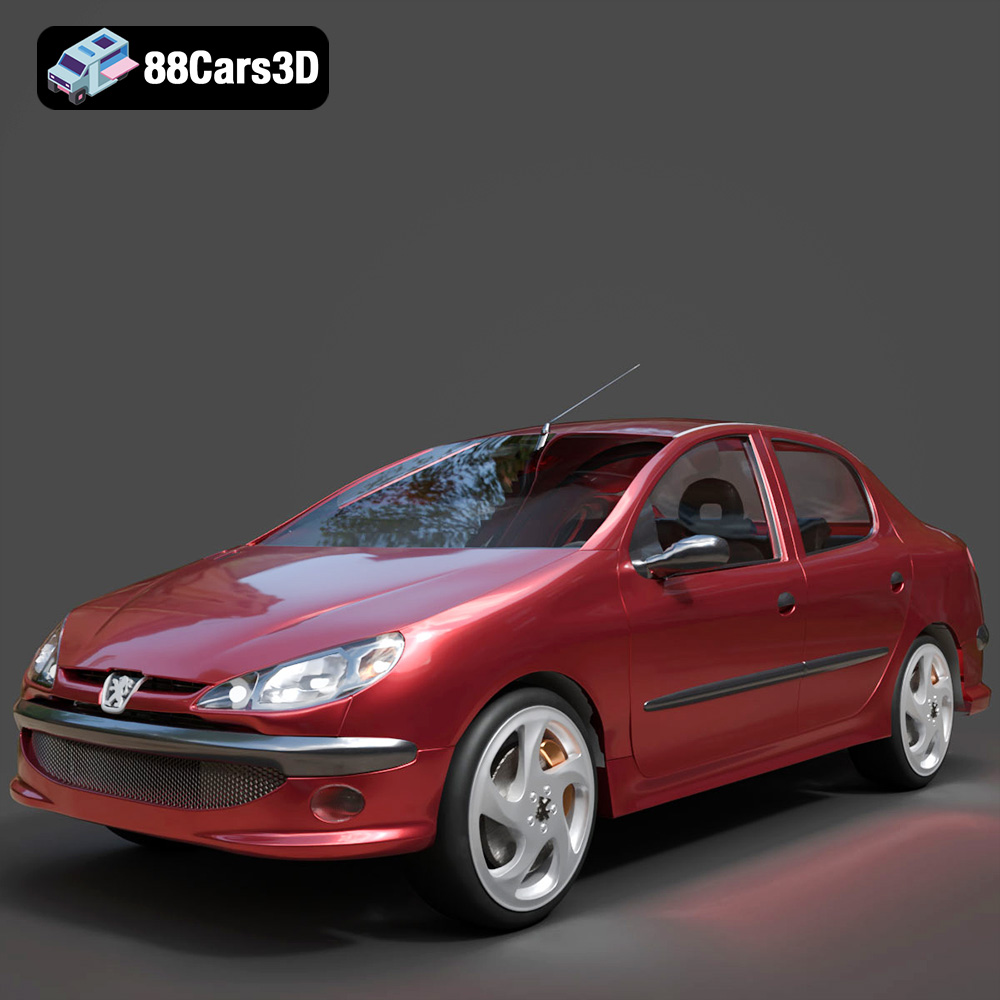
Peugeot 206 Sedan 2002 3D Model
Texture: Yes
Material: Yes
Download the Peugeot 206 Sedan 2002 3D Model featuring clean geometry, realistic detailing, and a fully modeled interior. Includes .blend, .fbx, .obj, .glb, .stl, .ply, .unreal, and .max formats for rendering, simulation, and game development.
Price: $4.99
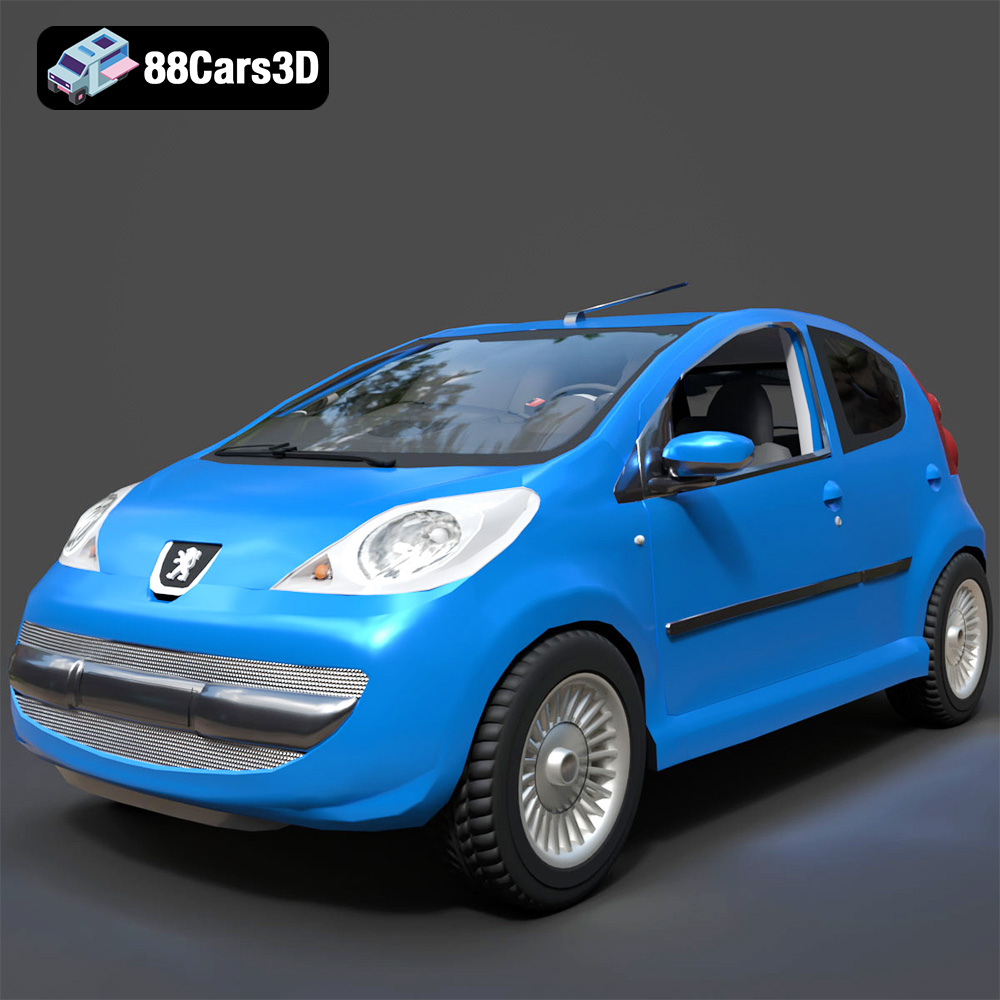
Peugeot 107 2005 3D Model
Texture: Yes
Material: Yes
Download the Peugeot 107 2005 3D Model featuring clean geometry, realistic detailing, and a fully modeled interior. Includes .blend, .fbx, .obj, .glb, .stl, .ply, .unreal, and .max formats for rendering, simulation, and game development.
Price: $4.99
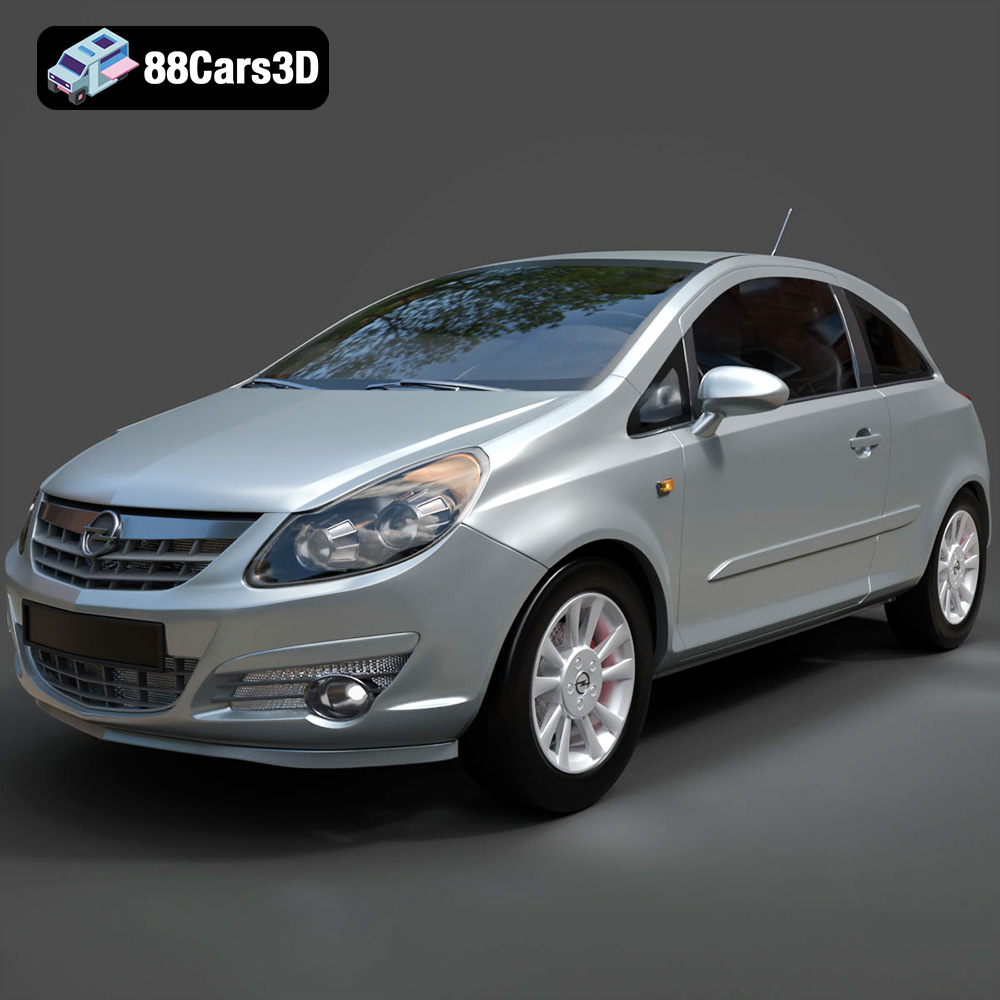
Opel Corsa 2007 3D Model
Texture: Yes
Material: Yes
Download the Opel Corsa 2007 3D Model featuring clean geometry, realistic detailing, and a fully modeled interior. Includes .blend, .fbx, .obj, .glb, .stl, .ply, .unreal, and .max formats for rendering, simulation, and game development.
Price: $4.99
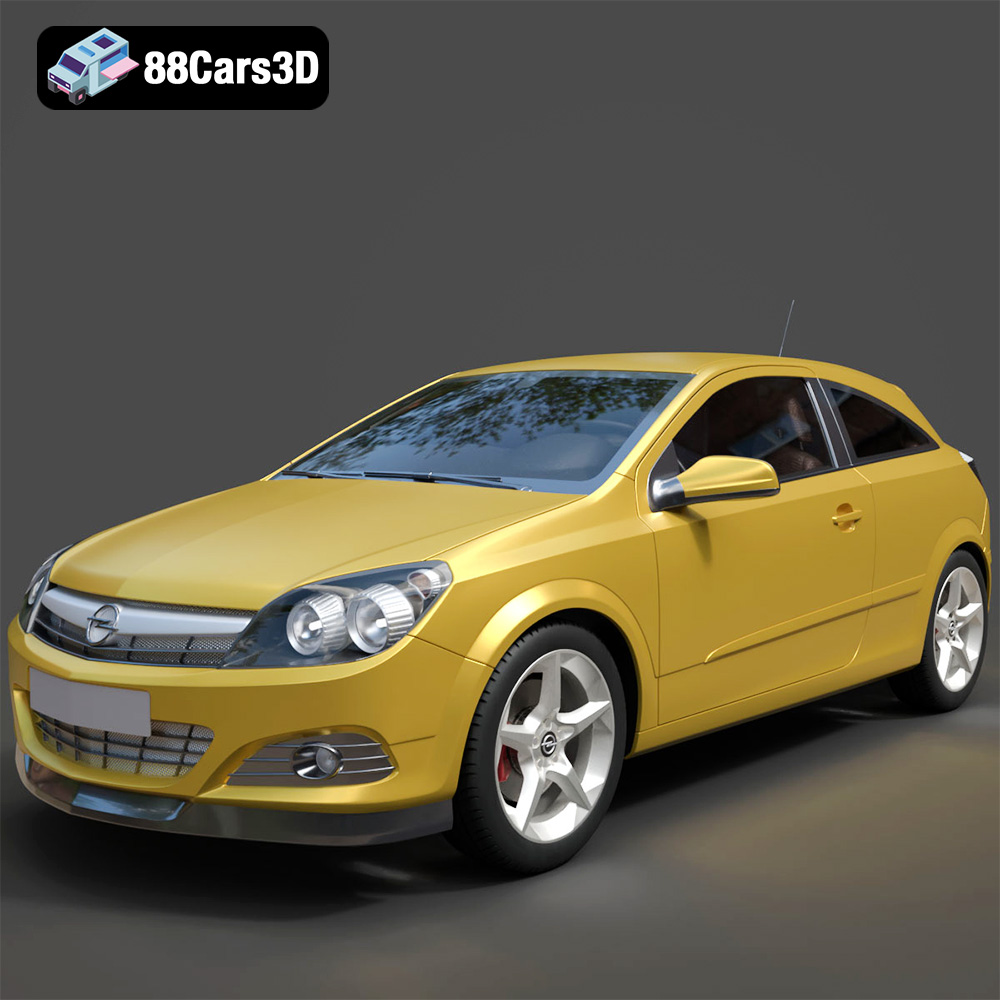
Opel Astra H GTC 3D Model
Texture: Yes
Material: Yes
Download the Opel Astra H GTC 3D Model featuring clean geometry, realistic detailing, and a fully modeled interior. Includes .blend, .fbx, .obj, .glb, .stl, .ply, .unreal, and .max formats for rendering, simulation, and game development.
Price: $4.99
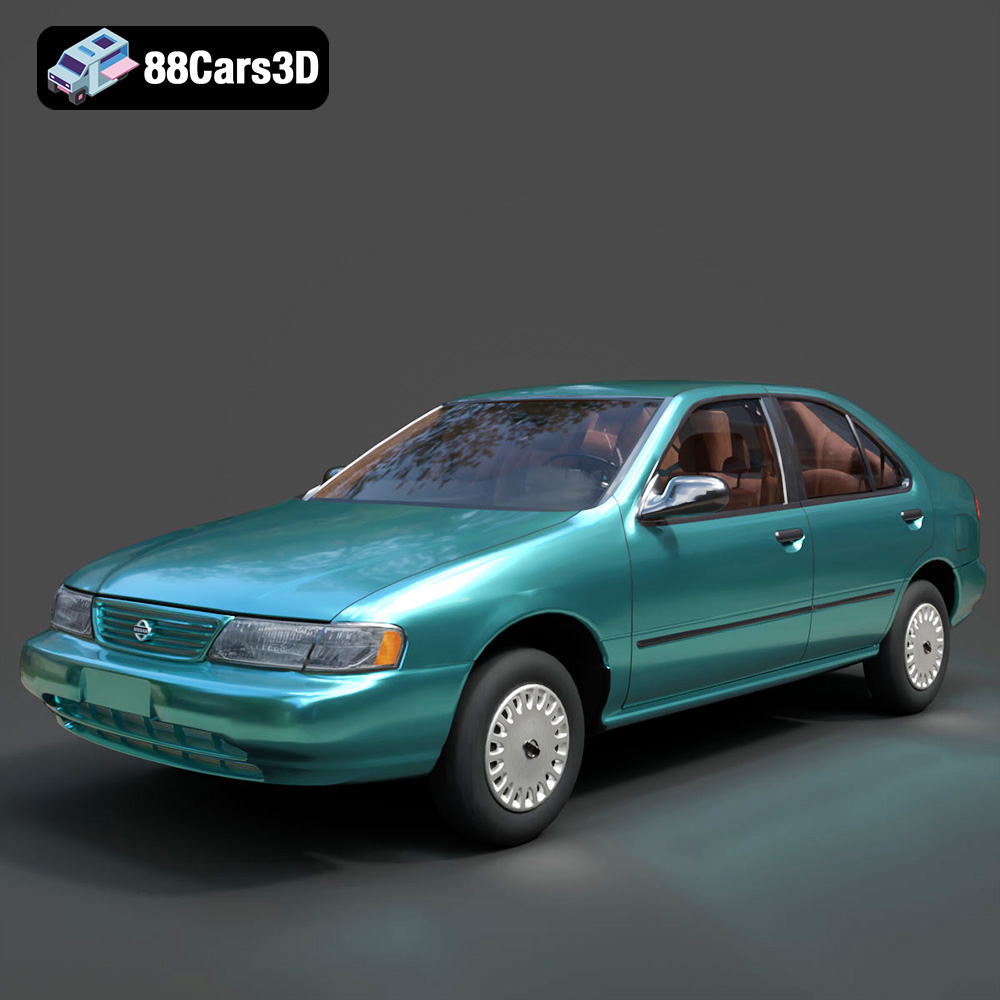
Nissan Sentra GXE 1996 3D Model
Texture: Yes
Material: Yes
Download the Nissan Sentra GXE 1996 3D Model featuring clean geometry, realistic detailing, and a fully modeled interior. Includes .blend, .fbx, .obj, .glb, .stl, .ply, .unreal, and .max formats for rendering, simulation, and game development.
Price: $4.99
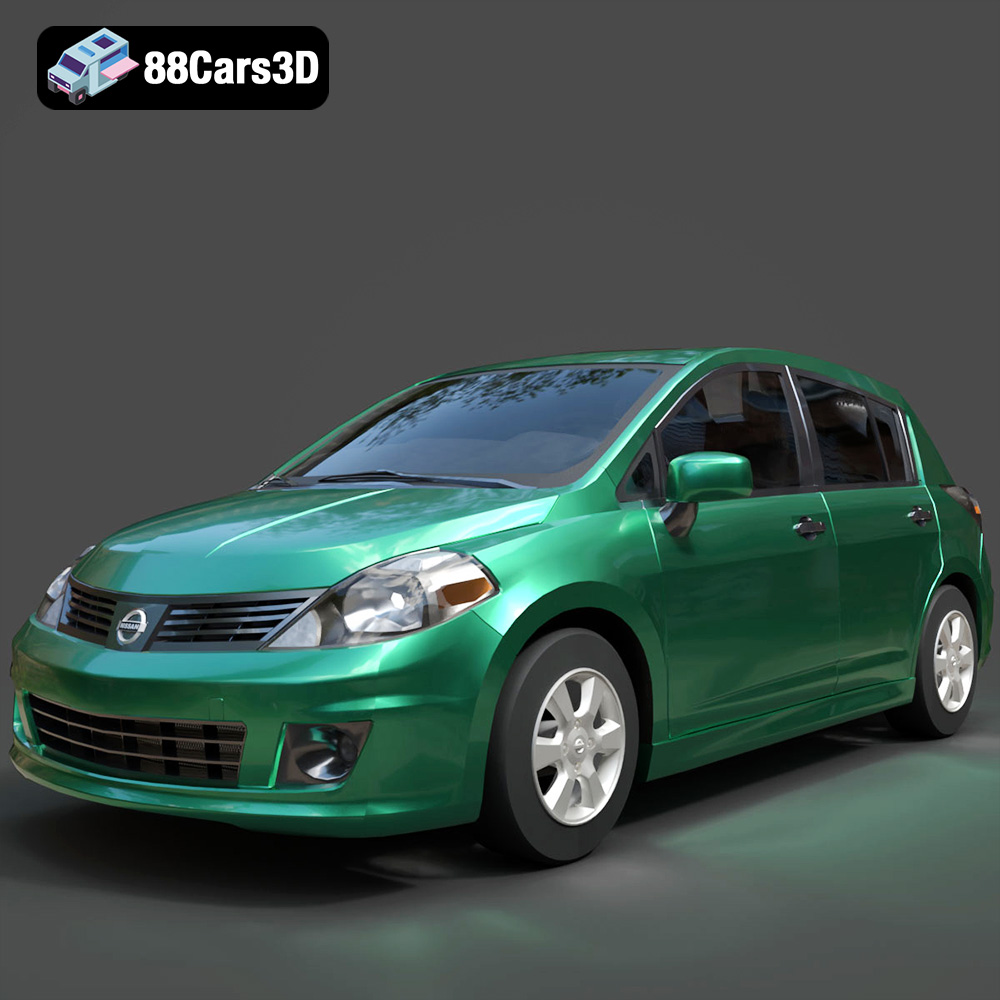
Nissan Tiida 3D Model
Texture: Yes
Material: Yes
Download the Nissan Tiida 3D Model featuring clean geometry, realistic detailing, and a fully modeled interior. Includes .blend, .fbx, .obj, .glb, .stl, .ply, .unreal, and .max formats for rendering, simulation, and game development.
Price: $4.99
