
The Foundation: Flawless Topology and Edge Flow for Automotive Models

The sleek lines of a supercar, the rugged utility of an off-roader, or the futuristic vision of a concept car – these machines captivate us with their design and engineering. In the world of 3D, bringing these vehicles to life with photorealistic accuracy and interactive performance is an art form that demands meticulous attention to detail and a deep understanding of technical workflows. Whether you’re a seasoned automotive designer, a game developer pushing visual boundaries, an architect creating compelling visualizations, or a student aspiring to master the craft, the quality of your 3D car models can make or break your project.
From the intricate dance of polygons that define a car’s surface to the complex shader networks that simulate its paint and materials, every element plays a crucial role. This comprehensive guide delves into the essential technical aspects of creating, optimizing, and utilizing high-quality 3D car models across various industries. We’ll explore fundamental concepts like flawless topology and efficient UV mapping, dive into the science of PBR materials and advanced rendering techniques, and uncover the secrets to optimizing models for real-time applications like games and AR/VR, as well as preparing them for physical production via 3D printing. Get ready to elevate your understanding and unlock the full potential of your automotive 3D projects.
The Foundation: Flawless Topology and Edge Flow for Automotive Models
At the heart of any exceptional 3D car model lies its topology – the arrangement of vertices, edges, and faces that form its geometric structure. For automotive models, which are characterized by their smooth, reflective surfaces and precise panel gaps, clean and purposeful topology is paramount. It dictates not only how the model deforms and renders but also how easily it can be textured, animated, and optimized. The goal is almost always to maintain an all-quad topology, meaning every face is a four-sided polygon, as this provides the most predictable and smooth results, especially when working with subdivision surfaces.
Achieving this level of precision for a complex object like a car involves careful planning and execution. The challenge is magnified by the car’s compound curves and sharp creases that define its aesthetic. Without proper edge flow, reflections can appear distorted, panel lines can look jagged, and the model may not respond well to smoothing operations, leading to an overall amateurish look. Investing time in mastering topology ensures a robust foundation for all subsequent stages of your 3D pipeline.
Maintaining Sculptural Integrity with Proper Edge Flow
Edge flow refers to the direction and continuity of edge loops across the surface of your model. For car bodies, these loops are essential for defining and supporting the vehicle’s sculptural forms, especially when using subdivision surface modifiers (like TurboSmooth in 3ds Max or Subdivision Surface in Blender). An ideal edge flow should follow the natural contours of the car, outlining critical features such as wheel arches, window frames, door lines, and body creases. Supporting edges are additional edge loops placed close to sharp creases to “pinch” the surface and maintain their crispness after subdivision, preventing them from softening excessively. For instance, a door panel might require three parallel edge loops to define its edge effectively: one along the exact crease, and two slightly offset to either side.
It’s crucial to minimize and, where possible, eliminate common topological pitfalls like N-gons (faces with more than four sides) and isolated triangles in areas that need to be smooth. While triangles can be acceptable in flat, non-deforming areas, they can cause pinching and unpredictable shading artifacts on curved surfaces, especially under subdivision. Poles (vertices where more or less than four edges meet) are also areas to manage carefully, ideally placing them in less visible, flatter regions of the mesh to avoid shading issues. By guiding edge loops along the natural flow of the car’s design, you ensure that reflections behave correctly and that the model maintains its intended silhouette at all levels of detail.
Optimizing Polygon Counts for Diverse Applications
The polygon count of a 3D car model is a critical specification that needs to be tailored to its intended application. A model designed for a high-resolution cinematic render can afford a significantly higher polygon count than one destined for a mobile game or an AR/VR experience. For high-end visualization and marketing renders, models can range from 200,000 to over 1,000,000 polygons, leveraging intricate details and subdivision surfaces to achieve maximum fidelity. These models often include detailed interiors, engines, and undercarriages, ensuring every angle holds up to scrutiny.
Conversely, game development requires a careful balance between visual quality and performance. A hero car in a modern racing game might target 50,000 to 150,000 triangles for its highest LOD (Level of Detail), while background vehicles or those for mobile platforms could be as low as 5,000 to 20,000 triangles. The key is to remove polygons that do not contribute meaningfully to the silhouette or surface detail from a distance. Techniques like manual optimization, where edges and faces are systematically removed or merged, and automatic decimation tools, which intelligently reduce polygon count while preserving shape, are commonly employed. Understanding these thresholds is vital for delivering models that are both visually appealing and performant across different platforms.
Mastering UV Mapping for Complex Automotive Surfaces
Once your 3D car model boasts impeccable topology, the next crucial step is UV mapping. UVs are 2D coordinates that tell your 3D software how to project a 2D texture onto the 3D surface of your model. Think of it like carefully cutting a paper template (the texture) and folding it perfectly over a complex shape (your car model). For automotive surfaces, which are characterized by their smooth, often highly reflective curves, and distinct panel gaps, meticulous UV mapping is essential for seamless texture application and realistic material appearance. Poor UVs can lead to stretched, distorted, or blurry textures, ruining the illusion of realism.
The challenge with cars lies in their numerous distinct components – body panels, glass, tires, headlights, interior elements – each requiring its own careful unwrapping strategy. Furthermore, ensuring consistent texel density across all these parts is paramount so that textures appear uniformly sharp, regardless of where they are applied on the model. A well-executed UV layout is not just about avoiding distortion; it’s also about optimizing texture memory and draw calls, especially critical for real-time applications.
Unwrapping Strategies for Seamless Textures
Unwrapping a complex automotive model involves a combination of techniques. For large, relatively flat panels like the hood or roof, a simple planar projection often suffices. Curved surfaces like fenders or doors might benefit from cylindrical or spherical projections, followed by manual refinement. Smart UV Project in Blender or various unwrap modifiers in 3ds Max offer automatic solutions that provide a good starting point, but manual adjustments are almost always necessary to minimize seams and eliminate stretching. Seams should be strategically placed in areas that are naturally hidden or less visible, such as along panel gaps, under trim, or on the underside of the vehicle. For instance, unwrapping a tire involves cylindrical mapping for the sidewalls and planar mapping for the treads, with seams carefully placed at the internal edges where they meet.
After initial unwrapping, tools for checking and correcting distortion (like checker patterns or distortion maps) become invaluable. The goal is to have squares on your checker pattern appear perfectly square and consistent in size across the entire surface, indicating even texel density. Manual stitching of UV islands and relaxing operations can help spread out geometry and reduce stretching in areas where projections alone fall short. This iterative process of unwrapping, refining, and checking ensures that your textures will look crisp and accurate, truly enhancing the realism of your 3D car model.
UV Layout Best Practices and Atlasing
Once all the individual parts are unwrapped, the next step is arranging their UV islands within the 0-1 UV space (the square texture canvas). Efficient UV packing is crucial for maximizing texture resolution and minimizing wasted space. Many 3D software packages offer automatic packing algorithms, but manual adjustments are often necessary to achieve optimal density and organization. For symmetrical parts like doors or fenders, overlapping UV islands can be a powerful technique, allowing you to use a single texture area for identical mirrored geometry, thereby saving texture memory. However, for unique details or areas that require specific weathering, non-overlapping UVs are essential.
Texture atlasing is an advanced technique particularly vital for game development. It involves combining multiple smaller textures into a single, larger texture map (an atlas). For a car model, this could mean consolidating the textures for the dashboard, seats, and steering wheel into one UV atlas. This approach reduces the number of materials and draw calls a game engine has to process, significantly boosting performance. For hero assets, you might use 4K or 8K textures for the main body, while smaller components like brake calipers or emblems might use 1K or 2K maps. When sourcing models from platforms like 88cars3d.com, paying attention to how UVs are laid out and if texture atlases are provided can indicate the model’s quality and optimization level.
PBR Materials and Shader Networks for Hyper-Realism
Beyond impeccable geometry and UVs, the true magic of hyper-realistic 3D car models comes alive through their materials. Physically Based Rendering (PBR) has revolutionized the way we create and perceive digital assets, ensuring that materials react to light in a way that accurately mimics real-world physics. This consistency across different lighting conditions and renderers is what gives PBR its powerful edge. Instead of simply defining color, PBR shaders rely on a set of maps that describe the material’s inherent physical properties, such as how rough or metallic it is, how much light it reflects, and how much ambient occlusion it experiences.
The core components of a PBR material typically include: an Albedo (or Base Color) map for the surface color without lighting information; a Normal map for fine surface details like scratches or panel lines without adding geometry; a Roughness map to control how scattered or sharp reflections appear; a Metalness map to distinguish between dielectric (non-metal) and metallic surfaces; and an Ambient Occlusion (AO) map to simulate soft shadowing in crevices and corners. Understanding how these maps interact within a shader network is fundamental to crafting believable automotive surfaces, from shimmering car paint to intricate interior fabrics.
Crafting Realistic Car Paint Shaders
Car paint is one of the most challenging materials to reproduce accurately due to its complex layered structure. A typical car paint shader often comprises several layers: a base coat (which provides the primary color and metallic flakes), a clear coat (a highly reflective, glossy layer that adds depth), and sometimes an additional layer for pearlescent or iridescent effects. In software like 3ds Max with Corona Renderer or V-Ray, or Blender with Cycles/Eevee, you build these effects using node-based shader editors.
To simulate metallic flakes, you might use a procedural noise or texture map that influences the normal direction or roughness at a microscopic level, giving that subtle sparkle. The clear coat is typically implemented as a separate, highly reflective, and slightly transparent layer on top of the base, often with its own normal map to simulate micro-scratches or orange peel texture for added realism. Accurate Index of Refraction (IOR) values are critical for glass and transparent plastics (e.g., car headlights, windshields, taillights), typically ranging from 1.5 to 1.8. Tires benefit from complex shaders that combine roughness, normal maps for tread patterns, and sometimes even a subtle subsurface scattering component to mimic the slight translucency of rubber at thin edges. Layering these attributes correctly within your shader network is what transforms a simple colored surface into a convincing automotive finish.
Developing Detailed Interior and Engine Materials
The realism of a 3D car model extends far beyond its exterior. The interior, engine bay, and undercarriage are replete with a diverse array of materials, each requiring careful PBR treatment. Leather seats, fabric upholstery, chrome accents, matte plastics, carbon fiber trim, and various metals in the engine all demand unique material definitions. For leather, for example, a subtle normal map can simulate its grain, while a varied roughness map can show wear and tear, and a slight SSS (Subsurface Scattering) component can add to its organic feel. Fabrics require intricate normal maps to capture their weave, often combined with a subtle fuzz or clear coat layer for velour-like surfaces.
Chrome and other polished metals require low roughness values and high metalness values, with their appearance heavily influenced by environment maps for accurate reflections. Matte plastics, conversely, will have higher roughness values and often a slight normal map to simulate injection molding textures. Carbon fiber needs a distinctive normal map to show its weave and often an anisotropic reflection component if rendered with a clear coat. For smaller, repetitive interior elements like buttons or vents, using trim sheets – single textures containing multiple small material swatches – is a highly efficient way to apply details without creating dozens of separate materials, reducing draw calls in game engines. Building these detailed PBR materials requires not only technical knowledge but also an artist’s eye for observing how real-world materials interact with light.
Advanced Rendering Workflows for Stunning Automotive Visuals
With a perfectly modeled and textured 3D car, the final step in creating breathtaking visualizations is the rendering process. This stage transforms your 3D data into a 2D image or animation, bringing all the intricate details, materials, and lighting together. Modern physically based renderers like Corona Renderer, V-Ray (both popular with 3ds Max users), Cycles (Blender), and Arnold (Maya, 3ds Max) are indispensable tools for achieving photorealism. These renderers simulate how light behaves in the real world, allowing for incredibly accurate reflections, refractions, and global illumination. However, merely pressing the render button isn’t enough; mastering advanced rendering workflows involves understanding how to craft compelling lighting, set up realistic environments, and refine your output through post-processing.
The perceived quality of a render is profoundly influenced by how light interacts with your model. A powerful car in a bland, poorly lit environment will never look as impressive as a moderately detailed model bathed in expertly crafted light. This section explores the techniques to set up visually stunning renders, optimizing for both realism and artistic impact, whether you’re creating static images or dynamic animations.
Setting Up Photorealistic Lighting and Environments
The cornerstone of a photorealistic automotive render is its lighting and environment setup. High Dynamic Range Images (HDRIs) are a go-to solution for providing realistic, image-based lighting and reflections. An HDRI acts as both a light source and a background, offering complex environmental lighting that would be difficult to replicate with traditional light sources alone. For instance, using a studio HDRI for a commercial shoot or an outdoor cityscape HDRI for a street scene instantly grounds the car in a believable context. For more controlled setups, studio lighting techniques, borrowed directly from photography, are crucial. This often involves a three-point lighting system (key, fill, and rim lights) supplemented by softboxes and strip lights to create desirable reflections and highlight the car’s contours. Soft, diffused light sources are generally preferred for car renders to avoid harsh shadows and emphasize the smooth surfaces.
Beyond lighting, careful camera setup is essential. Understanding real-world camera parameters such as focal length (typically 70mm-120mm for automotive photography), aperture (to control depth of field), and shutter speed (for motion blur in animations) is vital. Depth of field can elegantly blur the background, drawing attention to the car, while subtle motion blur in a dynamic shot adds a sense of speed. Utilizing physical sky models or volumetric fog can further enhance atmosphere and realism, creating a sense of depth and scale that standard HDRI alone might not achieve. Experimentation with light placement, intensity, and color temperature is key to finding the perfect balance that accentuates the vehicle’s design and mood.
Post-Processing and Compositing for the Final Touch
Raw renders, no matter how good, are rarely the final product. Post-processing and compositing are indispensable stages where renders are polished, enhanced, and brought to their full potential. This involves rendering out various passes (or AOV – Arbitrary Output Variables) from your 3D software, such as diffuse, reflection, refraction, ambient occlusion, Z-depth, and normal passes. These individual layers offer unparalleled control during compositing in software like Adobe Photoshop, Nuke, or After Effects.
In post-processing, you can refine colors, adjust exposure, add lens effects like bloom and glare, and subtly enhance sharpness. For instance, the reflection pass can be selectively brightened, or the ambient occlusion pass can be used to deepen shadows in specific areas. The Z-depth pass is invaluable for adding accurate atmospheric perspective or for selectively blurring elements with depth of field adjustments. Color grading is also a powerful tool to set the mood and integrate the car into its environment, matching the overall tonality of a background image. Techniques like chromatic aberration, vignetting, and noise reduction (especially for physically based renders) can all contribute to a more filmic and believable final image. This stage demands an artistic eye and a thorough understanding of image manipulation to transform a great render into a truly stunning piece of automotive art.
Optimizing 3D Car Models for Real-Time Game Engines and AR/VR
The demands of real-time applications like video games and augmented/virtual reality (AR/VR) experiences introduce a whole new set of considerations for 3D car models. Unlike static renders, where polygon counts and texture resolutions can be relatively unconstrained, real-time environments require models to be incredibly efficient to maintain high frame rates and a smooth user experience. This means carefully balancing visual fidelity with performance targets. A beautifully rendered car in a cinematic simply won’t cut it if it causes lag and stuttering in a game engine like Unity or Unreal Engine. Optimization is not an afterthought; it’s an integral part of the asset creation pipeline, from initial modeling to final engine integration.
The goal is to achieve the best possible visual quality within strict performance budgets. This often involves techniques that reduce the computational load on the GPU and CPU, such as polygon reduction, intelligent texture management, and smart material setups. For interactive experiences, every millisecond counts, making efficient asset optimization critical for immersion and playability. When sourcing 3D car models for real-time projects, checking for optimized versions and understanding their performance characteristics is key, which is why platforms like 88cars3d.com often provide details on polygon counts and material setups, suitable for game development and AR/VR applications.
LODs, Occlusion Culling, and Draw Call Reduction
One of the most effective strategies for optimizing 3D car models for real-time applications is implementing Levels of Detail (LODs). This involves creating multiple versions of the same model, each with progressively fewer polygons and simpler materials. The game engine then automatically switches between these LODs based on the camera’s distance from the object. A hero car might have LOD0 (full detail, e.g., 80,000-150,000 triangles), LOD1 (medium detail, e.g., 20,000-50,000 triangles), and LOD2 (low detail, e.g., 5,000-15,000 triangles). Decimation tools in software like Maya, Blender, or 3ds Max can help generate lower LODs, but manual cleanup often yields better results, especially for retaining the car’s silhouette.
Occlusion culling is another vital technique where objects that are hidden behind other objects (and thus not visible to the camera) are not rendered by the engine. This can significantly reduce the number of objects the GPU needs to process. Both static (pre-computed for static geometry) and dynamic (runtime for moving objects) occlusion culling are used. Additionally, reducing draw calls – the number of times the CPU tells the GPU to draw something – is paramount. This can be achieved by combining meshes (batching) and, as mentioned earlier, using texture atlasing to consolidate multiple materials into fewer, larger ones. Each draw call carries overhead, so minimizing them directly translates to better performance, especially on less powerful hardware typical of mobile AR/VR, where target poly counts might be <50,000 triangles.
Efficient Material Setup and Collision Meshes
Materials, while crucial for visual fidelity, can also be a significant performance bottleneck in real-time engines. Complex shader networks with many texture samples or intricate calculations can be expensive. Efficient material setup involves consolidating materials where possible – for example, using a single PBR material with multiple texture maps for the entire car body rather than separate materials for each panel. Shader instancing, where multiple objects share the same material but have different parameters (like color), also reduces draw calls. Many engines offer simplified mobile shaders or optimized PBR workflows (e.g., Unity’s HDRP/URP or Unreal Engine’s PBR system) that balance quality and performance.
Finally, collision meshes are essential for physics interactions in games. It’s highly inefficient to use the visual mesh for collision detection due to its high polygon count. Instead, simplified collision meshes are created – often using primitive shapes like convex hulls, boxes, or spheres, or a simplified low-poly representation of the car’s outer shell. These ‘invisible’ meshes are used solely for physics calculations, allowing the game engine to efficiently detect impacts and handle vehicle dynamics without bogging down the rendering pipeline. Properly exporting these models using formats like FBX (for Unity/Unreal), GLB (for web/AR), or USDZ (for Apple ARKit) ensures that all necessary data – meshes, materials, LODs, and collision geometry – are correctly transferred and interpreted by the target engine.
Preparing 3D Car Models for 3D Printing and Advanced Visualization
While a significant portion of 3D car model usage revolves around digital rendering and interactive experiences, the physical realm of 3D printing and the cutting edge of advanced visualization platforms present unique requirements. Transforming a meticulously crafted digital asset into a tangible object or ensuring its compatibility across diverse, emerging technologies demands specific technical considerations that go beyond traditional rendering pipelines. The bridge between virtual and physical often requires extensive mesh preparation, while cross-platform compatibility hinges on understanding various file formats and their capabilities.
The ability to adapt a single high-quality 3D car model for applications as disparate as manufacturing scale models and deploying it in an industrial virtual showroom highlights the versatility and foundational excellence required in its creation. This final section explores the critical steps and formats needed to ensure your automotive 3D assets are ready for these specialized, often demanding, applications.
Mesh Repair and Watertight Models for 3D Printing
3D printing operates on a fundamentally different principle than digital rendering. For a model to be successfully 3D printed, it must be “watertight” or “manifold.” This means the mesh must form a completely enclosed volume without any holes, gaps, intersecting faces, inverted normals, or non-manifold edges (edges shared by more than two faces). Imagine filling the model with water – if it leaks, it’s not watertight. Standard 3D modeling practices, especially those focused on subdivision surfaces for rendering, can often result in models that are not inherently watertight. Common issues include open edges, disconnected vertices, internal geometry, and zero-thickness surfaces.
Tools like Blender’s 3D Print Toolbox, Autodesk Meshmixer, or Netfabb are invaluable for diagnosing and repairing these issues. Workflows typically involve identifying and filling holes, merging disconnected vertices, flipping inverted normals, and ensuring that all surfaces have a minimum wall thickness (which varies depending on the printer and material, often 1-2mm). It’s also critical to ensure proper scaling and units are set for the chosen print scale. For complex car models, sometimes it’s necessary to simplify the mesh or even “hollow out” parts to reduce material usage and print time. The preparation for 3D printing is a rigorous technical process that demands precision to avoid print failures and ensure a physically accurate representation of the digital design.
File Formats and Interoperability for Cross-Platform Use
The digital ecosystem for 3D models is diverse, with numerous file formats catering to different needs and software environments. Understanding these formats and their respective strengths is crucial for ensuring interoperability and seamless transitions between various applications. For general 3D model exchange, FBX (Filmbox) remains a industry standard, capable of storing not just mesh data but also animations, cameras, lights, and skeletal information. It’s widely supported by 3ds Max, Maya, Blender, Unity, and Unreal Engine. OBJ (Wavefront Object) is another universal format, prized for its simplicity and wide support, though it typically only carries mesh and basic material assignments, lacking animation or advanced PBR data.
For modern web-based 3D, AR/VR, and real-time visualization, GLB/glTF (Graphics Library Transmission Format) has emerged as a powerful, open-standard format. It’s highly optimized for transmission and loading, supporting PBR materials, animations, and even basic scene graphs, making it ideal for displaying 3D models directly in web browsers or on mobile AR platforms. Apple’s USDZ format (Universal Scene Description Zip), built on Pixar’s USD, is specifically designed for ARKit applications, offering high-fidelity models with PBR materials and animation capabilities for iOS devices. For 3D printing, STL (Stereolithography) is the most common format, exclusively containing raw mesh data (triangles) without color or texture information. Having access to models in multiple formats, as offered by marketplaces like 88cars3d.com, significantly enhances their utility and allows artists and developers to integrate them into virtually any project pipeline, ensuring maximum compatibility and flexibility.
Conclusion
The journey through the intricate world of 3D car models reveals a multifaceted discipline, demanding a blend of artistic vision and rigorous technical execution. From the foundational precision of clean topology and efficient UV mapping to the advanced artistry of PBR materials and photorealistic rendering, every stage contributes to creating truly exceptional automotive visualizations. We’ve explored the critical optimizations necessary for real-time environments like games and AR/VR, and the meticulous preparation required for physical production through 3D printing. Understanding these workflows, best practices, and technical specifications is not just about producing aesthetically pleasing results; it’s about creating robust, versatile, and high-performance assets that stand the test of diverse industry applications.
Whether you’re aiming for a jaw-dropping cinematic render, an immersive game experience, or a tangible scale model, the quality of your 3D car model is paramount. Investing in learning these techniques or sourcing professionally crafted assets will dramatically elevate your projects. The continuous evolution of 3D technology means there’s always something new to discover, but the core principles of quality and efficiency remain constant. We encourage you to apply these insights to your next project and experience the difference that truly high-quality 3D car models can make. For your next project, explore the curated collection of professional, multi-format 3D car models available on 88cars3d.com, designed to meet the highest standards of realism and technical excellence.
Featured 3D Car Models
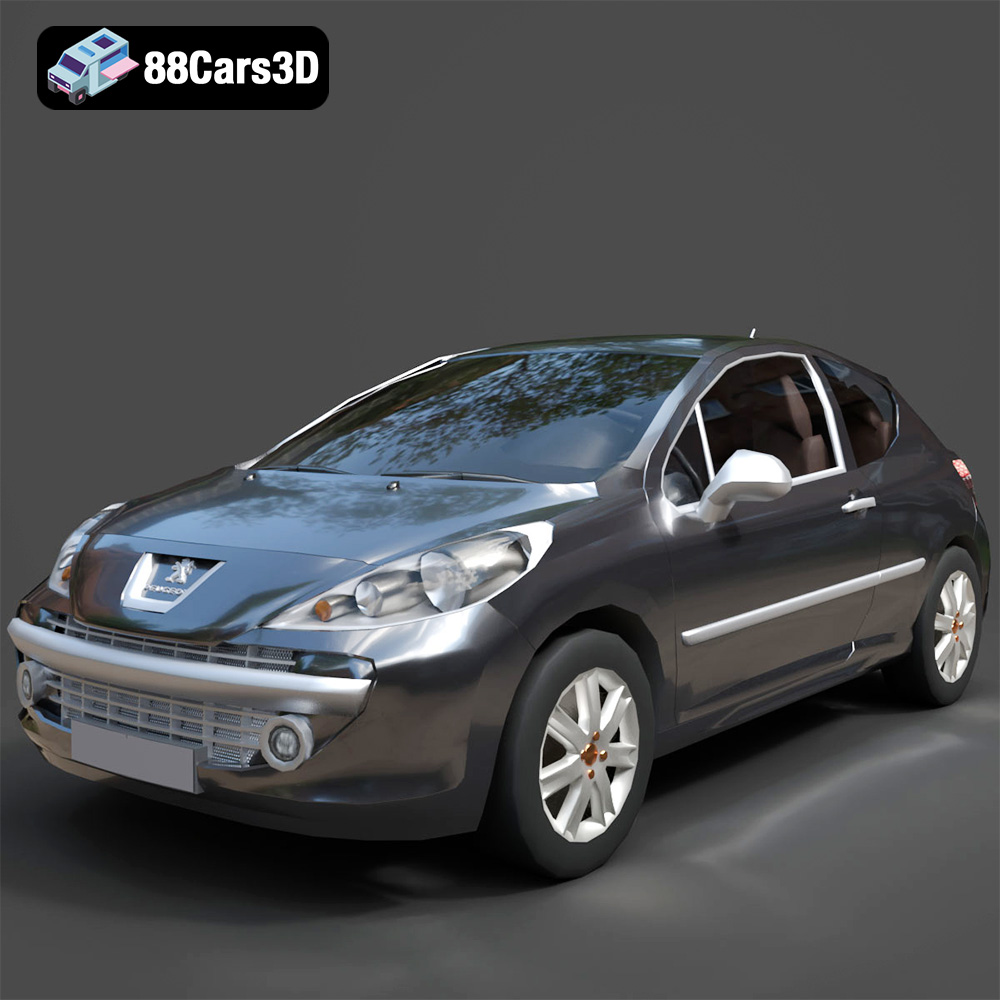
Peugeot 207 3D Model
Texture: Yes
Material: Yes
Download the Peugeot 207 3D Model featuring clean geometry, realistic detailing, and a fully modeled interior. Includes .blend, .fbx, .obj, .glb, .stl, .ply, .unreal, and .max formats for rendering, simulation, and game development.
Price: $4.99
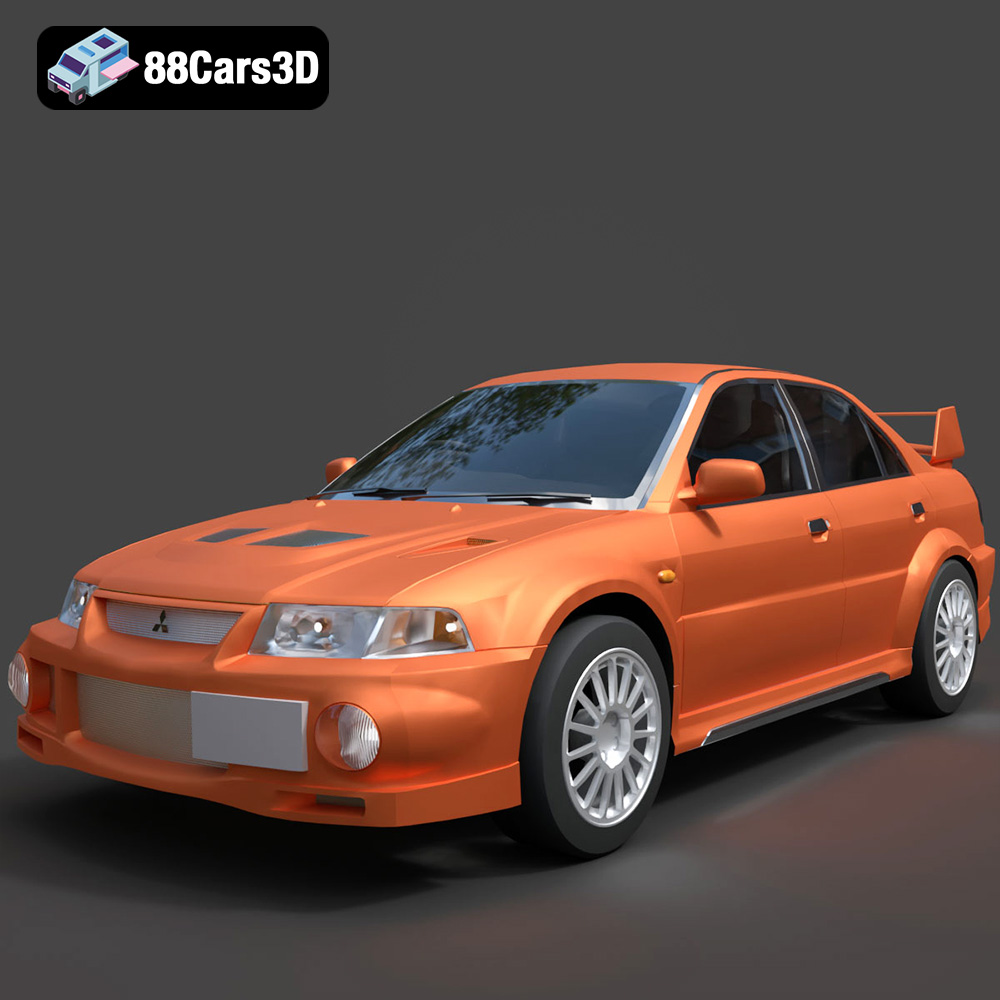
Mitsubishi Lancer Evolution VI 3D Model
Texture: Yes
Material: Yes
Download the Mitsubishi Lancer Evolution VI 3D Model featuring clean geometry, realistic detailing, and a fully modeled interior. Includes .blend, .fbx, .obj, .glb, .stl, .ply, .unreal, and .max formats for rendering, simulation, and game development.
Price: $4.99
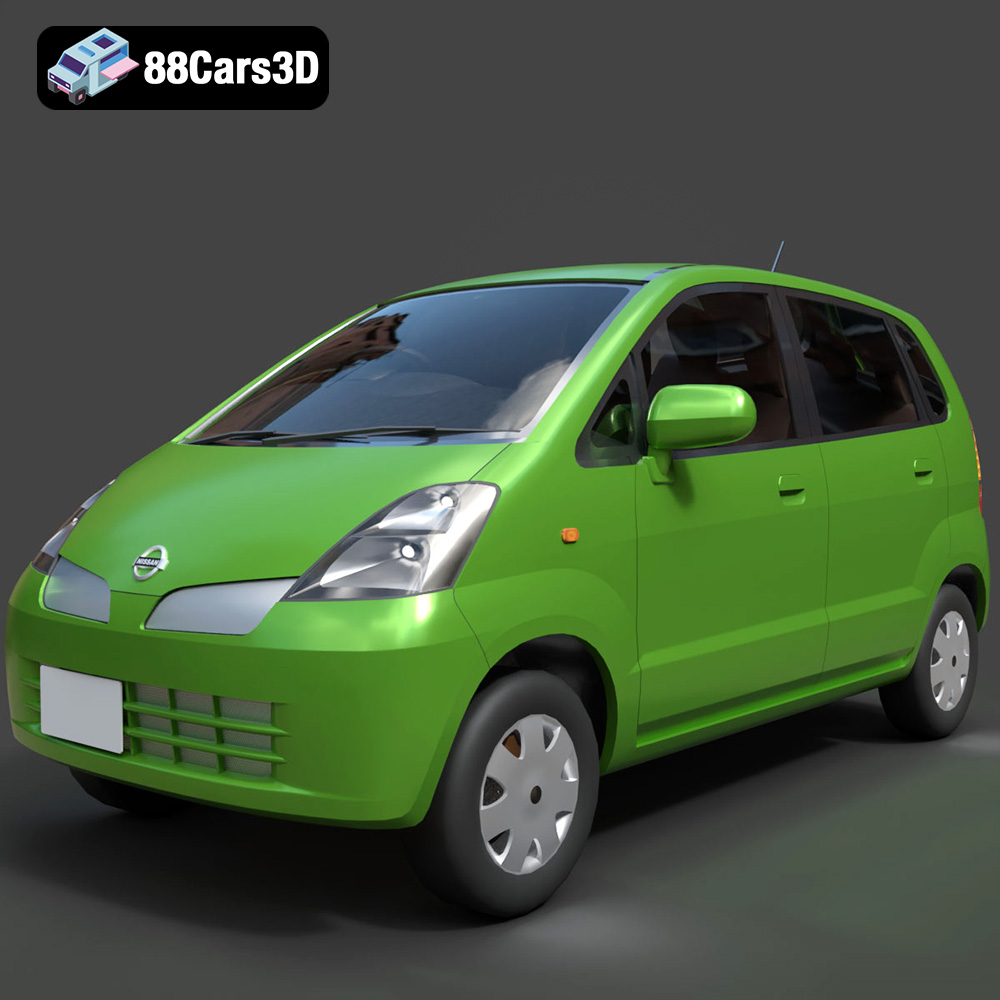
Nissan Moco 007 3D Model
Texture: Yes
Material: Yes
Download the Nissan Moco 007 3D Model featuring clean geometry, realistic detailing, and a fully modeled interior. Includes .blend, .fbx, .obj, .glb, .stl, .ply, .unreal, and .max formats for rendering, simulation, and game development.
Price: $4.99
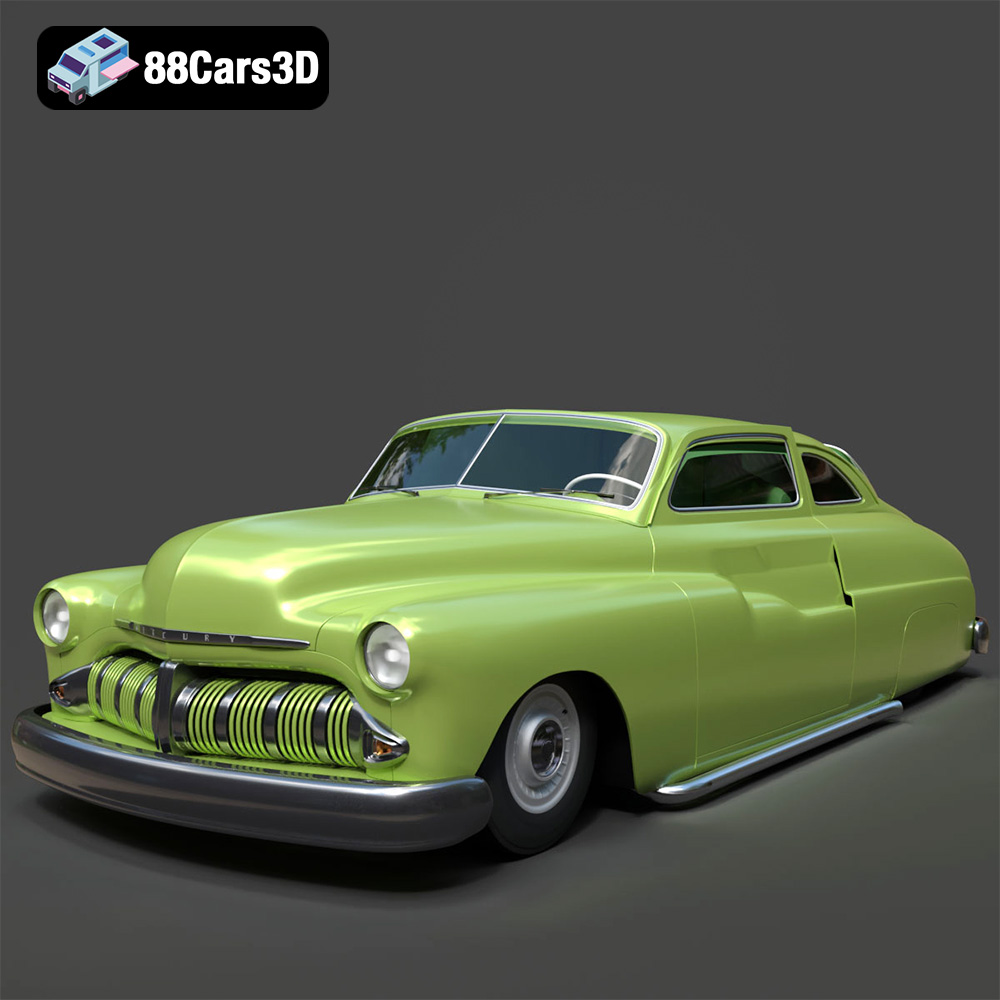
Mercury Coupe 1950 3D Model
Texture: Yes
Material: Yes
Download the Mercury Coupe 1950 3D Model featuring clean geometry, realistic detailing, and a fully modeled interior. Includes .blend, .fbx, .obj, .glb, .stl, .ply, .unreal, and .max formats for rendering, simulation, and game development.
Price: $4.99
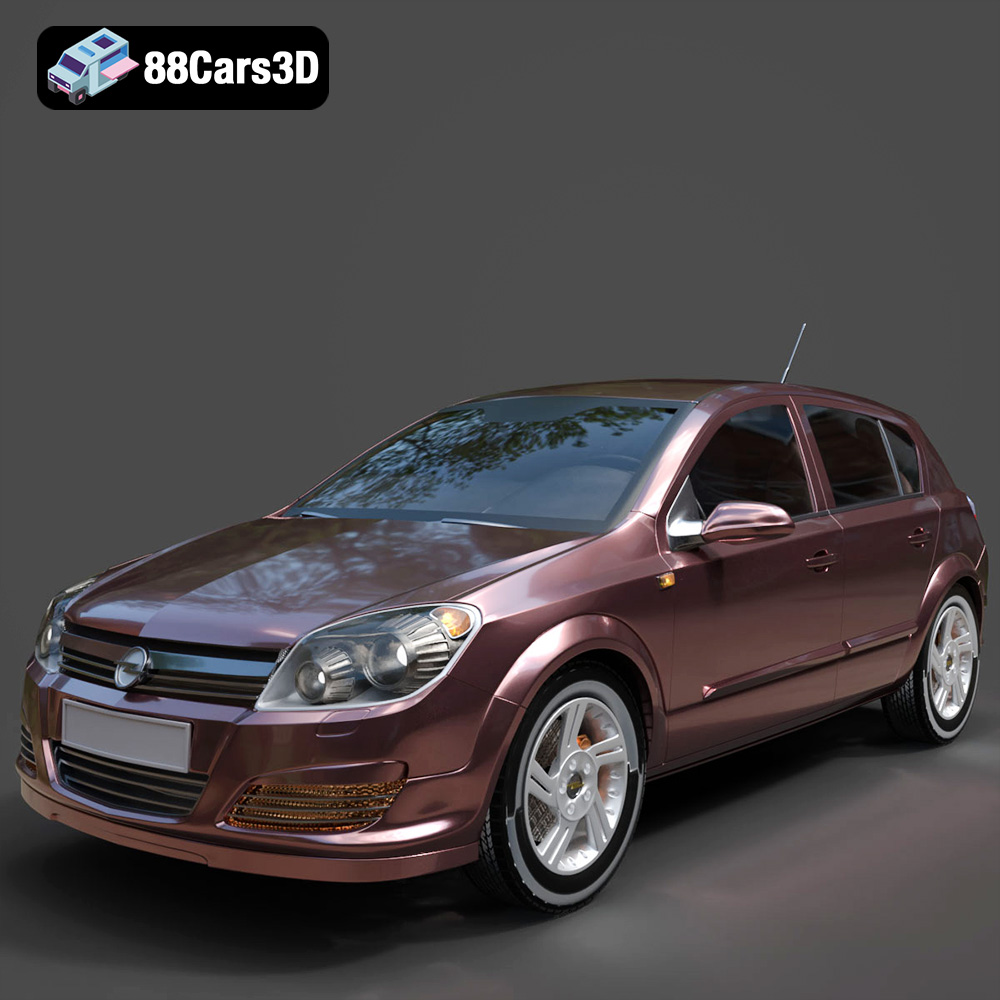
Opel Astra H 2006 3D Model
Texture: Yes
Material: Yes
Download the Opel Astra H 2006 3D Model featuring clean geometry, realistic detailing, and a fully modeled interior. Includes .blend, .fbx, .obj, .glb, .stl, .ply, .unreal, and .max formats for rendering, simulation, and game development.
Price: $4.99
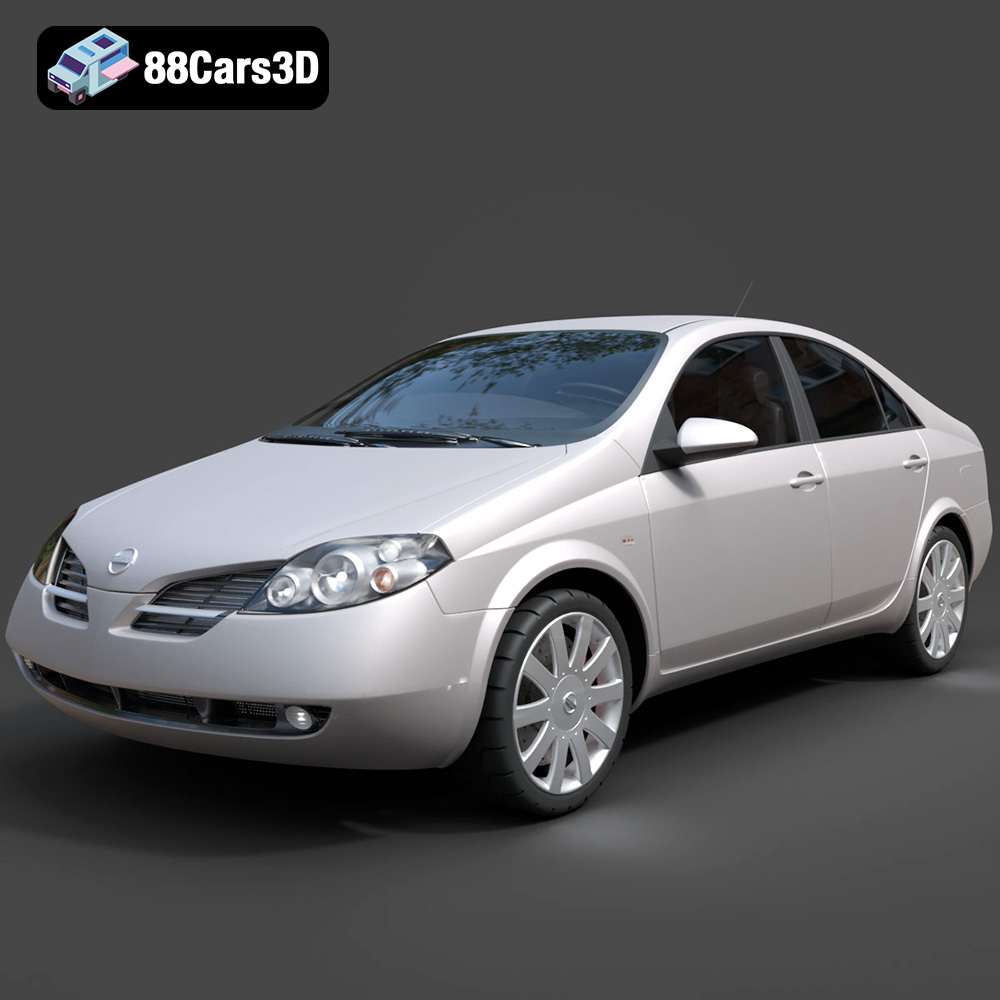
Nissan Primera 2005 3D Model
Texture: Yes
Material: Yes
Download the Nissan Primera 2005 3D Model featuring clean geometry, realistic detailing, and a fully modeled interior. Includes .blend, .fbx, .obj, .glb, .stl, .ply, .unreal, and .max formats for rendering, simulation, and game development.
Price: $4.99

Porsche 911 Carrera S 2005 3D Model
Texture: Yes
Material: Yes
Download the Porsche 911 Carrera S 2005 3D Model featuring clean geometry, realistic detailing, and a fully modeled interior. Includes .blend, .fbx, .obj, .glb, .stl, .ply, .unreal, and .max formats for rendering, simulation, and game development.
Price: $4.99

Pontiac GTO 1967 3D Model
Texture: Yes
Material: Yes
Download the Pontiac GTO 1967 3D Model featuring clean geometry, realistic detailing, and a fully modeled interior. Includes .blend, .fbx, .obj, .glb, .stl, .ply, .unreal, and .max formats for rendering, simulation, and game development.
Price: $4.99

Pontiac Fiero GT 1987 3D Model
Texture: Yes
Material: Yes
Download the Pontiac Fiero GT 1987 3D Model featuring clean geometry, realistic detailing, and a fully modeled interior. Includes .blend, .fbx, .obj, .glb, .stl, .ply, .unreal, and .max formats for rendering, simulation, and game development.
Price: $4.99

Plymouth Volare Wagon 1976 3D Model
Texture: Yes
Material: Yes
Download the Plymouth Volare Wagon 3D Model featuring clean geometry, realistic detailing, and a fully modeled interior. Includes .blend, .fbx, .obj, .glb, .stl, .ply, .unreal, and .max formats for rendering, simulation, and game development.
Price: $4.99
