⚡ FLASH SALE: Get 60% OFF All Premium 3D & STL Models! ⚡

The world of 3D automotive visualization is a fascinating blend of artistry and technical precision. From the sleek curves of a supercar in an advertisement to the gritty realism of a vehicle navigating a virtual battlefield, 3D car models are central to countless digital experiences. Creating or utilizing these assets effectively demands a deep understanding of intricate workflows, optimization strategies, and industry best practices. Whether you’re an experienced 3D artist, a game developer, an automotive designer, or a student looking to master the craft, the journey from concept to a photorealistic render or real-time asset is paved with technical nuances.
This comprehensive guide delves into the essential techniques and professional insights required to excel in 3D car modeling, rendering, and integration. We’ll explore everything from the foundational principles of topology and UV mapping to the advanced intricacies of PBR materials, rendering workflows, and critical optimization for various platforms like game engines, AR/VR, and even 3D printing. You’ll learn how to overcome common challenges, implement cutting-edge techniques, and produce stunning results that meet professional standards. This journey into the advanced realm of 3D automotive assets will equip you with the knowledge to push the boundaries of realism and performance in your projects. When sourcing high-quality 3D car models, platforms like 88cars3d.com ensure you start with meticulously crafted assets that serve as an excellent foundation for any demanding project.
The underlying mesh structure, or topology, is the absolute bedrock of a high-quality 3D car model. For automotive assets, clean and efficient topology isn’t just a best practice; it’s a critical requirement. Car surfaces are characterized by sweeping curves, sharp creases, and precise panel gaps, all of which demand an organized mesh to render smoothly, deform predictably, and facilitate subsequent processes like UV mapping and texturing. A well-constructed mesh primarily consists of quadrilaterals (quads), as these triangles-free polygons behave predictably under subdivision surfaces (Sub-D) modifiers, allowing for iterative refinement from a low-poly base to a high-fidelity model.
Poor topology, such as the presence of Ngons (polygons with more than four sides) or triangles in critical areas, can lead to numerous issues. These include shading artifacts, pinching, difficulty in generating clean UVs, and unpredictable deformation during animation. For a realistic automotive surface, reflections are paramount. Imperfections in topology manifest as bumpy or uneven reflections, immediately breaking the illusion of realism. A typical automotive model intended for high-end rendering might range from 250,000 to 1,500,000 polygons, depending on the level of detail and whether interior elements are included. For game assets, these counts are significantly lower, often requiring optimized versions with LODs (Level of Detail).
The standard workflow for creating production-ready automotive models involves starting with a low-polygon base mesh composed entirely of quads. This base is then smoothed using a subdivision surface modifier (e.g., OpenSubdiv in 3ds Max, Subdivision Surface in Blender/Maya). The beauty of this approach lies in its non-destructive nature and efficiency. You manipulate a relatively simple mesh, and the modifier automatically generates a smooth, high-resolution surface. Hard edges and creases are achieved by adding “holding loops” or “support loops” — extra edge loops placed close to the edges you want to sharpen. This technique allows for precise control over the sharpness and curvature of every panel line and body crease, crucial for the intricate design of vehicles.
For example, to define a sharp edge like a car door frame, you would place two or three edge loops parallel and very close to the intended sharp line. The closer these loops are, the sharper the resulting crease will be after subdivision. This method ensures that the surface remains clean and smooth across broader areas while allowing for pinpoint accuracy on details. This iterative process of refining the base mesh and observing the subdivided result is fundamental to achieving impeccable automotive surfaces.
Edge flow refers to the direction and continuity of edge loops across the mesh. In automotive modeling, optimal edge flow is critical for capturing light and reflections accurately. Edges should follow the natural contours and design lines of the car, mimicking the way light would travel across its real-world surface. This means edge loops should curve smoothly around fenders, follow the lines of windows, and define the boundaries of panel gaps without abrupt changes in direction. Correct edge flow helps prevent the dreaded “pinching” or “rippling” artifacts that can appear on highly reflective surfaces, especially under studio lighting setups.
When modeling, constantly evaluate the silhouette and the way reflections behave on your model. Use temporary rendering or viewport display modes that show reflections to spot any inconsistencies. For example, a continuous edge loop that runs along a body panel, smoothly transitioning from a concave to a convex curve, will produce a far more appealing reflection than a mesh where edges abruptly change direction or terminate unexpectedly. Strategic use of control loops and careful placement of vertices allow artists to sculpt these reflective surfaces with unparalleled precision, ensuring that the final render boasts the pristine reflections characteristic of high-end automotive photography.
Once your 3D car model boasts impeccable topology, the next crucial step is UV mapping. UV mapping is the process of flattening the 3D surface of your model into a 2D space, creating a “map” that tells your texturing software where to apply images and materials. For complex objects like cars, meticulous UV unwrapping is paramount for several reasons: it prevents texture stretching, allows for consistent texture density across different parts, and is essential for utilizing Physically Based Rendering (PBR) workflows effectively. Without clean UVs, even the most stunning PBR textures will appear distorted or misaligned, detracting significantly from the model’s realism.
Automotive models feature a diverse array of surfaces—large, relatively flat body panels; intricate grilles; highly curved fenders; and numerous small, detailed components. Each requires a thoughtful approach to unwrapping to ensure optimal texture application. The goal is to maximize the use of UV space while minimizing seams and distortion. A common strategy is to break the car into logical, manageable parts (e.g., hood, doors, roof, tires, interior components) and unwrap each separately, often into distinct UV islands. These islands are then arranged efficiently within the 0-1 UV space, or across multiple UDIMs for extreme detail.
When unwrapping car parts, various projection methods can be employed. For large, relatively flat surfaces like the hood or roof, planar projection works well. Curved surfaces like fenders often benefit from cylindrical or spherical projection, followed by manual adjustment and relaxation to minimize distortion. The key is to strategically place seams in less visible areas—along panel gaps, under trim pieces, or where different materials meet. For instance, a door panel might have seams running along its edges, hidden within the panel gap between it and the fender or roof. This keeps texture seams from being distracting in the final render.
After initial unwrapping, tools for “relaxing” or “straightening” UVs are indispensable (e.g., UV Relax in 3ds Max, Unwrap in Blender, Maya’s UV Toolkit). These tools help to distribute UV space evenly and minimize texture stretching, ensuring that a 4K or 8K texture applied to the model looks consistent everywhere. For high-fidelity models, especially those with intricate decals or finely detailed paint, UDIMs (a system for using multiple UV tiles) are often preferred. UDIMs allow artists to use multiple high-resolution textures across different parts of the model without sacrificing individual texture resolution, offering unparalleled control over detail and density.
Minimizing UV distortion is a critical aspect of creating professional-grade car models. Distortion occurs when the 3D surface area doesn’t perfectly match its flattened 2D representation, leading to stretched or compressed textures. Most 3D software provides visual feedback for distortion, often using a color gradient (e.g., blue for compression, red for stretching). Artists should strive for an even green or neutral color across their UV islands, indicating minimal distortion. Techniques like proportional scaling of UV islands to match their relative 3D surface area and using relaxation tools are essential for achieving this.
Strategic seam placement goes hand-in-hand with distortion management. While seams are unavoidable, their impact can be mitigated by hiding them. For example, instead of a visible seam running across a smooth fender, place it along the underside where it meets the chassis. Another technique for managing seams is to overlap them with geometry that would naturally obscure them, such as placing a seam under a rubber seal or chrome trim. For areas like the dashboard or interior elements, where multiple small pieces are present, creating multiple UV islands and packing them tightly can be more efficient. The ultimate goal is a UV layout that is clean, organized, and allows for seamless application of high-resolution PBR textures, ensuring your 3D car models stand out with uncompromising realism.
The leap towards photorealism in 3D car models is largely attributed to Physically Based Rendering (PBR) materials. PBR is a standardized shading and texturing approach that aims to simulate how light interacts with real-world surfaces, resulting in highly consistent and accurate visual output across different lighting conditions and renderers. Instead of artistic approximations, PBR relies on physically accurate properties like albedo (base color), roughness, metallicness, and normal maps to define a surface. For automotive rendering, mastering PBR is non-negotiable for achieving convincing car paint, reflective chrome, transparent glass, and realistic rubber tires.
There are two primary PBR workflows: Metallic-Roughness and Specular-Glossiness. The Metallic-Roughness workflow, widely adopted in game engines like Unity and Unreal Engine, as well as many modern renderers, is often simpler to manage. It uses a ‘Metallic’ map to define what parts of a material are metal (values close to 1) and what are dielectric (values close to 0), and a ‘Roughness’ map to control the microscopic surface irregularities that scatter light, influencing how blurry or sharp reflections appear. The Specular-Glossiness workflow uses ‘Specular’ and ‘Glossiness’ maps, with Glossiness being the inverse of Roughness. Both are capable of producing stunning results, but consistency within your chosen workflow is key.
Creating realistic car paint is one of the most challenging yet rewarding aspects of automotive PBR. Car paint is a complex material, often featuring a base color, metallic flakes, clear coat, and sometimes even a subtle pearlescent effect. In a Metallic-Roughness workflow, a typical car paint shader involves several layers or components:
By layering these maps and parameters within a sophisticated shader network, artists can achieve an incredibly convincing range of car paint finishes, from high-gloss metallic to satin matte.
Beyond car paint, other automotive materials like glass and chrome demand specialized PBR treatment. Chrome and other polished metals are relatively straightforward with Metallic-Roughness. The Metallic map for chrome should be pure white (1.0), indicating 100% metallic. The Roughness map should be very low (close to 0) for polished chrome, or higher for brushed metals. The Base Color for chrome is typically a neutral gray or black, as the color of a pure metal largely comes from its reflections.
Car glass, on the other hand, is a dielectric material (Metallic map value of 0). Its primary PBR properties revolve around its Base Color (which dictates any tint), Roughness (usually very low for clean windows, higher for dirty or frosted glass), and most importantly, its Index of Refraction (IOR). The IOR for standard glass is approximately 1.5-1.55. Tinted glass will have a slightly darker Base Color and possibly a subtle absorption color. Advanced glass shaders in renderers like Corona or V-Ray allow for accurate light absorption, dispersion (chromatic aberration), and volume scattering, which are vital for simulating thick windshields or headlight lenses. Realistic brake lights and headlights often involve complex setups with emission maps for the light source, refractive elements for lenses, and metallic reflectors within the housing. By carefully crafting these shader networks, using high-resolution texture maps (e.g., 4K or 8K for intricate details), and leveraging the power of modern renderers, artists can achieve a level of realism that blurs the line between virtual and reality, showcasing the true potential of 3D car models from marketplaces such as 88cars3d.com.
Having a perfectly modeled and textured 3D car model is only half the battle; bringing it to life requires a sophisticated rendering workflow. High-fidelity rendering transforms your 3D data into a stunning 2D image, complete with realistic lighting, shadows, reflections, and atmospheric effects. The choice of renderer plays a significant role in both the quality and efficiency of this process. Popular choices in the automotive industry include Corona Renderer and V-Ray (often used with 3ds Max or Cinema 4D), Arnold (Maya, 3ds Max, Houdini), and Cycles (Blender). Each renderer offers unique strengths, but they all share core principles for achieving photorealistic results.
The rendering process typically involves setting up the scene (environment, backdrop), positioning and configuring lighting, defining camera angles and settings, and finally, rendering and post-processing. For automotive visualization, the emphasis is always on showcasing the vehicle’s form, materials, and design features in the most flattering and realistic light possible. This often means replicating professional studio photography setups or dynamic outdoor scenes with meticulous attention to detail. Understanding how light interacts with your PBR materials in a chosen renderer is fundamental to achieving that coveted “showroom” look.
Two primary approaches dominate automotive lighting: controlled studio setups and High Dynamic Range Image (HDRI) environments.
Regardless of the method, attention to detail in lighting is paramount. Minor shifts in light placement can drastically alter the mood and visual impact of your render.
A professional rendering workflow rarely stops at the initial render. Instead, it involves rendering multiple ‘passes’ or ‘elements’ that can be composited and refined in post-production software like Adobe Photoshop or Foundry Nuke. Render passes are separate images that contain specific information about your scene, such as diffuse color, reflections, refractions, shadows, ambient occlusion, depth, and material IDs. By rendering these elements separately, artists gain unparalleled control over the final image, allowing for non-destructive adjustments and enhancements.
Key render passes for automotive visualization include:
In post-production, these passes are layered and manipulated. For instance, you might adjust the reflectivity of the car paint without re-rendering the entire scene, or enhance the glow of headlights, add lens flares, correct colors, and fine-tune contrast. Denoising, often an integrated part of modern renderers, removes noise while preserving detail, drastically reducing render times for clean images. This multi-pass workflow is essential for achieving the polished, cinematic look seen in high-end automotive advertisements and visualizations, ensuring that every pixel contributes to the overall impact of the 3D car model.
The journey of a 3D car model often extends beyond high-fidelity rendering. For interactive applications like video games, augmented reality (AR), virtual reality (VR), or even physical fabrication through 3D printing, significant optimization and specific preparation are required. These applications demand models that are not only visually appealing but also highly performant and correctly formatted. Understanding these diverse requirements is crucial for maximizing the utility and reach of your automotive assets.
Optimization for real-time engines involves striking a delicate balance between visual quality and computational efficiency. Unlike offline rendering, where computational time is less constrained, game engines and AR/VR platforms operate under strict frame rate budgets, often targeting 60-90 frames per second. This necessitates aggressive polycount reduction, intelligent texture management, and streamlined shader complexity. For 3D printing, the concerns shift entirely towards mesh integrity, watertightness, and physical dimensions.
For game engines like Unity and Unreal Engine, a high-resolution 3D car model needs to undergo significant optimization to perform well. A primary strategy is the implementation of Level of Detail (LODs). LODs are multiple versions of the same model, each with progressively lower polygon counts. As the player or camera moves further away from the car, the engine automatically switches to a lower-poly LOD, reducing the computational load without a noticeable drop in visual quality. A common setup might include four LODs:
Each LOD should share the same UVs and texture maps, allowing the engine to seamlessly transition between them. LODs are generated either manually by artists using retopology tools or semi-automatically using decimation tools within 3D software or directly in game engines.
Another critical performance factor is draw calls. A draw call is a command sent from the CPU to the GPU to draw a batch of objects. Minimizing draw calls is crucial for real-time performance. This is achieved by:
These techniques collectively ensure that even highly detailed 3D car models can run smoothly in demanding real-time environments.
AR/VR platforms present unique challenges, often requiring even stricter optimization than traditional games due to the need for high frame rates and low latency to prevent motion sickness. Models for AR/VR must be exceedingly lightweight, often targeting polygon counts similar to or even lower than game LOD3. Key considerations include:
For 3D printing, the considerations are entirely different. The model needs to be a “watertight” mesh, meaning it must be a completely enclosed volume with no holes, inverted normals, or self-intersecting geometry. Common challenges include:
File formats for 3D printing typically include STL and OBJ. Whether you’re integrating an automotive asset into a racing game, showcasing a new design in AR, or preparing a miniature for 3D printing, starting with a robust and versatile 3D car model from a source like 88cars3d.com provides the ideal foundation for these diverse applications, ensuring your investments in 3D assets are future-proof.
The versatility of high-quality 3D car models extends across a multitude of industries, making them indispensable tools in modern digital pipelines. From the initial conceptualization and design phase within the automotive industry itself to captivating cinematic visualizations and interactive gaming experiences, 3D car models drive innovation and enhance communication. Understanding these diverse applications can help artists tailor their models and workflows to meet specific industry demands, maximizing the value of their digital assets.
In the automotive design sector, 3D models are central to every stage of development. Designers use them for rapid prototyping, aerodynamic simulations, ergonomic studies, and presenting concept vehicles to stakeholders long before any physical prototypes are built. For marketing and sales, these models become the backbone of interactive configurators, engaging commercials, and stunning print advertisements. The precision and flexibility offered by 3D car models allow for unparalleled creative control and efficiency, constantly pushing the boundaries of what’s possible in visualization and interaction.
One of the most powerful applications of 3D car models in the automotive industry is the creation of real-time configurators. These interactive applications allow potential customers to customize a vehicle’s color, wheels, interior trim, and accessories in real-time, viewing the changes instantly. This requires highly optimized 3D car models with modular components and efficient material setups, often leveraging game engines like Unity or Unreal Engine for their real-time rendering capabilities.
For these configurators, meticulous organization of model parts and clear naming conventions are essential. Each customizable component (e.g., different wheel options, interior upholstery, exterior colors) needs to be a separate, interchangeable mesh or material. The goal is to provide a smooth, engaging user experience, which hinges on the model’s performance and the quality of its PBR materials. Similarly, for marketing assets, 3D car models are used to create photorealistic images and animations for brochures, websites, and advertising campaigns. This often involves high-fidelity rendering workflows as discussed previously, showcasing the vehicle in various appealing environments, from bustling cityscapes to serene natural backdrops, emphasizing design features and luxury appeal.
Beyond the core automotive sector, 3D car models are invaluable assets in architectural visualization (ArchViz) and film/animation production. In ArchViz, realistic car models are used to populate exterior and interior scenes, adding scale, context, and a sense of realism to architectural renderings. A street scene without cars can look sterile and unnatural. High-quality 3D cars, correctly scaled and integrated with realistic lighting and shadows, breathe life into architectural visualizations, making them more relatable and impactful for clients. This often involves ensuring the car’s materials react correctly to the scene’s ambient light and reflections, matching the overall aesthetic of the architectural project.
In film and animation, 3D car models are critical for everything from background vehicles to hero props that are central to the narrative. They can be used for chase sequences, character vehicles, or even destructive simulations. For film, the demands for detail and realism are exceptionally high, often requiring models with intricate interiors, suspension systems, and damage states for VFX shots. Models might be rigged for animation, allowing for realistic wheel spins, steering, and suspension compression. Furthermore, 3D car models are foundational for creating engaging virtual productions and pre-visualization sequences, allowing directors and cinematographers to plan shots and visualize complex scenes long before physical production begins. Whether for a quick placeholder in an ArchViz scene or a hero vehicle in a blockbuster film, the availability of diverse, high-quality 3D car models ensures creators have the resources they need to achieve their vision.
The journey through the creation, optimization, and application of 3D car models reveals a fascinating landscape where artistic vision meets rigorous technical execution. From the foundational principles of clean topology and precise UV mapping to the advanced intricacies of PBR materials and high-fidelity rendering, every stage is crucial for producing assets that stand out. We’ve explored the specific requirements for different platforms, from the demanding real-time environments of game engines and AR/VR to the unique integrity checks needed for 3D printing. Understanding these workflows, technical specifications, and industry best practices empowers artists and developers to unlock the full potential of 3D automotive visualization.
Mastering these techniques not only elevates the quality of your work but also enhances its versatility, allowing your 3D car models to seamlessly transition across various applications and deliver exceptional performance and visual fidelity. The continuous evolution of software and rendering technologies means there’s always something new to learn and integrate into your workflow. By maintaining a focus on clean pipelines, thoughtful optimization, and a keen eye for detail, you’ll be well-equipped to tackle any challenge the dynamic world of 3D automotive art throws your way. To jumpstart your next project with professional-grade assets, explore the extensive collection of meticulously crafted 3D car models available at 88cars3d.com, where quality and versatility are paramount.
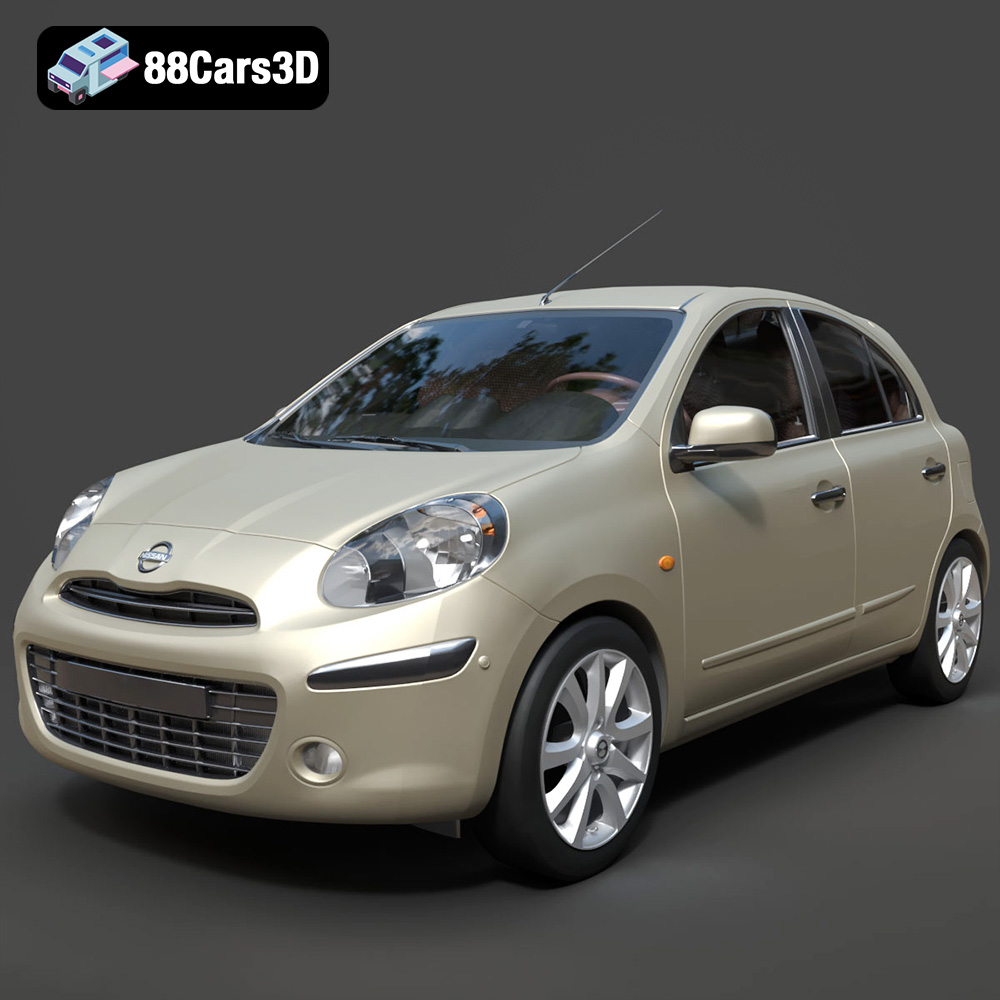
Texture: Yes
Material: Yes
Download the Nissan Micra 2010 3D Model featuring clean geometry, realistic detailing, and a fully modeled interior. Includes .blend, .fbx, .obj, .glb, .stl, .ply, .unreal, and .max formats for rendering, simulation, and game development.
Price: $4.99
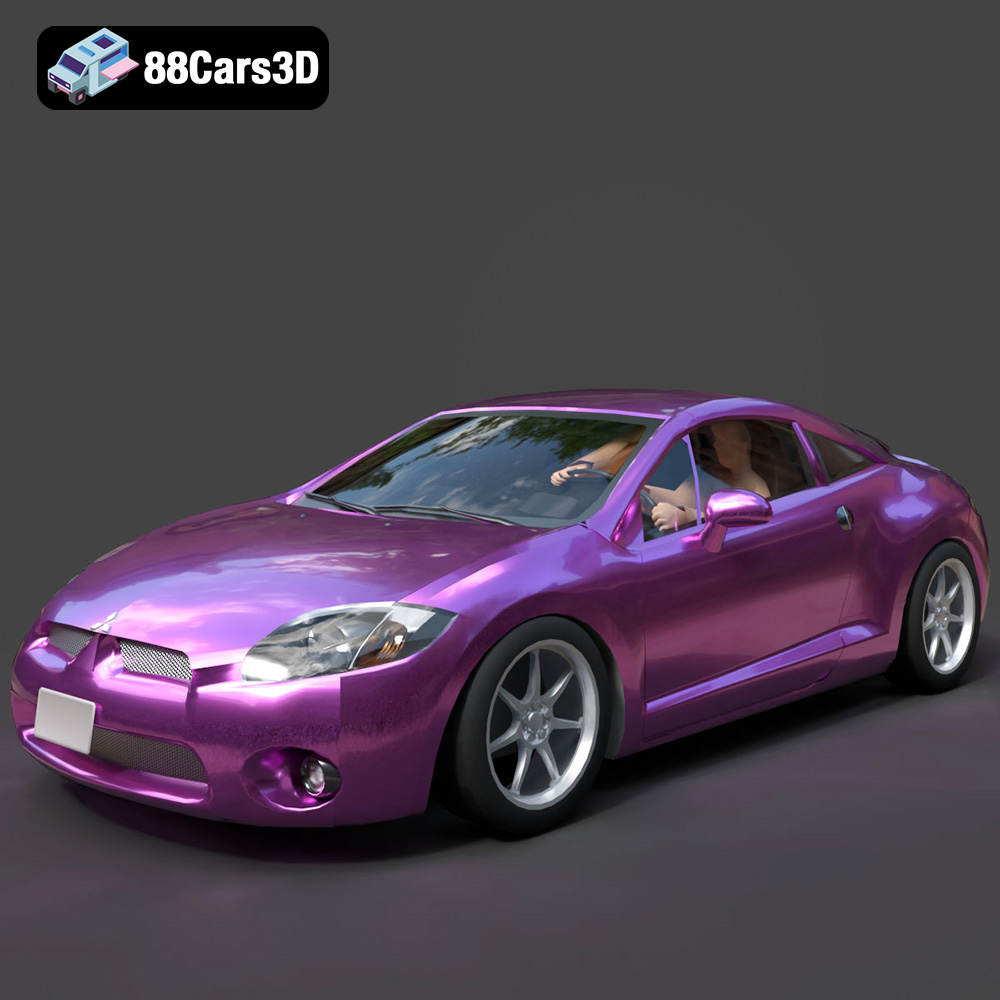
Texture: Yes
Material: Yes
Download the Mitsubishi Eclipse GT 2001 3D Model featuring clean geometry, realistic detailing, and a fully modeled interior. Includes .blend, .fbx, .obj, .glb, .stl, .ply, .unreal, and .max formats for rendering, simulation, and game development.
Price: $4.99
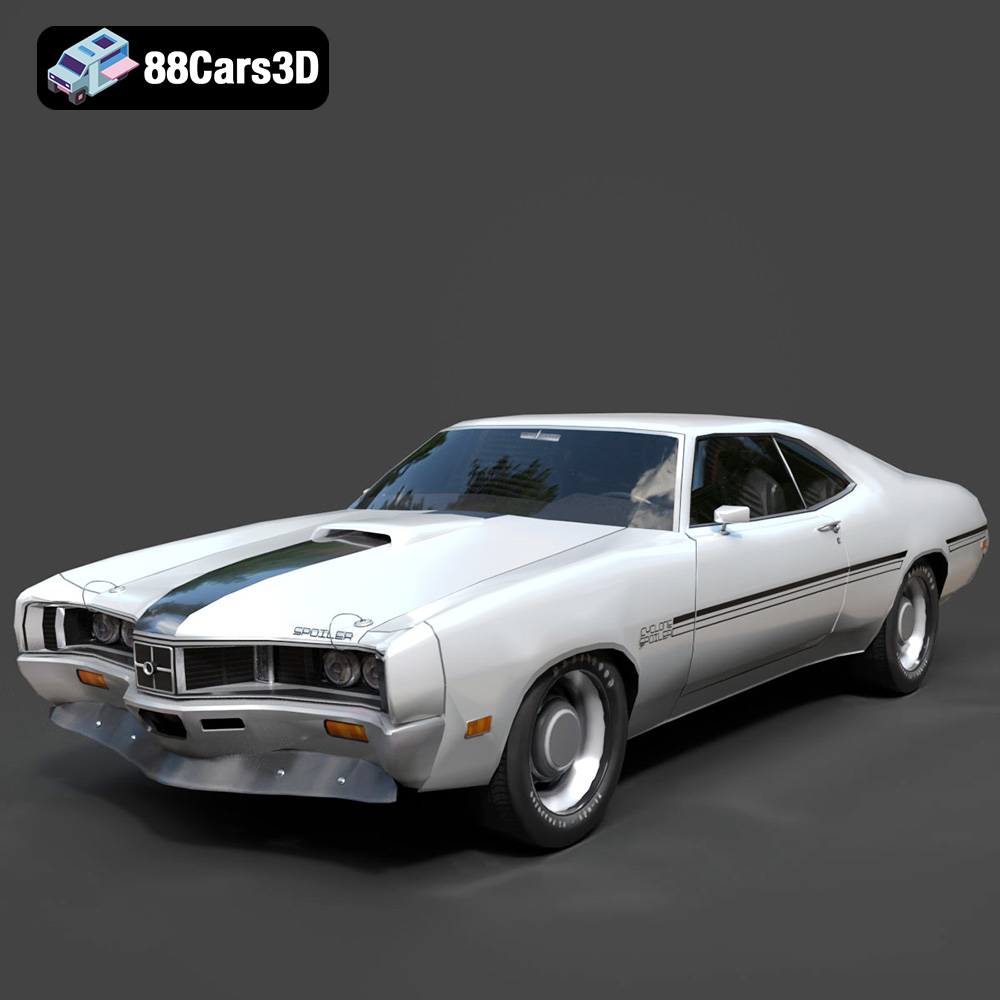
Texture: Yes
Material: Yes
Download the Mercury Cyclone Spoiler 1970 3D Model featuring clean geometry, realistic detailing, and a fully modeled interior. Includes .blend, .fbx, .obj, .glb, .stl, .ply, .unreal, and .max formats for rendering, simulation, and game development.
Price: $4.99
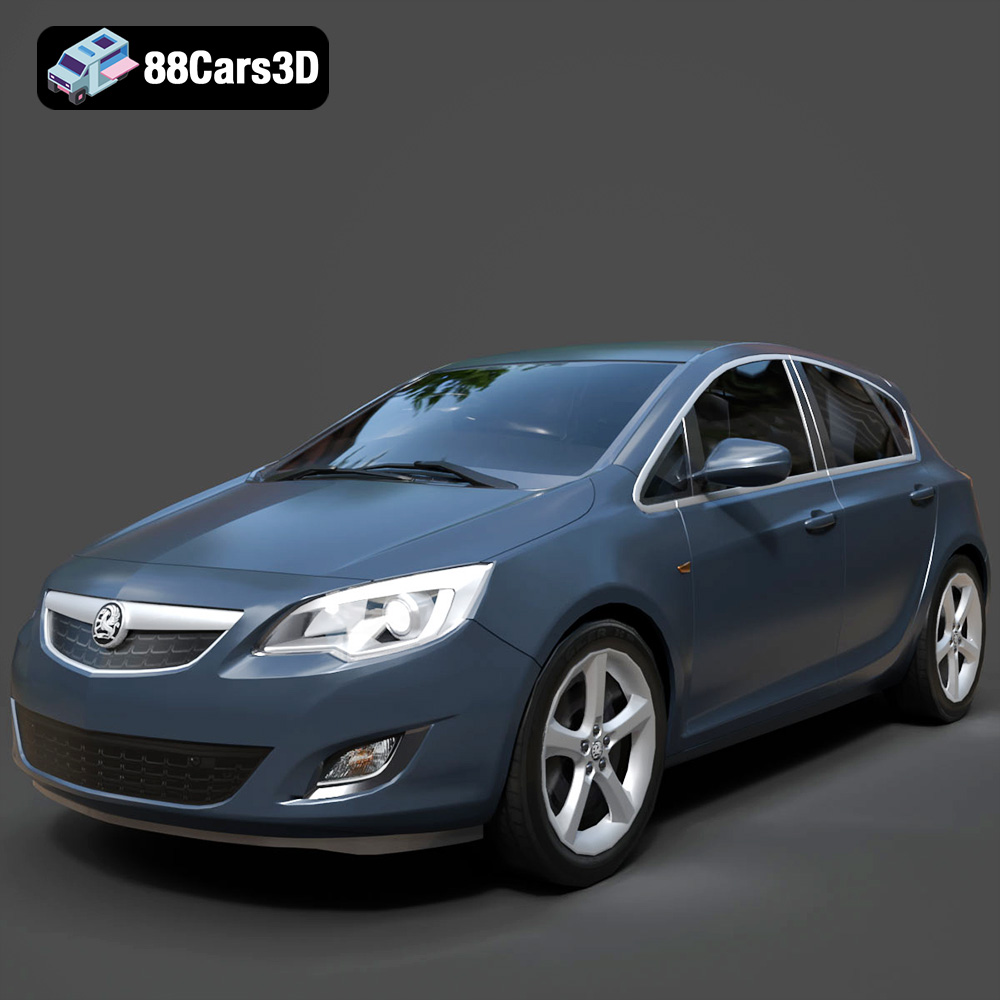
Texture: Yes
Material: Yes
Download the Opel Astra 3D Model featuring clean geometry, realistic detailing, and a fully modeled interior. Includes .blend, .fbx, .obj, .glb, .stl, .ply, .unreal, and .max formats for rendering, simulation, and game development.
Price: $4.99
Texture: Yes
Material: Yes
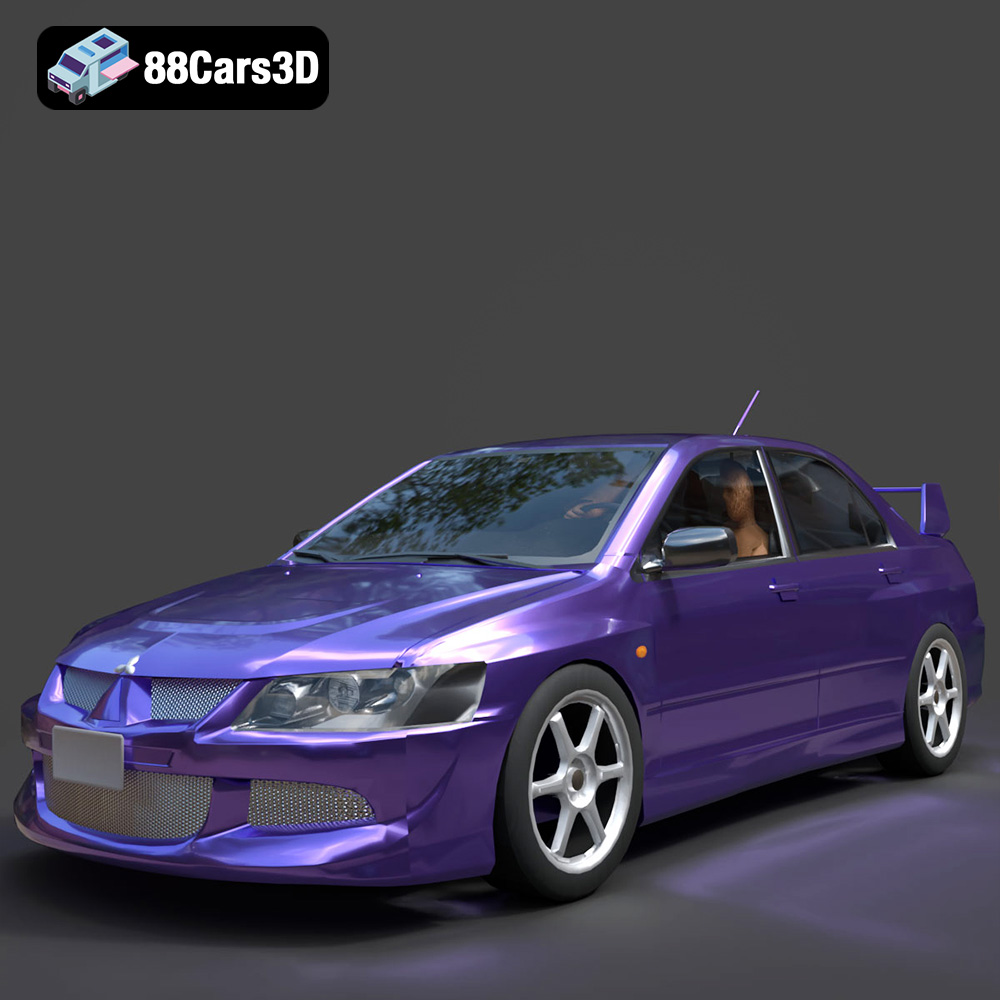
Download the Mitsubishi Lancer Evolution VIII 3D Model featuring clean geometry, realistic detailing, and a fully modeled interior. Includes .blend, .fbx, .obj, .glb, .stl, .ply, .unreal, and .max formats for rendering, simulation, and game development.
Price: $4.99
Texture: Yes
Material: Yes
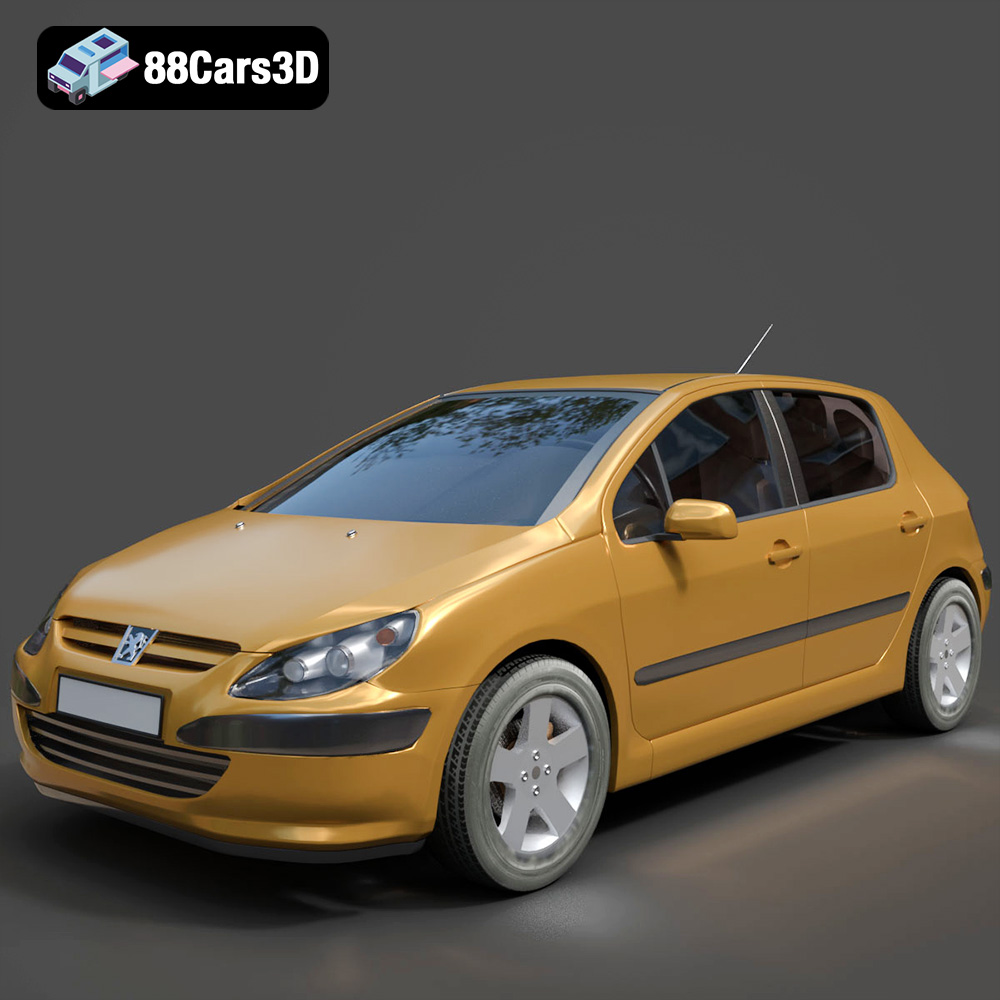
Download the Peugeot 307 3D Model featuring clean geometry, realistic detailing, and a fully modeled interior. Includes .blend, .fbx, .obj, .glb, .stl, .ply, .unreal, and .max formats for rendering, simulation, and game development.
Price: $4.99
Texture: Yes
Material: Yes
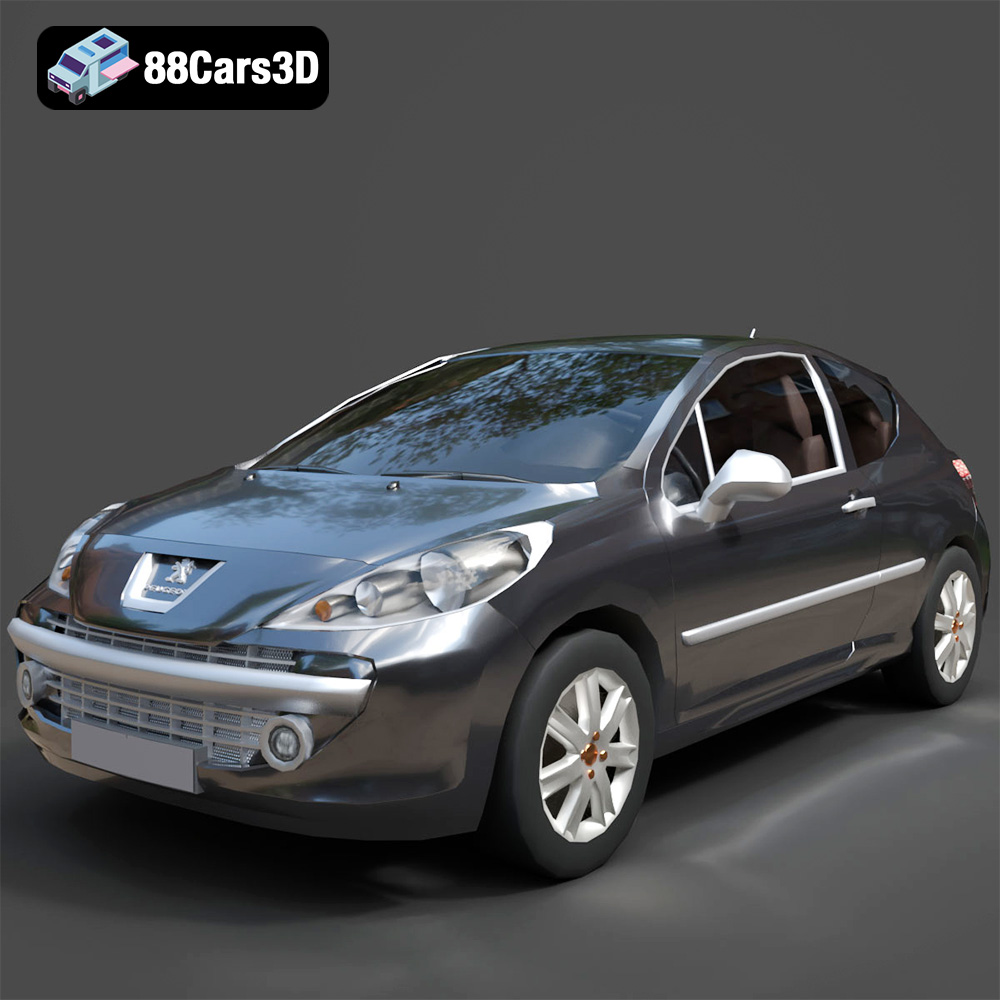
Download the Peugeot 207 3D Model featuring clean geometry, realistic detailing, and a fully modeled interior. Includes .blend, .fbx, .obj, .glb, .stl, .ply, .unreal, and .max formats for rendering, simulation, and game development.
Price: $4.99
Texture: Yes
Material: Yes
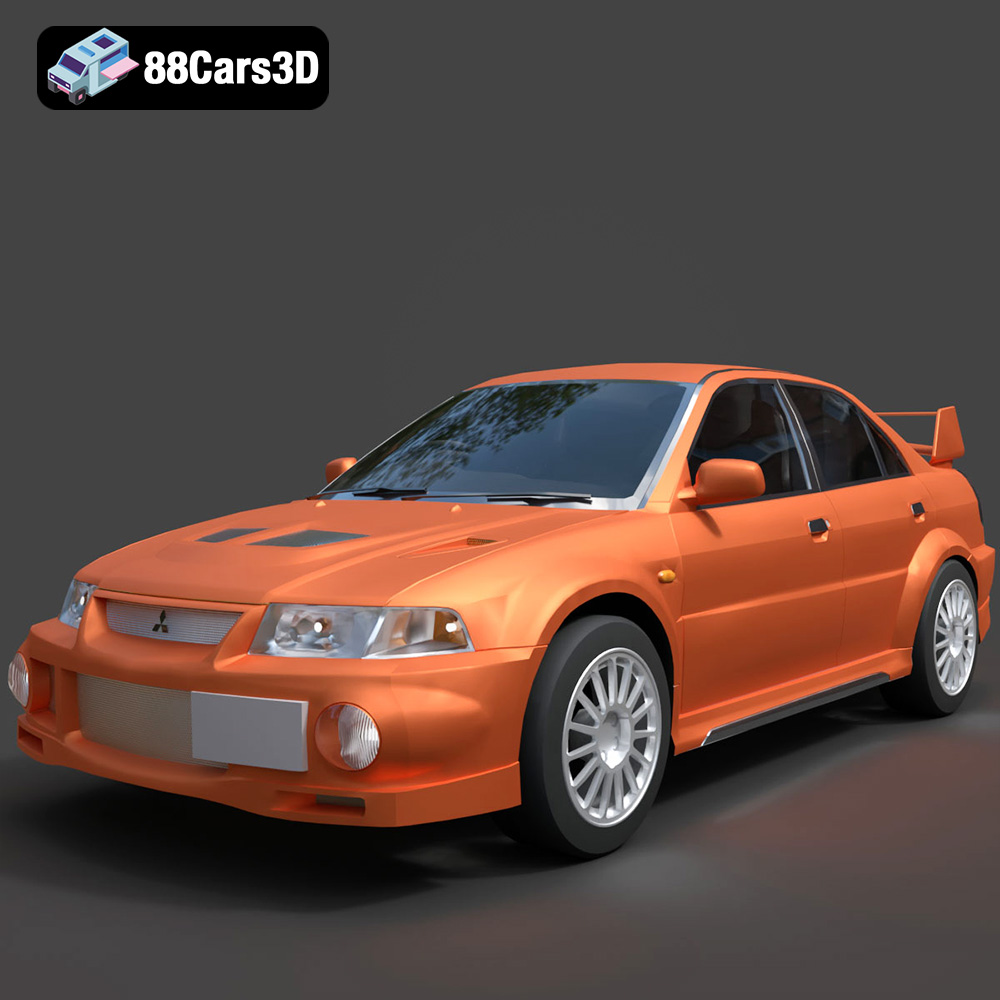
Download the Mitsubishi Lancer Evolution VI 3D Model featuring clean geometry, realistic detailing, and a fully modeled interior. Includes .blend, .fbx, .obj, .glb, .stl, .ply, .unreal, and .max formats for rendering, simulation, and game development.
Price: $4.99
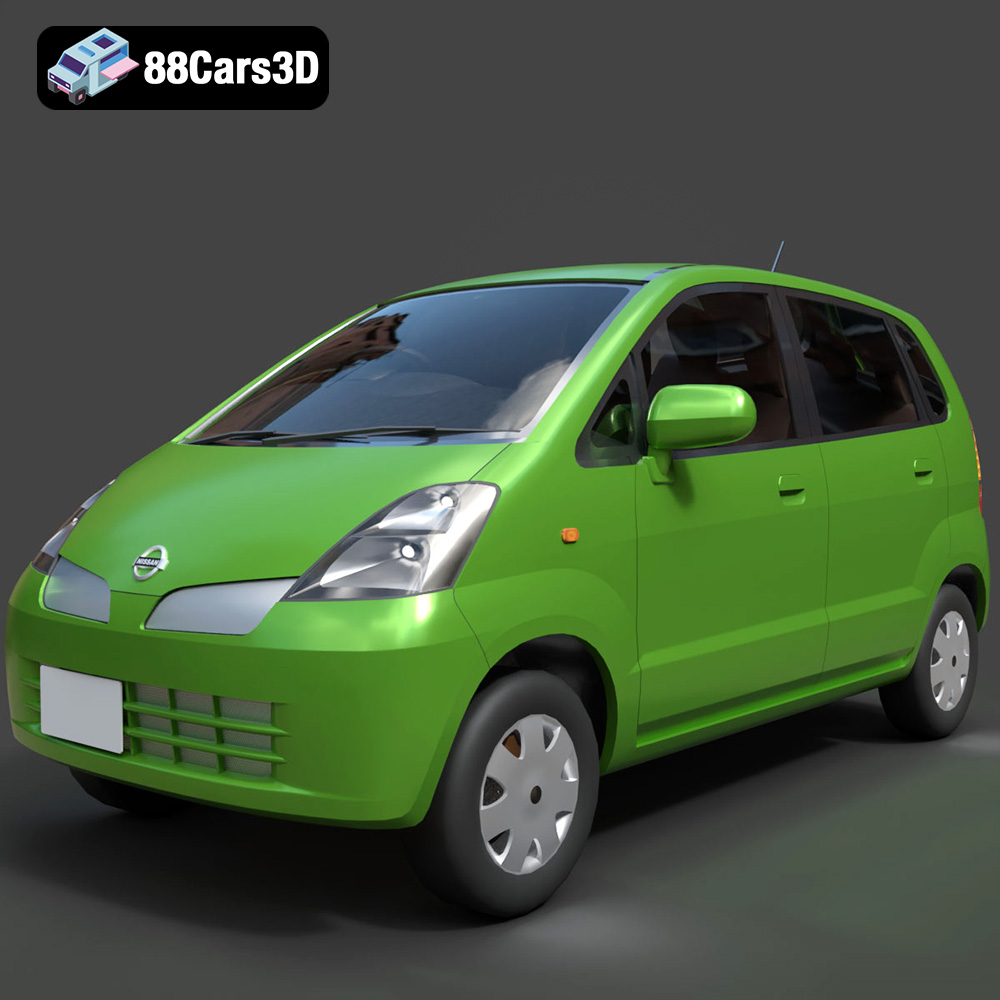
Texture: Yes
Material: Yes
Download the Nissan Moco 007 3D Model featuring clean geometry, realistic detailing, and a fully modeled interior. Includes .blend, .fbx, .obj, .glb, .stl, .ply, .unreal, and .max formats for rendering, simulation, and game development.
Price: $4.99
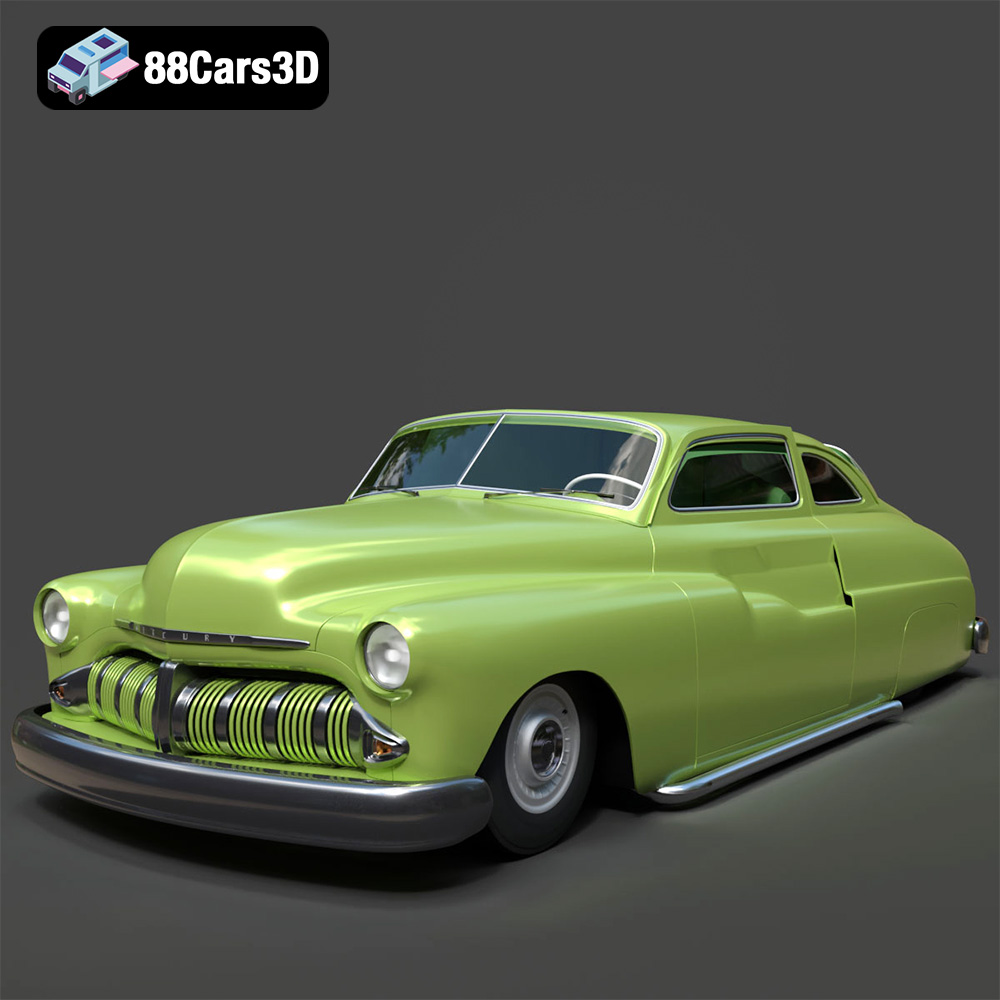
Texture: Yes
Material: Yes
Download the Mercury Coupe 1950 3D Model featuring clean geometry, realistic detailing, and a fully modeled interior. Includes .blend, .fbx, .obj, .glb, .stl, .ply, .unreal, and .max formats for rendering, simulation, and game development.
Price: $4.99

