
The Ultimate Guide to 3D Car Models: Workflows, Optimization, and Industry Applications

The Ultimate Guide to 3D Car Models: Workflows, Optimization, and Industry Applications
In the vibrant realm of digital creation, 3D car models stand as pinnacles of intricate design and technical prowess. From the sleek lines of a supercar to the rugged utility of an off-roader, these virtual vehicles are much more than mere digital assets; they are complex constructs demanding a masterful blend of artistic vision and engineering precision. They power the photorealistic renders gracing automotive marketing campaigns, define the immersive experiences of cutting-edge video games, drive innovative AR/VR applications, and even serve as blueprints for physical prototypes via 3D printing.
The journey of a 3D car model, from initial concept to its final deployment, is a fascinating deep dive into a myriad of specialized workflows. It involves meticulous topology creation, sophisticated material shading, precise UV mapping, rigorous optimization for diverse platforms, and expert rendering techniques to achieve unparalleled realism. This comprehensive guide will unravel the technical intricacies behind crafting and utilizing high-quality 3D car models. We will explore best practices, software-specific techniques, common pitfalls, and advanced optimization strategies that professional artists and developers employ daily. Whether you’re a seasoned 3D artist aiming to refine your craft, a game developer seeking to enhance in-game fidelity, or an automotive designer pushing the boundaries of visualization, prepare to elevate your understanding and execution of 3D car models to new heights. For those seeking to bypass the initial modeling phase without compromising on quality, platforms like 88cars3d.com offer an extensive library of production-ready assets.
The Foundation of Realism: Mastering Automotive 3D Topology and Edge Flow
The realism and performance of any 3D car model begin with its topology – the underlying structure of vertices, edges, and faces that define its shape. For automotive models, which are characterized by smooth, reflective surfaces and sharp, defined creases, flawless topology is not just a best practice; it’s a critical necessity. Poor topology can lead to visible artifacts, pinching, and unpredictable shading, especially under subdivision or when deformed. The goal is always a clean, quad-based mesh that supports the intended forms, allows for easy modifications, and performs efficiently.
When modeling a car, the initial block-out phase establishes the overall silhouette and proportions. From there, the focus shifts to creating a robust edge flow that accurately defines the contours, panel gaps, and complex curvature of the vehicle. This often involves starting with primary forms and progressively adding detail. Understanding how light interacts with surfaces is paramount; edges should flow naturally to guide reflections smoothly across panels. Tools like 3ds Max, Blender, and Maya all provide powerful polygonal modeling toolsets that allow artists to meticulously craft every curve. For high-polygon models intended for film or marketing renders, a typical car body might have 150,000 to 500,000 polygons (before subdivision), while individual components like wheels and interiors can push the total well into the millions. Game-ready assets, however, will aim for much lower counts, often under 100,000 polygons for an entire vehicle.
Clean Quad-Based Modeling for Organic Surfaces
The golden rule for high-quality 3D models, especially those intended for subdivision surfaces or animation, is to use primarily quads (four-sided polygons). Triangles (three-sided polygons) and N-gons (polygons with more than four sides) can introduce rendering artifacts, particularly when subdivision modifiers are applied, leading to pinching or undesirable faceting. For the flowing curves of a car body, quad topology ensures predictable subdivision, resulting in smooth, continuous surfaces. When modeling, prioritize creating edge loops that run parallel to the direction of curvature, defining the natural flow of light and reflection. Avoid poles with more than five edges converging, as these can also cause pinching. Regularly inspect your model with a matcap shader or a highly reflective material to spot any topological imperfections early on.
Supporting Edges and Crease Control
Achieving sharp, defined edges on car panels, such as around windows, door seams, or body creases, while still utilizing subdivision surfaces for overall smoothness, requires the strategic placement of “supporting edges” or “control loops.” These are additional edge loops placed very close to the edges you want to sharpen. When a subdivision modifier is applied, these supporting edges prevent the original edge from rounding off excessively, effectively controlling the sharpness. The closer the supporting edges are to the primary edge, the sharper the crease will appear. Conversely, wider spacing will result in a softer, more rounded edge. Mastering this technique allows artists to balance the organic smoothness of a car’s body panels with the crisp, manufacturing-precise lines that give automotive designs their distinctive character. This control is crucial for accurately representing the subtle nuances of automotive engineering and achieving photorealistic results.
Bringing Surfaces to Life: Advanced UV Mapping and PBR Material Creation
Once the geometric form of a 3D car model is perfected, the next crucial step is to define how its surfaces will look – how they reflect light, their color, texture, and inherent properties. This involves two core processes: UV mapping and Physically Based Rendering (PBR) material creation. UV mapping is the art of flattening the 3D surface of the model into a 2D space, allowing textures to be painted or applied without distortion. PBR materials, on the other hand, define how light interacts with these surfaces in a physically accurate manner, leading to highly realistic visual fidelity.
For a complex object like a car, UV mapping can be incredibly intricate. The model comprises numerous components – body panels, glass, tires, interior elements, chrome trim, headlights, and badges – each requiring its own unique approach to unwrapping. Professional artists often dedicate significant time to creating clean, organized UV layouts to maximize texture resolution and minimize seams. Similarly, PBR material creation requires a deep understanding of real-world material properties. Metals have distinct reflectivity (metallic value), paints exhibit specific roughness and clear coat properties, and glass refracts light. Leveraging PBR workflows ensures that your 3D car models will look consistent and realistic across various lighting conditions and rendering environments, from high-fidelity marketing renders to real-time game engines. Texture resolutions typically range from 2048×2048 for smaller details to 8192×8192 or even 16384×16384 for large body panels, ensuring crisp details even in close-up shots.
Strategic UV Unwrapping for Complex Automotive Geometries
Effective UV unwrapping is paramount for a high-quality 3D car model. The goal is to minimize stretching and distortion, strategically place seams where they are least visible (e.g., along panel gaps or hidden areas), and efficiently pack UV islands to maximize texture space. For car bodies, techniques often involve projecting UVs from multiple angles (e.g., planar projections for flat surfaces, cylindrical for tires) and then stitching them together. Tools in 3ds Max, Blender, and Maya provide advanced unwrapping capabilities, including automatic unwrappers and manual painting of seams. For specific parts like headlights or emblems, often unique texture sets are applied using custom UV layouts. Consider using multiple UV sets for different purposes, such as one for base textures and another for decals or ambient occlusion maps. A well-organized UV layout makes texturing significantly easier and results in a cleaner final product, preventing unsightly texture stretching or blurry details on crucial areas.
Crafting Realistic PBR Shaders for Metals, Plastics, and Glass
Physically Based Rendering (PBR) has become the industry standard for achieving photorealistic materials. Instead of arbitrarily picking colors and reflection values, PBR shaders emulate real-world light physics using maps like Albedo (base color), Metallic (how much like metal the surface is), Roughness (how diffuse or shiny the surface is), Normal (for fine surface details), and Ambient Occlusion (simulating indirect shadowing). For a car, this means meticulously defining these parameters for every material: the highly metallic and low-roughness properties of chrome, the specific clear coat layer over car paint (often requiring a layered shader), the dielectric properties of glass (high refraction, specific IOR values), and the varying roughness of plastic or rubber. Software like Substance Painter is invaluable for creating these complex PBR textures. Understanding the nuances of each PBR map and how they interact with light sources is crucial for making your 3D car models truly convincing. A common professional tip is to work with physically accurate values and test your materials under diverse lighting conditions to ensure robustness and realism.
The Art of Illumination: Rendering High-Fidelity Automotive Scenes
Even the most perfectly modeled and textured 3D car model can look mediocre without proper illumination. Rendering high-fidelity automotive scenes is an art form that merges technical expertise with a keen understanding of photography and visual storytelling. Lighting is not just about making the car visible; it’s about defining its shape, emphasizing its curves, highlighting material properties, and setting the mood of the entire scene. Professional rendering software like Corona, V-Ray, Cycles (Blender), and Arnold are equipped with advanced physically based renderers that simulate light interaction with incredible accuracy, making photorealistic results achievable.
The goal in automotive rendering is often to replicate the controlled environment of a professional photo studio or a captivating outdoor scene. This involves a strategic combination of High Dynamic Range Image (HDRI) maps for ambient light and reflections, along with carefully placed artificial light sources such as area lights, spot lights, and often, complex light setups that mimic real-world studio softboxes. Understanding concepts like global illumination, reflections, refractions, and caustics is essential. A typical render setup for a hero car shot might involve several key lights, fill lights, rim lights, and environmental lighting, all calibrated to enhance the vehicle’s aesthetic. High-resolution renders can take hours or even days, leveraging powerful CPUs or GPUs, to achieve pixel-perfect fidelity for marketing materials or cinematic sequences.
Professional Lighting Setups: HDRI, Area Lights, and Global Illumination
A robust lighting setup for a 3D car typically starts with a high-quality HDRI (High Dynamic Range Image) map. HDRIs provide both environmental lighting and realistic reflections, quickly establishing a foundational, naturalistic look. Beyond the HDRI, specific area lights are often used as key lights to highlight the car’s primary forms, as fill lights to soften shadows, and as rim lights to create dramatic outlines that separate the car from the background. Global Illumination (GI) is critical, as it simulates how light bounces off surfaces, contributing to realistic ambient light and color bleeding. Renderers like Corona and V-Ray excel at GI, offering various solvers (e.g., brute force, irradiance map, light cache) for different quality and speed requirements. For a polished studio look, replicate real-world car photography setups, often involving large softbox-style area lights positioned strategically to sculpt the car’s reflective surfaces and emphasize its contours, paying close attention to highlights and specular reflections.
Optimizing Render Settings for Speed and Quality (Corona, V-Ray, Cycles, Arnold)
Achieving a balance between render quality and speed is a constant challenge. Each renderer offers a unique set of optimization tools. In Corona Render, simplicity is key; adjusting the “noise limit” and “render time limit” are primary controls, with scene optimization largely revolving around efficient material creation and geometry. V-Ray offers more granular control, with settings for primary and secondary GI engines (e.g., Brute Force, Irradiance Map, Light Cache), image samplers, and noise thresholds. Careful tuning of subdivisions for materials and lights is essential. For Blender’s Cycles, increasing render samples, using denoising (OptiX, OIDN), and optimizing light paths are crucial. Arnold, known for its unbiased rendering, relies heavily on ray depth and sample counts for diffuse, specular, and transmission. Across all renderers, optimizing scene complexity (LODs, instancing), texture sizes, and careful management of displacement maps can significantly reduce render times without compromising final image quality. Always conduct region renders or low-resolution previews to test settings before committing to a final high-resolution render.
Performance Power-Up: Optimizing 3D Car Models for Game Engines and Real-time Applications
While cinematic renders prioritize absolute visual fidelity, real-time applications like video games, interactive configurators, and architectural visualizations demand a delicate balance between visual quality and performance. A 3D car model destined for a game engine like Unity or Unreal Engine must be meticulously optimized to run smoothly at high frame rates, even on various hardware configurations. This involves a systematic approach to polygon reduction, texture management, and intelligent asset structuring to minimize the computational load on the GPU and CPU.
The core challenge is to maintain the visual integrity of the automotive design while aggressively reducing resource consumption. This means working within strict polygon budgets, often ranging from 30,000 to 100,000 triangles for a hero vehicle in modern games, compared to millions for high-fidelity renders. Techniques such as Level of Detail (LODs), where progressively simpler versions of the model are swapped in based on distance from the camera, are indispensable. Additionally, optimizing texture usage through atlasing and ensuring efficient material setups are paramount. The goal is to reduce draw calls – the number of times the CPU tells the GPU to render something – which is a major performance bottleneck in real-time graphics. Platforms like 88cars3d.com understand these requirements and provide models that are often game-engine ready or come with multiple LODs to facilitate integration.
Implementing Level of Detail (LODs) and Occlusion Culling
Level of Detail (LOD) is a critical optimization technique for real-time applications. It involves creating multiple versions of a 3D model, each with a progressively lower polygon count, and then dynamically swapping them based on the camera’s distance. For a car, this might mean a full-detail model (LOD0) for close-ups, a medium-detail version (LOD1) for mid-range views, and a heavily simplified model (LOD2) or even a billboard sprite for distant views. LODs significantly reduce the polygon count rendered at any given time, improving frame rates. Unity and Unreal Engine both have robust LOD systems built-in, allowing artists to define transition distances and fade modes. Complementing LODs is Occlusion Culling, where objects hidden behind other objects (e.g., the rear of a car when only the front is visible) are not rendered at all. This technique is often automatically handled by game engines after baking occlusion data, further enhancing performance by reducing the number of draw calls and polygons processed by the GPU.
Texture Atlasing, Draw Call Reduction, and Mesh Instancing
Beyond geometry, texture and material management profoundly impact real-time performance. Texture Atlasing involves combining multiple smaller textures into a single, larger texture map. This allows different parts of the car (e.g., interior plastics, dashboard buttons, emblems) to share one material, dramatically reducing the number of draw calls. Each material switch generates a draw call, so minimizing materials is crucial. Similarly, Mesh Instancing is a technique where multiple identical copies of an object (like a car wheel or multiple cars in a scene) are rendered efficiently from a single base mesh. Instead of sending unique geometry data for each instance, the GPU receives only transformation data (position, rotation, scale), significantly reducing CPU overhead. For high-performance game assets, baking complex details from high-poly models onto low-poly versions using normal maps, ambient occlusion maps, and curvature maps is standard practice. These techniques ensure that visually rich car models can perform smoothly within the constraints of real-time environments.
Beyond the Screen: Preparing 3D Cars for AR/VR and 3D Printing
The utility of high-quality 3D car models extends far beyond traditional rendering and game development. They are increasingly vital for augmented reality (AR) and virtual reality (VR) experiences, allowing users to interact with vehicles in immersive ways, and for 3D printing, enabling the creation of physical prototypes or collectibles. Each of these applications introduces its own unique set of technical requirements and optimization challenges that differ significantly from those for screen-based visualization.
For AR/VR, the emphasis is on ultra-low latency and consistent frame rates to prevent motion sickness and ensure a comfortable user experience. This often means even more aggressive polygon reduction than for traditional games, alongside specialized real-time lighting and material setups. File size is also a critical consideration, especially for web-based AR/VR experiences. When it comes to 3D printing, the concerns shift from visual fidelity to physical integrity. The model must be a “watertight” or “manifold” mesh, meaning it has no holes, non-manifold geometry, or intersecting faces that would confuse the 3D printer. Wall thickness, resolution, and support structures become paramount for successful fabrication. Understanding these specific requirements is key to preparing your 3D car models for the next generation of interactive and physical applications.
AR/VR Specific Optimizations and Interactive Experiences
AR/VR applications demand extreme performance optimization. The target frame rate is typically 90 FPS or higher per eye, necessitating stringent polygon budgets (often under 50,000 triangles for a hero car, or even less for mobile AR). Beyond LODs and texture atlasing, specific techniques include single-pass stereo rendering, fixed-function lighting (where possible), and baking complex light interactions into textures. File formats like GLB (for web AR/VR and mobile) and USDZ (Apple’s AR platform) are preferred due to their efficiency and ability to embed models, materials, and animations into a single package. Interactivity is also key: enabling users to open doors, change paint colors, or view the interior requires robust scripting and animation setups within engines like Unity or Unreal. Care must be taken to ensure accurate real-world scale and pivot points for proper AR placement and VR interaction. Testing on target hardware is essential to catch performance bottlenecks and ensure a smooth, immersive experience without motion sickness.
Mesh Repair and Watertight Models for 3D Printing
Preparing a 3D car model for 3D printing is a meticulous process focused on creating a physically viable object. The most critical requirement is a “watertight” or “manifold” mesh – meaning every edge must be shared by exactly two faces, forming a completely enclosed volume without holes, internal geometry, or overlapping polygons. Non-manifold geometry (e.g., edges shared by more than two faces, dangling edges, T-junctions) will cause printing errors. Tools like Blender’s 3D Print Toolbox, Netfabb, or Meshmixer are invaluable for analyzing and repairing meshes. Common repair tasks include filling holes, merging disconnected components, orienting normals consistently, and removing internal geometry. Additionally, ensure that all wall thicknesses are sufficient for the chosen printing material and process (e.g., a minimum of 1-2mm for many plastics). Overly thin areas will break, while complex overhangs may require adding support structures within the slicing software. Understanding the limitations and capabilities of different 3D printing technologies is vital for a successful physical output.
Workflow Efficiency and Compatibility: File Formats and Industry Best Practices
The journey of a 3D car model often involves multiple software packages, different team members, and various end-use platforms. Ensuring smooth data transfer, maintaining asset quality, and adhering to industry-standard practices are crucial for an efficient workflow. The choice of file format can significantly impact compatibility, data integrity, and the overall efficiency of your production pipeline. Understanding the strengths and weaknesses of popular 3D file formats is therefore essential for any professional working with automotive models.
Beyond file formats, establishing consistent naming conventions, maintaining a clean scene hierarchy, and meticulously organizing assets are hallmarks of professional 3D production. These practices not only streamline individual artist workflows but also facilitate collaboration and ensure that assets remain manageable and usable over time. Whether you’re collaborating with an external team, preparing models for a client, or archiving assets for future projects, adhering to these best practices will save countless hours and prevent potential headaches. When sourcing high-quality models from marketplaces such as 88cars3d.com, you can expect well-structured assets that already adhere to many of these professional standards, often provided in multiple formats to accommodate diverse workflows.
Navigating the Landscape of 3D File Formats (FBX, OBJ, GLB, USDZ)
The 3D industry utilizes a variety of file formats, each with its own advantages and ideal use cases.
- FBX (Filmbox): Developed by Autodesk, FBX is a proprietary, widely used format that supports geometry, UVs, PBR materials, skeletal animation, blend shapes, and scene hierarchy. It’s an industry standard for interoperability between major 3D software (3ds Max, Maya, Blender) and game engines (Unity, Unreal Engine). Its robustness makes it excellent for complex asset transfer, though its proprietary nature can sometimes lead to minor compatibility quirks between versions.
- OBJ (Object): A simpler, open-standard format that primarily stores geometry (vertices, normals, UVs) and basic material assignments (via an accompanying .MTL file). OBJ is highly compatible with almost all 3D software and is great for static mesh transfer. However, it doesn’t support animation, rigging, or scene hierarchy, making it less suitable for animated or complex scenes.
- GLB (Binary glTF): An increasingly popular, open-standard format (glTF’s binary variant) optimized for web and real-time applications. GLB bundles geometry, textures, and animation into a single, compact file, making it ideal for efficient loading and rendering in AR/VR, web viewers, and game engines. It supports PBR materials and is highly efficient.
- USDZ (Universal Scene Description Zip): Developed by Apple, USDZ is specifically designed for AR applications on Apple devices. It’s essentially a zipped package of Universal Scene Description (USD) files, supporting geometry, PBR materials, and animations in an optimized format for ARKit. It’s excellent for delivering interactive 3D content to iOS users.
Choosing the right format depends on the specific requirements of your project and the ecosystem you are working within.
Maintaining Asset Quality Across Software and Platforms
Maintaining visual and technical quality across different software and platforms requires careful attention. When transferring models, always ensure that scale units are consistent (e.g., meters in Blender matching meters in Unity). Export settings are crucial: verify that normals are correctly exported (tangent space for PBR), UVs are intact, and material assignments are preserved. For PBR workflows, ensure that your texture maps are correctly interpreted by the target software – roughness maps, for instance, might need to be inverted or adjusted depending on whether the renderer expects glossiness or roughness. Furthermore, always check pivot points and transformations upon import; often, objects might import at the world origin or with incorrect rotations, requiring manual adjustment. Establishing a standardized asset pipeline, where models are checked at each stage of transfer, helps catch potential issues early. Regularly checking asset performance in target engines or viewers ensures that your high-quality 3D car models maintain their fidelity and functionality throughout their lifecycle.
Conclusion
The journey through the world of 3D car models reveals a multifaceted discipline, a captivating blend of artistic ingenuity and rigorous technical execution. From the foundational precision of clean topology and edge flow to the sophisticated alchemy of PBR materials and expert lighting, every stage contributes to bringing these digital vehicles to life. We’ve explored the critical importance of optimization for diverse applications, ensuring that models perform seamlessly whether they’re destined for a high-fidelity cinematic render, a fast-paced video game, an immersive AR/VR experience, or even a physical 3D print.
Mastering 3D car models is an ongoing process of learning and refinement, requiring familiarity with various software packages, an understanding of industry best practices, and a keen eye for detail. The digital automotive landscape continues to evolve, with new technologies and rendering techniques emerging regularly. By embracing the principles outlined in this guide – focusing on quality, efficiency, and versatility – artists and developers can confidently create stunning, high-performance 3D car models that stand out in any context. Whether you’re an indie developer, an automotive design studio, or a visualization artist, investing in meticulously crafted 3D car models from trusted sources like 88cars3d.com can dramatically elevate your projects, offering a shortcut to exceptional quality and unlocking new creative possibilities in your pursuit of visual excellence.
Featured 3D Car Models
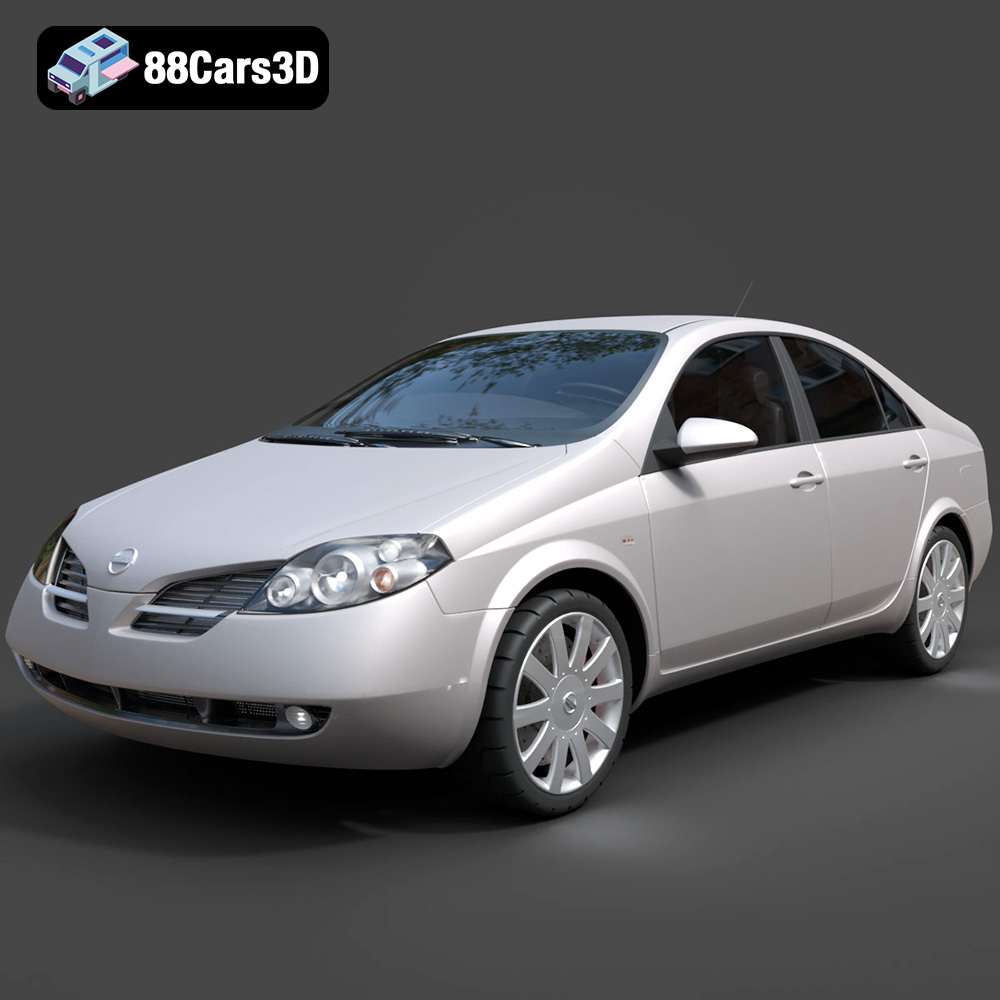
Nissan Primera 2005 3D Model
Texture: Yes
Material: Yes
Download the Nissan Primera 2005 3D Model featuring clean geometry, realistic detailing, and a fully modeled interior. Includes .blend, .fbx, .obj, .glb, .stl, .ply, .unreal, and .max formats for rendering, simulation, and game development.
Price: $4.99

Porsche 911 Carrera S 2005 3D Model
Texture: Yes
Material: Yes
Download the Porsche 911 Carrera S 2005 3D Model featuring clean geometry, realistic detailing, and a fully modeled interior. Includes .blend, .fbx, .obj, .glb, .stl, .ply, .unreal, and .max formats for rendering, simulation, and game development.
Price: $4.99

Pontiac GTO 1967 3D Model
Texture: Yes
Material: Yes
Download the Pontiac GTO 1967 3D Model featuring clean geometry, realistic detailing, and a fully modeled interior. Includes .blend, .fbx, .obj, .glb, .stl, .ply, .unreal, and .max formats for rendering, simulation, and game development.
Price: $4.99

Pontiac Fiero GT 1987 3D Model
Texture: Yes
Material: Yes
Download the Pontiac Fiero GT 1987 3D Model featuring clean geometry, realistic detailing, and a fully modeled interior. Includes .blend, .fbx, .obj, .glb, .stl, .ply, .unreal, and .max formats for rendering, simulation, and game development.
Price: $4.99

Plymouth Volare Wagon 1976 3D Model
Texture: Yes
Material: Yes
Download the Plymouth Volare Wagon 3D Model featuring clean geometry, realistic detailing, and a fully modeled interior. Includes .blend, .fbx, .obj, .glb, .stl, .ply, .unreal, and .max formats for rendering, simulation, and game development.
Price: $4.99
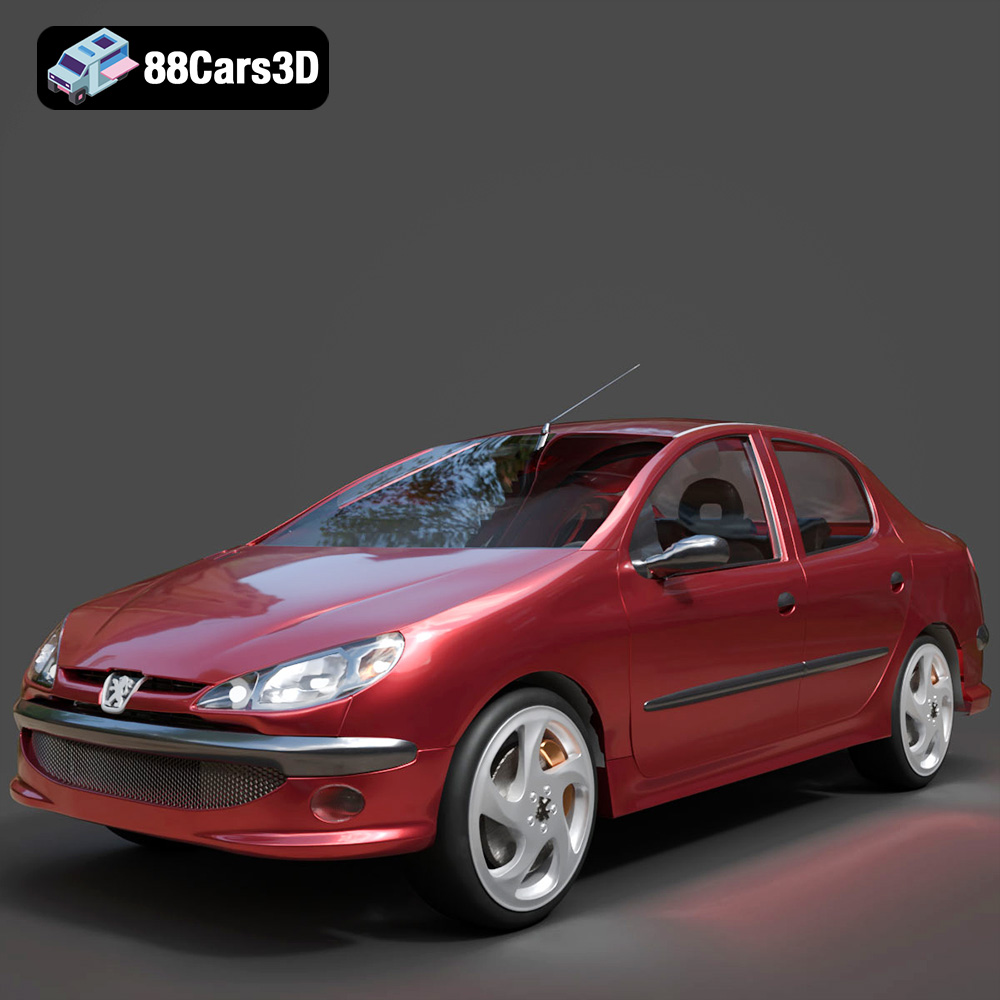
Peugeot 206 Sedan 2002 3D Model
Texture: Yes
Material: Yes
Download the Peugeot 206 Sedan 2002 3D Model featuring clean geometry, realistic detailing, and a fully modeled interior. Includes .blend, .fbx, .obj, .glb, .stl, .ply, .unreal, and .max formats for rendering, simulation, and game development.
Price: $4.99
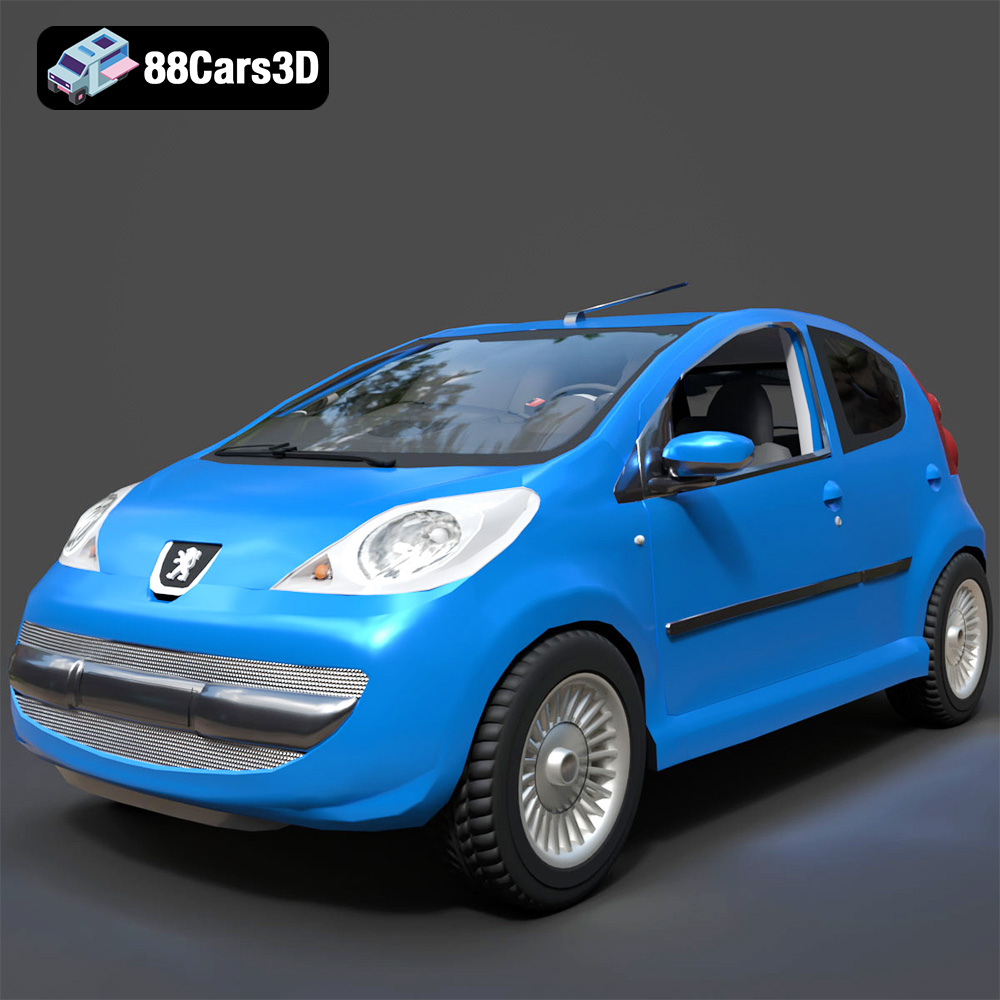
Peugeot 107 2005 3D Model
Texture: Yes
Material: Yes
Download the Peugeot 107 2005 3D Model featuring clean geometry, realistic detailing, and a fully modeled interior. Includes .blend, .fbx, .obj, .glb, .stl, .ply, .unreal, and .max formats for rendering, simulation, and game development.
Price: $4.99
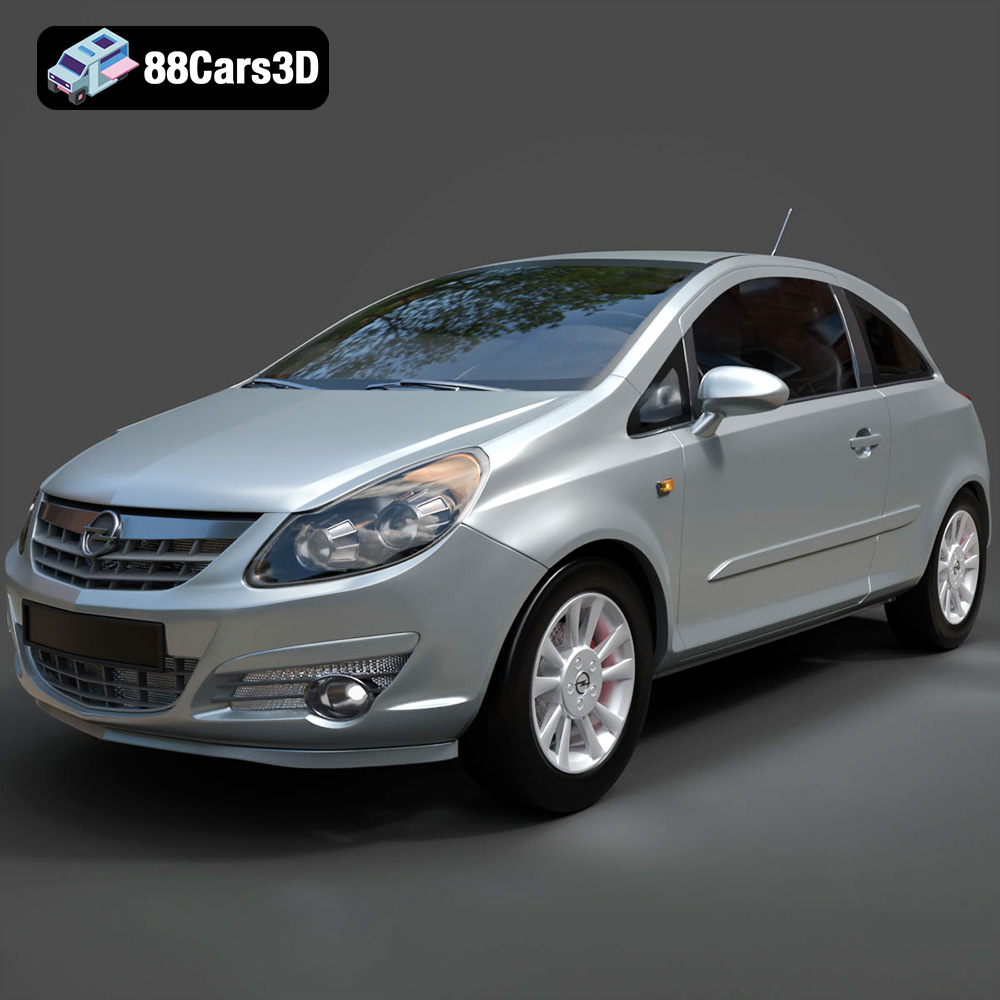
Opel Corsa 2007 3D Model
Texture: Yes
Material: Yes
Download the Opel Corsa 2007 3D Model featuring clean geometry, realistic detailing, and a fully modeled interior. Includes .blend, .fbx, .obj, .glb, .stl, .ply, .unreal, and .max formats for rendering, simulation, and game development.
Price: $4.99
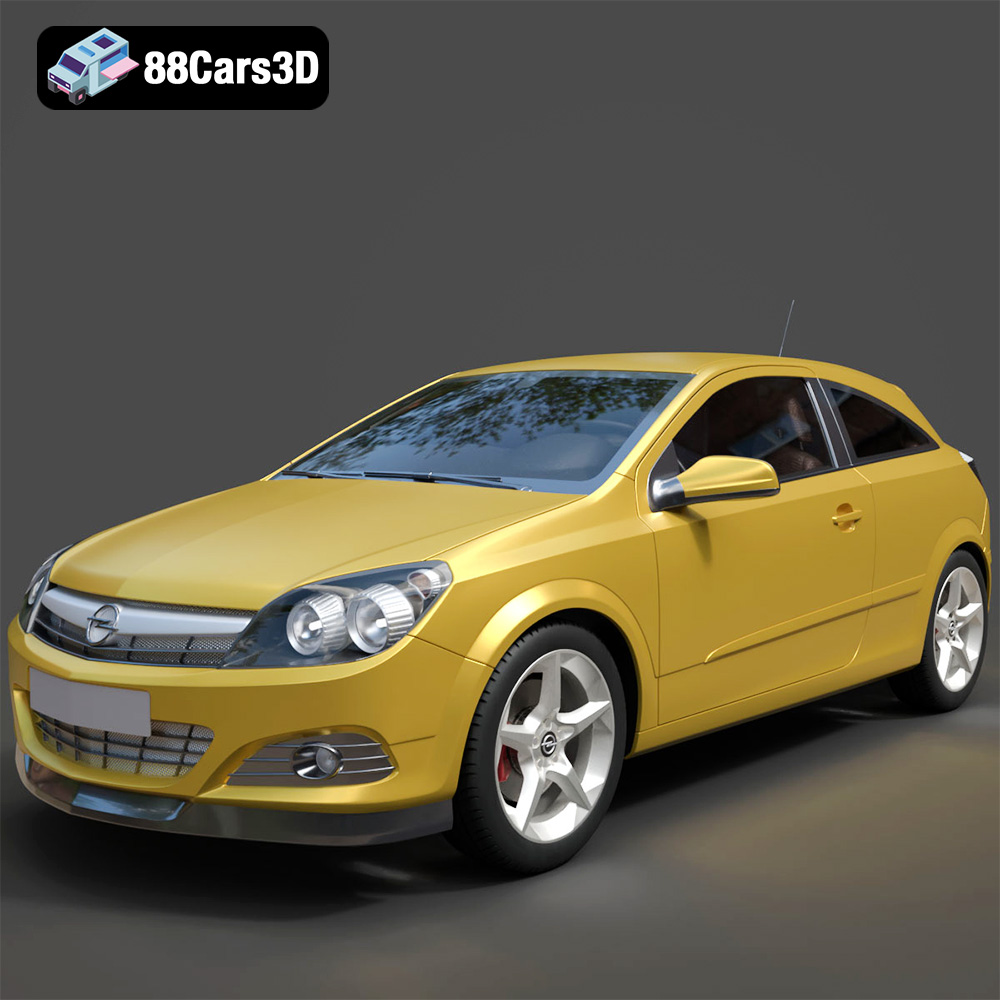
Opel Astra H GTC 3D Model
Texture: Yes
Material: Yes
Download the Opel Astra H GTC 3D Model featuring clean geometry, realistic detailing, and a fully modeled interior. Includes .blend, .fbx, .obj, .glb, .stl, .ply, .unreal, and .max formats for rendering, simulation, and game development.
Price: $4.99
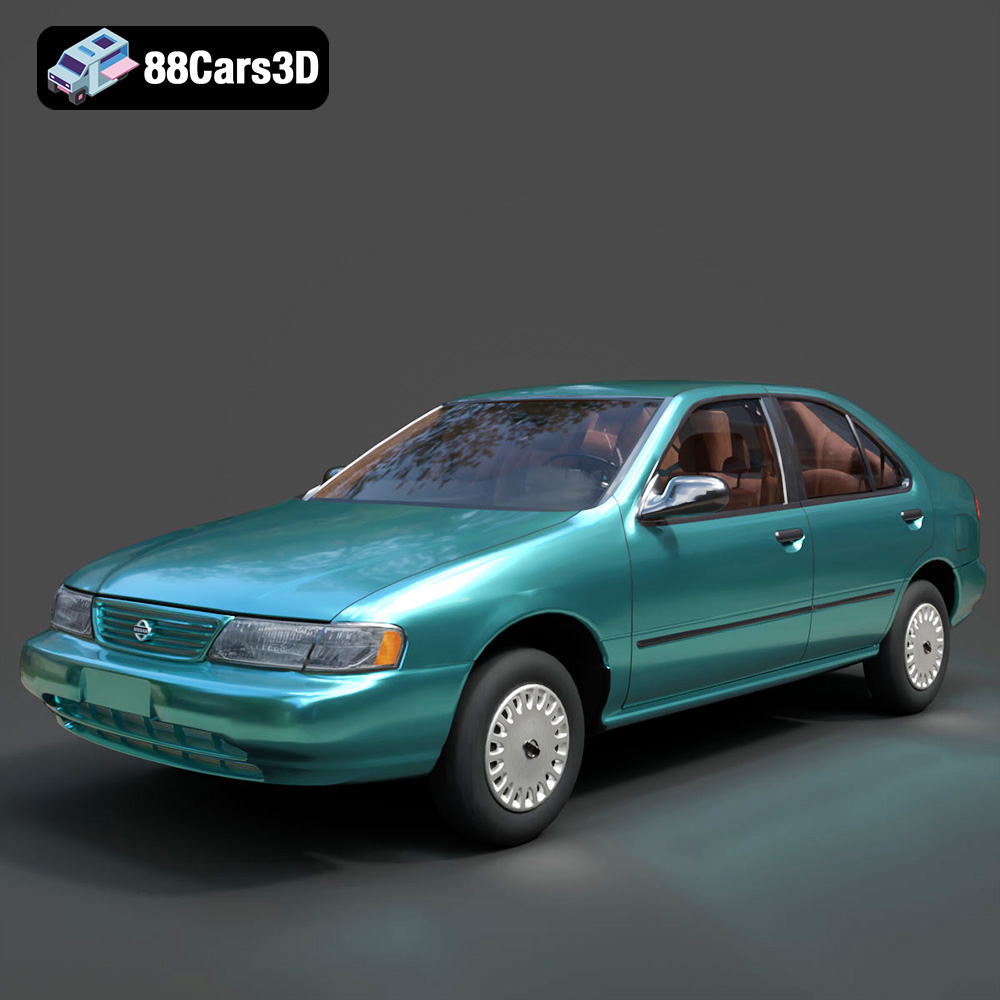
Nissan Sentra GXE 1996 3D Model
Texture: Yes
Material: Yes
Download the Nissan Sentra GXE 1996 3D Model featuring clean geometry, realistic detailing, and a fully modeled interior. Includes .blend, .fbx, .obj, .glb, .stl, .ply, .unreal, and .max formats for rendering, simulation, and game development.
Price: $4.99
