
Unlocking the Power of Precision: A Deep Dive into High-Quality 3D Car Models for Every Industry

Unlocking the Power of Precision: A Deep Dive into High-Quality 3D Car Models for Every Industry
The demand for hyper-realistic 3D car models has never been higher. From blockbuster game titles and cutting-edge automotive design visualization to immersive AR/VR experiences and intricate 3D printing projects, a meticulously crafted vehicle asset serves as the cornerstone of visual excellence. However, creating these sophisticated models requires a profound understanding of technical workflows, artistic principles, and industry-specific optimization strategies. It’s a complex dance between clean topology, accurate PBR materials, efficient rendering, and seamless integration into diverse pipelines. This comprehensive guide will take you on a journey through the intricate world of high-quality 3D car model development, revealing the secrets behind creating assets that not only look stunning but also perform flawlessly across various applications. Whether you’re a seasoned 3D artist, a game developer, an automotive engineer, or a student aspiring to master the craft, understanding these core principles is essential. We’ll explore everything from foundational modeling techniques to advanced rendering and optimization, ensuring you have the knowledge to elevate your projects to professional standards.
The Foundation: Mastering Automotive 3D Modeling Topology and Edge Flow
At the heart of every exceptional 3D car model lies impeccable topology and intelligent edge flow. These aren’t just technical jargon; they are the bedrock upon which realism, animation capabilities, and rendering efficiency are built. For automotive models, characterized by their smooth, reflective surfaces and precise panel gaps, these aspects are even more critical. Poor topology can lead to artifacts, unsightly pinching, and difficulties in UV mapping or deformation, ultimately compromising the visual integrity of the asset. A clean, quad-based mesh ensures that surfaces subdivide smoothly, light reflects accurately, and the model behaves predictably in any production pipeline. It’s about creating a mesh that tells a story of the underlying surface, guiding the eye and allowing for subtle curvature transitions.
Clean Topology Principles for Car Bodies
When modeling car bodies, the goal is to maintain an all-quad mesh where possible, especially on highly visible, curved surfaces. Triangles and N-gons (polygons with more than four sides) should be used sparingly and only in areas that will remain flat or are visually insignificant. The density of your mesh should be consistent, increasing only where greater detail or sharper creases are needed, such as around headlights, grille elements, or wheel arches. Avoid overly dense meshes in flat areas to save on polygon count. Tools like 3ds Max’s Editable Poly, Blender’s Edit Mode, or Maya’s Modeling Toolkit offer robust features for manipulating vertices, edges, and faces to achieve this. Techniques like using subdivision surfaces (e.g., TurboSmooth in 3ds Max, Subdivision Surface modifier in Blender) necessitate a clean, even base mesh to produce smooth, appealing results. Aim for a balance: enough polygons to define the shape, but not so many that the model becomes unwieldy or slow to process. A common target for a high-poly render-ready car model might be anywhere from 250,000 to 1,000,000 polygons, depending on the level of detail.
Essential Edge Flow for Smooth Surfaces and Deformation
Edge flow dictates how the polygons “flow” across the surface of your model. For automotive designs, this means ensuring edges follow the natural contours and design lines of the vehicle. Panel gaps, character lines, and curvature transitions must be defined by clear edge loops. These loops are crucial for two main reasons: firstly, they help maintain the illusion of continuity and sharpness in critical areas, preventing a “blobby” look when subdivided; secondly, they are vital for animation or deformation, such as opening doors or rotating wheels, providing clean pivot points and preventing stretching or tearing. Special attention must be paid to pole placement (vertices where multiple edge loops converge, often more than 4 or 5). While 3- and 5-pole stars are sometimes unavoidable, strategically placing them in flatter or less visible areas can prevent surface pinching. Using techniques like adding supporting edge loops near sharp creases (known as “holding loops”) is essential to control the sharpness of edges when using subdivision surfaces, maintaining the crispness of a car’s design lines.
Handling Complex Curvatures and Details
Automotive models are replete with complex curvatures, intricate details, and intersecting surfaces. Features like air intakes, intricate headlight assemblies, grilles, and exhaust pipes require careful modeling. For these areas, often starting with primitive shapes and refining them through extrusions, insets, and boolean operations (followed by cleanup to ensure quad topology) is a common approach. Remember that complex shapes often benefit from a “hard surface” modeling approach where chamfers or bevels with multiple segments are used to simulate subtle rounding, catching reflections realistically. Details like badges, wipers, or interior elements are often modeled separately and then meticulously attached or instanced, ensuring their topology is optimized for their specific role. For instance, tiny bolts might be represented by simple cylinders for game assets, while high-fidelity renders might demand fully modeled and beveled geometry. This modular approach helps in managing complexity and allows for easier asset reuse and optimization down the line.
Bringing Surfaces to Life: Advanced UV Mapping and PBR Materials
Once your 3D car model boasts perfect topology, the next crucial step is to prepare it for texturing and shading. This involves creating precise UV maps and then crafting Physically Based Rendering (PBR) materials that accurately simulate how light interacts with real-world surfaces. These processes are fundamental to achieving the photo-realistic look that modern 3D visualization demands, transforming a smooth mesh into a believable, tangible object. Without proper UVs and PBR workflows, even the most detailed model will fall short of professional standards.
UV Mapping Strategies for Automotive Assets
UV mapping is the process of unfolding your 3D model’s surface into a 2D plane, allowing textures to be painted or applied without distortion. For complex automotive models, effective UV mapping is paramount. Seam placement is critical; strategically hide seams in less visible areas, such as along panel gaps, under trim pieces, or on the underside of the vehicle. Minimize the number of seams while ensuring each UV island has sufficient space and minimal stretching. Using a checkerboard texture during the UV layout process is an excellent way to visually identify and correct stretching or inconsistencies in texel density across your model. For high-resolution textures, especially for hero renders or close-ups, consider using a UDIM workflow (e.g., in Maya, Blender with add-ons, or Mari/Substance Painter). UDIMs allow you to spread the UVs of different parts of your model across multiple UV tiles, enabling higher texture resolution for specific areas without requiring an impossibly large single texture map. For game assets, maximizing texture space and minimizing islands to reduce draw calls is often a priority, sometimes involving overlapping UVs for symmetry or shared elements like identical bolts.
Crafting Realistic PBR Materials
PBR materials are the industry standard for achieving physically accurate and consistent rendering across various lighting conditions and renderers. Instead of relying on subjective artistic interpretation, PBR uses real-world material properties to define how light interacts with surfaces. Key PBR texture maps include:
- Albedo/Base Color: Defines the diffuse color of the surface without any lighting information. For car paint, this would be the base paint color.
- Metallic: A grayscale map indicating whether a surface is metallic (white) or dielectric (black).
- Roughness: A grayscale map controlling the micro-surface detail, influencing how sharp or diffuse reflections appear (rougher surfaces scatter light more). For car paint, this is crucial for replicating clear coat imperfections.
- Normal Map: Adds high-frequency surface detail (like subtle dents, scratches, or fabric weave) without increasing actual polygon count.
- Ambient Occlusion (AO): Simulates soft shadows where surfaces are close together, adding depth and contact realism.
When creating these maps, software like Substance Painter, Substance Designer, and Mari are invaluable. Pay close attention to color spaces: Albedo maps should typically be in sRGB, while Metallic, Roughness, Normal, and other data maps should be in linear color space (non-color data). Achieving realistic car paint is particularly challenging, often requiring a complex layered shader that includes a base metallic/dielectric layer, a clear coat with specific roughness and IOR (Index of Refraction), and sometimes additional flake maps for metallic or pearlescent finishes.
Building Robust Shader Networks
Beyond the individual texture maps, how you connect and combine them within your chosen render engine creates the final look of your material. This involves building shader networks. In renderers like Corona, V-Ray, Cycles, or Arnold, you’ll connect your PBR maps to their respective slots in a universal material (e.g., Corona Physical Material, V-Ray Physical Material, Principled BSDF in Blender). For car paint, a common approach involves blending multiple layers: a base paint material (metallic/roughness) and a transparent clear coat material with its own Fresnel reflection. Advanced techniques include using procedural noises or grunge maps to subtly vary roughness or add dirt and wear layers, which can then be masked or blended using various blend modes. Parameters like Index of Refraction (IOR) for glass and clear coat, and anisotropy for brushed metals, are critical for achieving photo-realism. When sourcing models from marketplaces such as 88cars3d.com, verify that the materials are set up with PBR principles in mind, ensuring compatibility and ease of adjustment in your preferred rendering environment. This attention to detail in shader construction is what truly elevates a 3D car model from good to outstanding.
Photo-Realistic Visuals: High-End Automotive Rendering Workflows
The culmination of excellent modeling and meticulous texturing is the final render. High-end automotive rendering goes beyond simply pressing the render button; it’s an intricate art and science involving strategic lighting, environment setup, and meticulous post-processing to achieve breathtakingly realistic images. Whether for advertising, design reviews, or film production, the goal is to capture the vehicle’s form, finish, and emotional impact with unparalleled fidelity.
Renderer-Specific Techniques and Settings
Each render engine has its nuances, but the core principles remain. For CPU-based renderers like **V-Ray** and **Corona Renderer** (popular in 3ds Max), emphasis is placed on physical camera settings (ISO, Shutter Speed, F-Stop), accurate physically based light sources, and efficient sampling. Corona, known for its ease of use and high quality, often requires fewer complex settings, focusing on light mix and post-processing within the frame buffer. V-Ray offers extensive controls for global illumination, caustics, and specialized materials. For GPU renderers like **Blender’s Cycles** and **NVIDIA’s Arnold** (available across many DCCs), ray tracing is at the core. These benefit from high sample counts and often utilize denoising algorithms to reduce noise efficiently. Regardless of the engine, understanding concepts like path tracing vs. unbiased rendering, sampling rates, and bounce depths is crucial. Start with basic HDRI lighting, then gradually introduce additional lights (area lights, mesh lights) to highlight specific features of the car, paying attention to reflections and specular highlights on the paintwork.
Lighting and Environment Setup for Impact
The right lighting setup can make or break a render. For automotive visualization, two main types of environments are common:
- Studio Lighting: This typically involves a controlled environment with large softboxes, light panels, and reflectors to create soft, even illumination and elegant reflections. HDRI (High Dynamic Range Image) maps of studio setups can provide an excellent base, often complemented by additional area lights to sculpt the car’s form and accentuate its character lines. A classic setup involves a large main key light, a fill light, and a back rim light to separate the car from the background.
- Outdoor / Environmental Lighting: Here, HDRI maps of real-world locations (e.g., sunset, overcast sky, city street) are paramount for providing realistic ambient light and reflections. A physical sun object is often paired with the HDRI for sharp shadows and directional light. Consider camera angles that capture the car in a dynamic pose, emphasizing its design. Experiment with time of day to evoke different moods – a golden hour render can be incredibly dramatic, while an overcast sky offers diffused, flattering light that highlights surface nuances.
Crucially, ensure your environment provides interesting, varied reflections that define the car’s curves and reflective surfaces. These reflections are just as important as the direct light in selling the realism of the material.
Post-Processing and Compositing for Polish
The raw render output is rarely the final image. Post-processing in software like Adobe Photoshop, Affinity Photo, or even directly within your renderer’s frame buffer (e.g., Corona’s LightMix and Post-process tab) is vital for adding that professional polish. Key steps include:
- Exposure and Color Grading: Adjust overall brightness, contrast, and color balance to enhance the mood and visual impact.
- Sharpening and Noise Reduction: Fine-tune image clarity and combat any remaining render noise.
- Chromatic Aberration and Lens Distortion: Subtle application of these camera effects can add realism.
- Vignetting: A slight darkening around the edges can draw attention to the car.
- Glow/Bloom: Enhancing bright areas like headlights or reflections can make them pop.
- Adding Depth: Using Z-depth passes from your renderer, you can add realistic atmospheric haze or fog.
Compositing involves layering multiple render passes (e.g., beauty, reflections, shadows, alpha) to have granular control over each element. This allows for precise adjustments without re-rendering the entire scene, saving significant time and providing maximum flexibility in achieving your desired visual outcome. The goal is to make the image feel like it was captured by a high-end camera, not just computed.
Performance for Interactivity: Game Engine and Real-time Optimization
While stunning static renders are one aspect, preparing 3D car models for real-time applications like video games, AR/VR, and interactive configurators presents a unique set of challenges and demands specific optimization strategies. In these interactive environments, maintaining high frame rates is paramount, meaning every polygon, texture, and draw call must be meticulously managed. The balance here is between visual fidelity and performance, ensuring the car looks great without bogging down the entire scene.
Level of Detail (LOD) and Draw Call Management
One of the most critical optimization techniques for game engines (Unity, Unreal Engine) is Level of Detail (LOD). This involves creating multiple versions of the same 3D car model, each with a progressively lower polygon count.
- LOD0 (High-Poly): Used when the car is close to the camera, showcasing maximum detail (e.g., 100,000-250,000 polygons for a hero car).
- LOD1 (Medium-Poly): Appears when the car is at a moderate distance, reducing complexity (e.g., 30,000-80,000 polygons).
- LOD2 (Low-Poly): For distant views, a very simplified mesh (e.g., 5,000-20,000 polygons).
- LOD3 (Billboards/Imposters): For extremely distant cars, a simple 2D image might suffice.
Game engines automatically switch between these LODs based on the camera’s distance, ensuring performance without a noticeable drop in quality.
**Draw calls** are another major performance consideration. Each time the engine needs to “draw” an object or material, it issues a draw call, which can be computationally expensive. To reduce draw calls, consolidate meshes (e.g., combine all car body panels into one mesh), and crucially, combine materials using texture atlases. Fewer unique materials mean fewer draw calls, improving rendering speed dramatically. For complex vehicles, keeping materials for certain parts separate (e.g., glass, tires, paint) is often necessary for visual quality, but grouping smaller, less critical parts (like interior buttons or small trim pieces) onto shared texture sheets is highly beneficial.
Texture Atlasing and Material Instancing
**Texture atlasing** is the process of combining multiple smaller textures into one larger texture map. Instead of having separate texture files for a door handle, a mirror, and a badge, all their UVs are laid out within a single, larger atlas texture. This allows the game engine to render all these parts with a single material and texture lookup, drastically reducing draw calls and improving rendering performance. While it adds a step to the UV mapping and texturing workflow, the performance gains, especially for objects with many small components, are invaluable.
**Material instancing** is another powerful optimization. Instead of creating a completely new material for every slight variation (e.g., different car paint colors), a “master” material is created, and then instances of that material are generated. These instances can have their parameters (like color, roughness, metallic values) overridden without requiring a new shader compilation or draw call. This is incredibly efficient for car configurators where users can choose from dozens of paint colors or wheel finishes, all driven by a single base material.
AR/VR Specific Optimization and Best Practices
AR/VR applications have even stricter performance budgets due to the high frame rates (typically 90 FPS for comfortable VR) and often mobile hardware constraints.
- Strict Polygon Budget: Mobile AR models might be limited to 50,000-150,000 polygons for an entire vehicle, including wheels and interior.
- Texture Size Management: Textures should be optimized for mobile, often using 1K or 2K resolutions where possible, and leveraging texture compression (e.g., ASTC for Android, PVRTC for iOS).
- Single-Pass Stereo Rendering: VR requires rendering the scene twice (once for each eye). Single-pass stereo rendering optimizes this by rendering both views simultaneously in one pass, significantly reducing GPU workload.
- Occlusion Culling: This technique prevents rendering objects that are hidden behind other objects from the camera’s perspective, saving processing power.
- Shader Complexity: Keep shaders simple. Avoid overly complex material networks, excessive calculations, or too many dynamic lights. Bake as much lighting information into lightmaps or vertex colors as possible.
- Physical Scale: Ensure the car model is built to real-world scale, as this is crucial for a believable and comfortable AR/VR experience.
When acquiring models for AR/VR, prioritize assets explicitly designed for these platforms, like the optimized 3D car models available on platforms like 88cars3d.com, which often come with pre-optimized meshes and PBR materials suited for real-time engines.
Beyond Screens: 3D Printing and Interoperability
The utility of high-quality 3D car models extends far beyond digital screens. They are increasingly used for physical production, ranging from rapid prototyping for automotive design to creating intricate collectibles and educational models via 3D printing. This requires a different set of considerations, focusing on mesh integrity, watertightness, and correct file format compatibility for manufacturing and cross-software exchange.
Preparing 3D Car Models for Printing
Preparing a 3D car model for printing involves a shift in focus from visual fidelity to physical manufacturability.
- Watertight Mesh: The most critical requirement is that the model must be a “watertight” solid – meaning it has no holes, non-manifold geometry (edges or vertices shared by more than two faces), or inverted normals. Every surface must be fully enclosed, as if it could hold water. Modeling software often has tools to check for these issues (e.g., 3ds Max’s STL Check modifier, Blender’s 3D Print Toolbox add-on).
- Wall Thickness: Ensure that all parts of the model have a minimum wall thickness, typically 1mm to 2mm, depending on the printing technology (FDM, SLA, SLS) and material. Thin features that look fine on screen might break during printing or post-processing.
- Scale and Units: Model your car at the correct real-world scale, and export it with consistent units (millimeters, centimeters, or inches) that match your 3D printer’s software.
- Overhangs and Supports: Understand the limitations of your 3D printer regarding overhangs. Surfaces that extend out horizontally too far without support will likely fail. Plan for support structures, or consider splitting the model into smaller, more easily printable parts that can be assembled later.
- Detail Level vs. Resolution: While a high-poly model is great for rendering, excessive tiny details might not be captured by a 3D printer, or they might make the print brittle. Optimize the mesh to retain crucial details while removing unnecessary micro-polygons.
Often, parts like wheels, axles, and interiors are separated for easier printing and assembly, allowing for multi-material or multi-color prints.
Mesh Repair and Watertight Models
Even a visually perfect render model might have underlying mesh issues that prevent successful 3D printing. Common problems include:
- Open Edges: Gaps in the mesh where surfaces don’t connect, leaving holes.
- Non-Manifold Geometry: Edges shared by more than two faces, or faces that share only an edge but not a vertex. This causes ambiguity for the printer.
- Flipped Normals: Faces pointing inward instead of outward. While often invisible in renderers, they create hollow areas for printers.
- Intersecting Geometry: Parts of the mesh passing through each other without forming a solid union.
Software like MeshMixer (free from Autodesk), Netfabb, or the 3D Print Toolbox in Blender are invaluable for diagnosing and repairing these issues. They can automatically detect and often fix holes, non-manifold edges, and other common problems, ensuring your model is truly solid and ready for slicing. Always run a “manifold check” or “integrity check” before exporting for printing.
File Format Conversions and Compatibility
The diverse landscape of 3D applications and hardware necessitates robust file format compatibility. Understanding which format to use for specific purposes is key to an efficient workflow.
- FBX (.fbx): The industry standard for exchange between most 3D applications (Maya, 3ds Max, Blender) and game engines (Unity, Unreal Engine). It supports meshes, materials, textures, cameras, and animation.
- OBJ (.obj): A widely supported format for static meshes, often used for general model exchange. It stores geometry and UVs, with materials defined in a separate .mtl file.
- GLB/glTF (.glb, .gltf): An open standard gaining massive traction, especially for web-based 3D, AR/VR, and real-time applications. It’s efficient and supports PBR materials, animations, and scenes. GLB is a single binary file, while glTF uses JSON and separate asset files. Essential for quick AR/VR previews on mobile.
- USDZ (.usdz): Apple’s proprietary format for AR experiences on iOS devices. Similar to glTF/USD in its capabilities, offering efficient AR asset delivery.
- STL (.stl): The de facto standard for 3D printing. It describes only the surface geometry of a 3D object as a collection of triangular facets. It does not carry color or material information.
- STEP (.step) / IGES (.iges): These are CAD formats primarily used in engineering and manufacturing. While not typically used for rendering-ready models, they are the source data for many high-precision automotive models and can be converted into polygonal meshes, though this often requires significant cleanup and retopology.
When converting between formats, be mindful of potential data loss (e.g., PBR material definitions might not transfer perfectly between a game engine’s custom shader and a generic FBX export) and ensure all necessary assets (textures, material libraries) are bundled or embedded correctly.
Case Studies and Professional Workflows
The application of high-quality 3D car models spans a vast array of industries, each with unique requirements and workflows. Understanding these real-world scenarios highlights the versatility and indispensable nature of expertly crafted automotive assets. From conceptual design stages to final marketing campaigns, these models serve as critical tools for innovation and communication.
Automotive Design Visualization
In the automotive industry, 3D models are central to the entire design process, from initial sketches to production readiness.
- Concept and Iteration: Designers use high-fidelity models, often derived from CAD data (STEP, IGES) and then refined in DCC software like Autodesk Maya or Blender, to rapidly visualize new concepts, experiment with forms, and make critical design decisions. Photo-realistic renders allow stakeholders to see how a new vehicle would look under various lighting conditions, before a single physical prototype is built.
- Marketing and Advertising: Manufacturers leverage these models for stunning marketing visuals, showcasing new vehicles in breathtaking environments without needing expensive photoshoots or physical cars. Interactive configurators, where customers can customize paint, wheels, and interior options in real-time 3D, are also powered by these assets, driving engagement and sales.
- Virtual Showrooms and Configurators: High-performance, optimized 3D car models are essential for creating immersive virtual showrooms that allow potential buyers to explore vehicles interactively, often using real-time rendering engines like Unreal Engine or Unity. The precision and detail in models sourced from platforms like 88cars3d.com ensure these configurators provide a premium, accurate representation of the vehicle.
Accuracy is paramount here, with models often requiring millimetre-level precision to reflect engineering specifications.
Game Development Integration
The gaming industry is a primary consumer of high-quality 3D car models, with titles ranging from hyper-realistic racing simulations to open-world adventures.
- Racing Simulations: Games like Forza Motorsport, Gran Turismo, and Assetto Corsa demand incredibly detailed and accurate car models, both exterior and interior, optimized for real-time physics and rendering. This includes meticulously textured dashboards, functional gauges, and detailed engine bays.
- Open-World Games: Even in games where cars are ambient traffic or secondary vehicles, optimized LODs, efficient texture atlases, and robust collision meshes are vital to maintain smooth performance across vast environments. Physics assets are also created to define how the car interacts with the game world, including deformable body panels.
- Asset Pipeline: Game studios often have strict asset pipelines, requiring models to adhere to specific poly budgets, texture resolutions (e.g., 2K-4K for hero vehicles), and PBR material setups for seamless integration into game engines like Unreal Engine 5 or Unity. Comprehensive assets, including multiple LODs, pre-made material instances, and collision models, streamline the integration process significantly.
The focus is always on striking a balance between visual quality and maintaining high frame rates across various gaming platforms.
Architectural Visualization and VR Experiences
Beyond dedicated automotive projects, 3D car models are frequently integrated into broader visualization and immersive experiences.
- Architectural Visualization (ArchViz): Adding realistic 3D cars to architectural renders of buildings, street scenes, or parking lots instantly elevates the scene’s realism, scale, and sense of life. A high-quality vehicle acts as a contextual element, making the environment more believable and engaging for clients.
- Virtual Reality (VR) and Augmented Reality (AR): Interactive VR walkthroughs of virtual garages, showrooms, or even futuristic cities benefit immensely from detailed car models. In AR, users can place virtual cars in their real-world environment via a smartphone or tablet, experiencing the vehicle at scale. These applications demand highly optimized assets to ensure smooth, responsive performance without motion sickness. The models need to be lightweight enough for mobile processors while retaining sufficient visual fidelity to be convincing.
For projects demanding such high standards and diverse applications, sourcing pre-made, professionally optimized 3D car models from platforms like 88cars3d.com can dramatically accelerate production schedules, ensuring access to assets that meet industry-leading quality and technical specifications.
Conclusion: Driving Excellence with Mastered 3D Car Models
The journey through the creation, optimization, and application of high-quality 3D car models reveals a fascinating blend of artistic skill and rigorous technical understanding. From the foundational principles of clean topology and intelligent edge flow that define a model’s integrity, to the nuanced art of PBR material creation that brings surfaces to life, and the critical optimization strategies required for real-time performance, every step is vital. We’ve explored the detailed workflows for achieving photo-realistic renders, the specific considerations for game engine integration and AR/VR, and even the unique demands of preparing models for 3D printing.
Mastering these techniques not only elevates the visual quality of your projects but also ensures efficiency, compatibility, and future-proofing across an ever-evolving digital landscape. Whether you are aiming for cinematic realism, interactive immersion, or tangible prototypes, the underlying principles of high-quality 3D asset creation remain constant. By understanding and implementing these best practices, you equip yourself with the tools to tackle any creative or technical challenge.
Investing in meticulously crafted 3D car models is an investment in the success and professionalism of your work. For those seeking a reliable source of such assets, designed with clean topology, realistic materials, and optimized for diverse applications, exploring marketplaces like 88cars3d.com offers a streamlined path to acquiring professional-grade models that meet the highest industry standards. Embrace the power of precision and drive your projects to new heights of excellence.
Featured 3D Car Models

Porsche 911 Carrera S 2005 3D Model
Texture: Yes
Material: Yes
Download the Porsche 911 Carrera S 2005 3D Model featuring clean geometry, realistic detailing, and a fully modeled interior. Includes .blend, .fbx, .obj, .glb, .stl, .ply, .unreal, and .max formats for rendering, simulation, and game development.
Price: $4.99

Pontiac GTO 1967 3D Model
Texture: Yes
Material: Yes
Download the Pontiac GTO 1967 3D Model featuring clean geometry, realistic detailing, and a fully modeled interior. Includes .blend, .fbx, .obj, .glb, .stl, .ply, .unreal, and .max formats for rendering, simulation, and game development.
Price: $4.99

Pontiac Fiero GT 1987 3D Model
Texture: Yes
Material: Yes
Download the Pontiac Fiero GT 1987 3D Model featuring clean geometry, realistic detailing, and a fully modeled interior. Includes .blend, .fbx, .obj, .glb, .stl, .ply, .unreal, and .max formats for rendering, simulation, and game development.
Price: $4.99

Plymouth Volare Wagon 1976 3D Model
Texture: Yes
Material: Yes
Download the Plymouth Volare Wagon 3D Model featuring clean geometry, realistic detailing, and a fully modeled interior. Includes .blend, .fbx, .obj, .glb, .stl, .ply, .unreal, and .max formats for rendering, simulation, and game development.
Price: $4.99
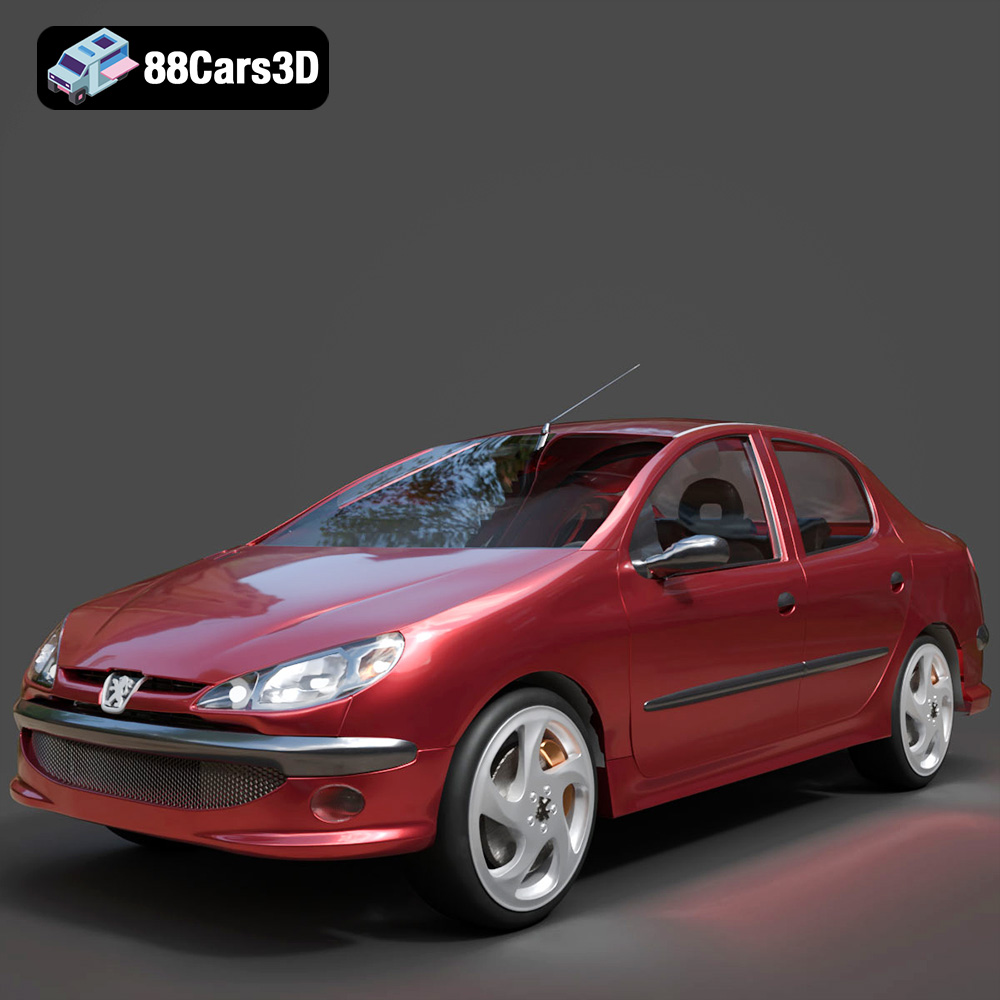
Peugeot 206 Sedan 2002 3D Model
Texture: Yes
Material: Yes
Download the Peugeot 206 Sedan 2002 3D Model featuring clean geometry, realistic detailing, and a fully modeled interior. Includes .blend, .fbx, .obj, .glb, .stl, .ply, .unreal, and .max formats for rendering, simulation, and game development.
Price: $4.99
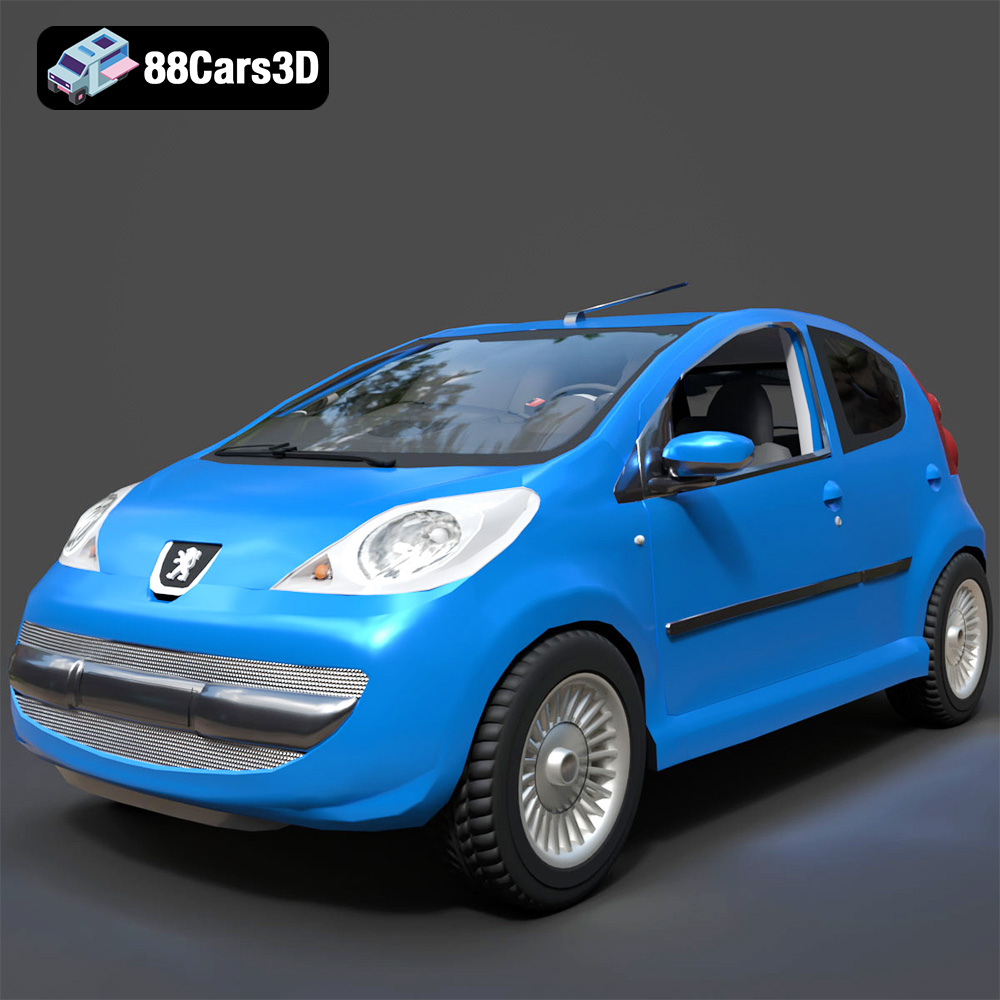
Peugeot 107 2005 3D Model
Texture: Yes
Material: Yes
Download the Peugeot 107 2005 3D Model featuring clean geometry, realistic detailing, and a fully modeled interior. Includes .blend, .fbx, .obj, .glb, .stl, .ply, .unreal, and .max formats for rendering, simulation, and game development.
Price: $4.99
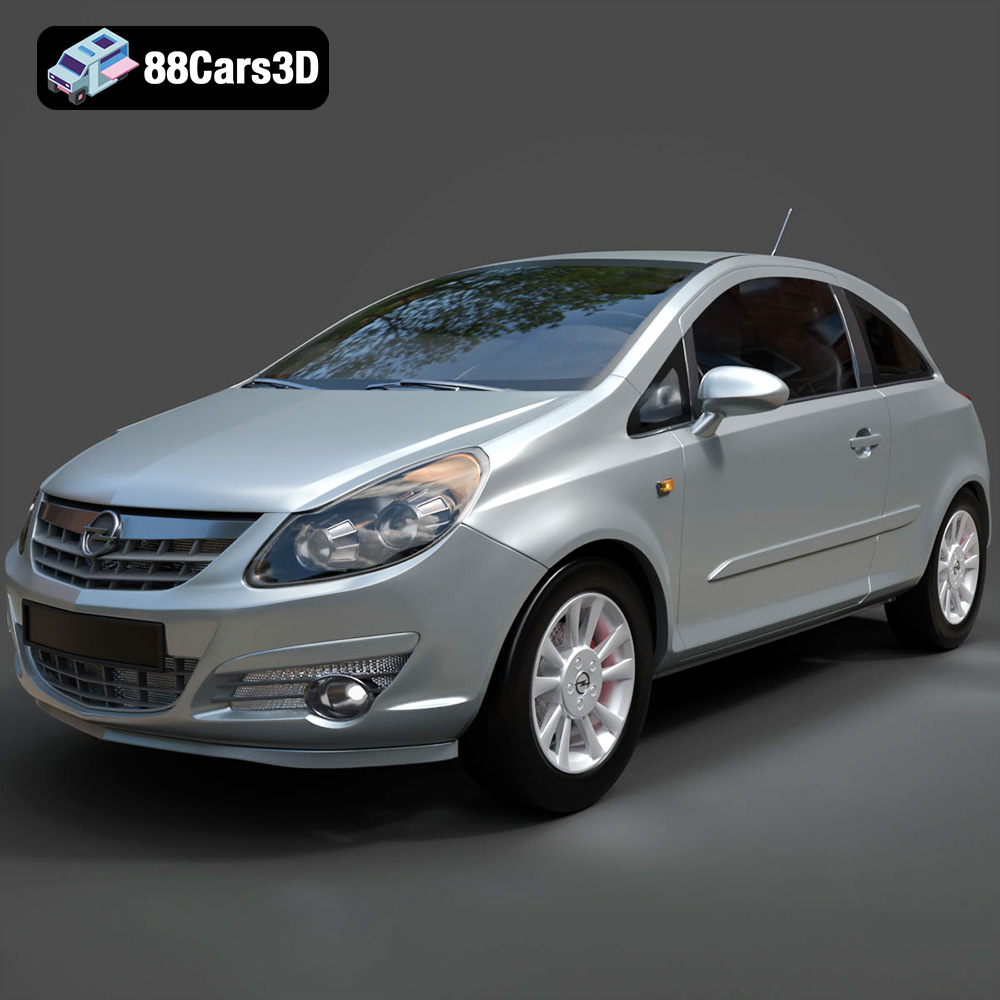
Opel Corsa 2007 3D Model
Texture: Yes
Material: Yes
Download the Opel Corsa 2007 3D Model featuring clean geometry, realistic detailing, and a fully modeled interior. Includes .blend, .fbx, .obj, .glb, .stl, .ply, .unreal, and .max formats for rendering, simulation, and game development.
Price: $4.99
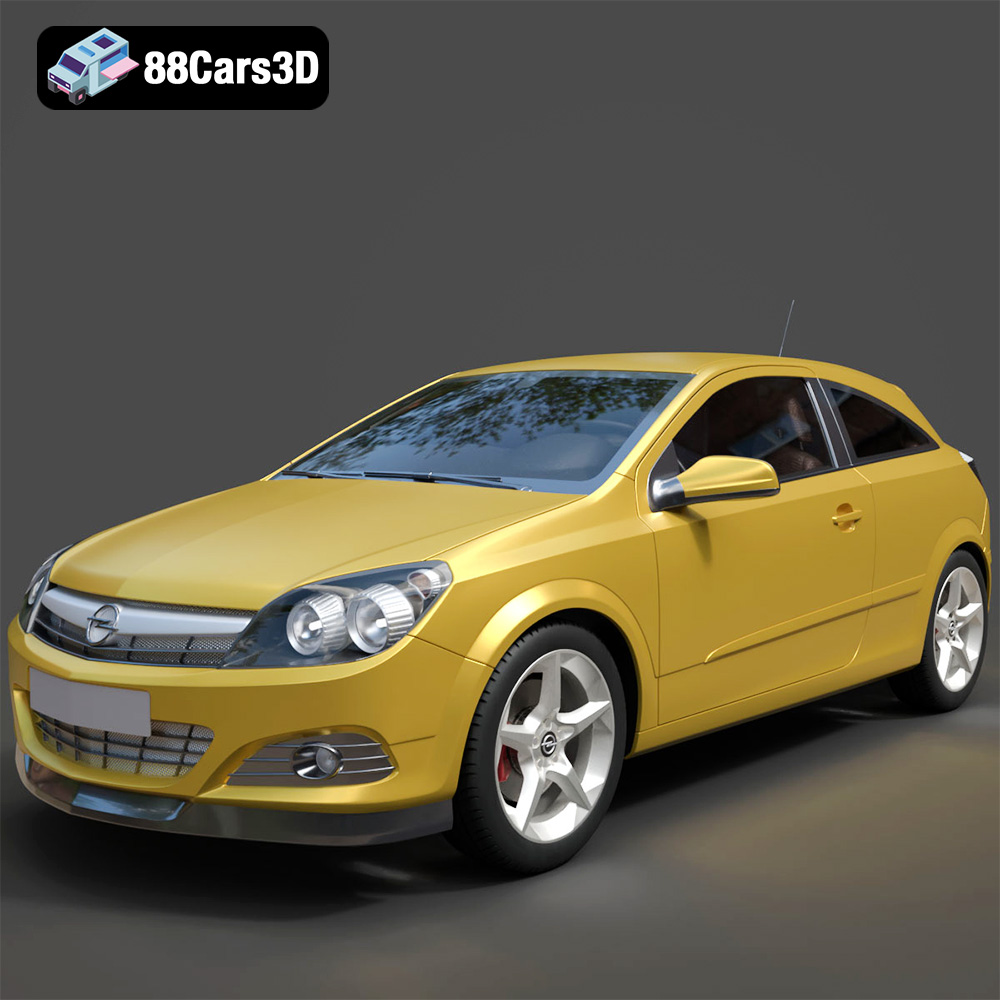
Opel Astra H GTC 3D Model
Texture: Yes
Material: Yes
Download the Opel Astra H GTC 3D Model featuring clean geometry, realistic detailing, and a fully modeled interior. Includes .blend, .fbx, .obj, .glb, .stl, .ply, .unreal, and .max formats for rendering, simulation, and game development.
Price: $4.99
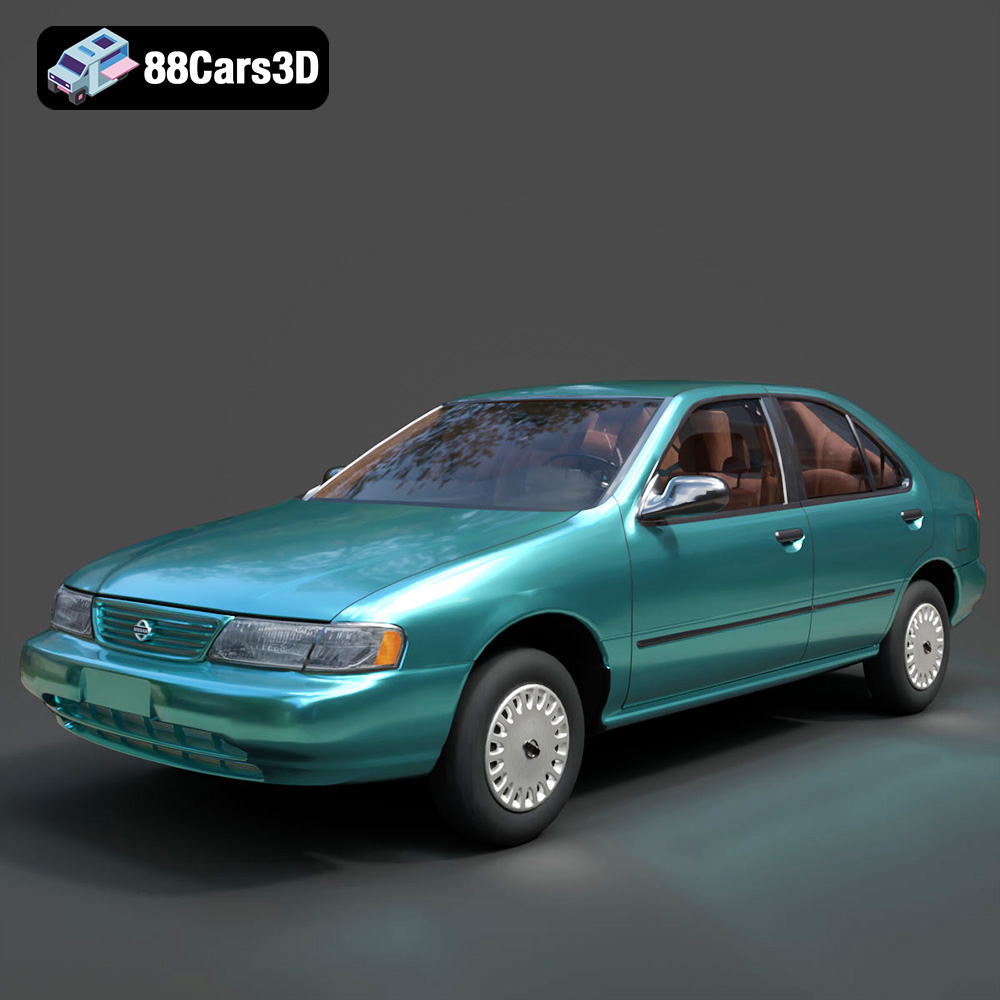
Nissan Sentra GXE 1996 3D Model
Texture: Yes
Material: Yes
Download the Nissan Sentra GXE 1996 3D Model featuring clean geometry, realistic detailing, and a fully modeled interior. Includes .blend, .fbx, .obj, .glb, .stl, .ply, .unreal, and .max formats for rendering, simulation, and game development.
Price: $4.99
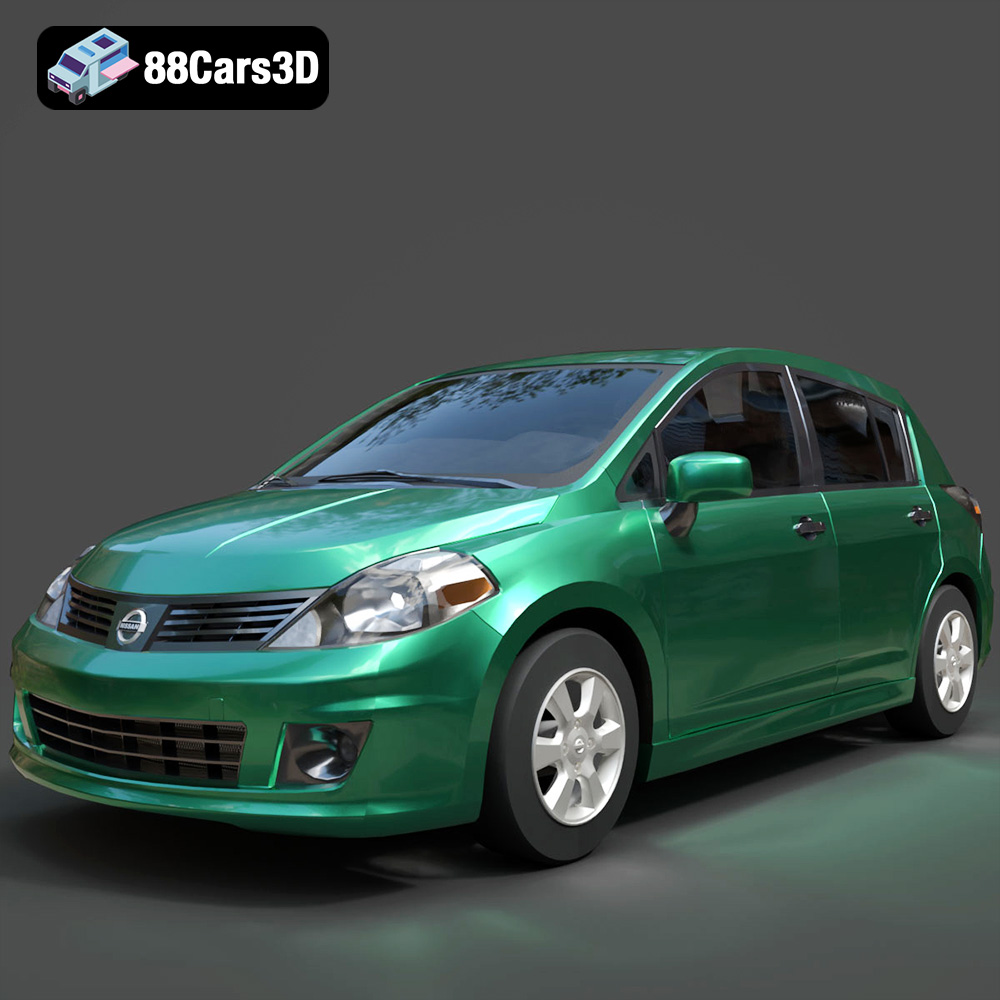
Nissan Tiida 3D Model
Texture: Yes
Material: Yes
Download the Nissan Tiida 3D Model featuring clean geometry, realistic detailing, and a fully modeled interior. Includes .blend, .fbx, .obj, .glb, .stl, .ply, .unreal, and .max formats for rendering, simulation, and game development.
Price: $4.99
