⚡ FLASH SALE: Get 60% OFF All Premium 3D & STL Models! ⚡

The allure of automotive design transcends mere aesthetics; it embodies engineering marvels, cultural icons, and personal aspirations. For 3D artists, game developers, product visualization specialists, and automotive designers, capturing this essence in a digital format requires an intricate blend of technical skill and artistic vision. Creating hyper-realistic 3D car models is a journey that begins with meticulous attention to detail and culminates in breathtaking renders, immersive game experiences, or functional prototypes.
This comprehensive guide delves into the advanced techniques and best practices essential for crafting professional-grade 3D car models. We’ll explore everything from foundational topology principles and sophisticated UV mapping strategies to cutting-edge PBR material workflows, high-fidelity rendering, game engine optimization, and diverse applications like AR/VR and 3D printing. Whether you’re a seasoned professional looking to refine your workflow or an aspiring artist aiming to elevate your skills, prepare to unlock the secrets to truly exceptional automotive visualization. By the end, you’ll have a robust understanding of the critical steps involved in producing stunning 3D car models that meet the highest industry standards.
The foundation of any high-quality 3D car model lies in its topology – the arrangement of polygons and edges that define its surface. For complex, curved surfaces typical of automotive design, clean, efficient, and well-structured topology is paramount. It dictates how smoothly the model deforms, how cleanly subdivision surfaces are applied, and how easily textures can be painted. A robust workflow begins with meticulous attention to blueprint accuracy and progresses through precise subdivision surface modeling to intricate detailing.
Precision starts with reliable reference material. High-resolution blueprints, technical drawings, and photographic references from all angles (front, back, side, top, perspective) are crucial. Most professionals begin by setting up these images in their chosen 3D software (e.g., 3ds Max, Blender, Maya) as background planes, ensuring they are perfectly aligned and scaled. The initial blocking phase involves creating basic geometric primitives (cubes, cylinders) and manipulating them to match the car’s overall silhouette. This can involve box modeling, where you progressively refine a single primitive, or spline modeling, where curves define the major contours which are then surfaced. The goal here is to establish the correct proportions and primary volumes of the vehicle before diving into intricate details. This foundational step is critical; errors here will propagate throughout the entire modeling process, leading to distorted shapes and inaccurate representations.
Automotive surfaces are predominantly smooth and curved, making subdivision surface modeling (e.g., Turbosmooth in 3ds Max, Subdivision Surface modifier in Blender) the go-to technique. The key to successful subdivision is maintaining quad-based topology. Triangles (3-sided polygons) and N-gons (polygons with more than four sides) can cause pinching, unpredictable smoothing, and artifacts, especially when subdivided. Excellent edge flow ensures that polygon loops follow the natural curvature and contours of the car, allowing for smooth reflections and easy manipulation. Holding loops (or support loops) are essential; these are additional edge loops placed close to sharp edges to control the crease intensity when subdivision is applied. This technique allows you to define sharp transitions like door seams or window frames while keeping the main surfaces smooth. Aim for consistent quad density across the mesh, particularly in areas of high curvature, to ensure even smoothing and texture distribution.
The authenticity of a 3D car model often hinges on the realism of its panel gaps and intricate details. Creating convincing panel gaps requires careful modeling, often involving duplicating existing geometry, scaling it slightly, and adding holding loops to define the gap’s edges. For complex shapes like air vents or grilles, manual polygon modeling, spline cage modeling, or even careful use of boolean operations (followed by cleanup) might be employed. While booleans can speed up initial cuts, they frequently create problematic N-gons and triangles that require extensive manual retopology to integrate cleanly into a quad-based mesh. The resolution of your mesh in these areas will depend on the final application: high-poly models for cinematic rendering might feature extremely detailed, modeled gaps, while game assets might rely more on normal maps to simulate depth. Consider the poly count: a high-fidelity rendering model might easily exceed 500,000 polygons, while a game-ready asset for a hero car aims for 80,000-150,000, depending on the platform and visual target.
Once the geometric structure of the 3D car model is complete, the next crucial step is to define its surface appearance. This involves two major components: UV mapping, which tells the software how to project 2D textures onto the 3D surface, and PBR (Physically Based Rendering) material creation, which defines how light interacts with the surface to achieve photorealism. Together, these elements transform a gray mesh into a vibrant, believable vehicle.
UV mapping is the process of flattening a 3D mesh into a 2D space, allowing textures to be painted or applied. For complex automotive surfaces with intricate curves and overlapping panels, efficient UV unwrapping is critical. The primary goals are to minimize seams, avoid stretching, and maintain a uniform texel density across all UV shells. Tools like 3ds Max’s Unwrap UVW modifier, Blender’s UV Editor, or Maya’s UV Toolkit offer powerful features for this. Strategically place seams in less visible areas, such as along natural breaks in the geometry or hidden edges. For large, continuous surfaces like the body panels, aim for large, contiguous UV shells to reduce texture distortion and simplify painting. For extremely high-detail models, consider using UDIMs (Multi-Tile UVs), which allow you to spread the UVs for different parts of the car (e.g., body, interior, wheels) across multiple texture maps, enabling higher resolution textures for each component without creating an astronomically large single texture map.
Physically Based Rendering (PBR) materials are the industry standard for achieving photorealistic results because they accurately simulate how light behaves in the real world. PBR workflows typically fall into two main categories: metallic-roughness and specular-glossiness. The metallic-roughness workflow is more common and involves defining parameters like Albedo (base color), Metallic (how much like metal it is), Roughness (how rough or smooth the surface is, affecting reflections), Normal (for fine surface details), and Ambient Occlusion (simulating shadowed areas). For automotive paint, you’ll typically have a base layer (albedo, roughness, metallic) and then simulate a clear coat effect, often through a layered shader or specific clear coat parameters available in advanced render engines. Platforms like 88cars3d.com often provide models with expertly crafted PBR materials, saving artists significant time.
Beyond the basic PBR maps, advanced texturing involves creating intricate shader networks to replicate the nuances of real-world materials. This could include adding procedural textures for subtle imperfections, layering grunge maps for a worn look, or integrating decals (e.g., logos, racing stripes). For car paint, a common technique is to use a clear coat shader that sits on top of the base paint material, mimicking the reflective, protective layer found on real cars. This clear coat layer will have its own roughness and IOR (Index of Refraction) values. Texture resolutions are crucial: 4K (4096×4096) or even 8K (8192×8192) maps are common for hero vehicles in high-end renders, while game assets might use 2K or 1K maps, often combined into texture atlases for efficiency. Software like Substance Painter is invaluable for creating these complex texture sets, allowing artists to paint directly onto the 3D model and generate all necessary PBR maps simultaneously, ensuring consistency and detail.
With a perfectly modeled and textured 3D car model, the final step in creating stunning visuals is the rendering process. This stage involves setting up lighting, cameras, and render parameters to generate photorealistic images or animations. Achieving high-fidelity automotive rendering demands a deep understanding of light, composition, and the specific capabilities of various render engines.
Lighting is arguably the most critical element in automotive rendering. A common starting point is a classic three-point lighting setup (key, fill, back light) in a virtual studio environment, often augmented with large area lights to simulate softbox lighting. This setup provides excellent control over reflections and highlights, crucial for showcasing car paint and chrome. For more realistic outdoor or environmental shots, Image-Based Lighting (IBL) using High Dynamic Range Images (HDRIs) is indispensable. An HDRI acts as both a light source and a reflection map, providing accurate environmental lighting and reflections that truly ground the car in its scene. Using a dome light with a high-quality HDRI of an automotive studio, an open field, or a city street can instantly elevate the realism. Experiment with HDRI rotation and intensity to find the most flattering lighting angles and reflections on the car’s surfaces. Additional physical lights can be strategically placed to emphasize specific design lines or add dramatic highlights.
Treat your virtual camera as a physical one. Applying principles of automotive photography is essential for compelling renders. Experiment with various focal lengths: a wider lens (e.g., 24-35mm) can emphasize speed and dynamism, while a longer lens (e.g., 85-135mm) provides a more flattering, compressed perspective, ideal for showing off design details without distortion. Compositional rules like the rule of thirds, leading lines, and negative space apply just as much in 3D as they do in real photography. Don’t be afraid to try extreme low angles to make the car appear powerful, or high angles for a more luxurious, expansive feel. Depth of field (DOF) can draw attention to specific areas and add realism; a shallow DOF can isolate the car from its background, while a deeper DOF might be used for showcasing a car in a detailed environment. Motion blur, if rendering animations, is crucial for conveying a sense of speed and dynamism.
Different render engines offer unique strengths and workflows. For architectural and automotive visualization in 3ds Max, Corona Renderer and V-Ray are industry leaders, known for their ease of use, speed, and photorealistic output. Blender users often rely on Cycles for its powerful path tracing capabilities, or Eevee for real-time rendering. Maya artists frequently utilize Arnold. Regardless of the engine, understanding global illumination (GI) settings, sampling rates, and denoising options is vital for balancing render quality and time. Higher samples lead to cleaner images but longer render times. Progressive renderers like Corona or Cycles allow you to see the image refine over time. Post-processing controls within the render engine (e.g., tone mapping, color correction, bloom) can further enhance the image before final compositing. For complex scenes with many light bounces, consider using render passes (e.g., diffuse, reflection, shadows, Z-depth) which provide greater flexibility during compositing in software like Photoshop or After Effects, allowing you to fine-tune elements independently without re-rendering the entire scene.
While cinematic renders aim for absolute fidelity regardless of polygon count, creating 3D car models for real-time applications like video games, interactive experiences, or VR simulations requires a different set of priorities: performance optimization. Game engines like Unity and Unreal Engine demand highly efficient assets that can be rendered at high frame rates without sacrificing visual quality. This involves strategic mesh reduction, smart texture management, and robust interaction setup.
One of the most crucial optimization techniques for game assets is the implementation of Levels of Detail (LODs). This involves creating multiple versions of a single 3D car model, each with progressively lower polygon counts. The highest detail model (LOD0) is used when the car is close to the camera, while lower detail versions (LOD1, LOD2, LOD3, etc.) are swapped in as the car moves further away. For a hero car in a racing game, LOD0 might be 80,000-150,000 polygons, LOD1 30,000-50,000, LOD2 10,000-20,000, and LOD3 a mere 2,000-5,000 polygons. This dynamic switching ensures that the player always sees an appropriate level of detail without the engine having to render unnecessary polygons far off in the distance, significantly reducing computational overhead. Modern game engines provide robust LOD systems that automatically handle the transitions between these different mesh versions, often with customizable transition distances and fading effects.
In real-time rendering, draw calls are a major performance bottleneck. Each time the GPU has to switch materials or textures, it incurs a draw call. Minimizing draw calls is paramount. One highly effective strategy is texture atlasing, where multiple smaller textures (e.g., textures for different car parts like headlights, emblems, wipers) are packed into a single, larger texture map. The UVs of the corresponding geometry are then adjusted to point to their respective regions within this atlas. This allows many different parts of the car to use a single material, drastically reducing the number of draw calls. Similarly, optimizing materials by combining similar properties into one shader and using instances of materials rather than unique ones for every slight variation can yield significant performance gains. For example, all car windows could share one transparent material instance, even if their tint values differ slightly.
For a game asset, a car needs to interact realistically with its environment and other objects. This requires a dedicated collision mesh, which is a simplified, low-polygon version of the car’s exterior, specifically designed for physics calculations. Unlike the render mesh, a collision mesh doesn’t need to be visually accurate; it just needs to represent the car’s physical boundaries effectively. Often, this is a convex hull or a series of primitive shapes (boxes, spheres, capsules) parented together. Additionally, for drivable cars, robust rigging is essential. This involves creating a skeleton or hierarchy of bones (e.g., for each wheel, suspension components, steering) that can be animated or controlled by the game’s physics system. Proper rigging allows for realistic wheel rotation, independent suspension movement, and steering animations, bringing the vehicle to life in the game world. When sourcing models from marketplaces such as 88cars3d.com, look for assets that explicitly mention game-ready features like LODs and optimized materials.
The utility of high-quality 3D car models extends far beyond traditional rendering and game development. With advancements in technology, these assets are becoming increasingly vital for immersive experiences in Augmented Reality (AR) and Virtual Reality (VR), for rapid prototyping through 3D printing, and for diverse visualization needs in industries like architecture and product design. Each application presents its own unique set of technical requirements and optimization challenges.
For Augmented Reality (AR) and Virtual Reality (VR) applications, performance is paramount, especially on mobile devices. AR/VR optimization often means even more stringent polygon budgets than traditional games. A typical mobile AR car model might need to be below 50,000 polygons, with highly optimized PBR materials and baked lighting (if possible) to reduce real-time computation. Large texture maps should be scaled down to 1K or 512 pixels where possible, and texture atlasing is highly recommended. Special attention must be paid to file formats like GLB (for WebAR/VR) and USDZ (for Apple ARKit), which are optimized for efficient asset delivery and rendering in these environments. Interactivity is also key: enabling users to change car colors, open doors, or view the interior in real-time requires a well-structured hierarchy and often simple animations triggered by user input. Ensuring correct scale is also vital for convincing AR experiences, so models should be exported at real-world dimensions (e.g., meters).
Transforming a digital 3D car model into a physical object via 3D printing introduces a new set of technical requirements focused on mesh integrity. For successful 3D printing, the model must be “watertight” or manifold – meaning it has no holes, non-manifold edges, inverted normals, or self-intersecting geometry. Every edge must connect exactly two polygons. Tools like Blender’s 3D Print Toolbox, MeshLab, or built-in repair functions in slicer software can identify and fix these issues. Wall thickness is another critical consideration, particularly for FDM (Fused Deposition Modeling) and SLA (Stereolithography) printers; thin areas in the model might not print correctly or could break easily. The model’s scale needs to be accurately set to match the desired physical output size. Often, high-poly models need to be decimated (polygon reduction) while retaining essential details, as excessive polygons can lead to extremely large file sizes and complex slicing operations. Models sourced from 88cars3d.com are typically created with clean topology, making them ideal starting points for 3D print preparation.
In architectural visualization (ArchViz) and product visualization, 3D car models serve as powerful contextual elements, adding realism, scale, and a sense of life to renders. Whether it’s showcasing a new building with cars parked outside or demonstrating how a product fits into a lifestyle scene, accurate and well-rendered vehicles are indispensable. For ArchViz, the focus is on integrating the car seamlessly into the environment – matching lighting, reflections, and ambient occlusion from the scene. Often, the car won’t be the primary focus, so optimization might lean towards balanced detail: enough to look good but not so much that it overwhelms the scene’s primary subject. For product visualization, the car might be a product itself, or it might be used to complement and enhance the appeal of another product (e.g., showing off custom wheels on a luxury vehicle). In these cases, very high detail and precise material representation are crucial. File formats like FBX and OBJ are widely compatible across rendering and CAD software, facilitating easy integration into diverse visualization pipelines.
The journey from concept to a fully realized, high-fidelity 3D car model is an intricate process demanding technical mastery and artistic vision. We’ve explored the foundational importance of clean topology and precise modeling, ensuring that every curve and panel gap contributes to a believable silhouette. We delved into the intricacies of efficient UV mapping and the power of PBR materials and shader networks to bring surfaces to life with photorealistic fidelity. Understanding lighting, camera composition, and the nuances of various render engines proved essential for producing stunning automotive rendering.
Beyond static images, we examined the critical optimization strategies for creating performant game assets, utilizing LODs, texture atlasing, and robust rigging for interactive real-time experiences. Finally, we broadened our perspective to encompass emerging applications, from the specific demands of AR/VR optimization and the geometric requirements for successful 3D printing to the contextual power of vehicles in broader visualization projects. Mastering these techniques transforms a simple mesh into a versatile, high-impact digital asset ready for any platform.
Whether you’re crafting the next generation of virtual vehicles or pushing the boundaries of immersive experiences, the principles discussed here will serve as your blueprint. For artists seeking to jumpstart their projects with professional-grade assets, platforms like 88cars3d.com offer a curated selection of meticulously crafted 3D car models, ready for integration into your next masterpiece. Continue to experiment, learn, and push the boundaries of what’s possible in the exciting world of automotive 3D art.

Texture: Yes
Material: Yes
Download the Nissan Fuga 2003 3D Model featuring clean geometry, realistic detailing, and a fully modeled interior. Includes .blend, .fbx, .obj, .glb, .stl, .ply, .unreal, and .max formats for rendering, simulation, and game development.
Price: $4.99

Texture: Yes
Material: Yes
Download the Mazda MX-5 2025 3D Model featuring clean geometry, realistic detailing, and a fully modeled interior. Includes .blend, .fbx, .obj, .glb, .stl, .ply, .unreal, and .max formats for rendering, simulation, and game development.
Price: $4.99

Texture: Yes
Material: Yes
Download the Nissan Maxima 2009 3D Model featuring clean geometry, realistic detailing, and a fully modeled interior. Includes .blend, .fbx, .obj, .glb, .stl, .ply, .unreal, and .max formats for rendering, simulation, and game development.
Price: $4.99

Texture: Yes
Material: Yes
Download the Mitsubishi Colt 2025 3D Model featuring clean geometry, realistic detailing, and a fully modeled interior. Includes .blend, .fbx, .obj, .glb, .stl, .ply, .unreal, and .max formats for rendering, simulation, and game development.
Price: $4.99
Texture: Yes
Material: Yes
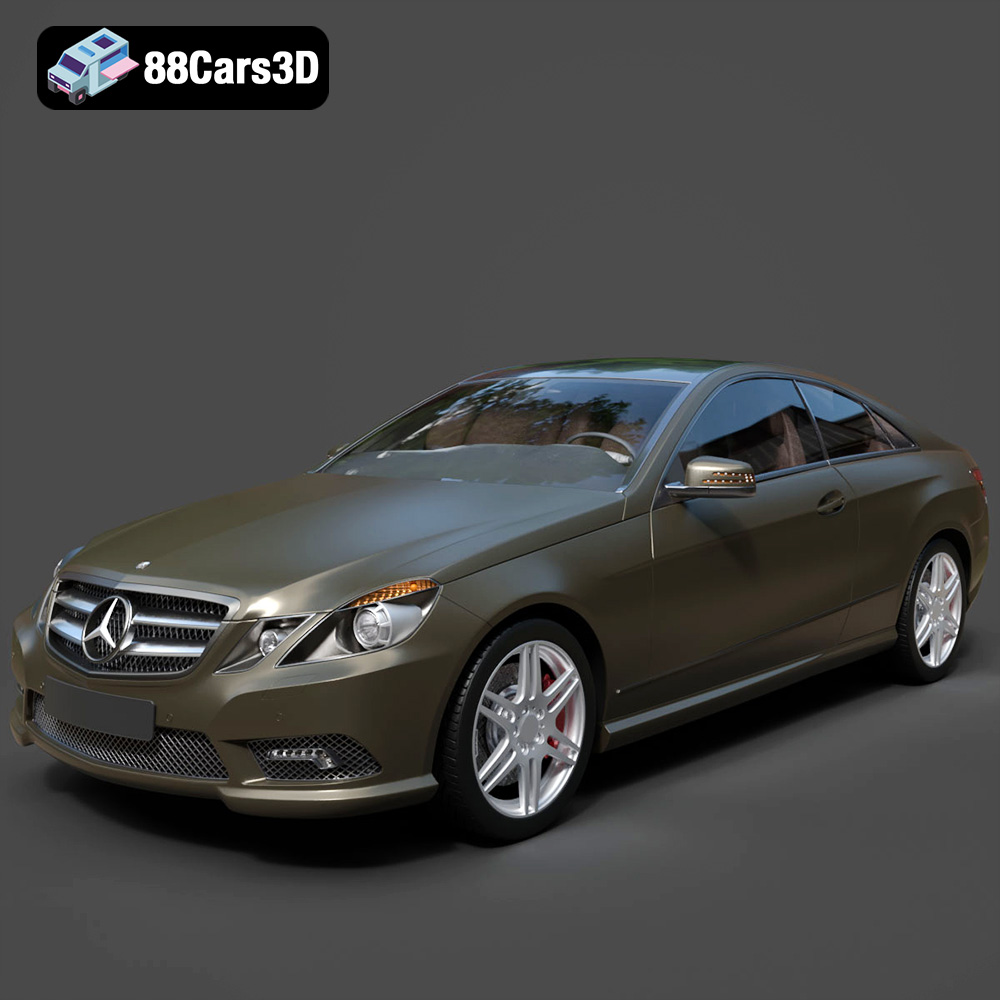
Download the Mercedes-Benz E Coupe 2010 3D Model featuring clean geometry, realistic detailing, and a fully modeled interior. Includes .blend, .fbx, .obj, .glb, .stl, .ply, .unreal, and .max formats for rendering, simulation, and game development.
Price: $4.99
Texture: Yes
Material: Yes
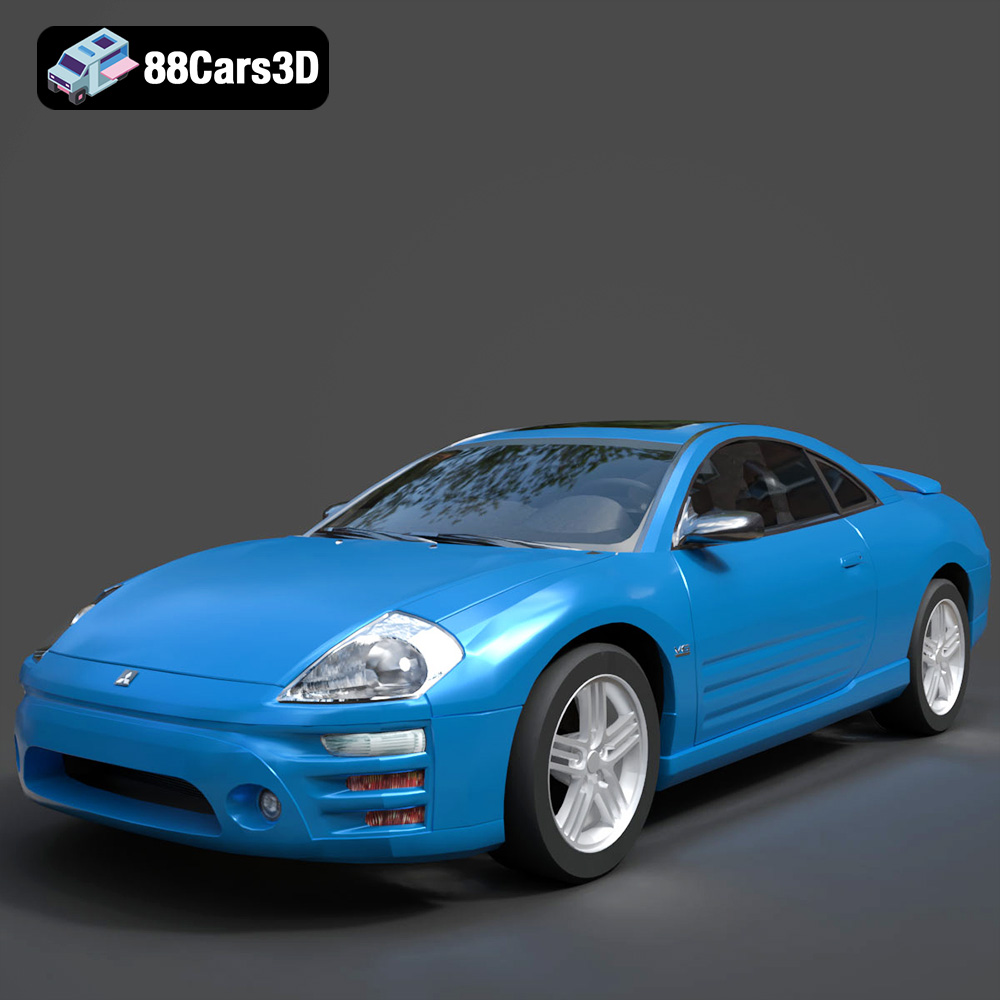
Download the Mitsubishi Eclipse 2005 3D Model featuring clean geometry, realistic detailing, and a fully modeled interior. Includes .blend, .fbx, .obj, .glb, .stl, .ply, .unreal, and .max formats for rendering, simulation, and game development.
Price: $4.99
Texture: Yes
Material: Yes
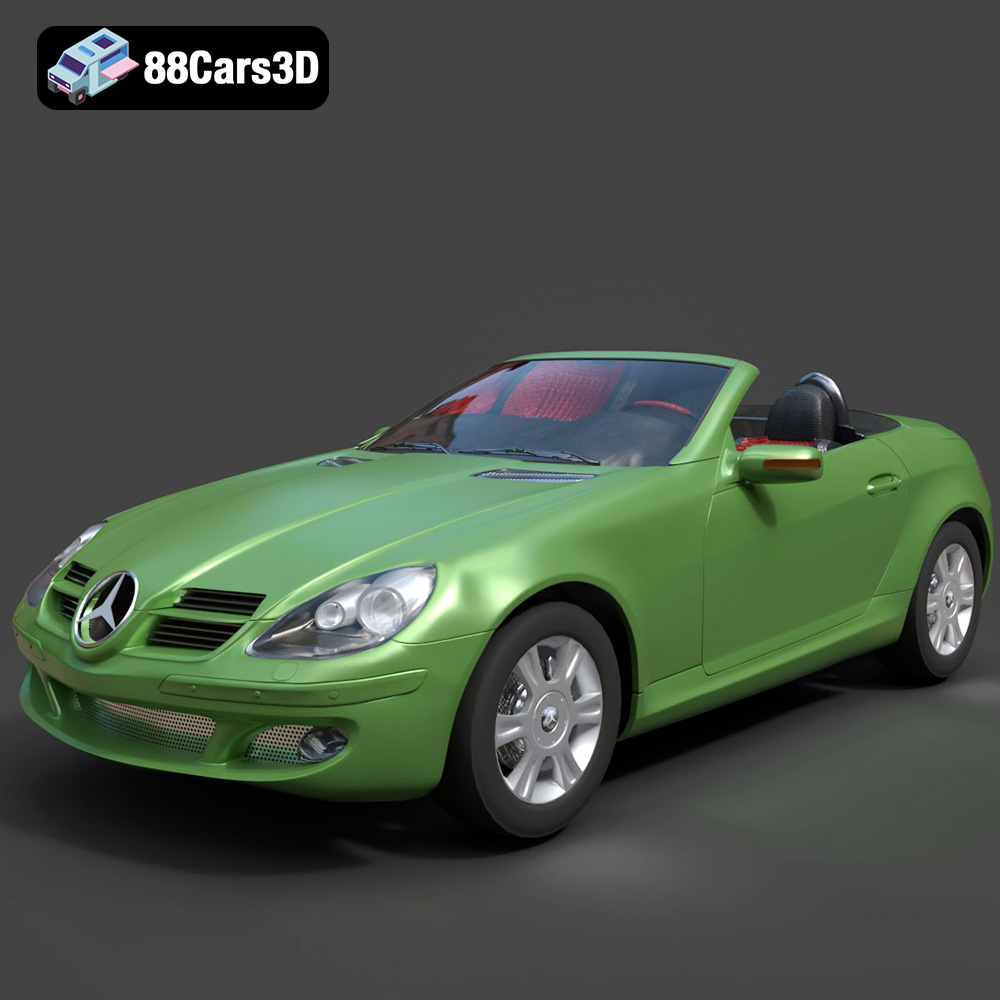
Download the Mercedes-Benz SLK (R171) 3D Model featuring clean geometry, realistic detailing, and a fully modeled interior. Includes .blend, .fbx, .obj, .glb, .stl, .ply, .unreal, and .max formats for rendering, simulation, and game development.
Price: $4.99
Texture: Yes
Material: Yes
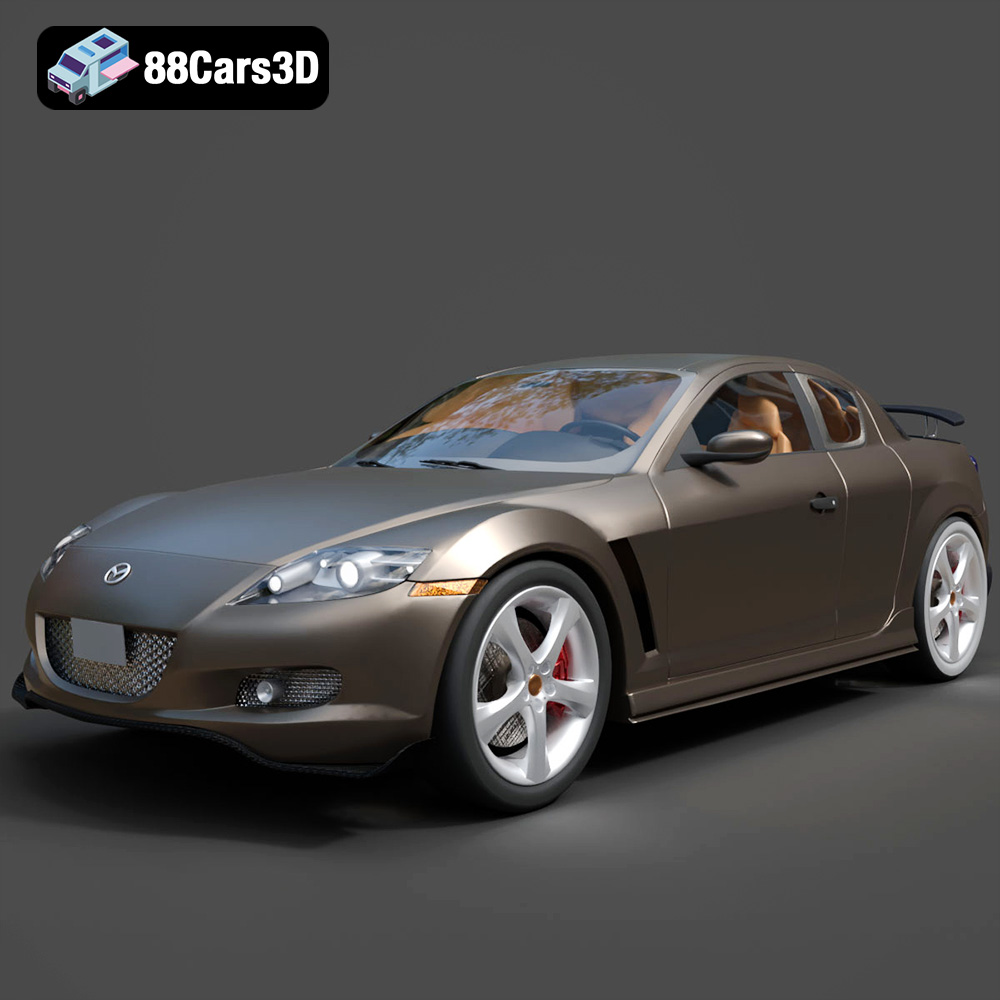
Download the Mazda RX-8 2008 3D Model featuring clean geometry, realistic detailing, and a fully modeled interior. Includes .blend, .fbx, .obj, .glb, .stl, .ply, .unreal, and .max formats for rendering, simulation, and game development.
Price: $4.99

Texture: Yes
Material: Yes
Download the McLaren F1 1992 3D Model featuring clean geometry, realistic detailing, and a fully modeled interior. Includes .blend, .fbx, .obj, .glb, .stl, .ply, .unreal, and .max formats for rendering, simulation, and game development.
Price: $4.99

Texture: Yes
Material: Yes
Download the Mercedes-Benz C-class W203 2006 3D Model featuring clean geometry, realistic detailing, and a fully modeled interior. Includes .blend, .fbx, .obj, .glb, .stl, .ply, .unreal, and .max formats for rendering, simulation, and game development.
Price: $4.99

