⚡ FLASH SALE: Get 60% OFF All Premium 3D & STL Models! ⚡

The sleek lines, intricate details, and powerful presence of an automobile have captivated designers, engineers, and artists for generations. In the digital realm, transforming these magnificent machines into high-fidelity 3D car models is a complex, multi-faceted art form that blends technical prowess with artistic vision. Whether you’re crafting stunning automotive rendering visualizations, building immersive game assets, designing virtual experiences for AR/VR, or even preparing intricate components for 3D printing, the journey from concept to a polished digital asset demands precision, optimization, and a deep understanding of various workflows.
The demand for realistic, performant, and versatile 3D vehicle models is at an all-time high. From blockbuster video games to cinematic advertisements, architectural visualizations, and groundbreaking virtual showrooms, high-quality car models are indispensable. This comprehensive guide will take you on a deep dive into the technical intricacies of creating, optimizing, and deploying 3D car models across a multitude of applications. We’ll explore everything from the foundational principles of topology and UV mapping to advanced PBR materials, sophisticated rendering techniques, and critical game engine optimization strategies, ensuring your digital vehicles are not just visually appealing but also functionally superior.
The foundation of any exceptional 3D car model lies in its topology – the arrangement of vertices, edges, and faces that define the mesh geometry. For automotive models, which often feature complex curves, sharp creases, and smooth surfaces, clean and efficient topology is paramount. It dictates how the model deforms, how subdivision surfaces behave, and how textures are applied without stretching or distortion. A well-constructed mesh ensures flexibility for future modifications, animation, and seamless integration into various pipelines.
The choice between high-polygon and low-polygon models is often dictated by the final application. For cinematic renders or detailed visualizations, a high-polygon model with ample geometric detail is desirable, often leveraging subdivision surface modifiers (like Turbosmooth in 3ds Max or Subdivision Surface in Blender) to achieve ultra-smooth surfaces. Conversely, game assets and AR/VR applications demand highly optimized, low-polygon meshes to maintain real-time performance. Regardless of the target poly count, the underlying principles of clean topology remain crucial for baking normal maps and ensuring visual fidelity across different detail levels.
At the heart of good automotive topology is the principle of using quads (four-sided polygons). While triangles are perfectly acceptable for static, flat surfaces or final game engine meshes, quads offer superior control for subdivision, deformation, and texturing, especially on curved surfaces. N-gons (polygons with more than four sides) should generally be avoided as they can lead to unpredictable shading, triangulation issues, and problems during mesh deformation.
Edge flow refers to the direction and continuity of edge loops across the model’s surface. For cars, crucial edge loops follow the major body lines, character creases, window frames, and wheel arches. These loops allow for the creation of crisp edges without excessive geometry and facilitate smooth deformation when opening doors, hoods, or trunks. When modeling, artists often start with simple primitive shapes and gradually refine them, adding detail while maintaining an even distribution of polygons. Using reference images, blueprints, and even CAD data is essential for accurate proportions and detail placement. Software like 3ds Max, Blender, and Maya provide powerful modeling toolsets—extrude, cut, connect, and various loop tools—to meticulously build and refine these complex surfaces, ensuring the mesh accurately represents the vehicle’s design language.
Balancing visual fidelity with performance is a perpetual challenge, particularly for game development and real-time applications. High-end renders might feature models exceeding millions of polygons, especially with detailed interiors and engine bays. For a typical game asset, however, the target poly count for an entire vehicle might range from 50,000 to 150,000 triangles, depending on its importance and proximity to the camera. More critical elements like wheels and tires might have slightly higher polygon budgets due to their complex shapes and rotating nature.
To manage this, artists employ strategies like creating different Level of Detail (LOD) meshes. An LOD0 might be the full-detail model, while LOD1, LOD2, and LOD3 are progressively simpler versions, with significantly reduced polygon counts. These are swapped out dynamically based on the camera’s distance to the object, saving computational resources. Furthermore, interior components and engine parts that are rarely seen can be simplified or even removed for exterior-only models. Tools like the ProOptimizer in 3ds Max or the Decimate modifier in Blender can assist in intelligently reducing polygon counts while preserving crucial details, often as a pre-step for LOD creation or preparing models for AR/VR optimization.
Beyond the mesh itself, the surface aesthetics of a 3D car model are largely determined by its UV mapping and the quality of its PBR materials. UV mapping is the process of flattening the 3D surface of a model into a 2D space, allowing a 2D texture image to be wrapped onto it. Flawless UVs are critical for realistic materials, ensuring textures appear clean, undistorted, and uniformly scaled across the entire vehicle. PBR (Physically Based Rendering) materials, on the other hand, provide a scientifically accurate way to define how light interacts with surfaces, resulting in highly believable reflections, refractions, and diffuse lighting.
The complexity of automotive surfaces, with their myriad of materials – metallic paints, clear coats, glass, rubber, chrome, carbon fiber, and fabric – demands a sophisticated approach to both UV layout and material creation. A strategic UV unwrapping process is the first step towards achieving photorealistic results, followed by the meticulous development of texture maps that drive the PBR shader networks.
Effective UV unwrapping for a car model aims to minimize seams, eliminate distortion, and ensure uniform texel density across all surfaces. This uniformity means that a 1-pixel area on the texture map covers roughly the same physical area on the 3D model, preventing blurry or pixelated textures on certain parts. Common unwrapping strategies include:
For the car body, artists often project the main panels using a combination of planar mapping and then “cut” and “relax” the UV shells using dedicated UV editor tools in software like 3ds Max, Blender, or Maya. The goal is to lay out the UV islands (flattened pieces of the mesh) efficiently within the 0-1 UV space, maximizing texture resolution while keeping seams in inconspicuous areas. It’s also common to utilize multiple UV channels: one for diffuse/specular maps, another for lightmaps (especially in game engines), and potentially others for specialized effects or decals. High-quality 3D car models from platforms like 88cars3d.com typically come with production-ready, clean UV layouts, saving significant time in production.
PBR materials are the cornerstone of modern realism. They rely on a set of texture maps that describe the surface properties rather than just its color. The two primary workflows are Metallic/Roughness and Specular/Glossiness. The Metallic/Roughness workflow, widely adopted in game engines and real-time renderers, defines surfaces based on whether they are metallic (using a Metallic map) and how rough their surface is (using a Roughness map). Key maps include:
For realistic car paint, a complex layered shader is often employed. This involves a base metallic layer for the paint flakes, a clear coat layer for gloss and reflections, and potentially procedural noise for subtle imperfections. Glass materials require accurate refraction and reflection properties, while tire rubber needs subtle displacement for tread patterns and a specific roughness to convey its texture. Software like Substance Painter and Mari are industry standards for painting and generating these intricate textures, while shader networks are constructed in the material editors of renderers like Corona, V-Ray, Cycles, or Arnold, allowing artists to blend and control these various maps to achieve stunning realism. The meticulous detail in these PBR materials significantly elevates the realism of any automotive rendering.
Once a 3D car model is meticulously crafted and textured, the next crucial step is automotive rendering – the process of generating photorealistic images or animations. This stage brings together lighting, environment, camera angles, and advanced rendering algorithms to create captivating visuals. The quality of the render can make or break a project, whether it’s for advertising, design review, or artistic showcase. Modern renderers offer incredible power and flexibility, but mastering their intricacies is key to achieving professional-grade results.
Achieving a truly photorealistic render isn’t just about throwing lights at a model; it’s about understanding light physics, material interactions, and the subtle nuances that make an image believable. This includes everything from setting up a convincing environment to fine-tuning render settings and performing crucial post-processing steps. The goal is to make the digital car indistinguishable from a real photograph, capturing its essence and highlighting its design.
Effective lighting is arguably the most critical component of a realistic render. For studio setups, High Dynamic Range Imaging (HDRI) is the gold standard. An HDRI map provides both lighting information and panoramic environment reflections, creating incredibly realistic global illumination and reflections on the car’s surface. Paired with a suitable backplate image, this can seamlessly integrate the car into a real-world scene.
Beyond HDRI, specific lighting fixtures are used to sculpt the car’s form and highlight its contours:
Camera matching techniques are essential when integrating a 3D car into a photograph, ensuring the perspective and scale are perfectly aligned. Renderers like Corona Renderer, V-Ray (both popular with 3ds Max users), Cycles (Blender), and Arnold (Maya) offer robust lighting tools and physically accurate light solvers, allowing artists to experiment with different setups and achieve stunning results. The strategic placement of lights and accurate environment simulation is what elevates a good model to an exceptional visualization.
Optimizing render settings is a delicate balance between quality and render time. Modern renderers employ techniques like ray tracing, path tracing, and global illumination. Settings such as sampling rates, bounces, and denoisers (like NVIDIA OptiX or Intel Open Image Denoise) are adjusted to reduce noise and artifacts while maintaining reasonable render durations. For production, rendering in passes (also known as render elements or render layers) is a professional workflow. These passes separate different components of the render into individual image files:
These passes offer maximum control during post-processing in software like Adobe Photoshop, After Effects, or Nuke. Compositing allows artists to individually adjust colors, contrast, and add effects like glare, bloom, chromatic aberration, and vignettes without re-rendering the entire scene. This non-destructive workflow provides immense flexibility, enabling artists to fine-tune the final image, correct minor imperfections, and inject artistic flair to achieve truly cinematic results. High-quality 3D car models are often designed with these post-production possibilities in mind, ensuring clean render passes.
While the goal of automotive rendering is often peak visual fidelity, the requirements for game development and real-time applications like AR/VR shift significantly towards performance. Here, every polygon, every texture, and every draw call impacts the frame rate. An unoptimized, high-poly model that looks spectacular in a static render will cripple a game engine. Therefore, a specialized approach to optimization is crucial, transforming cinematic assets into lean, efficient game assets ready for interactive environments.
The core challenge is to maintain visual quality while operating within strict performance budgets. This involves clever geometry reduction, strategic texture management, and leveraging engine-specific features. The difference between a smooth 60 frames per second experience and a stuttering mess often comes down to the quality of asset optimization.
As discussed, Level of Detail (LOD) meshes are indispensable for real-time performance. An LOD Group component (available in Unity and Unreal Engine) allows artists to assign multiple versions of a model with decreasing polygon counts. When the camera is close, the high-detail LOD0 is displayed. As the camera moves further away, the engine automatically switches to LOD1, then LOD2, and so on, rendering fewer polygons without a noticeable drop in visual quality to the player. A typical car might have 3-4 LOD levels, with the lowest LOD potentially being a mere few thousand triangles.
Another critical optimization is reducing draw calls. A draw call occurs every time the CPU tells the GPU to render an object. Each material and each separate mesh typically incurs a draw call. For a car with many individual parts (doors, wheels, mirrors, lights), this can quickly add up. Strategies to reduce draw calls include:
Collision meshes, used for physics interactions, should also be heavily optimized, often using simple box colliders or convex hull shapes instead of the detailed visual mesh. This ensures smooth physics calculations without bogging down the CPU.
Textures are often the largest memory footprint in a game asset. Therefore, intelligent texture management is vital. While 4K (4096×4096) textures are common for hero assets in high-end games, 2K (2048×2048) or even 1K (1024×1024) might be used for less prominent vehicles or mobile platforms. Texture resolutions should be chosen carefully based on the object’s screen size and importance. Further optimization techniques include:
When sourcing 3D car models from marketplaces like 88cars3d.com, it’s crucial to check if they come with optimized LODs and texture sets suitable for your specific game engine or real-time application. This saves immense development time and ensures a smooth integration into your project.
The utility of high-quality 3D car models extends far beyond traditional rendering and game development. They are becoming integral to emerging technologies like Augmented Reality (AR) and Virtual Reality (VR), transforming design workflows with 3D printing, and serving as universal assets across diverse software ecosystems. Each of these applications presents unique technical requirements and optimization challenges, demanding versatility and adaptability from the digital assets. Understanding these specialized needs is crucial for artists and developers aiming to leverage their models in the broadest possible range of applications.
The interconnected nature of today’s digital pipelines means that a single, well-prepared 3D model might undergo several transformations to meet the demands of an interactive configurator in AR, a design prototype from a 3D printer, or a simulation in a custom engineering environment. This section delves into the specifics of preparing models for these distinct use cases and navigating the landscape of file formats.
AR/VR applications impose the most stringent performance budgets due to the need for stereoscopic rendering and high frame rates (typically 90fps or higher to prevent motion sickness). A car model destined for AR/VR must be incredibly lean:
Specific file formats are favored for AR/VR: GLB/glTF (Graphics Language Transmission Format) is an open standard that efficiently transmits 3D scenes, including geometry, materials, and animations, making it ideal for web and cross-platform AR/VR. USDZ (Universal Scene Description Zip) is Apple’s proprietary format for AR, derived from Pixar’s USD, and is optimized for iOS devices. When looking for assets for these platforms, marketplaces such as 88cars3d.com often provide models specifically prepared with AR/VR optimization in mind, ensuring compatibility and performance out-of-the-box.
3D printing requires a fundamentally different kind of model preparation. While render and game models prioritize visual fidelity and performance, 3D print models must prioritize physical integrity. The mesh needs to be “watertight” or “manifold” – meaning it must represent a solid object without any holes, inverted normals, non-manifold edges, or intersecting geometry. These issues, though sometimes visually imperceptible, will cause errors during the slicing process, leading to print failures.
Key preparation steps for 3D printing include:
Common file formats for 3D printing include STL (Standard Tessellation Language), which stores only geometry data, and OBJ (Object), which can also include color and texture information. Models for 3D printing often require fewer polygons than high-fidelity renders, but the topology must be robust and interconnected.
The 3D industry uses a diverse array of file formats, each with its strengths and weaknesses regarding data storage, compatibility, and specific applications:
Understanding which format to use for specific tasks is crucial for efficient workflows and avoiding data loss. When importing or exporting models, always ensure that material paths are correctly linked and that all necessary components (like textures and animations) are included. Platforms like 88cars3d.com typically offer their 3D car models in multiple common file formats, providing flexibility for different software and project requirements, saving users the hassle of complex format conversions.
The journey from a conceptual design to a deployable 3D car model is an intricate dance between artistic vision and technical precision. We’ve explored the critical role of clean topology, the artistry of UV mapping and PBR materials, the nuances of automotive rendering for stunning visualization, and the essential strategies for game engine optimization. We also delved into specialized preparations for cutting-edge applications like AR/VR and 3D printing, alongside the importance of understanding various file formats for seamless integration across diverse pipelines.
Mastering these workflows requires dedication, continuous learning, and access to high-quality resources. The digital automotive industry demands assets that are not only visually breathtaking but also performant and versatile enough to adapt to rapidly evolving technologies. By adhering to industry best practices and leveraging powerful software tools, artists and developers can create compelling digital vehicles that push the boundaries of realism and interactivity.
Whether you’re embarking on a professional project, enriching a game world, or visualizing a future concept, the quality of your 3D car models is paramount. Invest in learning these techniques, and for production-ready, meticulously crafted assets that meet these high standards across all applications, explore the extensive collection of 3D car models available at 88cars3d.com. Elevate your projects with models engineered for performance, realism, and unparalleled detail.

Texture: Yes
Material: Yes
Download the Nissan Fuga 2003 3D Model featuring clean geometry, realistic detailing, and a fully modeled interior. Includes .blend, .fbx, .obj, .glb, .stl, .ply, .unreal, and .max formats for rendering, simulation, and game development.
Price: $4.99

Texture: Yes
Material: Yes
Download the Nissan FairLady 240ZG 3D Model featuring clean geometry, realistic detailing, and a fully modeled interior. Includes .blend, .fbx, .obj, .glb, .stl, .ply, .unreal, and .max formats for rendering, simulation, and game development.
Price: $4.99

Texture: Yes
Material: Yes
Download the Nissan GT-R 2008 3D Model featuring clean geometry, realistic detailing, and a fully modeled interior. Includes .blend, .fbx, .obj, .glb, .stl, .ply, .unreal, and .max formats for rendering, simulation, and game development.
Price: $4.99

Texture: Yes
Material: Yes
Download the Nissan Cube 3D Model featuring clean geometry, realistic detailing, and a fully modeled interior. Includes .blend, .fbx, .obj, .glb, .stl, .ply, .unreal, and .max formats for rendering, simulation, and game development.
Price: $4.99

Texture: Yes
Material: Yes
Download the Nissan Cedric Y32 3D Model featuring clean geometry, realistic detailing, and a fully modeled interior. Includes .blend, .fbx, .obj, .glb, .stl, .ply, .unreal, and .max formats for rendering, simulation, and game development.
Price: $4.99

Texture: Yes
Material: Yes
Download the Mazda MX-5 2025 3D Model featuring clean geometry, realistic detailing, and a fully modeled interior. Includes .blend, .fbx, .obj, .glb, .stl, .ply, .unreal, and .max formats for rendering, simulation, and game development.
Price: $4.99

Texture: Yes
Material: Yes
Download the Nissan Maxima 2009 3D Model featuring clean geometry, realistic detailing, and a fully modeled interior. Includes .blend, .fbx, .obj, .glb, .stl, .ply, .unreal, and .max formats for rendering, simulation, and game development.
Price: $4.99

Texture: Yes
Material: Yes
Download the Mitsubishi Colt 2025 3D Model featuring clean geometry, realistic detailing, and a fully modeled interior. Includes .blend, .fbx, .obj, .glb, .stl, .ply, .unreal, and .max formats for rendering, simulation, and game development.
Price: $4.99
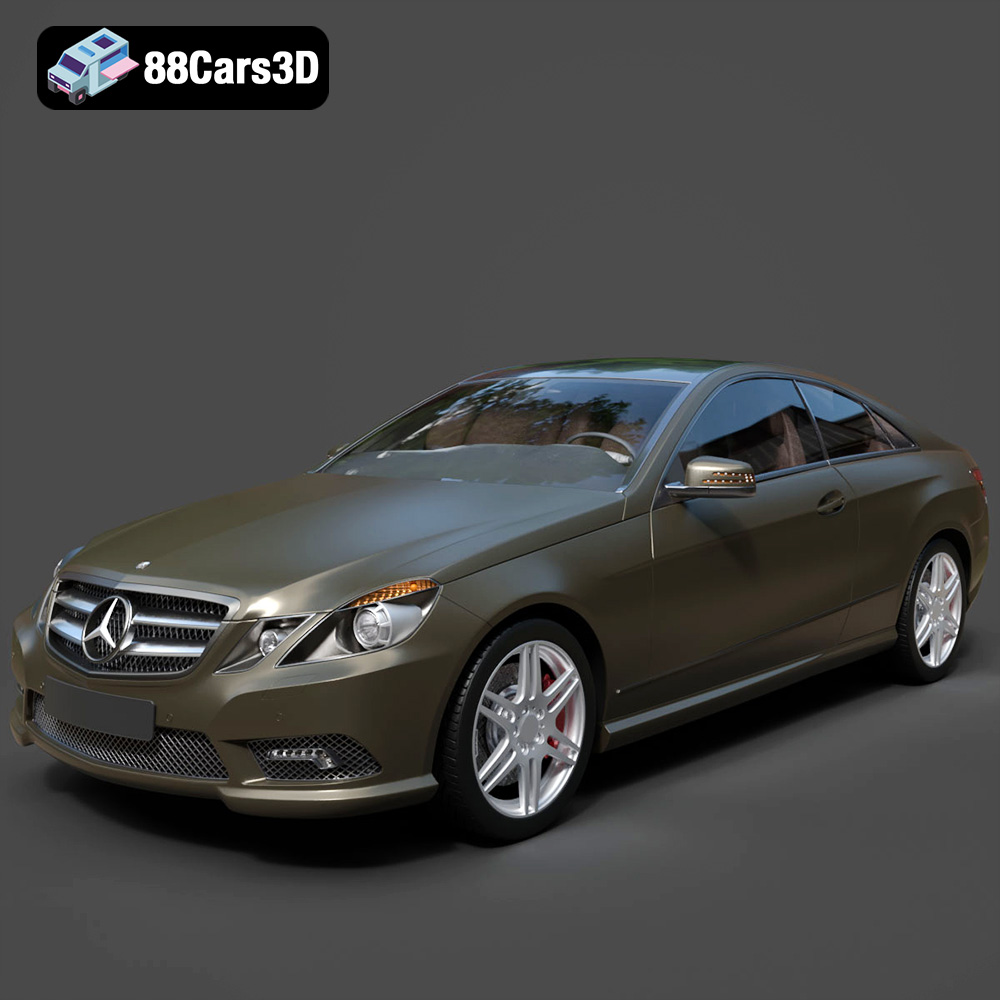
Texture: Yes
Material: Yes
Download the Mercedes-Benz E Coupe 2010 3D Model featuring clean geometry, realistic detailing, and a fully modeled interior. Includes .blend, .fbx, .obj, .glb, .stl, .ply, .unreal, and .max formats for rendering, simulation, and game development.
Price: $4.99
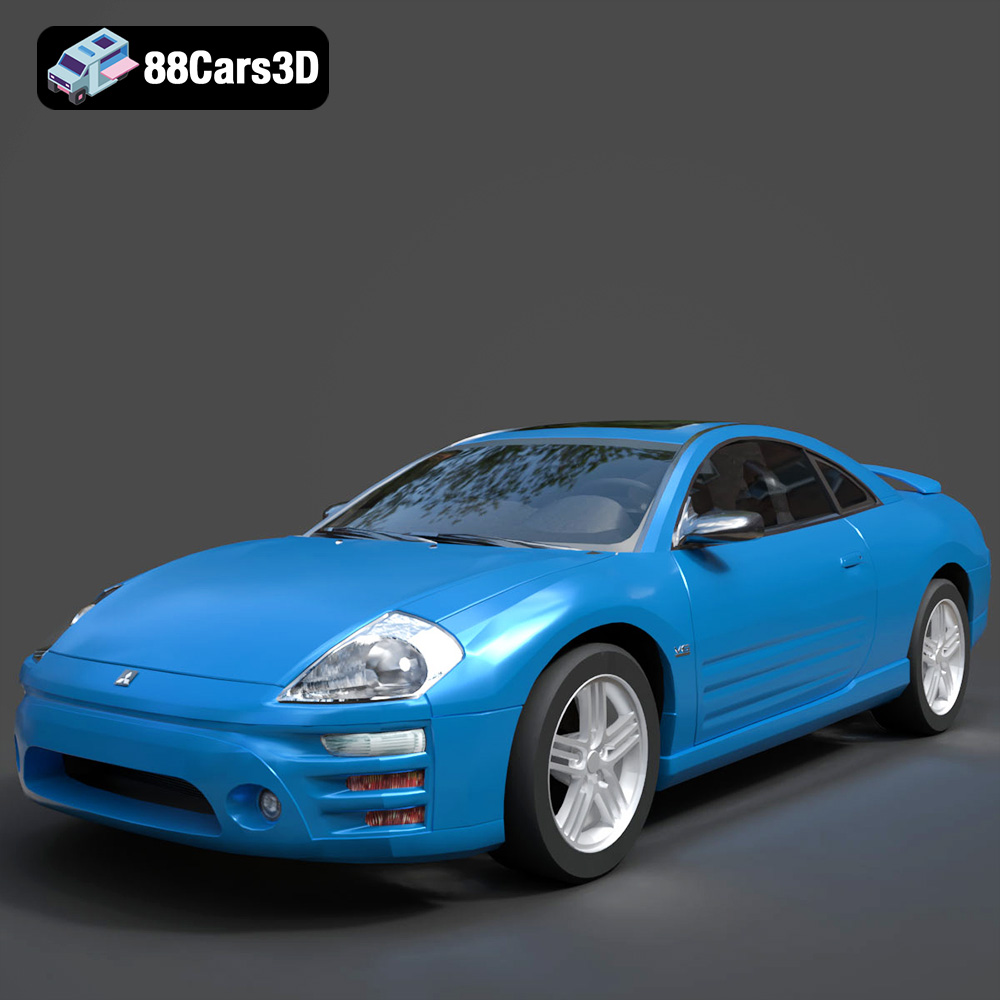
Texture: Yes
Material: Yes
Download the Mitsubishi Eclipse 2005 3D Model featuring clean geometry, realistic detailing, and a fully modeled interior. Includes .blend, .fbx, .obj, .glb, .stl, .ply, .unreal, and .max formats for rendering, simulation, and game development.
Price: $4.99

