⚡ FLASH SALE: Get 60% OFF All Premium 3D & STL Models! ⚡

In the exhilarating world of 3D design, few subjects demand as much precision, artistry, and technical prowess as automotive modeling. From the sleek curves of a supercar to the rugged lines of an off-road beast, 3D car models are the digital heartbeats of countless projects across industries. Whether you’re an aspiring game developer crafting immersive open worlds, an automotive designer visualizing future concepts, an architect integrating vehicles into stunning renders, or an AR/VR enthusiast building interactive experiences, the quality of your 3D car assets can make or break your vision.
Creating truly photorealistic and performant 3D vehicles is a multifaceted discipline, blending advanced modeling techniques, sophisticated material authoring, precise rendering workflows, and meticulous optimization strategies. This comprehensive guide will take you on a deep dive into the technical intricacies involved in producing top-tier automotive 3D models. We’ll explore everything from the foundational principles of clean topology and efficient UV mapping to the nuances of PBR materials, advanced rendering, game engine optimization, and even preparing models for 3D printing or immersive AR/VR experiences. By the end of this journey, you’ll gain invaluable insights and actionable strategies to elevate your automotive 3D projects to professional standards, much like the meticulously crafted models you find on platforms such as 88cars3d.com.
The journey to a photorealistic 3D car model begins with its underlying mesh: the topology. For automotive models, which are characterized by highly reflective and often subtle curved surfaces, impeccable topology and edge flow are non-negotiable. Poor topology can lead to visible artifacts, pinching, and an inability to achieve smooth subdivisions, ultimately destroying the illusion of realism. Understanding how to construct a clean, efficient mesh is paramount for any serious 3D artist aiming for professional results.
The golden rule in polygonal modeling, especially for subdivision surfaces, is to maintain an all-quad workflow. Quads (four-sided polygons) are the preferred primitive because they subdivide predictably and smoothly, distributing detail evenly across the mesh. While occasional triangles are unavoidable in complex areas, minimizing them and avoiding N-gons (polygons with more than four sides) is crucial. N-gons can cause unpredictable subdivision results, lead to shading errors, and complicate UV mapping. For complex automotive geometry, utilizing subdivision surface modifiers (like 3ds Max’s Turbosmooth, Blender’s Subdivision Surface, or Maya’s Smooth Mesh) is standard practice to achieve buttery-smooth curves from a relatively low-polygon base mesh. This also allows for different levels of detail (LODs) to be generated efficiently later on.
Workflow Tip: When modeling hard-surface details such as vents, panel gaps, or sharp creases, ensure that your topology provides enough supporting edge loops to hold the desired shape without excessive polygon density. Use tools like the Quad Draw in Maya, Retopology tools in Blender, or manual poly modeling in 3ds Max to maintain consistent quad flow. Aim for a base mesh that is clean and readable at a low poly count, as this forms the foundation for both high-poly rendering and optimized game assets.
Edge flow dictates how light reflects off your model’s surface, a critical factor for automotive paint, which often features highly polished, mirror-like finishes. Incorrect edge flow can create undesirable “pinching” or “creasing” artifacts that appear as strange reflections or unnatural distortions. The goal is to guide the edges in a way that mimics the natural curvature and creases of the vehicle, ensuring reflections remain smooth and consistent.
For example, around wheel arches, door cut lines, or the complex curves of a fender flare, your edge loops should ideally run parallel to the contours, forming a continuous, unbroken path. This not only enhances the visual smoothness but also makes it easier to add detail or deform the mesh if required for animation. Avoid abrupt changes in edge direction or converging too many edges at a single vertex (poles with more than 5 edges), as these are common culprits for shading issues. Achieving this level of control requires a keen eye for form and an understanding of how light interacts with surfaces, allowing your automotive rendering to truly shine.
Professional Insight: A common technique is to use “holding edges” – extra edge loops placed close to a hard edge – to control the sharpness of a subdivision surface. This allows you to define crisp panel gaps or character lines while the rest of the surface remains smoothly curved. Iterative testing with a chrome or highly reflective material applied in your viewport or a quick render is essential to spot and correct any topological errors that manifest as unnatural reflections.
Once your model’s topology is pristine, the next critical step is UV mapping. UVs are the 2D coordinates that tell your 3D software how to project 2D textures onto your 3D mesh. For complex objects like cars, with their myriad of smooth, curved, and intricate surfaces, effective UV mapping is a blend of technical precision and strategic planning. A well-executed UV layout is crucial for applying detailed textures, creating realistic PBR materials, and optimizing performance across various applications.
The primary goals of UV mapping are to minimize visible seams, prevent texture distortion, and ensure consistent texel density. Seams are breaks in your UV layout where different parts of your texture are stitched together. While unavoidable, they should be strategically placed in less visible areas, such as along natural panel gaps, underneath the car, or within sharp creases. Smart seam placement helps to hide these discontinuities, making the textured model appear more cohesive.
Texel density refers to the number of texture pixels per unit of 3D surface area. Maintaining a uniform texel density across all UV shells (the unwrapped islands of your mesh) is vital. Inconsistent texel density can lead to areas appearing blurry (low density) or overly sharp (high density) compared to adjacent parts. Software like 3ds Max’s UV Unwrap, Blender’s UV Editor, or Maya’s UV Toolkit provide tools for visualizing and adjusting texel density. Efficient UV packing, where UV shells are arranged closely within the 0-1 UV space without overlapping (unless intentional), maximizes texture resolution and reduces wasted texture memory, a crucial factor for game assets.
Step-by-Step Approach:
For highly detailed automotive models, a single UV channel might not suffice. Advanced workflows often employ multiple UV channels, each serving a specific purpose. For instance, one UV channel might be dedicated to the base paint and general surface detail, while a second channel could be used for specific decals, dirt, grime, or wear masks that need to be layered on top without affecting the primary texture resolution. This approach offers greater flexibility and modularity in material creation.
UDIM (UV Dimension) workflows, popularized in film VFX and high-end animation, involve using multiple UV tiles (e.g., U0V0, U1V0, U2V0) for a single mesh. This allows for incredibly high-resolution textures across very large or detailed models, as each tile can house a separate texture map. While more resource-intensive, UDIMs are invaluable for close-up renders where every detail matters. Overlapping UVs can also be intentionally used for repetitive elements like tire treads, where a single texture can be tiled across multiple identical instances of geometry, saving significant texture memory – a key optimization for AR/VR and real-time applications.
Consideration for Performance: When optimizing for real-time engines like Unity or Unreal Engine, consolidate as many materials as possible onto a single UV map (using a texture atlas) to reduce draw calls. This is a crucial step for achieving smooth framerates, especially on mobile or VR platforms where resources are constrained. Each additional material or draw call adds overhead, so careful planning during the UV mapping phase can yield substantial performance gains.
The surface properties of a 3D car model are what truly sell its realism. Physically Based Rendering (PBR) has become the industry standard for creating materials that react realistically to light, making them appear accurate regardless of the lighting environment. Mastering PBR for automotive surfaces, especially the complex multi-layered nature of car paint, is an art in itself.
PBR workflows rely on a set of texture maps that define how light interacts with a surface. The two most common PBR approaches are Metallic/Roughness and Specular/Glossiness. For cars, Metallic/Roughness is often favored, as it directly corresponds to the physical properties of car paint. Car paint is a complex material, typically composed of a metallic base layer, a colored layer, and a clear coat. Simulating this requires careful attention to several PBR maps:
Accurate reference values for reflectivity (IOR – Index of Refraction) and Fresnel reflections are also critical. PBR materials inherently handle Fresnel, meaning surfaces reflect more light at grazing angles, just like in reality. Understanding these core principles is essential for crafting convincing automotive rendering.
The quality of your textures directly impacts the perceived realism of your model. Standard texture maps for 3D car models typically include Albedo, Metallic, Roughness, Normal, and Ambient Occlusion. For specialized effects, Height maps, Emissive maps (for lights), and Opacity maps (for glass or perforated materials) might also be used. The resolution of these textures is a crucial consideration: 2K (2048×2048) or 4K (4096×4096) are common for high-quality assets, while 8K or even higher might be used for hero shots or film production. For game assets, lower resolutions (1K or 512px) might be necessary for less prominent elements or LODs.
Texture creation software like Substance Painter, Mari, or even Photoshop are indispensable. Substance Painter, in particular, excels at procedural and layer-based texturing, allowing artists to quickly generate realistic wear, dirt, and material variations. When optimizing for real-time engines, texture compression (e.g., DXT for standard textures, BC7 for higher quality) is vital to reduce memory footprint. Texture atlasing, as mentioned earlier, combines multiple smaller textures into a single larger one, reducing draw calls and improving rendering performance. This methodical approach to texture creation and optimization ensures that your 3D car models look stunning while remaining performant across various platforms.
Quick PBR Car Paint Setup:
With a meticulously modeled and textured 3D car model, the final step in achieving breathtaking visuals is the rendering process. This involves careful lighting, camera setup, and optimization of render settings to produce images that are indistinguishable from photographs. Modern render engines offer incredible power, but harnessing it effectively requires both technical knowledge and an artistic eye.
Lighting is arguably the most crucial element in photography and rendering. For automotive subjects, the way light interacts with the car’s reflective surfaces defines its form, highlights its curves, and conveys mood. Two primary lighting approaches dominate:
Software Specifics: Render engines like Corona Renderer and V-Ray (for 3ds Max/Cinema 4D), Cycles (Blender), and Arnold (Maya/Max) each have robust lighting tools. Corona and V-Ray are renowned for their ease of use and physical accuracy, making them popular choices for architectural and automotive rendering. Cycles and Arnold offer similar capabilities with excellent integration into their respective DCCs. Experimenting with different HDRI environments and light temperatures can dramatically alter the feel of your render.
Beyond lighting, optimizing render settings is vital for achieving both quality and efficiency. Parameters like sampling rates, ray depth, and global illumination settings directly impact render time and visual fidelity. Modern renderers often include denoisers (e.g., NVIDIA OptiX, Intel Open Image Denoise) that significantly reduce noise and render times without sacrificing quality, allowing artists to push settings higher for pristine results. For high-fidelity output, rendering out multiple “render elements” or “render passes” is a standard professional workflow. These passes (e.g., Diffuse, Reflection, Specular, Z-depth, Ambient Occlusion, Normals) provide individual layers that can be combined and adjusted in a compositing application like Photoshop, Affinity Photo, or Nuke.
Post-processing and compositing are where the final polish is applied. This involves:
By leveraging render passes, you gain unparalleled control over the final image, allowing for non-destructive adjustments and the ability to achieve a highly stylized or hyper-realistic look that would be difficult to achieve in a single render. This meticulous approach ensures that every detail of your 3D car models contributes to a stunning final presentation.
While photorealism is key for static renders, the demands of real-time environments like game engines and AR/VR applications introduce a new set of challenges: performance optimization. High-fidelity 3D car models must be carefully adapted to run smoothly while retaining visual quality. This involves strategic polygon reduction, efficient material setups, and smart asset management.
One of the most effective optimization techniques is Level of Detail (LOD). This involves creating multiple versions of your 3D car model, each with a progressively lower polygon count. When the car is far from the camera, a lower LOD version is used; as it approaches, higher LODs are swapped in. For a complex car model, you might have 3-5 LOD levels, ranging from hundreds of thousands of polygons for the highest LOD to just a few thousand for the lowest. This ensures that only necessary detail is rendered, significantly improving frame rates. Modern engines like Unity and Unreal Engine provide robust LOD systems for easy implementation.
Beyond LODs, techniques like occlusion culling and frustum culling help optimize rendering. Frustum culling automatically prevents objects outside the camera’s view from being rendered. Occlusion culling goes a step further, preventing objects hidden behind other objects from being rendered. Another critical factor is reducing draw calls – the number of times the CPU tells the GPU to render something. Each draw call has overhead. By combining meshes (static batching), using texture atlases, and instancing identical objects (like wheels or brake calipers), you can drastically reduce draw calls and improve performance, which is vital for smooth interaction in game assets and especially critical for demanding AR/VR experiences where maintaining a high frame rate is paramount to preventing motion sickness.
Target Poly Counts (Approximate):
Just as geometry needs optimization, so do materials and textures. In game engines, it’s best practice to create “master materials” with exposed parameters that can be adjusted via “material instances.” This allows artists to create many variations (e.g., different car colors, finishes) from a single shader, reducing compilation times and increasing efficiency. Textures should be appropriately sized (e.g., 2K for main body, 1K for interior, 512px for small details) and compressed efficiently. Using texture atlases for multiple smaller elements (e.g., dashboard buttons, small emblems) further consolidates materials and reduces draw calls.
File format compatibility is another key aspect. FBX is the industry standard for transferring 3D car models between DCC applications (3ds Max, Blender, Maya) and game engines (Unity, Unreal Engine), as it supports geometry, UVs, materials, and animations. For web-based AR/VR, formats like GLB (a binary version of glTF) are ideal due to their self-contained nature and efficiency. For Apple’s AR Quick Look, USDZ is the preferred format. Platforms like 88cars3d.com understand these requirements and often provide models in multiple optimized formats, ensuring seamless integration into diverse projects.
Optimization Checklist for Real-time Assets:
The versatility of high-quality 3D car models extends far beyond rendering and real-time experiences. From tactile prototypes and collectible miniatures created through 3D printing to interactive configurators and sophisticated architectural visualizations, the applications are continuously expanding, opening up new avenues for creators and industries alike.
While game assets prioritize visual fidelity with efficiency, 3D printing demands entirely different criteria, focusing on physical integrity. A model that looks perfect on screen might be unprintable if it’s not “watertight” or “manifold.”
Key Considerations for 3D Printing:
The intricate details of a car model, such as grilles, rims, and interior components, can be particularly challenging for 3D printing. Often, a specialized “print-ready” version of the model needs to be created, simplifying some details or explicitly modeling support structures if the printer doesn’t generate them automatically. This ensures a successful print that accurately reflects the digital design.
High-quality 3D car models are indispensable for interactive visualization tools. Automotive configurators, for example, allow customers to customize a vehicle’s color, rims, interior, and accessories in real-time, providing an immersive pre-purchase experience. These often leverage game engines for their real-time rendering capabilities and interactivity. Virtual showrooms, online 3D viewers (like those powered by Sketchfab or custom WebGL solutions), and even product launch presentations benefit immensely from photorealistic, manipulable 3D vehicles.
In architectural visualization, integrating highly realistic cars provides context, scale, and a sense of life to renders of buildings and urban landscapes. A poorly modeled or textured car can detract from an otherwise stunning architectural scene. This is where sourcing expertly crafted models from marketplaces like 88cars3d.com becomes incredibly advantageous, saving countless hours of modeling and texturing while guaranteeing a professional-grade asset that enhances the overall scene. The future of visualization increasingly points towards Extended Reality (XR) experiences, where high-fidelity 3D car models will be central to creating digital twins for maintenance, training, and truly immersive design reviews.
Emerging Trends:
The journey from a blank canvas to a fully realized, photorealistic 3D car model is a testament to the power of artistic vision combined with meticulous technical execution. We’ve explored the fundamental importance of clean topology and thoughtful UV mapping for capturing the car’s intricate form and preparing it for detailed texturing. We delved into the science behind PBR materials, uncovering how to craft convincing automotive paint and surface imperfections, and navigated advanced automotive rendering workflows that transform raw data into stunning images.
Beyond static images, we’ve highlighted the crucial optimization strategies for deploying game assets and AR/VR experiences, ensuring that your models are not just beautiful but also performant. Finally, we touched upon the unique requirements for 3D printing and the expanding world of interactive visualization, demonstrating the incredible versatility of a well-crafted 3D vehicle asset. Mastery in these areas not only elevates your personal projects but also positions you at the forefront of the automotive design and visualization industries.
Whether you’re building a scene for a blockbuster game, designing the car of tomorrow, or creating an immersive virtual showroom, the quality of your 3D car models will dictate the success of your project. If you’re looking for an immediate head start with meticulously crafted, ready-to-use 3D vehicles that adhere to industry best practices, we encourage you to explore the extensive collection available on 88cars3d.com. Empower your next project with assets built for excellence, and continue to push the boundaries of what’s possible in the exciting realm of automotive 3D.

Texture: Yes
Material: Yes
Download the Nissan Fuga 2003 3D Model featuring clean geometry, realistic detailing, and a fully modeled interior. Includes .blend, .fbx, .obj, .glb, .stl, .ply, .unreal, and .max formats for rendering, simulation, and game development.
Price: $4.99

Texture: Yes
Material: Yes
Download the Nissan FairLady 240ZG 3D Model featuring clean geometry, realistic detailing, and a fully modeled interior. Includes .blend, .fbx, .obj, .glb, .stl, .ply, .unreal, and .max formats for rendering, simulation, and game development.
Price: $4.99

Texture: Yes
Material: Yes
Download the Nissan GT-R 2008 3D Model featuring clean geometry, realistic detailing, and a fully modeled interior. Includes .blend, .fbx, .obj, .glb, .stl, .ply, .unreal, and .max formats for rendering, simulation, and game development.
Price: $4.99

Texture: Yes
Material: Yes
Download the Nissan Cube 3D Model featuring clean geometry, realistic detailing, and a fully modeled interior. Includes .blend, .fbx, .obj, .glb, .stl, .ply, .unreal, and .max formats for rendering, simulation, and game development.
Price: $4.99

Texture: Yes
Material: Yes
Download the Nissan Cedric Y32 3D Model featuring clean geometry, realistic detailing, and a fully modeled interior. Includes .blend, .fbx, .obj, .glb, .stl, .ply, .unreal, and .max formats for rendering, simulation, and game development.
Price: $4.99

Texture: Yes
Material: Yes
Download the Nissan Cima Infiniti Q45 2007 3D Model featuring clean geometry, realistic detailing, and a fully modeled interior. Includes .blend, .fbx, .obj, .glb, .stl, .ply, .unreal, and .max formats for rendering, simulation, and game development.
Price: $4.99

Texture: Yes
Material: Yes
Download the Nissan Juke 2025 3D Model featuring clean geometry, realistic detailing, and a fully modeled interior. Includes .blend, .fbx, .obj, .glb, .stl, .ply, .unreal, and .max formats for rendering, simulation, and game development.
Price: $4.99
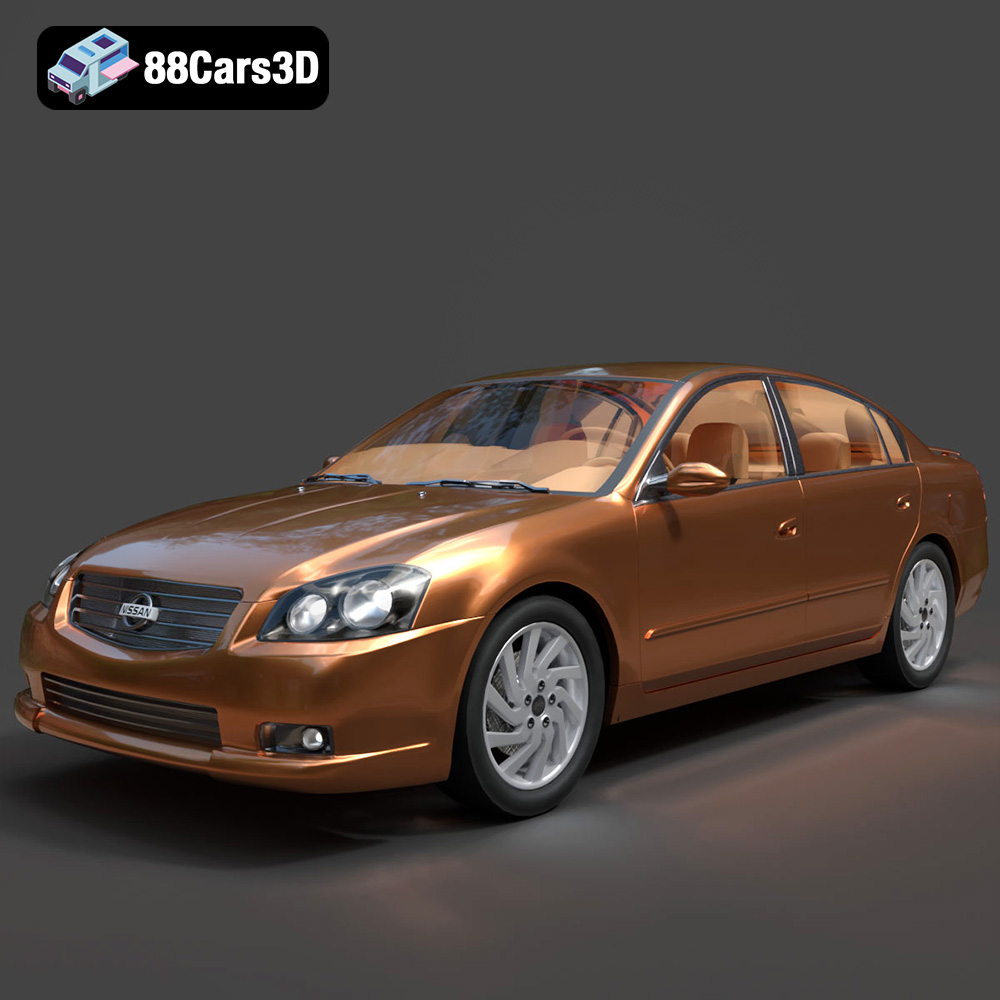
Texture: Yes
Material: Yes
Download the Nissan Altima 007 3D Model featuring clean geometry, realistic detailing, and a fully modeled interior. Includes .blend, .fbx, .obj, .glb, .stl, .ply, .unreal, and .max formats for rendering, simulation, and game development.
Price: $4.99
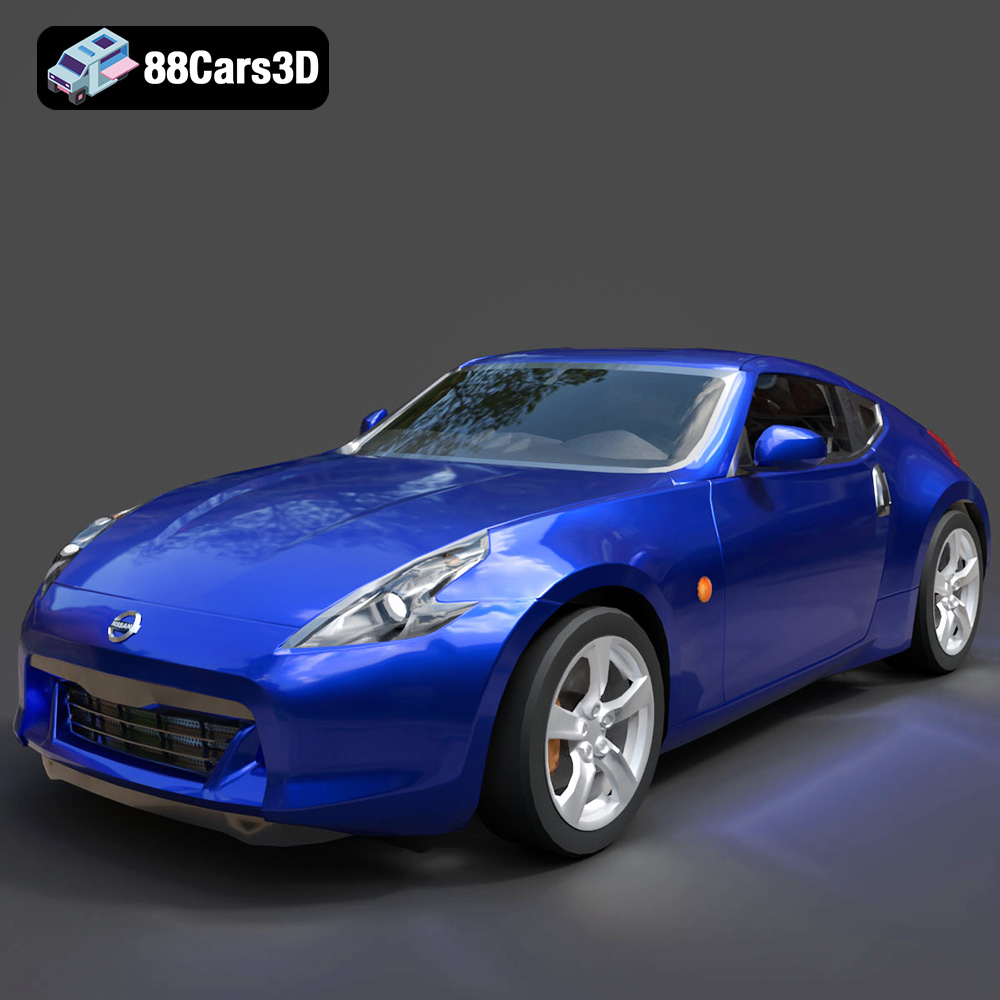
Texture: Yes
Material: Yes
Download the Nissan 370Z 2020 3D Model featuring clean geometry, realistic detailing, and a fully modeled interior. Includes .blend, .fbx, .obj, .glb, .stl, .ply, .unreal, and .max formats for rendering, simulation, and game development.
Price: $4.99

Texture: Yes
Material: Yes
Download the Mazda MX-5 2025 3D Model featuring clean geometry, realistic detailing, and a fully modeled interior. Includes .blend, .fbx, .obj, .glb, .stl, .ply, .unreal, and .max formats for rendering, simulation, and game development.
Price: $4.99

