
Mastering the Art of 3D Car Models: From Flawless Topology to Hyper-Realistic Renders and Game-Ready Assets

Mastering the Art of 3D Car Models: From Flawless Topology to Hyper-Realistic Renders and Game-Ready Assets
The allure of a perfectly rendered automobile in a virtual world is undeniable. From sleek concept cars in cutting-edge automotive design studios to high-octane vehicles tearing through virtual landscapes in blockbuster games, 3D car models are central to bringing these visions to life. Creating these digital masterpieces, however, is a discipline that demands a unique blend of artistic sensibility and profound technical understanding. It’s a journey from raw polygons to a polished, hyper-realistic asset, optimized for its specific purpose.
Whether you’re an aspiring 3D artist, a game developer, an automotive designer, or a visualization professional, understanding the intricate workflows involved in 3D car modeling is paramount. The stakes are high: precision, efficiency, and visual fidelity are all critical. This comprehensive guide will take you through the essential technical aspects, from constructing an immaculate mesh to crafting stunning PBR materials, optimizing for real-time engines, and preparing for diverse applications like AR/VR and 3D printing. We’ll delve into the specific tools, techniques, and industry best practices that transform a good model into an exceptional one, equipping you with the knowledge to elevate your craft and confidently tackle any automotive 3D project. Platforms like 88cars3d.com offer a head start by providing high-quality, pre-built models, but understanding the underlying principles is key to customizing and utilizing them to their full potential.
The Foundation: Flawless Topology and Edge Flow for Automotive Models
At the heart of every great 3D car model lies impeccable topology and a well-thought-out edge flow. Topology refers to the arrangement of faces, edges, and vertices that form the surface of your model, while edge flow describes the direction in which these edges run. For automotive models, where smooth, continuous curves and sharp, defined creases coexist, clean topology is not merely a preference – it’s a necessity. Poor topology can lead to artifacts, pinching, and an inability to deform or subdivide correctly, ultimately hindering the realism and versatility of your asset.
The primary goal is to maintain an all-quad workflow as much as possible, especially for models intended for subdivision surface modifiers. Quads (four-sided polygons) subdivide predictably and evenly, ensuring smooth surfaces without unsightly distortions. When modeling complex car body panels, particular attention must be paid to areas around headlights, grilles, wheel arches, and door seams, where curvature changes dramatically or multiple panels converge. These areas require careful edge loop placement to support the forms and allow for crisp details without creating unwanted ripples across the surface.
Subdivision Surface Modeling Techniques
Most high-quality 3D car models leverage subdivision surface (SubD) modeling, where a low-polygon “cage” mesh is smoothed by an algorithm (e.g., OpenSubdiv in 3ds Max, Blender’s Subdivision Surface modifier, Maya’s Smooth Mesh Preview). This technique allows artists to work with a manageable polygon count while achieving incredibly smooth, high-resolution surfaces at render time. The trick is to ensure your base mesh has sufficient control edges (or “holding loops”) to define sharp creases, like those found on door lines or fender edges, without distorting the surrounding geometry. These extra edge loops run parallel and close to the edge you wish to sharpen, effectively “holding” the subdivision surface in place. For complex organic shapes combined with hard surfaces, a hybrid approach of traditional poly-modeling and utilizing tools like ZRemesher in ZBrush for retopology can be beneficial, especially after sculpting initial high-detail forms.
Managing Polygon Counts and Detail
Determining the appropriate polygon count for a 3D car model is a balancing act between visual fidelity and performance, heavily dependent on the model’s intended use. For high-resolution cinematic renders or detailed product visualizations, a car model might range from 150,000 to over 500,000 polygons for the main body and exterior, with interiors pushing into the millions. These models benefit from intricate details modeled directly into the mesh, ensuring maximum accuracy and crispness at close-ups. However, for real-time applications like games or AR/VR, these counts are far too high. A high-quality game-ready car might target 50,000 to 150,000 polygons for its highest LOD (Level of Detail) version, with subsequent LODs dropping significantly. The key here is to leverage normal maps baked from high-poly models to retain crucial surface detail without increasing vertex count, a technique we’ll explore further when discussing game optimization.
Mastering UV Mapping for Complex Car Surfaces and PBR Materials
Once your 3D car model’s topology is solid, the next crucial step is UV mapping. UVs are the 2D coordinates that tell a 3D software how to project a 2D texture onto a 3D surface. Without proper UVs, textures will appear stretched, distorted, or misaligned, ruining the realism of even the most detailed model. For cars, with their intricate curves, distinct panels, and varied material zones, UV mapping presents unique challenges that demand strategic planning and execution.
Effective UV mapping maximizes texture resolution, minimizes distortion, and ensures seamless texture application across the entire vehicle. This is particularly important for PBR (Physically Based Rendering) materials, which rely on precise texture information to simulate real-world light interactions. A poorly unwrapped model will suffer from blurry details, visible seams, and inaccurate reflections, undermining the meticulous work put into modeling and texturing.
UV Unwrapping Strategies for Automotive Parts
When unwrapping a car, it’s generally best to treat each major component (e.g., hood, door, fender, bumper, wheel) as a separate UV island. This allows for cleaner, less distorted unwraps and more efficient packing. Strategic seam placement is vital; hide seams where they would naturally occur on a real car (e.g., along panel gaps, under trim pieces, or in less visible areas) to minimize their visual impact. For large, complex surfaces like the car body, utilizing projection methods like cylindrical or planar mapping followed by relaxing algorithms can help achieve uniform texel density.
For high-detail models, especially those with intricate livery or decals, a UDIM workflow is often preferred. UDIMs allow you to spread the UVs of a single mesh across multiple UV tiles (e.g., 0-1, 1-1, 2-1, etc.), effectively bypassing the 0-1 UV space limitation. This enables extremely high texture resolutions for individual parts, preventing pixelation on close-ups. For example, a car’s body might occupy several UDIMs (e.g., hood, left side, right side, roof), each with its own 4K or 8K texture set. When packing UV islands into a single 0-1 UV space, tools like UV Packmaster (Blender) or built-in packing algorithms in 3ds Max/Maya are invaluable for maximizing space efficiency and achieving consistent texel density across all islands.
PBR Material Creation and Shader Networks
Physically Based Rendering (PBR) has become the industry standard for achieving photorealistic results. PBR materials accurately simulate how light interacts with surfaces by relying on properties like Albedo (base color), Roughness (micro-surface detail affecting diffuse and specular reflection), Metallic (whether a material is metallic or dielectric), Normal (fine surface detail), and optionally Ambient Occlusion. Creating realistic car paint is a complex PBR endeavor, often involving multiple layers: a base metallic paint layer (with metallic flakes controlled by a specific texture or procedural noise), a clear coat layer (dielectric, very smooth, with subtle reflections), and potentially a separate normal map for subtle imperfections. Software like Substance Painter, Quixel Mixer, or Mari are indispensable for authoring these complex PBR texture sets.
Shader networks within rendering engines (like Blender’s Node Editor, 3ds Max’s Material Editor with Corona/V-Ray, or Maya’s Hypershade with Arnold) allow artists to blend and layer these PBR textures, create procedural effects, and fine-tune material properties. For instance, creating realistic tire rubber involves not just an Albedo and Roughness map, but also a Displacement map for tread depth and potentially a Subsurface Scattering component for added realism. Glass materials require accurate IOR (Index of Refraction) values, tinting, and controlled roughness to simulate smudges or imperfections. Understanding these PBR principles and how to translate them into robust shader networks is crucial for bringing your 3D car models to life.
Achieving Photorealism: Advanced Rendering Workflows
With an immaculately modeled and textured 3D car, the final frontier is rendering – the process of generating a 2D image from your 3D scene. Achieving photorealism in automotive rendering is an art form that hinges on mastering lighting, camera work, material properties, and post-processing. The choice of rendering engine significantly impacts workflow and final output quality, with each having its strengths and nuances.
Industry-leading renderers like V-Ray, Corona Renderer (both popular in 3ds Max), Cycles (Blender), and Arnold (Maya) all employ physically accurate light simulation, offering powerful tools to craft stunning visuals. The key to breathtaking car renders lies not just in the software, but in understanding the principles of photography and real-world lighting to create believable environments that showcase the vehicle’s form and finish.
Lighting and Environment Setup for Automotive Renders
Lighting is arguably the most critical element in photorealistic rendering. For automotive subjects, High Dynamic Range Images (HDRIs) are often the go-to solution. An HDRI acts as both a light source and an environment reflection map, providing realistic lighting conditions (e.g., sunny outdoor, overcast, studio) and accurate reflections on the car’s reflective surfaces. For studio-style product visualization, a combination of HDRIs and physical light sources (e.g., area lights, photometric lights) is common. Large softbox lights simulate professional studio setups, casting gentle, flattering reflections and minimizing harsh shadows. Using a “three-point lighting” setup (key light, fill light, back light) is a classic technique, adaptable to illuminate car forms effectively. Light linking, where specific lights illuminate only certain objects, can be used to control reflections or highlights on critical surfaces without affecting the overall scene illumination. Experimenting with light intensity, color temperature, and position is vital to emphasize design lines and the car’s sculpted surfaces.
Camera Settings, Post-Processing, and Compositing
Just like in real-world photography, camera settings dramatically impact the mood and focus of your render. Adjusting focal length (e.g., 85mm-135mm for a classic automotive look), aperture (to control depth of field and blur out backgrounds), and shutter speed (for motion blur in animated renders) are crucial. Simulating real-world camera imperfections like lens flare or chromatic aberration can add a layer of realism. Once rendered, the image undergoes post-processing and compositing. Modern renderers offer various render passes (or AOVs – Arbitrary Output Variables) such as raw reflection, diffuse, specular, Z-depth, ambient occlusion, and normal passes. These passes are then brought into compositing software like Adobe Photoshop, After Effects, or Nuke. Here, artists can non-destructively adjust exposure, color balance, contrast, add atmospheric effects like fog or dust, refine reflections, and enhance overall mood. Compositing allows for granular control over the final image, pushing the realism beyond what a single render pass could achieve, bringing out the true potential of your 3D car models.
Game Engine Optimization and Performance for Interactive Experiences
While cinematic renders aim for absolute fidelity regardless of polygon count, game engine optimization for 3D car models is a vastly different beast. Here, the primary concern is balancing visual quality with real-time performance, ensuring smooth frame rates and responsive gameplay. A highly detailed model that looks stunning in a still render can cripple a game engine if not properly optimized. The challenges lie in reducing polygon counts, streamlining textures, and efficient asset management to keep draw calls low and memory footprint small without sacrificing too much visual impact. This is where professional 3D car models, like those found on marketplaces such as 88cars3d.com, often provide optimized versions tailored for game development.
The goal is to provide a compelling visual experience within strict hardware and engine constraints. This requires a systematic approach to asset preparation, leveraging techniques like LODs, texture atlasing, and baked maps to project high-detail information onto simplified geometry. Understanding how engines like Unity and Unreal Engine handle assets is crucial for achieving peak performance.
Level of Detail (LOD) Implementation
Level of Detail (LOD) is a critical optimization technique for game assets. It involves creating multiple simplified versions of a single 3D model, each with a progressively lower polygon count. The game engine then automatically switches between these LODs based on the camera’s distance from the object. For example, a car might have:
- LOD0 (High-Poly): Visible up close, 50,000-150,000 polygons, full detail.
- LOD1 (Mid-Poly): Visible at medium distances, 15,000-40,000 polygons, some interior detail removed, simplified exterior.
- LOD2 (Low-Poly): Visible far away, 3,000-10,000 polygons, basic silhouette, no interior.
- LOD3 (Very Low-Poly/Billboard): For extreme distances, a few hundred polygons or even a 2D billboard texture.
Effective LOD creation involves careful polygon reduction (either manual or using tools like ZRemesher, Decimate modifier in Blender, or Simplygon), ensuring that the silhouette and major features remain recognizable. Normal maps baked from the highest-detail model are essential to project fine surface details onto the lower-polygon LODs, preserving visual fidelity.
Texture Atlasing, Draw Calls, and Occlusion Culling
Texture Atlasing: Rather than using many small textures for different parts of a car (e.g., one for the hood, one for a door), texture atlasing combines multiple textures into a single, larger texture map. This reduces the number of texture calls the GPU has to make, significantly improving performance. For a car, this might mean consolidating all exterior paint, trim, and decal textures into one large atlas, and interior textures into another.
Draw Calls: Every time the CPU tells the GPU to render a batch of triangles, it’s a draw call. High draw call counts can bottleneck performance. Optimizing models for game engines often involves combining meshes that share materials (e.g., combining all the glass pieces if they use the same glass material) to reduce draw calls. Using texture atlases also helps, as fewer materials mean fewer draw calls. Instancing, where multiple copies of the same mesh are rendered efficiently, is also leveraged for repetitive elements like wheels.
Occlusion Culling: This technique prevents the rendering of objects that are completely hidden from the camera’s view by other objects. Game engines like Unity and Unreal Engine have built-in occlusion culling systems that can be baked into the scene. For car models, ensuring they are properly segmented can help with culling, though the primary benefit comes from hiding entire cars or parts of the environment when they are behind other large objects.
Expanding Horizons: AR/VR, 3D Printing, and File Format Compatibility
The utility of 3D car models extends far beyond traditional rendering and game development. They are increasingly vital in emerging fields like Augmented Reality (AR) and Virtual Reality (VR), as well as in manufacturing through 3D printing. Each of these applications comes with its own set of technical requirements and optimization challenges, demanding specialized preparation and a deep understanding of file format compatibility to ensure seamless integration across diverse platforms.
Adapting a high-fidelity car model for AR/VR means striving for real-time performance within even stricter polygon and texture budgets. For 3D printing, the focus shifts to mesh integrity and physical accuracy. Navigating the myriad of 3D file formats is crucial for cross-platform compatibility and efficient workflows, ensuring your assets can be utilized effectively in any pipeline.
AR/VR Optimization and Interactivity
AR/VR environments impose some of the strictest performance budgets. A full car model for a high-end VR experience might need to be optimized to as low as 50,000-100,000 polygons for the main body, with the entire scene limited to a few hundred thousand. This is far more restrictive than typical game assets due to the need for stereoscopic rendering (rendering the scene twice, once for each eye) and maintaining high refresh rates (90+ FPS) to prevent motion sickness. Aggressive LODs are essential, along with highly efficient UV maps for baked lightmaps (static lighting is often preferred to dynamic in VR for performance). Interactive elements, such as opening doors or rotating wheels, require careful rigging and animation. For web-based AR/VR, formats like glTF/GLB are becoming standard dueating their efficiency and support for PBR materials and animations. USDZ is Apple’s proprietary format for AR, specifically optimized for iOS devices.
3D Printing Preparation and Mesh Repair
Preparing a 3D car model for 3D printing requires a fundamental shift in focus from visual representation to physical integrity. The mesh must be “watertight” – meaning it has no holes, non-manifold edges, or inverted normals – to ensure a solid, printable object. Common issues include intersecting geometry, zero-thickness walls, and internal floating geometry. Key considerations include:
- Wall Thickness: Ensure all parts have sufficient wall thickness (e.g., minimum 1-2mm depending on printer and material) to be structurally sound.
- Scale: The model must be scaled correctly to the desired physical dimensions for printing.
- Mesh Repair: Tools like Meshmixer, Netfabb, or the 3D Print Toolbox in Blender are invaluable for analyzing and repairing mesh errors, ensuring manifold geometry, and solidifying the model.
- Part Separation: Complex models are often split into smaller, interlocking components for easier printing and assembly.
Failing to properly prepare a model for 3D printing will inevitably lead to printing errors, failed jobs, and wasted material.
Navigating File Formats and Conversions
The 3D industry utilizes a diverse array of file formats, each with its strengths and typical use cases. Understanding their characteristics and conversion best practices is critical for interoperability.
- FBX (.fbx): A robust, widely supported format by Autodesk, excellent for game engines (Unity, Unreal), animation, and exchanging data between modeling software (3ds Max, Maya, Blender). Supports meshes, materials, textures, animations, and skeletal data.
- OBJ (.obj): A universal, open standard format for meshes and basic material properties. Highly compatible but doesn’t support animation or advanced PBR. Ideal for static mesh export.
- GLB/gLTF (.glb, .gltf): “The JPEG of 3D,” an increasingly popular open standard optimized for web, AR/VR, and real-time applications. Supports PBR materials, animations, and efficient delivery. GLB is a single-file binary version.
- USDZ (.usdz): Apple’s format for AR applications on iOS, built on Pixar’s Universal Scene Description (USD) framework. Supports PBR, animations, and AR capabilities.
- STEP (.step/.stp) / IGES (.igs): CAD (Computer-Aided Design) formats, primarily used in engineering and manufacturing. They represent models with mathematical precision (NURBS) rather than polygons. Converting CAD data to polygon meshes for rendering or games often requires specialized software to manage tessellation quality.
When sourcing models from marketplaces such as 88cars3d.com, checking the available file formats is essential to ensure compatibility with your specific workflow. High-quality vendors typically offer a range of options to cater to diverse professional needs, often including FBX, OBJ, and more modern formats like GLB.
Real-World Applications and Professional Workflows
The journey from a meticulously modeled polygon mesh to a fully realized 3D car asset is a testament to technical skill and artistic vision. But what truly underscores the value of this endeavor is the expansive array of real-world applications where these models are indispensable. From shaping the future of automotive design to fueling the immersive experiences of modern entertainment and providing critical tools for education, 3D car models are a cornerstone of innovation across numerous industries.
Understanding these diverse professional workflows not only highlights the importance of mastering the technical skills discussed but also inspires artists to tailor their creations for specific impacts. A model optimized for a hyper-realistic commercial render will differ significantly from one prepared for a lightweight AR configurator, yet both demand the same underlying commitment to quality and purpose-driven optimization. This adaptability is what defines a truly professional 3D artist in the automotive domain.
Automotive Design and Visualization
In the automotive industry, 3D car models are at the very forefront of the design process. They enable designers to iterate rapidly on concepts, visualize complex forms, and evaluate aesthetics long before any physical prototype is built. From initial clay sculpting in virtual reality to full-scale digital mock-ups, 3D models provide an unparalleled platform for innovation.
- Concept Development: Artists create initial low-poly models to block out proportions and overall silhouette, evolving into detailed models for design reviews.
- Marketing and Advertising: High-resolution renders are used to create stunning promotional imagery, virtual showrooms, and interactive configurators that allow customers to explore customization options in real-time.
- Engineering and Simulation: CAD models, derived or refined from initial polygonal models, are used for aerodynamic testing, crash simulations, and manufacturing planning.
- Virtual Showrooms and Experience Centers: Immersive VR experiences allow potential buyers to explore new vehicles in a digital environment, offering features like interactive interiors and simulated test drives.
The demand for photorealistic car visualization in this sector is constant, driving the need for exceptional rendering, materials, and lighting.
Film, Animation, and Product Development
Beyond the automotive sector itself, 3D car models are a staple in the entertainment and product development industries.
- Film and Television VFX: CGI cars are routinely used in action sequences, historical reconstructions, or for vehicles that simply don’t exist in reality. They need to blend seamlessly with live-action footage, requiring meticulous texturing, lighting matching, and animation.
- Animated Features: Stylized or realistic cars are animated for cartoons, short films, and feature-length productions, demanding robust rigging and animation-friendly topology.
- Product Prototyping and Rapid Manufacturing: While initial models might be polygonal, they can be converted to CAD-friendly formats for 3D printing functional prototypes or preparing for mass production, especially for aftermarket parts or custom vehicle components.
In these contexts, the models often need to be highly adaptable, capable of supporting various degrees of physical simulation and cinematic presentation.
Educational Use and Skill Development
Finally, 3D car models play a crucial role in education and skill development within the 3D art community. They serve as excellent learning subjects for mastering complex hard-surface modeling, intricate UV unwrapping, advanced texturing techniques, and specialized rendering setups.
- Portfolio Building: A well-executed 3D car model is often a cornerstone of a professional 3D artist’s portfolio, demonstrating a wide range of technical and artistic skills to potential employers.
- Skill Refinement: Students and professionals use car models to practice new software features, experiment with different rendering engines, or delve into the nuances of specific material types like car paint and chrome.
- Training and Tutorials: Many online courses and educational resources utilize car models as practical examples for teaching everything from basic modeling principles to advanced real-time optimization.
Access to high-quality reference or base models, whether from personal creation or reputable sources, is vital for aspiring artists to learn and grow their expertise in this demanding niche.
Conclusion
The journey of creating and utilizing 3D car models is a testament to the intricate blend of artistry and technical mastery required in the digital realm. We’ve explored the critical foundations of impeccable topology and efficient edge flow, the nuanced process of UV mapping, and the craft of creating physically accurate PBR materials. We then delved into the realms of photorealistic rendering, harnessing the power of lighting, cameras, and post-processing, before transitioning to the demanding world of game engine optimization with LODs and texture atlasing.
From preparing models for cutting-edge AR/VR experiences to ensuring their integrity for 3D printing and navigating the complexities of file formats, it’s clear that a comprehensive understanding of these techniques is non-negotiable for success. Whether your goal is to design the next iconic vehicle, craft immersive game environments, or produce stunning visualizations, the principles outlined here are your roadmap. Continuously hone your skills, embrace new technologies, and always prioritize both visual fidelity and technical efficiency. By doing so, you’ll be well-equipped to create captivating 3D automotive assets that push the boundaries of realism and performance. Remember, platforms like 88cars3d.com exist to provide you with expertly crafted base models, allowing you to focus your energy on the advanced techniques and applications that truly make your projects shine.
Featured 3D Car Models

Nissan 350Z 3D Model
Texture: Yes
Material: Yes
Download the Nissan 350Z 3D Model featuring clean geometry, realistic detailing, and a fully modeled interior. Includes .blend, .fbx, .obj, .glb, .stl, .ply, .unreal, and .max formats for rendering, simulation, and game development.
Price: $4.99

Nissan Skyline V35 2001 3D Model
Texture: Yes
Material: Yes
Download the Nissan Skyline V35 2001 3D Model featuring clean geometry, realistic detailing, and a fully modeled interior. Includes .blend, .fbx, .obj, .glb, .stl, .ply, .unreal, and .max formats for rendering, simulation, and game development.
Price: $4.99

Mercedes-Benz S-Klasse 221-007 3D Model
Texture: Yes
Material: Yes
Download the Mercedes-Benz S-Klasse 221-007 3D Model featuring clean geometry, realistic detailing, and a fully modeled interior. Includes .blend, .fbx, .obj, .glb, .stl, .ply, .unreal, and .max formats for rendering, simulation, and game development.
Price: $4.99

Mercedes W124 Sedan 3D Model
Texture: Yes
Material: Yes
Download the Mercedes W124 Sedan 3D Model featuring clean geometry, realistic detailing, and a fully modeled interior. Includes .blend, .fbx, .obj, .glb, .stl, .ply, .unreal, and .max formats for rendering, simulation, and game development.
Price: $4.99
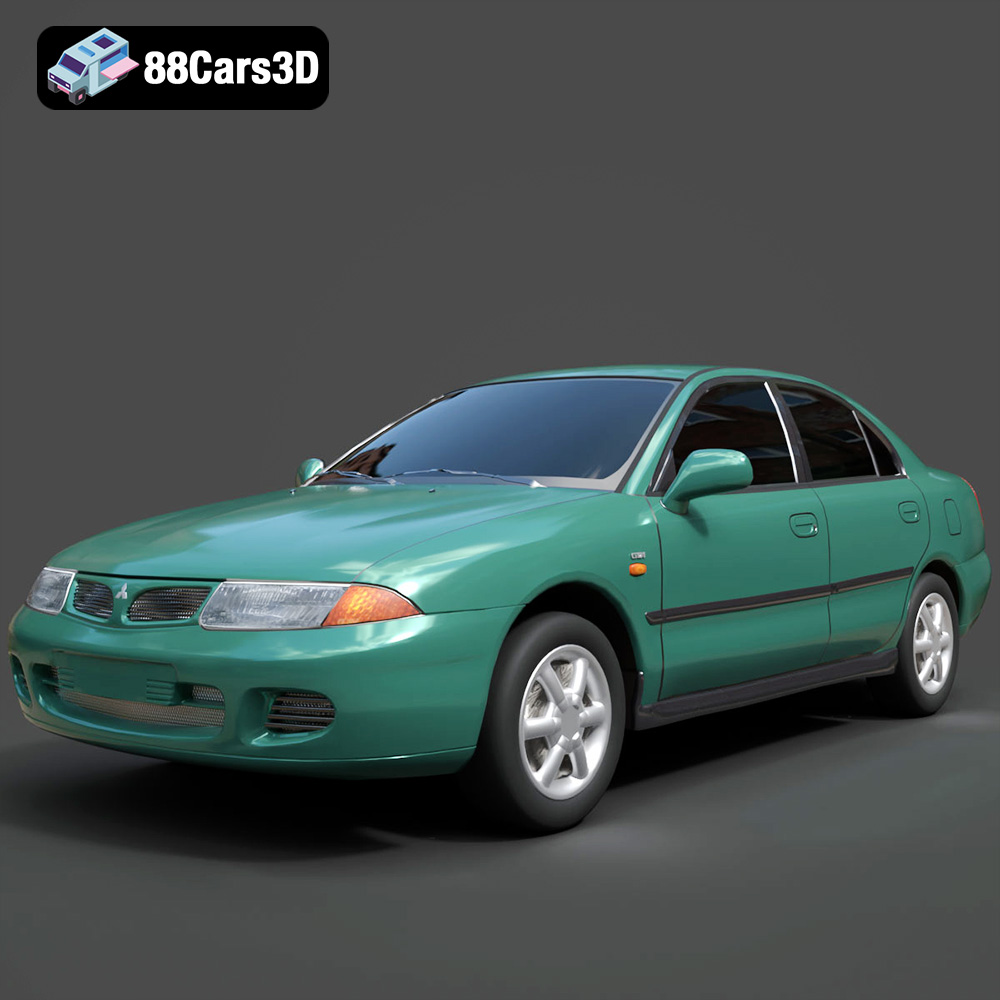
Mitsubishi Carisma 3D Model
Texture: Yes
Material: Yes
Download the Mitsubishi Carisma 3D Model featuring clean geometry, realistic detailing, and a fully modeled interior. Includes .blend, .fbx, .obj, .glb, .stl, .ply, .unreal, and .max formats for rendering, simulation, and game development.
Price: $4.99
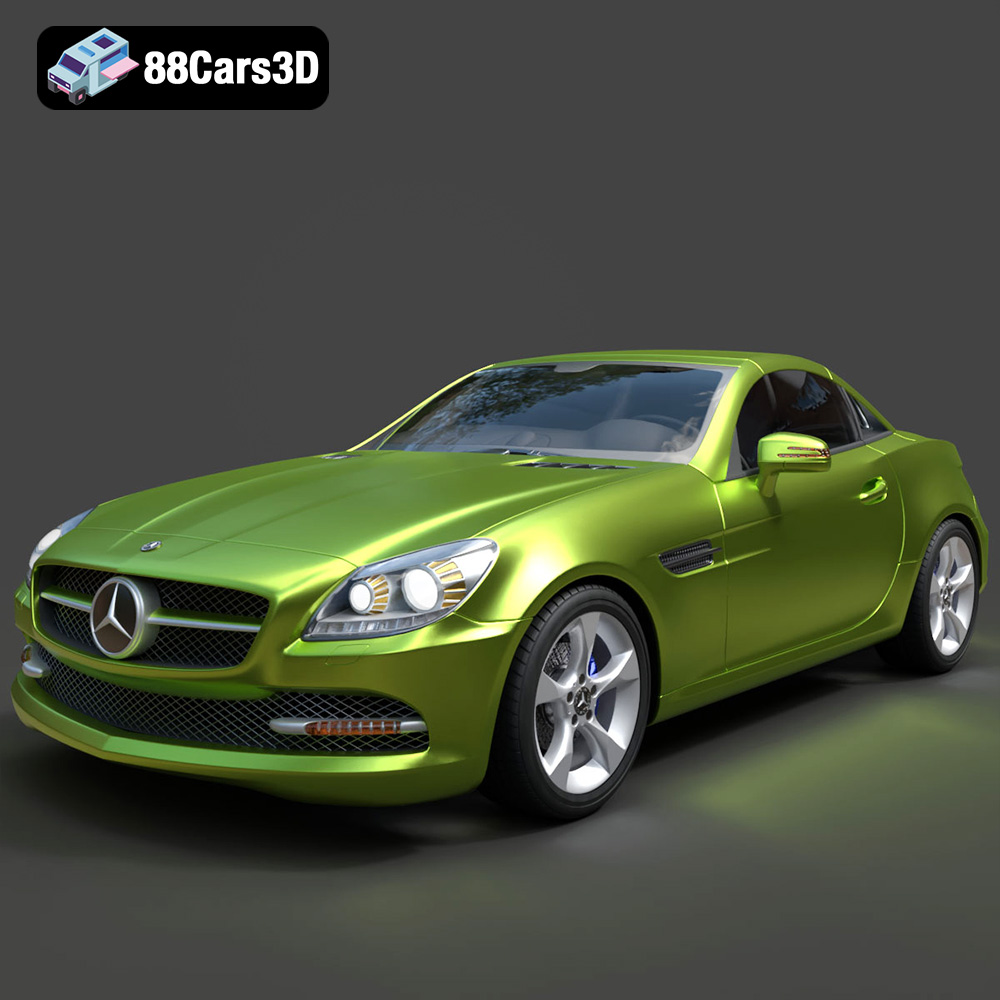
Mercedes-Benz SLK-Class 3D Model
Texture: Yes
Material: Yes
Download the Mercedes-Benz SLK-Class 3D Model featuring clean geometry, realistic detailing, and a fully modeled interior. Includes .blend, .fbx, .obj, .glb, .stl, .ply, .unreal, and .max formats for rendering, simulation, and game development.
Price: $4.99
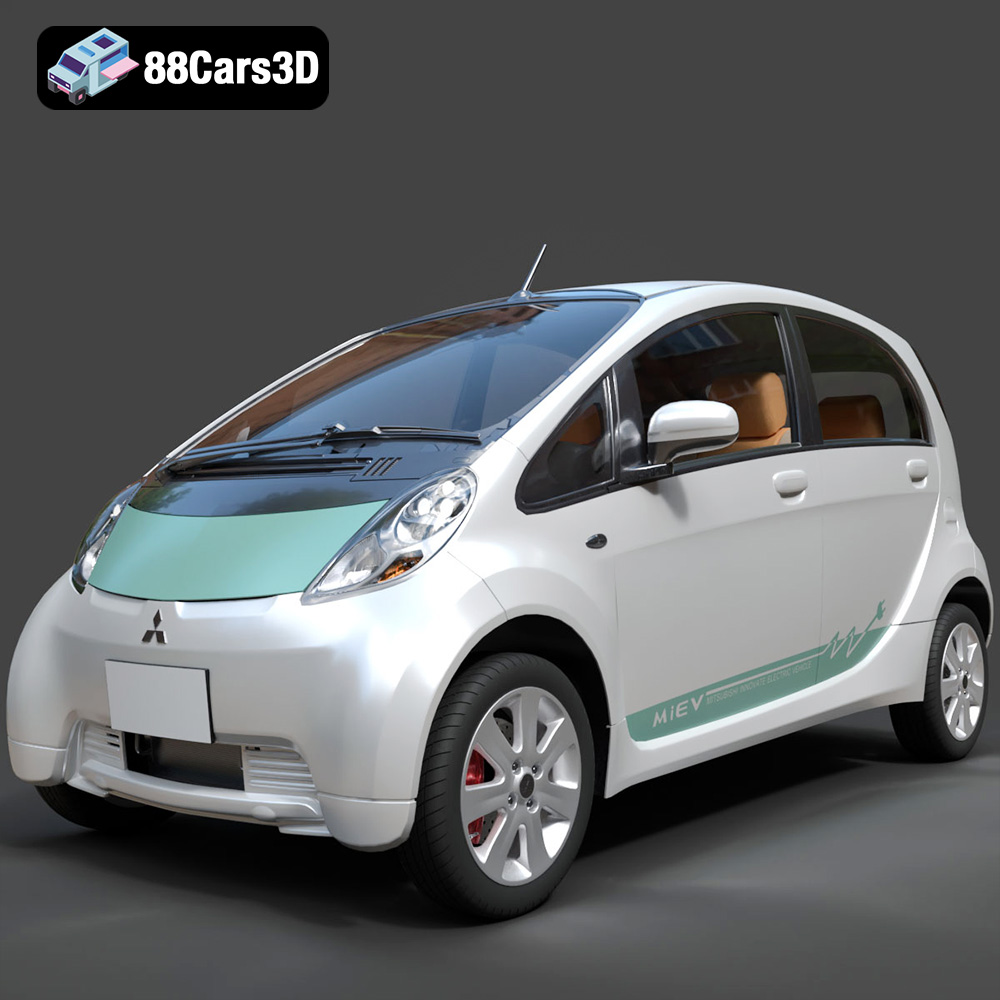
Mitsubishi i-MiEV 2025 3D Model
Texture: Yes
Material: Yes
Download the Mitsubishi i-MiEV 2025 3D Model featuring clean geometry, realistic detailing, and a fully modeled interior. Includes .blend, .fbx, .obj, .glb, .stl, .ply, .unreal, and .max formats for rendering, simulation, and game development.
Price: $4.99
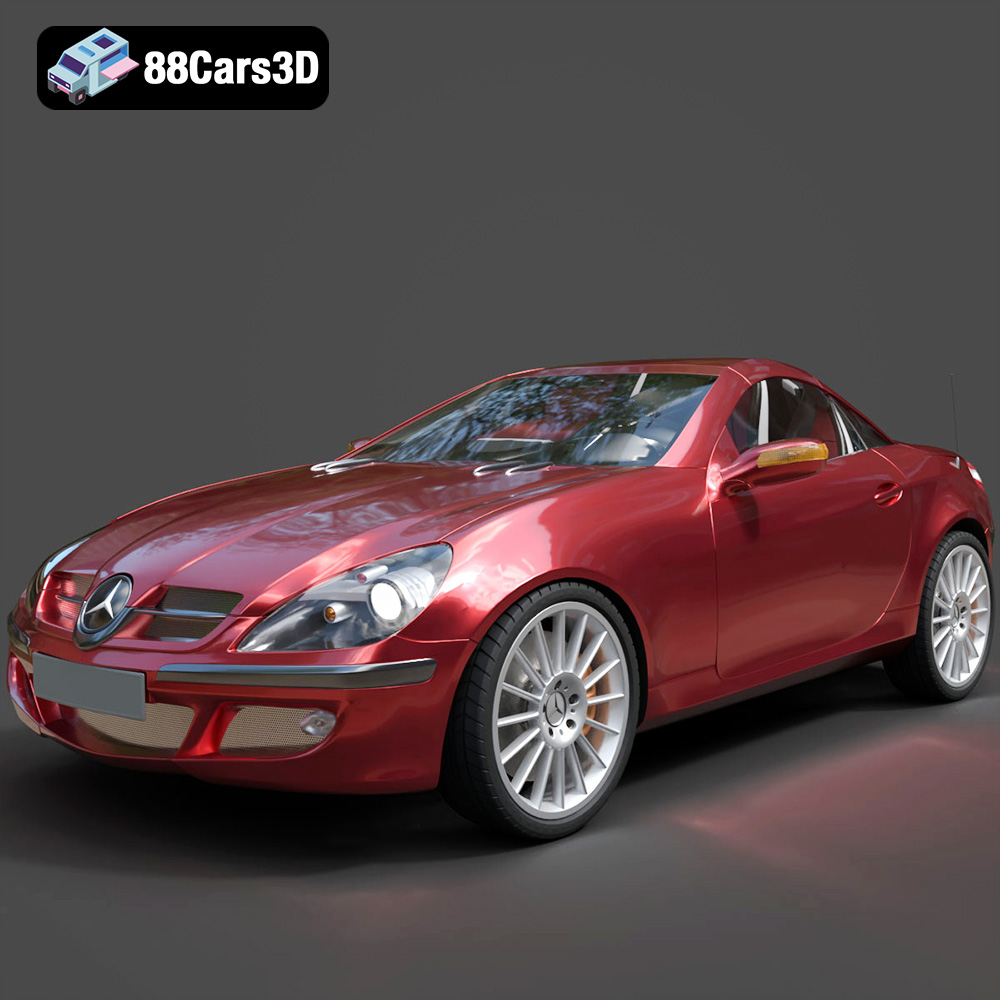
Mercedes-Benz SLK-Klasse 3D Model
Texture: Yes
Material: Yes
Download the Mercedes-Benz SLK-Klasse 3D Model featuring clean geometry, realistic detailing, and a fully modeled interior. Includes .blend, .fbx, .obj, .glb, .stl, .ply, .unreal, and .max formats for rendering, simulation, and game development.
Price: $4.99
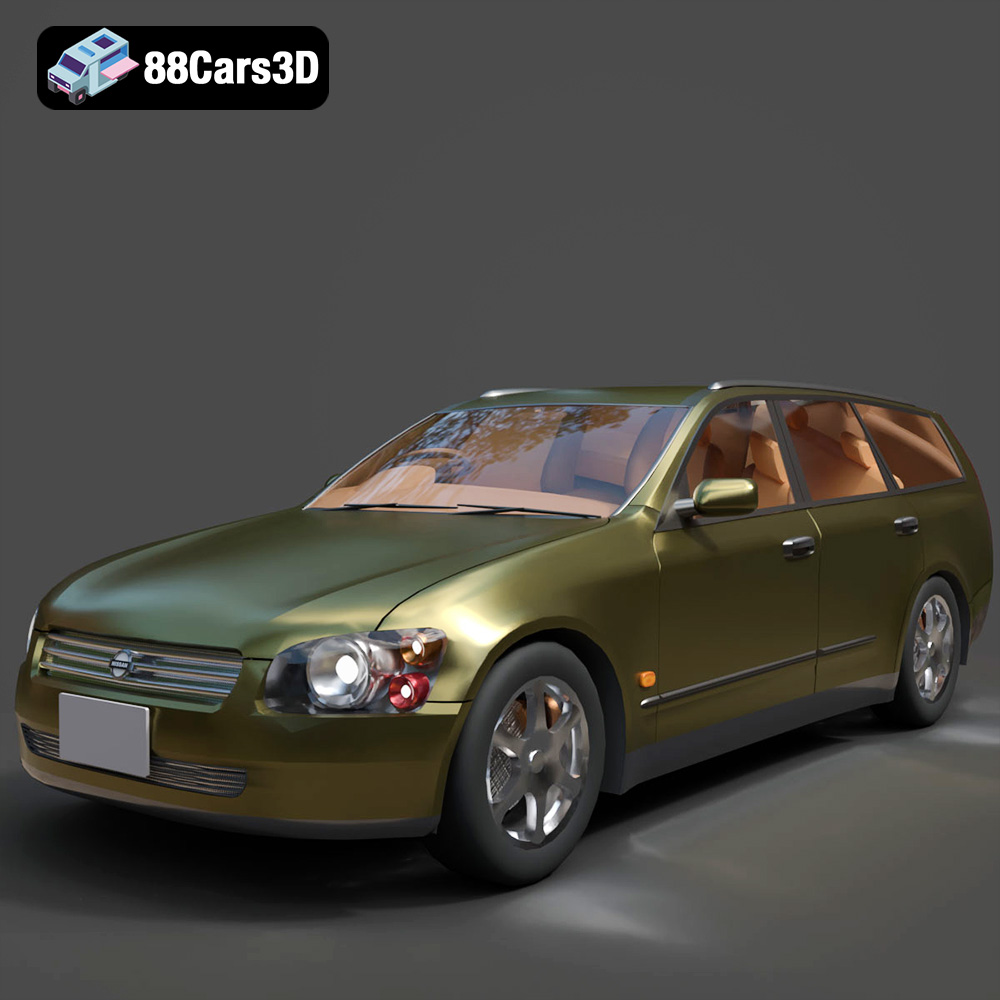
Nissan Stagea 2001 3D Model
Texture: Yes
Material: Yes
Download the Nissan Stagea 2001 3D Model featuring clean geometry, realistic detailing, and a fully modeled interior. Includes .blend, .fbx, .obj, .glb, .stl, .ply, .unreal, and .max formats for rendering, simulation, and game development.
Price: $4.99

Mitsubishi 3000 GT 1993 3D Model
Texture: Yes
Material: Yes
Download the Mitsubishi 3000 GT 1993 3D Model featuring clean geometry, realistic detailing, and a fully modeled interior. Includes .blend, .fbx, .obj, .glb, .stl, .ply, .unreal, and .max formats for rendering, simulation, and game development.
Price: $4.99
