
Mastering the Art of 3D Car Models: From Flawless Topology to Stunning Renders and Game-Ready Assets

Mastering the Art of 3D Car Models: From Flawless Topology to Stunning Renders and Game-Ready Assets
The roar of an engine, the gleam of polished chrome, the sleek lines of a perfectly sculpted body – capturing the essence of an automobile in 3D is a craft that blends technical precision with artistic vision. In today’s dynamic digital landscape, high-quality 3D car models are no longer just for cinematic masterpieces; they are indispensable assets for everything from immersive game development and captivating architectural visualizations to interactive AR/VR experiences and precision 3D printing. The demand for realism and performance pushes the boundaries of what’s possible, requiring a deep understanding of complex workflows and industry best practices.
Whether you’re a seasoned 3D artist, an aspiring game developer, an automotive designer, or a visualization professional, navigating the intricacies of creating, optimizing, and deploying 3D car models can be daunting. This comprehensive guide will take you on a deep dive into the technical bedrock of 3D automotive modeling. We’ll explore critical concepts like flawless topology, advanced UV mapping, PBR material creation, high-fidelity rendering, and crucial optimization techniques for real-time applications. Prepare to unlock the secrets behind crafting truly exceptional 3D car models that stand out in any medium, leveraging knowledge that powers platforms like 88cars3d.com, a leading source for premium automotive 3D assets.
The Foundation: Automotive 3D Modeling Topology and Edge Flow
The heart of any high-quality 3D car model lies in its topology – the arrangement of vertices, edges, and faces that define its mesh. For automotive models, pristine topology is paramount, impacting everything from smooth deformation during animation to the way light reflects off surfaces and how subdivision modifiers behave. A car’s intricate curves and sharp creases demand a meticulous approach to edge flow, ensuring that lines transition seamlessly and reflections remain clean and uninterrupted.
The golden rule in automotive modeling is the use of quads (four-sided polygons). While triangles are permissible in certain game engine contexts or triangulated CAD exports, pure quad topology is the gold standard for models destined for rendering and subdivision. Quads allow for predictable deformation, making it easier to sculpt intricate shapes and ensuring that subdivision surface modifiers (like TurboSmooth in 3ds Max or Subdivision Surface in Blender) produce smooth, organic results without unsightly pinching or artifacts. N-gons (polygons with more than four sides) should be strictly avoided in high-quality meshes, as they can cause unpredictable shading, triangulation issues, and problems during various stages of the 3D pipeline.
Effective edge flow guides the eye along the contours of the car, mimicking the natural flow of metal panels. On complex surfaces like a car’s hood, fenders, or doors, edges should run parallel to the natural curvature and perpendicular to where curves change direction. This approach minimizes stretching and distortion, especially crucial when the model is deforming or being subdivided. Pay close attention to areas where multiple surfaces meet, such as door seams or panel gaps. These areas often require additional edge loops to maintain sharpness without over-subdividing the entire mesh, a technique known as “support loops” or “holding edges.” Strategic placement of these loops ensures that hard edges remain crisp while large, flat surfaces remain smooth.
Subdivision Surface Modeling Techniques
Subdivision surface modeling is an iterative process where a relatively low-polygon base mesh is smoothed and refined by algorithms that add geometric detail. Software like 3ds Max, Blender, and Maya all offer powerful subdivision modifiers. The key is to start with a clean, low-poly cage that accurately represents the fundamental forms of the car. As you apply subdivision, the software interpolates new vertices and faces, creating a high-resolution mesh. The quality of this final mesh is entirely dependent on the underlying topology.
To achieve razor-sharp edges without adding excessive geometry to the base mesh, “holding edges” or “control loops” are strategically placed near the intended sharp edge. These additional edge loops constrain the smoothing effect of the subdivision modifier, effectively sharpening the desired area. For example, around a car’s window frame or a character line running along the side, two or three closely spaced edge loops can define a crisp corner, even with multiple levels of subdivision. This method allows artists to maintain a relatively light base mesh while achieving incredibly detailed and smooth final surfaces, which is critical for realistic reflections on car paint.
Blueprint Integration and Scaling
Accuracy is paramount in automotive modeling. The process typically begins by integrating precise blueprints or technical drawings into the 3D software’s viewport. These references, usually consisting of front, back, top, and side views, are carefully aligned and scaled to real-world dimensions. Using actual measurements (e.g., a car’s wheelbase, overall length, and height) ensures the model adheres to precise specifications. Working to real-world scale from the outset is crucial for accurate physics simulations, proper lighting calculations in rendering, and seamless integration into larger scenes or game environments. Misaligned or incorrectly scaled blueprints can lead to distorted proportions and a model that simply doesn’t “feel” right. Many professional artists even use 3D scan data as a more precise starting point for complex vehicle shapes.
Mastering UV Mapping for Realistic Car Surfaces
Once the intricate topology of a 3D car model is established, the next critical step is UV mapping. UV mapping is the process of flattening the 3D surface of your model into a 2D space, creating a “map” that tells your software how to apply textures. Without proper UVs, textures will stretch, warp, or tile incorrectly, severely undermining the realism of your car model. For complex, curved, and segmented car bodies, effective UV mapping is a nuanced art that directly impacts the visual fidelity of PBR materials.
The challenge with car models lies in their often non-uniform surfaces – large, smooth panels interspersed with sharp creases, intricate grilles, and complex mechanical components. Generic mapping techniques like planar, cylindrical, or spherical mapping often fall short when applied universally to an entire car. Instead, a strategic approach involves breaking down the car into logical UV shells (or islands) based on material zones or geometric features. For instance, the car body might be one large UV shell, while individual wheels, interior components, glass, and smaller details each get their own.
Avoiding seams and stretching is a primary goal. Seams are the edges where UV shells are cut and separated, and if not hidden strategically, they can become visible texture breaks. Stretching occurs when a 3D surface is disproportionately flattened onto the 2D UV map, distorting the texture. Tools within 3D software are designed to minimize these issues, allowing artists to “unfold” complex meshes intelligently, much like unwrapping a gift box.
UV Unwrapping Workflows (Software Specific)
Different 3D software packages offer distinct tools and workflows for UV unwrapping. In **3ds Max**, the Unwrap UVW modifier provides a robust toolset, allowing artists to define seams, unwrap selections, and arrange UV shells. **Blender’s** UV Editor, combined with tools like “Mark Seam” and “Unwrap,” offers intuitive controls for precise unmapping. **Maya’s** UV Editor and tools like “Cut,” “Sew,” “Unfold,” and “Layout” are equally powerful. The general workflow involves:
1. **Marking Seams:** Identify logical places to cut the mesh. For a car, these often run along natural panel lines, hidden edges, or areas where textures naturally change.
2. **Unfolding/Relaxing:** Once seams are marked, the software “unfolds” the selected faces into a flat 2D shape. Relaxation algorithms help distribute the UVs evenly, minimizing stretching.
3. **Arranging UV Shells:** The unfolded UV shells are then manually or automatically arranged within the 0-1 UV space (the square area where textures are painted). This step is crucial for efficient texture packing.
4. **Checking for Distortion:** Use checker patterns or distortion maps to visually inspect the UVs for any stretching or compression.
For a car model, common UV sets often include:
* **Body:** For the main paint, normal maps, and ambient occlusion.
* **Interior:** Dashboard, seats, steering wheel.
* **Wheels/Tires:** Tire tread, rim materials.
* **Glass:** Windows, headlights, taillights.
* **Undercarriage/Engine:** For less visible but still important details.
Texel Density and Atlas Packing
A critical aspect of professional UV mapping is maintaining consistent texel density across the entire model. Texel density refers to the number of pixels per unit of 3D space. If one part of your car model has a high texel density (many pixels per square centimeter) and another has a low density, textures applied to the low-density area will appear blurry or pixelated compared to the high-density area, even if using the same texture resolution. For a vehicle where users might zoom in on specific details, consistent texel density ensures uniform visual quality. Tools exist in most 3D software to visualize and normalize texel density across different UV shells.
Texture atlasing is an optimization technique, especially vital for game assets. Instead of having dozens of individual textures for different parts of the car, an atlas combines multiple smaller textures into one large image. All UV shells are then packed into this single texture map. This reduces the number of draw calls a game engine needs to make, significantly improving performance. Efficient packing aims to minimize empty space within the 0-1 UV square, maximizing the effective resolution of the texture and improving memory usage. Software like RizomUV, UVLayout, and even built-in tools can assist with automated and optimized UV packing.
PBR Materials and Shader Networks for Automotive Realism
Physically Based Rendering (PBR) has revolutionized how 3D artists achieve photorealistic results, especially for materials like car paint, glass, and metal. PBR workflows simulate how light interacts with surfaces in the real world, based on physical properties rather than subjective artistic interpretation. This consistency allows for predictable and realistic material behavior under various lighting conditions, making PBR a cornerstone of modern automotive rendering.
The core of a PBR material relies on several key texture maps:
* **Albedo/Base Color:** Defines the color of the surface without any lighting information. For metals, this map might represent the color of the raw metal.
* **Metallic:** A grayscale map indicating whether a surface is metallic (white/1.0) or dielectric (black/0.0). This drives the shader’s reflection and diffuse behavior.
* **Roughness:** A grayscale map (sometimes called Glossiness) that defines how rough or smooth a surface is, directly impacting the sharpness of reflections. Rougher surfaces scatter light more, resulting in blurry reflections; smoother surfaces produce sharp, mirror-like reflections.
* **Normal:** A map that adds surface detail (bumps, scratches, fine textures) by manipulating the direction of surface normals, simulating intricate geometry without adding actual polygons.
* **Ambient Occlusion (AO):** A map that simulates soft shadows where ambient light is occluded, adding depth and realism to crevices and corners.
Car paint shaders are particularly complex and visually critical. A realistic car paint material often involves multiple layers: a base coat (the primary color, potentially with a metallic flake effect), and a clear coat (a highly reflective, very smooth, dielectric layer on top). This layered approach, sometimes combined with a Fresnel effect (where reflectivity increases at grazing angles), is crucial for achieving the depth and shine characteristic of real automotive finishes. Glass, tire rubber, chrome, and carbon fiber each require unique PBR setups, carefully balancing metallic, roughness, and albedo values to achieve their distinct visual properties. For instance, chrome is a metallic material with very low roughness, while tire rubber is dielectric with high roughness.
Software-Specific PBR Implementations
Modern renderers deeply integrate PBR principles. **Corona Renderer** and **V-Ray** (popular in 3ds Max) feature dedicated PBR material types like CoronaPhysicalMtl and V-RayMtl, which simplify the setup with clear parameters for Base Color, Metalness, Roughness, and various layers. **Blender’s Cycles** and **Eevee** renderers leverage the Principled BSDF shader, an industry-standard PBR shader that combines various material properties into a single node. **Arnold** (found in Maya and 3ds Max) uses the Standard Surface shader, which is also a comprehensive PBR solution. Each renderer offers specific nodes and attributes to fine-tune material properties, build complex layered shaders, and incorporate advanced effects like subsurface scattering for translucent materials (e.g., car lights). Learning the specific PBR material structures within your chosen renderer is essential for maximizing its capabilities.
Texture Resolution and Management
The choice of texture resolution directly impacts the visual quality and memory footprint of your 3D car model. Common resolutions include 2K (2048×2048 pixels), 4K (4096×4096), and 8K (8192×8192). For hero assets like a featured car in a high-resolution render, 4K or even 8K textures for the main body and critical details (like emblems or tire treads) are common to capture fine details without pixelation. Lesser-seen parts, such as the undercarriage or distant interior elements, might use 2K or even 1K textures to save memory.
Texture management also involves considerations like file formats (PNG, JPG, TIF, EXR), bit depth (8-bit for most PBR maps, 16-bit for normal or displacement maps for smoother gradients), and mipmapping. Mipmaps are pre-filtered, downscaled versions of a texture that are used when an object is far away from the camera, reducing visual aliasing and improving rendering performance by using smaller texture versions. Proper texture management ensures visual fidelity while keeping file sizes and rendering times manageable.
Bringing Cars to Life: High-Fidelity Rendering Workflows
Once your 3D car model boasts impeccable topology and photorealistic PBR materials, the next crucial step is to bring it to life through high-fidelity rendering. This involves meticulously setting up the lighting, camera, and render engine parameters to produce stunning, lifelike images or animations. A well-rendered car can convey speed, luxury, and emotion, transforming a static 3D model into a compelling visual narrative.
Setting up a realistic automotive rendering scene begins with the environment. This includes choosing between studio lighting setups, which often feature controlled light boxes and softboxes, or integrating the car into a real-world environment. The goal is to simulate how light would naturally interact with the vehicle’s surfaces, emphasizing its form and material properties. The camera angle and framing are equally important, often mimicking professional automotive photography to highlight the car’s design elements and evoke a specific mood.
Lighting is arguably the most critical component of a realistic render. High Dynamic Range Images (HDRIs) are indispensable for automotive rendering, providing both realistic ambient lighting and environmental reflections. An HDRI acts as a virtual light dome, bathing the scene in light sampled from a real-world location (e.g., a studio, a scenic highway, or a city street). Complementary studio lighting, typically using area lights or dome lights, can be added to sculpt reflections, emphasize highlights, and provide targeted illumination. Photometric lights, which simulate real-world light fixtures with accurate intensity and falloff, are often used for car headlights and taillights. The interplay of these light sources defines the final look.
Camera settings directly influence the aesthetic of the final render. Parameters like aperture (controlling depth of field, blurring the background to focus on the car), focal length (affecting perspective and distortion, with longer lenses often preferred for automotive photography to create a flatter, more cinematic look), and shutter speed (relevant for motion blur in animations) must be carefully adjusted. Render settings within your chosen engine (e.g., Corona, V-Ray, Cycles, Arnold) involve balancing sampling rates, noise thresholds, and render passes. Higher samples lead to less noise but longer render times. Render passes (or AOVs – Arbitrary Output Variables) allow you to separate elements like reflections, refractions, diffuse color, and shadows into individual layers, providing immense flexibility during post-processing.
Lighting and Environment Setup for Automotive Shots
For studio shots, creating a clean, professional look often involves using large, soft area lights positioned to create broad, even reflections across the car’s body panels. A common setup includes a large softbox above the car, with additional strip lights or diffuse panels to the sides to catch reflections along the car’s length. For outdoor or environmental renders, the HDRI becomes the primary light source. It’s crucial to select an HDRI that matches the desired mood and time of day. For example, a sunset HDRI will cast warm, long shadows and rich colors, while an overcast HDRI will provide soft, diffused lighting. Placing additional localized lights (e.g., a “sun” light source mimicking the HDRI’s dominant light direction) can enhance shadows and highlights. Many artists also integrate ground planes and subtle background elements to ground the car in its environment without distracting from the main subject.
Post-Processing and Compositing for Impact
The rendering process doesn’t end when the image finishes calculating. Post-processing and compositing are crucial steps to elevate a raw render into a polished, professional image. Using software like Adobe Photoshop, Affinity Photo, or even Nuke for more complex compositing, artists can enhance their renders dramatically. This involves:
* **Color Correction:** Adjusting white balance, contrast, saturation, and overall color grading to achieve the desired mood and aesthetic.
* **Exposure Control:** Fine-tuning the brightness and dynamic range.
* **Vignetting:** Subtly darkening the edges of the image to draw focus to the center.
* **Chromatic Aberration:** Adding a subtle color fringing effect, mimicking optical lens imperfections for added realism.
* **Bloom and Glare:** Simulating light scattering around bright areas, often seen around headlights or strong reflections.
* **Lens Flares:** Artistic elements that mimic light scattering within a camera lens.
* **Adding Atmospheric Effects:** Subtle fog, haze, or dust particles can add depth.
By rendering out various passes (e.g., reflection pass, shadow pass, Z-depth pass), artists gain granular control during compositing. For instance, the Z-depth pass can be used to add realistic atmospheric perspective or depth of field effects non-destructively. This stage allows for creative refinements that elevate the visual impact of the final automotive image, giving it that professional, magazine-quality finish.
Game Engine Optimization and Integration
While high-fidelity rendering prioritizes visual quality above all else, integrating 3D car models into game engines like Unity and Unreal Engine demands a different set of priorities: real-time performance. The challenge lies in striking a balance between visual realism and maintaining smooth frame rates. Game engine optimization is a meticulous process of streamlining assets to ensure they run efficiently on various hardware platforms, from high-end PCs to mobile devices.
The most significant factor in game engine performance is polygon count. High-poly models suitable for offline rendering (often millions of polygons after subdivision) are far too heavy for real-time applications. Game-ready car models require a carefully optimized mesh, often ranging from 50,000 to 150,000 triangles for a hero vehicle (the player’s car or a prominent vehicle) down to a few thousand for background or distant cars. This reduction often involves manually retopologizing the high-poly model, baking normal maps from the high-poly version onto the low-poly version to retain surface detail.
Beyond polygon count, other factors like draw calls, batching, and texture management are critical. A draw call is a command sent from the CPU to the GPU to draw a specific set of objects. Reducing draw calls is paramount for performance. This can be achieved through techniques like texture atlasing (combining multiple textures into one to use fewer materials) and mesh combining (merging multiple small mesh objects into one larger object where appropriate). Batching (static or dynamic) is when the engine groups multiple objects that share the same material and shader into a single draw call.
LODs and Performance Budgets
Level of Detail (LOD) is an indispensable optimization technique for game assets. Instead of rendering a single, high-detail version of a model regardless of its distance from the camera, LODs provide multiple versions of the same model, each with progressively lower polygon counts and simpler materials. As the car moves further away from the player’s viewpoint, the game engine automatically switches to a lower-detail LOD, saving computational resources without a noticeable drop in visual quality.
A typical LOD setup for a hero car might include:
* **LOD0:** The highest detail model, visible when the car is close to the camera (e.g., 80,000-150,000 triangles).
* **LOD1:** Medium detail, used at mid-distances (e.g., 20,000-50,000 triangles).
* **LOD2:** Low detail, for cars further away (e.g., 5,000-15,000 triangles).
* **LOD3:** Very low detail, possibly just a simplified silhouette or billboard for extreme distances (e.g., 500-2,000 triangles).
Each LOD level also has simplified materials and sometimes even lower-resolution textures. Implementing effective LODs requires careful planning and balancing visual quality with performance targets, often dictated by the project’s performance budget (e.g., target frame rate, memory usage limits).
Collision Meshes and Physics Assets
For interactive game experiences, 3D car models require more than just a visual mesh; they need collision geometry. Collision meshes are simplified, often invisible, versions of the car’s geometry used by the game engine’s physics system to detect impacts and interactions with other objects or the environment. Unlike the render mesh, collision meshes prioritize geometric simplicity and convex shapes to ensure fast and stable physics calculations.
Typically, collision meshes are composed of primitive shapes (boxes, spheres, capsules) or a simplified convex hull of the vehicle. For more complex collisions (e.g., detailed wheel interaction with terrain), more precise, custom-made collision geometry is used. Game engines like Unity and Unreal Engine provide tools for generating collision meshes automatically or importing custom ones. Additionally, physics assets (in Unreal Engine) or Rigidbodies and Colliders (in Unity) define how the car responds to forces, gravity, and impacts, including setting up suspension systems and wheel colliders for realistic driving dynamics. When sourcing models from marketplaces such as 88cars3d.com, check for included optimized meshes and collision geometry, as this significantly streamlines game development.
Beyond Rendering: AR/VR, 3D Printing, and File Formats
The utility of high-quality 3D car models extends far beyond traditional rendering and game development. They are increasingly crucial for interactive experiences in Augmented Reality (AR) and Virtual Reality (VR), as well as for physical prototyping and custom manufacturing through 3D printing. Each application presents its own unique set of technical requirements and optimization challenges.
**AR/VR Optimization:** For AR/VR environments, optimization is even more stringent than for conventional games. The primary goal is to achieve high frame rates (typically 90 FPS or higher per eye) to prevent motion sickness and ensure a comfortable, immersive experience. This means ultra-low polygon counts (often just tens of thousands of triangles for hero objects), minimal draw calls, and reduced texture resolutions. Special attention is paid to texture atlasing to ensure that materials can be rendered in a single pass. Transparency and complex shader networks should be used sparingly. File formats like glTF/GLB (for web and Android AR) and USDZ (for Apple ARKit) are becoming standard due to their efficiency and inclusion of PBR materials. These formats are designed to be compact and easily transmittable over networks, crucial for instant loading in AR/VR apps.
**3D Printing Preparation:** Transforming a digital car model into a physical object requires a different kind of preparation. The most critical aspect is ensuring the mesh is “manifold” or “watertight.” This means there are no holes, internal geometry, non-manifold edges (edges shared by more than two faces), or overlapping faces. A 3D printer needs a completely closed surface to understand what to build. Wall thickness is another key consideration; specific minimum thicknesses are required to prevent parts from being too fragile or failing to print. Tools like Blender’s 3D Print Toolbox, MeshMixer, or dedicated professional software like Netfabb are used to analyze, repair, and prepare meshes for 3D printing by identifying and fixing these issues. The model also needs to be scaled to the correct physical dimensions, and sometimes split into smaller, printable parts if it exceeds the printer’s build volume.
**File Format Conversions and Compatibility:** The 3D industry uses a variety of file formats, each with its strengths and weaknesses. Understanding these and how to convert between them is essential for cross-software workflows and broader application use.
* **FBX (Filmbox):** The industry standard for data exchange between 3D software (Maya, 3ds Max, Blender, Cinema 4D) and game engines (Unity, Unreal). It supports geometry, materials, textures, animations, and skeletal data.
* **OBJ (Wavefront Object):** A universal, widely supported format primarily for geometry and basic material information. It’s excellent for static meshes but doesn’t handle animations or complex PBR materials directly.
* **GLB/glTF (Graphics Language Transmission Format):** An open standard designed for efficient transmission and loading of 3D scenes and models by web and AR/VR applications. It’s compact, includes PBR materials, and supports animations.
* **USDZ (Universal Scene Description Zip):** Developed by Apple and Pixar, optimized for AR applications on Apple devices. It’s a package for USD files, textures, and other data, optimized for size and performance.
* **BLEND, MAX, C4D:** Native formats for Blender, 3ds Max, and Cinema 4D, respectively. These contain all scene data, including modifiers, lights, and rendering setups. While they offer the most flexibility within their native software, they require the specific software to open.
Preparing for AR/VR Experiences
When optimizing a car model for AR/VR, the goal is not just low poly counts but also minimal draw calls. This means consolidating materials wherever possible, even if it sacrifices some individual material variety. PBR workflows are still used, but textures might be lower resolution (e.g., 512×512 or 1K) and often atlased to reduce the number of material slots. Static batching of parts of the car (if it doesn’t need to animate) can also help. For interactive elements, ensure collision meshes are simple and accurately define interaction zones. Real-time shadows, reflections, and global illumination are often simplified or faked to meet performance targets. Platforms like Unity and Unreal Engine provide specific AR/VR templates and optimization tools to guide this process.
3D Printing Specifics: Mesh Repair and Export
Before exporting for 3D printing, a thorough mesh inspection is crucial. Tools like Blender’s “3D Print Toolbox” add-on can automatically check for non-manifold edges, open faces, and thin walls. Manual repair might involve filling holes, merging disconnected vertices, or ensuring consistent face normals (all facing outwards). For complex models, remeshing or retopologizing the model can create a cleaner, more robust mesh for printing. Export formats typically include STL (Stereolithography), OBJ, or 3MF. STL is the most common, simple ASCII or binary format representing only the surface geometry. OBJ is also widely accepted, and 3MF is an XML-based format that can store color, materials, and other data, offering advantages over STL. Always double-check the final exported mesh in a dedicated 3D printing slicer software to confirm its printability before committing to the physical print.
Conclusion: The Art and Science of Exceptional 3D Automotive Assets
From the initial blueprint to the final pixel-perfect render or game-ready asset, the journey of creating and deploying high-quality 3D car models is a testament to both technical mastery and artistic sensibility. We’ve explored the intricate dance of clean topology and edge flow that defines a vehicle’s form, the precision of UV mapping that ensures flawless textures, and the nuanced world of PBR materials that bring surfaces to life. We’ve delved into the art of cinematic rendering, the critical optimizations for real-time game engines, and the unique requirements for cutting-edge AR/VR experiences and tactile 3D prints.
Mastering these diverse facets requires dedication, continuous learning, and a keen eye for detail. The demand for exceptional 3D car models will only continue to grow across industries, making the skills discussed here invaluable for any digital artist or developer. By understanding the underlying principles and best practices, you can ensure your automotive 3D assets are not only visually stunning but also technically robust and versatile across multiple platforms.
Whether you’re building your next portfolio piece, developing a groundbreaking game, or visualizing an architectural marvel, the quality of your 3D car models can make all the difference. For those seeking a head start or a reliable source for top-tier assets, platforms like 88cars3d.com offer a curated selection of professionally crafted 3D car models, meticulously built with clean topology, realistic PBR materials, and optimized for various applications. Dive in, experiment with these techniques, and drive your 3D projects to new heights of realism and performance.
Featured 3D Car Models

Mitsubishi Galant 2009 3D Model
Texture: Yes
Material: Yes
Download the Mitsubishi Galant 2009 3D Model featuring clean geometry, realistic detailing, and a fully modeled interior. Includes .blend, .fbx, .obj, .glb, .stl, .ply, .unreal, and .max formats for rendering, simulation, and game development.
Price: $4.99

Nissan Primera Wagon 3D Model
Texture: Yes
Material: Yes
Download the Nissan Primera Wagon 3D Model featuring clean geometry, realistic detailing, and a fully modeled interior. Includes .blend, .fbx, .obj, .glb, .stl, .ply, .unreal, and .max formats for rendering, simulation, and game development.
Price: $4.99

Nissan 350Z 3D Model
Texture: Yes
Material: Yes
Download the Nissan 350Z 3D Model featuring clean geometry, realistic detailing, and a fully modeled interior. Includes .blend, .fbx, .obj, .glb, .stl, .ply, .unreal, and .max formats for rendering, simulation, and game development.
Price: $4.99

Nissan Skyline V35 2001 3D Model
Texture: Yes
Material: Yes
Download the Nissan Skyline V35 2001 3D Model featuring clean geometry, realistic detailing, and a fully modeled interior. Includes .blend, .fbx, .obj, .glb, .stl, .ply, .unreal, and .max formats for rendering, simulation, and game development.
Price: $4.99

Mercedes-Benz S-Klasse 221-007 3D Model
Texture: Yes
Material: Yes
Download the Mercedes-Benz S-Klasse 221-007 3D Model featuring clean geometry, realistic detailing, and a fully modeled interior. Includes .blend, .fbx, .obj, .glb, .stl, .ply, .unreal, and .max formats for rendering, simulation, and game development.
Price: $4.99

Mercedes W124 Sedan 3D Model
Texture: Yes
Material: Yes
Download the Mercedes W124 Sedan 3D Model featuring clean geometry, realistic detailing, and a fully modeled interior. Includes .blend, .fbx, .obj, .glb, .stl, .ply, .unreal, and .max formats for rendering, simulation, and game development.
Price: $4.99
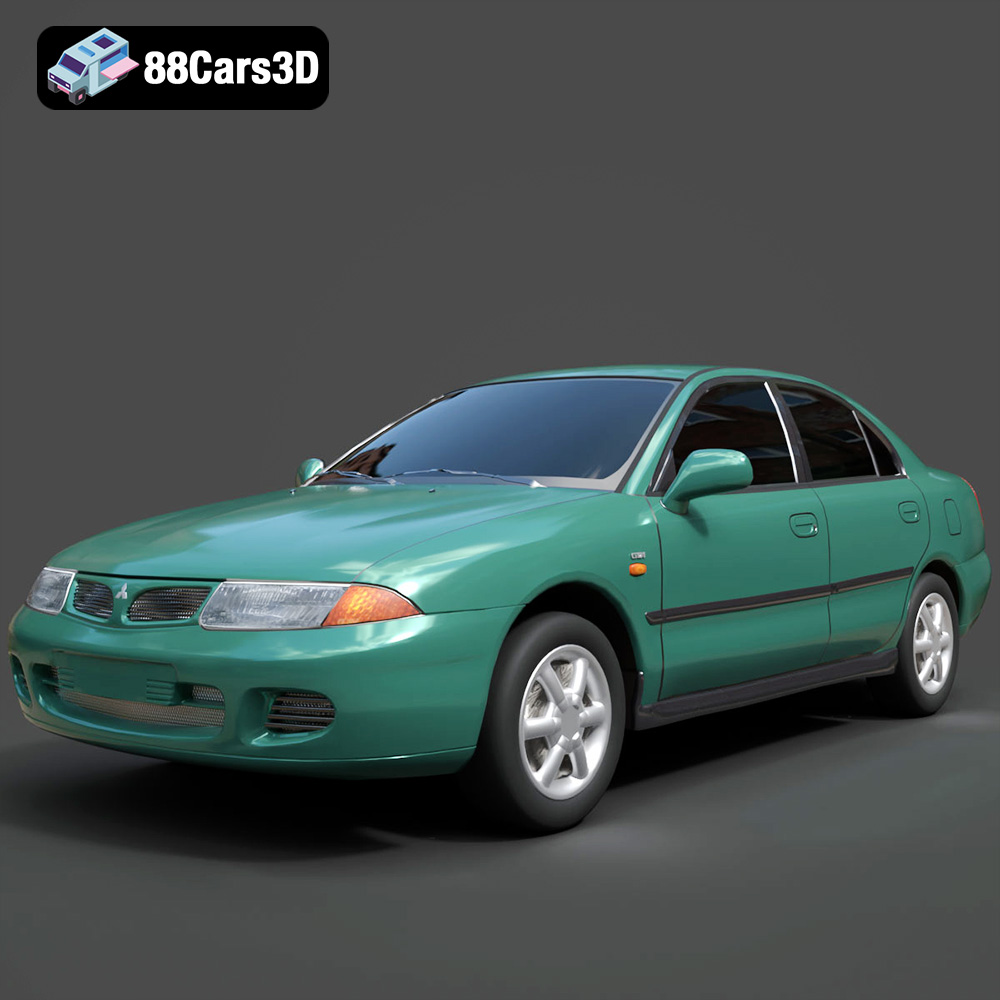
Mitsubishi Carisma 3D Model
Texture: Yes
Material: Yes
Download the Mitsubishi Carisma 3D Model featuring clean geometry, realistic detailing, and a fully modeled interior. Includes .blend, .fbx, .obj, .glb, .stl, .ply, .unreal, and .max formats for rendering, simulation, and game development.
Price: $4.99
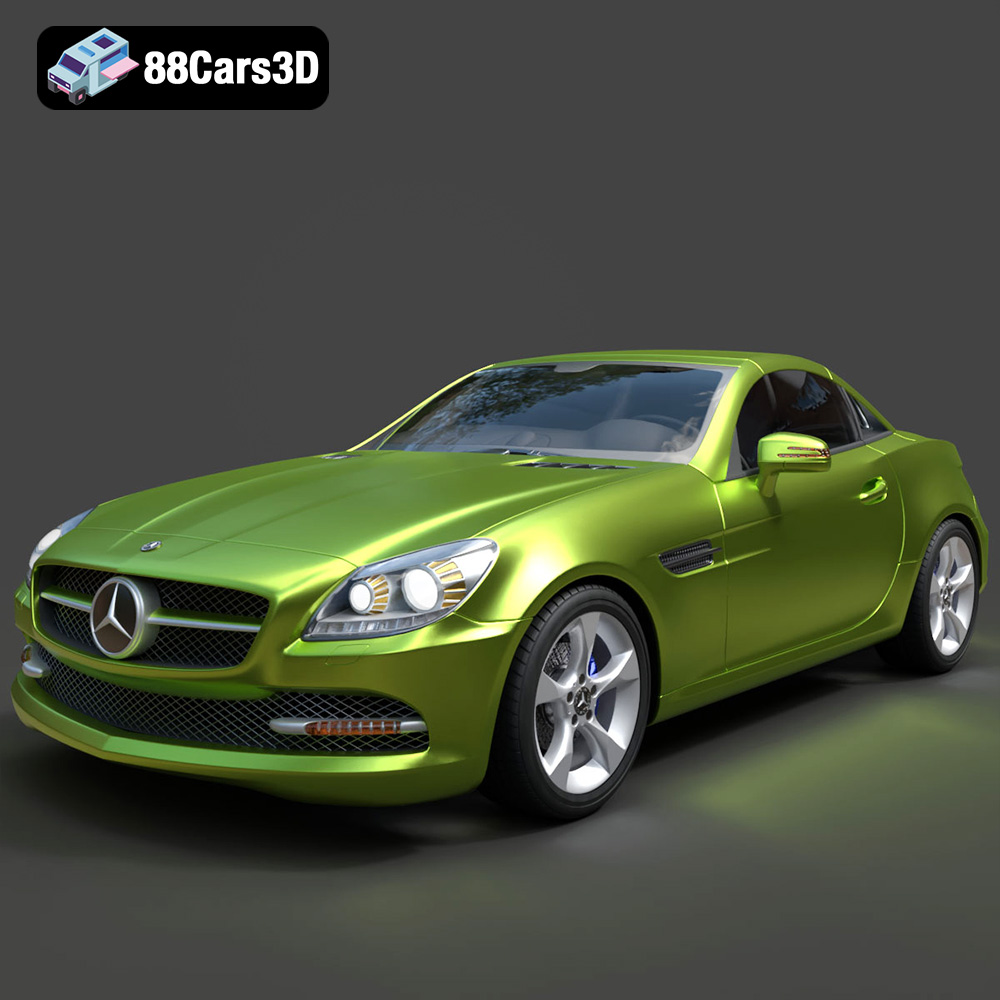
Mercedes-Benz SLK-Class 3D Model
Texture: Yes
Material: Yes
Download the Mercedes-Benz SLK-Class 3D Model featuring clean geometry, realistic detailing, and a fully modeled interior. Includes .blend, .fbx, .obj, .glb, .stl, .ply, .unreal, and .max formats for rendering, simulation, and game development.
Price: $4.99
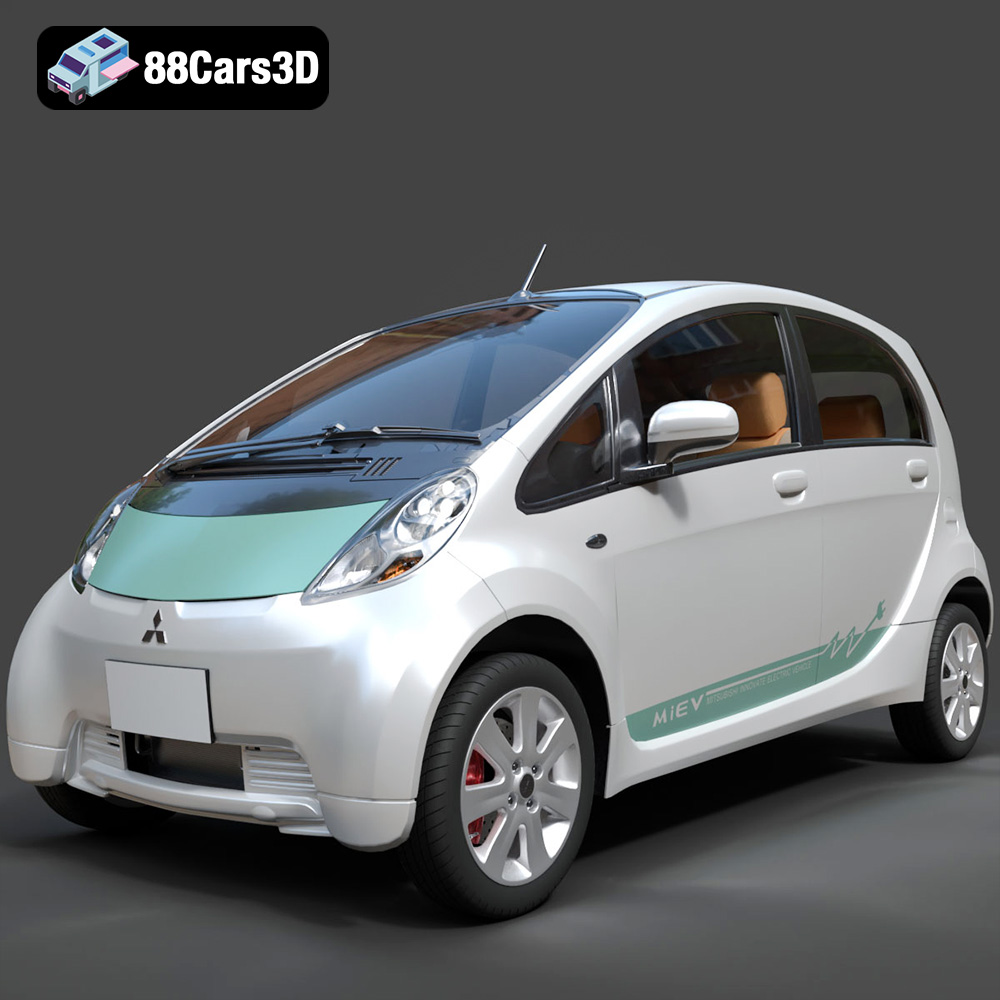
Mitsubishi i-MiEV 2025 3D Model
Texture: Yes
Material: Yes
Download the Mitsubishi i-MiEV 2025 3D Model featuring clean geometry, realistic detailing, and a fully modeled interior. Includes .blend, .fbx, .obj, .glb, .stl, .ply, .unreal, and .max formats for rendering, simulation, and game development.
Price: $4.99
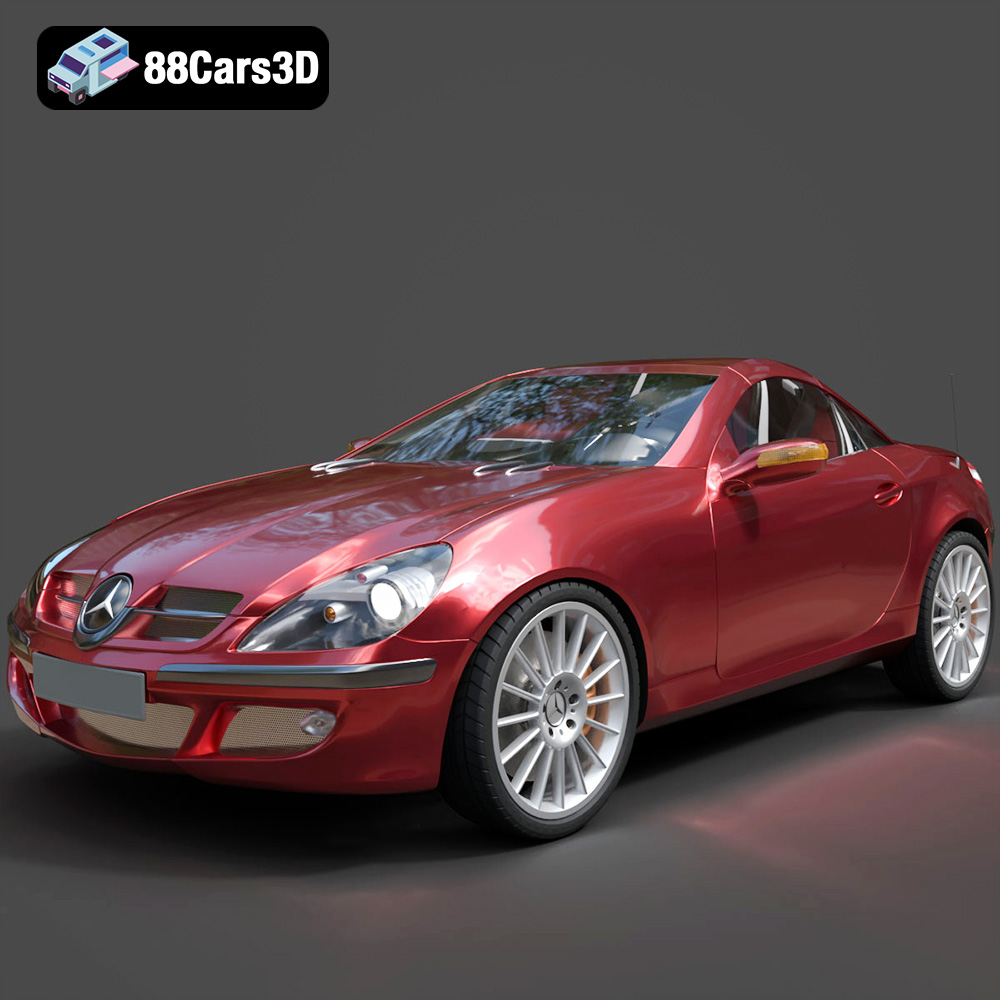
Mercedes-Benz SLK-Klasse 3D Model
Texture: Yes
Material: Yes
Download the Mercedes-Benz SLK-Klasse 3D Model featuring clean geometry, realistic detailing, and a fully modeled interior. Includes .blend, .fbx, .obj, .glb, .stl, .ply, .unreal, and .max formats for rendering, simulation, and game development.
Price: $4.99
