⚡ FLASH SALE: Get 60% OFF All Premium 3D & STL Models! ⚡

In the vibrant world of 3D visualization, realistic automotive models stand as a pinnacle of technical artistry and precision. From captivating cinematic sequences and immersive game environments to cutting-edge augmented reality experiences and detailed engineering visualizations, the demand for high-quality 3D car models is insatiable. Crafting these digital masterpieces requires a deep understanding of complex workflows, meticulous attention to detail, and a mastery of various software tools and industry best practices.
This comprehensive guide delves into the intricate journey of a professional 3D car model, exploring every critical stage from its foundational topology to its final polish in diverse applications. We’ll uncover the secrets behind creating pristine meshes, applying physically accurate materials, optimizing for real-time performance, and preparing models for everything from stunning automotive rendering to 3D printing. Whether you’re an aspiring 3D artist, a seasoned game developer, or an automotive designer pushing the boundaries of visualization, this article will equip you with the technical insights and actionable strategies needed to elevate your 3D car models to industry-leading standards.
The foundation of any high-quality 3D car model lies in its topology – the arrangement of vertices, edges, and faces that form the mesh. For automotive assets, clean topology is paramount, influencing everything from shading accuracy and deformation behavior to ease of UV mapping and texture application. A poorly constructed mesh can lead to artifacts, jagged reflections, and significant challenges down the line, regardless of how good your textures or lighting may be.
Automotive surfaces are characterized by their smooth, flowing curves and sharp, precise creases. Achieving this fidelity requires a methodical approach to edge flow, ensuring that edge loops follow the natural contours of the vehicle. For instance, edge loops should wrap around wheel arches, define body panel gaps, and reinforce sharp lines along door frames and fender flares. This meticulous attention to detail allows for proper deformation when applying subdivision surface modifiers (e.g., OpenSubdiv in 3ds Max or Blender’s Subdivision Surface modifier), resulting in a smooth, high-resolution mesh from a relatively low-poly base. Aim for an all-quad mesh as much as possible, as quads deform predictably and are generally preferred for subdivision surfaces. While triangles are unavoidable in some instances, especially in optimized game assets, excessive use can create pinching and shading issues.
Creating a clean automotive mesh begins with understanding the impact of edge flow on surface quality. Reflections, particularly on highly polished car paint, are extremely sensitive to mesh inconsistencies. “Zebra stripes,” a common technique used by automotive designers, involve projecting parallel lines onto a surface to visually inspect the smoothness and continuity of reflections. Any kinks or breaks in these virtual lines indicate poor surface continuity, often a symptom of incorrect edge flow or insufficient polygons to define a curve.
Start by blocking out the primary shapes using reference blueprints and images, ensuring scale accuracy. Then, incrementally add detail by creating new edge loops that define the primary contours and creases. For curved surfaces, more edges are needed to approximate the curve smoothly before subdivision. For sharp creases, parallel edge loops placed close together (often called “support loops”) help to hold the sharpness after subdivision. Avoid N-gons (faces with more than four sides) as they can cause unpredictable shading and triangulate poorly when exported or subdivided. A common workflow in software like 3ds Max, Maya, or Blender involves modeling a low-polygon cage that, when smoothed, generates the final high-polygon result, ensuring maximum control and flexibility.
The ideal polygon count for a 3D car model is not a fixed number; it’s a balance dictated by the intended application. For high-fidelity renders, cinematics, or detailed product visualizations, models can easily reach several million polygons, especially when accounting for interiors, engines, and undercarriages. For these scenarios, a base mesh of 100,000-500,000 polygons might be subdivided multiple times to achieve an incredibly smooth surface, ensuring every reflection is perfect.
In contrast, real-time applications like game assets or AR/VR experiences demand much lower polygon counts to maintain performance. A game-ready car model might range from 50,000 to 150,000 polygons for a hero vehicle, including wheels and interior. For less critical vehicles in the background, this could drop to a few thousand. Techniques like baking normal maps from a high-poly sculpt onto a low-poly mesh are crucial for retaining surface detail without the overhead of excessive geometry. When sourcing models from marketplaces such as 88cars3d.com, pay close attention to the stated polygon counts and topology quality to ensure they align with your project’s technical requirements.
Once your 3D car model boasts pristine topology, the next critical step is to prepare it for texturing through meticulous UV mapping. UVs are the 2D coordinates that tell your 3D software how to project a 2D texture onto a 3D surface. Imperfect UVs can lead to stretched, distorted, or blurry textures, undermining the visual quality of even the most detailed PBR (Physically Based Rendering) materials. For cars, with their complex curves and distinct material zones, careful UV unwrapping is an art form in itself, ensuring that every painted surface, every piece of trim, and every interior fabric looks exactly as intended.
Beyond unwrapping, the creation of PBR materials is where the model truly comes to life. PBR shaders simulate how light interacts with surfaces in a physically accurate manner, resulting in highly realistic renders regardless of the lighting conditions. This involves generating or acquiring various texture maps – Albedo, Metallic, Roughness, Normal, and Ambient Occlusion being the most common – and carefully constructing shader networks that mimic the optical properties of real-world materials like car paint, chrome, leather, and glass. The synergy between well-laid UVs and expertly crafted PBR textures is what elevates a raw 3D mesh into a convincing digital replica.
Effective UV unwrapping for automotive models focuses on minimizing distortion, maximizing texture resolution, and strategically placing seams. For large, contiguous surfaces like body panels, a combination of planar, cylindrical, or spherical projections can be a starting point, followed by extensive manual adjustments. The goal is to create UV islands that are as flat as possible, with uniform pixel density across the surface to prevent texture stretching or compression. Seam placement is crucial: wherever possible, hide seams along natural breaks in the geometry, such as panel lines, edges, or areas that will be obscured from view.
UV packing is another vital step. After unwrapping, the individual UV islands are arranged within a 0-1 UV space (or multiple UDIM tiles for extreme detail). Efficient packing ensures that as much of the texture resolution as possible is utilized, avoiding wasted space. Tools like UVLayout, RizomUV, or the native UV editors in Blender, 3ds Max, and Maya offer powerful algorithms for automatic packing, which can then be fine-tuned manually. For ultra-high-resolution models, particularly for film or high-end visualization, UDIM workflows allow artists to spread UVs across multiple texture tiles, breaking the 0-1 barrier and enabling vastly greater texture detail without compromising UV island size or creating massive single textures.
Physically Based Rendering has revolutionized material creation, offering a more intuitive and consistent way to achieve realism. The core concept revolves around defining how a surface reflects and absorbs light, rather than arbitrarily assigning color. For automotive PBR materials, this involves several key maps:
Car paint shaders are particularly complex, often involving multiple layers: a base metallic paint layer, followed by a clear coat with its own reflection properties and potentially metallic flakes embedded within. Software like Corona Renderer, V-Ray, Cycles, or Arnold provide dedicated car paint materials or allow for complex node-based shader networks to build these effects. Interior materials such as leather, fabric, and plastic also require their own distinct PBR setups, often incorporating subtle normal maps for stitching or texture, and varying roughness values to simulate wear and tear. Texture resolutions typically range from 2K (2048×2048 pixels) for less critical elements to 4K or even 8K for primary body panels and hero assets, directly impacting the final visual fidelity.
With a perfectly modeled and textured 3D car model, the next step is to bring it to life through automotive rendering. This process involves setting up lights, environments, and camera angles, then using a powerful render engine to calculate how light bounces and interacts with your materials, ultimately producing a photorealistic image or animation. Achieving truly stunning renders requires a blend of technical expertise and artistic vision, mimicking the techniques of professional automotive photographers and cinematographers.
The choice of render engine significantly impacts both the workflow and the final output. Industry standards like Corona Renderer, V-Ray, Cycles (Blender), and Arnold each offer unique strengths, from ease of use and speed to specialized features for specific types of rendering. Regardless of the engine, the core principles of lighting, environment design, and camera setup remain consistent, aiming to highlight the vehicle’s form, reflectiveness, and material properties in the most appealing way. This stage is where all the hard work on topology, UVs, and PBR materials culminates in breathtaking visual results.
Effective lighting is the single most critical factor in a photorealistic render. For cars, lighting defines the body lines, accentuates the curves, and reveals the nuances of the paint finish. High Dynamic Range Images (HDRIs) are indispensable for this, providing realistic global illumination, reflections, and environmental context from real-world locations or studio setups. A well-chosen HDRI can instantly give your car model a credible sense of place, whether it’s parked under a sunny sky or in a sleek showroom.
Beyond HDRIs, supplementary lights are often used to sculpt specific details. Studio lighting typically employs softboxes or large area lights to create soft, even illumination and highlight reflections. For exterior scenes, a physical sun and sky system (available in most renderers) can accurately simulate natural sunlight, casting sharp shadows and producing realistic atmospheric effects. For interior shots or close-ups of headlights and taillights, IES (Illumination Engineering Society) profiles can be loaded into spot or photometric lights to replicate the exact light distribution patterns of real-world lamps, adding an incredible layer of authenticity to emitted light sources on the vehicle.
Each leading render engine offers a powerful suite of tools for achieving photorealism:
Optimizing render settings involves balancing quality with render time. Key parameters include sampling rates (which control noise), global illumination settings (such as brute force, irradiance map, or light cache), and denoisers (AI-powered tools that remove noise from renders, significantly reducing render times). Utilizing render passes (e.g., Z-depth, Normal, Alpha, Specular, Reflection) is essential for post-processing, allowing for greater control and flexibility in compositing and color grading without re-rendering the entire scene.
For 3D car models destined for real-time applications like video games or interactive experiences, the focus shifts dramatically from pure visual fidelity to a delicate balance of aesthetics and performance. Game engine optimization is crucial for ensuring smooth frame rates, responsive gameplay, and a compelling user experience, especially given the typically resource-intensive nature of high-detail automotive assets. This involves strategic reduction of polygon counts, clever texture management, and utilizing engine-specific features to minimize computational overhead.
Integrating these optimized game assets into engines like Unity or Unreal Engine requires an understanding of their respective pipelines for importing meshes, setting up PBR materials, configuring physics, and even adding interactive elements. The goal is to translate the visual integrity of the original model into a real-time environment while adhering to strict performance budgets. This often means making compromises, but smart optimization techniques ensure that these compromises are almost imperceptible to the end-user, delivering a visually rich experience without bogging down the system.
Effective optimization for game engines centers around reducing the number of draw calls and the complexity of the rendered scene. One of the most critical techniques is Level of Detail (LODs). This involves creating multiple versions of your car model, each with a progressively lower polygon count. The engine then dynamically switches between these LODs based on the camera’s distance from the object. For instance, a hero car might have an LOD0 with 100,000 polygons, an LOD1 with 30,000, an LOD2 with 10,000, and an LOD3 with 3,000, ensuring detail is maintained up close but performance isn’t wasted on distant objects.
Further optimization includes:
When acquiring 3D car models from platforms like 88cars3d.com, check if they come with pre-configured LODs and optimized texture sets, as this can save significant development time.
Both Unity and Unreal Engine provide robust pipelines for importing 3D car models. The most common file format for this is FBX, which supports meshes, UVs, materials, and even skeletal animations.
Unity Workflow:
Unreal Engine Workflow:
UCX_<modelname>) or build it within Unreal using primitive shapes.In both engines, ensure consistent texture resolution and scale across your assets for optimal visual fidelity and performance.
The utility of a high-quality 3D car model extends far beyond traditional rendering and game development. With the rise of immersive technologies, automotive models are now at the forefront of AR/VR experiences, offering interactive showrooms, virtual test drives, and collaborative design reviews. Simultaneously, the burgeoning field of 3D printing allows digital models to transcend the screen, becoming tangible prototypes or collectible figurines. Each of these applications, however, brings its own set of technical requirements and challenges, demanding specific optimization strategies and adherence to particular file formats.
Navigating the landscape of file formats is another crucial aspect. While FBX and OBJ are widely recognized, newer formats like GLB and USDZ are gaining traction for web-based AR/VR, offering efficient asset delivery. Understanding the strengths and limitations of each format, along with best practices for conversion, ensures that your 3D car models maintain their integrity and usability across diverse platforms and workflows. This adaptability is key to unlocking the full potential of your digital automotive assets.
Augmented Reality (AR) and Virtual Reality (VR) place unique and often stringent demands on 3D assets due to their real-time nature and, especially for mobile AR, limited processing power. The primary goal is to achieve a stable frame rate (typically 60-90 FPS) to prevent motion sickness and ensure a smooth experience. This necessitates aggressive optimization:
3D printing transforms digital models into physical objects, but it requires a different kind of mesh preparation. Unlike rendering, which deals with how light interacts with surfaces, 3D printing requires a mathematically “manifold” or “watertight” mesh – a closed volume with no gaps, holes, or intersecting faces.
Key preparation steps include:
The world of 3D modeling uses a multitude of file formats, each with its own strengths and limitations. Understanding these is crucial for seamless workflows:
When converting between formats, always check export settings to ensure that all relevant data (UVs, material assignments, smoothing groups, scale) is preserved. Platforms like 88cars3d.com often provide models in multiple popular formats, simplifying integration into diverse pipelines.
The journey of a 3D car model doesn’t end when the render engine finishes its calculations. Just as a professional photograph undergoes extensive retouching, a raw 3D render benefits immensely from post-processing and compositing. This final stage is where the image truly comes alive, gaining that elusive cinematic quality or photorealistic polish that distinguishes professional work. It’s about enhancing the mood, refining the colors, and seamlessly integrating the 3D model into its environment, whether that’s a virtual backdrop or a real-world photograph.
Post-processing involves a range of techniques applied to the rendered image in software like Adobe Photoshop, Affinity Photo, or Blackmagic Fusion. Compositing, on the other hand, is the art of combining multiple image elements – render passes, background plates, special effects – into a single, cohesive final image. Mastering these techniques allows artists to correct imperfections, add subtle atmospheric effects, and inject a level of artistic flair that can’t always be achieved purely within the 3D renderer, giving the automotive visualization its ultimate, high-impact finish.
Post-production is your opportunity to fine-tune every visual aspect of your automotive rendering. Using tools like Adobe Photoshop or other image editing software, you can apply a variety of effects to elevate the realism and aesthetic appeal:
Seamlessly integrating a 3D car model into a photograph (a “backplate”) or a live-action video requires careful attention to detail to achieve a convincing illusion. This is where compositing shines:
The journey of a 3D car model from a conceptual idea to a photorealistic render or an interactive game asset is a testament to the intricate blend of artistic vision and technical mastery. We’ve explored the fundamental importance of clean topology and intelligent UV mapping, which form the bedrock of any high-quality asset. We delved into the creation of physically accurate PBR materials and the nuanced workflows of automotive rendering, harnessing the power of advanced engines like Corona, V-Ray, Cycles, and Arnold.
Beyond static images, we covered the critical considerations for game engine optimization, ensuring seamless performance in real-time environments, and touched upon the evolving demands of AR/VR experiences and 3D printing. Finally, the art of post-processing and compositing proved to be the crucial last step, elevating raw renders into captivating visual narratives. Mastering these techniques requires dedication, continuous learning, and access to top-tier resources.
For artists, developers, and designers seeking to accelerate their projects with professional-grade digital assets, exploring marketplaces like 88cars3d.com offers a curated selection of meticulously crafted 3D car models that adhere to these very standards. By leveraging such high-quality foundations, you can focus your expertise on innovation and artistic expression, bringing your automotive visualizations to life with unparalleled realism and efficiency.

Texture: Yes
Material: Yes
Download the Mitsubishi Galant 2009 3D Model featuring clean geometry, realistic detailing, and a fully modeled interior. Includes .blend, .fbx, .obj, .glb, .stl, .ply, .unreal, and .max formats for rendering, simulation, and game development.
Price: $4.99

Texture: Yes
Material: Yes
Download the Nissan Primera Wagon 3D Model featuring clean geometry, realistic detailing, and a fully modeled interior. Includes .blend, .fbx, .obj, .glb, .stl, .ply, .unreal, and .max formats for rendering, simulation, and game development.
Price: $4.99

Texture: Yes
Material: Yes
Download the Nissan 350Z 3D Model featuring clean geometry, realistic detailing, and a fully modeled interior. Includes .blend, .fbx, .obj, .glb, .stl, .ply, .unreal, and .max formats for rendering, simulation, and game development.
Price: $4.99

Texture: Yes
Material: Yes
Download the Nissan Skyline V35 2001 3D Model featuring clean geometry, realistic detailing, and a fully modeled interior. Includes .blend, .fbx, .obj, .glb, .stl, .ply, .unreal, and .max formats for rendering, simulation, and game development.
Price: $4.99

Texture: Yes
Material: Yes
Download the Mercedes-Benz S-Klasse 221-007 3D Model featuring clean geometry, realistic detailing, and a fully modeled interior. Includes .blend, .fbx, .obj, .glb, .stl, .ply, .unreal, and .max formats for rendering, simulation, and game development.
Price: $4.99

Texture: Yes
Material: Yes
Download the Mercedes W124 Sedan 3D Model featuring clean geometry, realistic detailing, and a fully modeled interior. Includes .blend, .fbx, .obj, .glb, .stl, .ply, .unreal, and .max formats for rendering, simulation, and game development.
Price: $4.99
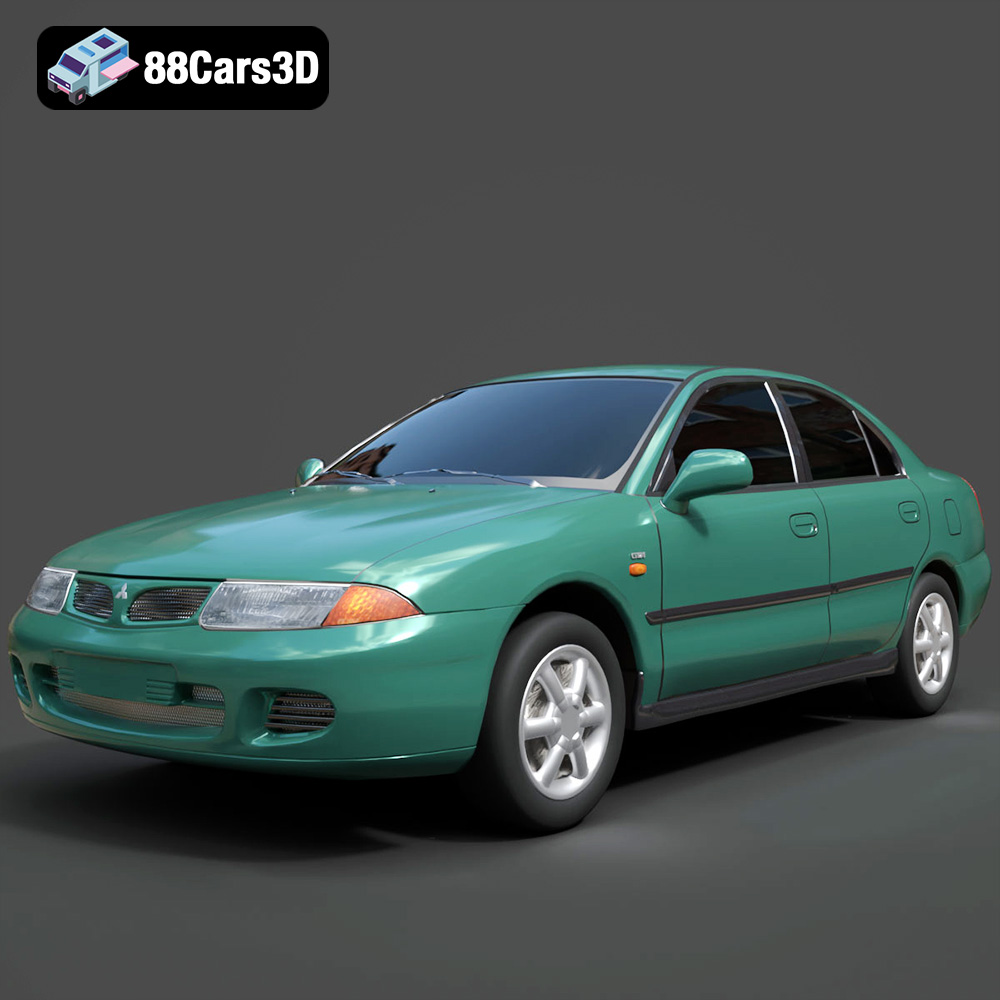
Texture: Yes
Material: Yes
Download the Mitsubishi Carisma 3D Model featuring clean geometry, realistic detailing, and a fully modeled interior. Includes .blend, .fbx, .obj, .glb, .stl, .ply, .unreal, and .max formats for rendering, simulation, and game development.
Price: $4.99
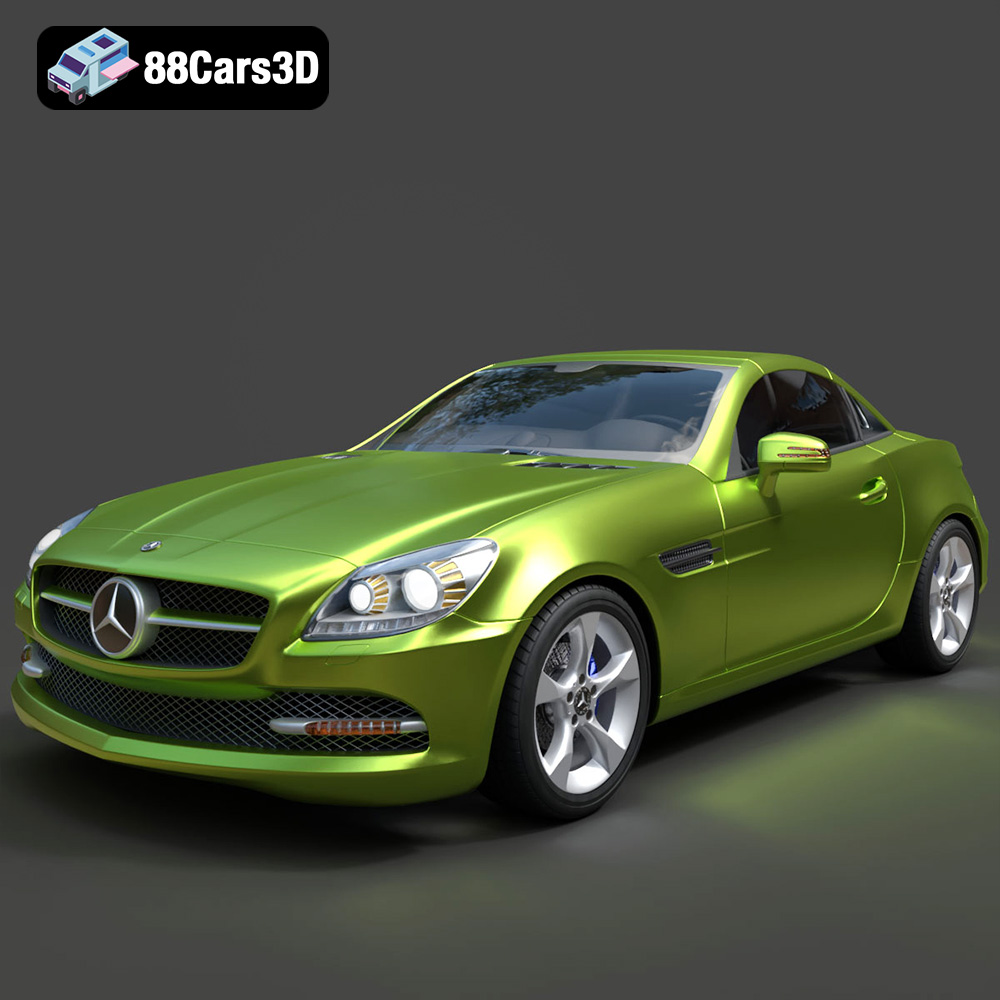
Texture: Yes
Material: Yes
Download the Mercedes-Benz SLK-Class 3D Model featuring clean geometry, realistic detailing, and a fully modeled interior. Includes .blend, .fbx, .obj, .glb, .stl, .ply, .unreal, and .max formats for rendering, simulation, and game development.
Price: $4.99
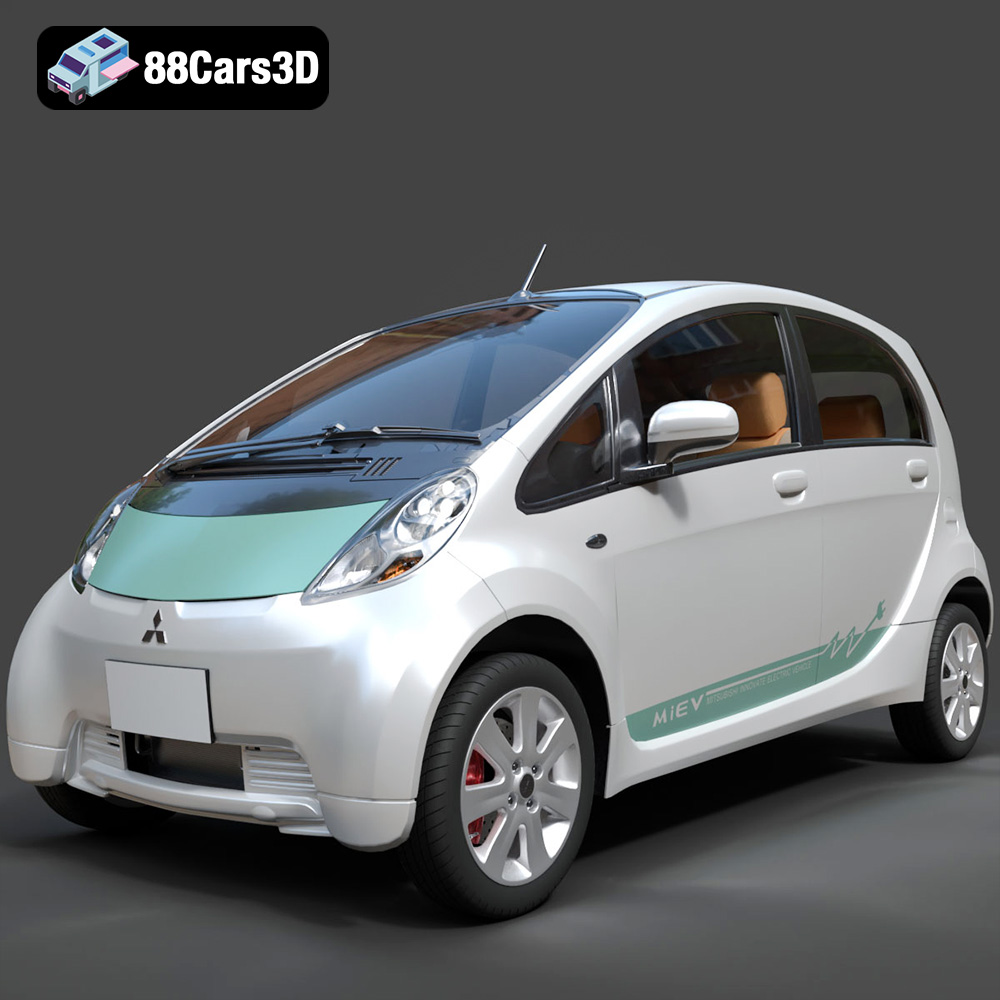
Texture: Yes
Material: Yes
Download the Mitsubishi i-MiEV 2025 3D Model featuring clean geometry, realistic detailing, and a fully modeled interior. Includes .blend, .fbx, .obj, .glb, .stl, .ply, .unreal, and .max formats for rendering, simulation, and game development.
Price: $4.99
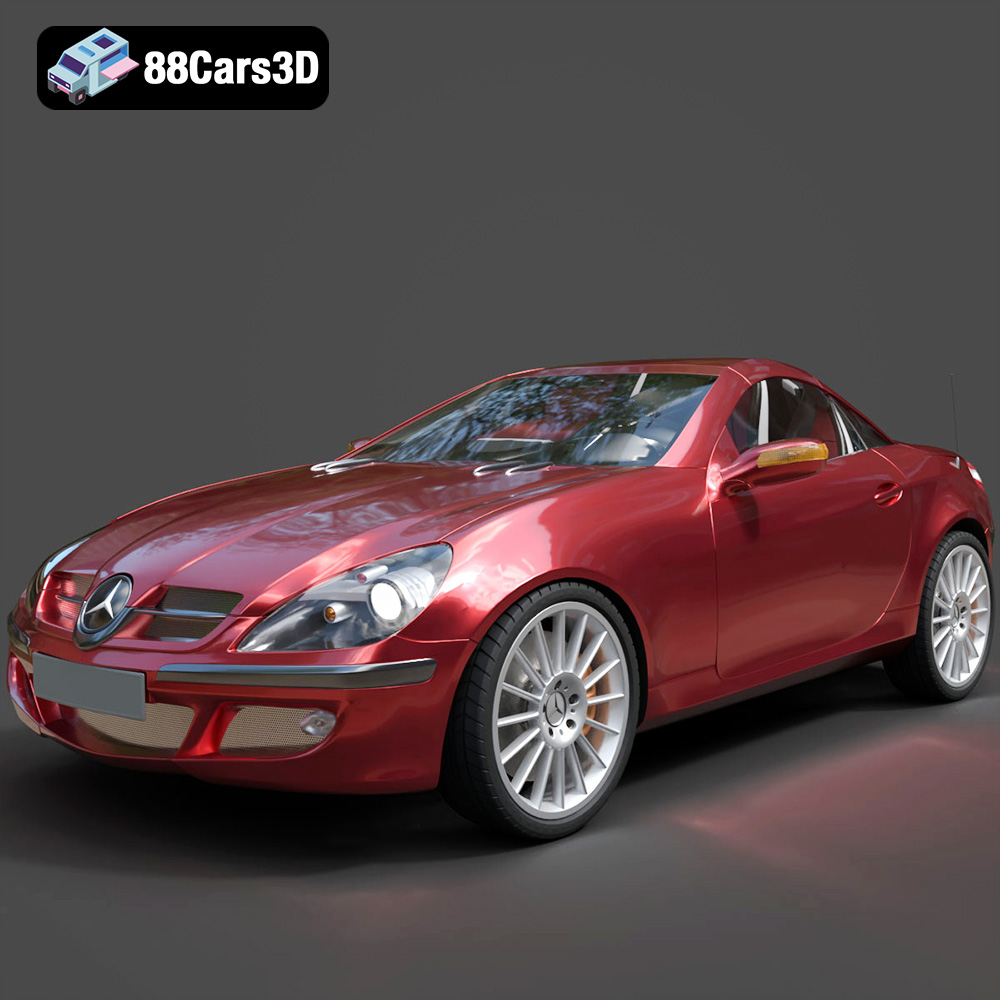
Texture: Yes
Material: Yes
Download the Mercedes-Benz SLK-Klasse 3D Model featuring clean geometry, realistic detailing, and a fully modeled interior. Includes .blend, .fbx, .obj, .glb, .stl, .ply, .unreal, and .max formats for rendering, simulation, and game development.
Price: $4.99

