⚡ FLASH SALE: Get 60% OFF All Premium 3D & STL Models! ⚡

The allure of a perfectly rendered automobile, gleaming under a virtual studio light or tearing across a digital racetrack, is undeniable. For 3D artists, game developers, automotive designers, and visualization professionals, creating or integrating high-quality 3D car models is a cornerstone of their work. However, achieving photorealistic results and optimal performance requires more than just a keen eye for aesthetics; it demands a deep understanding of complex technical workflows, from meticulous modeling to advanced rendering and rigorous optimization.
This comprehensive guide delves into the intricate technical details behind crafting, preparing, and deploying exceptional automotive rendering and game assets. We’ll explore the foundational principles of topology, demystify advanced UV mapping strategies, unravel the secrets of PBR materials, and dissect sophisticated rendering techniques. Furthermore, we’ll tackle critical optimization for real-time environments like AR/VR and game engines, and even prepare models for tangible outputs like 3D printing. Whether you’re a seasoned professional looking to refine your techniques or an aspiring artist aiming to elevate your craft, this article will provide invaluable insights into the world of high-fidelity 3D automotive visualization. Platforms like 88cars3d.com serve as excellent resources for sourcing pre-made, high-quality models, but understanding the underlying technical standards is crucial for integration and further customization.
The quality of a 3D car model begins with its topology—the arrangement of its vertices, edges, and faces. For complex, organic shapes like car bodies, pristine topology is paramount, impacting everything from smooth subdivision to realistic deformation and efficient UV mapping. A well-structured mesh ensures that the model can be smoothly subdivided without pinching, accurately captures the subtle curvature of the vehicle, and facilitates clean deformation if parts need to move or articulate.
Industry best practices mandate a quad-dominant workflow. While triangulated meshes are often the final output for game engines, modeling in quads (four-sided polygons) allows for predictable subdivision surface modeling (e.g., OpenSubdiv, TurboSmooth) and easier manipulation. Edges should flow naturally along the vehicle’s contours, panel lines, and design features. This “edge flow” is critical for defining sharp creases, gentle curves, and maintaining continuity across the surface. For instance, edge loops should encircle areas like headlights, taillights, grilles, and wheel wells, providing sufficient geometry for these details to be properly defined when subdivided. When sourcing models, particularly for high-end visualization or game development, always inspect the wireframe for clean, consistent edge flow and minimal n-gons (polygons with more than four sides).
Clean topology means that edge loops run along areas that need to be articulated or deformed, such as around doors, hoods, or trunks. This allows for realistic animation without tearing or unnatural stretching. For static models, subdivision surface modifiers (like TurboSmooth in 3ds Max or Subdivision Surface in Blender) require a clean, quad-based mesh to produce smooth, artifact-free results. Polygons should be as uniform in size as possible, especially on large, curved surfaces, to avoid stretching textures or creating shading anomalies. Avoid long, skinny triangles or star-points (vertices connected to many edges), as these often lead to pinching and render artifacts. The target polygon count for a high-detail hero shot car model can easily range from 250,000 to over 1 million triangles before subdivision, depending on the level of detail for interior and undercarriage elements. For real-time applications, a hero model might target 80,000-150,000 triangles, with lower LODs progressively reducing this count.
Car bodies present unique challenges due to their compound curves, crisp panel gaps, and often reflective surfaces. Maintaining perfect surface continuity and smoothness, often referred to as ‘curvature continuity’ or ‘G2 continuity,’ is crucial for realistic reflections. Modelers often use techniques like spline cage modeling or NURBS conversion to polygon meshes to achieve this high level of surface precision. Special attention must be paid to areas where surfaces meet, such as door seams or hood lines. These areas require precise edge placement to create sharp, consistent panel gaps without introducing unsightly artifacts when smoothed. Using holding edges near sharp creases helps control the falloff of the subdivision surface, maintaining crispness without excessive geometry. Furthermore, ensuring that all normals are unified and pointing outwards is a fundamental step to prevent rendering errors and ensure proper light interaction.
Once your 3D car model boasts impeccable topology, the next critical step is UV mapping. UVs are the 2D coordinates that tell your 3D software how to project 2D textures onto your 3D model. For the intricate, multifaceted surfaces of an automobile, a well-executed UV layout is not merely good practice—it’s essential for achieving realism, optimizing texture memory, and facilitating efficient material application. Poor UVs can lead to stretched textures, visible seams, wasted texture space, and difficulties in creating realistic PBR materials.
The complexity of a car’s surface, with its gentle curves, sharp angles, and numerous distinct materials (paint, glass, rubber, chrome, carbon fiber, fabric), necessitates a strategic approach to UV unwrapping. Simply relying on automatic unwrapping often yields suboptimal results, creating fragmented UV islands and uneven texel density. Instead, a meticulous manual or semi-automatic process is required. Key considerations include minimizing seams, distributing texel density uniformly across different parts of the model (e.g., ensuring a door panel has the same texture resolution as the hood), and organizing UV islands logically to maximize texture space usage.
Modern automotive models frequently utilize a multi-material approach, meaning different parts of the car will have distinct textures and shader properties. For high-resolution projects, particularly those involving high-fidelity automotive rendering, UDIMs (U-Dimension) have become an industry standard. UDIMs allow you to spread your UV islands across multiple UV tiles (e.g., U1V1, U2V1, U3V1, etc.), each housing its own high-resolution texture map. This is immensely powerful for cars, allowing you to dedicate a 4K or 8K texture set specifically to the body paint, another to the wheels, another to the interior, and so on, without being constrained by a single 0-1 UV space. This prevents texture stretching and allows for incredibly detailed surface imperfections, decals, and custom liveries.
To implement UDIMs, you’d typically unwrap different material groups (e.g., car body, wheels, interior dashboard, windows) into separate UV tiles. For example, the car body might occupy U1V1, wheels U2V1, interior U3V1. Software like 3ds Max, Blender, Maya, and Substance Painter fully support UDIM workflows. When preparing assets for game engines that don’t natively support UDIMs, you might need to bake down your UDIM textures into a single texture atlas or use multiple material slots, each with its own 0-1 texture set.
Effective UV unwrapping involves strategically placing seams in less visible areas, such as along natural panel gaps, underneath the vehicle, or where different materials meet. The goal is to minimize the visual impact of texture breaks. Once unwrapped, the UV islands should be packed efficiently within their respective 0-1 space (or UDIM tile) to avoid wasting texture resolution. Tools like RizomUV, UVLayout, and the built-in UV editors in DCCs offer powerful packing algorithms to maximize efficiency while preventing overlapping islands. Maintaining a consistent texel density across all islands is also crucial. This ensures that a scratch texture, for instance, appears at the same scale on the hood as it does on the fender, preventing pixelation or overly large details on different parts of the model. For critical areas like the main body paint, aiming for a texel density that supports at least 20 pixels per centimeter at a 4K texture resolution is a good starting point for high-quality renders.
With a perfectly modeled and UV-mapped 3D car model, the next frontier is material creation. PBR materials (Physically Based Rendering) are the bedrock of modern photorealism, ensuring that materials react to light in a physically accurate and consistent manner, regardless of the lighting environment. Unlike older, ‘hand-tweaked’ lighting models, PBR relies on real-world material properties to deliver believable results. Understanding PBR is non-negotiable for anyone aiming for professional-grade automotive rendering.
The core principle of PBR is energy conservation: light reflected from a surface (specular) plus light absorbed and scattered (diffuse/albedo) should not exceed the incoming light. Key maps involved in PBR workflows typically include: Albedo/Base Color (the diffuse color, stripped of all lighting information), Metallic (defines whether a material is a metal or dielectric, usually a binary 0 or 1 value), Roughness (controls the micro-surface detail and how blurred or sharp reflections are), Normal Map (adds surface detail without extra geometry), and sometimes Ambient Occlusion (simulates subtle self-shadowing). For a high-quality car model, these maps are often generated at 4K or 8K resolution, sometimes even higher for hero shots, to capture the minutiae of surface imperfections.
Car paint is one of the most complex materials to replicate realistically due to its multi-layered structure. A typical car paint shader consists of:
Other materials like rubber (low metallic, high roughness), glass (transparent, low roughness, specific IOR of ~1.5), and chrome (high metallic, very low roughness) also require careful attention to their PBR parameters. Software like Substance Painter is invaluable for authoring these PBR texture sets, allowing artists to paint directly onto the 3D model with real-time feedback.
Modern DCC applications and renderers utilize node-based shader editors (e.g., 3ds Max’s Slate Material Editor, Blender’s Shader Editor, Maya’s Hypershade) to construct complex materials. Here’s a typical workflow:
This node-based approach allows for immense flexibility and complex material layering, essential for the diverse materials found on a vehicle.
Even the most perfectly modeled and textured 3D car model will fall flat without expert illumination. Automotive rendering is as much about controlling light as it is about defining surfaces. The goal is to create compelling, photorealistic images that evoke the emotion and sophistication of real-world automotive photography. This involves a careful balance of environmental lighting, studio lighting, camera settings, and renderer-specific optimizations.
The choice of renderer plays a significant role in the workflow. Popular choices for high-end visualization include Corona Renderer and V-Ray (both primarily for 3ds Max and Cinema 4D), Cycles (Blender), and Arnold (Maya, 3ds Max). Each offers slightly different approaches to global illumination, physically accurate light transport, and material interpretation, but the underlying principles of lighting remain universal. Understanding how light interacts with the car’s complex curves and reflective surfaces is key to making it truly shine. Reflections, in particular, are paramount for car renders, as they define the surface quality and communicate the vehicle’s form.
For pristine studio renders, a combination of HDRIs (High Dynamic Range Images) and discrete studio lights is often employed:
A common setup involves a large overhead softbox, two side strips, and a strong backdrop light, all carefully positioned to interact with the car’s paint and chrome. Experiment with light size, intensity, and color temperature to achieve different moods and emphasize design elements.
Each renderer has its nuances for optimizing render times while maintaining quality:
Regardless of the renderer, using render passes or AOV’s (Arbitrary Output Variables) is crucial for flexibility in post-processing. Passes like raw reflection, raw refraction, diffuse, Z-depth, and object IDs allow for fine-tuning specific elements of the image in compositing software without re-rendering the entire scene.
The raw render is rarely the final image. Post-processing in software like Adobe Photoshop, Affinity Photo, or DaVinci Resolve (for video) is where the image truly comes to life:
A professional render typically goes through significant post-production to achieve the polished, magazine-quality look seen in high-end automotive advertisements. This iterative process of rendering and compositing is where the final magic happens, transforming a technically accurate render into a captivating visual narrative.
While photorealistic renders prioritize visual fidelity, game assets for real-time engines like Unity and Unreal Engine demand a rigorous focus on performance alongside quality. A stunning 3D car model that brings a game to its knees is unusable. Optimization is an art form, balancing visual detail with the need for high frame rates, low draw calls, and efficient memory usage across a range of hardware specifications. When sourcing models from marketplaces such as 88cars3d.com, it’s vital to check if they come with optimized versions or documentation for game engine integration.
The primary goal is to minimize the computational burden on the CPU and GPU. This involves reducing polygon counts, optimizing texture memory, streamlining materials, and managing the overall complexity of the scene. A single high-fidelity car model might consist of tens or hundreds of individual meshes (body, wheels, interior components, suspension parts), each with its own materials and textures. Aggregating these efficiently is key to ensuring smooth performance in a dynamic game environment where multiple cars might be on screen simultaneously.
Level of Detail (LOD) is a fundamental optimization technique for game assets. It involves creating multiple versions of the same model, each with progressively lower polygon counts and simpler materials. The engine then automatically switches between these LODs based on the camera’s distance from the object:
Normal maps baked from the high-poly model onto the lower-poly LODs retain much of the visual detail. Implementing LODs significantly reduces the GPU’s workload. Related to this is draw call reduction. Each time the engine has to prepare and render a mesh with a unique material, it incurs a draw call. Many draw calls can quickly bottleneck performance. Strategies to reduce draw calls include:
Texture atlasing is another powerful technique for reducing draw calls and optimizing texture memory. Instead of having multiple small textures for different parts of the car (e.g., a texture for the headlights, another for the grille, another for the badges), these can be combined into a single, larger texture atlas. The UVs for all those parts are then remapped to point to their respective regions within this larger atlas. This allows many different parts of the car to share a single material, significantly reducing draw calls. A 4K or 8K texture atlas can house a surprising amount of detail for various components.
Material instancing complements texture atlasing. In engines like Unreal Engine, you can create a master material with all the complex shader logic (PBR setup, clear coat, normal maps) and then create instances of that material. These instances allow you to change parameters (like base color, roughness values, texture maps) without compiling a completely new shader, making material variations (e.g., different car colors) very efficient. For Unity, a similar concept exists with material variants and shared materials.
For interactive game environments, cars need accurate collision detection and physics. It’s inefficient and unnecessary to use the high-detail visual mesh for collision. Instead, a simplified collision mesh is created. This is a low-polygon, watertight mesh (often convex hulls or simplified box colliders) that accurately represents the car’s physical boundaries. This mesh is used by the game engine’s physics system for collisions with the environment, other vehicles, and characters. Similarly, for advanced vehicle physics, a comprehensive physics asset or skeletal mesh might be required, defining wheel joints, suspension, and overall body dynamics. This allows for realistic suspension travel, tire deformation, and damage systems, greatly enhancing the player’s driving experience. Optimizing these physics assets is just as critical as optimizing the visual mesh, as physics calculations can be highly demanding on the CPU.
The utility of a high-quality 3D car model extends far beyond traditional rendering and game development. With advancements in technology, these assets are now integral to fields like Augmented Reality (AR), Virtual Reality (VR), and even physical 3D printing. Each application, however, presents its own set of technical requirements and optimization challenges, often necessitating specific file formats and preparation workflows. Understanding these diverse demands is key to maximizing the versatility and reach of your 3D automotive assets.
The choice of file format is not trivial; it dictates compatibility, feature support (animation, materials, cameras), and overall asset size. A truly robust 3D car model should be capable of being exported and optimized for multiple destinations, ensuring its value across various pipelines. This requires a deep understanding of common interchange formats and their respective strengths and weaknesses.
AR/VR environments demand extreme performance optimization due to the need for stereoscopic rendering (rendering twice, once for each eye) at very high and stable frame rates (typically 72-90 FPS). This translates to even more stringent polygon budgets and draw call limits than standard games:
The goal is to provide a smooth, immersive experience without motion sickness-inducing frame drops, which often means sacrificing some visual fidelity compared to offline renders.
Preparing a 3D car model for 3D printing shifts the focus from visual fidelity to physical integrity. A digital model optimized for rendering might not be printable without significant modifications:
Navigating the world of 3D applications and engines requires a mastery of common file formats:
Each format serves a specific purpose, and understanding their strengths allows you to choose the right one for efficient data exchange and deployment across diverse applications.
The journey from a conceptual sketch to a stunning, fully realized 3D car model is a complex, multi-faceted endeavor that demands both artistic vision and deep technical expertise. We’ve navigated the critical aspects of modern 3D automotive asset creation, from establishing flawless topology and executing meticulous UV mapping, to crafting physically accurate PBR materials and orchestrating sophisticated automotive rendering workflows. We’ve also delved into the crucial world of game assets optimization, explaining how to maintain visual quality while ensuring robust performance in real-time engines, and explored the unique demands of cutting-edge applications like AR/VR and 3D printing, alongside the importance of mastering various file formats.
Ultimately, achieving excellence in 3D automotive visualization is about understanding the interconnectedness of these pipelines. A clean model supports efficient UVs, which enable realistic PBR materials, culminating in breathtaking renders or optimized game-ready assets. The investment in understanding these technical nuances pays dividends in the quality, versatility, and performance of your 3D models. Whether you are building from scratch or integrating existing assets, adherence to these best practices will elevate your projects to a professional standard. For artists and developers seeking to kickstart their projects with top-tier assets, exploring the meticulously crafted 3D car models available at 88cars3d.com can provide a significant head start. Continue to learn, experiment, and refine your techniques, and you’ll be well on your way to creating captivating digital automotive experiences.

Texture: Yes
Material: Yes
Download the Nissan 350Z 3D Model featuring clean geometry, realistic detailing, and a fully modeled interior. Includes .blend, .fbx, .obj, .glb, .stl, .ply, .unreal, and .max formats for rendering, simulation, and game development.
Price: $4.99

Texture: Yes
Material: Yes
Download the Nissan Skyline V35 2001 3D Model featuring clean geometry, realistic detailing, and a fully modeled interior. Includes .blend, .fbx, .obj, .glb, .stl, .ply, .unreal, and .max formats for rendering, simulation, and game development.
Price: $4.99

Texture: Yes
Material: Yes
Download the Mercedes-Benz S-Klasse 221-007 3D Model featuring clean geometry, realistic detailing, and a fully modeled interior. Includes .blend, .fbx, .obj, .glb, .stl, .ply, .unreal, and .max formats for rendering, simulation, and game development.
Price: $4.99

Texture: Yes
Material: Yes
Download the Mercedes W124 Sedan 3D Model featuring clean geometry, realistic detailing, and a fully modeled interior. Includes .blend, .fbx, .obj, .glb, .stl, .ply, .unreal, and .max formats for rendering, simulation, and game development.
Price: $4.99
Texture: Yes
Material: Yes
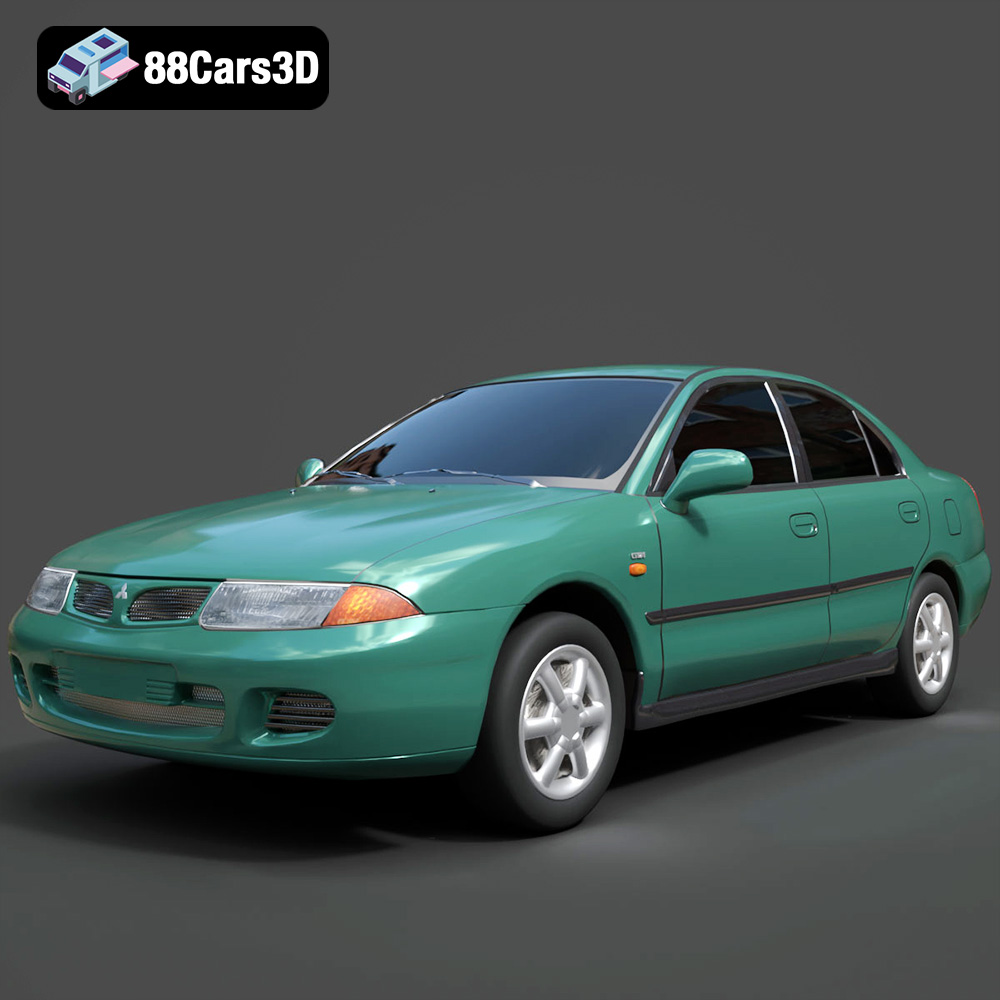
Download the Mitsubishi Carisma 3D Model featuring clean geometry, realistic detailing, and a fully modeled interior. Includes .blend, .fbx, .obj, .glb, .stl, .ply, .unreal, and .max formats for rendering, simulation, and game development.
Price: $4.99
Texture: Yes
Material: Yes
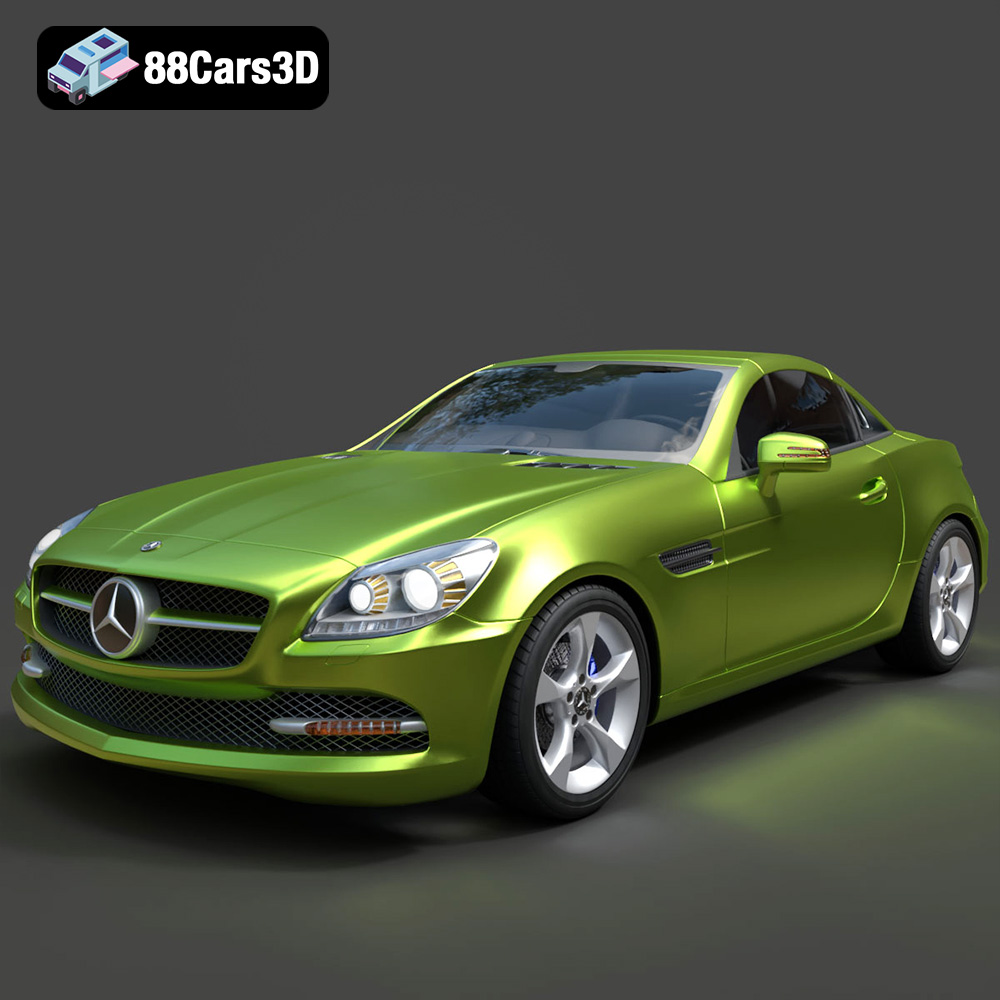
Download the Mercedes-Benz SLK-Class 3D Model featuring clean geometry, realistic detailing, and a fully modeled interior. Includes .blend, .fbx, .obj, .glb, .stl, .ply, .unreal, and .max formats for rendering, simulation, and game development.
Price: $4.99
Texture: Yes
Material: Yes
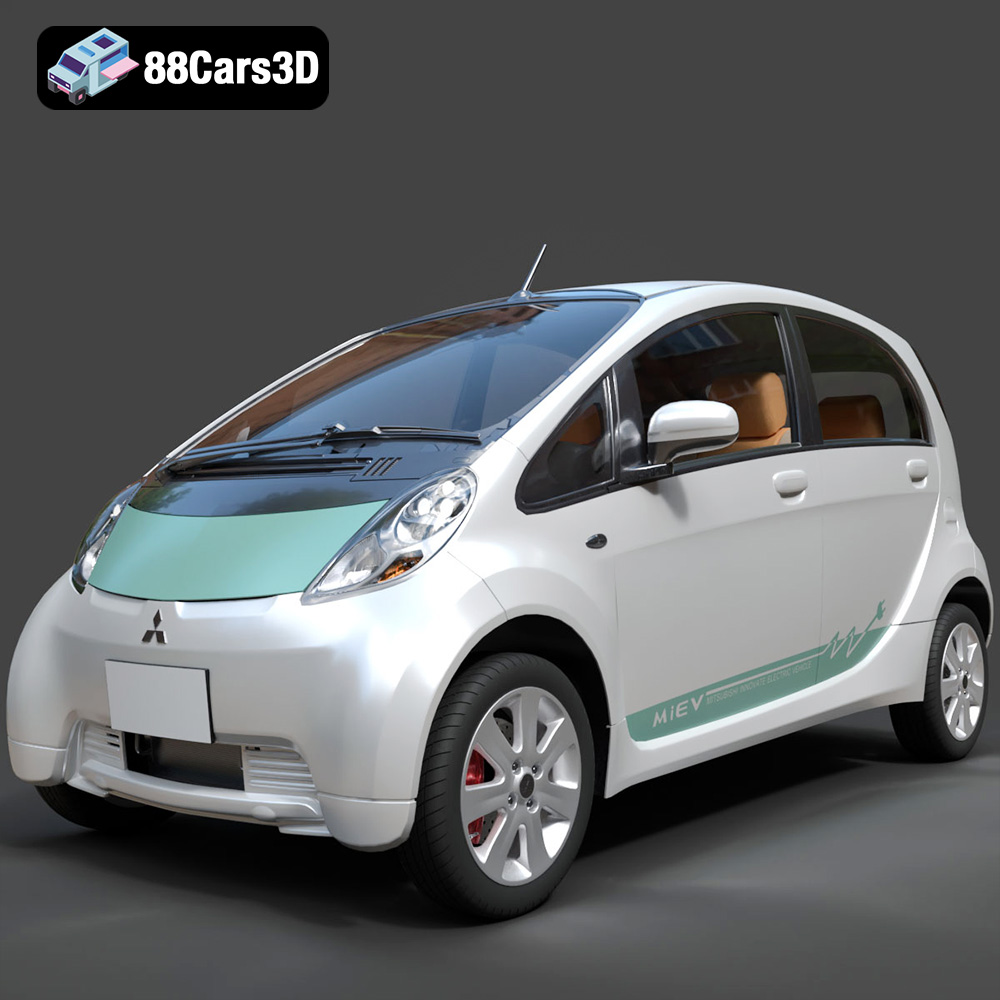
Download the Mitsubishi i-MiEV 2025 3D Model featuring clean geometry, realistic detailing, and a fully modeled interior. Includes .blend, .fbx, .obj, .glb, .stl, .ply, .unreal, and .max formats for rendering, simulation, and game development.
Price: $4.99
Texture: Yes
Material: Yes
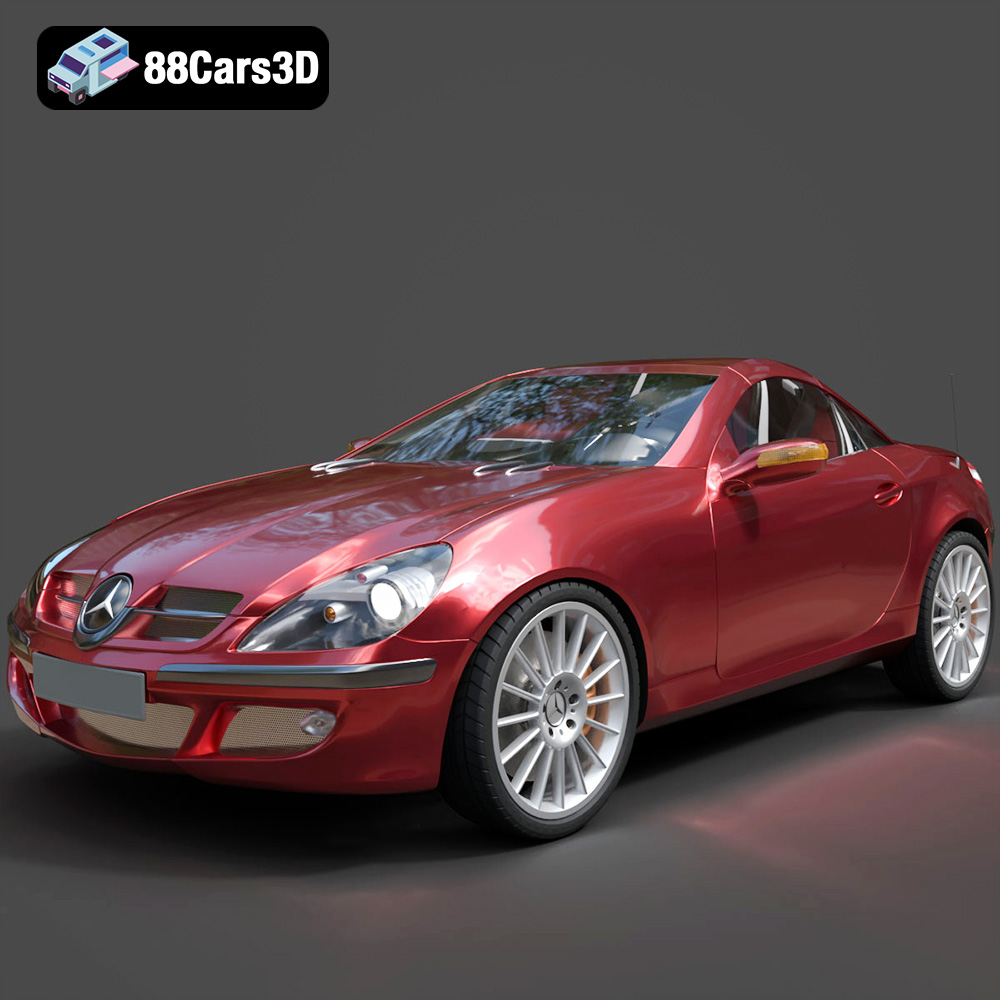
Download the Mercedes-Benz SLK-Klasse 3D Model featuring clean geometry, realistic detailing, and a fully modeled interior. Includes .blend, .fbx, .obj, .glb, .stl, .ply, .unreal, and .max formats for rendering, simulation, and game development.
Price: $4.99

Texture: Yes
Material: Yes
Download the Nissan Fuga 2003 3D Model featuring clean geometry, realistic detailing, and a fully modeled interior. Includes .blend, .fbx, .obj, .glb, .stl, .ply, .unreal, and .max formats for rendering, simulation, and game development.
Price: $4.99

Texture: Yes
Material: Yes
Download the Nissan FairLady 240ZG 3D Model featuring clean geometry, realistic detailing, and a fully modeled interior. Includes .blend, .fbx, .obj, .glb, .stl, .ply, .unreal, and .max formats for rendering, simulation, and game development.
Price: $4.99

