⚡ FLASH SALE: Get 60% OFF All Premium 3D & STL Models! ⚡

The automotive world has always been a beacon of design, engineering, and passion. In the digital realm, this passion translates into an ever-increasing demand for high-quality 3D car models. From photorealistic advertisements that captivate millions to immersive game environments and cutting-edge AR/VR experiences, robust and optimized 3D vehicles are the cornerstone of countless digital projects. Yet, creating or integrating these assets isn’t merely about pushing polygons; it’s a intricate blend of technical precision, artistic vision, and adherence to industry best practices.
The journey from a blank canvas to a fully rendered, game-ready, or AR/VR optimized 3D car model is fraught with technical challenges. Artists and developers grapple with issues ranging from maintaining clean topology and efficient UV mapping to crafting physically accurate PBR materials and optimizing performance across diverse platforms. Understanding these underlying technical principles is not just beneficial—it’s essential for anyone serious about digital automotive visualization and interaction. This comprehensive guide will take you through the critical stages of working with 3D car models, providing a deep dive into workflows, software-specific techniques, optimization strategies, and real-world applications. By the end, you’ll have a stronger grasp of what constitutes a truly exceptional 3D vehicle asset and how to leverage it effectively in your projects.
At the heart of every high-quality 3D car model lies impeccable topology. This refers to the arrangement of polygons (primarily quads) that define the mesh structure. For automotive models, clean topology is paramount for several reasons: it ensures smooth subdivision (essential for realistic curvature), allows for clean deformations during animation, simplifies UV unwrapping, and maintains visual integrity across various detail levels. Poor topology, characterized by triangles (tris) and N-gons (polygons with more than four sides) in areas of curvature, can lead to pinching, unsightly artifacts, and difficult workflows. A well-constructed mesh will elegantly flow around the contours of the vehicle, defining sharp creases and subtle curves with precision, making it suitable for high-resolution renders as well as efficient game asset conversion.
When modeling a car, the focus should always be on maintaining a consistent and logical edge flow. This means edges should follow the natural lines and curves of the car’s body panels, wheel wells, and headlights. This approach not only aids in sculpting and texturing but also ensures that when subdivision modifiers (like Turbosmooth in 3ds Max or Subdivision Surface in Blender) are applied, the surface remains perfectly smooth without undesirable bumps or ripples. Experienced modelers often start with a low-polygon base mesh to establish the overall form, then progressively add detail and refine the topology. This iterative process allows for greater control over the mesh density and ensures that polygons are only added where necessary to define critical details, thus keeping the overall polygon count manageable.
Achieving clean edge flow in automotive modeling is a meticulous process. Edges should be directed to define sharp creases—like those along door panels or hood lines—by placing “support loops” or “holding edges” close to the sharp angle. Conversely, on smoothly curving surfaces, edges should be evenly distributed to prevent faceting. For areas around headlights, grilles, and air intakes, the topology needs to accommodate complex cutouts while maintaining quad flow throughout the surrounding body panels. For instance, when creating a fender, the edge loops should flow smoothly from the main body, around the wheel arch, and back into the main structure, avoiding unnecessary splits or pinches. Using tools like 3ds Max’s Graphite Modeling Tools, Blender’s Loop Tools, or Maya’s Quad Draw allows artists to manipulate and refine edge flow precisely, ensuring that every curve and contour is rendered perfectly.
Common pitfalls include creating excessive poles (vertices with more than five or less than three connecting edges), which can cause undesirable pinches and shading artifacts, especially after subdivision. While poles are sometimes unavoidable, strategic placement in flat or less visible areas is crucial. Furthermore, ensuring that all normals are consistent (facing outwards) and that there are no overlapping faces or internal geometry contributes significantly to a clean, robust mesh that will render correctly and perform optimally in any application. This foundational work pays dividends throughout the entire 3D pipeline.
The appropriate polygon count for a 3D car model varies drastically depending on its intended application. For high-end cinematic rendering or product visualization, poly counts can easily reach hundreds of thousands or even millions (e.g., 500,000 to 2,000,000+ polygons for a hero asset), allowing for intricate details and smooth surfaces without relying heavily on normal maps. However, for interactive applications like video games or AR/VR, such high polygon counts are prohibitive for real-time performance. This is where Level of Detail (LOD) strategies become indispensable.
LOD involves creating multiple versions of the same model, each with progressively fewer polygons. A common strategy might involve three to four LOD levels:
Automated tools in engines like Unity and Unreal Engine can generate LODs, but manual creation often yields better results, especially for critical assets like cars. The key is to bake normal maps from the high-poly model onto lower LODs to retain apparent detail, maintaining visual quality while drastically reducing render overhead. Services and marketplaces like 88cars3d.com often provide models with optimized LODs, ready for various uses, saving valuable development time.
Once the geometry of a 3D car model is refined, the next critical step is to prepare it for texturing through meticulous UV mapping. UV mapping is the process of flattening the 3D surface of a model into a 2D space, creating a set of coordinates (UVs) that tell the renderer how to apply a 2D texture map onto the 3D surface. For complex automotive surfaces with their intricate curves, panel gaps, and varied materials, efficient and clean UV layouts are paramount. Poor UVs can lead to stretched textures, visible seams, or inefficient texture space usage, ultimately compromising the realism of the final render. A well-organized UV layout maximizes texture resolution, minimizes distortion, and simplifies the texturing process, especially when working with detailed procedural or hand-painted textures.
Complementing superior UV mapping is the implementation of Physically Based Rendering (PBR) materials. PBR is a modern shading approach that aims to simulate how light interacts with surfaces in the real world more accurately than traditional methods. By adhering to real-world physics, PBR materials ensure consistent and believable results across different lighting conditions and rendering engines. This involves using specific texture maps (such as Albedo/Base Color, Metallic, Roughness, Normal, Ambient Occlusion) to define a surface’s properties like color, reflectivity, and microscopic details. Mastering PBR material creation is crucial for achieving the photorealism expected in high-end automotive rendering and visualization projects, as it ensures that everything from glossy car paint to matte rubber tires reacts correctly to light.
Creating efficient UV layouts for cars involves several best practices. Firstly, minimize texture stretching by strategically placing seams along natural breaks or less visible areas, such as underneath the vehicle or along sharp edges. For example, a car’s main body can often be unwrapped using a combination of planar projections for large, relatively flat surfaces and cylindrical/spherical projections for more curved parts, then carefully stitched and relaxed. Secondly, maximize the use of the UV space (the 0-1 UV coordinate range) to ensure optimal texture resolution. This means scaling UV islands appropriately, giving more space to prominent features and less to smaller or less visible components. Overlapping UVs can be used for mirrored parts (e.g., left and right doors) to save texture memory, provided unique details aren’t required.
For extremely high-detail models, particularly those for cinematic use, UDIMs (U-Dimension) are often employed. UDIMs allow artists to use multiple UV tiles, each with its own texture map, effectively breaking down a large, complex model into manageable textured sections. This is incredibly useful for a car’s body, where a single 4K or 8K texture might not suffice for pixel-perfect detail across the entire surface. Software like Autodesk Maya, 3ds Max, Blender, and specialized UV tools such as RizomUV or UVLayout provide robust features for unwrapping, relaxing, and organizing UVs, ensuring that the model is perfectly prepared for detailed texturing without artifacts. When acquiring assets from platforms like 88cars3d.com, you can expect well-optimized UVs and often UDIM support for maximum fidelity.
PBR material creation for 3D car models demands a deep understanding of surface properties. The core principle is that light energy is conserved: reflective surfaces absorb less diffuse light, and vice versa. There are two main PBR workflows: Metallic/Roughness and Specular/Glossiness. The Metallic/Roughness workflow (common in game engines and modern renderers) typically uses:
For car paint, a complex shader often involves a clear coat layer over the base metallic paint, simulating real-world automotive finishes. This clear coat affects reflections and adds depth. Glass requires specific transmission and refraction properties, while chrome needs a high metallic value and very low roughness. Tires will have low metallic values and high roughness, along with detailed normal maps for tread patterns and sidewall text. Software like Substance Painter, Mari, and the shader editors in 3ds Max (Corona, V-Ray), Blender (Cycles), or Maya (Arnold) are instrumental in crafting these intricate and physically accurate material networks, ensuring every surface on your automotive render looks indistinguishable from reality.
The culmination of meticulously modeled geometry, pristine UVs, and physically accurate materials is the render. High-fidelity automotive rendering transforms static 3D models into captivating images or animations, making them suitable for advertising, film, and architectural visualization. This process is an art form itself, requiring a keen understanding of lighting, camera composition, and the nuances of various render engines. The goal is to create visuals that are not just aesthetically pleasing but also convincing and emotionally resonant, effectively showcasing the design and features of the vehicle. Achieving photorealism in car renders involves a delicate balance of technical settings and artistic judgment, ensuring that every curve, reflection, and shadow contributes to a believable scene.
Different render engines offer unique strengths and workflows. Corona Renderer and V-Ray are popular choices for their ease of use, speed, and photorealistic output, especially within 3ds Max. Blender users often leverage Cycles or the faster Eevee for real-time rendering. Maya and 3ds Max also integrate Arnold, known for its unbiased rendering and robust production features. Each engine has its own methodology for global illumination, material interpretation, and light sampling, influencing the final look and render times. A proficient 3D artist must understand how to harness these tools, optimizing settings for both quality and efficiency, and recognizing that the environment surrounding the car plays as crucial a role as the car itself in creating a compelling image.
Lighting is the single most important factor in achieving a dramatic and realistic automotive render. For studio-style shots, a common setup involves using an HDRI (High Dynamic Range Image) map as an environment light. HDRIs provide both illumination and complex reflections, mimicking real-world lighting conditions (e.g., a cloudy sky, a sunlit parking lot). Beyond HDRIs, supplementary artificial lights are often used to highlight specific features, sculpt form, and add visual interest. A classic three-point lighting setup (key, fill, rim) can be adapted, with large softbox lights or area lights used to create soft, flattering reflections on the car’s body panels. Rim lights placed strategically can emphasize the car’s silhouette, separating it from the background.
For outdoor scenes, combining an HDRI with directional lights (simulating the sun) allows for control over harsh shadows and direct illumination. The interplay of direct light, bounced light (Global Illumination), and reflections is what truly brings a car to life. Pay close attention to how reflections on the car’s surface reveal its contours and material properties. For example, a glossy metallic paint will show sharp, distinct reflections, while a matte finish will scatter light more broadly. Experiment with light positions, intensities, and colors to evoke different moods—from a sleek, aggressive stance under dramatic spotlights to a serene, elegant profile bathed in soft, diffused daylight. Software like 3ds Max, Blender, and Maya offer extensive lighting tools, including physically accurate lights that react realistically with PBR materials.
Optimizing render settings is crucial for balancing image quality with render time. In Corona Renderer (3ds Max), the primary control is the Noise Level Limit. Lowering this value produces cleaner images but increases render time. Adjusting passes, ray depth (for reflections/refractions), and enabling denoisers (like NVIDIA OptiX or Intel Open Image Denoise) can significantly speed up the process while maintaining quality. For V-Ray (3ds Max, Maya), settings like the noise threshold, global illumination (Irradiance Map + Light Cache for interiors, Brute Force for exteriors), and image sampler settings (Adaptive Subdivision or Progressive) are key. Understanding the trade-offs between sampling quality and computational cost is essential.
In Blender’s Cycles, increasing render samples will reduce noise but increase render time. GPU rendering (CUDA or OptiX) is often much faster than CPU rendering. Utilizing the built-in denoiser, adjusting light path settings (transparent, diffuse, glossy bounces), and optimizing texture sizes can improve performance. Arnold (Maya, 3ds Max) uses a ray depth system, where increasing Camera (AA) samples reduces noise overall, and specific sample settings for Diffuse, Glossy, Transmission, and SSS control noise in those specific components. Understanding the relationship between these settings and identifying the source of noise (e.g., glossy reflections, indirect lighting) allows for targeted optimization. Proper render passes (beauty, alpha, reflection, refraction, normal, AO) are also essential for robust post-processing and compositing in tools like Photoshop or Nuke, allowing fine-tuning of the final image without re-rendering.
Developing game assets for interactive experiences, particularly 3D car models, presents a unique set of challenges compared to static rendering. The paramount concern in game development is real-time performance. Every polygon, texture, and shader contributes to the processing load on the game engine and the end-user’s hardware. Therefore, optimization is not merely an afterthought but an integral part of the asset creation pipeline. A beautifully detailed car model suitable for a cinematic render might cripple a game’s frame rate if not properly optimized for real-time environments. Game developers must meticulously balance visual fidelity with strict performance budgets, ensuring that cars look great while maintaining smooth gameplay, even when multiple vehicles are present on screen.
The optimization process involves several technical strategies focused on reducing draw calls, memory usage, and GPU overhead. This includes carefully managing polygon counts through intelligent LODs, employing efficient texture atlasing, and leveraging material instancing. Furthermore, understanding the rendering pipelines of popular game engines like Unity and Unreal Engine is crucial, as each has its own optimization features and recommended workflows. The goal is to create assets that are not only visually appealing but also lightweight and performant, capable of delivering a seamless interactive experience across a range of target platforms, from high-end PCs to mobile devices. Platforms like 88cars3d.com provide expertly optimized game assets, often pre-configured with LODs and efficient materials, ready for immediate integration into your projects.
As discussed earlier, LODs (Level of Detail) are critical for game optimization. By dynamically swapping out higher-polygon models for lower-polygon versions as the car moves further from the camera, significant performance gains are achieved. In Unity, LOD Groups allow for easy management of these transitions, while Unreal Engine’s Static Mesh Editor provides robust tools for generating and configuring LODs. For example, a high-detail car might be 80,000 polygons at LOD0, 20,000 at LOD1, 5,000 at LOD2, and 1,000 at LOD3, with normal maps baked from the higher poly meshes preserving apparent detail.
Beyond LODs, culling techniques further reduce rendering overhead. Frustum Culling automatically prevents objects outside the camera’s view frustum from being rendered. Occlusion Culling, on the other hand, prevents objects hidden behind other objects from being rendered, even if they are within the camera’s frustum. This is particularly effective in enclosed environments or scenes with many overlapping objects. Finally, reducing draw calls is paramount. A draw call is an instruction from the CPU to the GPU to draw a batch of objects. Each unique material and mesh contributes to draw calls. Combining meshes (batching) and using texture atlases (fewer materials) significantly reduces draw calls, leading to a substantial performance boost in scenes with many cars.
Texture atlasing is a powerful technique for reducing draw calls and optimizing memory usage in game development. Instead of having separate texture maps for individual parts of a car (e.g., body, wheels, interior, lights), an atlas combines multiple smaller textures into one larger texture sheet. All the UVs for the different car parts are then laid out within this single atlas. This means the game engine only needs to load one texture and make one draw call for all parts sharing that atlas, rather than multiple calls for each separate texture and material. This can drastically improve rendering performance, especially for objects that appear frequently, like vehicles in a racing game or traffic simulation.
Coupled with texture atlasing, material instancing is another crucial optimization. In game engines like Unity and Unreal Engine, creating a new material for every slight variation (e.g., different paint colors of the same car model) can lead to a large number of unique materials, increasing draw calls. Material instancing allows you to create a base (parent) material and then derive multiple instances from it. These instances can have their parameters (like color, roughness, metallic values) modified without creating an entirely new material. This means multiple cars with different colors can share the same base shader and texture atlases, leading to highly efficient rendering with minimal draw calls and memory footprint. For instance, a single car model can have ten different paint colors using one material instance per color, significantly reducing the rendering load compared to ten unique materials.
The versatility of 3D car models extends far beyond traditional rendering and game development, venturing into cutting-edge applications like Augmented Reality (AR), Virtual Reality (VR), and even physical production through 3D printing. Each of these domains introduces its own set of technical requirements and optimization strategies. For AR/VR, the emphasis shifts to extreme performance efficiency and specific file formats to ensure seamless, real-time interaction on often resource-limited devices. For 3D printing, the focus pivots to mesh integrity, ensuring a physically sound, watertight model that can be reliably manufactured. Understanding these unique demands is vital for artists and designers looking to leverage their automotive models across a broader spectrum of innovative platforms.
The journey from a high-fidelity rendering model to an AR/VR-ready asset or a print-ready mesh involves significant adaptation. It often means re-evaluating polygon counts, material complexity, and even the fundamental structure of the mesh. Whether users are exploring a virtual showroom, interacting with a car in their living room via AR, or holding a physical prototype in their hands, the quality of the underlying 3D model dictates the success and realism of the experience. These advanced applications demand a holistic approach to asset preparation, combining technical acumen with a forward-thinking mindset to meet the evolving needs of various industries.
AR/VR optimization for 3D car models requires an even more aggressive approach to performance than traditional games. Mobile AR (e.g., ARKit, ARCore) and standalone VR headsets (e.g., Meta Quest) have significantly tighter hardware constraints, demanding extremely lightweight assets. Key optimizations include:
Specific file formats are also crucial. GLB (Binary glTF) is the de facto standard for web-based AR/VR and many engines, as it’s a self-contained single file that includes geometry, materials, textures, and animations. Apple’s USDZ format is specifically designed for iOS AR experiences. Both GLB and USDZ prioritize efficiency and easy distribution, making them ideal for these interactive, real-time applications.
Preparing a 3D car model for 3D printing involves a fundamentally different set of considerations from digital rendering. The primary goal is to ensure the model is a “watertight” manifold mesh, meaning it has no holes, non-manifold edges (edges connected to more than two faces), inverted normals, or internal geometry. These issues, often invisible in a digital render, will cause catastrophic failures during the slicing and printing process. A 3D printer needs a continuous, closed surface to accurately define what is solid and what is empty space. Common mesh repair tools include Autodesk Meshmixer, Netfabb, or integrated features in Blender (3D Print Toolbox addon) and ZBrush.
Further considerations for 3D printing include:
Understanding the limitations and capabilities of the specific 3D printing technology (e.g., FDM, SLA, SLS) and material choice will also influence model preparation. For accurate scale models, precise measurements and clean geometry, as provided by professional 3D car models from sources like 88cars3d.com, form an excellent starting point for 3D printing projects.
In the diverse ecosystem of 3D content creation, interoperability is a significant challenge. Artists and developers often work with multiple software packages (e.g., 3ds Max, Blender, Maya, Unity, Unreal Engine, Substance Painter), each with its preferred native format. Seamlessly transferring 3D car models between these applications, while preserving critical data like geometry, UVs, materials, and sometimes even animations, requires a deep understanding of various file formats and their respective strengths and limitations. The wrong format or an incorrect export setting can lead to lost data, broken materials, or corrupted meshes, costing valuable time and effort. Therefore, mastering file format conversions and adopting best practices for data exchange is an essential skill for any professional working with 3D assets.
The choice of file format often depends on the specific use case: whether it’s for high-fidelity rendering, game development, web-based AR/VR, or 3D printing. Each format is designed with different priorities in mind, from comprehensive data encapsulation to lightweight web delivery. Knowing which format excels in which scenario, and how to prepare your 3D car models for optimal export and import, ensures a smooth and efficient workflow across the entire production pipeline. This expertise minimizes potential pitfalls and guarantees that your valuable assets retain their integrity and quality as they move from one stage of development to the next, ready for any application.
Navigating the world of 3D file formats requires familiarity with their capabilities and typical use cases:
Understanding these core differences allows artists to choose the most appropriate format for their specific project needs, ensuring maximum compatibility and data integrity.
Effective file format conversion hinges on a few key practices. Always ensure your source model is clean before export: clear history, freeze transformations, and reset XForm (in 3ds Max) or apply transforms (in Blender) to avoid scaling or rotation issues. When exporting to FBX, pay close attention to the export settings provided by your 3D software. Check options for embedding media (textures), exporting tangent/binormals, and selecting which object types (meshes, lights, cameras, animations) to include. For game engines, often disabling cameras and lights and optimizing textures externally is preferable.
When converting to GLB or USDZ for AR/VR, ensure your materials are PBR-ready and use the Metallic/Roughness workflow. Many 3D software packages or external tools (like Blender’s glTF exporter, Adobe Dimension, or online converters) can export to these formats. Always check the exported model in the target application or a dedicated viewer (e.g., glTF Viewer, Apple’s AR Quick Look) to verify that geometry, UVs, and materials are intact. Common pitfalls include inverted normals, broken material assignments, or missing textures, which can often be resolved by re-exporting with correct settings or performing mesh repair. When sourcing 3D car models from marketplaces like 88cars3d.com, look for assets that offer multiple formats (FBX, OBJ, GLB, USDZ) and clearly state their optimization levels, as this significantly streamlines integration into diverse workflows.
Mastering the creation and utilization of 3D car models is a multifaceted journey that demands both artistic skill and deep technical understanding. From the foundational precision of clean topology and efficient UV mapping to the sophisticated realms of PBR materials and high-fidelity automotive rendering, every stage of the pipeline plays a critical role in achieving truly exceptional results. As industries increasingly adopt real-time interactive experiences, the focus shifts to meticulous game asset optimization, implementing strategies like LODs, texture atlasing, and material instancing to ensure seamless performance. Furthermore, extending these assets into emerging fields like AR/VR and 3D printing requires specialized preparation and an understanding of unique format and mesh integrity demands.
The digital automotive landscape is dynamic and ever-evolving, driven by technological advancements and creative ambition. By embracing the principles outlined in this guide—meticulous modeling, physically accurate texturing, strategic lighting, and performance-driven optimization—you empower yourself to create and deploy 3D car models that truly stand out. Whether your goal is a breathtaking cinematic visualization, an immersive game world, or an interactive product showcase, the quality of your underlying 3D assets will dictate your success. To elevate your projects and save invaluable production time, consider leveraging expertly crafted and pre-optimized 3D car models from trusted sources. Explore the extensive collection at 88cars3d.com, where you’ll find a wide range of high-quality, production-ready 3D car models tailored for diverse applications, ensuring your next project starts on the fast track to success.

Texture: Yes
Material: Yes
Download the Nissan 350Z 3D Model featuring clean geometry, realistic detailing, and a fully modeled interior. Includes .blend, .fbx, .obj, .glb, .stl, .ply, .unreal, and .max formats for rendering, simulation, and game development.
Price: $4.99

Texture: Yes
Material: Yes
Download the Nissan Skyline V35 2001 3D Model featuring clean geometry, realistic detailing, and a fully modeled interior. Includes .blend, .fbx, .obj, .glb, .stl, .ply, .unreal, and .max formats for rendering, simulation, and game development.
Price: $4.99

Texture: Yes
Material: Yes
Download the Mercedes-Benz S-Klasse 221-007 3D Model featuring clean geometry, realistic detailing, and a fully modeled interior. Includes .blend, .fbx, .obj, .glb, .stl, .ply, .unreal, and .max formats for rendering, simulation, and game development.
Price: $4.99

Texture: Yes
Material: Yes
Download the Mercedes W124 Sedan 3D Model featuring clean geometry, realistic detailing, and a fully modeled interior. Includes .blend, .fbx, .obj, .glb, .stl, .ply, .unreal, and .max formats for rendering, simulation, and game development.
Price: $4.99
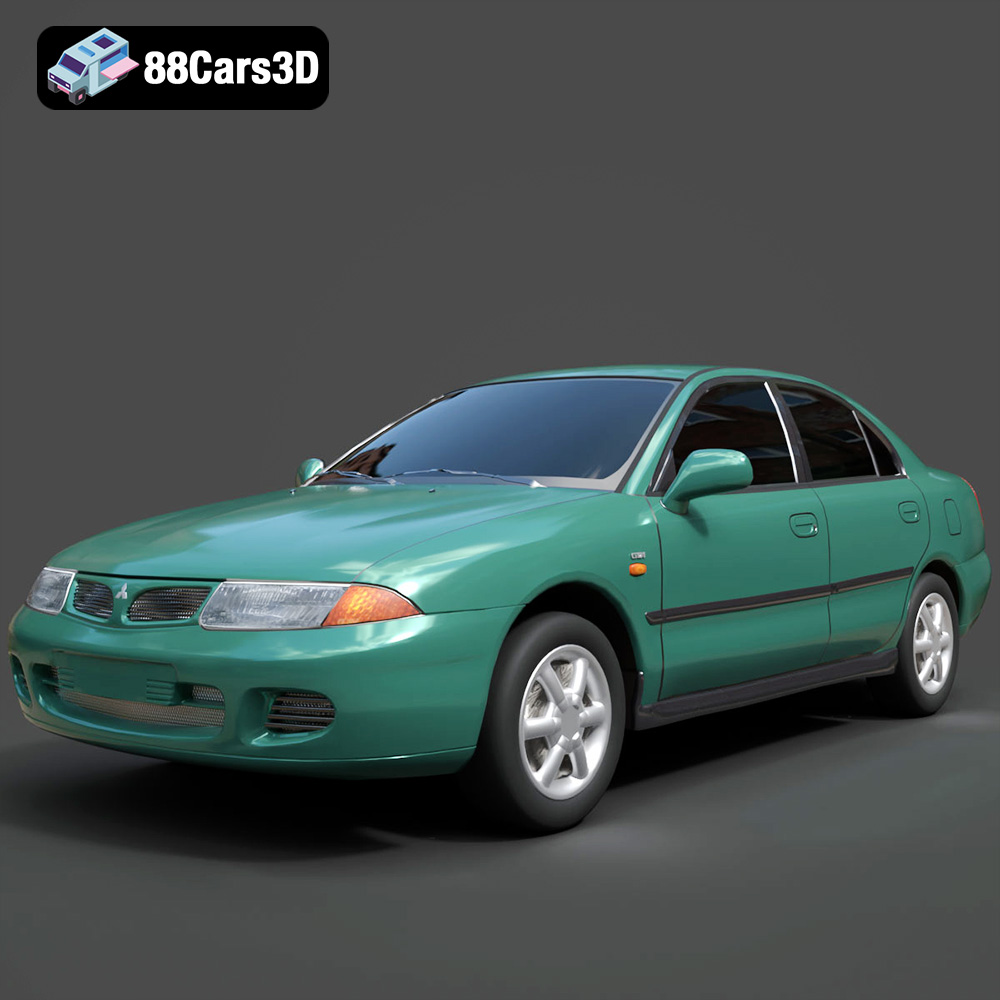
Texture: Yes
Material: Yes
Download the Mitsubishi Carisma 3D Model featuring clean geometry, realistic detailing, and a fully modeled interior. Includes .blend, .fbx, .obj, .glb, .stl, .ply, .unreal, and .max formats for rendering, simulation, and game development.
Price: $4.99
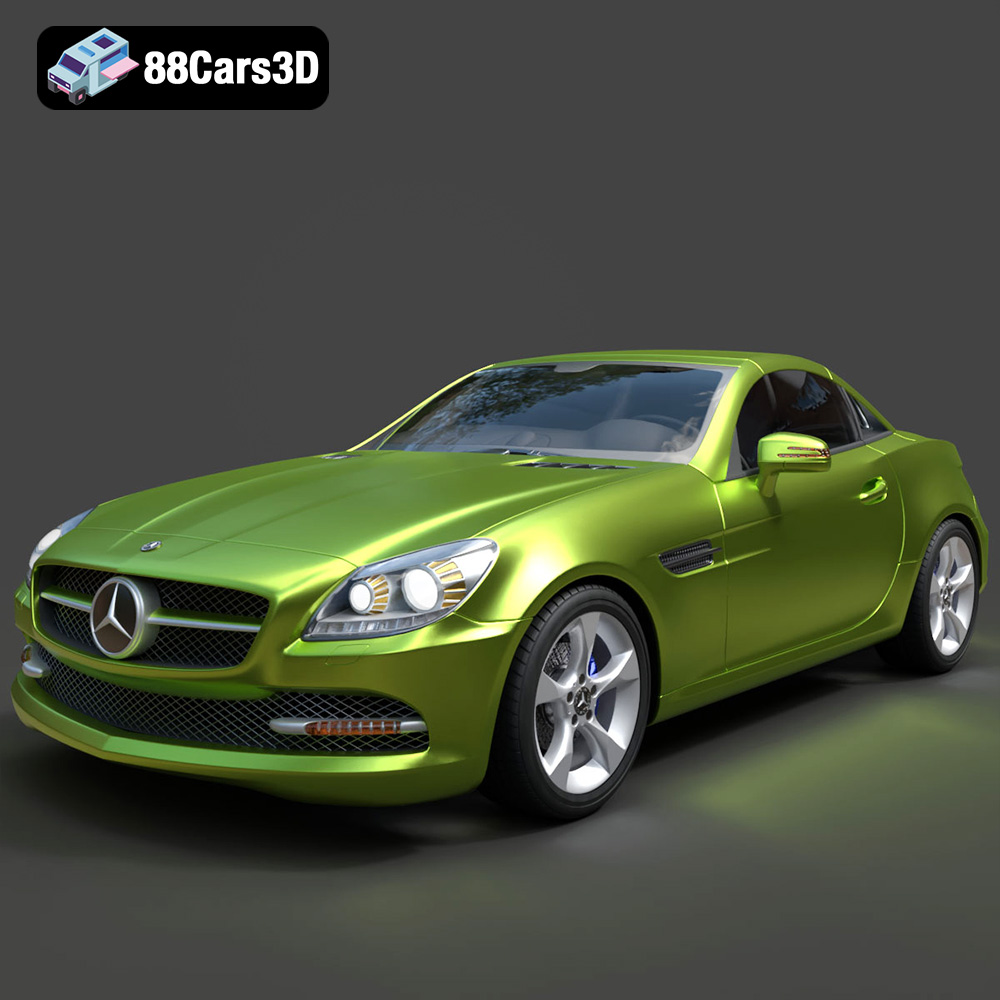
Texture: Yes
Material: Yes
Download the Mercedes-Benz SLK-Class 3D Model featuring clean geometry, realistic detailing, and a fully modeled interior. Includes .blend, .fbx, .obj, .glb, .stl, .ply, .unreal, and .max formats for rendering, simulation, and game development.
Price: $4.99
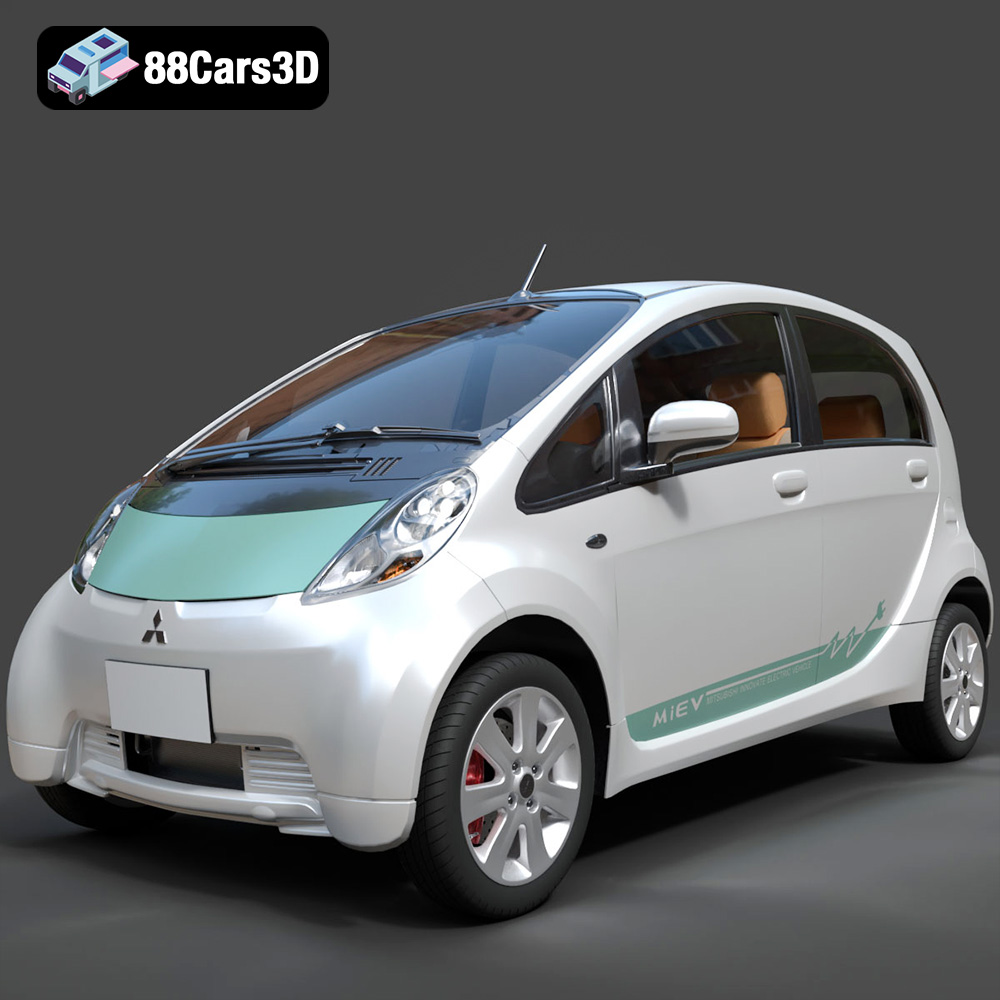
Texture: Yes
Material: Yes
Download the Mitsubishi i-MiEV 2025 3D Model featuring clean geometry, realistic detailing, and a fully modeled interior. Includes .blend, .fbx, .obj, .glb, .stl, .ply, .unreal, and .max formats for rendering, simulation, and game development.
Price: $4.99
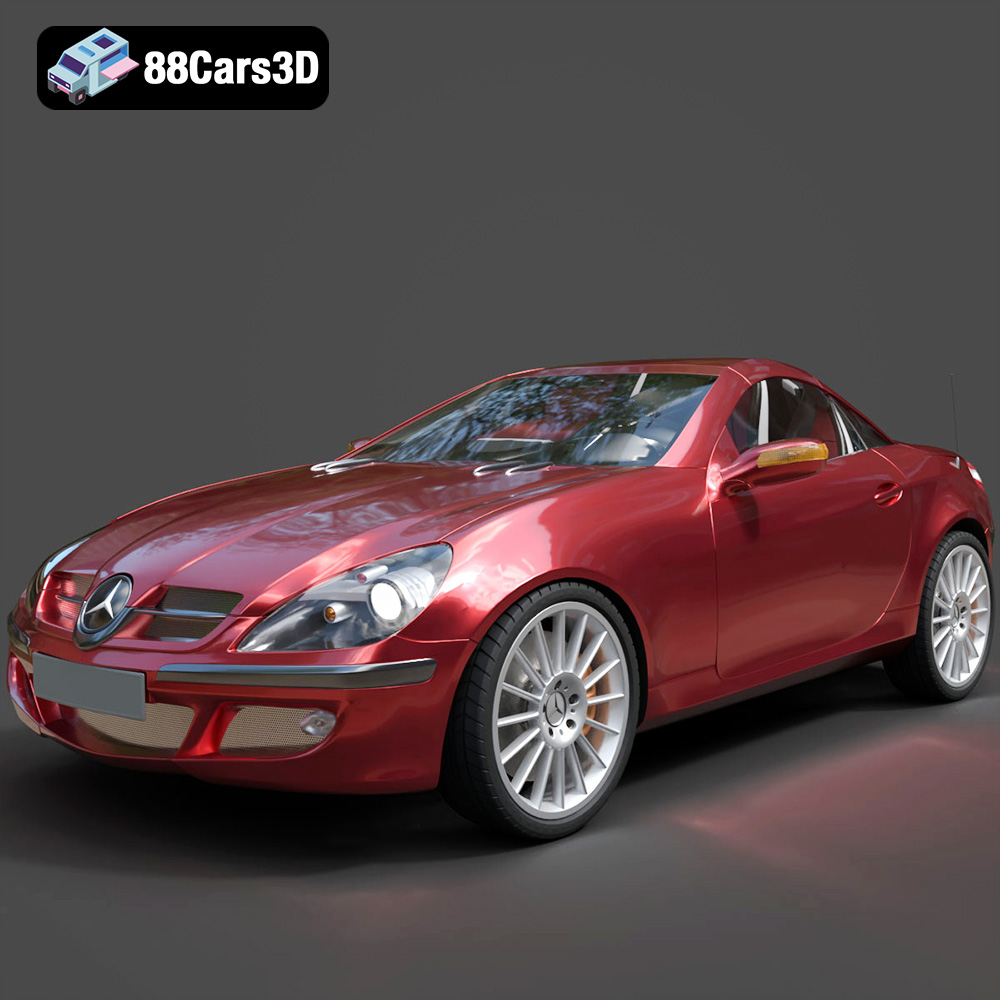
Texture: Yes
Material: Yes
Download the Mercedes-Benz SLK-Klasse 3D Model featuring clean geometry, realistic detailing, and a fully modeled interior. Includes .blend, .fbx, .obj, .glb, .stl, .ply, .unreal, and .max formats for rendering, simulation, and game development.
Price: $4.99

Texture: Yes
Material: Yes
Download the Nissan Fuga 2003 3D Model featuring clean geometry, realistic detailing, and a fully modeled interior. Includes .blend, .fbx, .obj, .glb, .stl, .ply, .unreal, and .max formats for rendering, simulation, and game development.
Price: $4.99

Texture: Yes
Material: Yes
Download the Nissan FairLady 240ZG 3D Model featuring clean geometry, realistic detailing, and a fully modeled interior. Includes .blend, .fbx, .obj, .glb, .stl, .ply, .unreal, and .max formats for rendering, simulation, and game development.
Price: $4.99

