⚡ FLASH SALE: Get 60% OFF All Premium 3D & STL Models! ⚡

The world of 3D visualization thrives on realism and precision, especially when it comes to automotive design. From breathtaking marketing renders to immersive game environments and cutting-edge AR/VR experiences, high-quality 3D car models are the backbone of countless digital endeavors. Crafting these assets is a meticulous process, demanding a profound understanding of technical workflows, artistic sensibility, and optimization strategies. This comprehensive guide will take you on an in-depth journey through the complex landscape of 3D car model creation and deployment. We’ll explore everything from the foundational principles of topology and UV mapping to advanced PBR material creation, rendering techniques, game engine optimization, and preparing models for specialized applications like 3D printing and AR/VR. Whether you’re an aspiring 3D artist, a seasoned game developer, or an automotive designer looking to elevate your visualization pipeline, understanding these nuances is crucial for producing assets that truly stand out.
At the heart of every great 3D car model lies impeccable topology – the structured arrangement of polygons that defines its surface. For complex, hard-surface objects like vehicles, clean and efficient topology is paramount. It dictates how the model deforms, how shading appears, and how easily it can be edited or optimized. A well-constructed mesh primarily uses quad polygons, as these handle subdivision surfaces (Sub-D) gracefully, allowing for smooth, high-fidelity details from a relatively low-polygon base. Avoiding ngons (polygons with more than four sides) and excessive triangles is a golden rule, as they can introduce pinching, shading artifacts, and make mesh editing cumbersome. The goal is to create a mesh that is both visually appealing and technically robust, capable of supporting a wide range of applications from realistic automotive rendering to interactive game environments.
Clean topology for hard surfaces demands a methodical approach. Start with a solid understanding of how curvature and sharp angles are formed. Edges should flow naturally along the contours of the car, defining panel lines, body creases, and surface transitions with precision. A common technique involves building a “cage” or low-poly representation first, then refining it through subdivision. This allows for iterative development, where broad shapes are established before intricate details are added. Pay close attention to pole distribution – points where five or more edges meet. While poles are often unavoidable, strategically placing them in flatter, less visible areas can prevent shading issues. When modeling a car, consistency in edge spacing is vital for smooth reflections, preventing the “wavy” look that can plague poorly modeled surfaces.
Automotive design is characterized by its blend of sweeping curves and razor-sharp creases. Replicating this duality in 3D requires masterful edge flow. Loops of edges should follow the natural direction of the car’s body panels, around windows, wheel wells, and along character lines. For sharp creases, like those defining door gaps or hood lines, you need to “harden” the edge. This is typically achieved by adding several support loops (or “control loops”) parallel and very close to the hard edge. When subdivided, these tight loops will retain the sharpness, while the broader areas will smooth out. This technique ensures that reflections bounce off the surface correctly, giving the car its characteristic crispness and industrial precision. Understanding how to manage these loops is a critical skill for any artist creating high-quality 3D car models.
The ideal polygon count for a 3D car model varies drastically depending on its intended use. For high-end cinematic renders or visualization, a model might comfortably exceed several million polygons, allowing for incredible detail in intricate components like engines, interiors, and undercarriages. These high-poly models leverage subdivision surfaces extensively. In contrast, game assets or real-time AR/VR experiences demand highly optimized models, often constrained to tens or hundreds of thousands of polygons (e.g., a modern game car might be 80k-200k triangles for the main body, plus separate meshes for wheels, interior, etc.). Achieving this balance involves careful optimization, including reducing polygon density in flat areas, baking high-poly detail onto normal maps, and strategically reducing edge loops. When sourcing models from platforms like 88cars3d.com, it’s essential to check the polycount and ensure it aligns with your project’s performance requirements.
Once your 3D car model boasts impeccable topology, the next critical step is UV mapping – the process of unwrapping the 3D surface into a 2D space, allowing textures to be applied accurately. For complex objects like cars, poor UV mapping can lead to stretched textures, visible seams, and an inability to achieve realistic material representation. A well-executed UV layout is a testament to an artist’s skill and foresight, ensuring efficient texture utilization and seamless material application across all surfaces. It’s not just about getting the texture on; it’s about getting it on perfectly, with minimal distortion and optimal resolution.
Creating an effective UV layout for a car requires strategic planning. The goal is to minimize seams, avoid overlapping UV islands (unless intentional for specific effects), and maintain consistent texel density across the entire model. Texel density refers to the number of pixels per unit of surface area; maintaining consistency ensures that details don’t appear blurry on one part of the car and sharp on another. Prioritize visible areas like the main body panels, hood, roof, and trunk for larger UV island allocations, allowing for higher texture resolution. Interior components, engine parts, and undercarriage elements might receive smaller allocations or be strategically packed. Tools like 3ds Max’s Unwrap UVW modifier, Blender’s UV Editor, or Maya’s UV Toolkit offer powerful features for precise unwrapping, including various projection methods (planar, cylindrical, spherical, pelt mapping) to tackle different surface types.
Visible seams can ruin the realism of a 3D car model, especially on reflective surfaces like car paint. Careful planning of seam placement is crucial. Ideally, seams should be hidden in natural creases, hard edges, or less visible areas of the model, such as along the underside of a trim piece or inside a panel gap. When unwrapping, choose cuts that allow the UV islands to flatten with minimal stretching or distortion. Checking for stretching is often done using a checkerboard pattern texture; distorted checkers indicate issues that need correction. For very large, continuous surfaces like the main body, techniques like UDIMs (Universal Displaced UV Maps) can be employed. UDIMs allow you to assign multiple UV tiles (each representing a standard 0-1 UV space) to different parts of the model, effectively providing virtually unlimited texture resolution and allowing for better seam management across large areas.
Modern 3D assets often require multiple sets of UV coordinates for different purposes. The primary UV channel (UV0 or UV1) is typically used for diffuse, normal, roughness, and metallic maps. However, a second UV channel (UV2) might be needed for lightmaps in game engines or for decal projection. Some workflows also use additional channels for ambient occlusion maps or custom effects. Efficiently managing these channels ensures compatibility across various rendering pipelines. For car models with multiple material types (e.g., paint, glass, rubber, chrome, leather), it’s common to have separate material IDs assigned to different parts of the mesh, each with its own PBR texture set and potentially its own UV layout strategy if using a material-per-object approach. This multi-material workflow makes it easier to manage and update individual components without affecting the entire vehicle.
Beyond the mesh and UVs, the true magic of realism happens with Physically Based Rendering (PBR) materials. PBR shaders simulate how light interacts with surfaces in the real world, producing incredibly convincing results. For 3D car models, this means crafting materials that accurately depict the gloss of paint, the reflectivity of chrome, the transparency of glass, and the texture of tires and interior fabrics. Understanding PBR principles and building robust shader networks is essential for photorealistic automotive rendering.
PBR workflows are built on the principle of energy conservation and realistic light interaction. The two most common PBR workflows are Metal/Roughness and Specular/Glossiness. The **Metal/Roughness** workflow is widely adopted and simpler to understand: a Metalness map dictates which parts of a surface are metallic (0 for dielectric, 1 for metallic), and a Roughness map defines how rough or smooth the surface is (0 for perfectly smooth/reflective, 1 for perfectly rough/diffuse). The **Specular/Glossiness** workflow uses a Specular map to define the color and intensity of specular reflections, and a Glossiness map (the inverse of roughness) to define surface smoothness. Both systems can produce excellent results, but it’s crucial to stick to one workflow consistently within a project as they are not interchangeable. Many 3D assets from reputable sources like 88cars3d.com will specify which PBR workflow their textures adhere to.
Car paint is arguably the most complex and critical material on any vehicle model. A realistic car paint shader typically comprises multiple layers:
Software like 3ds Max with Corona or V-Ray, Blender with Cycles, or Maya with Arnold, provides sophisticated shader nodes to build these complex layered materials, allowing for fine-tuning of reflection, refraction, and subsurface scattering properties.
Beyond the paint, every other material on a car contributes to its overall realism.
Each material requires a dedicated texture set (Albedo/Base Color, Metallic, Roughness/Glossiness, Normal, Ambient Occlusion, Height) to capture its unique optical properties, ensuring every component of the car looks and feels authentic.
Rendering is where all your hard work on modeling, UVs, and materials culminates in a visual masterpiece. It’s the process of generating a 2D image from your 3D scene, and for automotive rendering, the quality of lighting and the chosen render engine are paramount. A well-lit scene can make a good model look incredible, while poor lighting can diminish even the most detailed asset.
The choice of render engine significantly impacts workflow, render times, and final output quality.
Each engine has its strengths; your choice often depends on your existing software ecosystem, project requirements, and personal preference.
Effective lighting is crucial for showcasing the form and reflectivity of a car.
Achieving photorealistic quality while managing render times is a constant balancing act. Modern render engines offer a plethora of settings to fine-tune. Key considerations include:
A typical render for a high-quality automotive image might involve render times ranging from minutes to several hours, depending on scene complexity, resolution, and hardware.
While high-fidelity renders are perfect for marketing, game engines demand a different breed of 3D car model. Here, performance is king, and optimization techniques are crucial to ensure smooth frame rates without sacrificing visual appeal. Integrating 3D car models into engines like Unity or Unreal Engine requires a deep understanding of real-time rendering constraints.
One of the most critical optimization techniques for game assets is Level of Detail (LOD). This involves creating multiple versions of the same car model, each with a progressively lower polygon count.
Game engines automatically swap between these LODs based on the camera’s distance, ensuring that only necessary detail is rendered, significantly reducing the computational load on the GPU. Tools like Blender’s Decimate modifier, Maya’s Reduce tool, or dedicated LOD generation software can create these lower-poly versions efficiently.
Every material and texture call in a game engine contributes to “draw calls,” which can quickly impact performance. To minimize draw calls, especially for game assets:
This approach simplifies the rendering pipeline, making the car model more efficient for real-time applications. When acquiring models, ensure they are designed with these optimizations in mind, as seen with some game-ready 3D car models on 88cars3d.com.
For cars in games, interactivity is key. This requires specialized meshes and rigging:
The utility of 3D car models extends far beyond traditional rendering and gaming. They are integral to emerging technologies like Augmented Reality (AR) and Virtual Reality (VR), and even physical production through 3D printing. Each application presents its own unique technical requirements and challenges.
AR/VR applications demand extremely lightweight and highly optimized 3D models to maintain high frame rates and prevent motion sickness.
Transforming a digital 3D car model into a physical object via 3D printing introduces a new set of technical requirements focused on mesh integrity.
Converting a model designed for rendering into a print-ready asset often requires significant cleanup and preparation.
The 3D industry uses a multitude of file formats, each with its strengths and specific uses. Understanding their nuances is crucial for interoperability.
When acquiring high-quality 3D car models, especially from curated marketplaces like 88cars3d.com, ensure they are provided in formats compatible with your specific software and pipeline, and always check for included textures and material setups.
The journey from a conceptual design to a fully realized, optimized 3D car model is a testament to technical expertise and artistic vision. We’ve delved into the intricacies of clean topology, strategic UV mapping, the magic of PBR materials, and the art of lighting for photorealistic renders. We’ve also explored the critical steps for game engine optimization, preparing models for immersive AR/VR experiences, and ensuring printability for physical prototypes. Each step, from the precise definition of edge flow to the strategic placement of LODs, plays a vital role in the final quality and versatility of the asset.
Mastering these techniques not only elevates the visual fidelity of your projects but also streamlines your workflow and expands the possibilities for how your creations can be used. High-quality 3D car models are more than just digital assets; they are complex technical marvels that require careful consideration at every stage of their lifecycle. By adhering to industry best practices and continuously refining your skills, you can produce stunning automotive visualizations that captivate audiences across diverse platforms. For those looking to kickstart their projects with expertly crafted assets, platforms like 88cars3d.com offer a wide selection of meticulously designed 3D car models, ready for integration into your next big idea. Continue exploring, learning, and pushing the boundaries of what’s possible in the exhilarating world of 3D automotive design.

Texture: Yes
Material: Yes
Download the Mitsubishi Galant 2009 3D Model featuring clean geometry, realistic detailing, and a fully modeled interior. Includes .blend, .fbx, .obj, .glb, .stl, .ply, .unreal, and .max formats for rendering, simulation, and game development.
Price: $4.99

Texture: Yes
Material: Yes
Download the Nissan Primera Wagon 3D Model featuring clean geometry, realistic detailing, and a fully modeled interior. Includes .blend, .fbx, .obj, .glb, .stl, .ply, .unreal, and .max formats for rendering, simulation, and game development.
Price: $4.99

Texture: Yes
Material: Yes
Download the Mercedes-Benz S63 AMG Cabriolet 2017 3D Model featuring clean geometry, realistic detailing, and a fully modeled interior. Includes .blend, .fbx, .obj, .glb, .stl, .ply, .unreal, and .max formats for rendering, simulation, and game development.
Price: $20.99

Texture: Yes
Material: Yes
Download the Nissan Skyline R34 2002 3D Model featuring clean geometry, realistic detailing, and a fully modeled interior. Includes .blend, .fbx, .obj, .glb, .stl, .ply, .unreal, and .max formats for rendering, simulation, and game development.
Price: $4.99

Texture: Yes
Material: Yes
Download the Nissan Skyline 3D Model featuring clean geometry, realistic detailing, and a fully modeled interior. Includes .blend, .fbx, .obj, .glb, .stl, .ply, .unreal, and .max formats for rendering, simulation, and game development.
Price: $9.99

Texture: Yes
Material: Yes
Download the Mercedes-Benz S-Klasse W116 3D Model featuring clean geometry, realistic detailing, and a fully modeled interior. Includes .blend, .fbx, .obj, .glb, .stl, .ply, .unreal, and .max formats for rendering, simulation, and game development.
Price: $4.99
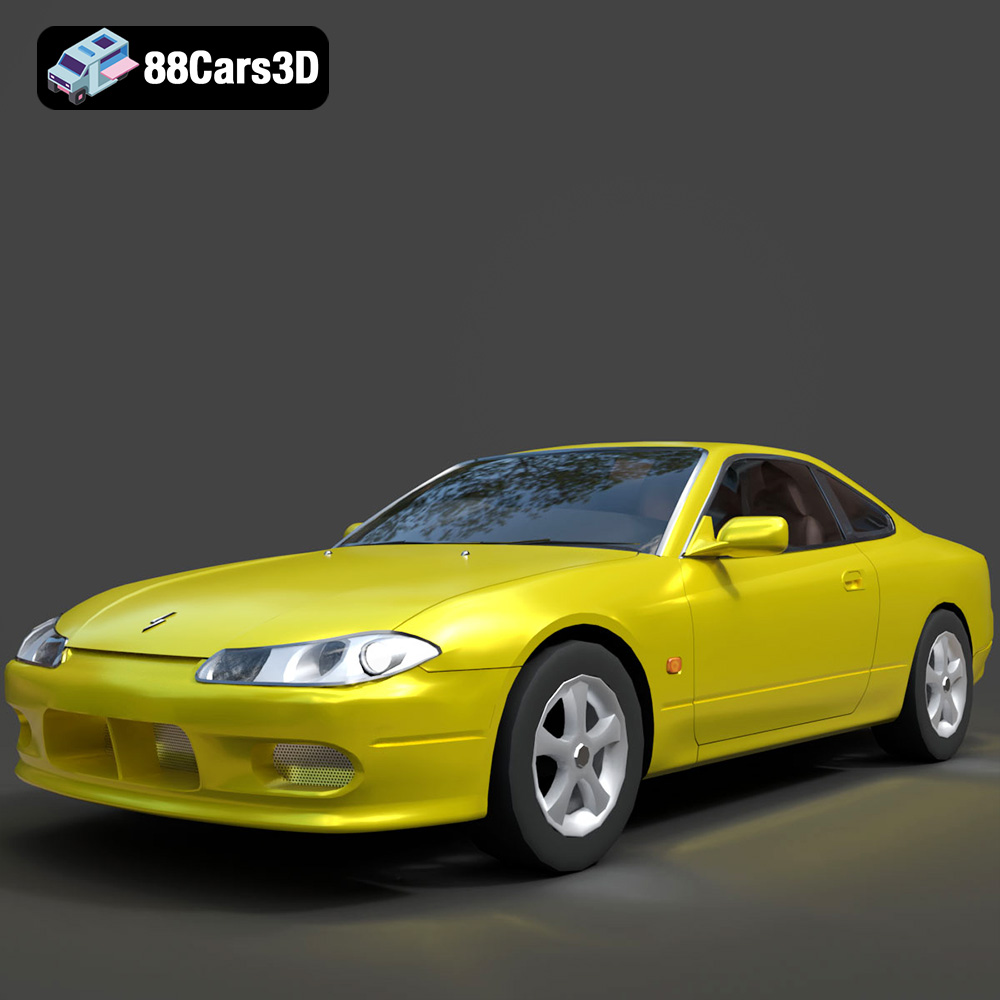
Texture: Yes
Material: Yes
Download the Nissan Silvia 3D Model featuring clean geometry, realistic detailing, and a fully modeled interior. Includes .blend, .fbx, .obj, .glb, .stl, .ply, .unreal, and .max formats for rendering, simulation, and game development.
Price: $4.99
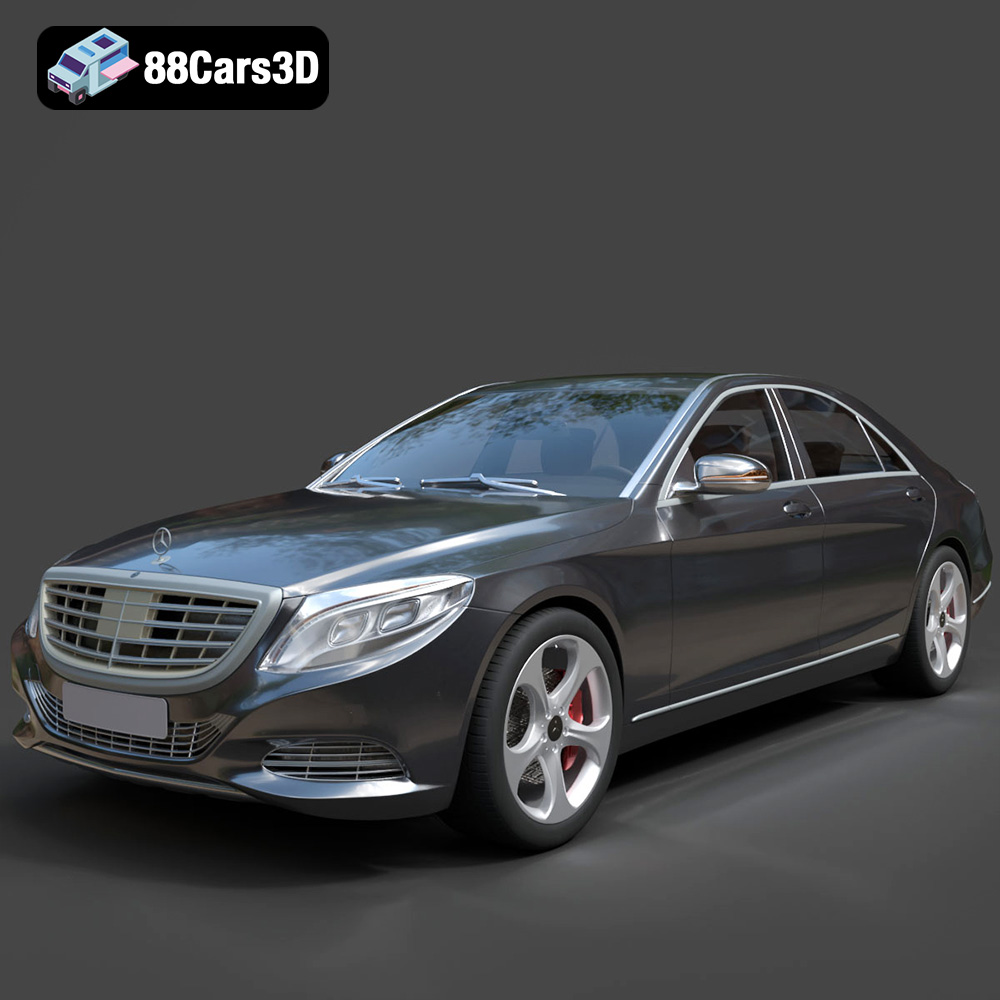
Texture: Yes
Material: Yes
Download the Mercedes-Benz S-Class 2014 3D Model featuring clean geometry, realistic detailing, and a fully modeled interior. Includes .blend, .fbx, .obj, .glb, .stl, .ply, .unreal, and .max formats for rendering, simulation, and game development.
Price: $6.99
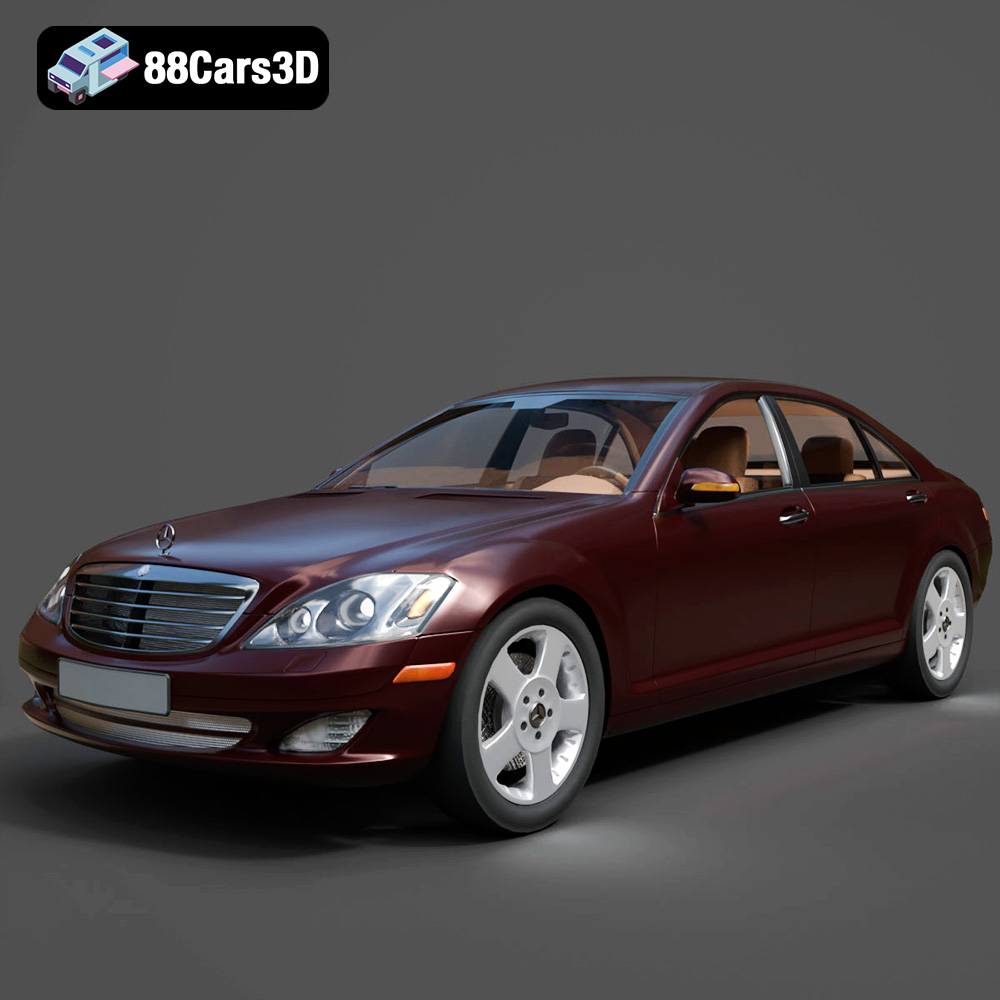
Texture: Yes
Material: Yes
Download the Mercedes-Benz S-Klasse W221 2008 3D Model featuring clean geometry, realistic detailing, and a fully modeled interior. Includes .blend, .fbx, .obj, .glb, .stl, .ply, .unreal, and .max formats for rendering, simulation, and game development.
Price: $4.99
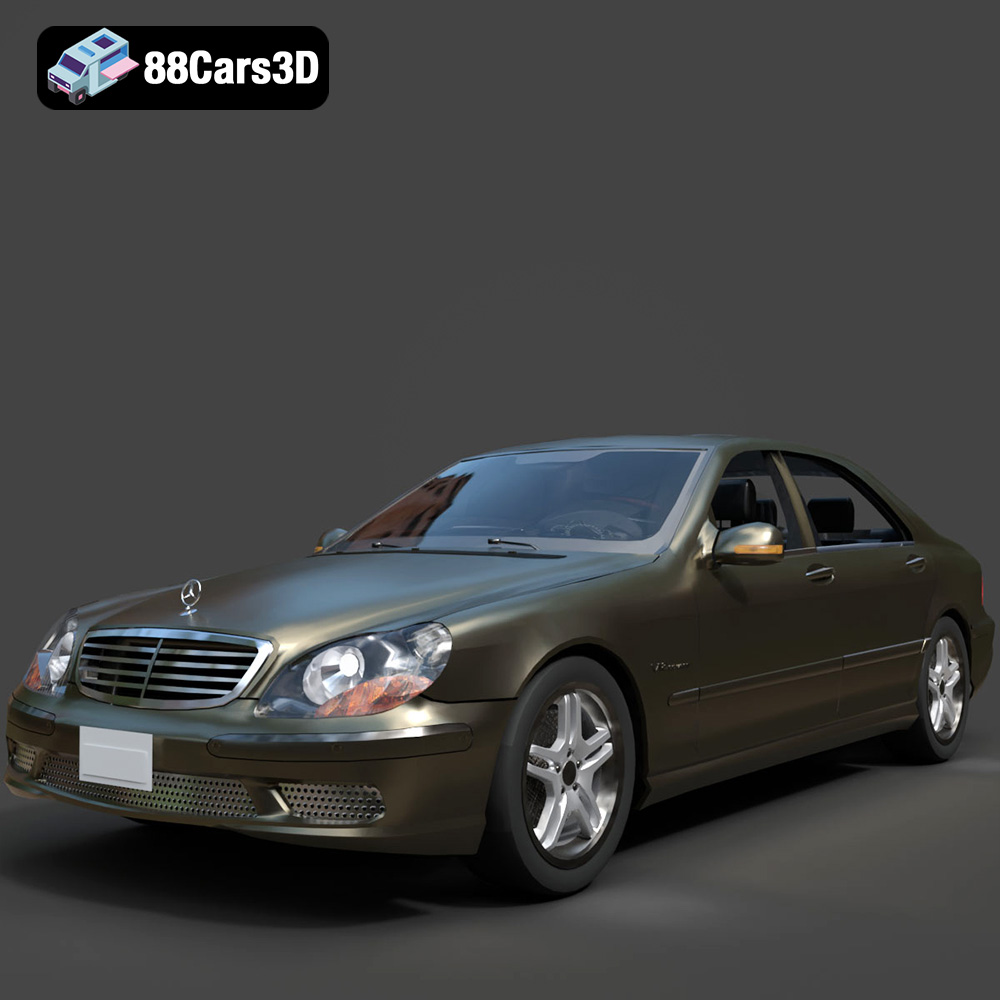
Texture: Yes
Material: Yes
Download the Mercedes-Benz S-Klasse W220 3D Model featuring clean geometry, realistic detailing, and a fully modeled interior. Includes .blend, .fbx, .obj, .glb, .stl, .ply, .unreal, and .max formats for rendering, simulation, and game development.
Price: $4.99

