⚡ FLASH SALE: Get 60% OFF All Premium 3D & STL Models! ⚡

The automotive industry has always been at the forefront of technological innovation, and its digital representation is no exception. In today’s rapidly evolving digital landscape, high-quality 3D car models are more than just static images; they are versatile assets powering everything from blockbuster video games and immersive AR/VR experiences to precise engineering visualizations and stunning marketing campaigns. Whether you’re a seasoned 3D artist aiming for photorealism, a game developer optimizing for performance, an automotive designer validating concepts, or an architect integrating vehicles into visualizations, understanding the intricate details behind creating and utilizing superior 3D car models is paramount.
This comprehensive guide dives deep into the technical intricacies, workflows, and best practices essential for working with professional-grade 3D car models. We’ll explore the foundational principles of topology, the nuances of UV mapping, the magic of PBR materials, and advanced rendering techniques. We’ll also cover critical optimization strategies for game engines and AR/VR, delve into the complexities of file formats and 3D printing preparation, and highlight real-world applications. By the end, you’ll possess a robust understanding of what makes a 3D car model truly exceptional and how to leverage it across various demanding industries, ensuring your projects stand out with unparalleled visual fidelity and technical efficiency. Platforms like 88cars3d.com specialize in providing such meticulously crafted assets, making them an invaluable resource for professionals.
At the heart of any high-quality 3D car model lies impeccable topology and intelligent edge flow. Topology refers to the arrangement of polygons (faces, edges, vertices) that make up your 3D mesh, while edge flow dictates how these edges run across the surface. For complex, smooth, and reflective surfaces like those found on a car, these principles are not just aesthetic considerations; they are critical for realism, animation, and deformation. Poor topology can lead to pinching, artifacting, and an inability to accurately represent the subtle curves and sharp creases that define a car’s design.
Professional 3D car models primarily rely on an all-quad topology. While triangles are acceptable in specific, non-deforming, flat areas (especially for game assets), N-gons (polygons with more than four sides) are generally avoided in subdivision surface modeling due to their unpredictable behavior and potential for rendering issues. Clean quad-based topology ensures smooth subdivision, predictable deformation, and accurate reflections. The edge flow should follow the natural contours of the vehicle, emphasizing sharp lines, panel gaps, and areas that will receive additional detail or deformation, such as door seams, fender flares, and wheel wells. This meticulous attention to detail allows for seamless transitions and prevents unwanted visual distortions.
Most high-fidelity automotive models are built using subdivision surface (SubD) modeling techniques, often referred to as Catmull-Clark subdivision in software like 3ds Max, Blender, or Maya. The process involves creating a low-polygon base mesh (the “cage”) that defines the overall shape. Applying a subdivision modifier then smoothly interpolates between these vertices, generating a high-resolution, smooth surface. The key is to control the smoothness and sharpness through carefully placed “control loops” or “holding edges.” These additional edge loops, running parallel to features like sharp creases or panel lines, prevent the subdivision from rounding off desired hard edges. For instance, to define the crisp edge of a car door, two or three closely spaced edge loops would run along either side of the seam.
Maintaining a consistent quad density across the model is also crucial. While denser areas might be needed around intricate details like grilles or vents, overly dense areas in flat panels can lead to unnecessary polygon counts without adding visual quality. A typical high-detail, render-ready 3D car model might range from 200,000 to 1,500,000 polygons (triangles) depending on the level of interior and engine detail, and whether it’s intended for close-up hero shots. For game engines, these numbers would be significantly lower, relying heavily on normal maps to bake in detail from high-poly sculpts.
Balancing visual fidelity with performance is an ongoing challenge, especially for real-time applications. For high-end visualizations and rendering, a polygon count in the hundreds of thousands or even millions (after subdivision) is acceptable and often desired for maximum detail and smooth reflections. However, for real-time applications like games or AR/VR, aggressive optimization is required. This involves creating multiple Levels of Detail (LODs) for the same vehicle. A high-poly model might be used when the car is close to the camera, while progressively lower-poly versions are swapped in as the car moves further away. The lowest LOD might only have a few thousand polygons, relying on baked normal maps and simplified materials.
Effective polygon management also extends to minimizing redundant geometry. Avoid modeling internal components that will never be seen, or simplify them significantly. For example, the underside of a car might have simplified suspension components if it’s never meant to be seen from below. This thoughtful approach ensures that every polygon serves a purpose, contributing to the overall visual quality without unnecessarily burdening rendering engines.
Once a 3D car model’s geometry is perfected, the next critical step is UV mapping. UV mapping is the process of unwrapping the 3D surface of the model into a 2D plane, creating a set of coordinates (U and V) that tell the software how to apply 2D textures onto the 3D object. For the complex, varied, and highly reflective surfaces of a car, exceptional UV mapping is non-negotiable. Poor UVs result in distorted textures, noticeable seams, inconsistent material appearance, and ultimately, a less realistic final render. Every panel, every piece of trim, every tire, and every interior component needs its own carefully planned UV layout.
The goal is to minimize stretching and distortion, efficiently utilize texture space, and place seams in visually inconspicuous areas. For automotive models, this often means strategically cutting UV seams along natural panel lines, hidden edges, or areas where textures naturally break, such as the bottom edges of body panels or underneath bumpers. For larger, relatively flat surfaces like the hood or roof, a single, continuous UV island is ideal to prevent visible texture breaks. For more complex components like wheels or engine parts, multiple UV islands are often necessary, carefully laid out within the 0-1 UV space.
Most 3D applications offer robust UV unwrapping tools. In 3ds Max, the “Unwrap UVW” modifier is the primary tool. Users define seams by selecting edges and then “peel” the mesh open using projection methods like planar, cylindrical, or spherical, followed by relaxation algorithms to minimize distortion. Blender’s “UV Editor” provides similar functionalities, with powerful tools for marking seams, unwrapping, and packing islands. Maya’s “UV Editor” also features various projection and unfolding tools, including advanced tools for preserving proportions. A common workflow for automotive parts involves:
For interior components, where many small parts might share similar materials, consolidating UVs onto a single texture atlas can significantly improve performance in game engines by reducing draw calls.
Efficient UV layouts are crucial for maximizing texture resolution and minimizing file size. Parts of the car that demand high detail (e.g., headlights, grilles, specific badges) should be given more UV space relative to their screen size, allowing for higher pixel density. Conversely, less visible or less critical areas can occupy less UV space. Texture atlasing, where multiple smaller objects share a single larger texture map, is a powerful optimization technique, especially for props and environment assets, though often applied to complex car interiors.
Texture resolutions for high-quality 3D car models typically range from 2K (2048×2048 pixels) to 8K (8192×8192 pixels) for various maps (albedo, normal, roughness, metallic). A car might have multiple UV sets and corresponding texture maps: one for the body, one for the interior, one for tires/wheels, and perhaps one for specific details like headlights. Ensuring consistent texel density (pixels per unit of surface area) across all UV islands for a given material helps maintain visual consistency. For game assets, LODs often have corresponding lower-resolution texture maps to further optimize performance.
The visual realism of a 3D car model hinges critically on its materials and shading. Physically Based Rendering (PBR) has become the industry standard, providing a more intuitive and accurate way to describe how light interacts with surfaces compared to older, less physically plausible rendering models. PBR materials ensure that your car models look consistent and realistic under various lighting conditions, making them ideal for both static renders and dynamic real-time environments.
PBR workflows generally come in two flavors: Metallic/Roughness and Specular/Glossiness. The Metallic/Roughness workflow is prevalent in game engines (Unity, Unreal Engine) and modern renderers (Substance Painter, Marmoset Toolbag, Cycles, Arnold). It uses a metallic map to define which parts of the surface are metallic (0 for dielectric, 1 for metallic) and a roughness map to control the microscopic surface irregularities (0 for perfectly smooth/glossy, 1 for perfectly rough/matte). The Specular/Glossiness workflow, often found in older V-Ray setups, uses a specular map to define the intensity and color of reflections, and a glossiness map (inverse of roughness) to control sharpness.
Creating realistic car paint is an art in itself. Modern car paint shaders are complex, often involving multiple layers: a base color, a metallic flake layer, and a clear coat layer. The clear coat provides the distinctive glossy reflection and depth, often with subtle iridescence. Rubber, glass, and chrome materials each require their own specific PBR values and texture maps (e.g., high roughness for rubber, low roughness and high metallic for chrome, high transmission and refraction for glass). Utilizing procedural textures can add incredible detail without the need for large image textures, such as noise patterns for tire treads or subtle imperfections on a body panel.
Each PBR material relies on a set of texture maps to define its properties:
Texture resolutions are critical. For a hero asset like a detailed car, 4K (4096×4096) or even 8K textures for the main body and interior elements are common in rendering. For game assets, 2K is typical for main parts, with 1K or 512px for smaller details and LODs to manage memory and performance.
Achieving truly convincing car paint goes beyond a simple metallic material. Advanced shaders simulate the multi-layered structure of real automotive finishes. This often involves:
Software like Corona Renderer, V-Ray, and Arnold in 3ds Max/Maya, or Cycles in Blender, offer sophisticated material nodes and layered shader systems to construct these complex finishes, allowing artists to control every aspect from flake size to clear coat thickness and refractive index.
Rendering is where all the modeling, UV mapping, and texturing efforts converge to produce a compelling final image. High-impact automotive rendering requires a meticulous approach to lighting, camera setup, and post-processing. The goal is to create visuals that are not just accurate, but also aesthetically pleasing and emotionally resonant, whether for advertising, design validation, or entertainment.
Popular render engines like Corona Renderer, V-Ray (for 3ds Max, Maya), Cycles (Blender), and Arnold (Maya, 3ds Max, Cinema 4D) each offer unique strengths and workflows. Corona and V-Ray are known for their ease of use and photorealistic output, especially in architectural and product visualization. Cycles, being integrated into Blender, provides powerful CPU/GPU rendering, while Arnold is celebrated for its robust physically-based rendering capabilities, particularly in animation and VFX. Understanding the principles of light transport and how each renderer interprets your scene is key to achieving consistent, high-quality results.
A typical rendering workflow involves:
For critical projects, especially those leveraging high-quality 3D car models from platforms like 88cars3d.com, adherence to these steps is crucial for delivering professional-grade results.
The choice of lighting fundamentally shapes the mood and realism of your automotive renders.
Experimentation with both techniques, or a hybrid approach, is encouraged to find the best way to showcase the unique design and materials of each vehicle.
Professional rendering rarely stops at a single beauty pass. To achieve truly polished, high-impact visuals, artists often render out multiple “render passes” (also known as AOVs – Arbitrary Output Variables). These passes isolate different components of the rendered image, offering granular control during compositing in software like Adobe Photoshop, Affinity Photo, or Blackmagic Fusion. Common render passes include:
Compositing these passes allows artists to adjust elements like reflection intensity, color balance, shadow darkness, and add atmospheric effects (fog, glow) with far greater flexibility than making changes directly in the 3D software. This non-destructive workflow is invaluable for achieving a refined, high-end look.
While render-ready 3D car models demand high fidelity, real-time interactive experiences like video games and augmented/virtual reality applications introduce a different set of constraints: performance. Every polygon, texture, and shader instruction consumes computational resources, and exceeding the performance budget leads to low frame rates, stuttering, and a poor user experience. Therefore, optimizing 3D car models for these platforms is a critical skill set.
The core philosophy of real-time optimization is to achieve the best possible visual quality with the fewest possible resources. This involves a strategic approach to polygon count, texture memory, shader complexity, and draw calls. Game engines like Unity and Unreal Engine provide extensive tools and best practices for managing these aspects. For example, a single high-fidelity car model for a game might have a polygon budget ranging from 50,000 to 150,000 triangles for the highest LOD, with significantly lower counts for subsequent LODs. Texture resolutions might be limited to 2K for main components and 1K or 512px for smaller details, often consolidated into atlases to reduce material count.
Effective asset optimization starts with clear data budgeting. Before modeling begins, polygon counts, texture memory, and material counts are defined based on the target platform (PC, console, mobile, VR headset) and the intended number of cars on screen simultaneously.
The asset pipeline also involves exporting models in optimized formats (like FBX for Unity/Unreal) and ensuring proper material setup using standard PBR shaders within the engine, avoiding complex custom shaders that might be performance hogs.
AR/VR applications present even stricter performance requirements due to the need for high, stable frame rates (typically 72-90 FPS per eye) and the computational cost of rendering stereoscopic views.
Developing for AR/VR means every element of the 3D car model, from its mesh to its materials, must be painstakingly optimized to ensure a smooth and immersive user experience. Sourcing highly optimized models from marketplaces like 88cars3d.com can be a significant advantage, as they often provide game-ready versions.
The utility of a high-quality 3D car model extends across a multitude of platforms and applications, each with its own requirements for file formats and preparation. Understanding the nuances of these formats and how to prepare your models for specific uses, such as 3D printing, is crucial for maximizing their versatility and reach.
Different software and industries prefer different file formats due to their specific capabilities regarding mesh data, material definitions, animation, and scene information. The choice of format can impact compatibility, file size, and the integrity of your model when transferring between applications. For instance, while an OBJ file provides basic mesh and UV data, an FBX file can encapsulate a complete scene with animations, cameras, lights, and complex material assignments, making it ideal for game engine pipelines. For web-based AR/VR, lightweight formats like GLB and USDZ are gaining prominence due to their efficiency and support for PBR materials in a single file.
Here’s a breakdown of common 3D file formats and their typical uses for automotive models:
When sourcing models, especially from curated marketplaces, it’s beneficial to select models available in multiple formats to ensure compatibility with your specific software and project requirements.
Preparing a 3D car model for physical output via 3D printing involves a distinct set of considerations beyond digital visualization:
For complex models like detailed cars, separating the model into smaller, manageable pieces before printing and assembling them afterward can lead to better print quality and reduce support material. A high-quality 3D car model from a platform like 88cars3d.com provides an excellent starting point, often requiring only minor adjustments for 3D printing.
The journey of a 3D car model doesn’t end with a stunning render or a functional game asset. These digital creations are increasingly becoming indispensable tools across a vast spectrum of real-world applications, driving innovation and transforming how industries operate. From the initial concept phase of automotive design to marketing, education, and even urban planning, high-quality 3D car models are the silent workhorses behind countless successful projects.
In automotive design, 3D models allow designers to iterate rapidly, visualize concepts in photorealistic detail long before physical prototypes are built, and conduct virtual wind tunnel tests. For marketing, interactive 3D configurators enable customers to customize vehicles in real-time, fostering a deeper connection with the brand. Training simulations for mechanics or emergency responders utilize realistic 3D cars to create immersive and safe learning environments. The rise of digital twins, where a virtual replica of a physical car exists, enables predictive maintenance, real-time performance monitoring, and advanced analytics. These diverse applications underscore the demand for versatile, technically sound, and visually accurate 3D car models, a demand expertly met by specialized marketplaces.
Each of these applications demands specific levels of detail, optimization, and material fidelity, emphasizing the need for adaptable and well-prepared 3D assets.
The future of 3D car models is dynamic and promising. We are witnessing several key trends:
As these trends accelerate, the demand for exceptionally crafted, versatile, and technically robust 3D car models will only grow. Platforms like 88cars3d.com, which provide high-quality, pre-optimized assets across various formats and specifications, are poised to play a crucial role in empowering artists and developers to meet these evolving demands.
The journey through the world of high-quality 3D car models reveals a multifaceted discipline demanding a blend of artistic vision and technical mastery. From the foundational principles of clean topology and precise UV mapping to the intricacies of PBR material creation, advanced rendering, and rigorous optimization for real-time applications, every step is crucial for crafting truly exceptional digital vehicles. We’ve explored how meticulous attention to detail in mesh construction ensures smooth reflections, how strategic UV layouts maximize texture fidelity, and how PBR materials bring lifelike realism under any lighting condition.
Furthermore, we delved into the critical optimizations required for game engines and AR/VR, emphasizing the importance of LODs, draw call reduction, and streamlined shaders to deliver fluid interactive experiences. We also covered the versatility of different file formats and the essential steps for preparing models for physical manifestation through 3D printing. The applications of these sophisticated assets are boundless, driving innovation in automotive design, marketing, entertainment, and beyond.
Mastering these techniques not only elevates your projects but also positions you at the forefront of digital content creation. Whether you’re building a photorealistic render, developing an immersive game, or creating an interactive configurator, the quality of your 3D car models will define the impact of your work. By understanding and applying the best practices outlined in this guide, you equip yourself with the knowledge to select, create, and deploy 3D automotive assets that meet the highest professional standards. For those seeking a head start, marketplaces like 88cars3d.com offer a curated selection of pre-made, high-quality 3D car models, providing a reliable foundation for your most ambitious projects.

Texture: Yes
Material: Yes
Download the Mitsubishi Galant 2009 3D Model featuring clean geometry, realistic detailing, and a fully modeled interior. Includes .blend, .fbx, .obj, .glb, .stl, .ply, .unreal, and .max formats for rendering, simulation, and game development.
Price: $4.99

Texture: Yes
Material: Yes
Download the Nissan Primera Wagon 3D Model featuring clean geometry, realistic detailing, and a fully modeled interior. Includes .blend, .fbx, .obj, .glb, .stl, .ply, .unreal, and .max formats for rendering, simulation, and game development.
Price: $4.99

Texture: Yes
Material: Yes
Download the Mercedes-Benz S63 AMG Cabriolet 2017 3D Model featuring clean geometry, realistic detailing, and a fully modeled interior. Includes .blend, .fbx, .obj, .glb, .stl, .ply, .unreal, and .max formats for rendering, simulation, and game development.
Price: $20.99

Texture: Yes
Material: Yes
Download the Nissan Skyline R34 2002 3D Model featuring clean geometry, realistic detailing, and a fully modeled interior. Includes .blend, .fbx, .obj, .glb, .stl, .ply, .unreal, and .max formats for rendering, simulation, and game development.
Price: $4.99

Texture: Yes
Material: Yes
Download the Nissan Skyline 3D Model featuring clean geometry, realistic detailing, and a fully modeled interior. Includes .blend, .fbx, .obj, .glb, .stl, .ply, .unreal, and .max formats for rendering, simulation, and game development.
Price: $9.99

Texture: Yes
Material: Yes
Download the Mercedes-Benz S-Klasse W116 3D Model featuring clean geometry, realistic detailing, and a fully modeled interior. Includes .blend, .fbx, .obj, .glb, .stl, .ply, .unreal, and .max formats for rendering, simulation, and game development.
Price: $4.99
Texture: Yes
Material: Yes
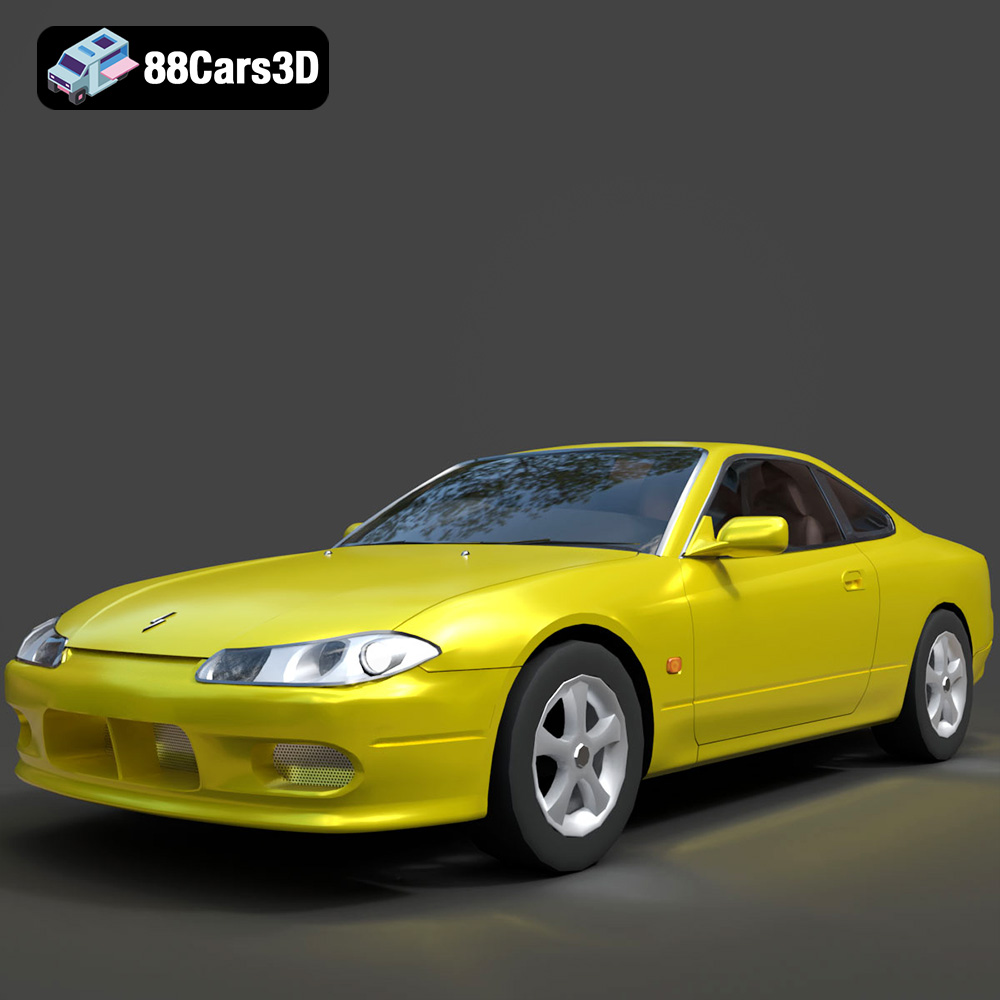
Download the Nissan Silvia 3D Model featuring clean geometry, realistic detailing, and a fully modeled interior. Includes .blend, .fbx, .obj, .glb, .stl, .ply, .unreal, and .max formats for rendering, simulation, and game development.
Price: $4.99
Texture: Yes
Material: Yes
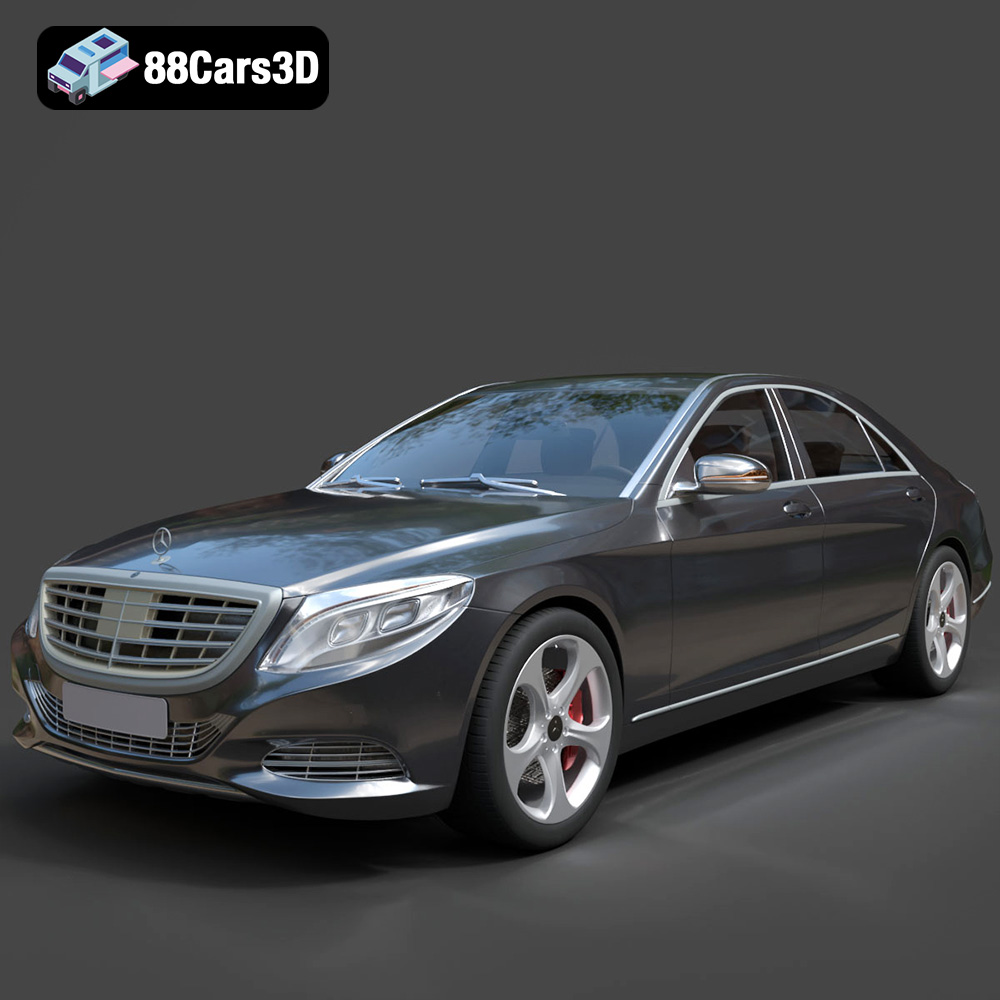
Download the Mercedes-Benz S-Class 2014 3D Model featuring clean geometry, realistic detailing, and a fully modeled interior. Includes .blend, .fbx, .obj, .glb, .stl, .ply, .unreal, and .max formats for rendering, simulation, and game development.
Price: $6.99
Texture: Yes
Material: Yes
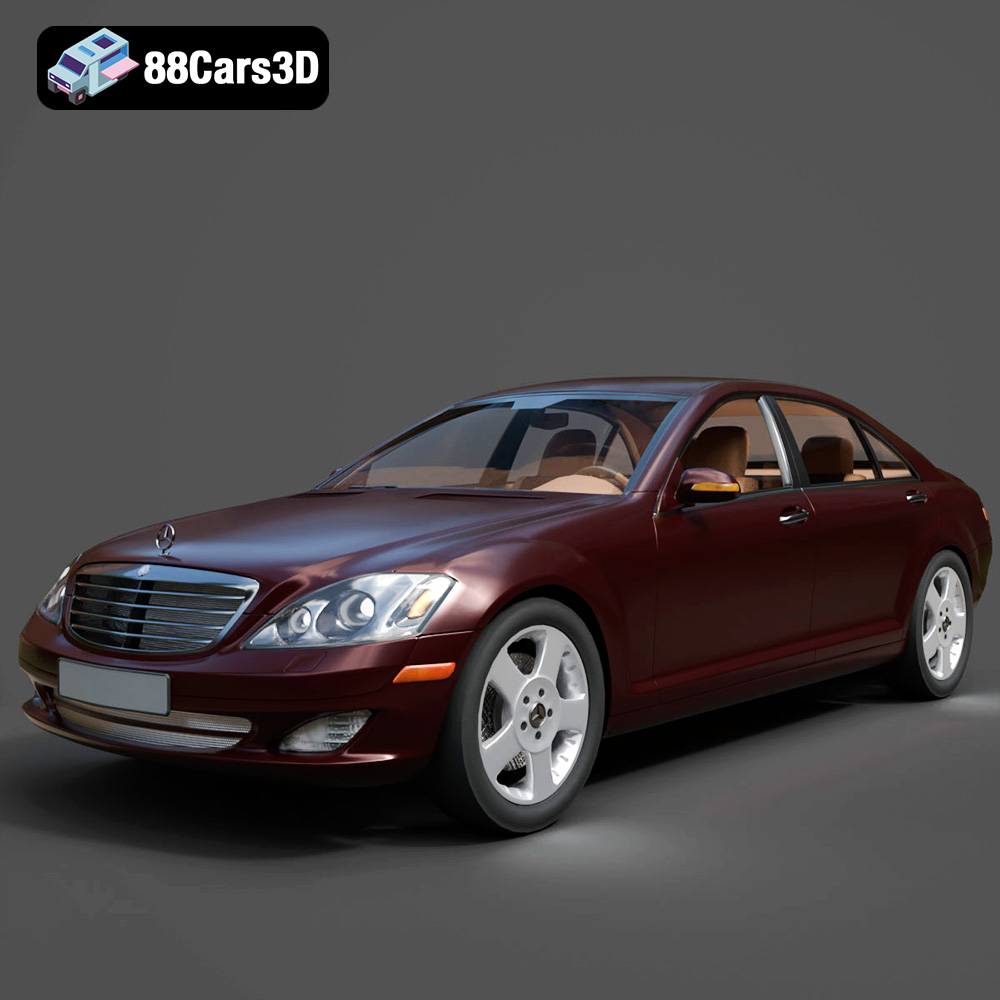
Download the Mercedes-Benz S-Klasse W221 2008 3D Model featuring clean geometry, realistic detailing, and a fully modeled interior. Includes .blend, .fbx, .obj, .glb, .stl, .ply, .unreal, and .max formats for rendering, simulation, and game development.
Price: $4.99
Texture: Yes
Material: Yes
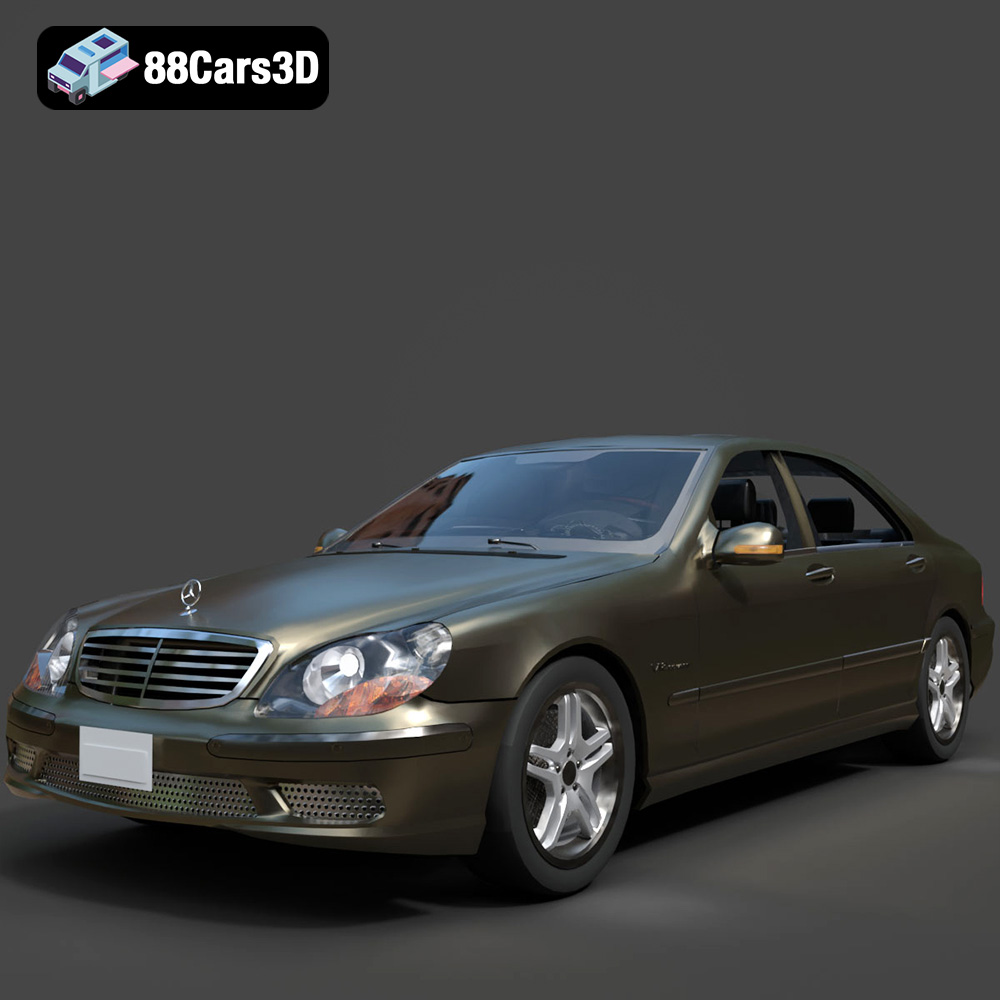
Download the Mercedes-Benz S-Klasse W220 3D Model featuring clean geometry, realistic detailing, and a fully modeled interior. Includes .blend, .fbx, .obj, .glb, .stl, .ply, .unreal, and .max formats for rendering, simulation, and game development.
Price: $4.99

