⚡ FLASH SALE: Get 60% OFF All Premium 3D & STL Models! ⚡

In the expansive and ever-evolving landscape of 3D visualization, automotive models stand as a pinnacle of complexity, detail, and artistic expression. From high-fidelity renders that blur the line between virtual and reality, to optimized game assets that deliver exhilarating experiences, and even precise models for AR/VR and 3D printing, the demand for exceptional 3D car models is immense. Crafting these digital masterpieces requires a deep understanding of technical workflows, artistic principles, and performance optimization.
This comprehensive guide delves into the intricate world of 3D car model development, providing an in-depth exploration of the techniques, tools, and best practices employed by industry professionals. Whether you’re a seasoned 3D artist looking to refine your automotive pipeline, a game developer seeking to integrate photorealistic vehicles, an automotive designer visualizing future concepts, or a student eager to master the craft, this article will equip you with the knowledge to elevate your projects. We’ll cover everything from foundational topology and meticulous UV mapping to advanced PBR material creation, rendering strategies, game engine optimization, and the unique considerations for AR/VR and 3D printing. Prepare to unlock the full potential of 3D car models and discover how precision and expertise can transform your digital automotive visions into stunning realities.
The foundation of any high-quality 3D car model lies in its topology – the arrangement of vertices, edges, and faces that define its shape. For automotive designs, pristine topology isn’t just about aesthetics; it’s critical for achieving smooth subdivision surfaces, flawless deformations during animation, and efficient performance across various applications. A poorly constructed mesh can lead to artifacts, pinching, and render issues, regardless of how good the textures or lighting are. Automotive surfaces are notoriously challenging, characterized by expansive, reflective curves and sharp, precise creases. Mastering edge flow and polygon distribution is paramount to capturing these subtleties accurately.
Professional modelers meticulously plan their topology, often starting with blueprints and reference images to block out the primary forms. The goal is to build a mesh primarily with quads (four-sided polygons), as these deform predictably and are essential for subdivision surfacing. Triangles should be avoided in areas of curvature or deformation, reserved only for flat, non-deforming surfaces where they won’t cause issues. The density of the mesh must be appropriate for the level of detail required – denser in areas of high curvature or intricate design features, and sparser on large, flat panels. Striking this balance is key to both visual fidelity and performance efficiency.
Edge flow refers to the way edges run across the surface of your model, following the contours and defining the major and minor details. For automotive models, clean edge flow is non-negotiable. Edges should ideally follow the lines of curvature, outlining panel gaps, fender flares, hood lines, and character lines with precision. This allows subdivision modifiers (like Turbosmooth in 3ds Max or Subdivision Surface in Blender) to smoothly interpolate the surface, producing the clean, reflective surfaces characteristic of a real car. Incorrect edge flow can lead to unsightly pinching or lumps when subdivided, ruining the realism of reflections.
To achieve clean edge flow, modelers employ techniques such as creating holding loops around sharp edges to control the sharpness of creases. For instance, a door gap would typically have several edge loops running parallel on either side of the gap to maintain its crispness after subdivision. Similarly, complex areas like headlight housings or vents require careful routing of edges to define their form without introducing distortions to the surrounding bodywork. Understanding how light interacts with surface normals, which are derived from polygon faces, reinforces the importance of maintaining an even, undistorted mesh. This meticulous approach ensures that the model not only looks great in a static render but also performs flawlessly if animated, such as doors opening or suspension compression.
While high-detail models are essential for cinematic renders, different applications demand varying polygon counts. For real-time applications like games or AR/VR, optimization is crucial. A common strategy is to create Level of Detail (LOD) models. This involves developing several versions of the same car, each with a progressively lower polygon count. For example, a hero model used for close-up renders might have 500,000 to 2 million triangles, while its LOD0 (closest in-game) might be 150,000 triangles, LOD1 at 50,000, and LOD2 at 15,000, and so on. The game engine then swaps between these models based on the camera’s distance, ensuring performance without sacrificing visual quality up close.
When optimizing, it’s vital to prioritize where polygons are saved. Large, flat surfaces can often be significantly reduced, while intricate details like grilles, wheels, and interior elements might retain more density. Techniques include merging vertices, dissolving unnecessary edges, and using normal maps to bake high-detail geometry onto lower-polygon surfaces. For example, bolts on an engine cover might be modeled in the high-poly version and then transferred to a normal map for the low-poly asset. When sourcing high-quality models from platforms like 88cars3d.com, artists often find that these optimizations are already baked in, providing production-ready assets tailored for various uses.
Once a 3D car model’s topology is solid, the next critical step is applying realistic surface details through UV mapping and texturing. UV mapping is the process of unfolding the 3D mesh into a 2D space, allowing 2D textures to be painted onto the model. For automotive surfaces, which often feature complex curves, distinct panel lines, and intricate components, effective UV mapping is essential to prevent texture distortion and ensure consistent texel density across the entire model. Poor UVs can ruin even the most beautifully modeled car by introducing stretched textures or visible seams.
Beyond mapping, the creation of Physically Based Rendering (PBR) materials is what truly breathes life into a digital car. PBR materials accurately simulate how light interacts with surfaces in the real world, producing highly realistic reflections, refractions, and diffuse properties. This involves creating a suite of texture maps – such as Albedo, Metallic, Roughness, and Normal maps – that define the specific characteristics of different materials like glossy paint, matte rubber, reflective chrome, and textured plastics. The combination of meticulous UV work and precise PBR texturing elevates a simple mesh into a convincing automotive masterpiece.
Unwrapping a car model requires strategic planning. For large, relatively flat body panels (hood, doors, roof), a planar projection or a simple unfold (like pelt mapping in 3ds Max or Blender’s follow active quads) often works best, ensuring minimal distortion and allowing for large, seamless texture areas. However, for more complex shapes like wheel wells, engine bays, or intricate interior dashboards, a combination of cylindrical, spherical, and custom-seam-based unwrapping is necessary. The key is to strategically place UV seams in less visible areas, such as along panel gaps, under trim, or in hidden crevices, to minimize their impact on the final texture.
Maintaining a consistent texel density across the entire model is vital. Texel density refers to the number of pixels per unit of surface area. If different parts of the car have wildly varying texel densities, some areas will appear blurry (low density) while others look overly sharp (high density) when rendered. Tools like the Texel Density Checker in Blender or specialized scripts in 3ds Max help artists standardize this. For critical areas like the main body paint, high-resolution textures (e.g., 4K or 8K) might be used, while less visible components could utilize 2K or even 1K textures to optimize memory usage without sacrificing visual fidelity in prominent areas.
PBR texturing is now the industry standard for achieving photorealistic results. It relies on a set of maps that define material properties based on physical laws. The core maps include:
Modern tools like Substance Painter and Quixel Mixer provide powerful layering systems, smart masks, and generators to rapidly create and fine-tune these complex material stacks. For a car’s paint, for example, you’d layer a base color, add metallic flakes, a clear coat (with its own roughness and normal details), and perhaps even procedurally generated dirt or scratches. This layered approach allows for incredible realism and flexibility, accurately simulating how light bounces off the various finishes of an automobile. Achieving accurate PBR materials for car models often involves extensive reference study of real-world materials and how they interact with light.
Modeling and texturing lay the groundwork, but rendering is where the 3D car model truly comes to life. It’s the process of generating a 2D image from a 3D scene, simulating light, materials, and camera optics to create a photorealistic or stylized output. For automotive visualization, achieving a high level of realism is paramount, often demanding sophisticated rendering techniques and careful attention to lighting, environments, and post-processing. Render engines like Corona Renderer, V-Ray, Cycles, and Arnold offer powerful tools to simulate the complex interplay of light and reflections on a car’s surface, making it appear grounded in reality.
The success of an automotive render hinges on more than just the renderer itself; it’s about the entire workflow. This includes meticulous scene setup, choosing the right lighting scenarios, configuring the virtual camera, and finally, enhancing the raw render through post-production. Each step contributes significantly to the final image, turning a static 3D model into a compelling visual narrative. Understanding the nuances of these techniques allows artists to craft stunning car renders that are indistinguishable from professional photography.
Lighting is the single most critical factor in achieving a realistic car render. Automotive models, with their reflective and often metallic surfaces, are particularly sensitive to lighting. High Dynamic Range Images (HDRIs) are a staple in automotive rendering. An HDRI captures a full spherical view of a real-world environment with high dynamic range luminance values, effectively acting as both a light source and a reflection map. Using a studio HDRI with softbox setups or a realistic outdoor environment HDRI can instantly provide natural reflections and accurate lighting that bring the car to life.
Beyond HDRIs, artists often supplement with artificial lights. In a virtual studio setup, area lights or planes with emissive materials are used to mimic professional photography lighting. A common setup involves large softboxes positioned to highlight the car’s curves and reflections, with rim lights to define its silhouette. For an outdoor scene, carefully placed directional lights can simulate sunlight, while subtle area lights can mimic bounced light from the ground or surrounding objects. Physical camera settings – f-stop for depth of field, shutter speed for motion blur (if animating), and ISO for overall exposure – are also adjusted to match real-world photography principles, enhancing the photorealism of the final image. Precision in these settings ensures that the car model integrates seamlessly into its environment.
The raw render from a 3D software is rarely the final product. Post-processing and compositing in external applications like Adobe Photoshop, Adobe After Effects, or Blackmagic Fusion are essential steps to polish and elevate the image to cinematic quality. The render engine typically outputs various render passes (e.g., diffuse, specular, reflection, normal, Z-depth, alpha, raw lighting) that provide granular control over different elements of the scene. These passes are then layered and manipulated during compositing.
Key post-processing techniques include:
Compositing also allows for seamless integration of the car into a backplate photograph or a CG environment, adjusting lighting and color to ensure consistency. This final stage is where an artist’s vision truly comes to fruition, transforming a good render into an exceptional, visually stunning piece of automotive art.
Integrating 3D car models into game engines like Unity or Unreal Engine presents a unique set of challenges and opportunities. Unlike static renders, game environments demand real-time performance, consistent frame rates, and efficient resource management. A highly detailed model that looks stunning in a render might cripple a game’s performance if not properly optimized. Game developers must meticulously prepare their automotive assets to strike a delicate balance between visual fidelity and operational efficiency, ensuring a smooth and immersive player experience. This involves a specialized workflow focusing on polygon reduction, texture atlasing, and the strategic use of engine-specific features.
The goal is to deliver visually appealing cars that contribute to the game’s aesthetic without overburdening the GPU or CPU. This often means making trade-offs and employing clever techniques to fake detail, reduce draw calls, and manage memory effectively. Understanding these optimization strategies is crucial for any artist or developer working with automotive assets in a real-time context. When procuring assets, such as from 88cars3d.com, it’s beneficial to look for models that are already optimized for game engines, often featuring multiple LODs and clean material setups.
As previously mentioned, Level of Detail (LOD) models are indispensable for game optimization. By creating several versions of a car model with decreasing polygon counts, the game engine can dynamically swap them based on the camera’s distance. For a car in a racing game, LODs are essential: the player’s car might use LOD0 (highest detail), nearby opponent cars might use LOD1, and cars further down the track might use LOD2 or LOD3, which could be drastically simplified, perhaps even reducing the wheels to simple cylinders or eliminating interior detail. Properly set up LODs can significantly reduce the overall polygon count rendered in a scene without a noticeable drop in visual quality where it matters most.
Another critical performance metric is ‘draw calls.’ Each time the CPU tells the GPU to draw something, it’s a draw call. A single car model might have multiple materials (paint, glass, chrome, rubber, interior fabric), and each material can result in one or more draw calls. Many small draw calls can quickly become a bottleneck. Game developers aim to minimize draw calls by:
A typical performance budget for a single car in a modern game might target 50,000 to 150,000 triangles for its primary LOD0, with an eye towards keeping its total draw calls under 10-15. Adhering to these budgets ensures smooth gameplay even with multiple vehicles on screen.
Texture atlasing is a powerful technique for reducing draw calls and optimizing memory. Instead of having separate texture maps (Albedo, Metallic, Roughness) for every small component of a car (e.g., individual buttons on the dashboard, emblems, small interior details), an artist can combine many of these smaller textures into one large ‘atlas’ texture. The UVs for all those small components are then rearranged to point to their respective areas on the single atlas. This means the engine only needs to load one material and one set of textures to render many different details, drastically cutting down on draw calls.
Material instancing complements this by allowing developers to create variations of a base material without creating entirely new materials. For example, if a game features multiple cars of the same model but with different paint colors, instead of creating a “RedCarPaint” material and a “BlueCarPaint” material, they can create a single “CarPaint_Master” material. Then, they create instances of this master material, simply changing the ‘Base Color’ parameter in each instance. This saves memory and processing power, as the engine reuses the core shader code and only swaps out specific parameter values. For a large roster of vehicles or customizable cars, these techniques are indispensable for maintaining high performance and visual diversity within a game engine.
The utility of high-quality 3D car models extends far beyond traditional rendering and game development. Augmented Reality (AR) and Virtual Reality (VR) platforms are increasingly leveraging these assets for interactive experiences, training simulations, and product visualization. Similarly, the growing accessibility of 3D printing technology has opened new avenues for creating physical prototypes and scale models directly from digital designs. Each of these applications, however, comes with its own specific technical requirements and optimization strategies, demanding a tailored approach to 3D asset preparation.
While the core principles of good modeling remain, AR/VR requires extreme performance optimization for real-time interactivity, often on mobile devices. 3D printing, conversely, focuses on mesh integrity and physical manufacturability rather than visual realism or performance. Understanding these distinct needs is crucial for artists and designers aiming to deploy their automotive models across a diverse range of cutting-edge technologies. These applications represent a dynamic frontier for 3D car models, pushing the boundaries of how we interact with digital content.
AR/VR experiences are inherently real-time and demand incredibly tight performance budgets to maintain comfortable frame rates (often 72fps or 90fps, sometimes higher). For mobile AR, these constraints become even more stringent. When preparing 3D car models for AR/VR, the focus shifts heavily towards extreme optimization:
Formats like GLB (glTF Binary) and USDZ (Universal Scene Description Zip) are preferred for AR/VR due to their efficiency, compact size, and ability to embed PBR materials directly within the file, ensuring consistency across different viewers. These formats allow for quick loading and robust rendering in interactive AR/VR environments, from virtual showrooms to mixed reality educational tools.
3D printing transforms a digital model into a physical object, and this process has an entirely different set of requirements. The primary concern is mesh integrity and manufacturability. A model that looks perfect on screen might be impossible to print if it contains errors. Key considerations for 3D printing preparation include:
Software like Blender’s 3D Print Toolbox, MeshMixer, or dedicated tools like Netfabb are invaluable for analyzing, repairing, and preparing meshes for printing. Artists might need to simplify complex interiors, fill gaps, or add support structures virtually before sending the model to a physical printer. For example, a detailed engine bay might need significant simplification or be printed separately to ensure successful production of a scale model car.
The world of 3D modeling and visualization utilizes a multitude of file formats, each designed for specific purposes and software ecosystems. Understanding these formats – their strengths, weaknesses, and compatibilities – is essential for seamless workflows, especially when exchanging 3D car models between different applications or platforms. Whether you’re moving a car from 3ds Max to Unity, exporting for a web-based configurator, or preparing for AR on an iPhone, choosing the correct file format is a critical decision that impacts data integrity, visual fidelity, and ease of use.
Navigating these formats can be complex, as each can handle different types of data, such as geometry, materials, textures, animations, and scene information, in unique ways. A professional workflow often involves multiple conversions, making it vital to understand how to preserve data during these transitions and troubleshoot common compatibility issues. Sourcing models from reputable marketplaces like 88cars3d.com often simplifies this, as assets are typically provided in several widely compatible formats, ready for immediate use.
Here’s a breakdown of some of the most prevalent 3D file formats for automotive models:
Each format serves a specific niche, and understanding which to use for a given task is crucial for an efficient pipeline.
Converting 3D car models between different formats often requires careful attention to detail to ensure data fidelity. Here are key considerations for streamlined conversion workflows:
By following these best practices, artists can significantly reduce headaches associated with file format conversions, ensuring their high-quality 3D car models are accurately represented and fully functional across diverse platforms and applications.
The journey of a 3D car model from concept to a fully realized asset is a complex yet immensely rewarding endeavor. We’ve traversed the critical stages, from the foundational importance of clean topology and efficient polygon counts to the intricate art of UV mapping and the science of PBR material creation. We’ve explored the power of advanced rendering techniques to craft photorealistic visuals and delved into the specialized optimizations required for seamless integration into demanding game engines and the burgeoning worlds of AR/VR. Finally, we’ve navigated the practicalities of preparing models for physical manifestation through 3D printing and demystified the crucial role of file formats in maintaining compatibility and integrity across diverse pipelines.
Each step in this journey demands a blend of technical expertise, artistic vision, and an unwavering commitment to detail. Whether you’re aiming for breathtaking renders, immersive game experiences, innovative AR/VR applications, or tangible 3D prints, the quality of your base 3D car model is paramount. By adhering to industry best practices in modeling, texturing, optimization, and format management, you lay the groundwork for success in any project.
Remember, the digital automotive landscape is constantly evolving, with new tools, techniques, and platforms emerging regularly. Continuous learning and adaptation are key to staying at the forefront. For those seeking a head start, or needing reliable, high-quality assets for their projects, platforms like 88cars3d.com offer a curated selection of professionally crafted 3D car models, meticulously built and optimized for various applications. Investing in pre-made assets from such reputable sources can significantly accelerate your workflow, allowing you to focus your creative energy on bringing your unique visions to life. Embrace these advanced techniques, explore the vast possibilities, and continue to push the boundaries of what’s possible with 3D automotive visualization.

Texture: Yes
Material: Yes
Download the Mitsubishi Galant 2009 3D Model featuring clean geometry, realistic detailing, and a fully modeled interior. Includes .blend, .fbx, .obj, .glb, .stl, .ply, .unreal, and .max formats for rendering, simulation, and game development.
Price: $4.99

Texture: Yes
Material: Yes
Download the Nissan Primera Wagon 3D Model featuring clean geometry, realistic detailing, and a fully modeled interior. Includes .blend, .fbx, .obj, .glb, .stl, .ply, .unreal, and .max formats for rendering, simulation, and game development.
Price: $4.99

Texture: Yes
Material: Yes
Download the Mercedes-Benz S63 AMG Cabriolet 2017 3D Model featuring clean geometry, realistic detailing, and a fully modeled interior. Includes .blend, .fbx, .obj, .glb, .stl, .ply, .unreal, and .max formats for rendering, simulation, and game development.
Price: $20.99

Texture: Yes
Material: Yes
Download the Nissan Skyline R34 2002 3D Model featuring clean geometry, realistic detailing, and a fully modeled interior. Includes .blend, .fbx, .obj, .glb, .stl, .ply, .unreal, and .max formats for rendering, simulation, and game development.
Price: $4.99

Texture: Yes
Material: Yes
Download the Nissan Skyline 3D Model featuring clean geometry, realistic detailing, and a fully modeled interior. Includes .blend, .fbx, .obj, .glb, .stl, .ply, .unreal, and .max formats for rendering, simulation, and game development.
Price: $9.99

Texture: Yes
Material: Yes
Download the Mercedes-Benz S-Klasse W116 3D Model featuring clean geometry, realistic detailing, and a fully modeled interior. Includes .blend, .fbx, .obj, .glb, .stl, .ply, .unreal, and .max formats for rendering, simulation, and game development.
Price: $4.99
Texture: Yes
Material: Yes
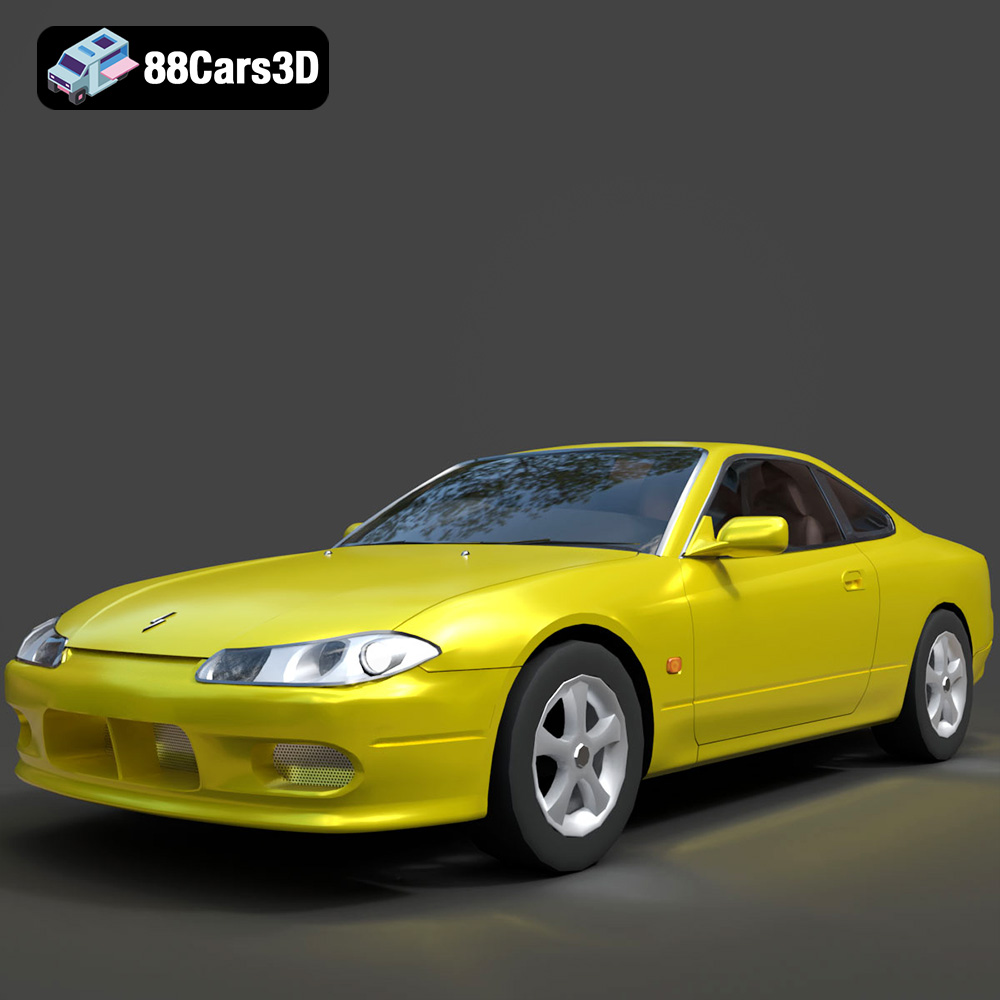
Download the Nissan Silvia 3D Model featuring clean geometry, realistic detailing, and a fully modeled interior. Includes .blend, .fbx, .obj, .glb, .stl, .ply, .unreal, and .max formats for rendering, simulation, and game development.
Price: $4.99
Texture: Yes
Material: Yes
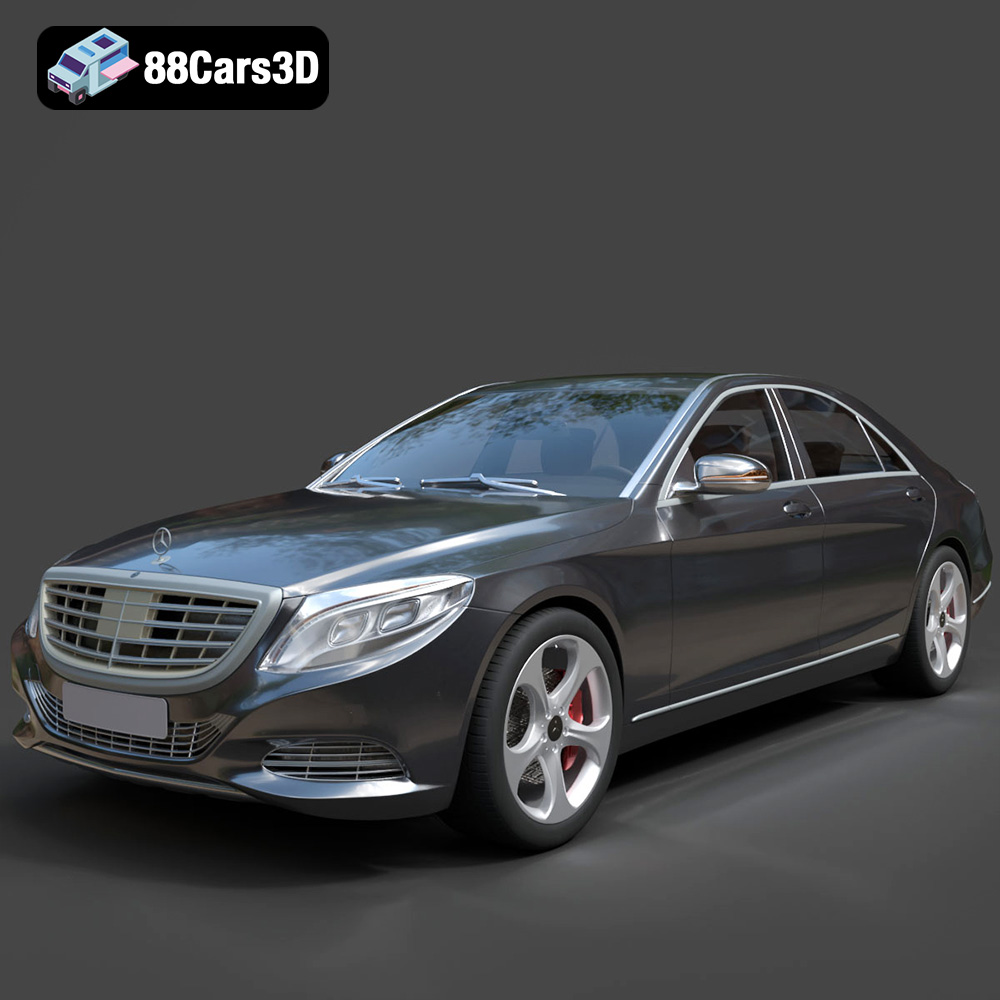
Download the Mercedes-Benz S-Class 2014 3D Model featuring clean geometry, realistic detailing, and a fully modeled interior. Includes .blend, .fbx, .obj, .glb, .stl, .ply, .unreal, and .max formats for rendering, simulation, and game development.
Price: $6.99
Texture: Yes
Material: Yes
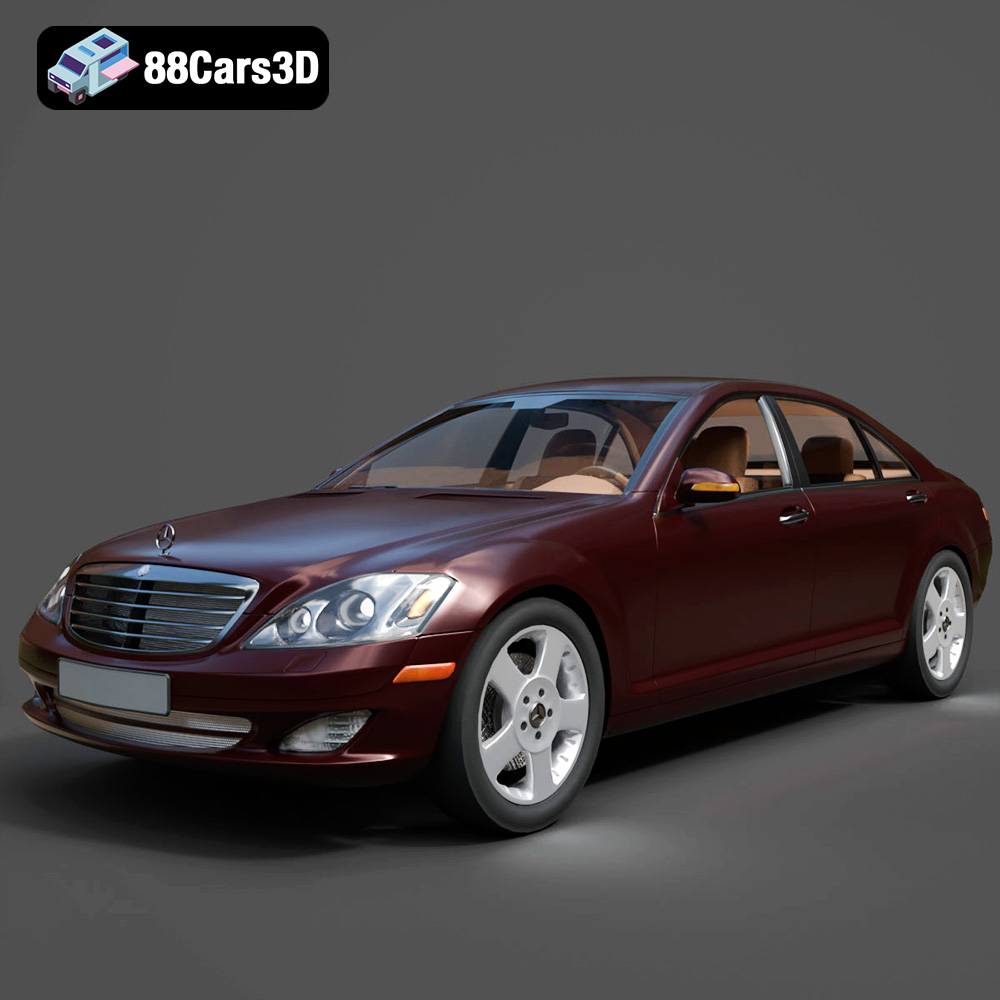
Download the Mercedes-Benz S-Klasse W221 2008 3D Model featuring clean geometry, realistic detailing, and a fully modeled interior. Includes .blend, .fbx, .obj, .glb, .stl, .ply, .unreal, and .max formats for rendering, simulation, and game development.
Price: $4.99
Texture: Yes
Material: Yes
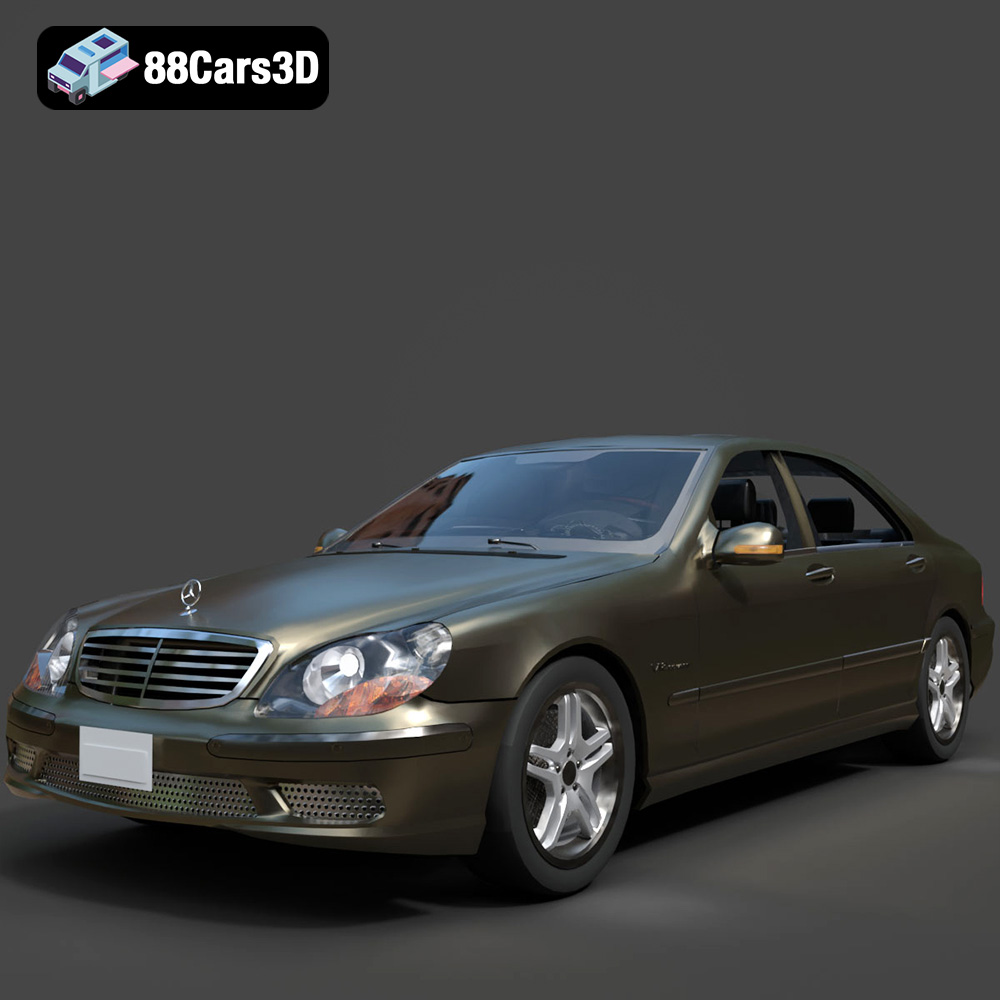
Download the Mercedes-Benz S-Klasse W220 3D Model featuring clean geometry, realistic detailing, and a fully modeled interior. Includes .blend, .fbx, .obj, .glb, .stl, .ply, .unreal, and .max formats for rendering, simulation, and game development.
Price: $4.99

