⚡ FLASH SALE: Get 60% OFF All Premium 3D & STL Models! ⚡

In the rapidly evolving landscape of 3D visualization, the demand for exceptionally high-quality 3D car models has never been greater. From cinematic automotive advertisements and groundbreaking game titles to immersive AR/VR experiences and intricate product configurators, a meticulously crafted 3D vehicle model is often the linchpin of success. But what truly defines a “high-quality” model? It goes far beyond just a pretty render; it encompasses a complex interplay of pristine topology, intelligent UV mapping, robust PBR materials, and optimized structures designed for diverse applications.
This comprehensive guide delves deep into the technical intricacies of 3D car models, dissecting the workflows, best practices, and optimization strategies essential for achieving professional-grade results. Whether you’re a seasoned 3D artist, an aspiring game developer, an automotive designer, or a visualization professional, understanding these core principles will empower you to create, modify, and deploy stunning automotive assets across any platform. We’ll explore everything from the foundational modeling techniques that ensure flawless surfaces to advanced rendering and game engine optimization, preparing you for the challenges and triumphs of modern 3D production. Platforms like 88cars3d.com specialize in providing such high-fidelity assets, adhering to many of the standards we’re about to discuss, ensuring artists have a reliable foundation for their projects.
The quality of a 3D car model begins long before texturing or rendering – it starts with its underlying mesh, commonly known as its topology. For automotive models, which are characterized by smooth, reflective surfaces and precise panel lines, impeccable topology and edge flow are non-negotiable. Poor topology leads to pinching, undesirable shading artifacts, and difficulties in sculpting or animating, ultimately undermining realism. Understanding how to build a clean, efficient mesh is paramount for any successful 3D car project, whether it’s for high-resolution stills or real-time game engines.
At its core, 3D polygonal modeling relies on vertices, edges, and faces (polygons). For most organic and hard-surface models, especially automotive bodies, the industry standard dictates the use of “quads” – four-sided polygons. While triangles are acceptable in specific, non-deforming areas or at the final export stage for game engines, a model built predominantly with quads offers superior surface deformation, smoother subdivision, and easier manipulation. Poles, which are vertices connected to more or less than four edges, should be strategically placed to avoid critical areas of high curvature or reflection, as they can cause subtle shading anomalies. Clean mesh means minimizing n-gons (polygons with more than four sides) and ensuring a consistent flow of edges that follow the natural curvature and contours of the car’s design, preventing jagged or lumpy surfaces.
Automotive modeling presents unique challenges due to the combination of large, flowing surfaces and intricate, sharp details. Maintaining perfectly smooth curvature across vast areas like a car’s hood or roof requires careful edge loop placement, ensuring that edges run parallel to the direction of curvature. Sharp edges, such as those defining door seams, fender flares, or window frames, are achieved by adding additional edge loops extremely close to the intended sharp edge, often referred to as “holding edges” or “control loops.” These loops tighten the effect of subdivision surface modifiers (like TurboSmooth or Subdivision Surface in Blender), creating a crisp transition without adding excessive geometry to the entire model. Panel gaps, another critical detail for realism, must be modeled with precision, often involving slightly separate mesh pieces or meticulously crafted edge loops to simulate the real-world gaps between car parts. Workflows typically involve either “box modeling,” where a rough shape is refined, or “subdivision surface modeling,” which starts with a low-polygon cage and smooths it out, ideal for maintaining surface continuity and flexibility.
The polygon count of your 3D car model is a critical factor determined by its intended application. For high-resolution renders in film, advertising, or architectural visualization, models can comfortably range into the millions of polygons (e.g., 2-5 million triangles or more) to capture every minute detail, including interior stitching and intricate engine components. However, for real-time applications like games or AR/VR, polygon counts must be significantly lower to ensure smooth performance. A typical AAA game car model might target anywhere from 100,000 to 300,000 triangles for its highest LOD (Level of Detail), while mobile games or AR experiences might require models as low as 20,000 to 50,000 triangles. Techniques like decimation (reducing polygon count while preserving detail) and retopology (rebuilding a mesh with cleaner, lower-poly topology) are essential for preparing high-detail models for performance-critical environments. Striking the right balance ensures visual fidelity without sacrificing frame rates.
Once your 3D car model has pristine topology, the next crucial step is preparing it for texturing through UV mapping. UV mapping is the process of flattening the 3D surface of your model into a 2D space, allowing you to paint or apply textures accurately. For complex objects like cars, with their intricate curves, distinct panels, and varied materials, effective UV mapping is both an art and a science, directly impacting the quality and realism of the final textured model. Poor UVs lead to stretched textures, visible seams, and inefficient texture memory usage, all of which detract from the visual quality.
The goal of UV unwrapping is to create a set of 2D coordinates (UVs) that represent the 3D surface with minimal distortion and efficient use of the UV space. For cars, this often means breaking down the model into logical, separate UV islands corresponding to distinct parts like the body panels, windows, wheels, tires, interior elements, and small details. The key is to strategically place “seams” – cuts along the 3D mesh that define where the UV islands separate. These seams should be hidden from direct view whenever possible (e.g., along edges that will be covered by other parts, or in naturally shadowed areas) to prevent visible texture discontinuities. Minimizing distortion is crucial; tools within software like 3ds Max (UVW Unwrap), Blender (UV Editor), and Maya (UV Toolkit) provide various projection methods (planar, cylindrical, spherical, pelt mapping) and relaxation tools to ensure that the checker map applied to your UVs appears uniform across the 3D model. Efficient UV space packing means arranging these islands in the 0-1 UV coordinate space (or across UDIMs) to maximize texture resolution, leaving minimal empty space between islands while ensuring sufficient padding to prevent texture bleeding.
Depending on the complexity and desired detail of your car model, you might use a single large texture atlas for the entire vehicle, or multiple texture sets. For highly detailed automotive models, especially those destined for close-up renders, film, or high-end visualization, UDIMs (U-Dimension) are a common strategy. UDIMs allow you to spread the UVs of a single mesh across multiple 0-1 UV tiles, effectively giving you more texture resolution for different parts of the model (e.g., one UDIM for the main body, another for the interior, another for the wheels). This is particularly useful for maximizing detail without creating astronomically large single texture files. For game engines, optimizing texture sets often involves consolidating materials and UVs into fewer, larger texture atlases. A texture atlas combines multiple smaller textures (e.g., various small interior elements, bolts, badges) into a single, larger texture map, which reduces draw calls and improves performance by minimizing the number of times the GPU needs to switch textures.
The choice of texture resolution is critical for visual fidelity and performance. For high-end cinematic renders, textures can range from 4K (4096×4096 pixels) to 8K (8192×8192 pixels) or even larger for specific components. Game-ready models typically use a mix, with main body textures often at 2K or 4K, and smaller details or less prominent parts using 1K or 512px textures. The types of textures (maps) you generate are also fundamental for PBR (Physically Based Rendering) workflows:
Utilizing these maps correctly is essential for creating believable surface characteristics, transforming a simple mesh into a realistic automotive marvel. Quality assets from marketplaces like 88cars3d.com typically provide a comprehensive set of these PBR textures.
After your 3D car model is meticulously unwrapped, the next stage is to craft materials that react to light in a physically accurate way. This is where Physically Based Rendering (PBR) materials come into play, offering a robust framework for achieving photorealism. PBR ensures that materials behave consistently across different lighting environments and render engines, making your 3D car models look believable whether they’re in a dark garage or under bright sunlight. Understanding the principles behind PBR and how to construct sophisticated shader networks is crucial for delivering visually stunning results.
PBR is based on real-world physics, simulating how light interacts with surfaces. There are two primary PBR workflows:
Regardless of the workflow, the core idea is to separate intrinsic surface properties from extrinsic lighting, allowing for consistent rendering.
Automotive surfaces are notoriously difficult to replicate due to their unique properties.
In software like Blender (Cycles/Eevee), 3ds Max (Corona/V-Ray), or Maya (Arnold), these are built using node-based shader networks, combining various texture maps, procedural generators, and mathematical operations to achieve the desired look. For example, a car paint shader in Blender Cycles might involve a Principled BSDF node with multiple Mix Shader nodes controlling different layers of reflection and transmission.
To further enhance realism and optimize performance, advanced material techniques are often employed.
Mastering these techniques ensures your 3D car models not only look stunning but are also robust and efficient for any production pipeline.
Even the most perfectly modeled and textured 3D car model won’t impress without an exceptional render. Rendering is the process of generating a 2D image from your 3D scene, transforming raw data into photorealistic visuals. The choice of render engine, the precision of your lighting, and the careful setup of your environment are all critical factors that dictate the final quality and impact of your automotive renders. This section delves into the rendering workflows that elevate a 3D car model from good to breathtaking.
The core decision in any rendering workflow is selecting the right render engine, each with its strengths and weaknesses for automotive visualization:
These engines are ideal for hero shots, animations, and high-resolution marketing materials where render time is less of a constraint than visual quality.
The choice depends entirely on your project’s requirements: absolute photorealism for a static image, or interactive performance for a dynamic experience.
Lighting is the single most important factor in making a 3D car model look real.
A well-lit scene makes the car pop, reveals its intricate details, and emphasizes its design language.
Optimizing render settings is a balance between quality and speed.
A professional rendering workflow prioritizes efficiency without compromising the stunning visual impact that a high-quality 3D car model deserves.
While offline rendering prioritizes visual fidelity with fewer constraints on render time, real-time applications like video games, AR/VR experiences, and interactive configurators demand extreme efficiency. A beautiful 3D car model in a static render can cripple a game engine if not properly optimized. Achieving smooth frame rates and responsive interactions requires a meticulous approach to asset optimization, balancing visual quality with performance targets. This involves a suite of techniques designed to reduce the computational load on the GPU and CPU, ensuring an immersive experience.
One of the most critical optimization techniques for complex assets like 3D car models in real-time environments is the implementation of Levels of Detail (LODs). LODs are multiple versions of the same 3D model, each with a progressively lower polygon count and simplified materials, designed to be swapped in and out based on the camera’s distance from the object.
Modern game engines like Unity and Unreal Engine provide robust tools to generate and manage LODs, automatically switching between them to maintain optimal performance without noticeable pop-in for the player. The transition points between LODs must be carefully calibrated to be imperceptible.
Draw calls are instructions sent from the CPU to the GPU to render a batch of triangles. Every time a material, texture, or mesh changes, a new draw call is typically issued. High draw call counts can quickly bottleneck performance.
These strategies streamline the rendering pipeline, allowing the engine to process more objects efficiently.
Beyond visual meshes, real-time car models require additional components for interactivity and physics.
Properly integrating a 3D car model into a real-time engine demands not just aesthetic considerations but a deep understanding of performance budgets and engine-specific features, ensuring that the model runs smoothly and interacts believably within the virtual world.
The versatility of high-quality 3D car models extends far beyond traditional rendering and game development. With the rise of augmented and virtual reality, alongside the accessibility of 3D printing, these digital assets are finding new applications. However, each new frontier presents its own set of technical requirements and optimization challenges. Understanding how to adapt your 3D car models for these diverse platforms, along with navigating the myriad of file formats, is essential for maximizing their utility and reach.
AR (Augmented Reality) and VR (Virtual Reality) experiences demand extremely strict optimization due to their real-time nature and the need for high, stable frame rates (typically 90 FPS or higher for VR to prevent motion sickness).
The goal is a visually appealing model that maintains rock-solid performance in a truly immersive environment.
Translating a digital 3D car model into a physical object via 3D printing requires a fundamentally different set of considerations, focusing on structural integrity and mesh integrity.
The 3D industry is characterized by a multitude of file formats, each serving specific purposes and software ecosystems. Understanding their strengths and weaknesses is crucial for seamless workflow and compatibility.
When sourcing 3D car models from marketplaces such as 88cars3d.com, you’ll often find models offered in several of these formats to ensure maximum compatibility. Always check the included files and understand their limitations to pick the best format for your specific project needs. Clean exports, proper scaling, and baked textures (where applicable) are vital for successful conversions between formats.
Mastering the technical nuances of 3D car models is a journey of continuous learning, but an incredibly rewarding one. From the foundational principles of topology and edge flow to the intricate art of PBR material creation, and from optimizing for demanding game engines to preparing for emerging platforms like AR/VR and 3D printing, every detail contributes to the final impact of your digital creations. The pursuit of perfection in these areas ensures that your 3D car models are not just visually stunning but also technically robust and versatile, ready for any challenge the modern 3D pipeline throws their way.
By investing in high-quality assets from reputable sources like 88cars3d.com and applying the advanced technical strategies discussed, you empower yourself to push the boundaries of realism and immersion. The digital automotive world is waiting for your touch – go forth and create stunning visualizations!

Texture: Yes
Material: Yes
Download the Mitsubishi Galant 2009 3D Model featuring clean geometry, realistic detailing, and a fully modeled interior. Includes .blend, .fbx, .obj, .glb, .stl, .ply, .unreal, and .max formats for rendering, simulation, and game development.
Price: $4.99

Texture: Yes
Material: Yes
Download the Nissan Primera Wagon 3D Model featuring clean geometry, realistic detailing, and a fully modeled interior. Includes .blend, .fbx, .obj, .glb, .stl, .ply, .unreal, and .max formats for rendering, simulation, and game development.
Price: $4.99

Texture: Yes
Material: Yes
Download the Mercedes-Benz S63 AMG Cabriolet 2017 3D Model featuring clean geometry, realistic detailing, and a fully modeled interior. Includes .blend, .fbx, .obj, .glb, .stl, .ply, .unreal, and .max formats for rendering, simulation, and game development.
Price: $20.99

Texture: Yes
Material: Yes
Download the Nissan Skyline R34 2002 3D Model featuring clean geometry, realistic detailing, and a fully modeled interior. Includes .blend, .fbx, .obj, .glb, .stl, .ply, .unreal, and .max formats for rendering, simulation, and game development.
Price: $4.99

Texture: Yes
Material: Yes
Download the Nissan Skyline 3D Model featuring clean geometry, realistic detailing, and a fully modeled interior. Includes .blend, .fbx, .obj, .glb, .stl, .ply, .unreal, and .max formats for rendering, simulation, and game development.
Price: $9.99

Texture: Yes
Material: Yes
Download the Mercedes-Benz S-Klasse W116 3D Model featuring clean geometry, realistic detailing, and a fully modeled interior. Includes .blend, .fbx, .obj, .glb, .stl, .ply, .unreal, and .max formats for rendering, simulation, and game development.
Price: $4.99
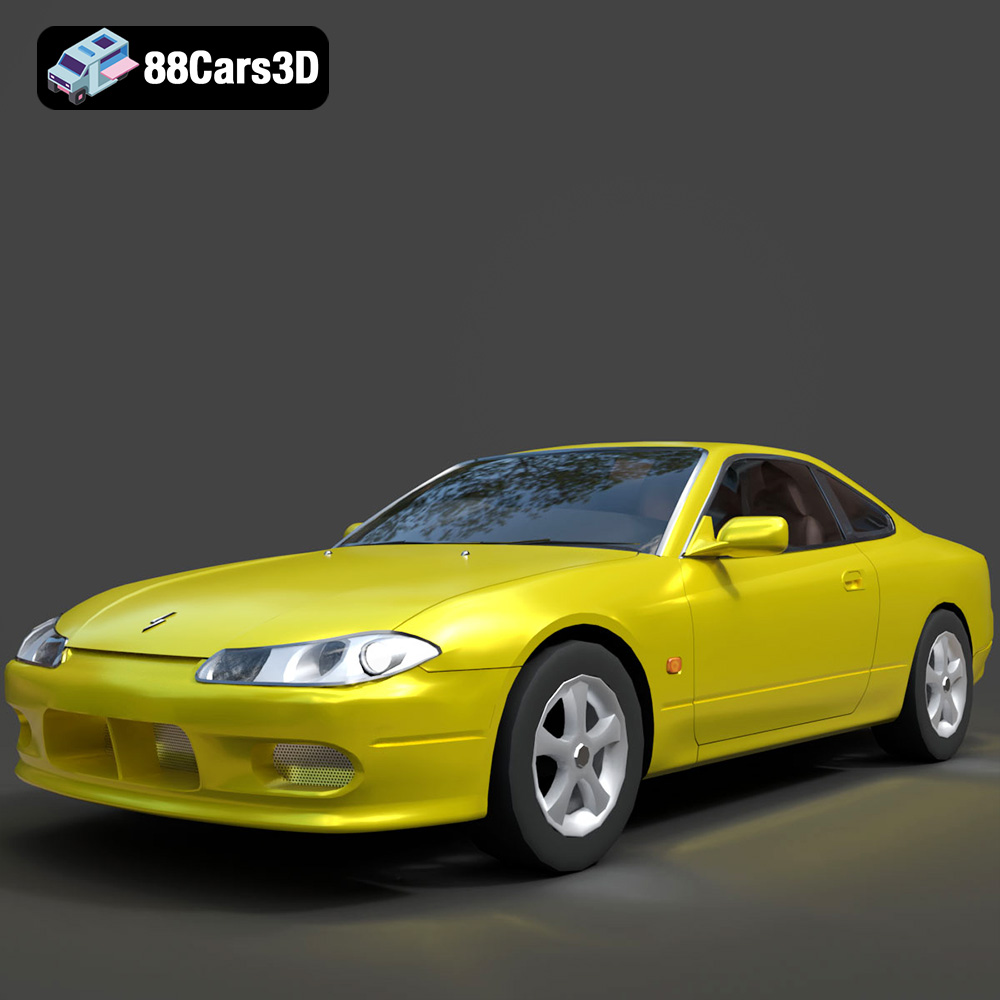
Texture: Yes
Material: Yes
Download the Nissan Silvia 3D Model featuring clean geometry, realistic detailing, and a fully modeled interior. Includes .blend, .fbx, .obj, .glb, .stl, .ply, .unreal, and .max formats for rendering, simulation, and game development.
Price: $4.99
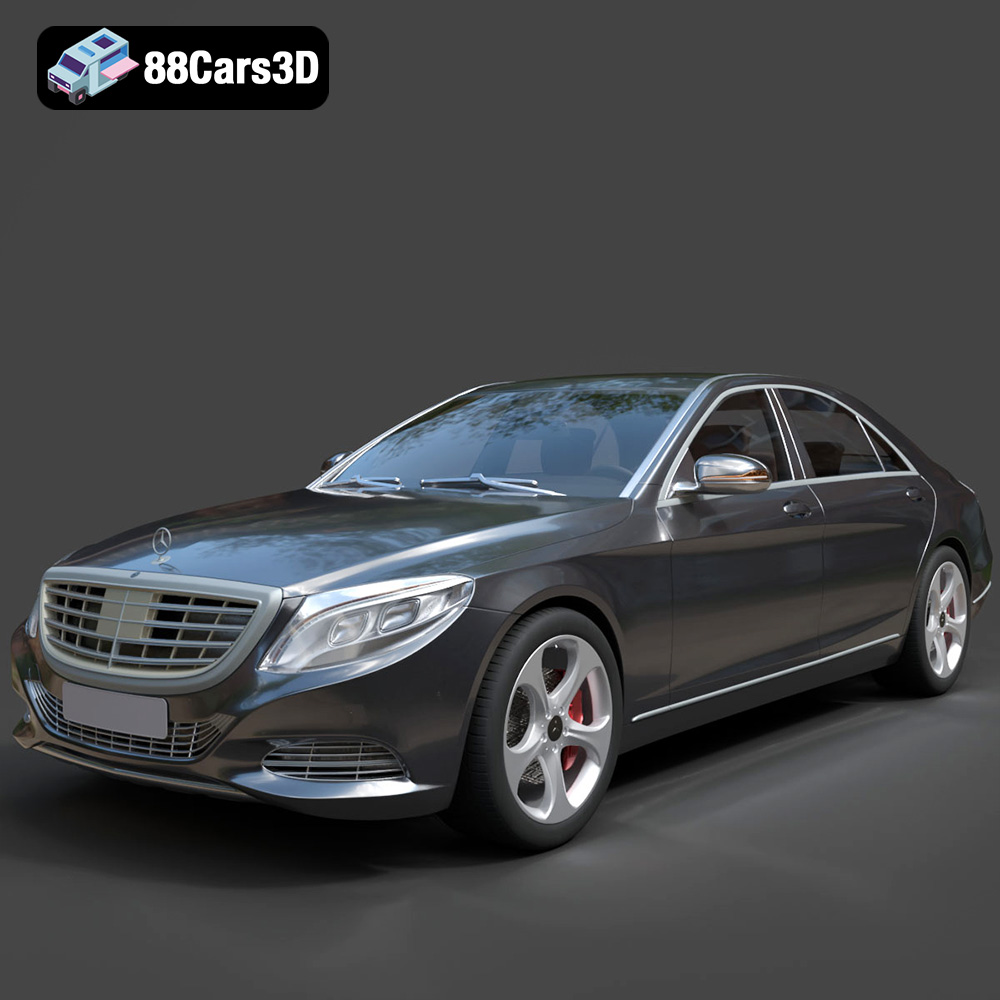
Texture: Yes
Material: Yes
Download the Mercedes-Benz S-Class 2014 3D Model featuring clean geometry, realistic detailing, and a fully modeled interior. Includes .blend, .fbx, .obj, .glb, .stl, .ply, .unreal, and .max formats for rendering, simulation, and game development.
Price: $6.99
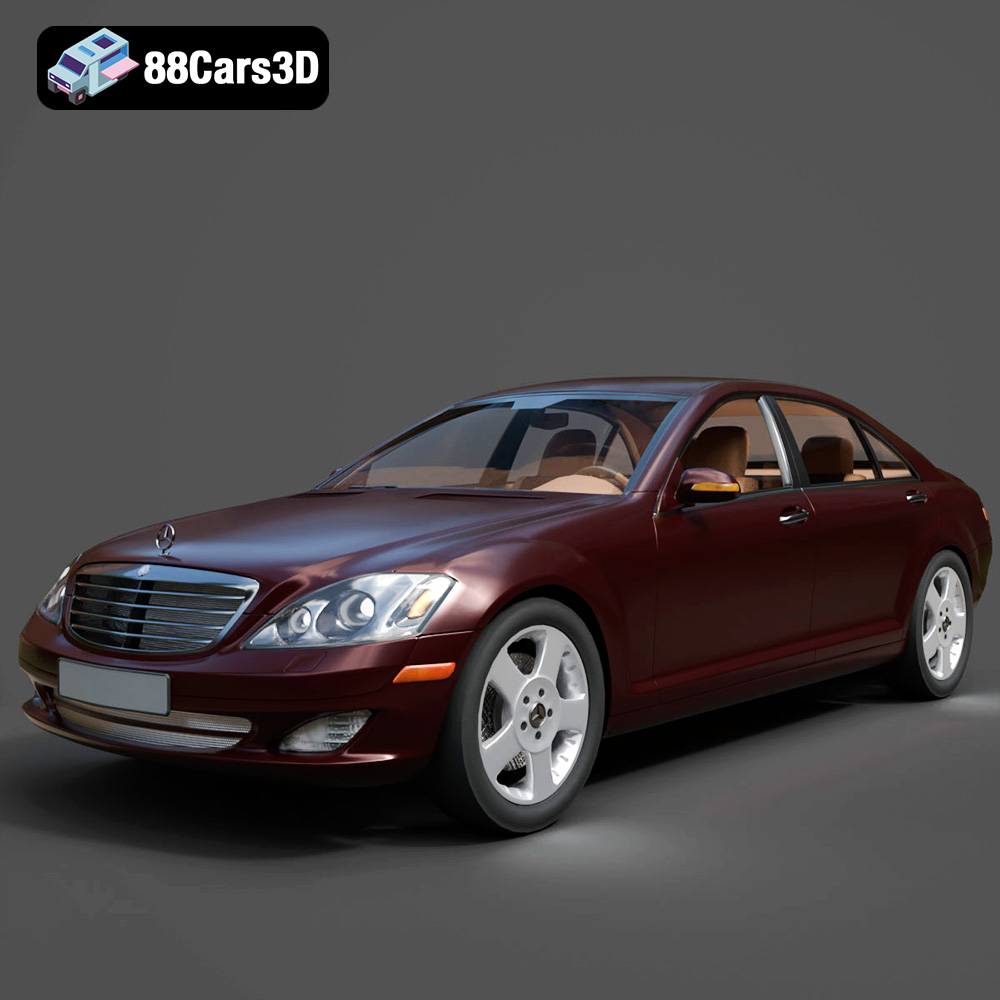
Texture: Yes
Material: Yes
Download the Mercedes-Benz S-Klasse W221 2008 3D Model featuring clean geometry, realistic detailing, and a fully modeled interior. Includes .blend, .fbx, .obj, .glb, .stl, .ply, .unreal, and .max formats for rendering, simulation, and game development.
Price: $4.99
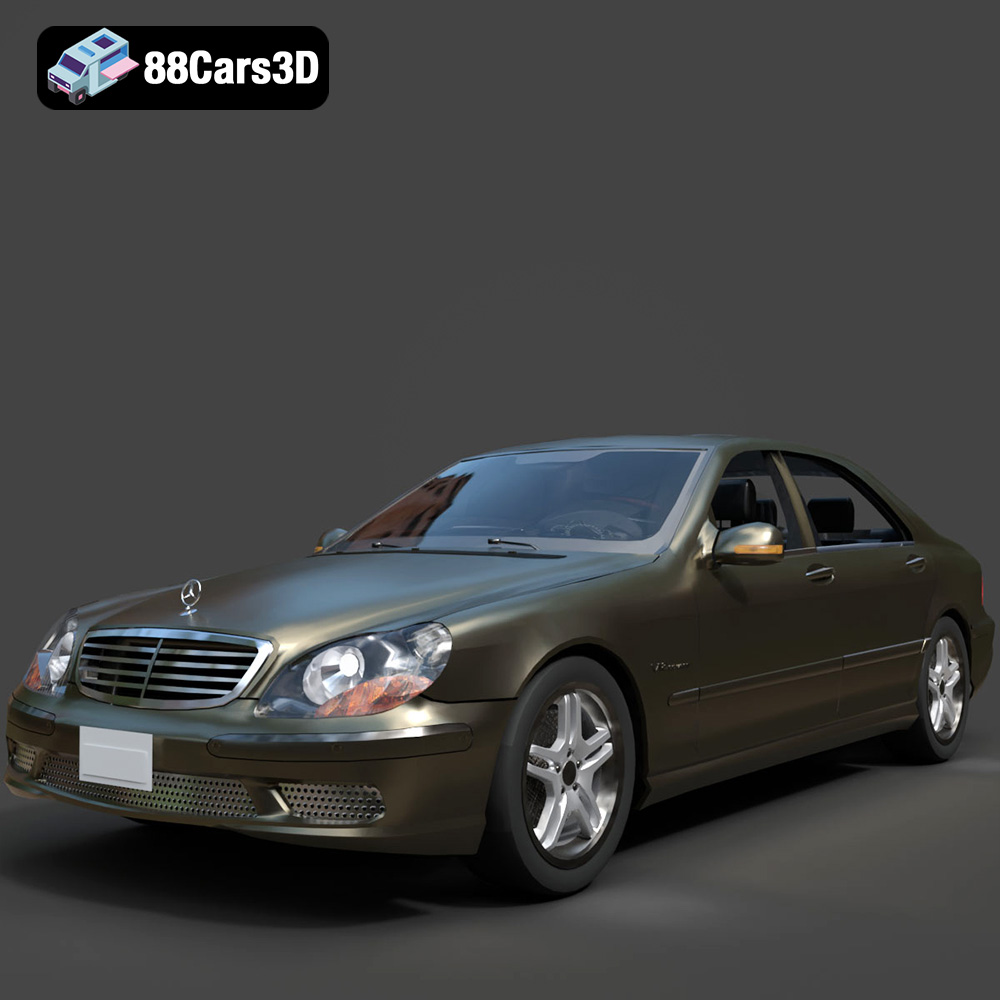
Texture: Yes
Material: Yes
Download the Mercedes-Benz S-Klasse W220 3D Model featuring clean geometry, realistic detailing, and a fully modeled interior. Includes .blend, .fbx, .obj, .glb, .stl, .ply, .unreal, and .max formats for rendering, simulation, and game development.
Price: $4.99

