⚡ FLASH SALE: Get 60% OFF All Premium 3D & STL Models! ⚡

The sleek lines, intricate details, and powerful presence of a car have captivated humanity for over a century. In the digital realm, capturing this essence in a 3D model is a fusion of art and engineering. For 3D artists, game developers, automotive designers, and visualization specialists, high-quality 3D car models are the cornerstone of breathtaking renders, immersive game experiences, and cutting-edge interactive applications. But what goes into making a truly exceptional 3D automotive asset? It’s a journey through meticulous topology, precise UV mapping, sophisticated PBR material creation, and intelligent optimization.
This comprehensive guide dives deep into the technical intricacies of crafting, rendering, and optimizing 3D car models. We’ll explore the foundational principles that ensure visual fidelity and performance, from the delicate dance of edge flow to the strategic deployment of LODs for real-time applications. Whether you’re aiming for photorealistic automotive rendering in a cinematic production, creating robust game assets for the latest racing title, or preparing models for interactive AR/VR visualization, understanding these workflows is paramount. Prepare to unlock the secrets to elevating your 3D automotive projects, ensuring your models not only look stunning but also perform flawlessly across diverse platforms and applications.
The backbone of any exceptional 3D car model is its topology. Clean, efficient, and purposeful geometry is not merely an aesthetic choice; it dictates how your model deforms, subdivides, and ultimately renders. For the complex, smooth, and often reflective surfaces of an automobile, superior topology is non-negotiable. It ensures that reflections glide seamlessly across panels, panel gaps remain sharp and consistent, and the model maintains its integrity even under heavy subdivision. A poorly constructed mesh can lead to artifacts, pinching, and an overall amateurish appearance, regardless of the materials or lighting applied.
The primary goal is to achieve smooth, curvature-accurate surfaces with minimal polygon count while preserving detail. This balance is crucial for both high-end visualization and real-time applications. Understanding how polygons behave under subdivision is key to predicting the final form and ensuring the model holds up at close inspection. This section will delve into the critical aspects of creating robust geometric foundations for your automotive creations.
In the world of 3D modeling, quads (four-sided polygons) are overwhelmingly preferred for organic and curved surfaces, and this holds especially true for automotive design. Quads distribute deformation and subdivision more evenly than triangles, resulting in smoother interpolations and predictable behavior when applying modifiers like TurboSmooth (3ds Max) or Subdivision Surface (Blender, Maya). Triangles and N-gons (polygons with more than four sides) should generally be avoided on surfaces that will be smoothed, as they can lead to undesirable pinching, creasing, and triangulation artifacts.
The workflow typically involves modeling a lower-resolution base mesh composed entirely of quads, meticulously guiding the flow of edges to define the primary contours and forms of the vehicle. This “cage” model is then subjected to a subdivision surface modifier, which mathematically smooths the mesh by adding polygons. Professional models often use 2-3 levels of subdivision for final renders, resulting in millions of polygons, but the underlying base mesh remains lightweight and editable. Uniform quad density across the mesh is vital for consistent smoothing, preventing areas from becoming overly dense or stretched. Proper pole management, where multiple edge loops converge, ensures that these areas do not create unsightly bumps or depressions.
Automotive design is characterized by crisp lines, defined creases, and precise panel gaps. Replicating these details accurately requires strategic edge flow. For sharp edges and creases—such as those found on body lines, window frames, or bumper edges—support loops (also known as control loops or holding edges) are indispensable. These are additional edge loops placed very close to the feature edge, effectively “pinching” the surface when subdivision is applied, preventing it from becoming too soft. Typically, two to three support loops are sufficient to define a hard edge, with the distance between them controlling the sharpness.
Panel gaps, which define the separation between different body panels (doors, hood, trunk), are another critical aspect. These are not merely textures but actual geometric separations. They are modeled by extruding edges inwards or by creating separate mesh parts with a slight offset. The consistent width and depth of these gaps are crucial for realism. Again, precise edge loops bordering these gaps will ensure they remain sharp and uniform after subdivision. High-quality 3D car models found on platforms like 88cars3d.com often demonstrate these best practices, featuring meticulously crafted topology that allows for stunning close-up renders without compromising geometric integrity. A typical hero car model for rendering can easily reach 200,000 to 500,000 polygons (unsubdivided), with subdivision pushing it into the millions, depending on the level of detail required.
Once the geometric foundation is solid, the next crucial step is to prepare the model for texturing through UV mapping. UV mapping is the process of flattening the 3D surface of a model into a 2D space, allowing 2D textures (like color, normal, or metallic maps) to be accurately applied without stretching or distortion. For the often-complex, curved, and interconnected surfaces of a car, efficient and clean UV unwrapping is paramount. It’s not just about applying a paint color; it’s about precisely mapping intricate decals, replicating the subtle weave of carbon fiber, or ensuring that tire treads repeat perfectly.
Poor UVs can lead to stretched textures, visible seams, and an inability to apply details accurately, ruining the visual fidelity of even the most perfectly modeled car. This section will guide you through the best practices for unwrapping, organizing, and utilizing UVs for realistic material creation, particularly for PBR (Physically Based Rendering) workflows that are standard in modern visualization.
The primary goal of UV unwrapping is to minimize distortion and hide seams in less conspicuous areas. For a car model, strategic seam placement is key. Common locations for seams include along natural panel lines, hidden edges (e.g., the underside of a bumper, along the interior edges of a door), or where material changes occur. Using dedicated UV unwrapping tools in software like 3ds Max (Unwrap UVW modifier), Blender (UV Editor), or Maya (UV Toolkit) allows for precise control over the unwrapping process, utilizing projection methods such as planar, cylindrical, spherical, or pelt mapping, followed by meticulous manual adjustments.
Maintaining consistent texel density across all UV shells is critical. Texel density refers to the number of texture pixels per unit of 3D space. If different parts of your model have vastly different texel densities, some areas will appear pixelated while others look overly sharp. Tools within most 3D software can help visualize and standardize texel density. For complex objects like tires, separate UV shells are often created for the sidewall and the tread, allowing for efficient use of texture space, potentially using overlapping UVs for repeating tread patterns and unique UVs for custom sidewall branding. For the main body, a large, dedicated UV space often ensures high-resolution detail.
PBR materials are the cornerstone of modern photorealistic rendering. They simulate how light interacts with surfaces based on physical properties, resulting in far more realistic and consistent results across various lighting conditions compared to older, more artist-driven methods. The two main PBR workflows are Metallic/Roughness and Specular/Glossiness. Metallic/Roughness is more prevalent in game engines and real-time applications (Unity, Unreal Engine), while Specular/Glossiness is often favored in offline renderers (V-Ray, Corona, Arnold).
Key PBR texture maps include:
For realistic car paint, a complex shader network is often required. It typically involves a base metallic layer (the colored flakes), topped with a clear coat layer that provides the glossy, reflective finish. This clear coat needs its own set of PBR parameters (e.g., low roughness, high reflectivity). Additional maps might include subtle normal maps for microscopic scratches or dirt. Tire materials require distinct roughness and normal maps to convey rubber texture and tread patterns. Glass and chrome demand very specific refractive and reflective properties. Leveraging high-quality PBR materials and pre-calibrated textures, as found in premium collections like those on 88cars3d.com, can significantly accelerate your workflow and enhance realism.
The culmination of meticulous modeling and texturing is the render – the final image or animation that brings your 3D car model to life. Achieving photorealistic automotive rendering is an art form in itself, requiring a deep understanding of lighting, camera principles, and post-processing techniques. Modern renderers like Corona Renderer, V-Ray, Cycles (Blender), and Arnold (Maya, 3ds Max) leverage physically accurate algorithms to simulate light transport, making it easier to produce stunning results, but they still require a skilled hand to guide them.
The goal is to create images that are indistinguishable from photographs, capturing the essence and allure of a real-world vehicle. This involves not just making things look “real” but also creating a visually compelling narrative through composition, mood, and atmosphere. This section explores the critical steps from setting up your scene to the final polish of a rendered image.
Lighting is arguably the most crucial element for photorealistic renders, especially for highly reflective objects like cars. It defines the mood, reveals the form, and dictates how materials are perceived.
Understanding light principles—how light bounces, reflects, and refracts—is fundamental. Pay attention to how highlights define the car’s curves and how shadows ground it in the scene. Subtle lighting variations can dramatically alter the perceived surface quality.
Just as in photography, the camera plays a pivotal role in 3D rendering. Understanding photographic principles will significantly enhance your renders:
Post-processing is where renders are refined and given their final polish. Modern renderers allow you to output various render elements or passes (e.g., diffuse, reflection, refraction, Z-depth, normal, ambient occlusion, object IDs). These passes can be composited in software like Adobe Photoshop, Blackmagic Fusion, or Adobe After Effects to gain granular control over every aspect of the image without re-rendering. This non-destructive workflow allows for adjustments such as color grading, adding lens effects (bloom, flare), vignetting, chromatic aberration, or even subtle dust and scratches to enhance realism. Compositing multiple passes also offers flexibility in adjusting reflections, shadows, and overall exposure. A well-executed render, combined with thoughtful post-processing, transforms a mere 3D model into a captivating piece of automotive art.
While offline rendering prioritizes ultimate visual fidelity, real-time applications like video games and interactive AR/VR experiences demand a delicate balance between visual quality and performance. Every polygon, every texture, and every shader operation contributes to the overall computational load. Therefore, optimizing 3D car models for these environments is a specialized skill that focuses on efficiency without sacrificing too much visual impact. The challenge lies in creating assets that look good from various distances and angles while maintaining high frame rates across a range of hardware configurations.
This optimization process involves strategic mesh reduction, intelligent texture management, and careful consideration of how the assets interact within the game engine. Ignoring these steps can lead to stuttering frame rates, slow loading times, and a poor user experience, regardless of how detailed your original model might be.
One of the most critical optimization techniques for complex assets like cars is the use of Level of Detail (LODs).
These techniques are fundamental for ensuring smooth performance in environments populated with numerous vehicles.
Textures are often a major contributor to memory usage and loading times in real-time applications. Efficient management is essential:
For AR/VR optimization specifically, even stricter limitations often apply. Polygons should be kept lower than typical games, and transparent materials (which cause overdraw) should be used sparingly. Every element must be meticulously optimized to maintain the high frame rates necessary to prevent motion sickness and ensure a comfortable, immersive experience. The models available on marketplaces like 88cars3d.com often come pre-optimized or with readily adaptable assets suitable for these demanding real-time environments, saving developers countless hours of manual optimization work.
The utility of 3D car models extends far beyond screens. From tangible prototypes for automotive designers to collectibles and miniature replicas, 3D printing has opened up new avenues for digital assets. However, preparing a model for physical fabrication presents a unique set of technical challenges distinct from those of rendering or real-time optimization. Furthermore, the digital landscape is filled with a multitude of file formats, each with its strengths, weaknesses, and specific applications. Understanding these formats and ensuring compatibility is crucial for seamless workflows across different software and platforms.
Navigating these technical considerations ensures that your meticulously crafted 3D car model can be utilized in the widest possible range of applications, from digital display to physical realization, maintaining its integrity and detail throughout the process.
Unlike digital renders, 3D printing requires models to be “watertight” or “manifold.” This means the mesh must represent a completely closed volume, with no holes, inverted normals, self-intersecting geometry, or isolated vertices/edges. Any of these issues will prevent a 3D printer from correctly interpreting the model and fabricating it.
Common export formats for 3D printing include STL (Stereolithography), which is a widely accepted standard, and OBJ, which can also carry color and texture information for full-color printing technologies.
The 3D industry utilizes a variety of file formats, each serving different purposes and offering varying levels of compatibility.
When working with multiple software or delivering assets for different platforms, understanding the nuances of export settings is crucial. This includes embedding media, correctly setting axis orientations (Y-up vs. Z-up), and ensuring scale consistency. Cleanly organized and properly converted file formats, such as those provided by reputable marketplaces like 88cars3d.com, greatly streamline the workflow, minimizing compatibility headaches and ensuring that your 3D car models are ready for any application.
The techniques and principles discussed throughout this guide are not just theoretical exercises; they are the bedrock of professional 3D automotive work across various industries. From the earliest conceptual sketches to the final marketing campaigns, 3D car models play an indispensable role in visualizing, simulating, and interacting with vehicles long before they ever leave the factory floor. Understanding how these technical skills translate into practical, real-world applications is key to becoming a valuable asset in the competitive digital landscape.
Professionals in automotive design, game development, and architectural visualization rely on these workflows daily to deliver high-quality results under tight deadlines. This section highlights how these advanced 3D techniques are deployed to solve specific industry challenges and create compelling experiences.
In the automotive industry, 3D visualization is integral to every stage of product development.
The ability to produce accurate, high-fidelity visualizations quickly and efficiently is paramount for automotive design studios and marketing agencies.
The gaming industry constantly pushes the boundaries of real-time graphics, with 3D car models being central to many genres, from racing simulators to open-world adventures.
The workflow for game artists involves a constant dialogue between visual fidelity and technical constraints, using tools like Unity and Unreal Engine to integrate and optimize assets. The meticulous work of creating clean topology, detailed UVs, and optimized PBR textures directly contributes to both the visual appeal and the playability of the final product. Sourcing high-quality 3D car models that are already optimized for various real-time engines, such as those available on 88cars3d.com, can provide a significant head start for game studios and interactive experience developers, ensuring robust, production-ready assets right out of the box.
The journey of creating, rendering, and optimizing a high-quality 3D car model is a complex yet immensely rewarding endeavor. It demands a blend of artistic vision and technical mastery, from the foundational principles of clean topology and strategic UV mapping to the advanced techniques of PBR material creation, photorealistic rendering, and real-time optimization. We’ve explored how flawless geometry underpins smooth surfaces, how intelligent UVs ensure accurate texture projection, and how PBR materials unlock unparalleled realism in any lighting condition. We’ve also delved into the critical aspects of achieving stunning renders through precise lighting and camera work, and the essential strategies for optimizing models for demanding real-time environments like game engines and AR/VR applications.
Furthermore, understanding diverse file formats and the unique requirements for applications like 3D printing broadens the utility and reach of your digital automotive creations. By embracing industry best practices and leveraging advanced software features, artists and developers can transform raw digital polygons into captivating virtual vehicles that inspire, inform, and immerse audiences.
The pursuit of excellence in 3D automotive modeling is an ongoing learning process, constantly evolving with new technologies and techniques. Armed with the comprehensive knowledge shared in this guide, you are now better equipped to tackle ambitious projects, overcome common challenges, and elevate your 3D automotive work to professional standards. We encourage you to apply these technical insights, experiment with different workflows, and continue honing your craft. For your next project, whether it’s for a high-end visualization or a performance-critical game, consider exploring marketplaces like 88cars3d.com, where you can find meticulously crafted 3D car models that serve as excellent foundations or complete solutions, embodying the very principles of quality and optimization discussed here. The road to exceptional 3D automotive art is challenging, but ultimately, incredibly rewarding.

Texture: Yes
Material: Yes
Download the Mitsubishi Galant 2009 3D Model featuring clean geometry, realistic detailing, and a fully modeled interior. Includes .blend, .fbx, .obj, .glb, .stl, .ply, .unreal, and .max formats for rendering, simulation, and game development.
Price: $4.99

Texture: Yes
Material: Yes
Download the Nissan Primera Wagon 3D Model featuring clean geometry, realistic detailing, and a fully modeled interior. Includes .blend, .fbx, .obj, .glb, .stl, .ply, .unreal, and .max formats for rendering, simulation, and game development.
Price: $4.99

Texture: Yes
Material: Yes
Download the Mercedes-Benz S63 AMG Cabriolet 2017 3D Model featuring clean geometry, realistic detailing, and a fully modeled interior. Includes .blend, .fbx, .obj, .glb, .stl, .ply, .unreal, and .max formats for rendering, simulation, and game development.
Price: $20.99

Texture: Yes
Material: Yes
Download the Nissan Skyline R34 2002 3D Model featuring clean geometry, realistic detailing, and a fully modeled interior. Includes .blend, .fbx, .obj, .glb, .stl, .ply, .unreal, and .max formats for rendering, simulation, and game development.
Price: $4.99

Texture: Yes
Material: Yes
Download the Nissan Skyline 3D Model featuring clean geometry, realistic detailing, and a fully modeled interior. Includes .blend, .fbx, .obj, .glb, .stl, .ply, .unreal, and .max formats for rendering, simulation, and game development.
Price: $9.99

Texture: Yes
Material: Yes
Download the Mercedes-Benz S-Klasse W116 3D Model featuring clean geometry, realistic detailing, and a fully modeled interior. Includes .blend, .fbx, .obj, .glb, .stl, .ply, .unreal, and .max formats for rendering, simulation, and game development.
Price: $4.99
Texture: Yes
Material: Yes
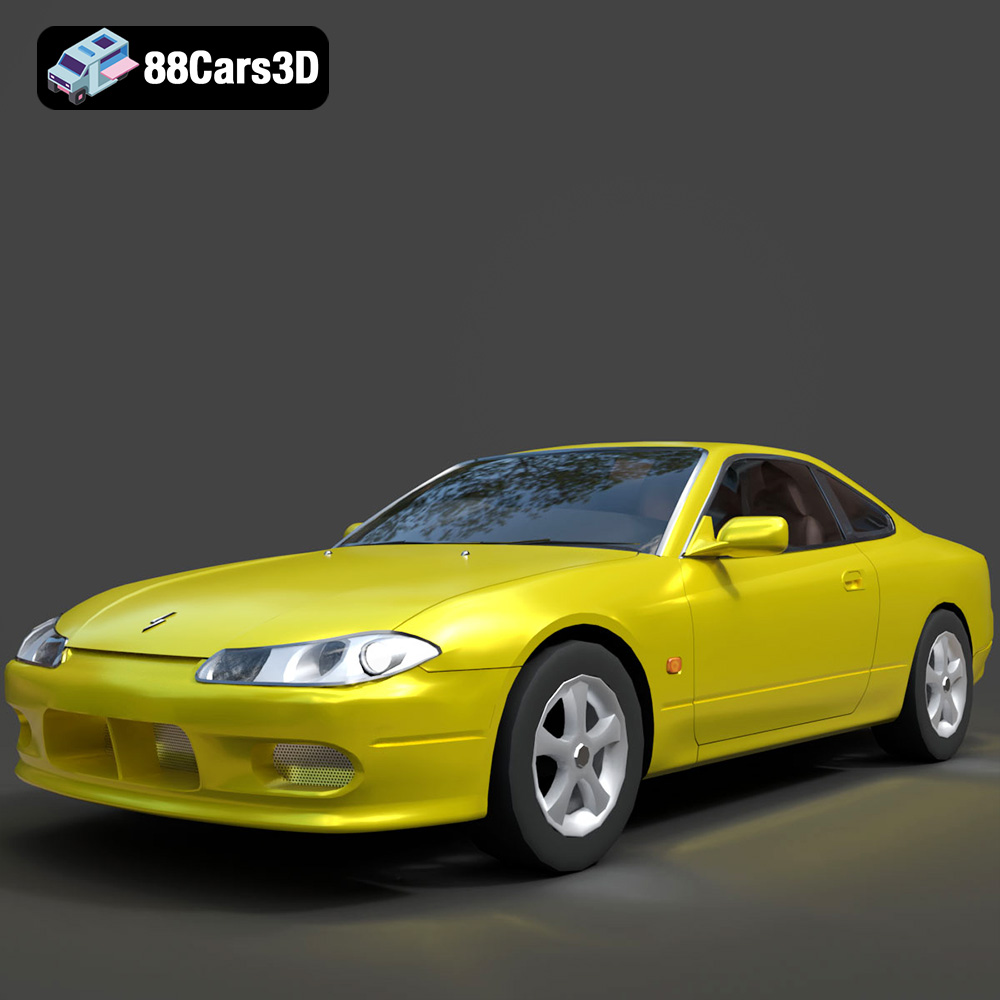
Download the Nissan Silvia 3D Model featuring clean geometry, realistic detailing, and a fully modeled interior. Includes .blend, .fbx, .obj, .glb, .stl, .ply, .unreal, and .max formats for rendering, simulation, and game development.
Price: $4.99
Texture: Yes
Material: Yes
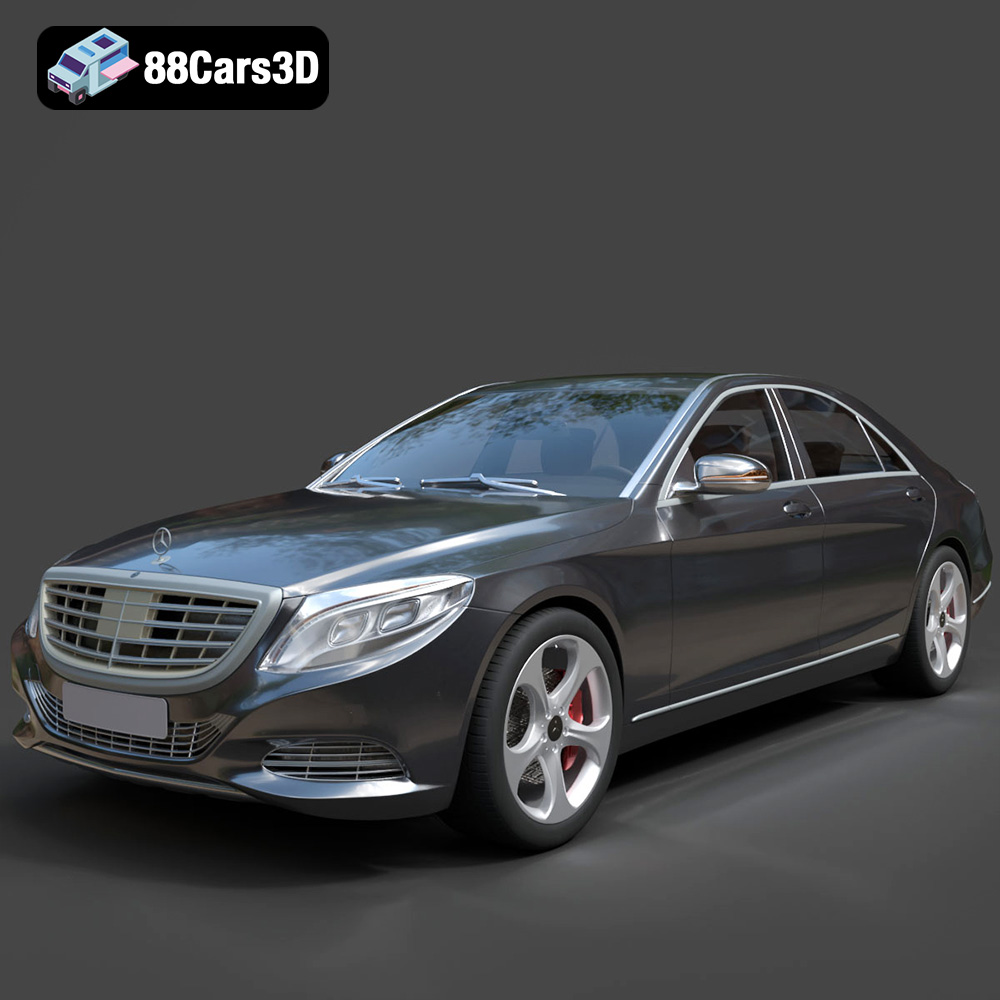
Download the Mercedes-Benz S-Class 2014 3D Model featuring clean geometry, realistic detailing, and a fully modeled interior. Includes .blend, .fbx, .obj, .glb, .stl, .ply, .unreal, and .max formats for rendering, simulation, and game development.
Price: $6.99
Texture: Yes
Material: Yes
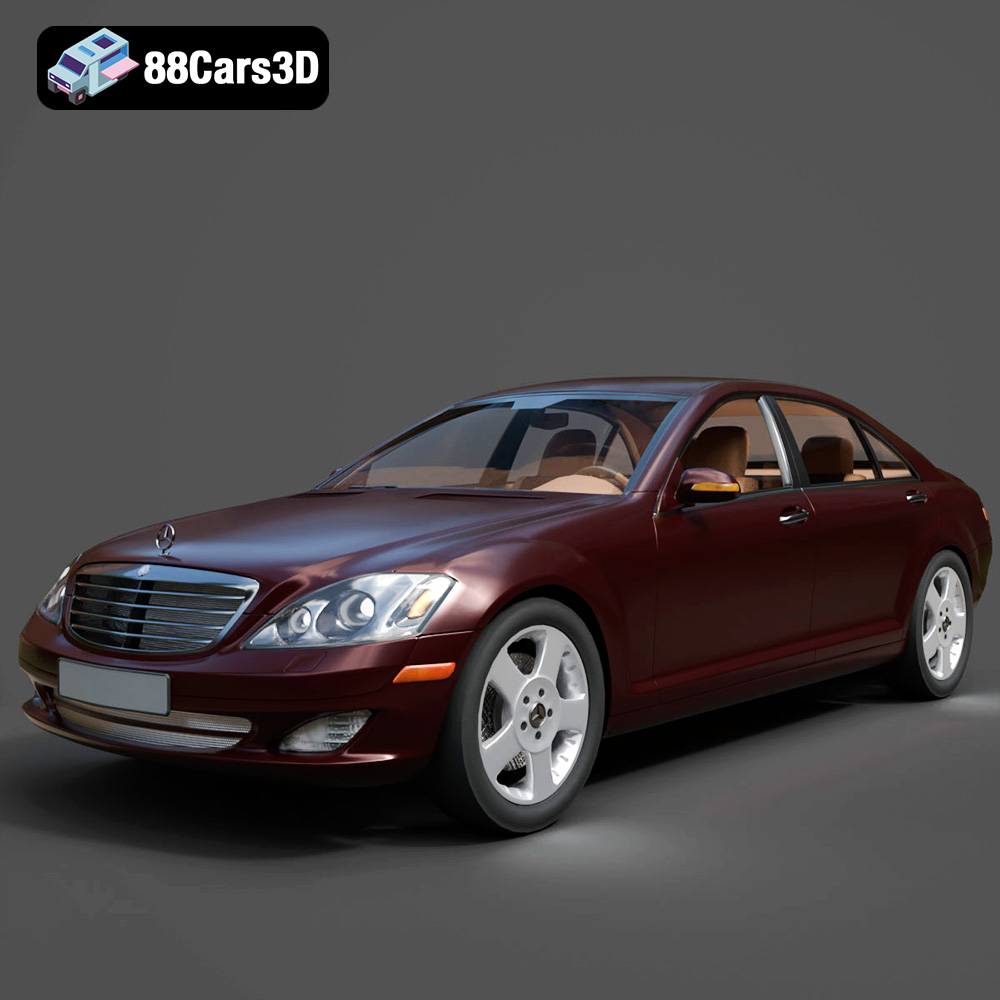
Download the Mercedes-Benz S-Klasse W221 2008 3D Model featuring clean geometry, realistic detailing, and a fully modeled interior. Includes .blend, .fbx, .obj, .glb, .stl, .ply, .unreal, and .max formats for rendering, simulation, and game development.
Price: $4.99
Texture: Yes
Material: Yes
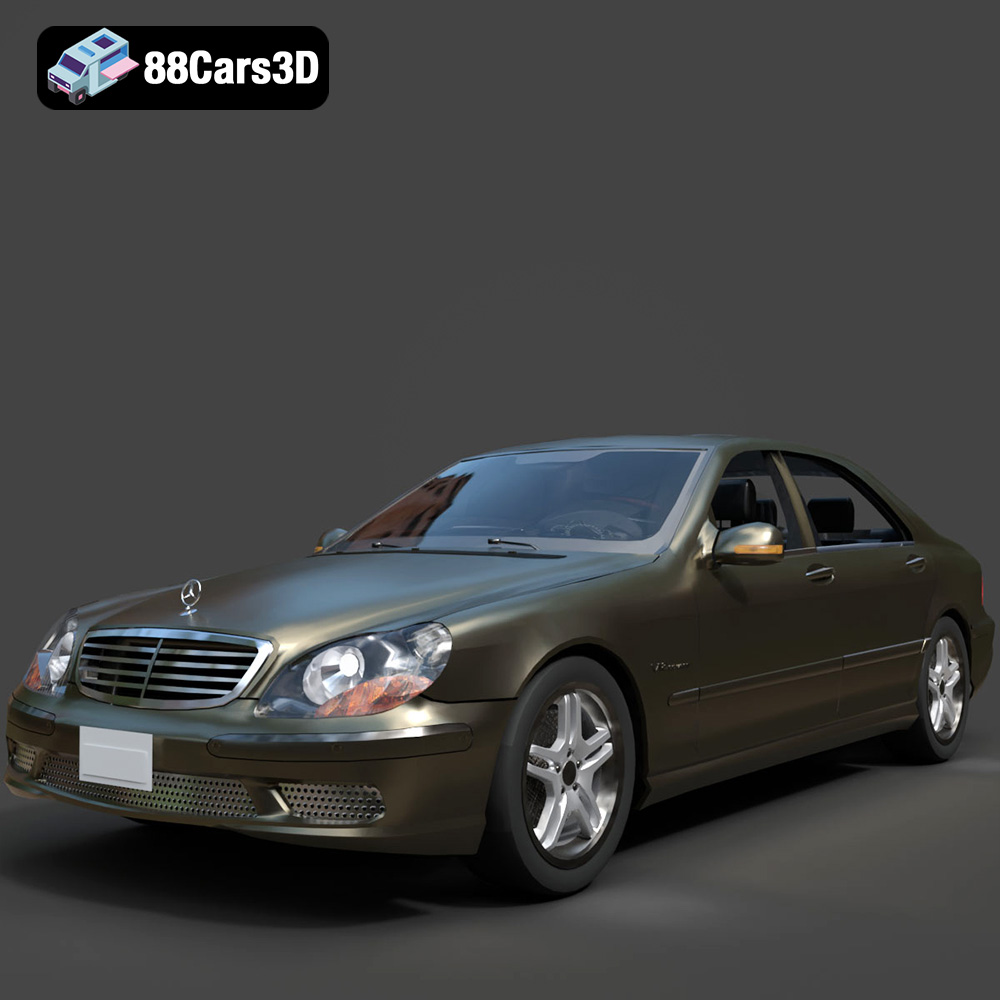
Download the Mercedes-Benz S-Klasse W220 3D Model featuring clean geometry, realistic detailing, and a fully modeled interior. Includes .blend, .fbx, .obj, .glb, .stl, .ply, .unreal, and .max formats for rendering, simulation, and game development.
Price: $4.99

