
The Foundation: Mastering Automotive 3D Modeling Topology

The allure of the automobile transcends mere transportation; it embodies design, engineering, and cultural significance. For 3D artists, game developers, and visualization professionals, recreating these marvels in the digital realm presents a unique blend of technical challenge and artistic reward. Crafting hyper-realistic 3D car models demands a deep understanding of intricate workflows, from pristine topology and realistic materials to nuanced lighting and efficient optimization. It’s a journey that transforms polygons into a compelling digital presence, ready for breathtaking automotive rendering, immersive game assets, interactive AR/VR experiences, or precise 3D printing.
This comprehensive guide dives deep into the technical intricacies of creating and utilizing high-quality 3D car models. We’ll explore everything from the foundational principles of clean mesh construction and sophisticated UV mapping, through the creation of authentic PBR materials, to advanced rendering techniques and critical optimization strategies for various applications. Whether you’re aiming to produce a stunning photo-realistic visualization or integrate a performant vehicle into a real-time game engine, mastering these techniques is paramount. Prepare to unlock the secrets behind truly exceptional digital automobiles and elevate your projects to professional standards.
The Foundation: Mastering Automotive 3D Modeling Topology
At the heart of any high-quality 3D car model lies impeccable topology. This refers to the arrangement of polygons (faces, edges, and vertices) that form the mesh, dictating how the model deforms, subdivides, and receives textures. For automotive models, achieving smooth, flowing surfaces with crisp hard edges is paramount, and this is where clean, quad-based topology with precise edge flow becomes critical. Poor topology can lead to artifacts, pinching, and an overall unrealistic appearance, no matter how good your textures or lighting are.
Clean Topology and Edge Flow for Smooth Surfaces
The gold standard for subdivision surface modeling, especially for organic and smooth forms like a car body, is to use primarily
quadrilateral polygons (quads). Quads provide predictable deformation when subdividing and simplify the creation of smooth, flowing surfaces. Edge loops, which are continuous rings of edges, are essential for defining the contours and creases of a car. For instance, an edge loop running along the top of a fender or around a wheel arch will allow you to precisely control the sharpness or softness of that specific detail. Avoiding N-gons (polygons with more than four sides) and isolated triangles in critical areas is crucial, as they can cause rendering artifacts and unpredictable subdivision results. While triangles are unavoidable in some highly optimized meshes for real-time applications, they should be strategically placed where they won’t cause issues.
Software like 3ds Max offers tools like “Swift Loop” or “Graphite Modeling Tools,” while Blender provides “LoopTools” and robust manual edge manipulation to achieve desired edge flow. When modeling, focus on creating natural contours that mimic the real car’s design, ensuring that edge loops follow the direction of curvature. For a high-resolution render model, polygon counts can range from 150,000 to 500,000 triangles or more, while a game-ready asset might target 10,000 to 50,000 triangles, depending on the LOD (Level of Detail) and platform. Maintaining a balance between sufficient detail and manageable polygon count is a constant challenge that good topology addresses.
Sub-D Modeling vs. CAD Data Conversion
There are two primary approaches to creating a detailed automotive mesh: Subdivision Surface (Sub-D) modeling and converting CAD (Computer-Aided Design) data. Sub-D modeling, often performed in software like Maya, Blender, or 3ds Max, involves starting with a low-polygon cage and using subdivision modifiers to generate smooth, high-resolution surfaces. This method offers artists immense control over topology, allowing for precise edge flow and the ability to sculpt details interactively. It’s particularly favored for its flexibility and the clean, render-ready meshes it produces.
Conversely, many professional automotive projects start with engineering-grade CAD data, typically in NURBS (Non-Uniform Rational B-Spline) format from software like CATIA, SolidWorks, or Rhino. This data offers unparalleled accuracy and precision, directly reflecting the vehicle’s design specifications. The challenge lies in converting these NURBS surfaces into a clean, quad-based polygonal mesh suitable for rendering or game engines. This conversion often requires specialized tools and significant cleanup, including retopology, to optimize mesh density, remove overlapping geometry, and establish proper edge flow for subdivision. While CAD conversion ensures dimensional accuracy, the polygonal cleanup process is where the artist’s skill in managing topology becomes invaluable, ensuring the high fidelity of the original design is preserved in a render-friendly format.
Bringing Surfaces to Life: UV Mapping and Texturing Strategies
Once your 3D car model boasts impeccable topology, the next critical step is to give its surfaces character and realism through effective UV mapping and compelling PBR materials. UV mapping is the process of flattening the 3D surface of your model into a 2D space, allowing you to apply textures. Without proper UVs, textures will appear stretched, distorted, or incorrectly mapped, completely undermining the realism of your model. For complex objects like cars, meticulous UV unwrapping is non-negotiable.
Strategic UV Unwrapping for Complex Car Panels
The goal of UV unwrapping is to create logical, non-overlapping UV islands with uniform texel density across the entire model. Texel density refers to the number of texture pixels per unit of surface area; maintaining a consistent density ensures that details appear sharp and uniform, without some areas looking blurry while others are crisp. For a car, it’s common to break down the model into several UV islands: individual body panels (hood, doors, fenders), windows, wheels, tires, interior components, and smaller details like headlights and grilles. Strategically placed seams, often along natural creases or hidden edges, help minimize stretching and distortion.
Software like Blender’s UV Editor, Maya’s UV Toolkit, or 3ds Max’s Unwrap UVW modifier provides a suite of tools for this. Techniques include planar mapping for flat surfaces, cylindrical or spherical mapping for wheels, and Pelt/LSCM unwrapping for more complex, organic panels. After unwrapping, it’s good practice to straighten UV shells to maximize texture space and align them for mirrored parts to leverage symmetry and optimize texture resolution. A typical professional car model might use a 4K (4096×4096) or 8K texture set for the main body, with smaller resolutions for less prominent elements, ensuring every detail holds up under close inspection. This careful process ensures that your textures will look their best, contributing significantly to the model’s overall realism.
PBR Material Creation and Shader Networks
Physically Based Rendering (PBR) has become the industry standard for creating realistic materials, as it accurately simulates how light interacts with surfaces based on real-world physics. There are two main PBR workflows: Metallic/Roughness and Specular/Glossiness, with Metallic/Roughness being more prevalent in modern game engines and renderers. Essential PBR maps include Albedo/Base Color (the color of the surface without lighting information), Metallic (defines metallic vs. dielectric surfaces), Roughness (controls specularity and diffusion), Normal (adds surface detail without increasing polygon count), and Ambient Occlusion (simulates contact shadows).
Creating realistic car paint is a sophisticated process involving multiple layers within a shader network. This often includes a base color layer, a metallic flake layer (controlled by a noise or procedural map), and a clear coat layer that simulates the reflective, often slightly translucent, protective finish. For interior materials, you’ll craft separate PBR sets for leather (with subtle normal maps for grain), fabrics (with appropriate diffuse and roughness variations), plastics, and carbon fiber (often requiring complex normal maps and anisotropic reflections). Tools like Substance Painter and Quixel Mixer are invaluable for generating these PBR texture sets with incredible detail and consistency. Within your 3D software’s material editor (e.g., Blender’s Cycles/Eevee nodes, 3ds Max’s Corona/V-Ray materials, Maya’s Arnold shaders), you connect these maps to build a robust shader network that accurately represents each surface property. This meticulous attention to material definition is what truly brings the model to life, ensuring it reacts believably to any lighting scenario.
Illuminating the Scene: Automotive Rendering Workflows
With a meticulously modeled and textured 3D car, the next crucial step is to illuminate it to achieve a compelling and realistic final image or animation. Automotive rendering is an art form in itself, requiring a keen eye for lighting, reflection, and environmental detail. The goal is to highlight the car’s design, emphasize its contours, and convey its presence within a believable virtual space. Different rendering engines offer unique strengths, but the core principles of lighting and scene setup remain universal.
Setting Up Realistic Car Studio Lighting
For high-quality automotive renders, the lighting setup is paramount. High Dynamic Range Images (HDRIs) are often the starting point, providing a complete 360-degree environment that bathes the car in realistic ambient light and, more importantly, provides accurate reflections on its metallic and glossy surfaces. A studio HDRI can simulate a professional photoshoot environment, while an outdoor HDRI can place the car believably within a street or natural setting. Beyond HDRIs, supplementary lights are used to sculpt the form and add highlights. A common setup is the “three-point lighting” system (key, fill, and rim lights), adapted with large, soft light sources like virtual softboxes and strip lights to create elegant, elongated reflections that emphasize the car’s curves and panels. Rim lights are particularly effective at defining the silhouette and adding separation from the background.
Achieving realistic reflections requires careful placement of these lights to catch the car’s surfaces in flattering ways. Experimenting with different light temperatures and intensities helps evoke specific moods—from a cool, technical showroom feel to a warm, inviting evening glow. Software such as Corona Renderer, V-Ray, Cycles (Blender), and Arnold (Maya/3ds Max) provide sophisticated physically-based lighting tools that allow for granular control over every aspect of your illumination, enabling artists to create stunning visual narratives around the vehicle. By meticulously crafting the light, you guide the viewer’s eye and elevate the car from a mere 3D model to a captivating focal point.
Render Settings, Optimization, and Advanced Techniques
Once your scene is lit, optimizing render settings is essential for achieving both quality and efficiency. Modern renderers offer various sampling methods; understanding how to balance samples per pixel with denoisers (like NVIDIA OptiX or OpenImageDenoise) can drastically reduce render times without compromising image fidelity. It’s crucial to utilize render elements or passes, which output separate layers like diffuse, reflection, refraction, Z-depth, ambient occlusion, and alpha masks. These passes are invaluable for post-processing and compositing, allowing artists fine-tuned control over each aspect of the final image without re-rendering the entire scene.
Advanced techniques further enhance realism: accurate caustics can simulate light focusing through glass (e.g., headlights or windshields), while volume scattering or fog can add atmosphere and depth, particularly useful for exhaust fumes or moody environments. Optimizing render performance involves strategies like light linking (selectively controlling which lights affect specific objects), instancing repetitive geometry (like tire treads or small interior components) to reduce memory usage, and using render regions to focus processing power on specific areas during iterative testing. For complex scenes, it’s also wise to check for over-subdivision, unnecessarily high texture resolutions on distant objects, and inefficient material setups. Mastering these settings and techniques allows artists to produce stunning, photorealistic results efficiently, making the most of their rendering software and hardware capabilities. This is where technical prowess meets artistic vision to create truly breathtaking automotive visualizations.
Performance and Immersion: Game Engine & AR/VR Optimization
When transitioning 3D car models from high-fidelity rendering pipelines to real-time interactive environments like game engines or AR/VR applications, optimization becomes the absolute priority. Performance constraints in these mediums are significantly tighter, demanding highly efficient assets that maintain visual quality while running smoothly on target hardware. A beautifully rendered car model won’t translate well if it causes frame rate drops or excessive memory usage in a game or an AR experience. Therefore, a specialized approach to asset preparation is required.
LODs and Draw Call Management for Game Assets
Levels of Detail (LODs) are fundamental for optimizing game assets. This technique involves creating multiple versions of a single model, each with a progressively lower polygon count. The game engine dynamically switches between these LODs based on the object’s distance from the camera: the highest detail model is used when close, and simpler versions are swapped in as the object moves further away. A typical car might have 3-5 LOD levels, ranging from a primary mesh of 30,000-50,000 triangles for close-ups down to 500-2,000 triangles for distant views. Proper LOD creation and threshold settings are critical to balance visual quality and performance.
Beyond polygon count, managing draw calls is equally important. A draw call is a command sent from the CPU to the GPU to render an object. Each material, mesh, and light can generate its own draw call, and too many can quickly bog down performance. Strategies to reduce draw calls include:
- Texture Atlasing: Combining multiple smaller textures into a single, larger texture atlas. This allows multiple parts of the car (e.g., dashboard, seats, steering wheel) to share one material, significantly reducing draw calls.
- Instancing: Using the same mesh data for multiple instances of an object (e.g., four wheels on a car) can optimize rendering.
- Combining Meshes: Grouping static, non-interactive meshes into a single mesh can reduce draw calls, although this needs to be balanced with culling efficiency.
Game engines like Unity and Unreal Engine provide robust tools for LOD management and profiling to identify and address performance bottlenecks. Implementing these techniques ensures that your 3D car models run smoothly and efficiently within the demanding environment of modern video games.
AR/VR Specific Optimizations and File Formats
Augmented Reality (AR) and Virtual Reality (VR) environments impose even stricter optimization requirements due to their real-time nature and often limited computational resources (especially for mobile AR). For mobile AR/VR, polygon budgets can be incredibly tight, sometimes as low as 20,000-50,000 triangles for an entire car model. Every texture, shader instruction, and draw call needs to be scrutinized. Efficient, mobile-friendly shaders, baked lighting (lightmaps) instead of dynamic real-time shadows, and minimalist material setups are crucial.
Specific file formats are also paramount for AR/VR deployment. GLB (the binary version of glTF) is the preferred format for WebAR and many AR/VR platforms due to its compactness, inclusion of all necessary assets (meshes, materials, textures, animations) in a single file, and native support for PBR materials. For Apple’s ARKit ecosystem, the USDZ format is the standard, offering similar benefits optimized for iOS devices. When preparing models for AR/VR, it’s vital to ensure correct real-world scale and pivot points for intuitive interaction and placement in the user’s environment. Platforms like 88cars3d.com understand these rigorous demands and often provide models specifically optimized for these use cases, offering clean, lightweight meshes and efficient textures in formats like GLB and USDZ, saving developers significant preparation time and ensuring high performance right out of the box.
Beyond Visualization: 3D Printing and File Format Conversion
While often associated with stunning digital renders and interactive experiences, 3D car models also have a tangible presence through 3D printing. This application demands a different set of technical considerations, primarily focused on the physical integrity of the mesh. Furthermore, regardless of the end application, understanding and managing various 3D file formats and their compatibility is crucial for smooth workflows and collaboration across different software platforms.
Preparing Car Models for 3D Printing
Converting a high-resolution render model into a printable asset requires careful attention to mesh integrity. The most critical requirement for 3D printing is a “manifold” mesh – meaning the model must be completely watertight, with no holes, gaps, or internal geometry. Every edge must be connected to exactly two faces, ensuring the 3D printer understands what’s inside and outside the model. Common issues like non-manifold edges, inverted normals, self-intersecting geometry, and floating vertices must be meticulously repaired. Tools like Autodesk Meshmixer, Netfabb, or ZBrush’s Dynamesh and Boolean operations are invaluable for achieving a clean, printable mesh.
Beyond manifoldness, practical considerations like wall thickness are paramount. Thin features on the digital model might be too fragile to print or even fail to generate in certain print processes. Depending on the printing technology (FDM, SLA, SLS), minimum wall thickness can range from 0.8mm to 2mm. If the car model is intended for assembly, precise Boolean operations are used to create interlocking parts with proper tolerances. The most common export formats for 3D printing are STL (Standard Tessellation Language) and OBJ, though some advanced printers support other formats like 3MF. Preparing a car model for 3D printing transforms it from a virtual concept into a physical prototype or collectible, making accuracy and mesh repair skills indispensable.
Navigating File Formats and Compatibility
The 3D industry utilizes a diverse array of file formats, each with its strengths and preferred applications. Understanding these formats and their compatibility is key to a seamless workflow, especially when collaborating or moving assets between different software.
- FBX (Filmbox): Developed by Autodesk, FBX is arguably the most widely adopted interchange format, especially for animation, rigging, and game development. It can store mesh data, materials, textures, animations, cameras, and lights, making it robust for transferring complex scenes between applications like Maya, 3ds Max, Unity, and Unreal Engine.
- OBJ (Object): A universal mesh format known for its simplicity and wide support. It primarily stores geometry (vertices, normals, UVs) and can reference external MTL (material) files for basic material properties. It’s excellent for static models but doesn’t handle animation or complex scene data.
- GLB/glTF (Graphics Language Transmission Format): An open standard from Khronos Group, designed for efficient transmission and loading of 3D scenes and models by engines and applications. It’s quickly becoming the standard for web-based 3D, AR, and VR due to its compact nature (GLB is a single-file version) and native support for PBR materials.
- USDZ (Universal Scene Description Zip): Apple’s proprietary AR file format, based on Pixar’s USD framework. It’s optimized for ARKit on iOS devices and encapsulates models, textures, and animations in a single file, similar to GLB.
- Native Formats (e.g., .MAX, .C4D, .BLEND): These are the proprietary files of specific 3D software (3ds Max, Cinema 4D, Blender). While they retain all scene data and features, they are not universally compatible and typically require the native software to open and edit.
The challenge with conversion often lies in material translation. A complex V-Ray or Corona material setup won’t directly translate to a game engine’s PBR shader without manual reconstruction. Understanding what each format preserves and where compromises might occur is vital. When sourcing models from marketplaces such as 88cars3d.com, the availability of multiple file formats (e.g., FBX, OBJ, GLB, MAX, BLEND) ensures maximum compatibility and flexibility for artists across different pipelines and end-use cases.
Elevating the Visuals: Post-Processing and Professional Touches
The rendering process delivers a raw image, but the true magic often happens in post-production. Post-processing and compositing are crucial steps that transform a technically accurate render into a visually stunning, emotionally impactful image. This stage allows artists to refine colors, add atmospheric effects, and integrate the 3D car model seamlessly into its final environment, elevating it to a professional-grade visualization that commands attention. It’s where the final artistic vision is fully realized, taking your render beyond mere technical output.
Compositing Render Passes for Impact
As discussed earlier, rendering out multiple passes (also known as render elements or layers) is an indispensable practice for professional compositing. In software like Adobe Photoshop, After Effects, or Blackmagic Fusion, these passes are layered and manipulated non-destructively. Key passes include:
- Diffuse: The base color information of the model.
- Reflection & Refraction: Allow for independent adjustment of surface shininess and glass properties, enhancing realism.
- Specular: Controls the intensity and spread of highlights.
- Ambient Occlusion (AO): Adds subtle contact shadows, boosting perceived depth.
- Z-depth: Provides depth information, crucial for adding realistic depth of field or atmospheric haze post-render.
- Alpha/Masks: Isolate different parts of the car or the car from the background for targeted adjustments.
By adjusting reflections and refractions, adding subtle light blooms, incorporating atmospheric elements like fog or dust using Z-depth data, or even simulating lens flares, artists gain unparalleled control. Color grading and tone mapping are also critical during compositing to establish the overall mood, correct color inconsistencies, and ensure the image has professional vibrancy and contrast, matching stylistic goals for the final visual.
Real-World Applications and Industry Insights
The mastery of 3D car models and associated workflows extends far beyond personal projects, finding extensive application across numerous industries:
- Automotive Design and Manufacturing: Virtual prototypes allow designers to review concepts, iterate on designs, and make critical decisions long before physical production begins, saving immense time and cost.
- Marketing and Advertising: Hyper-realistic renders are a staple in car advertisements, product launches, and configurators, showcasing vehicles in stunning environments without the need for expensive physical photoshoots.
- Game Development: From racing simulations to open-world adventures, high-quality, optimized 3D car models are essential game assets that immerse players in believable virtual worlds.
- AR/VR and Virtual Showrooms: Interactive AR experiences allow customers to place a virtual car in their driveway, while VR showrooms offer immersive exploration of vehicles and their features.
- Training and Simulation: Detailed car models are used in driving simulators for driver training, research, and testing autonomous vehicle systems.
- Film and Television VFX: CGI cars are routinely used for stunts, impossible camera angles, or creating vehicles that don’t yet exist.
Understanding client expectations, project pipelines, and the specific demands of each industry is crucial. A professional workflow emphasizes efficiency, collaboration, and delivering assets that meet both aesthetic and technical specifications. The continuous evolution of 3D technology means that mastering these techniques is not just about current tools, but about building a versatile skill set for the future of digital content creation.
Conclusion
The journey from a concept sketch to a fully realized, high-quality 3D car model is a complex yet immensely rewarding endeavor. We’ve traversed the intricate landscape of automotive 3D art, from the foundational principles of pristine topology and sophisticated UV mapping to the nuanced creation of authentic PBR materials. We explored advanced automotive rendering techniques that breathe life into static meshes, and delved into the critical world of game assets and AR/VR optimization, ensuring models perform flawlessly in real-time environments. Finally, we touched upon the practicalities of 3D printing preparation and the crucial role of versatile file formats.
Mastering these professional workflows requires a blend of technical expertise and artistic vision. Every polygon, every texture, and every light contributes to the final impact of your digital creation. The demand for exceptional 3D car models continues to grow across industries, from cutting-edge automotive design to immersive entertainment and interactive visualization. By continuously refining your skills in modeling, texturing, lighting, and optimization, you position yourself at the forefront of this dynamic field.
For those seeking to jumpstart their projects with pre-made, professionally crafted assets, platforms like 88cars3d.com offer an extensive collection of high-quality 3D car models, meticulously prepared for various applications, including rendering, game development, and AR/VR. Investing in quality assets or dedicating the time to master these techniques will undoubtedly elevate your projects and differentiate your work. Keep exploring, keep learning, and continue pushing the boundaries of what’s possible in the world of 3D automotive design.
Featured 3D Car Models

Mercedes-Benz CL6540-005 3D Model
Texture: Yes
Material: Yes
Download the Mercedes-Benz CL6540-005 3D Model featuring clean geometry, realistic detailing, and a fully modeled interior. Includes .blend, .fbx, .obj, .glb, .stl, .ply, .unreal, and .max formats for rendering, simulation, and game development.
Price: $4.99

Mercedes E-Class w124 Coupe 3D Model
Texture: Yes
Material: Yes
Download the Mercedes E-Class w124 Coupe 3D Model featuring clean geometry, realistic detailing, and a fully modeled interior. Includes .blend, .fbx, .obj, .glb, .stl, .ply, .unreal, and .max formats for rendering, simulation, and game development.
Price: $4.99

Mitsubishi Galant 2009 3D Model
Texture: Yes
Material: Yes
Download the Mitsubishi Galant 2009 3D Model featuring clean geometry, realistic detailing, and a fully modeled interior. Includes .blend, .fbx, .obj, .glb, .stl, .ply, .unreal, and .max formats for rendering, simulation, and game development.
Price: $4.99

Nissan Primera Wagon 3D Model
Texture: Yes
Material: Yes
Download the Nissan Primera Wagon 3D Model featuring clean geometry, realistic detailing, and a fully modeled interior. Includes .blend, .fbx, .obj, .glb, .stl, .ply, .unreal, and .max formats for rendering, simulation, and game development.
Price: $4.99

Mercedes-Benz S63 AMG Cabriolet 2017 3D Model
Texture: Yes
Material: Yes
Download the Mercedes-Benz S63 AMG Cabriolet 2017 3D Model featuring clean geometry, realistic detailing, and a fully modeled interior. Includes .blend, .fbx, .obj, .glb, .stl, .ply, .unreal, and .max formats for rendering, simulation, and game development.
Price: $20.99

Nissan Skyline R34 2002 3D Model
Texture: Yes
Material: Yes
Download the Nissan Skyline R34 2002 3D Model featuring clean geometry, realistic detailing, and a fully modeled interior. Includes .blend, .fbx, .obj, .glb, .stl, .ply, .unreal, and .max formats for rendering, simulation, and game development.
Price: $4.99

Nissan Skyline 3D Model
Texture: Yes
Material: Yes
Download the Nissan Skyline 3D Model featuring clean geometry, realistic detailing, and a fully modeled interior. Includes .blend, .fbx, .obj, .glb, .stl, .ply, .unreal, and .max formats for rendering, simulation, and game development.
Price: $9.99

Mercedes-Benz S-Klasse W116 3D Model
Texture: Yes
Material: Yes
Download the Mercedes-Benz S-Klasse W116 3D Model featuring clean geometry, realistic detailing, and a fully modeled interior. Includes .blend, .fbx, .obj, .glb, .stl, .ply, .unreal, and .max formats for rendering, simulation, and game development.
Price: $4.99
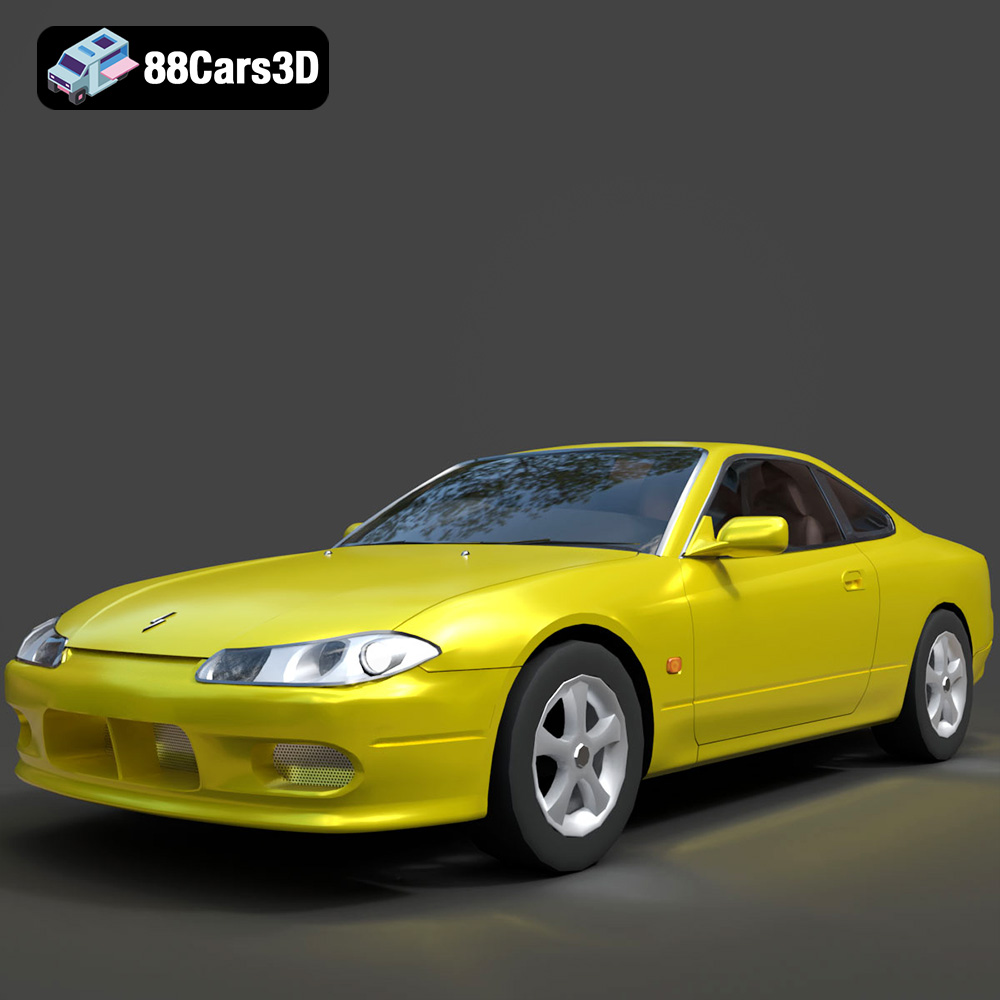
Nissan Silvia 3D Model
Texture: Yes
Material: Yes
Download the Nissan Silvia 3D Model featuring clean geometry, realistic detailing, and a fully modeled interior. Includes .blend, .fbx, .obj, .glb, .stl, .ply, .unreal, and .max formats for rendering, simulation, and game development.
Price: $4.99
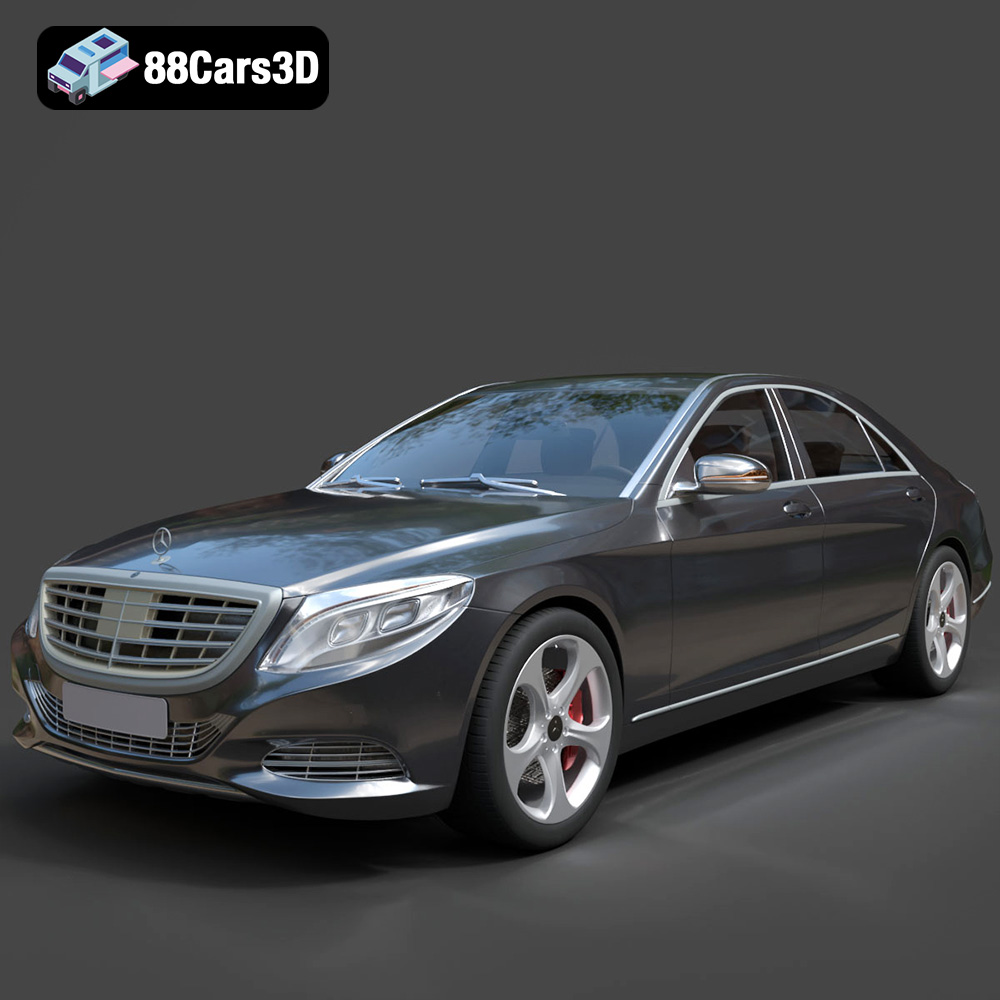
Mercedes-Benz S-Class 2014 3D Model
Texture: Yes
Material: Yes
Download the Mercedes-Benz S-Class 2014 3D Model featuring clean geometry, realistic detailing, and a fully modeled interior. Includes .blend, .fbx, .obj, .glb, .stl, .ply, .unreal, and .max formats for rendering, simulation, and game development.
Price: $6.99
