⚡ FLASH SALE: Get 60% OFF All Premium 3D & STL Models! ⚡

The world of 3D modeling has revolutionized how we design, visualize, and interact with complex objects, and few areas demand as much precision, artistry, and technical prowess as automotive rendering. From sleek concept cars showcased in high-fidelity advertisements to hyper-realistic vehicles cruising through the latest video games, 3D car models are at the heart of countless digital experiences. This isn’t just about creating a pretty picture; it’s about engineering digital assets with clean topology, realistic materials, and optimized performance for a multitude of applications.
Whether you’re an aspiring 3D artist, a seasoned game developer, an automotive designer, or a visualization professional, mastering the intricacies of 3D car models is a valuable skill. This comprehensive guide will take you on a deep dive into the technical workflows, industry best practices, and advanced techniques required to create, optimize, and render stunning automotive assets. We’ll explore everything from the foundational principles of clean modeling to the nuances of physically-based rendering (PBR), game engine integration, AR/VR optimization, and even preparation for 3D printing. By the end, you’ll have a robust understanding of what goes into crafting truly exceptional 3D car models, like those available on platforms such as 88cars3d.com, and how to leverage them across diverse digital landscapes.
Creating a compelling 3D car model begins with impeccable topology and thoughtful edge flow. These foundational elements dictate not only the visual accuracy of your model but also its performance, ease of texturing, and ability to deform smoothly. Automotive surfaces are characterized by their expansive, reflective panels and crisp, flowing lines, which are notoriously unforgiving of poor mesh quality. A technically sound model will have predominantly quad-based polygons, ensuring predictable subdivision behavior and seamless integration into various pipelines.
Clean topology is paramount for automotive models, especially when working with subdivision surfaces (often called SubD or Turbosmooth in 3ds Max, or Subdivision Surface modifier in Blender). These modifiers smooth out a low-polygon mesh, creating high-resolution, organic surfaces. For this to work effectively, your base mesh must consist almost entirely of quadrilaterals (four-sided polygons). Triangles (three-sided polygons) and N-gons (polygons with more than four sides) can cause pinching, unpredictable smoothing, and undesirable artifacts when subdivided, particularly on highly reflective surfaces like car paint where even the slightest imperfection is magnified. Strive to maintain a consistent density of polygons across your model, avoiding overly stretched or compressed quads, as this can lead to texture distortion and shading issues. This meticulous approach ensures that when the subdivision modifier is applied, the surface remains perfectly smooth and free of unwanted ripples or bumps, accurately reflecting the car’s real-world contours.
Edge flow refers to the way edges and polygons are organized to follow the natural curvature and contours of your model. For automotive models, exceptional edge flow is crucial for capturing the subtle nuances of light reflections on the car’s body. Imagine the way light rolls over a fender or how a sharp character line defines the car’s silhouette; this is entirely dependent on well-planned edge loops. Strategic edge loops should hug these major contours, defining the transition between different panels and emphasizing design elements like headlights, grilles, and air vents. Proper edge flow ensures that when light hits the surface, it reflects in a smooth, continuous manner, without breaking or distorting. This is especially critical for showcasing the car’s ‘design language’ and ensuring the model looks appealing from every angle, particularly in high-fidelity renders where the interaction of light with the metallic paint is a key visual element. Using supporting edge loops near hard edges helps maintain their crispness after subdivision without increasing the polygon count of the entire model unnecessarily.
Managing polygon count is a balancing act between visual fidelity and performance, a critical consideration for any 3D car model. A high-resolution model destined for a cinematic render might comfortably sit at 200,000 to 500,000 polygons (excluding tires and interior), providing exquisite detail. However, a game asset for a modern title would typically require a much more optimized approach. Here, Level of Detail (LOD) models become indispensable. LODs are simplified versions of your main model, designed to be swapped in as the car moves further away from the camera, drastically reducing the computational load. A typical game asset might feature four LODs: LOD0 (50k-100k polygons) for close-up views, LOD1 (25k-50k) for mid-range, LOD2 (10k-25k) for distant views, and LOD3 (2k-10k) for very far distances or shadows. Tools like Unity’s LOD Group or Unreal Engine’s Auto-LOD generation can automate some of this, but manual optimization often yields superior results, especially for hero assets. Efficient poly count management ensures your 3D car models can perform across a spectrum of platforms, from high-end workstations to mobile devices, without compromising visual quality where it matters most.
Once the geometric foundation is solid, the next crucial step is to breathe life into your 3D car model through expert texturing and material creation. This involves meticulously unwrapping your model’s surfaces and crafting physically-based render (PBR) materials that accurately simulate real-world properties like reflectivity, roughness, and color. The goal is to achieve a level of realism that convinces the viewer the digital car is tangible, reflecting its environment and responding to light just as a physical vehicle would.
UV mapping is the process of flattening the 3D surface of your model into a 2D space, allowing a 2D texture to be applied seamlessly. For complex automotive surfaces, strategic UV mapping is critical to avoid distortion, visible seams, and inefficient texture usage. The primary goal is to achieve a uniform texel density across all surfaces, meaning that pixels on the texture map are spread evenly, preventing some areas from looking blurry while others appear crisp. For a car body, this often involves breaking the mesh into logical UV islands (e.g., hood, roof, doors, fenders) and carefully placing seams in less visible areas or along natural panel lines. Tools like 3ds Max’s “Unwrap UVW,” Blender’s “UV Editor,” or Maya’s “UV Editor” provide robust functionalities for projection mapping, cutting, and stitching UVs. For more intricate components like engine parts or interiors, cylindrical or planar projections followed by relaxation techniques are common. Efficient UV layouts also minimize empty space on the UV atlas, making the most of your texture resolution and improving game engine performance by reducing draw calls when coupled with texture atlasing.
Physically-Based Rendering (PBR) materials are the industry standard for achieving photorealistic results, as they accurately simulate how light interacts with surfaces based on real-world physics. PBR workflows typically use either a metallic-roughness or specular-glossiness paradigm. For automotive models, you’ll work with various maps:
Software like Substance Painter excels at generating these complex PBR textures. Crafting a convincing car paint shader involves layering base colors, metallic flakes (often achieved with procedural noise or dedicated flake maps), and a precise clear coat. Tire rubber requires fine normal mapping for tread patterns and a distinct roughness value. Glass needs accurate refraction, transmission, and a subtle tint. These shader networks can become quite intricate, combining multiple textures and procedural nodes to achieve the desired effect.
The resolution of your textures directly impacts the visual fidelity of your 3D car model. Common resolutions include 2K (2048×2048 pixels), 4K (4096×4096), and 8K (8192×8192). For hero assets that will be seen up close in renders or games, 4K or even 8K textures for the main body panels are often justified. Smaller details like brake calipers or badges might use 1K or 2K. However, excessively high-resolution textures can quickly consume GPU memory and increase load times, especially for real-time applications. This is where texture atlasing becomes a powerful optimization strategy. Texture atlasing involves combining multiple smaller textures for different parts of the model (e.g., interior, engine components, chassis) into a single, larger texture map. By doing so, the game engine can load and render these details with a single material call, significantly reducing draw calls and improving performance. For example, instead of having separate 1K textures for each interior component, you could combine them into a single 4K atlas, saving on both memory and processing. When sourcing 3D car models, like those found on 88cars3d.com, look for those with well-organized UVs and optimized texture sets.
A perfectly modeled and textured 3D car model truly comes alive during the rendering phase. This is where light, cameras, and post-processing converge to transform your digital asset into a photorealistic image or animation. High-fidelity automotive rendering demands a keen understanding of lighting principles, material interactions, and the capabilities of advanced rendering engines.
Effective lighting is the single most critical factor in a high-fidelity automotive render. Cars, with their highly reflective surfaces, are essentially giant mirrors, and their appearance is heavily dictated by what they reflect.
The interplay between the light sources and the PBR materials on the car is what ultimately sells the realism, highlighting the metallic flakes in the paint and the sharp edges of the bodywork.
Each major rendering engine offers unique strengths and workflows tailored for specific needs:
Understanding the nuances of your chosen renderer allows you to push the visual boundaries of your 3D car models.
The raw render output, no matter how good, is rarely the final image. Post-processing and compositing in software like Adobe Photoshop, Affinity Photo, or DaVinci Resolve are essential steps to elevate your automotive render from good to breathtaking.
This final polish is what separates a technical render from a captivating piece of automotive art, showcasing your 3D car models in their best possible light.
While cinematic renders prioritize absolute visual fidelity, real-time applications like video games, interactive configurators, and simulations demand a delicate balance between visual quality and performance. Optimizing 3D car models for game engines (such as Unity or Unreal Engine) involves a specialized set of techniques to ensure smooth frame rates, efficient resource utilization, and responsive user experiences.
Level of Detail (LOD) systems are fundamental for optimizing 3D car models in game engines. As discussed earlier, LODs involve creating multiple versions of a model with progressively lower polygon counts and simpler materials. When the car is far from the camera, the engine renders a low-poly LOD, saving significant processing power. For a typical vehicle, you might implement 3-4 LOD levels. For instance, LOD0 could be 80,000 polygons, LOD1 at 30,000, LOD2 at 10,000, and LOD3 as low as 2,000 polygons. The transitions between these LODs are often blended to avoid popping. Beyond poly count, reducing draw calls is paramount. Each time the GPU has to switch materials or meshes, it incurs a draw call, which can be a performance bottleneck. To minimize this, combine meshes where possible (e.g., consolidating all car body parts into a single mesh for an LOD level) and use texture atlases to ensure fewer materials are needed. For example, a single car might have dozens of separate meshes for various components like doors, hood, interior, and wheels. Grouping these logically and baking complex detail into normal maps allows the engine to render fewer distinct objects, drastically improving performance.
Optimized texture management is crucial for game performance. High-resolution textures consume valuable GPU memory. While 4K textures might be used for the main body panels of LOD0, smaller components or lower LODs might use 2K or 1K textures. Texture atlasing, where multiple smaller textures are combined into one larger map, is a common technique to reduce draw calls. For example, all interior textures could be baked onto a single 4K atlas. Another powerful optimization is texture packing for PBR materials. Instead of separate grayscale images for Ambient Occlusion, Roughness, and Metallic, these can often be packed into the individual R, G, and B channels of a single texture map (e.g., an ORM map), saving memory and reducing texture fetches. Material instancing is another key strategy. Instead of creating a unique material for every slightly different component (e.g., various shades of gray plastic), a single master material can be created, and then instances of it are made, allowing parameters (like color or roughness values) to be adjusted without creating entirely new materials. This reduces shader complexity and memory footprint in the engine.
For a 3D car model to interact realistically within a game engine, it requires dedicated collision geometry and physics assets. The visible mesh, often high-poly, is too complex for real-time physics calculations. Instead, simpler, invisible collision meshes are used.
In Unreal Engine, this typically involves creating a Physics Asset, which combines multiple simple collision shapes (e.g., capsules for wheels, boxes for the chassis) and assigns them to skeletal bones, defining how they interact physically. Unity also uses simple primitive colliders or complex mesh colliders. For realistic driving simulations, vehicle physics components (like Unity’s Wheel Collider or Unreal Engine’s Chaos Vehicles) require specific data inputs regarding wheel dimensions, suspension, and center of mass, ensuring the car handles realistically in the virtual world. Correctly set up, these allow the car to react accurately to bumps, ramps, and other vehicles without taxing the CPU.
The versatility of high-quality 3D car models extends far beyond traditional rendering and game development. They are increasingly vital assets in emerging technologies like Augmented Reality (AR) and Virtual Reality (VR), provide tangible results through 3D printing, and form the backbone of advanced architectural and product visualization.
AR/VR applications present unique optimization challenges due to the stringent performance requirements and often mobile-first platforms.
The goal is to provide a compelling visual experience at a consistent frame rate, which is paramount for user comfort in VR and seamless integration into the real world in AR.
Converting a digital 3D car model into a physical object via 3D printing requires a distinct set of considerations focused on mesh integrity and physical manufacturability.
Proper preparation ensures a successful print, producing a faithful physical replica of your digital car model.
3D car models are essential components in architectural and product visualization, adding context, scale, and a sense of realism to scenes.
In these scenarios, the 3D car model acts as a powerful storytelling device, enhancing the overall impact and immersion of the visualization.
The vast ecosystem of 3D software and applications often necessitates working with various file formats. Understanding the strengths and limitations of each, along with best practices for conversion, is crucial for maintaining data integrity and ensuring seamless workflows when handling 3D car models across different platforms.
Each 3D file format serves specific purposes and supports different types of data:
Understanding when to use each format streamlines your workflow and prevents data loss. High-quality 3D car models often come in multiple formats to cater to diverse professional needs.
Converting between 3D file formats can sometimes be fraught with challenges. Following best practices ensures data integrity:
A meticulous approach to conversion saves countless hours of troubleshooting down the line, ensuring that the high quality of your 3D car model is preserved across different applications.
Maintaining data integrity and implementing robust asset management practices are vital for any serious 3D workflow, especially when dealing with high-value assets like 3D car models.
These practices ensure that your valuable 3D car models remain accessible, functional, and ready for deployment across any medium.
Creating and deploying high-quality 3D car models is a multifaceted discipline that marries artistic vision with rigorous technical execution. We’ve journeyed through the critical stages, from sculpting perfect topology and crafting authentic PBR materials to executing breathtaking renders and optimizing for the demanding environments of game engines, AR/VR, and even 3D printing. Understanding the nuances of edge flow, strategic UV mapping, efficient texture management, and the specific requirements of various file formats are not merely technical hurdles but essential skills that elevate your work to professional standards.
The demand for realistically rendered and optimized automotive assets continues to grow, driven by innovations in gaming, virtual production, interactive visualization, and mixed reality experiences. By mastering these workflows, you equip yourself with the capabilities to produce stunning visuals and performant assets that meet industry expectations. Whether you’re building a portfolio, developing a game, or designing the next generation of vehicles, the principles discussed here will serve as your blueprint for success. Embrace the technical challenges, refine your artistic eye, and continue to push the boundaries of what’s possible in the exhilarating world of 3D automotive design.

Texture: Yes
Material: Yes
Download the Mitsubishi Galant 2009 3D Model featuring clean geometry, realistic detailing, and a fully modeled interior. Includes .blend, .fbx, .obj, .glb, .stl, .ply, .unreal, and .max formats for rendering, simulation, and game development.
Price: $4.99

Texture: Yes
Material: Yes
Download the Nissan Primera Wagon 3D Model featuring clean geometry, realistic detailing, and a fully modeled interior. Includes .blend, .fbx, .obj, .glb, .stl, .ply, .unreal, and .max formats for rendering, simulation, and game development.
Price: $4.99

Texture: Yes
Material: Yes
Download the Mercedes-Benz S63 AMG Cabriolet 2017 3D Model featuring clean geometry, realistic detailing, and a fully modeled interior. Includes .blend, .fbx, .obj, .glb, .stl, .ply, .unreal, and .max formats for rendering, simulation, and game development.
Price: $20.99

Texture: Yes
Material: Yes
Download the Nissan Skyline R34 2002 3D Model featuring clean geometry, realistic detailing, and a fully modeled interior. Includes .blend, .fbx, .obj, .glb, .stl, .ply, .unreal, and .max formats for rendering, simulation, and game development.
Price: $4.99

Texture: Yes
Material: Yes
Download the Nissan Skyline 3D Model featuring clean geometry, realistic detailing, and a fully modeled interior. Includes .blend, .fbx, .obj, .glb, .stl, .ply, .unreal, and .max formats for rendering, simulation, and game development.
Price: $9.99

Texture: Yes
Material: Yes
Download the Mercedes-Benz S-Klasse W116 3D Model featuring clean geometry, realistic detailing, and a fully modeled interior. Includes .blend, .fbx, .obj, .glb, .stl, .ply, .unreal, and .max formats for rendering, simulation, and game development.
Price: $4.99
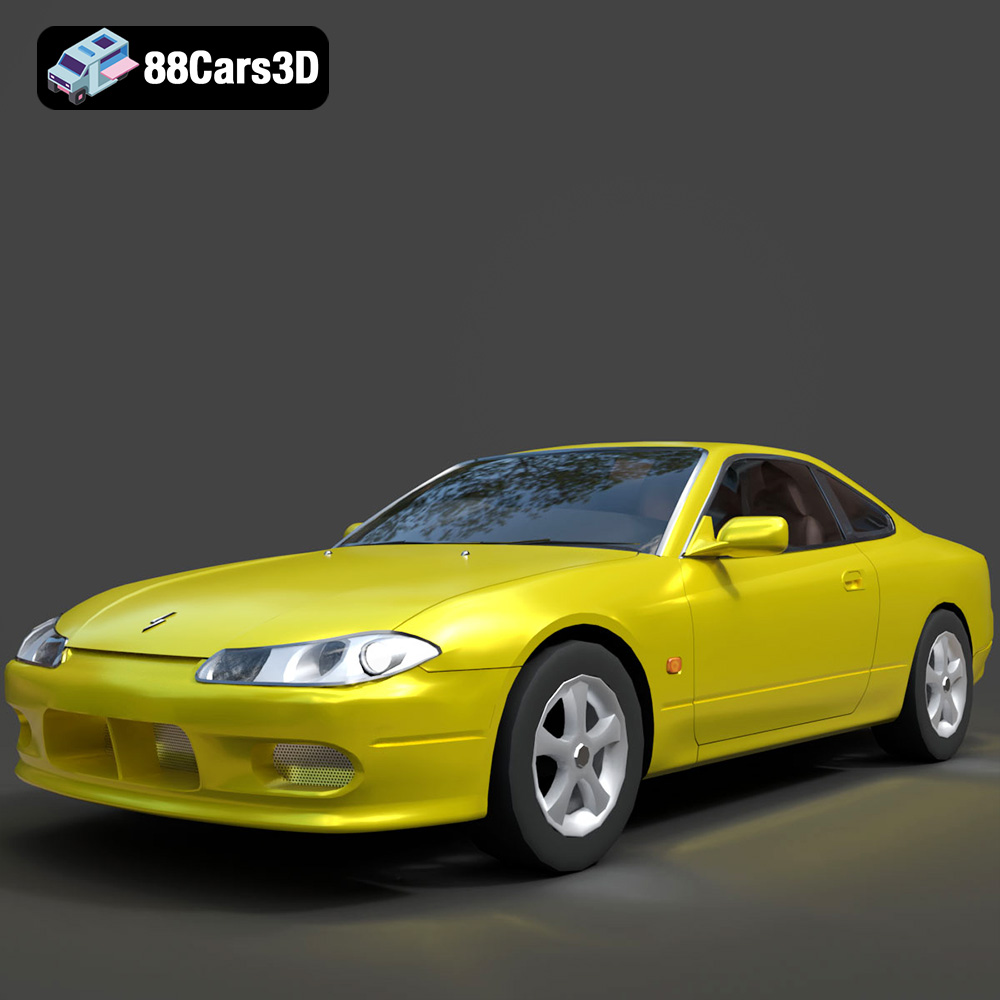
Texture: Yes
Material: Yes
Download the Nissan Silvia 3D Model featuring clean geometry, realistic detailing, and a fully modeled interior. Includes .blend, .fbx, .obj, .glb, .stl, .ply, .unreal, and .max formats for rendering, simulation, and game development.
Price: $4.99
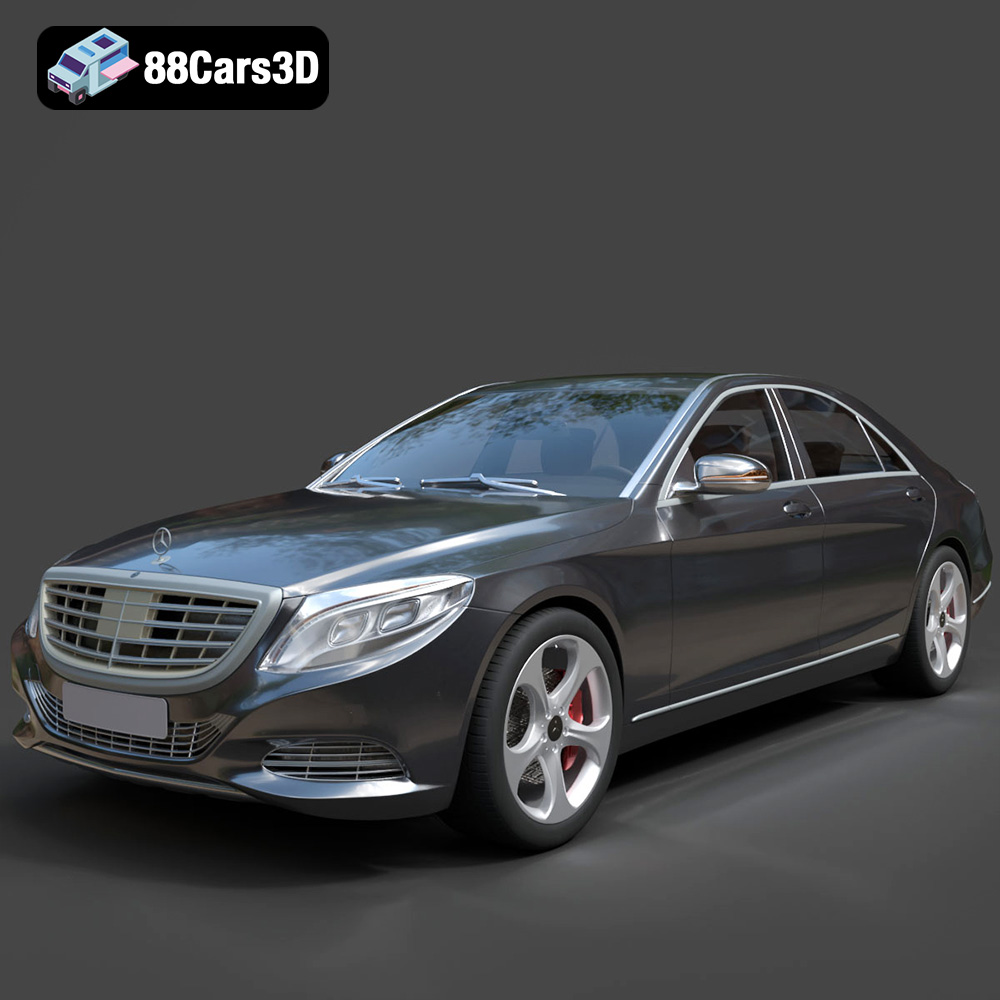
Texture: Yes
Material: Yes
Download the Mercedes-Benz S-Class 2014 3D Model featuring clean geometry, realistic detailing, and a fully modeled interior. Includes .blend, .fbx, .obj, .glb, .stl, .ply, .unreal, and .max formats for rendering, simulation, and game development.
Price: $6.99
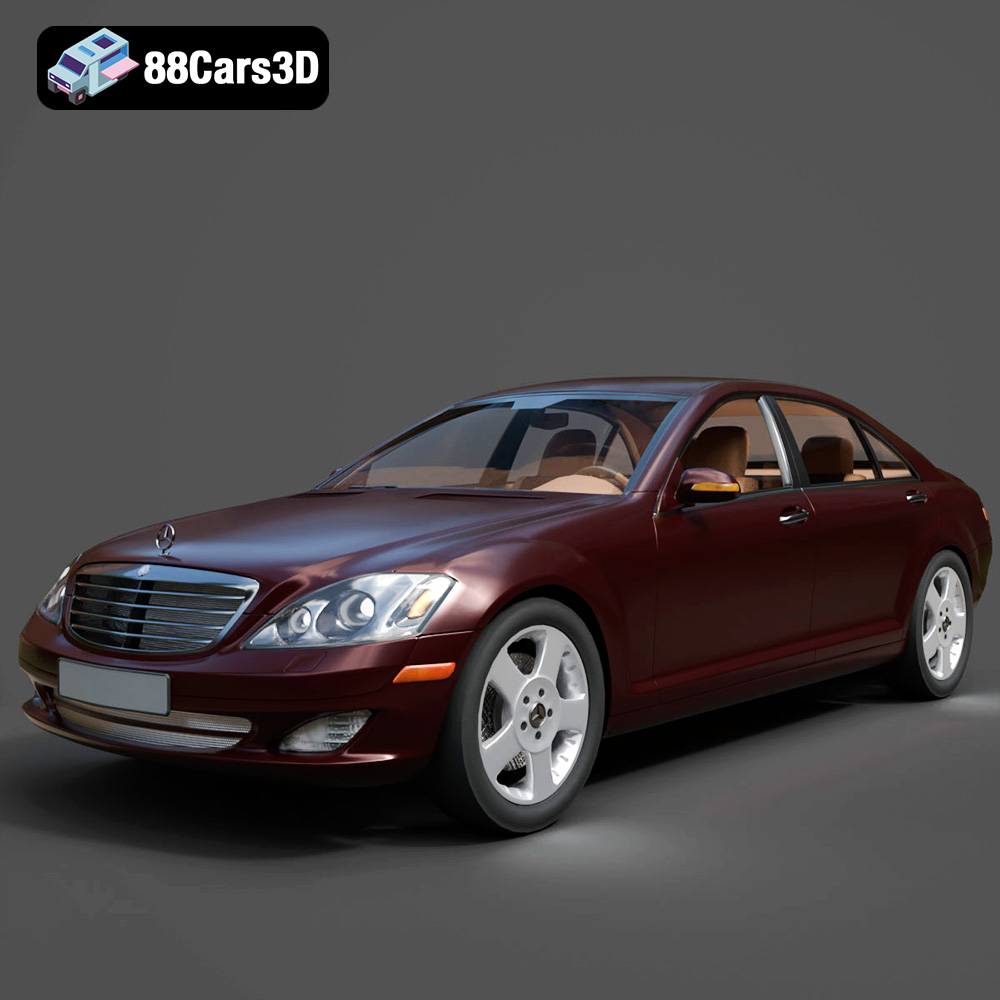
Texture: Yes
Material: Yes
Download the Mercedes-Benz S-Klasse W221 2008 3D Model featuring clean geometry, realistic detailing, and a fully modeled interior. Includes .blend, .fbx, .obj, .glb, .stl, .ply, .unreal, and .max formats for rendering, simulation, and game development.
Price: $4.99
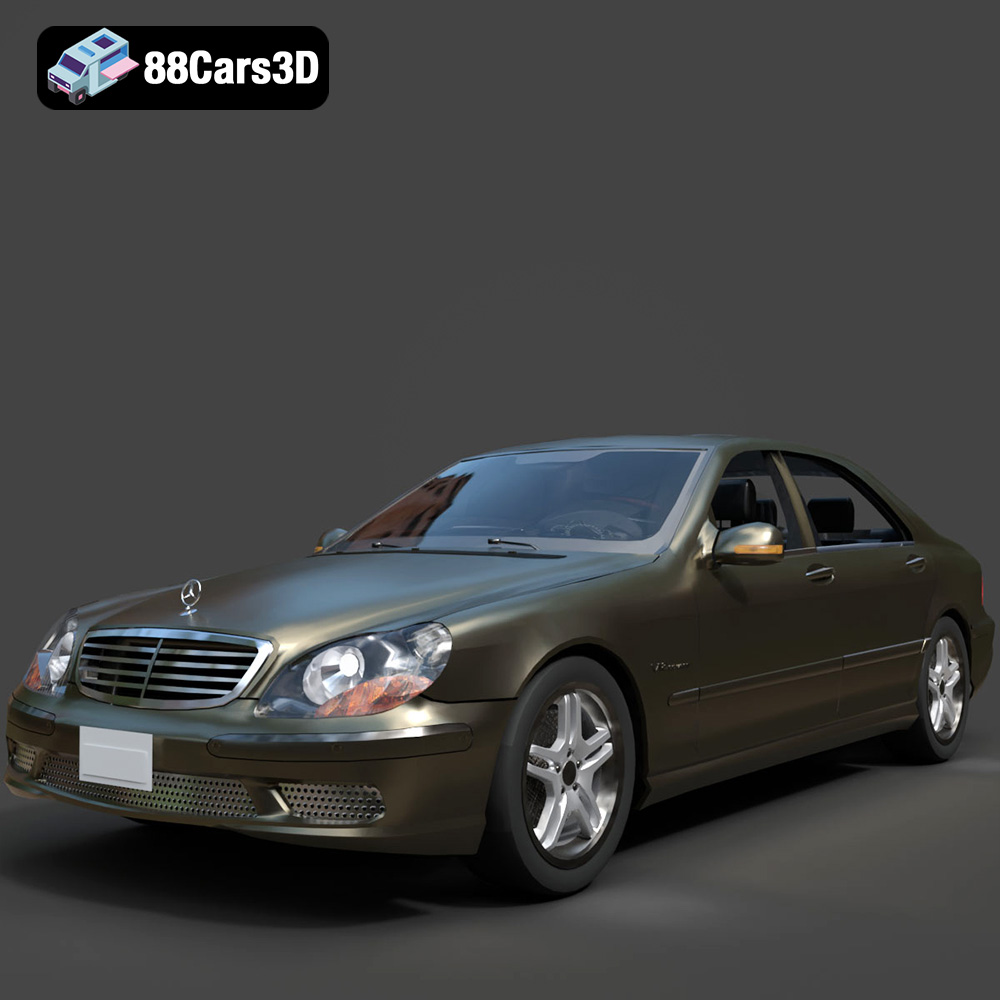
Texture: Yes
Material: Yes
Download the Mercedes-Benz S-Klasse W220 3D Model featuring clean geometry, realistic detailing, and a fully modeled interior. Includes .blend, .fbx, .obj, .glb, .stl, .ply, .unreal, and .max formats for rendering, simulation, and game development.
Price: $4.99

