
The Foundation of Realism: Mastering 3D Car Model Topology and Edge Flow

The world of 3D automotive design is a captivating blend of technical precision and artistic vision. From the sleek lines of a supercar to the rugged utility of an off-road beast, creating and utilizing high-quality 3D car models is a complex yet rewarding endeavor. These digital assets are not merely pretty pictures; they are robust tools essential for everything from photorealistic renders and immersive game environments to interactive AR/VR experiences and even functional 3D prints. Mastering the intricacies of 3D car model workflows empowers artists, designers, and developers to bring their automotive concepts to life with unparalleled realism and efficiency.
This comprehensive guide delves deep into the multifaceted journey of 3D car models, exploring the critical stages from foundational modeling principles to advanced rendering, optimization, and application. We’ll uncover the secrets behind clean topology, demystify UV mapping strategies, unravel the power of PBR materials, and navigate the nuances of diverse rendering engines. Whether you’re a seasoned 3D artist aiming to refine your craft, a game developer optimizing performance, or an automotive designer pushing the boundaries of visualization, this article will equip you with the technical insights and industry best practices needed to elevate your automotive projects. Prepare to accelerate your understanding and unlock the full potential of 3D car models.
The Foundation of Realism: Mastering 3D Car Model Topology and Edge Flow
At the heart of any exceptional 3D car model lies impeccable topology and intelligent edge flow. These foundational elements dictate not only the visual fidelity of your model but also its usability across various applications. Poor topology leads to shading artifacts, deformation issues, and significant headaches down the pipeline. For automotive models, which are characterized by large, smooth, reflective surfaces and sharp, precise creases, the importance of clean mesh geometry cannot be overstated.
Clean topology ensures that your model subdivides smoothly without pinching, unwanted ripples, or jagged edges. It provides a solid base for UV mapping, texturing, and animation, making the entire workflow more manageable and predictable. When sourcing high-quality 3D car models from platforms like 88cars3d.com, you’re implicitly trusting that these foundational principles have been meticulously applied, saving you countless hours of corrective work.
Quad-Centric Modeling and Subdivision Surfaces
The golden rule for high-quality subdivision surface modeling, especially for organic or smoothly curving objects like car bodies, is to maintain an all-quad topology. Quads (four-sided polygons) are predictable and deform uniformly when subdivided, producing smooth, continuous surfaces. Triangles (three-sided polygons) and N-gons (polygons with more than four sides) introduce irregularities. Triangles, while sometimes necessary in isolated, flat areas or for performance optimization in game assets, can cause undesirable pinching or creasing when smoothed. N-gons are problematic because subdivision algorithms struggle to interpret their edges consistently, often leading to unpredictable and undesirable surface distortions.
Software tools like 3ds Max’s TurboSmooth, Blender’s Subdivision Surface modifier, or Maya’s Smooth Mesh Preview leverage subdivision algorithms (typically Catmull-Clark) to generate a high-resolution, smooth mesh from a relatively low-polygon base. The effectiveness of this process is entirely dependent on the underlying quad structure. For instance, a beautifully curved car fender achieved with TurboSmooth relies on perfectly flowing quad loops across its surface. During modeling, aiming for a consistent quad density and avoiding sudden changes in polygon count will yield the best results.
Automotive Edge Flow Principles
Edge flow refers to the way edges and loops of polygons are arranged to define the shape and contours of a 3D model. For automotive models, precise edge flow is critical for capturing the subtle curves, sharp creases, and panel gaps that give a car its distinctive character. A well-planned edge flow ensures that reflections on the car’s surface behave realistically, without breaking or distorting in unnatural ways.
Key principles include:
- Curvature Control: Edges should follow the natural curvature of the car’s body panels. Adding more edge loops in areas of high curvature helps capture the shape more accurately.
- Supporting Loops: To create sharp, defined edges—such as around windows, doors, or distinctive body lines—you need to add “supporting loops” or “holding edges” close to the main edge. These extra edges prevent the subdivision surface from excessively rounding off sharp details. The closer the supporting loops are, the sharper the edge will appear.
- Panel Gaps: Recreating realistic panel gaps requires careful modeling. Often, separate mesh elements are created for individual panels, and small gaps are introduced between them. The edges around these gaps must be supported to maintain their sharpness after subdivision.
- Avoiding Poles (Stars): Poles are vertices where more or less than four edges meet. While sometimes unavoidable, placing them in flat, less visible areas is crucial. Poles in highly curved or reflective areas can cause pinching artifacts and disrupt smooth shading.
For high-polygon renders, a well-modeled car might have an initial base mesh of 50,000-100,000 polygons, which then subdivides to 500,000 to over 2 million polygons for final rendering. For game-ready assets, the base mesh is often optimized to 50,000-150,000 polygons, with careful consideration for where triangles might be tolerated without sacrificing visual integrity.
Textural Brilliance: UV Mapping and PBR Material Creation for Automotive Assets
Once the geometric foundation of your 3D car model is solid, the next crucial step is to imbue it with realistic surface properties through UV mapping and Physically Based Rendering (PBR) materials. This is where the model truly comes alive, reflecting light and interacting with its environment in a believable manner. High-quality textures and meticulously crafted PBR shaders are paramount for achieving the photorealism expected in modern automotive visualization.
UV mapping is the process of flattening the 3D surface of your model into a 2D space, allowing a 2D image (texture) to be wrapped around it. Without proper UVs, textures will appear stretched, distorted, or misaligned. PBR materials then define how light interacts with the surfaces, emulating real-world physical properties like reflectivity, roughness, and color.
Strategic UV Unwrapping for Car Models
Effective UV unwrapping for complex objects like cars requires careful planning and execution. The goal is to create a UV layout that minimizes seams, maximizes texel density uniformity, and avoids texture stretching. Each component of the car—body panels, windows, wheels, interior elements—will likely require its own unwrapping strategy.
Common techniques include:
- Projection Mapping: Using planar, cylindrical, or spherical projections for initial unwraps or for specific, less complex parts like flat chassis elements.
- Pelt Mapping (or LSCM): Unfolding complex meshes like an animal pelt, allowing for more organic shapes. This is often used for body panels where curvature is significant.
- Manual Seam Placement: Strategically placing seams in less visible areas (e.g., along natural panel gaps, underneath the car, or along sharp edges that break up continuity).
- Texel Density Consistency: Ensuring that the resolution of the texture (texels per unit of surface area) is uniform across the entire model. This prevents some areas from appearing pixelated while others are overly sharp. Tools like the UV Editor in 3ds Max or Maya, or Blender’s UV Sync Selection, offer powerful ways to achieve this.
- Texture Atlasing: For game assets, combining multiple smaller textures into one larger “atlas” texture can significantly reduce draw calls and improve performance. This requires careful arrangement of UV islands to fit efficiently within the atlas.
A typical UV layout for a high-quality car model might involve multiple UV sets or dedicated texture maps for different parts, such as one for the main body, another for interior details, and separate ones for wheels and glass. Texture resolutions generally range from 2048×2048 to 4096×4096 pixels for high-detail areas, and 1024×1024 or 512×512 for less prominent parts, depending on the final output resolution.
Crafting Realistic PBR Materials
PBR revolutionized material creation by introducing physically accurate principles for light interaction. Most modern renderers and game engines support either the Metalness/Roughness or Specular/Glossiness workflow. The Metalness workflow is generally simpler and more common:
- Base Color (Albedo): Defines the diffuse color of non-metallic surfaces and the reflective color of metallic surfaces. This map should be flat and contain no lighting information.
- Metallic: A grayscale map (0 to 1) indicating whether a surface is metallic (1, white) or non-metallic (0, black). Intermediate values are typically avoided.
- Roughness: A grayscale map (0 to 1) determining how rough or smooth a surface is. Rougher surfaces scatter light more, appearing duller, while smoother surfaces reflect light sharply, appearing shiny.
- Normal Map: Provides high-frequency surface detail (bumps, scratches, grooves) without increasing polygon count. It fakes surface detail by altering the direction of surface normals.
- Ambient Occlusion (AO): A grayscale map indicating areas where ambient light would be occluded (e.g., crevices, corners), adding depth and realism.
Software like Substance Painter, Substance Designer, and Quixel Mixer are industry standards for creating PBR textures. Within your 3D application (e.g., 3ds Max, Blender, Maya), you’ll build shader networks using these maps. For car paint, a complex shader often involves a base metallic layer with a clear coat on top, incorporating metallic flakes, Fresnel reflections, and varying roughness. Glass materials require accurate refraction and reflection indices. Chrome and other metallic parts are typically set with a high metallic value and very low roughness. Understanding these properties and how to translate them into PBR maps is key to achieving breathtaking realism.
The Art of Illumination: Automotive Rendering Workflows and Techniques
Rendering is the crucible where all your modeling, UV mapping, and texturing efforts coalesce into a final, photorealistic image. It’s the process of generating a 2D image from your 3D scene, simulating how light interacts with your materials and environment. For automotive rendering, the goal is often to produce stunning visuals that rival professional photography, emphasizing the car’s design, form, and texture.
A successful render depends heavily on the choice of render engine, the precision of your lighting setup, and the artistry of your camera angles and scene composition. Each element plays a crucial role in bringing your 3D car model to life with a compelling visual narrative.
Choosing Your Render Engine & Lighting Setup
The first significant decision is selecting a render engine. Popular choices include:
- Corona Renderer & V-Ray: Both are powerful CPU-based unbiased/biased renderers, often used with 3ds Max, renowned for their realism and ease of use, especially for architectural and product visualization. They excel at accurate global illumination.
- Cycles & Eevee (Blender): Cycles is Blender’s built-in physically based path tracer, offering high-quality results. Eevee is a real-time rasterization engine, excellent for quick previews and stylized renders, though less physically accurate than Cycles.
- Arnold (Maya, 3ds Max): A robust, unbiased, CPU-based ray tracer, excellent for cinematic quality rendering with complex materials and lighting.
- Redshift, Octane Render: GPU-accelerated renderers known for their speed, ideal for artists with powerful graphics cards.
Once your engine is chosen, lighting is paramount. For automotive renders, a common and effective approach involves:
- HDRI (High Dynamic Range Image) Lighting: HDRIs are 360-degree panoramic images containing accurate light information from a real-world location or studio setup. They are excellent for providing realistic environmental reflections on the car’s reflective surfaces and creating believable ambient illumination. Using a high-resolution HDRI (e.g., 8K or 16K) is crucial for crisp reflections.
- Studio Lighting Setups: For product shots or advertising, controlled studio lighting is often preferred. This typically involves:
- Three-Point Lighting: A classic setup with a key light (main illuminator), fill light (softens shadows), and back/rim light (separates subject from background).
- Softboxes & Light Planes: Large, rectangular or circular light sources that create soft, diffused light and elegant reflections on the car’s body. These are often positioned strategically to highlight specific contours.
- Light Linkers/Excluders: In many renderers, you can link specific lights to only illuminate certain objects or exclude them from others, offering granular control over reflections and illumination.
Accurate physical scale in your 3D scene is critical. Lights behave differently depending on their physical size and distance from the object. A real-world car is roughly 4-5 meters long, and your digital model should adhere to these dimensions for correct light interaction and realistic depth of field effects.
Camera & Scene Composition for Automotive Visuals
The camera is your eye into the scene, and its settings profoundly influence the mood and impact of your render.
- Focal Length: For automotive photography, medium to telephoto focal lengths (e.g., 85mm, 100mm, 135mm) are often preferred. These focal lengths tend to flatten perspective slightly, making cars look more powerful and avoiding the distortion that wide-angle lenses can introduce.
- Depth of Field (DoF): Judicious use of DoF can draw the viewer’s eye to specific parts of the car, creating a sense of realism and cinematic quality. A shallow DoF can isolate the car from a busy background.
- Compositional Rules: Apply principles like the Rule of Thirds to position the car dynamically within the frame. Use leading lines (roads, environmental elements) to guide the viewer’s gaze. Consider negative space to give the car breathing room and emphasize its form.
- Backplates and Environment Integration: If rendering a car into a real-world photograph (backplate), meticulous perspective matching is essential. The camera angle, focal length, and lighting of your 3D scene must precisely align with the backplate. Tools for camera matching are invaluable here.
To facilitate post-production, renderers allow you to output various “render passes” or “render elements” in addition to the final beauty pass. These include separate passes for diffuse, reflection, refraction, ambient occlusion, Z-depth (depth information), alpha (transparency), and often specific material IDs. These passes provide immense flexibility for non-destructive adjustments and advanced compositing in software like Adobe Photoshop or Foundry Nuke.
Performance & Portability: Optimizing 3D Car Models for Games, AR/VR, and Beyond
While photorealistic renders prioritize visual fidelity above all else, real-time applications like games, augmented reality (AR), and virtual reality (VR) demand a delicate balance between visual quality and performance. Optimizing 3D car models for these environments is a specialized skill, requiring meticulous attention to polygon count, texture memory, and rendering efficiency. A high-quality 3D car model from a reputable source like 88cars3d.com often provides a strong foundation, but further optimization is typically required for specific real-time uses.
The goal is to deliver a smooth, interactive experience without sacrificing too much visual detail, ensuring that the application runs efficiently on target hardware, be it a high-end gaming PC or a mobile AR device.
Game Engine Optimization Strategies
For modern game engines like Unity and Unreal Engine, efficient handling of 3D car models is crucial, especially when multiple vehicles are present in a scene.
- Level of Detail (LODs): This is perhaps the most critical optimization technique. LODs involve creating multiple versions of the same mesh, each with a progressively lower polygon count. The game engine dynamically swaps between these versions based on the camera’s distance from the object.
- LOD0 (High-Poly): Used when the car is close to the camera, typically 50,000 to 150,000 triangles (often even higher for hero vehicles in cutscenes, but usually lower for gameplay).
- LOD1 (Medium-Poly): Used at mid-distances, perhaps 20,000 to 50,000 triangles.
- LOD2 (Low-Poly): Used at longer distances, around 5,000 to 20,000 triangles.
- LOD3 (Very Low-Poly/Billboard): For extremely far distances, this could be as low as 500-2,000 triangles, or even a simple billboard image for background vehicles.
The key is to make the visual transition between LODs imperceptible to the player. Normal maps from the high-poly model are baked onto lower-poly versions to retain detail.
- Draw Calls Reduction: Every time the CPU tells the GPU to render something, it’s a draw call. Reducing draw calls is vital for performance.
- Texture Atlasing: Combining multiple small textures into a single large texture atlas for different parts of the car. This allows the engine to render more surfaces with fewer texture switches.
- Material Merging: Combining materials where possible. If different parts of the car share similar material properties, they can sometimes be merged into a single material.
- Instancing: When multiple identical cars are in a scene, game engines can render them using instancing, which is highly efficient.
- Collision Meshes: Instead of using the high-detail visual mesh for physics calculations, simplified collision meshes (often convex hulls or simple box colliders) are created. These are invisible but allow for accurate physics interactions with minimal overhead.
- Rigging and Animation Optimization: For animated cars (e.g., opening doors, suspension), the rigging should be simple and efficient, with minimal bone count.
AR/VR and Real-time Visualization Considerations
AR/VR environments, especially those targeting mobile devices (e.g., ARKit, ARCore), impose even stricter performance budgets than traditional games.
- Ultra-Low Polygon Counts: Cars for mobile AR/VR might need to be in the range of 10,000-50,000 triangles for an entire vehicle to maintain a high frame rate (typically 60-90 FPS). This requires aggressive decimation and normal map baking.
- Baked Lighting: For static scenes, baking lighting directly into vertex colors or lightmaps significantly reduces real-time rendering calculations. This is particularly useful for environments or showroom-style AR/VR experiences.
- Texture Resolution: Optimize texture resolutions aggressively (e.g., 2048×2048 for hero assets, 1024×1024 or 512×512 for others). Use DXT compression or other engine-specific compressions.
- Simplified Materials: Keep PBR shader networks simple. Avoid complex layered materials or expensive rendering features that might not be supported or perform poorly on mobile hardware.
- Environment Optimization: The car itself is just one part of the scene. Ensure the surrounding environment, reflections, and shadows are also highly optimized.
File Format Conversions and Compatibility
The choice of file format dictates compatibility and how effectively your 3D car model can be transferred between different software and platforms.
- FBX (.fbx): The industry-standard interchange format. It supports meshes, materials, textures, animations, and scene hierarchies, making it ideal for moving models between 3ds Max, Blender, Maya, Unity, and Unreal Engine.
- OBJ (.obj): A universal format primarily for mesh geometry and basic material assignments. It’s widely compatible but lacks support for advanced features like rigging or animations.
- GLB/glTF (.glb/.gltf): The open-standard “JPEG of 3D.” Highly efficient, compact, and designed for web, AR/VR, and real-time applications. It supports PBR materials and is rapidly gaining traction. GLB is a self-contained binary file, while glTF uses separate JSON, BIN, and image files.
- USDZ (.usdz): Apple’s proprietary format built on Pixar’s Universal Scene Description (USD) specifically for AR experiences on iOS devices. It’s optimized for lightweight, real-time rendering.
- STL (.stl): The de-facto standard for 3D printing. It represents surfaces as a collection of unconnected triangles and lacks color or texture information.
When converting between formats, it’s crucial to verify that all data—mesh, UVs, material assignments, and sometimes even transform data—is preserved correctly. Platforms like 88cars3d.com streamline this by offering models in multiple ready-to-use formats, ensuring broad compatibility for various projects.
Beyond the Screen: 3D Printing and Advanced Applications
The utility of high-quality 3D car models extends far beyond digital rendering and interactive experiences. These versatile assets can serve as blueprints for physical fabrication through 3D printing, become integral components in advanced visualization solutions for automotive industries, or even contribute to cutting-edge research and development.
Each of these applications demands specific considerations and preparation workflows, highlighting the diverse potential and technical adaptability required to fully leverage 3D car models across different mediums and industries.
Preparing 3D Models for 3D Printing
Converting a high-detail rendering model into a 3D-printable object requires a different set of technical considerations. While a beautifully smooth render relies on subdivision surfaces, 3D printers need a “watertight,” solid mesh.
- Mesh Integrity: The most crucial aspect. A 3D model for printing must be a “manifold” mesh, meaning it has a clearly defined inside and outside. There should be no holes, non-manifold edges (edges shared by more than two faces), or inverted normals (faces pointing inwards). Printing software will fail or produce errors if the mesh is not watertight.
- Wall Thickness: Unlike digital models, physical objects require a minimum wall thickness to be printable and structurally sound. This thickness varies depending on the printing technology (FDM, SLA, SLS) and material. Thin sections (e.g., mirrors, spoilers) on a rendering model may need to be thickened.
- Export to STL/OBJ: The most common formats for 3D printing are STL (Stereolithography) or sometimes OBJ. When exporting, ensure the model is at the correct scale (e.g., meters, millimeters) and resolution. STL files store surface geometry as a collection of triangles, so the tessellation (mesh density) needs to be sufficient to capture the model’s curves without making the facets visible in the final print.
- Mesh Repair Software: Tools like Autodesk Meshmixer, Netfabb, or even features within Blender (3D Print Toolbox addon) are invaluable for analyzing, detecting, and repairing common 3D print errors like holes, non-manifold geometry, and inverted normals. It’s often an iterative process of checking, repairing, and re-exporting.
- Boolean Operations: If you’re combining multiple parts of a car (e.g., body, wheels, interior) into a single print, you’ll need to use Boolean operations (union) to merge them into a single, solid mesh.
Advanced Visualization & Simulation
Beyond stunning renders, 3D car models are pivotal for complex industrial and scientific applications:
- Product Configurators: Automotive manufacturers use highly detailed 3D models to power online configurators, allowing customers to customize colors, wheels, interiors, and features in real-time before purchase. This requires robust asset management and real-time rendering capabilities.
- Virtual Showrooms and Interactive Experiences: Companies create immersive VR experiences or interactive kiosks where users can explore cars in lifelike virtual environments, open doors, inspect interiors, and even “drive” in a simulated setting.
- Ergonomics and Design Validation: Engineers and designers use 3D models to simulate human interaction with the vehicle, test visibility, evaluate access points, and validate design choices long before a physical prototype is built.
- Aerodynamic Simulation (CFD): While often requiring highly simplified and “cleaned” geometry, 3D car models can be used as the basis for Computational Fluid Dynamics simulations to analyze airflow and optimize aerodynamic performance.
- Marketing and Advertising Visuals: High-end 3D car models are the backbone of cinematic commercials, print ads, and online campaigns, offering complete creative control over lighting, environment, and camera angles not possible with physical photography.
The ability to source pre-made, high-quality 3D car models from marketplaces like 88cars3d.com significantly accelerates these advanced workflows, providing a reliable starting point for demanding projects that require both aesthetic excellence and technical adaptability.
The Final Polish: Post-Processing and Compositing for Impact
Even the most meticulously rendered 3D car model can benefit immensely from a final stage of refinement: post-processing and compositing. This phase, often performed in 2D image editing software, is where you elevate a good render to an outstanding one, adding cinematic flair, correcting imperfections, and enhancing the overall mood and impact of your visual.
Post-processing and compositing allow for non-destructive adjustments, giving you precise control over the final look without having to re-render the entire scene—a significant time-saver in production.
Essential Post-Processing Techniques
Think of post-processing as the digital darkroom for your 3D renders. Many techniques mirror those used in photography:
- Color Correction: This is fundamental. Adjusting white balance to ensure neutral colors, fine-tuning hue and saturation to make colors pop (or subdue them for a specific mood), and correcting any color casts introduced during rendering.
- Levels and Curves: These powerful tools allow you to precisely control the tonal range of your image. Adjusting levels can set the black and white points, while curves offer granular control over brightness and contrast across different tonal ranges (shadows, mid-tones, highlights).
- Vignetting: A subtle darkening of the image corners can draw the viewer’s eye towards the center, emphasizing the car. Overdone, it can look artificial, so use with restraint.
- Chromatic Aberration: A photographic lens effect where colors are slightly misaligned, creating a subtle color fringing at high-contrast edges. Adding a touch can enhance realism, particularly for cinematic renders.
- Film Grain: Introducing subtle noise or film grain can help integrate the render into a photographic background or simply add a desirable “analog” feel, breaking up perfectly smooth digital gradients.
- Bloom and Lens Flares: Used judiciously, bloom (a soft glow around bright areas) and lens flares (streaks or artifacts from bright lights hitting the camera lens) can enhance realism and cinematic quality, especially around headlights or strong reflections.
- Sharpening: A final sharpening pass can make details appear crisper, but be careful not to overdo it, which can introduce haloing artifacts.
Software like Adobe Photoshop, Affinity Photo, GIMP, or specialized compositing tools like Nuke are commonly used for these tasks.
Compositing Render Passes
The true power of post-processing for 3D artists comes from leveraging render passes (or render elements). Instead of a single “beauty” image, your renderer can output separate images for various components of the scene:
- Diffuse Pass: The flat color information, unaffected by lighting or reflections.
- Reflection Pass: Shows only the reflective component of materials.
- Refraction Pass: Shows how light bends through transparent objects like glass.
- Specular Pass: Highlights from direct light sources.
- Ambient Occlusion (AO) Pass: Provides soft shadow information in crevices.
- Z-Depth Pass: A grayscale image where white is near and black is far, used for creating depth of field effects or fog.
- Alpha Pass: Provides transparent masks for the object, allowing easy selection and isolation.
- Material ID Pass: A color-coded mask for each material or object, enabling selective adjustments.
By compositing these passes in 2D software, you can achieve incredibly flexible and powerful results:
- Non-Destructive Adjustments: You can individually adjust the intensity of reflections, the tint of glass, or the strength of ambient occlusion without re-rendering.
- Selective Adjustments: Use alpha or material ID passes as masks to apply effects (e.g., sharpening, color correction) to specific parts of the car without affecting others.
- Enhanced Depth of Field: Use the Z-depth pass to create a highly controllable depth of field effect in post-production, often with more artistic control than within the 3D renderer.
- Environment Integration: Seamlessly integrate your 3D car into a photographic background by using alpha masks, matching lighting, adding atmospheric effects (fog, haze) in 2D, and fine-tuning color grades to unify the scene.
A crucial consideration for compositing is working in a linear color space (e.g., ACES or a linear sRGB workflow) to ensure accurate light calculations and color fidelity throughout the entire pipeline, from rendering to final output.
Conclusion
The journey through the world of 3D car models is a testament to the intricate balance between technical expertise and artistic vision. From the meticulous crafting of clean topology and precise edge flow that forms the very skeleton of your digital vehicle, to the sophisticated application of PBR materials and advanced rendering techniques that breathe life into its surfaces, every stage is critical for achieving photorealistic results.
We’ve explored the diverse demands of different applications, from optimizing polygon counts and draw calls for high-performance game assets and immersive AR/VR experiences, to ensuring mesh integrity for precise 3D printing. Understanding various file formats and their specific use cases is crucial for seamless workflows across software and industries. Finally, we emphasized the transformative power of post-processing and compositing, turning polished renders into truly captivating visuals with a professional finish.
Mastering these techniques empowers creators to not only produce stunning visuals but also to adapt their automotive designs for a multitude of purposes, driving innovation across fields from marketing to engineering. The availability of expertly crafted 3D car models from marketplaces ensures that artists and developers can access high-quality assets ready to be integrated into these complex pipelines. Embrace these best practices, continue to learn, and push the boundaries of what’s possible in automotive visualization. Your next masterpiece awaits.
Featured 3D Car Models

Mitsubishi Galant 2009 3D Model
Texture: Yes
Material: Yes
Download the Mitsubishi Galant 2009 3D Model featuring clean geometry, realistic detailing, and a fully modeled interior. Includes .blend, .fbx, .obj, .glb, .stl, .ply, .unreal, and .max formats for rendering, simulation, and game development.
Price: $4.99

Nissan Primera Wagon 3D Model
Texture: Yes
Material: Yes
Download the Nissan Primera Wagon 3D Model featuring clean geometry, realistic detailing, and a fully modeled interior. Includes .blend, .fbx, .obj, .glb, .stl, .ply, .unreal, and .max formats for rendering, simulation, and game development.
Price: $4.99

Mercedes-Benz S63 AMG Cabriolet 2017 3D Model
Texture: Yes
Material: Yes
Download the Mercedes-Benz S63 AMG Cabriolet 2017 3D Model featuring clean geometry, realistic detailing, and a fully modeled interior. Includes .blend, .fbx, .obj, .glb, .stl, .ply, .unreal, and .max formats for rendering, simulation, and game development.
Price: $20.99

Nissan Skyline R34 2002 3D Model
Texture: Yes
Material: Yes
Download the Nissan Skyline R34 2002 3D Model featuring clean geometry, realistic detailing, and a fully modeled interior. Includes .blend, .fbx, .obj, .glb, .stl, .ply, .unreal, and .max formats for rendering, simulation, and game development.
Price: $4.99

Nissan Skyline 3D Model
Texture: Yes
Material: Yes
Download the Nissan Skyline 3D Model featuring clean geometry, realistic detailing, and a fully modeled interior. Includes .blend, .fbx, .obj, .glb, .stl, .ply, .unreal, and .max formats for rendering, simulation, and game development.
Price: $9.99

Mercedes-Benz S-Klasse W116 3D Model
Texture: Yes
Material: Yes
Download the Mercedes-Benz S-Klasse W116 3D Model featuring clean geometry, realistic detailing, and a fully modeled interior. Includes .blend, .fbx, .obj, .glb, .stl, .ply, .unreal, and .max formats for rendering, simulation, and game development.
Price: $4.99
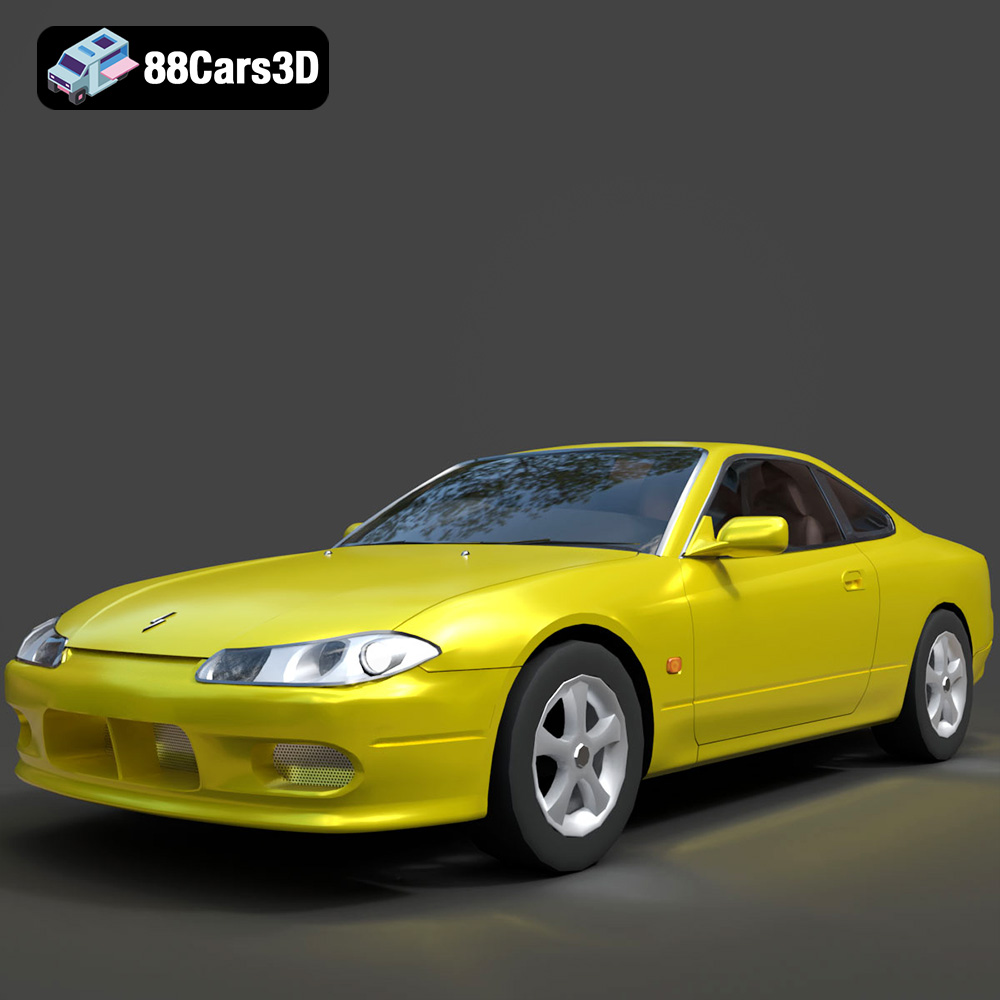
Nissan Silvia 3D Model
Texture: Yes
Material: Yes
Download the Nissan Silvia 3D Model featuring clean geometry, realistic detailing, and a fully modeled interior. Includes .blend, .fbx, .obj, .glb, .stl, .ply, .unreal, and .max formats for rendering, simulation, and game development.
Price: $4.99
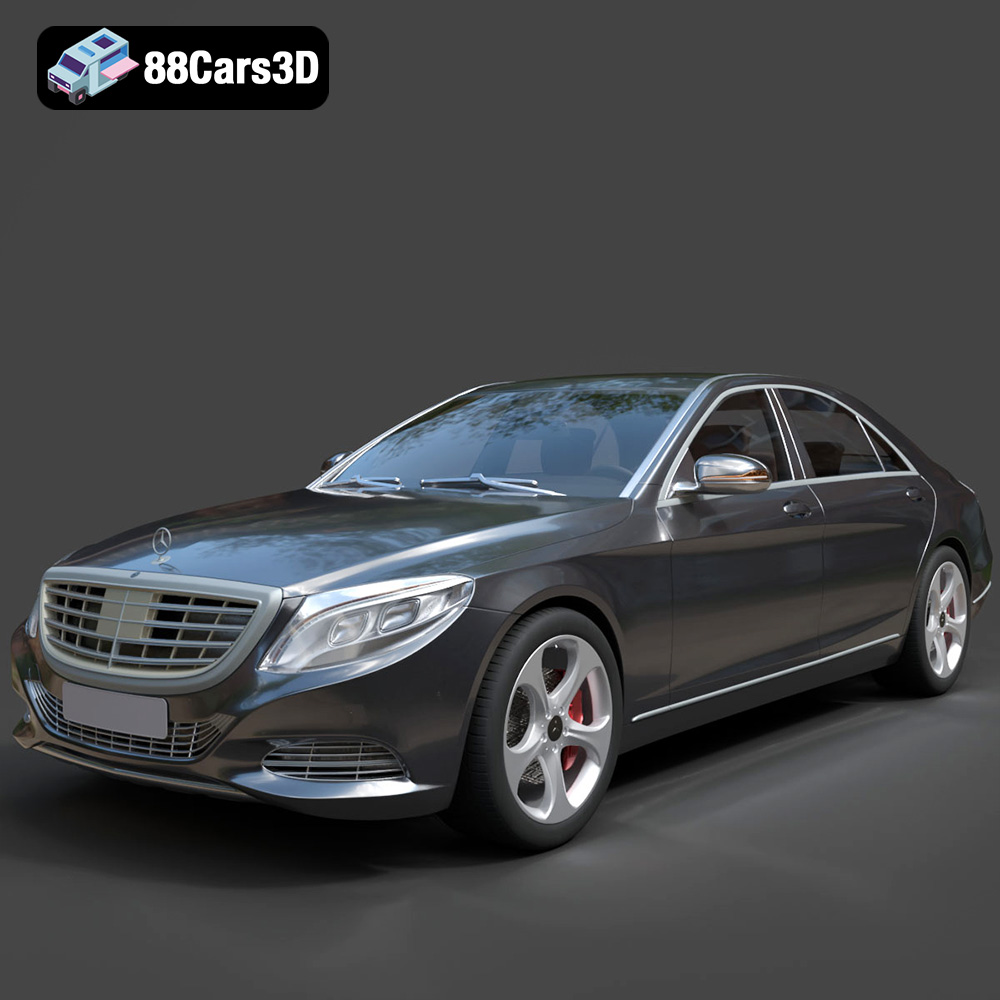
Mercedes-Benz S-Class 2014 3D Model
Texture: Yes
Material: Yes
Download the Mercedes-Benz S-Class 2014 3D Model featuring clean geometry, realistic detailing, and a fully modeled interior. Includes .blend, .fbx, .obj, .glb, .stl, .ply, .unreal, and .max formats for rendering, simulation, and game development.
Price: $6.99
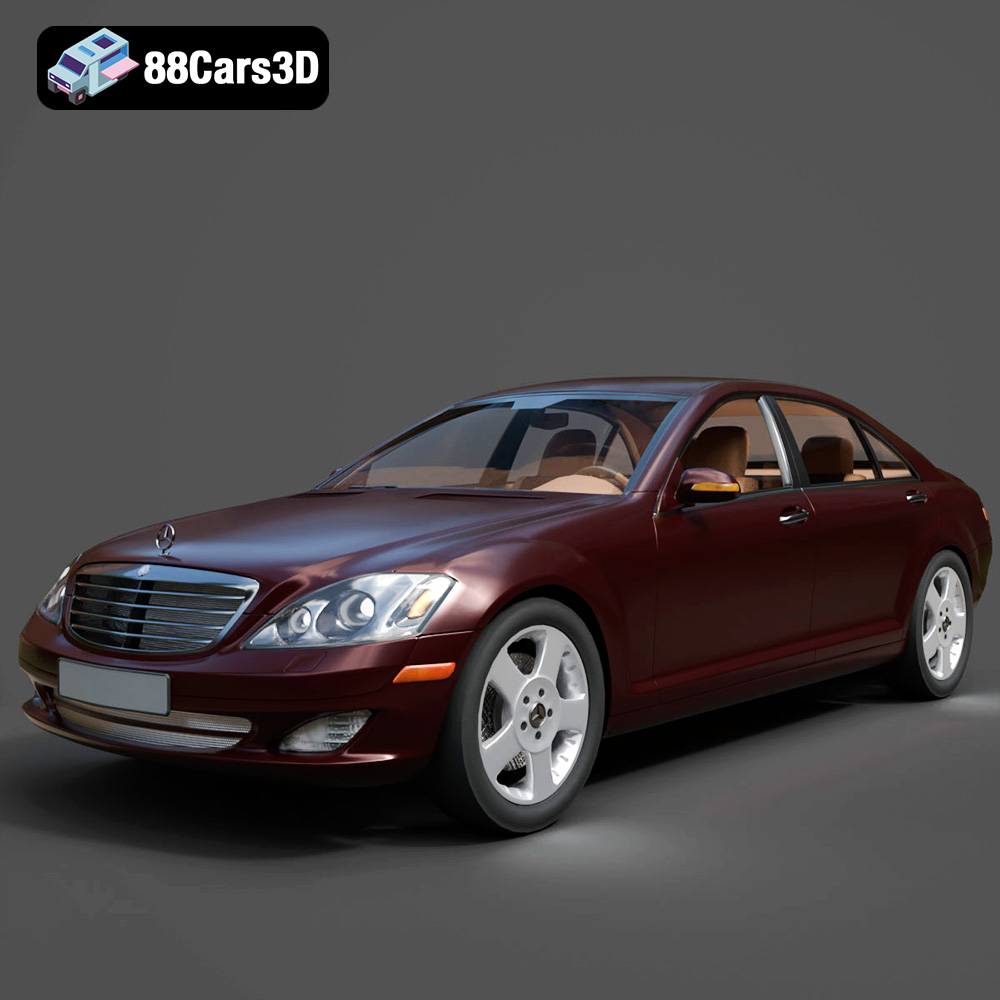
Mercedes-Benz S-Klasse W221 2008 3D Model
Texture: Yes
Material: Yes
Download the Mercedes-Benz S-Klasse W221 2008 3D Model featuring clean geometry, realistic detailing, and a fully modeled interior. Includes .blend, .fbx, .obj, .glb, .stl, .ply, .unreal, and .max formats for rendering, simulation, and game development.
Price: $4.99
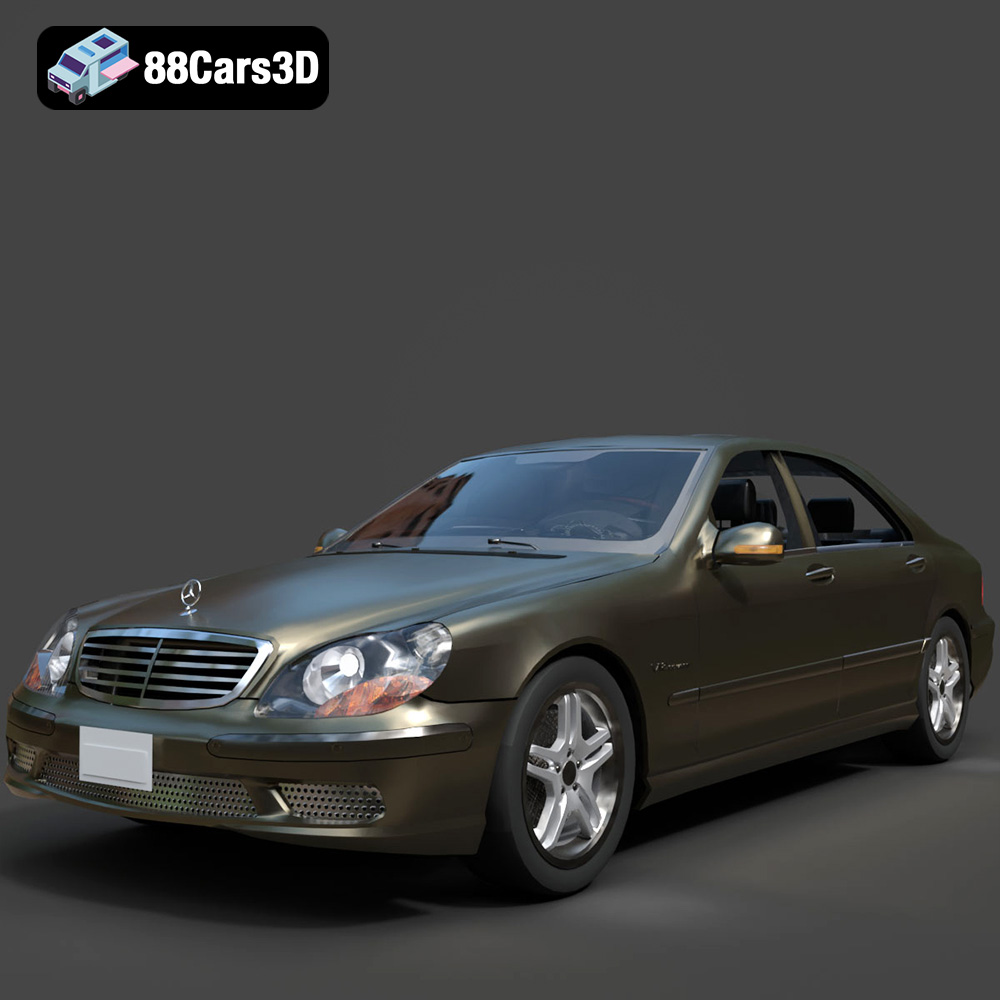
Mercedes-Benz S-Klasse W220 3D Model
Texture: Yes
Material: Yes
Download the Mercedes-Benz S-Klasse W220 3D Model featuring clean geometry, realistic detailing, and a fully modeled interior. Includes .blend, .fbx, .obj, .glb, .stl, .ply, .unreal, and .max formats for rendering, simulation, and game development.
Price: $4.99
