⚡ FLASH SALE: Get 60% OFF All Premium 3D & STL Models! ⚡

The world of 3D visualization is a fascinating intersection of art and engineering, and nowhere is this more evident than in the creation and application of high-quality 3D car models. From breathtaking cinematic renders that grace automotive advertisements to interactive game environments and groundbreaking AR/VR experiences, the demand for meticulously crafted vehicle assets is skyrocketing. But what exactly goes into making a 3D car model truly exceptional? It’s far more than just a pretty shell; it involves a deep understanding of topology, materials, rendering pipelines, and optimization strategies tailored for diverse platforms.
This comprehensive guide will take you on a journey through the intricate processes of developing, refining, and deploying professional-grade 3D car models. Whether you’re a seasoned 3D artist aiming to elevate your craft, a game developer seeking optimized assets, or an automotive designer pushing the boundaries of virtual prototyping, understanding these foundational principles is crucial. We’ll delve into the technical nuances of mesh construction, realistic material creation, advanced rendering techniques, and the critical steps for preparing models for real-time applications and even 3D printing. By the end, you’ll have a clear roadmap for achieving unparalleled realism and performance, equipped with the knowledge to make your 3D automotive projects truly stand out.
The underlying structure of a 3D car model, its topology, is arguably the most critical factor determining its quality, flexibility, and performance. Good topology isn’t just about making a model look smooth; it dictates how the model deforms, how light interacts with its surfaces, and how easily it can be textured, animated, or optimized. For automotive models, where sleek curves and precise panel gaps are paramount, flawless topology is non-negotiable. It begins with a strategic approach to polygon distribution, ensuring that every surface is adequately supported without unnecessary density. While high-polygon models offer incredible detail for close-up renders, efficient topology allows for smooth subdivision for high-fidelity work, and easy reduction for game-ready assets. Understanding the balance between detail and efficiency is key to creating versatile 3D car models.
Achieving truly flawless surfaces for a 3D car model hinges on maintaining clean geometry. This primarily means avoiding N-gons (polygons with more than four sides) and striving for an all-quad topology whenever possible. While triangles (tri-gons) are essential for final game engine export and can be used sparingly in non-deforming, flat areas, excessive use of N-gons and chaotic triangulation can lead to unpredictable shading, artifacts during subdivision, and difficulties with UV mapping. For a smooth, production-ready automotive model, the polygon count can range dramatically. A high-fidelity model intended for cinematic rendering might exceed 500,000 polygons, while a game-ready asset for a mobile AR/VR experience might need to be below 50,000, including LODs. The goal is to distribute polygons efficiently, placing more density in areas of curvature or detail (like wheel arches, headlights, or sharp creases) and less on flat panels, ensuring that the model holds its shape beautifully under subdivision modifiers in software like 3ds Max, Blender, or Maya.
Beyond just clean geometry, strategic edge flow is what truly defines a high-quality 3D car model. Edge loops, which are continuous rings of edges, must follow the natural contours and design lines of the vehicle. For example, edge loops should flow around wheel wells, along panel lines, and define the subtle curvature of the bodywork. This precise arrangement is crucial for two main reasons:
First, it ensures that reflections behave realistically across the car’s surface. A poorly structured mesh will exhibit “pinching” or unnatural breaks in reflections, especially on highly reflective automotive paint.
Second, strategic edge flow facilitates animation and deformation. While a car’s body panels don’t typically deform much, elements like doors, hoods, and trunks need clean edge loops around their pivots to ensure smooth movement. For interior components like seats or steering wheels, good edge flow is essential for rigging and animation. Common modeling techniques like box modeling (starting from primitive shapes), spline modeling (building surfaces from curves), and cleaning up CAD data (which often contains messy triangulation or N-gons) all require a keen eye for maintaining this precise edge flow. When sourcing 3D car models from marketplaces, platforms like 88cars3d.com emphasize models with clean, well-optimized topology precisely for these benefits.
Once your 3D car model’s topology is meticulously refined, the next critical step is UV mapping. UV mapping is the process of flattening the 3D surface of your model into a 2D space, creating a “map” that tells your texturing software where to apply textures. For automotive models, with their complex curves, sharp edges, and a multitude of distinct materials (paint, glass, rubber, chrome, leather), precise UV unwrapping is paramount for achieving photorealistic results and efficient texture utilization. Incorrect or sloppy UVs can lead to stretched textures, visible seams, or inefficient texture memory usage, especially in game engines. A well-executed UV layout is an invisible but essential backbone for high-quality visual output.
Unwrapping the complex surfaces of a car requires a combination of techniques to minimize distortion and maximize texture resolution. Basic planar, cylindrical, and spherical projections are useful for specific components (e.g., planar for window glass, cylindrical for tires), but the majority of a car’s bodywork benefits from more advanced methods like “pelting” or “unfold” unwrapping. These techniques allow you to cut seams strategically along natural breaks in the geometry (like panel lines or the underside of the car) and then “unfold” the mesh, much like disassembling a cardboard box.
The key challenges are:
* **Minimizing Stretching:** Use a UV checker pattern during unwrapping to visually identify and correct areas where texture pixels would be distorted. Each square on the checker should appear uniform across the entire model.
* **Avoiding Overlaps:** Ensure no UV islands overlap, as this will cause texture conflicts.
* **Strategic Seam Placement:** Place seams in inconspicuous areas, such as along sharp edges or in hidden crevices, to make them less noticeable in the final render. For example, a seam might run along the bottom edge of a door panel or inside a wheel well. Software like 3ds Max, Blender, and Maya provide robust UV editing tools to facilitate this intricate process.
An optimized UV layout goes beyond just avoiding stretching and overlaps; it considers texel density, UV space utilization, and texture atlasing.
**Texel Density Consistency:** This refers to the number of pixels per unit of surface area on your model. It’s crucial to maintain a consistent texel density across all visible parts of the car. For instance, if the hood has a higher texel density than the door, textures applied to the door will appear blurry next to the sharper textures on the hood. Tools exist within 3D software to measure and standardize texel density.
**Maximizing UV Space:** Your 2D UV map should efficiently fill the 0-1 UV space (the square area where textures are placed) without excessive empty areas. This ensures you’re making the most of your texture resolution.
**Breaking Down Complex Parts:** For extremely complex models, it’s often beneficial to break the car into multiple UV sets or texture sheets. For instance, the main body might have one UV map, the interior another, and the wheels yet another. This allows for higher texture resolution on critical areas without needing one massive, inefficient texture for the entire vehicle.
**Texture Atlasing:** For game engines, **texture atlasing** is a crucial optimization technique. This involves combining multiple smaller textures for different parts of the car (e.g., individual screws, small emblems, dashboard buttons) into a single, larger texture map. This reduces draw calls, improving real-time performance significantly. An optimized UV layout sets the stage for stunning PBR materials and efficient game assets.
Achieving photorealistic 3D car models is largely dependent on the quality and accuracy of their materials. Physically Based Rendering (PBR) has become the industry standard for creating materials that react realistically to light, providing consistent results across different rendering environments and lighting conditions. PBR materials simulate real-world physical properties of surfaces, ensuring that metals look like metal, paint shines like paint, and glass reflects and refracts light as it should. This methodology moves away from subjective, artistic guesswork and towards a scientifically grounded approach, making PBR a cornerstone for any high-fidelity automotive visualization.
PBR materials rely on a set of texture maps that define various surface properties, fundamentally categorized into two main workflows: **Metalness-Roughness** and **Specular-Glossiness**.
* **Metalness-Roughness:** This is the more widely adopted workflow today, especially in game engines and modern renderers.
* **Base Color (Albedo):** Defines the color of the surface. For metals, this is the color of the reflection. For dielectrics (non-metals), it’s the diffuse color.
* **Metallic:** A grayscale map where white (1.0) indicates a metallic surface and black (0.0) indicates a non-metallic surface. Values in between are generally avoided.
* **Roughness:** A grayscale map defining the micro-surface detail. White (1.0) means rough (matte), and black (0.0) means smooth (shiny).
* **Specular-Glossiness:** While less common for new projects, it’s still supported by many renderers.
* **Diffuse:** The base color for non-metallic surfaces.
* **Specular:** Defines the color and intensity of specular reflections.
* **Glossiness:** The inverse of roughness; white (1.0) means smooth/shiny, black (0.0) means rough/matte.
In addition to these core maps, other essential PBR maps include:
* **Normal Map:** Adds high-frequency surface details (like subtle bumps or scratches) without increasing polygon count, faking geometry.
* **Ambient Occlusion (AO) Map:** Simulates soft shadows where surfaces are close together, adding depth and realism.
* **Displacement Map:** Modifies the actual geometry based on a texture, creating true relief (often used for very fine details or rough surfaces).
When creating PBR materials, it’s crucial to use physically accurate values and to understand how each map contributes to the final look.
Automotive models often feature some of the most complex and visually demanding materials.
**Car Paint:** Realistic car paint is a multi-layered shader. It typically involves:
1. **Base Coat:** The primary color, often with a subtle metallic or pearlescent flake map to simulate the tiny metallic particles in real paint.
2. **Clear Coat:** A transparent, highly reflective layer on top, responsible for the deep reflections and sheen. This often has its own roughness/glossiness controls to simulate polish or wear.
3. **Flake Map:** A detailed grayscale or colored texture that drives the appearance of metallic flakes, often combined with a normal map for extra sparkle.
Achieving this typically involves using shader networks in software like 3ds Max (with Corona or V-Ray materials), Blender (Cycles nodes), or Maya (Arnold shaders), layering different materials or using specific “car paint” shader presets.
**Other Materials:**
* **Glass:** Needs accurate refraction and reflection properties, often with a subtle tint. For automotive glass, consider dirt, scratches, and rain effects.
* **Rubber:** Tires require rough, dark materials, often with normal maps for tread details and subtle dirt maps.
* **Chrome/Metals:** High metallic values with very low roughness are standard. Variation in roughness can simulate fingerprints or micro-scratches.
* **Leather/Fabric:** Requires detailed normal maps for grain, roughness maps for texture, and sometimes displacement maps for deep folds.
Tools like Substance Painter and Quixel Mixer are invaluable for creating these intricate PBR texture sets, allowing artists to paint directly onto the 3D model and generate all necessary maps simultaneously. By mastering these techniques, you can transform a basic mesh into a visually stunning, photorealistic representation.
Having meticulously modeled and textured your 3D car, the next step is to illuminate and capture it in a way that truly brings it to life. High-fidelity rendering is where all your hard work on topology, UVs, and PBR materials culminates into a breathtaking image or animation. This process involves sophisticated lighting setups, camera positioning, and fine-tuning renderer-specific settings to achieve unparalleled realism. The choice of renderer and your approach to lighting can dramatically influence the final aesthetic, whether you’re aiming for a pristine studio look or a gritty street scene.
Lighting is the soul of any render, and for automotive visualization, it’s critical to highlight the car’s form, reflections, and material properties.
1. **HDR Environment Maps:** High Dynamic Range (HDR) images are an essential tool. They provide both realistic lighting and reflections from a real-world environment. A studio HDR can give clean, controlled reflections, while an outdoor HDR (e.g., a sunny afternoon, a cloudy sky) will provide natural indirect illumination and reflections that instantly ground the car in a scene. Software like Corona Render and V-Ray excel at interpreting HDRIs.
2. **Physical Lights:** Beyond HDRIs, strategic placement of physical area, spot, or dome lights is vital.
* **Three-Point Lighting:** A classic setup involving a key light (main source), fill light (softens shadows), and back/rim light (separates subject from background).
* **Studio Setups:** Often use large, softbox-like area lights to create elegant reflections along the car’s body, minimizing harsh shadows and emphasizing curves.
* **Outdoor Environments:** Can use sun and sky systems, often combined with HDRIs, to simulate natural daylight, sunset, or cloudy conditions. Pay attention to how the light catches the car’s paint and chrome, revealing its contours. Experiment with different light intensities, colors, and shadow softness to evoke specific moods and highlight the design.
The choice of rendering engine heavily influences your workflow and the ultimate quality of your output.
**Offline Renderers (Corona, V-Ray, Cycles, Arnold):** These physically accurate renderers are designed for photorealism and handle complex light interactions, global illumination, and caustics with incredible precision.
* **Corona Render (3ds Max):** Known for its ease of use, speed, and photorealistic results. Focus on accurate material setup, efficient light portal use for interior scenes, and understanding denoising settings.
* **V-Ray (3ds Max, Maya):** A powerful and versatile renderer with extensive features. Master global illumination settings (Brute Force/Light Cache), subsurface scattering for materials like headlights, and render elements for post-processing.
* **Cycles (Blender):** Blender’s integrated path tracer, offering excellent physically based results. Leverage its node-based material system, adaptive sampling, and GPU rendering capabilities.
* **Arnold (Maya):** Renowned for its production-quality renders in animation and visual effects. Focus on its intuitive lighting setup, robust shader network, and efficient handling of large scenes.
For all these, understanding **render passes** (or AOV – Arbitrary Output Variables) is crucial for compositing. Passes like diffuse, reflection, refraction, normal, depth, and material IDs allow you to fine-tune the image in post-processing without re-rendering the entire scene.
**Real-Time Renderers (Eevee, Marmoset Toolbag):** While primarily used for real-time visualization, these can produce stunning static renders quickly.
* **Eevee (Blender):** Blender’s real-time renderer, great for rapid iterations and previewing. It uses rasterization and screen-space effects, so mastering baked lighting (lightmaps), screen-space reflections, and effective use of probes is key.
* **Marmoset Toolbag:** A dedicated real-time rendering and baking tool popular for game asset presentation. It offers high-quality real-time visuals with easy setup for PBR materials, lighting, and post-effects, making it ideal for presenting game-ready 3D car models.
By mastering these rendering workflows, you can showcase your 3D car models in the best possible light, achieving visuals indistinguishable from reality.
While high-fidelity renders demand maximum detail, deploying 3D car models in real-time environments like game engines, AR, or VR applications requires a drastically different approach focused on performance and efficiency. Here, every polygon, every texture, and every draw call can impact frame rates and user experience. The goal is to achieve the highest possible visual quality within strict technical budgets, ensuring smooth, interactive performance across a range of hardware. This necessitates intelligent optimization strategies that go far beyond what’s acceptable for offline rendering.
Preparing 3D car models for game engines like Unity and Unreal Engine involves a series of targeted optimizations:
1. **Level of Detail (LODs):** This is paramount. Create multiple versions of your car model, each with progressively fewer polygons. For instance, LOD0 (high poly) is visible when the car is close to the camera, LOD1 (medium poly) for mid-distance, and LOD2/LOD3 (low poly) for far distances. Game engines dynamically switch between these LODs based on camera distance, significantly reducing the polygon load without a noticeable drop in quality for the player. A hero car might have 3-5 LOD levels, with the lowest LOD potentially having only a few thousand polygons compared to hundreds of thousands for the highest.
2. **Polygon Reduction:** Aggressively reduce poly count on non-essential areas or components that are rarely seen (e.g., underside of the chassis, engine parts if the hood doesn’t open). Manual optimization and automated decimation tools can be used, ensuring crucial edge flow is preserved.
3. **Draw Call Reduction:** Each material and mesh rendered contributes to a “draw call,” which can strain the CPU.
* **Texture Atlasing:** Combine multiple small textures (e.g., for different interior buttons, emblems) into one large texture map, and adjust UVs accordingly. This allows the engine to render multiple objects with a single material/texture, reducing draw calls.
* **Mesh Merging:** Combine small, static mesh components into a single mesh where appropriate, further reducing draw calls.
4. **Collision Meshes:** For realistic physics, create separate, very low-polygon collision meshes (often simplified convex hulls or primitive shapes) for the car. These are used purely for physics calculations and are invisible to the player.
5. **Culling:** Implement occlusion culling (objects hidden by others are not rendered) and frustum culling (objects outside the camera’s view are not rendered) within the game engine.
6. **Static vs. Dynamic:** Clearly define which parts of the car are static (e.g., body) and which are dynamic (e.g., wheels, doors, suspension) to allow the engine to apply appropriate optimizations.
High-quality 3D car models sourced from marketplaces like 88cars3d.com often come pre-optimized with LODs and clean topology, saving game developers significant production time.
Augmented Reality (AR) and Virtual Reality (VR) applications often impose even tighter performance budgets than traditional games, especially on mobile or standalone VR devices.
* **Poly Count Budgets:** Target extremely low poly counts. For mobile AR (like ARKit or ARCore), a car model might need to stay well under 30,000-50,000 polygons total for optimal performance, including all visible parts. For high-end PC VR, budgets are more generous but still significantly lower than offline renders.
* **Efficient Materials:** Use simple PBR materials with minimal texture layers. Avoid complex shader networks that demand heavy computation. Baked lighting into texture maps (lightmaps) can reduce real-time lighting calculations.
* **Single-Pass Stereo Rendering:** For VR, ensure your engine is configured for single-pass stereo rendering to render both eyes simultaneously, dramatically improving performance.
* **Optimized File Formats:** Leverage formats specifically designed for AR/VR. **GLB** (binary version of glTF) is excellent for WebAR and many AR applications due to its single-file nature and efficient data packing. **USDZ** is Apple’s proprietary format for ARKit, optimized for iOS devices. These formats include meshes, materials, and animations, making them highly portable and performant for real-time interactive experiences. Prioritizing performance ensures that users have a smooth, immersive experience without motion sickness or lag.
The utility of a high-quality 3D car model extends far beyond rendering and real-time interaction. With the rise of additive manufacturing, these digital assets can be transformed into physical objects through 3D printing. However, preparing a model for 3D printing introduces an entirely new set of technical requirements. Furthermore, the diverse landscape of 3D software means that understanding file formats and ensuring compatibility is crucial for seamless workflows across different platforms and applications.
Transforming a 3D car model into a printable object requires meticulous preparation, as 3D printers are unforgiving of common modeling errors:
1. **Watertight Meshes:** The most critical requirement. A printable model must be a single, solid, “watertight” volume with no holes, disconnected faces, or interior geometry. Think of it as if you could fill the model with water – no leaks allowed. This often means merging separate components (e.g., wheels, interior, body) into one continuous mesh and ensuring all normals are uniformly facing outwards.
2. **Manifold Geometry:** Every edge must be connected to exactly two faces. Non-manifold geometry (e.g., an edge connected to three or more faces, or floating vertices/edges) will cause printing failures.
3. **Wall Thickness:** Ensure all parts of the model have sufficient wall thickness (typically a minimum of 1-2mm, depending on the printer and material). Thin walls might not print or could break easily.
4. **Scale:** Model your car at its intended real-world scale, or scale it accurately before export, ensuring it fits the build volume of your 3D printer.
5. **Mesh Repair Tools:** Software like Blender’s 3D Print Toolbox, Meshmixer, or Netfabb are invaluable for automatically identifying and repairing common printing errors such as holes, non-manifold edges, and inverted normals. Manual cleanup is often necessary for complex areas.
6. **Support Structures:** Consider where support structures will be needed to print overhangs and delicate features without collapsing. Design the model with this in mind to minimize post-processing. A finely detailed 3D car model from 88cars3d.com, with its clean topology, provides an excellent starting point for 3D printing, requiring less cleanup than haphazardly constructed models.
The 3D industry uses a multitude of file formats, each with its strengths, weaknesses, and specific use cases. Understanding them is essential for interoperability and efficient workflows.
* **FBX (Filmbox):** Developed by Autodesk, FBX is arguably the most widely used interchange format. It supports not only geometry (meshes, polygons) but also materials, textures, animations, rigging, and camera data. It’s excellent for transferring complex 3D car models between different software (e.g., Maya to Unity, 3ds Max to Unreal Engine).
* **OBJ (Wavefront Object):** A simpler, older format. OBJ primarily stores geometry (vertices, normals, UVs) and refers to external MTL (Material Template Library) files for basic material properties. It doesn’t support animation or advanced PBR materials but is highly compatible across almost all 3D applications.
* **GLB (glTF Binary):** A modern, efficient format ideal for web-based 3D, AR/VR, and real-time applications. It packages geometry, materials (PBR), textures, and animations into a single binary file, making it highly portable and quick to load.
* **USDZ (Universal Scene Description Zip):** Apple’s proprietary format built on Pixar’s USD, specifically for ARKit on iOS devices. It’s optimized for AR and can bundle assets, PBR materials, and animations.
* **STP (STEP) / IGES (Initial Graphics Exchange Specification):** These are CAD (Computer-Aided Design) formats, often used in engineering and automotive design. They store precise mathematical representations of surfaces (NURBS) rather than polygonal meshes. While highly accurate, converting them to polygon meshes for rendering or gaming can be challenging, often requiring careful tessellation and cleanup to achieve good topology.
When converting between formats, it’s crucial to understand what data might be lost or changed. Always check materials, UVs, and scale after conversion. For instance, advanced shader networks from a V-Ray scene might not translate directly to a GLB file; they’ll need to be simplified to standard PBR metallic-roughness materials. Selecting the right file format for your target application ensures your high-quality 3D car model retains its integrity and functionality.
The journey from a raw concept to a meticulously crafted, fully realized 3D car model is an intricate dance of technical skill, artistic vision, and unwavering attention to detail. We’ve explored the fundamental principles that underpin excellence in automotive 3D visualization, from the strategic construction of clean topology and the precision of UV mapping to the scientific accuracy of PBR materials and the art of illuminating scenes for stunning renders. We’ve also delved into the critical optimization techniques required for real-time applications like game engines and the nascent worlds of AR/VR, alongside the specific preparations needed for bringing digital creations to life through 3D printing.
Mastering these diverse aspects is key to creating truly versatile and high-performance 3D car models that can transcend various industries and applications. Whether you’re aiming to create a cinematic masterpiece, develop an immersive game, or prototype a physical product, the quality of your foundational 3D asset dictates the success of your project. Continuous learning and adaptation to new technologies and workflows are essential in this rapidly evolving field.
For those seeking to accelerate their projects with professionally crafted, high-quality 3D car models, exploring marketplaces like 88cars3d.com offers a valuable resource. These platforms provide expertly made assets, often featuring clean topology, realistic PBR materials, and optimized file formats, allowing artists and developers to focus on their creative vision rather than starting from scratch. Invest in understanding these core principles, and you’ll be well-equipped to drive your 3D automotive projects to new heights of realism and innovation.

Texture: Yes
Material: Yes
Download the Mitsubishi Galant 2009 3D Model featuring clean geometry, realistic detailing, and a fully modeled interior. Includes .blend, .fbx, .obj, .glb, .stl, .ply, .unreal, and .max formats for rendering, simulation, and game development.
Price: $4.99

Texture: Yes
Material: Yes
Download the Nissan Primera Wagon 3D Model featuring clean geometry, realistic detailing, and a fully modeled interior. Includes .blend, .fbx, .obj, .glb, .stl, .ply, .unreal, and .max formats for rendering, simulation, and game development.
Price: $4.99

Texture: Yes
Material: Yes
Download the Mercedes-Benz S63 AMG Cabriolet 2017 3D Model featuring clean geometry, realistic detailing, and a fully modeled interior. Includes .blend, .fbx, .obj, .glb, .stl, .ply, .unreal, and .max formats for rendering, simulation, and game development.
Price: $20.99

Texture: Yes
Material: Yes
Download the Nissan Skyline R34 2002 3D Model featuring clean geometry, realistic detailing, and a fully modeled interior. Includes .blend, .fbx, .obj, .glb, .stl, .ply, .unreal, and .max formats for rendering, simulation, and game development.
Price: $4.99

Texture: Yes
Material: Yes
Download the Nissan Skyline 3D Model featuring clean geometry, realistic detailing, and a fully modeled interior. Includes .blend, .fbx, .obj, .glb, .stl, .ply, .unreal, and .max formats for rendering, simulation, and game development.
Price: $9.99

Texture: Yes
Material: Yes
Download the Mercedes-Benz S-Klasse W116 3D Model featuring clean geometry, realistic detailing, and a fully modeled interior. Includes .blend, .fbx, .obj, .glb, .stl, .ply, .unreal, and .max formats for rendering, simulation, and game development.
Price: $4.99
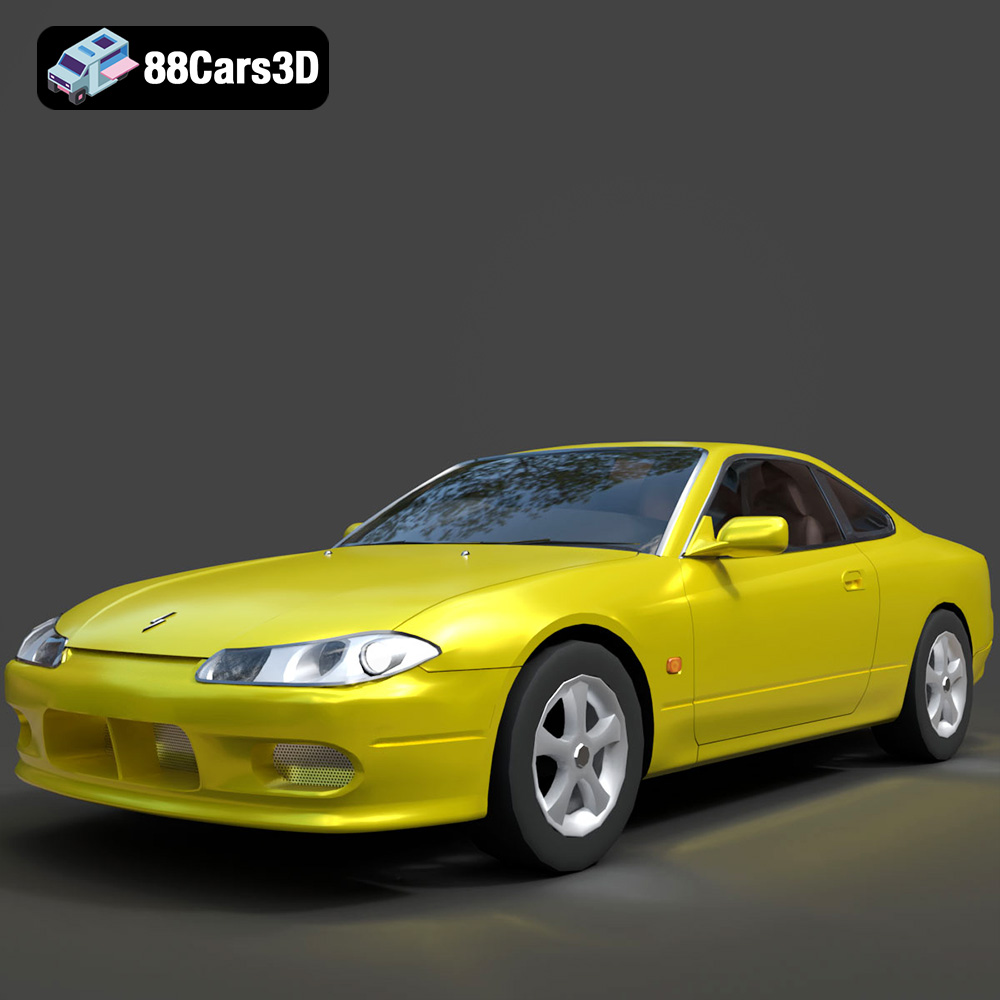
Texture: Yes
Material: Yes
Download the Nissan Silvia 3D Model featuring clean geometry, realistic detailing, and a fully modeled interior. Includes .blend, .fbx, .obj, .glb, .stl, .ply, .unreal, and .max formats for rendering, simulation, and game development.
Price: $4.99
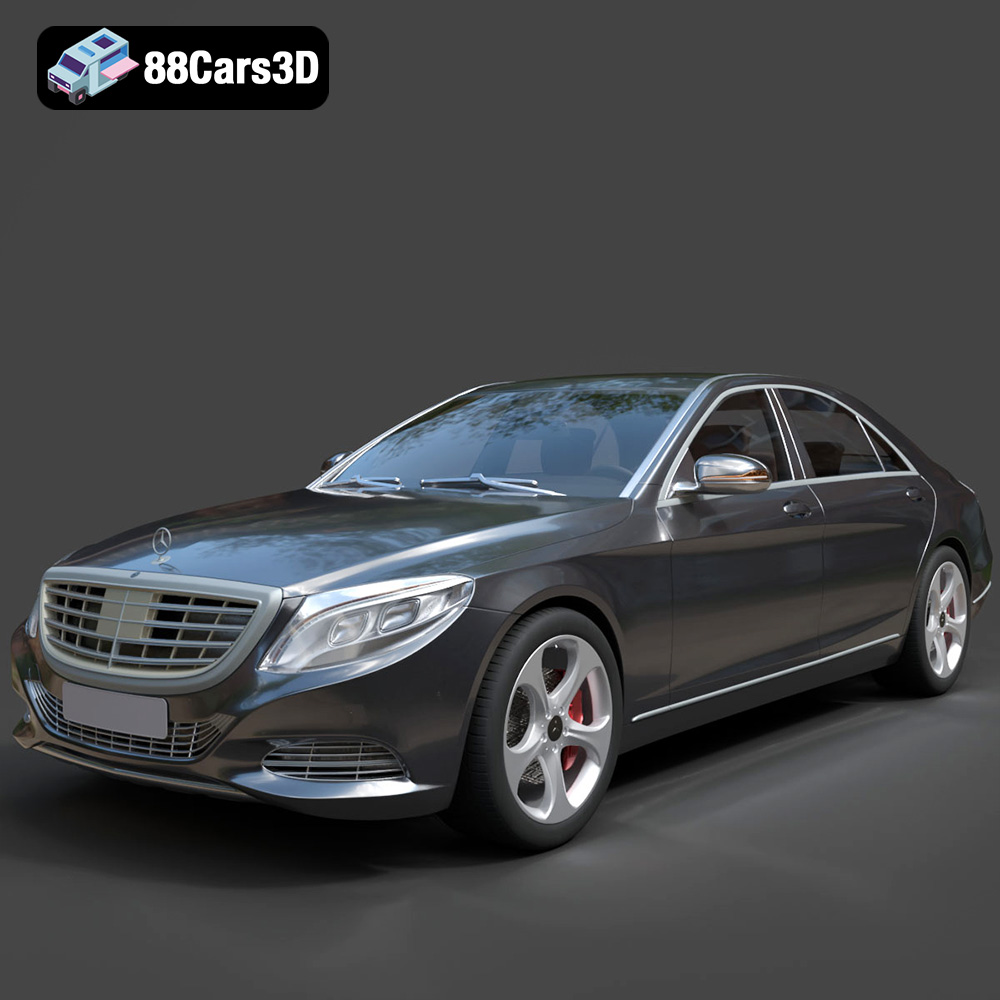
Texture: Yes
Material: Yes
Download the Mercedes-Benz S-Class 2014 3D Model featuring clean geometry, realistic detailing, and a fully modeled interior. Includes .blend, .fbx, .obj, .glb, .stl, .ply, .unreal, and .max formats for rendering, simulation, and game development.
Price: $6.99
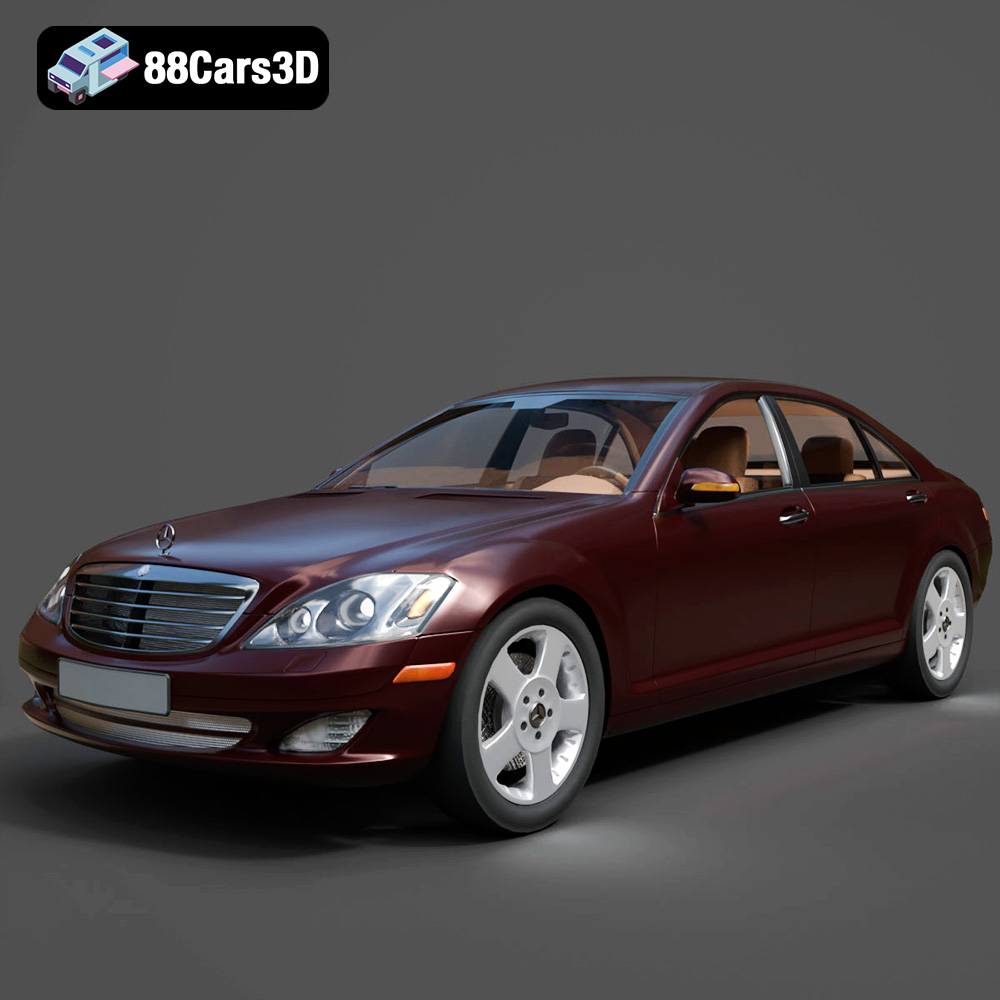
Texture: Yes
Material: Yes
Download the Mercedes-Benz S-Klasse W221 2008 3D Model featuring clean geometry, realistic detailing, and a fully modeled interior. Includes .blend, .fbx, .obj, .glb, .stl, .ply, .unreal, and .max formats for rendering, simulation, and game development.
Price: $4.99
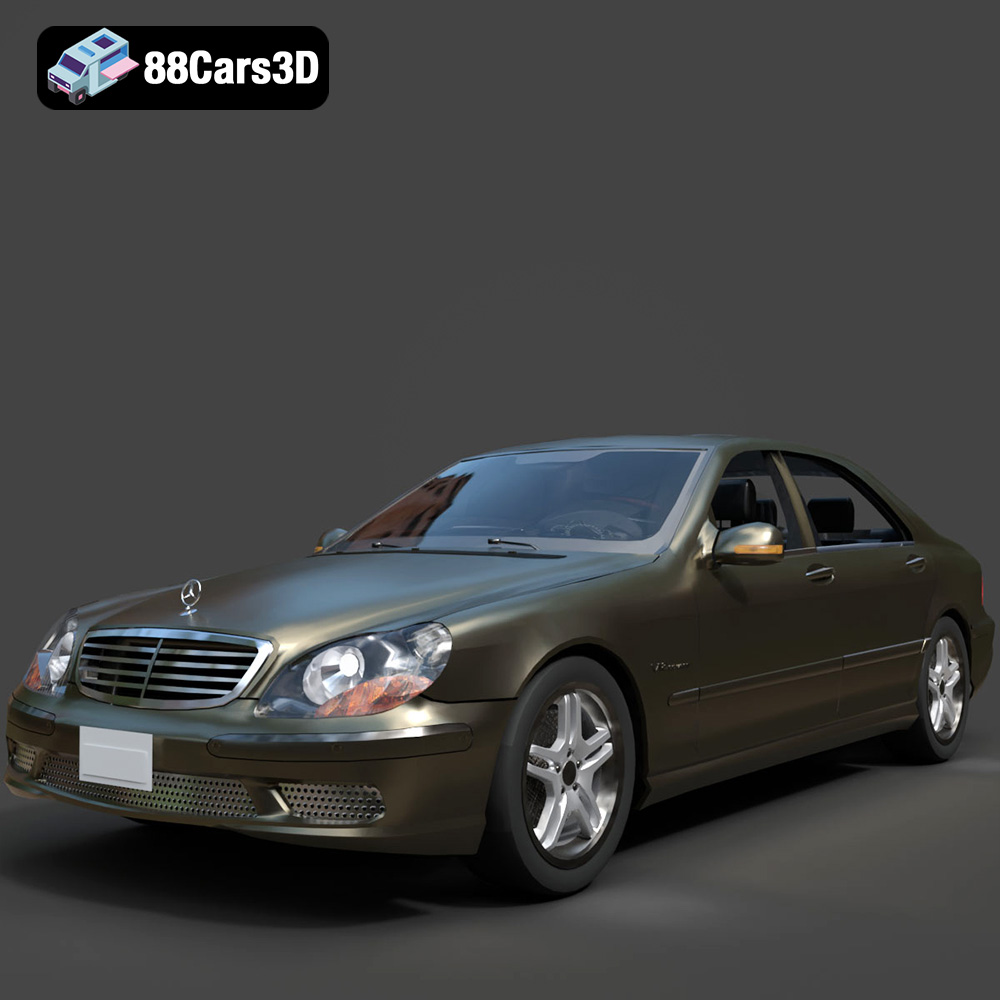
Texture: Yes
Material: Yes
Download the Mercedes-Benz S-Klasse W220 3D Model featuring clean geometry, realistic detailing, and a fully modeled interior. Includes .blend, .fbx, .obj, .glb, .stl, .ply, .unreal, and .max formats for rendering, simulation, and game development.
Price: $4.99

