
The Art and Science of Automotive 3D Modeling Topology

The roar of an engine, the glint of chrome under a simulated sun, the sleek lines of a supercar – these are the elements that captivate us in the automotive world. In the realm of 3D, bringing these vehicles to life demands a blend of artistic vision and rigorous technical mastery. From the intricate topology that defines a car’s curves to the subtle nuances of its physically based materials, every detail contributes to creating a truly immersive experience. Whether you’re a seasoned 3D artist aiming for photorealistic renders, a game developer optimizing for peak performance, or an automotive designer visualizing your next masterpiece, understanding the technical intricacies of 3D car models is paramount.
This comprehensive guide dives deep into the advanced techniques and best practices for working with high-quality 3D car models. We’ll explore everything from the foundational principles of clean modeling and efficient UV mapping to cutting-edge rendering workflows, game engine optimization, and specialized applications like AR/VR and 3D printing. Prepare to uncover the secrets behind creating, optimizing, and deploying stunning automotive assets that will elevate your projects to the next level. Get ready to transform your understanding of 3D car models, ensuring your creations not only look spectacular but also perform flawlessly across diverse platforms.
The Art and Science of Automotive 3D Modeling Topology
At the heart of any exceptional 3D car model lies its topology – the arrangement of vertices, edges, and faces that form the mesh. For automotive subjects, perfect topology isn’t just about aesthetics; it’s critical for smooth deformations, accurate reflections, efficient UV mapping, and robust subdivision. A well-constructed mesh allows for seamless transitions between surfaces, holds its shape perfectly when subdivided, and minimizes artifacts during rendering or animation. Ignoring these foundational principles can lead to endless headaches down the line, from pinching artifacts to render errors and poor performance.
Understanding Quad-Based Topology and Edge Flow
The industry standard for organic and hard-surface modeling, especially for subdivision surfaces, is quad-based topology. Quads (four-sided polygons) are predictable, subdivide smoothly, and allow for clean edge flow. Edge flow refers to the direction and continuity of these edges, which should ideally follow the natural contours and design lines of the car. For instance, edges should loop around wheel arches, follow door and panel gaps, and define sharp creases and curvature changes. This precise control ensures that when you apply subdivision modifiers like Turbosmooth in 3ds Max, Subdivision Surface in Blender, or OpenSubdiv in Maya, the mesh smoothly interpolates the surface without unsightly pinches or distortions. Mastering edge flow is particularly challenging for complex car body panels, where subtle shifts in curvature define the vehicle’s character. Artists often use reference images and blue-prints to meticulously trace these lines, ensuring every polygon contributes to the overall form with maximum efficiency.
Poly Count Considerations and Subdivision Strategies
Determining the optimal polygon count for your 3D car model depends entirely on its intended use. For high-fidelity cinematic renders or hero shots, a “heavy” model with intricate detail might range from 500,000 to over 5 million polygons after subdivision. Here, the emphasis is on absolute realism, capturing every minute curve and seam. For real-time applications like games or AR/VR, polygon count optimization is critical. A game-ready vehicle might have a base mesh between 30,000 and 150,000 polygons for a hero vehicle, depending on the platform and proximity to the camera. This typically involves baking high-resolution details (like panel gaps or bolts) into normal maps to project them onto a lower-poly mesh.
The strategy often involves creating a clean, low-to-mid poly base mesh with excellent quad-based topology. For high-resolution renders, this base mesh is then smoothed using subdivision surfaces. For game engines, multiple Levels of Detail (LODs) are generated from this base, each progressively lower in poly count. For instance, LOD0 (closest to camera) might be 80,000 polys, LOD1 at 40,000, LOD2 at 15,000, and LOD3 at 5,000. These LODs ensure that visual fidelity is maintained up close while performance is optimized when the car is further away. This hierarchical approach is fundamental for integrating high-quality models into interactive environments without sacrificing frame rates.
Mastering UV Mapping and Texture Creation for Realistic Cars
Once your 3D car model’s topology is solid, the next crucial step in achieving realism is proper UV mapping and the creation of physically accurate materials. UVs are the bridge between your 3D model and its 2D textures, dictating how colors, bumps, and reflections are projected onto the surface. Without meticulous UVs and well-crafted textures, even the most perfectly modeled car will look flat and unconvincing.
Strategic UV Unwrapping for Complex Surfaces
UV unwrapping for a complex object like a car is an art form in itself. The goal is to create flattened 2D representations of your 3D surfaces with minimal distortion, stretching, or overlapping. For hard-surface objects, common techniques include:
- Planar Projection: Useful for flat or near-flat surfaces.
- Cylindrical/Spherical Projection: Good for wheels or rounded parts.
- Pelting/Unfold: The most common method, allowing artists to “cut” seams along natural breaks (like panel gaps or hidden edges) and then flatten the resulting shells.
Avoiding visible seams is paramount for automotive surfaces, especially on the main body panels where reflections are key. Artists often strategically place seams in less visible areas or where components naturally meet. For extremely high-resolution textures, particularly for hero assets, UDIMs (U-Dimension) are frequently employed. UDIMs allow you to spread textures across multiple UV tiles, enabling 8K or even 16K resolution textures for individual parts like the car body, tires, or interior, without being limited to a single 0-1 UV space. This is essential for maintaining incredible detail and fidelity on close-up renders.
Crafting PBR Materials and Shader Networks
Physically Based Rendering (PBR) has revolutionized material creation, ensuring that surfaces react to light in a physically accurate manner, resulting in highly realistic visuals across different lighting conditions and renderers. The core of PBR involves several essential texture maps:
- Albedo/Base Color: Defines the base color of the surface.
- Metallic: Indicates if a surface is metallic (1) or dielectric (0).
- Roughness (or Glossiness): Determines how rough or smooth a surface is, affecting reflection sharpness.
- Normal Map: Adds fine surface detail (bumps, scratches, panel lines) without increasing polygon count.
- Ambient Occlusion (AO): Simulates soft shadows where surfaces meet or crevices exist.
For realistic car paint, the PBR setup becomes more complex. A typical car paint shader often involves multiple layers: a metallic base coat (with its own color, metallic, and roughness maps), followed by a clear coat layer (specular, roughness, and possibly a normal map for orange peel effect). Some advanced shaders even incorporate iridescent flake effects for a truly authentic automotive finish. Software like Substance Painter or Substance Designer are industry-standard for authoring these complex PBR material sets, allowing artists to paint directly onto the 3D model while generating all necessary maps.
High-Fidelity Automotive Rendering Workflows
With a meticulously modeled and textured 3D car, the next step is to showcase it in its best light – literally. High-fidelity rendering is where all the painstaking details come together, transforming a digital asset into a photorealistic image or animation. This process involves careful consideration of lighting, camera angles, render engine settings, and crucial post-processing.
Lighting Setups for Dramatic Car Visuals
Lighting is arguably the most impactful element in automotive rendering. It defines mood, highlights form, and brings out the nuances of the car paint. Common strategies include:
- Studio Lighting: Mimicking real-world photo studios, this often involves 3-point lighting (key, fill, back light) combined with softbox and strip lights to create elegant reflections and highlight the car’s contours. The goal is often a clean, controlled look.
- HDRI (High Dynamic Range Image) Environments: Using HDRIs is incredibly effective for realistic outdoor or indoor lighting. An HDRI captures real-world light information, providing both illumination and reflections. Combining an HDRI with a subtle physical sun and sky system can yield breathtakingly realistic results, allowing the car to truly sit within its environment.
- Area Lights and Portals: For interior scenes or specific accentuation, precisely placed area lights can mimic studio softboxes or window light. Light portals, particularly in unbiased renderers, help guide rays and reduce noise in enclosed spaces, improving render efficiency.
The key is to use lighting to emphasize the car’s design language, highlight its unique features, and evoke the desired emotion. Pay close attention to how reflections behave on the curved surfaces, as this is a strong indicator of realism.
Render Engine Choices and Settings (Corona, V-Ray, Cycles, Arnold)
The choice of render engine significantly impacts workflow, visual quality, and render times. Each has its strengths:
- Corona Renderer (3ds Max, Cinema 4D): Known for its ease of use and intuitive interface, Corona is a popular choice for architectural visualization and automotive rendering. It excels at physically accurate light transport and offers an excellent interactive render (IPR) for real-time feedback.
- V-Ray (3ds Max, Maya, SketchUp, Cinema 4D): A long-standing industry standard, V-Ray is incredibly versatile and powerful, offering a vast array of features for both biased and unbiased rendering. It’s excellent for complex scenes and large productions, with robust options for GI, caustics, and render elements.
- Cycles (Blender): Blender’s powerful, built-in path tracing renderer. With GPU acceleration (NVIDIA OptiX/CUDA, AMD HIP), Cycles can produce stunning results efficiently, especially with its robust node-based material system.
- Arnold (Maya, 3ds Max, Cinema 4D): Autodesk’s default renderer for Maya and 3ds Max, Arnold is an unbiased, CPU-based ray tracer (with GPU coming) favored for its robust handling of complex geometry, large scenes, and cinematic quality.
Regardless of the engine, optimizing settings involves balancing render quality (sampling, GI bounces, anti-aliasing) with render time. Using adaptive sampling, denoisers (like NVIDIA OptiX or Intel Open Image Denoise), and understanding the impact of various GI algorithms (e.g., brute force, irradiance map) are crucial for efficient rendering.
Post-Processing and Compositing for the Final Touch
Rendering is rarely the final step. Post-processing and compositing in software like Adobe Photoshop or After Effects add that extra layer of polish that elevates a good render to an outstanding one. Key techniques include:
- Color Grading: Adjusting exposure, contrast, white balance, and color curves to set the mood and enhance visual appeal.
- Lens Effects: Adding subtle bloom, glare, chromatic aberration, or depth of field to mimic real-world camera optics.
- Sharpening and Noise Reduction: Enhancing details and cleaning up any remaining render noise.
- Render Elements/Passes: Exporting separate render passes (e.g., diffuse, reflection, specular, Z-depth, Cryptomatte) allows for non-destructive adjustments and greater control during compositing. For instance, adjusting reflections separately or adding atmospheric haze using a Z-depth pass.
- Motion Blur: For animated sequences, adding realistic motion blur in post-production can often be more flexible and faster than rendering it directly, especially if you have a velocity pass.
The goal of post-processing is to refine the image, correct imperfections, and inject artistic flair without making it look overly manipulated.
Optimizing 3D Car Models for Game Engines and Real-time Applications
While cinematic renders prioritize absolute visual fidelity, game engine optimization focuses on achieving high visual quality within strict performance budgets. Real-time applications like games, interactive configurators, and virtual reality experiences demand models that are not only beautiful but also incredibly efficient. This means careful management of polygon count, texture memory, and draw calls.
Level of Detail (LOD) Strategies for Performance
One of the most critical optimization techniques is the implementation of Levels of Detail (LODs). Instead of loading the full-resolution model at all times, LODs allow you to display progressively lower-polygon versions of the model as it moves further away from the camera. A typical setup for a hero vehicle might involve 3-5 LODs:
- LOD0 (Hero Mesh): Full detail, 50,000-150,000 polygons (or more for next-gen), used when the car is very close.
- LOD1: ~50% reduction, 25,000-75,000 polygons, with some smaller details removed.
- LOD2: ~75% reduction, 10,000-30,000 polygons, further simplification, often removing internal components.
- LOD3: ~90% reduction, 3,000-10,000 polygons, very simplified, used for distant views.
- LOD4 (Cull): Sometimes a final stage where the model is simply culled (not rendered) beyond a certain distance.
These LODs are typically generated from the high-resolution source model using decimation tools (e.g., ProOptimizer in 3ds Max, Decimate Modifier in Blender, or built-in LOD generation in Unity and Unreal Engine). The process often involves careful manual cleanup to ensure visual integrity at each level. Sourcing high-quality 3D car models from marketplaces like 88cars3d.com often provides models pre-optimized with multiple LODs, saving valuable development time.
Reducing Draw Calls and Texture Memory
Every unique material and object rendered by the GPU incurs a draw call, and minimizing these is crucial for performance.
- Texture Atlasing: Combining multiple smaller textures (e.g., for different car parts like wheels, calipers, interior elements) into a single, larger texture atlas reduces draw calls by allowing many objects to share one material. Careful UV mapping is essential for efficient atlas packing.
- Material Merging: If multiple objects share the same material properties, they can be combined into a single mesh or instantiated to reduce draw calls.
- Instancing: For identical objects (e.g., all four tires, if they share the same material), using instancing allows the GPU to render them with a single draw call, saving significant resources.
Texture resolution also directly impacts memory usage. While 4K textures look great, they consume a lot of VRAM. It’s best practice to use the lowest resolution possible without compromising visual quality, often mixing 1K, 2K, and 4K textures depending on the asset’s importance and screen space. For mobile platforms, 512×512 or 1K textures might be the maximum for many assets.
Collision Meshes and Physics Assets
For interactive applications, physics interactions are vital. High-polygon visual meshes are too complex for real-time physics calculations, so simplified collision meshes are used. These are usually much simpler, invisible meshes that approximate the shape of the car. Common types include:
- Convex Hulls: A simplified, convex shape that fully encloses the object. Good for simple interactions but can be inaccurate for complex shapes.
- Primitive Shapes: Boxes, spheres, and capsules for very basic collisions.
- Simplified Mesh Colliders: A hand-optimized, low-polygon version of the visual mesh, providing better accuracy than convex hulls without the performance hit of the render mesh.
These collision meshes are then assigned to a Physics Asset in game engines like Unreal or Unity, defining how the car interacts with its environment and other objects. This separation of visual and physics geometry is fundamental for stable and performant physics simulations.
Advanced Applications: AR/VR, 3D Printing, and Visualization
The versatility of high-quality 3D car models extends far beyond traditional rendering and game development. They are becoming indispensable tools in emerging technologies and specialized visualization fields, each demanding unique preparation and optimization strategies. From interactive augmented reality experiences to physical prototypes, the core 3D asset needs to be carefully tailored for its specific final destination.
Preparing Models for Immersive AR/VR Experiences
AR/VR applications present some of the most stringent optimization challenges due to the demand for high frame rates (typically 90 FPS or higher to prevent motion sickness) and the often limited processing power of standalone headsets or mobile devices.
- Extreme Poly Count Reduction: For mobile AR (e.g., Apple ARKit, Google ARCore), a car model might need to be below 50,000 polygons, sometimes even as low as 20,000. For PC VR, limits are more lenient but still demand careful optimization. This often means aggressive LODs and baking most details into normal maps.
- GLB/USDZ File Formats: These are the preferred formats for AR/VR. GLB (glTF Binary) is a compact, single-file format that includes geometry, materials, and animations, making it ideal for web-based AR and VR. USDZ, developed by Apple, is optimized for AR on iOS devices. Both support PBR materials.
- Optimized Materials and Shaders: Simpler, performant shaders are preferred. Avoid overly complex shader networks or multiple transparent layers where possible. Texture resolutions should be judiciously chosen, often 1K or 2K. Baked lighting can also be used to offload real-time calculations.
- Performance Budgets: Developers must constantly monitor draw calls, triangle counts, and shader complexity to ensure the experience remains smooth and comfortable for users.
Platforms like 88cars3d.com provide models with clean topology and often multiple LODs, making them an excellent starting point for AR/VR development, as the foundational quality is already there for further optimization.
3D Printing Preparation and Mesh Integrity
3D printing converts a digital model into a physical object, but this requires a fundamentally different approach to mesh preparation. The focus shifts from rendering fidelity to physical integrity.
- Watertight Meshes: Crucially, a 3D printable model must be “watertight” – a completely enclosed volume with no gaps, holes, or overlapping faces. Any open edges will prevent the printer from correctly interpreting the geometry.
- Wall Thickness: Ensure all parts of the model have sufficient wall thickness to be physically durable. Thin areas might break during printing or post-processing. Typical minimums range from 0.8mm to 2mm, depending on the printing technology and material.
- Scale and Units: Models must be scaled correctly to real-world dimensions. Using consistent units (e.g., millimeters) throughout the workflow is vital.
- Mesh Repair Tools: Software like Autodesk Netfabb, Blender’s 3D Print Toolbox, or MeshMixer are invaluable for identifying and repairing non-manifold geometry, inverted normals, and other issues that prevent successful printing.
- STL File Format: The most common file format for 3D printing is STL (Stereolithography), which represents geometry purely as a mesh of triangles.
Converting a complex, high-detail automotive render model to a print-ready asset often involves significant remodeling, Boolean operations to combine parts, and extensive mesh cleanup.
High-Fidelity Visualization and Interactive Configurators
Beyond AR/VR and physical prints, 3D car models are central to cutting-edge visualization and interactive configurators. Automotive brands leverage these tools for:
- Product Launches: Immersive online experiences showcasing new vehicles before they hit the showroom.
- Marketing and Sales: Allowing potential buyers to customize a car in real-time – changing colors, wheel types, interior trims, and viewing it from any angle.
- Design Reviews: Enabling designers and engineers to evaluate prototypes in virtual environments, spotting design flaws or making rapid iterations.
These applications often use real-time ray tracing (e.g., NVIDIA RTX) for near-photorealistic quality in interactive settings. They demand highly detailed models, dynamic material switching capabilities, and often advanced animation setups for opening doors, operating convertible tops, or showcasing features. The quality and flexibility of the base 3D model are paramount for delivering a seamless, high-end experience.
File Formats, Compatibility, and Workflow Integration
Navigating the diverse ecosystem of 3D software and applications requires a solid understanding of 3D file formats. The right format ensures smooth data transfer, preserves critical model attributes, and ultimately streamlines your workflow. Choosing the incorrect format or misunderstanding its limitations can lead to lost data, broken materials, and hours of frustration.
Demystifying Common 3D File Formats
Several file formats are prevalent in the 3D industry, each serving specific purposes:
- FBX (Filmbox): Developed by Autodesk, FBX is arguably the most widely adopted interchange format. It supports geometry, UVs, PBR materials (often as linked textures), rigging, animation, and cameras. It’s the go-to for transferring assets between 3D DCC (Digital Content Creation) tools like 3ds Max, Maya, Blender, and game engines like Unity and Unreal.
- OBJ (Wavefront Object): An older, simpler, and very universal format. OBJ files contain geometry (vertices, normals, UVs) and typically reference an accompanying MTL (Material Template Library) file for basic material properties. It does not support animation or rigging, but its widespread compatibility makes it a safe fallback for static models.
- GLB (glTF Binary) / glTF (Graphics Language Transmission Format): An open standard from the Khronos Group, glTF is quickly becoming the “JPEG of 3D.” It’s highly optimized for web and real-time applications, supporting PBR materials, animations, and scene graphs in a compact, efficient package. GLB is the binary version, containing all assets in a single file.
- USDZ (Universal Scene Description Zip): Developed by Apple and Pixar, USDZ is an optimized file format specifically for AR experiences on iOS devices. It’s based on Pixar’s USD format and packages geometry, materials, and textures efficiently.
- Native Formats (.max, .blend, .ma, .c4d): These are the proprietary files of your 3D software (3ds Max, Blender, Maya, Cinema 4D). They contain all scene data, modifiers, and software-specific features. While best for working within a single application, they are not suitable for cross-software transfer without proper conversion/export.
Understanding what data each format preserves is crucial. For instance, exporting an FBX can embed textures, but it’s often better to link them and manage them separately for easier updates.
Ensuring Cross-Software Compatibility
When moving 3D car models between different software packages, compatibility can be a minefield. Common issues include:
- Scale Differences: Different software might use different default units (e.g., centimeters vs. meters). Always check and adjust scale on import/export to avoid models appearing tiny or gargantuan.
- Material Interpretation: PBR materials created in one software might not translate perfectly to another without adjustment. While formats like FBX and glTF try to preserve PBR data, render engines often have unique shader implementations. It’s common to re-apply or fine-tune materials in the target software.
- Normal Map Tangent Space: Normal maps can appear inverted or incorrect if the tangent space (how the software calculates surface direction) differs between applications. Tools often have options to select “OpenGL” or “DirectX” tangent space during export.
- Missing Assets: Ensuring all textures, HDRIs, and external files are packaged correctly (or referenced with correct paths) during export is vital. Using an asset packer or ensuring files are in a local directory is good practice.
A common workflow involves exporting models as FBX (for geometry, UVs, basic materials, and animation) and textures separately as PNG or JPG. Then, re-importing into the target software and manually rebuilding or re-connecting materials, especially for complex shaders.
Streamlining Your Workflow with High-Quality Assets
The foundation of an efficient and productive 3D workflow is the quality of your source assets. Starting with a poorly modeled or unoptimized 3D car model can lead to endless hours of cleanup, retopology, and re-texturing, costing valuable time and resources. This is where specialized marketplaces become invaluable.
Platforms that curate high-quality 3D car models, such as 88cars3d.com, provide a significant advantage. They offer pre-built assets featuring clean topology, proper UV mapping, and ready-to-use PBR materials, often optimized for various renderers or game engines. This means artists and developers can skip the laborious initial modeling and texturing phases, focusing instead on creative direction, lighting, scene composition, and fine-tuning. For projects with tight deadlines or when a specific vehicle is needed quickly, sourcing professional-grade models dramatically accelerates production and ensures a consistent standard of quality across your projects. Leveraging these resources allows you to integrate complex automotive designs seamlessly into your desired application, whether it’s a stunning visualization, an interactive game, or a cutting-edge AR experience.
Conclusion
The journey through the intricate world of 3D car models reveals a fascinating blend of artistic skill and technical precision. We’ve explored the critical importance of clean topology and edge flow for realistic deformation, delved into the meticulous process of UV mapping and PBR material creation, and dissected high-fidelity rendering workflows across various engines. Furthermore, we’ve uncovered the essential optimization strategies for game development and the specialized considerations for cutting-edge applications like AR/VR and 3D printing. Finally, understanding the nuances of 3D file formats and ensuring cross-software compatibility is the glue that binds these complex workflows together.
Mastering these techniques empowers you to create and utilize 3D car models that not only look stunning but also perform flawlessly in any context. The quality of your assets directly impacts the realism of your renders, the fluidity of your games, and the immersiveness of your interactive experiences. As technology continues to evolve, the demand for high-quality, optimized 3D automotive assets will only grow. By applying the insights shared in this guide, you are well-equipped to tackle the challenges and harness the incredible potential of 3D car modeling. Continue to practice, experiment, and explore the vast resources available, including expertly crafted models from platforms like 88cars3d.com, to elevate your projects and bring your automotive visions to life with unparalleled realism and efficiency.
Featured 3D Car Models

Mercedes E-Class w124 Kombi 3D Model
Texture: Yes
Material: Yes
Download the Mercedes E-Class w124 Kombi 3D Model featuring clean geometry, realistic detailing, and a fully modeled interior. Includes .blend, .fbx, .obj, .glb, .stl, .ply, .unreal, and .max formats for rendering, simulation, and game development.
Price: $4.99

Mercedes-Benz CL6540-005 3D Model
Texture: Yes
Material: Yes
Download the Mercedes-Benz CL6540-005 3D Model featuring clean geometry, realistic detailing, and a fully modeled interior. Includes .blend, .fbx, .obj, .glb, .stl, .ply, .unreal, and .max formats for rendering, simulation, and game development.
Price: $4.99

Mercedes E-Class w124 Coupe 3D Model
Texture: Yes
Material: Yes
Download the Mercedes E-Class w124 Coupe 3D Model featuring clean geometry, realistic detailing, and a fully modeled interior. Includes .blend, .fbx, .obj, .glb, .stl, .ply, .unreal, and .max formats for rendering, simulation, and game development.
Price: $4.99

Mercedes-Benz E-Klasse 63 AMG 3D Model
Texture: Yes
Material: Yes
Download the Mercedes-Benz E-Klasse 63 AMG 3D Model featuring clean geometry, realistic detailing, and a fully modeled interior. Includes .blend, .fbx, .obj, .glb, .stl, .ply, .unreal, and .max formats for rendering, simulation, and game development.
Price: $4.99

Mini Cabrio 2025 3D Model
Texture: Yes
Material: Yes
Download the Mini Cabrio 2025 3D Model featuring clean geometry, realistic detailing, and a fully modeled interior. Includes .blend, .fbx, .obj, .glb, .stl, .ply, .unreal, and .max formats for rendering, simulation, and game development.
Price: $4.99

Nissan 350Z 3D Model
Texture: Yes
Material: Yes
Download the Nissan 350Z 3D Model featuring clean geometry, realistic detailing, and a fully modeled interior. Includes .blend, .fbx, .obj, .glb, .stl, .ply, .unreal, and .max formats for rendering, simulation, and game development.
Price: $4.99

Mercedes-Benz E-Klasse Coupe 2010 3D Model
Texture: Yes
Material: Yes
Download the Mercedes-Benz E-Klasse Coupe 3D Model featuring clean geometry, realistic detailing, and a fully modeled interior. Includes .blend, .fbx, .obj, .glb, .stl, .ply, .unreal, and .max formats for rendering, simulation, and game development.
Price: $4.99

Mercedes-Benz A 45 AMG 3D Model
Texture: Yes
Material: Yes
Download the Benza MERS-007 3D Model featuring clean geometry, realistic detailing, and a fully modeled interior. Includes .blend, .fbx, .obj, .glb, .stl, .ply, .unreal, and .max formats for rendering, simulation, and game development.
Price: $4.99
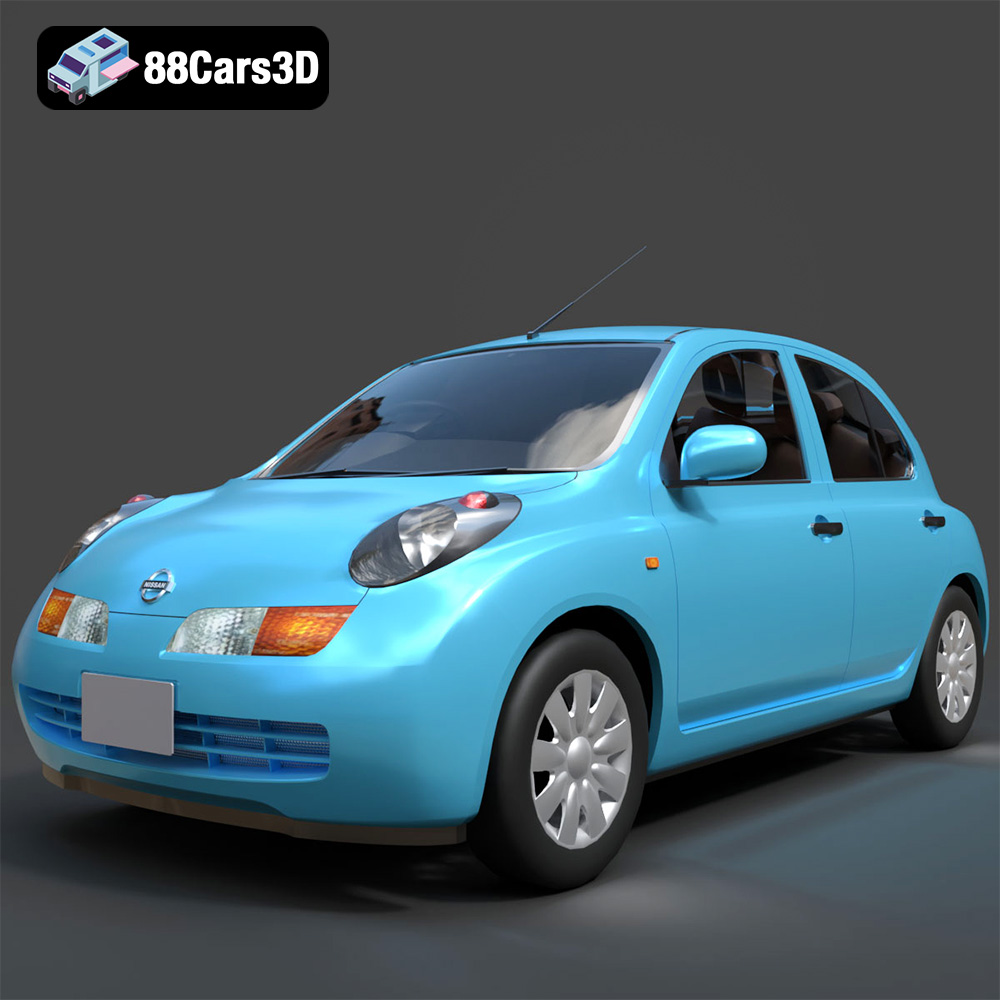
Nissan March 2025 3D Model
Texture: Yes
Material: Yes
Download the Nissan March 2025 3D Model featuring clean geometry, realistic detailing, and a fully modeled interior. Includes .blend, .fbx, .obj, .glb, .stl, .ply, .unreal, and .max formats for rendering, simulation, and game development.
Price: $4.99
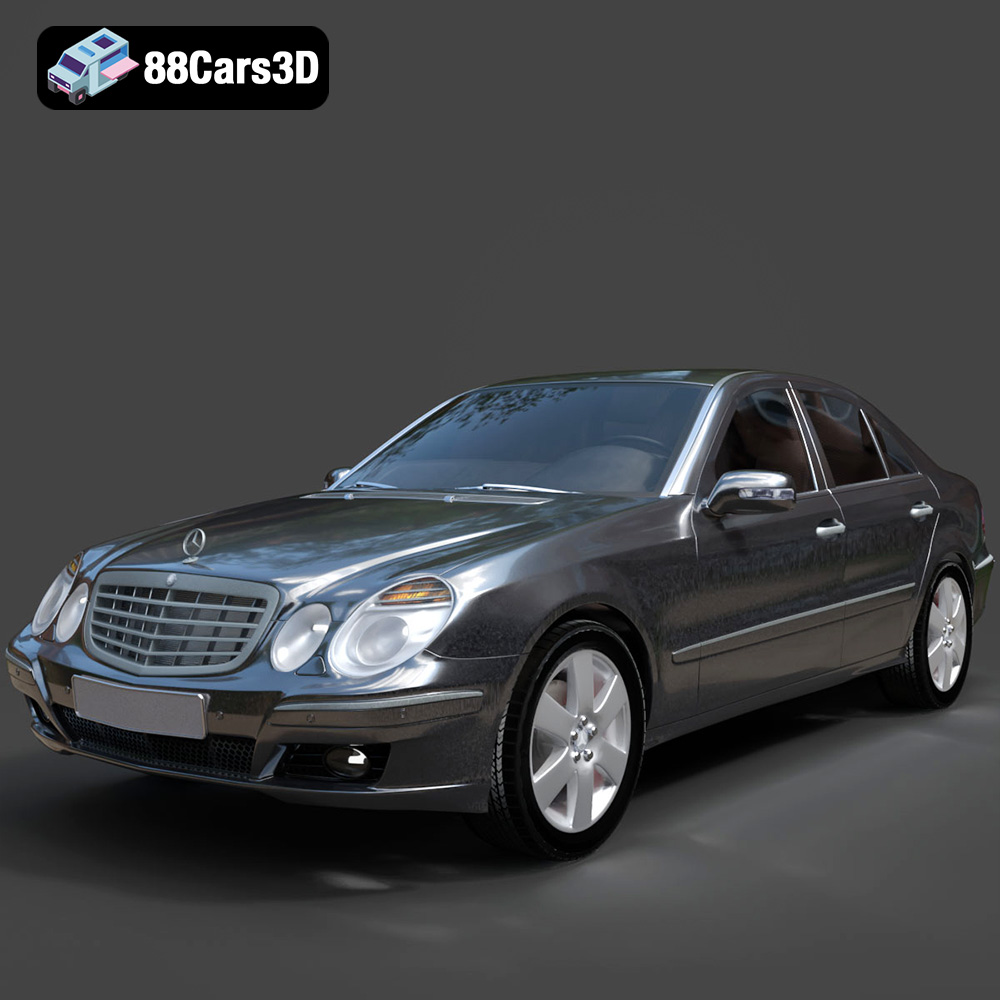
Mercedes E-Class 2007 3D Model
Texture: Yes
Material: Yes
Download the Mercedes E-Class 2007 3D Model featuring clean geometry, realistic detailing, and a fully modeled interior. Includes .blend, .fbx, .obj, .glb, .stl, .ply, .unreal, and .max formats for rendering, simulation, and game development.
Price: $4.99
