
The Foundation: Flawless Topology and Edge Flow for Automotive Models

The sleek lines of a sports car, the rugged utility of an SUV, or the vintage charm of a classic automobile – bringing these vehicles to life in the digital realm is a meticulous craft. High-quality 3D car models are indispensable assets across a multitude of industries, from blockbuster video games and cinematic visualizations to cutting-edge automotive design and immersive AR/VR experiences. Yet, achieving true realism and performance requires a deep understanding of complex technical workflows.
This comprehensive guide delves into the intricate world of creating, optimizing, and deploying professional-grade 3D car models. We’ll navigate the critical stages, from establishing impeccable foundational topology and mastering intricate UV mapping to crafting photorealistic PBR materials and fine-tuning assets for real-time game engines or stunning offline renders. Whether you’re a seasoned 3D artist, a game developer, an automotive designer, or a student aspiring to elevate your skills, understanding these technical nuances is paramount. By the end of this post, you’ll gain a profound appreciation for the technical artistry involved and be equipped with actionable insights to enhance your projects and make informed decisions when sourcing assets from platforms like 88cars3d.com.
The Foundation: Flawless Topology and Edge Flow for Automotive Models
At the heart of any exceptional 3D car model lies its topology – the arrangement of vertices, edges, and faces that define the mesh. For automotive subjects, where smooth curves, crisp edges, and realistic deformations are critical, superior topology isn’t just a best practice; it’s a necessity. Clean, quad-based topology ensures predictable subdivision behavior, facilitates UV mapping, and allows for seamless integration into various pipelines.
Automotive surfaces are characterized by their flowing lines and precise transitions. Achieving these requires meticulous attention to edge flow, ensuring that edges follow the natural contours and design lines of the vehicle. This is particularly crucial around panel gaps, wheel arches, and character lines that define the car’s aesthetic. A common goal is to maintain an even distribution of polygons, avoiding overly dense or sparse areas, which can lead to pinching or faceted appearances. For high-resolution rendering, models might start with 50,000 to 150,000 polygons before subdivision, potentially reaching millions of polygons for final output, while game-ready assets typically target a much lower range, often between 30,000 to 100,000 triangles, depending on the platform and proximity to the camera.
Quads, Edge Loops, and Subdivision Surfaces
The golden rule for modeling, especially for subdivision-ready meshes, is to use primarily **quadrilateral polygons (quads)**. Quads provide predictable deformation and smooth out gracefully when subdivided using modifiers like Turbosmooth (3ds Max), Subdivision Surface (Blender), or Smooth Mesh (Maya). **Edge loops** are series of connected edges that run continuously around a mesh, allowing for precise control over shape and detail. For car bodies, these loops are strategically placed to define panel lines, sharp creases, and areas that require creasing or bending. For example, edge loops should follow the circumference of a wheel arch or run along the length of a door panel gap. Without proper edge loops, subdivision can lead to unwanted softening of details or unnatural bumps.
To control the sharpness of an edge without adding excessive geometry, artists often employ **support loops** (also known as control loops or holding loops). These are additional edge loops placed very close to a primary edge. When the model is subdivided, these support loops “hold” the sharpness of the original edge, creating a crisp transition without requiring a completely new hard-surface workflow. This technique is invaluable for defining the hard edges of car body panels, grilles, and interior components while maintaining a clean, quad-based mesh suitable for deformation.
Managing Poles and Maintaining Curvature
**Poles** are vertices where more or less than four edges meet. While not inherently bad, excessive or poorly placed poles (especially 5-edge poles or N-gons) can cause undesirable pinching or creasing upon subdivision. In automotive modeling, careful pole management is essential to maintain the car’s sleek, flowing surfaces. Artists often strategically place 5-edge poles in flatter, less visible areas or where changes in curvature naturally occur, avoiding critical deformation zones or highly reflective surfaces where imperfections would be glaringly obvious.
Maintaining accurate curvature is another significant challenge. Tools like curvature analysis maps or simple visual inspection with reflection shaders (e.g., using a MatCap) help artists identify bumps or dips in the surface that disrupt the smooth flow. Techniques like carefully adjusting vertex positions, using soft selections, or employing specialized surface-snapping tools (like ‘Retopology’ tools in Blender or ‘Conform’ in 3ds Max) are used to iron out imperfections. The goal is a mesh that, even without texture, reflects light accurately and presents a perfectly smooth, manufactured surface, ready for the high-end materials that bring it to life.
Mastering UV Mapping for Pristine Car Surfaces
Once the topology is solid, the next crucial step is **UV mapping**. UVs are a 2D representation of your 3D model’s surface, essential for applying textures accurately. For complex objects like cars, meticulous UV unwrapping is paramount to avoid distortion, maintain uniform texel density, and optimize texture memory. A poorly UV-mapped car model will inevitably suffer from stretched or blurry textures, regardless of the resolution of the image maps.
The goal is to create UV islands that are as undistorted and uniformly scaled as possible, laying them out efficiently within the 0-1 UV space. This minimizes texture stretching and ensures that textures appear consistent across different parts of the vehicle. For a professional 3D car model, separate UV sets are often created for different material types – one for the main body paint, another for the interior, wheels, glass, and so on. This segregation allows for higher texture resolution where it’s needed most and provides greater flexibility in material assignment and look development.
Unwrapping Complex Car Surfaces
Unwrapping a car body is akin to disassembling its panels and laying them flat. The strategy involves identifying natural seams on the vehicle where cuts can be made without being visually disruptive. Common seam placements include along panel gaps (doors, hood, trunk), underneath the car, along sharp edges that naturally break the surface, and inside areas that won’t be seen by the camera. For example, the roof panel might be unwrapped as one large piece, while the side panels might be separated along their character lines. Specialized UV unwrapping tools within software like 3ds Max (UVW Unwrap), Blender (UV Editor), or Maya (UV Editor) allow artists to project, cut, sew, and relax UV islands until optimal results are achieved.
One of the challenges is dealing with the complex curvature and varied surface details of a car. Planar, cylindrical, or spherical projections are often used as a starting point, followed by extensive manual adjustment and relaxation to minimize distortion. It’s common practice to break down the car into logical components – body, interior, wheels, lights, chassis – and unwrap each component separately. This modular approach makes the process more manageable and allows for targeted texture resolutions. For instance, the car body might receive a large, high-resolution UV map, while smaller components like door handles or emblems might share a texture atlas with other similar parts to optimize draw calls in real-time applications.
Texel Density and Multi-Tile UVs (UDIMs)
Texel density refers to the number of texture pixels per unit of 3D space. Maintaining a consistent texel density across the entire model is crucial for visual fidelity. If different parts of the car have vastly different texel densities, some areas will appear sharp while others are blurry. Tools exist to visualize texel density, helping artists ensure uniformity. For a high-quality model, a common target might be 10.24 pixels/cm (1024 pixels per 100cm) or higher, depending on the final output resolution.
For extremely detailed or large models, traditional 0-1 UV space can be restrictive. This is where **Multi-Tile UVs**, often referred to as **UDIMs**, come into play. UDIMs allow artists to spread UV islands across multiple UV tiles (e.g., 1001, 1002, 1003…), each tile representing a separate texture map. This enables an artist to use many high-resolution textures on a single model without being limited by a single 0-1 UV space. For a detailed car model, the body paint could be on one UDIM, interior leather on another, and tire rubber on a third, allowing for extreme texture detail on all parts. This workflow is widely adopted in film VFX and high-end automotive visualization but requires renderer and software compatibility, which most modern render engines and 3D applications support.
Bringing Life to Surfaces: PBR Materials and Shader Networks
The visual realism of a 3D car model largely hinges on its materials and shaders. **Physically Based Rendering (PBR)** has become the industry standard for achieving photorealistic results, accurately simulating how light interacts with surfaces in the real world. PBR materials rely on a set of standardized texture maps that define surface properties like color, reflectivity, and roughness, ensuring consistent results across different lighting conditions and rendering environments.
For automotive models, creating compelling PBR materials is an art form itself. Car paint, in particular, is notoriously complex, requiring multiple layers to simulate the base color, metallic flake, clear coat, and even orange peel effect. Glass, chrome, rubber, and various interior fabrics each demand their own carefully constructed PBR shader network to truly sell the illusion of reality. Leveraging platforms like 88cars3d.com often means acquiring models pre-configured with high-quality PBR setups, significantly streamlining this complex process.
Understanding PBR Workflows and Map Types
There are two primary PBR workflows: **Metalness/Roughness** and **Specular/Glossiness**. While both achieve similar results, they use different texture maps to define material properties:
- Metalness/Roughness Workflow:
- Base Color (Albedo): Defines the diffuse color for non-metals and the reflective color for metals.
- Metallic: A grayscale map (0 to 1) indicating if a surface is metallic (white) or non-metallic (black).
- Roughness: A grayscale map (0 to 1) indicating how rough (white) or smooth/glossy (black) a surface is. Roughness directly affects the spread of reflections.
- Normal Map: Provides fine surface detail by faking the angle of light interaction, making surfaces appear more detailed without adding geometry.
- Ambient Occlusion (AO): A grayscale map that simulates soft shadows where ambient light is obstructed, adding depth.
- Specular/Glossiness Workflow: (Less common now, but still supported)
- Diffuse: Defines the base color without reflections.
- Specular: An RGB map defining the color and intensity of specular reflections.
- Glossiness: The inverse of roughness, where white is smooth/glossy and black is rough.
- Normal Map and AO: Function similarly.
Most modern game engines (Unity, Unreal Engine) and renderers (Corona, V-Ray, Cycles, Arnold) predominantly use the Metalness/Roughness workflow due to its intuitive nature and efficiency. Texture resolutions typically range from 2K (2048×2048) for smaller details to 8K (8192×8192) or even 16K for primary body panels in high-end renders, depending on the required level of detail and proximity to the camera.
Crafting Realistic Automotive Shaders (Paint, Glass, Chrome)
Each material on a car requires a specialized approach:
- Car Paint: This is arguably the most complex. It often involves a base layer (diffuse color), a metallic flake layer (simulated with noise or special shaders), and a clear coat layer (high reflectivity, low roughness, and subtle absorption/refraction). Advanced car paint shaders in renderers like V-Ray and Corona allow for multiple specular layers, clear coat parameters, and even falloff effects for the metallic flakes, mimicking the real-world properties of multi-layered automotive finishes. Some even incorporate parameters for “orange peel” texture, a subtle waviness inherent in real-world car paint due to manufacturing processes.
- Glass: Car glass needs accurate refraction, reflection, and absorption properties. Key parameters include Index of Refraction (IOR) (e.g., 1.5-1.55 for standard glass), accurate color absorption (slight green or blue tint), and realistic reflections. Tinted glass will have higher absorption and a specific color in the refraction channel. Dirt and smudges (via roughness maps) are crucial for realism.
- Chrome & Metals: These are defined by a high metallic value (close to 1), a low roughness value, and a vibrant base color (often a neutral gray for chrome, or colored for other metals). Minor imperfections, scratches, and dust (via roughness and normal maps) are vital to break up perfect reflections and prevent a “CGI look.” Highly polished chrome should have extremely low roughness values, producing sharp, mirror-like reflections.
- Rubber & Plastics: These materials are typically non-metallic (metallic value 0), with roughness varying from smooth plastics (low roughness) to textured rubber (higher roughness). Normal maps are often used to define tire treads or textured interior plastics.
Building these shader networks often involves connecting multiple texture maps, utility nodes (e.g., color correction, blending), and procedural textures within a node-based shader editor (like Blender’s Shader Editor, 3ds Max’s Slate Material Editor, or Maya’s Hypershade). Attention to subtle details, such as fingerprint smudges on interior panels or brake dust on wheels, dramatically enhances realism.
The Art of Illumination: Advanced Rendering Workflows
A perfectly modeled and textured car model will look flat and unconvincing without proper lighting and a compelling rendering workflow. **Automotive rendering** is a specialized discipline that combines technical expertise with an artistic eye to create stunning, photorealistic images and animations. It involves orchestrating light, camera angles, and render settings to highlight the car’s design, materials, and form. Common renderers like Corona Renderer, V-Ray, Cycles, and Arnold offer sophisticated tools for achieving breathtaking results.
The goal is to replicate real-world photography conditions or create stylized lighting setups that enhance the aesthetic appeal of the vehicle. This includes understanding the interplay of direct and indirect light, managing reflections, and setting up environments that provide convincing visual context. Whether it’s a studio shot, an outdoor scene, or a dramatic cinematic sequence, the lighting directly impacts the perception of the model’s quality.
Illuminating the Scene: HDRI and Artificial Lighting
Effective lighting is arguably the most critical factor in achieving realistic renders. For automotive scenes, a combination of **High Dynamic Range Images (HDRIs)** and artificial lights is often used:
- HDRIs: These 360-degree panoramic images capture real-world lighting information, including intensity, color, and direction. Using an HDRI as an environment map instantly provides realistic ambient light, global illumination, and, crucially for cars, accurate reflections. A high-quality HDRI (e.g., 8K or 16K resolution) with a varied lighting setup (e.g., overcast sky, sunset, studio light box) can instantly elevate the realism of a car render by providing complex, natural reflections on the car’s reflective surfaces.
- Artificial Lights: To complement HDRIs and add drama or highlight specific features, artists use various artificial light types:
- Area Lights: Large, soft light sources (like studio softboxes) that produce smooth shadows and even illumination, perfect for revealing surface details without harshness.
- Spot Lights: For focused illumination, creating highlights or emphasizing specific elements like badges or wheel rims.
- Mesh Lights: Converting geometry (e.g., car headlights or interior dome lights) into light emitters for integrated illumination.
- Fill Lights: Used to soften shadows and provide ambient light in specific areas, ensuring no part of the car falls into complete darkness.
A common studio lighting setup for cars might involve one large area light as a key light, a smaller area light as a rim light to define the car’s silhouette, and a soft fill light from the opposite side, all placed within an HDRI environment. Experimenting with light placement, intensity, and color temperature is key to finding the most flattering illumination for the vehicle.
Optimizing Render Settings and Post-Processing
Modern render engines offer a plethora of settings that significantly impact render time and quality. Understanding these is crucial for efficient workflows:
- Sampling/Passes: Most renderers use a sampling approach (e.g., path tracing). Increasing samples (or passes) reduces noise but increases render time. Adaptive sampling helps by focusing computation where noise is most prevalent.
- Denoisers: AI-powered denoisers (like NVIDIA OptiX, Intel Open Image Denoise, or built-in render denoisers in Corona, V-Ray, Cycles) are invaluable. They can significantly reduce render times by cleaning up noisy images rendered with fewer samples, allowing artists to achieve clean results faster.
- Global Illumination (GI): Algorithms like Irradiance Map, Brute Force, or Light Cache (V-Ray) and Path Tracing (Cycles, Arnold, Corona) simulate how light bounces off surfaces, contributing to realistic ambient lighting and color bleeding. Balancing accuracy with render speed is often a trade-off.
- Camera Settings: Just like real photography, aperture (depth of field), focal length, and exposure are critical. A shallow depth of field can draw attention to the car, while a wider focal length might be used for dynamic shots.
**Post-processing and compositing** are the final stages where the raw render output is refined. This typically involves:
- Color Grading: Adjusting hue, saturation, and luminance to achieve a desired mood or match a specific aesthetic.
- Exposure and Contrast Adjustment: Balancing light and dark areas.
- Adding Effects: Bloom, lens flares, chromatic aberration, or subtle glow effects can enhance visual impact.
- Compositing Render Passes: Many renderers output various render elements (e.g., Z-depth, Ambient Occlusion, Specular, Reflection). These can be combined in compositing software (like Photoshop, Affinity Photo, or DaVinci Resolve) to gain granular control over the final image, allowing for non-destructive adjustments and corrections. For instance, adjusting reflections separately can dramatically change the perceived material quality without re-rendering.
Performance Prowess: Optimizing 3D Car Models for Real-time Engines
While offline rendering prioritizes visual fidelity with fewer constraints, real-time applications like **game development**, **AR/VR**, and interactive configurators demand extreme optimization. A beautifully rendered car model that causes frame rate drops is unusable in a game engine. Optimizing 3D car models for platforms like Unity or Unreal Engine involves a series of strategic decisions to balance visual quality with performance targets. This typically means reducing polygon counts, streamlining texture usage, and minimizing draw calls without sacrificing the car’s aesthetic integrity.
When sourcing models from marketplaces such as 88cars3d.com, it’s important to look for “game-ready” or “optimized” specifications, which often include these techniques pre-applied. Understanding these optimization strategies is key to integrating high-quality automotive assets seamlessly into real-time environments.
Implementing LODs for Scalable Performance
**Levels of Detail (LODs)** are perhaps the most critical optimization technique for complex models like cars. An LOD system generates multiple versions of a single model, each with a progressively lower polygon count and simpler materials. The game engine then automatically switches between these versions based on the object’s distance from the camera:
- LOD0 (Highest Detail): Used when the car is close to the camera. Might have 50,000-100,000 triangles or more.
- LOD1 (Medium Detail): Used when the car is at a mid-range distance. Polygon count might be reduced by 50-70% (e.g., 20,000-40,000 triangles). Details like interior components might be simplified or removed.
- LOD2 (Low Detail): For cars further away. Polygon count significantly reduced (e.g., 5,000-15,000 triangles). Minor details are entirely gone, and textures might be simplified.
- LOD3 (Very Low Detail/Impostor): For cars at extreme distances or in a crowd. Might be a few hundred triangles or even a 2D impostor (a texture card of the car).
Creating LODs involves careful manual reduction (decimation) or using automated tools. The goal is to maintain the silhouette and primary visual features as much as possible, even at lower polygon counts. This technique dramatically reduces the computational load on the GPU, allowing for more cars or other detailed objects to be rendered on screen simultaneously without a performance hit. Each LOD transition needs to be imperceptible to the player.
Streamlining Assets: Texture Atlases and Draw Call Reduction
Beyond polygon count, texture usage and draw calls are significant performance bottlenecks:
- Texture Atlases: Instead of having separate texture maps for every small component (e.g., a wheel, a brake caliper, a headlight), a **texture atlas** combines multiple smaller textures into one larger image. All UVs for those components are then mapped to their respective areas within this single atlas. This reduces the number of texture lookups and, more importantly, the number of **draw calls**.
- Draw Calls: A draw call is an instruction from the CPU to the GPU to draw a batch of objects. Each time the engine has to switch materials, textures, or shaders, it generates a new draw call. High draw call counts are a major performance killer. By using texture atlases and combining meshes that share the same material and texture (where appropriate, e.g., all small interior buttons), artists can drastically reduce the number of draw calls, leading to smoother frame rates.
- Material Complexity: Shaders with many instructions (e.g., complex car paint shaders with multiple layers, reflections, refractions, and effects) can be very expensive in real-time. Optimizing materials involves simplifying shader graphs, reducing texture samples, and baking complex effects into simpler textures where possible. For instance, detailed normal maps can replace high-poly geometry, and ambient occlusion can be baked into the base color.
- Collision Meshes: For physics and interaction, cars need collision meshes. These should be extremely simplified convex hulls or collections of primitive shapes (cubes, spheres, capsules) that approximate the car’s shape. Using the high-poly visual mesh for collision is a major performance drain.
- Optimized File Formats: Using efficient file formats like FBX (for Unity/Unreal) or GLB (for web-based AR/VR) that embed textures and animations properly can also aid performance by reducing load times and simplifying asset pipelines.
By implementing these strategies, artists transform high-fidelity 3D car models into performant game assets, ready to drive thrilling experiences in any real-time environment.
Beyond the Screen: AR/VR, 3D Printing, and Visualization
The versatility of high-quality 3D car models extends far beyond traditional rendering and game development. They are increasingly vital for innovative applications in Augmented Reality (AR), Virtual Reality (VR), and even physical manufacturing through 3D printing. Each of these fields presents unique technical challenges and opportunities, demanding specific optimizations and preparation techniques to ensure the digital model translates perfectly into its intended context.
Whether it’s an interactive car configurator experienced in a VR headset, a vehicle overlaid onto the real world via AR, or a miniature prototype produced by a 3D printer, the underlying 3D asset must be robust, accurate, and appropriately prepared. Platforms like 88cars3d.com often provide models specifically prepared for these diverse applications, saving valuable development time.
AR/VR Immersion: Specific Optimizations
AR/VR experiences demand incredibly high performance due to the need for stereoscopic rendering (rendering the scene twice, once for each eye) and very low latency to prevent motion sickness. This means even more stringent optimization than standard game development:
- Extreme Polygon Reduction: While LODs are critical, AR/VR often requires a lower baseline poly count for even the highest LODs. A car model for mobile AR might need to be below 50,000 triangles for its main mesh to run smoothly on less powerful devices.
- Aggressive Draw Call Reduction: Consolidating materials and meshes is paramount. Every draw call is multiplied by two for stereoscopic rendering. Texture atlasing and dynamic batching within engines become even more important.
- Optimized Shaders: Complex PBR shaders with multiple layers and high instruction counts can significantly impact performance. Simplifying shader graphs, baking effects, and using mobile-optimized shaders are common practices.
- Efficient Transparency: Transparent materials like glass can be very costly. Using simpler alpha blending or cut-out techniques, or even faking refraction where possible, can help.
- Asset Streaming: For large scenes, assets might need to be streamed in and out dynamically to manage memory usage.
- File Formats for Web/Mobile: For web-based AR (e.g., WebXR), formats like GLB (glTF Binary) are highly optimized for size and real-time rendering. For Apple’s ARKit, USDZ is the preferred format, often requiring specific material and texture setups.
- Collision and Interaction: Simplified collision meshes are crucial for interactive elements, ensuring responsive physics without bogging down the system.
The goal is to provide a smooth, high-fidelity experience that truly immerses the user without any visual hitches or performance drops, which can quickly break the illusion of presence.
Preparing for 3D Printing: Watertight Meshes and Scale
Unlike virtual environments, 3D printing deals with physical objects, and the requirements for the 3D model are fundamentally different. The primary concern is creating a **watertight mesh** – a completely enclosed volume with no gaps, holes, or inverted normals. A non-watertight mesh cannot be printed because the software cannot define its interior and exterior.
- Watertight Geometry: Every edge must be connected to exactly two faces. There should be no open edges. Tools like Blender’s 3D Print Toolbox, MeshLab, or specialized mesh repair software (e.g., Netfabb) are used to analyze and fix mesh errors.
- Manifold Edges: Ensuring all edges are manifold (meaning they connect two faces cleanly) prevents issues where the printer doesn’t know which side of the surface to print.
- Correct Normals: All face normals must point outwards, consistently defining the exterior surface. Inverted normals can lead to errors or visible artifacts in the printed object.
- Thickness: Components must have sufficient wall thickness to be structurally sound when printed. Extremely thin details might break during printing or post-processing. A minimum wall thickness (e.g., 0.8mm-2mm, depending on the material and printer) is often required.
- Scale and Units: The model must be correctly scaled to real-world units (e.g., millimeters or inches) to ensure the printed object is the desired size.
- Detail Level: While high-poly models are great for rendering, 3D printers have resolution limits. Excessive geometric detail beyond the printer’s capabilities can increase file size without adding visual fidelity to the physical print, and sometimes even introduce errors. Retopology or decimation might be necessary to simplify complex areas.
- Boolean Operations: If joining multiple parts, ensure clean boolean operations that result in solid, interlocking geometry.
Whether creating a full-scale automotive prototype, a detailed collector’s model, or a custom component, meticulous preparation ensures a successful physical output from a digital 3D car model.
Conclusion: The Masterful Blend of Art and Engineering
Creating and deploying professional-grade 3D car models is a complex, multi-faceted discipline that demands a masterful blend of artistic vision and technical expertise. From the foundational integrity of clean topology and precise UV mapping to the advanced realism of PBR materials and sophisticated rendering workflows, every stage plays a critical role in the final visual fidelity and performance of the asset. Whether you are aiming for breathtaking photorealistic renders, highly optimized game assets, immersive AR/VR experiences, or preparing for accurate 3D printing, understanding these technical intricacies is not just beneficial—it’s essential.
The journey from a concept sketch to a fully realized digital vehicle is a testament to meticulous craftsmanship. By adhering to industry best practices, leveraging powerful software tools, and continuously refining your understanding of shading, lighting, and optimization, you can elevate your 3D automotive projects to truly professional standards. Remember that sourcing high-quality, pre-optimized assets from trusted marketplaces like 88cars3d.com can provide a significant head start, allowing you to focus your expertise on customization, integration, and final presentation. Embrace these technical challenges, and you’ll unlock the full potential of 3D automotive visualization, bringing your digital vehicles to life with unparalleled realism and impact.
Featured 3D Car Models

Mercedes E-Class w124 Kombi 3D Model
Texture: Yes
Material: Yes
Download the Mercedes E-Class w124 Kombi 3D Model featuring clean geometry, realistic detailing, and a fully modeled interior. Includes .blend, .fbx, .obj, .glb, .stl, .ply, .unreal, and .max formats for rendering, simulation, and game development.
Price: $4.99

Mercedes-Benz CL6540-005 3D Model
Texture: Yes
Material: Yes
Download the Mercedes-Benz CL6540-005 3D Model featuring clean geometry, realistic detailing, and a fully modeled interior. Includes .blend, .fbx, .obj, .glb, .stl, .ply, .unreal, and .max formats for rendering, simulation, and game development.
Price: $4.99

Mercedes E-Class w124 Coupe 3D Model
Texture: Yes
Material: Yes
Download the Mercedes E-Class w124 Coupe 3D Model featuring clean geometry, realistic detailing, and a fully modeled interior. Includes .blend, .fbx, .obj, .glb, .stl, .ply, .unreal, and .max formats for rendering, simulation, and game development.
Price: $4.99

Mercedes-Benz E-Klasse 63 AMG 3D Model
Texture: Yes
Material: Yes
Download the Mercedes-Benz E-Klasse 63 AMG 3D Model featuring clean geometry, realistic detailing, and a fully modeled interior. Includes .blend, .fbx, .obj, .glb, .stl, .ply, .unreal, and .max formats for rendering, simulation, and game development.
Price: $4.99

Mini Cabrio 2025 3D Model
Texture: Yes
Material: Yes
Download the Mini Cabrio 2025 3D Model featuring clean geometry, realistic detailing, and a fully modeled interior. Includes .blend, .fbx, .obj, .glb, .stl, .ply, .unreal, and .max formats for rendering, simulation, and game development.
Price: $4.99

Nissan 350Z 3D Model
Texture: Yes
Material: Yes
Download the Nissan 350Z 3D Model featuring clean geometry, realistic detailing, and a fully modeled interior. Includes .blend, .fbx, .obj, .glb, .stl, .ply, .unreal, and .max formats for rendering, simulation, and game development.
Price: $4.99

Mercedes-Benz E-Klasse Coupe 2010 3D Model
Texture: Yes
Material: Yes
Download the Mercedes-Benz E-Klasse Coupe 3D Model featuring clean geometry, realistic detailing, and a fully modeled interior. Includes .blend, .fbx, .obj, .glb, .stl, .ply, .unreal, and .max formats for rendering, simulation, and game development.
Price: $4.99

Mercedes-Benz A 45 AMG 3D Model
Texture: Yes
Material: Yes
Download the Benza MERS-007 3D Model featuring clean geometry, realistic detailing, and a fully modeled interior. Includes .blend, .fbx, .obj, .glb, .stl, .ply, .unreal, and .max formats for rendering, simulation, and game development.
Price: $4.99
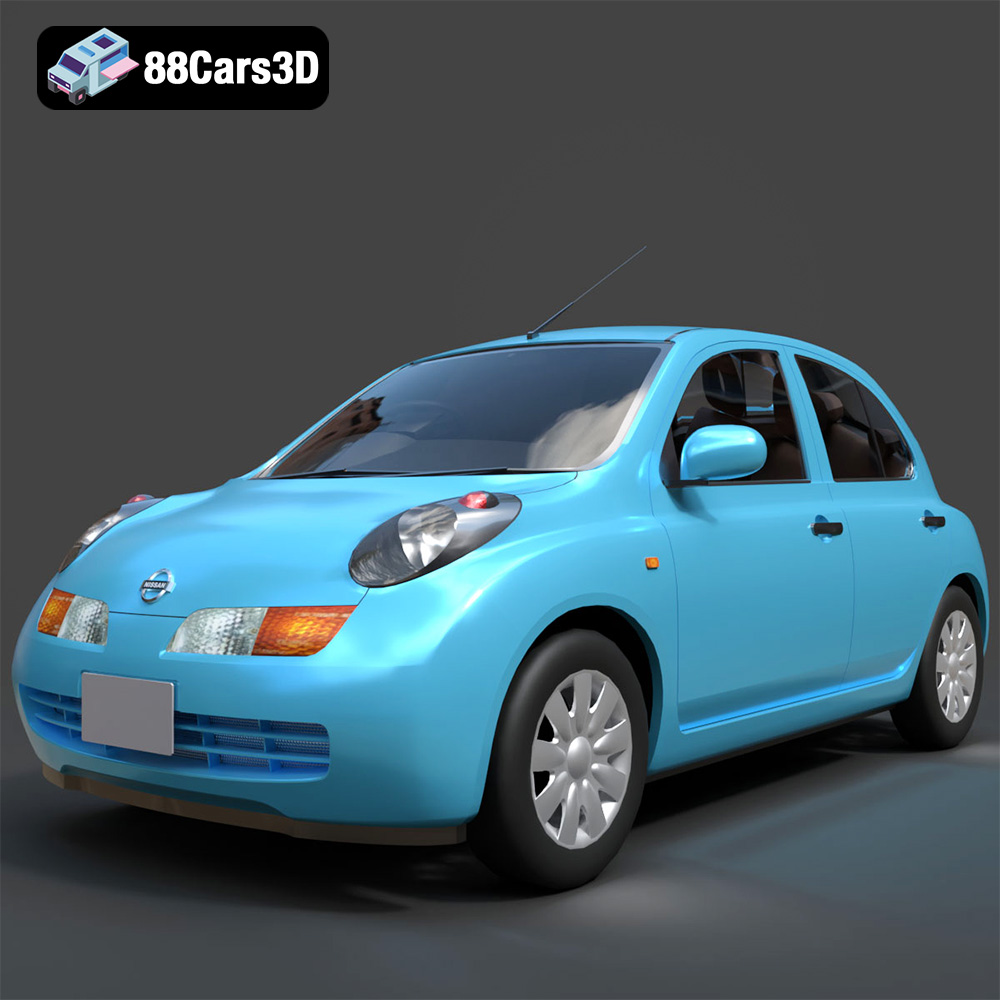
Nissan March 2025 3D Model
Texture: Yes
Material: Yes
Download the Nissan March 2025 3D Model featuring clean geometry, realistic detailing, and a fully modeled interior. Includes .blend, .fbx, .obj, .glb, .stl, .ply, .unreal, and .max formats for rendering, simulation, and game development.
Price: $4.99
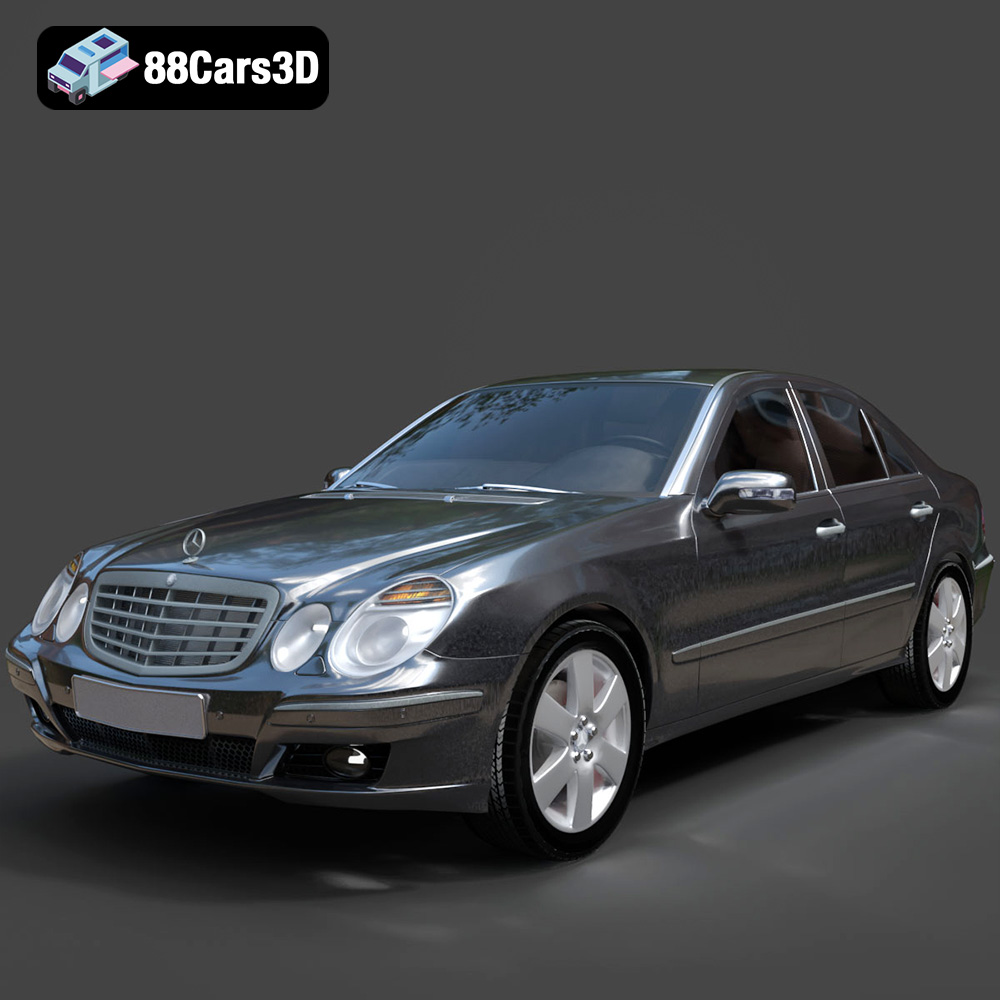
Mercedes E-Class 2007 3D Model
Texture: Yes
Material: Yes
Download the Mercedes E-Class 2007 3D Model featuring clean geometry, realistic detailing, and a fully modeled interior. Includes .blend, .fbx, .obj, .glb, .stl, .ply, .unreal, and .max formats for rendering, simulation, and game development.
Price: $4.99
